display PEUGEOT BOXER 2021 Manual PDF
[x] Cancel search | Manufacturer: PEUGEOT, Model Year: 2021, Model line: BOXER, Model: PEUGEOT BOXER 2021Pages: 212, PDF Size: 6.37 MB
Page 184 of 212
182
Touch screen audio and telematics system
Tune the radio to the 940 frequency of the AM
band.
Tune to* > Magic > FM
Tune the radio to the station Magic.
Tune to DAB channel ** > Absolute Radio
Tune the DAB radio to the Absolute Radio
channel.
"Media" voice commands
The following commands can be made from any main screen page after pressing
the voice recognition button located on the
steering wheel, as long as there is no telephone
call in progress.
Listen to track > "Track 1"
Play the track
“Track 1”.
Listen to album > "Album 1"
Play the songs of the album “Album 1”.
Listen to artist > "Artist 1"
Play the songs of the artist
“Artist 1”.
Listen to music style > "Jazz"
Play the songs of the music style “Jazz”.
Listen to playlist > "Playlist 1"
Play the songs of the playlist “Playlist1”.
Listen to podcast > "Radio 1"
Play the podcast
“Podcast 1”.
Listen to audio book > "Book 1"
Play the audio book "Book 1”.
Listen to track number > "5"
Play track
number “5”.
* It is possible to rep lace "Magic" with any other FM station name received by the radio. Not all radio stations provide this service.
** It is possible to re place "Absolute Radio" with any other DAB channel received by the radio. Not all DAB channels provide this service. Select > "USB"
Select the USB media support as the active
audio source.
Browse > "Album"
View the list of available albums.
"Navigation" voice
commands
The following commands can be made
from any main screen page after pressing
the voice recognition or telephone button located
on the steering wheel, as long as there is no
telephone call in progress.
Go home
Display the route home.
2D mode
Switch to 2D mode.
3D mode
Switch to 3D mode.
Clear route
Clear the displayed route.
Add a favourite
Display the favourites screen page.
Repeat instruction
Repeat the last spoken voice message.
"Text message" voice
commands
The following commands can be made from each main screen after pressing the
telephone button located on the steering wheel,
as long as there is no telephone call in progress.
Send a text message to > 0123456789
Start the voice procedure to send a preset text
message using the system.
Send a text message to > Henri Dupont >
Mobile phone
Start the voice procedure to send a preset text
message using the system.
View text message > Henri Dupont > Mobile
phone
View the list of text messages downloaded by
the phone.
"Hands-free calls" voice
commands
The following commands are available when a call is in progress.
The commands can be made from any screen
page during a call after pressing the telephone
button located on the steering wheel.
Send 0123456789
The selection tones are sent for 0123456789.
Send Voicemail password
Page 186 of 212
184
ALPINE® X902D system
ALPINE® X902D system
Multimedia audio system -
Bluetooth
® telephone- GPS
navigation
For safety reasons, the driver must only
carry out operations that require close
attention with the vehicle stationary.
When the engine is switched off and to
prevent discharging of the battery, the
system switches off after activation of energy
economy mode.
For further information, refer to the
ALPINE user guide at:
https://www.alpine-europe.com
First steps
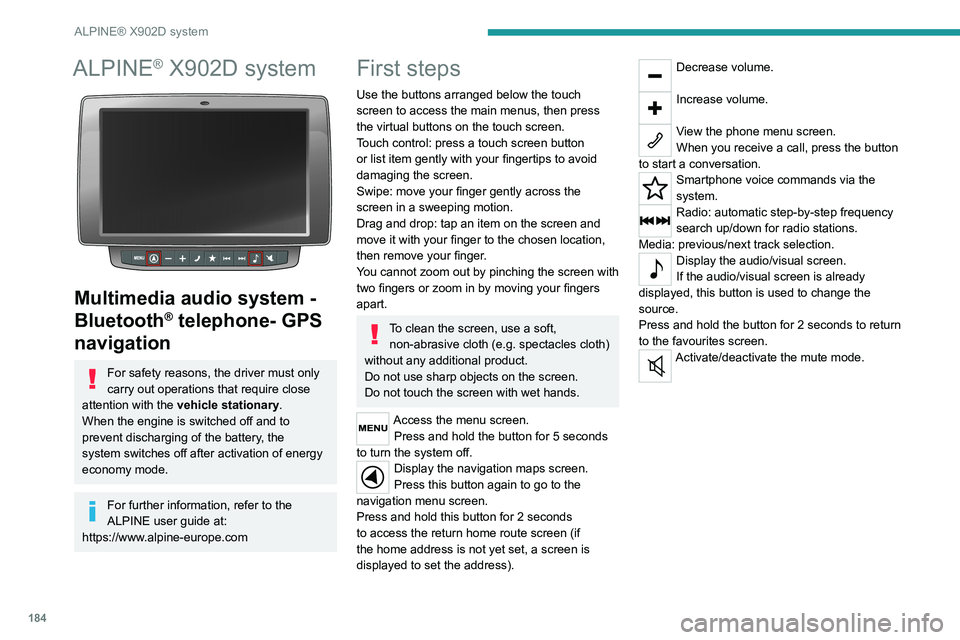
Use the buttons arranged below the touch
screen to access the main menus, then press
the virtual buttons on the touch screen.
Touch control: press a touch screen button
or list item gently with your fingertips to avoid
damaging the screen.
Swipe: move your finger gently across the
screen in a sweeping motion.
Drag and drop: tap an item on the screen and
move it with your finger to the chosen location,
then remove your finger.
You cannot zoom out by pinching the screen with
two fingers or zoom in by moving your fingers
apart.
To clean the screen, use a soft, non-abrasive cloth (e.g. spectacles cloth)
without any additional product.
Do not use sharp objects on the screen.
Do not touch the screen with wet hands.
Access the menu screen. Press and hold the button for 5 seconds
to turn the system off.
Display the navigation maps screen.
Press this button again to go to the
navigation menu screen.
Press and hold this button for 2 seconds
to access the return home route screen (if
the home address is not yet set, a screen is
displayed to set the address).
Decrease volume.
Increase volume.
View the phone menu screen.
When you receive a call, press the button
to start a conversation.
Smartphone voice commands via the
system.
Radio: automatic step-by-step frequency
search up/down for radio stations.
Media: previous/next track selection.
Display the audio/visual screen.
If the audio/visual screen is already
displayed, this button is used to change the
source.
Press and hold the button for 2 seconds to return
to the favourites screen.
Activate/deactivate the mute mode.
Page 187 of 212
185
ALPINE® X902D system
13Menus
Switching from the audio
sources screen to a specific
screen
Audio sources screen
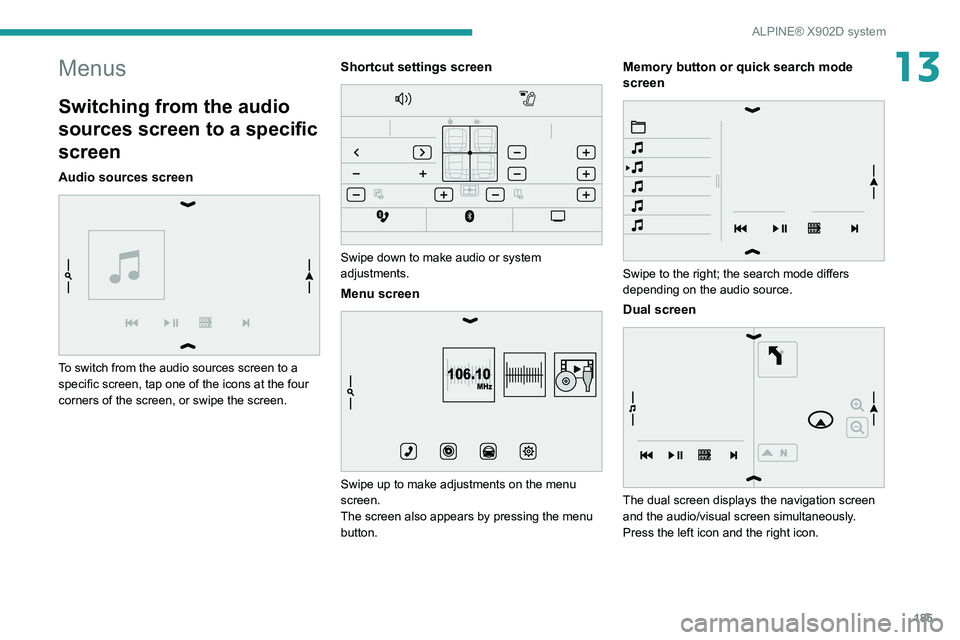
To switch from the audio sources screen to a
specific screen, tap one of the icons at the four
corners of the screen, or swipe the screen.
Shortcut settings screen
Swipe down to make audio or system
adjustments.
Menu screen
106.10MHz
Swipe up to make adjustments on the menu
screen.
The screen also appears by pressing the menu
button.
Memory button or quick search mode
screen
Swipe to the right; the search mode differs
depending on the audio source.
Dual screen
The dual screen displays the navigation screen
and the audio/visual screen simultaneously.
Press the left icon and the right icon.
Page 189 of 212
187
Event data recorders
14Recording event data
Electronic control units are installed in your
vehicle. These control units process data
received from the vehicle's sensors, for example,
or data they generate themselves or exchange
with each other. Some of these control units are
required for the correct operation of your vehicle,
some others assist you while driving (driving or
manoeuvring aids), while others provide comfort
or infotainment functions.
The following contains general information about
how data is processed within the vehicle.
You will find additional information about the
specific data which is downloaded, stored
and transmitted to third parties and what it is
used for in your vehicle under the keyword
"Data protection". This information is directly
associated with the references for the functions
in question contained in the corresponding
vehicle handbook, or in the general terms and
conditions of sale.
This information is also available online.
Vehicle operating data
The control units process the data used for the
operation of the vehicle.
This data includes, for example:
–
Information about the state of the vehicle
(e.g.
speed, travel time, lateral acceleration,
wheel rotation rate, fastened seat belts display).
–
Environmental conditions (e.g.
temperature,
rain sensor, distance sensor). As a general rule, this data is temporary, is
not stored for longer than one operating cycle
and is only used within the vehicle itself. The
control units often record this data (including the
vehicle's key). This function allows either the
temporary or permanent storage of information
about the state of the vehicle, stresses on
components, servicing requirements, as well as
events and technical errors.
Depending on the vehicle's equipment level, the
data stored is as follows:
–
Operating state of system components
(e.g.
filling level, tyre pressures, battery charge
status).
–
Faults and malfunctions in important system
components (e.g.
lamps, brakes).
–
System reactions in specific driving situations
(e.g.
deployment of an airbag, triggering of
stability control and braking systems).
–
Information about events which have
damaged the vehicle.
–
For electric and rechargeable hybrid vehicles,
the traction battery charge level and the
estimated driving range.
In particular circumstances (e.g.
if the vehicle
has detected a malfunction), it may be necessary
to record data which would otherwise simply not
be stored.
When taking your vehicle in for servicing
(e.g.
repairs, maintenance), the stored operating
data may be read along with the vehicle's
identification number and used if necessary.
The personnel working for the servicing network (e.g.
garages, manufacturers) or third parties
(e.g. roadside assistance agents) may read
the vehicle's data. This also applies to work
carried out under warranty and quality assurance
measures.
This data is generally read via the OBD
(On-Board Diagnostics) port fitted by law to
the vehicle. It is used to report on the technical
state of the vehicle or its components and
facilitates the diagnosis of malfunctions, in
compliance with warranty obligations and for
quality improvement. This data, in particular the
information relating to stress on components,
technical events, operator errors and other
malfunctions, is sent to the Manufacturer, if
necessary, along with the vehicle's identification
number. The Manufacturer's liability may also be
engaged. The Manufacturer may also use the
operating data taken from the vehicle for product
recalls. This data may also be used to check the
customer's warranty and any claims made under
warranty.
Any malfunctions stored in the vehicle may be
reset by an after-sales service company during
servicing or repair work, or at your request.
Comfort and infotainment
functions
Comfort settings and personalised settings
may be saved in the vehicle and modified or
reinitialised at any time.
Page 193 of 212
191
Alphabetical index
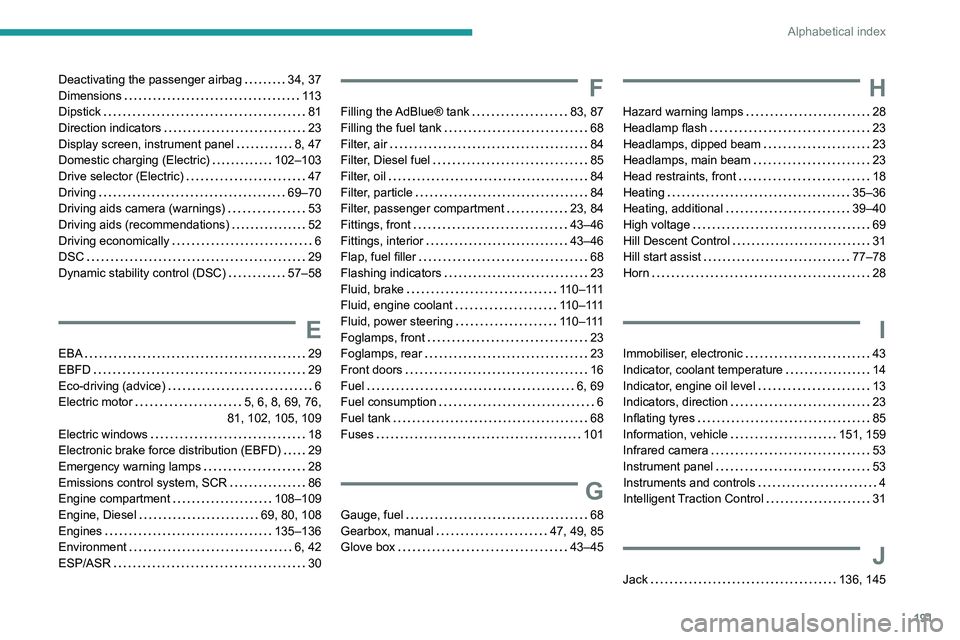
Deactivating the passenger airbag 34, 37
Dimensions
11 3
Dipstick
81
Direction indicators
23
Display screen, instrument panel
8, 47
Domestic charging (Electric)
102–103
Drive selector (Electric)
47
Driving
69–70
Driving aids camera (warnings)
53
Driving aids (recommendations)
52
Driving economically
6
DSC
29
Dynamic stability control (DSC)
57–58
E
EBA 29
EBFD
29
Eco-driving (advice)
6
Electric motor
5, 6, 8, 69, 76,
81, 102, 105, 109
Electric windows
18
Electronic brake force distribution (EBFD)
29
Emergency warning lamps
28
Emissions control system, SCR
86
Engine compartment
108–109
Engine, Diesel
69, 80, 108
Engines
135–136
Environment
6, 42
ESP/ASR
30
F
Filling the AdBlue® tank 83, 87
Filling the fuel tank
68
Filter, air
84
Filter, Diesel fuel
85
Filter, oil
84
Filter, particle
84
Filter, passenger compartment
23, 84
Fittings, front
43–46
Fittings, interior
43–46
Flap, fuel filler
68
Flashing indicators
23
Fluid, brake
110–111
Fluid, engine coolant
110–111
Fluid, power steering
110–111
Foglamps, front
23
Foglamps, rear
23
Front doors
16
Fuel
6, 69
Fuel consumption
6
Fuel tank
68
Fuses
101
G
Gauge, fuel 68
Gearbox, manual
47, 49, 85
Glove box
43–45
H
Hazard warning lamps 28
Headlamp flash
23
Headlamps, dipped beam
23
Headlamps, main beam
23
Head restraints, front
18
Heating
35–36
Heating, additional
39–40
High voltage
69
Hill Descent Control
31
Hill start assist
77–78
Horn
28
I
Immobiliser, electronic 43
Indicator, coolant temperature
14
Indicator, engine oil level
13
Indicators, direction
23
Inflating tyres
85
Information, vehicle
151, 159
Infrared camera
53
Instrument panel
53
Instruments and controls
4
Intelligent Traction Control
31
J
Jack 136, 145