display PEUGEOT BOXER 2021 Service Manual
[x] Cancel search | Manufacturer: PEUGEOT, Model Year: 2021, Model line: BOXER, Model: PEUGEOT BOXER 2021Pages: 212, PDF Size: 6.37 MB
Page 85 of 212
83
Driving
6– These traffic signs are then displayed in the
instrument panel.
The system can display two traffic signs (speed
limit and no overtaking/end of no overtaking)
in parallel in the two dedicated zones of the
instrument panel.
If an additional traffic sign is detected, such as
one for a reduced speed limit when the road is
wet, this is displayed in an empty window below
the corresponding sign.
Additional traffic signs are filtered as follows:
–
Signs related to snow or ice are displayed only
if the exterior temperature is below 3°C.
–
Signs related to snow
, rain or fog are
displayed only if the wipers are on and the
exterior temperature is below 3°C.
–
Signs related to heavy goods vehicles are only
displayed if they apply to vehicles weighing less
than 4 tonnes.
–
Signs related to farm vehicles are not
displayed.
Signs such as no overtaking are cleared from
the instrument panel after approximately 40
seconds.
Activation/Deactivation
This function can be set using the MODE button: in the “Traffic Sign” menu, select
“ON” or “OFF”.
For more information on Vehicle
configuration (MODE) , refer to the
corresponding section.
Operating limits
The system does not take account of reduced
speed limits, especially those imposed in the
following cases:
–
Poor weather (rain, snow).
–
Atmospheric pollution.
–
T
owing.
–
Driving with a space-saver type spare wheel
or snow chains fitted.
–
Driving with a non-standard suspension kit.
–
T
yre repaired using the temporary puncture
repair kit.
–
Y
oung drivers.
The system may not display the speed limit if it
does not detect a speed limit sign within a preset
period and in the following situations:
–
Road signs that are obstructed, non-standard,
damaged or bent.
–
Obsolete or incorrect maps.
–
Road incline causing the sign to be out of the
camera field of vision (on a slope, for example).
–
Change in the vehicle load that causes the
camera to tilt significantly (system operation may
temporarily be suspended to enable camera
self-calibration).
Speed limiter
For more information, refer to the
General recommendations on the use
of driving and manoeuvring aids .
System which prevents the vehicle
from exceeding the speed
programmed by the driver.
The speed is selected when the vehicle is
stationary with the engine running or while
driving with at least 2
nd gear engaged.
The minimum speed to be programmed is 19
mph (30 km/h).
Fully depressing the accelerator pedal allows
you to exceed the programmed speed. To
resume use of the speed limiter, gradually
release the pressure on the accelerator pedal
and return below the programmed speed.
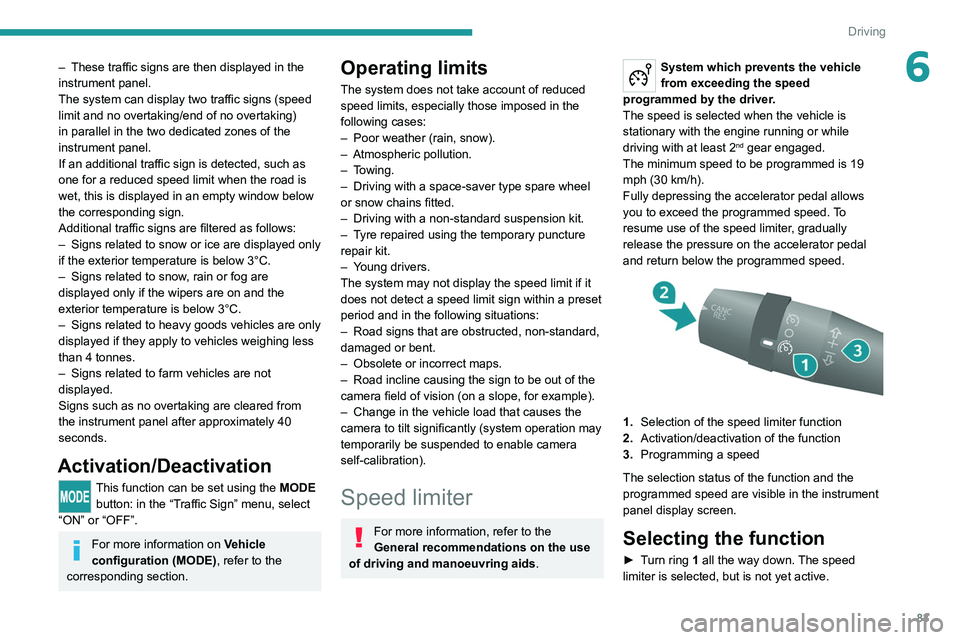
1. Selection of the speed limiter function
2. Activation/deactivation of the function
3. Programming a speed
The selection status of the function and the
programmed speed are visible in the instrument
panel display screen.
Selecting the function
► Turn ring 1 all the way down. The speed
limiter is selected, but is not yet active.
Page 86 of 212
84
Driving
The display indicates OFF and the last
programmed speed.
Programming a speed
A speed can be programmed without activating
the speed limiter but with the engine running.
To memorise a speed higher than the previous
one:
►
Move the control upwards (+).
A
short press increases the setting by 1 mph
(km/h).
Pressing and holding increases the setting in
steps of 5 mph (km/h).
To memorise a speed lower than the previous
one:
►
Move the control downwards (-).
A
short press decreases the setting by 1 mph
(km/h).
Pressing and holding decreases the setting in
steps of 5 mph (km/h).
Activation/Deactivation
► Press button 2 to activate the speed limiter.
OFF disappears from the display and a message
appears confirming activation.
Pressing again deactivates it, OFF is displayed
again and a message appears confirming
deactivation.
Exceeding the programmed
speed
► Fully depress the accelerator pedal to exceed
the programmed speed threshold.
The speed limiter is deactivated temporarily and
the programmed speed flashes.
To return to the speed limiter function, reduce
your speed below the programmed speed.
On a steep descent or in the event of
sharp acceleration, the speed limiter will
not be able to prevent the vehicle from
exceeding the programmed speed.
Switching the function off
► Place the ring in the central position O or
switch the ignition off to stop the system.
The last programmed speed remains in the
memory.
Malfunction
The programmed speed is cleared, then
replaced by dashes.
Have the system checked by a PEUGEOT
dealer or a qualified workshop.
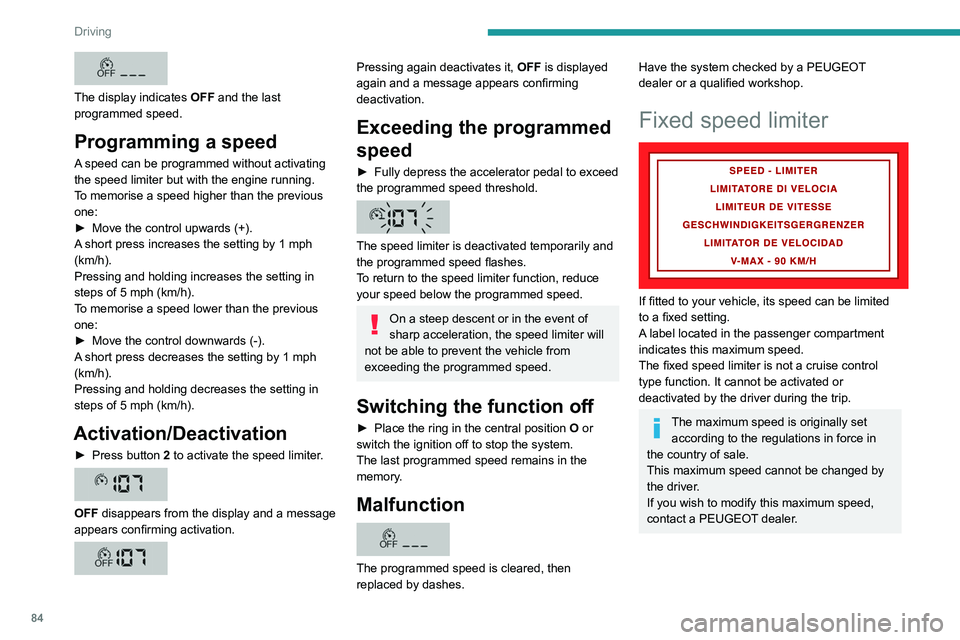
Fixed speed limiter
If fitted to your vehicle, its speed can be limited
to a fixed setting.
A label located in the passenger compartment
indicates this maximum speed.
The fixed speed limiter is not a cruise control
type function. It cannot be activated or
deactivated by the driver during the trip.
The maximum speed is originally set according to the regulations in force in
the country of sale.
This maximum speed cannot be changed by
the driver.
If you wish to modify this maximum speed,
contact a PEUGEOT dealer.
Page 87 of 212
85
Driving
6Cruise control - Specific
recommendations
The cruise control function does not guarantee compliance with the maximum
authorised speed and the safety distance
between vehicles, the driver remains
responsible for their driving.
In the interest of public safety, only use cruise
control if the traffic conditions enable vehicles
to drive at a steady speed and maintain an
adequate safety distance.
Remain vigilant while cruise control is
activated. If you press and hold one of the
speed setting modification buttons, your
vehicle may change speed very abruptly.
When descending a steep hill , the cruise
control system cannot prevent the vehicle
from exceeding the set speed. Brake if
necessary to control the vehicle speed.
On steep climbs or when towing, the set
speed may not be reached or maintained.
Exceeding the programmed speed
setting
You can temporarily exceed the speed
setting by pressing the accelerator pedal (the
programmed speed flashes).
To return to the speed setting, release the
accelerator pedal (when the set speed is
reached again, the displayed speed stops
flashing).
Operating limits
Never use the system in the following
situations:
–
In an urban area with the risk of
pedestrians crossing the road.
–
In heavy traffic.
–
On winding or steep roads.
–
On slippery or flooded roads.
–
In poor weather conditions.
–
In the event of restricted visibility for the
driver
.
–
Driving on a speed circuit.
–
Driving on a rolling road.
–
When using a ‘space-saver
’ type spare
wheel.
–
When using snow chains, non-slip covers
or studded tyres.
Cruise control
For more information, refer to the
General recommendations on the use
of driving and manoeuvring aids and the
Cruise control - particular
recommendations.
System which automatically maintains the
speed of the vehicle at the cruise setting
programmed by the driver, without using the
accelerator pedal. To be programmed or activated, the speed of the
vehicle must be above 19 mph (30 km/h), with at
least 2
nd gear engaged.
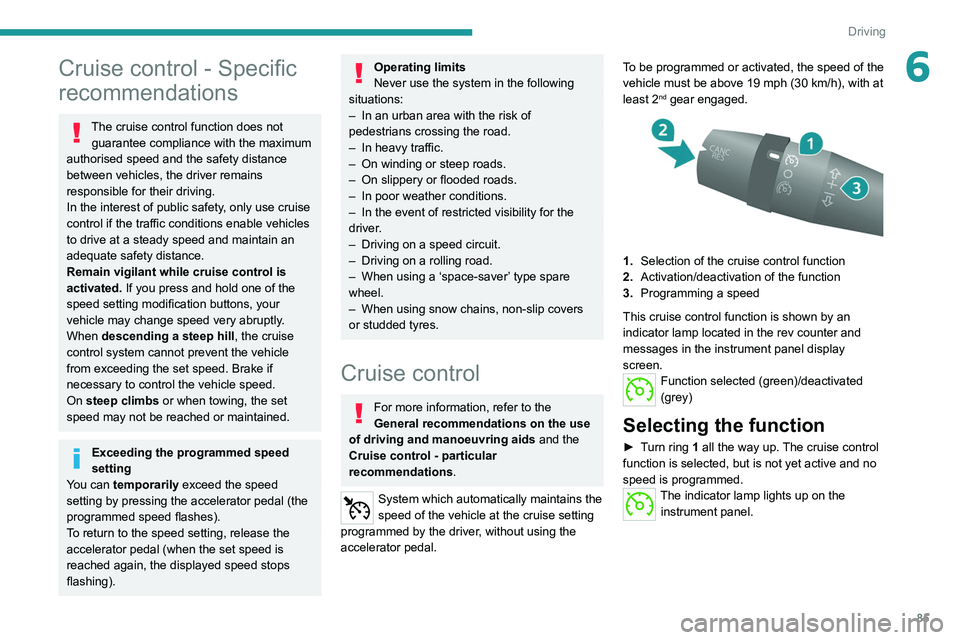
1.
Selection of the cruise control function
2. Activation/deactivation of the function
3. Programming a speed
This cruise control function is shown by an
indicator lamp located in the rev counter and
messages in the instrument panel display
screen.
Function selected (green)/deactivated
(grey)
Selecting the function
► Turn ring 1 all the way up. The cruise control
function is selected, but is not yet active and no
speed is programmed.
The indicator lamp lights up on the instrument panel.
Page 88 of 212
86
Driving
First activation/
Programming a speed
► Bring the vehicle up to the desired speed by
pressing the accelerator .
►
Move the control upwards (+) or downwards
(-) to memorise it.
A message appears in the
instrument panel display to confirm activation.
The memorised speed is visible in the instrument
panel display.
The vehicle will maintain this speed setting.
Deactivation (off)
► Press button 2.
or
►
Depress the brake or clutch pedal.
A
message appears in the instrument panel
display to confirm deactivation.
Reactivation
► Following deactivation of the cruise control,
press button 2. A message appears in the
instrument panel display to confirm reactivation.
Your vehicle will return to the last programmed
speed.
You can also repeat the "first activation"
procedure.
Changing the programmed
speed
There are two methods for memorising a speed
higher than the previous one: Without using the accelerator:
►
Move the control upwards (+).
A
short press increases the setting by 1 mph
(km/h).
Pressing and holding increases the setting in
steps of 5 mph (km/h).
Using the accelerator:
►
Exceed the memorised speed until the
desired speed is reached.
►
Move the control upwards (+) or downwards
(-).
T
o memorise a speed lower than the previous
one:
►
Move the control downwards (-).
A
short press decreases the setting by 1 mph
(km/h).
Pressing and holding decreases the setting in
steps of 5 mph (km/h).
Switching the function off
► Place the ring in the central position O or
switch the ignition off to stop the system.
When the vehicle stops, after the ignition is
switched off, the system no longer memorises
any speeds.
Malfunction
In the event of a malfunction, the function
stops and the indicator lamp goes out.
Have the system checked by a PEUGEOT
dealer or a qualified workshop.
Lane departure warning
system
For more information, refer to the
General recommendations on the use
of driving and manoeuvring aids .
System which detects the involuntary crossing of
longitudinal traffic lane markings on the ground
(solid or broken line).
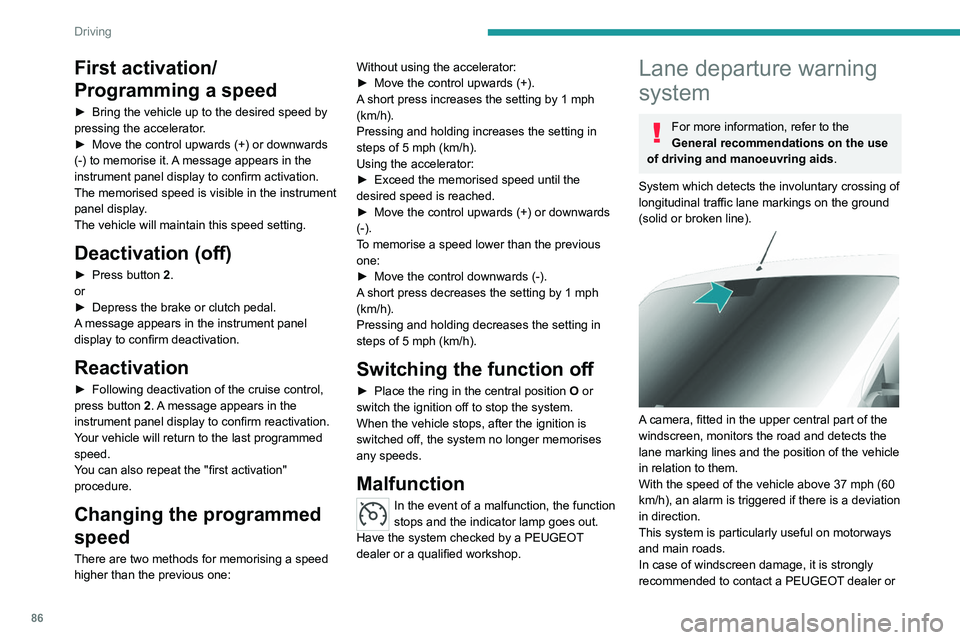
A camera, fitted in the upper central part of the
windscreen, monitors the road and detects the
lane marking lines and the position of the vehicle
in relation to them.
With the speed of the vehicle above 37 mph (60
km/h), an alarm is triggered if there is a deviation
in direction.
This system is particularly useful on motorways
and main roads.
In case of windscreen damage, it is strongly
recommended to contact a PEUGEOT dealer or
Page 90 of 212
88
Driving
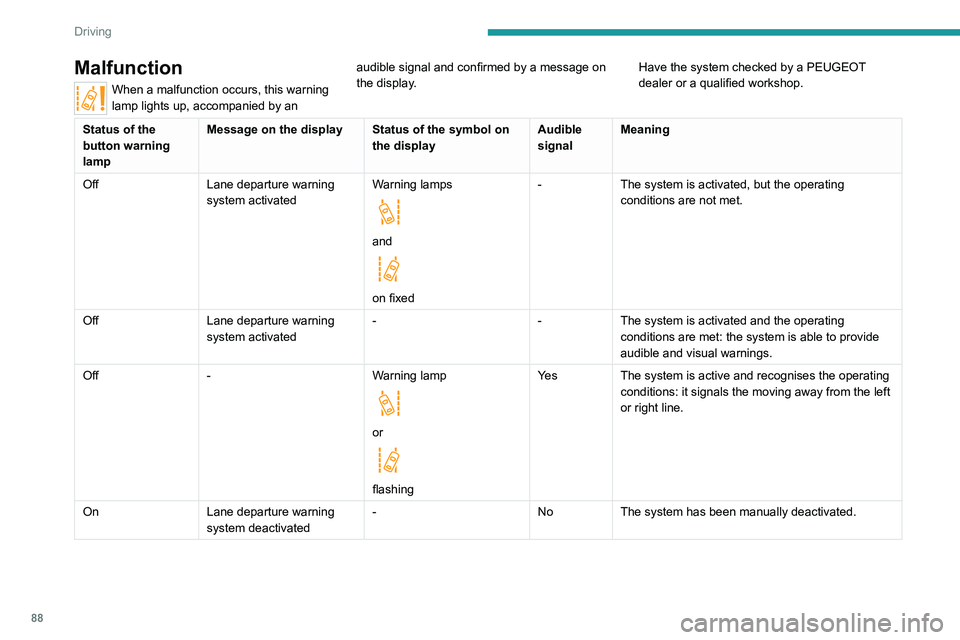
Malfunction
When a malfunction occurs, this warning
lamp lights up, accompanied by an audible signal and confirmed by a message on
the display.
Have the system checked by a PEUGEOT
dealer or a qualified workshop.
Status of the
button warning
lampMessage on the display Status of the symbol on
the displayAudible
signalMeaning
Off Lane departure warning
system activated Warning lamps
and
on fixed-
The system is activated, but the operating
conditions are not met.
Off Lane departure warning
system activated -
-The system is activated and the operating
conditions are met: the system is able to provide
audible and visual warnings.
Off - Warning lamp
or
flashingYe s
The system is active and recognises the operating
conditions: it signals the moving away from the left
or right line.
On Lane departure warning
system deactivated -
NoThe system has been manually deactivated.
Page 93 of 212
91
Driving
6This function can be set using the MODE button; in the "Active Safety Brake" menu,
select "ON" or "OFF".
For more information on Vehicle
configuration (MODE) , refer to the
corresponding section.
Deactivation of the system is signalled by
the illumination of this warning lamp,
accompanied by the display of a message.
Operating conditions and
limits
Vehicle moving forward.
ESC system operational.
DSC/ASR systems activated.
Seat belts fastened for all passengers.
Stabilised speed on roads with few bends.
In the following cases, deactivating the system
via the vehicle's configuration menu is advised:
–
T
owing a trailer.
–
Carrying long objects on roof bars or roof rack.
–
V
ehicle with snow chains fitted.
–
Before using an automatic car wash, with the
engine running.
–
When changing
a wheel, working near a wheel
or inside the engine compartment.
–
Before placing the vehicle on a rolling road in
a workshop.
–
T
owed vehicle, engine running.
–
Following
an impact to the windscreen close to
the detection camera.
The system is automatically deactivated when a fault with the brake pedal switch
or at least two brake lamps is detected.
It can be dangerous to drive if the brake
lamps are not in perfect working order.
The driver must not overload the vehicle (keep within the GVW limit and load
height limits for roof bars).
Following an impact, the system is
automatically deactivated.
Have it checked by a PEUGEOT dealer or a
qualified workshop.
It is possible that warnings are not given,
are given too late or seem unjustified.
The driver must always stay in control of their
vehicle and be prepared to react at any time
to avoid an accident.
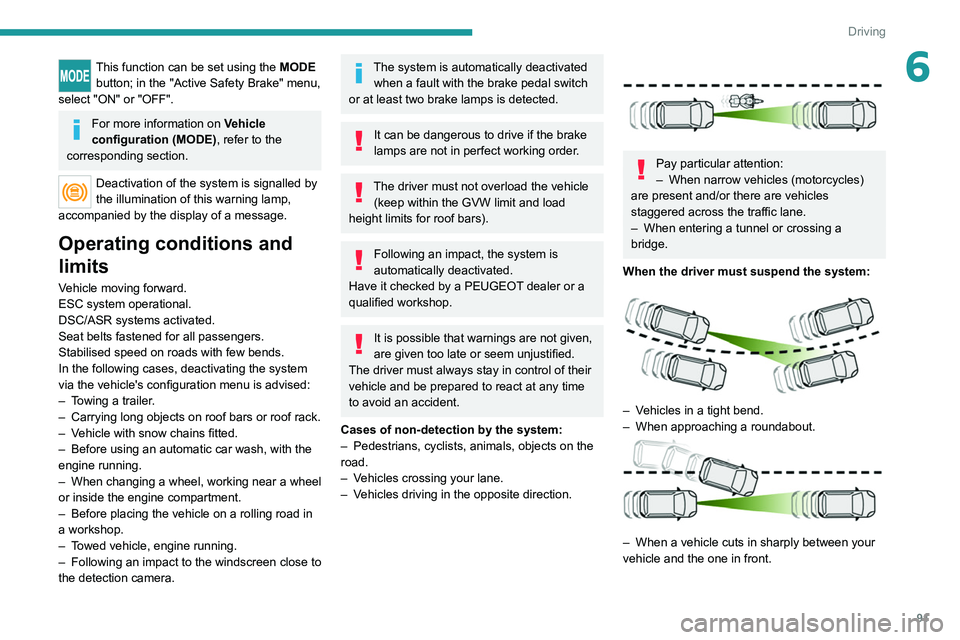
Cases of non-detection by the system:
–
Pedestrians, cyclists, animals, objects on the
road.
–
V
ehicles crossing your lane.
–
V
ehicles driving in the opposite direction.
Pay particular attention:
– When narrow vehicles (motorcycles)
are present and/or there are vehicles
staggered across the traffic lane.
–
When entering a tunnel or crossing a
bridge.
When the driver must suspend the system:
– Vehicles in a tight bend.
– When approaching a roundabout.
– When a vehicle cuts in sharply between your
vehicle and the one in front.
Page 94 of 212
92
Driving
Collision Risk Alert
It warns the driver that their vehicle is at risk of
collision with the vehicle in front.
Modifying the alert trigger threshold
This trigger threshold determines the sensitivity
with which the function warns of the risk of
collision.
The threshold is set via the vehicle configuration menu.
►
Select one of the three pre-defined
thresholds: "Near", "Normal" or "Far".
The last threshold selected is memorised when
the ignition is switched off.
Operation
Depending on the degree of risk of collision
detected by the system and the alert threshold
chosen by the driver, several different levels
of alert may be triggered and displayed in the
instrument panel.
They take account of the vehicle dynamics, the
speed of your vehicle and the one in front, the
environmental conditions and the operation of
the vehicle (cornering, actions on the pedals,
etc.) to trigger the alert at the best moment.
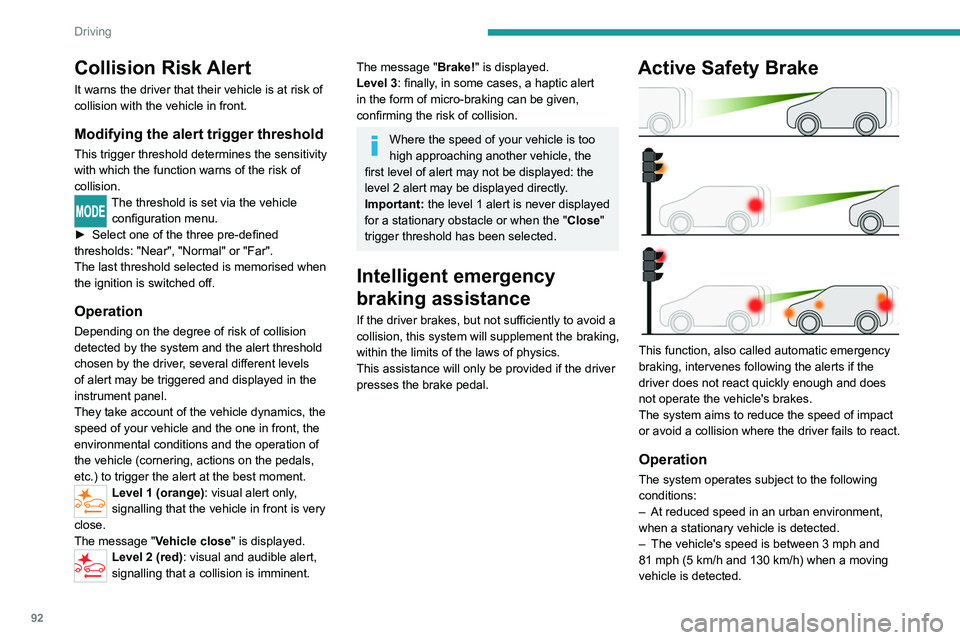
Level 1 (orange): visual alert only,
signalling that the vehicle in front is very
close.
The message "
Vehicle close" is displayed.
Level 2 (red): visual and audible alert,
signalling that a collision is imminent.
The message "Brake! " is displayed.
Level 3: finally, in some cases, a haptic alert
in the form of micro-braking can be given,
confirming the risk of collision.
Where the speed of your vehicle is too
high approaching another vehicle, the
first level of alert may not be displayed: the
level 2 alert may be displayed directly.
Important: the level
1 alert is never displayed
for a stationary obstacle or when the " Close"
trigger threshold has been selected.
Intelligent emergency
braking assistance
If the driver brakes, but not sufficiently to avoid a
collision, this system will supplement the braking,
within the limits of the laws of physics.
This assistance will only be provided if the driver
presses the brake pedal.
Active Safety Brake
This function, also called automatic emergency
braking, intervenes following the alerts if the
driver does not react quickly enough and does
not operate the vehicle's brakes.
The system aims to reduce the speed of impact
or avoid a collision where the driver fails to react.
Operation
The system operates subject to the following
conditions:
–
At reduced speed in an urban environment,
when a stationary vehicle is detected.
–
The vehicle's speed is between 3 mph and
81 mph (5
km/h and 130 km/h) when a moving
vehicle is detected.
Page 96 of 212
94
Driving
Reversing camera
For more information, refer to the
General recommendations on the use
of driving and manoeuvring aids .
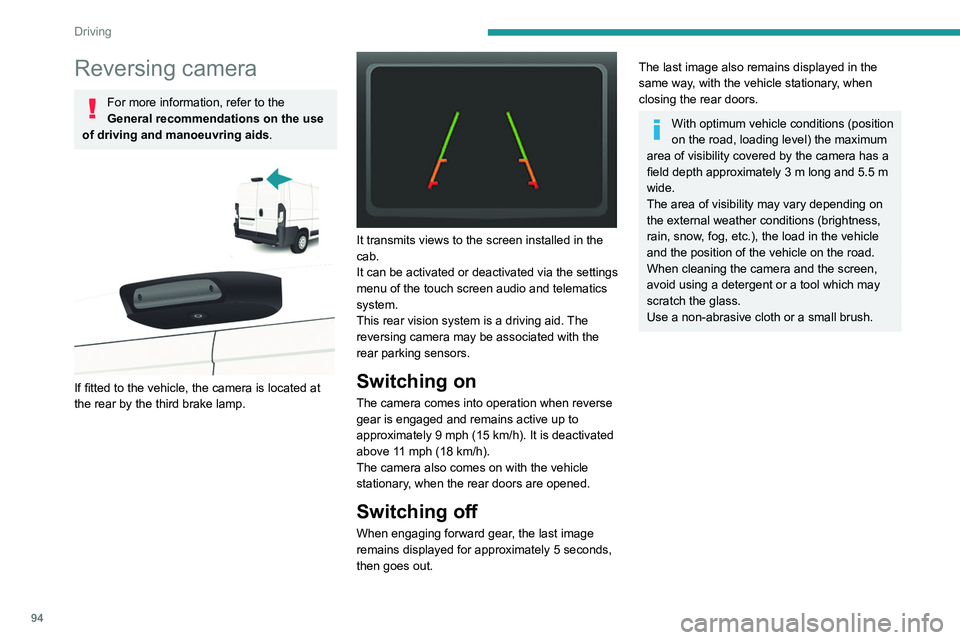
If fitted to the vehicle, the camera is located at
the rear by the third brake lamp.
It transmits views to the screen installed in the
cab.
It can be activated or deactivated via the settings
menu of the touch screen audio and telematics
system.
This rear vision system is a driving aid. The
reversing camera may be associated with the
rear parking sensors.
Switching on
The camera comes into operation when reverse
gear is engaged and remains active up to
approximately 9 mph (15 km/h). It is deactivated
above 11 mph (18 km/h).
The camera also comes on with the vehicle
stationary, when the rear doors are opened.
Switching off
When engaging forward gear, the last image
remains displayed for approximately 5 seconds,
then goes out.
The last image also remains displayed in the
same way, with the vehicle stationary, when
closing the rear doors.
With optimum vehicle conditions (position
on the road, loading level) the maximum
area of visibility covered by the camera has a
field depth approximately 3 m long and 5.5 m
wide.
The area of visibility may vary depending on
the external weather conditions (brightness,
rain, snow, fog, etc.), the load in the vehicle
and the position of the vehicle on the road.
When cleaning the camera and the screen,
avoid using a detergent or a tool which may
scratch the glass.
Use a non-abrasive cloth or a small brush.
Page 103 of 212
101
Practical information
7Charging the traction
battery (Electric)
To charge, connect the vehicle to a domestic
charging unit or a fast public charger (superfast
charging).
For a full charge, follow the desired charging
procedure without interrupting it, until it ends
automatically.
To stop charging at any time, press the locking
button on the remote control for 5 seconds
and remove the charging nozzle. For superfast
charging, also refer to the fast public charger.
The display of information linked to the charging
is integrated into the rear view mirror. For more
information on the Display integrated into the
rear view mirror , refer to the corresponding
section.
As a safety measure, the engine will not start if the charging cable is plugged into
the vehicle's charging connector.
Cooling the traction battery
The cooling fan in the engine
compartment comes on during charging to
cool the on-board charger and the traction
battery.
Balancing the traction battery voltage
After carrying out a full charge (100%)
at least once per week, we recommend not
using the vehicle for about 4 hours.
This time allows the voltage to balance across
all of the traction battery's cells (ensuring a
level voltage across all of its cells).
This process helps keep the traction battery in
good condition and aids in the calculation of
its charging level.
Completely discharged traction
battery
T
o preserve the lifespan of the traction battery
and avoid damaging it, make sure that it is
never completely discharged (0%).
When the charge level drops to 15%, the
message "LOW POWER MODE" appears
on the display integrated into the rear view
mirror. If this message appears while driving,
avoid heavy acceleration and charge the
vehicle as soon as possible.
Long-term parking
Before parking the vehicle for an
extended period, carry out a full charge of the
traction battery.
Park the vehicle in a place where the
temperature will be between 0°C and 45°C
(parking in a place which will experience
extreme temperatures can damage the
traction battery).
Disconnect the cable from the (-) terminal of
the 12
V accessory battery.
Check the level of charge in the traction
battery periodically and charge it if necessary.
When parking the vehicle for more than one
month, keep the level of charge above 50%.
When parking the vehicle for a very long
period, charge the vehicle every 2 months.
Do not leave the charging cable connected.
Lack of use of the traction battery temporarily
affects its performance. At the end of the
parking period, carry out several charge/
discharge cycles to restore the normal
operation of the traction battery.
Precautions
Our electric vehicles have been developed in
accordance with the recommendations on the
maximum limits for electromagnetic fields, as
issued by the International Commission on Non-
Ionizing Radiation Protection
(ICNIRP - 1998
Guidelines).
Wearers of pacemakers or equivalent
devices
Ask your doctor about what precautions you should take, or ask the manufacturer
of your implanted electro-medical device about
whether its operation is guaranteed in an
environment which complies with the ICNIRP
recommendations.
If in doubt
Accelerated charging: do not remain
inside or near the vehicle, or near the
charging cable or charging unit, even for a
short time.
Page 104 of 212
102
Practical information
Superfast charging: do not use the system
yourself and avoid approaching public fast
charging points. Leave the area and ask a
third party to recharge the vehicle.
Before charging
Accelerated charging
Depending on the context:
►
Have a professional check that the
electrical system to be used complies with
applicable standards and is compatible with
the vehicle.
►
Have an accelerated charging unit which
is compatible with the vehicle installed by a
professional.
Favour the use of the cable supplied with the
vehicle or as an accessory
.
For more information, contact a PEUGEOT
dealer or a qualified workshop.
Superfast charging
Check that the fast public charging
station and its charging cable are compatible
with the vehicle.
During charging
Never work under the bonnet:
– Some areas remain very hot, even an
hour after charging ends - risk of burns!
–
The fan may start at any time - risk of cuts
or strangulation!
The performance of the traction battery varies depending on the outside
temperature and the temperature inside the
traction battery itself.
During charging, the outside temperature
must ideally be between 0°C and 45°C.
Charging is not possible when the
temperature inside the traction battery is
below -5°C or above 55°C. Charging time
may be longer if the temperature is below
0°C.
In cold weather, immediately connect the
vehicle after switching off the ignition.
Significant variations in the level of
incoming electric current may stop the
charging process.
►
Disconnect the charging cable and wait for
the level of electric current to return to normal.
After charging
Check that the charging flap is closed.
Connection
► Switch the ignition off.
► Open the charging flap, remove the
protective covers and check that there are no
foreign bodies on the charging connector
.
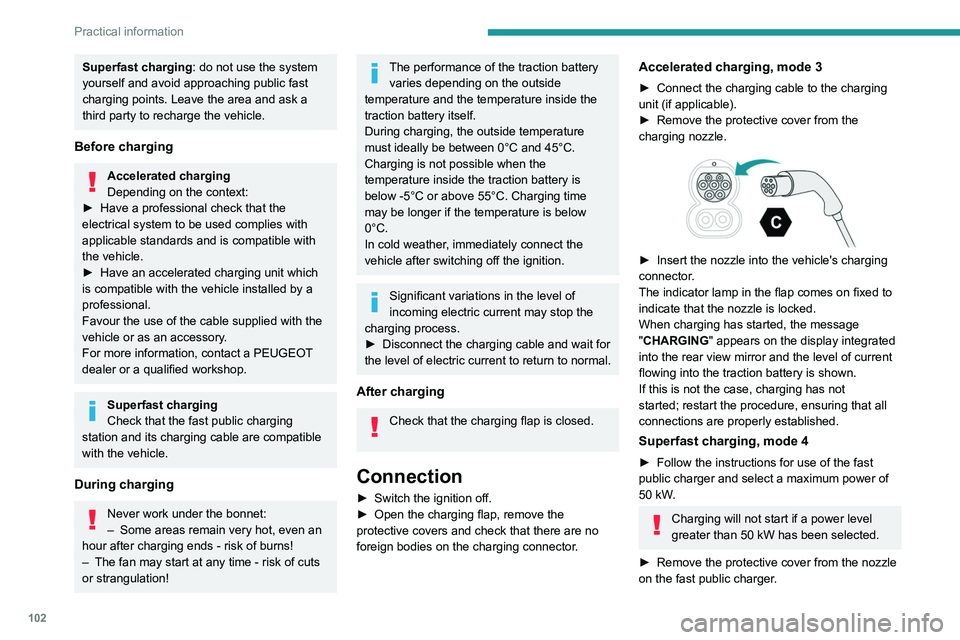
Accelerated charging, mode 3
► Connect the charging cable to the charging
unit (if applicable).
►
Remove the protective cover from the
charging nozzle.
► Insert the nozzle into the vehicle's charging
connector .
The indicator lamp in the flap comes on fixed to
indicate that the nozzle is locked.
When charging has started, the message
"CHARGING" appears on the display integrated
into the rear view mirror and the level of current
flowing into the traction battery is shown.
If this is not the case, charging has not
started; restart the procedure, ensuring that all
connections are properly established.
Superfast charging, mode 4
► Follow the instructions for use of the fast
public charger and select a maximum power of
50 kW
.
Charging will not start if a power level
greater than 50 kW has been selected.
►
Remove the protective cover from the nozzle
on the fast public charger
.