remote start PEUGEOT PARTNER 2022 Owner's Manual
[x] Cancel search | Manufacturer: PEUGEOT, Model Year: 2022, Model line: PARTNER, Model: PEUGEOT PARTNER 2022Pages: 324, PDF Size: 9.42 MB
Page 123 of 324
121
Driving
6must turn the steering wheel while pressing
the "START/STOP" button to assist unlocking
of the steering column. A message is
displayed.
Switching off
► Immobilise the vehicle, with the engine at
idle.
►
With a manual gearbox, ideally put the gear
lever into neutral.
►
With an automatic gearbox, ideally select
position
P
.
With the conventional key/With the
remote control key
► Turn the key all the way to position 1 (Stop)
and remove it from the ignition.
►
T
o lock the steering column, turn the steering
wheel until it locks.
To facilitate unlocking of the steering column, it is recommended that the
wheels be returned to the straight ahead
position before switching off the engine.
►
Check that the parking brake is correctly
applied, particularly on sloping ground.
Never switch off the ignition before the
complete immobilisation of the vehicle.
With the engine off, the braking and steering
assistance systems are also turned off: risk of
loss of control of the vehicle.
As a safety measure, never leave the vehicle without taking the remote control
with you, even for a short time.
Avoid attaching heavy objects to the key or the remote control, which would weigh
down on its blade in the ignition switch and
could cause a malfunction.
Key left in the ignition
When opening the driver's door, an alert
message is displayed, accompanied by
an audible signal, to remind you that the key
is still in the ignition switch at position 1
(Stop).
If the key has been left in the ignition switch
at position 2 (Ignition on) , the ignition will be
switched off automatically after one hour.
To switch the ignition back on, turn the key
to position 1 (Stop), then back to position 2
(Ignition on) .
With Keyless Entry and Start
► With the remote control in the recognition
zone, press the " START/STOP" button.
With a manual gearbox, the engine stops and
the steering column locks.
With the EAT8 automatic gearbox, the engine
stops.
If the vehicle is not immobilised, the
engine will not stop.
To avoid any risk of jamming the pedals: – only use mats which are suited to the
fixings already present in the vehicle; these
fixings must be used,
–
never place one mat on top of another
.
The use of mats not approved by PEUGEOT
may interfere with access to the pedals and
hinder the operation of the cruise control /
speed limiter.
The mats approved by PEUGEOT have two
fixings located below the seat.
Starting/Switching off the
electric motor
Starting
The drive selector must be in mode P.
► If using a conventional or remote control
key
, depress the brake pedal and turn the key
to position 3 until the motor starts, without
depressing the accelerator. As soon as the motor
starts, release the key so it returns to position 2.
►
If using
Keyless Entry and Start, depress the
brake pedal and briefly press the "START/STOP"
button.
►
Keep your foot on the brake pedal until the
READY
indicator lamp comes on and an audible
signal is emitted, indicating that the vehicle is
ready to drive.
Page 124 of 324

122
Driving
► With your foot on the brake, select mode D
or R.
►
Release the brake pedal, then accelerate.
On starting, the instrument panel lights up and
the power indicator cursor moves to the "neutral"
position.
The steering column automatically
unlocks (you may hear a sound and feel the
steering wheel move).
Switching off
► If using a conventional or remote control
key , turn the key fully to position 1 (Stop).
►
If using Keyless Entry and Start, press the
"
START/STOP" button.
Before exiting the vehicle, check that:
–
The drive selector is in mode P
.
–
The READY indicator lamp is off.
The drive selector moves automatically
to mode P when the motor is switched off
or when the driver's door is opened.
If the driver's door is opened while the
required conditions for switching off are
not met, an audible signal is emitted,
accompanied by the display of a warning
message.
Special case with Keyless
Entry and Start
Switching on the ignition with
Keyless Entry and Start
With the "Keyless Entry and Start"
electronic key inside the vehicle, pressing
the "START/STOP" button, without depressing
any of the pedals , allows the ignition to be
switched on.
►
Press this button again to switch off the
ignition and allow the vehicle to be locked.
Back-up starting
A back-up reader is fitted to the steering column,
to enable the engine to be started if the system
fails to detect the key in the recognition zone, or
if the battery in the electronic key is flat.
► Place and hold the remote control against the
back-up reader .
►
W
ith a manual gearbox, place the gear lever
in neutral, then fully depress the clutch pedal.
►
W
ith an automatic gearbox or a drive
selector, select mode
P, then depress the brake
pedal.
►
Press the "
START/STOP" button.
The engine starts.
Remote control not recognised
with Keyless Entry and Start
If the remote control is no longer in the
recognition zone, a message appears on the
instrument panel when closing a door or trying to
switch off the engine.
►
Press the "
START/STOP" button for about
3 seconds to confirm switching off the engine,
then contact a PEUGEOT dealer or a qualified
workshop.
Forced switch-off with Keyless Entry
and Start
In case of emergency only, the engine can be
switched off without conditions (even when
driving).
Page 130 of 324
128
Driving
The steering mounted controls do not allow neutral to be selected and reverse
gear to be engaged or disengaged.
Information displayed on
the instrument panel
When you move the selector or press button M ,
the corresponding gear and indicator lamp are
shown on the instrument panel.
The "-" symbol is displayed if a value is invalid.
► If the message " Foot on the brake" is
displayed on the instrument panel, press
the brake pedal firmly.
Starting the vehicle
► With your foot on the brake, select
position P
.
►
Start the engine.
If the conditions are not met, there is an audible
signal, accompanied by a message on the
instrument panel screen.
►
Release the parking brake, unless it is set to
automatic mode (with electric parking brake).
►
Select position R
, N or D.
If you are setting off from a steep slope
with a loaded vehicle, depress the
brake pedal, select position D, release the
parking brake, unless it is set to automatic
mode (with electric parking brake), then
release the brake pedal.
► Gradually release the brake pedal.
Or
►
Accelerate gradually in order to release the
electric parking brake (if it is set to automatic
mode).
The vehicle moves off immediately
.
If P is displayed on the instrument panel
but the selector is in another position,
place the selector in position P to allow the
engine to be started.
If position N is selected inadvertently while
driving, allow the engine to return to idle, then
select position D to accelerate.
When the engine is running at idle with
the brakes released, if position R, D or M
is selected, the vehicle moves even without
the accelerator being pressed.
Never leave children inside the vehicle
unsupervised.
As a safety measure, never leave the vehicle
without taking your key or remote control with
you, even for a short time.
When carrying out maintenance with the
engine running, apply the parking brake and
select position P.
With an automatic gearbox, never try to
start the engine by pushing the vehicle.
Automatic operation
► Select position D for automatic
changing of the gears.
The gearbox then operates in auto-adaptive
mode, without any intervention on the part of the
driver. It continuously selects the most suitable
gear according to the driving style, the road
profile and the load in the vehicle.
► For maximum acceleration without
touching the selector , fully depress the
accelerator pedal (kick-down).
The gearbox changes down automatically or
holds the gear selected until the maximum
engine speed is reached.
When braking, the gearbox changes down
automatically to provide effective engine braking.
If you release the accelerator sharply, the
gearbox will not shift to a higher gear for safety
reasons.
Never select position N while the vehicle
is moving.
Never select positions P or R unless the
vehicle is completely stationary.
Temporary manual control
of gear changes
You can temporarily assume control of gear
changing using the " +" et "-” steering-mounted
controls. The gear change request will be
executed if the engine speed permits.
Page 184 of 324
182
Practical information
For a full charge, follow the desired charging
procedure without pausing it, until it ends
automatically. Charging can be either immediate
or deferred (except fast public charger, mode 4).
You can stop domestic or accelerated charging
at any time by unlocking the vehicle and
removing the nozzle. For superfast charging,
refer to the fast public charger.
For more information on the charging displays
on the Instrument panel and the Touch screen,
refer to the corresponding section.
It is also possible to monitor the charging
progress using the MYPEUGEOT APP
application.
For more information on Remote functions,
refer to the corresponding section.
As a safety measure, the engine will not start if the charging cable is plugged into
the connector on the vehicle. A warning is
displayed on the instrument panel.
Cooling the traction battery
The cooling fan in the engine
compartment comes on during charging to
cool the on-board charger and the traction
battery.
Low load / Driving
Driving when the charge level of the
traction battery is too low can lead to the
vehicle breaking down and can lead to
accidents or serious injuries. ALWAYS make
sure the traction battery has a sufficient
charge level.
Low load / Parking
If the outside temperature is negative,
it is recommended not to park your vehicle
outside for several hours at a low load (less
than 20%).
Vehicle in storage for more than
1 month
In the event of a long period of non-use of
the vehicle (beyond 4
weeks) without the
possibility of charging when restarting, the
self-discharge may make it impossible to
restart if the traction battery charge level
is a low or very low, especially at negative
ambient temperatures. ALWAYS make sure
that the traction battery has a charge between
20% and 40% if you do not plan to use your
vehicle for several weeks.
Do not connect the charging cable.
Always park the vehicle in a place with
temperatures between -10°C and 30°C
(parking in a place with extreme temperatures
can damage the traction battery).
Disconnect the cable from the (+) terminal
of the accessory battery in the engine
compartment.
Connect a 12 V battery charger to the (+)
and (-) terminals of the accessory battery
about every 3 months in order to recharge the
accessory battery and maintain an operating
voltage.
Precautions
Our electric vehicles have been developed in
accordance with the recommendations on the
maximum limits for electromagnetic fields, as
issued by the International Commission on Non-
Ionizing Radiation Protection
(ICNIRP - 1998
Guidelines).
Wearers of pacemakers or equivalent
devices
Ask your doctor about what precautions you should take, or ask the manufacturer
of your implanted electro-medical device about
whether its operation is guaranteed in an
environment which complies with the ICNIRP
recommendations.
If in doubt
Domestic or accelerated charging: do
not remain inside or near the vehicle, or near
the charging cable or charging unit, even for
a short time.
Superfast charging: do not use the system
yourself and avoid approaching public fast
charging points. Leave the area and ask a
third party to recharge the vehicle.
Page 186 of 324
184
Practical information
the driver's door will display the charge level
on the instrument panel for about 20 seconds.
Accelerated charging, mode 3
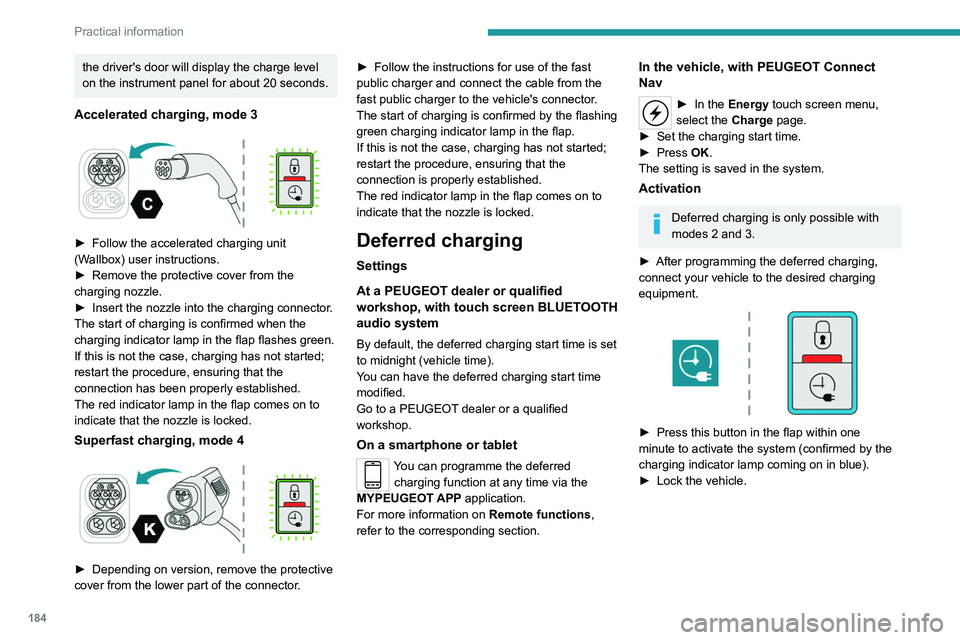
► Follow the accelerated charging unit
(W allbox) user instructions.
►
Remove the protective cover from the
charging nozzle.
►
Insert the nozzle into the charging connector
.
The start of charging is confirmed when the
charging indicator lamp in the flap flashes green.
If this is not the case, charging has not started;
restart the procedure, ensuring that the
connection has been properly established.
The red indicator lamp in the flap comes on to
indicate that the nozzle is locked.
Superfast charging, mode 4
► Depending on version, remove the protective
cover from the lower part of the connector .►
Follow the instructions for use of the fast
public charger and connect the cable from the
fast public charger
to the vehicle's connector.
The start of charging is confirmed by the flashing
green charging indicator lamp in the flap.
If this is not the case, charging has not started;
restart the procedure, ensuring that the
connection is properly established.
The red indicator lamp in the flap comes on to
indicate that the nozzle is locked.
Deferred charging
Settings
At a PEUGEOT dealer or qualified
workshop, with touch screen BLUETOOTH
audio system
By default, the deferred charging start time is set
to midnight (vehicle time).
You can have the deferred charging start time
modified.
Go to a PEUGEOT dealer or a qualified
workshop.
On a smartphone or tablet
You can programme the deferred charging function at any time via the
MYPEUGEOT APP application.
For more information on Remote functions,
refer to the corresponding section.
In the vehicle, with PEUGEOT Connect
Nav
► In the Energy touch screen menu,
select the Charge page.
►
Set the charging start time.
►
Press
OK.
The setting is saved in the system.
Activation
Deferred charging is only possible with
modes 2 and 3.
►
After programming the deferred charging,
connect your vehicle to the desired charging
equipment.
► Press this button in the flap within one
minute to activate the system (confirmed by the
charging indicator lamp coming on in blue).
►
Lock the vehicle.
Page 215 of 324
213
In the event of a breakdown
8Electric motor
Flat accessory battery
It is no longer possible to start the motor
or recharge the traction battery.
Precautions before working on the
accessory battery
Select mode
P, switch off the ignition, check
that the instrument panel is off and that the
vehicle is not being charged.
Jump-starting another vehicle
Do not use the accessory battery to
jump-start another vehicle or to charge
another vehicle's battery.
Symbols
No sparks or naked flames, no smoking.
Always protect your eyes. Explosive gases can cause blindness and injury.
Keep the vehicle's battery out of the reach
of children.
The vehicle's battery contains sulphuric acid which can make you go blind or
cause severe burns.
For more information, refer to the
handbook.
Explosive gases can be present close to
the battery.
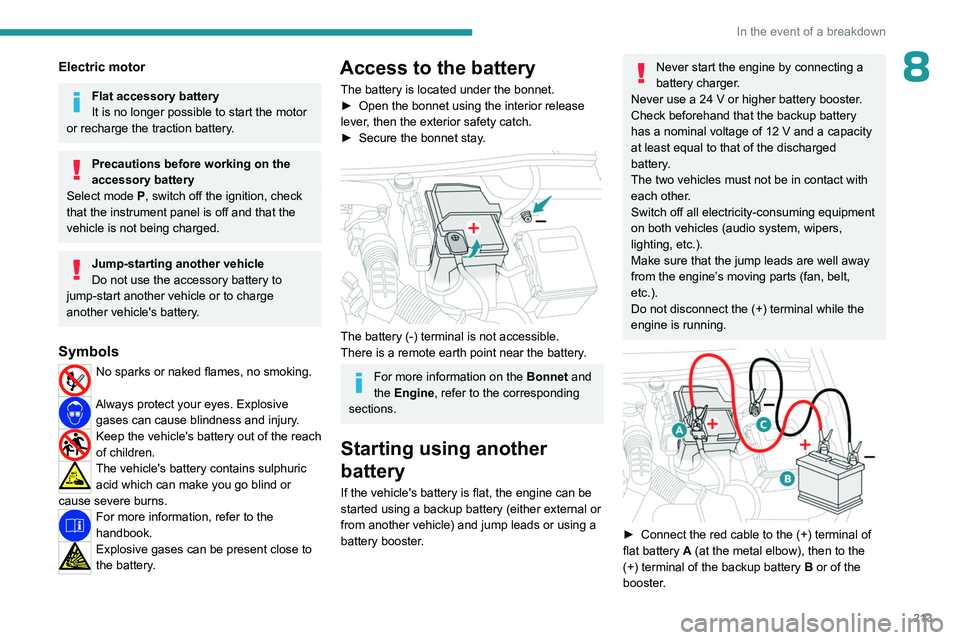
Access to the battery
The battery is located under the bonnet.
► Open the bonnet using the interior release
lever
, then the exterior safety catch.
►
Secure the bonnet stay
.
The battery (-) terminal is not accessible.
There is a remote earth point near the battery.
For more information on the Bonnet and
the Engine , refer to the corresponding
sections.
Starting using another
battery
If the vehicle's battery is flat, the engine can be
started using a backup battery (either external or
from another vehicle) and jump leads or using a
battery booster.
Never start the engine by connecting a
battery charger.
Never use a 24
V or higher battery booster.
Check beforehand that the backup battery
has a nominal voltage of 12
V and a capacity
at least equal to that of the discharged
battery.
The two vehicles must not be in contact with
each other.
Switch off all electricity-consuming equipment
on both vehicles (audio system, wipers,
lighting, etc.).
Make sure that the jump leads are well away
from the engine’s moving parts (fan, belt,
etc.).
Do not disconnect the (+) terminal while the
engine is running.
► Connect the red cable to the (+) terminal of
flat battery A (at the metal elbow), then to the
(+) terminal of the backup battery
B or of the
booster.
Page 218 of 324
216
In the event of a breakdown
Referring to the relevant section, reinitialise
certain equipment:
–
Remote control key or electronic key
(depending on version).
–
Electric windows.
–
Date and time.
–
Preset radio stations.
The Stop & Start system may not be operational during the trip following the
first engine start.
In this case, the system will only be available
again after a continuous period with the
vehicle immobilised, the duration of which
depends on the exterior temperature and the
state of charge of the battery (up to about 8
hours).
Towing
Procedure for having your vehicle towed or for
towing another vehicle using the towing eye.
General recommendations
Observe the legislation in force in the
country where you are driving.
Check that the towing vehicle is heavier than
the towed vehicle.
The driver must remain at the wheel of the
towed vehicle and must have a valid driving
licence.
When towing a vehicle with all four wheels on
the ground, always use an approved towbar;
ropes and straps are prohibited.
The towing vehicle must move off gently.
When the vehicle is towed with its engine
off, there is no longer braking and steering
assistance.
A professional recovery service must
be called in the following cases:
–
broken down on a motorway or main road;
– not possible to put the gearbox into neutral,
unlock the steering, or release the parking
brake;
–
not possible to tow a vehicle with an
automatic gearbox, with the engine running;
–
towing with only two wheels on the ground;
–
four-wheel drive vehicle;
–
no approved towbar available.
Before towing the vehicle, it is essential
to put the vehicle in free-wheeling mode.
For more information on Free-wheeling, refer
to the corresponding section.
Electric motor
An electric vehicle cannot under any
circumstances be used to tow another
vehicle.
However, it may be used, for example, to exit
a rut.
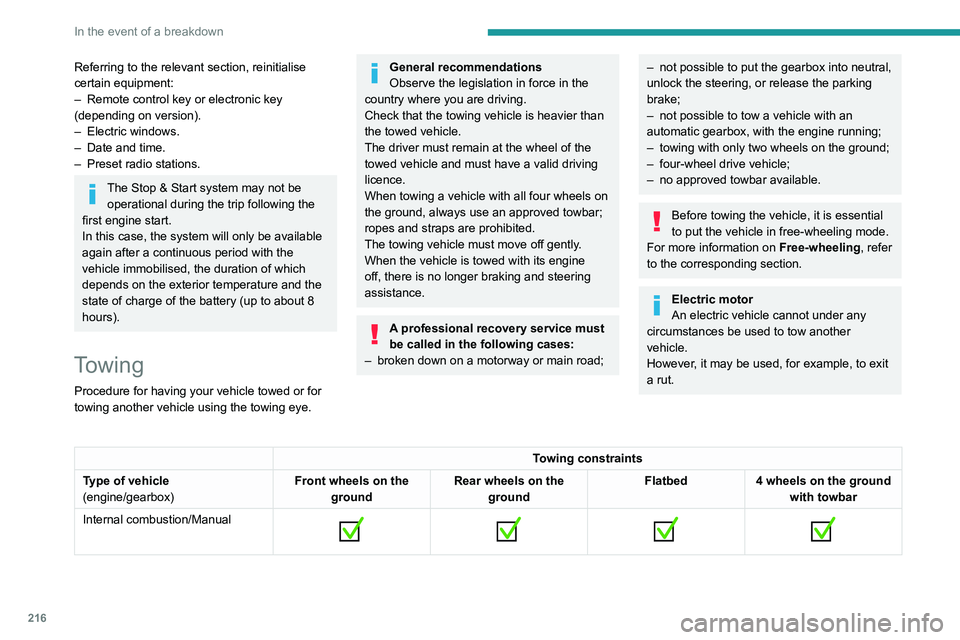
Towing constraints
Type of vehicle
(engine/gearbox) Front wheels on the
ground Rear wheels on the
ground Flatbed
4 wheels on the ground
with towbar
Internal combustion/Manual
Page 291 of 324
289
Alphabetical index
Indicator lamps, operation 83
Indicators, direction
84
Inflating tyres
195, 234
Inflating tyres and accessories
(using the kit)
202–203
Infrared camera
138
Instrument panel
10, 10–12, 10–13, 139
Instrument panel, LCD
10
Instrument panel, matrix
10
Instrument panels
10
Internet browser
267, 270
ISOFIX
11 4
J
Jack 204, 273
Jump starting
213
K
Key 32–35, 37–39
Key, electronic
32, 122
Keyless Entry and Starting
32–37, 120–121
Key not recognised
122
Key with remote control
37
Kit, hands-free
240–241, 253, 275
Kit, puncture repair
201
Kit, temporary puncture repair
200–203
L
Labels 6, 58
Labels, identification
234
Lamps, front
208
Lamps, parking
84
Lamps, rear
2 11
Lane departure warning active
153
LEDs - Light-emitting diodes
85, 208–209
Level, AdBlue®
193
Level, brake fluid
193
Level, Diesel additive
193–194
Level, engine coolant
193
Level, engine oil
192
Level, headlamp wash
89
Levels and checks
191–193
Level, screenwash fluid
89, 193
Light-emitting diodes - LEDs
85, 208–209
Lighting
83
Lighting, exterior
83, 86
Lighting, guide-me home
85–86
Lighting, welcome
85–86
Loading
67, 189
Load reduction mode
186
Load restraint
66
Locating your vehicle
33
Locking
32–33, 37
Locking from the inside
41–42
Long load support bar
45
Low fuel level
172–173
Lumbar
51
M
Mains socket (domestic network) 177
Maintenance (advice)
175, 198
Maintenance, routine
139, 194
Manoeuvring aids (recommendations)
138
Markings, identification
234
Mat
60, 139
Memorising a speed
150
Menu
252
Menu, main
30
Menus (audio)
236–237, 247–248, 259–260
Menu short cuts
30
Messages
277
Messages, quick
277
Mirror, child surveillance
54
Mirror, rear view
54
Mirrors, door
53–54, 78, 156
Misfuel prevention
173–174
Mobile application
31, 81, 184
Motor, electric
121, 191, 234
Mountings, ISOFIX
11 2
N
Navigation 264–266
Navigation, connected
267–269
Net
65–66
Net, high load retaining
64
Number plate lamps
211–212
Page 293 of 324
291
Alphabetical index
Screen menu map 252
Screenwash
89
Screenwash, front
88
Screenwash, rear
89
SCR (Selective Catalytic Reduction)
195
Seat belts
99–102, 109
Seat, bench front, 2-seat
54, 56, 100
Seat, rear bench
56, 58
Seats, front
50–52, 55–56
Seats, front bench
55–56
Seats, heated
52–53
Seats, Multiflex ~ Extenso Cab
68
Seats, rear
50, 55–58, 107
Selector, gear
130–132
Sensors (warnings)
138
Serial number, vehicle
234
Service indicator
20
Servicing
20, 194
Settings, equipment
29–30
Settings, system
242, 255, 278
Shield, snow
186
Sidelamps
83–85, 208–209
Side parking sensors
160
Side repeater
209
Silent vehicle warning sound (Electric)
95, 118
Sliding side door, electric
37, 44
Smartphone
62
Snow chains
137, 186
Snow screen
186
Socket, 12 V accessory
60–61
Socket, 220 V
62
Socket, auxiliary
239, 250, 273
Socket, Jack
273Speed limiter 141–143, 150
Speed limit recognition
139, 141
Speedometer
10, 12, 139
Sport mode
134
Stability control (ESC)
95–98
Starting a Diesel engine
172
Starting the engine
119, 121
Starting the vehicle
120, 122, 127–129, 131
Starting using another battery
122, 213
Station, radio
237–238, 248–249, 272
Stay, bonnet
190–191
Steering mounted controls, audio
235–236, 246, 259
Steering wheel, adjustment
53
Stickers, customising ~ Stickers,
expressive
199
Stopping the vehicle
121–122,
127–129, 131–132
Stop & Start
28, 74, 78, 134–136, 172, 190, 194, 216
Storage
60
Storage boxes
63
Stowing rings
67
Sunshine sensor
73
Super-fast charging (Electric)
183, 185, 234
Surround Rear Vision
162
Switching off the engine
119, 121
Synchronising the remote control
41
T
Tables of engines 234
Tank, fuel 172–173
Technical data
225–229, 233, 234
Telephone
240–241, 253–254, 275–277
Time (setting)
242, 255, 279
TMC (Traffic info)
266
Tools
201
Topping-up AdBlue®
197
Touch screen
28–30, 81
Towbar
96, 187
Towed loads
225–229, 233, 234
Towing another vehicle
216–217
Towing eye
217
Traction battery charge
178
Traction battery (Electric)
30, 174–175, 234
Traction control (ASR)
96–98
Traffic information (TMC)
266
Trailer
96, 187
Trailer stability assist (TSA)
96
Trajectory control systems
95
Triangle, warning
67
Trip computer
27–28
Type of bulbs
208
Tyres
195, 234
Tyre under-inflation detection
136–137, 204
U
Under-inflation (detection) 136
Unlocking
32–37
Unlocking from the inside
41–42
Unlocking, selective
34–35
Unlocking, total
34–35