Volume PEUGEOT PARTNER 2022 Owners Manual
[x] Cancel search | Manufacturer: PEUGEOT, Model Year: 2022, Model line: PARTNER, Model: PEUGEOT PARTNER 2022Pages: 324, PDF Size: 9.42 MB
Page 6 of 324
4
Overview
Presentation
Presentation
These illustrations and descriptions are intended
as a guide. The presence and location of some
components varies according to the version, trim
level and country of sale.
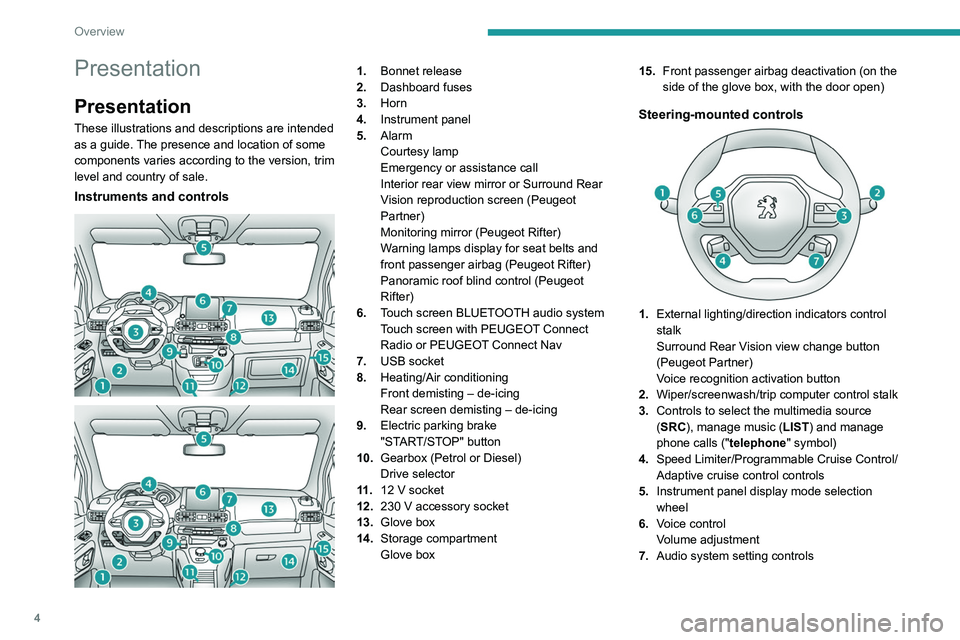
Instruments and controls
1. Bonnet release
2. Dashboard fuses
3. Horn
4. Instrument panel
5. Alarm
Courtesy lamp
Emergency or assistance call
Interior rear view mirror or Surround Rear
Vision reproduction screen (Peugeot
Partner)
Monitoring mirror (Peugeot Rifter)
Warning lamps display for seat belts and
front passenger airbag (Peugeot Rifter)
Panoramic roof blind control (Peugeot
Rifter)
6. Touch screen BLUETOOTH audio system
Touch screen with PEUGEOT Connect
Radio or PEUGEOT Connect Nav
7. USB socket
8. Heating/Air conditioning
Front demisting – de-icing
Rear screen demisting – de-icing
9. Electric parking brake
"START/STOP" button
10. Gearbox (Petrol or Diesel)
Drive selector
11 . 12
V socket
12. 230
V accessory socket
13. Glove box
14. Storage compartment
Glove box 15.
Front passenger airbag deactivation (on the
side of the glove box, with the door open)
Steering-mounted controls
1.External lighting/direction indicators control
stalk
Surround Rear Vision view change button
(Peugeot Partner)
Voice recognition activation button
2. Wiper/screenwash/trip computer control stalk
3. Controls to select the multimedia source
(SRC), manage music (LIST) and manage
phone calls (" telephone" symbol)
4. Speed Limiter/Programmable Cruise Control/
Adaptive cruise control controls
5. Instrument panel display mode selection
wheel
6. Voice control
Volume adjustment
7. Audio system setting controls
Page 31 of 324
29
Instruments
1– Air conditioning system controls (depending
on version).
For safety reasons, always stop the
vehicle before performing operations
that require sustained attention.
Some functions are not accessible while
driving.
Recommendations
Do not use pointed objects on the touch screen.
Do not touch the touch screen with wet hands.
Use a soft, clean cloth to clean the touch screen.
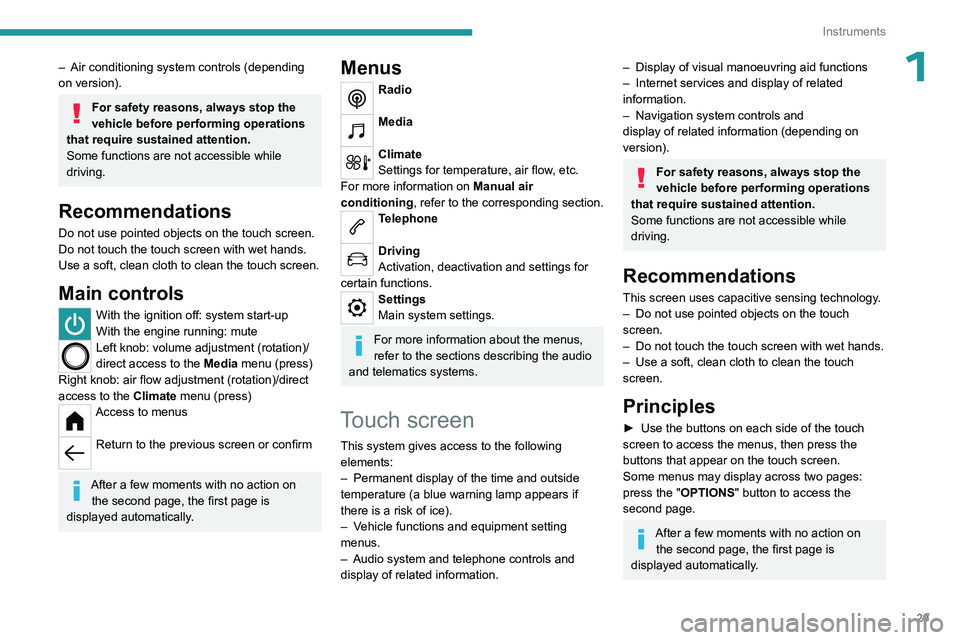
Main controls
With the ignition off: system start-up
With the engine running: mute
Left knob: volume adjustment (rotation)/
direct access to the Media menu (press)
Right knob: air flow adjustment (rotation)/direct
access to the Climate menu (press)
Access to menus
Return to the previous screen or confirm
After a few moments with no action on
the second page, the first page is
displayed automatically.
Menus
Radio
Media
Climate
Settings for temperature, air flow, etc.
For more information on Manual air
conditioning , refer to the corresponding section.
Telephone
Driving
Activation, deactivation and settings for
certain functions.
Settings
Main system settings.
For more information about the menus,
refer to the sections describing the audio
and telematics systems.
Touch screen
This system gives access to the following elements:
–
Permanent display of the time and outside
temperature (a blue warning lamp appears if
there is a risk of ice).
–
V
ehicle functions and equipment setting
menus.
–
Audio system and telephone controls and
display of related information.
– Display of visual manoeuvring aid functions
– Internet services and display of related
information.
–
Navigation system controls and
display
of related information (depending on
version).
For safety reasons, always stop the
vehicle before performing operations
that require sustained attention.
Some functions are not accessible while
driving.
Recommendations
This screen uses capacitive sensing technology.
– Do not use pointed objects on the touch
screen.
–
Do not touch the touch screen with wet hands.
–
Use a soft, clean cloth to clean the touch
screen.
Principles
► Use the buttons on each side of the touch
screen to access the menus, then press the
buttons that appear on the touch screen.
Some menus may display across two pages:
press the "OPTIONS" button to access the
second page.
After a few moments with no action on the second page, the first page is
displayed automatically.
Page 32 of 324
30
Instruments
To deactivate/activate a function, select "OFF"
or "ON".
Configuring a function
Access to additional information on the function
Confirm
Return to the previous page or confirm
Menus
Press the touch screen with three fingers
to show all of the menu buttons.
For more information about the menus,
refer to the sections describing the audio
and telematics systems.
Radio/Media
Navigation (Depending on equipment)
Driving or Vehicle (Depending on
equipment)
Activation, deactivation and settings for certain
functions.
The functions are organised in 2 tabs: " Driving
functions" and "Vehicle settings".
Telephone
Applications Display of available connected services.
Energy (with PEUGEOT Connect Nav)
Access the specific Electric functions
(energy flow, consumption statistics, deferred
charge) organised in the corresponding 3 tabs.
or
Settings
Main settings for the audio system and
touch screen.
Audio system on/off Volume adjustment/mute
Upper bar
Certain information is displayed permanently in
the upper bar of the touch screen:
–
T
ime and outside temperature (a blue warning
lamp appears if there is a risk of ice).
–
Reminder of information from the
RadioMedia
and Telephone menus and
navigation instructions (depending on
equipment).
–
Notifications.
– Access to the Settings.
Energy menu
This menu is only available with PEUGEOT
Connect Nav .
Depending on version, this is accessible either:
– directly, by pressing the button near the
touch screen.
– via the Applications menu.
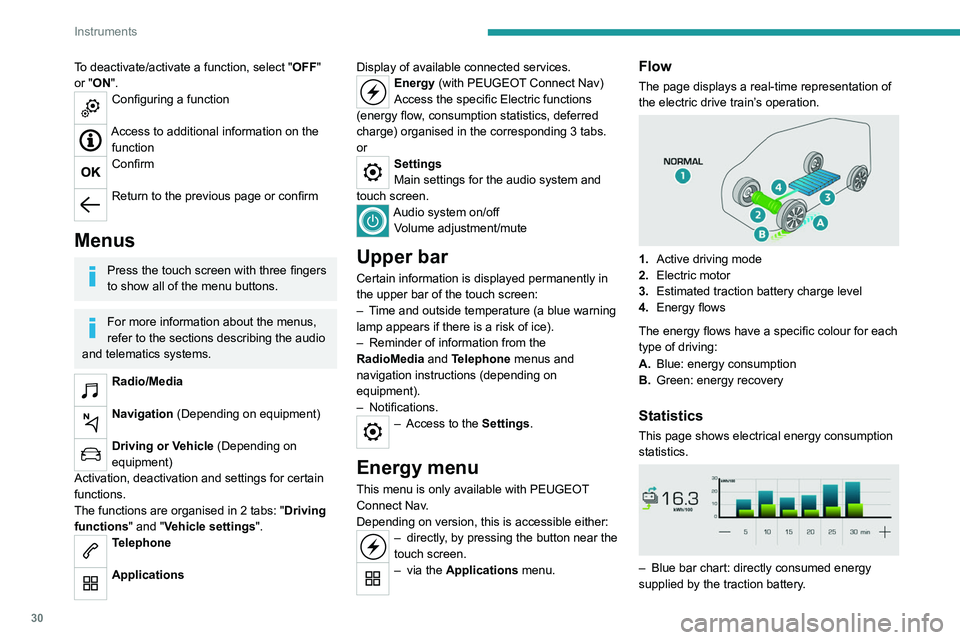
Flow
The page displays a real-time representation of
the electric drive train’s operation.
1.Active driving mode
2. Electric motor
3. Estimated traction battery charge level
4. Energy flows
The energy flows have a specific colour for each
type of driving:
A. Blue: energy consumption
B. Green: energy recovery
Statistics
This page shows electrical energy consumption
statistics.
– Blue bar chart: directly consumed energy
supplied by the traction battery .
Page 47 of 324

45
Access
2This roof flap at the rear is compatible only with
side-hinged doors.
To open the rear roof flap:
– Lift the black paddle of the toggle.
–
Relax the toggle by pressing on the rear roof
flap (downwards) then release the hook.
–
Lift the rear roof flap.
–
Move past the point of resistance to lock the
rear roof flap with the support props.
Never drive without the props in place.
To close the rear roof flap:
–
Check that the support bar is properly
secured.
–
Lower the rear roof flap.
–
While pressing on the rear roof flap
(downwards), take the two spring rings and then
place the hook in its housing.
–
Lower the black paddle to lock the rear roof
flap.
Locking the rear roof flap holds it firmly against
the seal, ensuring watertight sealing with no
noise.
Support bar
The vehicle is equipped with a support bar for
transporting long loads, after opening the rear
roof flap.
►
Fold back the support bar by lifting the lever
.
►
Guide it to the door pillar
.
►
Support the long loads to be transported, lift
them and reposition the support bar with one
hand.
►
Ensure that it is secured correctly by
pressing the handle downwards past the point of
resistance and lash the load securely
.
The side supports can be used as hooking
points.
The rear bumper has been reinforced to serve as a step when entering the
vehicle.
Never fasten a load to the roof flap.
Never drive without the support bar in
place.
The rear doors will only lock when the support
bar is installed.
When the roof flap is open, take care when
driving where height is restricted.
Never rest loads directly on the rear doors.
Comply with the usual indications for warning
other drivers.
Only use the roof flap on short trips.
Alarm
System which protects and provides a deterrent
against theft and break-ins.
Self-protection function
The system checks for any malfunction
in its components.
The alarm is triggered if the battery, button or
siren wiring is disconnected or damaged.
For all work on the alarm system, contact a
PEUGEOT dealer or a qualified workshop.
Exterior perimeter
The system checks whether the vehicle is
opened.
The alarm is triggered if anyone tries to open
one of the doors or the bonnet.
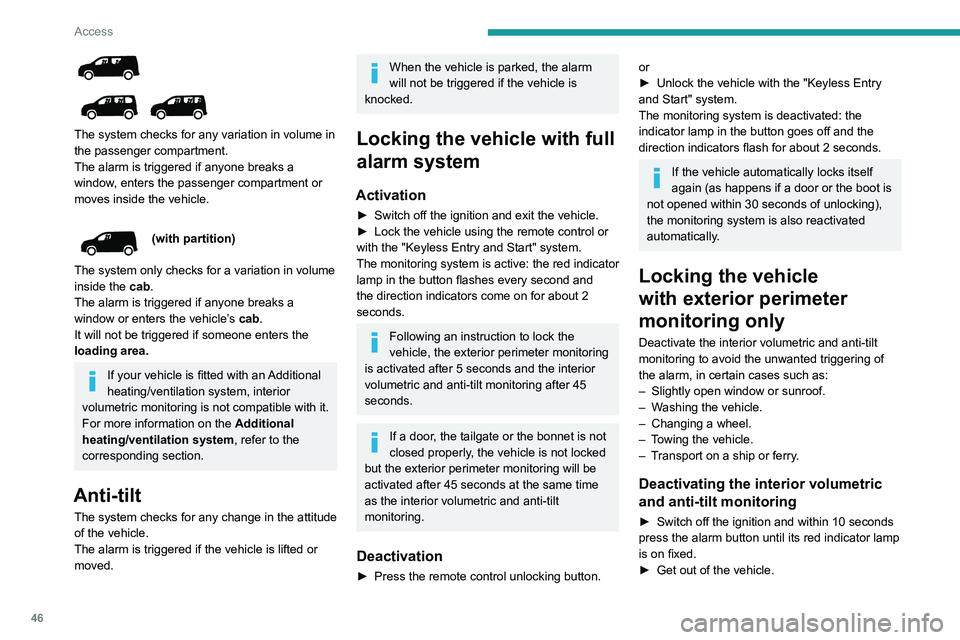
Volumetric
(without partition)
Page 48 of 324
46
Access
The system checks for any variation in volume in
the passenger compartment.
The alarm is triggered if anyone breaks a
window, enters the passenger compartment or
moves inside the vehicle.
(with partition)
The system only checks for a variation in volume
inside the cab.
The alarm is triggered if anyone breaks a
window or enters the vehicle’s cab.
It will not be triggered if someone enters the
loading area.
If your vehicle is fitted with an Additional
heating/ventilation system, interior
volumetric monitoring is not compatible with it.
For more information on the Additional
heating/ventilation system, refer to the
corresponding section.
Anti-tilt
The system checks for any change in the attitude
of the vehicle.
The alarm is triggered if the vehicle is lifted or
moved.
When the vehicle is parked, the alarm
will not be triggered if the vehicle is
knocked.
Locking the vehicle with full
alarm system
Activation
► Switch off the ignition and exit the vehicle.
► Lock the vehicle using the remote control or
with the "Keyless Entry and Start" system.
The monitoring system is active: the red indicator
lamp in the button flashes every second and
the direction indicators come on for about 2
seconds.
Following an instruction to lock the
vehicle, the exterior perimeter monitoring
is activated after 5 seconds and the interior
volumetric and anti-tilt monitoring after 45
seconds.
If a door, the tailgate or the bonnet is not
closed properly, the vehicle is not locked
but the exterior perimeter monitoring will be
activated after 45 seconds at the same time
as the interior volumetric and anti-tilt
monitoring.
Deactivation
► Press the remote control unlocking button.
or
► Unlock the vehicle with the "Keyless Entry
and Start" system.
The monitoring system is deactivated: the
indicator lamp in the button goes off and the
direction indicators flash for about 2 seconds.
If the vehicle automatically locks itself
again (as happens if a door or the boot is
not opened within 30 seconds of unlocking),
the monitoring system is also reactivated
automatically.
Locking the vehicle
with exterior perimeter
monitoring only
Deactivate the interior volumetric and anti-tilt
monitoring to avoid the unwanted triggering of
the
alarm, in certain cases such as:
–
Slightly open window or sunroof.
–
W
ashing the vehicle.
–
Changing a wheel.
–
T
owing the vehicle.
–
T
ransport on a ship or ferry.
Deactivating the interior volumetric
and anti-tilt monitoring
► Switch off the ignition and within 10 seconds
press the alarm button until its red indicator lamp
is on fixed.
►
Get out of the vehicle.
Page 49 of 324
47
Access
2► Immediately lock the vehicle using the remote
control or the "Keyless Entry and Start" system.
Only the exterior perimeter monitoring is
activated; the button's red indicator lamp flashes
once every second.
To be taken into account, the deactivation must be carried out every time the
ignition is switched off.
Reactivating the interior volumetric
and anti-tilt monitoring
► Deactivate the exterior perimeter monitoring
by unlocking the vehicle using the remote control
or the "Keyless Entry and Start" system.
The indicator lamp in the button goes off.
►
Reactivate all monitoring by locking the
vehicle using the remote control or the "Keyless
Entry and Start" system.
The red indicator lamp in the button once again
flashes every second.
Triggering of the alarm
This is indicated by sounding of the siren
and flashing of the direction indicators for 30
seconds.
Depending on the country of sale, certain
monitoring functions remain active until the alarm
has been triggered eleven times consecutively.
When the vehicle is unlocked using the remote
control or the "Keyless Entry and Start" system,
rapid flashing of the indicator lamp in the button informs you that the alarm was triggered during
your absence. When the ignition is switched on,
this flashing stops immediately.
Failure of the remote control
To deactivate the monitoring functions:
►
Unlock the vehicle using the key in the front
left-hand door lock.
►
Open the door; the alarm is triggered.
►
Switch on the ignition; this stops the alarm.
The indicator lamp in the button goes off.
Locking the vehicle without
activating the alarm
► Lock or deadlock the vehicle using the key
(built-in the remote control) in the driver's door
lock.
Malfunction
When the ignition is switched on, the fixed
lighting of the red indicator lamp in the button
indicates a system malfunction.
Have it checked by a PEUGEOT dealer or a
qualified workshop.
Automatic activation
(Depending on version)
The system is activated automatically 2 minutes
after the last door or the boot is closed.
►
T
o avoid triggering the alarm on entering the
vehicle, first press the unlocking button on the remote control or unlock the vehicle using the
"Keyless Entry and Start" system.
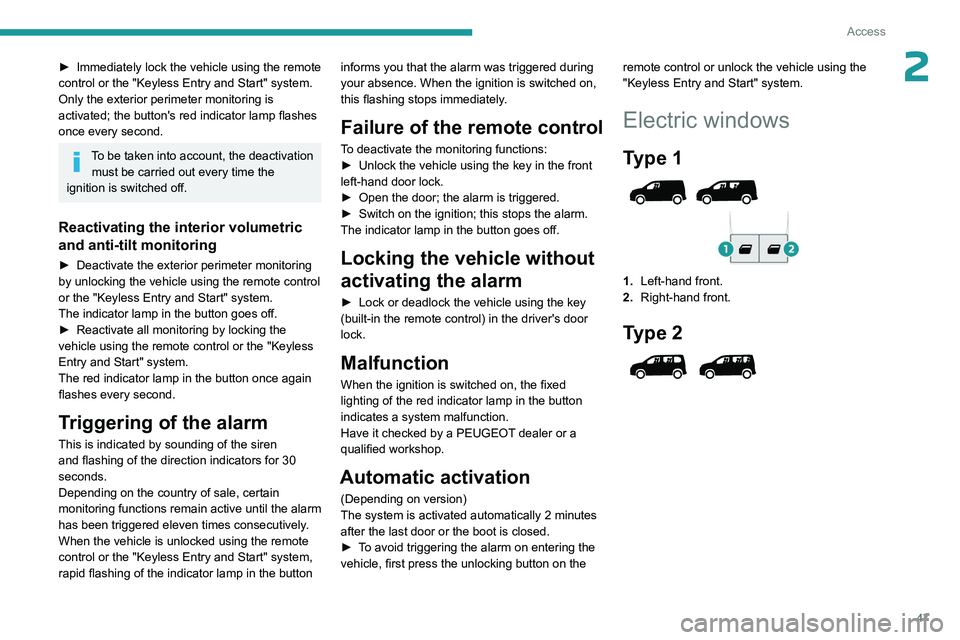
Electric windows
Type 1
1.
Left-hand front.
2. Right-hand front.
Type 2
Page 66 of 324

64
Ease of use and comfort
There are two boxes located under the rear
passenger footwells.
►
T
o open them, slide your fingers into the
notch and lift the cover.
Aircraft style tables
► To put the table back in place, pull it upwards.
As a safety precaution, the aircraft style table
unhooks itself if excessive pressure is applied.
►
T
o store the table, pull it downwards.
Do not place hard or heavy objects on
the table. Such objects could become
projectiles in the event of sudden
deceleration.
Side blinds
They are fitted to the windows of the sliding side
doors (depending on version).
► To raise or lower the blind, pull it by the tab.
To avoid damaging the blind: – Guide it slowly , using the tab, while
raising or lowering it.
–
Make sure the tab is securely fastened
before opening the door
.
High load retaining net
This net, hooked onto the upper mountings and
the lower rings or lugs, enables the use of the full
loading volume, up to the roof:
–
Behind the front seats (row 1) when the rear
seats are folded.
–
Behind the rear seats (row 2).
When positioning the net, check that the
strap loops are visible from the boot; this
will make slackening or tightening them
easier.
Remove the luggage cover shelf or roller
(depending on version).
Page 70 of 324

68
Ease of use and comfort
Make sure that the size, shape and
volume of the loads carried are
compatible with the highway code and safety
regulations and do not impair the driver’s field
of vision.
The load must be evenly distributed in the loading area so as not to interfere
with driving the vehicle.
Place the load close to the side wall panels,
or push it against the side wall panels
between the wheel arches.
However, it is recommended that heavy
objects are placed as close to the cab as
possible as a precaution in case of sharp
braking.
Firmly secure all parts of the load using
the stowing rings on the floor of the
loading area.
For more information on the Interior fittings
and in particular on the stowing rings, refer to
the corresponding section.
To avoid the risk of injury or accident, the load must be made stable so that it
cannot slide, tip over, fall or be projected. To
do this, use only retaining straps that conform
to current standards (DIN, for example).
For more information on putting straps in
place, refer to the manufacturer’s user guide.
To prevent the load from sliding, there must
not be any empty spaces between the load
items and the vehicle wall panels.
As well as the straps, optimise the stability
of the load with stable handling equipment
(wedges, rigid blocks of wood or padding).
When washing the vehicle, never clean
the interior directly with a water jet.
For the Multi-Flex bench
seat and the Crew cab
Do not place sharp or pointed objects in
the protective cover to avoid damaging it.
Do not place objects on the
dashboard.
Deactivate the front passenger airbag when
carrying long objects.
For more information on Deactivating
the front passenger airbag, refer to the
corresponding section.
Avoid placing short or heavy loads in the protective cover; use the loading area
whenever possible.
Avoid anchoring loads or hanging items on the wall of the partition.
For safety reasons, ensure that small objects
do not slip through the gaps of about 3
cm
between the partition and the vehicle's
bodywork.
Multi-Flex bench seat
This assembly comprises the two-seat front
bench seat and a removable flap.
For more information on the two-seat front
bench seat, refer to the corresponding section.
A partition located on the floor behind the front
seats protects the driver and front passengers
against the risk of load movement.
A movable flap in this partition can be removed
to allow long items to be loaded.
A protective cover is supplied with the vehicle to
enable long items to be carried safely.
Page 86 of 324
84
Lighting and visibility
Switching off of the lighting when the
ignition is switched off
When the ignition is switched off, all of the
lamps turn off immediately, except for the
dipped beam headlamps if automatic guide-
me-home lighting is activated.
Switching on the lamps after
switching off the ignition
If the driver's door is opened, a temporary
audible signal warns the driver that the lamps
are on.
They will go off automatically after a period
of time that depends on the level of charge in
the battery (entering energy economy mode).
In some weather conditions (e.g. low
temperature or humidity), misting on the
internal surface of the glass of the headlamps
and rear lamps is normal, and will disappear
after the lamps have been on for a few
minutes.
Never look too closely at the light beam
of LED technology lamps - risk of serious
eye injury!
Travelling abroad
If planning to use your vehicle in a
country that drives on the other side of the
road, the dipped beam headlamps must be
adjusted to avoid dazzling oncoming drivers.
Consult a PEUGEOT dealer or a qualified
workshop.
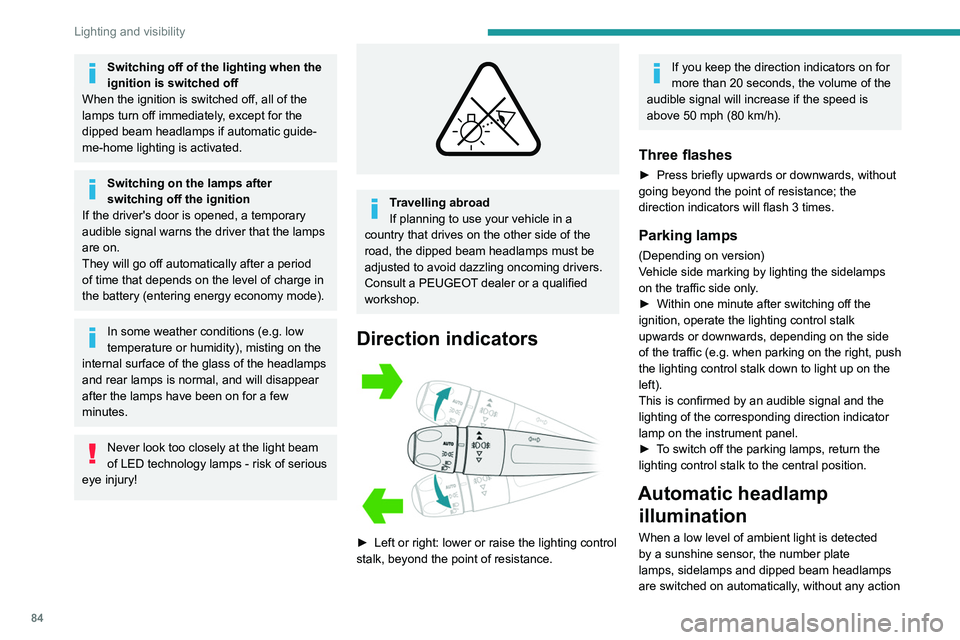
Direction indicators
► Left or right: lower or raise the lighting control
stalk, beyond the point of resistance.
If you keep the direction indicators on for
more than 20 seconds, the volume of the
audible signal will increase if the speed is
above 50 mph (80 km/h).
Three flashes
► Press briefly upwards or downwards, without
going beyond the point of resistance; the
direction indicators will flash 3 times.
Parking lamps
(Depending on version)
Vehicle side marking by lighting the sidelamps
on the traffic side only.
►
Within one minute after switching off the
ignition, operate the lighting control stalk
upwards or downwards, depending on the side
of the traffic (e.g.
when parking on the right, push
the lighting control stalk down to light up on the
left).
This is confirmed by an audible signal and the
lighting of the corresponding direction indicator
lamp on the instrument panel.
►
T
o switch off the parking lamps, return the
lighting control stalk to the central position.
Automatic headlamp illumination
When a low level of ambient light is detected
by a sunshine sensor, the number plate
lamps,
sidelamps and dipped beam headlamps
are switched on automatically, without any action
Page 162 of 324
160
Driving
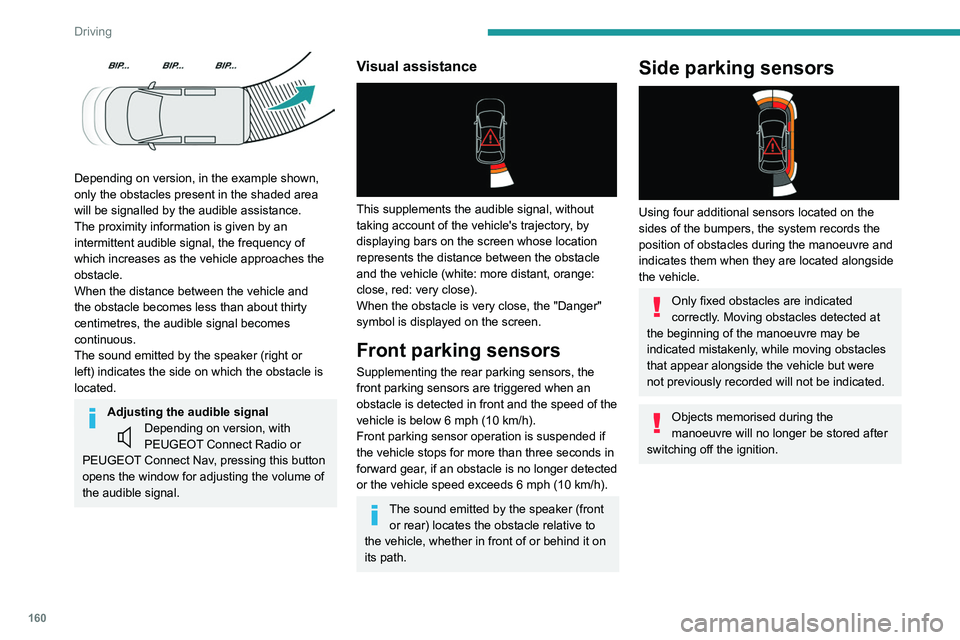
Depending on version, in the example shown,
only the obstacles present in the shaded area
will be signalled by the audible assistance.
The proximity information is given by an
intermittent audible signal, the frequency of
which increases as the vehicle approaches the
obstacle.
When the distance between the vehicle and
the obstacle becomes less than about thirty
centimetres, the audible signal becomes
continuous.
The sound emitted by the speaker (right or
left) indicates the side on which the obstacle is
located.
Adjusting the audible signalDepending on version, with
PEUGEOT Connect Radio or
PEUGEOT Connect Nav, pressing this button
opens the window for adjusting the volume of
the audible signal.
Visual assistance
This supplements the audible signal, without
taking account of the vehicle's trajectory, by
displaying bars on the screen whose location
represents the distance between the obstacle
and the vehicle (white: more distant, orange:
close, red: very close).
When the obstacle is very close, the "Danger"
symbol is displayed on the screen.
Front parking sensors
Supplementing the rear parking sensors, the
front parking sensors are triggered when an
obstacle is detected in front and the speed of the
vehicle is below 6 mph (10
km/h).
Front parking sensor operation is suspended if
the vehicle stops for more than three seconds in
forward gear, if an obstacle is no longer detected
or the vehicle speed exceeds 6
mph (10 km/h).
The sound emitted by the speaker (front or rear) locates the obstacle relative to
the vehicle, whether in front of or behind it on
its path.
Side parking sensors
Using four additional sensors located on the
sides of the bumpers, the system records the
position of obstacles during the manoeuvre and
indicates them when they are located alongside
the vehicle.
Only fixed obstacles are indicated
correctly. Moving obstacles detected at
the beginning of the manoeuvre may be
indicated mistakenly, while moving obstacles
that appear alongside the vehicle but were
not previously recorded will not be indicated.
Objects memorised during the
manoeuvre will no longer be stored after
switching off the ignition.