ignition PEUGEOT PARTNER TEPEE ELECTRIC 2017 Service Manual
[x] Cancel search | Manufacturer: PEUGEOT, Model Year: 2017, Model line: PARTNER TEPEE ELECTRIC, Model: PEUGEOT PARTNER TEPEE ELECTRIC 2017Pages: 252, PDF Size: 9.89 MB
Page 142 of 252
104
In some cases of particularly demanding use
(when towing the maximum load on a steep
gradient in high temperatures), the engine
power is automatically limited. In such a case,
the air conditioning is automatically switched
off to increase the available engine power.F
I
f this warning lamp and the
STOP warning lamp come on,
stop the vehicle and switch off
the engine as soon as possible.
New vehicle
Do not pull a trailer before having driven at
least 620
miles (1,000 kilometres).
Braking
Towing a trailer increases the braking distance.
To avoid overheating of the brakes, the use of
engine braking is recommended.
Ty r e s
F Check the tyre pressures of the towing vehicle and of the trailer, observing the
recommended pressures.
Lighting
F Check the electrical lighting and signalling on the trailer and the headlamp beam height
of your vehicle. For more information on adjusting
the Headlamp beam
, refer to the
corresponding section.
The rear parking sensors will be
deactivated automatically to avoid the
audible signal if a genuine PEUGEOT
towbar is used.
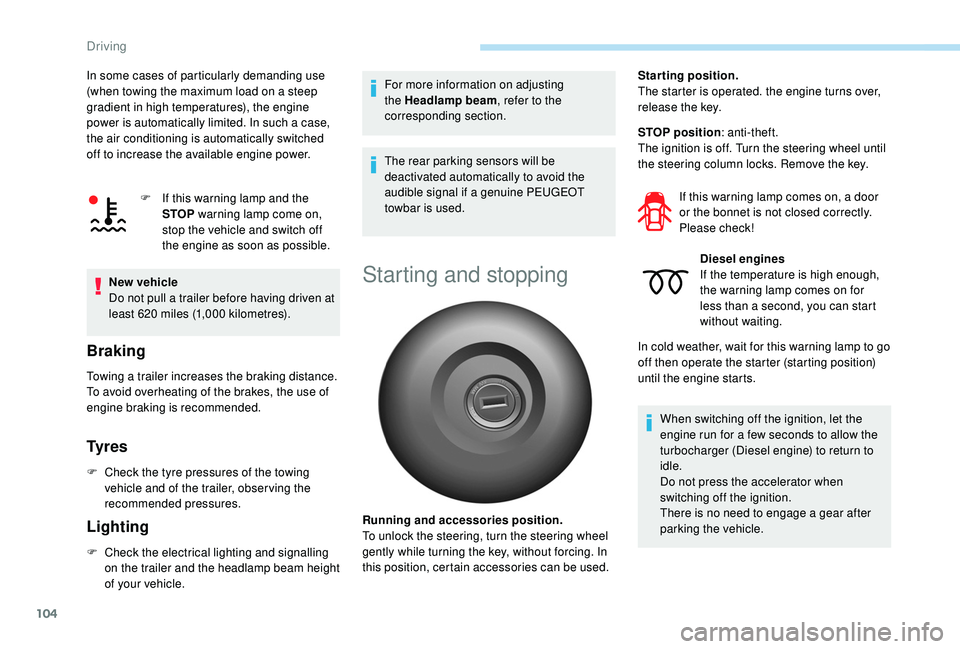
Starting and stopping
Running and accessories position.
To unlock the steering, turn the steering wheel
gently while turning the key, without forcing. In
this position, certain accessories can be used. Starting position.
The starter is operated. the engine turns over,
release the key.
STOP position
: anti-theft.
The ignition is off. Turn the steering wheel until
the steering column locks. Remove the key.
If this warning lamp comes on, a door
or the bonnet is not closed correctly.
Please check!Diesel engines
If the temperature is high enough,
the warning lamp comes on for
less than a second, you can start
without waiting.
In cold weather, wait for this warning lamp to go
off then operate the starter (starting position)
until the engine starts.
When switching off the ignition, let the
engine run for a few seconds to allow the
turbocharger (Diesel engine) to return to
idle.
Do not press the accelerator when
switching off the ignition.
There is no need to engage a gear after
parking the vehicle.
Driving
Page 143 of 252
105
Electronic engine
immobiliser
All of the keys contain an electronic immobiliser
device.
This device locks the engine supply system.
It is activated automatically when the key is
removed from the ignition.
When the ignition switch is turned on, a
dialogue is set up between the key and the
electronic immobiliser.
The metal part of the key must be correctly
unfolded to ensure a good connection.
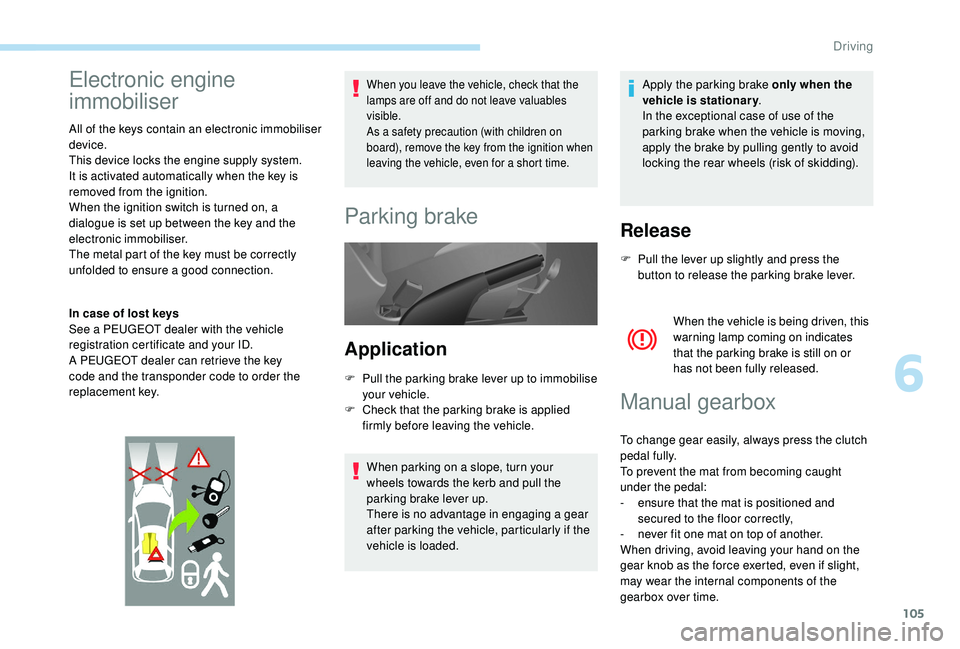
In case of lost keys
See a PEUGEOT dealer with the vehicle
registration certificate and your ID.
A PEUGEOT dealer can retrieve the key
code and the transponder code to order the
replacement key.
When you leave the vehicle, check that the
lamps are off and do not leave valuables
visible.
As a safety precaution (with children on
board), remove the key from the ignition when
leaving the vehicle, even for a short time.
Parking brake
Application
F Pull the parking brake lever up to immobilise your vehicle.
F
C
heck that the parking brake is applied
firmly before leaving the vehicle.
When parking on a slope, turn your
wheels towards the kerb and pull the
parking brake lever up.
There is no advantage in engaging a gear
after parking the vehicle, particularly if the
vehicle is loaded. Apply the parking brake only when the
vehicle is stationary
.
In the exceptional case of use of the
parking brake when the vehicle is moving,
apply the brake by pulling gently to avoid
locking the rear wheels (risk of skidding).
Release
F Pull the lever up slightly and press the button to release the parking brake lever.
When the vehicle is being driven, this
warning lamp coming on indicates
that the parking brake is still on or
has not been fully released.
Manual gearbox
To change gear easily, always press the clutch
pedal fully.
To prevent the mat from becoming caught
under the pedal:
-
e
nsure that the mat is positioned and
secured to the floor correctly,
-
n
ever fit one mat on top of another.
When driving, avoid leaving your hand on the
gear knob as the force exerted, even if slight,
may wear the internal components of the
gearbox over time.
6
Driving
Page 146 of 252
108
Gear shift indicator
This system helps reduce fuel consumption by
recommending the most appropriate gear.
With an electronic gearbox, the system is active
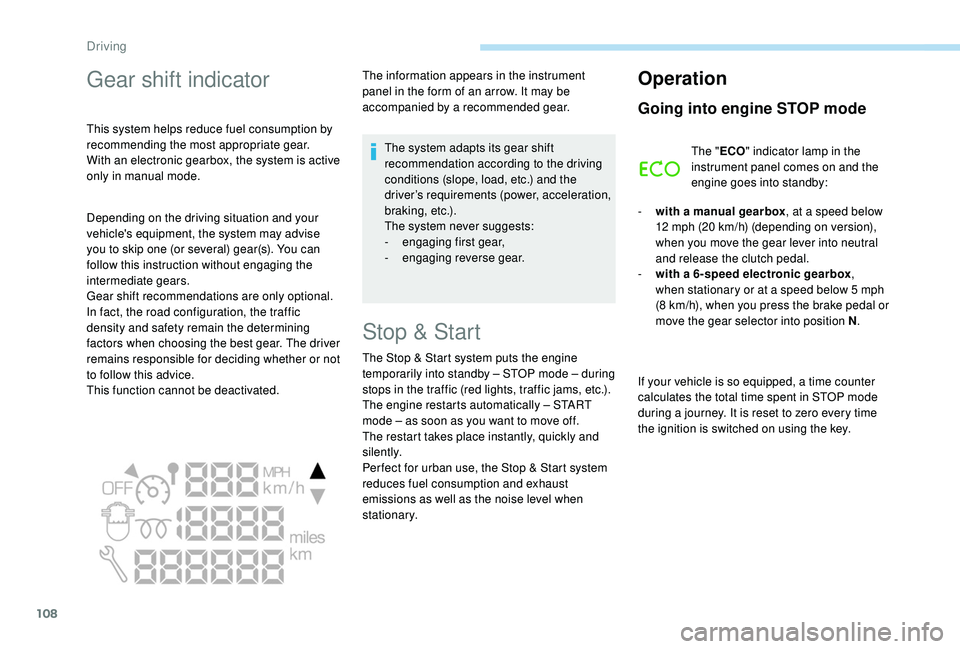
only in manual mode.The information appears in the instrument
panel in the form of an arrow. It may be
accompanied by a recommended gear.
The system adapts its gear shift
recommendation according to the driving
conditions (slope, load, etc.) and the
driver’s requirements (power, acceleration,
b r a k i n g , e t c .) .
The system never suggests:
-
e
ngaging first gear,
-
enga
ging reverse gear.
Stop & Start
The Stop & Start system puts the engine
t emporarily into standby – STOP mode – during
stops in the traffic (red lights, traffic jams, etc.).
The engine restarts automatically – START
mode – as soon as you want to move off.
The restart takes place instantly, quickly and
silently.
Per fect for urban use, the Stop & Start system
reduces fuel consumption and exhaust
emissions as well as the noise level when
stationary.
Operation
Going into engine STOP mode
The " ECO" indicator lamp in the
instrument panel comes on and the
engine goes into standby:
-
w
ith a manual gearbox , at a speed below
12
mph (20 km/h) (depending on version),
when you move the gear lever into neutral
and release the clutch pedal.
-
w
ith a 6-speed electronic gearbox ,
when stationary or at a speed below 5
mph
(8
km/h), when you press the brake pedal or
move the gear selector into position N .
If your vehicle is so equipped, a time counter
calculates the total time spent in STOP mode
during a journey. It is reset to zero every time
the ignition is switched on using the key.
Depending on the driving situation and your
vehicle's equipment, the system may advise
you to skip one (or several) gear(s). You can
follow this instruction without engaging the
intermediate gears.
Gear shift recommendations are only optional.
In fact, the road configuration, the traffic
density and safety remain the determining
factors when choosing the best gear. The driver
remains responsible for deciding whether or not
to follow this advice.
This function cannot be deactivated.
Driving
Page 147 of 252
109
With a 6 -speed electronic gearbox, for
your convenience when parking, the
STOP mode is not available for the few
seconds that follow disengagement of
reverse gear.
The Stop & Start system does not affect
the vehicle's functions, such as, for
example, braking, power steering, etc.
Never refuel with the engine in STOP
mode; you must switch off the ignition
using the key.
Special cases: STOP mode not
available
STOP mode is not triggered when:
- t he vehicle is on a steep slope (uphill or
downhill),
-
t
he driver's door is open,
-
t
he driver's seat belt is not fastened,
-
t
he vehicle has not exceeded 6 mph
(10
km/h) since the last engine start using
t h e key,
-
t
he engine is needed to maintain a
comfortable temperature in the passenger
compartment,
-
d
emisting is on, -
s
ome special conditions (battery charge,
engine temperature, braking assistance,
ambient temperature, etc.) are present
which require the engine to be running to
assure control of the system.
In this case, the " ECO" indicator
lamp flashes for a few seconds then
goes off.
This operation is perfectly normal.
Going into engine START mode
The " ECO" indicator lamp goes off
and the engine restarts:
-
w
ith a manual gearbox , when you fully
press the clutch pedal,
-
w
ith a 6-speed electronic gearbox
•
g
ear lever in position A or M , when you
release the brake pedal,
•
o
r gear lever in position N and the brake
pedal released, when you move the gear
selector to position A or M ,
•
o
r when you engage reverse gear. With a manual gearbox in STOP mode, if
a gear is engaged without fully pressing
the clutch pedal, a message is displayed
asking you to press the clutch pedal to
restart the engine.
Special cases: START mode
activated automatically
As a safety measure or to maintain comfort
levels in the vehicle, START mode is activated
automatically when:
-
y
ou open the driver's door,
-
y
ou unfasten the driver's seat belt,
-
t
he speed of the vehicle exceeds 16 mph
(25
km/h) with a manual gearbox or 7 mph
(11
km/h) with an electronic 6 -speed
gearbox,
-
s
ome special conditions (battery charge,
engine temperature, braking assistance,
ambient temperature, etc.) are present
which require the engine to be running to
assure control of the system or vehicle.
In this case, the " ECO" indicator
lamp flashes for a few seconds then
goes off.
This operation is perfectly normal.
6
Driving
Page 148 of 252
110
Manual deactivation
In certain circumstances, such as the need
to maintain a comfortable temperature in the
passenger compartment, it may be preferable
to deactivate the Stop & Start system.
The system can be deactivated at any time,
once the ignition is switched on.
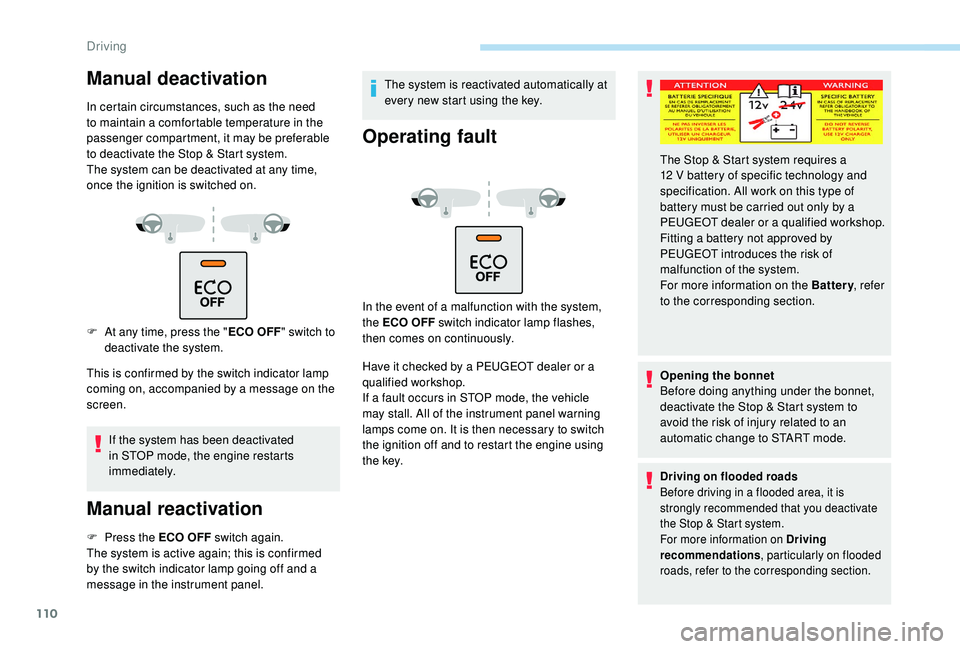
F
A
t any time, press the " ECO OFF"
switch to
deactivate the system.
This is confirmed by the switch indicator lamp
coming on, accompanied by a message on the
screen.
If the system has been deactivated
in STOP mode, the engine restarts
immediately.
Manual reactivation
F Press the ECO OFF switch again.
The system is active again; this is confirmed
by the switch indicator lamp going off and a
message in the instrument panel. The system is reactivated automatically at
every new start using the key.
Operating fault
In the event of a malfunction with the system,
the ECO OFF switch indicator lamp flashes,
then comes on continuously.
Have it checked by a PEUGEOT dealer or a
qualified workshop.
If a fault occurs in STOP mode, the vehicle
may stall. All of the instrument panel warning
lamps come on. It is then necessary to switch
the ignition off and to restart the engine using
t h e key.
Opening the bonnet
Before doing anything under the bonnet,
deactivate the Stop & Start system to
avoid the risk of injury related to an
automatic change to START mode.
Driving on flooded roads
Before driving in a flooded area, it is
strongly recommended that you deactivate
the Stop & Start system.
For more information on Driving
recommendations
, particularly on flooded
roads, refer to the corresponding section.
The Stop & Start system requires a
12 V battery of specific technology and
specification. All work on this type of
battery must be carried out only by a
PEUGEOT dealer or a qualified workshop.
Fitting a battery not approved by
PEUGEOT
introduces the risk of
malfunction of the system.
For more information on the Battery , refer
to the corresponding section.
Driving
Page 152 of 252
114
The loss of pressure detected does not
always cause visible bulging of the tyre.
Do not satisfy yourself with just a visual
check.
F
I
f you have a compressor, such as the one
in the temporary puncture repair kit, check
the pressures of the four tyres when cold.
F
I
f it is not possible to make this check
immediately, drive carefully at reduced
speed.
or
F
I
n case of a puncture, use the temporary
puncture repair kit or the spare wheel
(depending on equipment).
The alert is kept active until the system is
reinitialised.
Reinitialisation
The system must be reinitialised after any
adjustment to the pressures of one or more
tyres, and after changing one or more wheels. Before reinitialising the system, ensure
that the pressures of the four tyres are
correct for the use of the vehicle and in
line with the recommendations on the tyre
pressure label.
The under-inflation alert can only be relied
on if the system has been reinitialised
with all four tyres inflated to the correct
pressures.
The under-inflation detection system
does not give a warning if a pressure is
incorrect at the time of reinitialisation.
The system must be reinitialised with the
ignition on and the vehicle stationary:
-
i
n the vehicle configuration menu for
vehicles fitted with a display screen,
-
v
ia the button on the dashboard for vehicles
without a screen.
Screen A
F Press the MENU button for access to the
main menu.
F
P
ress the " 5" or " 6" button to select the
" Veh conf ig " menu, then confirm by
pressing the OK button.
F
P
ress the " 5" or " 6" button to select the
" Reinit inflat " menu, then confirm by
pressing the OK button.
A message is displayed to confirm the request.
F
C
onfirm by pressing the OK button.
Screen C
F Press the MENU button to access the main
menu.
F
P
ress the " 5" or " 6" button to select the
" Personalisation-configuration " menu,
then confirm by pressing the OK button.
F
P
ress the " 5" or " 6" button to select the
" Define the vehicle parameters " menu,
then confirm by pressing the OK button.
F
P
ress the " 5" or " 6" button to select
the " Tyre pressures " menu, then the
" Reinitialisation " menu, then confirm
by pressing the OK button. A message
confirms the reinitialisation.
Touch screen
F Press the MENU button.
F Sel ect the " Driving" menu.
F
I
n the secondary page, select "
Under-
inflation initialisation ".
A message is displayed to confirm the
reinitialisation request.
F
Sel
ect "Ye s" or " No", then confirm.
A message confirms the reinitialisation.
Driving
Page 155 of 252
117
Pressing the accelerator pedal in order to
exceed the programmed speed will have
no effect unless you press the pedal firmly
beyond the point of resistance .
The speed limiter is deactivated temporarily
and the programmed speed setting flashes,
accompanied by an audible signal.
To return to the limiter function, reduce your
speed below the programmed speed.
Flashing of the speed setting
It flashes:
- a fter forcing the accelerator pedal past the
point of resistance,
-
w
hen the limiter cannot prevent the speed
of the vehicle increasing, because of the
profile of the road or when going down a
steep hill,
-
u
nder sharp acceleration.
Switching the funtion off
F Place the knob at the 0 position or switch off the ignition to switch the function off.
The last programmed speed remains in the
memory.
Operating fault
The programmed speed is cleared, then
replaced by three dashes.
Contact a PEUGEOT dealer or a qualified
workshop to have the system checked.
Under no circumstances can the speed
limiter replace the need to obser ve speed
limits, nor can it replace the need for
vigilance on the part of the driver.
Always pay attention to the profile of the
road and sharp acceleration and stay in
complete control of your vehicle.
To avoid any jamming under the pedals:
-
e
nsure that the mat is positioned and
secured to the floor correctly,
-
n
ever fit one mat on top of another.
"CRUISE" cruise control
System which automatically
maintains the speed of the vehicle
at the value programmed by the
driver, without any action on the
accelerator pedal.
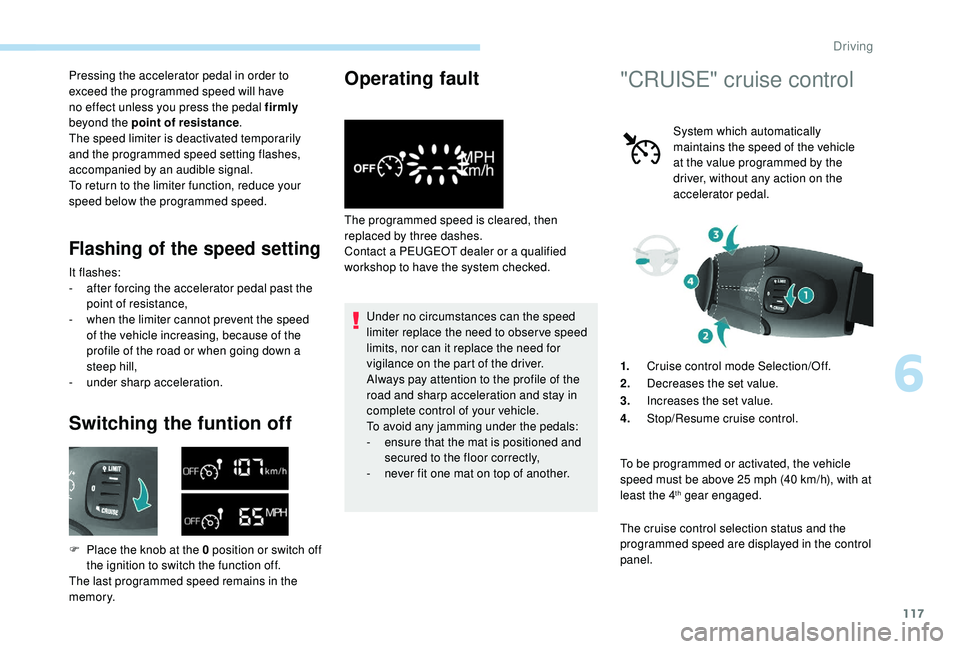
1. Cruise control mode Selection/Off.
2. Decreases the set value.
3. Increases the set value.
4. Stop/Resume cruise control.
To be programmed or activated, the vehicle
speed must be above 25
mph (40 km/h), with at
least the 4
th gear engaged.
The cruise control selection status and the
programmed speed are displayed in the control
panel.
6
Driving
Page 157 of 252
119
Reactivation
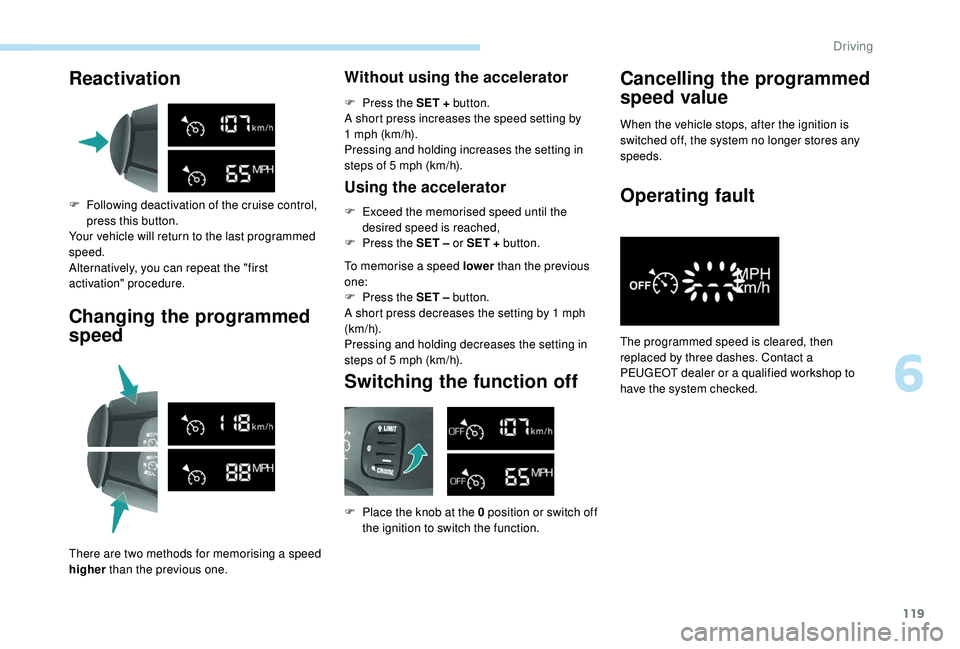
F Following deactivation of the cruise control, press this button.
Your vehicle will return to the last programmed
speed.
Alternatively, you can repeat the "first
activation" procedure.
Changing the programmed
speed
There are two methods for memorising a speed
higher than the previous one.
Without using the accelerator
F Press the SET + button.
A short press increases the speed setting by
1
mph (km/h).
Pressing and holding increases the setting in
steps of 5
mph (km/h).
Using the accelerator
F Exceed the memorised speed until the desired speed is reached,
F
P
ress the SET – or SET + button.
To memorise a speed lower than the previous
one:
F
P
ress the SET – button.
A short press decreases the setting by 1
mph
(km/h).
Pressing and holding decreases the setting in
steps of 5
mph (km/h).
Switching the function off
F Place the knob at the 0 position or switch off the ignition to switch the function.
Cancelling the programmed
speed value
When the vehicle stops, after the ignition is
switched off, the system no longer stores any
speeds.
Operating fault
The programmed speed is cleared, then
replaced by three dashes. Contact a
PEUGEOT dealer or a qualified workshop to
have the system checked.
6
Driving
Page 158 of 252
120
When changing the programmed
reference speed by means of a maintained
press, remain vigilant as the speed can
increase or decrease rapidly.
Do not use the cruise control on slippery
roads or in heavy traffic.
When descending a steep hill, the cruise
control system cannot prevent the vehicle
from exceeding the programmed speed.
The cruise control system cannot in
any circumstances replace the need
to obser ve speed limits or the need for
vigilance on the part of the driver.
It is advisable to leave your feet near the
pedals.
To avoid any jamming under the pedals:
-
e
nsure that the mat is positioned and
secured to the floor correctly,
-
n
ever fit one mat on top of another.
Active City Brake
Active City Brake is a driving assistance
system that aims to avoid a frontal collision
or reduce the speed of an impact if the driver
does not react sufficiently (inadequate brake
application). This system has been designed to
improve driving safety.
The driver must always check the traffic
and assess the distance and relative
speed of other vehicles.
Active City Brake cannot in any
circumstances replace the need for
vigilance on the part of the driver.
Never look at the laser sensor through
an optical instrument (magnifying glass,
microscope, etc.) at a distance of less
than 10
centimetres: risk of eye injury!
Principle
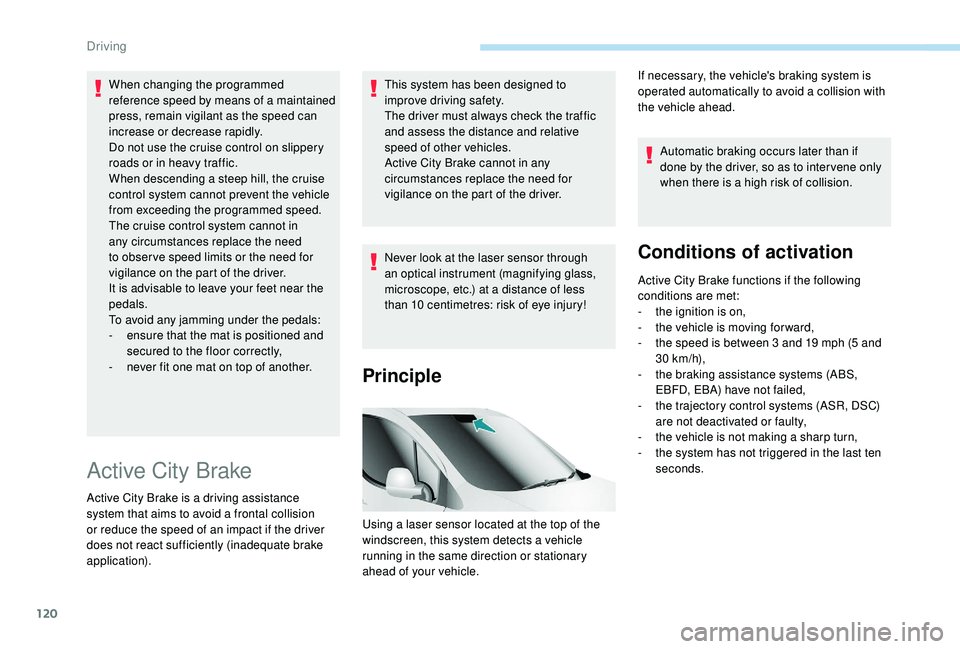
Using a laser sensor located at the top of the
windscreen, this system detects a vehicle
running in the same direction or stationary
ahead of your vehicle.Automatic braking occurs later than if
done by the driver, so as to inter vene only
when there is a high risk of collision.
Conditions of activation
Active City Brake functions if the following
conditions are met:
-
t
he ignition is on,
-
t
he vehicle is moving for ward,
-
t
he speed is between 3 and 19 mph (5 and
30
km/h),
-
t
he braking assistance systems (ABS,
EBFD, EBA) have not failed,
-
t
he trajectory control systems (ASR, DSC)
are not deactivated or faulty,
-
t
he vehicle is not making a sharp turn,
-
t
he system has not triggered in the last ten
seconds.
If necessary, the vehicle's braking system is
operated automatically to avoid a collision with
the vehicle ahead.
Driving
Page 159 of 252
121
Operation
When your vehicle is too close to or
approaches the vehicle ahead too quickly, the
system automatically applies the brakes to
avoid a collision.
You are then warned by the display of a
message.
Your vehicle's brake lamps come on to warn
other road users.The collision can be avoided if the speed
difference between your vehicle and
the one ahead is not more than 9
mph
(15
km/h).
Above this threshold, the system will do
what is possible to avoid or reduce the
accident by lowering the speed of impact.
The automatic braking can bring the vehicle to
a complete stop if the situation requires it.
In this case, the vehicle is held stationary
temporarily (for about 1.5
seconds) to allow
the driver to take back control by pressing the
brake pedal.
Unless the driver presses the clutch
quickly enough during automatic braking,
triggering of the system may cause the
engine to stall. During automatic braking, the driver can
always obtain a higher rate of deceleration
than that controlled by the system, by
pressing firmly on the brake pedal.
After an impact, the system is
automatically put out of ser vice: it no
longer operates.
You must go to a PEUGEOT dealer or a
qualified workshop to have the system
made operational again.
Operating limits
The system only detects vehicles that are
stationary or moving in the same direction as
your vehicle.
It does not detect small vehicles (bicycles,
motorcycles), pedestrians or animals, nor
non-reflective stationary objects.
This system will not trigger or will be interrupted
if the driver:
-
a
ccelerates hard
-
o
r turns the steering wheel sharply
(avoidance manoeuvre). When weather conditions are difficult
(extremely heavy rain, snow, fog, hail,
etc.), braking distances increase, which
may reduce the system’s ability to avoid a
collision.
The driver must therefore remain
particularly cautious.
Never let snow build up on the bonnet
or any object beyond the bonnet or the
front of the roof: this could enter the
field of vision of the sensor and obstruct
detection.Deactivation
The system is deactivated in the vehicle
configuration menu, accessible with the ignition
on.
Its status is stored when the ignition is switched off.
When the system is deactivated, a
message is displayed every time the
ignition is switched on, to warn you.
6
Driving