ignition PEUGEOT PARTNER TEPEE ELECTRIC 2017 Owner's Manual
[x] Cancel search | Manufacturer: PEUGEOT, Model Year: 2017, Model line: PARTNER TEPEE ELECTRIC, Model: PEUGEOT PARTNER TEPEE ELECTRIC 2017Pages: 252, PDF Size: 9.89 MB
Page 59 of 252
21
In the event of the risk of non-
starting related to a lack of
AdBlue
®
The engine starting inhibition system
required by regulations is activated
automatically once the AdBlue
® tank is
e m pt y.
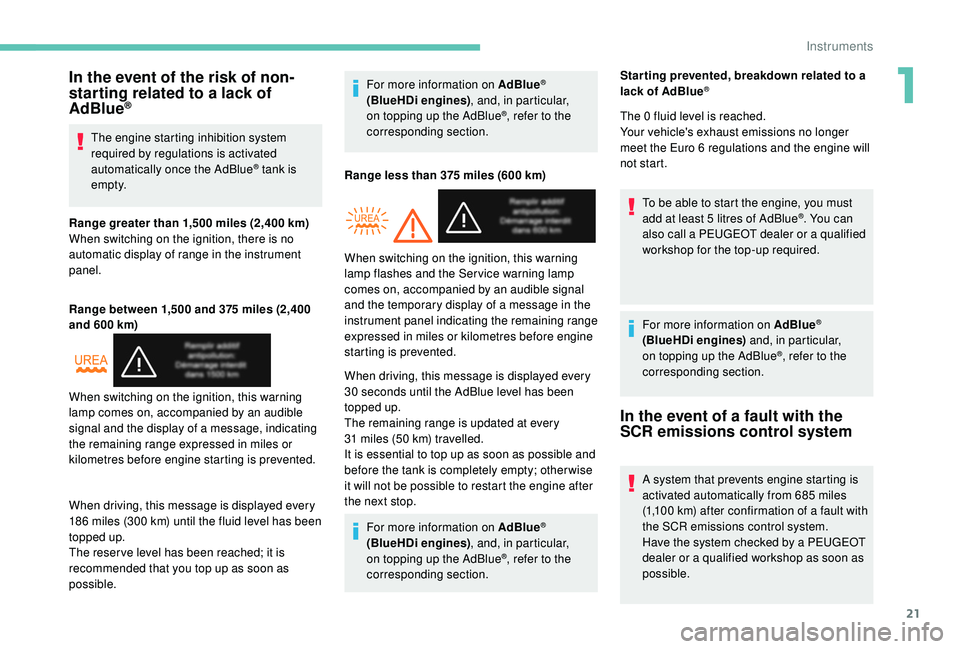
Range greater than 1,500
miles (2,400 km)
When switching on the ignition, there is no
automatic display of range in the instrument
panel.
Range between 1,500 and 375
miles (2,400
and 600
km)
When driving, this message is displayed every
186
miles (300
km) until the fluid level has been
topped up.
The reser ve level has been reached; it is
recommended that you top up as soon as
possible. For more information on AdBlue
®
(BlueHDi engines)
, and, in particular,
on topping up the AdBlue®, refer to the
corresponding section.
Range less than 375
miles (600 km)
When driving, this message is displayed every
30
seconds until the AdBlue level has been
topped up.
The remaining range is updated at every
31
miles (50
km) travelled.
It is essential to top up as soon as possible and
before the tank is completely empty; other wise
it will not be possible to restart the engine after
the next stop.
For more information on AdBlue
®
(BlueHDi engines) , and, in particular,
on topping up the AdBlue
®, refer to the
corresponding section.
When switching on the ignition, this warning
lamp comes on, accompanied by an audible
signal and the display of a message, indicating
the remaining range expressed in miles or
kilometres before engine starting is prevented. When switching on the ignition, this warning
lamp flashes and the Service warning lamp
comes on, accompanied by an audible signal
and the temporary display of a message in the
instrument panel indicating the remaining range
expressed in miles or kilometres before engine
starting is prevented.Star ting prevented, breakdown related to a
lack of AdBlue
®
The 0 fluid level is reached.
Your vehicle's exhaust emissions no longer
meet the Euro 6 regulations and the engine will
not start.
To be able to start the engine, you must
add at least 5
litres of AdBlue
®. You can
also call a PEUGEOT dealer or a qualified
workshop for the top-up required.
For more information on AdBlue
®
(BlueHDi engines) and, in particular,
on topping up the AdBlue
®, refer to the
corresponding section.
In the event of a fault with the
SCR emissions control system
A system that prevents engine starting is
activated automatically from 685 miles
(1,100
km) after confirmation of a fault with
the SCR emissions control system.
Have the system checked by a PEUGEOT
dealer or a qualified workshop as soon as
possible.
1
Instruments
Page 60 of 252
22
Trip computer
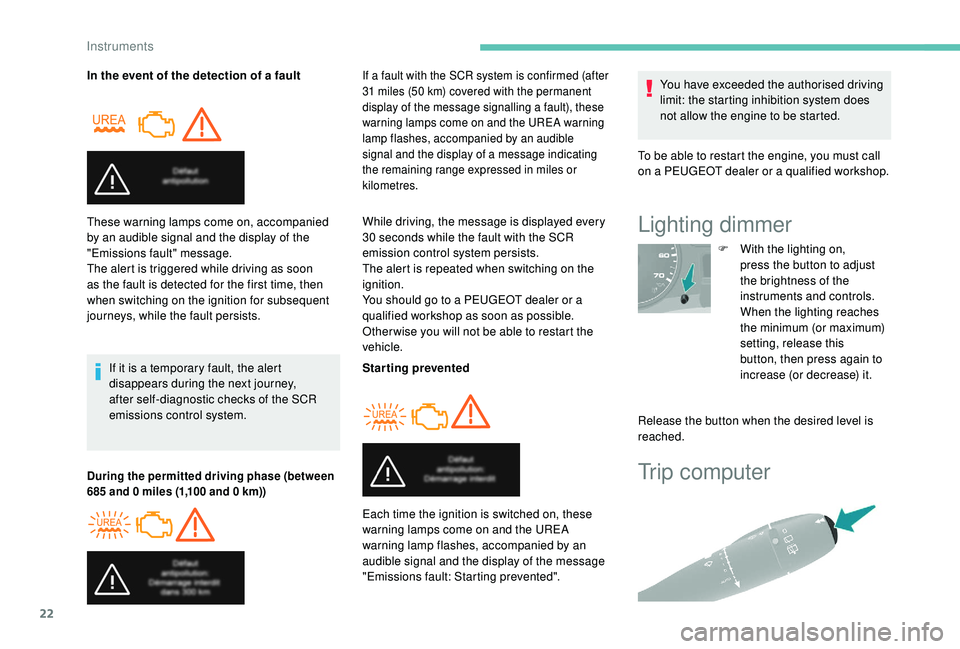
In the event of the detection of a faultIf it is a temporary fault, the alert
disappears during the next journey,
after self-diagnostic checks of the SCR
emissions control system.
These warning lamps come on, accompanied
by an audible signal and the display of the
"Emissions fault" message.
The alert is triggered while driving as soon
as the fault is detected for the first time, then
when switching on the ignition for subsequent
journeys, while the fault persists.
During the permitted driving phase (between
685 and 0
miles (1,100 and 0 km))If a fault with the SCR system is confirmed (after
31
miles (50 km) covered with the permanent
display of the message signalling a fault), these
warning lamps come on and the UREA warning
lamp flashes, accompanied by an audible
signal and the display of a message indicating
the remaining range expressed in miles or
kilometres.
While driving, the message is displayed every
30 seconds while the fault with the SCR
emission control system persists.
The alert is repeated when switching on the
ignition.
You should go to a PEUGEOT dealer or a
qualified workshop as soon as possible.
Other wise you will not be able to restart the
vehicle.
Starting prevented
Each time the ignition is switched on, these
warning lamps come on and the UREA
warning lamp flashes, accompanied by an
audible signal and the display of the message
"Emissions fault: Starting prevented". You have exceeded the authorised driving
limit: the starting inhibition system does
not allow the engine to be started.
To be able to restart the engine, you must call
on a PEUGEOT dealer or a qualified workshop.Lighting dimmer
F With the lighting on, press the button to adjust
the brightness of the
instruments and controls.
When the lighting reaches
the minimum (or maximum)
setting, release this
button, then press again to
increase (or decrease) it.
Release the button when the desired level is
reached.
Instruments
Page 61 of 252
23
Each press of the button on the end of the
wiper control stalk allows you to scroll through
the various trip computer information displays,
depending on the screen.
The "vehicle" tab with the range, current fuel
consumption and remaining distance to travel.
The "1" tab (trip 1) with the average speed,
average fuel consumption and distance
travelled in trip 1 .
The "2" tab (trip 2) with the same information
for a 2
nd trip.
Zero reset
F When the desired trip is displayed, press the control for more than two seconds.
A few definitions
Range: displays the distance that can still be
travelled with the fuel detected in the tank on
the basis of the average consumption over the
last few miles (kilometres) travelled. If dashes instead of figures continue to
be displayed when driving, contact a
PEUGEOT dealer.
This displayed value can vary greatly
following a change in the vehicle's driving
conditions or the terrain. When the range falls below 19
miles (30 km),
dashes are displayed. After filling with at least
10 litres of fuel, the range is recalculated and is
displayed if it exceeds 62 miles (100 km).
Current fuel consumption: calculated
and displayed only when exceeding 19 mph
(30
km/h).
Average consumption: this is the average
fuel consumption since the last trip computer
zero reset.
Distance travelled: calculated from the last
trip computer zero reset.
Remaining distance: calculated according
to the final destination entered by the user. If
navigation is activated, the navigation system
calculates it instantaneously.
Average speed: this is the average speed
calculated since the last trip computer zero
reset (with the ignition on).
Date and time setting
Centre console without
screen
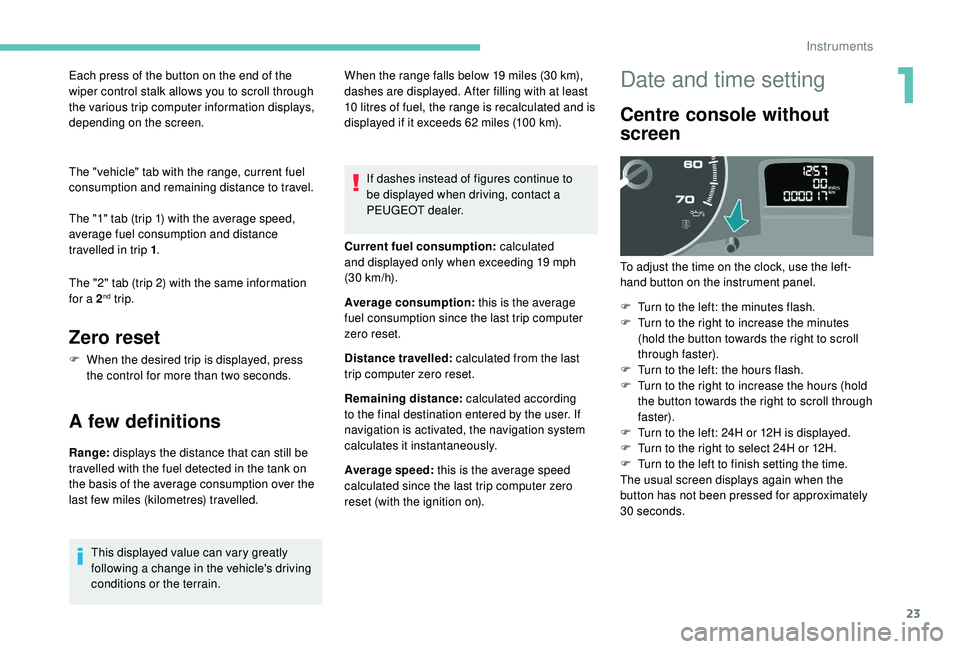
To adjust the time on the clock, use the left-
hand button on the instrument panel.
F
T
urn to the left: the minutes flash.
F
T
urn to the right to increase the minutes
(hold the button towards the right to scroll
through faster).
F
T
urn to the left: the hours flash.
F
T
urn to the right to increase the hours (hold
the button towards the right to scroll through
faster).
F
T
urn to the left: 24H or 12H is displayed.
F
T
urn to the right to select 24H or 12H.
F
T
urn to the left to finish setting the time.
The usual screen displays again when the
button has not been pressed for approximately
30
seconds.
1
Instruments
Page 63 of 252
25
Key
This locks and unlocks the vehicle's doors,
opens and closes the fuel filler cap, as well as
starting and stopping the engine.
Remote control
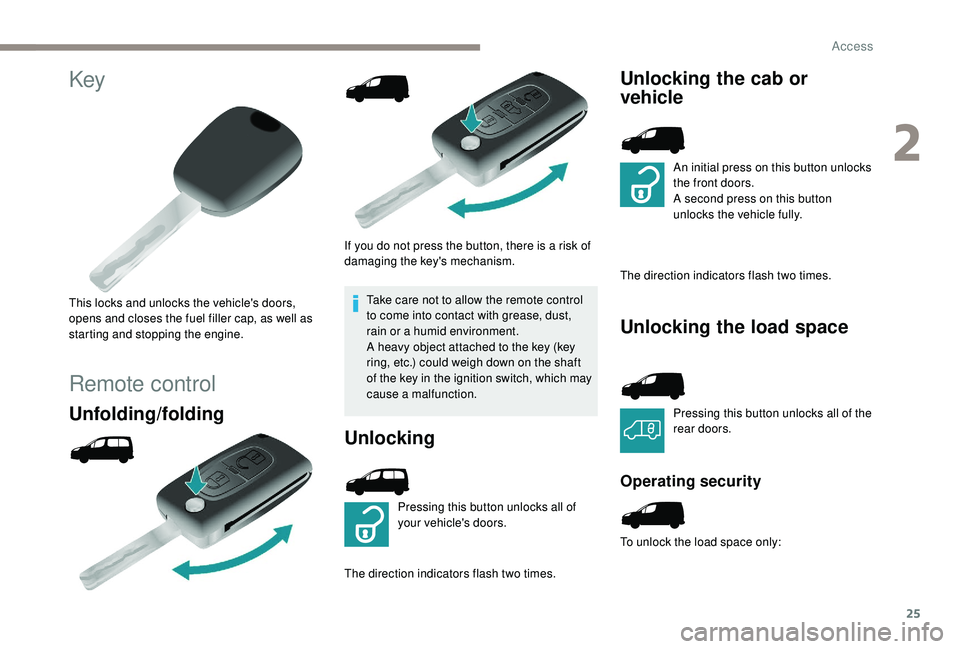
Unfolding/folding
If you do not press the button, there is a risk of
damaging the key's mechanism.Take care not to allow the remote control
to come into contact with grease, dust,
rain or a humid environment.
A heavy object attached to the key (key
ring, etc.) could weigh down on the shaft
of the key in the ignition switch, which may
cause a malfunction.
Unlocking
Pressing this button unlocks all of
your vehicle's doors.
The direction indicators flash two times.
Unlocking the cab or
vehicle
An initial press on this button unlocks
the front doors.
A second press on this button
unlocks the vehicle fully.
The direction indicators flash two times.
Unlocking the load space
Pressing this button unlocks all of the
rear doors.
Operating security
To unlock the load space only:
2
Access
Page 65 of 252
27
Lost keys, remote control
Go to a PEUGEOT dealer, taking with you the
vehicle's registration certificate, your personal
identification documents and if possible, the
label bearing the key code.
The PEUGEOT dealer will be able to retrieve
the key code and the transponder code
required to order a new key.
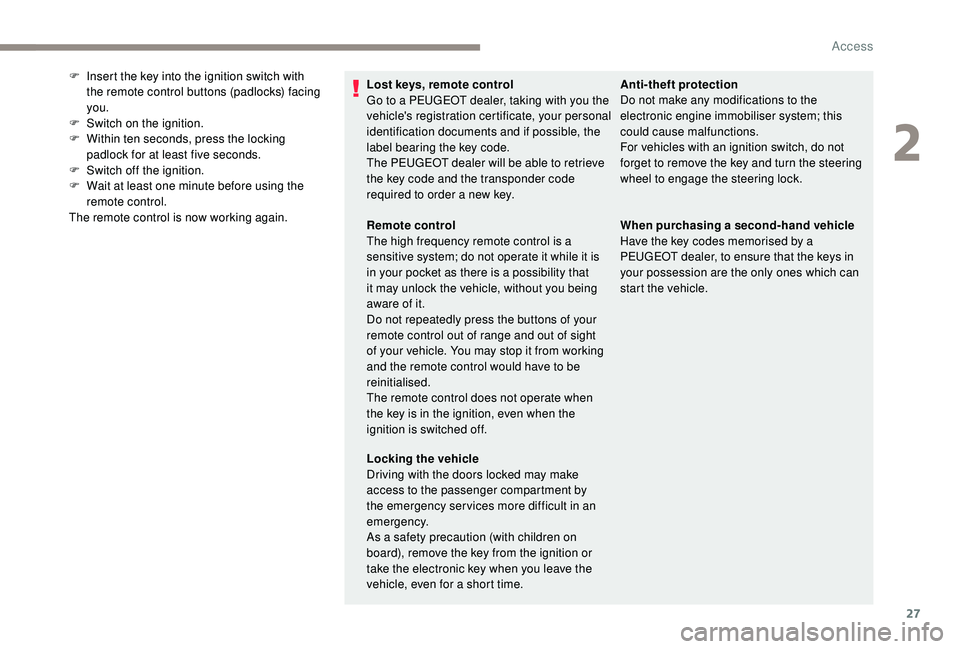
F
I
nsert the key into the ignition switch with
the remote control buttons (padlocks) facing
you.
F
S
witch on the ignition.
F
W
ithin ten seconds, press the locking
padlock for at least five seconds.
F
S
witch off the ignition.
F
W
ait at least one minute before using the
remote control.
The remote control is now working again. Anti-theft protection
Do not make any modifications to the
electronic engine immobiliser system; this
could cause malfunctions.
For vehicles with an ignition switch, do not
forget to remove the key and turn the steering
wheel to engage the steering lock.
Remote control
The high frequency remote control is a
sensitive system; do not operate it while it is
in your pocket as there is a possibility that
it may unlock the vehicle, without you being
aware of it.
Do not repeatedly press the buttons of your
remote control out of range and out of sight
of your vehicle. You may stop it from working
and the remote control would have to be
reinitialised.
The remote control does not operate when
the key is in the ignition, even when the
ignition is switched off.
Locking the vehicle
Driving with the doors locked may make
access to the passenger compartment by
the emergency ser vices more difficult in an
emergency.
As a safety precaution (with children on
board), remove the key from the ignition or
take the electronic key when you leave the
vehicle, even for a short time. When purchasing a second-hand vehicle
Have the key codes memorised by a
PEUGEOT dealer, to ensure that the keys in
your possession are the only ones which can
start the vehicle.
2
Access
Page 71 of 252
33
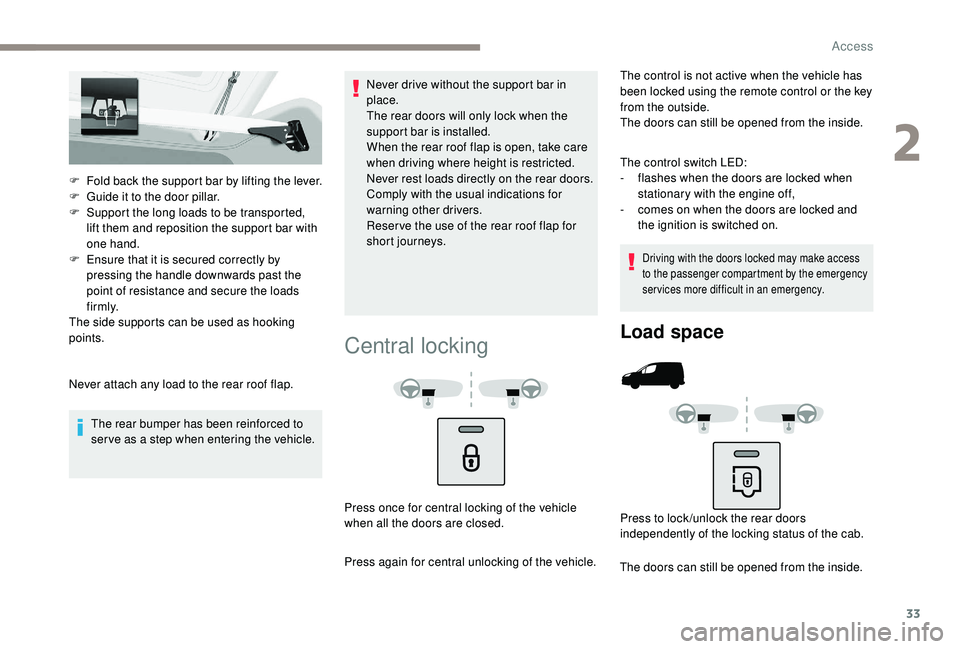
F Fold back the support bar by lifting the lever.
F G uide it to the door pillar.
F
S
upport the long loads to be transported,
lift them and reposition the support bar with
one hand.
F
E
nsure that it is secured correctly by
pressing the handle downwards past the
point of resistance and secure the loads
f i r m l y.
The side supports can be used as hooking
points.
Never attach any load to the rear roof flap.
The rear bumper has been reinforced to
serve as a step when entering the vehicle. Never drive without the support bar in
place.
The rear doors will only lock when the
support bar is installed.
When the rear roof flap is open, take care
when driving where height is restricted.
Never rest loads directly on the rear doors.
Comply with the usual indications for
warning other drivers.
Reser ve the use of the rear roof flap for
short journeys.
Central locking
The control is not active when the vehicle has
been locked using the remote control or the key
from the outside.
The doors can still be opened from the inside.
The control switch LED:
-
f
lashes when the doors are locked when
stationary with the engine off,
-
c
omes on when the doors are locked and
the ignition is switched on.
Driving with the doors locked may make access
to the passenger compartment by the emergency
services more difficult in an emergency.
Press once for central locking of the vehicle
when all the doors are closed.
Press again for central unlocking of the vehicle.
Load space
Press to lock /unlock the rear doors
independently of the locking status of the cab.
The doors can still be opened from the inside.
2
Access
Page 72 of 252
34
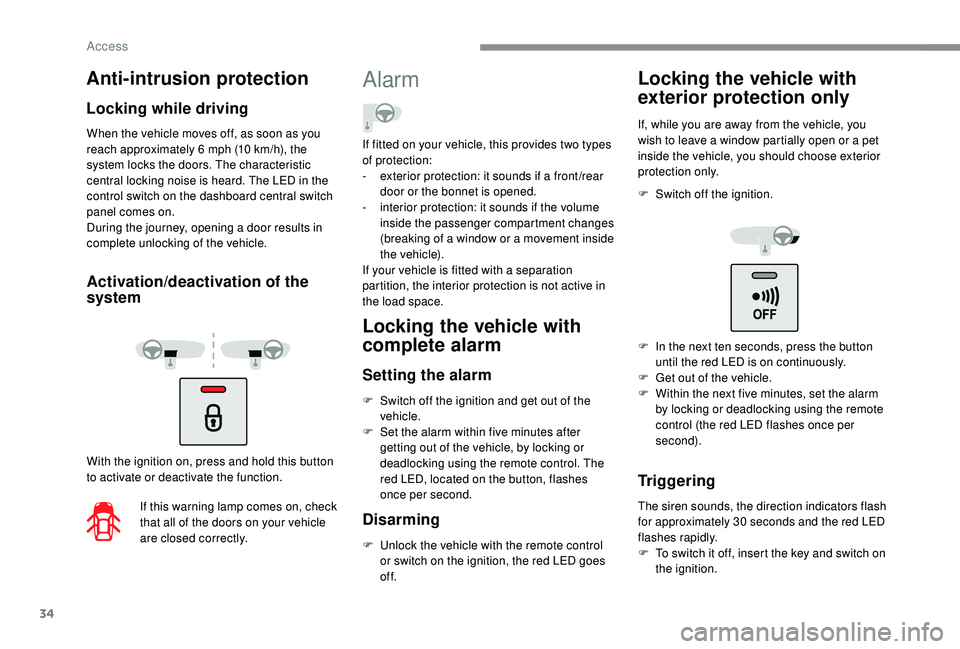
When the vehicle moves off, as soon as you
reach approximately 6 mph (10 km/h), the
system locks the doors. The characteristic
central locking noise is heard. The LED in the
control switch on the dashboard central switch
panel comes on.
During the journey, opening a door results in
complete unlocking of the vehicle.
Activation/deactivation of the
system
With the ignition on, press and hold this button
to activate or deactivate the function.
If this warning lamp comes on, check
that all of the doors on your vehicle
are closed correctly.
Alarm
Locking the vehicle with
complete alarm
Setting the alarm
F Switch off the ignition and get out of the vehicle.
F
S
et the alarm within five minutes after
getting out of the vehicle, by locking or
deadlocking using the remote control. The
red LED, located on the button, flashes
once per second.
Disarming
F Unlock the vehicle with the remote control or switch on the ignition, the red LED goes
of f.
Locking the vehicle with
exterior protection only
If, while you are away from the vehicle, you
wish to leave a window partially open or a pet
inside the vehicle, you should choose exterior
protection only.
F
S
witch off the ignition.
Triggering
The siren sounds, the direction indicators flash
for approximately 30 seconds and the red LED
flashes rapidly.
F
T
o switch it off, insert the key and switch on
the ignition.
Anti-intrusion protection
Locking while driving
If fitted on your vehicle, this provides two types
of protection:
-
e
xterior protection: it sounds if a front /rear
door or the bonnet is opened.
-
i
nterior protection: it sounds if the volume
inside the passenger compartment changes
(breaking of a window or a movement inside
the vehicle).
If your vehicle is fitted with a separation
partition, the interior protection is not active in
the load space.
F
I
n the next ten seconds, press the button
until the red LED is on continuously.
F
G
et out of the vehicle.
F
W
ithin the next five minutes, set the alarm
by locking or deadlocking using the remote
control (the red LED flashes once per
second).
Access
Page 73 of 252
35
Locking the vehicle without
alarm
F Insert the key in the driver's door lock and lock it.
Do not set the alarm when washing your
vehicle.
Failure of the remote control
If the alarm is set but the remote control is not
working:
F
U
nlock the doors with the key and open the
door. The alarm is triggered.
F
S
witch on the ignition within ten seconds.
The alarm is disarmed.
Malfunction
When the ignition is switched on, if the red LED
remains on for ten seconds there is a fault in
the siren connection.
Contact a PEUGEOT dealer to have the system
checked.
Automatic setting of the alarm
Depending on the country in which the vehicle is
sold, the alarm is set automatically approximately
2
minutes after the last door is closed.
Do not make any modifications to the
alarm system as this could cause faults.
When the alarm has been triggered ten times
in succession (when triggered for the eleventh
time) it is deactivated. Repeat the procedure for
setting the alarm.
To prevent triggering of the alarm when a door
is opened, you must press the unlocking button
on the remote control again.
Rear windows
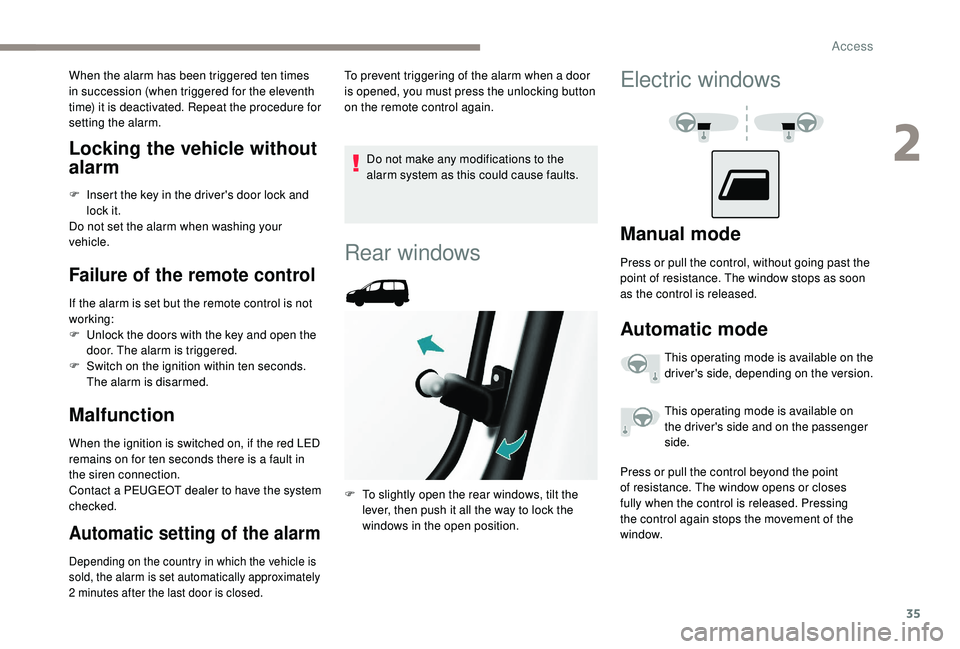
F To slightly open the rear windows, tilt the
lever, then push it all the way to lock the
windows in the open position.
Electric windows
Manual mode
Press or pull the control, without going past the
point of resistance. The window stops as soon
as the control is released.
Automatic mode
This operating mode is available on the
driver's side, depending on the version.
This operating mode is available on
the driver's side and on the passenger
side.
Press or pull the control beyond the point
of resistance. The window opens or closes
fully when the control is released. Pressing
the control again stops the movement of the
window.
2
Access
Page 74 of 252
36
The electrical functions of the electric windows
are deactivated:
-
a
pproximately 45 seconds after the ignition
is switched off,
-
a
fter one of the front doors is opened, if the
ignition is off.
Safety anti-pinch
When the window rises and meets an obstacle,
it stops and partially lowers again.
Reinitialisation
Following reconnection of the battery, or in the
event of a malfunction, the anti-pinch function
must be reinitialised.
F
B
ring the window down completely, then
bring it back up. It will go up by a few
centimetres with each press. Repeat the
operation until the window is fully closed.
F
H
old the switch pressed for at least one
second after reaching the window closed
position.
The safety anti-pinch does not operate during
these operations. In the event of contact (pinching) during
operation of the windows, you must
reverse the movement of the window. To
do this, press the switch concerned.
When operating the passenger electric
window switches, the driver must ensure
that no one is preventing correct closing of
the windows.
The driver must ensure that the
passengers use the electric windows
c o r r e c t l y.
Be aware of children when operating the
windows.
After several consecutive attempts to
close/open the windows using the electric
windows control, a protection system
engages, which only allows for the
windows to be closed. After closing, wait
approximately 40
minutes. After this time,
the control will be operational again.
Access
Page 75 of 252
37
Steering wheel adjustment
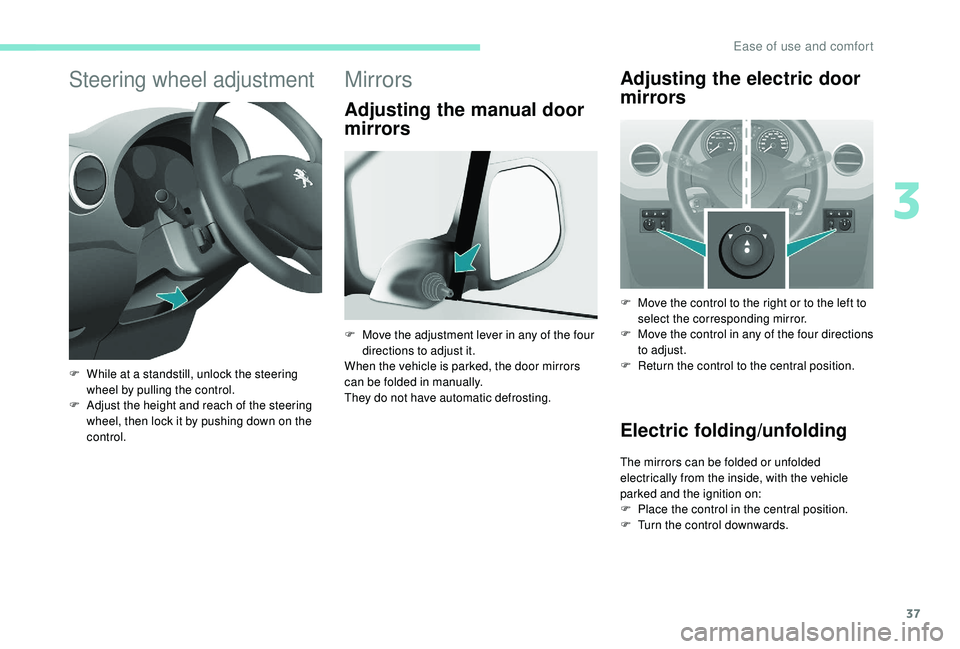
F While at a standstill, unlock the steering wheel by pulling the control.
F
A
djust the height and reach of the steering
wheel, then lock it by pushing down on the
control.
Mirrors
Adjusting the manual door
mirrors Adjusting the electric door
mirrors
F Move the control to the right or to the left to
select the corresponding mirror.
F
M
ove the control in any of the four directions
to adjust.
F
R
eturn the control to the central position.
Electric folding/unfolding
The mirrors can be folded or unfolded
electrically from the inside, with the vehicle
parked and the ignition on:
F
P
lace the control in the central position.
F
T
urn the control downwards.
F
M
ove the adjustment lever in any of the four
directions to adjust it.
When the vehicle is parked, the door mirrors
can be folded in manually.
They do not have automatic defrosting.
3
Ease of use and comfort