ignition PEUGEOT PARTNER TEPEE ELECTRIC 2017 Repair Manual
[x] Cancel search | Manufacturer: PEUGEOT, Model Year: 2017, Model line: PARTNER TEPEE ELECTRIC, Model: PEUGEOT PARTNER TEPEE ELECTRIC 2017Pages: 252, PDF Size: 9.89 MB
Page 198 of 252
160
From the rear
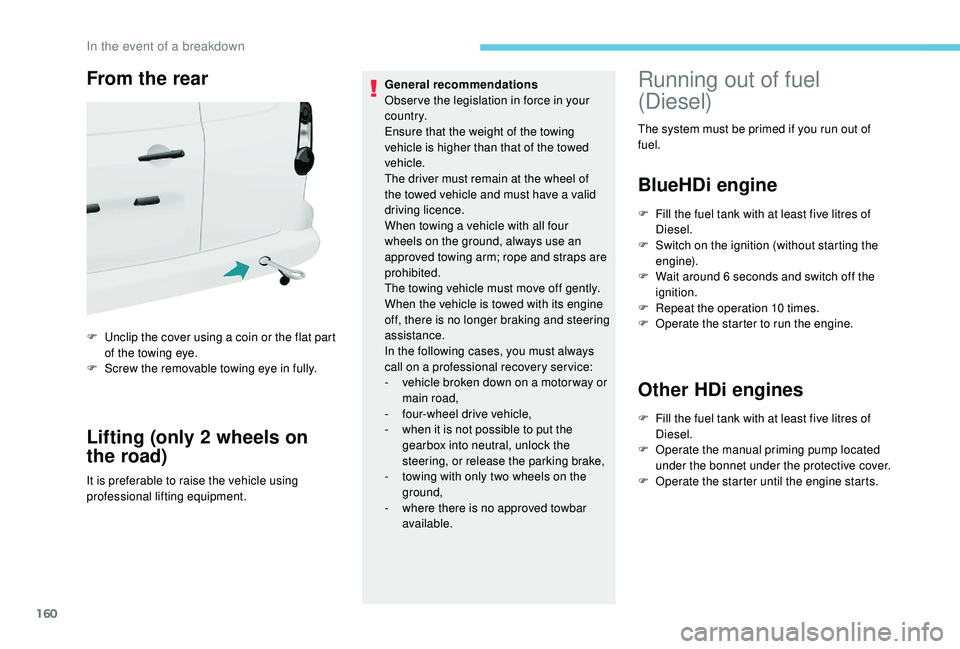
F Unclip the cover using a coin or the flat part of the towing eye.
F
S
crew the removable towing eye in fully.
Lifting (only 2 wheels on
the road)
It is preferable to raise the vehicle using
professional lifting equipment. General recommendations
Obser ve the legislation in force in your
c o u nt r y.
Ensure that the weight of the towing
vehicle is higher than that of the towed
vehicle.
The driver must remain at the wheel of
the towed vehicle and must have a valid
driving licence.
When towing a vehicle with all four
wheels on the ground, always use an
approved towing arm; rope and straps are
prohibited.
The towing vehicle must move off gently.
When the vehicle is towed with its engine
off, there is no longer braking and steering
assistance.
In the following cases, you must always
call on a professional recovery ser vice:
-
v
ehicle broken down on a motor way or
main road,
-
f
our-wheel drive vehicle,
-
w
hen it is not possible to put the
gearbox into neutral, unlock the
steering, or release the parking brake,
- t owing with only two wheels on the
ground,
-
w
here there is no approved towbar
available.
Running out of fuel
(Diesel)
The system must be primed if you run out of
fuel.
BlueHDi engine
F Fill the fuel tank with at least five litres of Diesel.
F
S
witch on the ignition (without starting the
engine).
F
W
ait around 6 seconds and switch off the
ignition.
F
R
epeat the operation 10 times.
F
O
perate the starter to run the engine.
Other HDi engines
F Fill the fuel tank with at least five litres of Diesel.
F
O
perate the manual priming pump located
under the bonnet under the protective cover.
F
O
perate the starter until the engine starts.
In the event of a breakdown
Page 221 of 252
9
Select "List" in the primary page.
or
Select " Radio list " on the
secondary page.
Select a radio station from the list offered.
DAB/FM station tracking
"DAB" does not cover 100% of the
te r r i to r y.
When the digital radio signal is poor,
the "DAB/FM station tracking" allows
you to continue listening to the same
station, by automatically switching to the
corresponding FM analogue station (if
there is one). Press Radio Media to display the
primary page.
Press the secondary page. Select "Settings ".
Select " Radio".
Select " Digital/FM tracking " then "Confirm ". If "DAB/FM station tracking" is activated
there is a delay of a few seconds when the
system switches to analogue radio "FM",
sometimes with a change in volume.
Once the digital signal quality is restored,
the system automatically changes back
to " DA B ".
If the "DAB" station being listened to is
not available on "FM" ("
DAB/FM" option
greyed out), or "DAB/FM station tracking"
is not activated, the sound will cut out
while the digital signal is too weak.
Media
USB port
Insert the USB memory stick into the USB port
or connect the USB device to the USB port
using a suitable cable (not supplied). To protect the system, do not use a USB
hub.
The system builds playlists (in temporary
memory), an operation which can take from
a few seconds to several minutes at the first
connection.
Reduce the number of non-music files and the
number of folders to reduce the waiting time.
The playlists are updated each time the ignition
is switched off or a USB stick is connected.
However, the audio system memorises these
lists, and the loading time will be reduced if
they have not been changed.
Auxiliary Socket (AUX)
This source is only available if the "Auxiliary
socket" option has been activated in the
"Media" settings.
.
7-inch touch screen
Page 227 of 252
15
Procedure from the system
Activate the Bluetooth® function on the
telephone and ensure that it is "visible to all"
(telephone configuration).
Press Telephone to display the
primary page.
Press the secondary page. Select "Bluetooth
® connection®".
Select " Search for devices ".
The list of telephones detected is displayed.
If the pairing procedure fails, it is
recommended that you deactivate and
then reactivate the Bluetooth
® function in
your telephone.
Select the name of the chosen telephone in the
list and " Confirm ".
Enter a code of at least 4 figures for
the connection then " Confirm".
Enter this same code in the telephone then
accept the connection. The system offers to connect the telephone:
-
"
Telephone " (hands-free kit, telephone
only),
- "
Audio streaming " (streaming: wireless
playing of the audio files on the telephone),
- "
Internet " (internet browsing, only if your
telephone is compatible with the Bluetooth
®
DUN (Dial-Up Networking) standard).
Select one or more profiles and confirm.
The services available depend on
the network, the SIM card and the
compatibility of the Bluetooth
® devices
used. Check the instructions for your
telephone and with your service provider
for the ser vices to which you have access.
The ability of the system to connect to just
one profile depends on the telephone. All
three profiles may connect by default.
Visit www.peugeot.co.uk for more information
(compatibility, more help, etc.).
The recognised telephone appears in the list.
Depending on your telephone, you may be
asked to accept automatic connection every
time the ignition is switched on. Depending on the type of telephone, the
system will ask you to accept or decline
the transfer of your contacts.
On returning to the vehicle, if the last telephone
connected is present again, it is automatically
recognised and within about 30 seconds
of switching on the ignition, the pairing is
established without any action on your part
(Bluetooth
® activated).
To change the automatic connection profile,
select the telephone in the list then select the
desired profile.
Connecting a Bluetooth®
peripheral device
Automatic reconnection
On switching on the ignition, the telephone
connected when the ignition was last switched
off is automatically reconnected, if this
connection mode was activated during the
pairing procedure. If not, select "
Update".
The connection is confirmed by the display of a
message and the name of the telephone.
.
7-inch touch screen
Page 233 of 252
21
Settings
QUESTIONRESPONSESOLUTION
When changing the setting of treble and bass,
the ambience setting is deselected.
When changing the ambience, the treble and
bass settings are reset to zero. The selection of an ambience imposes the
treble and bass settings.
Changing one without the other is not possible.
Change the treble and bass or ambience
settings to obtain the desired musical ambience.
When changing the balance setting, distribution
is deselected.
When changing the distribution, the balance
setting is deselected. Choosing a distribution imposes a balance
setting.
Changing one without the other is not possible.
Change the balance setting or the distribution
setting to obtain the desired musical ambience.
When the "All passengers" mode is selected,
the distribution is not as expected. The choice of an "All passengers" distribution
can be programmed.Change the distribution using the cursor on the
touch screen.
There is a difference in sound quality between
the different audio sources. To allow for optimal listening quality, the audio
settings (Volume, Bass, Treble, Ambience,
Loudness) can be tailored to different
sound sources, which can generate audible
differences when changing source.Check that the audio settings (Volume, Bass,
Treble, Ambience, Loudness) are adapted to
the sources listened to. It is advisable to set
the audio functions (Bass, Treble, Balance) to
the middle position, select the "None" musical
ambience and set the loudness correction to the
"Inactive" position in radio mode.
When the engine is off, the system stops after
several minutes of use.
When the engine is switched off, the system's
operating time depends on the state of charge of
the battery.
The switch-off is normal: the system automatically
goes into energy economy mode and switches off
to maintain an adequate charge in the battery.Turn the ignition on to increase the charge of
the battery.
.
7-inch touch screen
Page 238 of 252
4
Playing TA messages
The TA (Traffic Announcement) function
gives priority to TA alert messages.
To operate, this function needs good
reception of a radio station that carries
this type of message. When a traffic
report is transmitted, the current audio
source (Radio, CD, etc.) is interrupted
automatically to play the TA message.
Normal play of the medium previously
playing is resumed at the end of the
message.Press the TA button to activate or
deactivate traffic messages.
Media
USB port
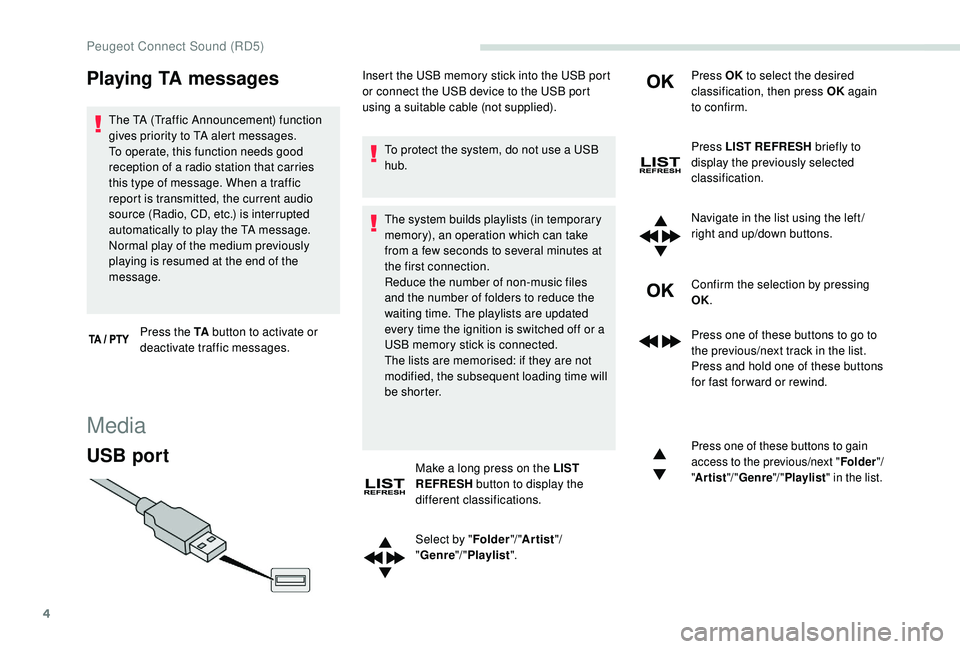
To protect the system, do not use a USB
hub.
The system builds playlists (in temporary
memory), an operation which can take
from a few seconds to several minutes at
the first connection.
Reduce the number of non-music files
and the number of folders to reduce the
waiting time. The playlists are updated
every time the ignition is switched off or a
USB memory stick is connected.
The lists are memorised: if they are not
modified, the subsequent loading time will
b e s h o r t e r.
Make a long press on the LIST
REFRESH button to display the
different classifications.
Select by " Folder"/ "Artist "/
" Genre "/ "Playlist ". Press OK
to select the desired
classification, then press OK again
to confirm.
Press LIST REFRESH briefly to
display the previously selected
classification.
Navigate in the list using the left /
right and up/down buttons.
Confirm the selection by pressing
OK.
Press one of these buttons to go to
the previous/next track in the list.
Press and hold one of these buttons
for fast for ward or rewind.
Press one of these buttons to gain
access to the previous/next " Folder"/
" Artist "/ "Genre "/ "Playlist " in the list.
Insert the USB memory stick into the USB port
or connect the USB device to the USB port
using a suitable cable (not supplied).
Peugeot Connect Sound (RD5)
Page 240 of 252
6
Information and advice
The audio system will only play files with
the ".mp3" extension with a sampling rate
of 22.05 kHz or 44.1 kHz. No other file type
(".wma", ".mp4", ".m3u", etc.) can be played.
It is recommended that file names be of no
more than 20 characters and without special
characters (e.g.: "
? ; ù) so as to avoid any
problem reading or displaying the files..
In order to be able to play a recorded CDR or
CDRW, when recording it is preferable to select
the ISO 9660 level 1.2 or Joliet standards.
If the disc is recorded in another format, it may
not be played correctly.
It is recommended that the same recording
standard is always used for an individual disc,
with as low a speed as possible (4x maximum)
for optimum sound quality.
In the particular case of a multi-session CD, the
Joliet standard is recommended.
Use only USB memory sticks in FAT32 format
(File Allocation Table).
To protect the system, do not use a USB
hub. It is recommended that you use genuine
Apple® USB cables for correct operation.
Bluetooth® audio streaming
Streaming allows you to listen to audio files on
your smartphone using the vehicle's speakers.
Connect the telephone: see the "
Telephone"
section.
Select in the menu " Bluetooth
®: Telephone –
Audio " the telephone to connect.
The audio system connects to a newly paired
telephone automatically.
Activate the streaming source by
pressing SOURCE.
In certain cases, playing of the
audio files must be initiated from the
keypad.
Connecting Apple® players
Connect the Apple® player to the USB port
using a suitable cable (not supplied).
Play starts automatically.
Control is via the audio system controls.
The classifications available are those of the
portable device connected (artists/albums/
genres/playlists/audiobooks/podcasts).
The version of the software in the audio system
may not be compatible with the generation of
your Apple
® p l aye r.
The control of common tracks is possible
via the audio system control buttons and the
steering mounted controls, if the telephone
supports the function.
The contextual information can be displayed in
the screen.
Telephone
Pairing a Bluetooth®
telephone
Screen C (availability depends on
model and version)
For reasons of safety and because
it requires sustained attention by the
driver, the pairing of a Bluetooth
® mobile
telephone with the Bluetooth® hands-free
system of your audio system must be done
with the vehicle stationary and the ignition
on.
Peugeot Connect Sound (RD5)