page 2 PORSCHE 911 2009 5.G Workshop Manual
[x] Cancel search | Manufacturer: PORSCHE, Model Year: 2009, Model line: 911, Model: PORSCHE 911 2009 5.GPages: 310, PDF Size: 3.39 MB
Page 130 of 310
128
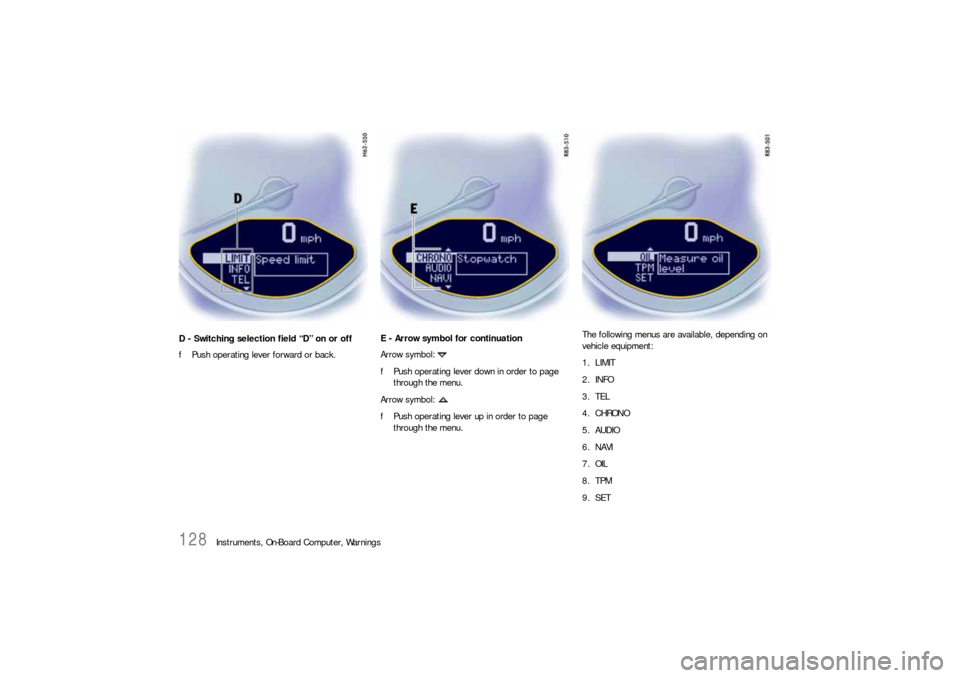
Instruments, On-Board Computer, Warnings D - Switching selection field “D” on or off
fPush operating lever forward or back.E - Arrow symbol for continuation
Arrow symbol:
fPush operating lever down in order to page
through the menu.
Arrow symbol:
fPush operating lever up in order to page
through the menu.The following menus are available, depending on
vehicle equipment:
1. LIMIT
2. INFO
3. TEL
4. CHRONO
5. AUDIO
6. NAVI
7. OIL
8. TPM
9. SET
Page 145 of 310
Instruments, On-Board Computer, Warnings
143
TPM
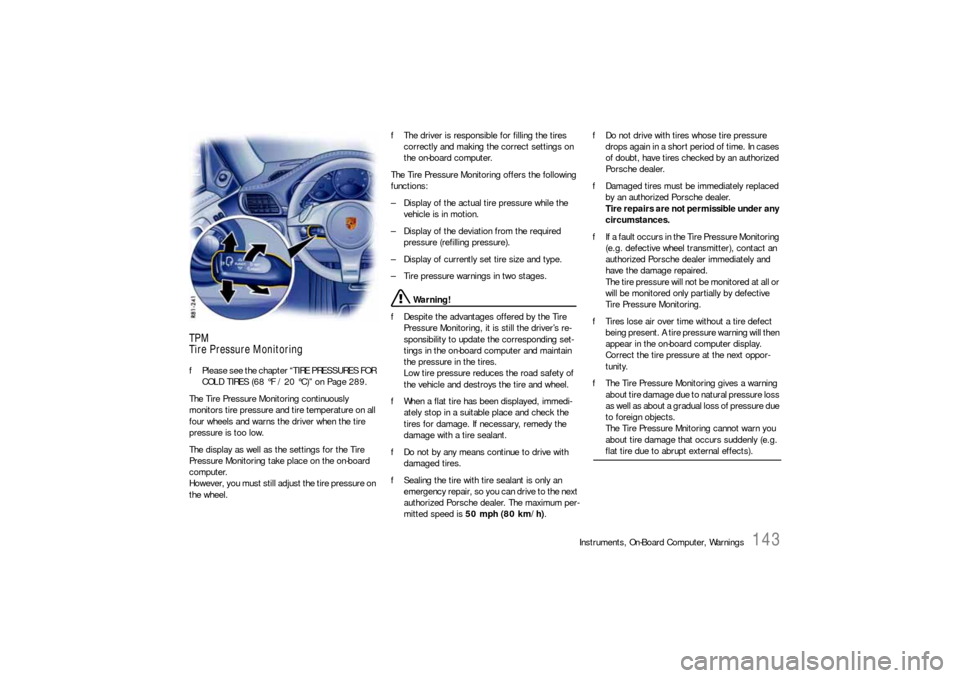
Tire Pressure MonitoringfPlease see the chapter “TIRE PRESSURES FOR
COLD TIRES (68 °F / 20 °C)” on Page 289.
The Tire Pressure Monitoring continuously
monitors tire pressure and tire temperature on all
four wheels and warns the driver when the tire
pressure is too low.
The display as well as the settings for the Tire
Pressure Monitoring take place on the on-board
computer.
However, you must still adjust the tire pressure on
the wheel.fThe driver is responsible for filling the tires
correctly and making the correct settings on
the on-board computer.
The Tire Pressure Monitoring offers the following
functions:
– Display of the actual tire pressure while the
vehicle is in motion.
– Display of the deviation from the required
pressure (refilling pressure).
– Display of currently set tire size and type.
– Tire pressure warnings in two stages.
Warning!
fDespite the advantages offered by the Tire
Pressure Monitoring, it is still the driver’s re-
sponsibility to update the corresponding set-
tings in the on-board computer and maintain
the pressure in the tires.
Low tire pressure reduces the road safety of
the vehicle and destroys the tire and wheel.
fWhen a flat tire has been displayed, immedi-
ately stop in a suitable place and check the
tires for damage. If necessary, remedy the
damage with a tire sealant.
fDo not by any means continue to drive with
damaged tires.
fSealing the tire with tire sealant is only an
emergency repair, so you can drive to the next
authorized Porsche dealer. The maximum per-
mitted speed is 50 mph (80 km/h).fDo not drive with tires whose tire pressure
drops again in a short period of time. In cases
of doubt, have tires checked by an authorized
Porsche dealer.
fDamaged tires must be immediately replaced
by an authorized Porsche dealer.
Tire repairs are not permissible under any
circumstances.
fIf a fault occurs in the Tire Pressure Monitoring
(e.g. defective wheel transmitter), contact an
authorized Porsche dealer immediately and
have the damage repaired.
The tire pressure will not be monitored at all or
will be monitored only partially by defective
Tire Pressure Monitoring.
fTires lose air over time without a tire defect
being present. A tire pressure warning will then
appear in the on-board computer display.
Correct the tire pressure at the next oppor-
tunity.
fThe Tire Pressure Monitoring gives a warning
about tire damage due to natural pressure loss
as well as about a gradual loss of pressure due
to foreign objects.
The Tire Pressure Mnitoring cannot warn you
about tire damage that occurs suddenly (e.g.
flat tire due to abrupt external effects).
Page 146 of 310
144
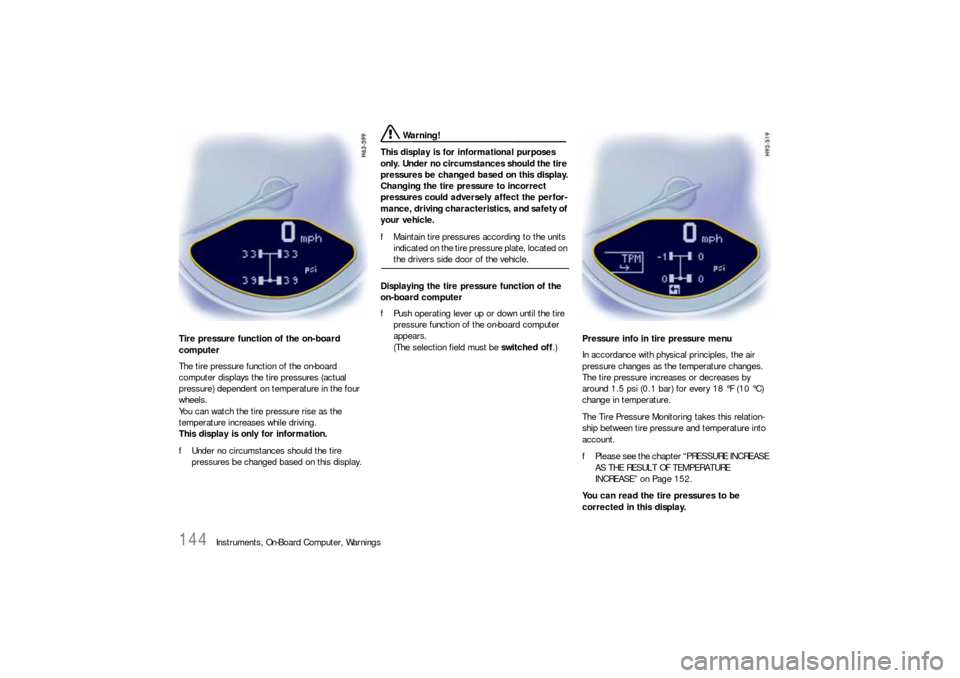
Instruments, On-Board Computer, Warnings Tire pressure function of the on-board
computer
The tire pressure function of the on-board
computer displays the tire pressures (actual
pressure) dependent on temperature in the four
wheels.
You can watch the tire pressure rise as the
temperature increases while driving.
This display is only for information.
fUnder no circumstances should the tire
pressures be changed based on this display.
Warning!
This display is for informational purposes
only. Under no circumstances should the tire
pressures be changed based on this display.
Changing the tire pressure to incorrect
pressures could adversely affect the perfor-
mance, driving characteristics, and safety of
your vehicle.
fMaintain tire pressures according to the units
indicated on the tire pressure plate, located on the drivers side door of the vehicle.
Displaying the tire pressure function of the
on-board computer
fPush operating lever up or down until the tire
pressure function of the on-board computer
appears.
(The selection field must be switched off.)Pressure info in tire pressure menu
In accordance with physical principles, the air
pressure changes as the temperature changes.
The tire pressure increases or decreases by
around 1.5 psi (0.1 bar) for every 18 °F (10 °C)
change in temperature.
The Tire Pressure Monitoring takes this relation-
ship between tire pressure and temperature into
account.
fPlease see the chapter “PRESSURE INCREASE
AS THE RESULT OF TEMPERATURE
INCREASE” on Page 152.
You can read the tire pressures to be
corrected in this display.
Page 150 of 310
148
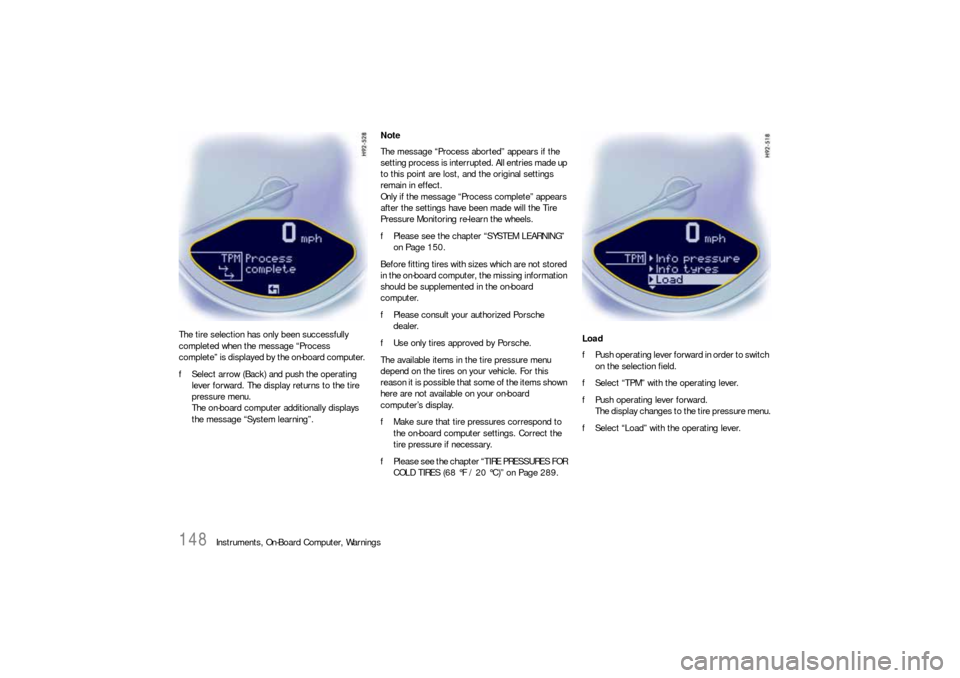
Instruments, On-Board Computer, Warnings The tire selection has only been successfully
completed when the message “Process
complete” is displayed by the on-board computer.
fSelect arrow (Back) and push the operating
lever forward. The display returns to the tire
pressure menu.
The on-board computer additionally displays
the message “System learning”.Note
The message “Process aborted” appears if the
setting process is interrupted. All entries made up
to this point are lost, and the original settings
remain in effect.
Only if the message “Process complete” appears
after the settings have been made will the Tire
Pressure Monitoring re-learn the wheels.
fPlease see the chapter “SYSTEM LEARNING”
on Page 150.
Before fitting tires with sizes which are not stored
in the on-board computer, the missing information
should be supplemented in the on-board
computer.
fPlease consult your authorized Porsche
dealer.
fUse only tires approved by Porsche.
The available items in the tire pressure menu
depend on the tires on your vehicle. For this
reason it is possible that some of the items shown
here are not available on your on-board
computer’s display.
fMake sure that tire pressures correspond to
the on-board computer settings. Correct the
tire pressure if necessary.
fPlease see the chapter “TIRE PRESSURES FOR
COLD TIRES (68 °F / 20 °C)” on Page 289.Load
fPush operating lever forward in order to switch
on the selection field.
fSelect “TPM” with the operating lever.
fPush operating lever forward.
The display changes to the tire pressure menu.
fSelect “Load” with the operating lever.
Page 151 of 310
Instruments, On-Board Computer, Warnings
149
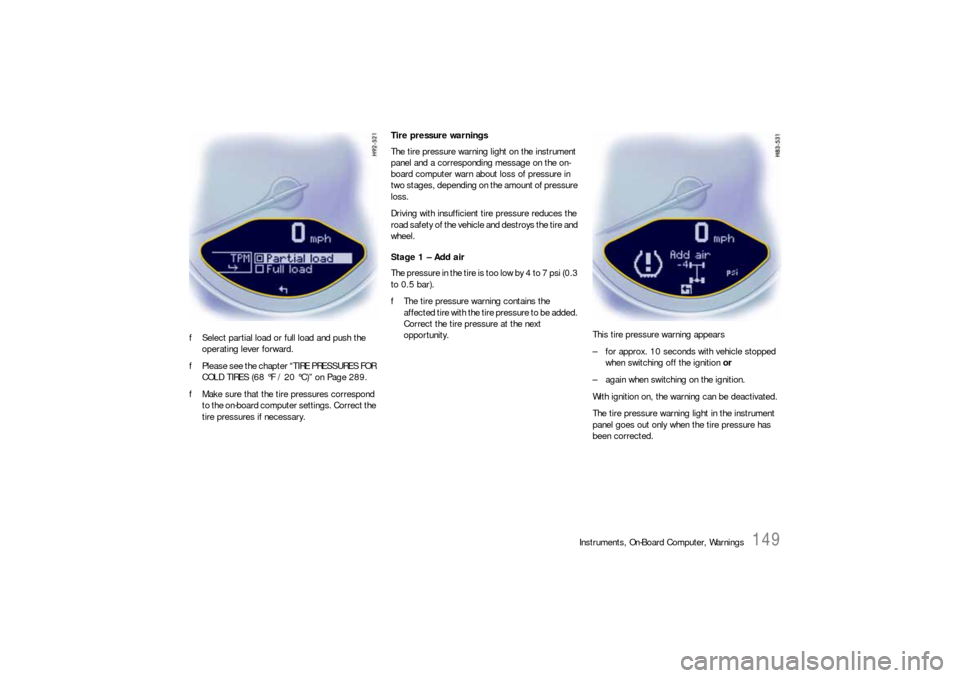
fSelect partial load or full load and push the
operating lever forward.
fPlease see the chapter “TIRE PRESSURES FOR
COLD TIRES (68 °F / 20 °C)” on Page 289.
fMake sure that the tire pressures correspond
to the on-board computer settings. Correct the
tire pressures if necessary.Tire pressure warnings
The tire pressure warning light on the instrument
panel and a corresponding message on the on-
board computer warn about loss of pressure in
two stages, depending on the amount of pressure
loss.
Driving with insufficient tire pressure reduces the
road safety of the vehicle and destroys the tire and
wheel.
Stage 1 – Add air
The pressure in the tire is too low by 4 to 7 psi (0.3
to 0.5 bar).
fThe tire pressure warning contains the
affected tire with the tire pressure to be added.
Correct the tire pressure at the next
opportunity. This tire pressure warning appears
– for approx. 10 seconds with vehicle stopped
when switching off the ignition or
– again when switching on the ignition.
With ignition on, the warning can be deactivated.
The tire pressure warning light in the instrument
panel goes out only when the tire pressure has
been corrected.
Page 154 of 310

152
Instruments, On-Board Computer, Warnings
No monitoringIn the event of faults the Tire Pressure Monitoring
cannot monitor the tire pressure.
The warning light in the speedometer flashes for
approx. one minute and then remains continuously
illuminated and a corresponding message
appears on the on-board computer.
Monitoring is not active when:
– the Tire Pressure Monitoring is faulty,
– wheel transmitters for the Tire Pressure
Monitoring are missing,
– during the learning phase after the tire settings
have been updated,
– after a wheel change without updating the tire
settings,
– more than four wheel transmitters are
detected,
– there is external interference by other radio
sources, e.g. wireless headphones,
– tire temperatures are too high.
fPlease see the chapter “WARNINGS ON THE
INSTRUMENT PANEL AND THE ON-BOARD
COMPUTER” on Page 158.
Pressure increase as the result of
temperature increaseIn accordance with physical principles, the air
pressure changes as the temperature changes.
The tire pressure increases or decreases by
around 1.5 psi (0.1 bar) for every 18 °F (10 °C)
change in temperature.
The Tire Pressure Monitoring takes this relation-
ship between tire pressure and temperature into
account.Tire pressure specificationsInformation on tire pressure for public roads can
be found in this Owner's Manual in the Technical
Data chapter or on the tire-pressure plate in the
left door aperture.
These values apply to cold tires at 68 °F (20 °C)
ambient temperature.
Page 156 of 310
154
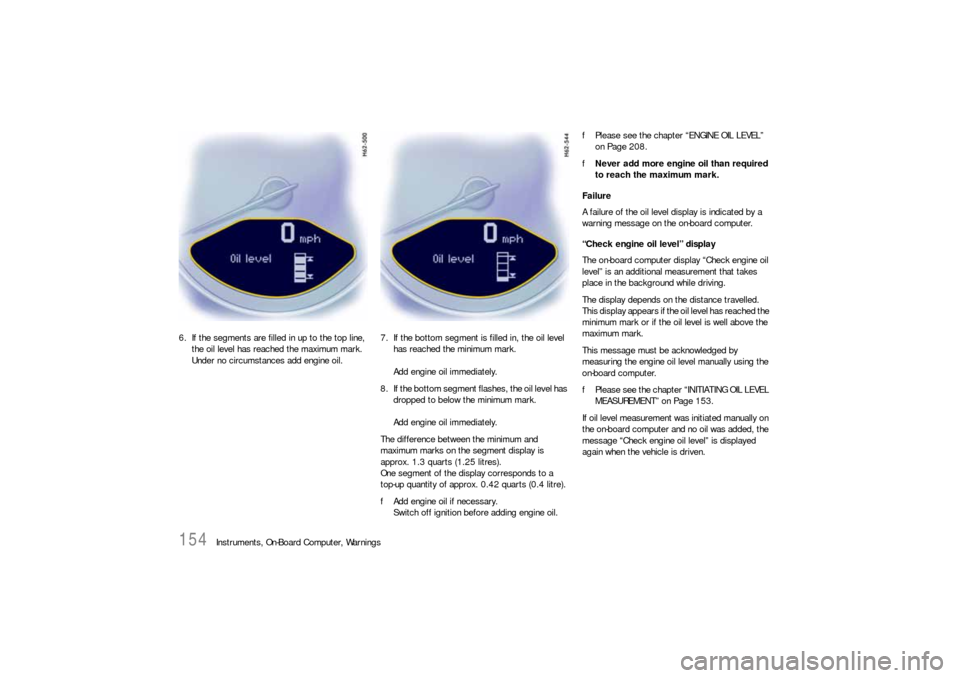
Instruments, On-Board Computer, Warnings 6. If the segments are filled in up to the top line,
the oil level has reached the maximum mark.
Under no circumstances add engine oil.7. If the bottom segment is filled in, the oil level
has reached the minimum mark.
Add engine oil immediately.
8. If the bottom segment flashes, the oil level has
dropped to below the minimum mark.
Add engine oil immediately.
The difference between the minimum and
maximum marks on the segment display is
approx. 1.3 quarts (1.25 litres).
One segment of the display corresponds to a
top-up quantity of approx. 0.42 quarts (0.4 litre).
fAdd engine oil if necessary.
Switch off ignition before adding engine oil.fPlease see the chapter “ENGINE OIL LEVEL”
on Page 208.
fNever add more engine oil than required
to reach the maximum mark.
Failure
A failure of the oil level display is indicated by a
warning message on the on-board computer.
“Check engine oil level” display
The on-board computer display “Check engine oil
level” is an additional measurement that takes
place in the background while driving.
The display depends on the distance travelled.
This display appears if the oil level has reached the
minimum mark or if the oil level is well above the
maximum mark.
This message must be acknowledged by
measuring the engine oil level manually using the
on-board computer.
fPlease see the chapter “INITIATING OIL LEVEL
MEASUREMENT” on Page 153.
If oil level measurement was initiated manually on
the on-board computer and no oil was added, the
message “Check engine oil level” is displayed
again when the vehicle is driven.
Page 172 of 310
170
Shifting Gears
Porsche Doppelkupplung (PDK)The Porsche Doppelkupplung (PDK) is a seven-
speed transmission with an “automatic” and a
“manual” selection mode.
In automatic selection mode (selector lever
position D), gear changing is automatic.
You can change temporarily from automatic to
manual mode using the shift buttons on the
steering wheel.
In manual selection mode (selector lever
position M), you change gear using the shift
buttons on the steering wheel or with the PDK
selector lever.
You can change between selector lever position D
and M as you wish while driving.
Note
fTake care not to operate the shift buttons on
the steering wheel inadvertently in either
automatic or manual mode, thereby triggering
undesired gear changes.
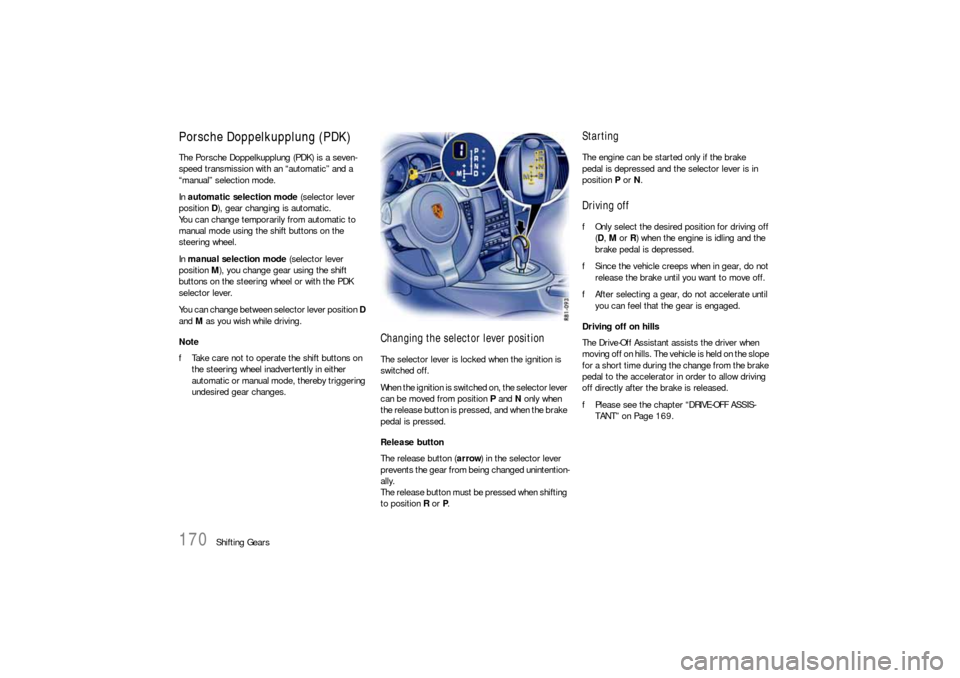
Changing the selector lever positionThe selector lever is locked when the ignition is
switched off.
When the ignition is switched on, the selector lever
can be moved from position P and N only when
the release button is pressed, and when the brake
pedal is pressed.
Release button
The release button (arrow) in the selector lever
prevents the gear from being changed unintention-
ally.
The release button must be pressed when shifting
to position R or P.
StartingThe engine can be started only if the brake
pedal is depressed and the selector lever is in
position P or N.Driving offfOnly select the desired position for driving off
(D, M or R) when the engine is idling and the
brake pedal is depressed.
fSince the vehicle creeps when in gear, do not
release the brake until you want to move off.
fAfter selecting a gear, do not accelerate until
you can feel that the gear is engaged.
Driving off on hills
The Drive-Off Assistant assists the driver when
moving off on hills. The vehicle is held on the slope
for a short time during the change from the brake
pedal to the accelerator in order to allow driving
off directly after the brake is released.
fPlease see the chapter “DRIVE-OFF ASSIS-
TANT” on Page 169.
Page 173 of 310

Shifting Gears
171
Indicator for selector lever position and
engaged gearWhen the engine is running, the selector lever
position and engaged gear are indicated.
If the selector lever is between two positions
–Effects:
The corresponding selector lever position
flashes on the instrument cluster and the
warning “Apply brake“ or “Selector lever not
engaged” appears on the on-board computer.
fRemedy:
Operate the footbrake and engage the
selector lever properly.If the selector lever is inadvertently (due to a
defect or incorrect operation) moved out of P or
N into gear without pressing the brake, this gear
will start to “flash” and no power transmission is
built up.
fTo drive off, press the brake and move the
selector lever from P or N into the required
gear again.
Selector lever position R or D is flashing in
the instrument cluster
–Effects:
There is no power transmission.
The selector lever was engaged without
pressing the footbrake or only the restricted
driving programme is available when the
“Transmission emergency run” message is
displayed.
fAction required:
Press the footbrake and engage the required
selector lever position again by moving the
selector lever from P or N.
If reverse gear fails:
fPlease see the chapter “REDUCED DRIVING
PROGRAM” on Page 176.If there is a fault in the transmission:
– The warning “Transmission emergency run” in
white or red lettering or the warning “Transmis-
sion temperature too high” is displayed on the
on-board computer.
Please see the chapter “REDUCED DRIVING
PROGRAM” on Page 176.
fHave the fault repaired immediately at an
authorized Porsche dealer.
Page 175 of 310

Shifting Gears
173
“Sport Plus” mode activated:
In “Sport Plus” mode, the PDK transmission
changes to a shift program designed for driving
on race circuits. 7th gear is not selected.
The gear-changing performance is enhanced
significantly again compared with “Sport” mode.
fPlease see the chapter “SPORT MODE” on
Page 64.
Driving with Launch Control
Driving with Launch Control allows you to achieve
maximum acceleration from a standing start. It is
intended to provide you with a unique enjoyment of
your vehicle under controlled circumstances and
is not intended to be used in any location where it
could be a nuisance to other persons.
Warning!
There is a risk of endangering other road
users if you use this Control in an improper
location or in a situation where other persons
might need to take evasive action due to the
rapid acceleration that this technology
permits.
fLaunch Control is designed to be used in a
controlled environment on closed circuit
driving courses where no vehicle cross traffic
or pedestrian traffic is present.
fUse Launch Control only if conditions permit it
to be applied in a safe manner. fDo not use Launch Control if there is a possibi-
lity it could endanger other persons. Such a
possibility exists if you cannot see that you
have a clear road with no possibility of cross
traffic in your intended direction of driving. Caution!
Stress on components increases dramatically
when starting with maximum acceleration in
comparison with normal driving off. Use of
Launch Control will inevitably reduce the life
of the engaged engine and transmission
components.
Preconditions:
– Launch Control should only be used when the
engine has reached operating temperature.
– “Sport Plus” mode must be switched on (light-
emitting diode in button is on and “SPORT
PLUS” is displayed on the on-board computer).
1. Press the brake with your left foot.
2. Quickly press down the accelerator fully
(kickdown activated) and hold.
The engine speed will flatten out at around
6500 rpm.
“Launch Control active” is displayed on the
on-board computer.3. Release the brake within a few seconds.
Remaining stationary for a long time with
“Launch Control active” can lead to overload-
ing of the transmission.
In order to protect the transmission, the engine
power is then reduced and the “Launch Control
active” process is cancelled.
Shifting gears on the steering wheel
With the shift buttons on the steering wheel, you
can change temporarily from automatic selection
mode D to manual mode M.
For example:
– Shifting down before bends and on entering
built-up areas.
– Shifting down on downward slopes
(engine braking).
– Shifting down for brief spurts of acceleration.
Manual selection mode remains engaged:
– for cornering (depending on the lateral acceler-
ation) and overrunning,
– when the vehicle is stationary (e.g. at a
junction).
The system leaves manual selection mode:
– automatically after approx. 8 seconds (unless
cornering or overrunning),
– after driving off.