ignition Seat Alhambra 2011 Owner's Guide
[x] Cancel search | Manufacturer: SEAT, Model Year: 2011, Model line: Alhambra, Model: Seat Alhambra 2011Pages: 385, PDF Size: 7.92 MB
Page 79 of 385
77
Unlocking and locking
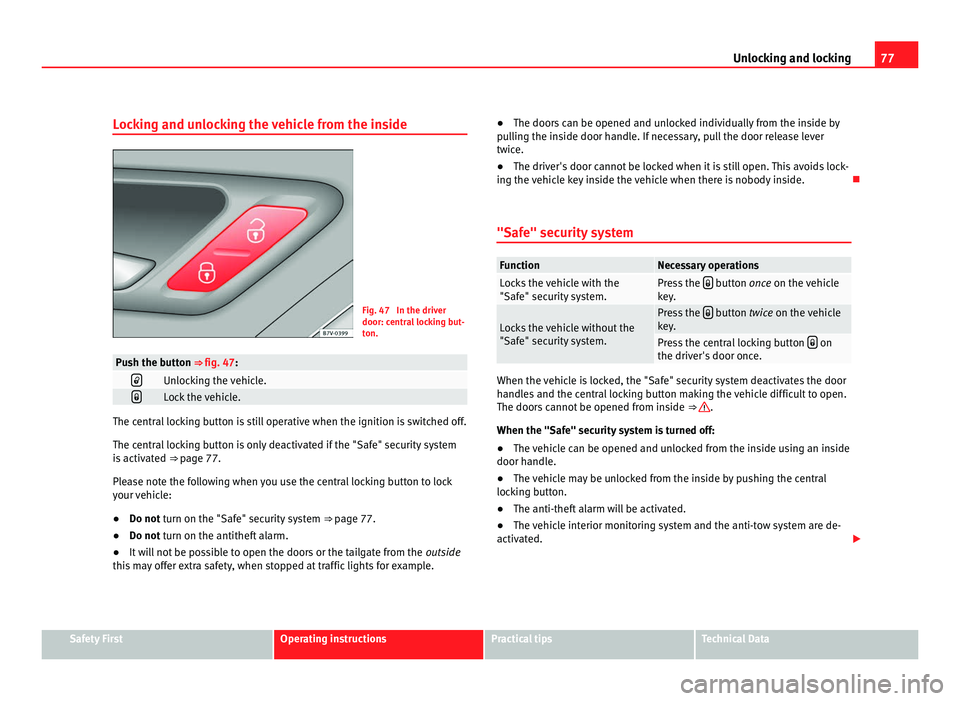
Locking and unlocking the vehicle from the inside Fig. 47 In the driver
door: centr
a
l locking but-
ton. Push the button ⇒ fig. 47:
Unlocking the vehicle.
Lock the vehicle.
The central locking button is still operative when the ignition is switched off.
The centr
al
locking button is only deactivated if the "Safe" security system
is activated ⇒ page 77.
Please note the following when you use the central locking button to lock
your vehicle:
● Do not turn on the "Safe" security system ⇒ pag
e 77.
● Do not turn on the antitheft alarm.
● It w
ill not be possible to open the doors or the tailgate from the outside
this
may offer extra safety, when stopped at traffic lights for example. ●
The doors c
an be opened and unlocked individually from the inside by
pulling the inside door handle. If necessary, pull the door release lever
twice.
● The driver's door cannot be locked when it is still open. This avoids lock-
ing the v
ehicle key inside the vehicle when there is nobody inside.
"Safe" security system Function Necessary operations
Locks the vehicle with the
"Safe" sec
urity
system. Press the
button once on the vehicle
k ey
. Locks the vehicle without the
"Safe" sec
urity
system. Press the
button twice on the vehicle
k ey
. Press the central locking button
on
the driver's door onc
e. When the vehicle is locked, the "Safe" security system deactivates the door
handl
e
s and the central locking button making the vehicle difficult to open.
The doors cannot be opened from inside ⇒ .
When the "Safe" sec urity
system is turned off:
● The vehicle can be opened and unlocked from the inside using an inside
door handle.
● The
vehicle may be unlocked from the inside by pushing the central
lockin
g button.
● The anti-theft alarm will be activated.
● The vehicle interior monitoring system and the anti-tow system are de-
activated. Safety First Operating instructions Practical tips Technical Data
Page 80 of 385
78
Unlocking and locking
Driver's door indicator light. When the vehicle is locked: Meaning
The red LED flashes for approximately 2
second
s
at short intervals and then more
slowly. The "Safe" security system is
swit
c
hed on. The red LED flashes for about two sec-
onds
then t
urns off. After 30 seconds, the
LED flashes again. The "Safe" security system is
swit
c
hed off. The red LED remains lit for about 30 sec-
onds. There is a fault in the locking
sys
t
em. Contact a specialist
workshop. WARNING
Careless use of the "Safe" security system can cause serious injury.
● Never leave anybody inside the vehicle if this is locked using the key.
When the "Safe" sec urity
system is activated, doors cannot be opened
from the inside.
● When the doors are locked, it is difficult to get to passengers in the
pas
senger compartment in case of an emergency. Passengers could re-
main trapped inside in case of emergency.
Antitheft alarm The anti-theft alarm makes it more difficult to break into the vehicle or steal
it.
The antithef
t
alarm is automatically turned on when the vehicle is locked
with the key. When does the system trigger an alarm?
The anti-theft al
arm siren will be triggered for about 30 seconds accompa-
nied by optical warning signals for about five minutes when the vehicle is
locked and the following unauthorised actions are taken:
● When the door is mechanically unlocked using the vehicle key without
turning the ignition w
ithin the following 15 seconds.
● A door is opened.
● The bonnet is opened.
● The tailgate is opened.
● When the ignition is switched on with a non-authorised key.
● When the vehicle battery is disconnected.
● When there is movement inside the vehicle (vehicles with interior moni-
toring).
● When the
vehicle is towed (vehicles with anti-tow system)
● When the vehicle is lifted (vehicles with anti-tow system).
● Transporting the vehicle on a ferry or by railroad (vehicles with an anti-
tow sy
stem or passenger compartment monitoring).
● Unhitch a trailer connected to the antitheft alarm ⇒ pag
e 233.
How to turn OFF the alarm
Unlock the vehicle with the unlocking button on the key or turn on the igni-
tion with a valid key. Note
● The alarm will be triggered once more when anybody enters the same
z one of
surveillance or any other zone. If, for example, after opening a door,
the tailgate is also opened.
● The antitheft alarm is not activ
ated when the vehicle is locked from with-
in using the central locking button .
Page 81 of 385
79
Unlocking and locking
● If the driver's door is unlocked mechanically with the key, only the driv-
er's door i
s unlocked, the rest of the doors remain locked. Only when the
ignition has been turned on will the other doors be available - but not un-
locked - and the central locking button activated.
● If the vehicle battery is run down or flat then the antitheft alarm will not
operate c
orrectly.
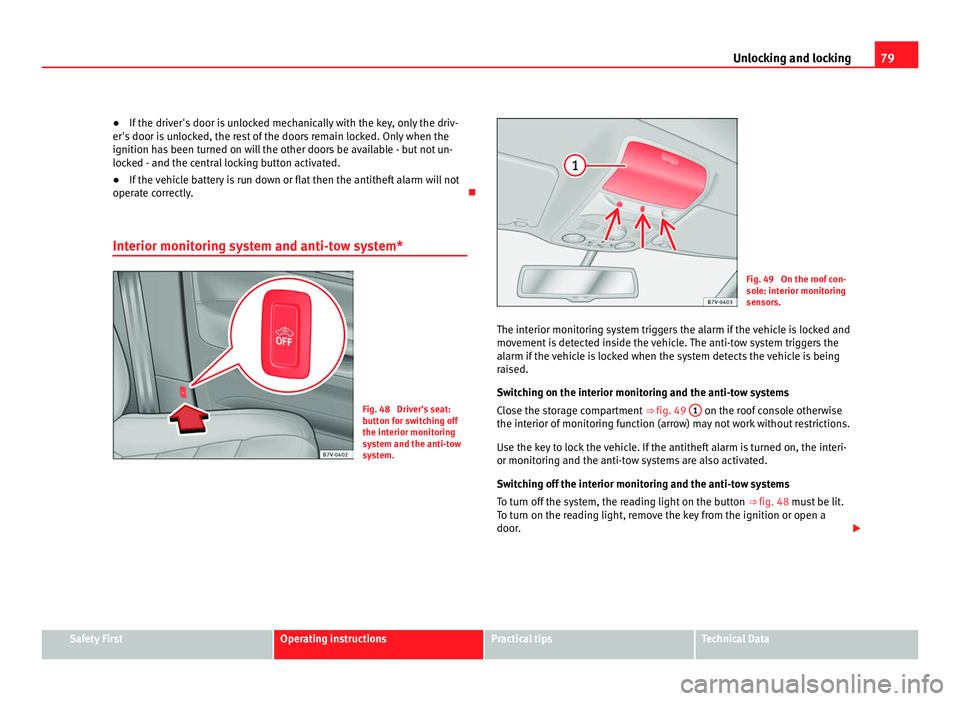
Interior monitoring system and anti-tow system* Fig. 48 Driver's seat:
butt
on f
or switching off
the interior monitoring
system and the anti-tow
system. Fig. 49 On the roof con-
sol
e: int
erior monitoring
sensors.
The interior monitoring system triggers the alarm if the vehicle is locked and
movement
is detected inside the vehicle. The anti-tow system triggers the
alarm if the vehicle is locked when the system detects the vehicle is being
raised.
Switching on the interior monitoring and the anti-tow systems
Close the storage compartment ⇒ fig. 49 1 on the roof console otherwise
the interior of monit
oring function (arrow) may not work without restrictions.
Use the key to lock the vehicle. If the antitheft alarm is turned on, the interi-
or monitoring and the anti-tow systems are also activated.
Switching off the interior monitoring and the anti-tow systems
To turn off the system, the reading light on the button ⇒ fig. 48 must be lit.
To turn on the reading light, remove the key from the ignition or open a
door. Safety First Operating instructions Practical tips Technical Data
Page 83 of 385
81
Unlocking and locking
Several warning and control lamps should light up for a few seconds when
the ignition is sw
itched. This signals that the lamp is working properly. They
will switch off after a few seconds.
If a door is open or incorrectly closed, the indicator or on the instru-
ment panel will light.
Depending on the vehicle equipment, a symbol may be displayed on the in-
strument panel screen instead of the warning lamp. The indication is also
visible when the ignition is switched off. The indication disappears around
15 seconds after the vehicle has been locked.
Sliding doors Introduction Additional information:
●
Vehicle key set ⇒ page 71
● C
entral locking and locking system ⇒ page 74
● Emer
gency locking and unlocking ⇒ page 314WARNING
If a sliding door is not correctly closed, it could open unexpectedly when
drivin g and c
ause serious injuries.
● Always stop immediately and close the sliding door.
● When closing, ensure that the sliding door has closed correctly. A
closed s
liding door should be flush with the corresponding parts of the
bodywork.
● Only open and close sliding doors when no body is in the way of the
door. WARNING
If a sliding door is not fully open, it could close unexpectedly and cause
serious injurie
s.
● Always open the sliding door fully. WARNING
Opening sliding doors while driving is dangerous. The sliding door could
be pushed open or c
losed when the vehicle accelerates and brakes caus-
ing serious injuries.
● Never open the sliding doors when the vehicle is in movement.
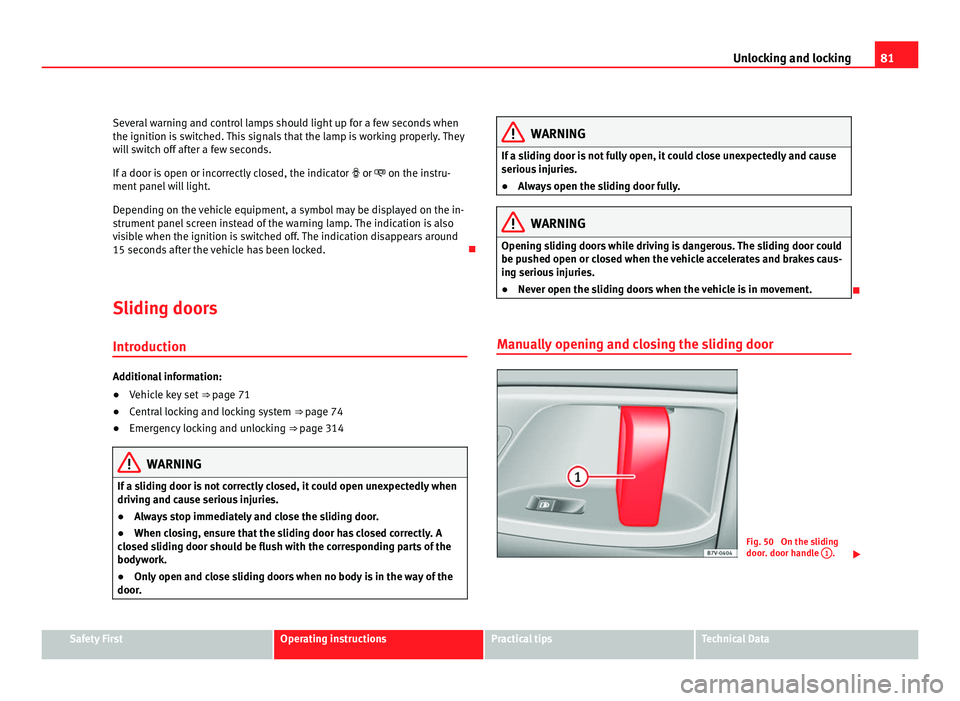
Manually opening and closing the sliding door Fig. 50 On the sliding
door. door h
andl
e 1 .
Safety First Operating instructions Practical tips Technical Data
Page 85 of 385
83
Unlocking and locking
If an object gets in the way of the sliding door while it is closing , it opens
again.
If an object gets in the way of the sliding door while it is opening, the door
stops moving.
● Check the reason for which the sliding door does not open or close.
● Try to open or close the sliding door again.
To clo
se the sliding door without the rollback anti-trap function
● Turn off the ignition and turn it on again.
● Press and hold the ⇒
fig. 51 b
utton. The sliding door closes with full
force. WARNING
Closing the electric windows without the anti-trap function can cause se-
rious injur
y.
● Always close the sliding doors carefully.
● Nobody should ever get in the way of the electric sliding doors, espe-
cia
lly when closing without the anti-trap function.
● The anti-trap function does not prevent fingers or other parts of the
body gettin
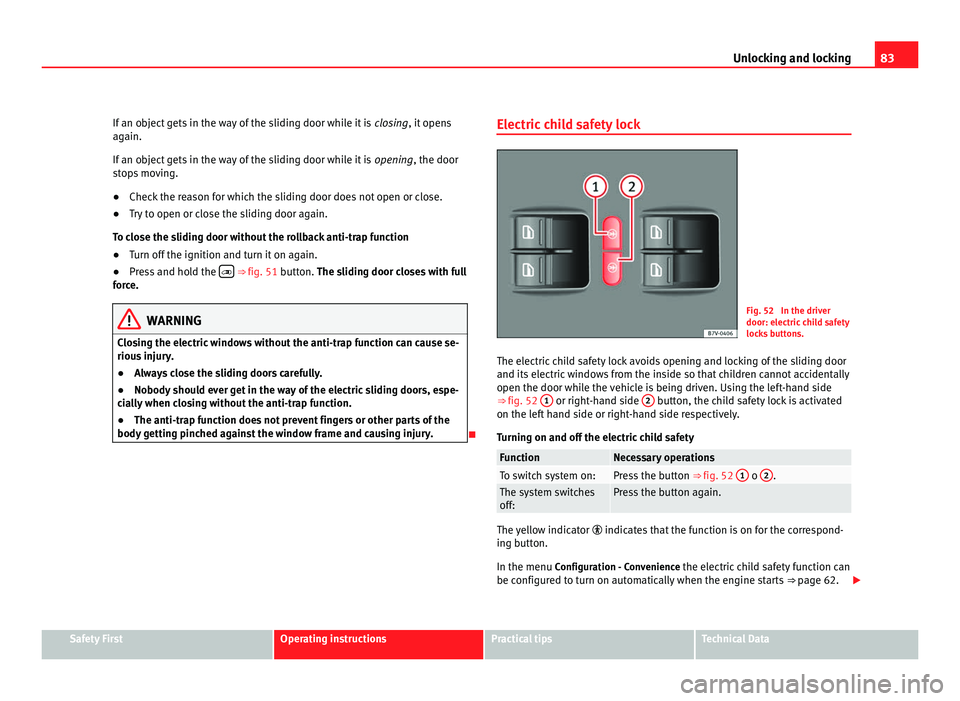
g pinched against the window frame and causing injury. Electric child safety lock Fig. 52 In the driver
door: electric
c
hild safety
locks buttons.
The electric child safety lock avoids opening and locking of the sliding door
and its electric
windows from the inside so that children cannot accidentally
open the door while the vehicle is being driven. Using the left-hand side
⇒ fig. 52 1 or right-hand side
2 button, the child safety lock is activated
on the lef t
hand side or right-hand side respectively.
Turning on and off the electric child safety Function Necessary operations
To switch system on: Press the button
⇒ fig. 52 1 o
2 .
The system switches
off: Press the button again.
The yellow indicator
indicate
s that the function is on for the correspond-
ing button.
In the menu Configuration - Convenience the electric child safety function can
be configured to turn on automatically when the engine starts ⇒ page 62. Safety First Operating instructions Practical tips Technical Data
Page 87 of 385
85
Unlocking and locking
Warning indicator lights up Possible cause Solution
The tailgate is open or not
corr
ectly
shut.
Stop driving immediately!
Open the t ai
lgate and close it
again. Several warning and control lamps should light up for a few seconds when
the ignition is
sw
itched. This signals that the lamp is working properly. They
will switch off after a few seconds.
A warning appears on the instrument panel if the tailgate is open or not
properly closed.
Depending on the vehicle equipment, a symbol may be displayed on the in-
strument panel screen instead of the warning lamp. The indication is also
visible when the ignition is switched off. The indication disappears around
15 seconds after the vehicle has been locked. WARNING
If the tailgate is not correctly closed, it could open unexpectedly when
drivin g and c
ause serious injuries.
● Always stop immediately and close the tailgate.
● Ensure that the tailgate has been locked into place by the element on
the lock c
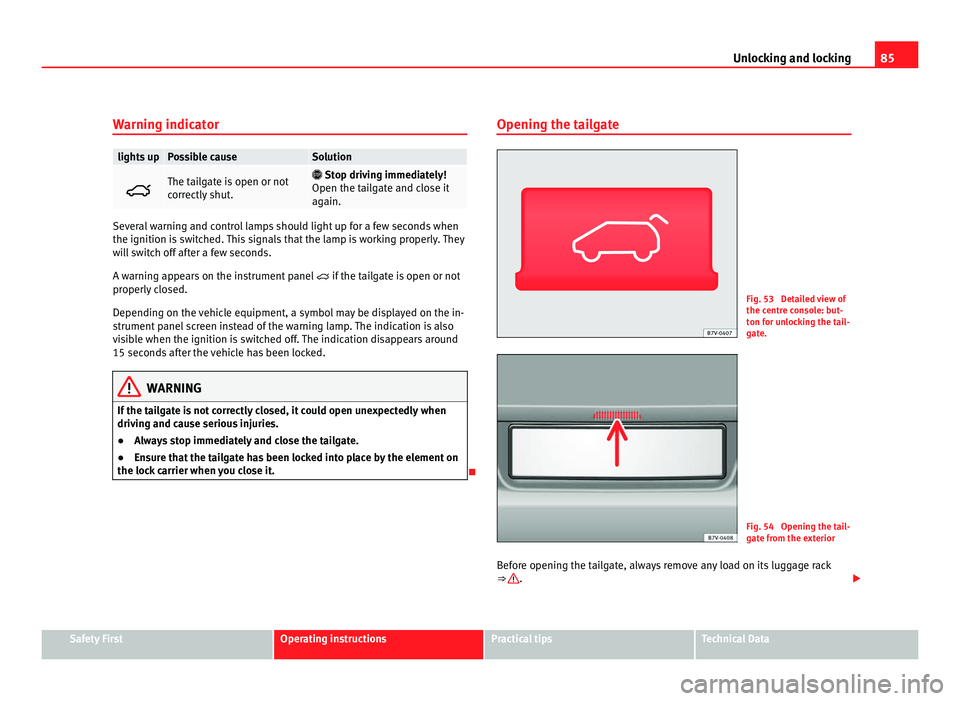
arrier when you close it. Opening the tailgate Fig. 53 Detailed view of
the centr
e c
onsole: but-
ton for unlocking the tail-
gate. Fig. 54 Opening the tail-
gat
e fr
om the exterior
Before opening the tailgate, always remove any load on its luggage rack
⇒ .
Safety First Operating instructions Practical tips Technical Data
Page 88 of 385
86
Unlocking and locking
Opening with the ignition key
Pre s
s the button on the vehicle key until the tailgate opens automatical-
ly.
T o open u
sing the centre console control
Press the button on the centre console ⇒ fig. 53. The t
ai
lgate will be au-
tomatically opened.
The button is still operative when the ignition is switched off.
Opening the tailgate with the button
● Unlock the vehicle or open a door.
● Raise the tailgate using the button ⇒ fig. 54 (arr
ow).WARNING
Unsuitable or careless unlocking and opening of the tailgate could cause
serious injurie
s.
● If there is a loaded luggage carrier on the tailgate, it could be un-
locked or open b
ut not recognised as such. An unlocked or open tailgate
could open unexpectedly while driving. Note
At outside temperatures of less than 0°C (+32°F), the pressurised gas struts
cannot alw
ays automatically lift the tailgate. In this case, open the tailgate
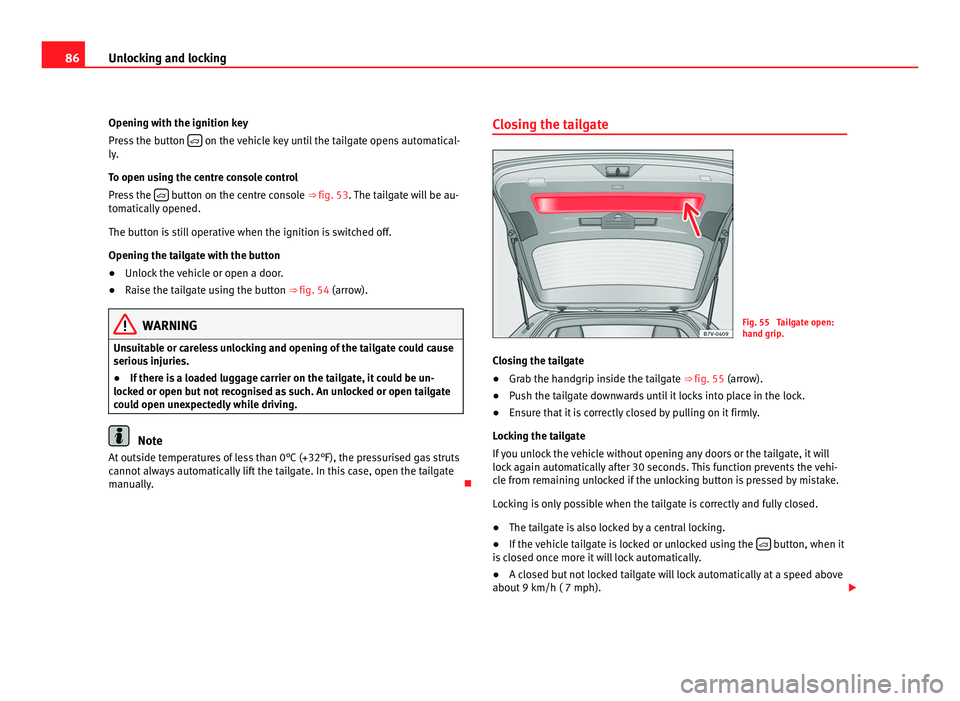
manually. Closing the tailgate
Fig. 55 Tailgate open:
hand grip
.
C
losing the tailgate
● Grab the handgrip inside the tailgate ⇒ fig. 55 (arrow).
● P
ush the tailgate downwards until it locks into place in the lock.
● Ensure that it is correctly closed by pulling on it firmly.
Lock
ing the tailgate
If you unlock the vehicle without opening any doors or the tailgate, it will
lock again automatically after 30 seconds. This function prevents the vehi-
cle from remaining unlocked if the unlocking button is pressed by mistake.
Locking is only possible when the tailgate is correctly and fully closed.
● The tailgate is also locked by a central locking.
● If the vehicle tailgate is locked or unlocked using the button, when it
is c
losed once more it will lock automatically.
● A closed but not locked tailgate will lock automatically at a speed above
about 9 km/h ( 7 mph).
Page 91 of 385
89
Unlocking and locking
Electric windows Introduction Additional information and warnings:
●
SEAT information system ⇒ pag e 62
● C
entral locking and locking system ⇒ page 74WARNING
Careless use of the electric windows can cause serious injury.
● Only operate the electric windows when nobody is in the way.
● Never leave children or disabled people alone in the vehicle if the
doors ar
e to be locked. The windows cannot be opened in case of an
emergency.
● Always take all the keys with you whenever you leave the vehicle. Af-
ter turnin
g off the ignition, the windows can be opened and closed for a
short time using the buttons on the door as long as the driver's door or
passenger side door is not open.
● When transporting children in the rear seats, always deactivate the
rear el
ectric windows with the child safety lock so that they cannot be
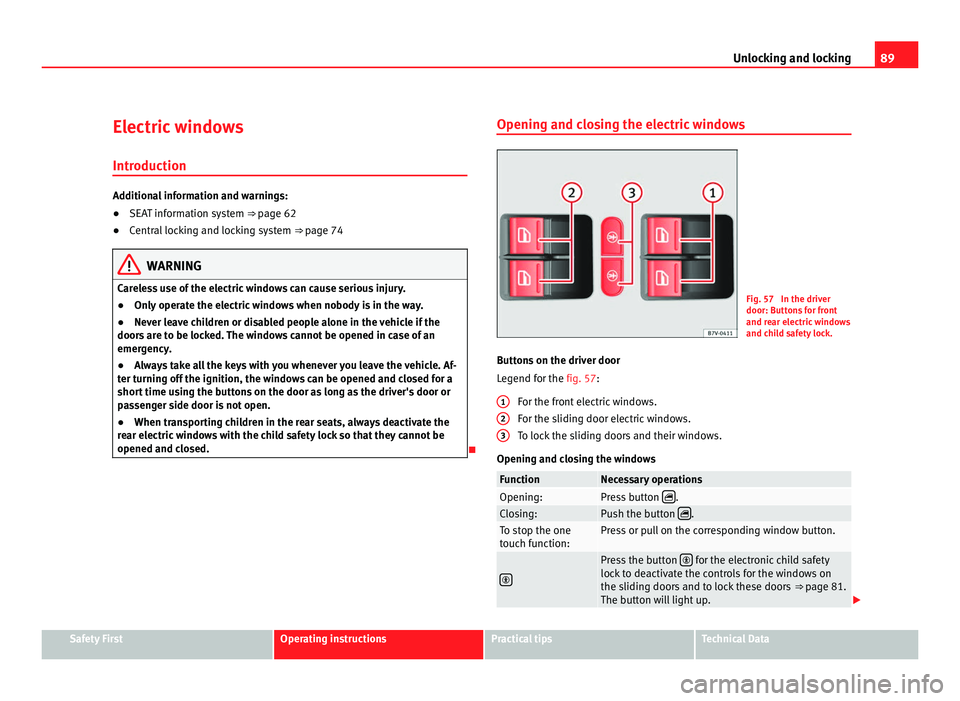
opened and closed. Opening and closing the electric windows Fig. 57 In the driver
door: Butt
on
s for front
and rear electric windows
and child safety lock.
Buttons on the driver door
Leg
end for the fig. 57:
For the front electric windows.
For the sliding door electric windows.
To lock the sliding doors and their windows.
Opening and closing the windows Function Necessary operations
Opening: Press button
.
Closing: Push the button
.
To stop the one
touc
h f
unction: Press or pull on the corresponding window button.
Press the button
for the electronic child safety
lock t
o deactivate the controls for the windows on
the sliding doors and to lock these doors ⇒ page 81.
The button will light up. 1
2
3
Safety First Operating instructions Practical tips Technical Data
Page 92 of 385
90
Unlocking and locking
After turning off the ignition, the windows can be opened and closed for a
short time u
sing the buttons on the door as long as the driver's door or pas-
senger side door is not open. When the key is removed from the ignition
and the driver's door is open, all of the electric windows can be opened or
closed using the corresponding button on the driver's door. After a few sec-
onds, the convenience opening or closing function will begin ⇒ page 90.
Electric windows: functions One-touch opening and closing
The one-touc
h aut
omatic opening and closing is used to open or close the
windows completely. It will not be necessary to hold the button of the corre-
sponding electric window.
For the one-touch closing function: pull up on the button for the window to
the second position.
For the one-touch opening function: Push down the button for the window
to the second position.
To stop the one touch function: Push or pull on the button of the corre-
sponding window.
Restoring one-touch opening and closing
The one-touch opening and closing function is not active after the vehicle
battery has been disconnected or is flat and will have to be reset.
● Close all windows and doors.
● Pull the button of the corresponding window and hold it for one second
in this po
sition.
● Release the button and pull upwards and hold again. The one-touch
function i
s now ready for operation.
The automatic one-touch electric windows can be reinitialised individually
or several at a time. Convenience opening and closing function
The electric w
indows can be opened or closed from outside using the vehi-
cle key:
● Hold in the unlocking for locking button for the vehicle. All windows
which fu
nction electrically will be either opened or closed.
● To interrupt the function, release the locking or unlocking button.
During c
onvenience closing, first the windows and then the sliding sunroof
will be closed.
In the Configuration - convenience menu, there are different settings for oper- ating the windows ⇒ page 62. WARNING
Careless use of the electric windows can cause serious injury.
● Only operate the electric windows when nobody is in the way.
● Never leave children or disabled people alone in the vehicle if the
doors ar
e to be locked. The windows cannot be opened in case of an
emergency.
● Always take all the keys with you whenever you leave the vehicle. Af-
ter turnin
g off the ignition, the windows can be opened and closed for a
short time using the buttons on the door as long as the driver's door or
passenger side door is not open.
● When transporting children in the rear seats, always deactivate the
rear el
ectric windows with the child safety lock so that they cannot be
opened and closed. Note
The one-touch function and roll-back function will not work if there is a mal-
fu nction in the el
ectric windows. Visit a specialist workshop.
Page 93 of 385
91
Unlocking and locking
Electric Windows anti-trap function The anti-trap function of the electric windows can reduce the risk of injury
when opening and c
lo
sing the electric windows ⇒ . If a window is not
abl e t
o close because it is stiff or because of an obstruction, it will automati-
cally open again.
● Check why the window does not close.
● Attempt to close the window again.
● If you try within the following 10 seconds and the window closes with
difficulty
or there is an obstruction once again, the one-touch closing will
stop working for 10 seconds.
● If the window is still obstructed, it will stop at the corresponding posi-
tion. When the butt
on is operated within 10 seconds, the window will close
without the anti-trap function ⇒ .
To c lo
se windows without the anti-trap function
● Attempt to close the corresponding electric window within 10 seconds
after b
y holding the button. The window is closed without the anti-trap
function, deactivated for a short time.
● After more than 10 seconds, the anti-trap function is reactivated. The
window w
ill stop once again if there is another difficulty or obstacle.
● If the window will still not close, visit a specialised workshop. WARNING
Closing the electric windows without the anti-trap function can cause se-
rious injur
y.
● Always close the electric windows carefully.
● Nobody should be in the way of the electric windows, especially when
the anti-trap fu
nction is deactivated.
● The anti-trap function does not prevent fingers or other parts of the
body gettin
g pinched against the window frame and causing injury. Note
The anti-trap function also operates if the windows are closed from the out-
side of the
vehicle using the ignition key for convenience closing
⇒ page 90. Safety First Operating instructions Practical tips Technical Data