towing TOYOTA AYGO X 2022 Owners Manual (in English)
[x] Cancel search | Manufacturer: TOYOTA, Model Year: 2022, Model line: AYGO X, Model: TOYOTA AYGO X 2022Pages: 494, PDF Size: 92.53 MB
Page 4 of 494
2
Owner's Manual_Europe_M99V08_en
TABLE OF CONTENTS
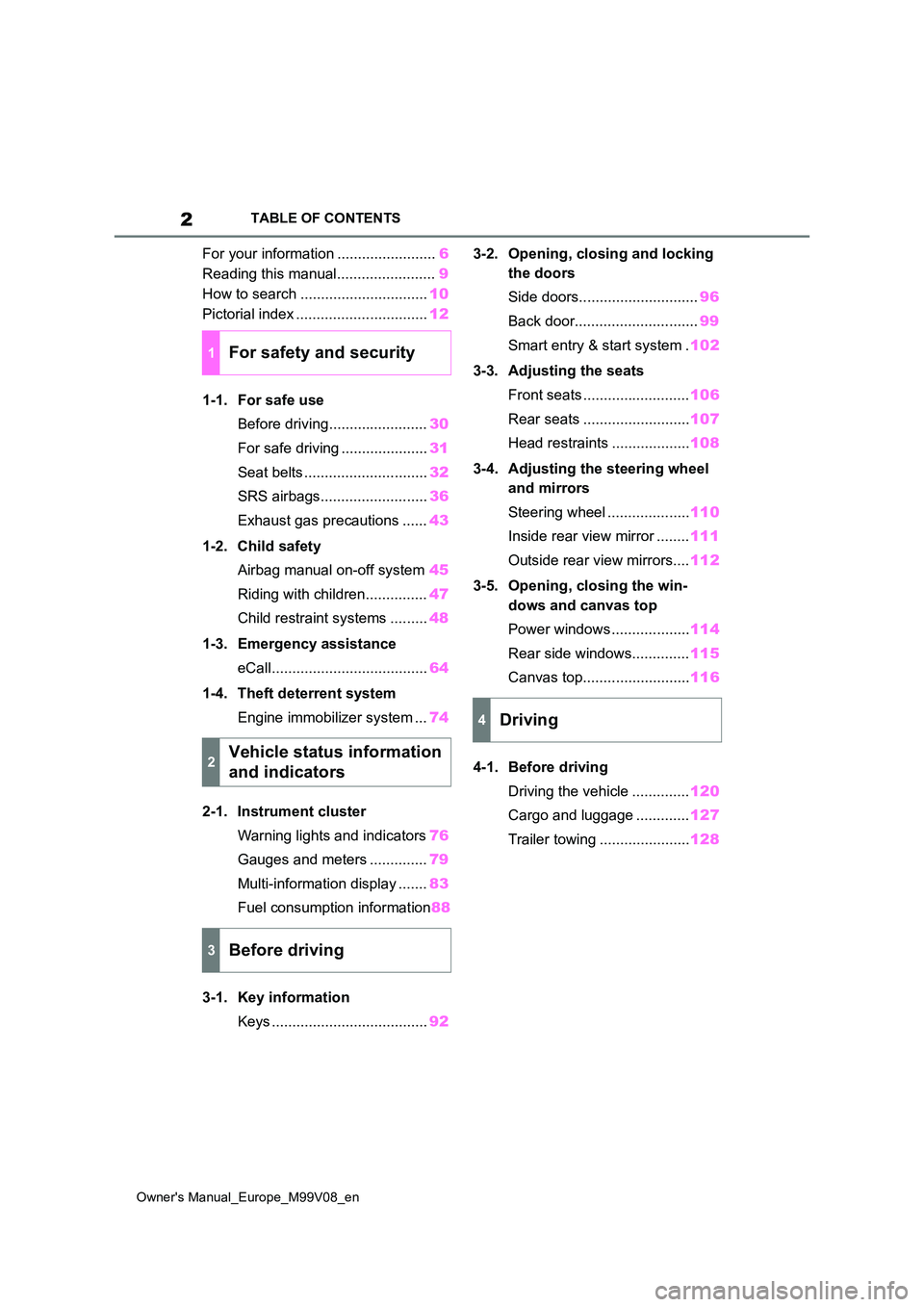
For your information ........................6
Reading this manual........................ 9
How to search ............................... 10
Pictorial index ................................ 12
1-1. For safe use
Before driving........................ 30
For safe driving ..................... 31
Seat belts .............................. 32
SRS airbags.......................... 36
Exhaust gas precautions ...... 43
1-2. Child safety
Airbag manual on-off system 45
Riding with children............... 47
Child restraint systems ......... 48
1-3. Emergency assistance
eCall...................................... 64
1-4. Theft deterrent system
Engine immobilizer system ... 74
2-1. Instrument cluster
Warning lights and indicators 76
Gauges and meters .............. 79
Multi-information display ....... 83
Fuel consumption information 88
3-1. Key information
Keys ...................................... 92
3-2. Opening, closing and locking
the doors
Side doors............................. 96
Back door.............................. 99
Smart entry & start system . 102
3-3. Adjusting the seats
Front seats .......................... 106
Rear seats .......................... 107
Head restraints ................... 108
3-4. Adjusting the steering wheel
and mirrors
Steering wheel .................... 110
Inside rear view mirror ........ 111
Outside rear view mirrors.... 112
3-5. Opening, closing the win-
dows and canvas top
Power windows ................... 114
Rear side windows.............. 115
Canvas top.......................... 116
4-1. Before driving
Driving the vehicle .............. 120
Cargo and luggage ............. 127
Trailer towing ...................... 128
1For safety and security
2Vehicle status information
and indicators
3Before driving
4Driving
Page 16 of 494
14
Owner's Manual_Europe_M99V08_en
Pictorial index
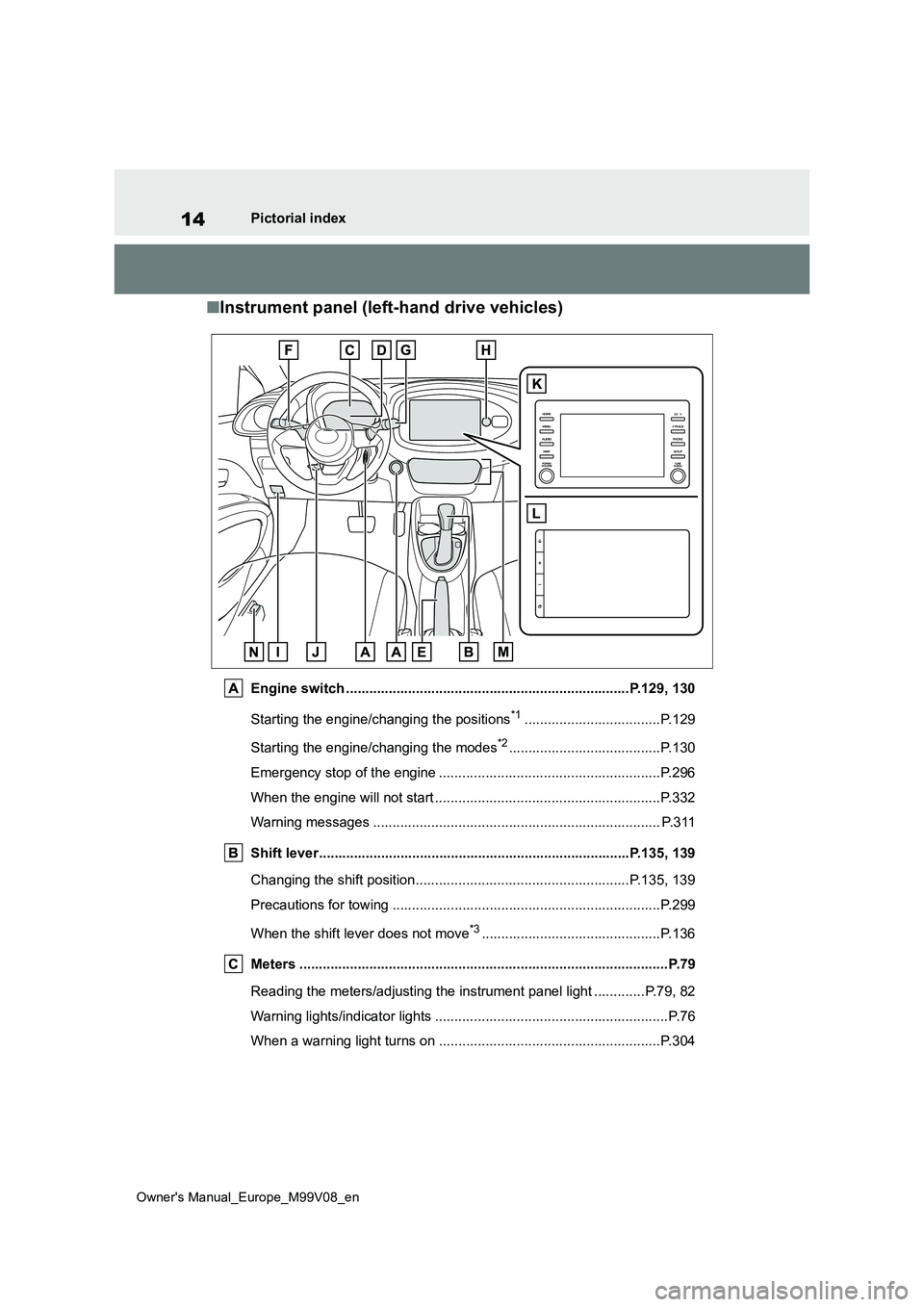
■Instrument panel (left-hand drive vehicles)
Engine switch .........................................................................P.129, 130
Starting the engine/changing the positions*1...................................P.129
Starting the engine/changing the modes*2.......................................P.130
Emergency stop of the engine ................................... ......................P.296
When the engine will not start ................................. .........................P.332
Warning messages ............................................... ........................... P.311
Shift lever.................................................... ............................P.135, 139
Changing the shift position.................................... ...................P.135, 139
Precautions for towing ......................................... ............................P.299
When the shift lever does not move*3..............................................P.136
Meters ......................................................... ......................................P.79
Reading the meters/adjusting the instrument panel light ........ .....P.79, 82
Warning lights/indicator lights ................................ ............................P.76
When a warning light turns on .................................. .......................P.304
Page 23 of 494
21
Owner's Manual_Europe_M99V08_en
Pictorial index
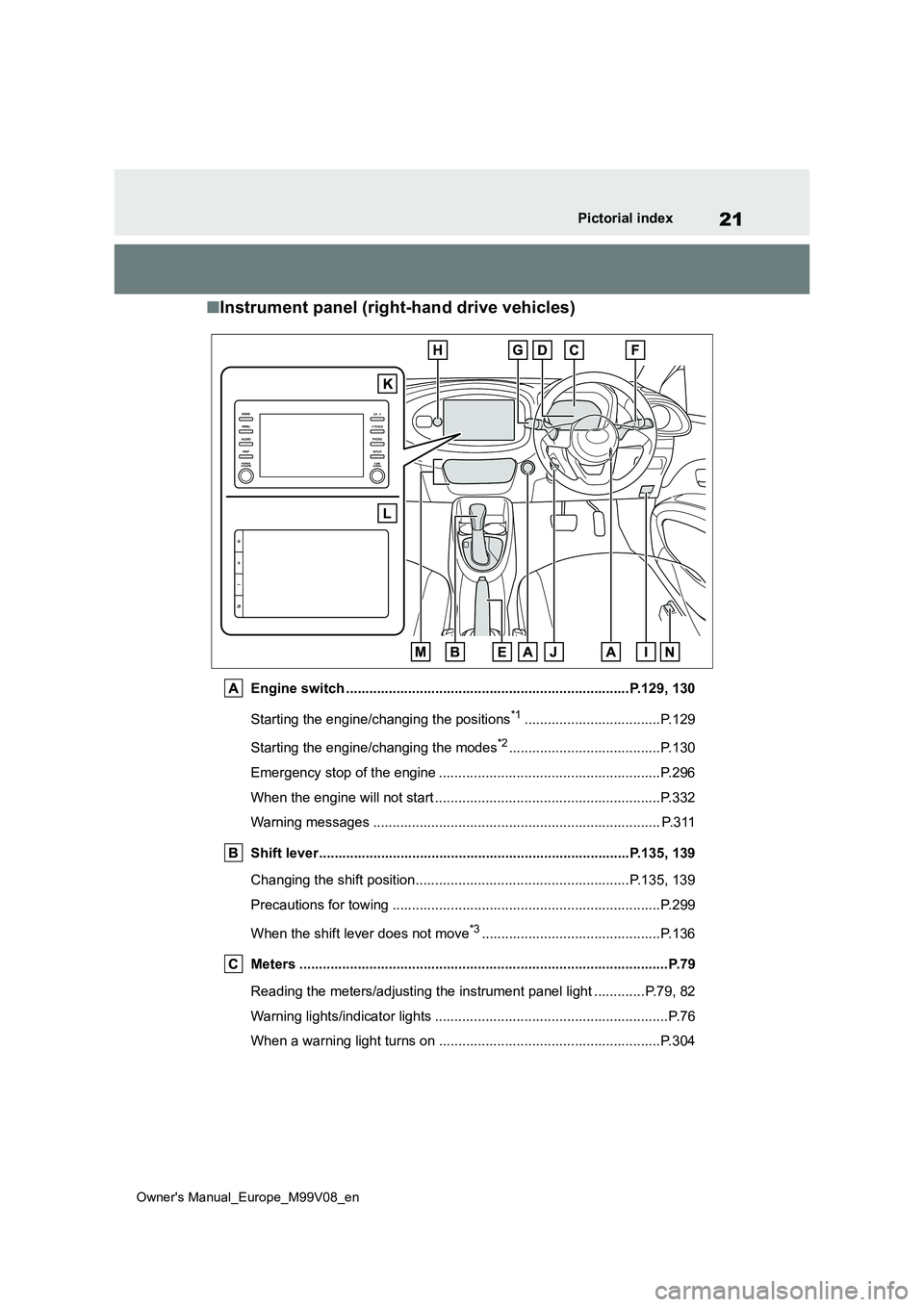
■Instrument panel (right-hand drive vehicles)
Engine switch .........................................................................P.129, 130
Starting the engine/changing the positions*1...................................P.129
Starting the engine/changing the modes*2.......................................P.130
Emergency stop of the engine ................................... ......................P.296
When the engine will not start ................................. .........................P.332
Warning messages ............................................... ........................... P.311
Shift lever.................................................... ............................P.135, 139
Changing the shift position.................................... ...................P.135, 139
Precautions for towing ......................................... ............................P.299
When the shift lever does not move*3..............................................P.136
Meters ......................................................... ......................................P.79
Reading the meters/adjusting the instrument panel light ........ .....P.79, 82
Warning lights/indicator lights ................................ ............................P.76
When a warning light turns on .................................. .......................P.304
Page 63 of 494
61
1
Owner's Manual_Europe_M99V08_en
1-2. Child safety
For safety and security
Since the seat belt automatically reels
itself, slowly return it to the stowing
position.
■When installing a child restraint system
You may need a locking clip to install the
child restraint system. Follow the instructions provided by the manufac-turer of the system. If your child restraint
system does not provide a locking clip, you can purchase the following item from any authorized Toyota retailer or
Toyota authorized repairer, or any reli- able repairer: Locking clip for child restraint system
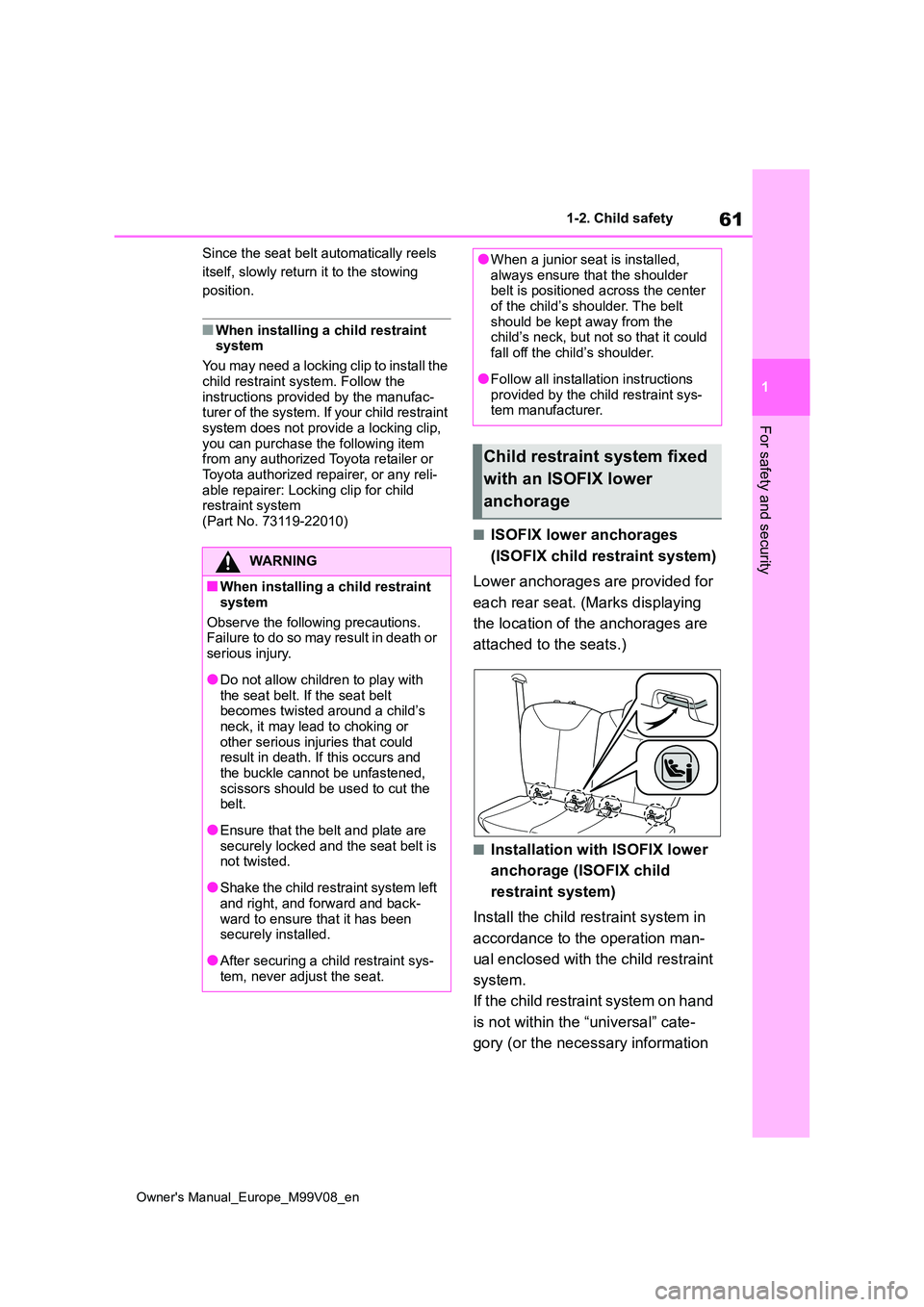
(Part No. 73119-22010)■ISOFIX lower anchorages
(ISOFIX child restraint system)
Lower anchorages are provided for
each rear seat. (Marks displaying
the location of the anchorages are
attached to the seats.)
■Installation with ISOFIX lower
anchorage (ISOFIX child
restraint system)
Install the child restraint system in
accordance to the operation man-
ual enclosed with the child restraint
system.
If the child restraint system on hand
is not within the “universal” cate-
gory (or the necessary information
WARNING
■When installing a child restraint
system
Observe the following precautions. Failure to do so may result in death or
serious injury.
●Do not allow children to play with
the seat belt. If the seat belt becomes twisted around a child’s neck, it may lead to choking or
other serious injuries that could result in death. If this occurs and the buckle cannot be unfastened,
scissors should be used to cut the belt.
●Ensure that the belt and plate are securely locked and the seat belt is not twisted.
●Shake the child restraint system left and right, and forward and back-
ward to ensure that it has been securely installed.
●After securing a child restraint sys-tem, never adjust the seat.
●When a junior seat is installed, always ensure that the shoulder belt is positioned across the center
of the child’s shoulder. The belt should be kept away from the child’s neck, but not so that it could
fall off the child’s shoulder.
●Follow all installation instructions
provided by the child restraint sys- tem manufacturer.
Child restraint system fixed
with an ISOFIX lower
anchorage
Page 121 of 494
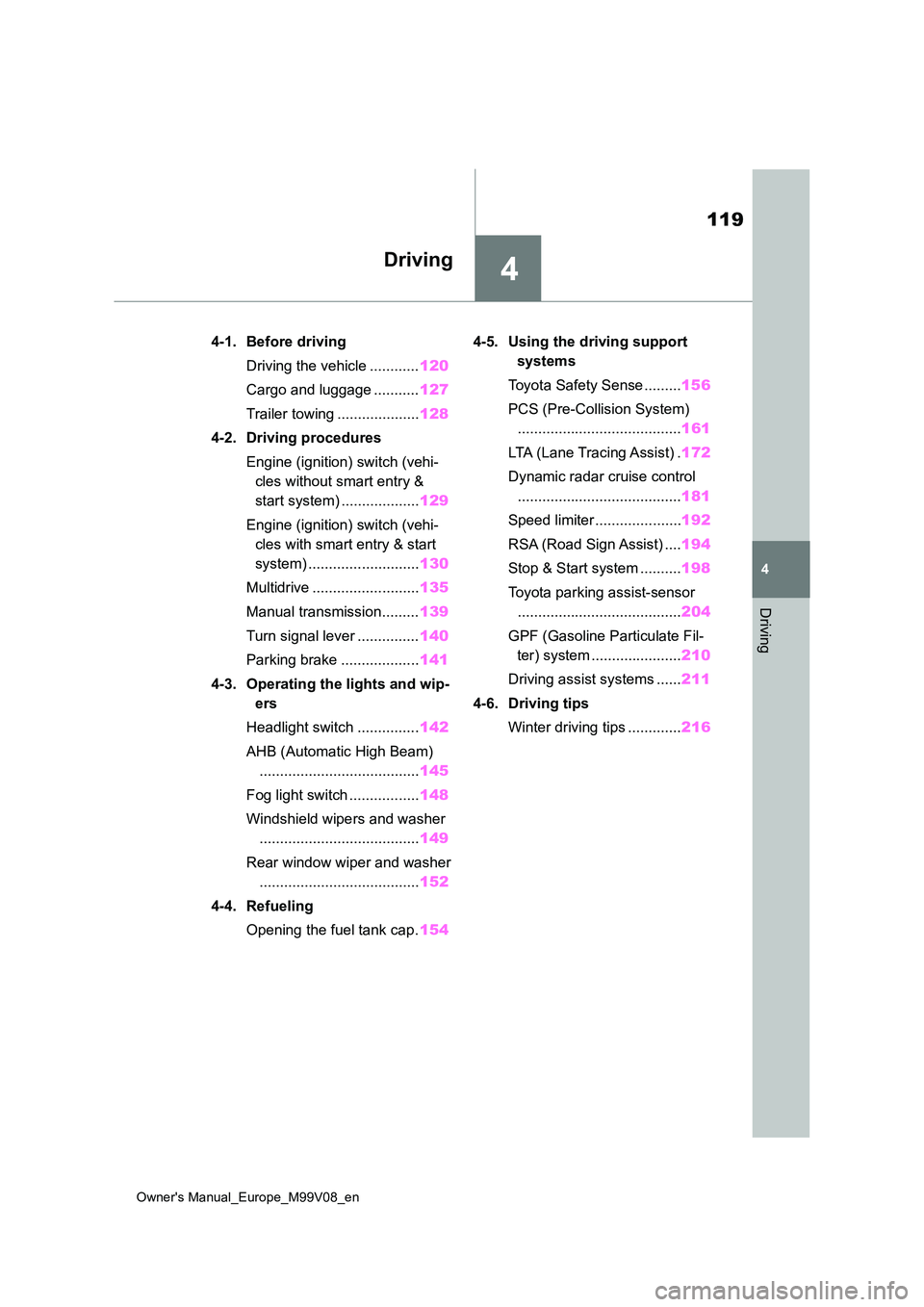
4
119
Owner's Manual_Europe_M99V08_en
4
Driving
Driving
4-1. Before driving
Driving the vehicle ............ 120
Cargo and luggage ........... 127
Trailer towing .................... 128
4-2. Driving procedures
Engine (ignition) switch (vehi-
cles without smart entry &
start system) ................... 129
Engine (ignition) switch (vehi-
cles with smart entry & start
system) ........................... 130
Multidrive .......................... 135
Manual transmission......... 139
Turn signal lever ............... 140
Parking brake ................... 141
4-3. Operating the lights and wip-
ers
Headlight switch ............... 142
AHB (Automatic High Beam)
....................................... 145
Fog light switch ................. 148
Windshield wipers and washer
....................................... 149
Rear window wiper and washer
....................................... 152
4-4. Refueling
Opening the fuel tank cap. 154
4-5. Using the driving support
systems
Toyota Safety Sense ......... 156
PCS (Pre-Collision System)
........................................ 161
LTA (Lane Tracing Assist) . 172
Dynamic radar cruise control
........................................ 181
Speed limiter ..................... 192
RSA (Road Sign Assist) .... 194
Stop & Start system .......... 198
Toyota parking assist-sensor
........................................ 204
GPF (Gasoline Particulate Fil-
ter) system ...................... 210
Driving assist systems ...... 211
4-6. Driving tips
Winter driving tips ............. 216
Page 130 of 494
128
Owner's Manual_Europe_M99V08_en
4-1. Before driving
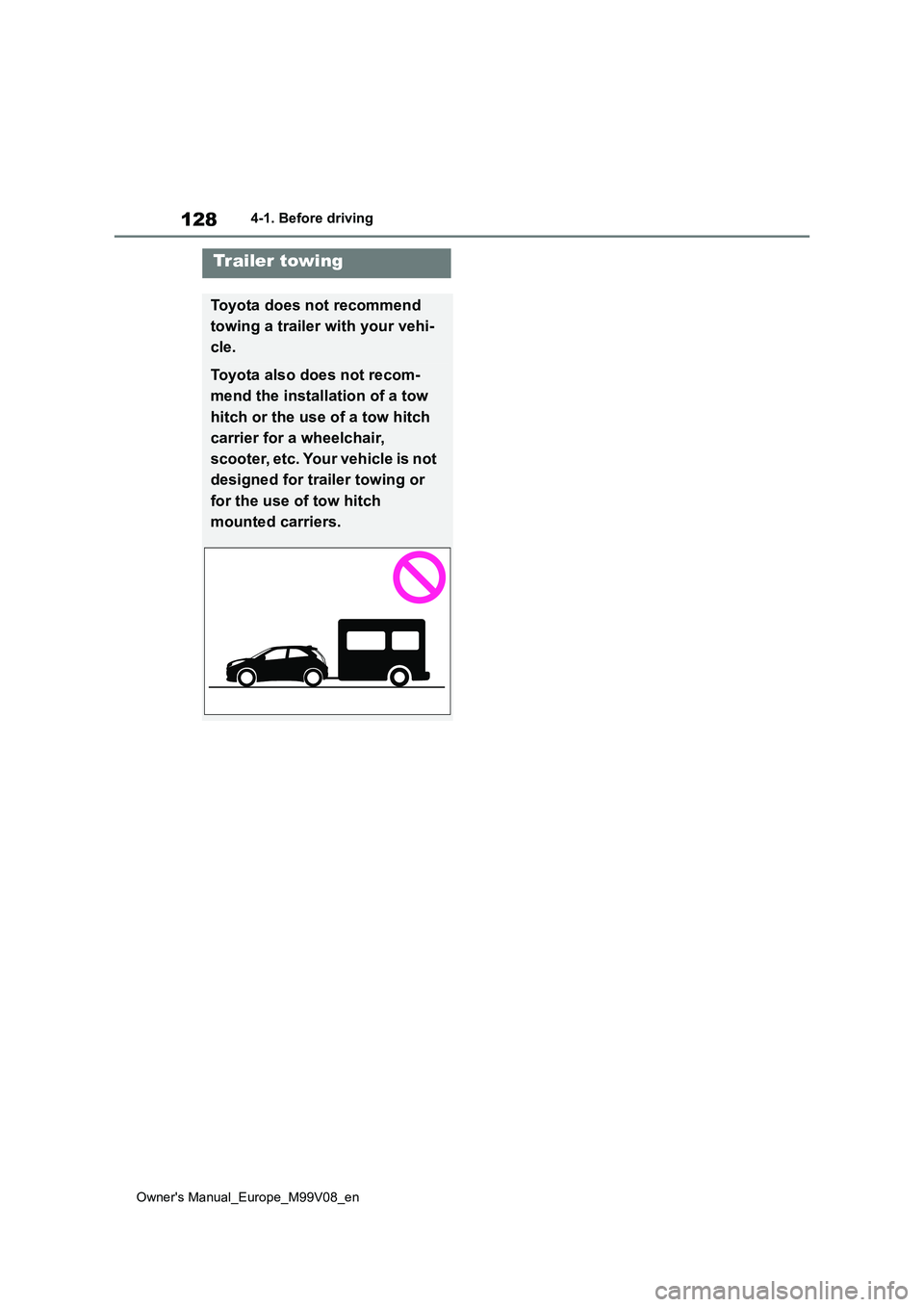
Trailer towing
Toyota does not recommend
towing a trailer with your vehi-
cle.
Toyota also does not recom-
mend the installation of a tow
hitch or the use of a tow hitch
carrier for a wheelchair,
scooter, etc. Your vehicle is not
designed for trailer towing or
for the use of tow hitch
mounted carriers.
Page 175 of 494
173
4
Owner's Manual_Europe_M99V08_en
4-5. Using the driving support systems
Driving
WARNING
●During emergency towing
■Preventing LTA system malfunc- tions and operations performed by mistake
●Do not modify the headlights or place stickers, etc., on the surface of the lights.
●Do not modify the suspension, etc. If the suspension, etc., needs to be
replaced, contact any authorized Toyota retailer or Toyota authorized repairer, or any reliable repairer.
●Do not install or place anything on the hood or grille. Also, do not
install a grille guard (bull bars, kan- garoo bar, etc.).
●If your windshield needs repairs, contact any authorized Toyota retailer or Toyota authorized
repairer, or any reliable repairer.
■Conditions in which functions
may not operate properly
In the following situations, the func- tions may not operate properly and
the vehicle may depart from its lane. Drive safely by always paying careful attention to your surroundings and
operate the steering wheel to correct the path of the vehicle without relying solely on the functions.
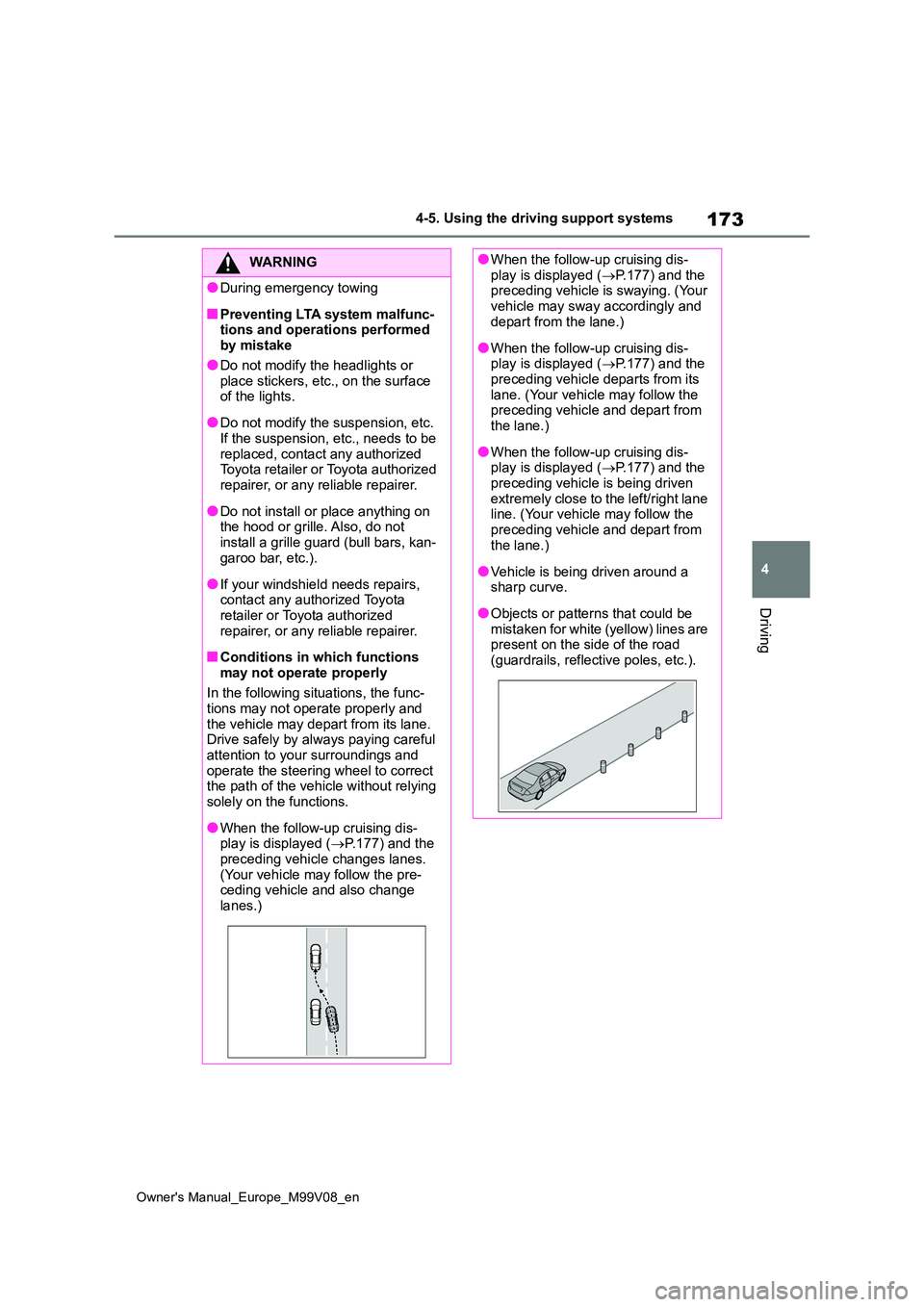
●When the follow-up cruising dis-play is displayed ( P.177) and the
preceding vehicle changes lanes. (Your vehicle may follow the pre-ceding vehicle and also change
lanes.)
●When the follow-up cruising dis- play is displayed ( P.177) and the preceding vehicle is swaying. (Your
vehicle may sway accordingly and depart from the lane.)
●When the follow-up cruising dis-play is displayed ( P.177) and the preceding vehicle departs from its
lane. (Your vehicle may follow the preceding vehicle and depart from the lane.)
●When the follow-up cruising dis-play is displayed ( P.177) and the
preceding vehicle is being driven extremely close to the left/right lane line. (Your vehicle may follow the
preceding vehicle and depart from the lane.)
●Vehicle is being driven around a sharp curve.
●Objects or patterns that could be mistaken for white (yellow) lines are present on the side of the road
(guardrails, reflective poles, etc.).
Page 185 of 494
183
4
Owner's Manual_Europe_M99V08_en
4-5. Using the driving support systems
Driving
WARNING
●Assisting the driver to judge proper following distance
The dynamic radar cruise control
determines whether the following dis-
tance between the driver’s own vehi-
cle and a designated vehicle traveling
ahead is within a set range. It is not
capable of making any other type of
judgement. Therefore, it is absolutely
necessary for the driver to remain vig-
ilant and to determine whether or not
there is a possibility of danger in any
given situation.
●Assisting the driver to operate the
vehicle
The dynamic radar cruise control
does not include functions which will
prevent or avoid collisions with vehi-
cles ahead of your vehicle. Therefore,
if there is ever any possibility of dan-
ger, the driver must take immediate
and direct control of the vehicle and
act appropriately in order to ensure
the safety of all involved.
■Situations unsuitable for dynamic radar cruise control
Do not use dynamic radar cruise con-
trol in any of the following situations. Doing so may result in inappropriate speed control and could cause an
accident resulting in death or serious injury.
●Roads where there are pedestrians, cyclists, etc.
●In heavy traffic
●On roads with sharp bends
●On winding roads
●On slippery roads, such as those covered with rain, ice or snow
●On steep downhills, or where there are sudden changes between sharp up and down gradients
Vehicle speed may exceed the set speed when driving down a steep hill.
●At entrances to freeways and high-ways
●When weather conditions are bad enough that they may prevent the sensors from detecting correctly
(fog, snow, sandstorm, heavy rain, etc.)
●When there is rain, snow, etc., on the front surface of the radar or front camera
●In traffic conditions that require fre-quent repeated acceleration and
deceleration
●During emergency towing
●When an approach warning buzzer is heard often
Page 196 of 494
194
Owner's Manual_Europe_M99V08_en
4-5. Using the driving support systems
*: If equipped
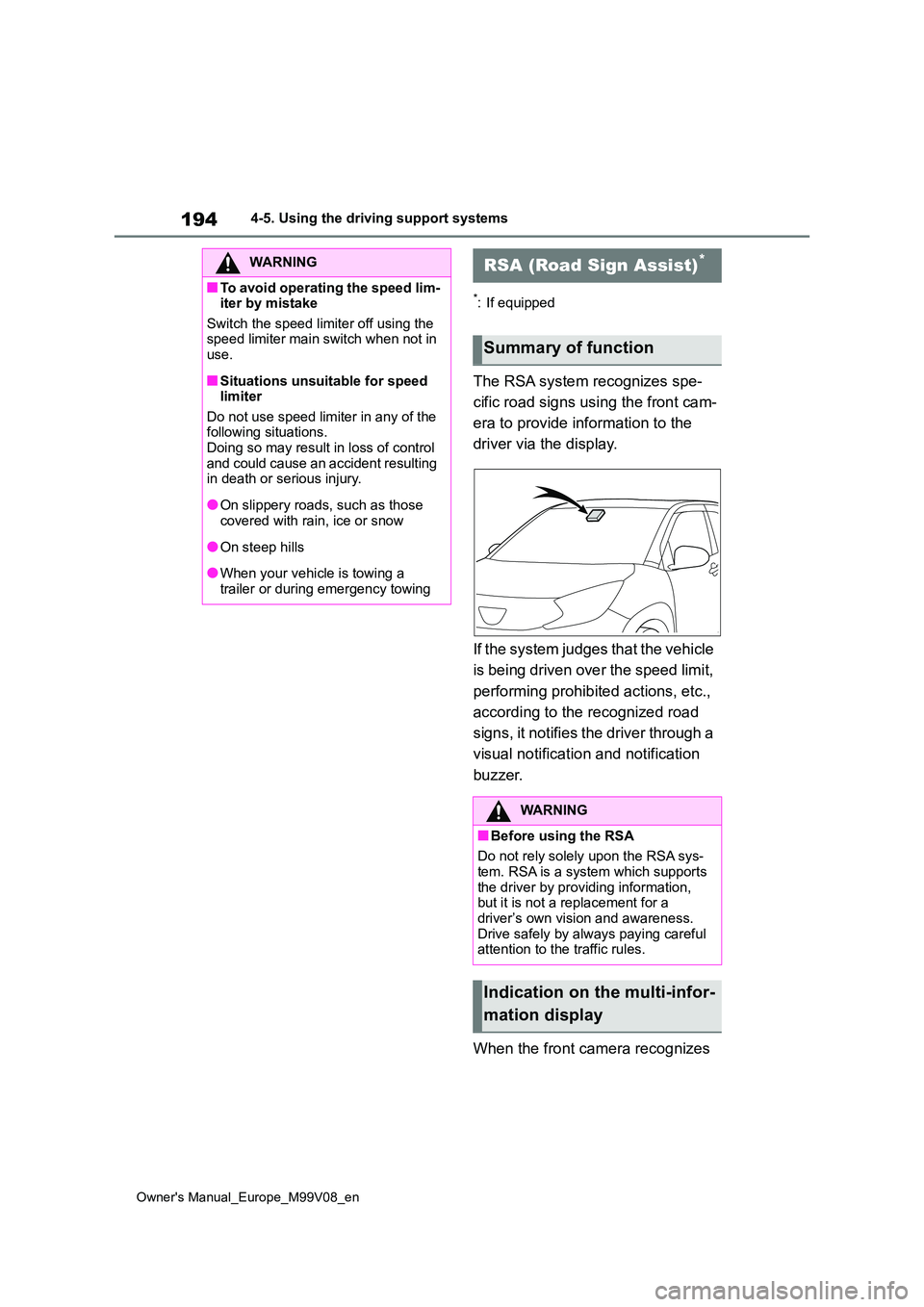
The RSA system recognizes spe-
cific road signs using the front cam-
era to provide information to the
driver via the display.
If the system judges that the vehicle
is being driven over the speed limit,
performing prohibited actions, etc.,
according to the recognized road
signs, it notifies the driver through a
visual notification and notification
buzzer.
When the front camera recognizes
WARNING
■To avoid operating the speed lim- iter by mistake
Switch the speed limiter off using the speed limiter main switch when not in use.
■Situations unsuitable for speed limiter
Do not use speed limiter in any of the following situations.Doing so may result in loss of control
and could cause an accident resulting in death or serious injury.
●On slippery roads, such as those covered with rain, ice or snow
●On steep hills
●When your vehicle is towing a
trailer or during emergency towing
RSA (Road Sign Assist)*
Summary of function
WARNING
■Before using the RSA
Do not rely solely upon the RSA sys-
tem. RSA is a system which supports the driver by providing information, but it is not a replacement for a
driver’s own vision and awareness. Drive safely by always paying careful attention to the traffic rules.
Indication on the multi-infor-
mation display
Page 209 of 494
207
4
Owner's Manual_Europe_M99V08_en
4-5. Using the driving support systems
Driving
other systems.
■Objects which the system may not
be properly detected
The shape of the object may prevent the sensor from detecting it. Pay particular
attention to the following objects:
●Wires, fences, ropes, etc.
●Cotton, snow and other materials that absorb sound waves
●Sharply-angled objects
●Low objects
●Tall objects with upper sections pro-
jecting outwards in the direction of your vehicle
■Situations in which the system may not operate properly
Certain vehicle conditions and the sur- rounding environment may affect the ability of a sensor to correctly detect
objects. Particular instances where this may occur are listed below.
●There is dirt, snow, water drops or ice on a sensor. (Cleaning the sensors will resolve this problem.)
●A sensor is frozen. (Thawing the area will resolve this problem.)
In especially cold weather, if a sensor is frozen the sensor display may be displayed abnormally, or objects, such
as a wall, may not be detected.
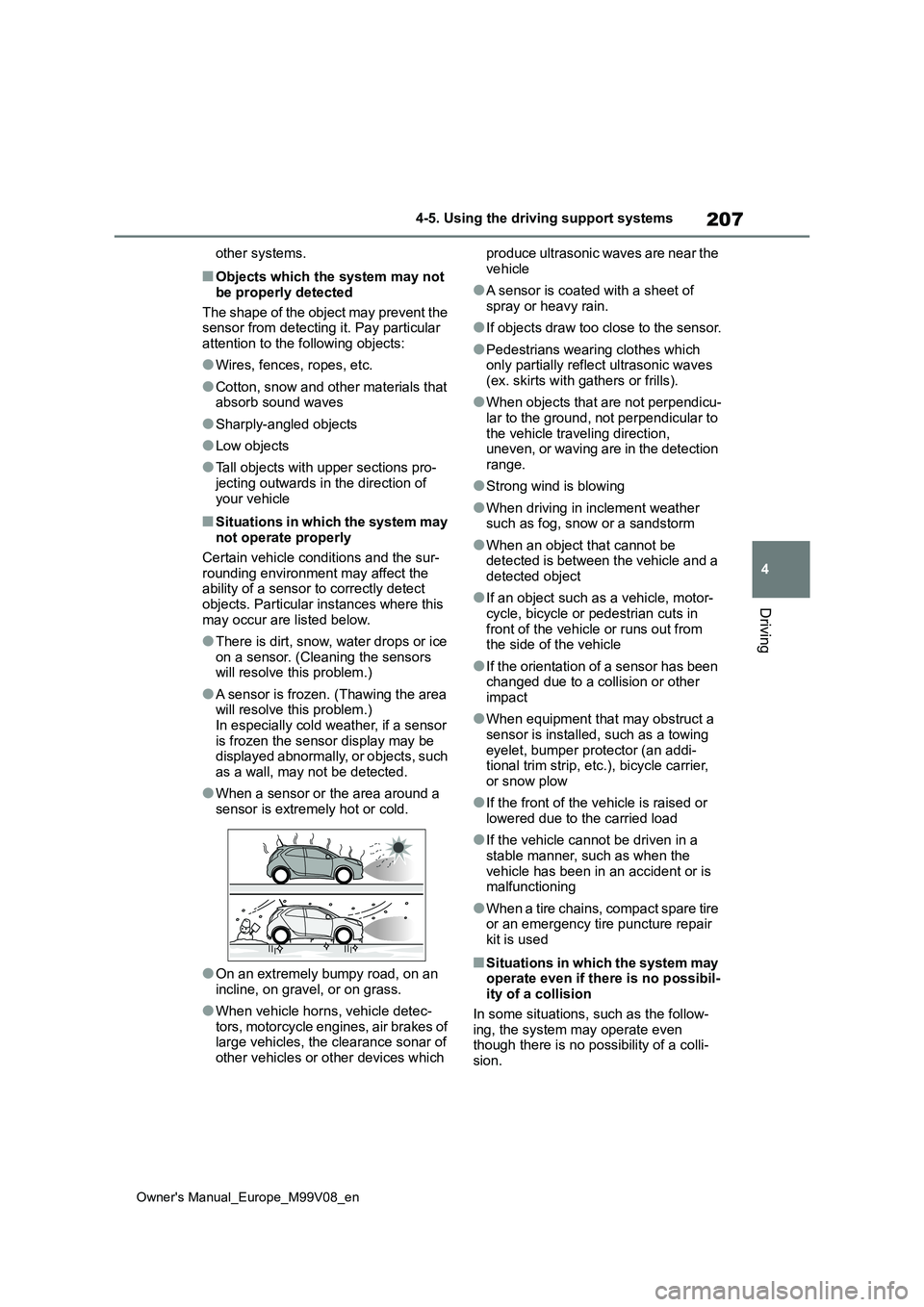
●When a sensor or the area around a
sensor is extremely hot or cold.
●On an extremely bumpy road, on an
incline, on gravel, or on grass.
●When vehicle horns, vehicle detec-
tors, motorcycle engines, air brakes of large vehicles, the clearance sonar of other vehicles or other devices which
produce ultrasonic waves are near the
vehicle
●A sensor is coated with a sheet of
spray or heavy rain.
●If objects draw too close to the sensor.
●Pedestrians wearing clothes which only partially reflect ultrasonic waves
(ex. skirts with gathers or frills).
●When objects that are not perpendicu-
lar to the ground, not perpendicular to the vehicle traveling direction, uneven, or waving are in the detection
range.
●Strong wind is blowing
●When driving in inclement weather such as fog, snow or a sandstorm
●When an object that cannot be detected is between the vehicle and a
detected object
●If an object such as a vehicle, motor-
cycle, bicycle or pedestrian cuts in front of the vehicle or runs out from the side of the vehicle
●If the orientation of a sensor has been changed due to a collision or other
impact
●When equipment that may obstruct a
sensor is installed, such as a towing eyelet, bumper protector (an addi-tional trim strip, etc.), bicycle carrier,
or snow plow
●If the front of the vehicle is raised or
lowered due to the carried load
●If the vehicle cannot be driven in a
stable manner, such as when the vehicle has been in an accident or is malfunctioning
●When a tire chains, compact spare tire or an emergency tire puncture repair
kit is used
■Situations in which the system may operate even if there is no possibil-ity of a collision
In some situations, such as the follow- ing, the system may operate even though there is no possibility of a colli-
sion.