brake sensor TOYOTA COROLLA HYBRID 2021 Owners Manual (in English)
[x] Cancel search | Manufacturer: TOYOTA, Model Year: 2021, Model line: COROLLA HYBRID, Model: TOYOTA COROLLA HYBRID 2021Pages: 584, PDF Size: 19.59 MB
Page 33 of 584
331-1. For safe use
COROLLA HV_U
1
For safety and security
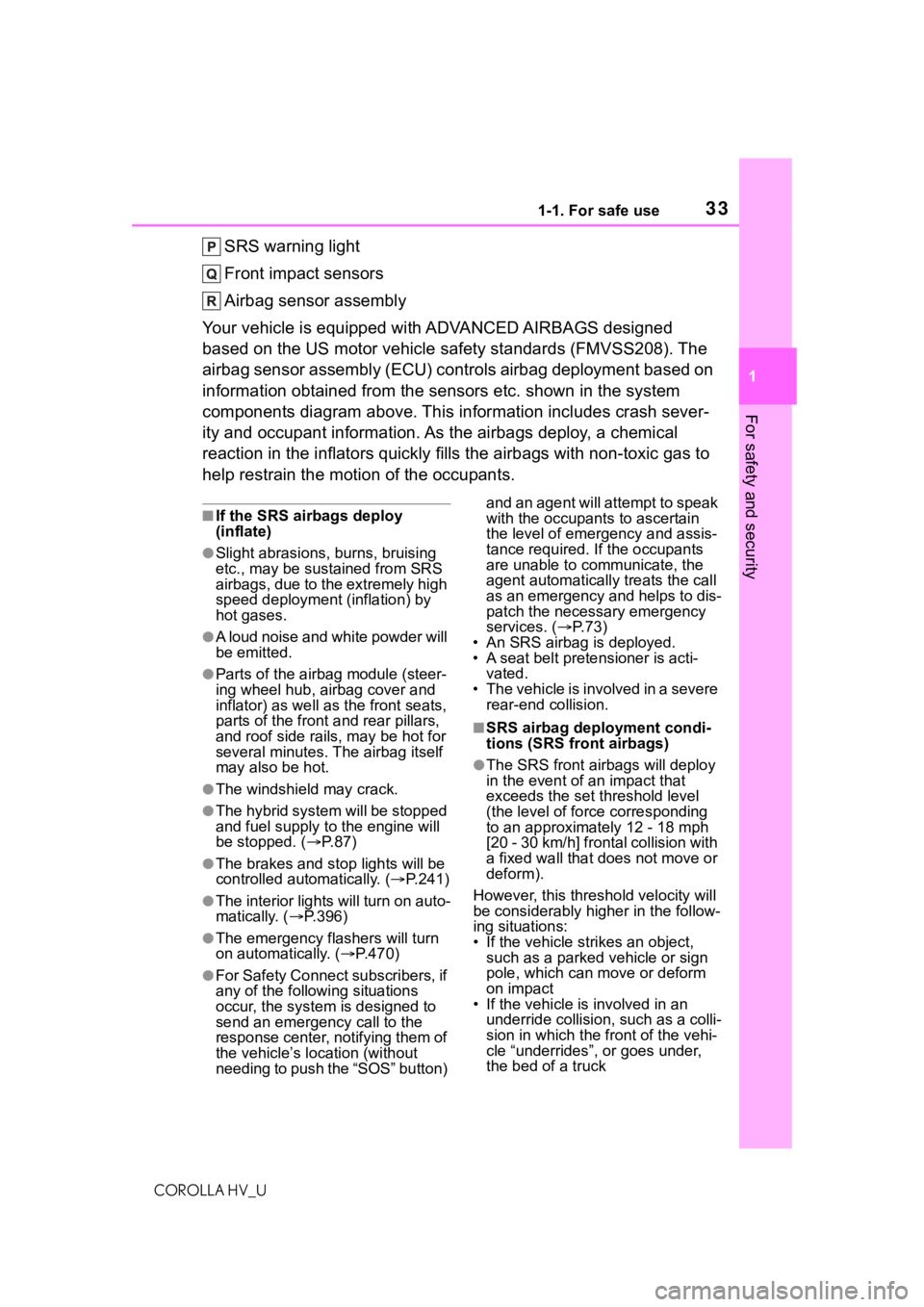
SRS warning light
Front impact sensors
Airbag sensor assembly
Your vehicle is equipped with ADVANCED AIRBAGS designed
based on the US motor vehicle safety standards (FMVSS208). The
airbag sensor assembly (ECU) cont rols airbag deployment based on
information obtained from the sensors etc. shown in the system
components diagram above. This in formation includes crash sever-
ity and occupant information. As the airbags deploy, a chemical
reaction in the inflators quickly fills the airbags with non-toxic gas to
help restrain the motion of the occupants.
■If the SRS airbags deploy
(inflate)
●Slight abrasions, burns, bruising
etc., may be sustained from SRS
airbags, due to the extremely high
speed deployment (inflation) by
hot gases.
●A loud noise and white powder will
be emitted.
●Parts of the airbag module (steer-
ing wheel hub, airbag cover and
inflator) as well as the front seats,
parts of the front and rear pillars,
and roof side rails, may be hot for
several minutes. T he airbag itself
may also be hot.
●The windshield may crack.
●The hybrid system will be stopped
and fuel supply to the engine will
be stopped. ( P. 8 7 )
●The brakes and st op lights will be
controlled automatically. ( P.241)
●The interior lights will turn on auto-
matically. ( P.396)
●The emergency flashers will turn
on automatically. ( P.470)
●For Safety Connect subscribers, if
any of the following situations
occur, the system is designed to
send an emergency call to the
response center, notifying them of
the vehicle’s location (without
needing to push the “SOS” button) and an agent will attempt to speak
with the occupants to ascertain
the level of emergency and assis-
tance required. If the occupants
are unable to communicate, the
agent automatically treats the call
as an emergency and helps to dis-
patch the necessary emergency
services. (
P. 7 3 )
• An SRS airbag is deployed.
• A seat belt pretensioner is acti- vated.
• The vehicle is involved in a severe rear-end collision.
■SRS airbag deployment condi-
tions (SRS front airbags)
●The SRS front airbags will deploy
in the event of an impact that
exceeds the set threshold level
(the level of forc e corresponding
to an approximately 12 - 18 mph
[20 - 30 km/h] frontal collision with
a fixed wall that does not move or
deform).
However, this threshold velocity will
be considerably higher in the follow-
ing situations:
• If the vehicle strikes an object, such as a parked vehicle or sign
pole, which can move or deform
on impact
• If the vehicle is involved in an underride collision, such as a colli-
sion in which the front of the vehi-
cle “underrides”, or goes under,
the bed of a truck
Page 189 of 584
1894-5. Using the driving support systems
COROLLA HV_U
4
Driving
The system can detect the fol-
lowing:
Vehicles
Bicyclists
Pedestrians
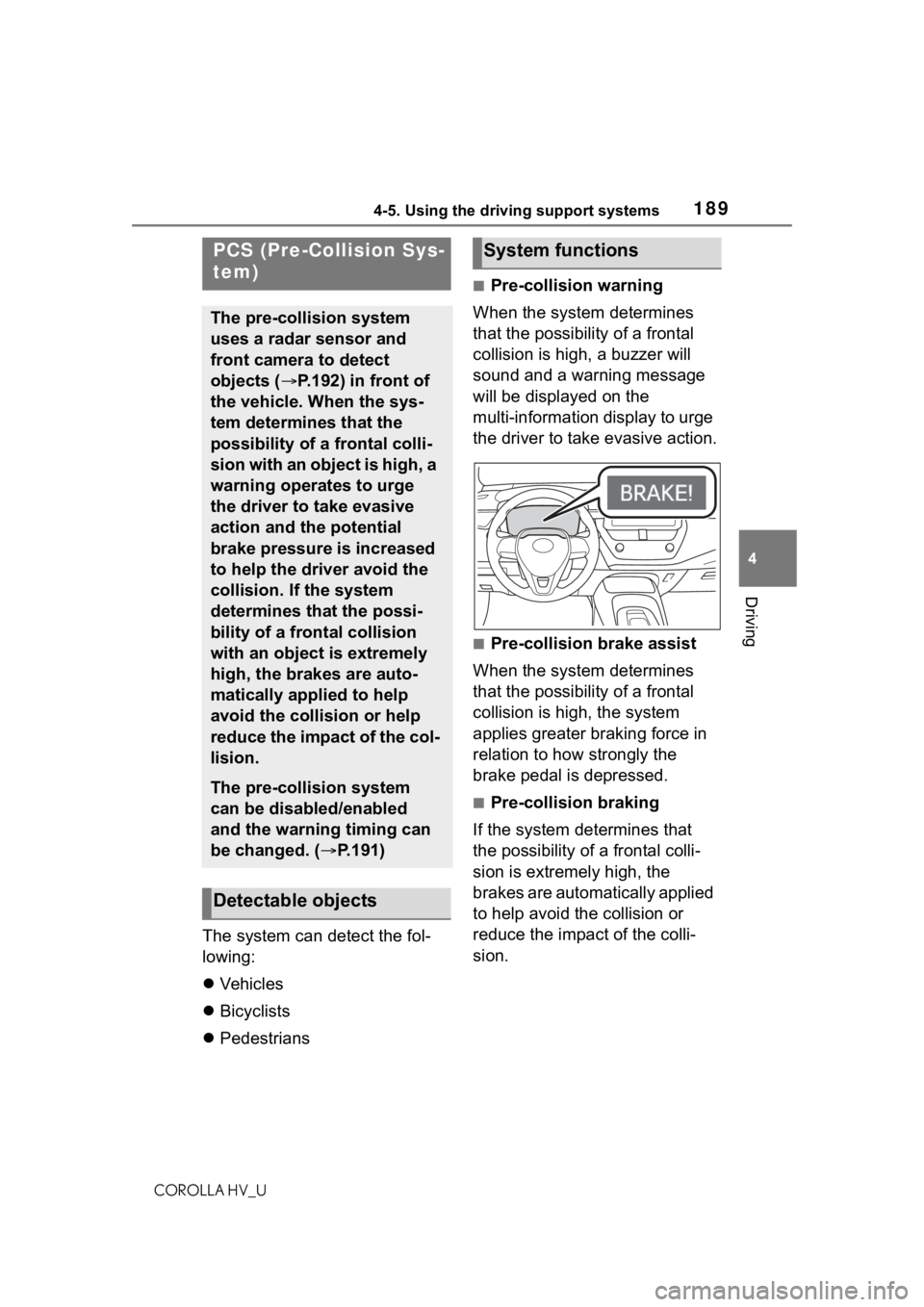
■Pre-collision warning
When the system determines
that the possibility of a frontal
collision is high, a buzzer will
sound and a warning message
will be displayed on the
multi-information display to urge
the driver to take evasive action.
■Pre-collision brake assist
When the system determines
that the possibility of a frontal
collision is high, the system
applies greater braking force in
relation to how strongly the
brake pedal is depressed.
■Pre-collision braking
If the system determines that
the possibility of a frontal colli-
sion is extremely high, the
brakes are automatically applied
to help avoid the collision or
reduce the impact of the colli-
sion.
PCS (Pre-Collision Sys-
tem)
The pre-collision system
uses a radar sensor and
front camera to detect
objects ( P.192) in front of
the vehicle. When the sys-
tem determines that the
possibility of a frontal colli-
sion with an object is high, a
warning operates to urge
the driver to take evasive
action and the potential
brake pressure is increased
to help the driver avoid the
collision. If the system
determines that the possi-
bility of a frontal collision
with an object is extremely
high, the brakes are auto-
matically applied to help
avoid the collision or help
reduce the impact of the col-
lision.
The pre-collision system
can be disabled/enabled
and the warning timing can
be changed. ( P.191)
Detectable objects
System functions
Page 196 of 584
1964-5. Using the driving support systems
COROLLA HV_U• When driving through steam or
smoke
• When the surrounding area is dim,
such as at dawn or dusk, or while
at night or in a t unnel, making a
detectable object appear to be
nearly the same color as its sur-
roundings
• When driving in a place where the
surrounding brightness changes
suddenly, such as at the entrance
or exit of a tunnel
• After the hybrid system has started the vehicle has not been
driven for a certain amount of time
• While making a left/right turn and for a few seconds after making a
left/right turn
• While driving on a curve and for a
few seconds after driving on a
curve
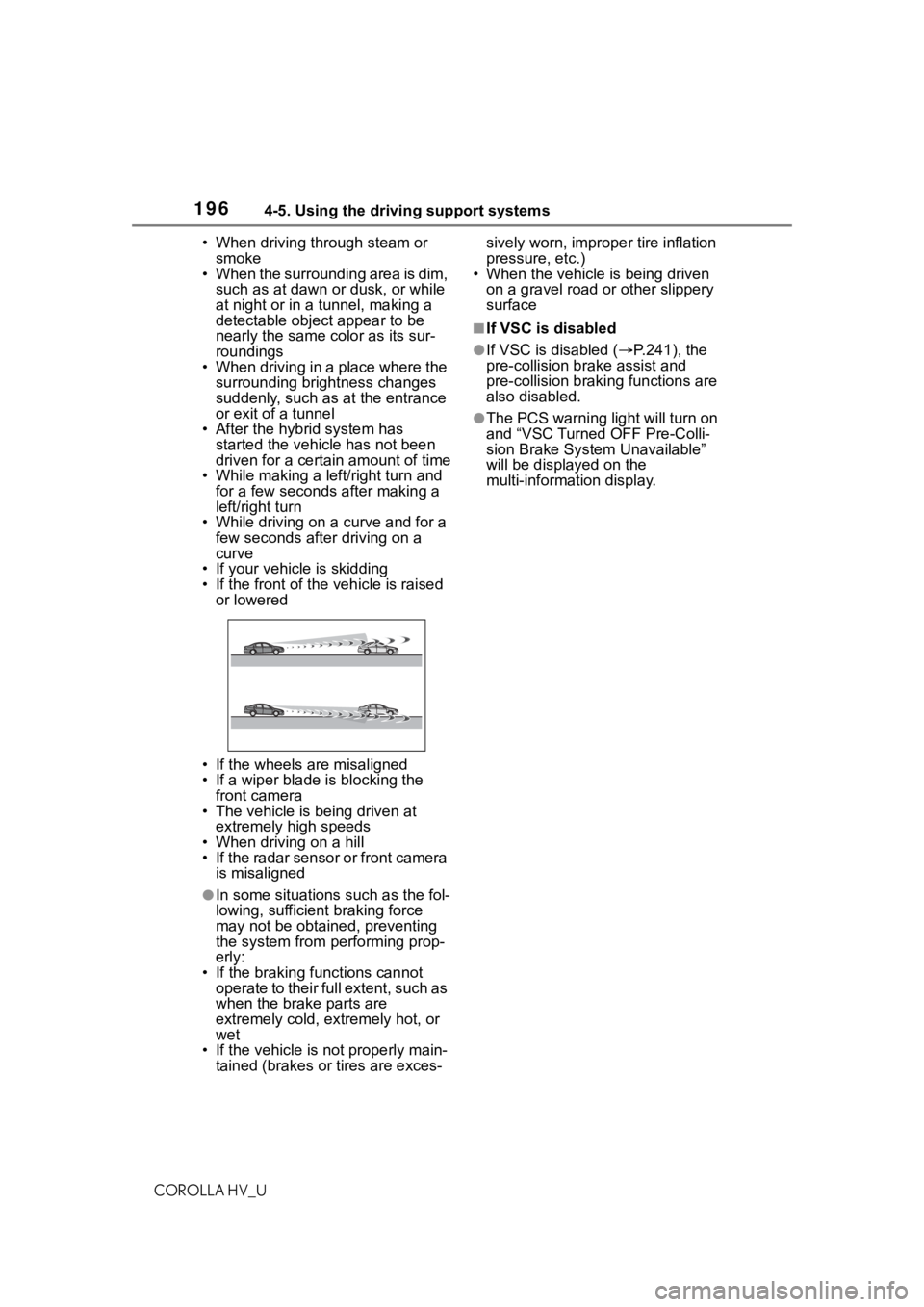
• If your vehicle is skidding
• If the front of the vehicle is raised or lowered
• If the wheels are misaligned
• If a wiper blade is blocking the front camera
• The vehicle is being driven at extremely high speeds
• When driving on a hill
• If the radar sensor or front camera is misaligned
●In some situations such as the fol-
lowing, sufficient braking force
may not be obtained, preventing
the system from performing prop-
erly:
• If the braking functions cannot operate to their full extent, such as
when the brake parts are
extremely cold, extremely hot, or
wet
• If the vehicle is not properly main- tained (brakes or tires are exces- sively worn, imprope
r tire inflation
pressure, etc.)
• When the vehicle is being driven
on a gravel road or other slippery
surface
■If VSC is disabled
●If VSC is disabled ( P.241), the
pre-collision br ake assist and
pre-collision brakin g functions are
also disabled.
●The PCS warning light will turn on
and “VSC Turned OFF Pre-Colli-
sion Brake System Unavailable”
will be displayed on the
multi-information display.
Page 216 of 584

2164-5. Using the driving support systems
COROLLA HV_U
■Automatic cancelation of vehi-
cle-to-vehicle distance control
mode
Vehicle-to-vehicle distance control
mode is automatically canceled in
the following situations.
●VSC is activated.
●TRAC is activated for a period of
time.
●When the VSC or TRAC system is
turned off.
●The sensor cannot detect cor-
rectly because i t is covered in
some way.
●Pre-collision braking is activated.
●The parking brake is operated.
●The vehicle is stopped by system
control on a steep incline.
●The following are detected when
the vehicle has been stopped by
system control:
• The driver is not wearing a seat belt.
• The driver’s door is opened.
• The vehicle has been stopped for
about 3 minutes
If vehicle-to-vehicle distance control
mode is automatically canceled for
any reasons other than the above,
there may be a malfunction in the
system. Contact your Toyota dealer.
■Automatic cancelation of con-
stant speed control mode
Constant speed control mode is
automatically cance led in the follow-
ing situations:
●Actual vehicle speed is more than
approximately 10 mph (16 km/h)
below the set vehicle speed.
●Actual vehicle speed falls below
approximately 20 mph (30 km/h).
●VSC is activated.
●TRAC is activated for a period of
time.
●When the VSC or TRAC system is
turned off.
●Pre-collision braking is activated. If constant speed control mode is
automatically canceled for any rea-
sons other than the above, there
may be a malfunction in the system.
Contact your Toyota dealer.
■Brake operation
A brake operation sound may be
heard and the brake pedal response
may change, but these are not mal-
functions.
■Warning messages and buzzers
for dynamic radar cruise con-
trol with full-speed range
Warning messages and buzzers are
used to indicate a system malfunc-
tion or to inform the driver of the
need for caution while driving. If a
warning message is shown on the
multi-information display, read the
message and follow the instructions.
( P.187, 487)
■When the sensor may not be
correctly detecting the vehicle
ahead
In the case of the following and
depending on the conditions, oper-
ate the brake pedal when decelera-
tion of the system is insufficient or
operate the accelerator pedal when
acceleration is required.
As the sensor may not be able to
correctly detect th ese types of vehi-
cles, the approach warning
( P.214) may not be activated.
●Vehicles that cut in suddenly
●Vehicles traveling at low speeds
●Vehicles that are not moving in the
same lane
●Vehicles with small rear ends
(trailers with no load on board,
etc.)
Page 217 of 584
2174-5. Using the driving support systems
COROLLA HV_U
4
Driving
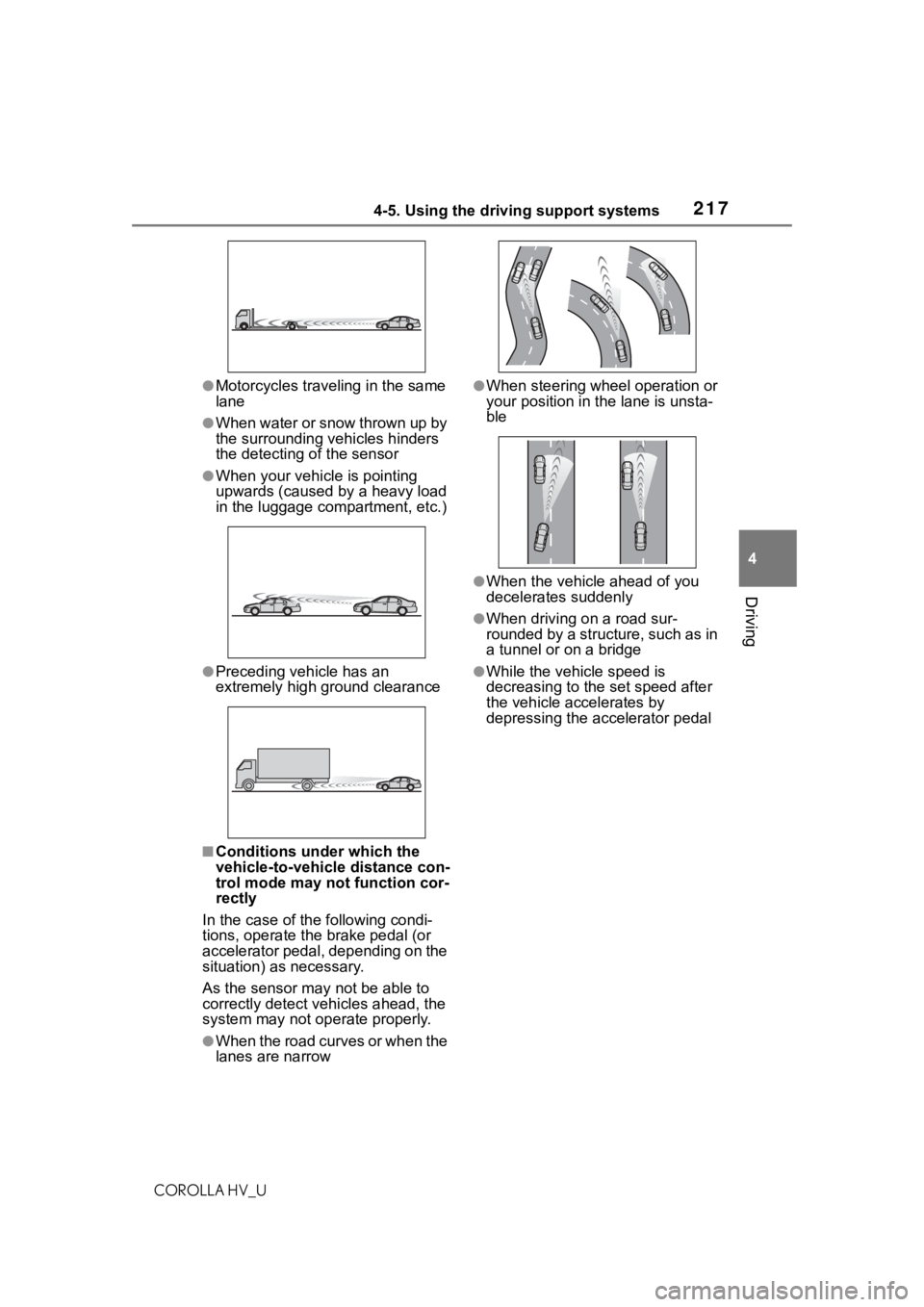
●Motorcycles traveling in the same
lane
●When water or snow thrown up by
the surrounding vehicles hinders
the detecting of the sensor
●When your vehicle is pointing
upwards (caused by a heavy load
in the luggage compartment, etc.)
●Preceding vehicle has an
extremely high ground clearance
■Conditions under which the
vehicle-to-vehicle distance con-
trol mode may not function cor-
rectly
In the case of the following condi-
tions, operate the brake pedal (or
accelerator pedal, depending on the
situation) as necessary.
As the sensor may not be able to
correctly detect vehicles ahead, the
system may not operate properly.
●When the road curves or when the
lanes are narrow
●When steering wheel operation or
your position in the lane is unsta-
ble
●When the vehicle ahead of you
decelerates suddenly
●When driving on a road sur-
rounded by a structure, such as in
a tunnel or on a bridge
●While the vehicle speed is
decreasing to the set speed after
the vehicle accelerates by
depressing the accelerator pedal
Page 241 of 584
2414-5. Using the driving support systems
COROLLA HV_U
4
Driving
■The Secondary Collision
Brake
When the SRS airbag sensor
detects a collision and the sys-
tem operates, the brakes and
brake lights are automatically
controlled to reduce the vehicle
speed and help reduce the pos-
sibility of further damage due to
a secondary collision.
■When the TRAC/VSC/ABS sys-
tems are operating
The slip indicator light will flash
while the TRAC/VSC/ABS systems
are operating.
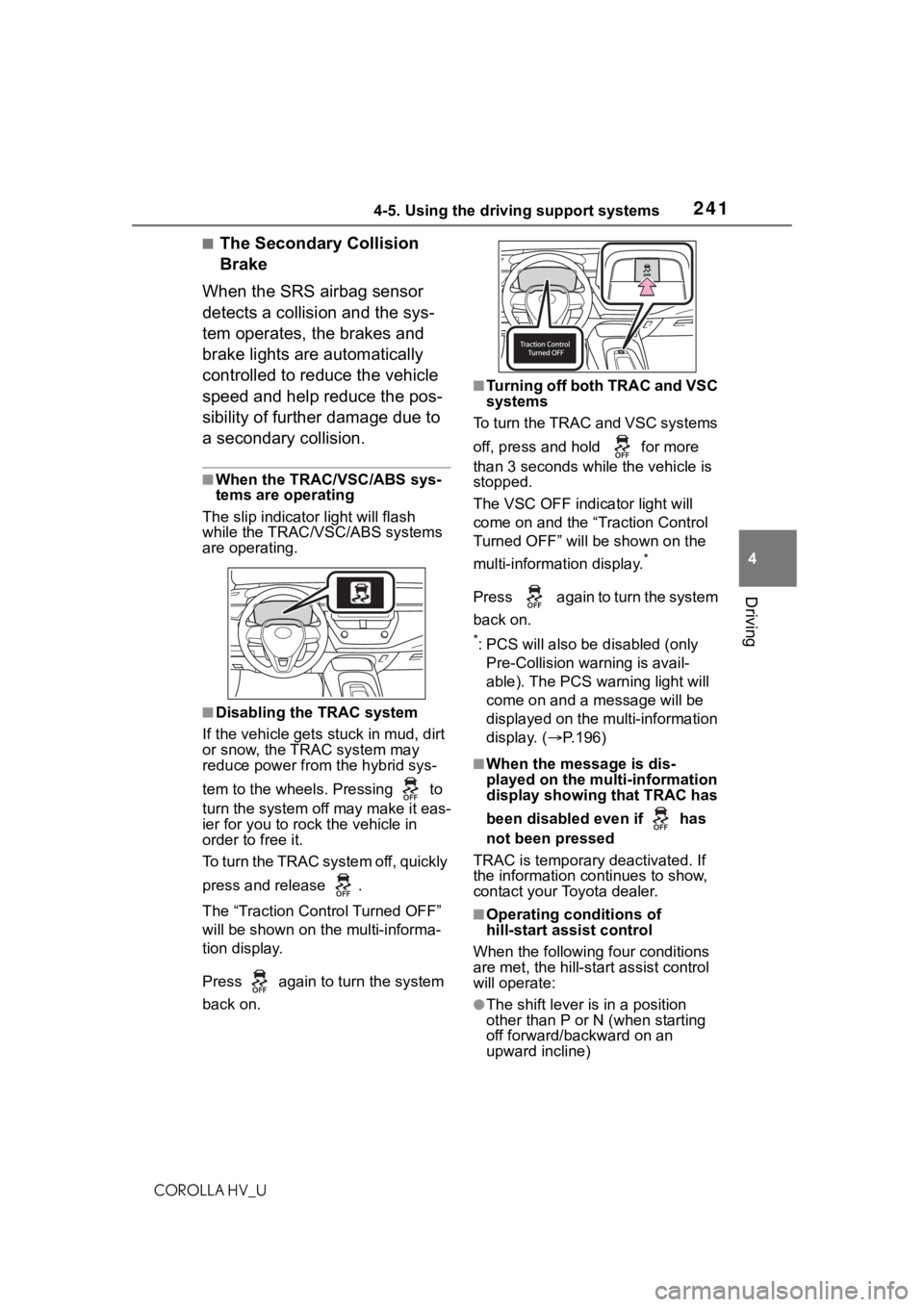
■Disabling the TRAC system
If the vehicle gets stuck in mud, dirt
or snow, the TRAC system may
reduce power from the hybrid sys-
tem to the wheels. Pressing to
turn the system off may make it eas-
ier for you to rock the vehicle in
order to free it.
To turn the TRAC system off, quickly
press and release .
The “Traction Control Turned OFF”
will be shown on the multi-informa-
tion display.
Press again to turn the system
back on.
■Turning off both TRAC and VSC
systems
To turn the TRAC and VSC systems
off, press and hold for more
than 3 seconds while the vehicle is
stopped.
The VSC OFF indicator light will
come on and the “Traction Control
Turned OFF” will be shown on the
multi-information display.
*
Press again to turn the system
back on.
*: PCS will also be disabled (only
Pre-Collision warning is avail-
able). The PCS warning light will
come on and a message will be
displayed on the multi-information
display. ( P.196)
■When the message is dis-
played on the multi-information
display showing that TRAC has
been disabled even if has
not been pressed
TRAC is temporary deactivated. If
the information continues to show,
contact your Toyota dealer.
■Operating conditions of
hill-start assist control
When the following four conditions
are met, the hill-star t assist control
will operate:
●The shift lever is in a position
other than P or N (when starting
off forward/backward on an
upward incline)
Page 243 of 584
2434-5. Using the driving support systems
COROLLA HV_U
4
Driving
extended period of time. The steer-
ing wheel may feel heavy as a
result. Should this occur, refrain
from excessive steering input or
stop the vehicle and turn the hybrid
system off. The E PS system should
return to normal within 10 minutes.
■Secondary Collision Brake
operating conditions
The system operates when the SRS
airbag sensor de tects a collision
while the vehicle is in motion.
However, the system does not oper-
ate in any of the following situations.
●The vehicle speed is below 6 mph
(10 km/h)
●Components are damaged
■Secondary Collision Brake
automatic cancellation
The system is automatically can-
celed in any of th e following situa-
tions.
●The vehicle speed drops below
approximately 6 mph (10 km/h)
●A certain amount o f time elapses
during operation
●The accelerator pedal is
depressed a large amount
WA R N I N G
■The ABS does not operate
effectively when
●The limits of tire gripping perfor-
mance have been exceeded
(such as excessively worn tires
on a snow covered road).
●The vehicle hydroplanes while
driving at high speed on wet or
slick roads.
■Stopping distance when the
ABS is operating may exceed
that of normal conditions
The ABS is not designed to
shorten the vehicle’s stopping dis-
tance. Always maintain a safe dis-
tance from the veh icle in front of
you, especially in the following sit-
uations:
●When driving on dirt, gravel or
snow-covered roads
●When driving with tire chains
●When driving over bumps in the
road
●When driving over roads with
potholes or uneven surfaces
■TRAC/VSC may not operate
effectively when
Directional control and power may
not be achievable while driving on
slippery road surfaces, even if the
TRAC/VSC system is operating.
Drive the vehicle carefully in con-
ditions where stability and power
may be lost.
■Active Cornering Assist does
not operate effectively when
●Do not overly rely on Active
Cornering Assist. Active Corner-
ing Assist may not operate
effectively when accelerating
down slopes or driving on slip-
pery road surfaces.
●When Active Corn ering Assist
frequently operates, Active Cor-
nering Assist may temporarily
stop operating to ensure proper
operation of the brakes, TRAC
and VSC.
Page 484 of 584
4848-2. Steps to take in an emergency
COROLLA HV_U
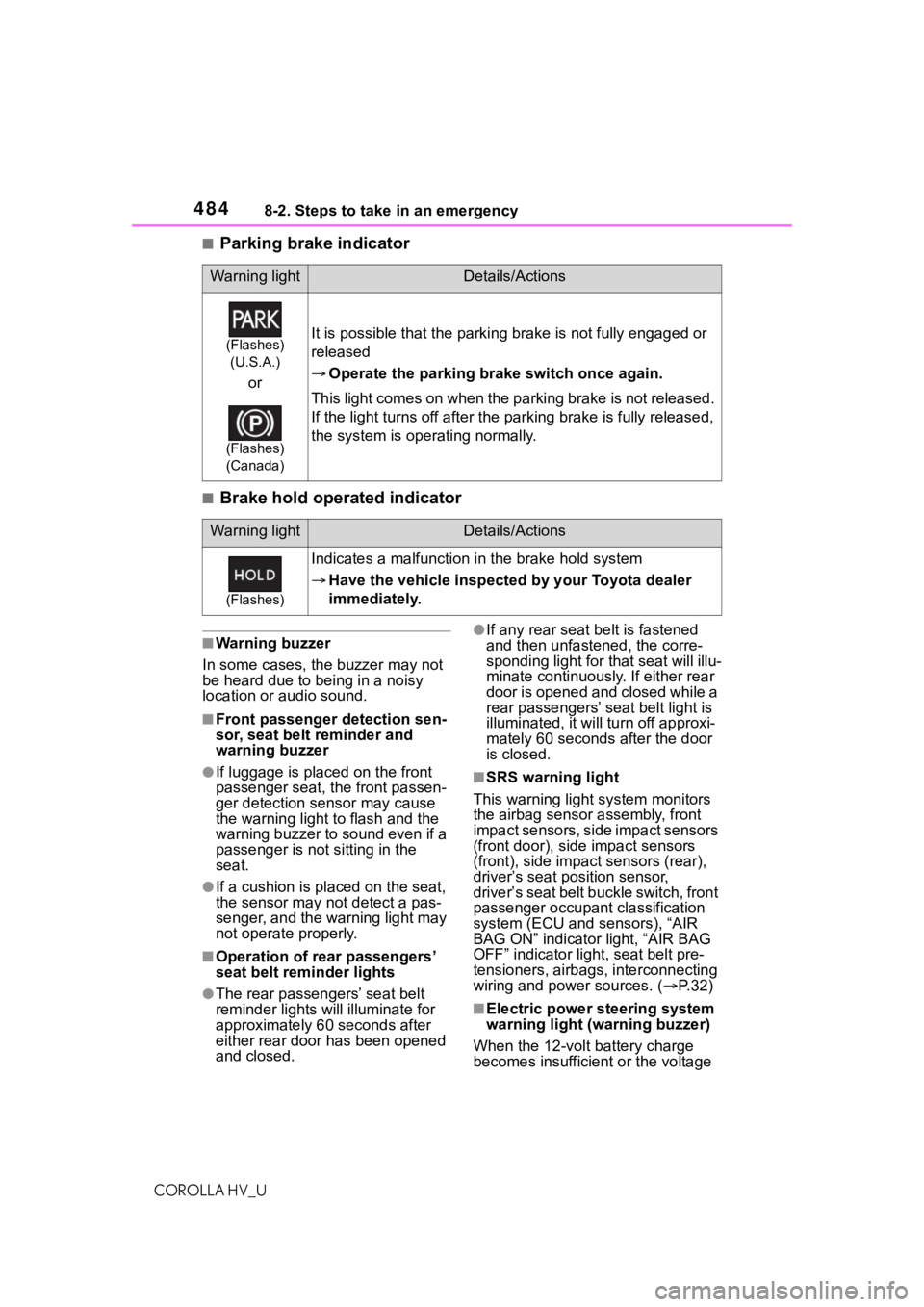
■Parking brake indicator
■Brake hold operated indicator
■Warning buzzer
In some cases, the buzzer may not
be heard due to being in a noisy
location or audio sound.
■Front passenger detection sen-
sor, seat belt reminder and
warning buzzer
●If luggage is placed on the front
passenger seat, the front passen-
ger detection sensor may cause
the warning light to flash and the
warning buzzer to sound even if a
passenger is not sitting in the
seat.
●If a cushion is placed on the seat,
the sensor may n ot detect a pas-
senger, and the warning light may
not operate properly.
■Operation of rear passengers’
seat belt re minder lights
●The rear passengers’ seat belt
reminder lights will illuminate for
approximately 60 seconds after
either rear door has been opened
and closed.
●If any rear seat belt is fastened
and then unfastened, the corre-
sponding light for that seat will illu-
minate continuously . If either rear
door is opened and closed while a
rear passengers’ seat belt light is
illuminated, it will tu rn off approxi-
mately 60 seconds after the door
is closed.
■SRS warning light
This warning light system monitors
the airbag sensor assembly, front
impact sensors, side impact sensors
(front door), side impact sensors
(front), side impact sensors (rear),
driver’s seat position sensor,
driver’s seat belt buckle switch, front
passenger occupan t classification
system (ECU and sensors), “AIR
BAG ON” indicator light, “AIR BAG
OFF” indicator light, seat belt pre-
tensioners, airbags, interconnecting
wiring and power sources. ( P. 3 2 )
■Electric power steering system
warning light (warning buzzer)
When the 12-volt battery charge
becomes insufficient or the voltage
Warning lightDetails/Actions
(Flashes) (U.S.A.)
or
(Flashes)
(Canada)
It is possible that the parking brake is not fully engaged or
released
Operate the parking brake switch once again.
This light comes on when the parking brake is not released.
If the light turns of f after the parking brake is fully release d,
the system is operating normally.
Warning lightDetails/Actions
(Flashes)
Indicates a malfunction in the brake hold system
Have the vehicle inspected by your Toyota dealer
immediately.
Page 565 of 584
565What to do if... (Troubleshooting)
COROLLA HV_U
Is the power switch in ON?
If you cannot release the shift lever
by depressing the brake pedal with
the power switch in ON. ( P.165)
It is locked automatically to
prevent theft of the vehicle.
( P.158)
Is the window lock switch
pressed?
The power window except for the
one at the driver’s seat cannot be
operated if the win dow lock switch
is pressed. ( P.144)
The auto power off function
will be operated if the vehicle
is left in ACC or ON (the
hybrid system is not operat-
ing) for a period of time.
( P.160)
The seat belt reminder light is flashing
Are the driver and the passenger
wearing the seat belts? (
P.481)
The parking brake indicator is
on
Is the parking br ake released?
( P.167)
Depending on the situation,
other types of warning buzzer
may also sound. ( P.478, 487)
Did anyone inside the vehicle
open a door during setting the
alarm?
The sensor detects it and the alarm
sounds. ( P. 9 0 )
Do one of the following to deac-
tivate or stop the alarms:
Unlock the doors.
Turn the power switch to ACC
or ON, or start the hybrid sys-
tem. (The alarm will be deacti-
vated or stopped after a few
seconds.)
Is the electronic key left inside
the vehicle?
Check the message on the
multi-informat ion display. (P.487)
The shift lever cannot be
shifted from P even if you
depress the brake pedal
The steering wheel can-
not be turned after the
hybrid system is stopped
The windows do not open
or close by operating the
power window switches
The power switch is
turned off automatically
A warning buzzer sounds
during driving
An alarm is activated and
the horn sounds
A warning buzzer sounds
when leaving the vehicle
Page 576 of 584

576Alphabetical Index
COROLLA HV_U
Turn signal lever ................... 166
Wattage ................................ 530
Rear view mirror Inside rear view mirror.......... 139
Outside rear view mirrors ..... 140
Rear view monitor system ..... 231 If you notice any symptoms.. 236
Rear window defogger ........... 387
Receiving a call using the Blue- tooth
® hands-free system ... 351
Refueling Capacity ............................... 525
Fuel types............................. 525
If the fuel filler door cannot be opened ............................... 511
Opening the fuel tank cap .... 180
Regenerative braking ............... 81
Registering/Connecting a Blue- tooth
® device ........................ 268
Profiles ................................. 271
Registering a Bluetooth
® audio
player for the first time........ 271
Registering a Bluetooth
® phone
for the first time .................. 268
Replacing Electronic key battery ........... 459
Fuses ................................... 461
Light bulbs ............................ 463
Tires ..................................... 501
Reporting safety defects for U.S. owners................................... 554
Resetting the message indicat- ing maintenance is required 426
Road Sign Assist .................... 218
RSA (Road Sign Assist) ......... 218
S
Safety Connect ......................... 73
Screen adjustment ................. 266
Seat belt reminder light . 481, 482
Seat belts .................................. 27 Adjusting the seat belt ............ 29 Automatic Locking Retractor ..29
Child restraint sys
tem installation
.............................................50
Cleaning and maintaining the seat belt ..............................422
Emergency Locking Retractor 29
How to wear your seat belt .....28
How your child should wear the seat belt ................................28
Pregnant women, proper seat belt use .................................27
Reminder light and buzzer .481, 482
Seat belt extender ..................28
Seat belt pretensioners ..........30
SRS warning light .................480
Seat heaters ............................393
Seating capacity .............155, 524
Seats Adjustment ...........................133
Adjustment precautions ........133
Child seats/child restraint system installation ............................48
Cleaning ...............................422
Head restraints .....................136
Properly sitting in the seat ......25
Seat heaters ....... ..................393
Secondary Collision Brake ....241
Sensor Automatic headlight system .174
Automatic High Beam system...........................................175
BSM (Blind Spot M onitor) .....221
Inside rear view mirror ..........140
LTA (Lane Tracing Assist) .....197
Radar sensor ................183, 223
RCTA ....................................227
Service Connect ... ..................377
Service plug ..............................83
Service reminder message ....426
Setup button (Menu screen) 255, 258