display TOYOTA iQ EV 2013 (in English) Owner's Guide
[x] Cancel search | Manufacturer: TOYOTA, Model Year: 2013, Model line: iQ EV, Model: TOYOTA iQ EV 2013Pages: 444, PDF Size: 7.34 MB
Page 184 of 444
1845-4. How to charge
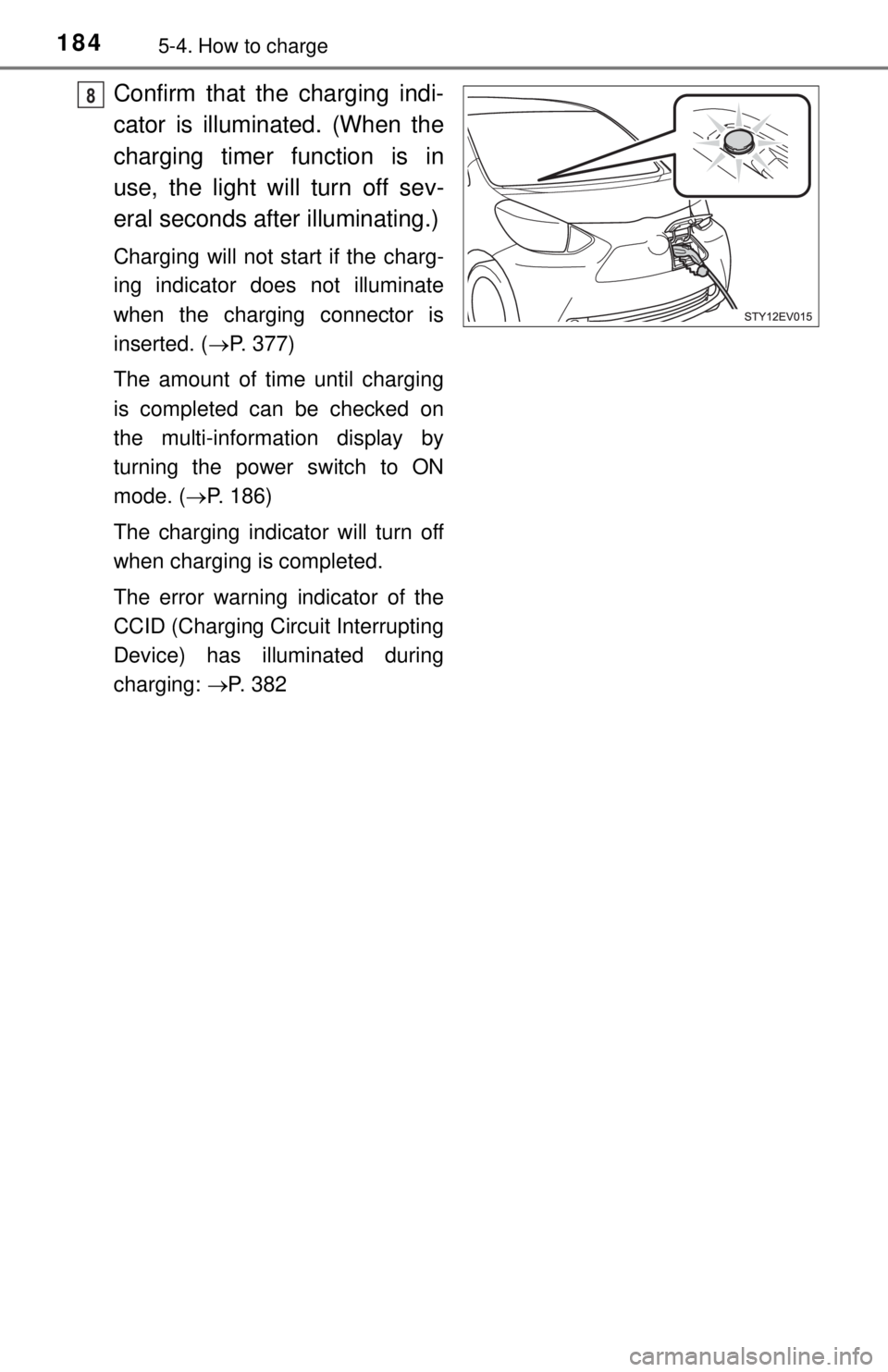
Confirm that the charging indi-
cator is illuminated. (When the
charging timer function is in
use, the light will turn off sev-
eral seconds after illuminating.)
Charging will not start if the charg-
ing indicator does not illuminate
when the charging connector is
inserted. ( P. 377)
The amount of time until charging
is completed can be checked on
the multi-information display by
turning the power switch to ON
mode. ( P. 186)
The charging indicator will turn off
when charging is completed.
The error warning indicator of the
CCID (Charging Circuit Interrupting
Device) has illuminated during
charging: P. 382
8
Page 186 of 444
1865-4. How to charge
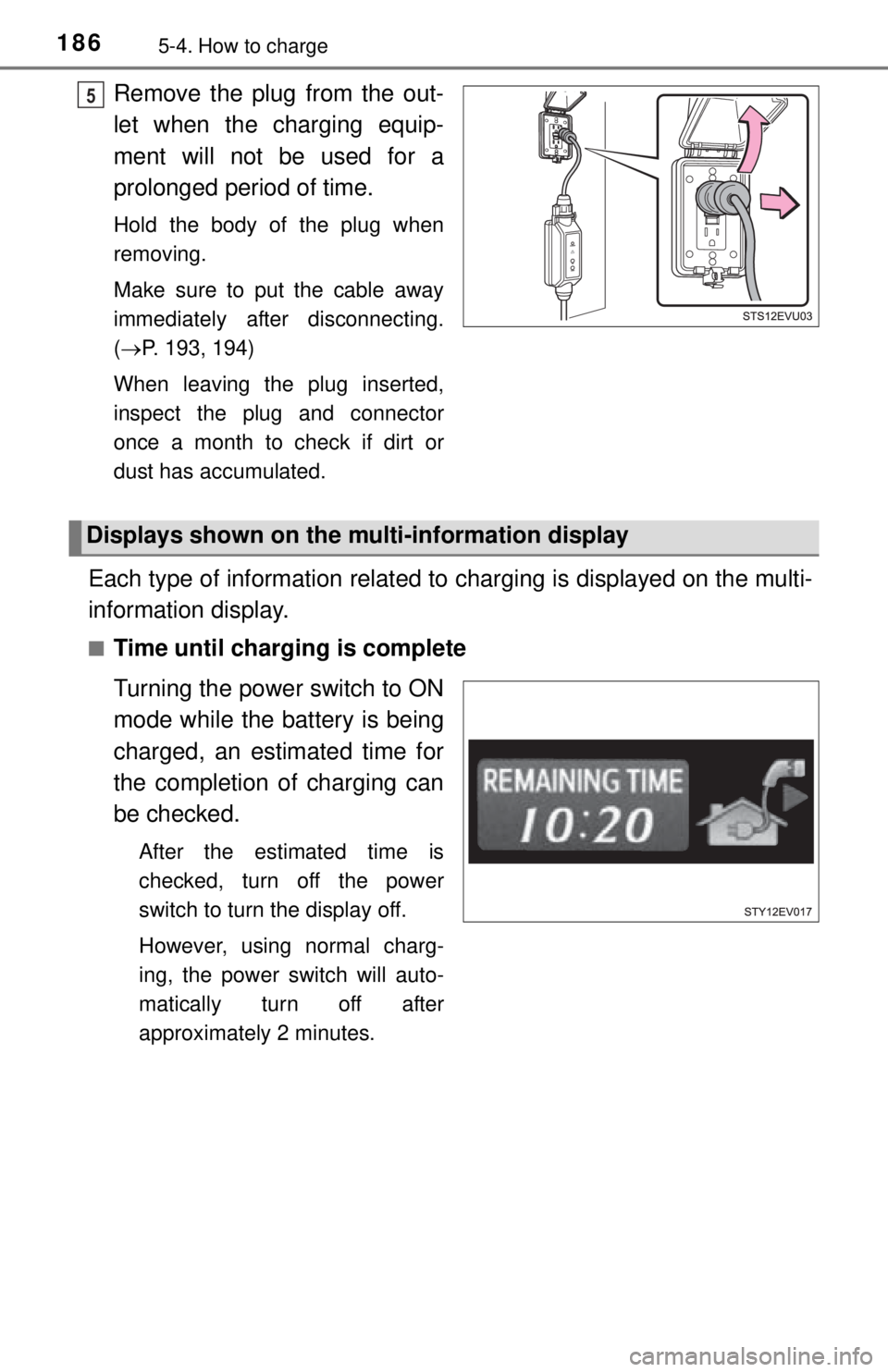
Remove the plug from the out-
let when the charging equip-
ment will not be used for a
prolonged period of time.
Hold the body of the plug when
removing.
Make sure to put the cable away
immediately after disconnecting.
(P. 193, 194)
When leaving the plug inserted,
inspect the plug and connector
once a month to check if dirt or
dust has accumulated.
Each type of information related to charging is displayed on the multi-
information display.
■Time until charging is complete
Turning the power switch to ON
mode while the battery is being
charged, an estimated time for
the completion of charging can
be checked.
After the estimated time is
checked, turn off the power
switch to turn the display off.
However, using normal charg-
ing, the power switch will auto-
matically turn off after
approximately 2 minutes.
5
Displays shown on the mu lti-information display
Page 187 of 444
1875-4. How to charge
5
Driving
■Charging messages
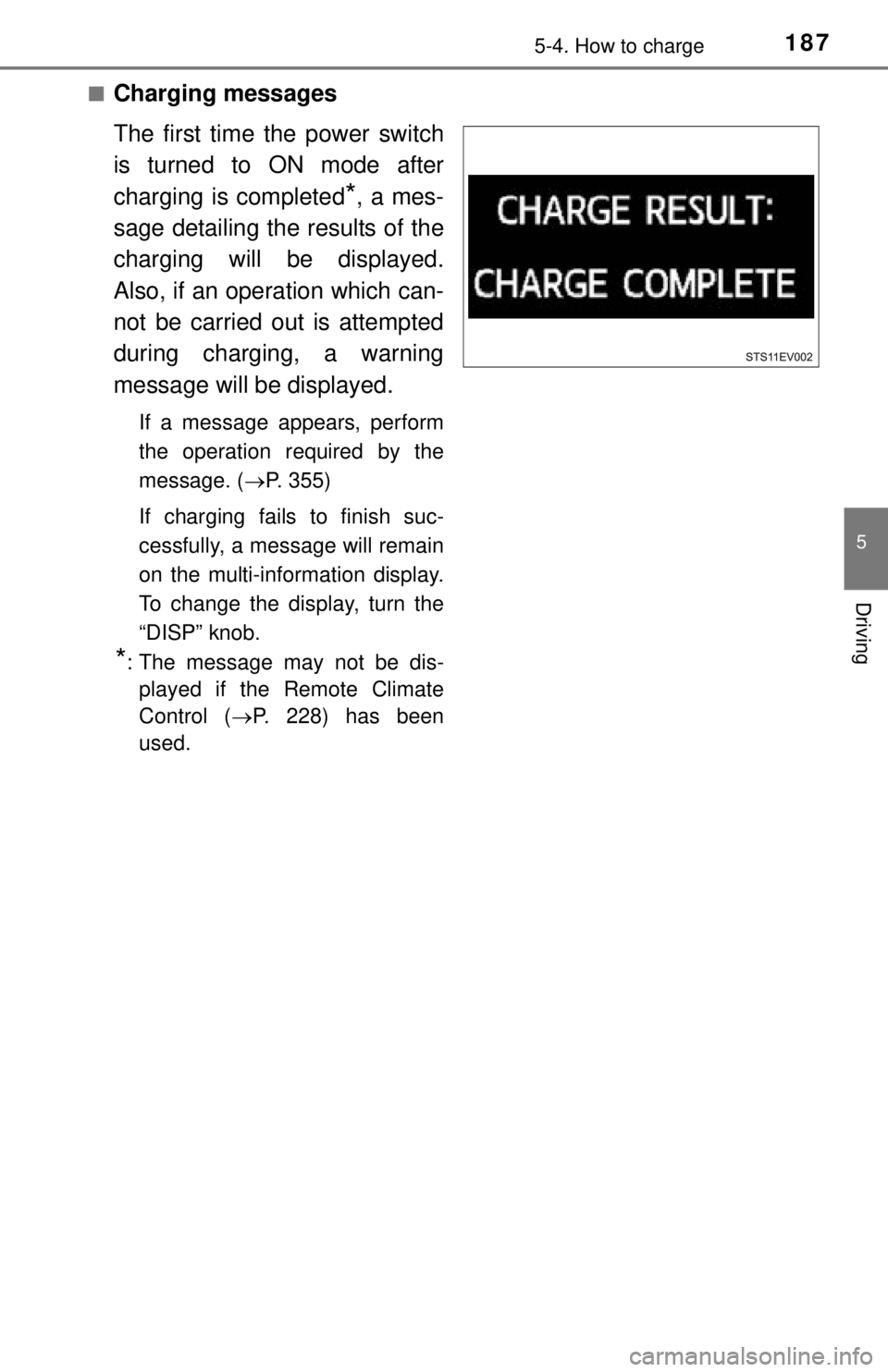
The first time the power switch
is turned to ON mode after
charging is completed
*, a mes-
sage detailing the results of the
charging will be displayed.
Also, if an operation which can-
not be carried out is attempted
during charging, a warning
message will be displayed.
If a message appears, perform
the operation required by the
message. ( P. 355)
If charging fails to finish suc-
cessfully, a message will remain
on the multi-information display.
To change the display, turn the
“DISP” knob.
*: The message may not be dis- played if the Remote Climate
Control ( P. 228) has been
used.
Page 188 of 444
1885-4. How to charge
■Safety functions
●The EV system will not start while the charging cable is connected to the
vehicle, even if the power switch is operated.
● If the charging cable is connected while the “READY” indicator is illumi-
nated, the EV system will stop automatically and driving will not be possible.
● When the charging cable is connected to the vehicle, the shift lever cannot
be shifted from P.
If the shift lock override button is pushed and the shift the shift lever in a
position other than P, charging is stopped.
● If the latch release button is pressed, charging will not begin even if the
charging cable is connected.
Also, charging will be stopped if the latch release button is pressed and held
for several seconds during charging. When restarting charging, reinsert the
charging connector after pulling it out, and check that the charging indicator
illuminates.
■ If the traction battery becomes low
P. 7 5
■ Amount of time required fo r charging in normal charge
Fully charging the traction battery, when the SOC (State of Charge) warning
light has come on, will take approximately 7 hours.
When the battery is charged at charging stations, it will take approximately 3
hours.
The amount of time until charging is complete will change in accordance with
the amount of charge remaining in the traction battery, the outside tempera-
ture, etc. However, charging at charging stations, the time may significantly
vary due to the specification of the charger.
■ Remaining charging time
●The remaining charging time is for reference only. It varies depending on the
traction battery temperature, outside temperature and charging equipment,
so the displayed time is longer than the actual remaining charging time.
● If a power outage occurs or the charging cable is disconnected from the
vehicle during while charging the traction battery, the remaining charging
time will not be able to be calculated, and “--:--” will be displa\
yed.
■ During normal charging
●The surface of the CCID (Charging Circuit Interrupting Device) may become
hot, but this does not indicate a malfunction.
● Depending on radio wave conditions, interference may be heard on the
radio.
Page 189 of 444

1895-4. How to charge
5
Driving
■If two charging connectors are used at the same time
Normal charging and quick charging cannot be conducted simultaneously.
If the two connectors have been connected to the vehicle, the battery will only
be charged through either one of the char ging modes that has started first.
However, the battery will not be recharged with the other method even after
the first mode is complete. To start the other mode, disconnect the charging
connector and then perform the charging operation again.
■ Charging indicator
●The charging indicator illuminates if the Remote Climate Control ( P. 228)
is used during charging or while the charging cable is connected.
● If a system malfunction occurs during charging or when the Remote Climate
Control is in use, the indicator will flash for approximately 10 seconds and
then turn off.
A warning message will appear on the multi-information display when the
power switch will be turned to ON mode next time. Follow the instructions in
the message. ( P. 355)
■ When the outside temperature is low or high
The level shown on the SOC (State of Charge) gauge ( P. 105) may drop
slightly when the power switch is tu rned to ON mode, even if charging has
been completed and the traction battery is fully charged. However, this does
not indicate a malfunction.
Page 196 of 444
1965-4. How to charge
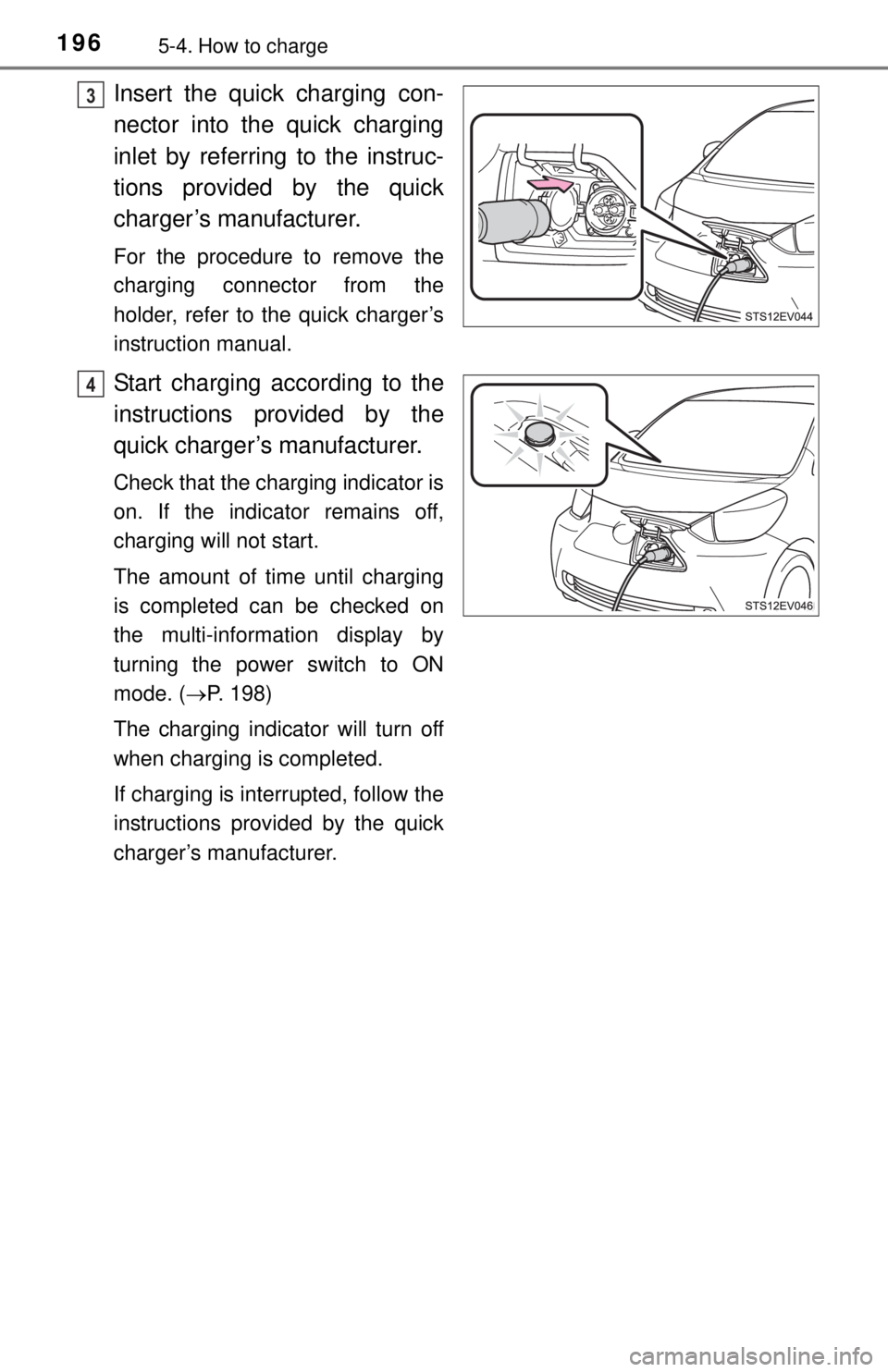
Insert the quick charging con-
nector into the quick charging
inlet by referring to the instruc-
tions provided by the quick
charger’s manufacturer.
For the procedure to remove the
charging connector from the
holder, refer to the quick charger’s
instruction manual.
Start charging according to the
instructions provided by the
quick charger’s manufacturer.
Check that the charging indicator is
on. If the indicator remains off,
charging will not start.
The amount of time until charging
is completed can be checked on
the multi-information display by
turning the power switch to ON
mode. (P. 198)
The charging indicator will turn off
when charging is completed.
If charging is interrupted, follow the
instructions provided by the quick
charger’s manufacturer.
3
4
Page 198 of 444
1985-4. How to charge
Each type of information related to charging is displayed on the multi-
information display.
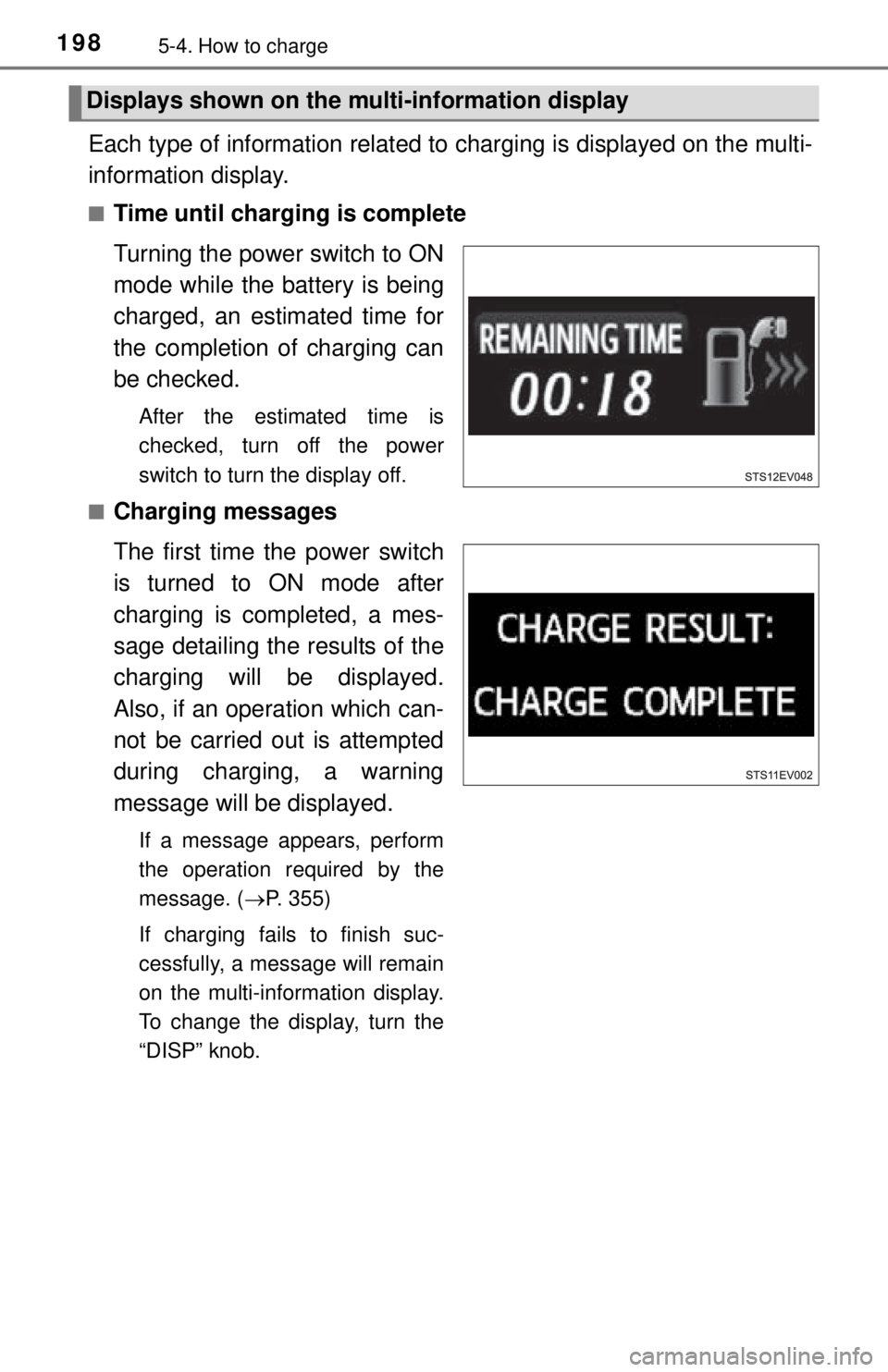
■Time until charging is complete
Turning the power switch to ON
mode while the battery is being
charged, an estimated time for
the completion of charging can
be checked.
After the estimated time is
checked, turn off the power
switch to turn the display off.
■
Charging messages
The first time the power switch
is turned to ON mode after
charging is completed, a mes-
sage detailing the results of the
charging will be displayed.
Also, if an operation which can-
not be carried out is attempted
during charging, a warning
message will be displayed.
If a message appears, perform
the operation required by the
message. ( P. 355)
If charging fails to finish suc-
cessfully, a message will remain
on the multi-information display.
To change the display, turn the
“DISP” knob.
Displays shown on the mu lti-information display
Page 202 of 444
2025-4. How to charge
Timer charging (nor mal charging only)
By using the charging timer function, deterioration of the traction bat-
tery charge can be suppressed ( P. 190), and off-peak electricity
*
can be used effectively.
*: Since electricity rates change based on contractual coverage, please con-
firm with the contracted electric power company about off-peak rates.
● A charging time can be assigned by setting the charging start time
or finish time. ( P. 207)
● Once the time has been set, timer charging can be scheduled with
the previously set time at the next time.
● The settings of the charging ti mer function schedule is automati-
cally turns off, when charge has started.
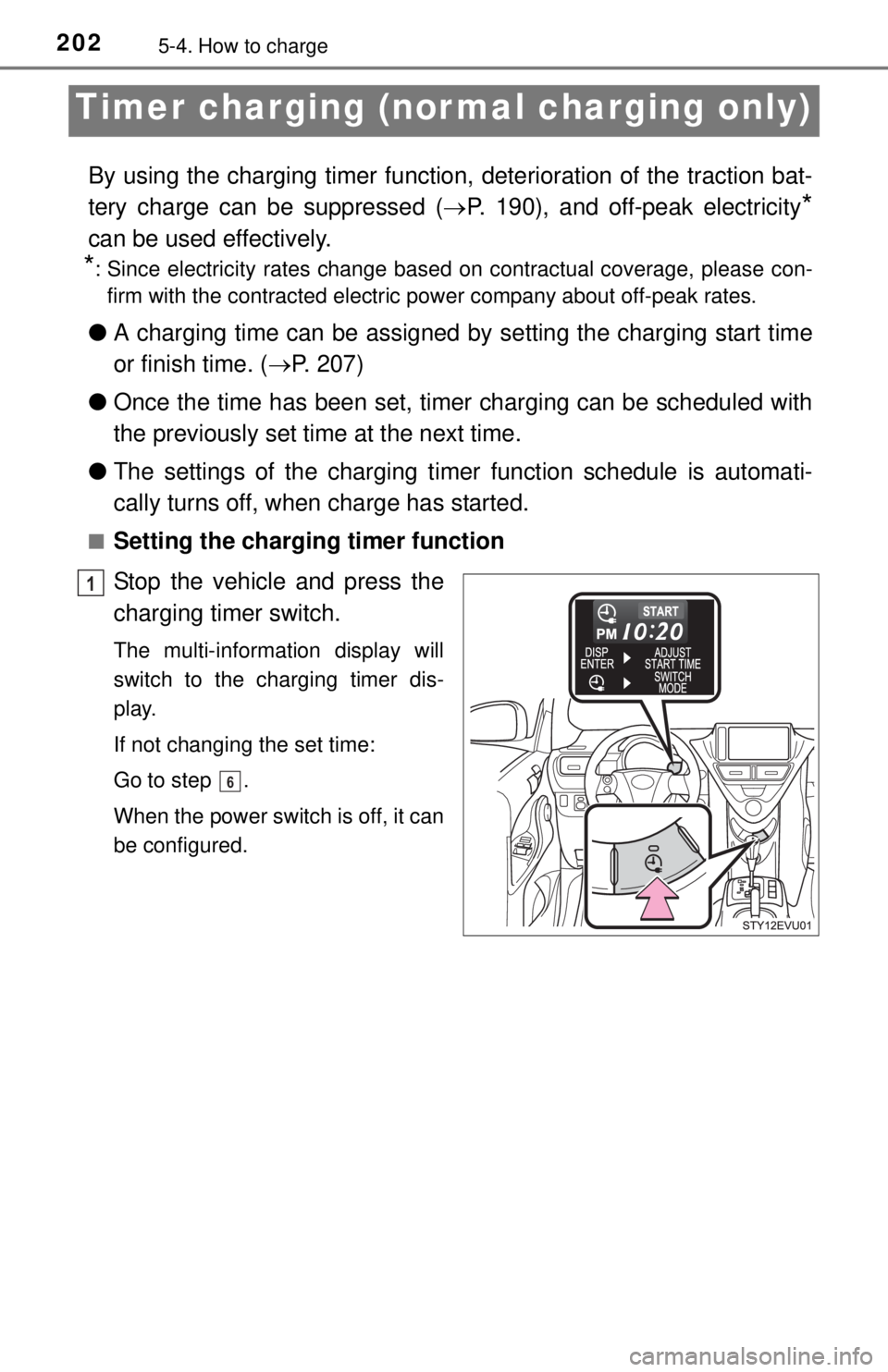
■Setting the charging timer function
Stop the vehicle and press the
charging timer switch.
The multi-information display will
switch to the charging timer dis-
play.
If not changing the set time:
Go to step .
When the power switch is off, it can
be configured.
1
6
Page 203 of 444
2035-4. How to charge
5
Driving
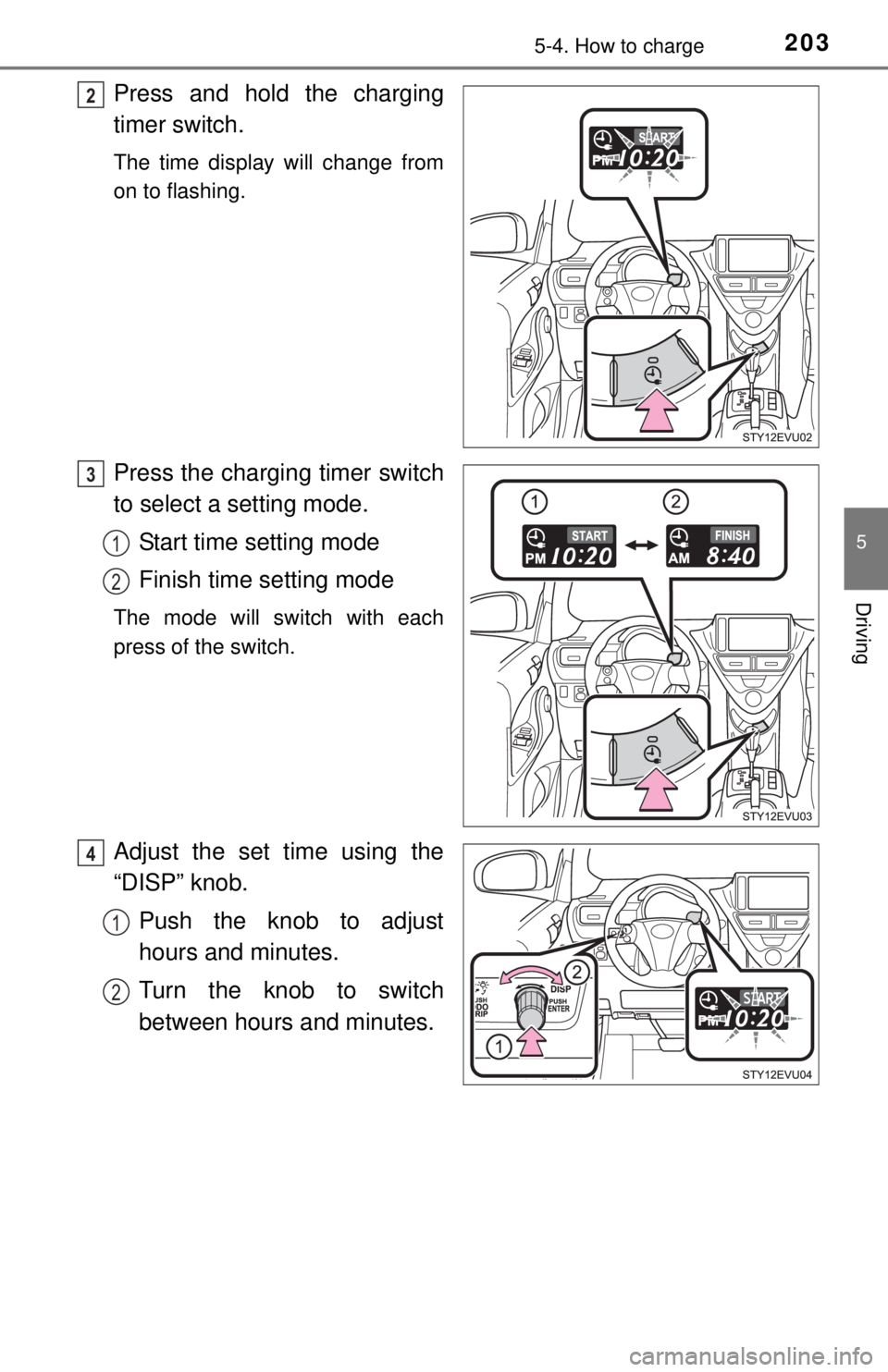
Press and hold the charging
timer switch.
The time display will change from
on to flashing.
Press the charging timer switch
to select a setting mode.Start time setting mode
Finish time setting mode
The mode will switch with each
press of the switch.
Adjust the set time using the
“DISP” knob.Push the knob to adjust
hours and minutes.
Turn the knob to switch
between hours and minutes.
2
3
1
2
4
1
2
Page 204 of 444
2045-4. How to charge
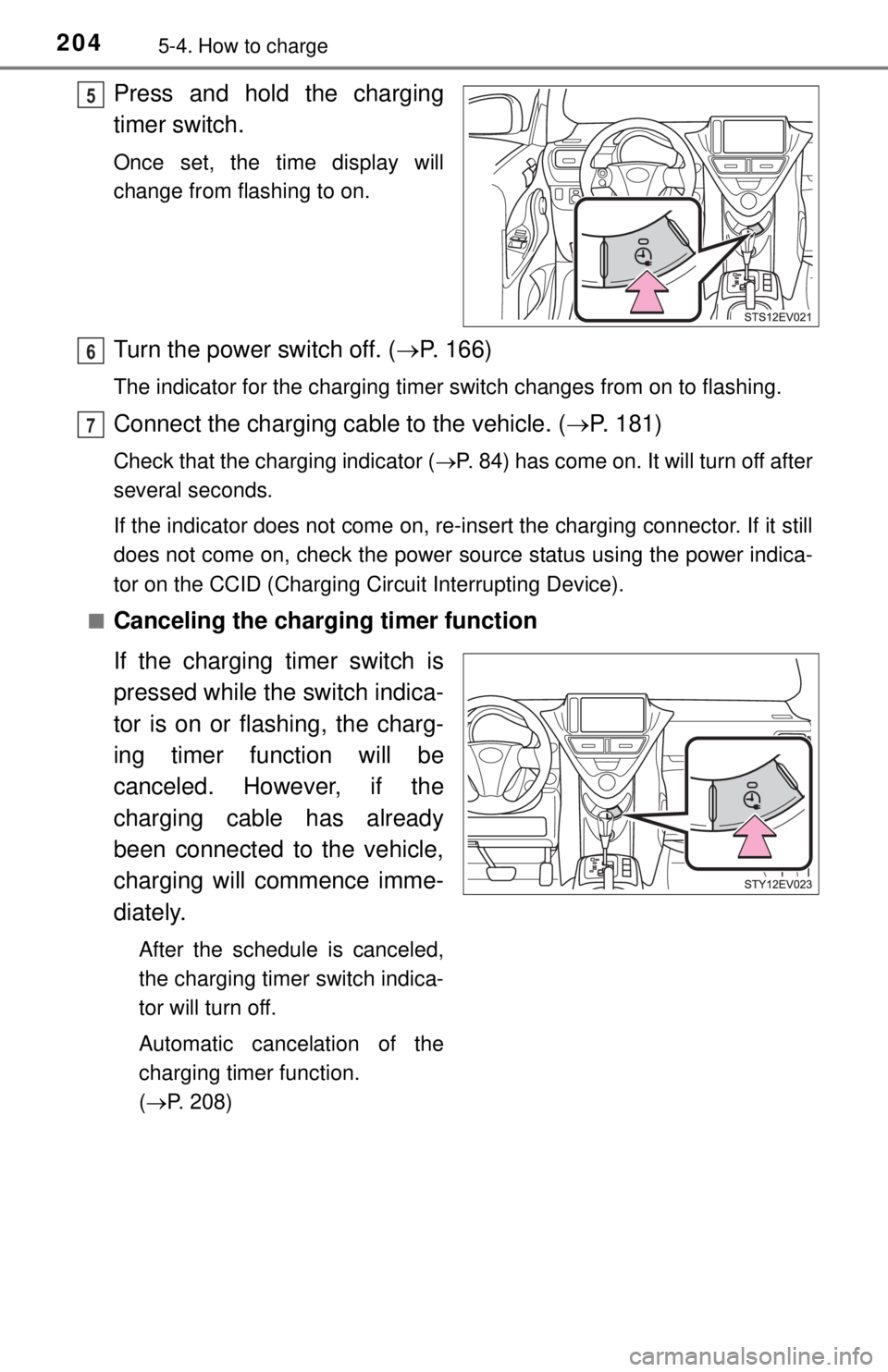
Press and hold the charging
timer switch.
Once set, the time display will
change from flashing to on.
Turn the power switch off. (P. 166)
The indicator for the charging timer switch changes from on to flashing.
Connect the charging cable to the vehicle. ( P. 181)
Check that the charging indicator ( P. 84) has come on. It will turn off after
several seconds.
If the indicator does not come on, re-insert the charging connector. If it still
does not come on, check the power source status using the power indica-
tor on the CCID (Charging Circuit Interrupting Device).
■
Canceling the charging timer function
If the charging timer switch is
pressed while the switch indica-
tor is on or flashing, the charg-
ing timer function will be
canceled. However, if the
charging cable has already
been connected to the vehicle,
charging will commence imme-
diately.
After the schedule is canceled,
the charging timer switch indica-
tor will turn off.
Automatic cancelation of the
charging timer function.
( P. 208)
5
6
7