display TOYOTA LAND CRUISER 2012 Owners Manual
[x] Cancel search | Manufacturer: TOYOTA, Model Year: 2012, Model line: LAND CRUISER, Model: TOYOTA LAND CRUISER 2012Pages: 692, PDF Size: 29.3 MB
Page 392 of 692
392 3-2. Using the audio system
L/C200_EE (OM60G38E)
When using the USB port
You may be unable to use the instrument panel power outlet if a device is
connected to the USB port at the same time.
USB memory functions
Depending on the USB memory that is connected to the system, certain
functions may not be available. Disconnecting the device and reconnecting it
once again may resolve some malfunctions.
Display
P. 369
Error messages
“ERROR”: This indicates a problem in the USB memory or its connection.
“NO MUSIC”: This indicates that no MP3/WMA files are included in the USB
memory.
USB memory
Compatible devices
USB memory that can be used for MP3 and WMA playback
Compatible device formats
The following device formats can be used:
• USB communication formats: USB2.0 FS (12mbps)
• File formats: FAT16/32 (Windows)
• Correspondence class: Mass storage class
MP3 and WMA files written in any format other than those listed above
may not play correctly, and their file names and folder names may not be
displayed correctly.
Items related to standards and limitations are as follows:
• Maximum directory hierarchy: 8 levels
• Maximum number of folders in a device: 999 (including the root)
• Maximum number of files in a device: 65025
• Maximum number of files per folder: 255
Page 396 of 692
396
3-2. Using the audio system
L/C200_EE (OM60G38E)
Optimal use of the audio system
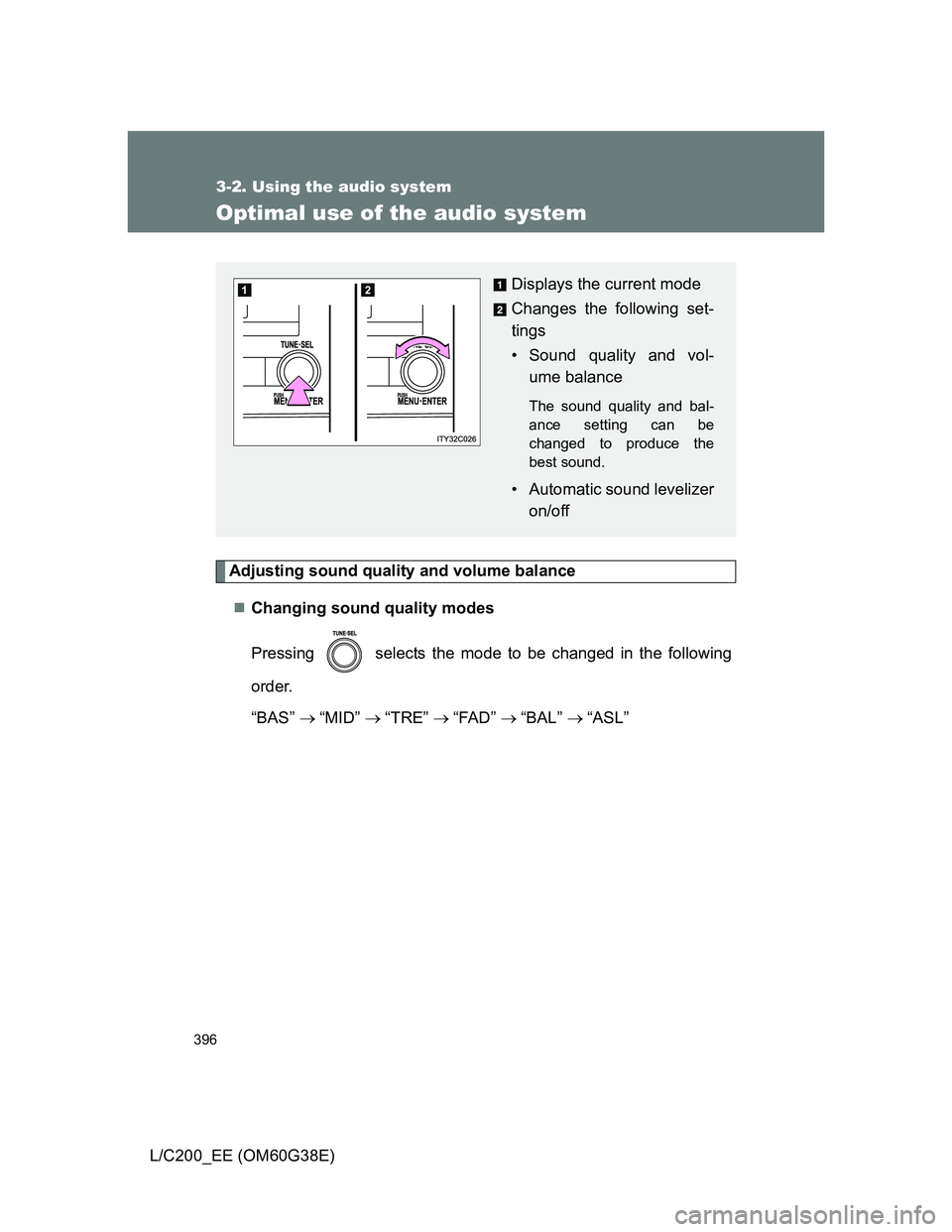
Adjusting sound quality and volume balance
Changing sound quality modes
Pressing selects the mode to be changed in the following
order.
“BAS” “MID” “TRE” “FAD” “BAL” “ASL”
Displays the current mode
Changes the following set-
tings
• Sound quality and vol-
ume balance
The sound quality and bal-
ance setting can be
changed to produce the
best sound.
• Automatic sound levelizer
on/off
Page 397 of 692
397 3-2. Using the audio system
3
Interior features
L/C200_EE (OM60G38E)Adjusting sound quality
Turning adjusts the level.
*: The sound quality level is adjusted individually in each audio mode.
Turning the Automatic Sound Levelizer (ASL) on/off
Turning clockwise turns on the ASL, and turning
counterclockwise turns off the ASL.
ASL automatically adjusts the volume and tone quality according to the
noise level as you drive your vehicle.
Sound
quality modeMode
displayedLevelTurn to the
leftTurn to the
right
Bass*BAS-5 to 5
LowHighMid-range*MID-5 to 5
Treble*TRE-5 to 5
Front/rear
volume
balance
FA DF7 to R7Shifts to rearShifts to
front
Left/right
volume
balance
BALL7 to R7Shifts to leftShifts to
right
Page 407 of 692
407
3-3. Using the Bluetooth® audio system
3
Interior features
L/C200_EE (OM60G38E)
Using the Bluetooth® audio system
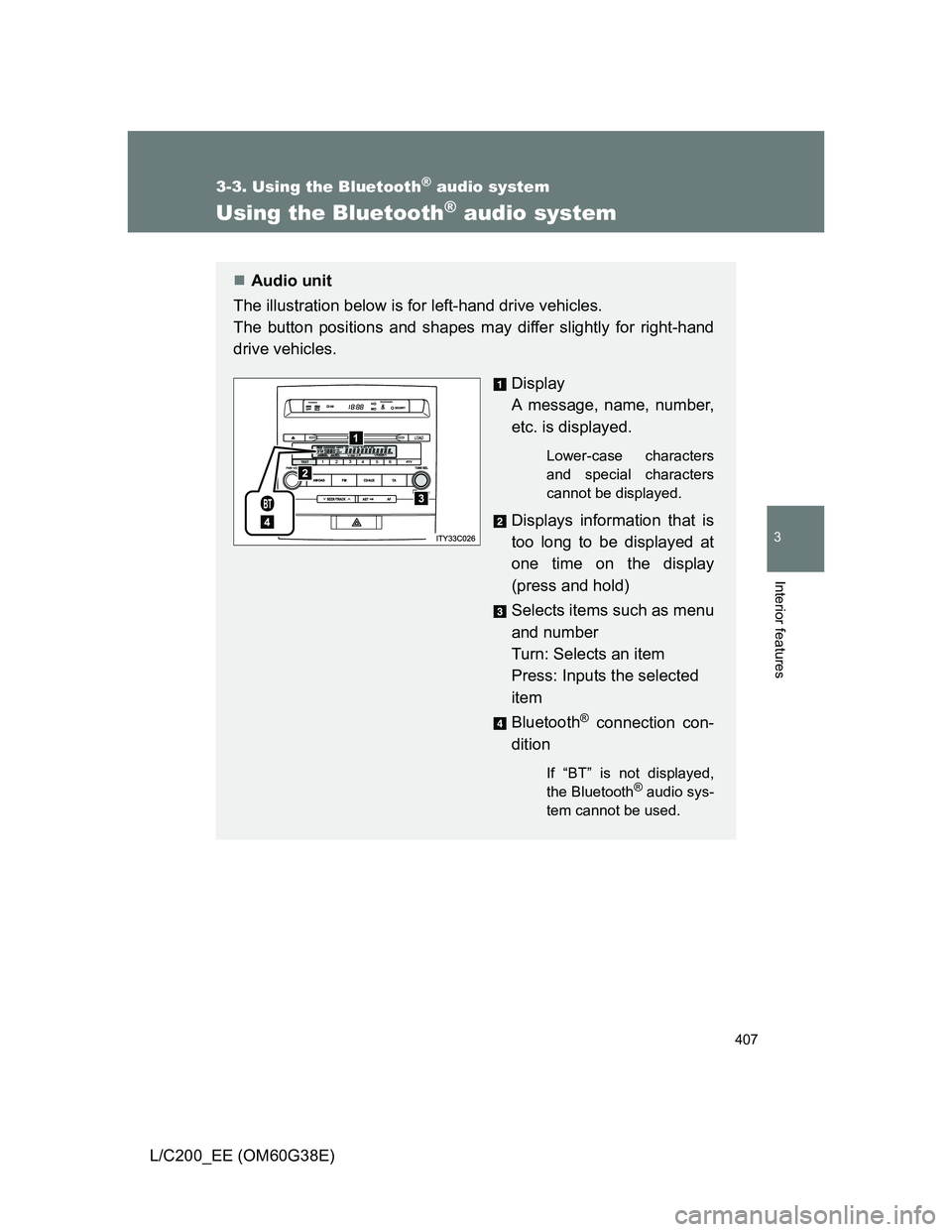
Audio unit
The illustration below is for left-hand drive vehicles.
The button positions and shapes may differ slightly for right-hand
drive vehicles.
Display
A message, name, number,
etc. is displayed.
Lower-case characters
and special characters
cannot be displayed.
Displays information that is
too long to be displayed at
one time on the display
(press and hold)
Selects items such as menu
and number
Turn: Selects an item
Press: Inputs the selected
item
Bluetooth
® connection con-
dition
If “BT” is not displayed,
the Bluetooth® audio sys-
tem cannot be used.
Page 408 of 692
408 3-3. Using the Bluetooth
® audio system
L/C200_EE (OM60G38E)
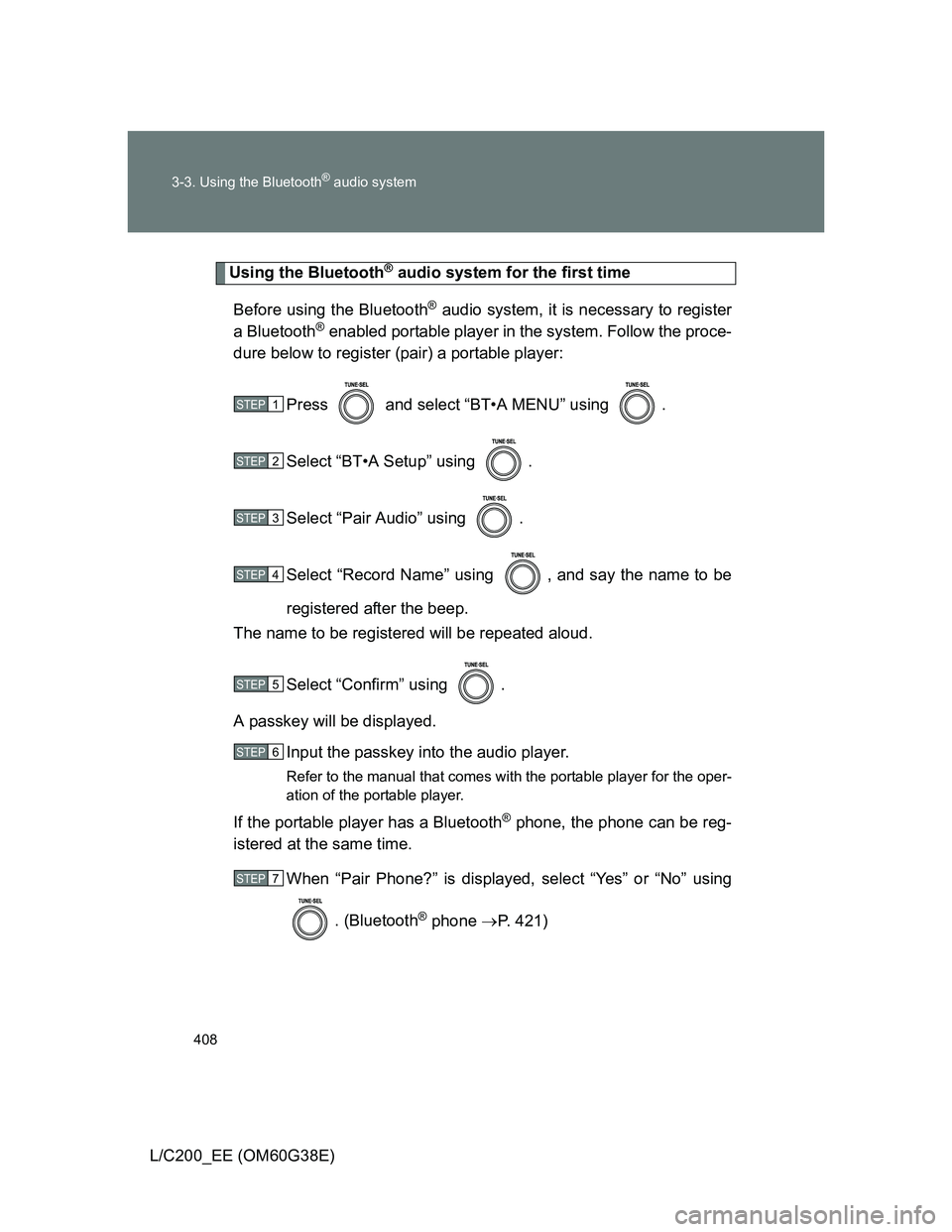
Using the Bluetooth® audio system for the first time
Before using the Bluetooth
® audio system, it is necessary to register
a Bluetooth
® enabled portable player in the system. Follow the proce-
dure below to register (pair) a portable player:
Press and select “BT•A MENU” using .
Select “BT•A Setup” using .
Select “Pair Audio” using .
Select “Record Name” using , and say the name to be
registered after the beep.
The name to be registered will be repeated aloud.
Select “Confirm” using .
A passkey will be displayed.
Input the passkey into the audio player.
Refer to the manual that comes with the portable player for the oper-
ation of the portable player.
If the portable player has a Bluetooth® phone, the phone can be reg-
istered at the same time.
When “Pair Phone?” is displayed, select “Yes” or “No” using
. (Bluetooth
® phone P. 421)
STEP1
STEP2
STEP3
STEP4
STEP5
STEP6
STEP7
Page 409 of 692
409 3-3. Using the Bluetooth
® audio system
3
Interior features
L/C200_EE (OM60G38E)
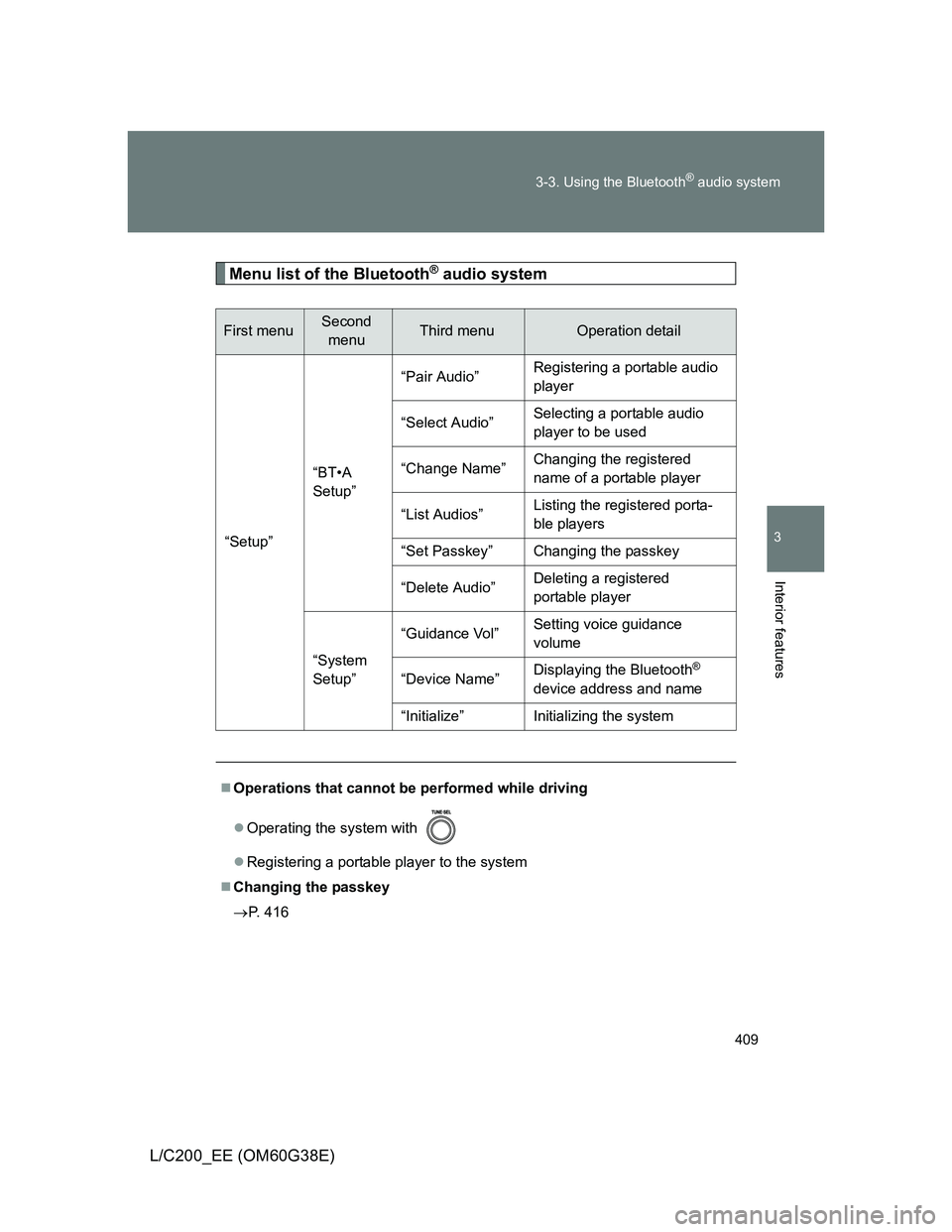
Menu list of the Bluetooth® audio system
First menuSecond
menuThird menuOperation detail
“Setup”“BT•A
Setup”“Pair Audio”Registering a portable audio
player
“Select Audio”Selecting a portable audio
player to be used
“Change Name”Changing the registered
name of a portable player
“List Audios”Listing the registered porta-
ble players
“Set Passkey” Changing the passkey
“Delete Audio”Deleting a registered
portable player
“System
Setup”“Guidance Vol”Setting voice guidance
volume
“Device Name”Displaying the Bluetooth
®
device address and name
“Initialize” Initializing the system
Operations that cannot be performed while driving
Operating the system with
Registering a portable player to the system
Changing the passkey
P. 416
Page 412 of 692
412 3-3. Using the Bluetooth
® audio system
L/C200_EE (OM60G38E)
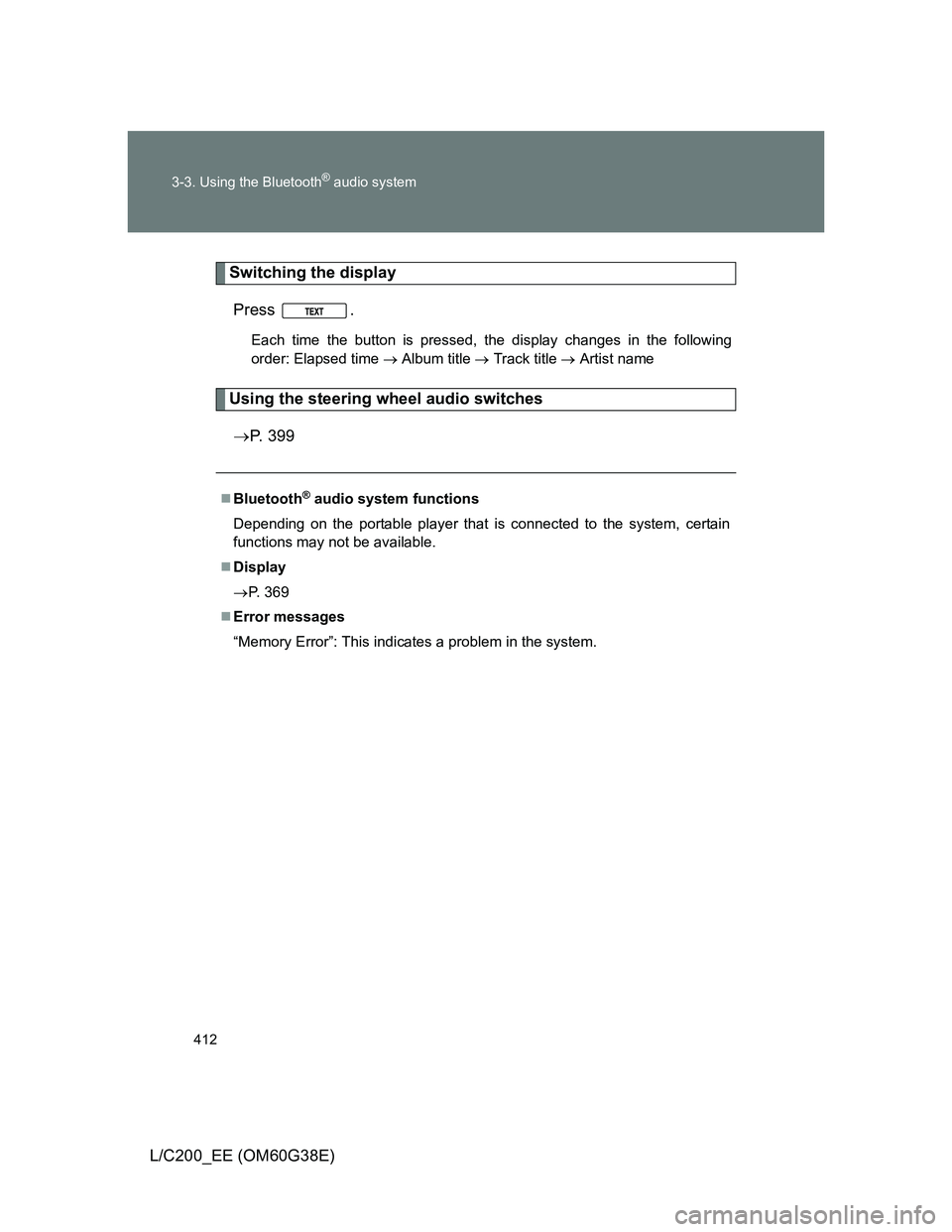
Switching the display
Press .
Each time the button is pressed, the display changes in the following
order: Elapsed time Album title Track title Artist name
Using the steering wheel audio switches
P. 399
Bluetooth® audio system functions
Depending on the portable player that is connected to the system, certain
functions may not be available.
Display
P. 369
Error messages
“Memory Error”: This indicates a problem in the system.
Page 416 of 692
416 3-3. Using the Bluetooth
® audio system
L/C200_EE (OM60G38E)
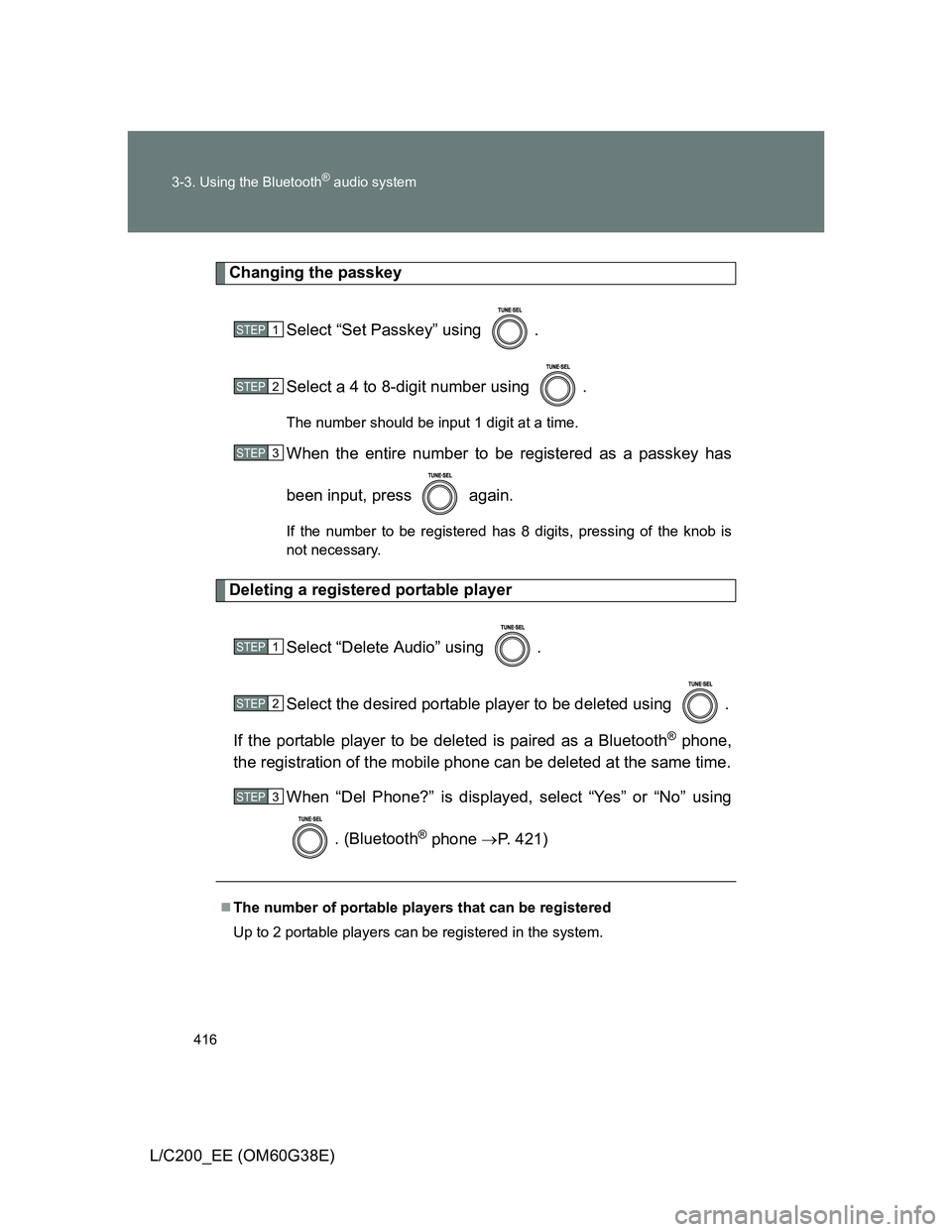
Changing the passkey
Select “Set Passkey” using .
Select a 4 to 8-digit number using .
The number should be input 1 digit at a time.
When the entire number to be registered as a passkey has
been input, press again.
If the number to be registered has 8 digits, pressing of the knob is
not necessary.
Deleting a registered portable player
Select “Delete Audio” using .
Select the desired portable player to be deleted using .
If the portable player to be deleted is paired as a Bluetooth
® phone,
the registration of the mobile phone can be deleted at the same time.
When “Del Phone?” is displayed, select “Yes” or “No” using
. (Bluetooth
® phone P. 421)
The number of portable players that can be registered
Up to 2 portable players can be registered in the system.
STEP1
STEP2
STEP3
STEP1
STEP2
STEP3
Page 417 of 692
417
3-3. Using the Bluetooth® audio system
3
Interior features
L/C200_EE (OM60G38E)
Bluetooth® audio system setup
System setup items and operation procedures
To enter the menu of each setting, follow the steps below.
Press to select “BT•A MENU” or press the off-hook
switch and select “Setup” using .
Select “System Setup” using .
Select one of the following items using :
Setting voice guidance volume
“Guidance Vol” (P. 440)
Displaying the Bluetooth
® device address and name
“Device Name” (P. 440)
Initializing the system
“Initialize” (P. 440)
STEP1
STEP2
STEP3
Page 423 of 692
423
3-4. Using the hands-free system (for cellular phone)
3
Interior features
L/C200_EE (OM60G38E)
Using the hands-free system
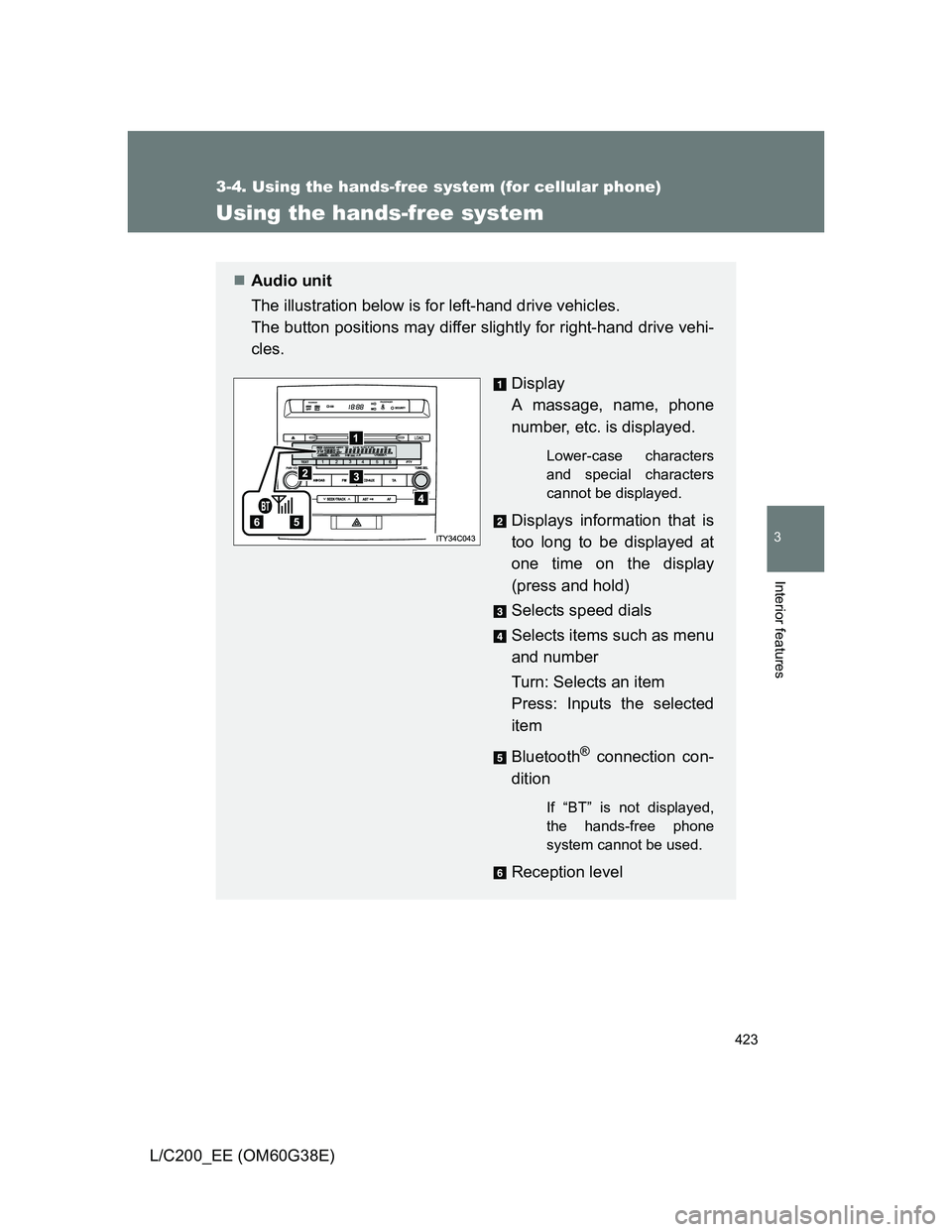
Audio unit
The illustration below is for left-hand drive vehicles.
The button positions may differ slightly for right-hand drive vehi-
cles.
Display
A massage, name, phone
number, etc. is displayed.
Lower-case characters
and special characters
cannot be displayed.
Displays information that is
too long to be displayed at
one time on the display
(press and hold)
Selects speed dials
Selects items such as menu
and number
Turn: Selects an item
Press: Inputs the selected
item
Bluetooth
® connection con-
dition
If “BT” is not displayed,
the hands-free phone
system cannot be used.
Reception level