display TOYOTA LAND CRUISER 2012 Manual Online
[x] Cancel search | Manufacturer: TOYOTA, Model Year: 2012, Model line: LAND CRUISER, Model: TOYOTA LAND CRUISER 2012Pages: 692, PDF Size: 29.3 MB
Page 335 of 692
3Interior features
335
L/C200_EE (OM60G38E)
3-3. Using the Bluetooth® audio
system
Bluetooth
® audio
system ............................ 402
Using the Bluetooth
®
audio system .................. 407
Operating a Bluetooth
®
enabled portable
player .............................. 410
Setting up a Bluetooth
®
enabled portable
player .............................. 413
Bluetooth
® audio
system setup .................. 417
3-4. Using the hands-free system
(for cellular phone)
Hands-free system
(for cellular phone).......... 418
Using the hands-free
system ............................ 423
Making a phone call.......... 430
Setting a cellular phone .... 434
Security and
system setup .................. 438
Using the phone book....... 442
3-5. Using the interior lights
Interior lights list................ 448
• Interior lights ................... 449
• Personal lights ................ 4503-6. Using the storage features
List of storage features ..... 452
• Glove box ....................... 453
• Console box.................... 454
• Overhead console .......... 455
• Cup holders .................... 456
• Bottle holders.................. 458
• Card holder ..................... 460
• Auxiliary box ................... 460
3-7. Other interior features
Cool box............................ 461
Sun visors ......................... 463
Vanity mirror ..................... 464
Clock ................................. 465
Outside temperature
display ............................ 466
Ashtray.............................. 468
Cigarette lighter ................ 470
Power outlet ...................... 471
Heated steering wheel ...... 474
Seat heaters and
ventilators ....................... 476
Armrest ............................. 480
Assist grip ......................... 481
Floor mats ......................... 482
Luggage compartment
features........................... 484
Page 336 of 692
336
L/C200_EE (OM60G38E)
3-1. Using the air conditioning system and defogger
Front air conditioning system
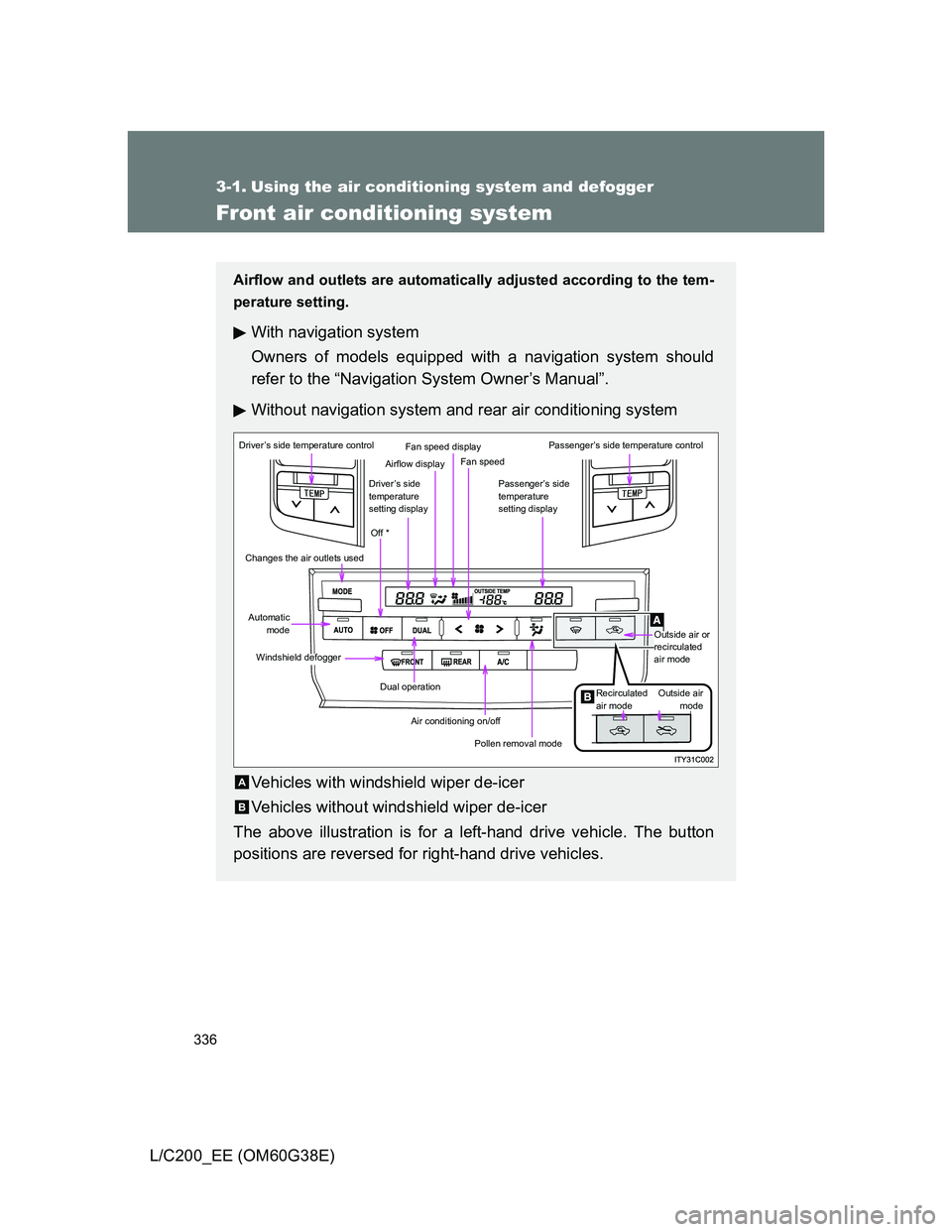
Airflow and outlets are automatically adjusted according to the tem-
perature setting.
With navigation system
Owners of models equipped with a navigation system should
refer to the “Navigation System Owner’s Manual”.
Without navigation system and rear air conditioning system
Vehicles with windshield wiper de-icer
Vehicles without windshield wiper de-icer
The above illustration is for a left-hand drive vehicle. The button
positions are reversed for right-hand drive vehicles.
Driver’s side temperature control
Changes the air outlets used
Automatic
mode
Windshield defogger
Dual operation
Air conditioning on/off
Pollen removal mode
Off *
Driver’s side
temperature
setting display
Airflow display
Fan speed display
Fan speed
Passenger’s side
temperature
setting display
Passenger’s side temperature control
Outside air or
recirculated
air mode
Outside air
mode Recirculated
air mode
A
B
Page 337 of 692
337 3-1. Using the air conditioning system and defogger
3
Interior features
L/C200_EE (OM60G38E)
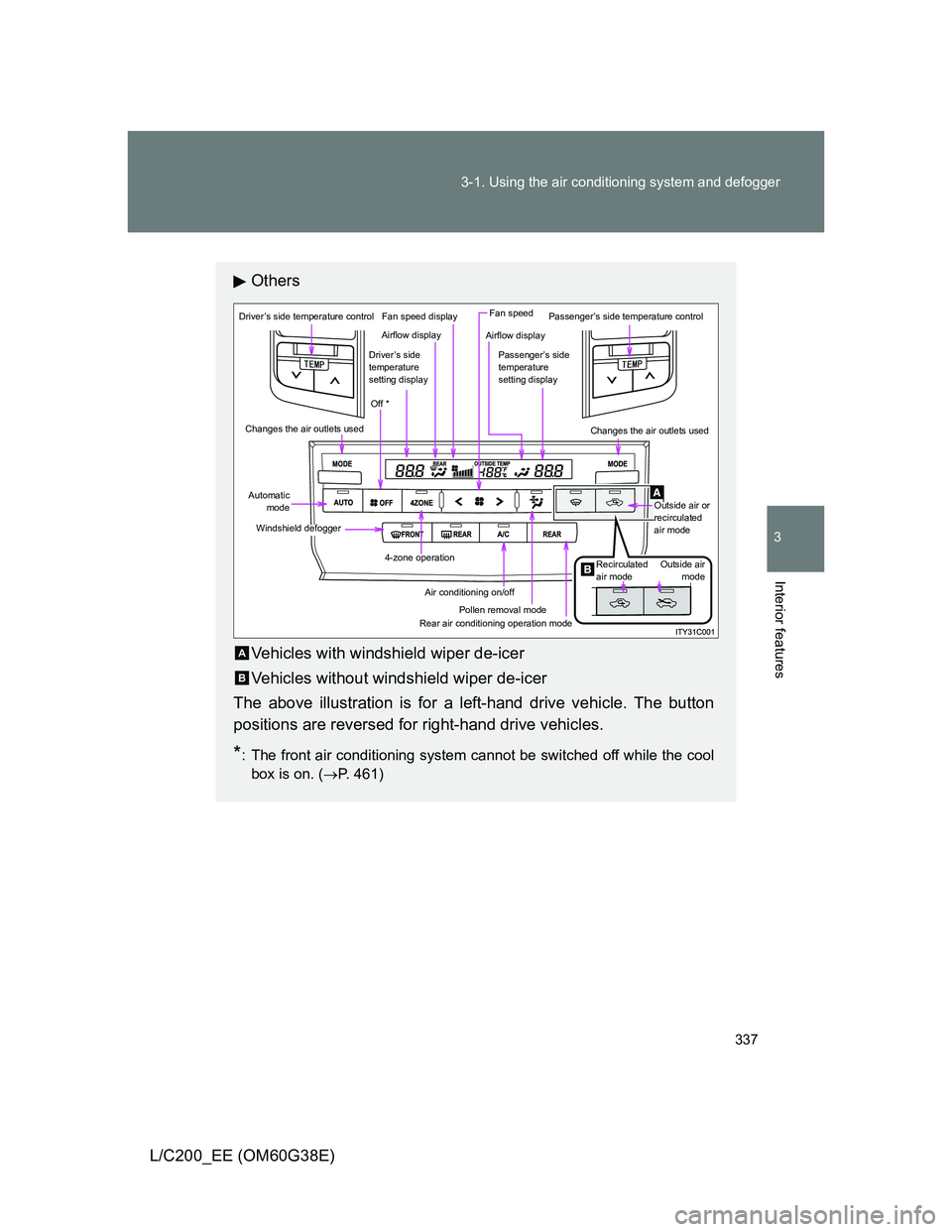
Others
Vehicles with windshield wiper de-icer
Vehicles without windshield wiper de-icer
The above illustration is for a left-hand drive vehicle. The button
positions are reversed for right-hand drive vehicles.
*: The front air conditioning system cannot be switched off while the cool
box is on. (P. 461)
Driver’s side temperature control
Changes the air outlets used
Automatic
mode
Windshield defogger
4-zone operation
Air conditioning on/off
Pollen removal mode
Off *
Driver’s side
temperature
setting display
Airflow display
Fan speed displayFan speed
Passenger’s side
temperature
setting display
Passenger’s side temperature control
Outside air or
recirculated
air mode
Outside air
mode Recirculated
air mode
Airflow display
Changes the air outlets used
Rear air conditioning operation mode
A
B
Page 340 of 692
340 3-1. Using the air conditioning system and defogger
L/C200_EE (OM60G38E)Adjusting the temperature setting (without rear air condition-
ing system)
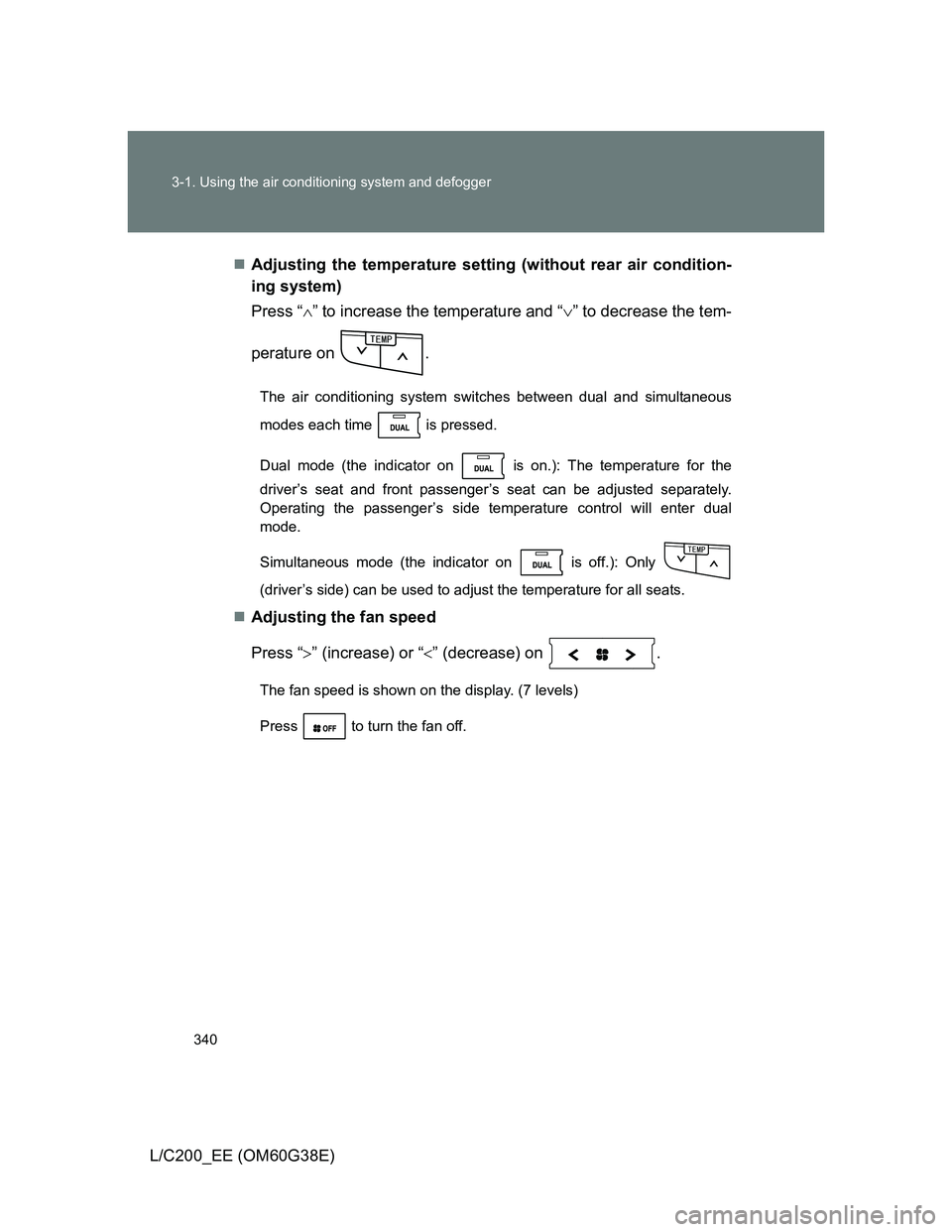
Press “” to increase the temperature and “” to decrease the tem-
perature on .
The air conditioning system switches between dual and simultaneous
modes each time is pressed.
Dual mode (the indicator on is on.): The temperature for the
driver’s seat and front passenger’s seat can be adjusted separately.
Operating the passenger’s side temperature control will enter dual
mode.
Simultaneous mode (the indicator on is off.): Only
(driver’s side) can be used to adjust the temperature for all seats.
Adjusting the fan speed
Press “” (increase) or “” (decrease) on .
The fan speed is shown on the display. (7 levels)
Press to turn the fan off.
6'/2
6'/2
Page 344 of 692
344 3-1. Using the air conditioning system and defogger
L/C200_EE (OM60G38E)
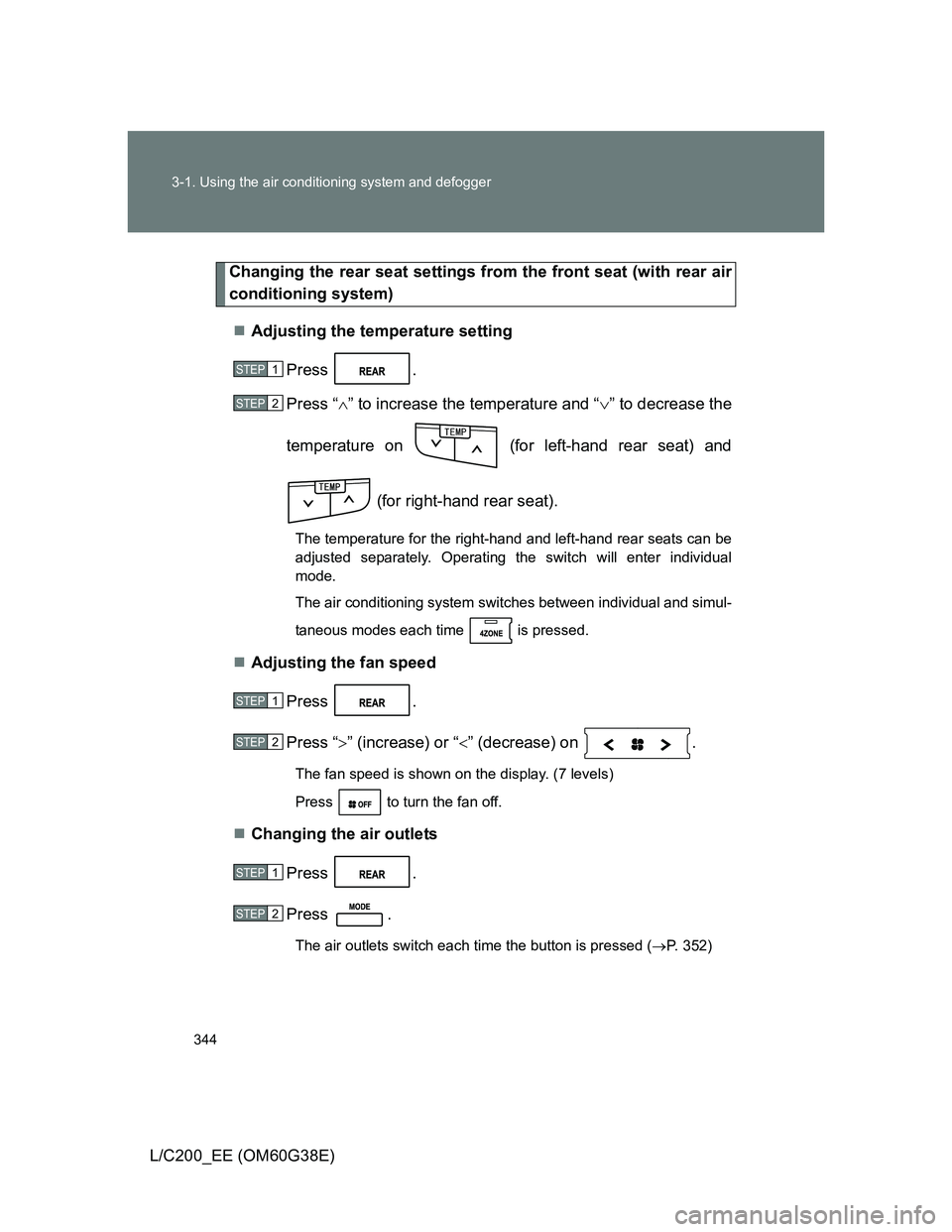
Changing the rear seat settings from the front seat (with rear air
conditioning system)
Adjusting the temperature setting
Press .
Press “” to increase the temperature and “” to decrease the
temperature on (for left-hand rear seat) and
(for right-hand rear seat).
The temperature for the right-hand and left-hand rear seats can be
adjusted separately. Operating the switch will enter individual
mode.
The air conditioning system switches between individual and simul-
taneous modes each time is pressed.
Adjusting the fan speed
Press .
Press “” (increase) or “” (decrease) on .
The fan speed is shown on the display. (7 levels)
Press to turn the fan off.
Changing the air outlets
Press .
Press .
The air outlets switch each time the button is pressed (P. 352)
STEP1
STEP2
6'/2
STEP1
STEP2
STEP1
STEP2
Page 350 of 692
350
3-1. Using the air conditioning system and defogger
L/C200_EE (OM60G38E)
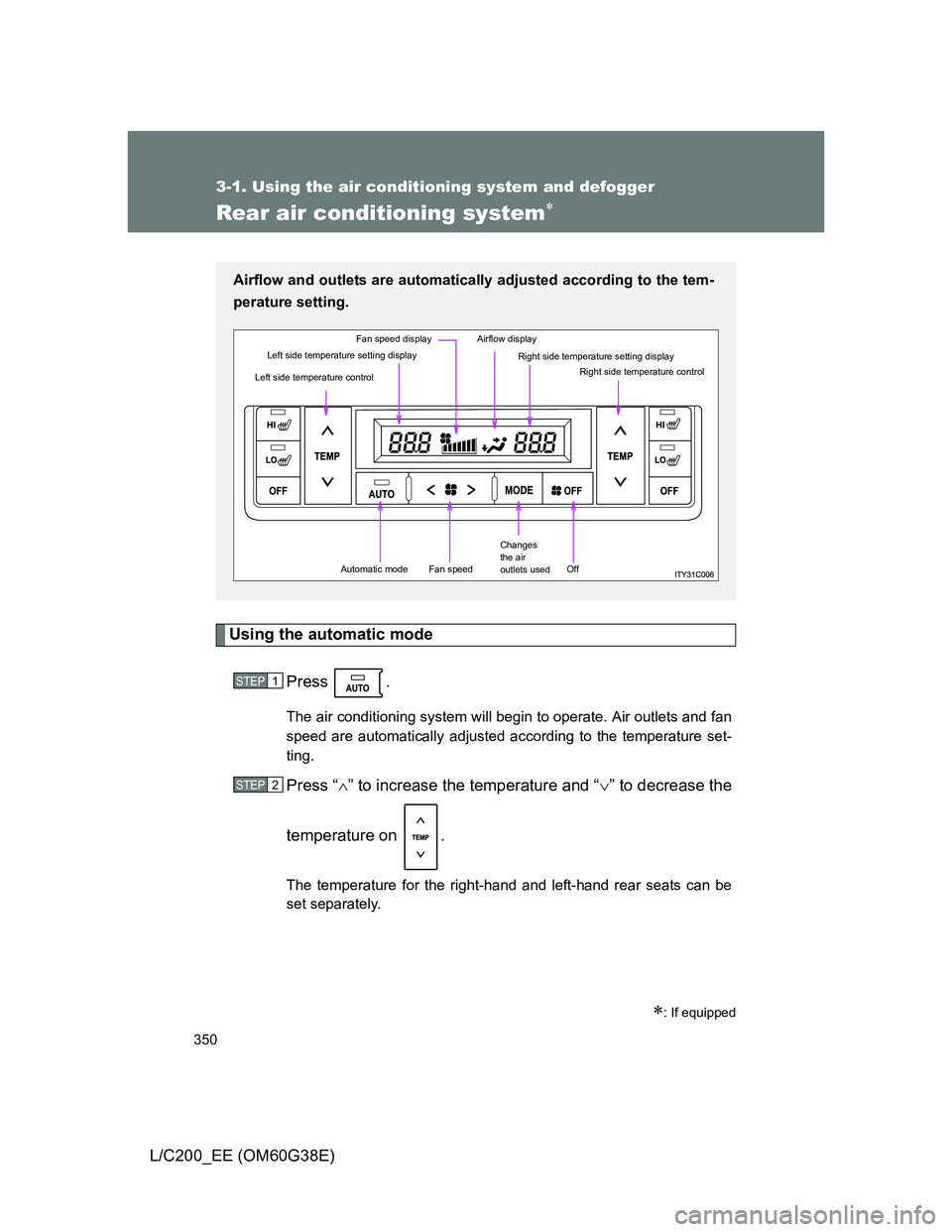
Rear air conditioning system
Using the automatic mode
Press .
The air conditioning system will begin to operate. Air outlets and fan
speed are automatically adjusted according to the temperature set-
ting.
Press “” to increase the temperature and “” to decrease the
temperature on .
The temperature for the right-hand and left-hand rear seats can be
set separately.
: If equipped
Airflow and outlets are automatically adjusted according to the tem-
perature setting.
Left side temperature control
Left side temperature setting display
Fan speed displayAirflow display
Right side temperature setting displayRight side temperature control
Automatic modeFan speed
Changes
the air
outlets used
Off
STEP1
STEP2
Page 351 of 692
351 3-1. Using the air conditioning system and defogger
3
Interior features
L/C200_EE (OM60G38E)
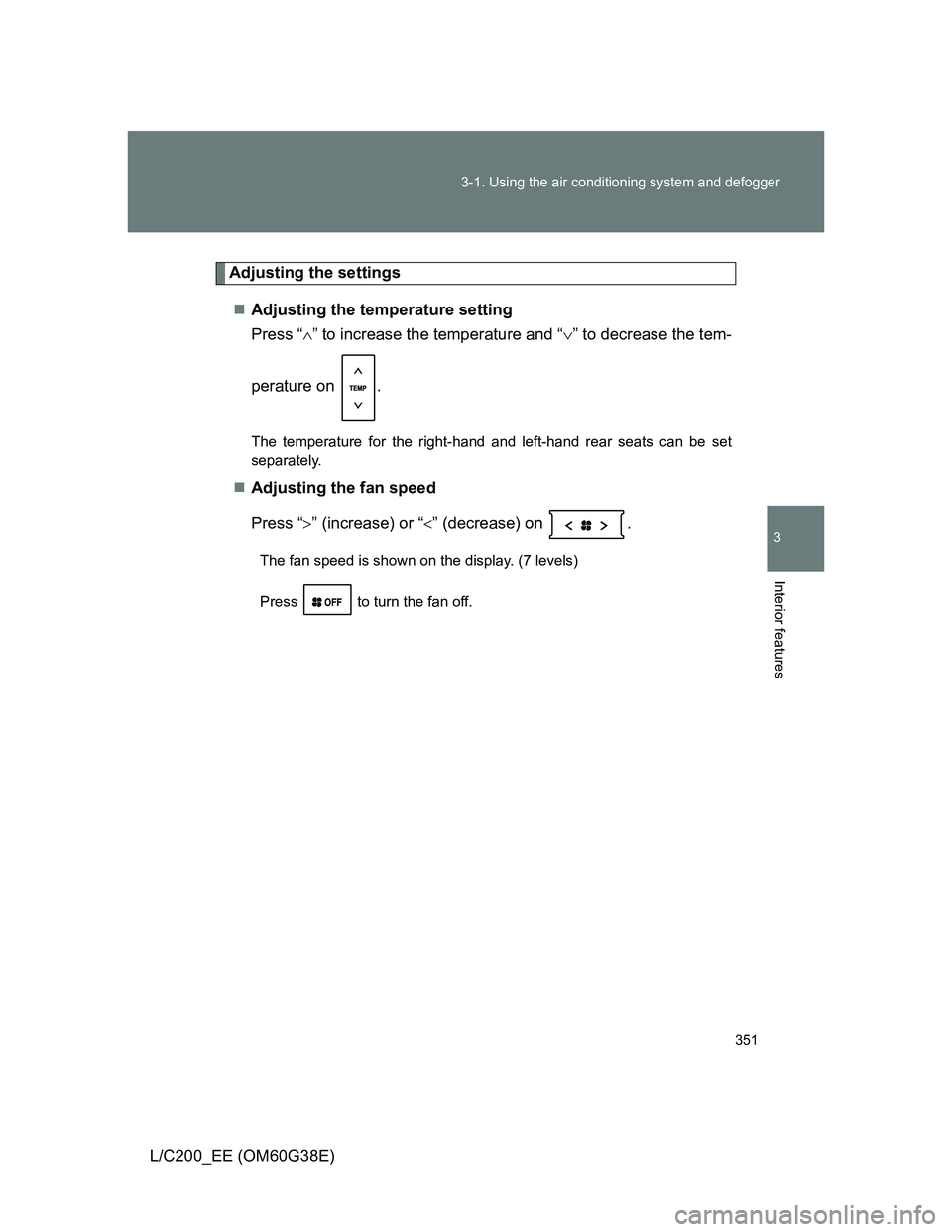
Adjusting the settings
Adjusting the temperature setting
Press “” to increase the temperature and “” to decrease the tem-
perature on .
The temperature for the right-hand and left-hand rear seats can be set
separately.
Adjusting the fan speed
Press “” (increase) or “” (decrease) on .
The fan speed is shown on the display. (7 levels)
Press to turn the fan off.
Page 364 of 692
364 3-2. Using the audio system
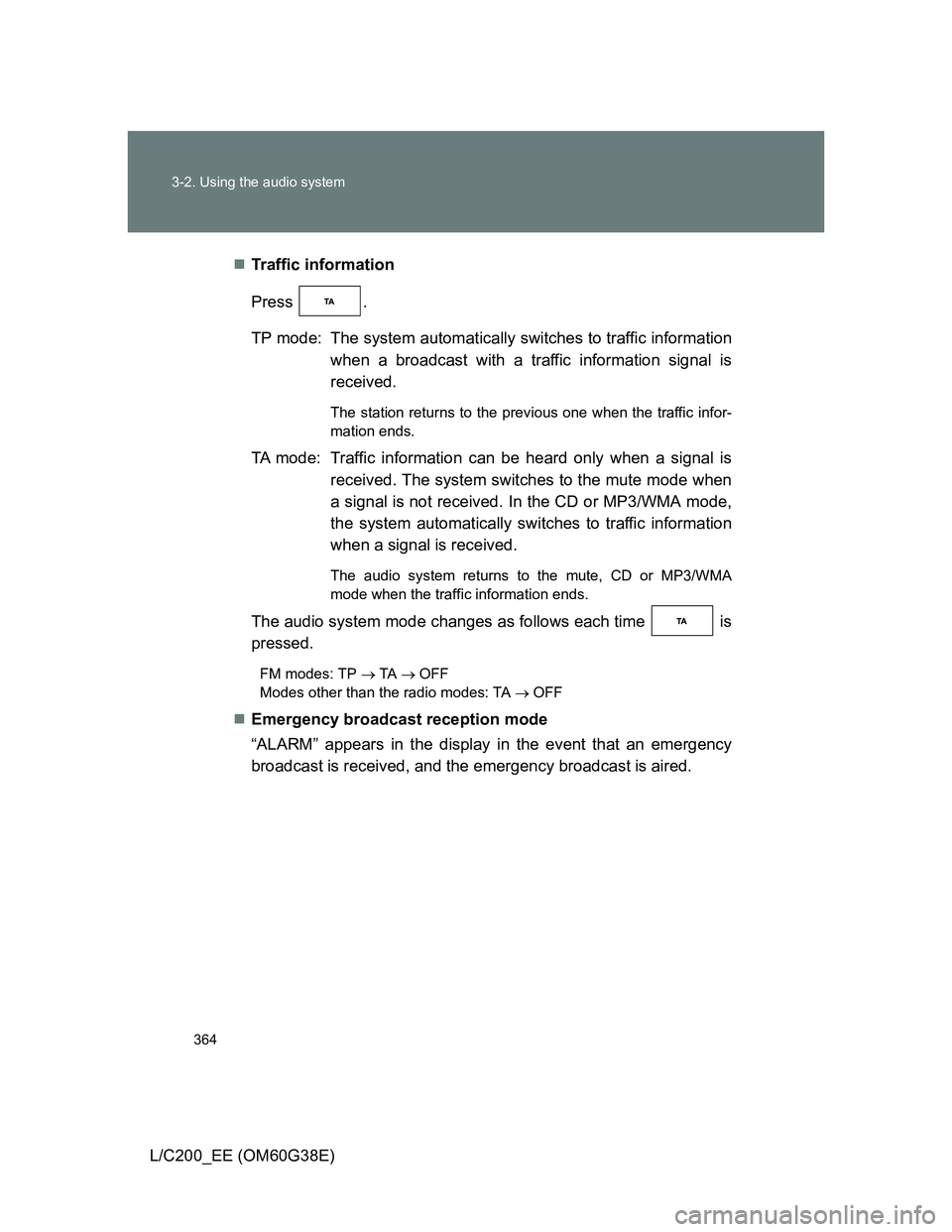
L/C200_EE (OM60G38E)Traffic information
Press .
TP mode: The system automatically switches to traffic information
when a broadcast with a traffic information signal is
received.
The station returns to the previous one when the traffic infor-
mation ends.
TA mode: Traffic information can be heard only when a signal is
received. The system switches to the mute mode when
a signal is not received. In the CD or MP3/WMA mode,
the system automatically switches to traffic information
when a signal is received.
The audio system returns to the mute, CD or MP3/WMA
mode when the traffic information ends.
The audio system mode changes as follows each time is
pressed.
FM modes: TP TA OFF
Modes other than the radio modes: TA OFF
Emergency broadcast reception mode
“ALARM” appears in the display in the event that an emergency
broadcast is received, and the emergency broadcast is aired.
Page 366 of 692
366
3-2. Using the audio system
L/C200_EE (OM60G38E)
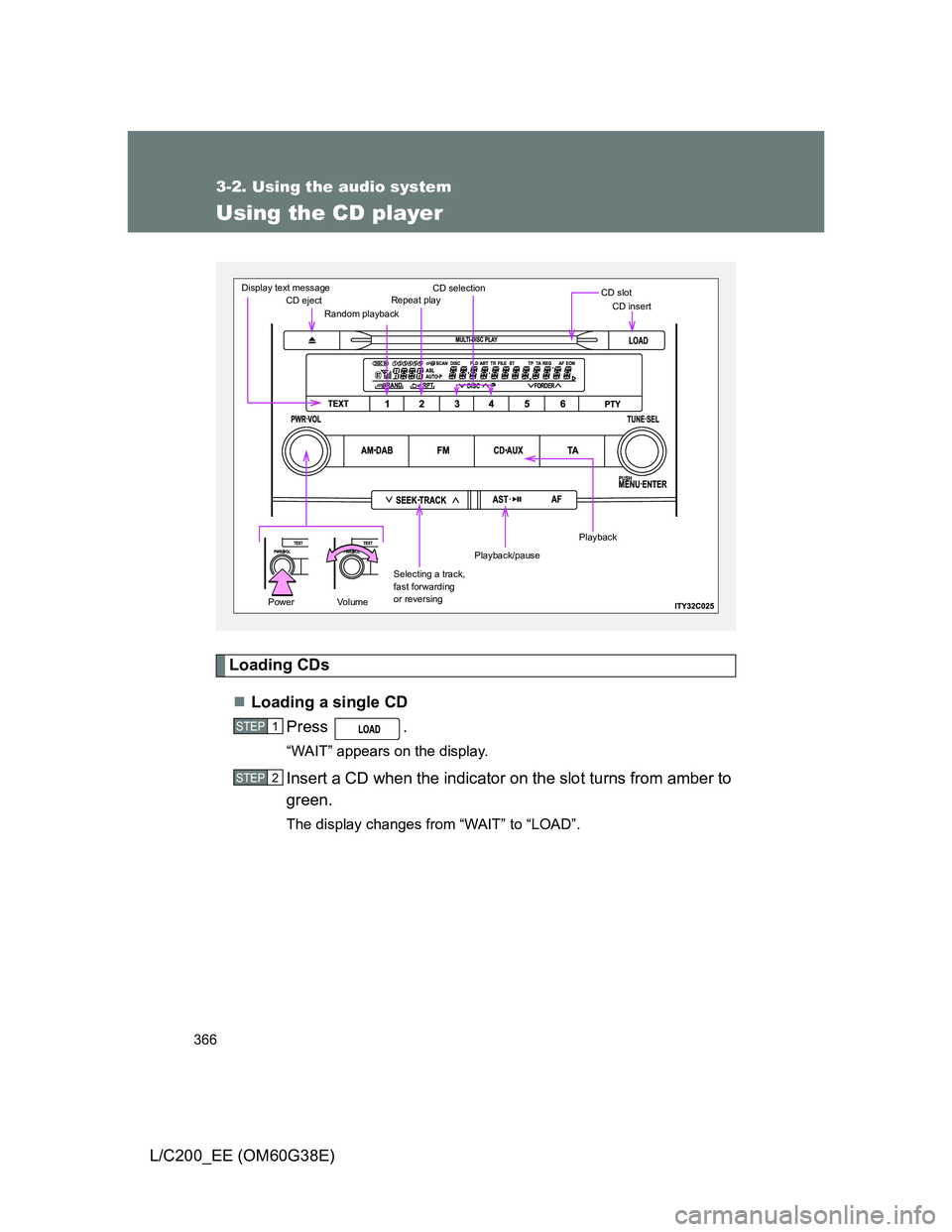
Using the CD player
Loading CDs
Loading a single CD
Press .
“WAIT” appears on the display.
Insert a CD when the indicator on the slot turns from amber to
green.
The display changes from “WAIT” to “LOAD”.
CD ejectRandom playbackRepeat playCD selectionCD slotCD insert
Selecting a track,
fast forwarding
or reversing
Playback/pause
Display text message
PowerVo l u m e
Playback
STEP1
STEP2
Page 367 of 692
367 3-2. Using the audio system
3
Interior features
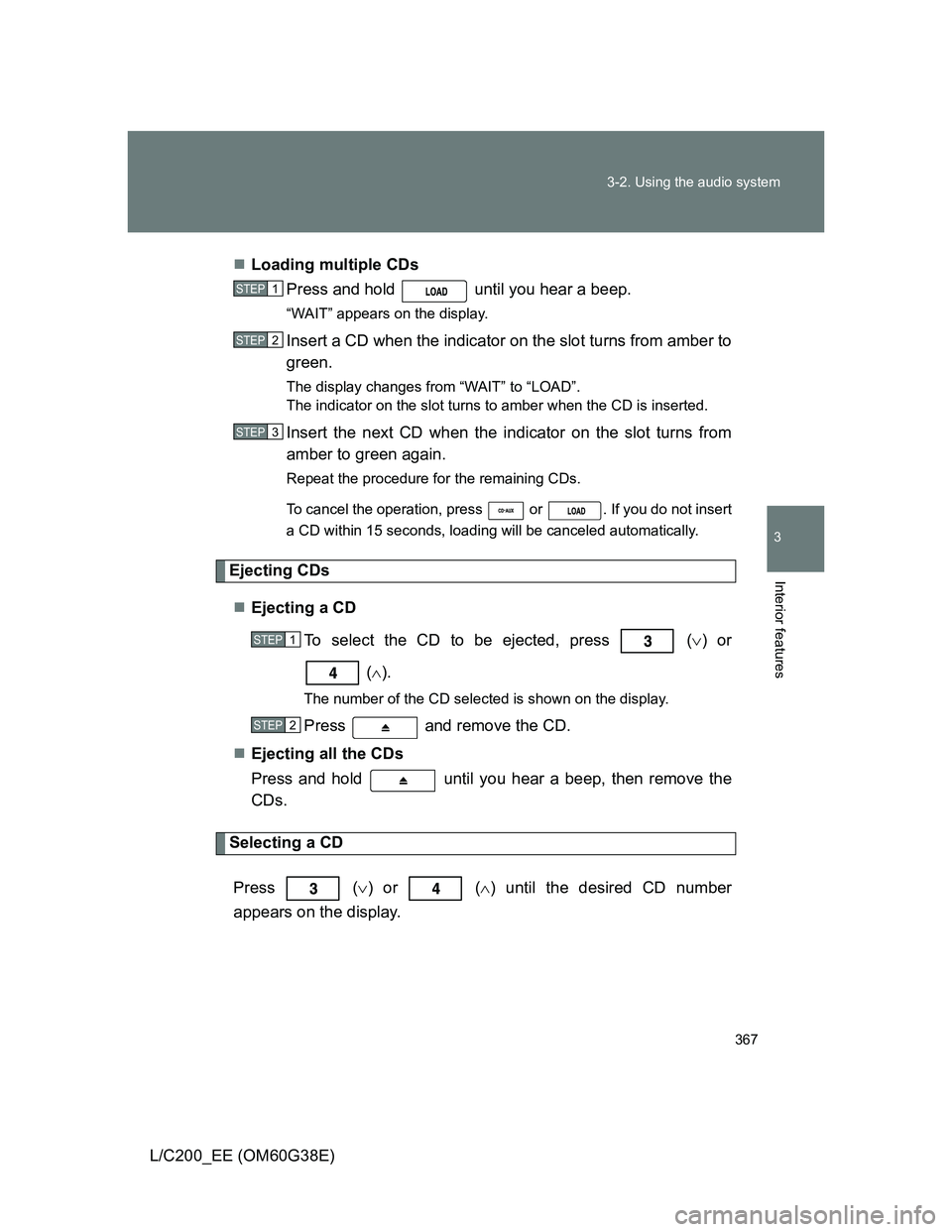
L/C200_EE (OM60G38E)Loading multiple CDs
Press and hold until you hear a beep.
“WAIT” appears on the display.
Insert a CD when the indicator on the slot turns from amber to
green.
The display changes from “WAIT” to “LOAD”.
The indicator on the slot turns to amber when the CD is inserted.
Insert the next CD when the indicator on the slot turns from
amber to green again.
Repeat the procedure for the remaining CDs.
To cancel the operation, press or . If you do not insert
a CD within 15 seconds, loading will be canceled automatically.
Ejecting CDs
Ejecting a CD
To select the CD to be ejected, press
() or
().
The number of the CD selected is shown on the display.
Press and remove the CD.
Ejecting all the CDs
Press and hold until you hear a beep, then remove the
CDs.
Selecting a CD
Press
() or () until the desired CD number
appears on the display.
STEP1
STEP2
STEP3
STEP1
STEP2