lock TOYOTA MIRAI 2023 Owner's Manual
[x] Cancel search | Manufacturer: TOYOTA, Model Year: 2023, Model line: MIRAI, Model: TOYOTA MIRAI 2023Pages: 572, PDF Size: 17.71 MB
Page 77 of 572
772-1. Fuel cell electric vehicle
Owners Manual_USA_M62064_en
2
Fuel cell system
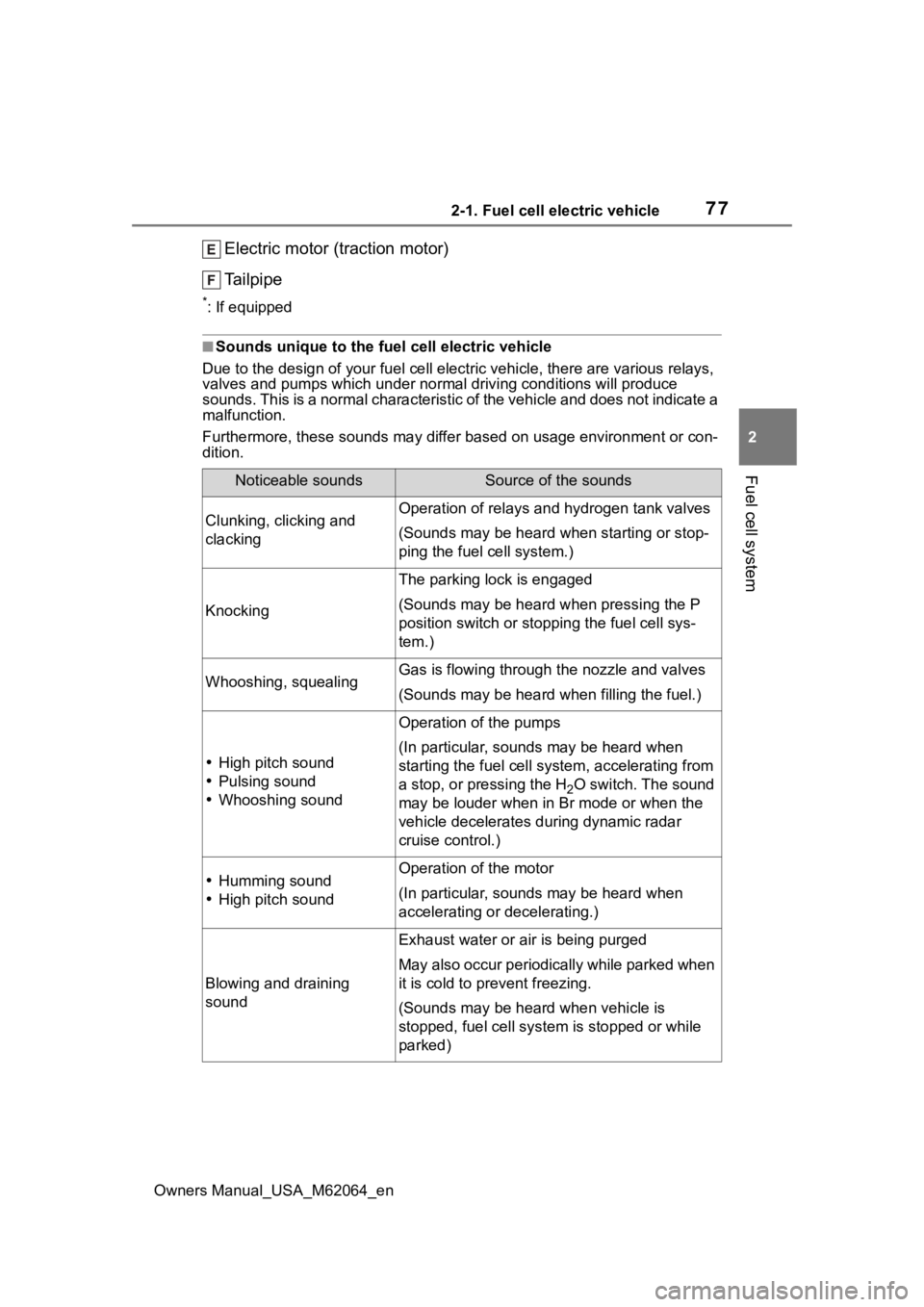
Electric motor (traction motor)
Tailpipe
*: If equipped
■Sounds unique to the fuel cell electric vehicle
Due to the design of y our fuel cell electric vehicle, there are various relays,
valves and pumps whic h under normal driving conditions will pro duce
sounds. This is a normal characte ristic of the vehicle and does not indicate a
malfunction.
Furthermore, these sounds may differ based on usage environment or con-
dition.
Noticeable soundsSource of the sounds
Clunking, clicking and
clackingOperation of relays and hydrogen tank valves
(Sounds may be heard wh en starting or stop-
ping the fuel cell system.)
Knocking
The parking lock is engaged
(Sounds may be heard when pressing the P
position switch or stopp ing the fuel cell sys-
tem.)
Whooshing, squealingGas is flowing through the nozzle and valves
(Sounds may be heard when filling the fuel.)
High pitch sound
Pulsing sound
Whooshing sound
Operation of the pumps
(In particular, sounds may be heard when
starting the fuel cell s ystem, accelerating from
a stop, or pressing the H
2O switch. The sound
may be louder when in Br mode or when the
vehicle decelerates during dynamic radar
cruise control.)
Humming sound
High pitch soundOperation of the motor
(In particular, sounds may be heard when
accelerating or decelerating.)
Blowing and draining
sound
Exhaust water or air is being purged
May also occur periodically while parked when
it is cold to p revent freezing.
(Sounds may be hear d when vehicle is
stopped, fuel cell system is stopped or while
parked)
Page 84 of 572

842-1. Fuel cell electric vehicle
Owners Manual_USA_M62064_enhydrogen tanks or valves need to
be disposed.
■Fuel cell stack coolant
●Fuel cell stack coolant uses a spe-
cifically-designed fluid with high
electrical insulation properties, in
order to safely cool the high-volt-
age fuel cell stack.
●Never add water or other coolants
to the fuel cell st
ack cooling sys-
tem, as they will cause permanent
damage.
●Consult your Toyota dealer for
replenishing or changing the fuel
cell stack coolant.
■Ion filter
●An ion filter is inst alled in the cool-
ant lines for the fuel cell stack, in
order to maintain the normal insu-
lation properties of the coolant.
●It is necessary to periodically
change the ion filter. ( P.466)
Contact your Toyota dealer for this
periodic maintenance.
■Tailpipe
●When the power switch is turned
off and the fuel cell system is
stopped ( P.182) after driving,
exhaust water is discharged. Be
careful when standing behind the
vehicle to avoid dripping or spray-
ing.
●It is possible to manually purge
the exhaust. Thi s may be desir-
able, for instance, before parking
in a garage. This is done by press-
ing the H
2O switch. ( P.196)
●On cold days, water vapor in the
exhaust may appe ar as a white
mist emitted from the tailpipe. This
is not a malfunction. A white mist
may be emitted from the vehicle
side depending on the wind direc-
tion. If it is a concern, consult with
a Toyota dealer.
●If the tailpipe is blocked, the fuel
cell system will stop.
●In the following state when cold, a white mist may be emitted. Water
vapor is being emitted as a sys-
tem protection and it is not a mal-
function.
• If several minutes have passed after opening the fuel lid, such as
refueling.
• Several hours have passed after the power switch was turned off.
■Hydrogen detectors
When the power switch is turned to
ON, the hydrogen detectors are
activated.
■Power output restriction
When the power output is restricted,
the vehicle may fa il to accelerate or
even decelerate, even though the
accelerator pedal is depressed. If a
safe driving speed cannot be main-
tained, stop the ve hicle in a safe
place away from the traffic. This
may be caused by the following con-
ditions:
●The coolant temperature may be
too high. This can be caused by
driving conditions such as
repeated sudden acceleration and
deceleration, continuous driving
on an incline, continuous driving
at high altitudes with a high load,
etc. In such situations, “FCV sys-
tem overheated Output power
reduced” is displayed on the multi-
information display, and the power
output is restricted. Once the cool-
ant returns to normal temperature,
the power output will retu rn to nor-
mal. ( P.464)
●The remaining fuel may be low.
After the low fuel level warning
light comes on, the output power
will be gradually restricted in order
to extend the possible driving dis-
tance. Once getting to this point,
the remaining driving distance
possible is short. Immediately refill
the vehicle with hydrogen.
●On cold days, the low fuel level
warning light comes on faster than
usual and the output power is
restricted.
Page 87 of 572
872-1. Fuel cell electric vehicle
Owners Manual_USA_M62064_en
2
Fuel cell system
WARNING
●The hydrogen tanks, fuel cell
stack, hydrogen pipelines, and
connecting components are
filled with hydrogen gas. Do not
remove or disassemble these
parts. Doing so can cause a
hydrogen gas leak, resulting in
fire or explosion of the vehicle,
which may result in death or
serious injury.
■When hydrogen gas leak or
other malfunctio n is detected
●If a large amount of hydrogen
gas leaking is noticed, turn off
the power switch, exit the vehi-
cle, and stay far away from it.
Display warning signs and keep
sources of fire away from the
vehicle. If possible, get assis-
tance. When the above is done,
immediately contact your Toyota
dealer.
●If you notice gas leaking or any
other malfunction, immediately
stop the vehicle in a safe and
well-ventilated place, exit the
vehicle, and stay far away from
it.
●If a warning message is dis-
played in the multi-information
display, immediately stop the
vehicle in a safe, well-ventilated
outdoor place.
■Tailpipe
●Do not directly touch the water
or steam coming out of the tail-
pipe. Doing so may cause low-
temperature burns.
●The fuel cell electric vehicle
generates water during power
generation. The generated
water discharged from the tail-
pipe is not suitable for drinking.
Never drink the water coming
out of the tailpipe.
●You may notice a strange odor
from the tailpipe for a while after
the purchase of a new vehicle
or after an extended period of
non-use, but this is not a mal-
function. Also, the odor is harm-
less but it may be unpleasant,
so do not breathe in the
exhaust.
■High-voltage and high-tem-
perature precautions
This vehicle is equipped with a
high-voltage system. Follow the
instructions below as high-volt-
ages can cause severe burns and
electric shock that may result in
death or serious injury.
●Never touch, disassemble,
remove, or replace the high-
voltage parts, cables (orange),
or connectors.
●The components inside the fuel
cell unit compartment will
become hot during operation.
Be careful of both the high-volt-
age and high-temperature, and
always obey the warning labels
on the vehicle.
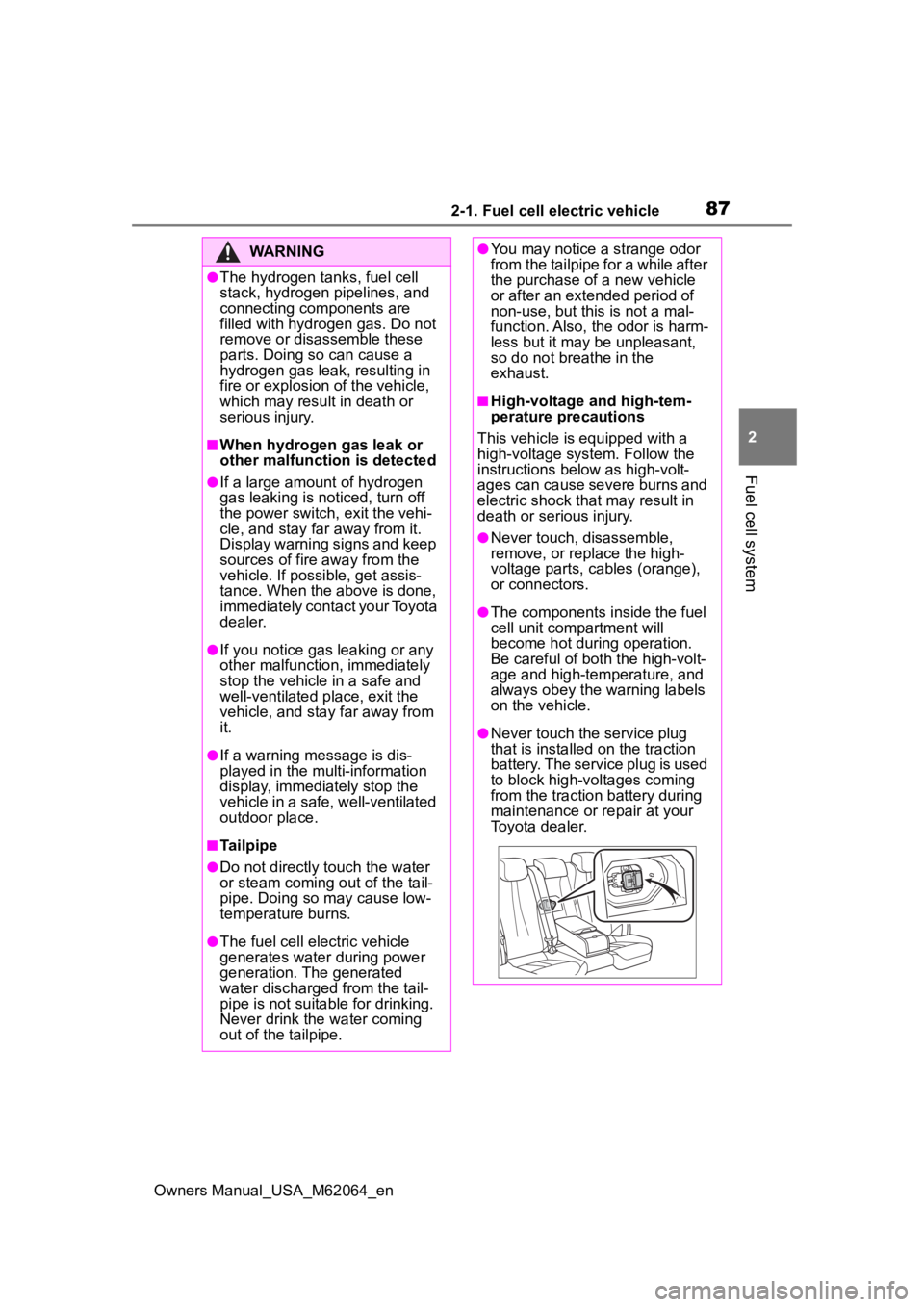
●Never touch the service plug
that is installed on the traction
battery. The service plug is used
to block high-voltages coming
from the traction battery during
maintenance or repair at your
Toyota dealer.
Page 90 of 572
902-1. Fuel cell electric vehicle
Owners Manual_USA_M62064_en
■If a warning light comes on, a
warning message is displayed,
or the 12-volt battery connec-
tion is disconnected
The fuel cell system may not be
able to restart.
If the “READY” indicator does not
come on, even when the start pro-
cedure is repeated, contact your
Toyota dealer.
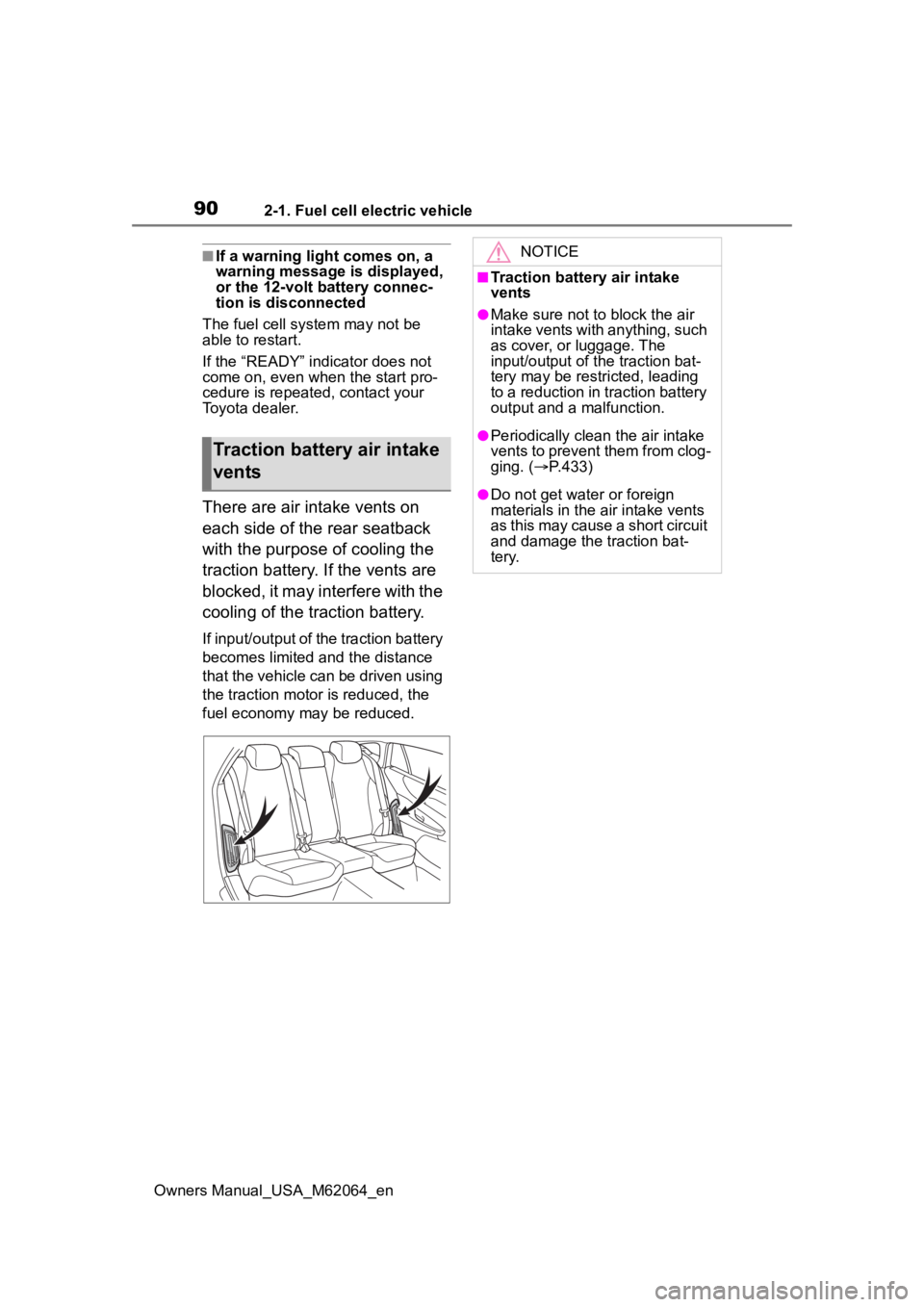
There are air intake vents on
each side of the rear seatback
with the purpose of cooling the
traction battery. If the vents are
blocked, it may interfere with the
cooling of the traction battery.
If input/output of the traction battery
becomes limited and the distance
that the vehicle can be driven using
the traction motor is reduced, the
fuel economy may be reduced.
Traction battery air intake
vents
NOTICE
■Traction battery air intake
vents
●Make sure not to block the air
intake vents with anything, such
as cover, or luggage. The
input/output of t he traction bat-
tery may be restricted, leading
to a reduction in traction battery
output and a malfunction.
●Periodically clean the air intake
vents to prevent them from clog-
ging. ( P.433)
●Do not get water or foreign
materials in the air intake vents
as this may cause a short circuit
and damage the traction bat-
tery.
Page 99 of 572
993-1. Instrument cluster
Owners Manual_USA_M62064_en
3
Vehicle status information and indicators
The units used on the meter and display may differ depending on the target
region.
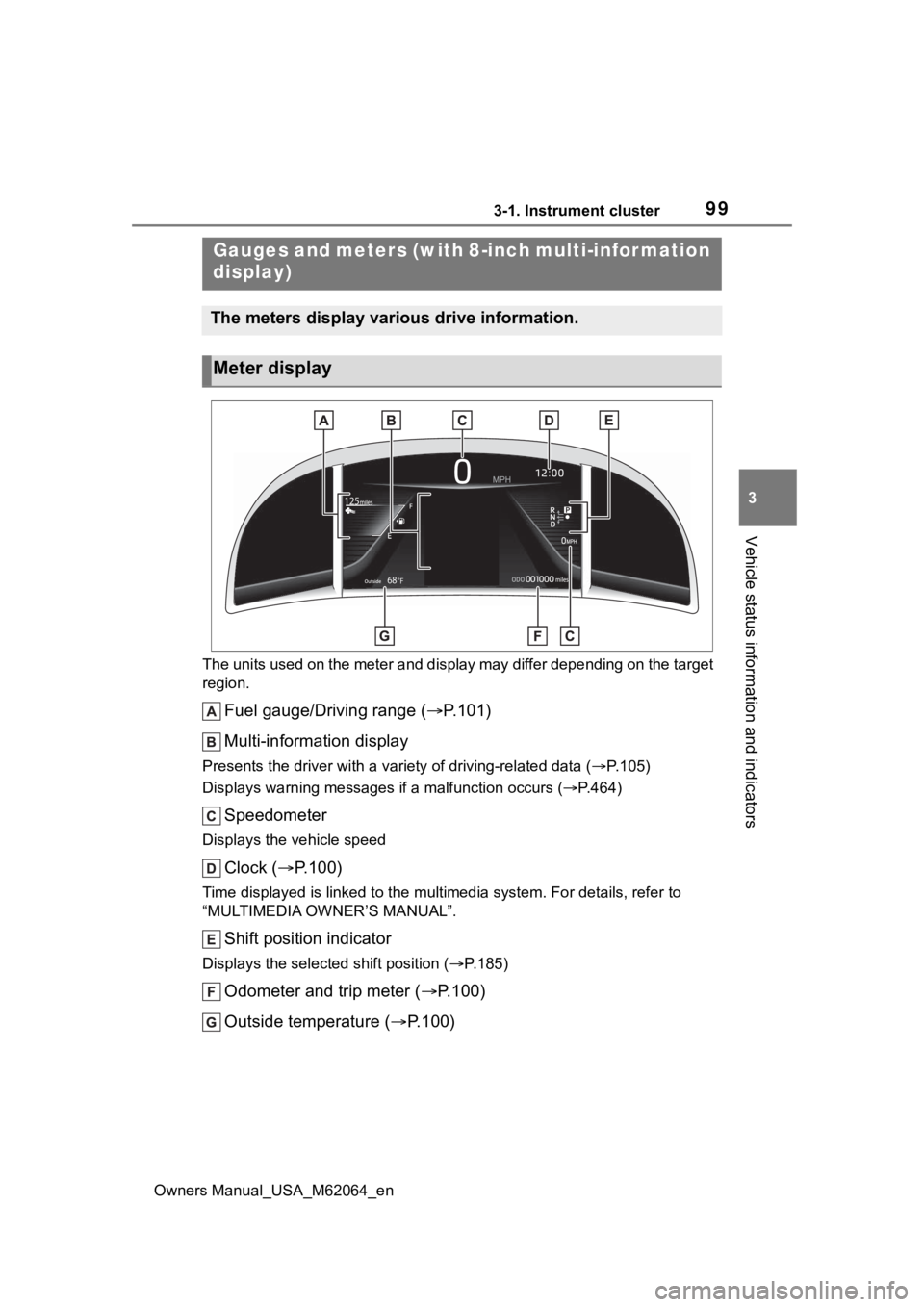
Fuel gauge/Driving range ( P.101)
Multi-information display
Presents the driver with a variety of driving-related data ( P.105)
Displays warning messages if a malfunction occurs (P.464)
Speedometer
Displays the vehicle speed
Clock ( P.100)
Time displayed is linked to the multimedia system. For details, refer to
“MULTIMEDIA OWNER’S MANUAL”.
Shift position indicator
Displays the selected shift position ( P.185)
Odometer and trip meter ( P.100)
Outside temperature ( P.100)
Gauges and meters (with 8-inch multi-infor mation
display)
The meters display various drive information.
Meter display
Page 100 of 572
1003-1. Instrument cluster
Owners Manual_USA_M62064_en
■The meters and display illumi-
nate when
The power swit ch is in ON.
■When changing driving mode
Background color of the multi-infor-
mation display is changed following
the selected driving mode. ( P.320,
321)
■Clock settings screen
If “Clock :00” is displayed when
is selected on the multi-information
display, the system may be malfunc-
tioning. Have the vehicle inspected
by your Toyota dealer.
■Outside temperature display
●In the following si tuations, the cor-
rect outside tempe rature may not
be displayed, or the display may
take longer than normal to
change.
• When stopped, or driving at low speeds (less than 12 mph [20
km/h])
• When the outside temperature has changed su ddenly (at the
entrance/exit of a garage, tunnel,
etc.)
●When “--” or “E” is displayed, the
system may be malfunctioning.
Take your vehicle to your Toyota
dealer.
●Displays the outside temperature
within the range of -40°F (-40°C)
to 122°F (50°C).
●When the outside temperature is
approximately 37°F (3°C) or
lower, the indicator will flash
for approximately 10 seconds,
then stay on.
■Liquid crystal display
P. 1 0 6
■Customization
Settings (e. g. meter display) can be
changed on screen of the multi- information display. (
P.512)
■Display items
Odometer
Displays the total distance the vehi-
cle has been driven.
Trip meter A/Trip meter B
Displays the distance the vehicle
has been driven since the meter
was last reset. Trip meters A and B
can be used to record and display
different distances independently.
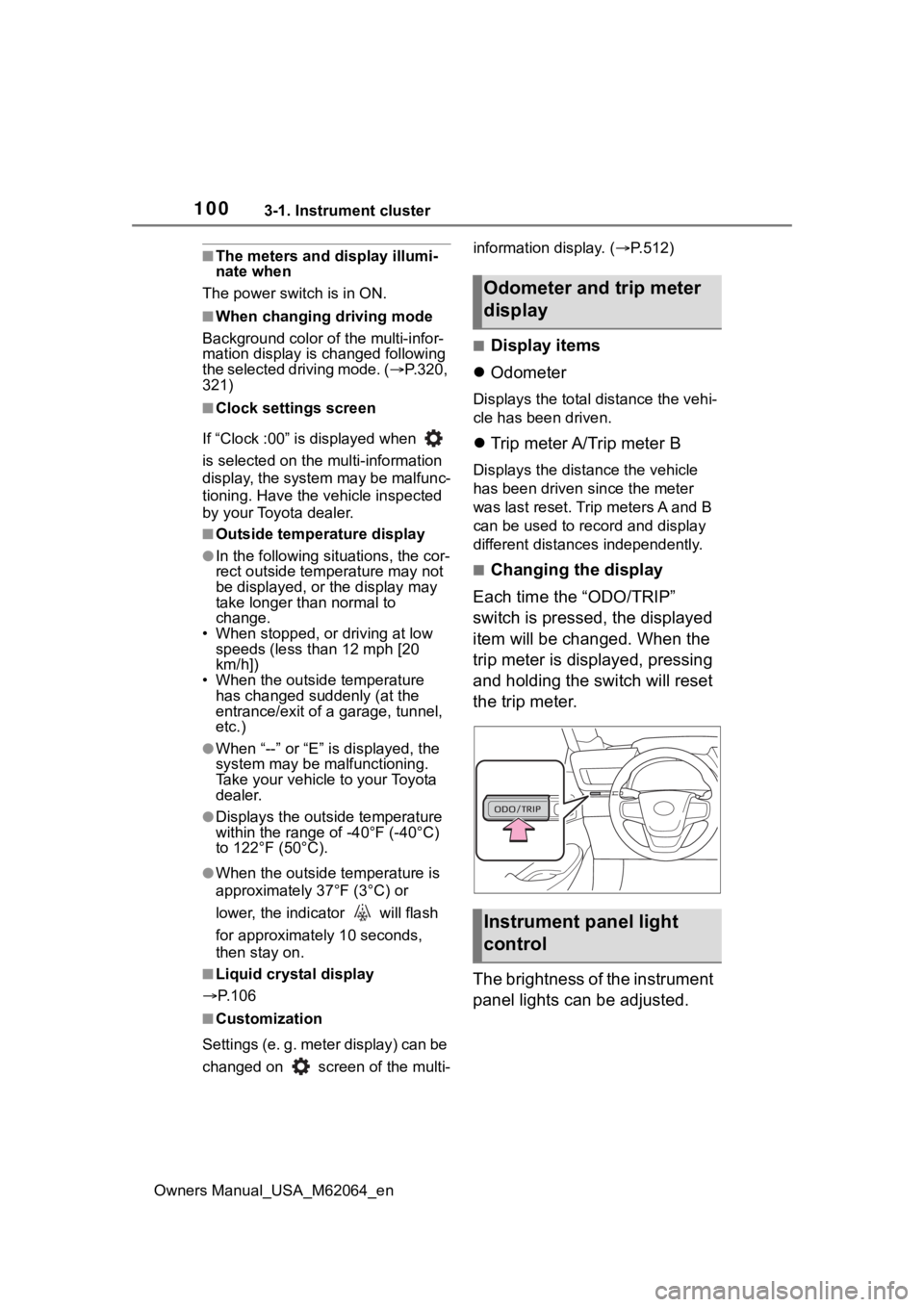
■Changing the display
Each time the “ODO/TRIP”
switch is pressed, the displayed
item will be changed. When the
trip meter is displayed, pressing
and holding the switch will reset
the trip meter.
The brightness of the instrument
panel lights can be adjusted.
Odometer and trip meter
display
Instrument panel light
control
Page 102 of 572
1023-1. Instrument cluster
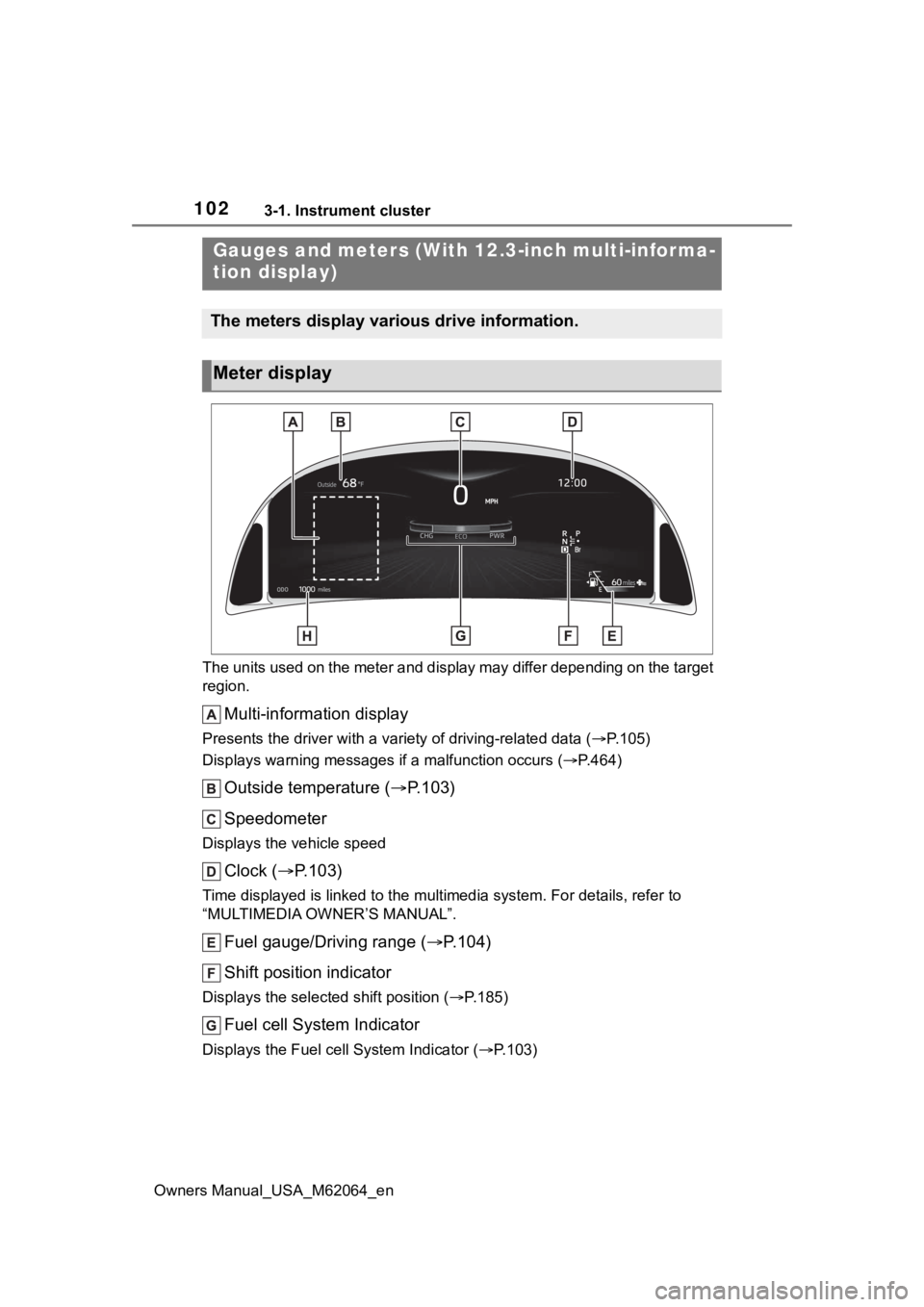
Owners Manual_USA_M62064_enThe units used on the meter and display may differ depending on
the target
region.
Multi-information display
Presents the driver with a variety of driving-related data ( P.105)
Displays warning messages if a malfunction occurs (P.464)
Outside temperature ( P.103)
Speedometer
Displays the vehicle speed
Clock ( P.103)
Time displayed is linked to the multimedia system. For details, refer to
“MULTIMEDIA OWNER’S MANUAL”.
Fuel gauge/Driving range ( P.104)
Shift position indicator
Displays the selected shift position ( P.185)
Fuel cell System Indicator
Displays the Fuel cell System Indicator ( P.103)
Gauges and meters (With 12.3-inch multi-informa-
tion display)
The meters display various drive information.
Meter display
Page 103 of 572
1033-1. Instrument cluster
Owners Manual_USA_M62064_en
3
Vehicle status information and indicators
Odometer and trip meter ( P.104)
■Displayed items when using
Advanced Drive (if equipped)
When using Advanced Drive, the
displayed items a nd their location
will differ. Refer to “Toyota Team-
mate Advanced Drive OWNER’S
MANUAL” at Toyota.com for details.
■The meters and display illumi-
nate when
The power swit ch is in ON.
■When changing driving mode
Background color of the multi-infor-
mation display is changed following
the selected driving mode. ( P.320,
321)
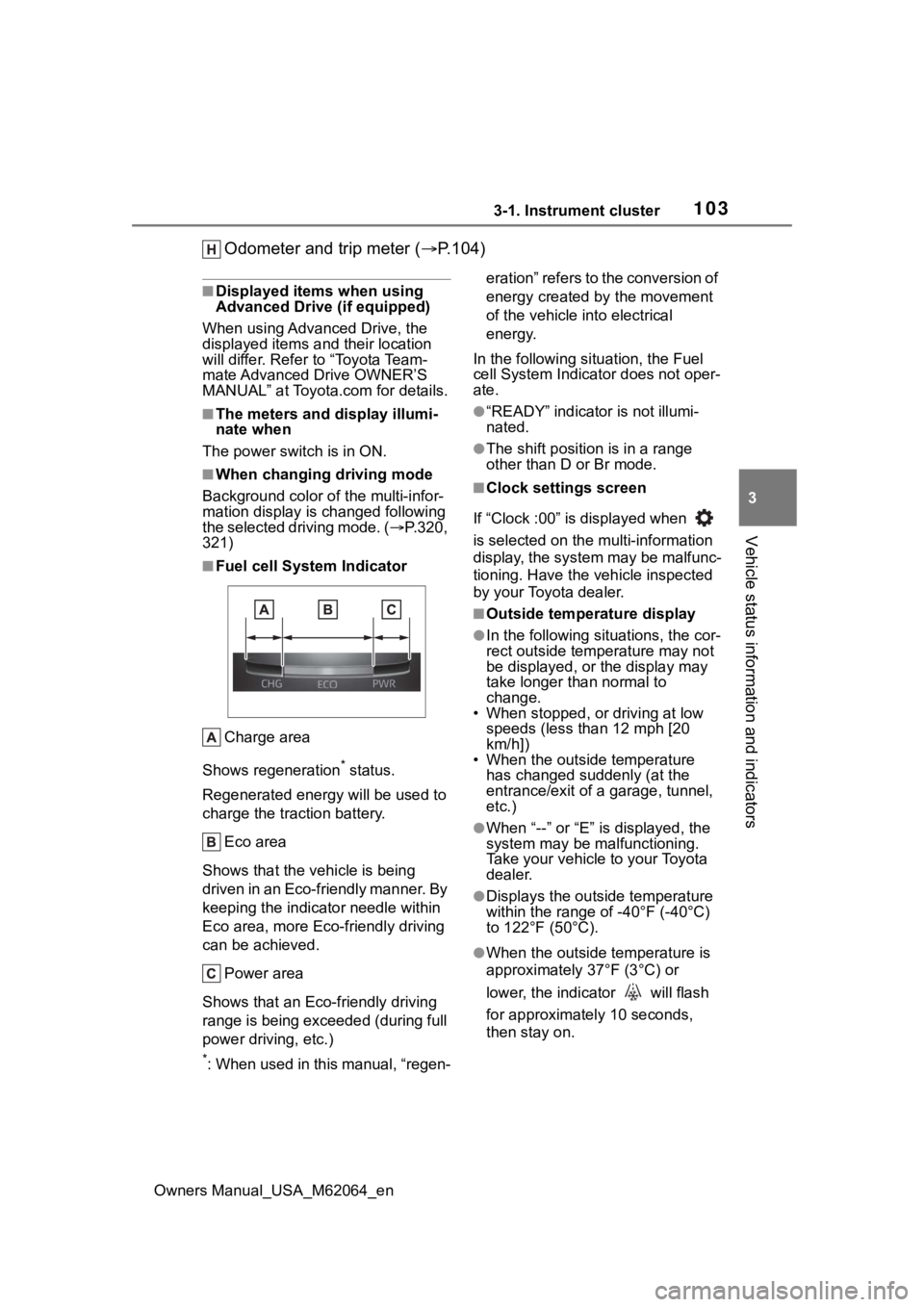
■Fuel cell System Indicator
Charge area
Shows regeneration
* status.
Regenerated e nergy will be used to
charge the traction battery.
Eco area
Shows that the vehicle is being
driven in an Eco-friendly manner. By
keeping the indicator needle within
Eco area, more Eco-friendly driving
can be achieved. Power area
Shows that an Eco-friendly driving
range is being exceeded (during full
power driving, etc.)
*: When used in this manual, “regen- eration” refers to the conversion of
energy created by the movement
of the vehicle into electrical
energy.
In the following situ ation, the Fuel
cell System Indicato r does not oper-
ate.
●“READY” indicator is not illumi-
nated.
●The shift position is in a range
other than D or Br mode.
■Clock settings screen
If “Clock :00” is displayed when
is selected on the multi-information
display, the system may be malfunc-
tioning. Have the vehicle inspected
by your Toyota dealer.
■Outside temperature display
●In the following sit uations, the cor-
rect outside temperature may not
be displayed, or the display may
take longer than normal to
change.
• When stopped, or driving at low
speeds (less than 12 mph [20
km/h])
• When the outside temperature has changed suddenly (at the
entrance/exit of a garage, tunnel,
etc.)
●When “--” or “E” i s displayed, the
system may be malfunctioning.
Take your vehicle to your Toyota
dealer.
●Displays the outsi de temperature
within the range of -40°F (-40°C)
to 122°F (50°C).
●When the outside temperature is
approximately 37°F (3°C) or
lower, the indicator will flash
for approximately 10 seconds,
then stay on.
Page 123 of 572
123
Owners Manual_USA_M62064_en
4
4
Before driving
Before driving
4-1. Key informationKeys ............................ 124
4-2. Opening, closing and locking the doors and
trunk
Doors .......................... 127
Trunk ........................... 132
Smart key system ....... 136
4-3. Adjusting the seats Front seats .................. 141
Driving position memory .................................. 142
Head restraints............ 145
4-4. Adjusting the steering wheel and mirrors
Steering wheel ............ 147
Inside rear view mirror 149
Digital Rear-view Mirror 150
Outside rear view mirrors .................................. 160
4-5. Opening, closing the win- dows
Power windows ........... 162
4-6. Favorite settings My Settings ................. 165
Page 124 of 572
1244-1. Key information
Owners Manual_USA_M62064_en
4-1.Key information
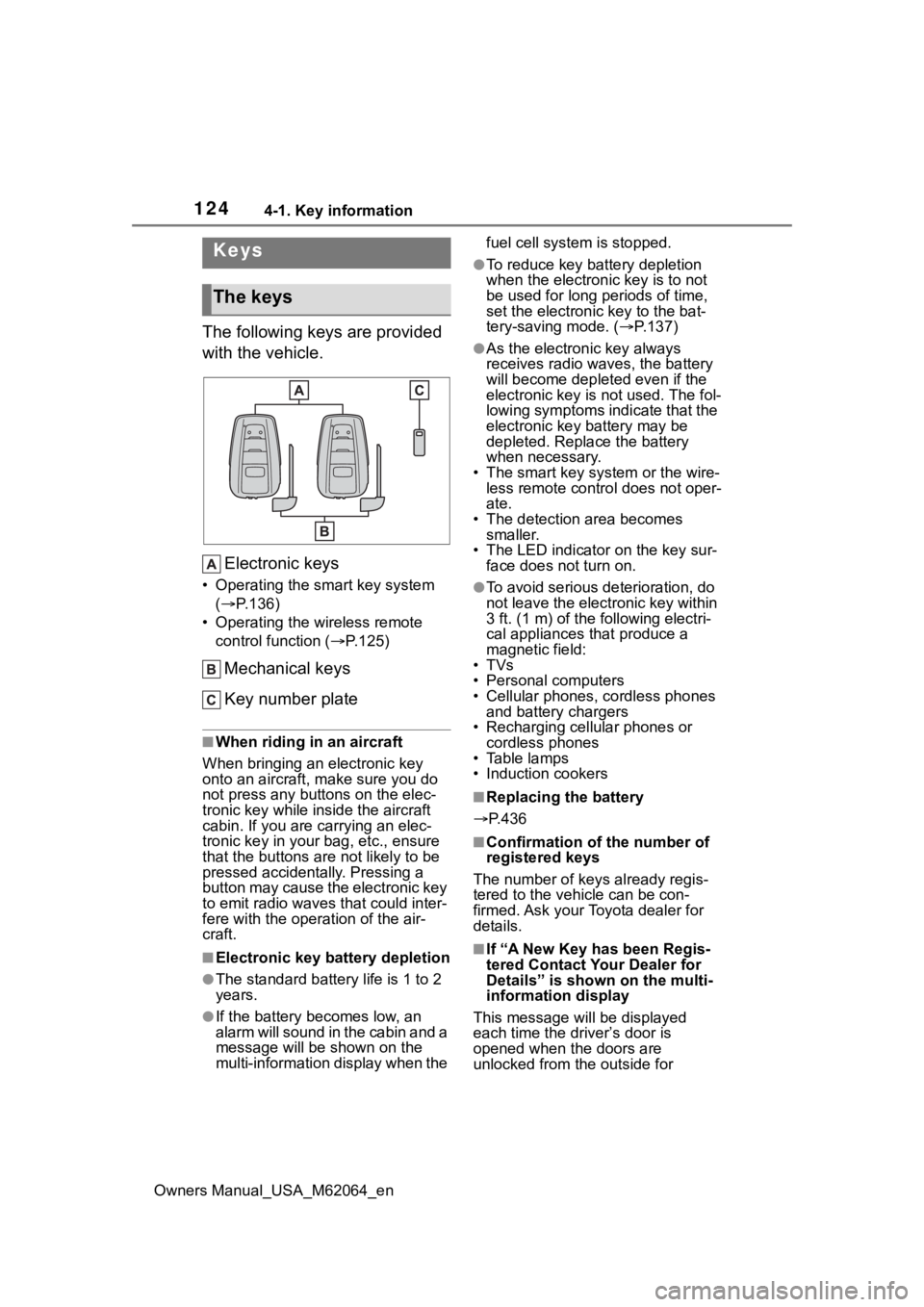
The following keys are provided
with the vehicle.Electronic keys
• Operating the smart key system ( P.136)
• Operating the wireless remote control function ( P.125)
Mechanical keys
Key number plate
■When riding in an aircraft
When bringing an electronic key
onto an aircraft, make sure you do
not press any buttons on the elec-
tronic key while inside the aircraft
cabin. If you are carrying an elec-
tronic key in your bag, etc., ensure
that the buttons are not likely to be
pressed accidentally. Pressing a
button may cause the electronic key
to emit radio waves that could inter-
fere with the oper ation of the air-
craft.
■Electronic key battery depletion
●The standard battery life is 1 to 2
years.
●If the battery becomes low, an
alarm will sound in the cabin and a
message will be s hown on the
multi-information display when the fuel cell system is stopped.
●To reduce key battery depletion
when the electronic key is to not
be used for long periods of time,
set the electronic key to the bat-
tery-saving mode. (
P.137)
●As the electronic key always
receives radio waves, the battery
will become depleted even if the
electronic key is not used. The fol-
lowing symptoms indicate that the
electronic key battery may be
depleted. Replace the battery
when necessary.
• The smart key system or the wire- less remote contro l does not oper-
ate.
• The detection area becomes smaller.
• The LED indicator on the key sur- face does not turn on.
●To avoid serious deterioration, do
not leave the electronic key within
3 ft. (1 m) of the following electri-
cal appliances that produce a
magnetic field:
•TVs
• Personal computers
• Cellular phones, cordless phones and battery chargers
• Recharging cellular phones or cordless phones
• Table lamps
• Induction cookers
■Replacing the battery
P.436
■Confirmation of the number of
registered keys
The number of keys already regis-
tered to the vehi cle can be con-
firmed. Ask your Toyota dealer for
details.
■If “A New Key has been Regis-
tered Contact Your Dealer for
Details” is shown on the multi-
information display
This message will be displayed
each time the driver’s door is
opened when the doors are
unlocked from the outside for
Keys
The keys