wheel TOYOTA RAV4 PLUG-IN HYBRID 2023 Repair Manual
[x] Cancel search | Manufacturer: TOYOTA, Model Year: 2023, Model line: RAV4 PLUG-IN HYBRID, Model: TOYOTA RAV4 PLUG-IN HYBRID 2023Pages: 718, PDF Size: 167.55 MB
Page 366 of 718
3645-5. Using the driving support systems
erly. Have the vehicle inspected by any
authorized Toyota retailer or Toyota
authorized repairer, or any reliable
repairer.
●“LTA Unavailable”
The system is temporarily canceled due
to a malfunction in a sensor other than
the front camera. Turn the LTA system
off, wait for a little while, and then turn
the LTA system back on.
●“LTA Unavailable at Current Speed”
The function cannot be used as the
vehicle speed exceeds the LTA opera-
tion range. Drive slower.
■Customization
Function settings can be changed. ( P.206, 217)
*: If equipped
RSA (Road Sign Assist)*
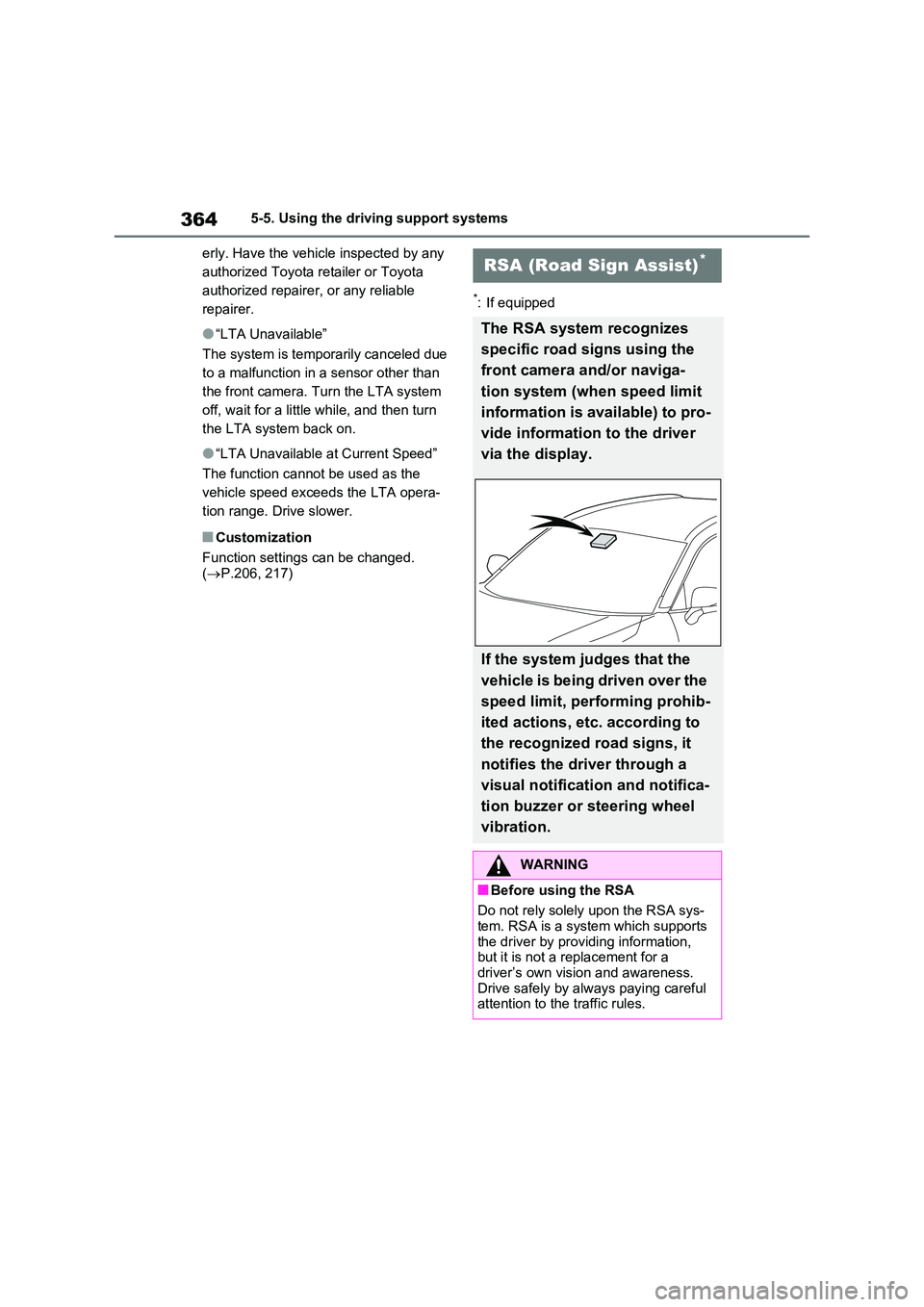
The RSA system recognizes
specific road signs using the
front camera and/or naviga-
tion system (when speed limit
information is available) to pro-
vide information to the driver
via the display.
If the system judges that the
vehicle is being driven over the
speed limit, performing prohib-
ited actions, etc. according to
the recognized road signs, it
notifies the driver through a
visual notification and notifica-
tion buzzer or steering wheel
vibration.
WARNING
■Before using the RSA
Do not rely solely upon the RSA sys- tem. RSA is a system which supports
the driver by providing information, but it is not a replacement for a driver’s own vision and awareness.
Drive safely by always paying careful attention to the traffic rules.
Page 369 of 718
367
5 5-5. Using the driving support systems
Driving
*1: Displayed simultaneously with
speed limit.
*2: Contents not recognized.
*3: If the turn signal indicator is not
operated when changing lanes, the
mark does not display.
In the following situations, the RSA
system will notify the driver.
When the vehicle speed exceeds
the speed notification threshold
of the speed limit sign displayed,
the sign display will be empha-
sized and a buzzer will sound.
When the RSA system recog-
nizes a no-entry sign and detects
that the vehicle has entered a
no-entry area based on the map
information of the navigation sys-
tem, the no-entry sign flashes
and a buzzer will sound. (For
vehicles with navigation system)
If it is detected that your vehicle
is overtaking when a no overtak-
ing sign is displayed on the multi-
information display, the dis-
played sign will flash and a steer-
ing wheel will vibrate.
Depending on the situation, traffic
environment (traffic direction, speed unit) may be detected incor-
rectly and a notification function
may not operate properly.
■Setting procedure
P.206, 217
■Automatic turn-off of RSA sign dis-
play
One or more signs automatically turn off
in the following situations.
●No sign has been recognized for a
certain distance.
●The road changes due to a left or right
turn, etc.
■Conditions in which the function
may not operate or detect correctly
In the following situations, RSA does not
operate normally and may not recognize
signs, display the incorrect sign, etc.
However, this does not indicate a mal-
function.
●The front camera is misaligned due to
a strong impact being applied to the
sensor, etc.
●Dirt, snow, stickers, etc. are on the
windshield near the front camera.
●In inclement weather such as heavy
rain, fog, snow or sand storms.
●Light from an oncoming vehicle, the
sun, etc. enters the front camera.
●The sign is dirty, faded, tilted or bent.
●The contrast of electronic sign is low.
●All or part of the sign is hidden by the
leaves of a tree, a pole, etc.
●The sign is only visible to the front
camera for a short amount of time.
●The driving scene (turning, lane
change, etc.) is judged incorrectly.
●If a sign not appropriate for the cur-
rently traveled lane, but the sign exists
directly after a freeway branches, or in
an adjacent lane just before merging.
●Stickers are attached to the rear of the
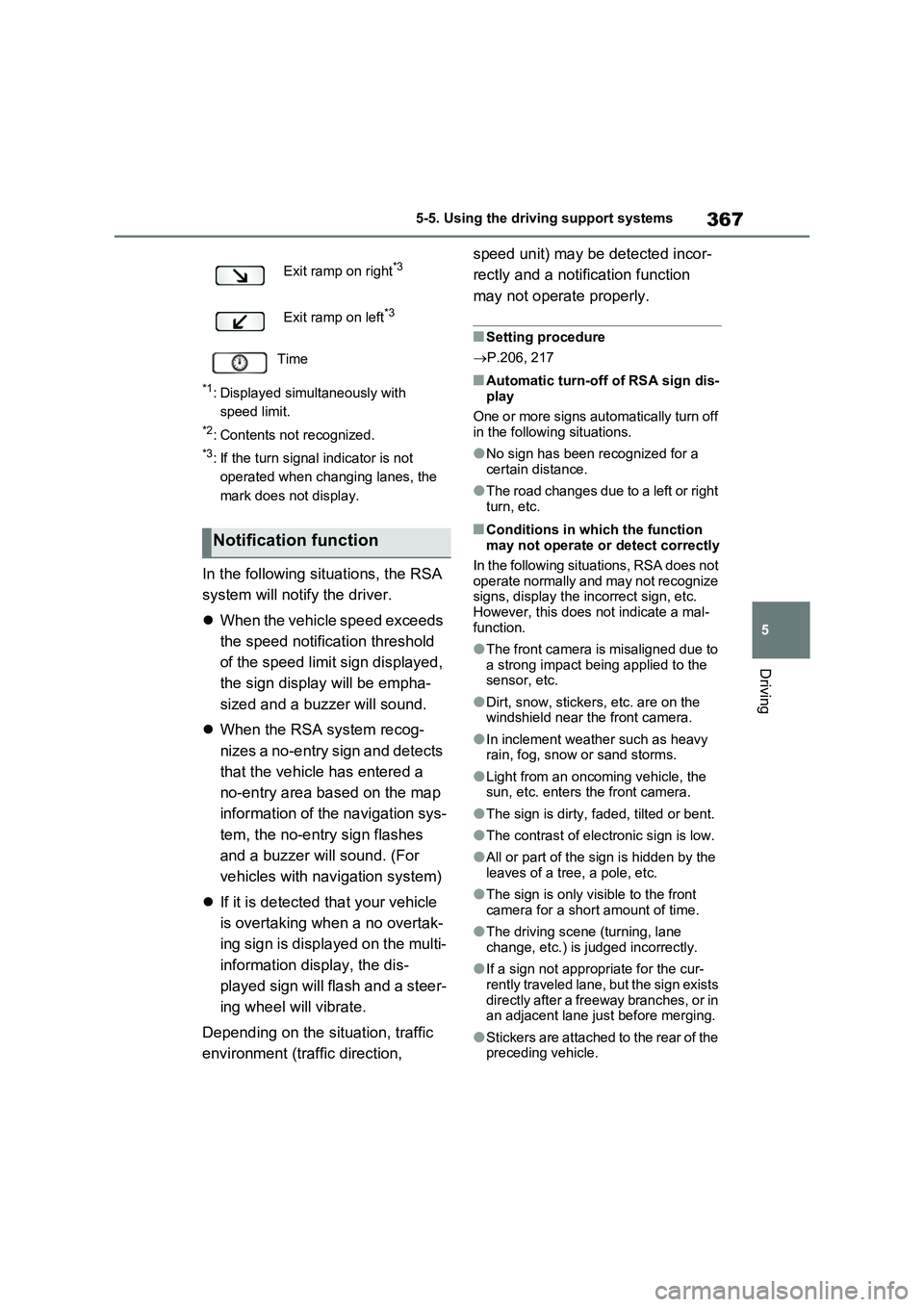
preceding vehicle. Exit ramp on right
*3
Exit ramp on left*3
Time
Notification function
Page 374 of 718
3725-5. Using the driving support systems
When a vehicle is detected running ahead of you, the system automatically deceler-
ates your vehicle. When a greater reduction in vehicle speed is necessary, the sys-
tem applies the brakes (the stop lights will come on at this time). The system will
respond to changes in the speed of the vehicle ahead in order to maintain the vehi-
cle-to-vehicle distance set by the driver. Approach warning warns you when the sys-
tem cannot decelerate sufficiently to prevent your vehicle from closing in on the
vehicle ahead.
When the vehicle ahead of you stops, your vehicle will also stop (vehicle is stopped
by system control). After the vehicle ahead starts off, pressing the “+RES” switch or
depressing the accelerator pedal (start-off operation) will resume follow-up cruising.
If the start-off operation is not performed, system control continues to keep your
vehicle stopped.
When the turn signal lever is operated and your vehicle moves to an overtaking lane
while driving at 80 km/h (50 mph) or more, the vehicle will accelerate to help to over-
take a passing vehicle.
The system’s identification of what is an overtaking lane may be determined solely
based on the location of the steering wheel in the vehicle (left side driver position
versus right side driver position.) If the vehicle is driven to a region where the over-
taking lane is on a different side from where the vehicle is normally driven, the vehi-
cle may accelerate when the turn signal lever is operated in the opposite direction to
the overtaking lane (e.g., if the driver normally operates the vehicle in a region
where the overtaking lane is to the right but then drives to a region where the over-
taking lane is to the left, the vehicle may accelerate when the right turn signal is acti-
vated).
Example of acceleration
When there are no longer any preceding vehicles driving slower than the
set speed
The system accelerates until the set speed is reached. The system then returns to
constant speed cruising.
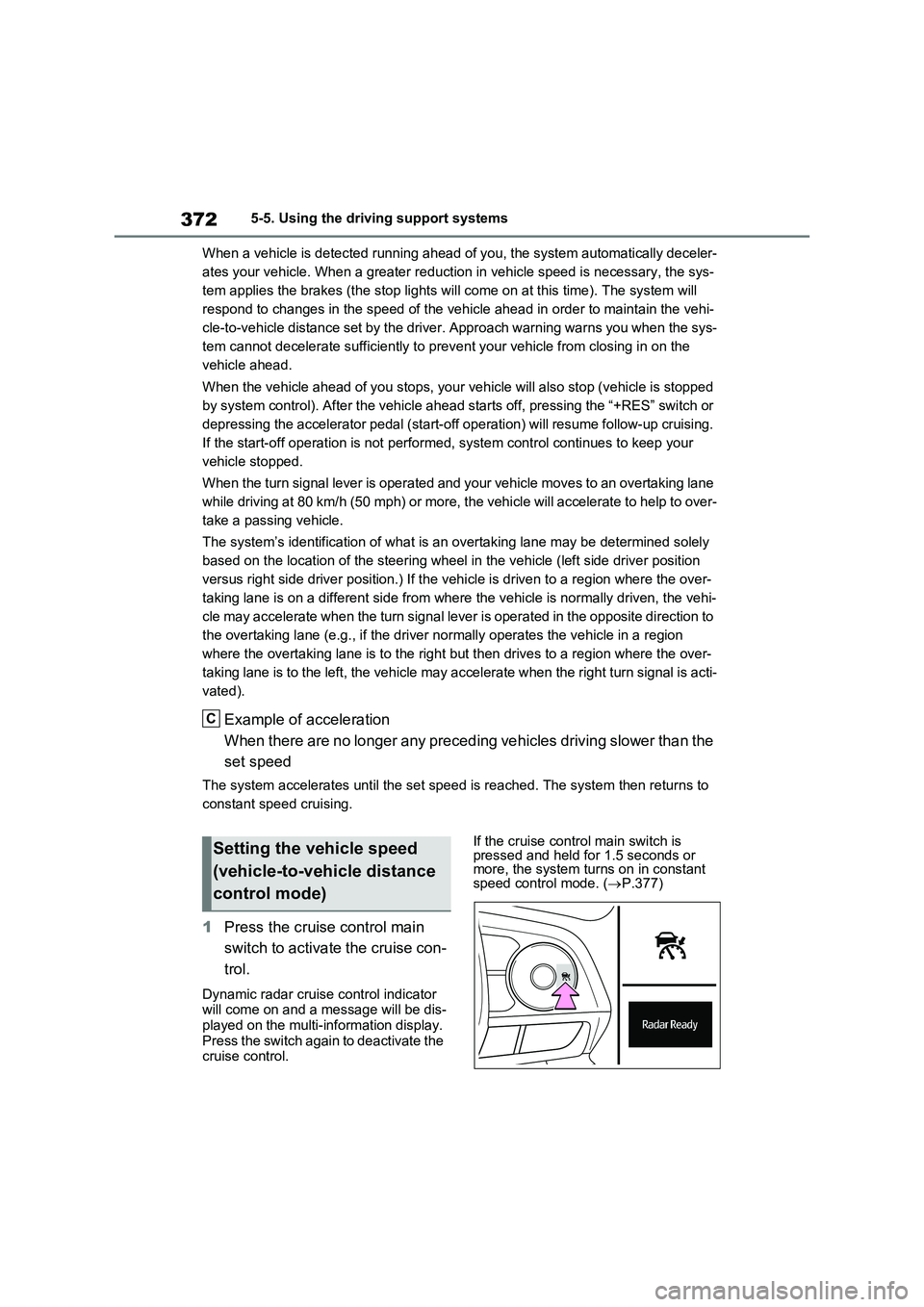
1Press the cruise control main
switch to activate the cruise con-
trol.
Dynamic radar cruise control indicator
will come on and a message will be dis-
played on the multi-information display.
Press the switch again to deactivate the
cruise control.If the cruise control main switch is
pressed and held for 1.5 seconds or
more, the system turns on in constant
speed control mode. (P.377)
C
Setting the vehicle speed
(vehicle-to-vehicle distance
control mode)
Page 378 of 718
3765-5. Using the driving support systems
When the speed of the preceding
vehicle matches or exceeds your
vehicle speed
When the preceding vehicle is
traveling at an extremely slow
speed
Immediately after the cruise con-
trol speed was set
When depressing the accelerator
pedal
While driving in vehicle-to-vehicle
distance control mode, this function
will reduce the vehicle speed, if it is
determined to be necessary.
■Function operation
When the steering wheel begins to
be turned, the vehicle speed will
begin being reduced. When the
steering wheel is returned to the
center position, the vehicle speed
reduction will end.
Depending on the situation, the
vehicle speed will then return to the
vehicle-to-vehicle distance control
mode set speed.
In situations where vehicle-to-vehi-
cle distance control needs to oper-
ate, such as when a preceding
vehicle cuts in front of your vehicle,
the curve speed reduction function
will be canceled.
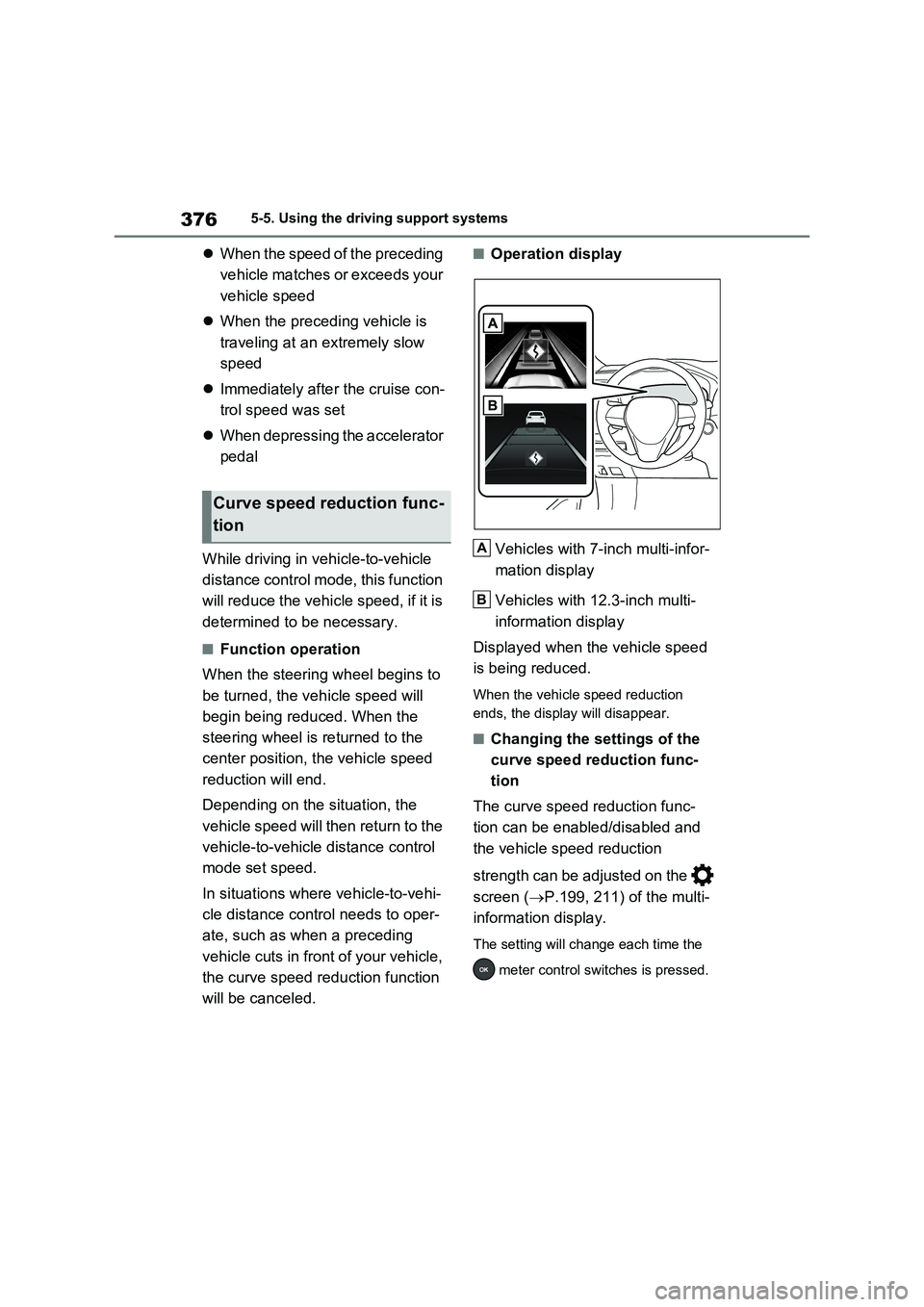
■Operation display
Vehicles with 7-inch multi-infor-
mation display
Vehicles with 12.3-inch multi-
information display
Displayed when the vehicle speed
is being reduced.
When the vehicle speed reduction
ends, the display will disappear.
■Changing the settings of the
curve speed reduction func-
tion
The curve speed reduction func-
tion can be enabled/disabled and
the vehicle speed reduction
strength can be adjusted on the
screen (P.199, 211) of the multi-
information display.
The setting will change each time the
meter control switches is pressed.
Curve speed reduction func-
tion
A
B
Page 382 of 718
3805-5. Using the driving support systems
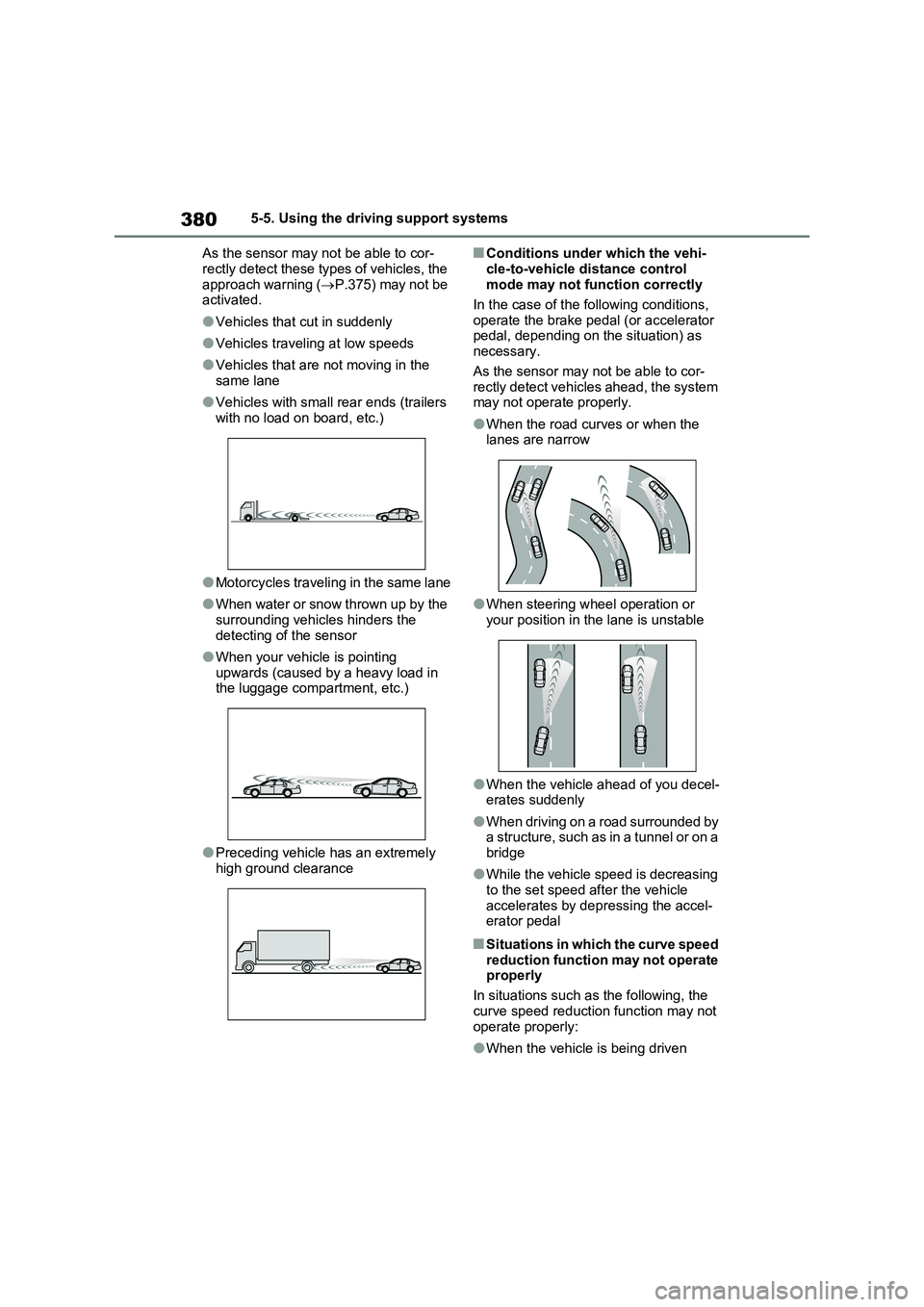
As the sensor may not be able to cor-
rectly detect these types of vehicles, the approach warning ( P.375) may not be activated.
●Vehicles that cut in suddenly
●Vehicles traveling at low speeds
●Vehicles that are not moving in the
same lane
●Vehicles with small rear ends (trailers
with no load on board, etc.)
●Motorcycles traveling in the same lane
●When water or snow thrown up by the surrounding vehicles hinders the
detecting of the sensor
●When your vehicle is pointing
upwards (caused by a heavy load in the luggage compartment, etc.)
●Preceding vehicle has an extremely high ground clearance
■Conditions under which the vehi-
cle-to-vehicle distance control mode may not function correctly
In the case of the following conditions,
operate the brake pedal (or accelerator pedal, depending on the situation) as necessary.
As the sensor may not be able to cor- rectly detect vehicles ahead, the system may not operate properly.
●When the road curves or when the lanes are narrow
●When steering wheel operation or your position in the lane is unstable
●When the vehicle ahead of you decel-erates suddenly
●When driving on a road surrounded by a structure, such as in a tunnel or on a
bridge
●While the vehicle speed is decreasing
to the set speed after the vehicle accelerates by depressing the accel-erator pedal
■Situations in which the curve speed
reduction function may not operate properly
In situations such as the following, the
curve speed reduction function may not operate properly:
●When the vehicle is being driven
Page 383 of 718
381
5 5-5. Using the driving support systems
Driving
around a curve on an incline/decline
●When the course of the vehicle differs
from the shape of the curve
●When the vehicle speed is exces-
sively high when entering a curve
●When the steering wheel is suddenly
operated
*: If equipped
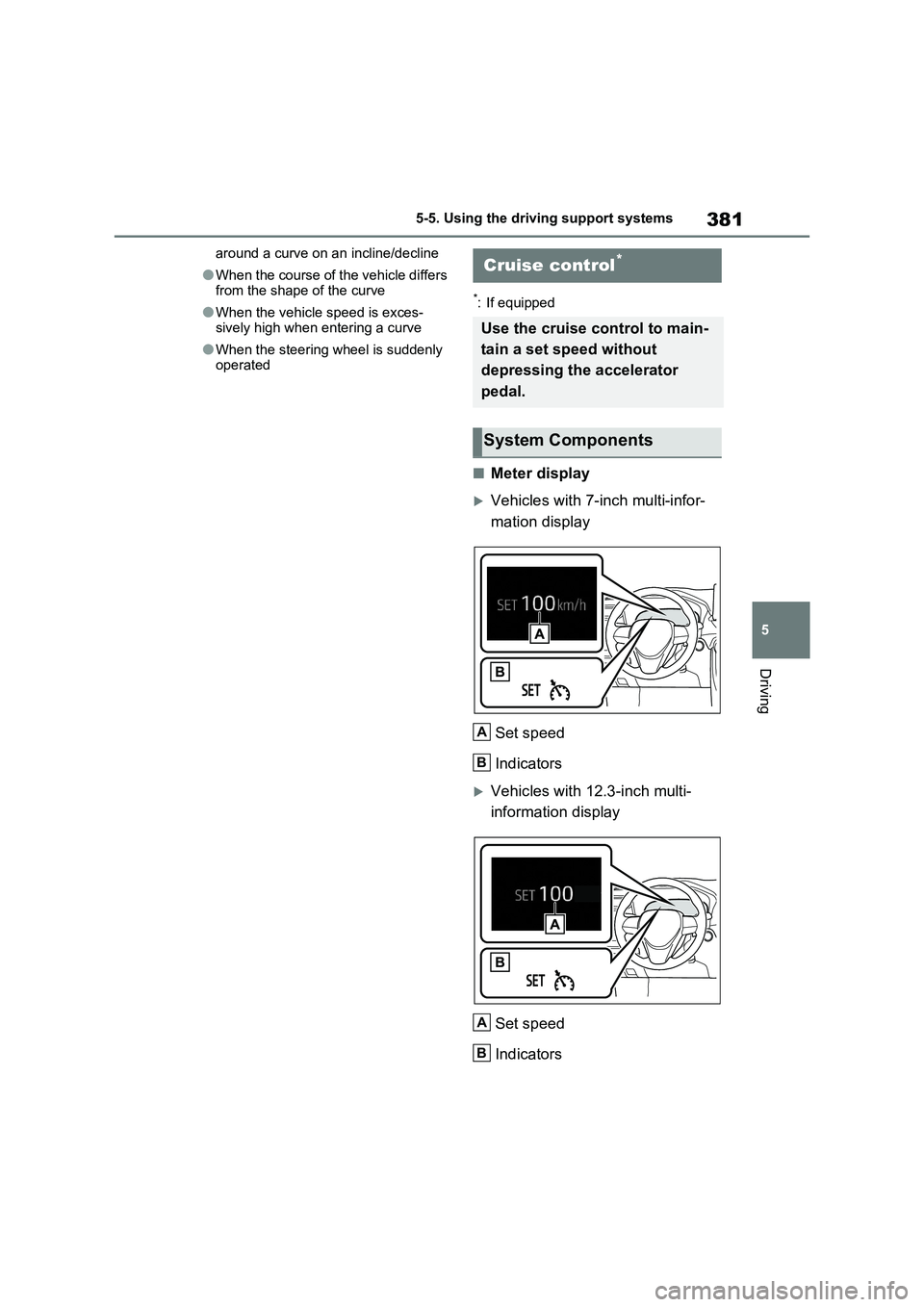
■Meter display
Vehicles with 7-inch multi-infor-
mation display
Set speed
Indicators
Vehicles with 12.3-inch multi-
information display
Set speed
Indicators
Cruise control*
Use the cruise control to main-
tain a set speed without
depressing the accelerator
pedal.
System Components
A
B
A
B
Page 415 of 718
413
5
5-5. Using the driving support systems
Driving
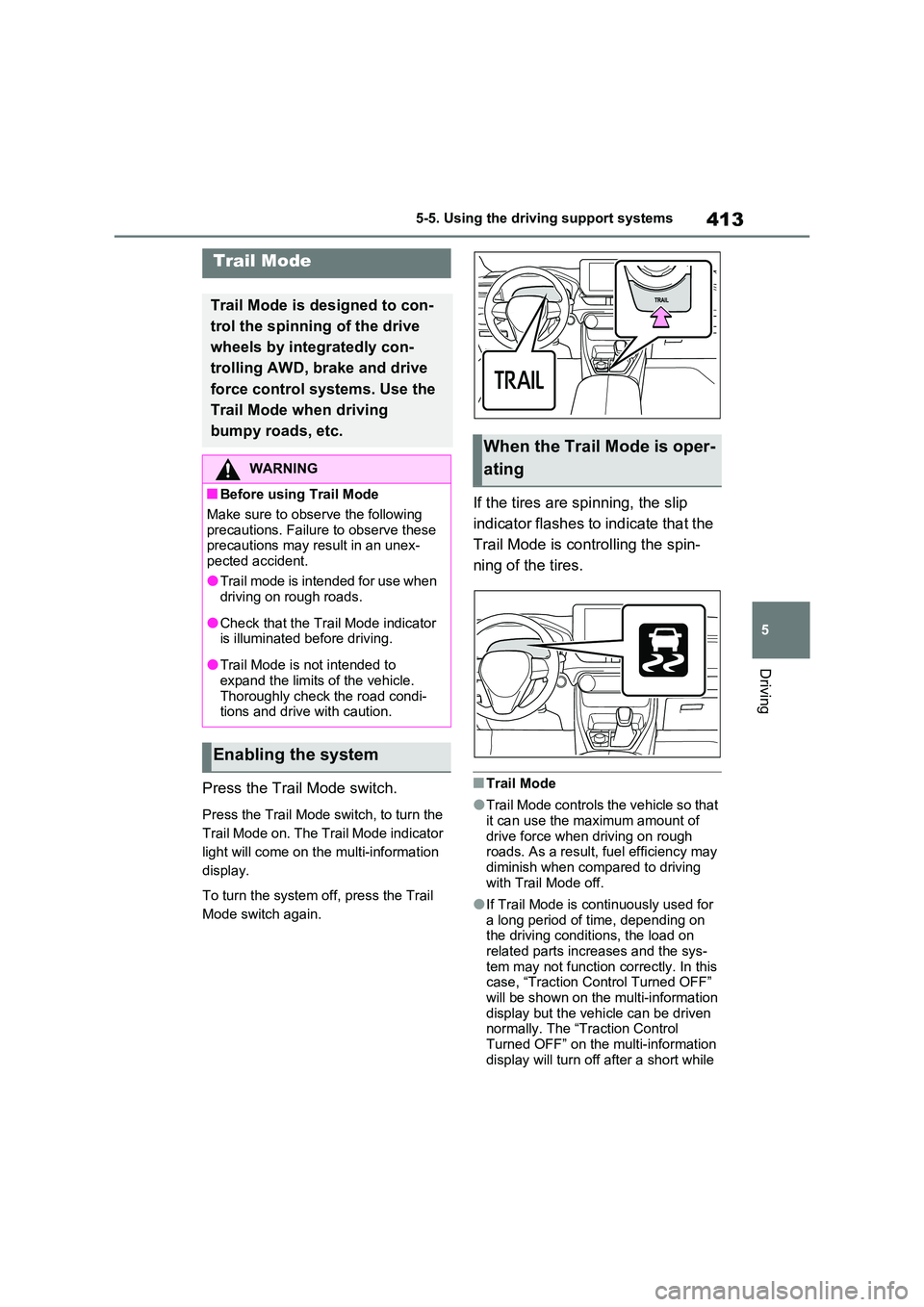
Press the Trail Mode switch.
Press the Trail Mode switch, to turn the
Trail Mode on. The Trail Mode indicator
light will come on the multi-information
display.
To turn the system off, press the Trail
Mode switch again.
If the tires are spinning, the slip
indicator flashes to indicate that the
Trail Mode is controlling the spin-
ning of the tires.
■Trail Mode
●Trail Mode controls the vehicle so that
it can use the maximum amount of drive force when driving on rough roads. As a result, fuel efficiency may
diminish when compared to driving with Trail Mode off.
●If Trail Mode is continuously used for a long period of time, depending on the driving conditions, the load on
related parts increases and the sys- tem may not function correctly. In this case, “Traction Control Turned OFF”
will be shown on the multi-information display but the vehicle can be driven normally. The “Traction Control
Turned OFF” on the multi-information display will turn off after a short while
Trail Mode
Trail Mode is designed to con-
trol the spinning of the drive
wheels by integratedly con-
trolling AWD, brake and drive
force control systems. Use the
Trail Mode when driving
bumpy roads, etc.
WARNING
■Before using Trail Mode
Make sure to observe the following precautions. Failure to observe these precautions may result in an unex-
pected accident.
●Trail mode is intended for use when driving on rough roads.
●Check that the Trail Mode indicator is illuminated before driving.
●Trail Mode is not intended to expand the limits of the vehicle.
Thoroughly check the road condi- tions and drive with caution.
Enabling the system
When the Trail Mode is oper-
ating
Page 416 of 718
4145-5. Using the driving support systems
and the system will operate properly.
■When Trail Mode is canceled
In the following situations, Trail Mode is automatically canceled even if it is selected:
●When the driving mode is changed. ( P.411)
●When the hybrid system is restarted.
■Sounds and vibrations when driv- ing in Trail Mode
Any of the following conditions may occur when Trail Mode is operating. None of these indicates that a malfunc-
tion has occurred:
●Vibrations may be felt throughout the
vehicle or steering wheel
●Sounds may be heard from the engine
compartment
■When the Trail Mode indicator does not illuminate
When the Trail Mode indicator does not
illuminate even though the Trail Mode switch is pressed, the system may be malfunctioning.
Have the vehicle inspected by any authorized Toyota retailer or Toyota authorized repairer, or any reliable
repairer immediately.
■If “Exhaust Filter Full See Owner’s
Manual” is shown on the multi- information display
●The message may be displayed while high load driving with particulate mat-ter accumulating.
●Hybrid system output (engine speed) is restricted when a certain amount of
particulate matter accumulates, how- ever, it is possible to drive the vehicle unless the malfunction indicator lamp
comes on.
●Particulate matter can accumulate
more quickly if the vehicle is fre- quently driven short trips or at low speeds, or if the hybrid system is reg-
ularly started in an extremely cold environment. Excessive accumula-
tion of particulate matter can be pre- vented by periodically driving long distances continuously with intermit-
tent releasing of the accelerator pedal, such as when driving on highways and freeways.
■If the malfunction indicator lamp
comes on or “Hybrid System Mal- function Output Power Reduced Visit Your Dealer” is shown on the
multi-information display
The amount of accumulated particulate matter has exceeded a certain level.
Have the vehicle inspected by any authorized Toyota retailer or Toyota authorized repairer, or any reliable
repairer immediately.
NOTICE
■In order to ensure that Trail Mode operates properly
Do not continuously use the Trail Mode for a long period of time. Depending on the driving conditions,
the load on related parts increases and the system may not operate prop-erly.
GPF (Gasoline Particu-
late Filter) system
The GPF system collects par-
ticulate matter in the exhaust
gas by using an exhaust gas
filter. The system will operate
to regenerate the filter auto-
matically, depending on the
vehicle conditions.
Page 417 of 718
415
5
5-5. Using the driving support systems
Driving
■ECB (Electronically Con-
trolled Brake System)
The electronically controlled sys-
tem generates braking force corre-
sponding to the brake operation
■ABS (Anti-lock Brake System)
Helps to prevent wheel lock when
the brakes are applied suddenly, or
if the brakes are applied while driv-
ing on a slippery road surface
■Brake assist
Generates an increased level of
braking force after the brake pedal
is depressed when the system
detects a panic stop situation
■VSC (Vehicle Stability Control)
Helps the driver to control skidding
when swerving suddenly or turning
on slippery road surfaces.
NOTICE
■To prevent the GPF system from not operating properly
●Do not use fuel other than the spec-ified type
●Do not modify the exhaust pipes
Driving assist systems
To keep driving safety and per-
formance, the following sys-
tems operate automatically in
response to various driving sit-
uations. Be aware, however,
that these systems are supple-
mentary and should not be
relied upon too heavily when
operating the vehicle.
Summary of the driving
assist systems
Page 418 of 718
4165-5. Using the driving support systems
■VSC+ (Vehicle Stability Con-
trol+)
Provides cooperative control of the
ABS, TRC, VSC and EPS.
Helps to maintain directional stabil-
ity when swerving on slippery road
surfaces by controlling steering per-
formance.
■Trailer Sway Control
Helps the driver to control trailer
sway by selectively applying brake
pressure for individual wheels and
reducing driving torque when trailer
sway is detected.
■TRC (Traction Control)
Helps to maintain drive power and
prevent the drive wheels from spin-
ning when starting the vehicle or
accelerating on slippery roads
■Active Cornering Assist (ACA)
Helps to prevent the vehicle from
drifting to the outer side by perform-
ing inner wheel brake control when
attempting to accelerate while turn-
ing
■Hill-start assist control
Helps to reduce the backward
movement of the vehicle when
starting on an uphill
■EPS (Electric Power Steering)
Employs an electric motor to
reduce the amount of effort needed
to turn the steering wheel.
■E-Four (Electronic On-Demand
AWD system)
Automatically controls the drive
system such as to front-wheel drive
or AWD (all wheel drive) according
to various running conditions
including normal driving, during cor-
nering, on a uphill, when starting
off, during acceleration, on a slip-
pery roads due to snow or rain,
thus contributing to stable
operability and driving stability.
■Emergency brake signal
When the brakes are applied sud-
denly, the emergency flashers
automatically flash to alert the vehi-
cle behind.
■The Secondary Collision
Brake (if equipped)
When the SRS airbag sensor
detects a collision and the system
operates, the brakes and brake
lights are automatically controlled
to reduce the vehicle speed and
help reduce the possibility of further
damage due to a secondary colli-
sion.
■When the TRC/VSC/ABS/Trail
Mode/Trailer Sway Control systems
are operating
The slip indicator light will flash while the
TRC/VSC/ABS/Trail Mode/Trailer Sway
Control systems are operating.