oil TOYOTA RAV4 PLUG-IN HYBRID 2023 Owners Manual
[x] Cancel search | Manufacturer: TOYOTA, Model Year: 2023, Model line: RAV4 PLUG-IN HYBRID, Model: TOYOTA RAV4 PLUG-IN HYBRID 2023Pages: 718, PDF Size: 167.55 MB
Page 3 of 718
RAV4 Plug-in Hybrid_OM_OM9A587E_(EE)
1
6
5
4
3
2
8
7
9
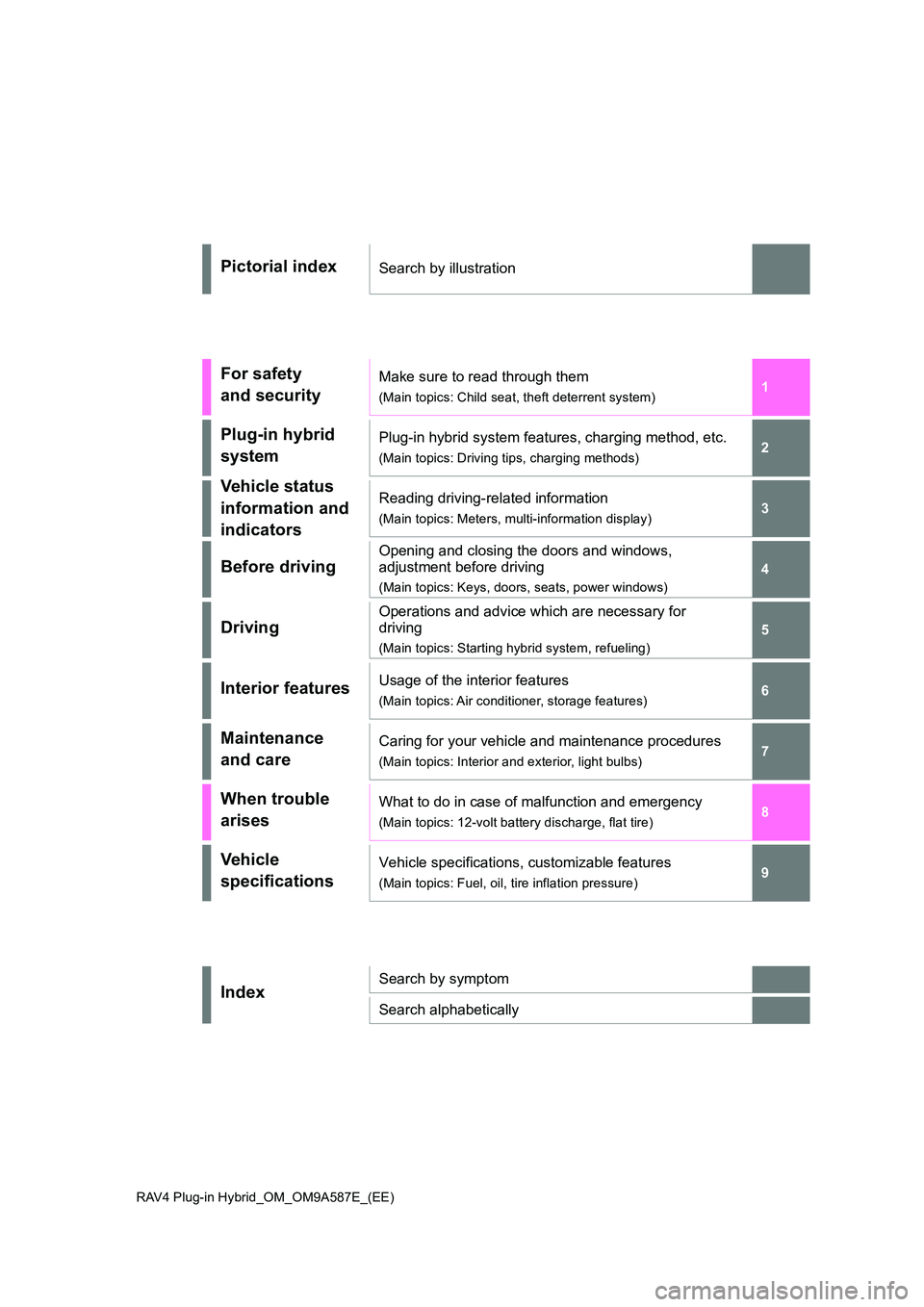
Pictorial indexSearch by illustration
For safety
and security
Make sure to read through them
(Main topics: Child seat, theft deterrent system)
Plug-in hybrid
system
Plug-in hybrid system features, charging method, etc.
(Main topics: Driving tips, charging methods)
Vehicle status
information and
indicators
Reading driving-related information
(Main topics: Meters, multi-information display)
Before driving
Opening and closing the doors and windows,
adjustment before driving
(Main topics: Keys, doors, seats, power windows)
Driving
Operations and advice which are necessary for
driving
(Main topics: Starting hybrid system, refueling)
Interior featuresUsage of the interior features
(Main topics: Air conditioner, storage features)
Maintenance
and care
Caring for your vehicle and maintenance procedures
(Main topics: Interior and exterior, light bulbs)
When trouble
arises
What to do in case of malfunction and emergency
(Main topics: 12-volt battery discharge, flat tire)
Vehicle
specifications
Vehicle specifications, customizable features
(Main topics: Fuel, oil, tire inflation pressure)
IndexSearch by symptom
Search alphabetically
Page 7 of 718
5TABLE OF CONTENTS
1
6
5
4
3
2
8
7
9
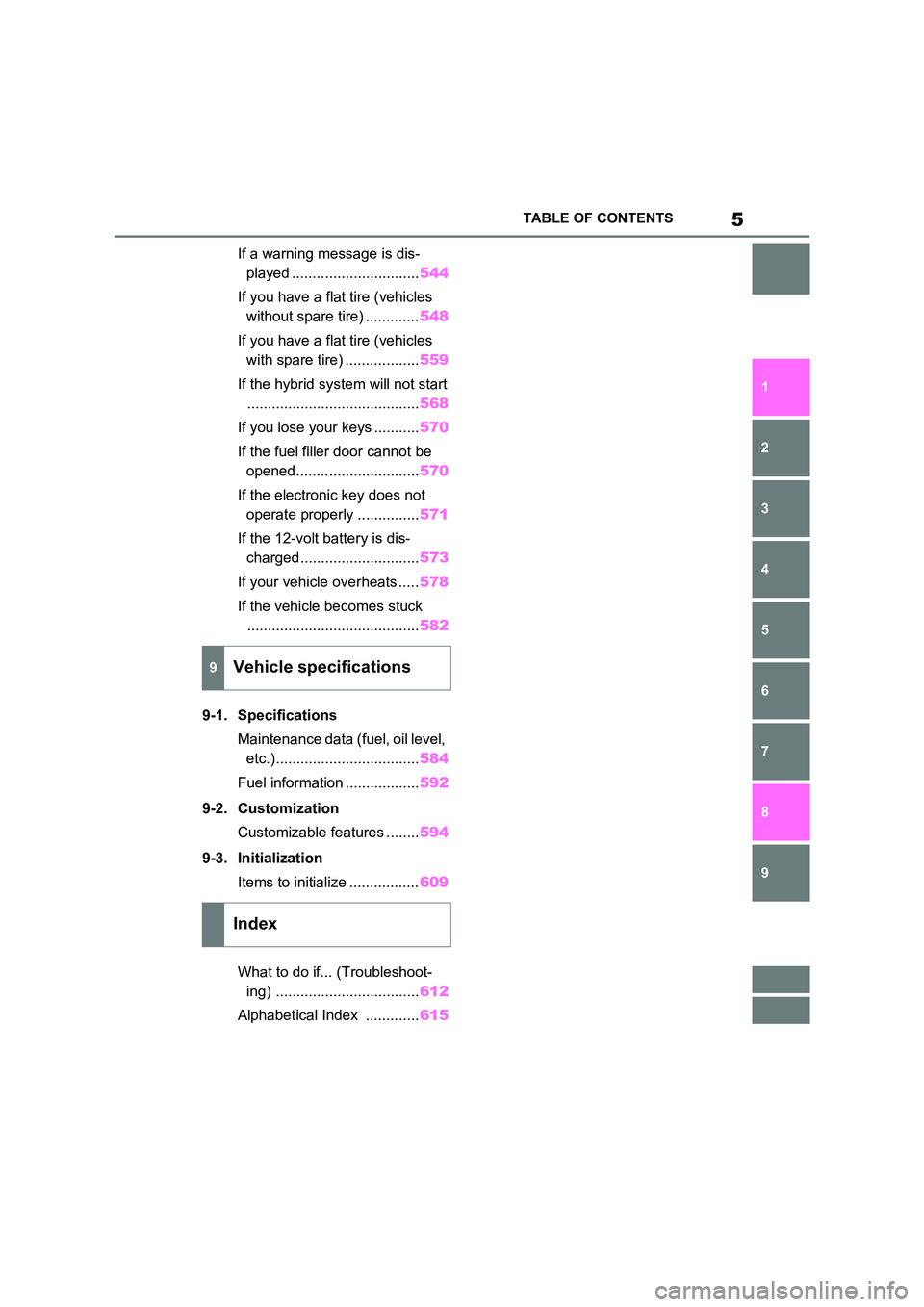
If a warning message is dis-
played ............................... 544
If you have a flat tire (vehicles
without spare tire) ............. 548
If you have a flat tire (vehicles
with spare tire) .................. 559
If the hybrid system will not start
.......................................... 568
If you lose your keys ........... 570
If the fuel filler door cannot be
opened.............................. 570
If the electronic key does not
operate properly ............... 571
If the 12-volt battery is dis-
charged............................. 573
If your vehicle overheats ..... 578
If the vehicle becomes stuck
.......................................... 582
9-1. Specifications
Maintenance data (fuel, oil level,
etc.)................................... 584
Fuel information .................. 592
9-2. Customization
Customizable features ........ 594
9-3. Initialization
Items to initialize ................. 609
What to do if... (Troubleshoot-
ing) ................................... 612
Alphabetical Index ............. 615
9Vehicle specifications
Index
Page 15 of 718
13Pictorial index
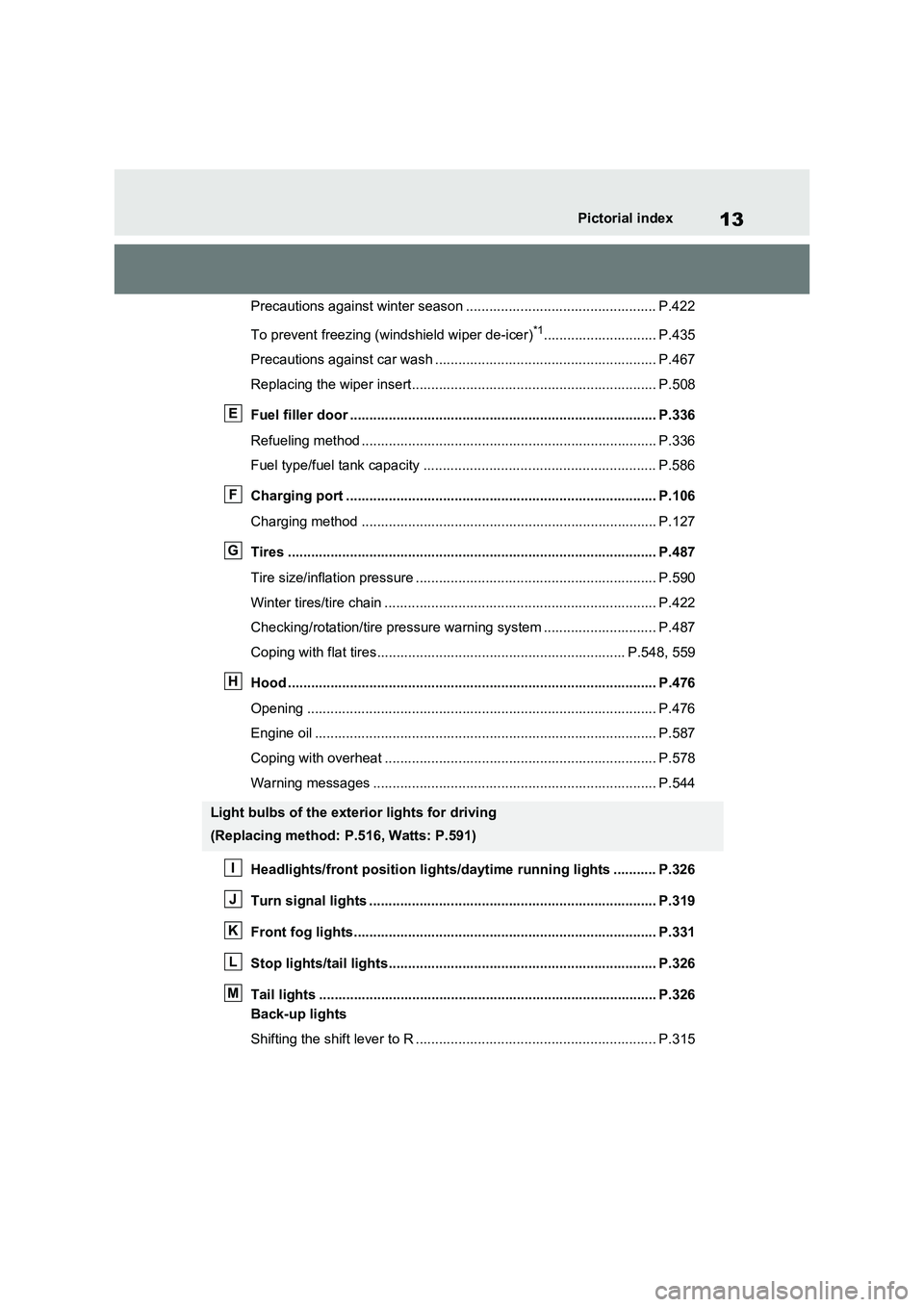
Precautions against winter season ................................................. P.422
To prevent freezing (windshield wiper de-icer)
*1............................. P.435
Precautions against car wash ......................................................... P.467
Replacing the wiper insert............................................................... P.508
Fuel filler door ............................................................................... P.336
Refueling method ............................................................................ P.336
Fuel type/fuel tank capacity ............................................................ P.586
Charging port ................................................................................ P.106
Charging method ............................................................................ P.127
Tires ............................................................................................... P.487
Tire size/inflation pressure .............................................................. P.590
Winter tires/tire chain ...................................................................... P.422
Checking/rotation/tire pressure warning system ............................. P.487
Coping with flat tires................................................................ P.548, 559
Hood ............................................................................................... P.476
Opening .......................................................................................... P.476
Engine oil ........................................................................................ P.587
Coping with overheat ...................................................................... P.578
Warning messages ......................................................................... P.544
Headlights/front position lights/daytime running lights ........... P.326
Turn signal lights .......................................................................... P.319
Front fog lights.............................................................................. P.331
Stop lights/tail lights..................................................................... P.326
Tail lights ....................................................................................... P.326
Back-up lights
Shifting the shift lever to R .............................................................. P.315
Light bulbs of the exterior lights for driving
(Replacing method: P.516, Watts: P.591)
E
F
G
H
I
J
K
L
M
Page 185 of 718
183
3 3-1. Instrument cluster
Vehicle status information and indicators
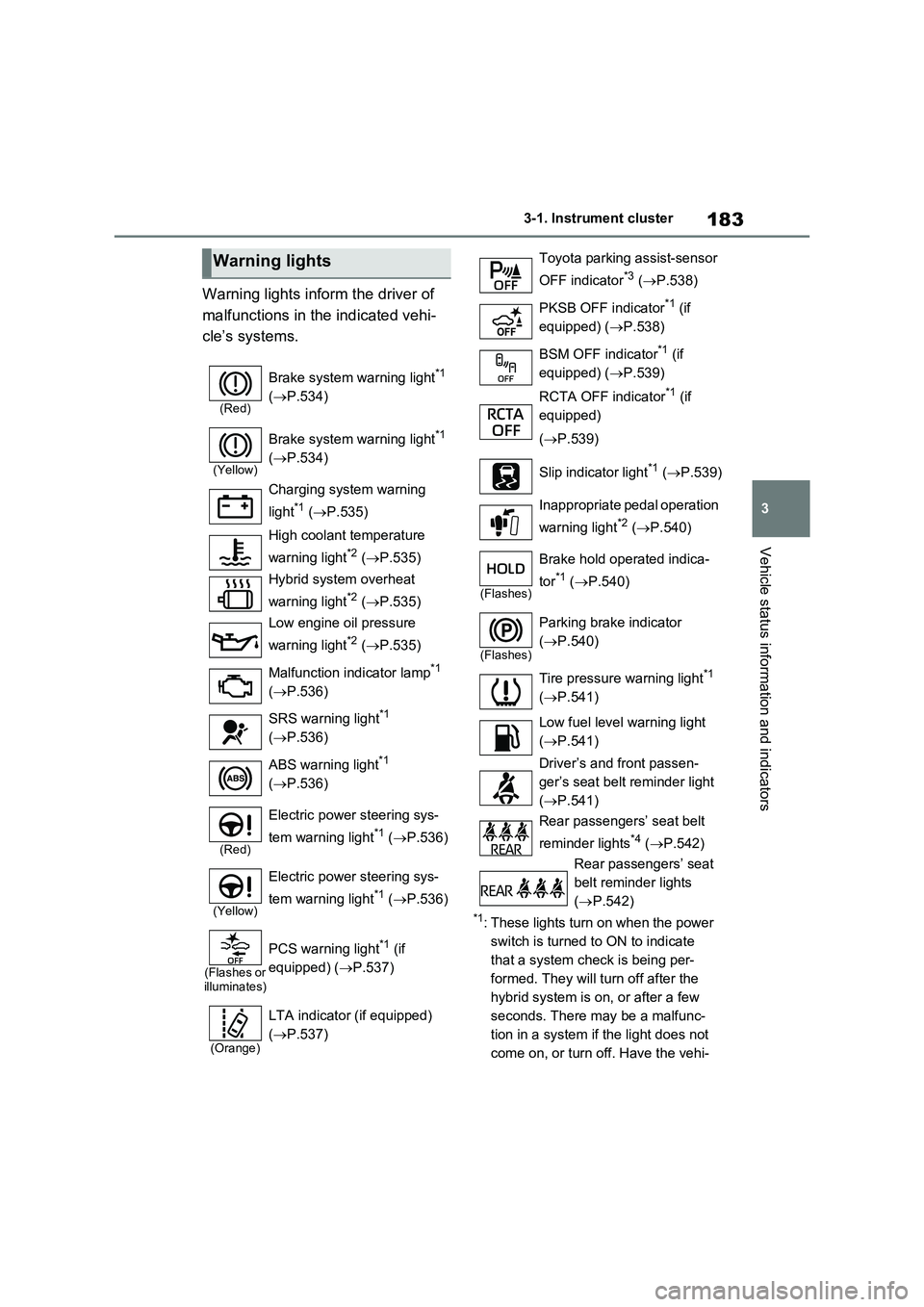
Warning lights inform the driver of
malfunctions in the indicated vehi-
cle’s systems.
*1: These lights turn on when the power
switch is turned to ON to indicate
that a system check is being per-
formed. They will turn off after the
hybrid system is on, or after a few
seconds. There may be a malfunc-
tion in a system if the light does not
come on, or turn off. Have the vehi-
Warning lights
(Red)
Brake system warning light*1
(P.534)
(Yellow)
Brake system warning light*1
(P.534)
Charging system warning
light
*1 (P.535)
High coolant temperature
warning light
*2 (P.535)
Hybrid system overheat
warning light
*2 (P.535)
Low engine oil pressure
warning light
*2 (P.535)
Malfunction indicator lamp
*1
(P.536)
SRS warning light
*1
(P.536)
ABS warning light
*1
(P.536)
(Red)
Electric power steering sys-
tem warning light
*1 (P.536)
(Yellow)
Electric power steering sys-
tem warning light
*1 (P.536)
(Flashes or
illuminates)
PCS warning light*1 (if
equipped) (P.537)
(Orange)
LTA indicator (if equipped)
(P.537)
Toyota parking assist-sensor
OFF indicator
*3 (P.538)
PKSB OFF indicator
*1 (if
equipped) (P.538)
BSM OFF indicator
*1 (if
equipped) (P.539)
RCTA OFF indicator
*1 (if
equipped)
(P.539)
Slip indicator light
*1 (P.539)
Inappropriate pedal operation
warning light
*2 (P.540)
(Flashes)
Brake hold operated indica-
tor
*1 (P.540)
(Flashes)
Parking brake indicator
(P.540)
Tire pressure warning light
*1
(P.541)
Low fuel level warning light
(P.541)
Driver’s and front passen-
ger’s seat belt reminder light
(P.541)
Rear passengers’ seat belt
reminder lights
*4 (P.542)
Rear passengers’ seat
belt reminder lights
(P.542)
Page 257 of 718
255
4 4-2. Opening, closing and locking the doors
Before driving
●When the electronic key battery is
depleted
●Near a TV tower, electric power plant,
gas station, radio station, large dis-
play, airport or other facility that gen-
erates strong radio waves or electrical
noise
●When the electronic key is in contact
with, or is covered by the following
metallic objects
• Cards to which aluminum foil is
attached
• Cigarette boxes that have aluminum
foil inside
• Metallic wallets or bags
• Coins
• Hand warmers made of metal
• Media such as CDs and DVDs
●When other wireless key (that emits
radio waves) is being used nearby
●When carrying the electronic key
together with the following devices
that emit radio waves
• Portable radio, cellular phone, cord-
less phone or other wireless commu-
nication devices
• Another electronic key or a wireless
key that emits radio waves
• Personal computers or personal digi-
tal assistants (PDAs)
• Digital audio players
• Portable game systems
●If window tint with a metallic content or
metallic objects are attached to the
rear window
●When the electronic key is placed
near a battery charger or electronic
devices
●When the vehicle is parked in a pay
parking spot where radio waves are
emitted.
If the doors cannot be locked/unlocked
using the smart entry & start system,
lock/unlock the doors by performing any
of the following:
●Bring the electronic key close to either
front door handle and operate the
entry function.
●Operate the wireless remote control. If the doors cannot be locked/unlocked
using the above methods, use the
mechanical key. (P.234)
If the hybrid system cannot be started
using the smart entry & start system,
refer to P.572.
■Note for the entry function
●Even when the electronic key is within
the effective range (detection areas),
the system may not operate properly
in the following cases:
• The electronic key is too close to the
window or outside door handle, near
the ground, or in a high place when
the doors are locked or unlocked.
• The electronic key is on the instru-
ment panel, luggage cover or floor, or
in the door pockets or glove box when
the hybrid system is started or power
switch modes are changed.
●Do not leave the electronic key on top
of the instrument panel or near the
door pockets when exiting the vehicle.
Depending on the radio wave recep-
tion conditions, it may be detected by
the antenna outside the cabin and the
door will become lockable from the
outside, possibly trapping the elec-
tronic key inside the vehicle.
●As long as the electronic key is within
the effective range, the doors may be
locked or unlocked by anyone. How-
ever, only the doors detecting the
electronic key can be used to lock or
unlock the vehicle.
●Even if the electronic key is not inside
the vehicle, it may be possible to start
the hybrid system if the electronic key
is near the window.
●The doors may unlock if a large
amount of water splashes on the door
handle, such as in the rain or in a car
wash when the electronic key is within
the effective range. (The doors will
automatically be locked after approxi-
mately 30 seconds if the doors are not
opened and closed.)
●If the wireless remote control is used
to lock the doors when the electronic
Page 295 of 718
293
5
5-1. Before driving
Driving
WARNING
●The brake system consists of 2 or more individual hydraulic systems;
if one of the systems fails, the other will still operate. In this case, the brake pedal should be depressed
more firmly than usual and the braking distance will increase. Have your brakes fixed immediately.
■If the vehicle becomes stuck
Do not spin the wheels excessively
when any of the tires is up in the air, or the vehicle is stuck in sand, mud, etc. This may damage the driveline
components or propel the vehicle for- ward or backward, causing an acci-dent.
NOTICE
■When driving the vehicle
●Do not depress the accelerator and brake pedals at the same time
during driving, as this may restrain the hybrid system output.
●Do not use the accelerator pedal or depress the accelerator and brake
pedals at the same time to hold the vehicle on a hill.
■Avoiding damage to vehicle parts
●Do not turn the steering wheel fully
in either direction and hold it there for an extended period of time.Doing so may damage the power
steering motor.
●When driving over bumps in the
road, drive as slowly as possible to avoid damaging the wheels, under-side of the vehicle, etc.
■If you get a flat tire while driving
A flat or damaged tire may cause the
following situations.
●It may be difficult to control your vehicle.
●The vehicle will make abnormal sounds or vibrations.
●The vehicle will lean abnormally.
Hold the steering wheel firmly and gradually depress the brake pedal to
slow down the vehicle.
Information on what to do in case of a flat tire ( P.548, 559)
■When encountering flooded roads
Do not drive on a road that has flooded after heavy rain, etc. Doing so may cause the following serious dam-
age to the vehicle:
●Engine stalling
●Short in electrical components
●Engine damage caused by water
immersion
In the event that you drive on a
flooded road and the vehicle is flooded, be sure to have any autho-rized Toyota retailer or Toyota autho-
rized repairer, or any reliable repairer check the following:
●Brake function
●Changes in quantity and quality of oil and fluid used for the engine,
hybrid transaxle (front and rear), etc.
●Lubricant condition for the bearings and suspension joints (where possi-ble), and the function of all joints,
bearings, etc.
●Components connected to the trac-
tion battery.
■When parking the vehicle
Always set the parking brake, and shift the shift lever to P. Failure to do so may cause the vehicle to move or
the vehicle may accelerate suddenly if the accelerator pedal is accidentally depressed.
Page 341 of 718
339
5
5-5. Using the driving support systems
Driving
WARNING
■To avoid malfunction of the radar sensor
Observe the following precautions. Otherwise, the radar sensor may not operate properly, possibly leading to
an accident resulting in death or seri- ous injury.
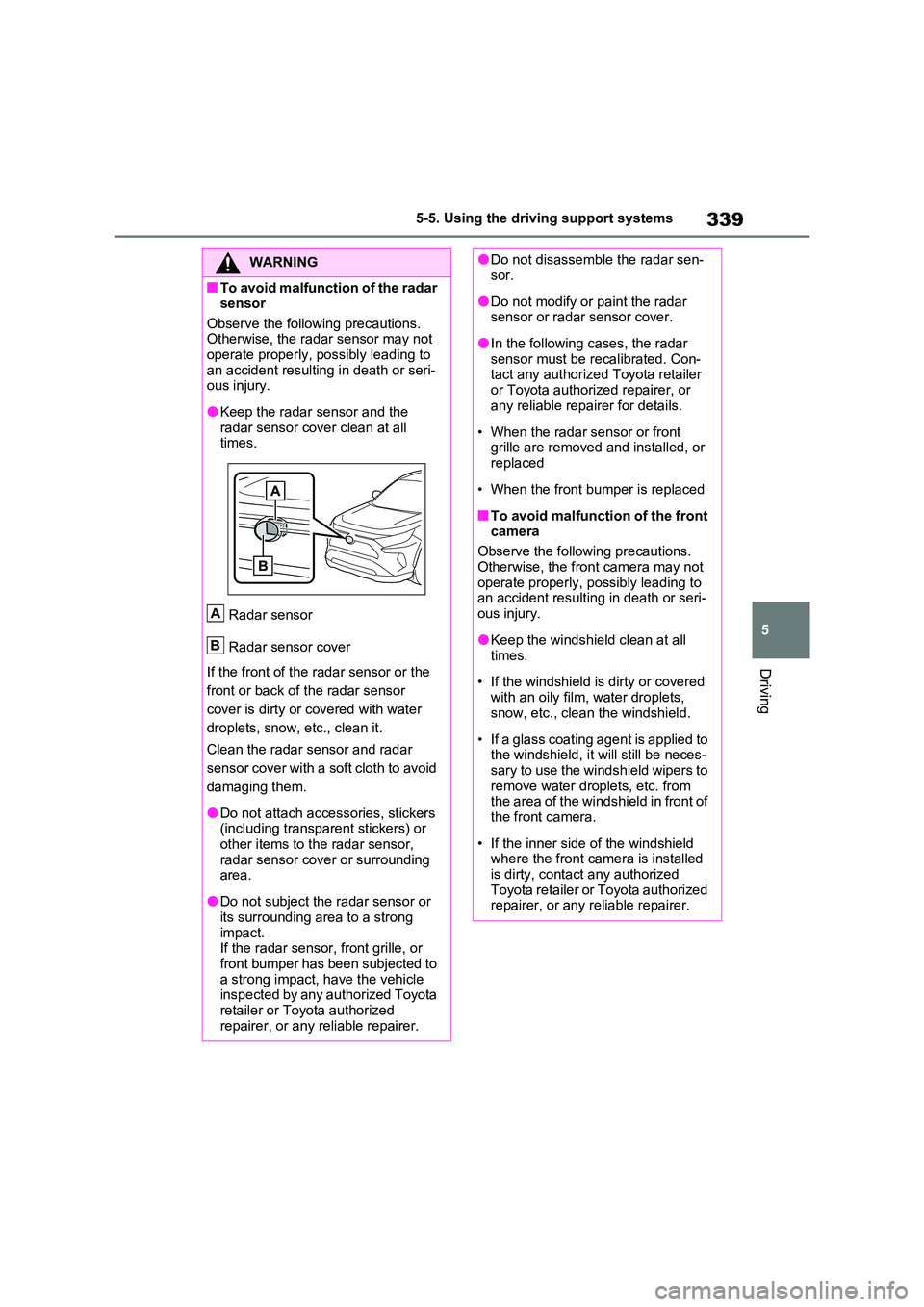
●Keep the radar sensor and the radar sensor cover clean at all times.
Radar sensor
Radar sensor cover
If the front of the radar sensor or the
front or back of the radar sensor
cover is dirty or covered with water
droplets, snow, etc., clean it.
Clean the radar sensor and radar
sensor cover with a soft cloth to avoid
damaging them.
●Do not attach accessories, stickers (including transparent stickers) or
other items to the radar sensor, radar sensor cover or surrounding area.
●Do not subject the radar sensor or its surrounding area to a strong
impact. If the radar sensor, front grille, or front bumper has been subjected to
a strong impact, have the vehicle inspected by any authorized Toyota retailer or Toyota authorized
repairer, or any reliable repairer.
A
B
●Do not disassemble the radar sen- sor.
●Do not modify or paint the radar sensor or radar sensor cover.
●In the following cases, the radar sensor must be recalibrated. Con-tact any authorized Toyota retailer
or Toyota authorized repairer, or any reliable repairer for details.
• When the radar sensor or front grille are removed and installed, or replaced
• When the front bumper is replaced
■To avoid malfunction of the front camera
Observe the following precautions.
Otherwise, the front camera may not operate properly, possibly leading to an accident resulting in death or seri-
ous injury.
●Keep the windshield clean at all
times.
• If the windshield is dirty or covered
with an oily film, water droplets, snow, etc., clean the windshield.
• If a glass coating agent is applied to the windshield, it will still be neces-sary to use the windshield wipers to
remove water droplets, etc. from the area of the windshield in front of the front camera.
• If the inner side of the windshield where the front camera is installed
is dirty, contact any authorized Toyota retailer or Toyota authorized repairer, or any reliable repairer.
Page 355 of 718
353
5 5-5. Using the driving support systems
Driving
ations, such as the following, the
emergency steering assist may not
operate.
• When the white (yellow) lane lines are
difficult to see, such as when they are
faint, diverging/merging, or a shadow
is cast upon them
• When the lane is wider or narrower
than normal
• When there is a light and dark pattern
on the road surface, such as due to
road repairs
• When the target is too close
• When there is insufficient safe or
unobstructed space for the vehicle to
be steered into
• If oncoming vehicle is present
• If VSC function is operating
●In some situations such as the follow-
ing, sufficient braking force or steering
force may not be obtained, preventing
the system from performing properly:
• If the braking functions cannot operate
to their full extent, such as when the
brake parts are extremely cold,
extremely hot, or wet
• If the vehicle is not properly main-
tained (brakes or tires are excessively
worn, improper tire inflation pressure,
etc.)
• When the vehicle is being driven on a
gravel road or other slippery surface
• When the road surface has deep
wheel tracks
• When driving on a hill road
• When driving on a road that has
inclines to the left or right
■If VSC is disabled
●If VSC is disabled (P.417), the pre-
collision brake assist and pre-collision
braking functions are also disabled.
●The PCS warning light will turn on and
“VSC Turned OFF Pre-Collision Brake
System Unavailable” will be displayed
on the multi-information display.
*: If equipped
LTA (Lane Tracing
Assist)
*
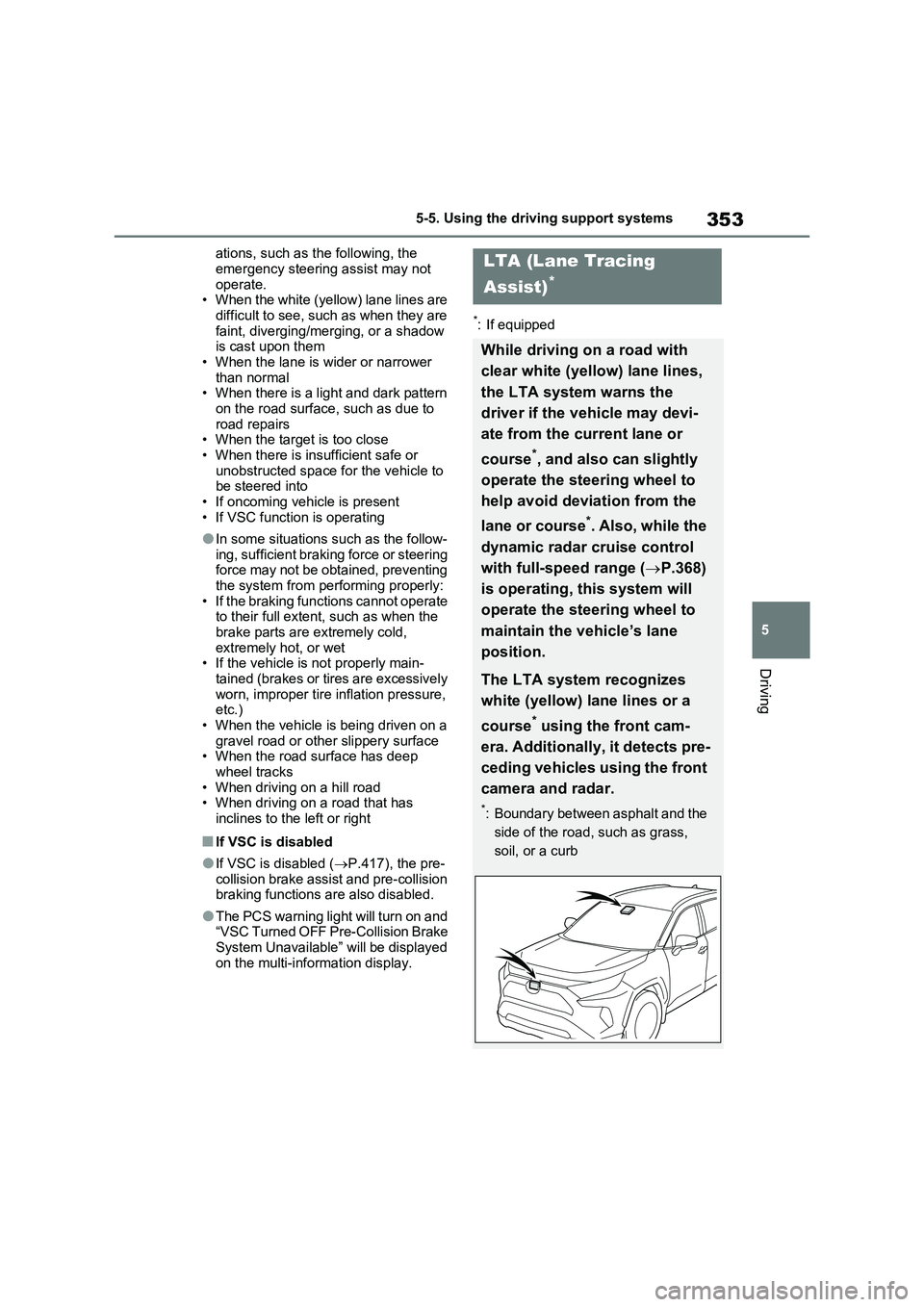
While driving on a road with
clear white (yellow) lane lines,
the LTA system warns the
driver if the vehicle may devi-
ate from the current lane or
course
*, and also can slightly
operate the steering wheel to
help avoid deviation from the
lane or course
*. Also, while the
dynamic radar cruise control
with full-speed range (P.368)
is operating, this system will
operate the steering wheel to
maintain the vehicle’s lane
position.
The LTA system recognizes
white (yellow) lane lines or a
course
* using the front cam-
era. Additionally, it detects pre-
ceding vehicles using the front
camera and radar.
*: Boundary between asphalt and the
side of the road, such as grass,
soil, or a curb
Page 359 of 718
357
5 5-5. Using the driving support systems
Driving
the steering wheel vibrates, check the
area around your vehicle and carefully
operate the steering wheel to move the
vehicle back to the center of the lane.
Vehicles with BSM: When the system
determines that the vehicle might
depart from its lane and that the possi-
bility of a collision with an overtaking
vehicle in the adjacent lane is high, the
lane departure alert will operate even if
the turn signals are operating.
*: Boundary between asphalt and the
side of the road, such as grass, soil,
or a curb
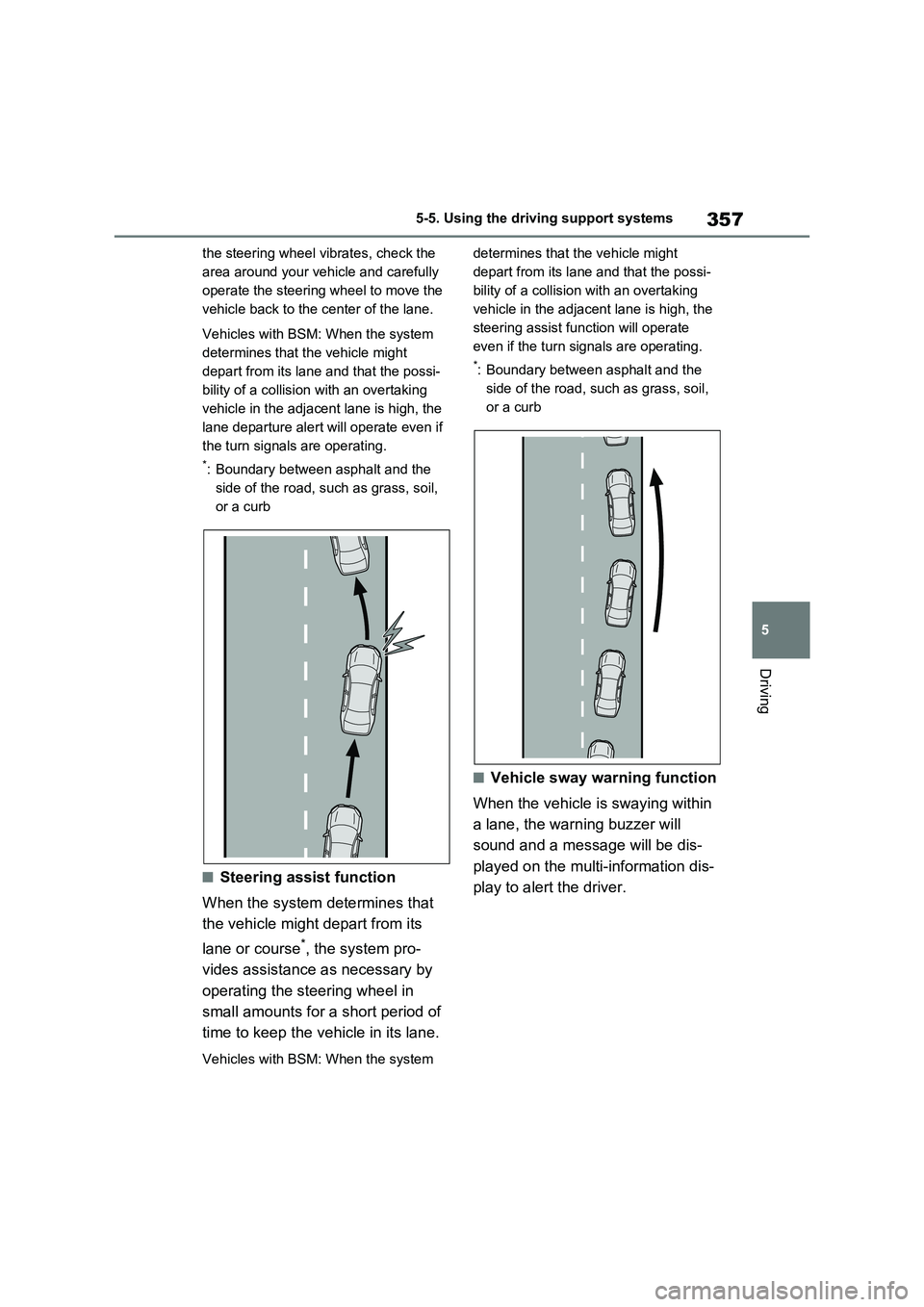
■Steering assist function
When the system determines that
the vehicle might depart from its
lane or course
*, the system pro-
vides assistance as necessary by
operating the steering wheel in
small amounts for a short period of
time to keep the vehicle in its lane.
Vehicles with BSM: When the system determines that the vehicle might
depart from its lane and that the possi-
bility of a collision with an overtaking
vehicle in the adjacent lane is high, the
steering assist function will operate
even if the turn signals are operating.
*: Boundary between asphalt and the
side of the road, such as grass, soil,
or a curb
■Vehicle sway warning function
When the vehicle is swaying within
a lane, the warning buzzer will
sound and a message will be dis-
played on the multi-information dis-
play to alert the driver.
Page 362 of 718
3605-5. Using the driving support systems
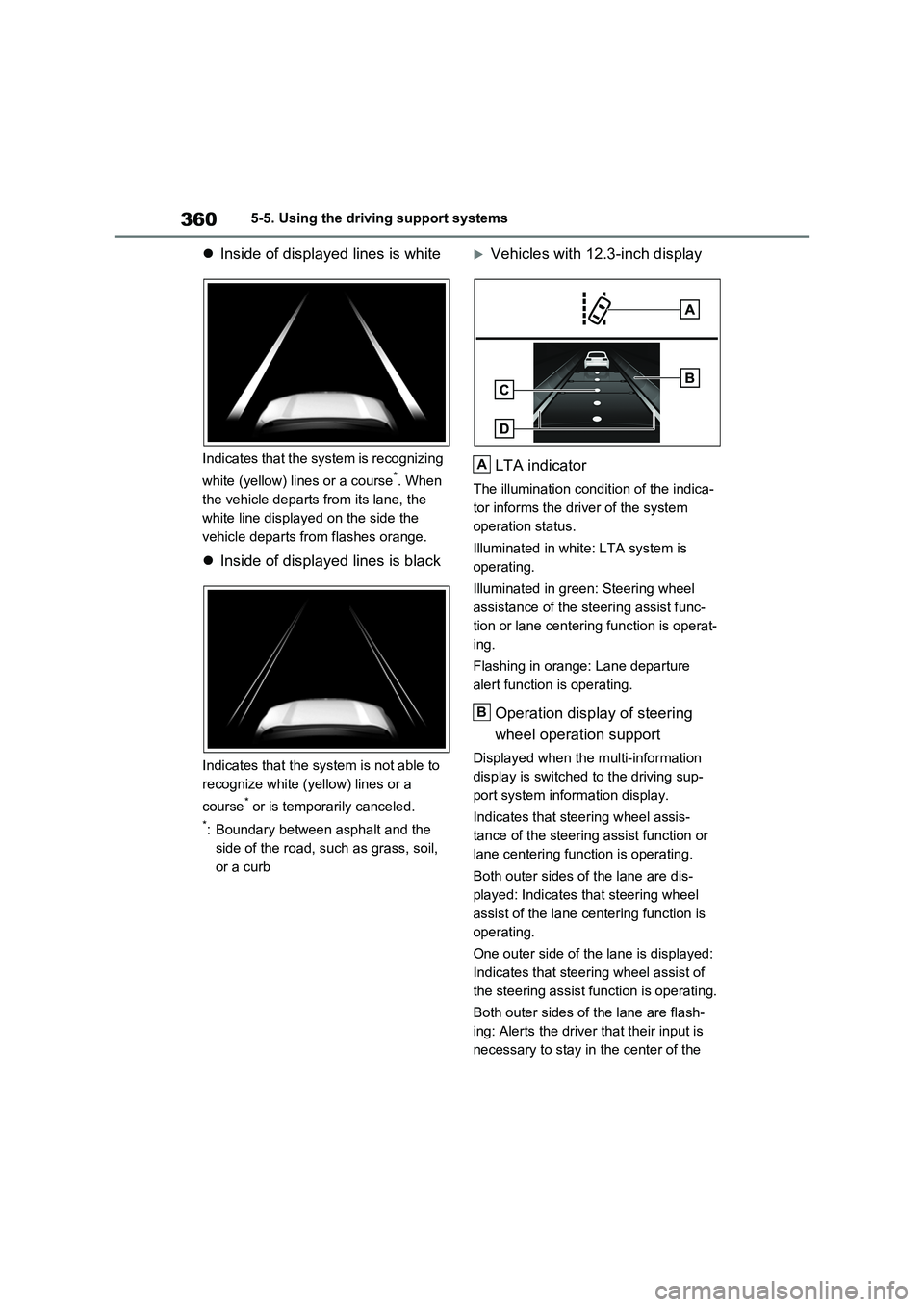
Inside of displayed lines is white
Indicates that the system is recognizing
white (yellow) lines or a course
*. When
the vehicle departs from its lane, the
white line displayed on the side the
vehicle departs from flashes orange.
Inside of displayed lines is black
Indicates that the system is not able to
recognize white (yellow) lines or a
course
* or is temporarily canceled.
*: Boundary between asphalt and the
side of the road, such as grass, soil,
or a curb
Vehicles with 12.3-inch display
LTA indicator
The illumination condition of the indica-
tor informs the driver of the system
operation status.
Illuminated in white: LTA system is
operating.
Illuminated in green: Steering wheel
assistance of the steering assist func-
tion or lane centering function is operat-
ing.
Flashing in orange: Lane departure
alert function is operating.
Operation display of steering
wheel operation support
Displayed when the multi-information
display is switched to the driving sup-
port system information display.
Indicates that steering wheel assis-
tance of the steering assist function or
lane centering function is operating.
Both outer sides of the lane are dis-
played: Indicates that steering wheel
assist of the lane centering function is
operating.
One outer side of the lane is displayed:
Indicates that steering wheel assist of
the steering assist function is operating.
Both outer sides of the lane are flash-
ing: Alerts the driver that their input is
necessary to stay in the center of the
A
B