tow TOYOTA SUPRA 2019 User Guide
[x] Cancel search | Manufacturer: TOYOTA, Model Year: 2019, Model line: SUPRA, Model: TOYOTA SUPRA 2019Pages: 456, PDF Size: 88.65 MB
Page 194 of 456
194
Supra Owner's Manual3-1. CONTROLS
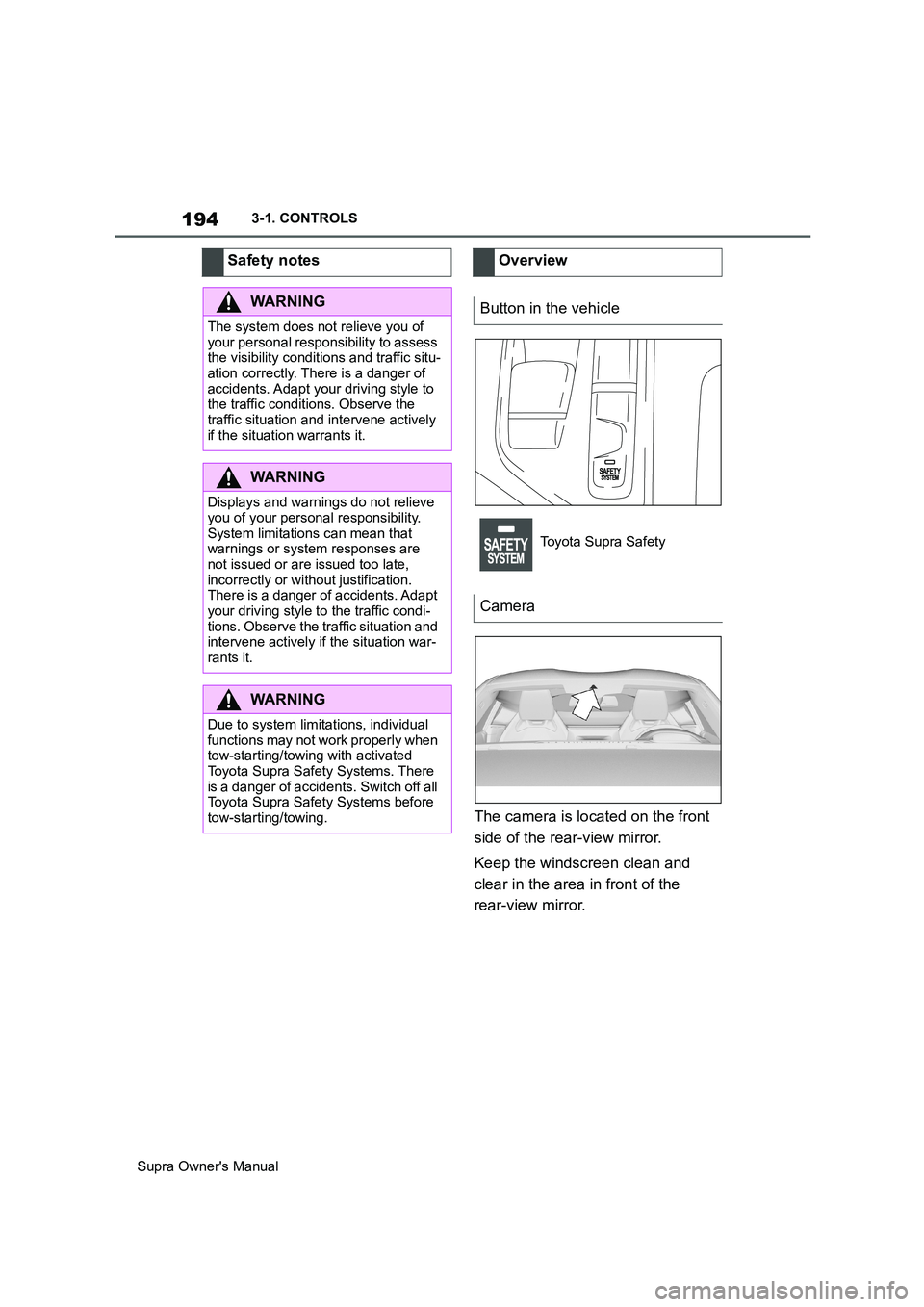
The camera is located on the front
side of the rear-view mirror.
Keep the windscreen clean and
clear in the area in front of the
rear-view mirror. Safety notes
WARNING
The system does not relieve you of
your personal responsibility to assess
the visibility conditions and traffic situ-
ation correctly. There is a danger of
accidents. Adapt your driving style to
the traffic conditions. Observe the
traffic situation and intervene actively
if the situation warrants it.
WARNING
Displays and warnings do not relieve
you of your personal responsibility.
System limitations can mean that
warnings or system responses are
not issued or are issued too late,
incorrectly or without justification.
There is a danger of accidents. Adapt
your driving style to the traffic condi-
tions. Observe the traffic situation and
intervene actively if the situation war-
rants it.
WARNING
Due to system limitations, individual
functions may not work properly when
tow-starting/towing with activated
Toyota Supra Safety Systems. There
is a danger of accidents. Switch off all
Toyota Supra Safety Systems before
tow-starting/towing.
Overview
Button in the vehicle
Toyota Supra Safety
Camera
Page 199 of 456
199
3
Supra Owner's Manual3-1. CONTROLS
CONTROLS
within the detection range of the
system.
The system is controlled using the
following sensors, depending on
the equipment:
Camera in the area of the
rear-view mirror.
Radar sensor in front bumper.
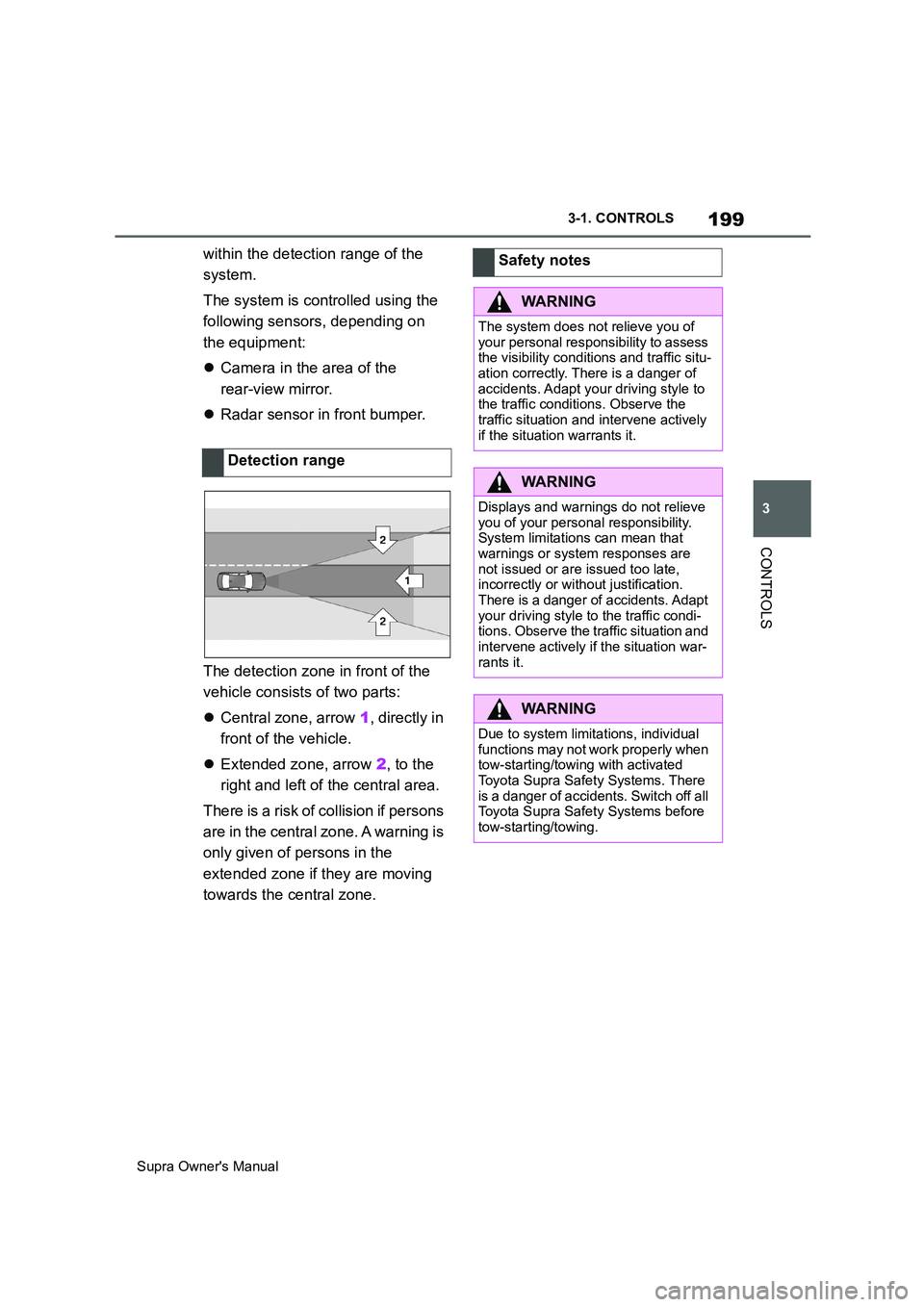
The detection zone in front of the
vehicle consists of two parts:
Central zone, arrow 1, directly in
front of the vehicle.
Extended zone, arrow 2, to the
right and left of the central area.
There is a risk of collision if persons
are in the central zone. A warning is
only given of persons in the
extended zone if they are moving
towards the central zone.Detection rangeSafety notes
WARNING
The system does not relieve you of
your personal responsibility to assess
the visibility conditions and traffic situ-
ation correctly. There is a danger of
accidents. Adapt your driving style to
the traffic conditions. Observe the
traffic situation and intervene actively
if the situation warrants it.
WARNING
Displays and warnings do not relieve
you of your personal responsibility.
System limitations can mean that
warnings or system responses are
not issued or are issued too late,
incorrectly or without justification.
There is a danger of accidents. Adapt
your driving style to the traffic condi-
tions. Observe the traffic situation and
intervene actively if the situation war-
rants it.
WARNING
Due to system limitations, individual
functions may not work properly when
tow-starting/towing with activated
Toyota Supra Safety Systems. There
is a danger of accidents. Switch off all
Toyota Supra Safety Systems before
tow-starting/towing.
Page 226 of 456
226
Supra Owner's Manual3-1. CONTROLS
cles driving in front.
Depending on the vehicle settings,
the characteristics of the Cruise
Control may change.
The distance can be set in several
stages, and is dependent on the
individual speed for reasons of
safety.
If the vehicle ahead brakes to a
standstill and sets off again shortly
afterwards, the system can recog-
nise this within the given context.
Safety notes
WARNING
The system does not relieve you of
your personal responsibility to assess
the traffic situation correctly. Due to
system limitations, it cannot respond
independently and appropriately in all
traffic conditions. There is a danger of
accidents. Adapt your driving style to
the traffic conditions. Observe the
traffic situation and intervene actively
if the situation warrants it.
WARNING
An unsecured vehicle can start mov-
ing and rolling away. There is a dan-
ger of accidents. Before leaving the
vehicle, secure it to prevent it from
rolling away.
Observe the following to ensure that
the vehicle is secured against rolling
away:
●Apply the parking brake.
●Turn the front wheels towards the
kerb on upward or downward gradi-
ents.
●Additionally secure the vehicle on
upward or downward gradients, for
example with a chock.
WARNING
The desired speed may be acciden-
tally set incorrectly or called up by
mistake. There is a danger of acci-
dents. Adjust the desired speed to the
traffic conditions. Observe the traffic
situation and intervene actively if the
situation warrants it.
WARNING
There is a danger of accidents if the
difference in speed relative to other
vehicles is excessively high. This may
occur, for example, in the following
situations:
●When quickly approaching a slowly
moving vehicle.
●If another vehicle suddenly veers
into the vehicle's own lane.
●When quickly approaching station-
ary vehicles.
There is a danger of injury or even
death. Observe the traffic situation
and intervene actively if the situation
warrants it.
Page 241 of 456
241
3
Supra Owner's Manual3-1. CONTROLS
CONTROLS
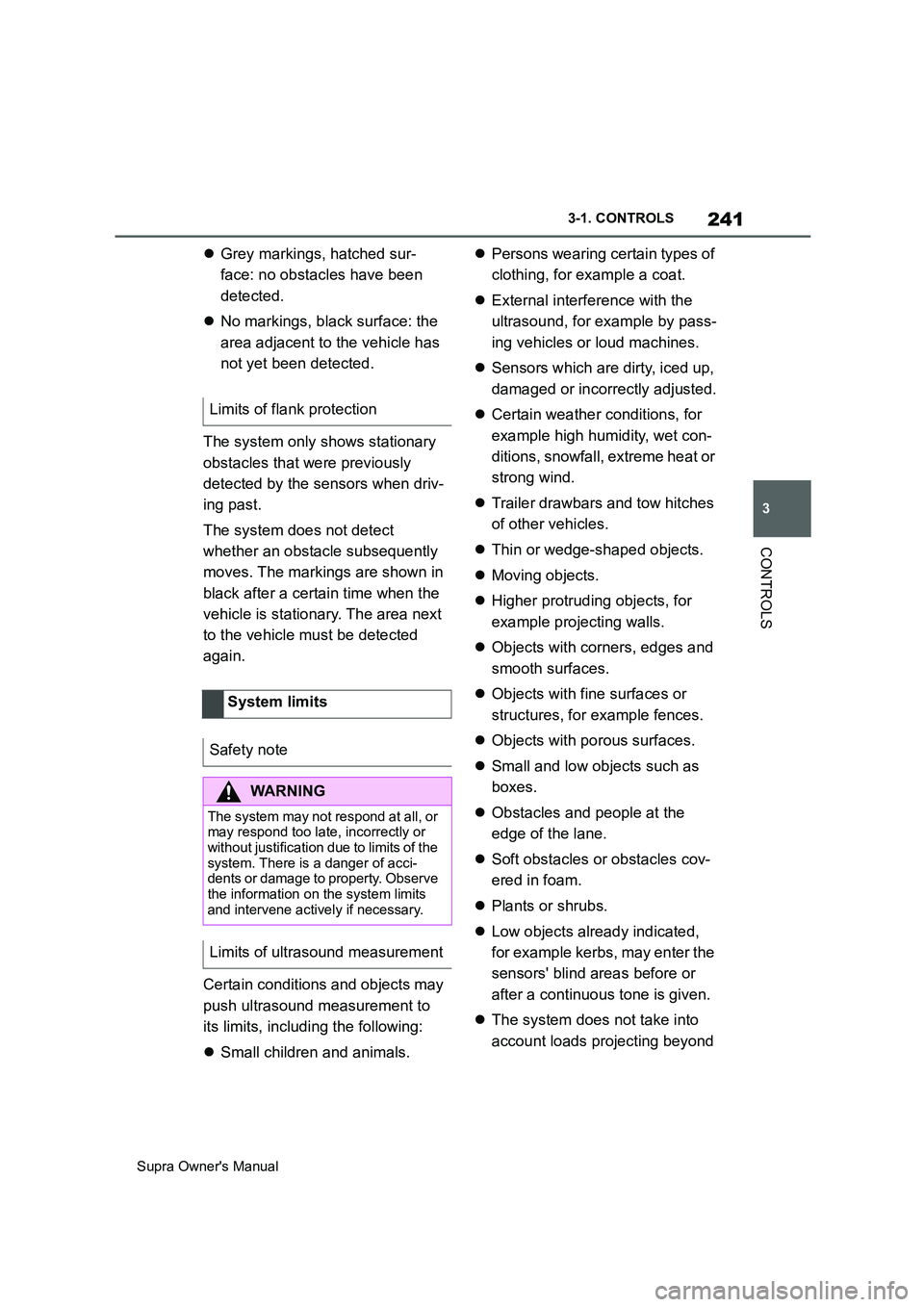
Grey markings, hatched sur-
face: no obstacles have been
detected.
No markings, black surface: the
area adjacent to the vehicle has
not yet been detected.
The system only shows stationary
obstacles that were previously
detected by the sensors when driv-
ing past.
The system does not detect
whether an obstacle subsequently
moves. The markings are shown in
black after a certain time when the
vehicle is stationary. The area next
to the vehicle must be detected
again.
Certain conditions and objects may
push ultrasound measurement to
its limits, including the following:
Small children and animals.Persons wearing certain types of
clothing, for example a coat.
External interference with the
ultrasound, for example by pass-
ing vehicles or loud machines.
Sensors which are dirty, iced up,
damaged or incorrectly adjusted.
Certain weather conditions, for
example high humidity, wet con-
ditions, snowfall, extreme heat or
strong wind.
Trailer drawbars and tow hitches
of other vehicles.
Thin or wedge-shaped objects.
Moving objects.
Higher protruding objects, for
example projecting walls.
Objects with corners, edges and
smooth surfaces.
Objects with fine surfaces or
structures, for example fences.
Objects with porous surfaces.
Small and low objects such as
boxes.
Obstacles and people at the
edge of the lane.
Soft obstacles or obstacles cov-
ered in foam.
Plants or shrubs.
Low objects already indicated,
for example kerbs, may enter the
sensors' blind areas before or
after a continuous tone is given.
The system does not take into
account loads projecting beyond Limits of flank protection
System limits
Safety note
WARNING
The system may not respond at all, or
may respond too late, incorrectly or
without justification due to limits of the
system. There is a danger of acci-
dents or damage to property. Observe
the information on the system limits
and intervene actively if necessary.
Limits of ultrasound measurement
Page 252 of 456
252
Supra Owner's Manual3-1. CONTROLS
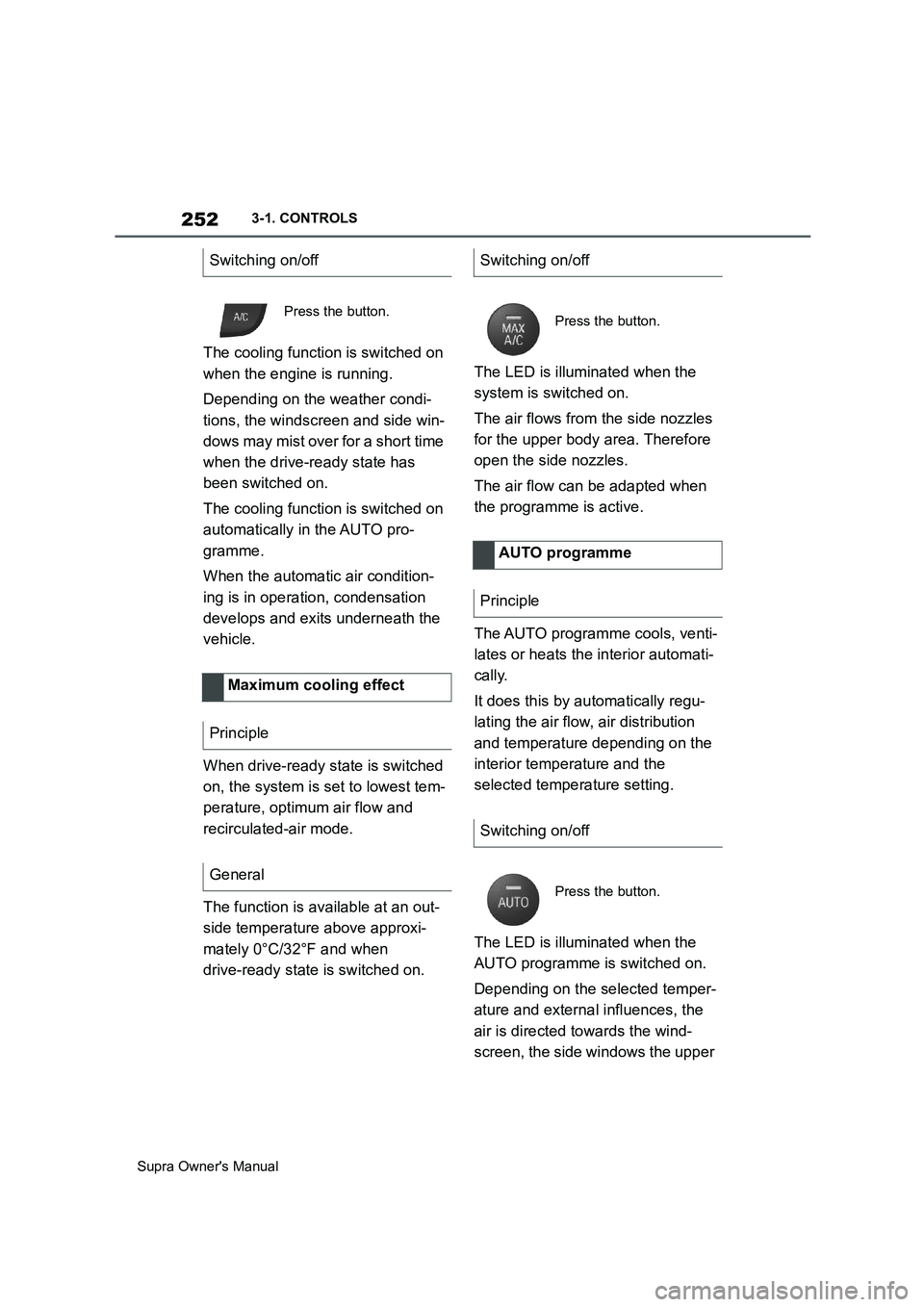
The cooling function is switched on
when the engine is running.
Depending on the weather condi-
tions, the windscreen and side win-
dows may mist over for a short time
when the drive-ready state has
been switched on.
The cooling function is switched on
automatically in the AUTO pro-
gramme.
When the automatic air condition-
ing is in operation, condensation
develops and exits underneath the
vehicle.
When drive-ready state is switched
on, the system is set to lowest tem-
perature, optimum air flow and
recirculated-air mode.
The function is available at an out-
side temperature above approxi-
mately 0°C/32°F and when
drive-ready state is switched on.The LED is illuminated when the
system is switched on.
The air flows from the side nozzles
for the upper body area. Therefore
open the side nozzles.
The air flow can be adapted when
the programme is active.
The AUTO programme cools, venti-
lates or heats the interior automati-
cally.
It does this by automatically regu-
lating the air flow, air distribution
and temperature depending on the
interior temperature and the
selected temperature setting.
The LED is illuminated when the
AUTO programme is switched on.
Depending on the selected temper-
ature and external influences, the
air is directed towards the wind-
screen, the side windows the upper Switching on/off
Press the button.
Maximum cooling effect
Principle
General
Switching on/off
Press the button.
AUTO programme
Principle
Switching on/off
Press the button.
Page 254 of 456
254
Supra Owner's Manual3-1. CONTROLS
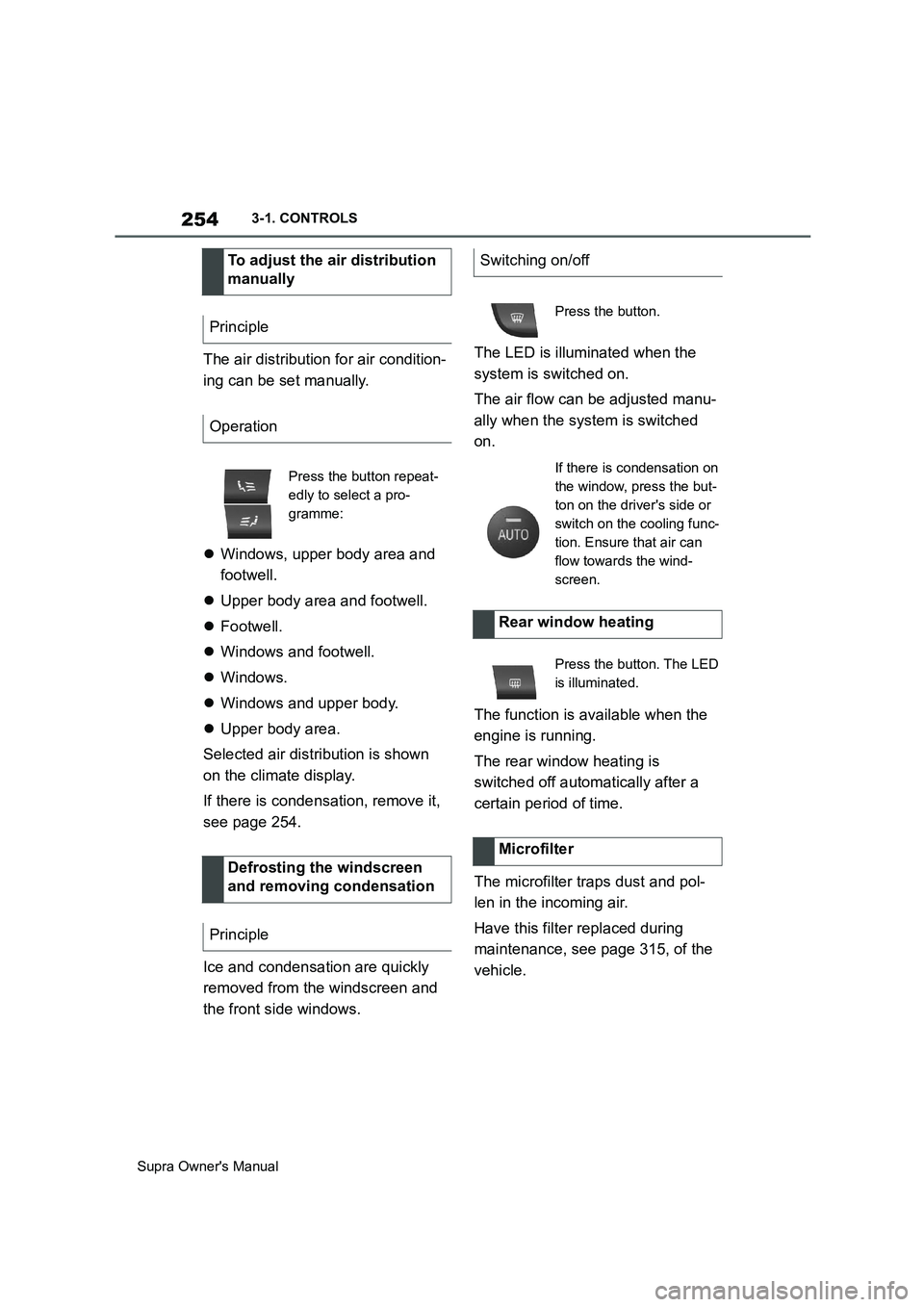
The air distribution for air condition-
ing can be set manually.
Windows, upper body area and
footwell.
Upper body area and footwell.
Footwell.
Windows and footwell.
Windows.
Windows and upper body.
Upper body area.
Selected air distribution is shown
on the climate display.
If there is condensation, remove it,
see page 254.
Ice and condensation are quickly
removed from the windscreen and
the front side windows.The LED is illuminated when the
system is switched on.
The air flow can be adjusted manu-
ally when the system is switched
on.
The function is available when the
engine is running.
The rear window heating is
switched off automatically after a
certain period of time.
The microfilter traps dust and pol-
len in the incoming air.
Have this filter replaced during
maintenance, see page 315, of the
vehicle. To adjust the air distribution
manually
Principle
Operation
Press the button repeat-
edly to select a pro-
gramme:
Defrosting the windscreen
and removing condensation
Principle
Switching on/off
Press the button.
If there is condensation on
the window, press the but-
ton on the driver's side or
switch on the cooling func-
tion. Ensure that air can
flow towards the wind-
screen.
Rear window heating
Press the button. The LED
is illuminated.
Microfilter
Page 261 of 456
261
3
Supra Owner's Manual3-1. CONTROLS
CONTROLS
This chapter describes all standard,
country-specific and special equip-
ment available for the model series.
It may therefore describe equip-
ment and functions which are not
installed in your vehicle, for exam-
ple on account of the optional
equipment selected or the country
specification. This also applies to
safety-relevant functions and sys-
tems. Please comply with the rele-
vant laws and regulations when
using the corresponding functions
and systems. Safety note
WARNING
Fragile objects, for example glass
bottles or glasses, can break in the
event of an accident. Shards may
scatter throughout the interior. There
is a danger of injury or damage to
property. Do not use any fragile
objects while driving. Only stow fragile
objects in closed storage compart-
ments.
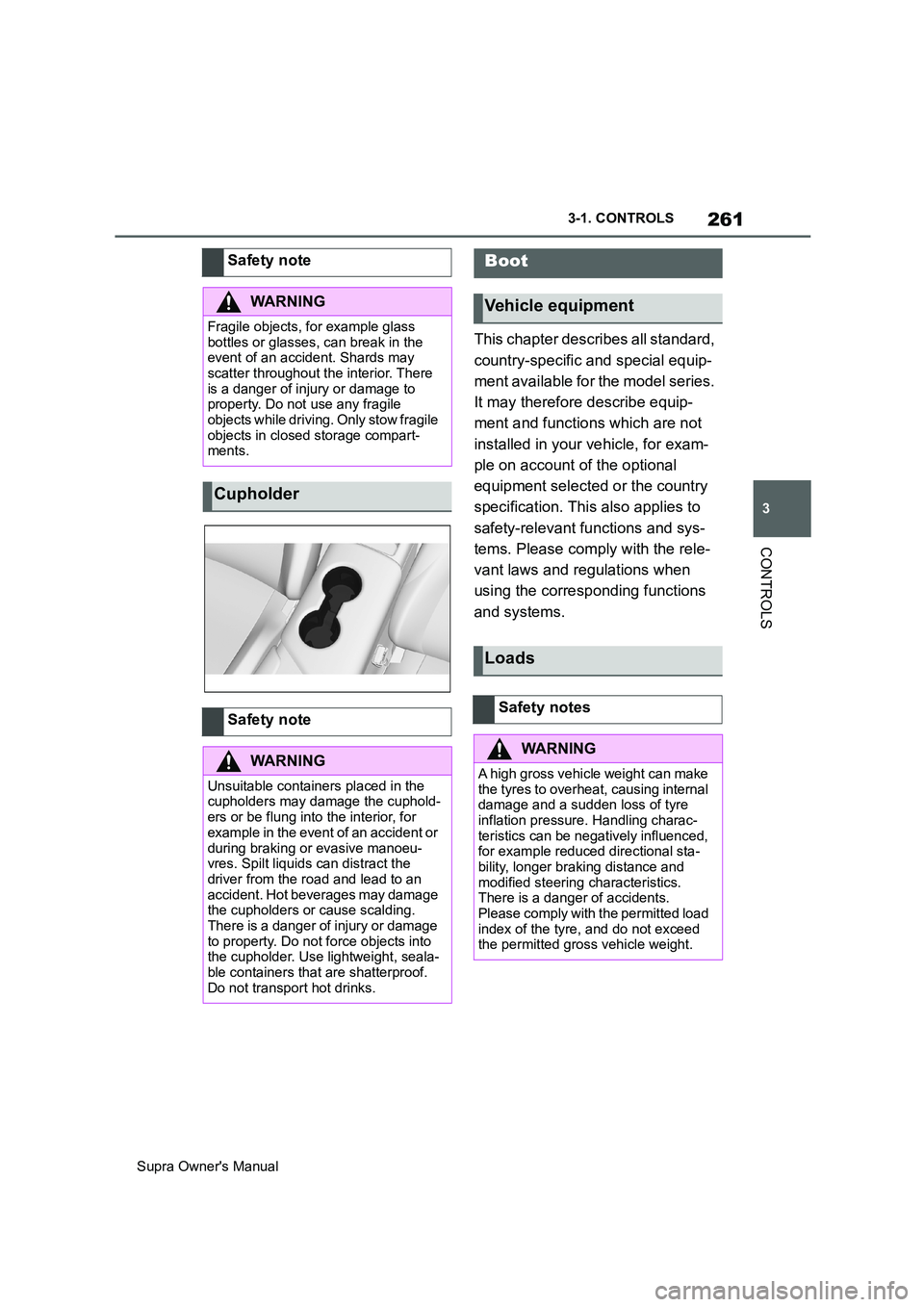
Cupholder
Safety note
WARNING
Unsuitable containers placed in the
cupholders may damage the cuphold-
ers or be flung into the interior, for
example in the event of an accident or
during braking or evasive manoeu-
vres. Spilt liquids can distract the
driver from the road and lead to an
accident. Hot beverages may damage
the cupholders or cause scalding.
There is a danger of injury or damage
to property. Do not force objects into
the cupholder. Use lightweight, seala-
ble containers that are shatterproof.
Do not transport hot drinks.
Boot
Vehicle equipment
Loads
Safety notes
WARNING
A high gross vehicle weight can make
the tyres to overheat, causing internal
damage and a sudden loss of tyre
inflation pressure. Handling charac-
teristics can be negatively influenced,
for example reduced directional sta-
bility, longer braking distance and
modified steering characteristics.
There is a danger of accidents.
Please comply with the permitted load
index of the tyre, and do not exceed
the permitted gross vehicle weight.
Page 262 of 456
262
Supra Owner's Manual3-1. CONTROLS
Wrap protective material around
any sharp corners and edges on
the load.
Heavy transported loads: stow
as far forward and as low down as possible, ideally directly
behind the boot partition.
Small and lightweight trans-
ported loads: can be secured
with retaining straps, a luggage
net or other suitable straps.
Large and heavy transported
loads: secure with lashing straps.
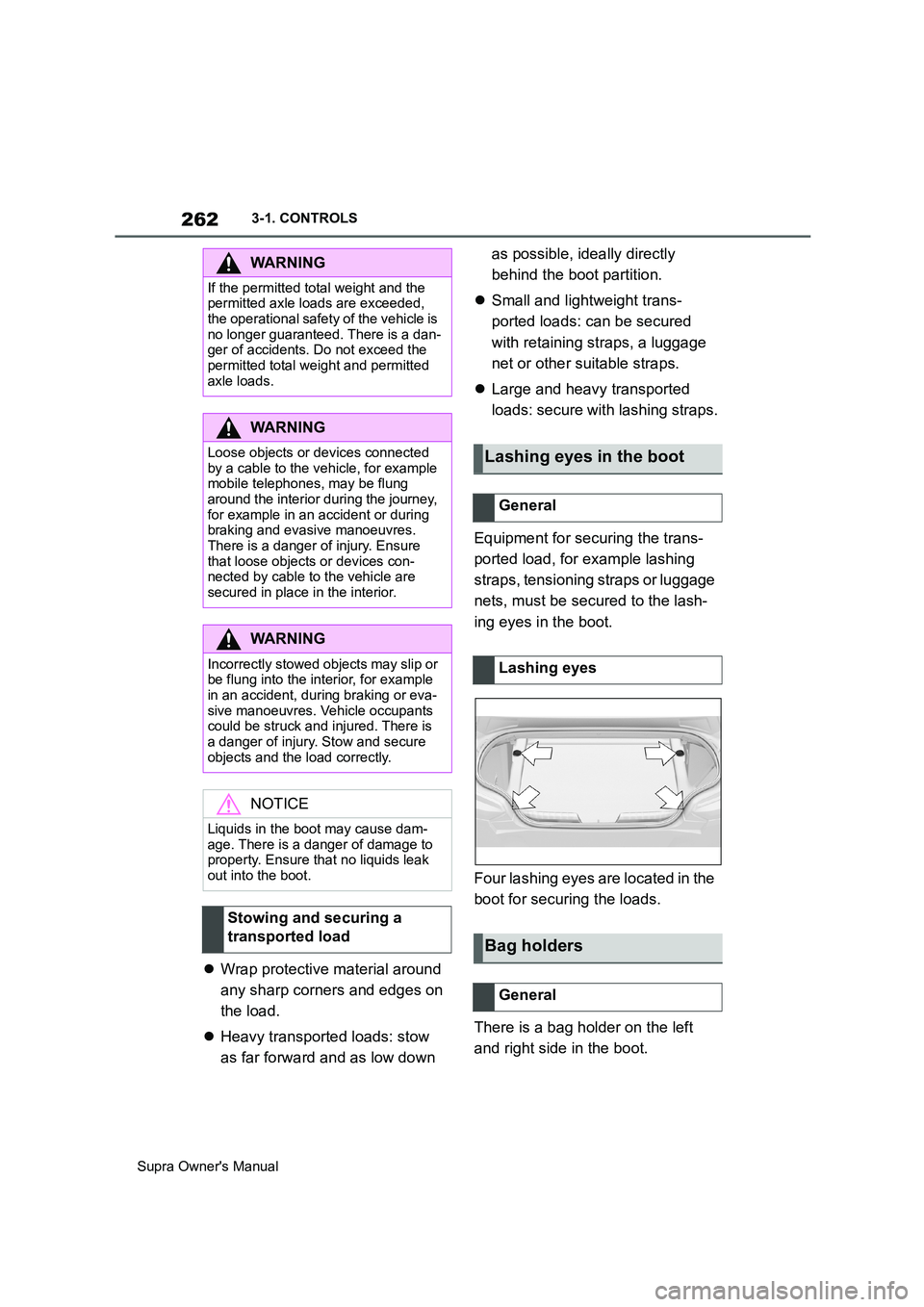
Equipment for securing the trans-
ported load, for example lashing
straps, tensioning straps or luggage
nets, must be secured to the lash-
ing eyes in the boot.
Four lashing eyes are located in the
boot for securing the loads.
There is a bag holder on the left
and right side in the boot.
WARNING
If the permitted total weight and the
permitted axle loads are exceeded,
the operational safety of the vehicle is
no longer guaranteed. There is a dan-
ger of accidents. Do not exceed the
permitted total weight and permitted
axle loads.
WARNING
Loose objects or devices connected
by a cable to the vehicle, for example
mobile telephones, may be flung
around the interior during the journey,
for example in an accident or during
braking and evasive manoeuvres.
There is a danger of injury. Ensure
that loose objects or devices con-
nected by cable to the vehicle are
secured in place in the interior.
WARNING
Incorrectly stowed objects may slip or
be flung into the interior, for example
in an accident, during braking or eva-
sive manoeuvres. Vehicle occupants
could be struck and injured. There is
a danger of injury. Stow and secure
objects and the load correctly.
NOTICE
Liquids in the boot may cause dam-
age. There is a danger of damage to
property. Ensure that no liquids leak
out into the boot.
Stowing and securing a
transported load
Lashing eyes in the boot
General
Lashing eyes
Bag holders
General
Page 263 of 456
263
3
Supra Owner's Manual3-1. CONTROLS
CONTROLSThere is a tensioning strap on the
right-hand trim panel for securing
small objects.
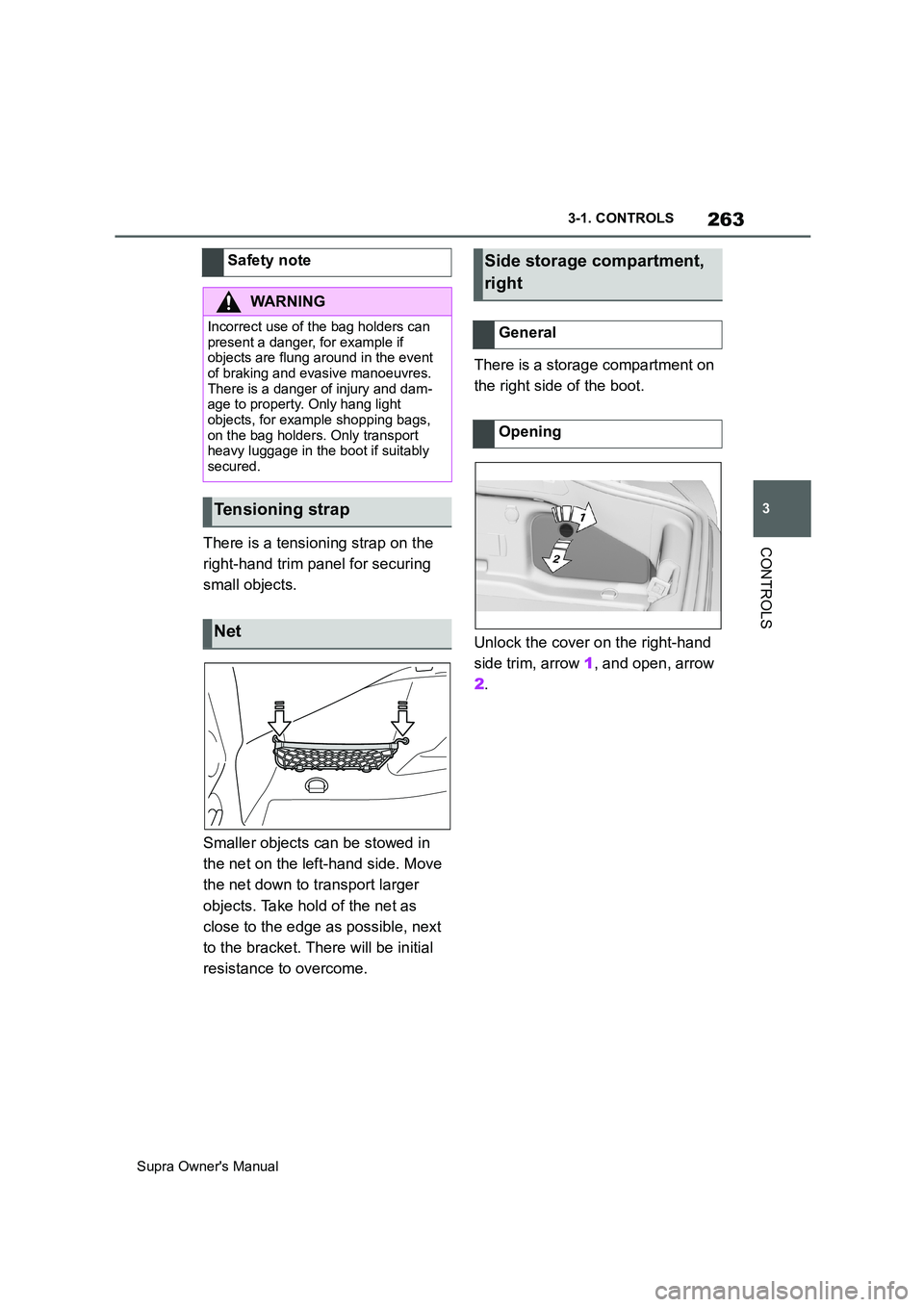
Smaller objects can be stowed in
the net on the left-hand side. Move
the net down to transport larger
objects. Take hold of the net as
close to the edge as possible, next
to the bracket. There will be initial
resistance to overcome.There is a storage compartment on
the right side of the boot.
Unlock the cover on the right-hand
side trim, arrow 1, and open, arrow
2. Safety note
WARNING
Incorrect use of the bag holders can
present a danger, for example if
objects are flung around in the event
of braking and evasive manoeuvres.
There is a danger of injury and dam-
age to property. Only hang light
objects, for example shopping bags,
on the bag holders. Only transport
heavy luggage in the boot if suitably
secured.
Tensioning strap
Net
Side storage compartment,
right
General
Opening
Page 270 of 456
270
Supra Owner's Manual4-1. DRIVING HINTS
This situation, known as aquaplan-
ing, means that the tyre can actu-
ally lose contact completely with
the road surface and the vehicle
can neither be steered, nor the
brakes properly applied.
Please comply with the following
when driving through water:
Only drive through still water.
Only drive through water up to a
max. depth of 25 cm, 9.8 in.
Drive through water at a walking
speed of no more than 5 km/h, 3
mph.
The vehicle is equipped with the
Anti-lock Brake System ABS as
standard.
Perform full braking in situations that require it.
The vehicle remains steerable. Any
obstacles can be avoided by per-
forming steering movements as
smoothly as possible.
A pulsing of the brake pedal and
hydraulic regulating sounds indi-
cate that the Anti-lock Brake Sys-
tem ABS is regulating.
In certain braking situations, the
perforated brake discs can cause
functional noise. However, func-
tional noises have no effect on the
efficiency and operational safety of
the brakes.
In damp weather, on gritted roads
and in heavy rain, apply the brakes
lightly every few kilometres/miles. Driving through water
General
Safety note
NOTICE
Driving through excessively deep
water too fast can result in water
entering the engine compartment,
electrical system or transmission.
There is a danger of damage to prop-
erty. When driving through water, do
not exceed the maximum water depth
and speed specified above.
Safe braking
General
Objects in the range of movement
of the pedals
WARNING
Objects in the driver's footwell can
restrict the pedal travel or block a
pedal that has been pressed. There is
a danger of accidents. Stow items in
the vehicle so that they are secure
and cannot get into the driver's
footwell. Only use floor mats that are
suitable for the vehicle and can be
securely fastened to the floor. Do not
use loose floor mats, and do not place
several floor mats on top of one
another. Make sure that there is suffi-
cient space for the pedals. Ensure
that floor mats are securely reat-
tached after having been removed, for
example for cleaning.
Wet roads