wheel TOYOTA SUPRA 2019 User Guide
[x] Cancel search | Manufacturer: TOYOTA, Model Year: 2019, Model line: SUPRA, Model: TOYOTA SUPRA 2019Pages: 456, PDF Size: 88.65 MB
Page 35 of 456
35
2
Supra Owner's Manual2-1. QUICK REFERENCE
QUICK REFERENCE
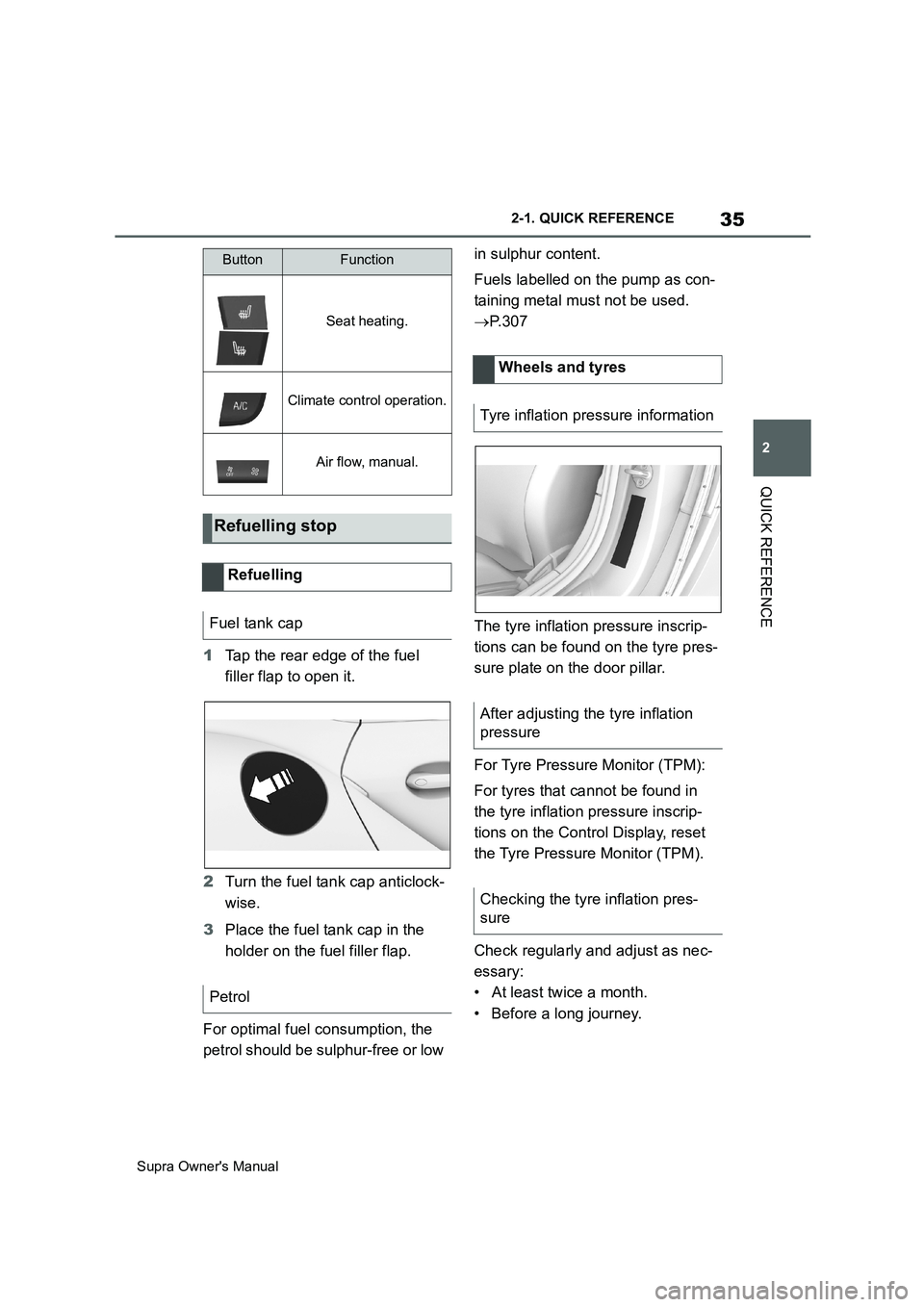
1Tap the rear edge of the fuel
filler flap to open it.
2Turn the fuel tank cap anticlock-
wise.
3Place the fuel tank cap in the
holder on the fuel filler flap.
For optimal fuel consumption, the
petrol should be sulphur-free or low in sulphur content.
Fuels labelled on the pump as con-
taining metal must not be used.
P. 3 0 7
The tyre inflation pressure inscrip-
tions can be found on the tyre pres-
sure plate on the door pillar.
For Tyre Pressure Monitor (TPM):
For tyres that cannot be found in
the tyre inflation pressure inscrip-
tions on the Control Display, reset
the Tyre Pressure Monitor (TPM).
Check regularly and adjust as nec-
essary:
• At least twice a month.
• Before a long journey.
Seat heating.
Climate control operation.
Air flow, manual.
Refuelling stop
Refuelling
Fuel tank cap
Petrol
ButtonFunction
Wheels and tyres
Tyre inflation pressure information
After adjusting the tyre inflation
pressure
Checking the tyre inflation pres-
sure
Page 39 of 456
3
39
Supra Owner's Manual
3
CONTROLS
CONTROLS
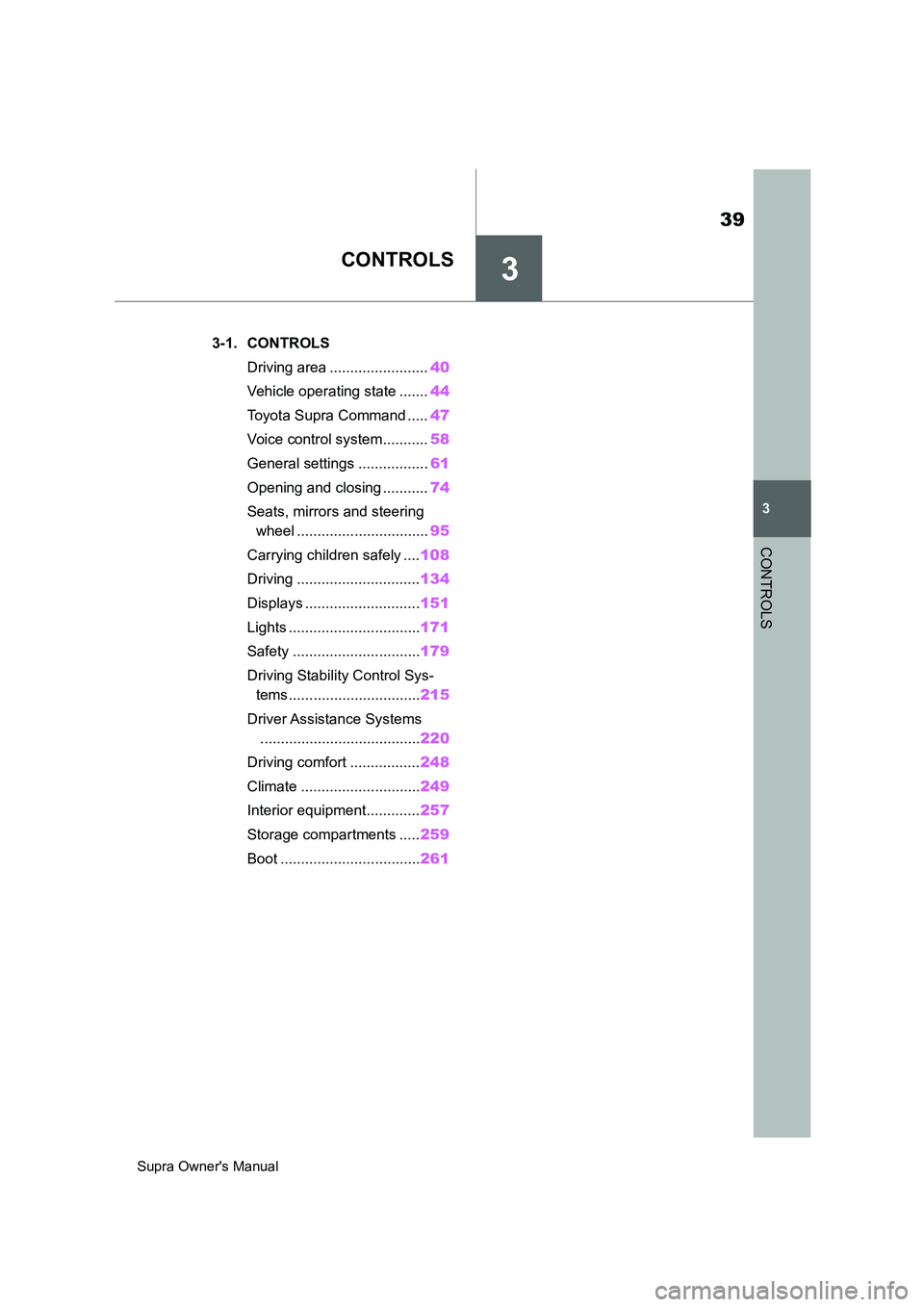
.3-1. CONTROLS
Driving area ........................40
Vehicle operating state .......44
Toyota Supra Command .....47
Voice control system...........58
General settings .................61
Opening and closing ...........74
Seats, mirrors and steering
wheel ................................95
Carrying children safely ....108
Driving ..............................134
Displays ............................151
Lights ................................171
Safety ...............................179
Driving Stability Control Sys-
tems ................................215
Driver Assistance Systems
.......................................220
Driving comfort .................248
Climate .............................249
Interior equipment.............257
Storage compartments .....259
Boot ..................................261
Page 40 of 456
40
Supra Owner's Manual3-1. CONTROLS
3-1.CONTROLS
This chapter describes all standard, country-specific and special equipment
available for the model series. It may therefore describe equipment and
functions which are not installed in your vehicle, for example on account of
the optional equipment selected or the country specification. This also
applies to safety-relevant functions and systems. Please comply with the
relevant laws and regulations when using the corresponding functions and
systems.
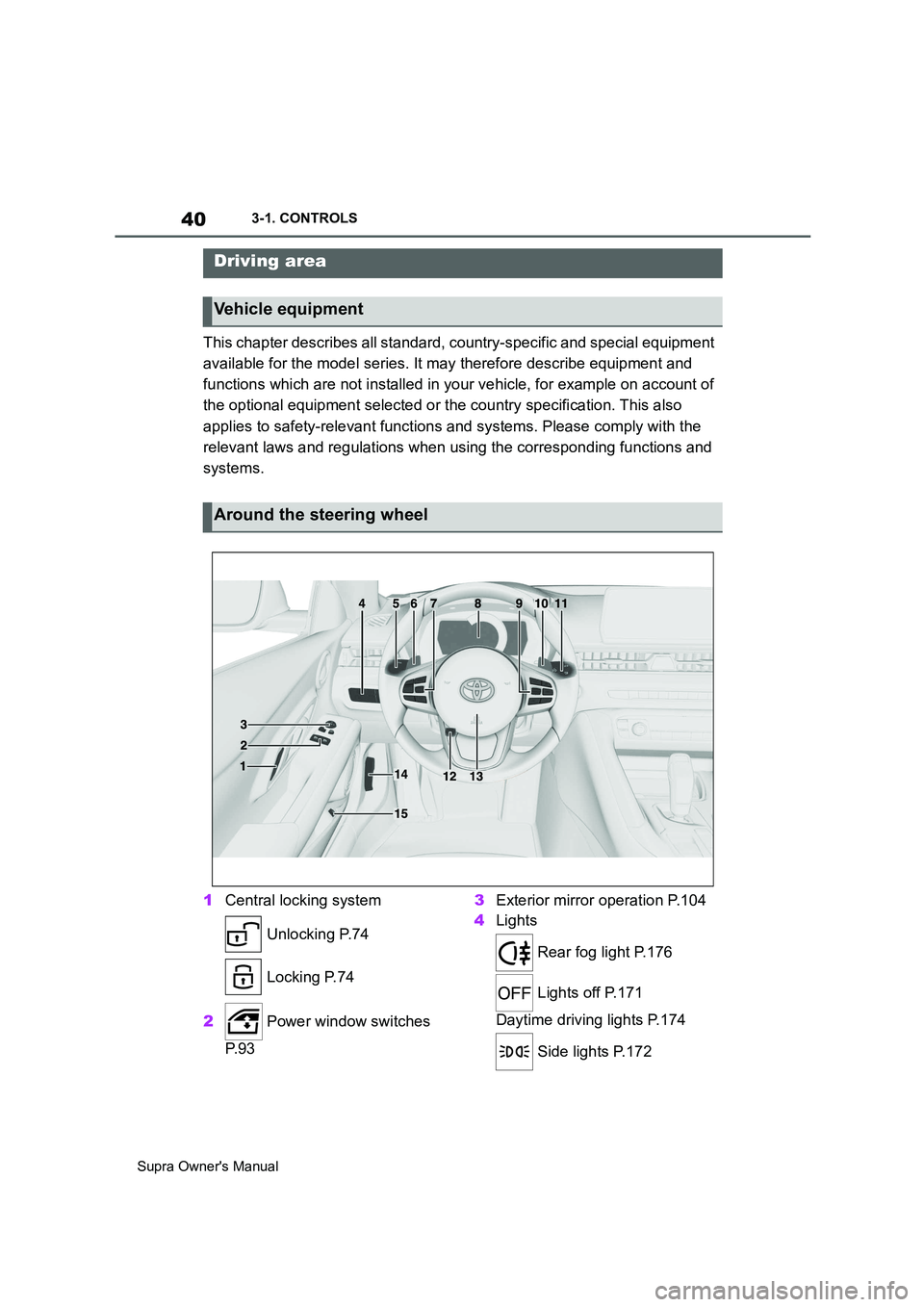
1Central locking system
Unlocking P.74
Locking P.74
2 Power window switches
P. 9 33Exterior mirror operation P.104
4Lights
Rear fog light P.176
Lights off P.171
Daytime driving lights P.174
Side lights P.172
Driving area
Vehicle equipment
Around the steering wheel
Page 41 of 456
41
3
Supra Owner's Manual3-1. CONTROLS
CONTROLS
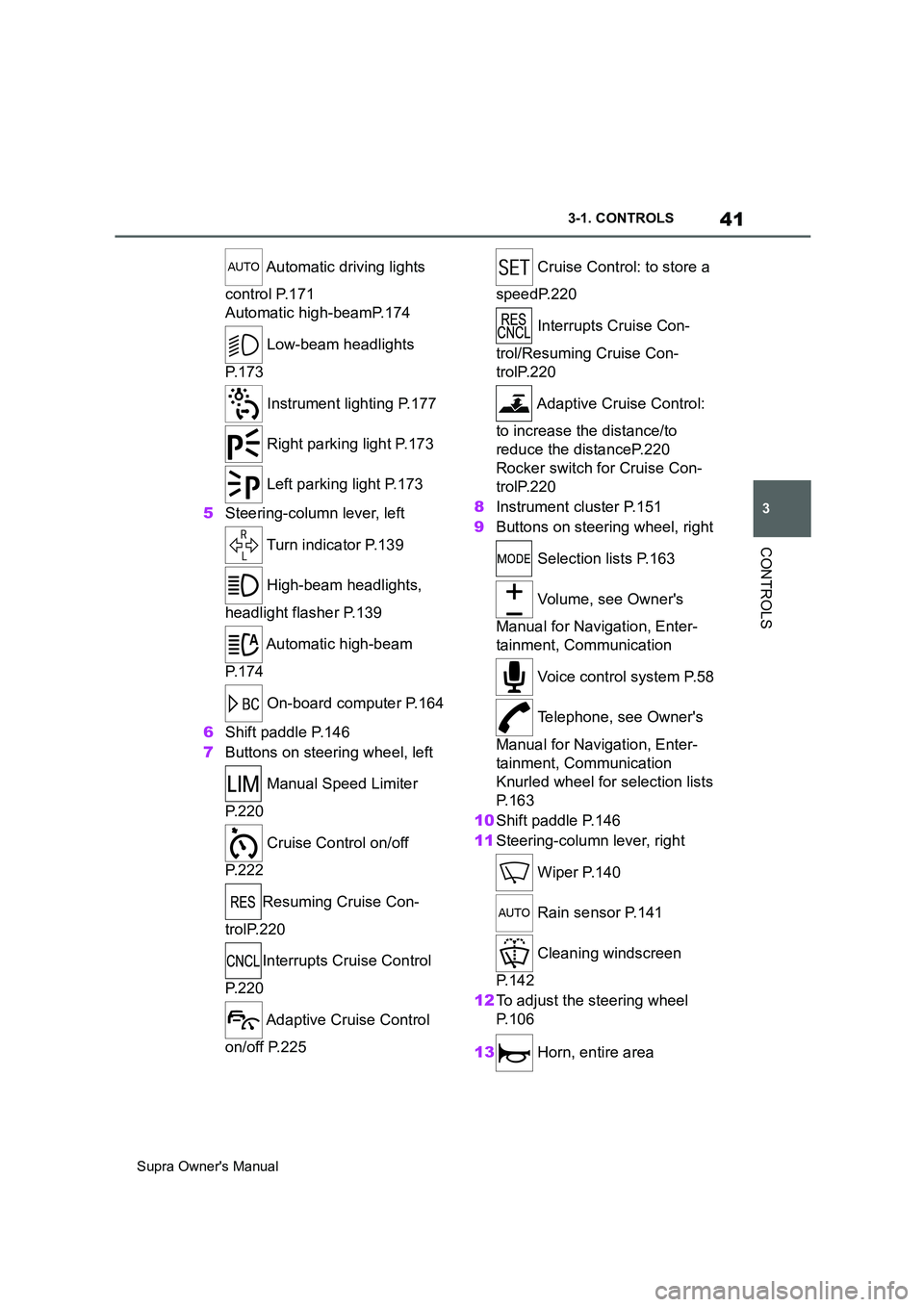
Automatic driving lights
control P.171
Automatic high-beamP.174
Low-beam headlights
P. 1 7 3
Instrument lighting P.177
Right parking light P.173
Left parking light P.173
5Steering-column lever, left
Turn indicator P.139
High-beam headlights,
headlight flasher P.139
Automatic high-beam
P. 1 7 4
On-board computer P.164
6Shift paddle P.146
7Buttons on steering wheel, left
Manual Speed Limiter
P. 2 2 0
Cruise Control on/off
P. 2 2 2
Resuming Cruise Con-
trolP.220
Interrupts Cruise Control
P. 2 2 0
Adaptive Cruise Control
on/off P.225 Cruise Control: to store a
speedP.220
Interrupts Cruise Con-
trol/Resuming Cruise Con-
trolP.220
Adaptive Cruise Control:
to increase the distance/to
reduce the distanceP.220
Rocker switch for Cruise Con-
trolP.220
8Instrument cluster P.151
9Buttons on steering wheel, right
Selection lists P.163
Volume, see Owner's
Manual for Navigation, Enter-
tainment, Communication
Voice control system P.58
Telephone, see Owner's
Manual for Navigation, Enter-
tainment, Communication
Knurled wheel for selection lists
P. 1 6 3
10Shift paddle P.146
11Steering-column lever, right
Wiper P.140
Rain sensor P.141
Cleaning windscreen
P. 1 4 2
12To adjust the steering wheel
P. 1 0 6
13 Horn, entire area
Page 44 of 456
44
Supra Owner's Manual3-1. CONTROLS
This chapter describes all standard,
country-specific and special equip-
ment available for the model series.
It may therefore describe equip-
ment and functions which are not
installed in your vehicle, for exam-
ple on account of the optional
equipment selected or the country
specification. This also applies to
safety-relevant functions and sys-
tems. Please comply with the rele-
vant laws and regulations when
using the corresponding functions
and systems.
Depending on the situation, the
vehicle is in one of the three states:
• Idle state.
• Standby state.
• Drive-ready state.
When the vehicle is in idle state, it
is switched off. All electrical con-
sumers are deactivated.
The vehicle is in idle state before
you open it from outside and once you have left the vehicle and locked
it.
Vehicle operating state
Vehicle equipment
General
Idle state
Principle
General
Safety notes
WARNING
An unsecured vehicle can start mov-
ing and rolling away. There is a dan-
ger of accidents. Before leaving the
vehicle, secure it to prevent it from
rolling away.
Observe the following to ensure that
the vehicle is secured against rolling
away:
• Apply the parking brake.
• Turn the front wheels towards the
kerb on upward or downward gradi-
ents.
• Additionally secure the vehicle on
upward or downward gradients, for
example with a chock.
WARNING
Unsupervised children or pets in the
vehicle can set the vehicle in motion
and endanger themselves or other
road users, for example by the follow-
ing actions:
• Pressing the start/stop button.
• Release the parking brake.
• Opening and closing doors or win-
dows.
• Engaging selector lever position N.
• Operating vehicle equipment.
There is a risk of accidents or injury.
Do not leave children or pets unsu-
pervised in the vehicle. When leaving
the vehicle, take the remote control
with you and lock the vehicle.
Page 46 of 456
46
Supra Owner's Manual3-1. CONTROLS
be operated when drive-ready state
is switched on.
1Depress the brake pedal.
2Press the start/stop button.
The starting process is activated
automatically for a short time and
stops as soon as the engine starts.
Most of the indicator and warning
lamps in the instrument cluster are
illuminated for different lengths of
time.
Depending on the engine version,
full drive power may only be availa-
ble approx. 30 seconds after start-
ing the engine. In this case, the
vehicle will not accelerate in the
usual way.
When drive-ready state is switched
on, the revolution counter shows
the current engine speed. Safety notes
WARNING
A blocked exhaust pipe or inadequate
ventilation can allow harmful exhaust
fumes to enter the vehicle. The
exhaust fumes contain pollutants
which are colourless and odourless.
In enclosed spaces, the exhaust
fumes can also build up outside the
vehicle. There is a danger of fatal
injury. Keep the exhaust pipe clear
and ensure sufficient ventilation.
WARNING
An unsecured vehicle can start mov-
ing and rolling away. There is a dan-
ger of accidents. Before leaving the
vehicle, secure it to prevent it from
rolling away.
Observe the following to ensure that
the vehicle is secured against rolling
away:
• Apply the parking brake.
• Turn the front wheels towards the
kerb on upward or downward gradi-
ents.
• Additionally secure the vehicle on
upward or downward gradients, for
example with a chock.
NOTICE
Repeated start attempts or starting
several times in quick succession
means that fuel is not burned or is
inadequately burned. The catalytic
converter can overheat. There is a
danger of damage to property. Avoid
repeatedly starting in quick succes-
sion.
Switching on drive-ready
state
Principle
Drive-ready state is
switched on using
the start/stop button:
Automatic transmission
Petrol engine
Display in the instrument
cluster
Page 58 of 456
58
Supra Owner's Manual3-1. CONTROLS
This chapter describes all standard,
country-specific and special equip-
ment available for the model series.
It may therefore describe equip-
ment which is not installed in your
vehicle, for example on account of
the optional equipment selected or
the country specification. This also
applies to safety-relevant functions
and systems. Please comply with
the relevant laws and regulations
when using the corresponding func-
tions and systems.
The voice control system enables
most of the functions shown in the
Control Display to be operated by
spoken commands. The system
provides spoken announcements to
assist you with input.
• Functions that can only be used
when the vehicle is stationary
can only be operated via the
voice control system to a limited
extent.
• The system has a special micro-
phone on the driver's side.
• ›...‹ indicates commands for the
voice control system in the
Owner's Manual.• Commands, numbers and let-
ters should be spoken fluently,
with the usual emphasis and at a
normal volume and speed.
• Always say the commands in the
language of the voice control
system.
• When selecting the radio sta-
tion, use the customary pronun-
ciation of the station name as it is
displayed on the Control Display.
›[...] Station ...‹, for example,
Classic Radio station.
In order for the voice commands to
be detected, a language must be
set using Toyota Supra Command
that is supported by the voice con-
trol system.
Selecting the language, see page
61.
1 Press the button on the
steering wheel.
2Wait for the acoustic signal.
3Say the command.
It is possible that no further spoken
commands are available. In this
Voice control system
Vehicle equipment
Principle
General
Operating requirements
Saying voice commands
Activating the voice control
system
This symbol on the Control
Display shows that the voice
control system is active.
Page 59 of 456
59
3
Supra Owner's Manual3-1. CONTROLS
CONTROLS
case, switch to Toyota Supra Com-
mand to operate the function.
A smartphone connected to the
vehicle can be operated via voice
control.
To do this, activate voice control on
the smartphone.
1 Press and hold the but-
ton on the steering wheel for
approx. 3 seconds.
Voice control in the smartphone is acti-
vated.
2 Release the button.
If activation is successful, a confirma-
tion appears on the Control Display.
If it was not possible to activate
voice control, the list of Bluetooth
devices appears on the Control
Display.
Most of the menu items on the Con-
trol Display can be said as com-
mands.
Commands from other menus can be spoken as well.
Some list entries, for example tele-
phone book entries, can also be
selected using the voice control
system. When doing this, say the
list entries exactly as they are
shown in the relevant list.
The following is displayed in the
upper area of the Control Display:
• Some of the possible commands
for the current menu.
• Some of the possible commands
from other menus.
• Voice recognition status.
• Encrypted connection unavail-
able.
• To have possible voice com-
mands read aloud: ›Voice com-
mands‹.
• To have information about the
voice control system read aloud:
›General information on voice
control‹.
• To have help on the current
menu read aloud: ›Help‹.
The commands for the menu items
are spoken exactly as they are
selected using the Controller. Switching off the voice con-
trol system
Press the button on the steer-
ing wheel or say ›Cancel‹.
Operating a smartphone via
voice control
Possible commands
General
Displaying possible com-
mands
Help with the voice control
system
An example: calling up
sound settings
Page 60 of 456
60
Supra Owner's Manual3-1. CONTROLS
1If necessary, switch on enter-
tainment audio output.
2 Press the button on the
steering wheel.
3›Media and radio‹
4›Sound‹
You can select whether the system
uses the standard dialogue or the
short variant.
If the short variant is selected, the
system announcements are played
in shortened form.
Via Toyota Supra Command:
1"My Vehicle"
2"System settings"
3"Language"
4"Voice control:"
5Select the desired setting.
Voice recognition via server ena-
bles use of the dictation function,
natural input of destinations and
improves the quality of voice recog-
nition. To use it, data is sent across
an encrypted connection to a ser-
vice provider and stored locally
there.
Via Toyota Supra Command:1"My Vehicle"
2"System settings"
3"Language"
4"Server speech recognition"
It is possible to answer while the
voice control system is querying
your previous spoken instruction.
The function can be deactivated if
the queries are frequently cancelled
inadvertently, for example due to
background noise or speaking.
Via Toyota Supra Command:
1"My Vehicle"
2"System settings"
3"Language"
4"Speaking during voice output"
The language to be used for voice
control and system announcements
can be set.
Via Toyota Supra Command:
1"My Vehicle"
2"System settings"
3If applicable, "Language"
4"Language:"
5Select the desired language.
Turn the volume knob during the
spoken instructions until the
Settings
Setting the speech dialogue
Activating voice recognition
via server
Speaking during voice output
Selecting the language
Adjusting the volume
Page 91 of 456
91
3
Supra Owner's Manual3-1. CONTROLS
CONTROLS
The vehicle is automatically locked
again after a short while if no door is
opened after unlocking.
• "Lock after pulling away"
On driving off, the vehicle is locked
automatically.
Via Toyota Supra Command:
1"My Vehicle"
2"Vehicle settings"
3"Doors/Key"
4"Unlock at end of journey"
After the drive-ready state has been
switched off by pressing the start/stop
button, the locked vehicle is automati-
cally unlocked.
Via Toyota Supra Command:
1"My Vehicle"
2"Vehicle settings"
3"Doors/Key"
4"Fold mirrors in when locked"
When locking, the exterior mirrors are
automatically folded in, and when
unlocking they are automatically folded
out.
Via Toyota Supra Command:
1"My Vehicle"
2"Vehicle settings"
3"Doors/Key"4"Switch off after door opening"
Idle state, see page 44, is established
when the front doors are opened.
The alarm system responds to the
following changes when the vehicle
is locked:
• A door, the bonnet or the boot lid
is opened.
• Movements in the interior.
• The vehicle's incline changes, for
instance if an attempt is made to
jack it up and steal the wheels or
to raise it prior to towing away.
• There is an interruption in the
power supply from the battery.
• Improper use of the socket for
on-board diagnosis OBD.
The alarm system indicates the fol-
lowing changes visually and audi-
bly:
• Audible alarm: Depending on
local regulations, the acoustic
alarm may be suppressed.
• Visual alarm: By flashing the
exterior lights.
The alarm system is switched on
and off at the same time as the
vehicle is unlocked and locked via
the remote control or Smart Key
System. Automatic unlocking
Folding the mirrors automati-
cally
Establishing idle state after
opening the front doors
Alarm system
General
Switching on/off