wheel TOYOTA SUPRA 2019 Owner's Guide
[x] Cancel search | Manufacturer: TOYOTA, Model Year: 2019, Model line: SUPRA, Model: TOYOTA SUPRA 2019Pages: 456, PDF Size: 88.65 MB
Page 148 of 456
148
Supra Owner's Manual3-1. CONTROLS
Before the transmission lockout is
released, apply the parking brake
to prevent the vehicle from rolling
away.
1Apply the brakes and keep them
applied.
2Press the start/stop button. The
starter must be heard to start
turning. Press and hold the
start/stop button.
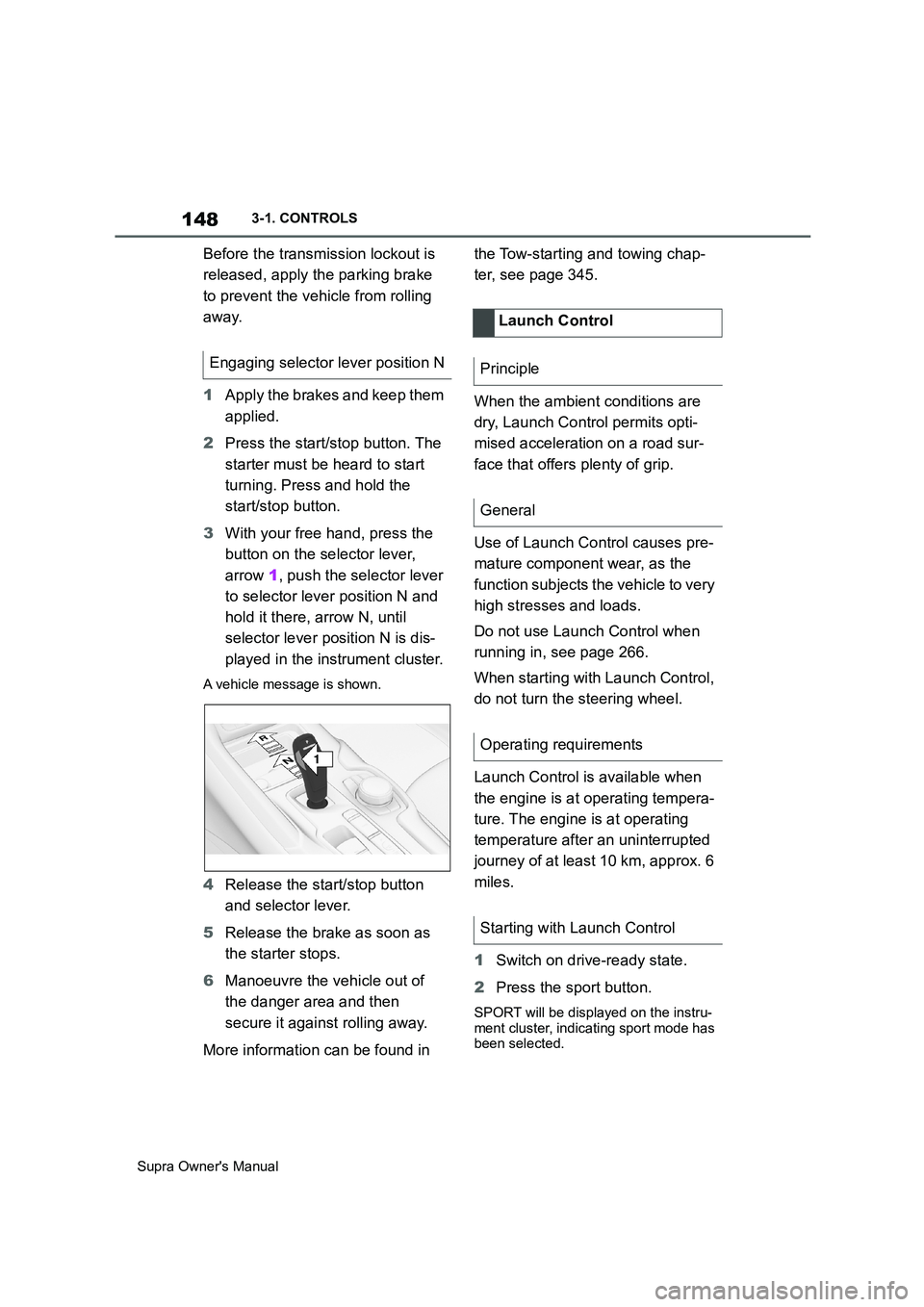
3With your free hand, press the
button on the selector lever,
arrow 1, push the selector lever
to selector lever position N and
hold it there, arrow N, until
selector lever position N is dis-
played in the instrument cluster.
A vehicle message is shown.
4Release the start/stop button
and selector lever.
5Release the brake as soon as
the starter stops.
6Manoeuvre the vehicle out of
the danger area and then
secure it against rolling away.
More information can be found in the Tow-starting and towing chap-
ter, see page 345.
When the ambient conditions are
dry, Launch Control permits opti-
mised acceleration on a road sur-
face that offers plenty of grip.
Use of Launch Control causes pre-
mature component wear, as the
function subjects the vehicle to very
high stresses and loads.
Do not use Launch Control when
running in, see page 266.
When starting with Launch Control,
do not turn the steering wheel.
Launch Control is available when
the engine is at operating tempera-
ture. The engine is at operating
temperature after an uninterrupted
journey of at least 10 km, approx. 6
miles.
1Switch on drive-ready state.
2Press the sport button.
SPORT will be displayed on the instru-
ment cluster, indicating sport mode has
been selected.
Engaging selector lever position N
1
R
N
Launch Control
Principle
General
Operating requirements
Starting with Launch Control
Page 155 of 456
155
3
Supra Owner's Manual3-1. CONTROLS
CONTROLS
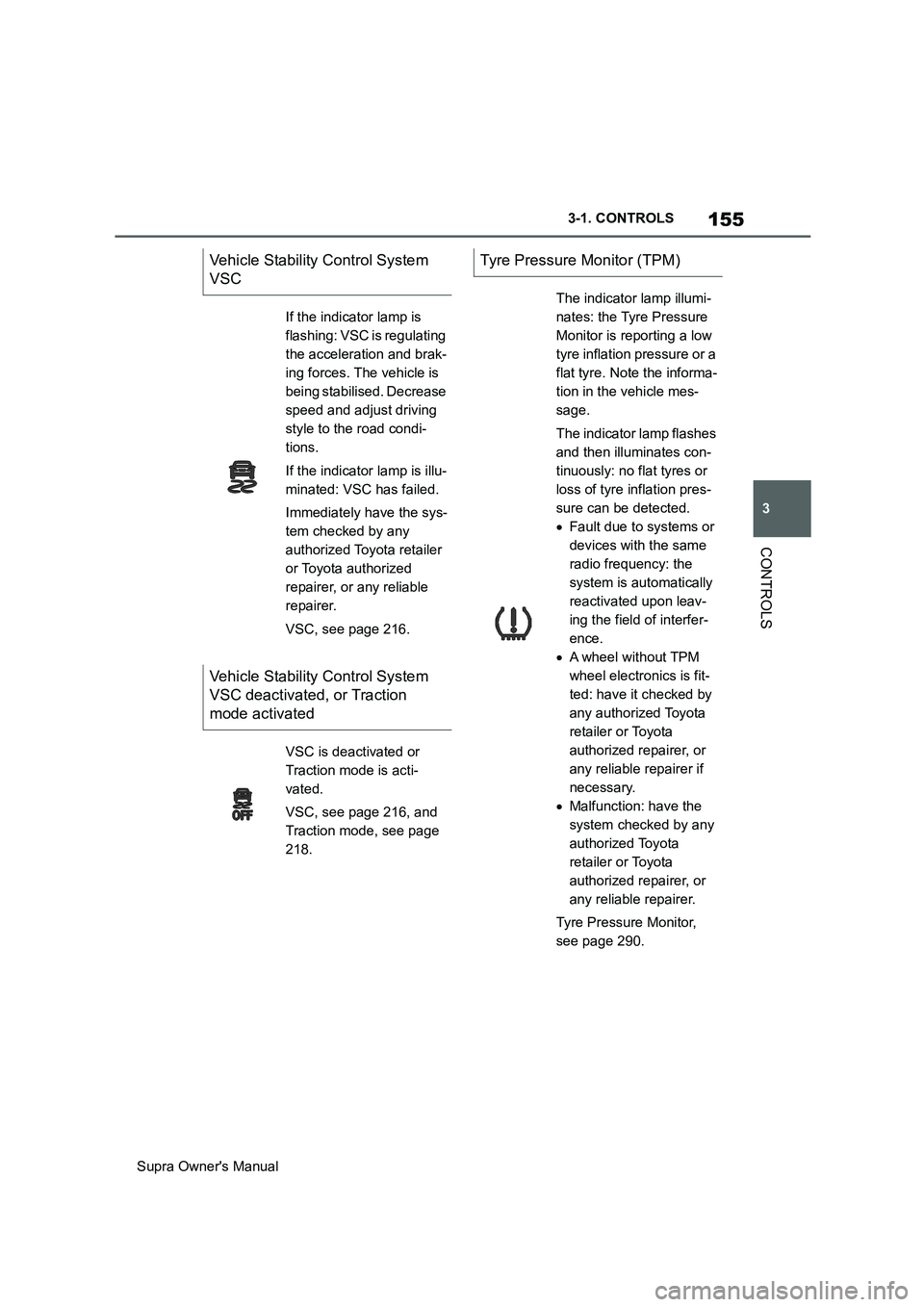
Vehicle Stability Control System
VSC
If the indicator lamp is
flashing: VSC is regulating
the acceleration and brak-
ing forces. The vehicle is
being stabilised. Decrease
speed and adjust driving
style to the road condi-
tions.
If the indicator lamp is illu-
minated: VSC has failed.
Immediately have the sys-
tem checked by any
authorized Toyota retailer
or Toyota authorized
repairer, or any reliable
repairer.
VSC, see page 216.
Vehicle Stability Control System
VSC deactivated, or Traction
mode activated
VSC is deactivated or
Traction mode is acti-
vated.
VSC, see page 216, and
Traction mode, see page
218.
Tyre Pressure Monitor (TPM)
The indicator lamp illumi-
nates: the Tyre Pressure
Monitor is reporting a low
tyre inflation pressure or a
flat tyre. Note the informa-
tion in the vehicle mes-
sage.
The indicator lamp flashes
and then illuminates con-
tinuously: no flat tyres or
loss of tyre inflation pres-
sure can be detected.
Fault due to systems or
devices with the same
radio frequency: the
system is automatically
reactivated upon leav-
ing the field of interfer-
ence.
A wheel without TPM
wheel electronics is fit-
ted: have it checked by
any authorized Toyota
retailer or Toyota
authorized repairer, or
any reliable repairer if
necessary.
Malfunction: have the
system checked by any
authorized Toyota
retailer or Toyota
authorized repairer, or
any reliable repairer.
Tyre Pressure Monitor,
see page 290.
Page 164 of 456
164
Supra Owner's Manual3-1. CONTROLS
Items displayed may differ depend-
ing on the specifications of the vehi-
cle.
The on-board computer shows vari-
ous vehicle related data, for exam-
ple average values, in the
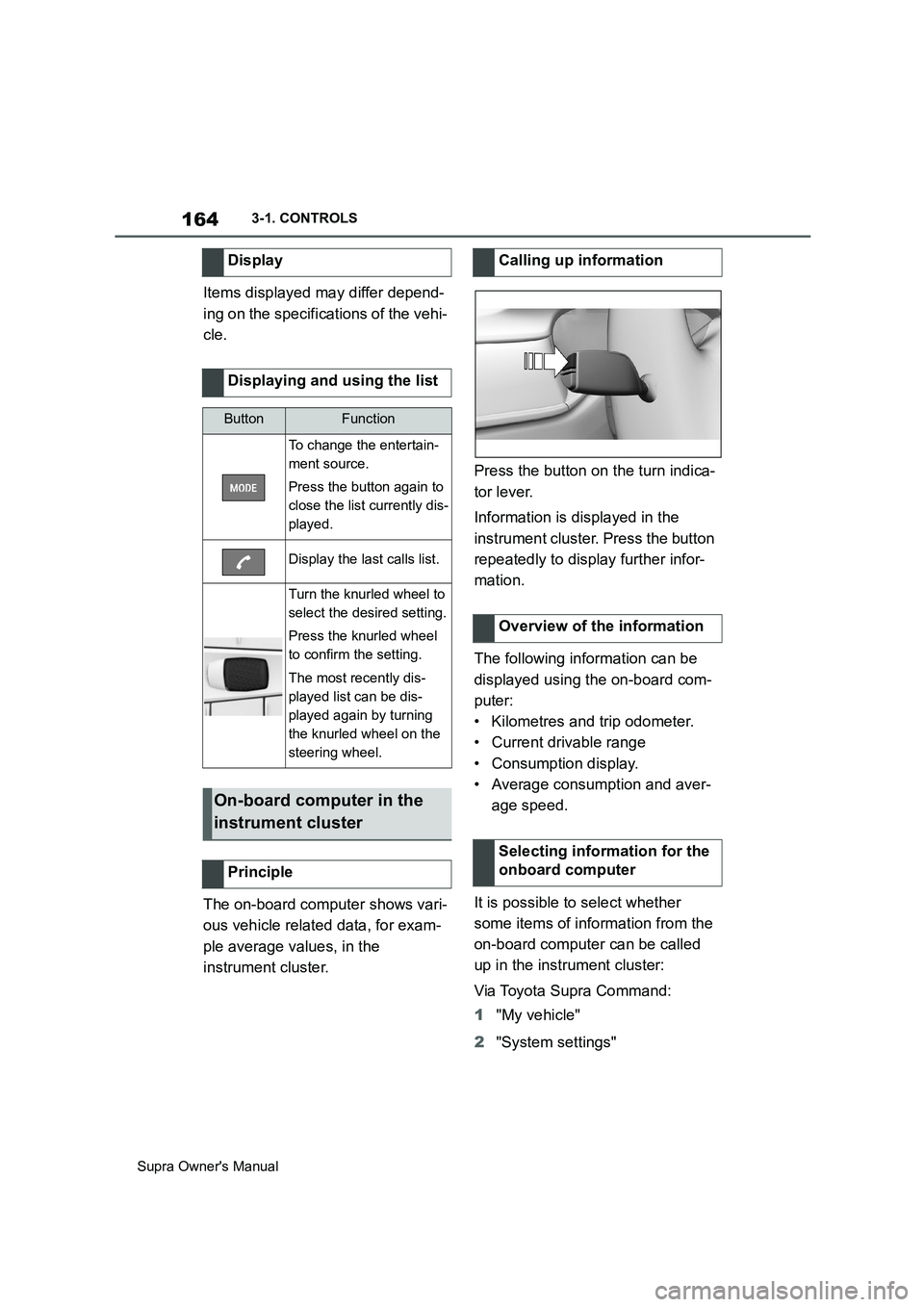
instrument cluster.Press the button on the turn indica-
tor lever.
Information is displayed in the
instrument cluster. Press the button
repeatedly to display further infor-
mation.
The following information can be
displayed using the on-board com-
puter:
• Kilometres and trip odometer.
• Current drivable range
• Consumption display.
• Average consumption and aver-
age speed.
It is possible to select whether
some items of information from the
on-board computer can be called
up in the instrument cluster:
Via Toyota Supra Command:
1"My vehicle"
2"System settings" Display
Displaying and using the list
ButtonFunction
To change the entertain-
ment source.
Press the button again to
close the list currently dis-
played.
Display the last calls list.
Turn the knurled wheel to
select the desired setting.
Press the knurled wheel
to confirm the setting.
The most recently dis-
played list can be dis-
played again by turning
the knurled wheel on the
steering wheel.
On-board computer in the
instrument cluster
Principle
Calling up information
Overview of the information
Selecting information for the
onboard computer
Page 171 of 456
171
3
Supra Owner's Manual3-1. CONTROLS
CONTROLS
This chapter describes all standard,
country-specific and special equip-
ment available for the model series.
It may therefore describe equip-
ment and functions which are not
installed in your vehicle, for exam-
ple on account of the optional
equipment selected or the country
specification. This also applies to
safety-relevant functions and sys-
tems. Please comply with the rele-
vant laws and regulations when
using the corresponding functions
and systems.
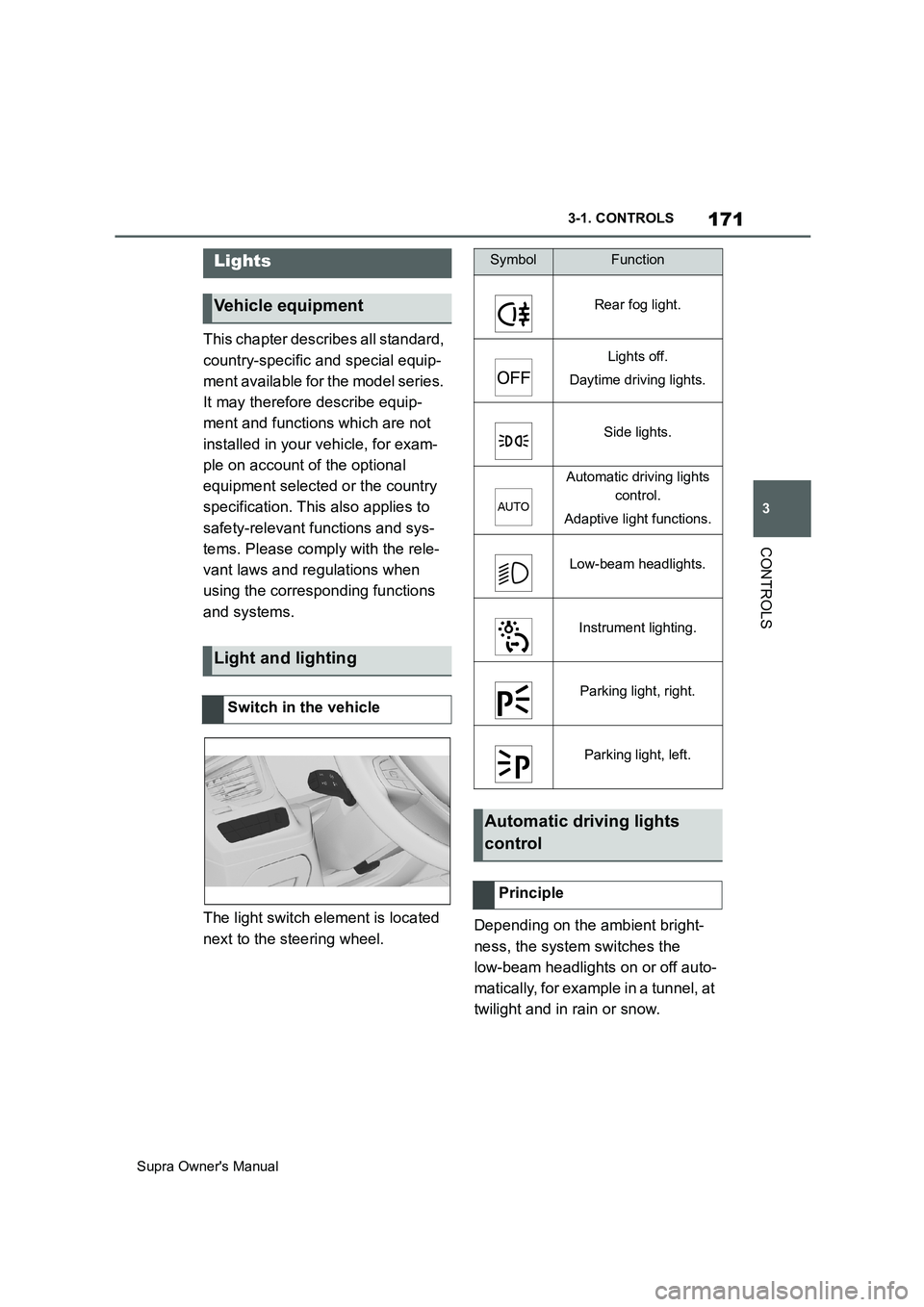
The light switch element is located
next to the steering wheel.Depending on the ambient bright-
ness, the system switches the
low-beam headlights on or off auto-
matically, for example in a tunnel, at
twilight and in rain or snow.
Lights
Vehicle equipment
Light and lighting
Switch in the vehicle
SymbolFunction
Rear fog light.
Lights off.
Daytime driving lights.
Side lights.
Automatic driving lights
control.
Adaptive light functions.
Low-beam headlights.
Instrument lighting.
Parking light, right.
Parking light, left.
Automatic driving lights
control
Principle
Page 177 of 456
177
3
Supra Owner's Manual3-1. CONTROLS
CONTROLS
vehicles drive on the opposite side
of the road to your vehicle's country
of registration, you will need to pre-
vent your headlights from dazzling
oncoming vehicles.
Via Toyota Supra Command:
1"My Vehicle"
2"Vehicle settings"
3"Exterior lighting"
4"Right-hand/left-hand traffic"
5Select the desired setting.
The automatic high-beam may only
function to a limited extent.
The availability of the adaptive light
functions might be restricted.
The brightness can only be
adjusted when the side lights or the
low-beam headlights are switched
on.Depending on the equipment, the
interior light, the footwell lights and
door entry lighting are controlled
automatically. Switching over the head-
lights
System limits
Instrument lighting
Operating requirements
Adjusting
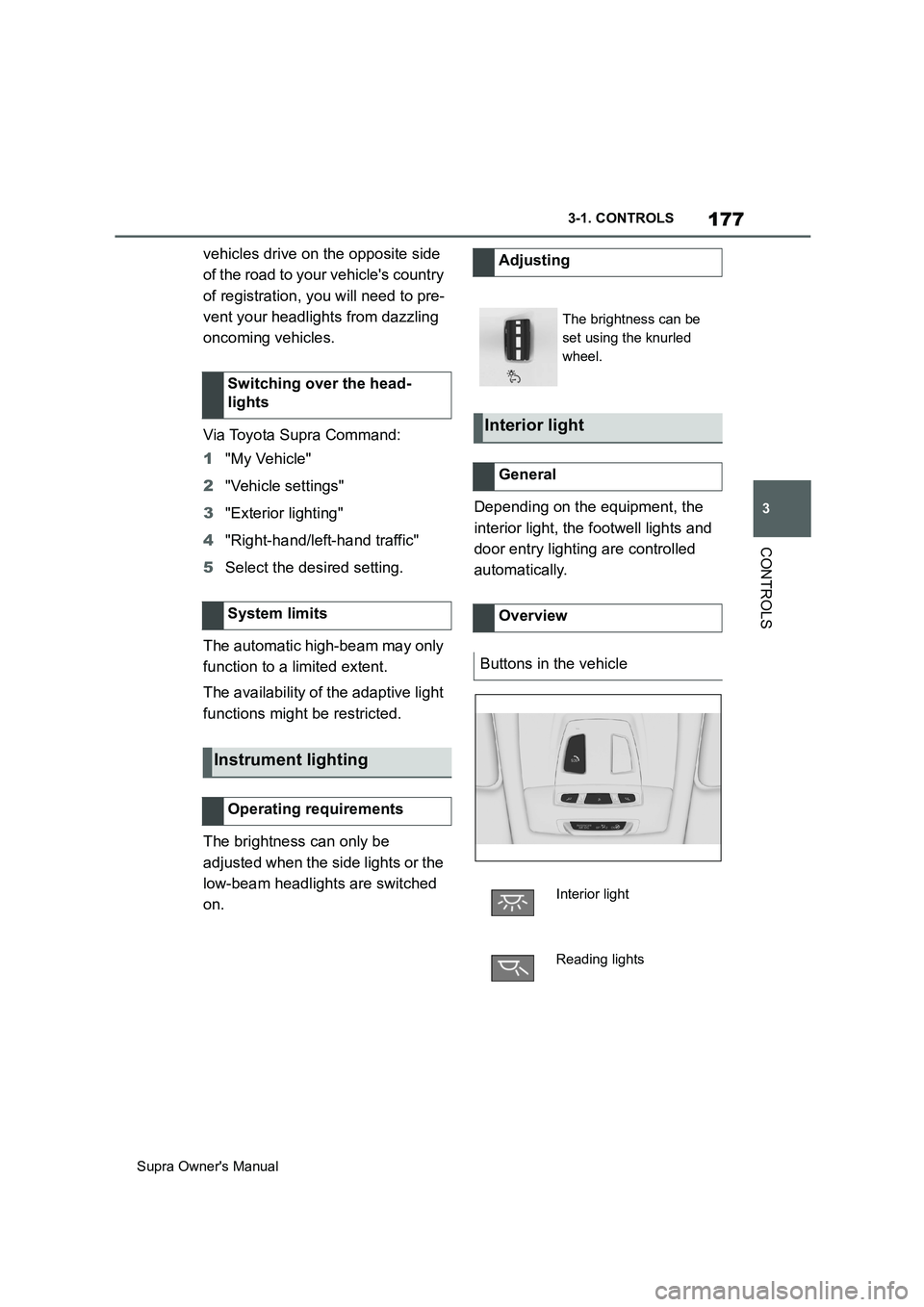
The brightness can be
set using the knurled
wheel.
Interior light
General
Overview
Buttons in the vehicle
Interior light
Reading lights
Page 180 of 456
180
Supra Owner's Manual3-1. CONTROLS
no longer be sufficient.
In a side-on crash, the side airbag
supports the body from the side in
the chest, pelvic and head area.
The knee airbag supports the legs
in the event of a head-on collision.
The curtain shield airbag supports
the head in the event of a side-on
crash.
Airbags are not activated in every
collision, for example in minor acci-
dents and rear-end collisions.
Keep your distance from the
airbags.Always grip the steering wheel
on the steering wheel rim. Place
your hands in the 3 o'clock and 9
o'clock positions to minimise the
risk of injury to hands or arms
when the airbag deploys.
Make sure that the front-seat
passenger is sitting correctly, in
other words with feet or legs in
the footwell, not resting on the
dashboard.
Make sure that vehicle occu-
pants keep their head away from
the side airbag.
Do not position any other per-
sons, pets or objects between
the airbags and persons.
Keep the dashboard and wind-
screen in the area of the passen-
ger's side free, for example do
not attach adhesive foil or covers
and do not fit brackets for navi-
gation devices or mobile tele-
phones.
Do not attach anything to the
airbag covers with adhesive;
never cover them or modify them
in any way.
Do not use the front airbag cover
on the front passenger's side as
a tray.
Covers, seat covers, cushions or
other objects not specifically suit-
able for seats with integral side
airbags must not be fitted to the
front seats.
Do not hang items of clothing for Side airbag
Knee airbag
Curtain shield airbag
Protective effect
General
Notes on achieving optimum
airbag effectiveness
WARNING
If the seat position is wrong or the
deployment area of the airbag is
restricted, the airbag system cannot
provide the intended protection or
may cause additional injuries when it
deploys. There is a danger of injury or
even death. Observe the following to
achieve optimum protective effect.
Page 181 of 456
181
3
Supra Owner's Manual3-1. CONTROLS
CONTROLS
example coats or jackets over
the backrests.
Do not modify individual compo-
nents of the system or its wiring
in any way. This also applies to
the covers of the steering wheel,
the dashboard and seats.
Do not dismantle the airbag sys-
tem.
Even if all this information is
observed, depending on the cir-
cumstances in which an accident
occurs, certain injuries as a result
of contact with the airbag cannot be
entirely ruled out.
The noise caused by the deploy-
ment of an airbag may lead to tem-
porary hearing loss for vehicle
occupants sensitive to noise.
Have the system checked.
The airbags are not designed to be
used in place of the seat belts.
The SRS front airbags and SRS
knee airbags are designed to sup-
plement the seat belts, not be used
in place of them, to increase their Operational readiness of the
airbag system
Safety notes
WARNING
Individual components of the airbag
system may be hot after airbag
deployment. There is a danger of
injury. Do not touch individual compo-
nents.
WARNING
Work carried out incorrectly can lead
to a failure, a malfunction or acciden-
tal deployment of the airbag system. If
there is a malfunction, the airbag sys-
tem might not deploy as intended in
an accident, in spite of the accident
being of the appropriate severity.
There is a danger of injury or even
death. Have the airbag system tested,
repaired or removed and disposed of
by any authorized Toyota retailer or
Toyota authorized repairer, or any reli-
able repairer.
Display in the instrument cluster
When drive-ready state is
switched on, the warning
lamp in the instrument cluster
briefly illuminates in order to
show the operational readi-
ness of the entire airbag sys-
tem and the belt tensioners.
Malfunction
The warning lamp does not
illuminate after drive-ready
state is switched on.
The warning lamp is per-
manently illuminated.
SRS front airbag/SRS knee
airbag
Page 182 of 456
182
Supra Owner's Manual3-1. CONTROLS
effectiveness as an occupant pro-
tection device.
SRS is an acronym for Supplemental
Restraint System
In the event of a collision, the seat
belts restrain the occupants in their
seats, but if the impact of the colli-
sion is especially severe, there is
danger of an occupant’s head and
chest contacting the steering
wheel, dashboard and windshield.
In this case, the SRS front airbags
and SRS knee airbags deploy
(inflate), instantly creating an air
cushion to help reduce the impact
on the occupants and restrain them
from contacting the steering wheel,
etc. with their head, chest and
knees.
The SRS front air bags and SRS
knee airbags deploy only when an
impact exceeding a certain thresh-
old is detected. In a collision, even
if the impact is severe enough to
cause the vehicle body to deform,
the SRS airbags may not deploy if
the impact of the collision is suffi-
ciently dispersed by the crash
structures of the vehicle body. If the
force of the collision does not cause
the airbags to deploy, the seatbelts
will protect the occupants.
When an airbag deploys, as it will
inflate nearly instantly, it may
impact an occupant and cause an
injury, or the loud noise emitted by
ignition or deployment may cause
temporary partial loss of hearing. Also, as an airbag and nearby parts
will be extremely hot after the
airbag deploys, touching them may
cause burns. For these reasons,
deployment of the airbags is not
entirely risk free. Therefore, in
order to reduce this risk, the
airbags are designed to only deploy
when additional reduction of the
impact applied to the occupants in
a collision is necessary.
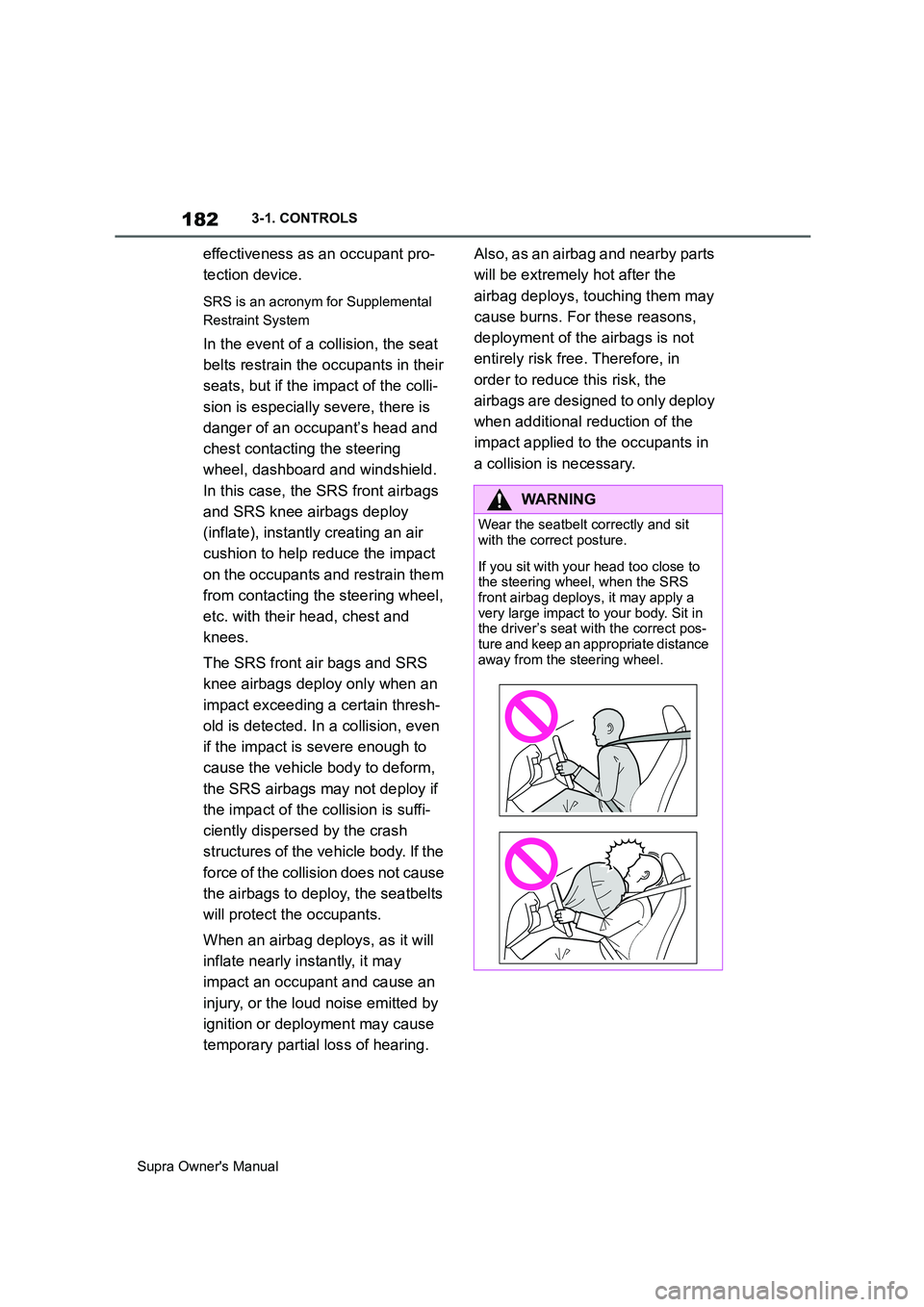
WARNING
Wear the seatbelt correctly and sit
with the correct posture.
If you sit with your head too close to
the steering wheel, when the SRS
front airbag deploys, it may apply a
very large impact to your body. Sit in
the driver’s seat with the correct pos-
ture and keep an appropriate distance
away from the steering wheel.
Page 183 of 456
183
3
Supra Owner's Manual3-1. CONTROLS
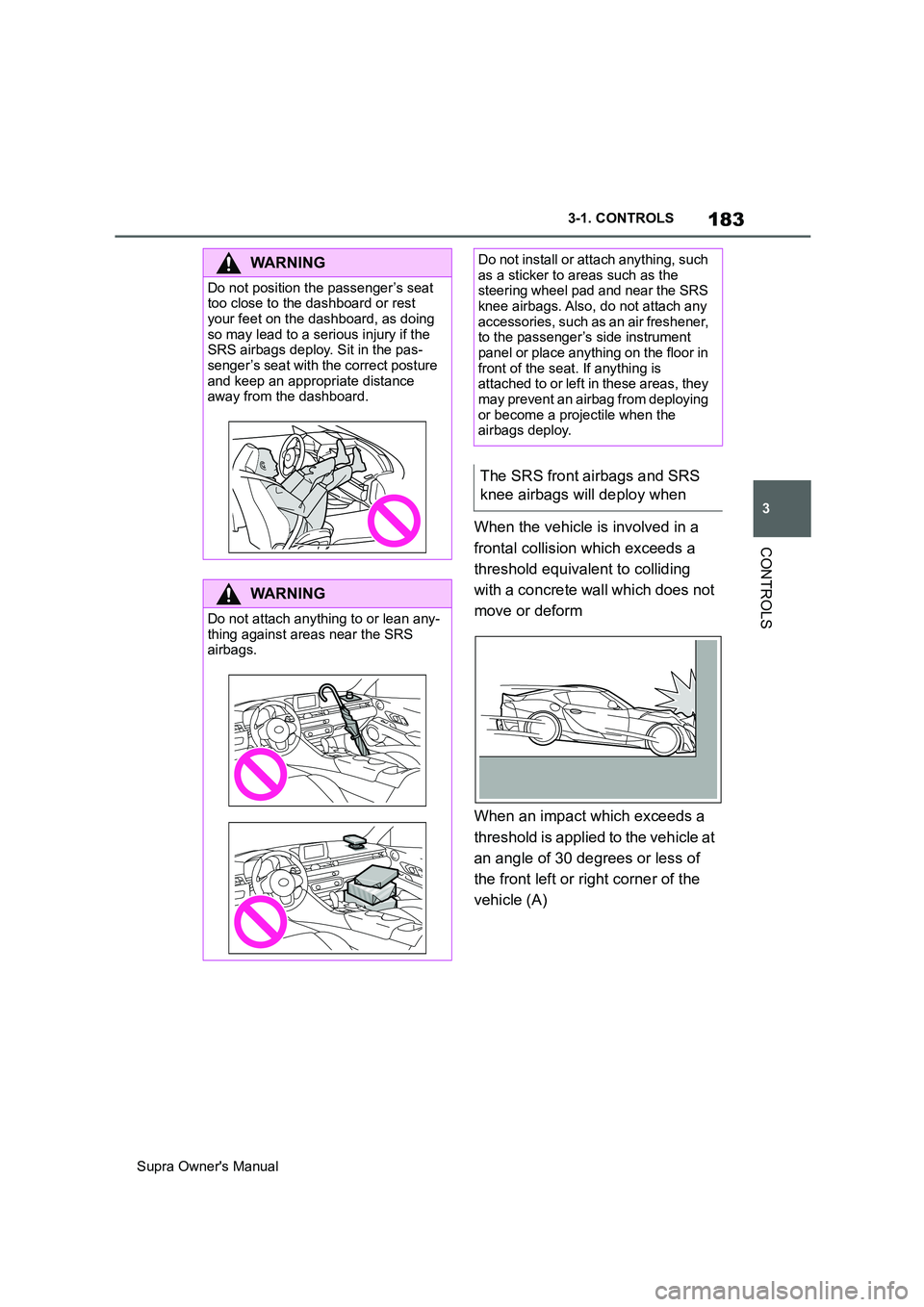
CONTROLSWhen the vehicle is involved in a
frontal collision which exceeds a
threshold equivalent to colliding
with a concrete wall which does not
move or deform
When an impact which exceeds a
threshold is applied to the vehicle at
an angle of 30 degrees or less of
the front left or right corner of the
vehicle (A)
WARNING
Do not position the passenger’s seat
too close to the dashboard or rest
your feet on the dashboard, as doing
so may lead to a serious injury if the
SRS airbags deploy. Sit in the pas-
senger’s seat with the correct posture
and keep an appropriate distance
away from the dashboard.
WARNING
Do not attach anything to or lean any-
thing against areas near the SRS
airbags.
Do not install or attach anything, such
as a sticker to areas such as the
steering wheel pad and near the SRS
knee airbags. Also, do not attach any
accessories, such as an air freshener,
to the passenger’s side instrument
panel or place anything on the floor in
front of the seat. If anything is
attached to or left in these areas, they
may prevent an airbag from deploying
or become a projectile when the
airbags deploy.
The SRS front airbags and SRS
knee airbags will deploy when
Page 188 of 456
188
Supra Owner's Manual3-1. CONTROLS
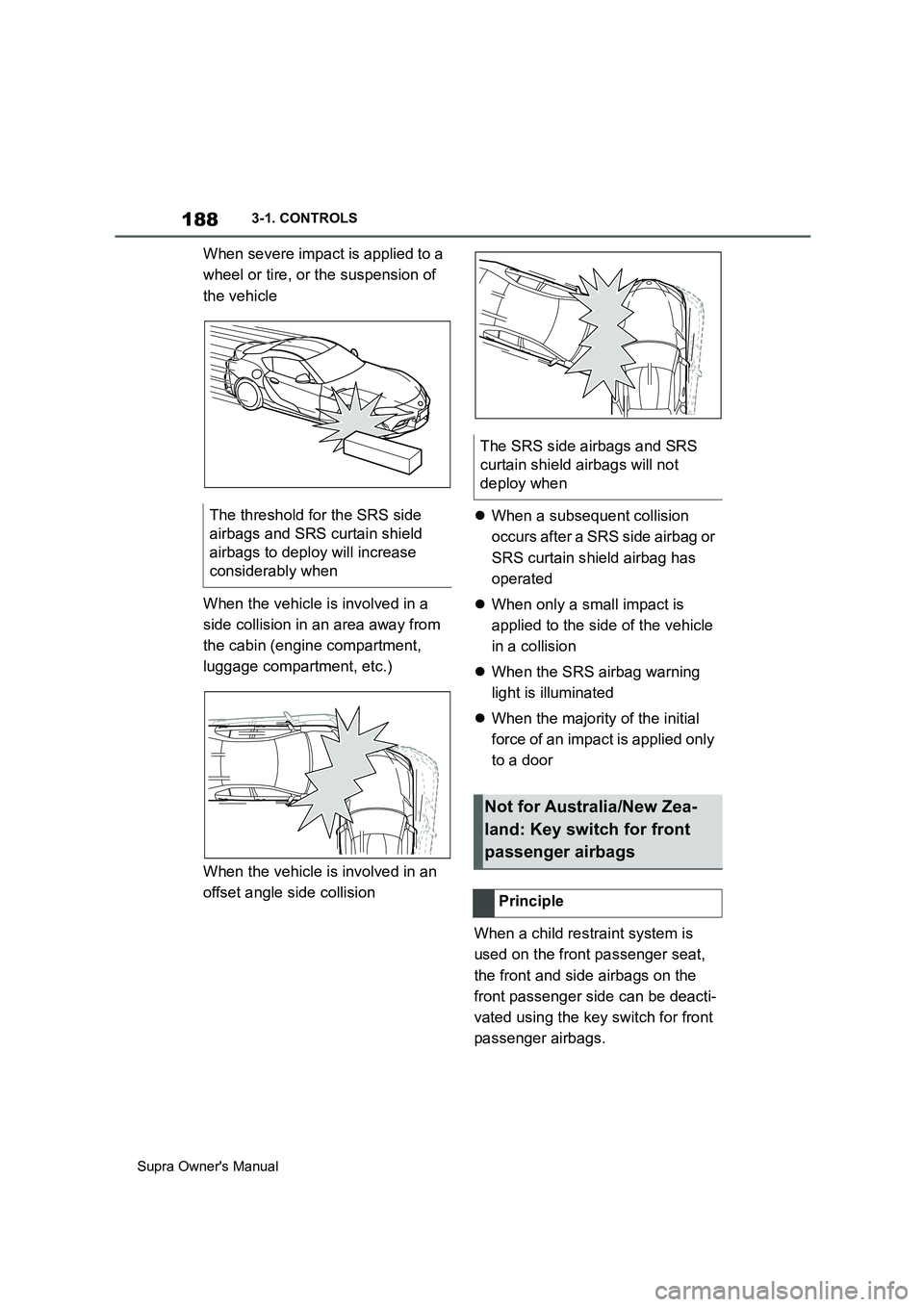
When severe impact is applied to a
wheel or tire, or the suspension of
the vehicle
When the vehicle is involved in a
side collision in an area away from
the cabin (engine compartment,
luggage compartment, etc.)
When the vehicle is involved in an
offset angle side collisionWhen a subsequent collision
occurs after a SRS side airbag or
SRS curtain shield airbag has
operated
When only a small impact is
applied to the side of the vehicle
in a collision
When the SRS airbag warning
light is illuminated
When the majority of the initial
force of an impact is applied only
to a door
When a child restraint system is
used on the front passenger seat,
the front and side airbags on the
front passenger side can be deacti-
vated using the key switch for front
passenger airbags. The threshold for the SRS side
airbags and SRS curtain shield
airbags to deploy will increase
considerably when
The SRS side airbags and SRS
curtain shield airbags will not
deploy when
Not for Australia/New Zea-
land: Key switch for front
passenger airbags
Principle