wheel TOYOTA SUPRA 2019 Owners Manual
[x] Cancel search | Manufacturer: TOYOTA, Model Year: 2019, Model line: SUPRA, Model: TOYOTA SUPRA 2019Pages: 456, PDF Size: 88.65 MB
Page 2 of 456
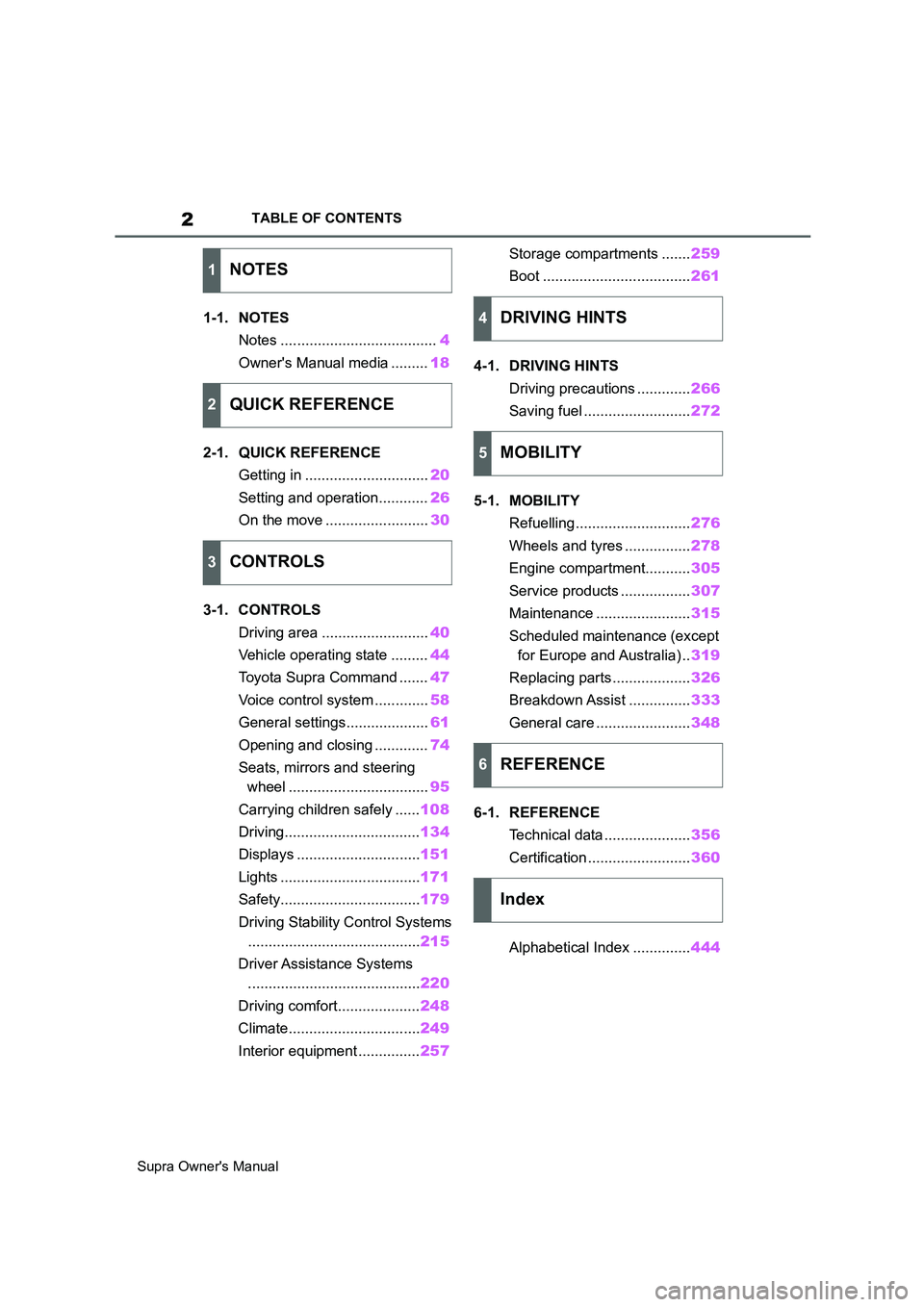
2
Supra Owner's ManualTABLE OF CONTENTS
1-1. NOTES
Notes ......................................4
Owner's Manual media .........18
2-1. QUICK REFERENCE
Getting in ..............................20
Setting and operation............26
On the move .........................30
3-1. CONTROLS
Driving area ..........................40
Vehicle operating state .........44
Toyota Supra Command .......47
Voice control system .............58
General settings....................61
Opening and closing .............74
Seats, mirrors and steering
wheel ..................................95
Carrying children safely ......108
Driving.................................134
Displays ..............................151
Lights ..................................171
Safety..................................179
Driving Stability Control Systems
..........................................215
Driver Assistance Systems
..........................................220
Driving comfort....................248
Climate................................249
Interior equipment ...............257Storage compartments .......259
Boot ....................................261
4-1. DRIVING HINTS
Driving precautions .............266
Saving fuel ..........................272
5-1. MOBILITY
Refuelling ............................276
Wheels and tyres ................278
Engine compartment...........305
Service products .................307
Maintenance .......................315
Scheduled maintenance (except
for Europe and Australia) ..319
Replacing parts ...................326
Breakdown Assist ...............333
General care .......................348
6-1. REFERENCE
Technical data .....................356
Certification .........................360
Alphabetical Index ..............444
1NOTES
2QUICK REFERENCE
3CONTROLS
4DRIVING HINTS
5MOBILITY
6REFERENCE
Index
Page 9 of 456
9
1
Supra Owner's Manual1-1. NOTES
NOTES
This data includes, for example:
• Status messages of the vehicle
and its individual components,
for example wheel rotation
speed, wheel speed, decelera-
tion, lateral acceleration, fas-
tened seat belt indicator.
• Ambient conditions, for example
temperature, rain sensor signals.
The data is only processed within
the vehicle itself and is usually tran-
sient. The data is not saved after
the vehicle is switched off.
Electronic parts, for example con-
trol devices and vehicle keys, con-
tain components for saving
technical information. Information
on vehicle condition, component
load, maintenance requirements,
events or errors can be saved tem-
porarily or permanently.
This information generally docu-
ments the condition of a compo-
nent, a module, a system or its
environment, for example:
• Operating states of system com-
ponents, for example, fill levels,
tyre inflation pressure, battery
status.
• Malfunctions and faults of impor-
tant system components, for
example, lights and brakes.
• Responses of the vehicle to par-
ticular driving situations, for
example triggering of an airbag,
activation of the drive stability
control systems.
• Information on vehicle-damag-ing events.
The data is required so that the
control units can perform their func-
tions. It is also used for detecting
and rectifying malfunctions, and
helps the vehicle manufacturer to
optimise vehicle functions.
The majority of this data is transient
and is only processed within the
vehicle itself. Only a small propor-
tion of the data is stored in event or
error memories in response to spe-
cific circumstances.
When service work is being carried
out, for example repairs, service
operations, warranty work and
quality assurance measures, this
technical information can be read
out from the vehicle together with
the vehicle identification number.
Any authorized Toyota retailer or
Toyota authorized repairer, or any
reliable repairer can read out the
information. The legally required
on-board diagnostics (OBD) socket
in the vehicle is used to read out
the data.
The data is collected, processed
and used by the relevant organisa-
tions in the service network. The
data documents the technical con-
ditions of the vehicle and helps in
locating errors, complying with war-
ranty obligations and improving
quality.
Furthermore, the manufacturer has
product monitoring obligations to
meet in line with product liability
Page 17 of 456
17
1
Supra Owner's Manual1-1. NOTES
NOTES
tory emergency call system takes
over the emergency call function if
the automatic emergency call sys-
tem is not functional for technical
reasons, for example if the emer-
gency call centre appointed by the
vehicle manufacturer cannot be
reached.
The eCall statutory emergency call
system uses the infrastructure of
the 112 public emergency call num-
ber.
The system can be configured so
that emergency calls are always
made via the eCall statutory emer-
gency call system and not via the
automatic emergency call system.
Have the setting configured by any
authorized Toyota retailer or Toyota
authorized repairer, or any reliable
repairer.
For Russia, Kazakhstan and Bela-
rus:
TECHNICAL REGULATION OF
THE CUSTOMS UNION “ON THE
SAFETY OF WHEELED VEHI-
CLES” TR CU 018/2011 Attach-
ment No.3, Section 2
(Requirements for vehicles con-
cerning their interior noise), Table
2.1, Remarks 3
This vehicle may not be used for
public purposes (as taxis, for exam-
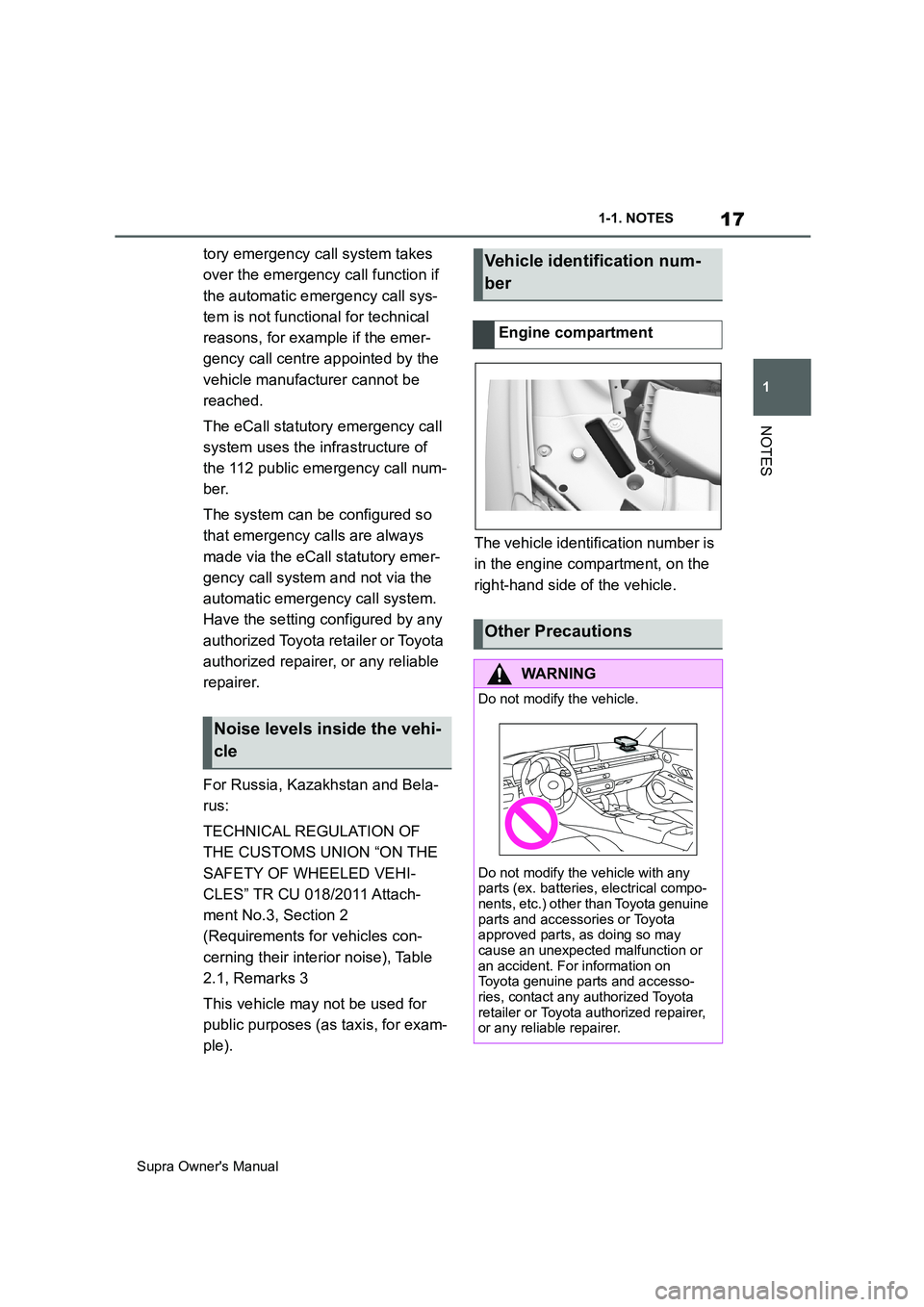
ple).The vehicle identification number is
in the engine compartment, on the
right-hand side of the vehicle.
Noise levels inside the vehi-
cle
Vehicle identification num-
ber
Engine compartment
Other Precautions
WARNING
Do not modify the vehicle.
Do not modify the vehicle with any
parts (ex. batteries, electrical compo-
nents, etc.) other than Toyota genuine
parts and accessories or Toyota
approved parts, as doing so may
cause an unexpected malfunction or
an accident. For information on
Toyota genuine parts and accesso-
ries, contact any authorized Toyota
retailer or Toyota authorized repairer,
or any reliable repairer.
Page 24 of 456
24
Supra Owner's Manual2-1. QUICK REFERENCE
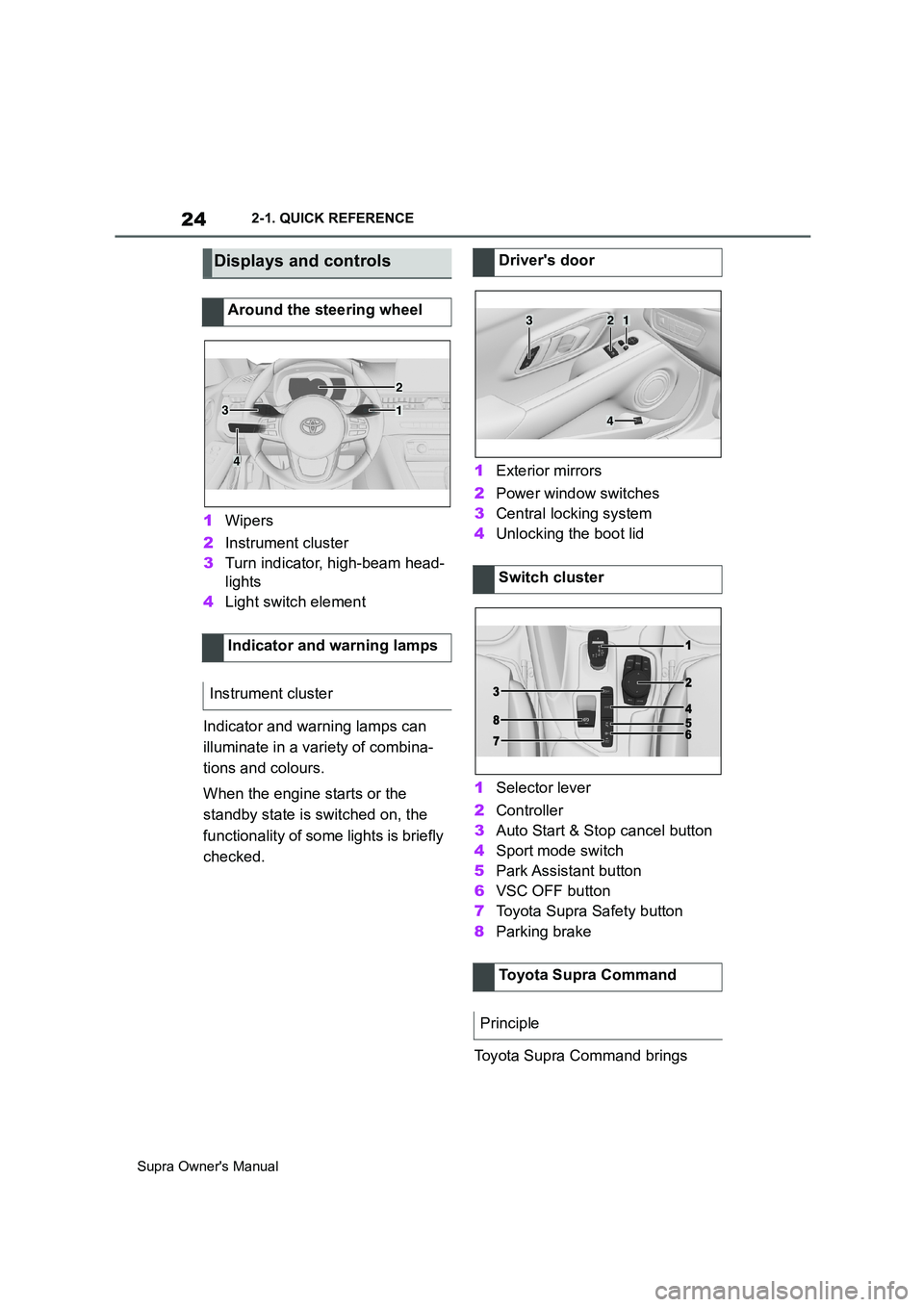
1Wipers
2Instrument cluster
3Turn indicator, high-beam head-
lights
4Light switch element
Indicator and warning lamps can
illuminate in a variety of combina-
tions and colours.
When the engine starts or the
standby state is switched on, the
functionality of some lights is briefly
checked.1Exterior mirrors
2Power window switches
3Central locking system
4Unlocking the boot lid
1Selector lever
2Controller
3Auto Start & Stop cancel button
4Sport mode switch
5Park Assistant button
6VSC OFF button
7Toyota Supra Safety button
8Parking brake
Toyota Supra Command brings
Displays and controls
Around the steering wheel
Indicator and warning lamps
Instrument cluster
1
2
3
4
Driver's door
Switch cluster
Toyota Supra Command
Principle
321
4
Page 25 of 456
25
2
Supra Owner's Manual2-1. QUICK REFERENCE
QUICK REFERENCE
together the functions of a number
of switches. These functions can be
operated using the Controller and,
depending on the equipment ver-
sion, the touchscreen.
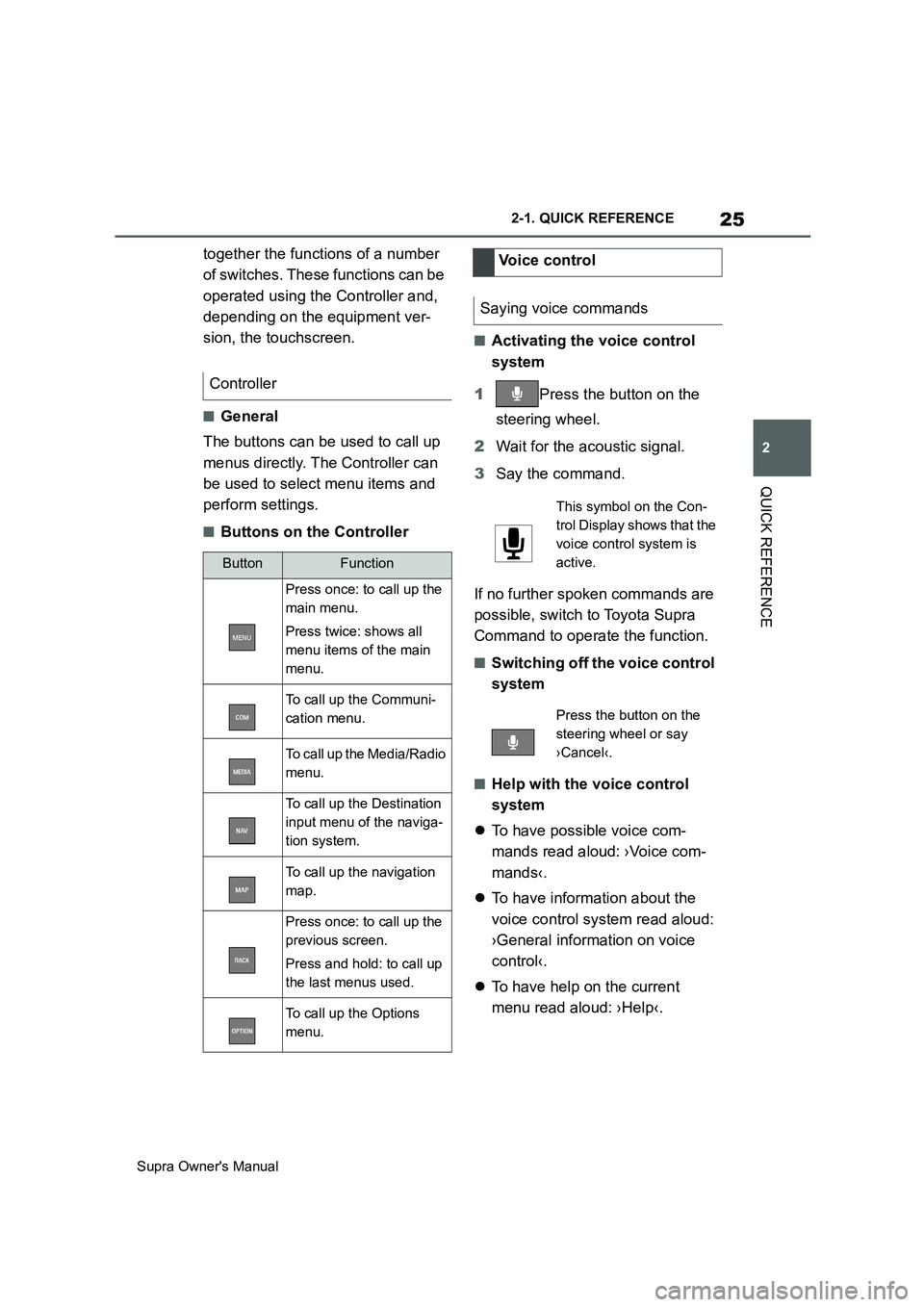
■General
The buttons can be used to call up
menus directly. The Controller can
be used to select menu items and
perform settings.
■Buttons on the Controller
■Activating the voice control
system
1Press the button on the
steering wheel.
2Wait for the acoustic signal.
3Say the command.
If no further spoken commands are
possible, switch to Toyota Supra
Command to operate the function.
■Switching off the voice control
system
■Help with the voice control
system
To have possible voice com-
mands read aloud: ›Voice com-
mands‹.
To have information about the
voice control system read aloud:
›General information on voice
control‹.
To have help on the current
menu read aloud: ›Help‹. Controller
ButtonFunction
Press once: to call up the
main menu.
Press twice: shows all
menu items of the main
menu.
To call up the Communi-
cation menu.
To call up the Media/Radio
menu.
To call up the Destination
input menu of the naviga-
tion system.
To call up the navigation
map.
Press once: to call up the
previous screen.
Press and hold: to call up
the last menus used.
To call up the Options
menu.
Voice control
Saying voice commands
This symbol on the Con-
trol Display shows that the
voice control system is
active.
Press the button on the
steering wheel or say
›Cancel‹.
Page 26 of 456
26
Supra Owner's Manual2-1. QUICK REFERENCE
The voice control system should
not be used for emergency calls.
Under stress, a person's speech
and voice pitch can change. This
could unnecessarily delay connec-
tion of your call.
Instead, use the SOS button
located near the rear-view mirror.
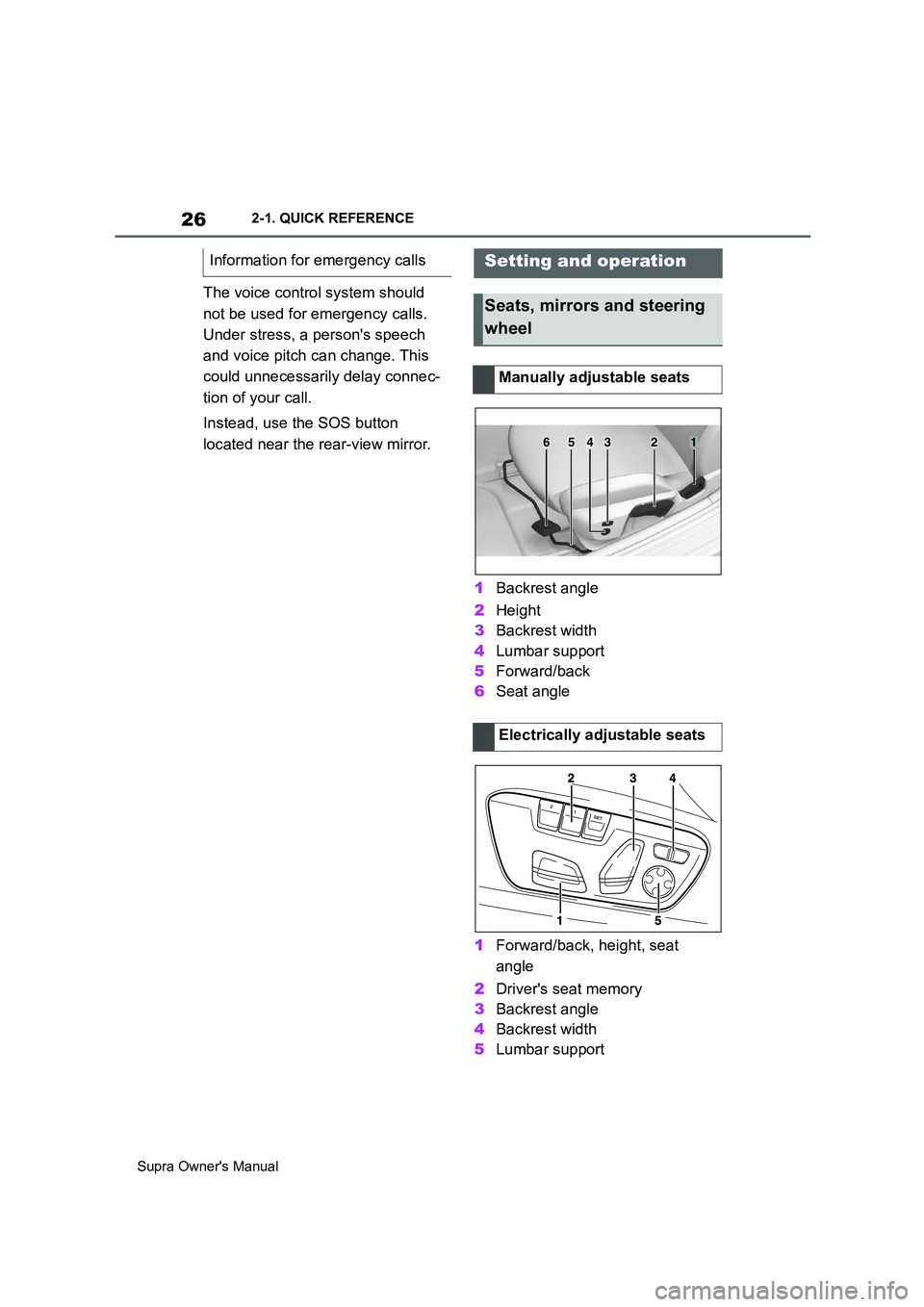
1Backrest angle
2Height
3Backrest width
4Lumbar support
5Forward/back
6Seat angle
1Forward/back, height, seat
angle
2Driver's seat memory
3Backrest angle
4Backrest width
5Lumbar support Information for emergency calls
Setting and operation
Seats, mirrors and steering
wheel
Manually adjustable seats
Electrically adjustable seats
654321
Page 27 of 456
27
2
Supra Owner's Manual2-1. QUICK REFERENCE
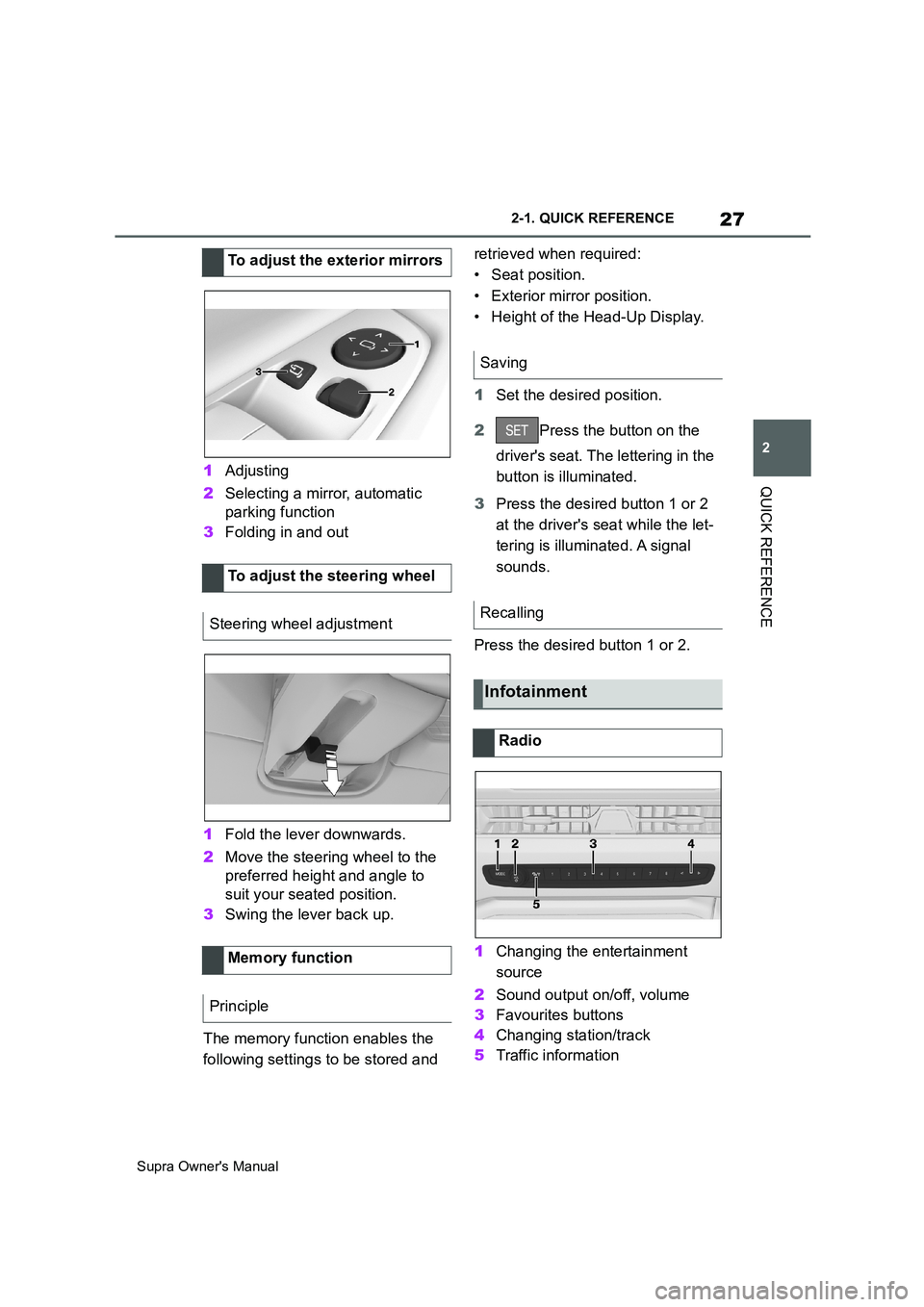
QUICK REFERENCE1Adjusting
2Selecting a mirror, automatic
parking function
3Folding in and out
1Fold the lever downwards.
2Move the steering wheel to the
preferred height and angle to
suit your seated position.
3Swing the lever back up.
The memory function enables the
following settings to be stored and retrieved when required:
• Seat position.
• Exterior mirror position.
• Height of the Head-Up Display.
1Set the desired position.
2Press the button on the
driver's seat. The lettering in the
button is illuminated.
3Press the desired button 1 or 2
at the driver's seat while the let-
tering is illuminated. A signal
sounds.
Press the desired button 1 or 2.
1Changing the entertainment
source
2Sound output on/off, volume
3Favourites buttons
4Changing station/track
5Traffic information To adjust the exterior mirrors
To adjust the steering wheel
Steering wheel adjustment
Memory function
Principle
Saving
Recalling
Infotainment
Radio
Page 28 of 456
28
Supra Owner's Manual2-1. QUICK REFERENCE
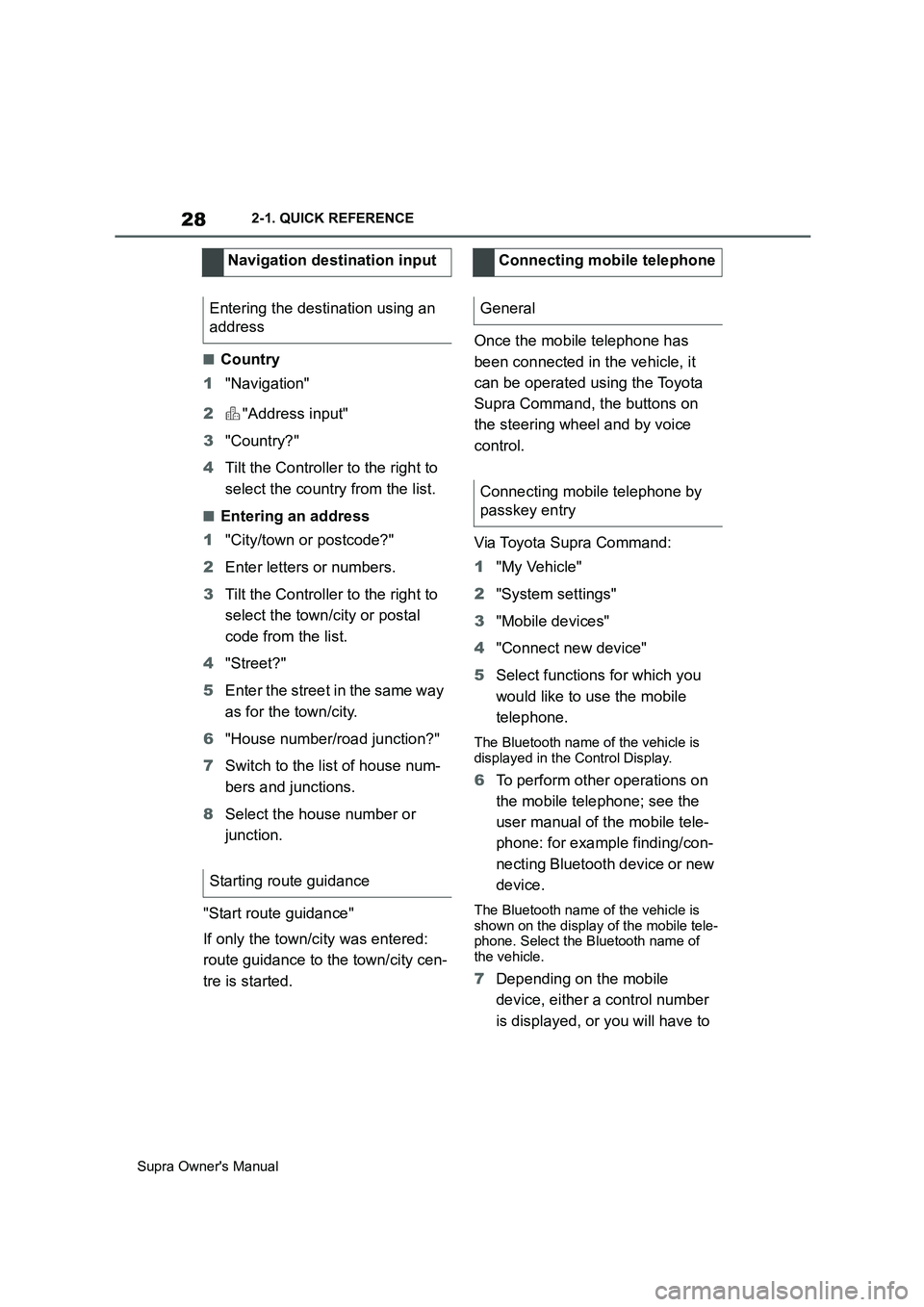
■Country
1"Navigation"
2"Address input"
3"Country?"
4Tilt the Controller to the right to
select the country from the list.
■Entering an address
1"City/town or postcode?"
2Enter letters or numbers.
3Tilt the Controller to the right to
select the town/city or postal
code from the list.
4"Street?"
5Enter the street in the same way
as for the town/city.
6"House number/road junction?"
7Switch to the list of house num-
bers and junctions.
8Select the house number or
junction.
"Start route guidance"
If only the town/city was entered:
route guidance to the town/city cen-
tre is started.Once the mobile telephone has
been connected in the vehicle, it
can be operated using the Toyota
Supra Command, the buttons on
the steering wheel and by voice
control.
Via Toyota Supra Command:
1"My Vehicle"
2"System settings"
3"Mobile devices"
4"Connect new device"
5Select functions for which you
would like to use the mobile
telephone.
The Bluetooth name of the vehicle is
displayed in the Control Display.
6To perform other operations on
the mobile telephone; see the
user manual of the mobile tele-
phone: for example finding/con-
necting Bluetooth device or new
device.
The Bluetooth name of the vehicle is
shown on the display of the mobile tele-
phone. Select the Bluetooth name of
the vehicle.
7Depending on the mobile
device, either a control number
is displayed, or you will have to Navigation destination input
Entering the destination using an
address
Starting route guidance
Connecting mobile telephone
General
Connecting mobile telephone by
passkey entry
Page 29 of 456
29
2
Supra Owner's Manual2-1. QUICK REFERENCE
QUICK REFERENCE
enter the control number your-
self.
• Compare the control number
shown on the Control Display
with the control number in the
device display.
Confirm the control number in the
device and on the Control Display.
• Enter the same control number
on the device and via Toyota
Supra Command then confirm.
The device is connected and dis-
played in the device list.
Incoming calls can be accepted in
different ways.
• Via Toyota Supra Command:
"Accept"
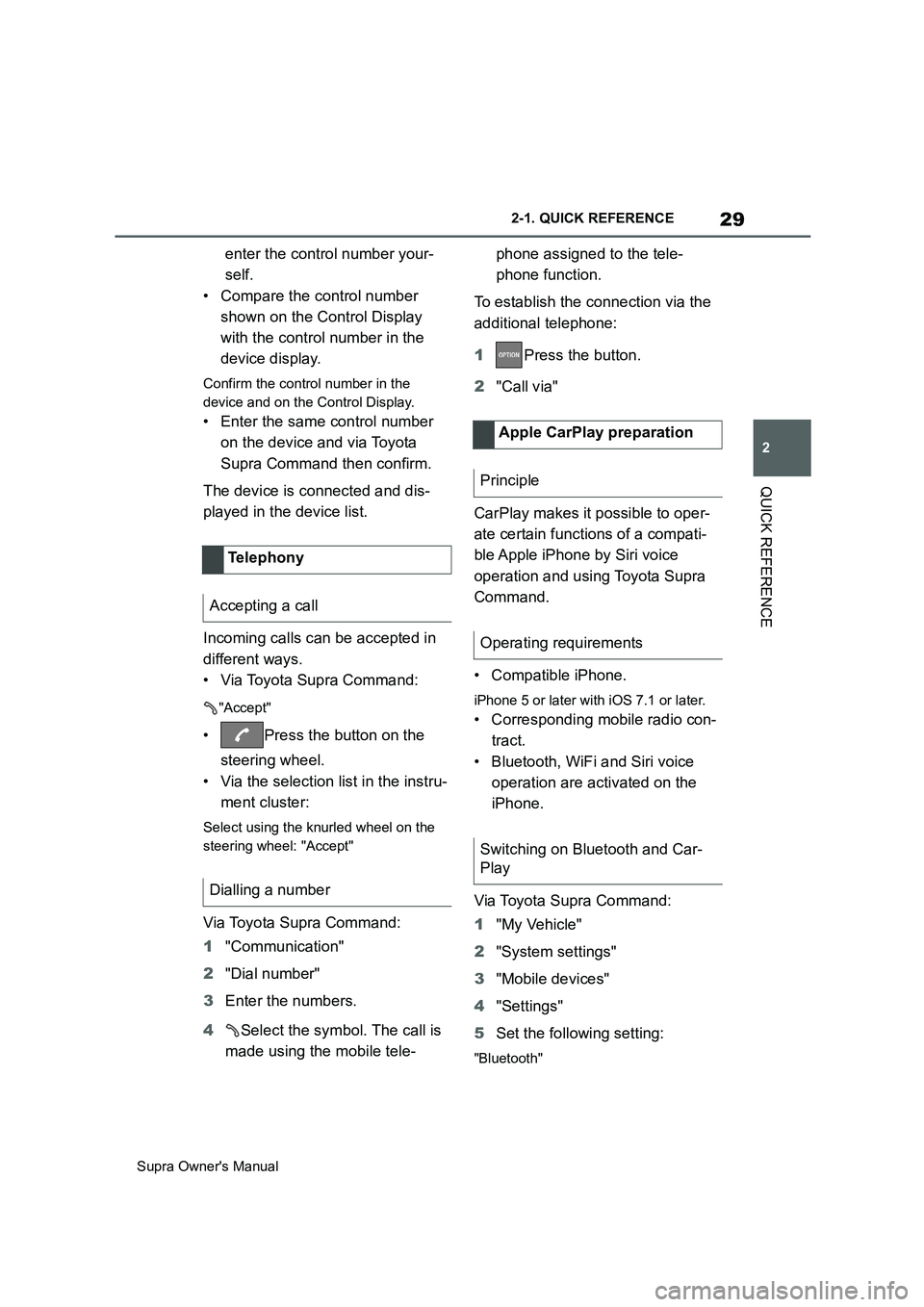
• Press the button on the
steering wheel.
• Via the selection list in the instru-
ment cluster:
Select using the knurled wheel on the
steering wheel: "Accept"
Via Toyota Supra Command:
1"Communication"
2"Dial number"
3Enter the numbers.
4Select the symbol. The call is
made using the mobile tele-phone assigned to the tele-
phone function.
To establish the connection via the
additional telephone:
1Press the button.
2"Call via"
CarPlay makes it possible to oper-
ate certain functions of a compati-
ble Apple iPhone by Siri voice
operation and using Toyota Supra
Command.
• Compatible iPhone.
iPhone 5 or later with iOS 7.1 or later.
• Corresponding mobile radio con-
tract.
• Bluetooth, WiFi and Siri voice
operation are activated on the
iPhone.
Via Toyota Supra Command:
1"My Vehicle"
2"System settings"
3"Mobile devices"
4"Settings"
5Set the following setting:
"Bluetooth"
Telephony
Accepting a call
Dialling a number
Apple CarPlay preparation
Principle
Operating requirements
Switching on Bluetooth and Car-
Play
Page 34 of 456
34
Supra Owner's Manual2-1. QUICK REFERENCE
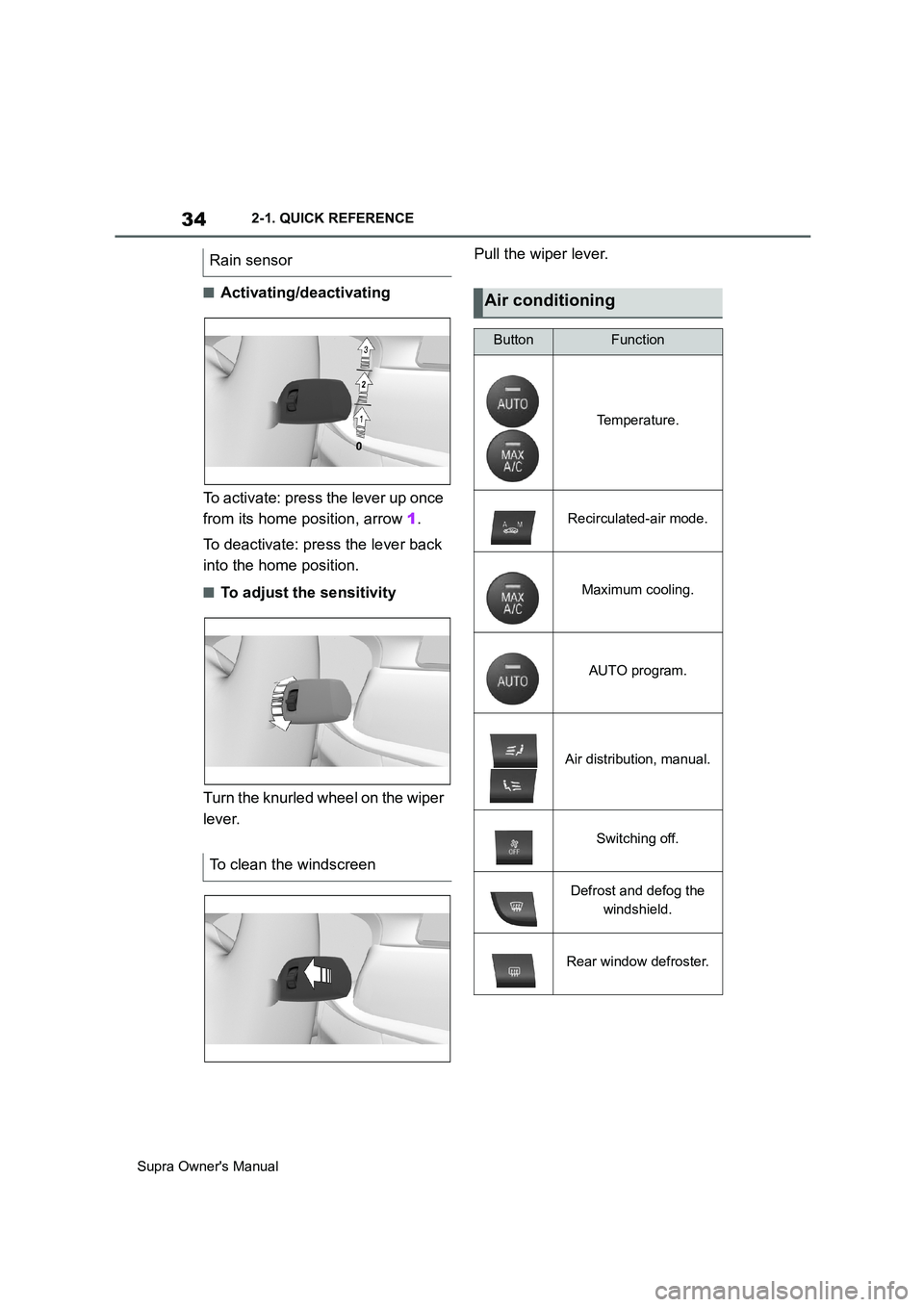
■Activating/deactivating
To activate: press the lever up once
from its home position, arrow 1.
To deactivate: press the lever back
into the home position.
■To adjust the sensitivity
Turn the knurled wheel on the wiper
lever.Pull the wiper lever.
Rain sensor
To clean the windscreen
Air conditioning
ButtonFunction
Temperature.
Recirculated-air mode.
Maximum cooling.
AUTO program.
Air distribution, manual.
Switching off.
Defrost and defog the
windshield.
Rear window defroster.