ESP TOYOTA SUPRA 2019 Owner's Manual
[x] Cancel search | Manufacturer: TOYOTA, Model Year: 2019, Model line: SUPRA, Model: TOYOTA SUPRA 2019Pages: 456, PDF Size: 88.65 MB
Page 95 of 456
95
3
Supra Owner's Manual3-1. CONTROLS
CONTROLS
This chapter describes all standard,
country-specific and special equip-
ment available for the model series.
It may therefore describe equip-
ment and functions which are not
installed in your vehicle, for exam-
ple on account of the optional
equipment selected or the country
specification. This also applies to
safety-relevant functions and sys-
tems. Please comply with the rele-
vant laws and regulations when
using the corresponding functions
and systems.
A seating position that suitably
reflects the requirements of the
occupants is essential for relaxed
driving with minimum fatigue.
In an accident, the correct seating
position plays an important role.
Comply with the notes in the follow-
ing chapters:
• Seats, see page 95.
• Seat belts, see page 98.
• Head restraints, see page 103.
• Airbags, see page 179.
Seats, mirrors and steer-
ing wheel
Vehicle equipment
Safe seating position
Seats
Safety notes
WARNING
Adjusting the seat during a journey
could cause the seat to move unex-
pectedly. You could lose control of the
vehicle. There is a danger of acci-
dents. Only adjust the seat on the
driver's side when at a standstill.
WARNING
If the backrest is angled back too far,
the protective effect of the seat belt
will no longer be guaranteed. There is
a danger of sliding under the seat belt
in the event of an accident. There is a
danger of injury or even death. Adjust
the seat before starting the journey.
Adjust the backrest to the most
upright position possible, and do not
change it during the journey.
WARNING
There is a risk of entrapment when
the seats are being moved. There is a
danger of injury or damage to prop-
erty. Before making any adjustment,
make sure that the area of movement
of the seat is clear.
Page 104 of 456
104
Supra Owner's Manual3-1. CONTROLS
The head restraints are integrated
into the seatback and cannot be
adjusted.
The distance from the back of the
head is set via the backrest angle.
Adjust the distance so that the head
restraint is as close as possible to
the back of the head.
The head restraints cannot be
removed.
The mirror setting is saved for the
currently used driver profile, see
page 90. If a driver profile is
selected, the saved position is
called up automatically.
The current exterior mirror position can be saved with the memory
function, see page 106.
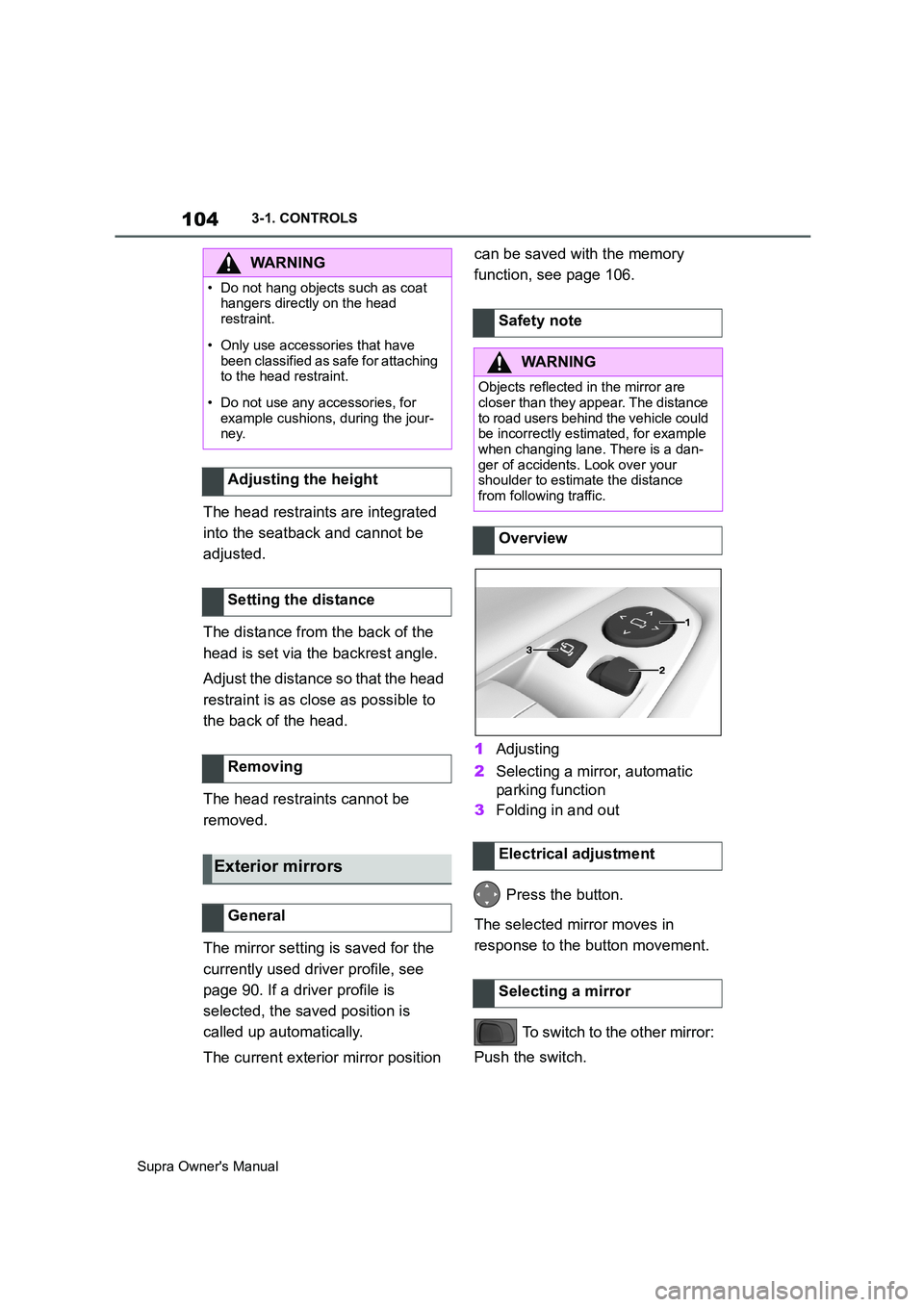
1Adjusting
2Selecting a mirror, automatic
parking function
3Folding in and out
Press the button.
The selected mirror moves in
response to the button movement.
To switch to the other mirror:
Push the switch.
WARNING
• Do not hang objects such as coat
hangers directly on the head
restraint.
• Only use accessories that have
been classified as safe for attaching
to the head restraint.
• Do not use any accessories, for
example cushions, during the jour-
ney.
Adjusting the height
Setting the distance
Removing
Exterior mirrors
General
Safety note
WARNING
Objects reflected in the mirror are
closer than they appear. The distance
to road users behind the vehicle could
be incorrectly estimated, for example
when changing lane. There is a dan-
ger of accidents. Look over your
shoulder to estimate the distance
from following traffic.
Overview
Electrical adjustment
Selecting a mirror
Page 108 of 456
108
Supra Owner's Manual3-1. CONTROLS
The maximum temperature is
selected if the three LEDs are illu-
minated.
Press and hold the
button until the LEDs no longer illu-
minates.This chapter describes all standard,
country-specific and special equip-
ment available for the model series.
It may therefore describe equip-
ment and functions which are not
installed in your vehicle, for exam-
ple on account of the optional
equipment selected or the country
specification. This also applies to
safety-relevant functions and sys-
tems. Please comply with the rele-
vant laws and regulations when
using the corresponding functions
and systems. Switching offCarrying children safely
Vehicle equipment
When children are in the
vehicle
WARNING
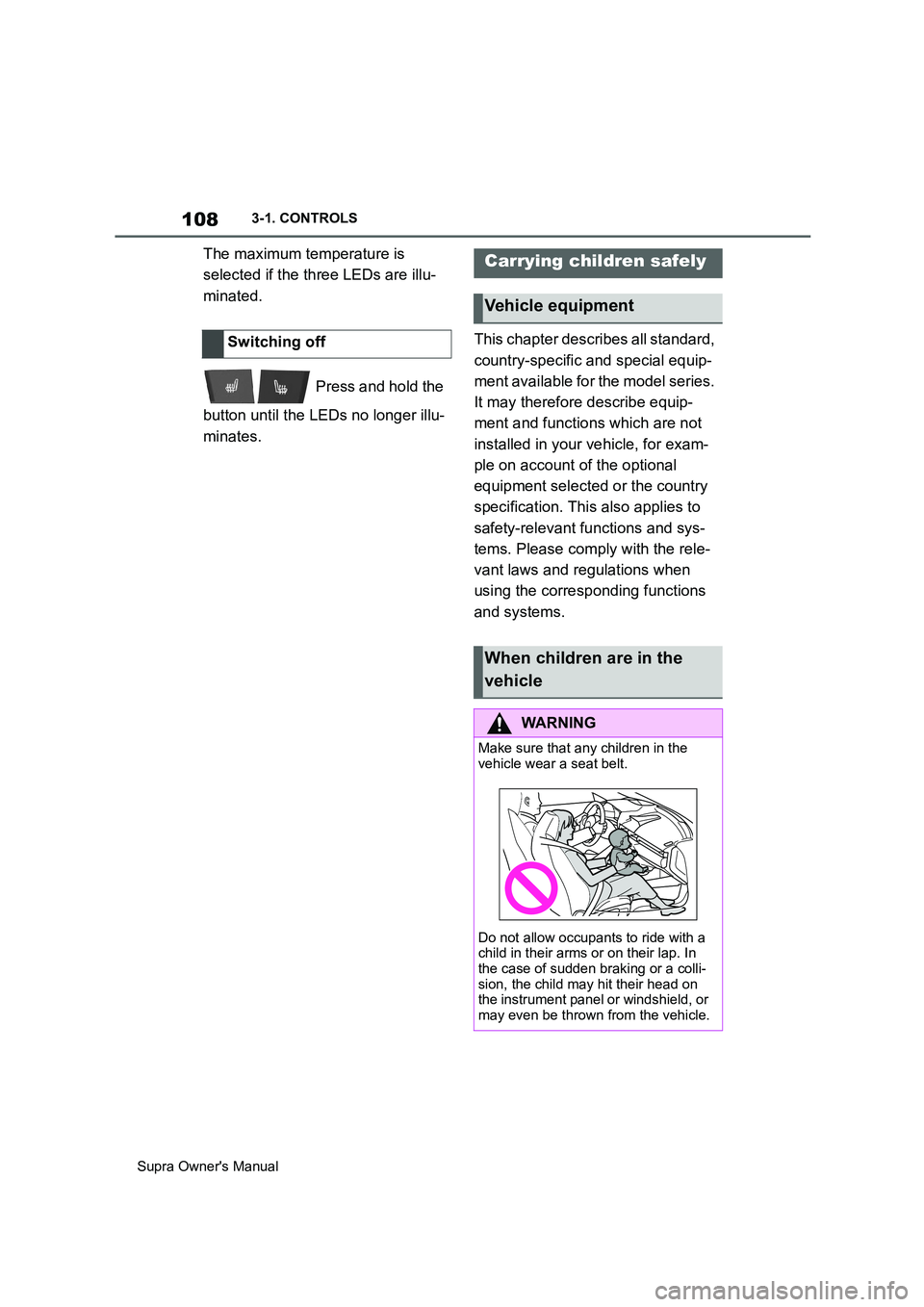
Make sure that any children in the
vehicle wear a seat belt.
Do not allow occupants to ride with a
child in their arms or on their lap. In
the case of sudden braking or a colli-
sion, the child may hit their head on
the instrument panel or windshield, or
may even be thrown from the vehicle.
Page 112 of 456
112
Supra Owner's Manual3-1. CONTROLS
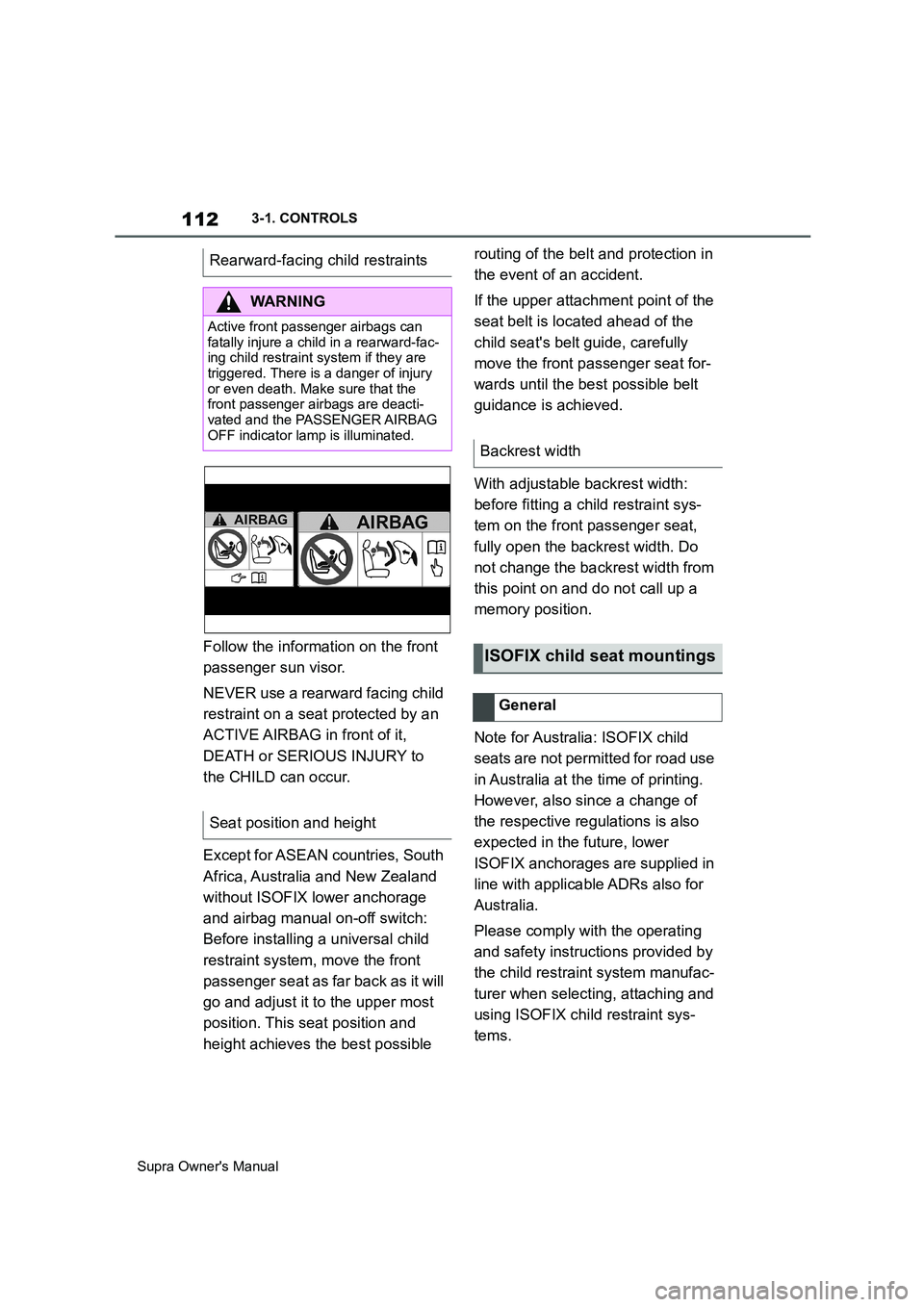
Follow the information on the front
passenger sun visor.
NEVER use a rearward facing child
restraint on a seat protected by an
ACTIVE AIRBAG in front of it,
DEATH or SERIOUS INJURY to
the CHILD can occur.
Except for ASEAN countries, South
Africa, Australia and New Zealand
without ISOFIX lower anchorage
and airbag manual on-off switch:
Before installing a universal child
restraint system, move the front
passenger seat as far back as it will
go and adjust it to the upper most
position. This seat position and
height achieves the best possible routing of the belt and protection in
the event of an accident.
If the upper attachment point of the
seat belt is located ahead of the
child seat's belt guide, carefully
move the front passenger seat for-
wards until the best possible belt
guidance is achieved.
With adjustable backrest width:
before fitting a child restraint sys-
tem on the front passenger seat,
fully open the backrest width. Do
not change the backrest width from
this point on and do not call up a
memory position.
Note for Australia: ISOFIX child
seats are not permitted for road use
in Australia at the time of printing.
However, also since a change of
the respective regulations is also
expected in the future, lower
ISOFIX anchorages are supplied in
line with applicable ADRs also for
Australia.
Please comply with the operating
and safety instructions provided by
the child restraint system manufac-
turer when selecting, attaching and
using ISOFIX child restraint sys-
tems. Rearward-facing child restraints
WARNING
Active front passenger airbags can
fatally injure a child in a rearward-fac-
ing child restraint system if they are
triggered. There is a danger of injury
or even death. Make sure that the
front passenger airbags are deacti-
vated and the PASSENGER AIRBAG
OFF indicator lamp is illuminated.
Seat position and height
Backrest width
ISOFIX child seat mountings
General
Page 113 of 456
113
3
Supra Owner's Manual3-1. CONTROLS
CONTROLS
Only certain ISOFIX child restraints
may be used in the seats intended
for this purpose. The corresponding
size class and size category are
denoted by a letter or ISO refer-
ence on a plate on the child seat.
For information about which child
restraint systems can be used on
the seats in question and if the child
restraint systems are suitable for or
comply with ISOFIX, see: seats that
are suitable for child restraint sys-
tems, see page 115.Not for Australia/New Zealand:
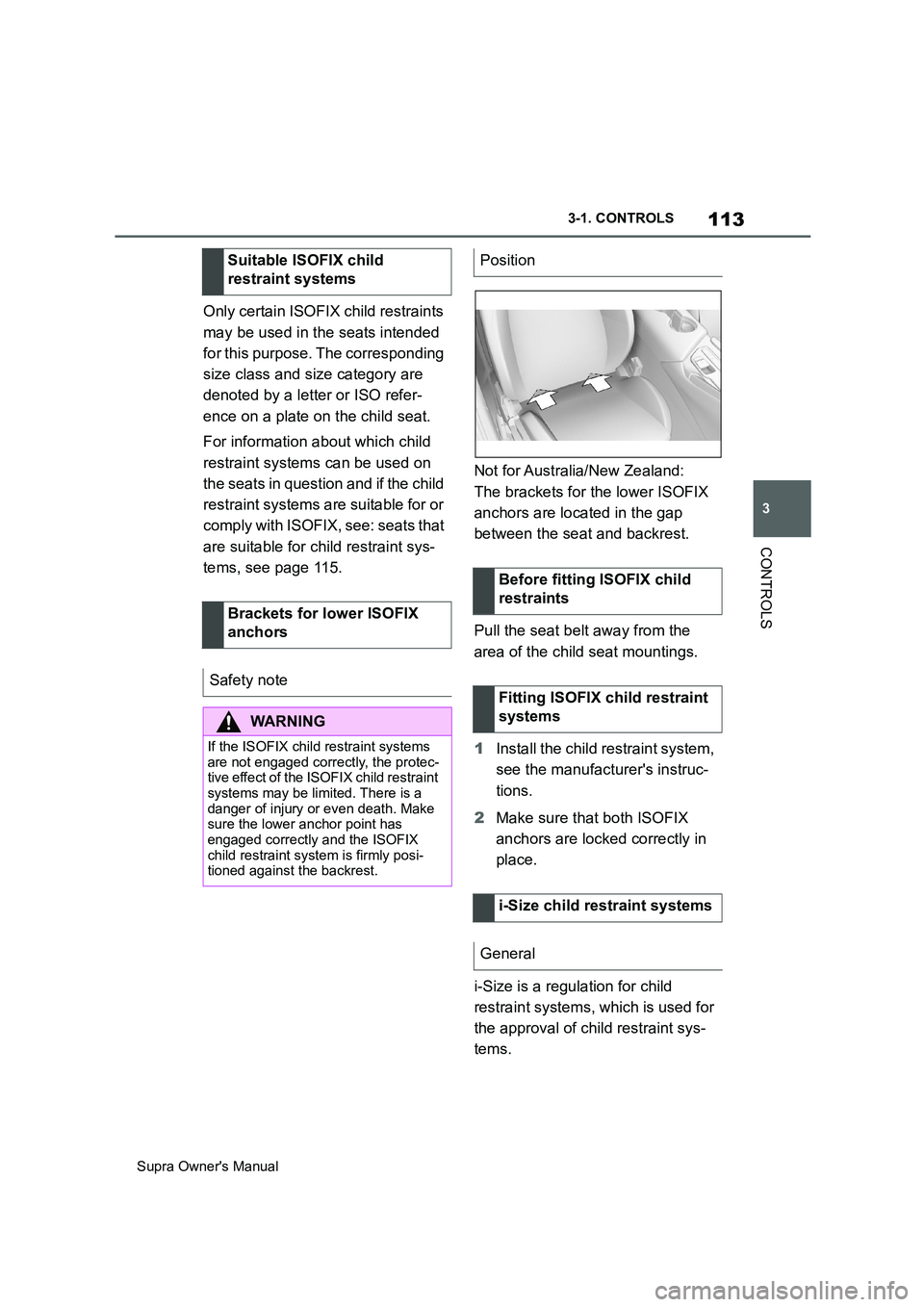
The brackets for the lower ISOFIX
anchors are located in the gap
between the seat and backrest.
Pull the seat belt away from the
area of the child seat mountings.
1Install the child restraint system,
see the manufacturer's instruc-
tions.
2Make sure that both ISOFIX
anchors are locked correctly in
place.
i-Size is a regulation for child
restraint systems, which is used for
the approval of child restraint sys-
tems. Suitable ISOFIX child
restraint systems
Brackets for lower ISOFIX
anchors
Safety note
WARNING
If the ISOFIX child restraint systems
are not engaged correctly, the protec-
tive effect of the ISOFIX child restraint
systems may be limited. There is a
danger of injury or even death. Make
sure the lower anchor point has
engaged correctly and the ISOFIX
child restraint system is firmly posi-
tioned against the backrest.
Position
Before fitting ISOFIX child
restraints
Fitting ISOFIX child restraint
systems
i-Size child restraint systems
General
Page 114 of 456
114
Supra Owner's Manual3-1. CONTROLS
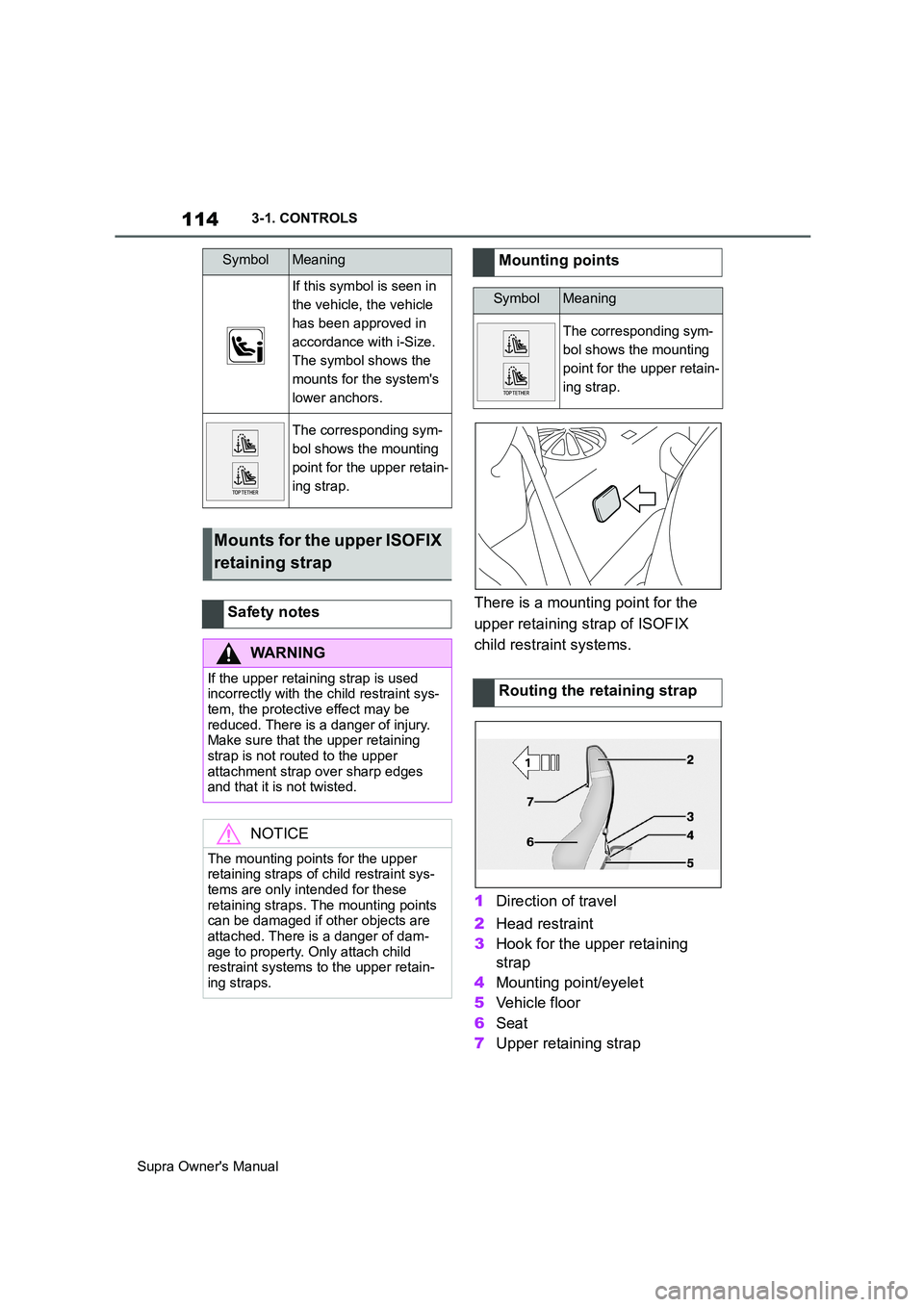
There is a mounting point for the
upper retaining strap of ISOFIX
child restraint systems.
1Direction of travel
2Head restraint
3Hook for the upper retaining
strap
4Mounting point/eyelet
5Vehicle floor
6Seat
7Upper retaining strap
SymbolMeaning
If this symbol is seen in
the vehicle, the vehicle
has been approved in
accordance with i-Size.
The symbol shows the
mounts for the system's
lower anchors.
The corresponding sym-
bol shows the mounting
point for the upper retain-
ing strap.
Mounts for the upper ISOFIX
retaining strap
Safety notes
WARNING
If the upper retaining strap is used
incorrectly with the child restraint sys-
tem, the protective effect may be
reduced. There is a danger of injury.
Make sure that the upper retaining
strap is not routed to the upper
attachment strap over sharp edges
and that it is not twisted.
NOTICE
The mounting points for the upper
retaining straps of child restraint sys-
tems are only intended for these
retaining straps. The mounting points
can be damaged if other objects are
attached. There is a danger of dam-
age to property. Only attach child
restraint systems to the upper retain-
ing straps.
Mounting points
SymbolMeaning
The corresponding sym-
bol shows the mounting
point for the upper retain-
ing strap.
Routing the retaining strap
Page 134 of 456
134
Supra Owner's Manual3-1. CONTROLS
This chapter describes all standard,
country-specific and special equip-
ment available for the model series.
It may therefore describe equip-
ment and functions which are not
installed in your vehicle, for exam-
ple on account of the optional
equipment selected or the country
specification. This also applies to
safety-relevant functions and sys-
tems. Please comply with the rele-
vant laws and regulations when
using the corresponding functions
and systems.
Automatic transmission:
Drive-ready state is switched on by
pressing the start/stop button while
the brake pedal is depressed.
Pressing the start/stop button again
switches drive-ready state back off
and standby state, see page 44, is
switched on.The Auto Start/Stop helps you to
save fuel. The system stops the
engine when stationary, for exam-
ple in a traffic jam or at traffic lights.
The drive-ready state remains
switched on. For driving off, the
engine starts automatically.
Each time the engine is started via
the start/stop button, the Auto
Start/Stop is switched to standby.
The function is activated from a
speed of around 5 km/h, approxi-
mately 3 mph.
Depending on selected drive mode,
see page 149, the system is acti-
vated or deactivated automatically.
■Automatic transmission
The engine is automatically shut
down when stationary under the fol-
lowing conditions:
Selector lever in selector lever
position D.
Brake pedal remains pressed
while the vehicle is at a standstill.
Driver's seat belt buckled or
driver's door closed.
Driving
Vehicle equipment
Start/stop button
Principle
Drive-ready state, see
page 44, is switched on
and off by pressing the
start/stop button.
Auto Start/Stop
Principle
General
Stopping the engine
Operating requirements
Page 146 of 456
146
Supra Owner's Manual3-1. CONTROLS
Irrespective of standby state, selec-
tor lever position P is engaged
automatically after approximately
35 minutes.
If there is a fault, it may not be pos-
sible to change the selector lever
position.
Unlock the transmission lockout
electronically if necessary, see
page 147.
Kick-down enables you to achieve
maximum performance.
Press the accelerator pedal down
beyond the regular full-throttle posi-
tion; resistance will be felt.
The gears can be changed manu-
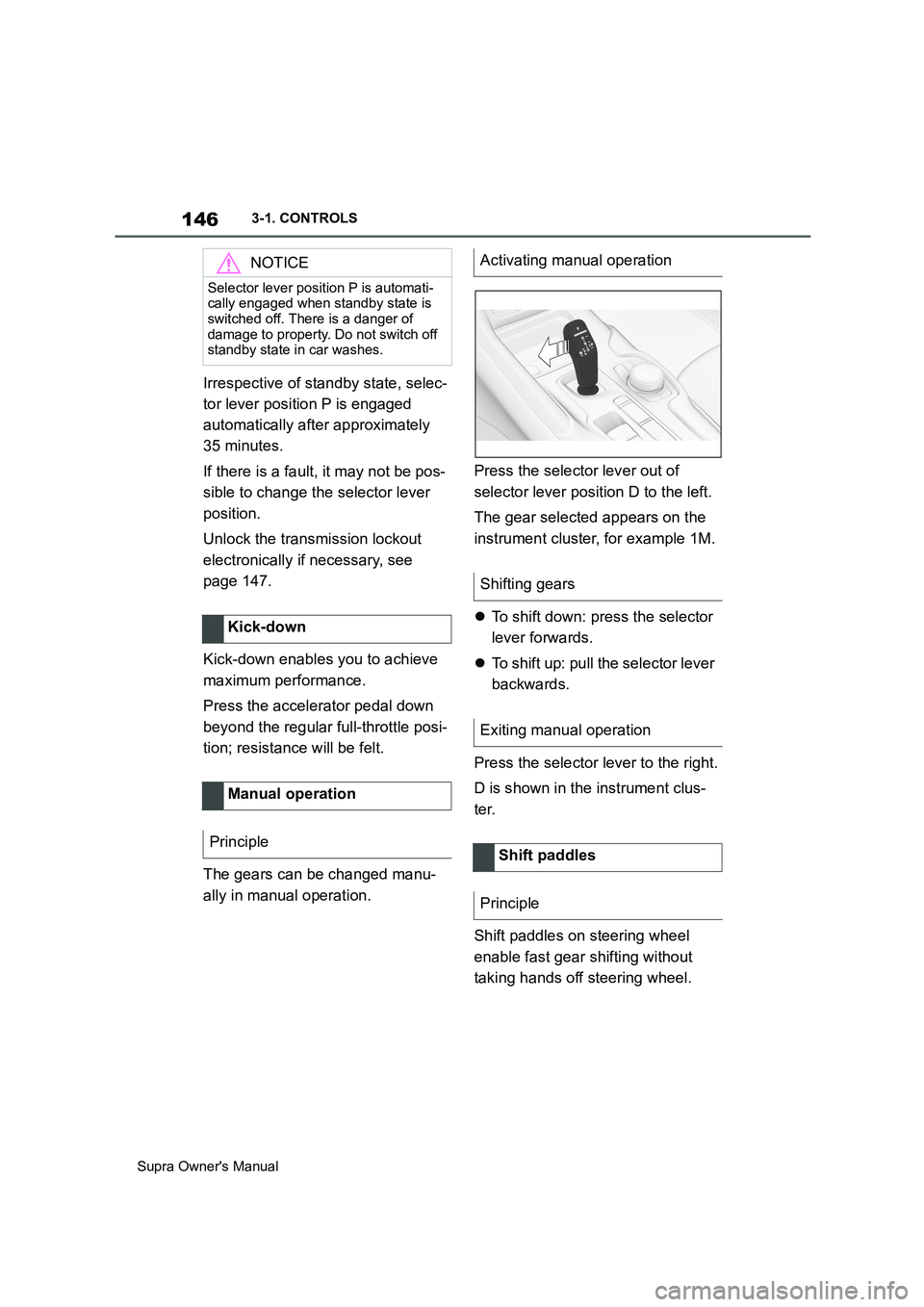
ally in manual operation.Press the selector lever out of
selector lever position D to the left.
The gear selected appears on the
instrument cluster, for example 1M.
To shift down: press the selector
lever forwards.
To shift up: pull the selector lever
backwards.
Press the selector lever to the right.
D is shown in the instrument clus-
ter.
Shift paddles on steering wheel
enable fast gear shifting without
taking hands off steering wheel.
NOTICE
Selector lever position P is automati-
cally engaged when standby state is
switched off. There is a danger of
damage to property. Do not switch off
standby state in car washes.
Kick-down
Manual operation
Principle
Activating manual operation
Shifting gears
Exiting manual operation
Shift paddles
Principle
Page 151 of 456
151
3
Supra Owner's Manual3-1. CONTROLS
CONTROLS
This chapter describes all standard,
country-specific and special equip-
ment available for the model series.
It may therefore describe equip-
ment and functions which are not
installed in your vehicle, for exam-
ple on account of the optional
equipment selected or the country
specification. This also applies to
safety-relevant functions and sys-
tems. Please comply with the rele-
vant laws and regulations when
using the corresponding functions
and systems.
The instrument cluster is a variable
display. When the sport mode
switch is used to change the driving
mode, the instrument cluster dis-
plays change to match the driving
mode.
Changes to the displays in the
instrument cluster can be deacti-
vated via Toyota Supra Command.
The displays in the instrument clus-
ter can sometimes differ from the
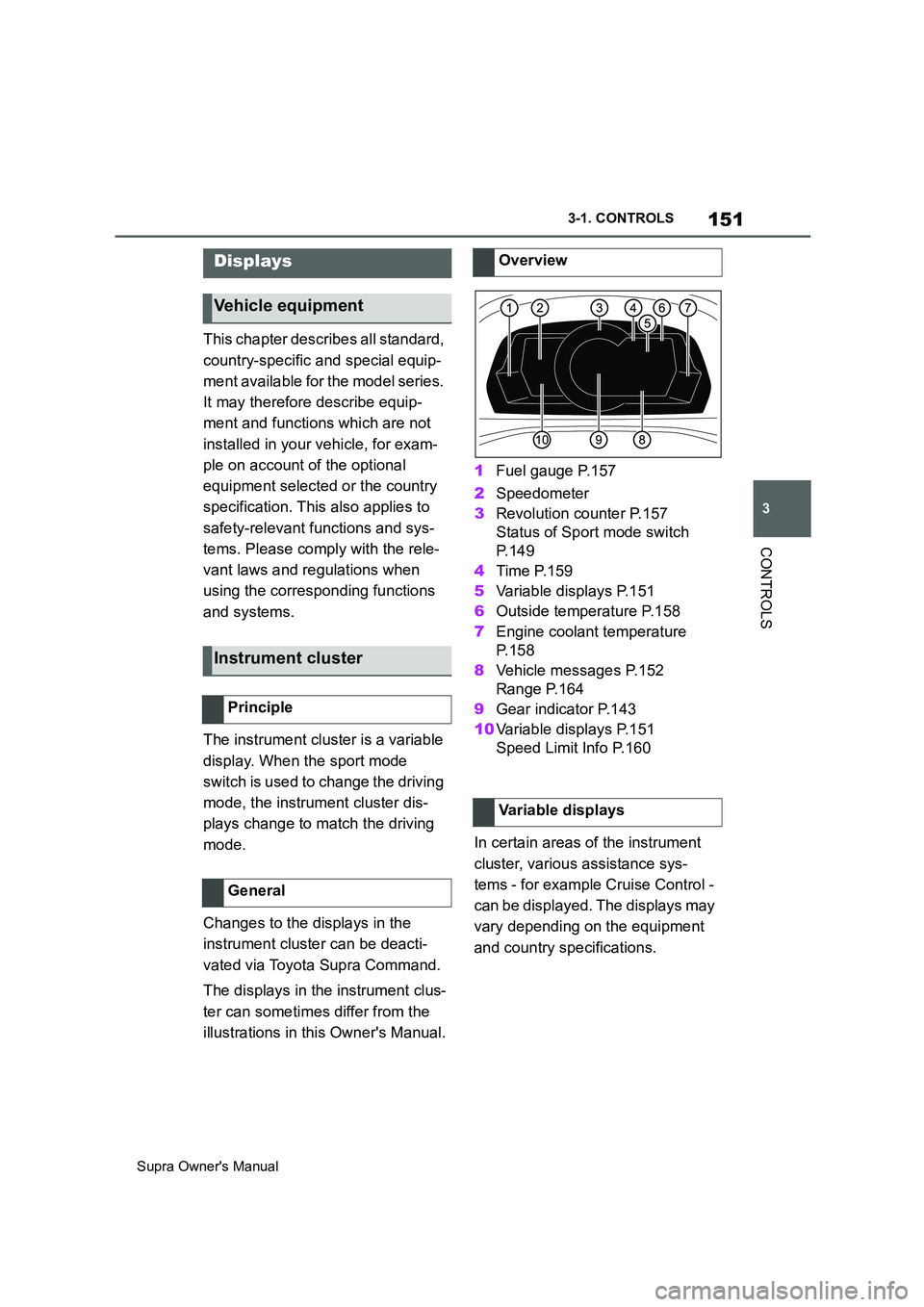
illustrations in this Owner's Manual.1Fuel gauge P.157
2Speedometer
3Revolution counter P.157
Status of Sport mode switch
P. 1 4 9
4Time P.159
5Variable displays P.151
6Outside temperature P.158
7Engine coolant temperature
P. 1 5 8
8Vehicle messages P.152
Range P.164
9Gear indicator P.143
10Variable displays P.151
Speed Limit Info P.160
In certain areas of the instrument
cluster, various assistance sys-
tems - for example Cruise Control -
can be displayed. The displays may
vary depending on the equipment
and country specifications.
Displays
Vehicle equipment
Instrument cluster
Principle
General
Overview
Variable displays
Page 160 of 456
160
Supra Owner's Manual3-1. CONTROLS
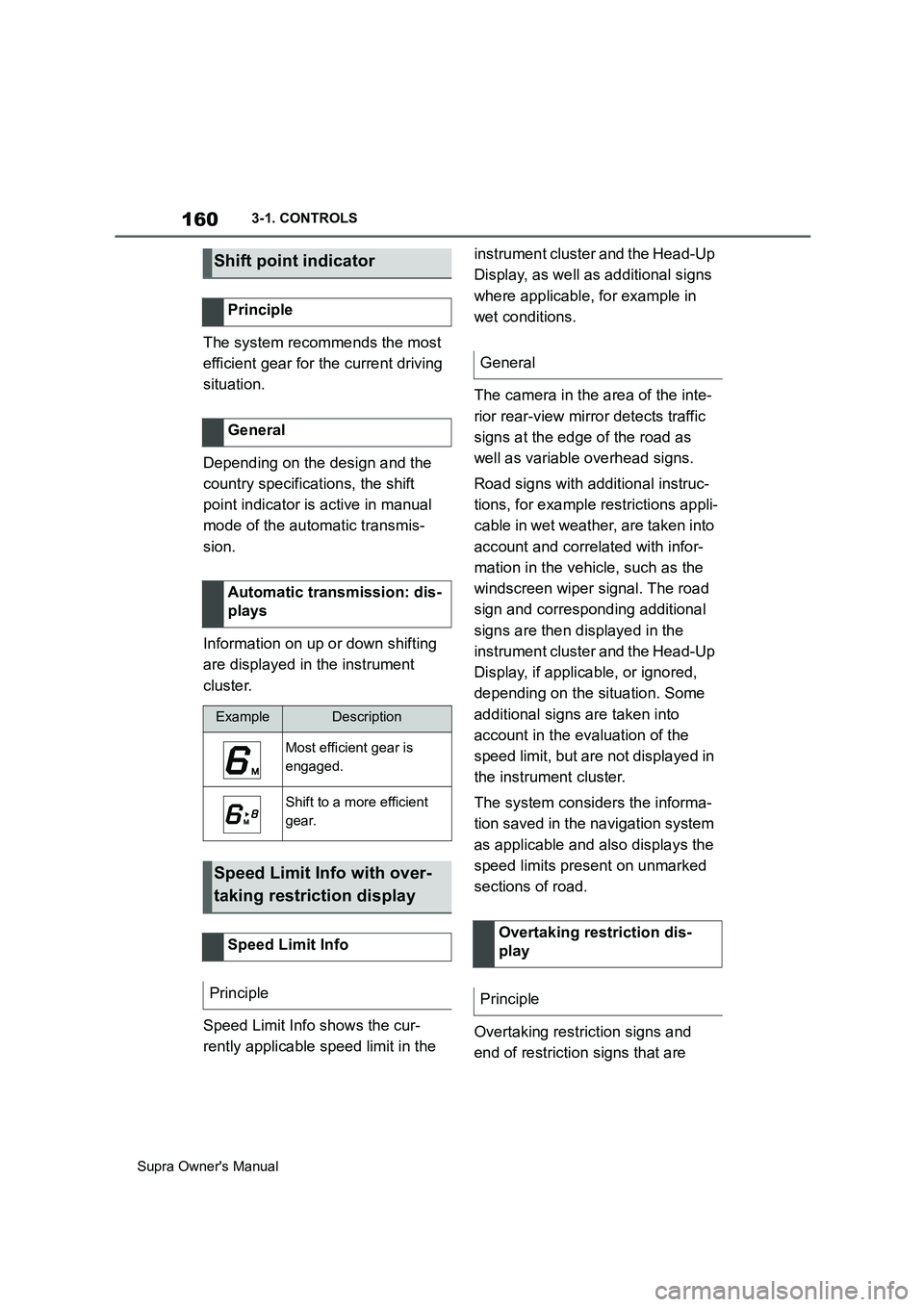
The system recommends the most
efficient gear for the current driving
situation.
Depending on the design and the
country specifications, the shift
point indicator is active in manual
mode of the automatic transmis-
sion.
Information on up or down shifting
are displayed in the instrument
cluster.
Speed Limit Info shows the cur-
rently applicable speed limit in the instrument cluster and the Head-Up
Display, as well as additional signs
where applicable, for example in
wet conditions.
The camera in the area of the inte-
rior rear-view mirror detects traffic
signs at the edge of the road as
well as variable overhead signs.
Road signs with additional instruc-
tions, for example restrictions appli-
cable in wet weather, are taken into
account and correlated with infor-
mation in the vehicle, such as the
windscreen wiper signal. The road
sign and corresponding additional
signs are then displayed in the
instrument cluster and the Head-Up
Display, if applicable, or ignored,
depending on the situation. Some
additional signs are taken into
account in the evaluation of the
speed limit, but are not displayed in
the instrument cluster.
The system considers the informa-
tion saved in the navigation system
as applicable and also displays the
speed limits present on unmarked
sections of road.
Overtaking restriction signs and
end of restriction signs that are
Shift point indicator
Principle
General
Automatic transmission: dis-
plays
ExampleDescription
Most efficient gear is
engaged.
Shift to a more efficient
gear.
Speed Limit Info with over-
taking restriction display
Speed Limit Info
Principle
General
Overtaking restriction dis-
play
Principle