ESP TOYOTA SUPRA 2019 Owner's Guide
[x] Cancel search | Manufacturer: TOYOTA, Model Year: 2019, Model line: SUPRA, Model: TOYOTA SUPRA 2019Pages: 456, PDF Size: 88.65 MB
Page 161 of 456
161
3
Supra Owner's Manual3-1. CONTROLS
CONTROLS
detected by the camera are indi-
cated by corresponding symbols in
the instrument cluster and, if appli-
cable, the Head-Up Display.
The system considers overtaking
restrictions and ends of restrictions
that are indicated by means of
signs.
Nothing will be displayed in the fol-
lowing situations:
In countries in which no overtak-
ing is primarily shown by road
markings.
On routes without signs.
In the case of railway crossings,
lane markings and other situa-
tions which indicate an overtak-
ing restriction but which are not
signposted to this effect.
Depending on the equipment ver-
sion, an additional symbol with dis-
tance information may also be
displayed to indicate the end of the
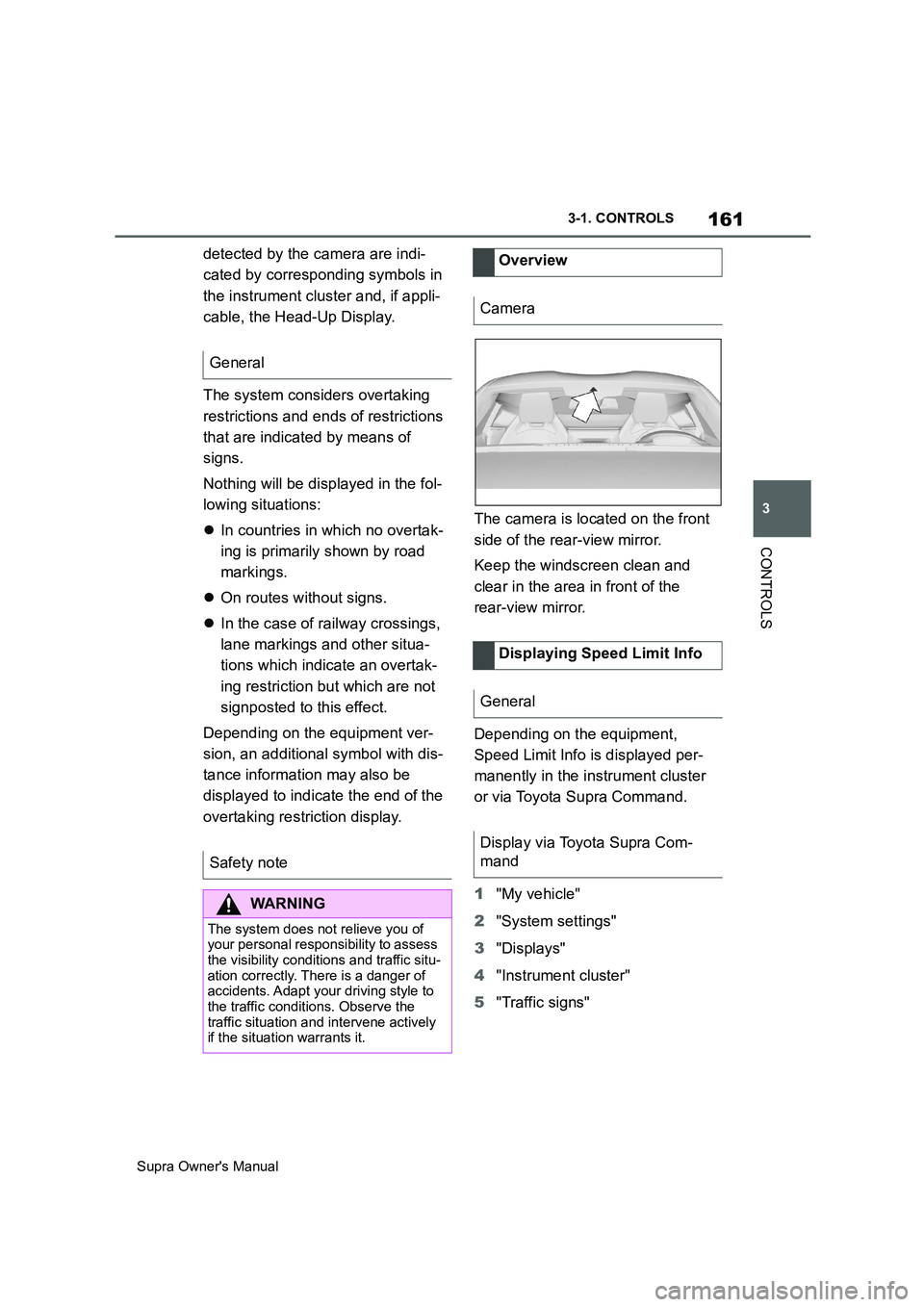
overtaking restriction display.The camera is located on the front
side of the rear-view mirror.
Keep the windscreen clean and
clear in the area in front of the
rear-view mirror.
Depending on the equipment,
Speed Limit Info is displayed per-
manently in the instrument cluster
or via Toyota Supra Command.
1"My vehicle"
2"System settings"
3"Displays"
4"Instrument cluster"
5"Traffic signs" General
Safety note
WARNING
The system does not relieve you of
your personal responsibility to assess
the visibility conditions and traffic situ-
ation correctly. There is a danger of
accidents. Adapt your driving style to
the traffic conditions. Observe the
traffic situation and intervene actively
if the situation warrants it.
Overview
Camera
Displaying Speed Limit Info
General
Display via Toyota Supra Com-
mand
Page 163 of 456
163
3
Supra Owner's Manual3-1. CONTROLS
CONTROLS
the Speed Limit Info display in
the instrument cluster and the
Head-Up Display when the cur-
rently applicable speed limit is
exceeded.
"Show speeding": the speed limit
detected by the Speed Limit Info
is indicated by a mark in the
speedometer in the instrument
cluster.
The function may be restricted and
may display incorrect information in
the following situations, for exam-
ple:
In thick fog, wet conditions or
snow.
If signs are fully or partially
obscured by objects, stickers or
paint.
If the vehicle is too close to the
vehicle ahead.
In the case of bright oncoming
light or strong reflections.
When the windscreen in front of
the rear-view mirror is covered
with condensation, dirt, stickers,
etc.
If the camera has overheated
due to excessively high tempera-
tures and has been temporarily
deactivated.
As a result of incorrect detection
by the camera.
If the speed limits stored in the navigation system or road data
are incorrect.
In the case of speed limits that
depend or the time of day or day
of the week.
In areas not covered by the navi-
gation system.
If there are deviations in relation
to navigation, for example due to
changes in road routing.
In the case of electronic road
signs.
When overtaking buses or trucks
with road sign stickers.
If traffic signs do not correspond
to the standard.
If signs are detected that apply to
a parallel road.
In the case of country-specific
signs or road layouts.
During the camera calibration
process immediately after vehi-
cle delivery.
The display can be operated when
necessary.
Entertainment source.
Current audio source.
Last calls list.
If applicable, the relevant menu is
opened on the Control Display. System limits
Selection lists
Principle
Page 166 of 456
166
Supra Owner's Manual3-1. CONTROLS
patibility of your driving style.
■General
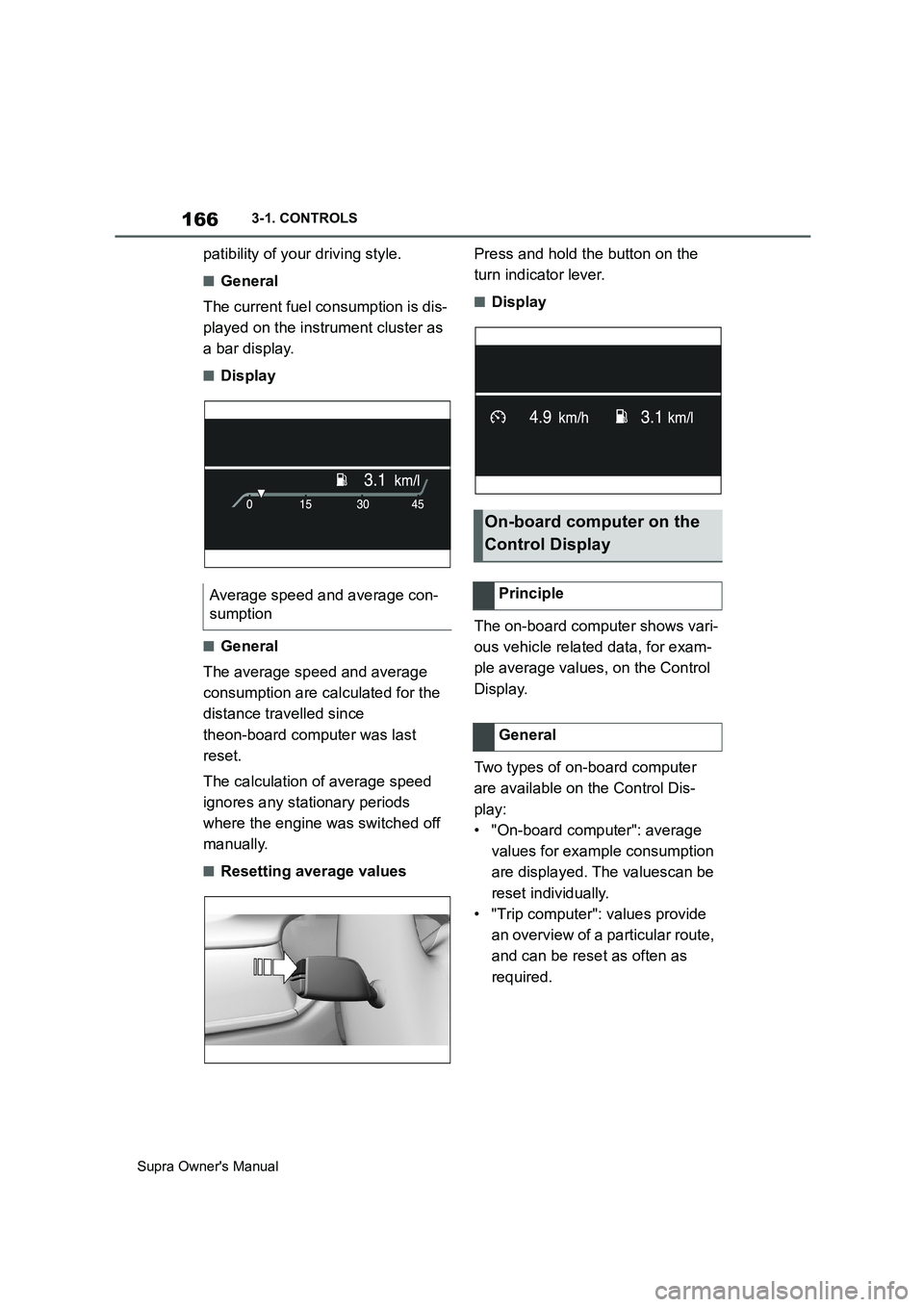
The current fuel consumption is dis-
played on the instrument cluster as
a bar display.
■Display
■General
The average speed and average
consumption are calculated for the
distance travelled since
theon-board computer was last
reset.
The calculation of average speed
ignores any stationary periods
where the engine was switched off
manually.
■Resetting average valuesPress and hold the button on the
turn indicator lever.
■Display
The on-board computer shows vari-
ous vehicle related data, for exam-
ple average values, on the Control
Display.
Two types of on-board computer
are available on the Control Dis-
play:
• "On-board computer": average
values for example consumption
are displayed. The valuescan be
reset individually.
• "Trip computer": values provide
an overview of a particular route,
and can be reset as often as
required. Average speed and average con-
sumption
On-board computer on the
Control Display
Principle
General
Page 171 of 456
171
3
Supra Owner's Manual3-1. CONTROLS
CONTROLS
This chapter describes all standard,
country-specific and special equip-
ment available for the model series.
It may therefore describe equip-
ment and functions which are not
installed in your vehicle, for exam-
ple on account of the optional
equipment selected or the country
specification. This also applies to
safety-relevant functions and sys-
tems. Please comply with the rele-
vant laws and regulations when
using the corresponding functions
and systems.
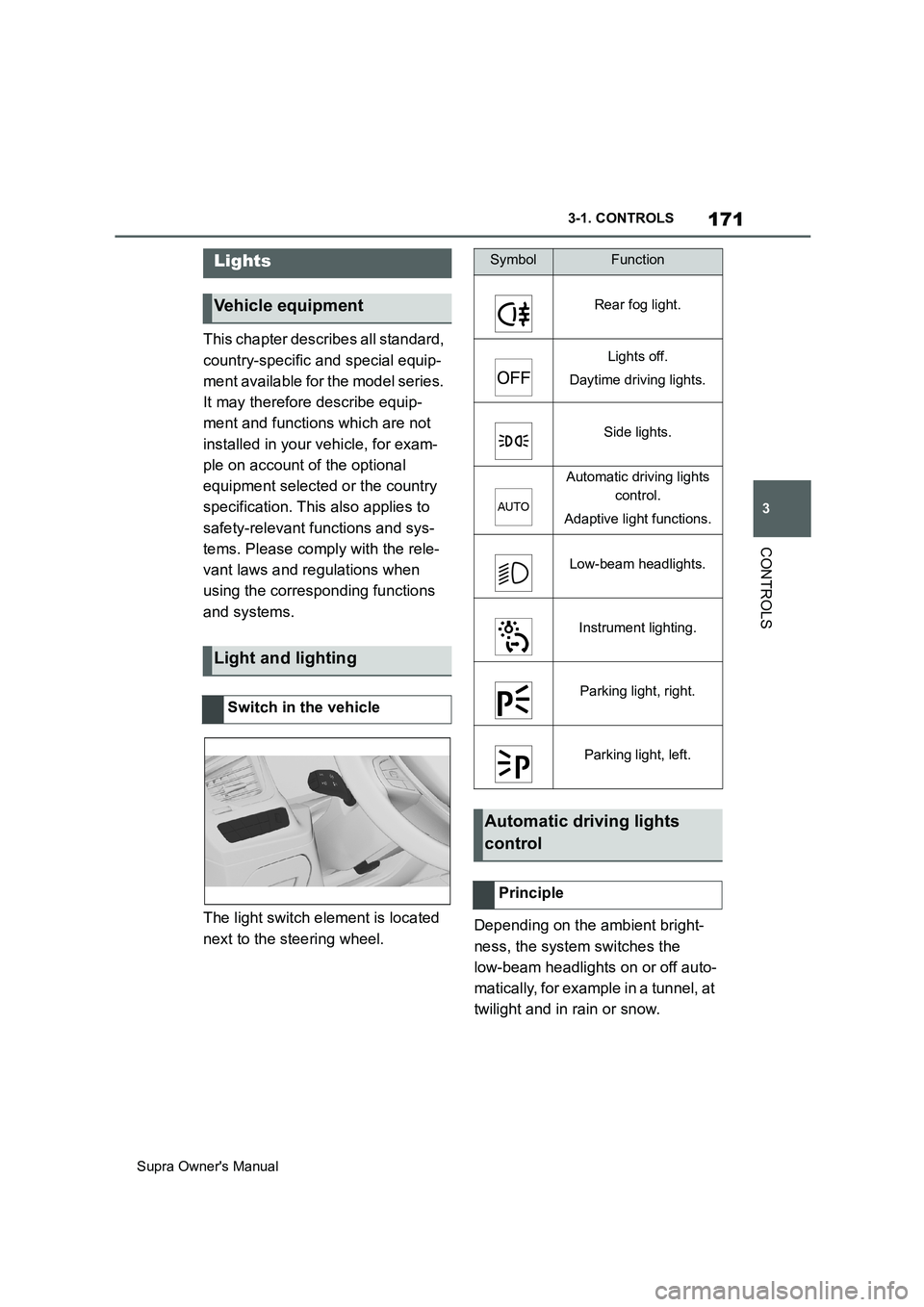
The light switch element is located
next to the steering wheel.Depending on the ambient bright-
ness, the system switches the
low-beam headlights on or off auto-
matically, for example in a tunnel, at
twilight and in rain or snow.
Lights
Vehicle equipment
Light and lighting
Switch in the vehicle
SymbolFunction
Rear fog light.
Lights off.
Daytime driving lights.
Side lights.
Automatic driving lights
control.
Adaptive light functions.
Low-beam headlights.
Instrument lighting.
Parking light, right.
Parking light, left.
Automatic driving lights
control
Principle
Page 174 of 456
174
Supra Owner's Manual3-1. CONTROLS
4"Home lights"
5Select the desired setting.
The daytime driving lights illuminate
if drive-ready state is switched on.
In some countries daytime driving
lights are compulsory, in which
case the daytime driving lights can-
not be deactivated.
Via Toyota Supra Command:
1"My Vehicle"
2"Vehicle Settings"
3"Exterior lighting"
4"Daytime driving lights"
The setting is saved for the cur-
rently used driver profile.
Variable light distribution enables
even better illumination of the car-
riageway.
The light distribution is automati-
cally adapted to the speed.
If equipment includes a navigation system, the light distribution is
automatically adapted depending
on the navigation data and speed.
The illuminated area of the
low-beam headlights is extended at
the sides.
The illumination width of the
low-beam headlights is expanded.
In sharp turns up to a specified
speed, for example in hairpin bends
or when turning off, a cornering
light is added to illuminate the
inside area of the bend.
The cornering light is activated
automatically depending on the
steering angle or use of the turn
indicators.
The cornering light may be acti-
vated automatically when driving in
reverse, irrespective of the steer-
ing angle.
Automatic high-beam detects other
road users in good time and acti-
vates or deactivates the high beam
depending on the traffic situation.
Daytime driving lights
General
Activating/deactivating
Variable light distribution
Principle
General
City light
Motorway beam pattern
Cornering light
Automatic high-beam
Principle
Page 175 of 456
175
3
Supra Owner's Manual3-1. CONTROLS
CONTROLS
Automatic high-beam ensures that
the high-beam headlights are
switched on when the traffic situa-
tion allows. The high-beam head-
lights are not switched on by the
system in the low speed range.
The system responds to the lights
from oncoming traffic and traffic
driving ahead of you, and to ambi-
ent lighting, for example in built-up
areas.
The high-beam headlights can be
switched on and off manually at any
time.
If the vehicle is equipped with daz-
zle-free Automatic high-beam, the
high-beam headlights are not
switched off for oncoming vehicles
or vehicles driving ahead of you;
instead, the areas of the beam that
would otherwise dazzle the oncom-
ing traffic or traffic driving ahead
are masked off. In this case, the
blue indicator lamp continues to
illuminate.
If the headlights are converted, see
page 176, automatic high-beam
may only function to a limited
extent.
1Press the button on the
light switch element.
The LED in the button illuminates.
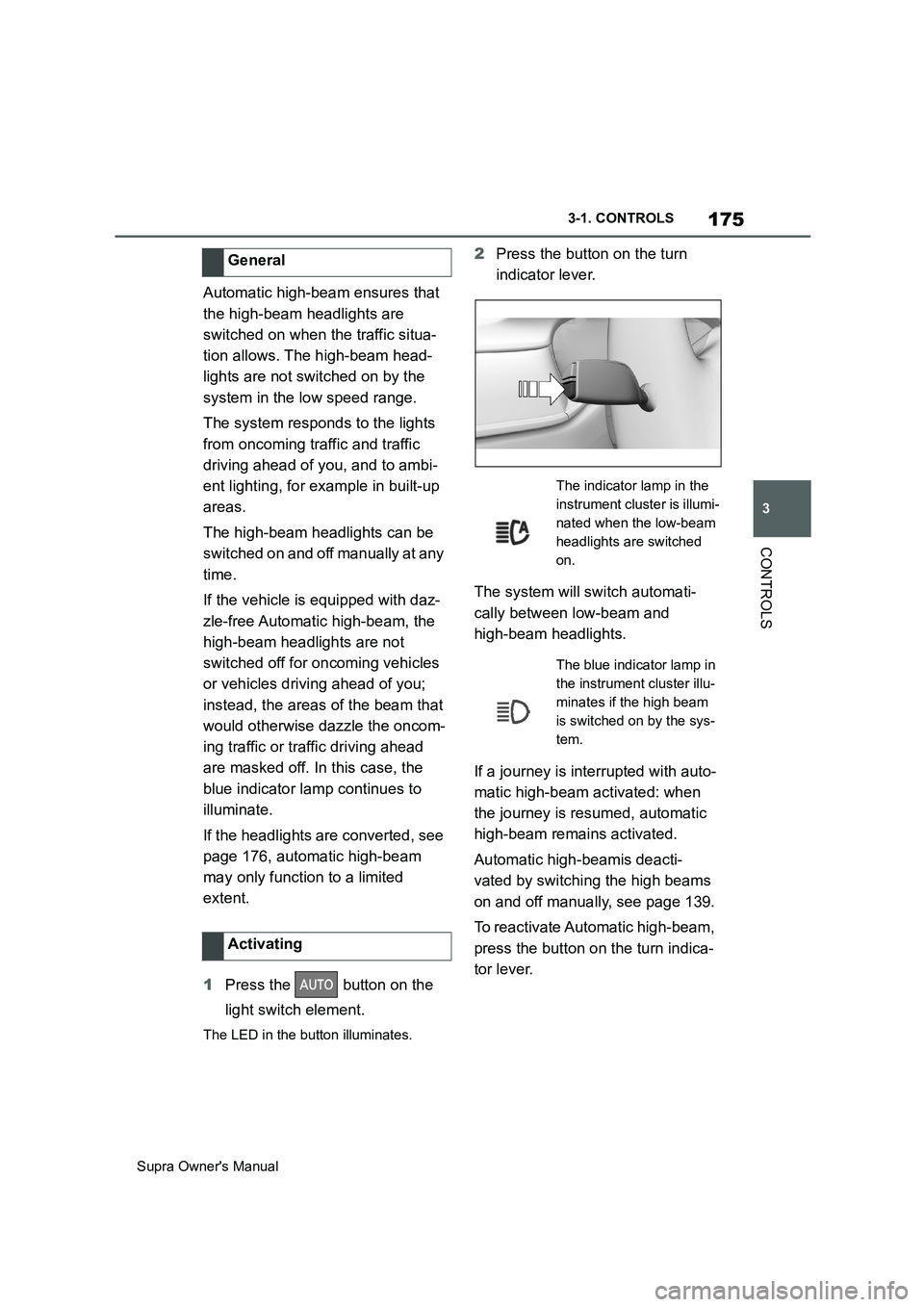
2Press the button on the turn
indicator lever.
The system will switch automati-
cally between low-beam and
high-beam headlights.
If a journey is interrupted with auto-
matic high-beam activated: when
the journey is resumed, automatic
high-beam remains activated.
Automatic high-beamis deacti-
vated by switching the high beams
on and off manually, see page 139.
To reactivate Automatic high-beam,
press the button on the turn indica-
tor lever. General
Activating
The indicator lamp in the
instrument cluster is illumi-
nated when the low-beam
headlights are switched
on.
The blue indicator lamp in
the instrument cluster illu-
minates if the high beam
is switched on by the sys-
tem.
Page 179 of 456
179
3
Supra Owner's Manual3-1. CONTROLS
CONTROLS
This chapter describes all standard, country-specific and special equipment
available for the model series. It may therefore describe equipment and
functions which are not installed in your vehicle, for example on account of
the optional equipment selected or the country specification. This also
applies to safety-relevant functions and systems. Please comply with the
relevant laws and regulations when using the corresponding functions and
systems.
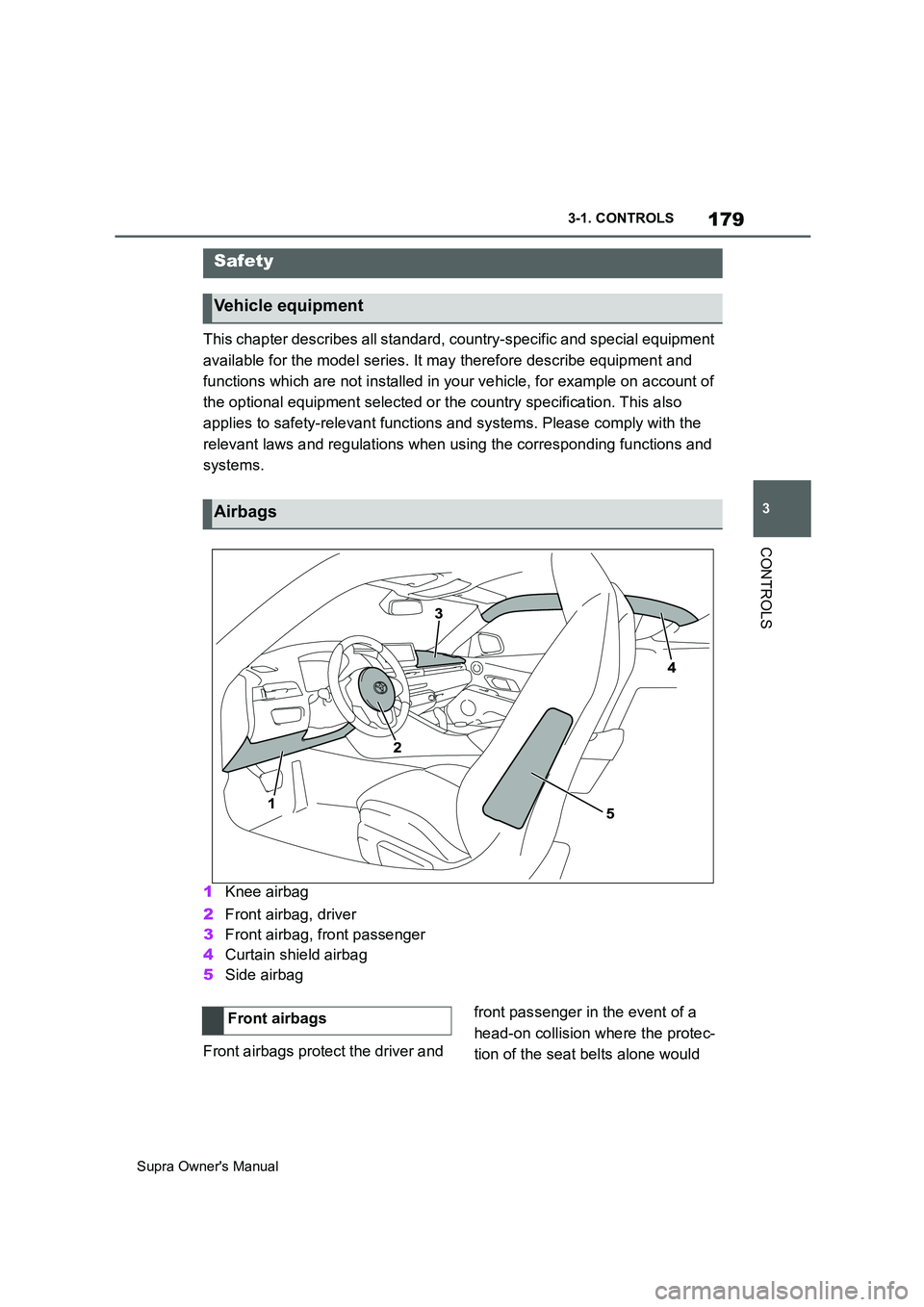
1Knee airbag
2Front airbag, driver
3Front airbag, front passenger
4Curtain shield airbag
5Side airbag
Front airbags protect the driver and front passenger in the event of a
head-on collision where the protec-
tion of the seat belts alone would
Safety
Vehicle equipment
Airbags
Front airbags
Page 182 of 456
182
Supra Owner's Manual3-1. CONTROLS
effectiveness as an occupant pro-
tection device.
SRS is an acronym for Supplemental
Restraint System
In the event of a collision, the seat
belts restrain the occupants in their
seats, but if the impact of the colli-
sion is especially severe, there is
danger of an occupant’s head and
chest contacting the steering
wheel, dashboard and windshield.
In this case, the SRS front airbags
and SRS knee airbags deploy
(inflate), instantly creating an air
cushion to help reduce the impact
on the occupants and restrain them
from contacting the steering wheel,
etc. with their head, chest and
knees.
The SRS front air bags and SRS
knee airbags deploy only when an
impact exceeding a certain thresh-
old is detected. In a collision, even
if the impact is severe enough to
cause the vehicle body to deform,
the SRS airbags may not deploy if
the impact of the collision is suffi-
ciently dispersed by the crash
structures of the vehicle body. If the
force of the collision does not cause
the airbags to deploy, the seatbelts
will protect the occupants.
When an airbag deploys, as it will
inflate nearly instantly, it may
impact an occupant and cause an
injury, or the loud noise emitted by
ignition or deployment may cause
temporary partial loss of hearing. Also, as an airbag and nearby parts
will be extremely hot after the
airbag deploys, touching them may
cause burns. For these reasons,
deployment of the airbags is not
entirely risk free. Therefore, in
order to reduce this risk, the
airbags are designed to only deploy
when additional reduction of the
impact applied to the occupants in
a collision is necessary.
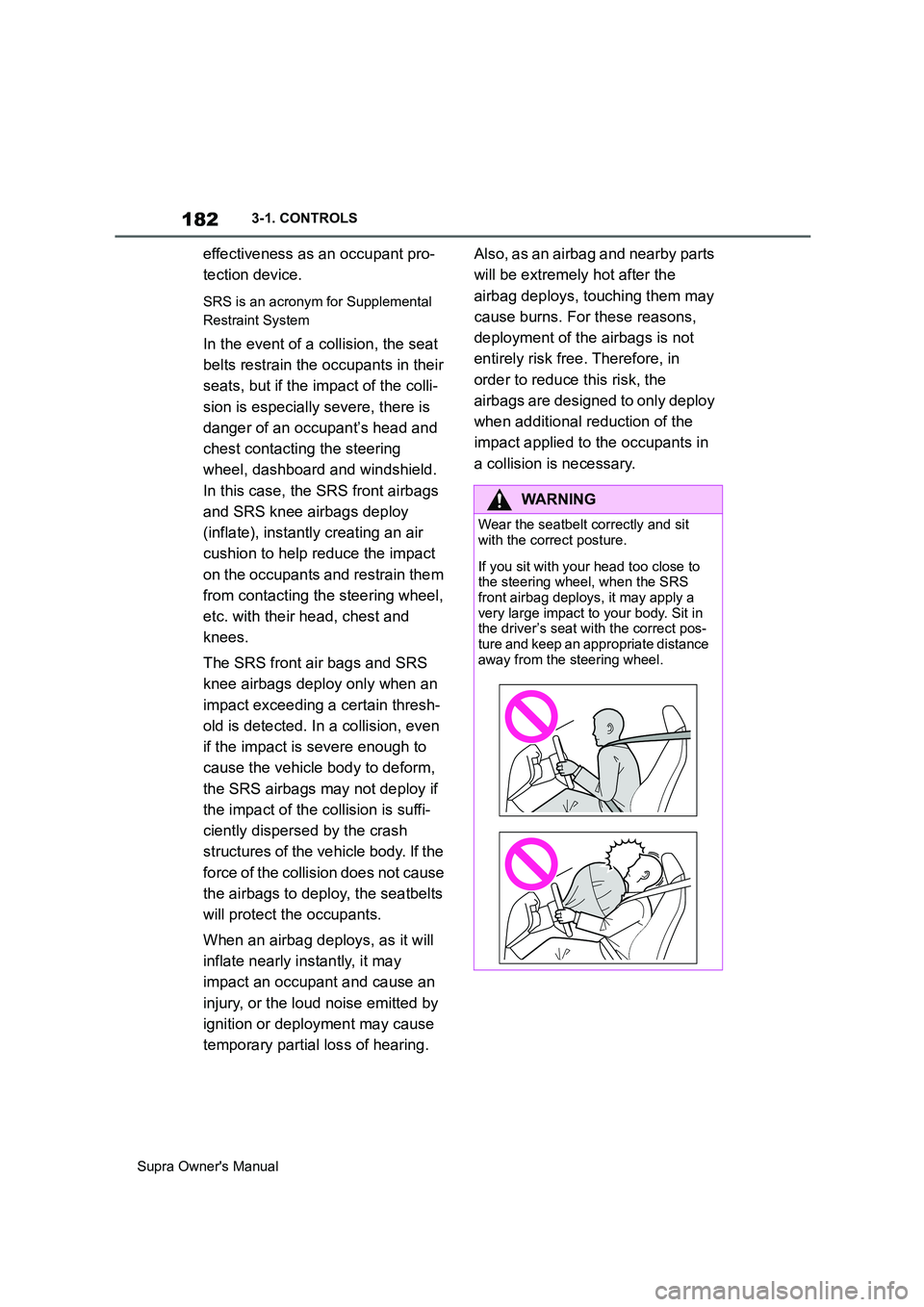
WARNING
Wear the seatbelt correctly and sit
with the correct posture.
If you sit with your head too close to
the steering wheel, when the SRS
front airbag deploys, it may apply a
very large impact to your body. Sit in
the driver’s seat with the correct pos-
ture and keep an appropriate distance
away from the steering wheel.
Page 192 of 456
192
Supra Owner's Manual3-1. CONTROLS
Person warning with City light
braking function, see page 198.
Lane Departure Warning, see
page 203.
Blind spot monitor, see page
207.
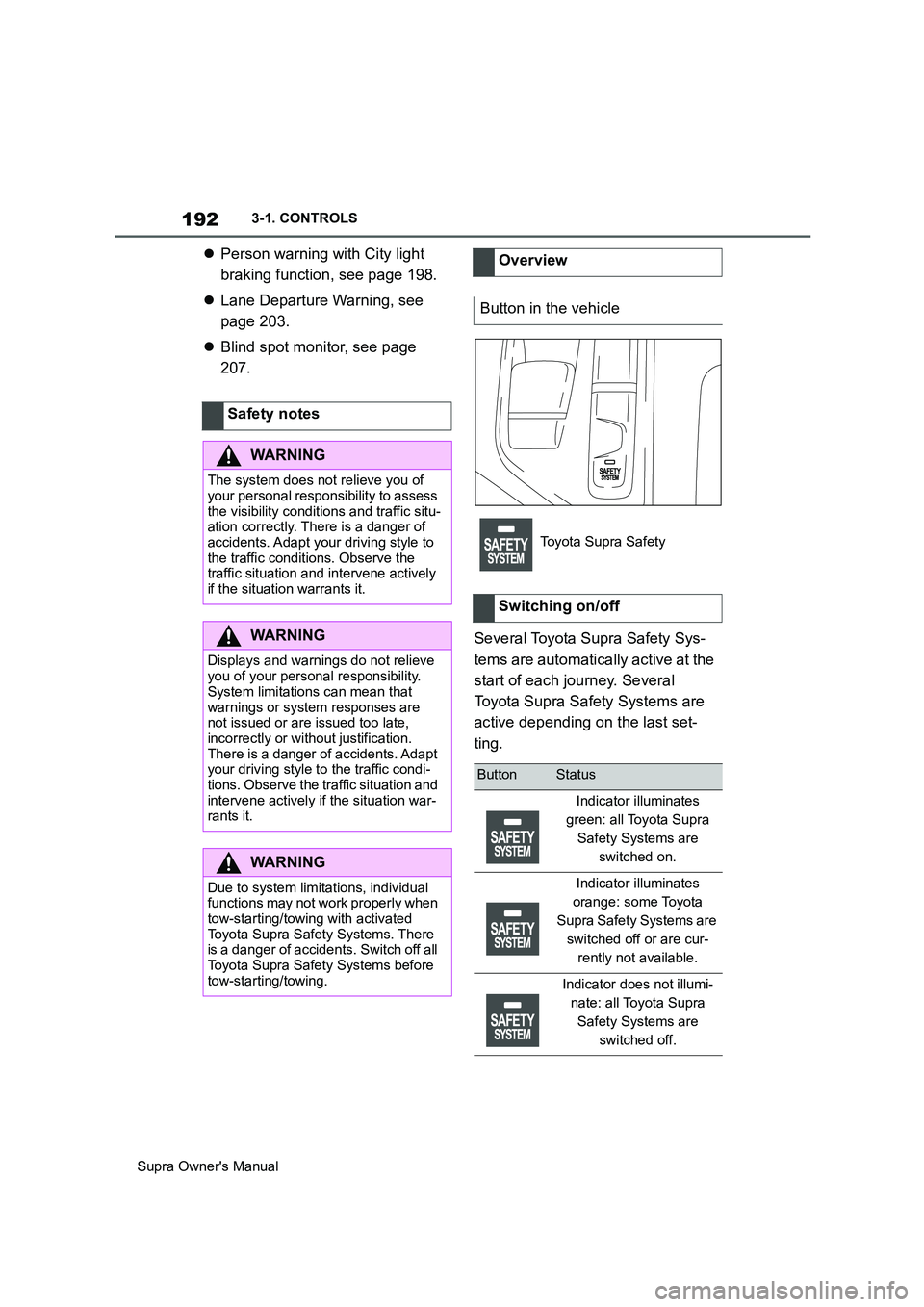
Several Toyota Supra Safety Sys-
tems are automatically active at the
start of each journey. Several
Toyota Supra Safety Systems are
active depending on the last set-
ting. Safety notes
WARNING
The system does not relieve you of
your personal responsibility to assess
the visibility conditions and traffic situ-
ation correctly. There is a danger of
accidents. Adapt your driving style to
the traffic conditions. Observe the
traffic situation and intervene actively
if the situation warrants it.
WARNING
Displays and warnings do not relieve
you of your personal responsibility.
System limitations can mean that
warnings or system responses are
not issued or are issued too late,
incorrectly or without justification.
There is a danger of accidents. Adapt
your driving style to the traffic condi-
tions. Observe the traffic situation and
intervene actively if the situation war-
rants it.
WARNING
Due to system limitations, individual
functions may not work properly when
tow-starting/towing with activated
Toyota Supra Safety Systems. There
is a danger of accidents. Switch off all
Toyota Supra Safety Systems before
tow-starting/towing.
Overview
Button in the vehicle
Toyota Supra Safety
Switching on/off
ButtonStatus
Indicator illuminates
green: all Toyota Supra
Safety Systems are
switched on.
Indicator illuminates
orange: some Toyota
Supra Safety Systems are
switched off or are cur-
rently not available.
Indicator does not illumi-
nate: all Toyota Supra
Safety Systems are
switched off.
Page 193 of 456
193
3
Supra Owner's Manual3-1. CONTROLS
CONTROLS
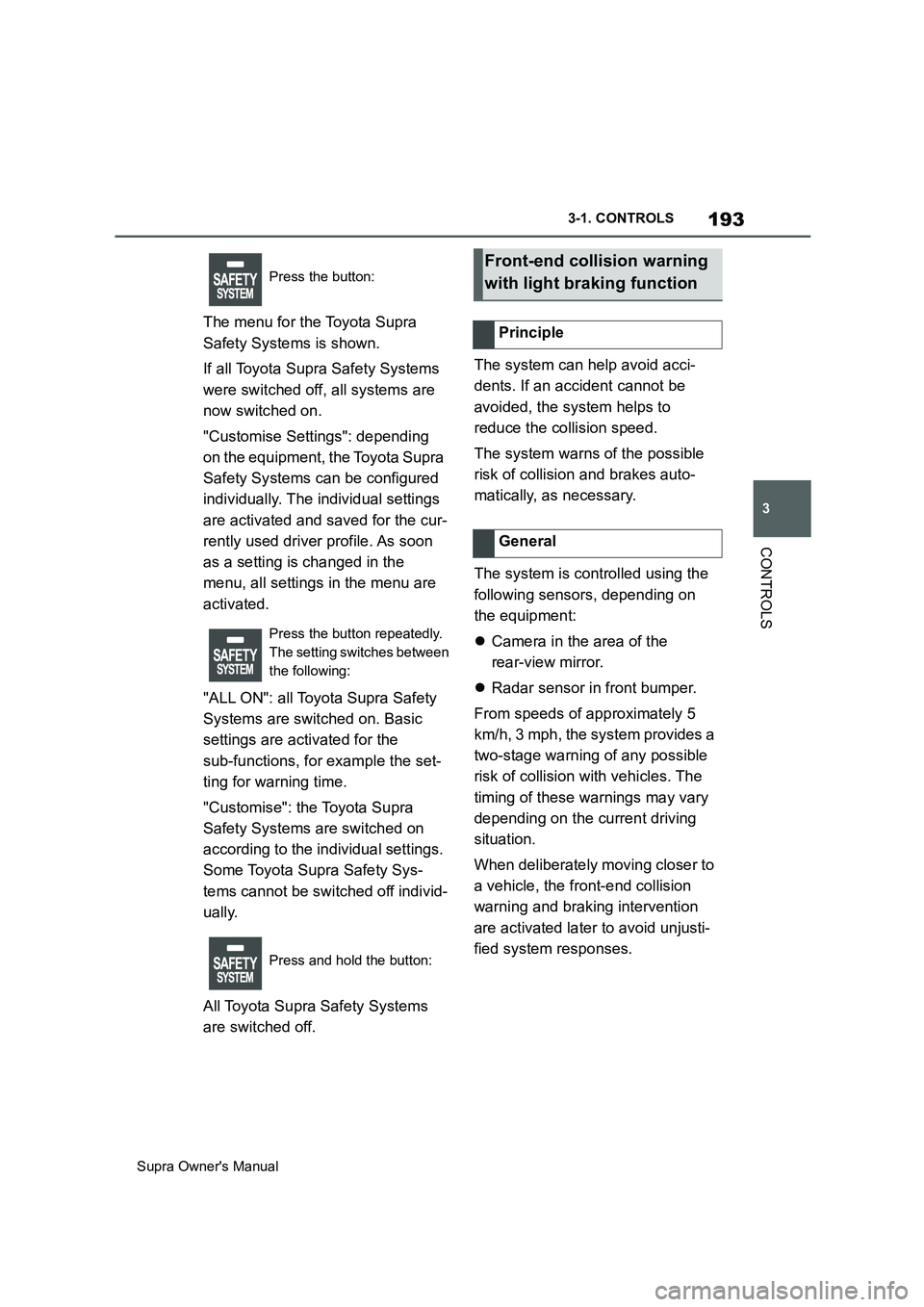
The menu for the Toyota Supra
Safety Systems is shown.
If all Toyota Supra Safety Systems
were switched off, all systems are
now switched on.
"Customise Settings": depending
on the equipment, the Toyota Supra
Safety Systems can be configured
individually. The individual settings
are activated and saved for the cur-
rently used driver profile. As soon
as a setting is changed in the
menu, all settings in the menu are
activated.
"ALL ON": all Toyota Supra Safety
Systems are switched on. Basic
settings are activated for the
sub-functions, for example the set-
ting for warning time.
"Customise": the Toyota Supra
Safety Systems are switched on
according to the individual settings.
Some Toyota Supra Safety Sys-
tems cannot be switched off individ-
ually.
All Toyota Supra Safety Systems
are switched off.The system can help avoid acci-
dents. If an accident cannot be
avoided, the system helps to
reduce the collision speed.
The system warns of the possible
risk of collision and brakes auto-
matically, as necessary.
The system is controlled using the
following sensors, depending on
the equipment:
Camera in the area of the
rear-view mirror.
Radar sensor in front bumper.
From speeds of approximately 5
km/h, 3 mph, the system provides a
two-stage warning of any possible
risk of collision with vehicles. The
timing of these warnings may vary
depending on the current driving
situation.
When deliberately moving closer to
a vehicle, the front-end collision
warning and braking intervention
are activated later to avoid unjusti-
fied system responses.
Press the button:
Press the button repeatedly.
The setting switches between
the following:
Press and hold the button:Front-end collision warning
with light braking function
Principle
General