battery TOYOTA SUPRA 2022 User Guide
[x] Cancel search | Manufacturer: TOYOTA, Model Year: 2022, Model line: SUPRA, Model: TOYOTA SUPRA 2022Pages: 498, PDF Size: 104.06 MB
Page 149 of 498
147
3
3-1. CONTROLS
CONTROLS
Shift from selector lever position
P to N, D or R.
Vehicle battery is heavily dis-
charged.
Start of an oil level measure-
ment.
Depending on the equipment ver-
sion and country version, the vehi-
cle has various sensors to record
the traffic situation. This enables
the intelligent auto matic Start/Stop
function to adapt to various traffic
situations and, where necessary,
behave in an anticipatory manner.
For example, in the following situa-
tions:
If a situation is detected in which
the duration of the stop is likely
to be very short, the engine is not
stopped automatically. Depend-
ing on the situation, a message
is shown on the Control Display.
If a situation is detected in which
the vehicle should drive off
immediately, the stopped engine
is started automatically.
The function may be limited if the
navigation data is invalid, outdated
or not available, for example.
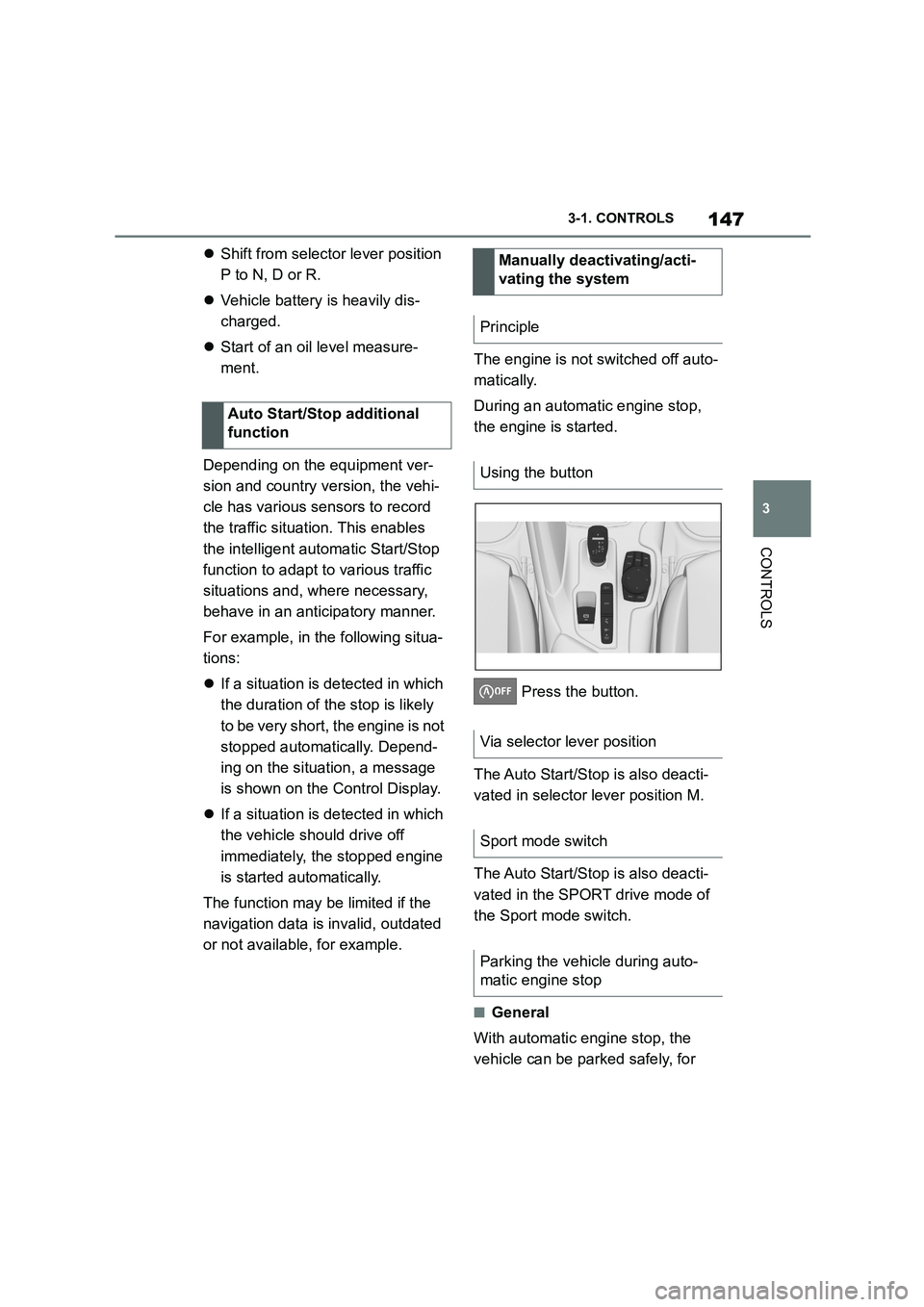
The engine is not switched off auto-
matically.
During an automatic engine stop,
the engine is started.
Press the button.
The Auto Start/Stop is also deacti-
vated in selector lever position M.
The Auto Start/Stop is also deacti-
vated in the SPORT drive mode of
the Sport mode switch.
■General
With automatic engine stop, the
vehicle can be parked safely, for
Auto Start/Stop additional
function
Manually deactivating/acti-
vating the system
Principle
Using the button
Via selector lever position
Sport mode switch
Parking the vehicle during auto-
matic engine stop
Page 188 of 498
1863-1. CONTROLS
drive-ready state is switched off,
the exterior lights are switched off
automatically after a given time.
The side lights can only be
switched on in the low speed range.
The vehicle is illuminated all round.
Do not leave the side lights on for
extended periods of time, since the
vehicle battery could discharge and
it may no longer be possible to
switch on drive-ready state.
After switching on the drive-ready
state, the automat ic driving lights
control is activated.
The low-beam head lights illuminate
if drive-ready state is switched on.
To switch on the low-beam head-
lights as soon as the standby state
is switched on, press the button
again.
Depending on the country specifi-
cations, the low-beam headlights
may be switched off in the low
speed range.
Depending on the surrounding con-
ditions, the low beam headlights
may not be able to be turned off.
When parking the vehicle, it is pos-
sible to switch on a parking light on
one side.
Side lights
General
Switching on
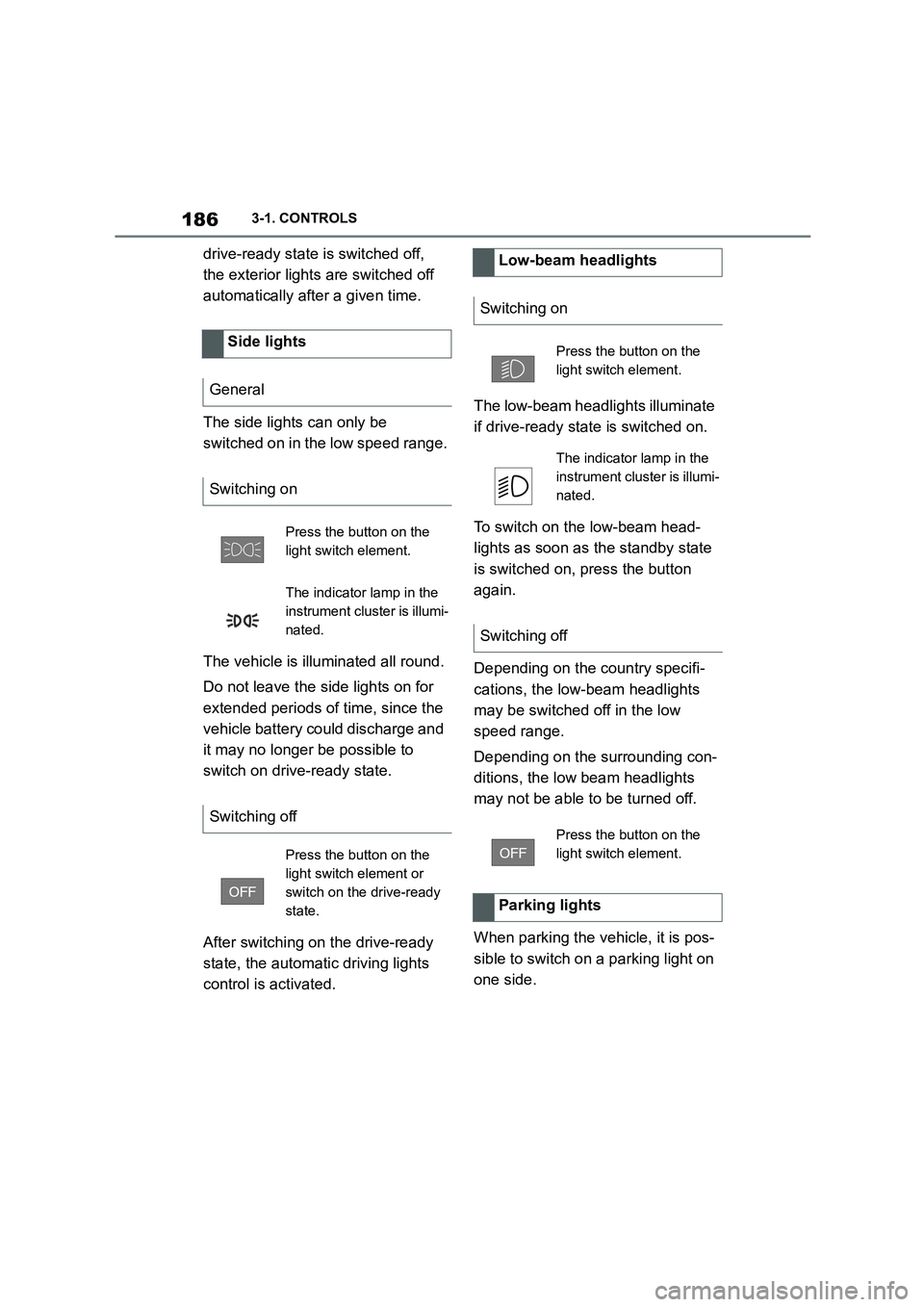
Press the button on the
light switch element.
The indicator lamp in the
instrument cluster is illumi-
nated.
Switching off
Press the button on the
light switch element or
switch on the drive-ready
state.
Low-beam headlights
Switching on
Press the button on the
light switch element.
The indicator lamp in the
instrument cluster is illumi-
nated.
Switching off
Press the button on the
light switch element.
Parking lights
Page 267 of 498
265
3
3-1. CONTROLS
CONTROLS
In order to protect the battery the
air flow rate of the automatic air
conditioning is reduced, if neces-
sary.
The air distribution for air condition-
ing can be set manually.
Windows, upper body area and
footwell.
Upper body area and footwell.
Footwell.
Windows and footwell.
Windows.
Windows and upper body.
Upper body area.
The selected air distribution is
shown on the display for automatic
air conditioning.
If there is condensation, remove it,
see page 265.
Ice and condensation are quickly
removed from the windscreen and
the front side windows.
The LED is illuminated when the
system is switched on.
The air flow can be adjusted manu-
ally when the system is switched
on.
The function is available when the
engine is running.
The rear window heating is
switched off automatically after a
certain period of time.
To adjust the air distribution
manually
Principle
Operation
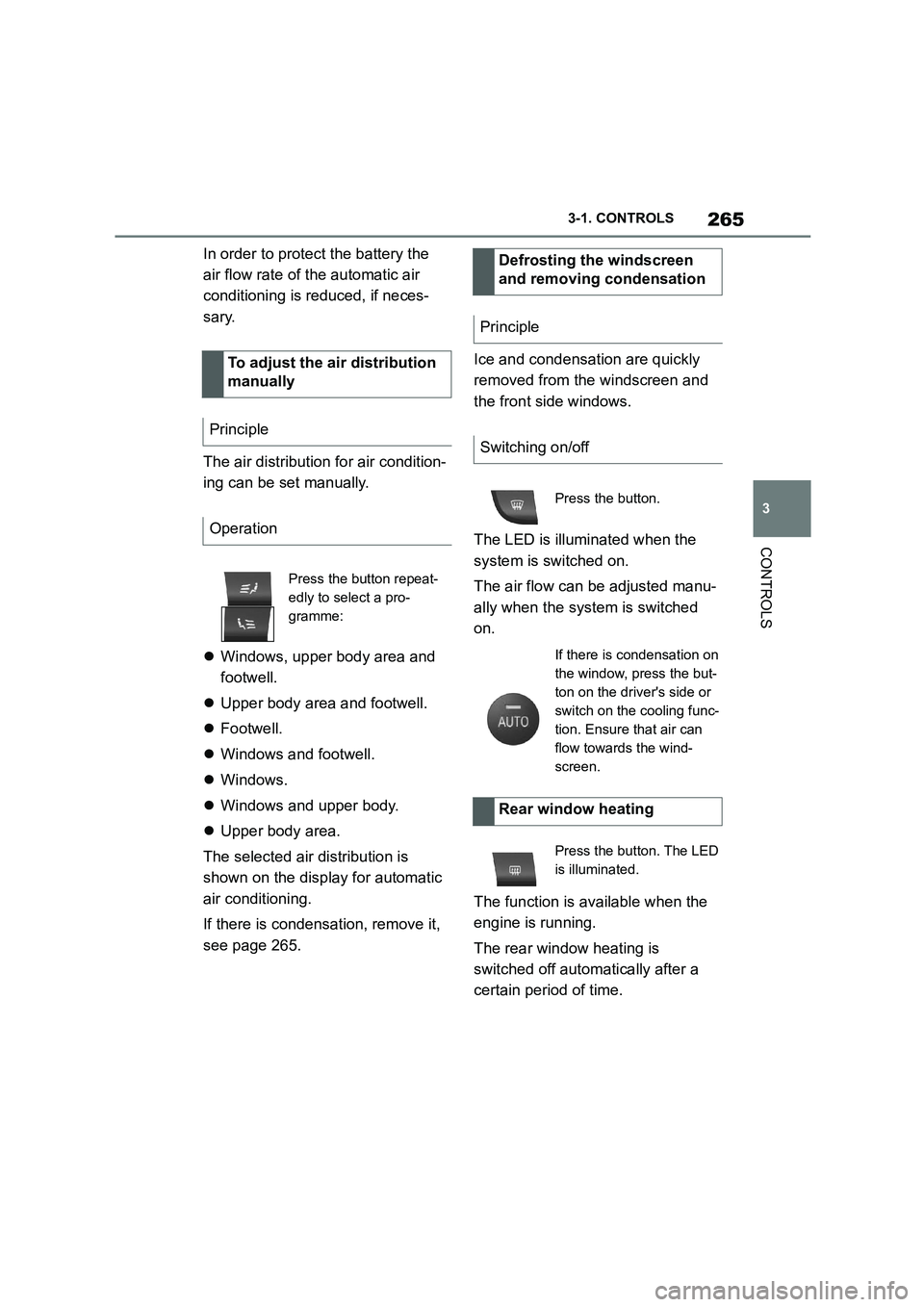
Press the button repeat-
edly to select a pro-
gramme:
Defrosting the windscreen
and removing condensation
Principle
Switching on/off
Press the button.
If there is condensation on
the window, press the but-
ton on the driver's side or
switch on the cooling func-
tion. Ensure that air can
flow towards the wind-
screen.
Rear window heating
Press the button. The LED
is illuminated.
Page 269 of 498
267
3
3-1. CONTROLS
CONTROLS
The independent ventilation allows
the temperature of the interior to be
adjusted before the journey starts.
Depending on the set temperature
and ambient temperature, the inte-
rior is ventilated or heated using
any available residual heat from the
engine.
The system can be switched on
and off directly or for a preselected
departure time.
The switch-on time is calculated
based on the outside temperature.
The system will switch on in good
time before the preselected depar-
ture time.
Vehicle is in rest or standby state
and not in drive-ready state.
Battery is sufficiently charged.
When activated, the independent venti-
lation uses power from the vehicle bat-
tery. As a result, the maximum
activation time is restricted to protect
the battery. After the engine is started
or after driving a short distance, the
system will be av ailable again.
Ensure that the date and time
are set correctly in the vehicle.
Open the vents to allow the air to
enter the passenger compart-
ment.
The system can be switched on or
off in various ways.
The system switches off automati-
cally after a certain period of time. It
continues to run for a short time
after it has been switched off.
■General
If the vehicle is in standby state, the
independent ventilation can be
switched on or off via the buttons of
the automatic air conditioning.
■Switching on
Press any button, except:
Rear window heating.
Lower side of air flow button.
Seat heating.
■Switching off
The system switches off after leav-
ing and locking the vehicle.
Press and hold the down
button.
1 "My Vehicle"
2 "Vehicle settings"
Independent ventilation
Principle
General
Operating requirements
Switching on/off directly
General
Using the button
Via Toyota Supra Command
Page 272 of 498
2703-1. CONTROLS
cal devices when standby state or
drive-ready state is switched on.
The total load of all sockets must
not exceed 140 watts at 12 volts.
To avoid damage to the socket, do
not insert an incompatible plug.
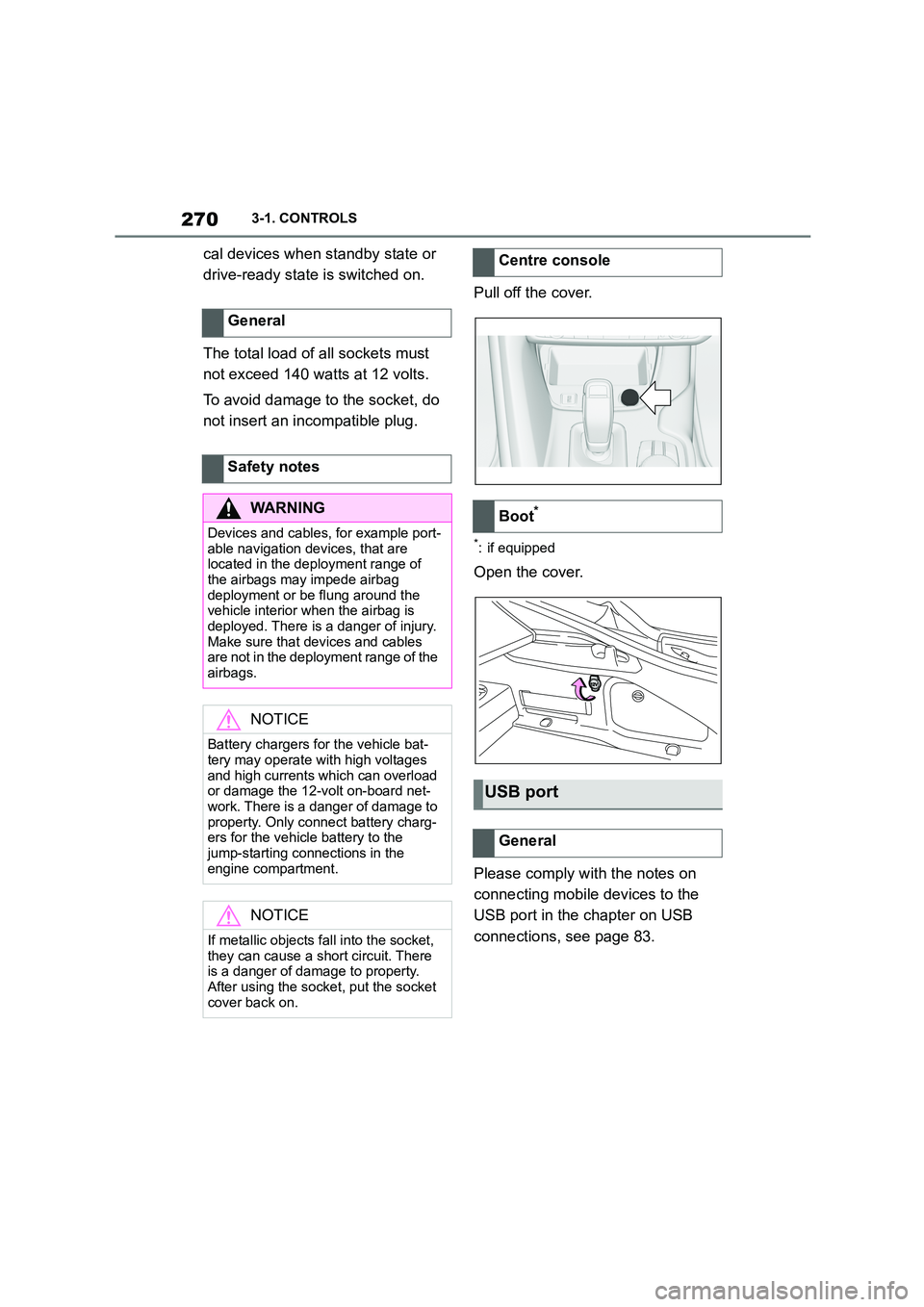
Pull off the cover.
*: if equipped
Open the cover.
Please comply with the notes on
connecting mobile devices to the
USB port in the chapter on USB
connections, see page 83.
General
Safety notes
WA R N I N G
Devices and cables, for example port-
able navigation devices, that are located in the deployment range of
the airbags may impede airbag
deployment or be flung around the vehicle interior when the airbag is
deployed. There is a danger of injury.
Make sure that devices and cables are not in the deployment range of the
airbags.
NOTICE
Battery chargers for the vehicle bat- tery may operate with high voltages
and high currents which can overload
or damage the 12-volt on-board net- work. There is a danger of damage to
property. Only connect battery charg-
ers for the vehicle battery to the jump-starting connections in the
engine compartment.
NOTICE
If metallic objects fall into the socket,
they can cause a short circuit. There
is a danger of damage to property.
After using the socket, put the socket cover back on.
Centre console
Boot*
USB port
General
Page 322 of 498
3205-1. MOBILITY
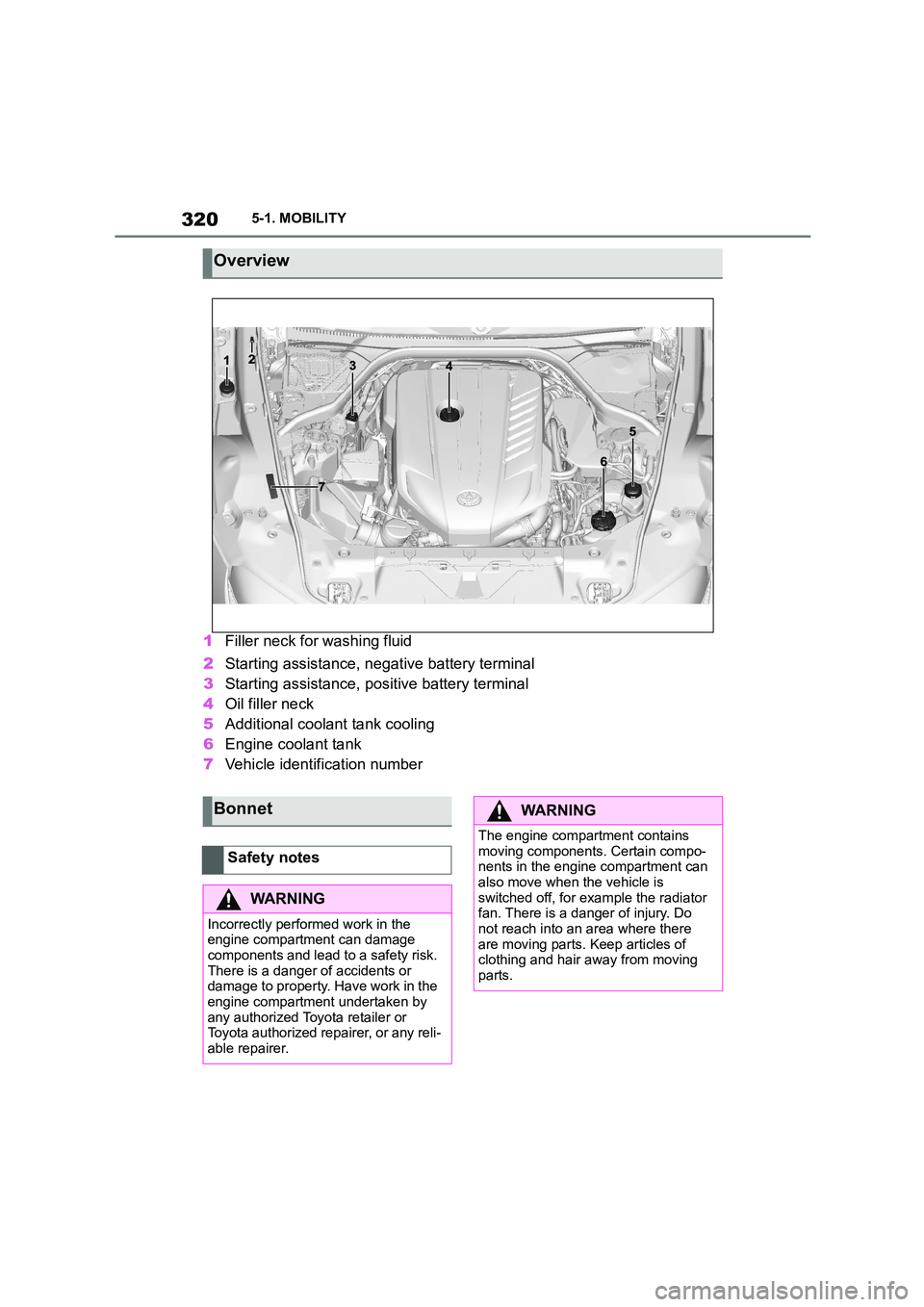
1Filler neck for washing fluid
2 Starting assistance, negative battery terminal
3 Starting assistance, positive battery terminal
4 Oil filler neck
5 Additional coolant tank cooling
6 Engine coolant tank
7 Vehicle identification number
Overview
Bonnet
Safety notes
WA R N I N G
Incorrectly performed work in the
engine compartment can damage components and lead to a safety risk.
There is a danger of accidents or
damage to property. Have work in the engine compartment undertaken by
any authorized Toyota retailer or
Toyota authorized repairer, or any reli- able repairer.
WA R N I N G
The engine compartment contains
moving components. Certain compo- nents in the engine compartment can
also move when the vehicle is
switched off, for example the radiator fan. There is a danger of injury. Do
not reach into an area where there
are moving parts. Keep articles of clothing and hair away from moving
parts.
Page 332 of 498
3305-1. MOBILITY
This chapter describes all standard,
country-specific and special equip-
ment available for the model series.
It may therefore describe equip-
ment and functions which are not
installed in your vehicle, for exam-
ple on account of the special equip-
ment selected or the country
specification. This also applies to
safety-relevant functions and sys-
tems. Please comply with the rele-
vant laws and regulations when
using the corresponding functions
and systems.
The maintenance system indicates
what maintenance measures are
required and thereby assists in
maintaining the road safety and
operational safety of the vehicle.
The exact work required and the
maintenance intervals may vary
depending on the country specifica-
tions. Replacement work, spare
parts, operating materials and wear
materials are calculated sepa-
rately. Additional information is
available from a dealer of the man-
ufacturer or another qualified dealer
or a specialist workshop.
Condition Based Service CBS
determines the maintenance
requirement using sensors and
special algorithms which monitor
the conditions in which the vehicle
is used.
The system thus enables the scope
of the maintenance work to be
adapted to the individual usage
profile.
Information on service require-
ments, see page 170, can be
shown on the Control Display.
Periods when the vehicle is out of
use with its battery disconnected
are not taken into account.
In such cases, have any
time-dependent maintenance pro-
cedures, for example for the brake
fluid and, where applicable, the
engine oil and microfilter/activated
charcoal filter, updated by a dealer
of the manufacturer or another
qualified dealer or a specialist
workshop.
Maintenance
Vehicle equipment
Maintenance System
Condition Based Service
CBS
Principle
General
Periods out of use
Page 343 of 498
341
5
5-1. MOBILITY
MOBILITY
The battery is maintenance-free.
More information regarding the bat-
tery can be obtained from any
authorized Toyota retailer or Toyota
authorized repairer, or any reliable
repairer.
The manufacturer of your vehicle
recommends having any author-
ized Toyota reta iler or Toyota
authorized repairer, or any reliable
repairer register the vehicle battery
to the vehicle after the battery has
been replaced. Once the battery
has been registered again, all com-
fort functions will be available with-
out restriction and any vehicle
messages relating to the comfort
functions will no longer be dis-
played.
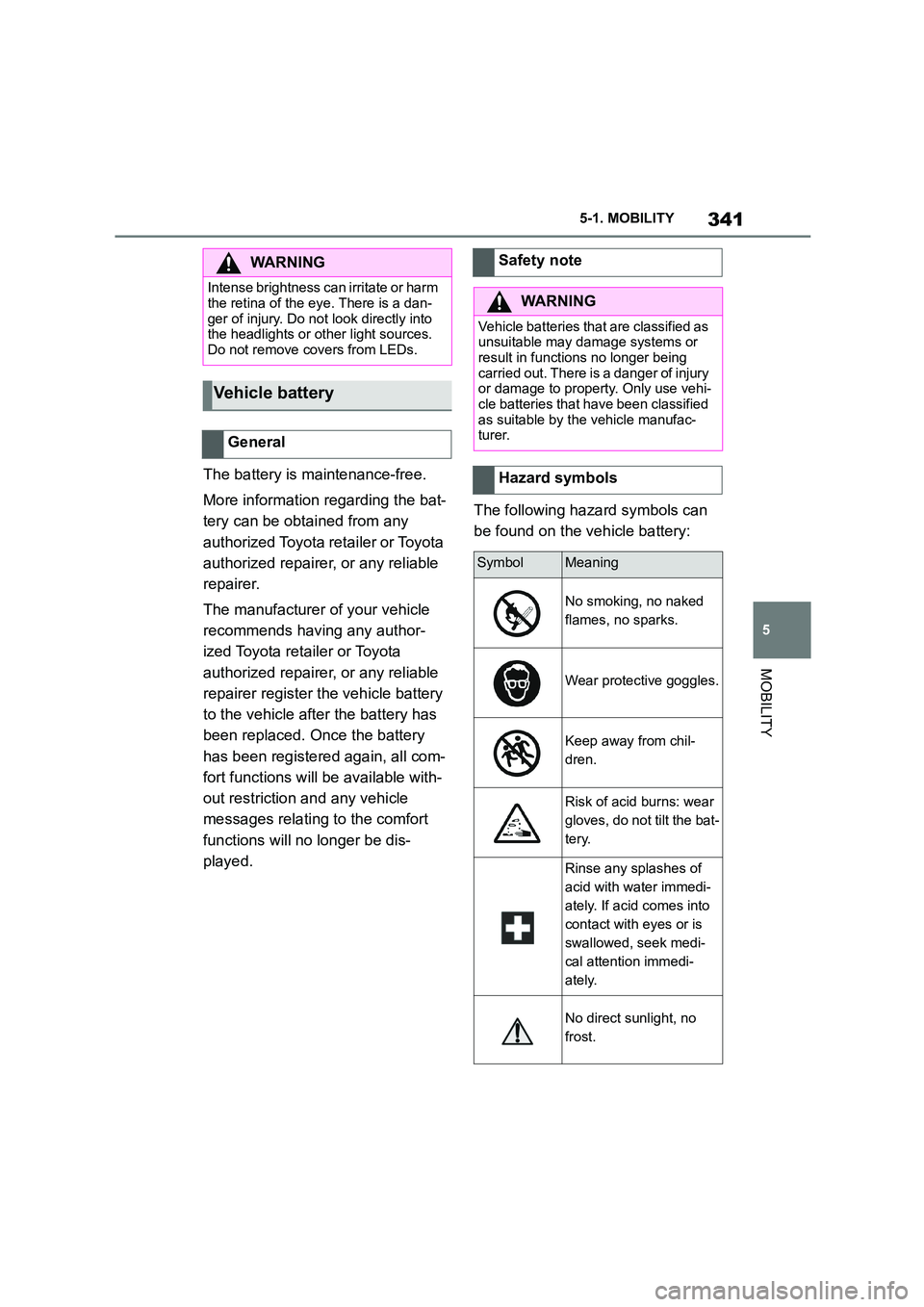
The following hazard symbols can
be found on the vehicle battery:
WA R N I N G
Intense brightness can irritate or harm
the retina of the eye. There is a dan-
ger of injury. Do not look directly into the headlights or other light sources.
Do not remove covers from LEDs.
Vehicle battery
General
Safety note
WA R N I N G
Vehicle batteries that are classified as
unsuitable may damage systems or result in functions no longer being
carried out. There is a danger of injury
or damage to property. Only use vehi- cle batteries that have been classified
as suitable by the vehicle manufac-
turer.
Hazard symbols
SymbolMeaning
No smoking, no naked
flames, no sparks.
Wear protective goggles.
Keep away from chil-
dren.
Risk of acid burns: wear
gloves, do not tilt the bat-
tery.
Rinse any splashes of
acid with water immedi-
ately. If acid comes into
contact with eyes or is
swallowed, seek medi-
cal attention immedi-
ately.
No direct sunlight, no
frost.
Page 344 of 498
3425-1. MOBILITY
The installed battery is designed
specifically for this vehicle. If an
inappropriate battery is used, oper-
ation of the Auto Start/Stop function
may be restricted in order to protect
the battery. Also, the battery may
deteriorate faster than normal and
the engine may not be able to be
restarted. Contact any authorized
Toyota retailer or Toyota authorized
repairer, or any reliable repairer.
The battery is operational. No spe-
cial precautions are required for
start-up.
Ensure the battery is sufficiently
charged to guarantee the entire life-
time of the battery.
Charge the battery under the fol-
lowing circumstances:
If the inspection glass on the top
of the battery is black.
If there is insufficient starting
capability.
The following condit ions can have a
negative effect on battery output:
Frequently driving short dis-
tances.
If the vehicle is not used for peri-
ods of longer than one month.
Only charge the battery via the
jump-starting connections, see
page 358, in the engine compart-
ment and with the engine switched
off.
Battery chargers developed espe-
cially for the vehicle and suitable for
the on-board network can be
obtained from any authorized
Toyota retailer or Toyota authorized
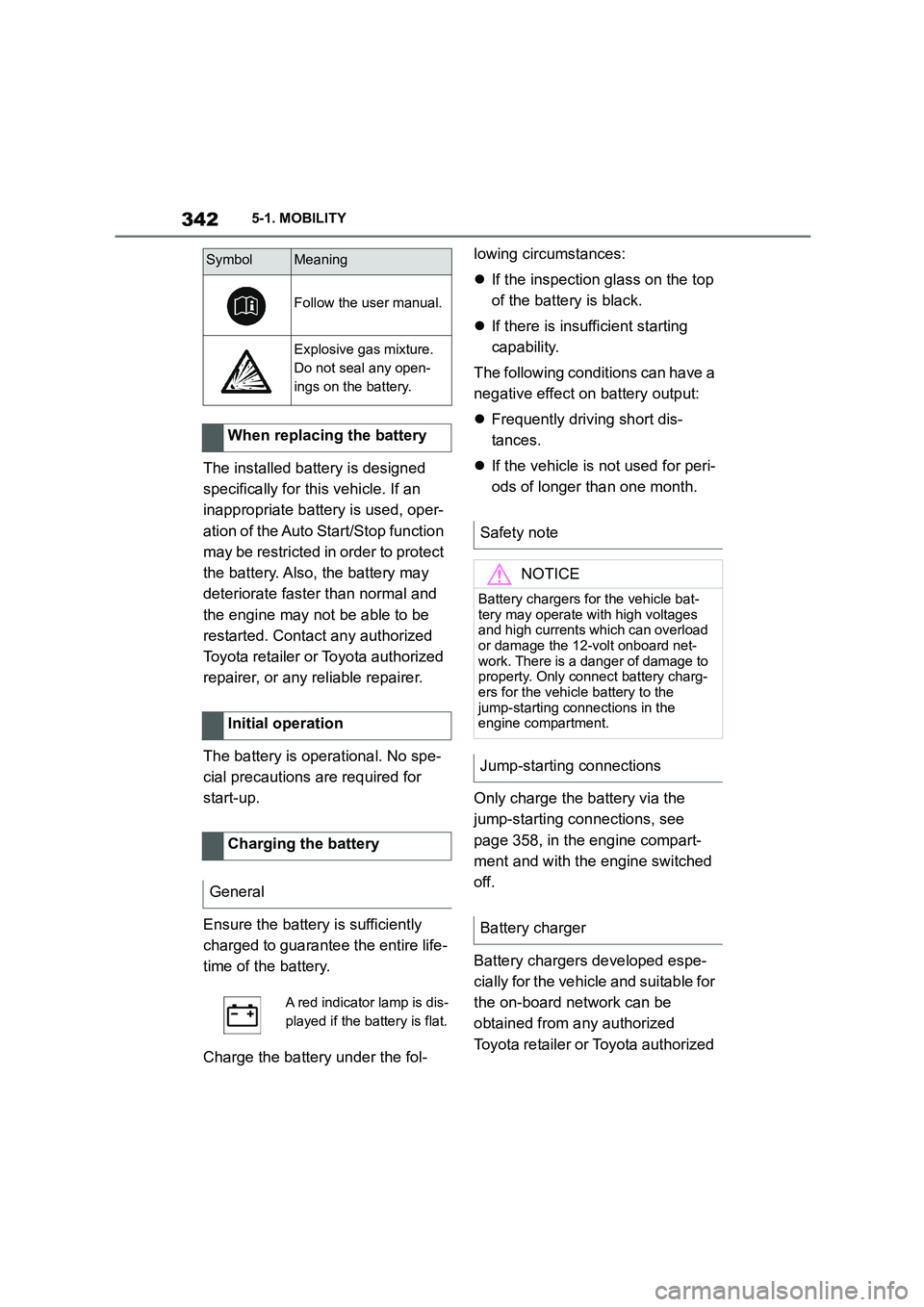
Follow the user manual.
Explosive gas mixture.
Do not seal any open-
ings on the battery.
When replacing the battery
Initial operation
Charging the battery
General
A red indicator lamp is dis-
played if the battery is flat.
SymbolMeaning
Safety note
NOTICE
Battery chargers for the vehicle bat-
tery may operate with high voltages
and high currents which can overload or damage the 12-volt onboard net-
work. There is a danger of damage to
property. Only connect battery charg- ers for the vehicle battery to the
jump-starting connections in the
engine compartment.
Jump-starting connections
Battery charger
Page 345 of 498
343
5
5-1. MOBILITY
MOBILITY
repairer, or any reliable repairer.
Following an electrical power fail-
ure, some equipme nt will have to
be reinitialised or in dividual settings
will need to be updated, for exam-
ple:
Memory function: save positions
again.
Time: update.
Date: update.
Observe the following information
on storing vehicle batteries:
Store the battery in a cool and
dry place.
Protect the battery from direct
sunlight and frost.
Only clean the battery with a
damp, anti-static cloth.
Store the battery upright and
secure it against falling over.
Install the oldest batteries first.
Do not remove the protective cap
from the contacts.
Charge or install the battery by
the date on the battery label at
the latest. Once fully charged,
the battery will wo rk for another
10 months.
Batteries filled with acid should be
transported upright. Protect batter-
ies against falling over when in
transit.
The fuses are located at different
positions in the vehicle.
Fuses are located behind a cover in
the driver's side or front passen-
ger's side footwell.
Power failure
Storing the battery
Disposing of the old battery
Dispose of old batteries at
any authorized Toyota
retailer or Toyota author-
ized repairer, or any relia-
ble repairer or hand them
in to an authorised collect-
ing point.
Fuses
General
Safety note
WA R N I N G
Incorrect or repaired fuses can over-
load electrical cables and compo- nents. There is a risk of fire. Do not
repair blown fuses or replace them
with fuses with a different colour or amp rating.
In the interior