service TOYOTA SUPRA 2022 User Guide
[x] Cancel search | Manufacturer: TOYOTA, Model Year: 2022, Model line: SUPRA, Model: TOYOTA SUPRA 2022Pages: 498, PDF Size: 104.06 MB
Page 18 of 498
161-1. NOTES
third-party providers via servers of
the vehicle manufacturer. No direct
access to the vehicle and its data is
granted.
More information on CarData is
available on the Toyota Supra Con-
nect customer portal.
The eCall emergency call system
required by law enables manual or
automatic emergency calls to be
issued in the event of accidents, for
example.
The emergency calls are answered
by the public rescue coordination
centre.
For information on the eCall statu-
tory on-board emergency call sys-
tem based on the 112 emergency
call, as well as its operation and its
functions, see the chapter on emer-
gency calls.
The eCall service based on the 112
emergency call is a public service
of general interest and is provided
free of charge.
If a serious accident occurs, the
eCall statutory emergency call sys-
tem is activated automatically by
on-board sensors as a standard
feature. It is also triggered automat-
ically if the vehicle is equipped with
an intelligent emergency call sys-
tem that fails to wo rk in the event of
a serious accident.
The eCall statutory emergency call
system can also be triggered man-
ually if required.
If a critical system failure occurs
that would put the eCall statutory
emergency call system out of oper-
ation, the passengers receive a
warning.
For further information:
• Emergency call, see page 353.
• Malfunction, see page 354.
The eCall statutory emergency call
system processes personal data in
accordance with the following regu-
lations:
• Protection of personal data: Reg-
ulation 2016/679/EU of the Euro-
pean Parliament and of the
Council.
• Protection of personal data:
Directive 2002/58/EC of the
European Parliament and of the
Council.
Personal data is only processed for
the purpose of transmitting eCall
emergency calls to the standard-
ised European emergency call
number 112.
Statutory emergency call
system
Principle
General
Information on data processing
Page 19 of 498
17
1
1-1. NOTES
NOTES
The eCall statutory emergency call
system operates via mobile com-
munications through the SIM card
installed in the vehicle. The SIM
card is not permanently connected
to the mobile telephone network;
rather, it remains connected only as
long as the emergency call is
active.
The eCall statutory emergency call
system may only collect and pro-
cess the following data:
• The vehicle identification number
for rapidly identifying the vehicle,
for example the model.
• Vehicle type, for example pas-
senger car.
• Type of vehicle drive, for exam-
ple petrol or diesel, for assessing
the risks involved in a rescue, for
example the risk of fire caused
by fuel.
• The vehicle's position at the time
of the accident, its last three
locations and the driving direc-
tion in order to locate the vehicle
faster when on very complex
route sections, for example.
• Log file for automatic system
activation and its time stamp.
• Control informat ion, which tells
rescue services whether the
emergency call was triggered
automatically or manually, for
example.
• A time stamp for determining the
time of the accident in order to
optimise rescue services deploy-
ment plans.
• The driving direction for estab-
lishing which side of the car-
riageway is concerned, for
example.
The authorities of the state in
whose territory the eCall system
emergency call is made determine
which emergency call centres
receive and process the statutory
emergency call.
The eCall statutory emergency call
system ensures that the data con-
tained in the system memory can-
not be accessed outside the
system before an emergency call is
triggered.
The data collected for the eCall
statutory emergency call system is
only saved in the vehicle and sent
to the rescue coordination centre
when an emergency call is trig-
gered.
The eCall statutory emergency call
system ensures that it cannot be
traced and there is no permanent
tracking during normal operation.
The eCall statutory emergency call
system ensures that the data in the
internal system memo ry is deleted
automatically and continuously.
SIM card
Data types and their recipients
Data processing configuration
Page 21 of 498
19
1
1-1. NOTES
NOTES
Council.
• Protection of personal data:
Directive 2002/58/EC of the
European Parliament and of the
Council.
The Toyota Supra Connect contract
concluded for this function, as well
as the relevant laws, ordinances
and directives of the European Par-
liament and the European Council
provide the legal basis for the acti-
vation and function of the intelligent
emergency call system.
The relevant ordinances and direc-
tives govern the protection of indi-
viduals in terms of processing
personal data.
The automatic emergency call sys-
tem processes personal data in
accordance with European direc-
tives on the protection of personal
data.
The automatic emergency call sys-
tem processes personal data only
with the vehicle owner's consent.
The automatic emergency call sys-
tem and other added-value ser-
vices may only process personal
data with the express consent of
the individual affected by data pro-
cessing, for example the vehicle
owner.
The automatic emergency call sys-
tem operates via mobile communi-
cations through the SIM card
installed in the vehicle. The SIM
card is permanently logged into the
mobile telephone network so a con-
nection can be established quickly.
The data is sent to the vehicle man-
ufacturer in the event of an emer-
gency.
The vehicle manufacturer also uses
the data sent as part of an emer-
gency call to improve product and
service quality.
Only the provider of the mobile tele-
phone network is able to determine
the position of the vehicle based on
mobile telephone mast locations.
The network operator is not able to
link the vehicle identification num-
ber to the telephone number of the
installed SIM card. Only the vehicle
manufacturer is able to link the
vehicle identification number to the
telephone number of the installed
SIM card.
The log data for emergency calls is
saved in a vehicle memory. The
oldest log data is regularly deleted.
The log data includes information
on when and where an emergency
call was issued, for example.
In exceptional cases, the log data
can be read out from the vehicle
SIM card
Improving quality
Position determination
Log data for emergency calls
Page 22 of 498
201-1. NOTES
memory. It is usually only possible
for log data to be read out with a
court order and if the corresponding
devices are directly connected to
the vehicle.
The system has been designed so
that an emergency call is triggered
automatically following an accident
of a certain severity, which is
detected by the sensors in the vehi-
cle.
If an emergency call is made by the
automatic emergency call system,
the same information is conveyed
to the appointed emergency call
centre as is normally conveyed to
the public rescue coordination cen-
tre by the eCall statutory emer-
gency call system.
Furthermore, the automatic emer-
gency call system also conveys the
following additional information to
an emergency call centre appointed
by the vehicle manufacturer and,
where applicable, to the public res-
cue coordination centre:
• Accident data, for example the
direction of th e collision as
detected by the vehicle sensors
in order to facilitate the rescue
services deployment plans.
• Contact data, for example the
telephone number of the
installed SIM card and the
driver's telephone number, if
available, so that those involved
in the accident can be contacted
quickly if necessary.
The data relating to an emergency
call that has been placed is trig-
gered in the vehicle. The data con-
tains information about the
emergency call, for example the
place and time it was issued.
The emergency call centre saves
audio recordings of the emergency
call.
Audio recordings of the customer
are saved for 24 hours, in case
details of the emergency call need
to be analysed. A fter that, the audio
recordings are deleted. Audio
recordings of the emergency call
centre employee are saved for 24
hours for quality assurance pur-
poses.
The data obtained in the context of
an automatic emergency call is only
used to process the emergency
call. If legally obliged to do so, the
vehicle manufactur er will disclose
the data it has processed and,
where applicable , still has saved.
Automatic emergency call
Sent information
Data storage
Disclosure of personal data
Page 28 of 498
262-1. QUICK REFERENCE
2-1.QUICK REFERENCE
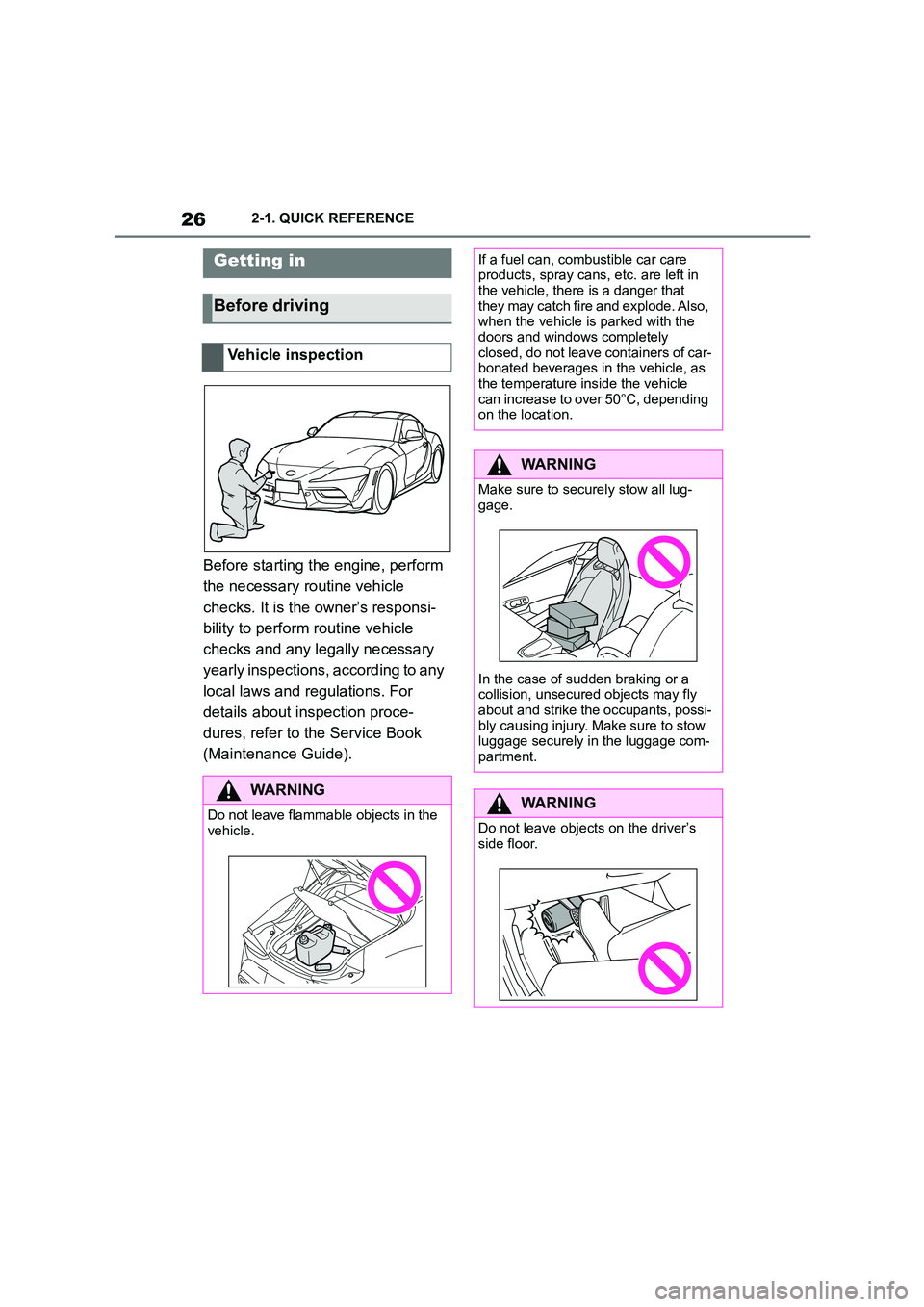
Before starting the engine, perform
the necessary routine vehicle
checks. It is the owner’s responsi-
bility to perform routine vehicle
checks and any legally necessary
yearly inspections, according to any
local laws and regulations. For
details about inspection proce-
dures, refer to the Service Book
(Maintenance Guide).
Getting in
Before driving
Vehicle inspection
WA R N I N G
Do not leave flammable objects in the vehicle.
If a fuel can, combustible car care products, spray cans, etc. are left in
the vehicle, there is a danger that
they may catch fire and explode. Also, when the vehicle is parked with the
doors and windows completely
closed, do not leave containers of car- bonated beverages in the vehicle, as
the temperature inside the vehicle
can increase to over 50°C, depending on the location.
WA R N I N G
Make sure to secu rely stow all lug-
gage.
In the case of sudden braking or a
collision, unsecure d objects may fly
about and strike the occupants, possi- bly causing injury. Ma ke sure to stow
luggage securely in the luggage com-
partment.
WA R N I N G
Do not leave objects on the driver’s
side floor.
Page 44 of 498
422-1. QUICK REFERENCE
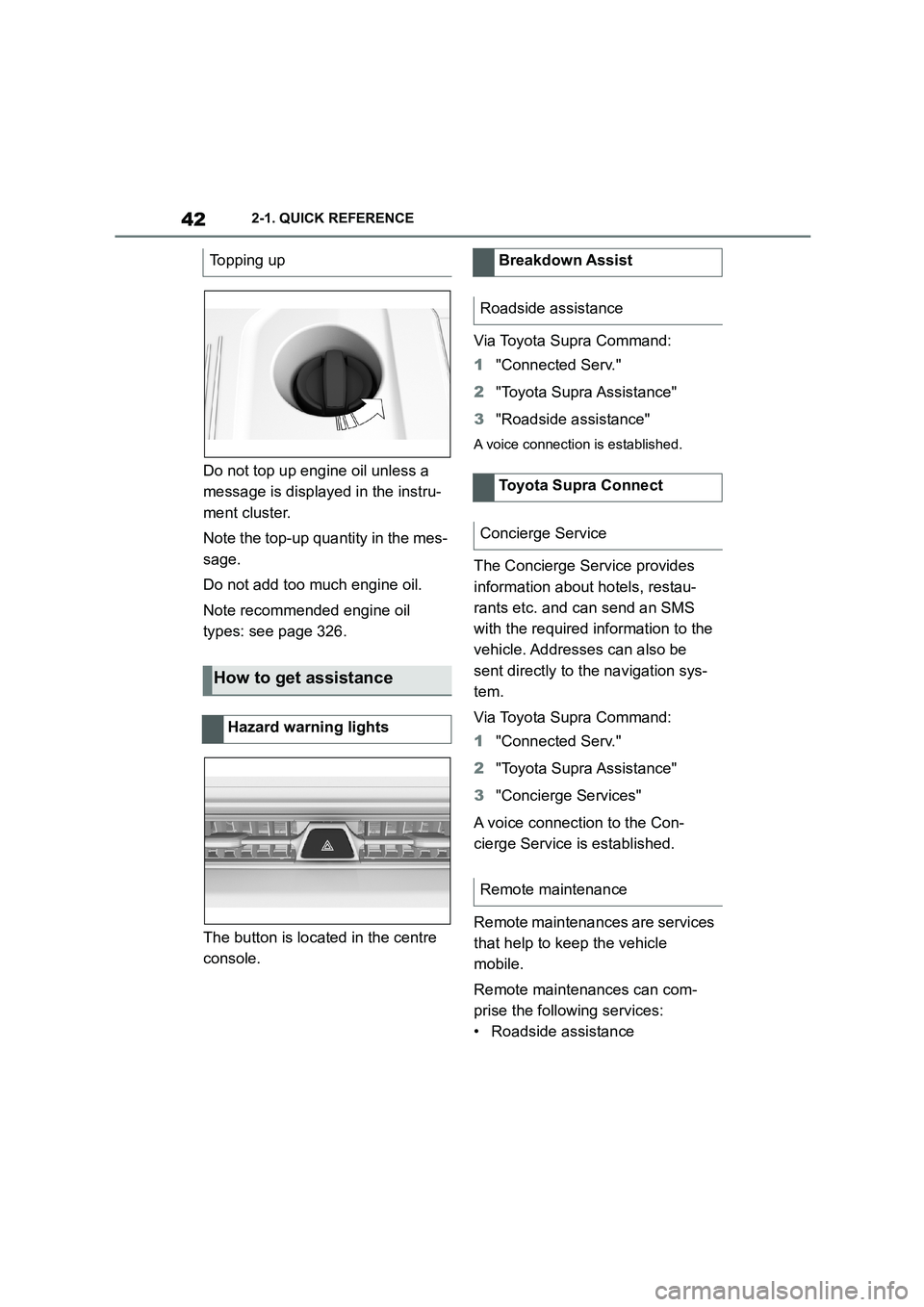
Do not top up engine oil unless a
message is displayed in the instru-
ment cluster.
Note the top-up quantity in the mes-
sage.
Do not add too much engine oil.
Note recommended engine oil
types: see page 326.
The button is located in the centre
console.
Via Toyota Supra Command:
1 "Connected Serv."
2 "Toyota Supra Assistance"
3 "Roadside assistance"
A voice connection is established.
The Concierge Service provides
information about hotels, restau-
rants etc. and can send an SMS
with the required information to the
vehicle. Addresses can also be
sent directly to the navigation sys-
tem.
Via Toyota Supra Command:
1 "Connected Serv."
2 "Toyota Supra Assistance"
3 "Concierge Services"
A voice connection to the Con-
cierge Service is established.
Remote maintenances are services
that help to keep the vehicle
mobile.
Remote maintenances can com-
prise the following services:
• Roadside assistance
Topping up
How to get assistance
Hazard warning lights
Breakdown Assist
Roadside assistance
Toyota Supra Connect
Concierge Service
Remote maintenance
Page 72 of 498
703-1. CONTROLS
mands‹.
• To have information about the
voice control system read aloud:
›General information on voice
control‹.
• To have help on the current
menu read aloud: ›Help‹.
The voice control system should
not be used for emergency calls.
Under stress, a person's speech
and voice pitch can change. This
could unnecessarily delay connec-
tion of your call.
Instead, use the SOS button, see
page 353, located near the
rear-view mirror.
You can select whether the system
uses the standard dialogue or the
short variant.
If the short variant is selected, the
system announcements are played
in shortened form.
Via Toyota Supra Command:
1 "My Vehicle"
2 "System settings"
3 "Language"
4 "Voice control:"
5 Select the desired setting.
It is possible to answer while the
voice control system is querying
your previous spoken instruction.
The function can be deactivated if
the queries are frequently cancelled
inadvertently, for example due to
background noise or speaking.
Via Toyota Supra Command:
1 "My Vehicle"
2 "System settings"
3 "Language"
4 "Speaking during voice output"
Online speech processing enables
use of the dictation function, facili-
tates the natural input of destina-
tions and improves the quality of
voice recognition. To use the func-
tion, data is sent across an
encrypted connection to a service
provider and stored locally there.
Via Toyota Supra Command:
1 "My Vehicle"
2 "System settings"
3 "Language"
4 "Server speech recognition"
Turn the volume knob during the
spoken instructions until the
desired volume is obtained.
• The volume setting is retained
Information for emergency calls
Settings
Selecting the speech dialogue
Speaking during voice output
Online speech processing
Adjusting the volume
Page 76 of 498
743-1. CONTROLS
3Select the desired menu and
desired content.
The menu shows all messages
received by the vehicle, centrally in
the form of a list.
The following messages can be
displayed:
• Traffic messages.
• Vehicle messages.
• Communication messages, for
example email, SMS or remind-
ers.
• Service requirement messages.
Messages are additionally dis-
played in the status field.
Via Toyota Supra Command:
1 "My Vehicle"
2 "System settings"
3 "Notifications"
4 Select the required message.
The associated menu is opened
and the message displayed.
All messages which are not vehicle
messages can be deleted from the
list. Vehicle messages remain for
as long as they are relevant.
Via Toyota Supra Command:
1 "Notifications"
2 Select the required message if
necessary.
3 Press the button.
4 "Delete this notification" or
"Delete all notifications"
The following settings can be per-
formed:
• Selection of applications from
which messages are permitted.
• Sorting of sequence of mes-
sages by date or priority.
Via Toyota Supra Command:
1 "My Vehicle"
2 "System settings"
3 "Notifications"
4 Select the desired setting.
Messages
Principle
General
Calling up messages
Deleting messages
Settings
Page 77 of 498
75
3
3-1. CONTROLS
CONTROLS
This chapter describes all standard,
country-specific and special equip-
ment available for the model series.
It may therefore describe equip-
ment which is not installed in your
vehicle, for exampl e on account of
the special equipment selected or
the country specific ation. This also
applies to safety-relevant functions
and systems. Please comply with
the relevant laws and regulations
when using the corresponding func-
tions and systems.
The vehicle offers various functions
which require data to be transferred
to Toyota or a service provider. The
transfer of data can be deactivated
for some functions.
If data transfer has been deacti-
vated for a function, then that func-
tion cannot be used.
Only perform settings with the vehi-
cle at a standstill.
Follow the instruct ions on the Con-
trol Display.
Via Toyota Supra Command:
1 "My Vehicle"
2 "System settings"
3 "Data privacy"
4 Select the desired setting.
Depending on use, the vehicle
stores personal data such as saved
radio stations. This personal data
can be permanently deleted using
Toyota Supra Command.
Depending on the equipment in
your vehicle, the following data can
be deleted:
• Driver profile settings.
• Saved radio stations.
• Saved Favourites buttons.
• Trip and on-board computer val-
ues.
• Music hard disc.
• Navigation, for example saved
destinations.
• Phone book.
• Online data, for example Favour-
ites, cookies.
• Office data, for example voice
Personal settings
Vehicle equipment
Data protection
Data transfer
Principle
General
Activating/deactivating
Deleting persona l data in the
vehicle
Principle
General
Page 86 of 498
843-1. CONTROLS
• Protect the USB device from
mechanical damage.
• Due to the large variety of USB
devices available on the market,
operation via the vehicle cannot
be ensured for every device.
• Do not expose the USB devices
to extreme environmental condi-
tions, for example very high tem-
peratures, see the operating
instructions of the device.
• Due to the large variety of differ-
ent compression techniques,
correct playback of the media
stored on the USB device cannot
be guaranteed in every case.
• To ensure correc t transfer of the
stored data, do not charge a
USB device from the socket in
the vehicle when the device is
also connected to the USB port.
• Depending on how the USB
device is being used, it may be
necessary to perform settings on
the USB device, see the operat-
ing instructions of the device.
Unsuitable USB devices:
• USB hard drives.
• USB hubs.
• USB memory card reader with
several inserts.
• HFS-formatted USB devices.
• Devices such as fans or lamps.
Compatible device with USB port.
The USB device is displayed in the
device list, see page 86.
*: if equipped
CarPlay makes it po ssible to oper-
ate certain functions of a compati-
ble Apple iPhone by Siri voice
operation and using Toyota Supra
Command.
• Compatible iPhone.
iPhone 5 or later with iOS 7.1 or later.
• Corresponding mobile radio con-
tract.
• Bluetooth, WLAN and Siri voice
operation are activated on the
iPhone.
• Booking of the Toyota Supra
Connect service: Apple CarPlay
preparation.
Via Toyota Supra Command:
1 "My Vehicle"
2 "System settings"
3 "Mobile devices"
4 "Settings"
5 Select the following settings:
Operating requirements
Connecting a device
Apple CarPlay preparation*
Principle
Operating requirements
Switching on Bluetooth and
CarPlay