warning TOYOTA SUPRA 2023 Owners Manual
[x] Cancel search | Manufacturer: TOYOTA, Model Year: 2023, Model line: SUPRA, Model: TOYOTA SUPRA 2023Pages: 372, PDF Size: 6.32 MB
Page 218 of 372
2183-1. CONTROLS
Drive attentively, and react to
the current traffic situation. If
necessary, intervene actively,
for instance by braking, steering
or evading.
The desired speed is also main-
tained downhill. The speed may
not be maintained on uphill
grades if the engine power is
insufficient.
When the systems in the vehicle
e.g., Speed Limit Info, detect a
change of the speed limit along
the route, this new speed value
ca be applied for the following
systems:
Manual Speed Limiter.
Cruise Control.
Dynamic radar cruise control
with full-speed range.
The speed value is suggested
as the new desired speed to be
applied. To apply the speed
value, the corresponding system
must be activated.
Via Toyota Supra Command:
1"My vehicle"
2 "Vehicle settings"
3 "Speed Assistant"
Engine power
Speed Limit Assist
Concept
Safety information
WARNING
The system cannot serve as a
substitute for the driver’s personal
judgment in assessing the traffic
situation. Based on the limits of
the system, it cannot inde-
pendently react to all traffic situa-
tions. There is a risk of accident.
Adjust driving style to traffic condi-
tions. Watch the surrounding traf-
fic situation closely, be ready to
take over steering and braking at
any time, and actively intervene
where appropriate.
WARNING
The desired speed can be incor-
rectly adjusted or called up by
mistake. There is a risk of an acci-
dent. Adjust the desired speed to
the traffic conditions. Watch traf-
fic closely and actively intervene
where appropriate.
Overview
Buttons on the steering
wheel
ButtonFunction
Apply suggested speed
manually.
Switching on/off and
adjusting
Page 220 of 372
2203-1. CONTROLS
system, refer to page .
Parking Sensor is a support
when parking. Objects that you
are approaching slowly in front
of or behind the vehicle are indi-
cated by signal tones and a dis-
play on the Control Display.
Depending on the equipment
version: Obstacles at the side of
the vehicle that are detected by
the side ultrasonic sensors may
also be reported by the side pro-
tection, refer to page 223, func-
tion.
The ultrasound sensors for dis-
tance measurements are
located in the bumpers and pos-
sibly on the sides of the vehicle.
The range, depending on the
obstacle and environmental
conditions, is approx. 6 ft/2 m.
An acoustic warning sounds in
case of an impending collision at
a distance to the object of
approx. 27 in/70 cm.
For objects behind the vehicle,
the acoustic warning is already
issued at a distance to the
object of approx. 5 ft/1.50 m.
Parking Sensors
Concept
General information
Safety information
WARNING
The system cannot serve as a
substitute for the driver’s personal
judgment in assessing the traffic
situation. Based on the limits of
the system, it cannot inde-
pendently react to all traffic situa-
tions. There is a risk of accident.
Adjust driving style to traffic condi-
tions. Check surrounding traffic
and vehicle's surroundings
closely and actively intervene
where appropriate.
WARNING
Due to high speeds when Parking
Sensors is activated, the warning
can be delayed due to physical
circumstances. There is a risk of
injury or risk of damage to prop-
erty. Avoid approaching an object
too fast. Avoid driving off fast
while Parking Sensors is not yet
active.
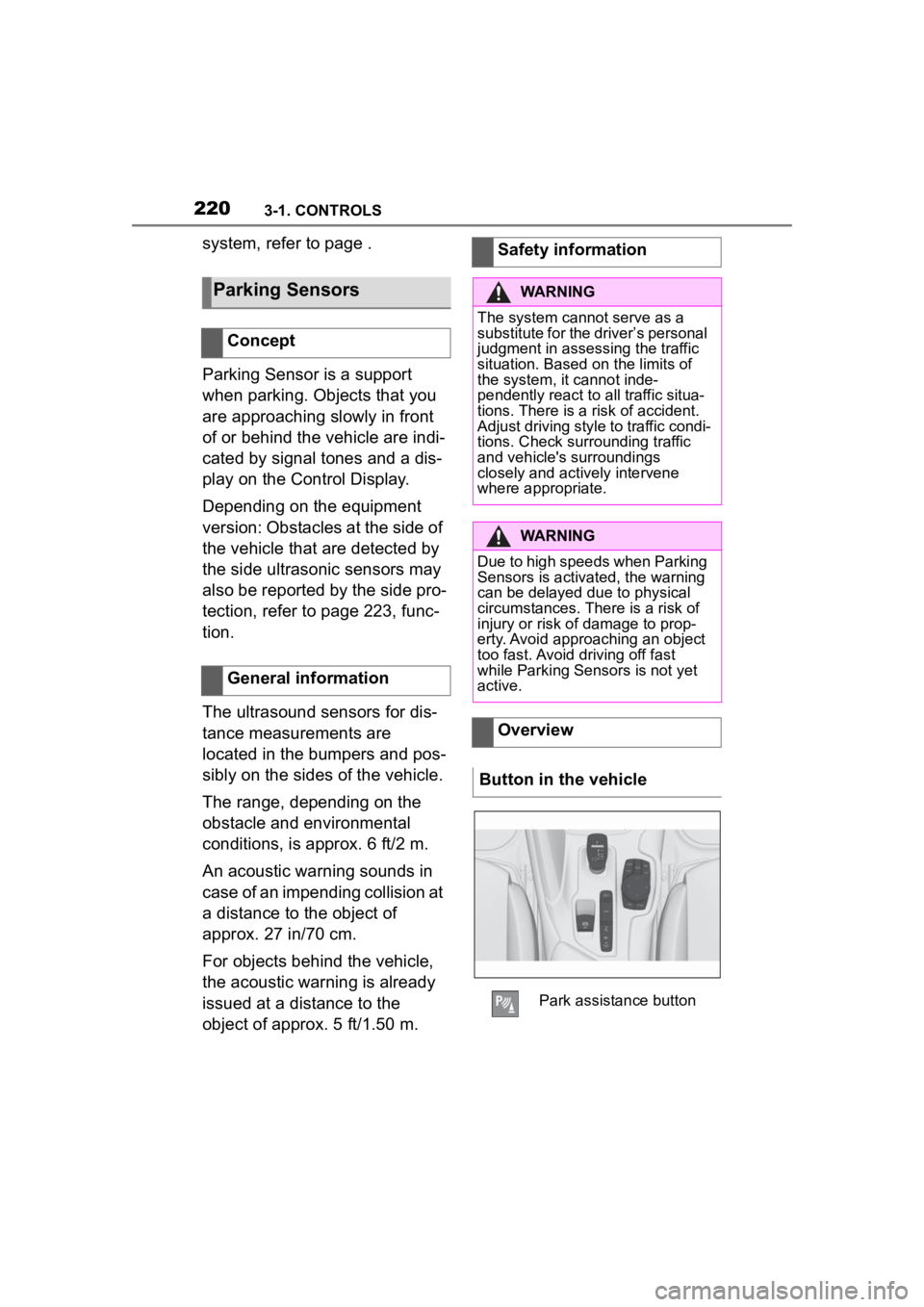
Overview
Button in the vehicle
Park assistance button
Page 221 of 372
2213-1. CONTROLS
3
CONTROLS
The system is controlled using
the following sensors:
• Ultrasonic sensors in the bumpers.
Additional information:
Sensors of the vehicle, refer to
page 42.
The system switches on auto-
matically in the following situa-
tions:
If selector lever position R is
engaged when the engine is
running.
Depending on the equipment
version: while approaching
detected obstacles if the
speed is slower than approx.
2.5 mph/4 km/h. The activa-
tion distance depends on the
situation in question.
You may switch automatic acti-
vation when obstacles are
detected on and off.
Via Toyota Supra Command:
1 "My vehicle"
2 "Vehicle settings"
3 "Parking"
4 Where applicable: "Automatic
Parking Sens. activation" 5
"Automatic Parking Sensors
activ."
Depending on equipment, an
additional camera view is also
switched on.
The system switches off when a
certain driving distance or speed
is exceeded.
Switch the system back on, if
needed.
On: the LED lights up.
Off: the LED goes out.
The rearview camera image is
displayed if the reverse gear is
engaged when pressing the
park assistance button.
Depending on the equipment
version, the system cannot be
switched off manually if the
reverse gear is engaged.
■General information
An intermittent tone indicates
when the vehicle is approaching
an object. For instance, if an
Sensors
Switching on/off
Switching on automatically
Automatic deactivation
during forward travel
Switching on/off manually
Press the park assistance
button.
WARNING
Signal tones
Page 222 of 372
2223-1. CONTROLS
object is detected to the left rear
of the vehicle, a signal tone
sounds from the left rear
speaker.
The shorter the distance to the
object, the shorter the intervals.
If the distance to a detected
object is less than approx. 8
in/20 cm, a continuous tone is
sounded.
If there are objects in front of
and behind the vehicle at the
same time, with a distance
smaller than approx. 8 in/20 cm,
an alternating constant tone will
sound.
Automatic transmission: the
intermittent tone and constant
tone are switched off if the
selector lever position P is
engaged.
The intermittent tone is switched
off after a short time when the
vehicle is stationary.
If an object approaches when
the vehicle is stationary, the
acoustic signal is reactivated.
■Vo l u m e
The Parking Sensor signal tone
volume can be adjusted.
Via Toyota Supra Command:
1 "My vehicle"
2 "System settings"
3 "Tone"
4 "Volume settings"
5 "Parking Sens." 6
Set the desired value.
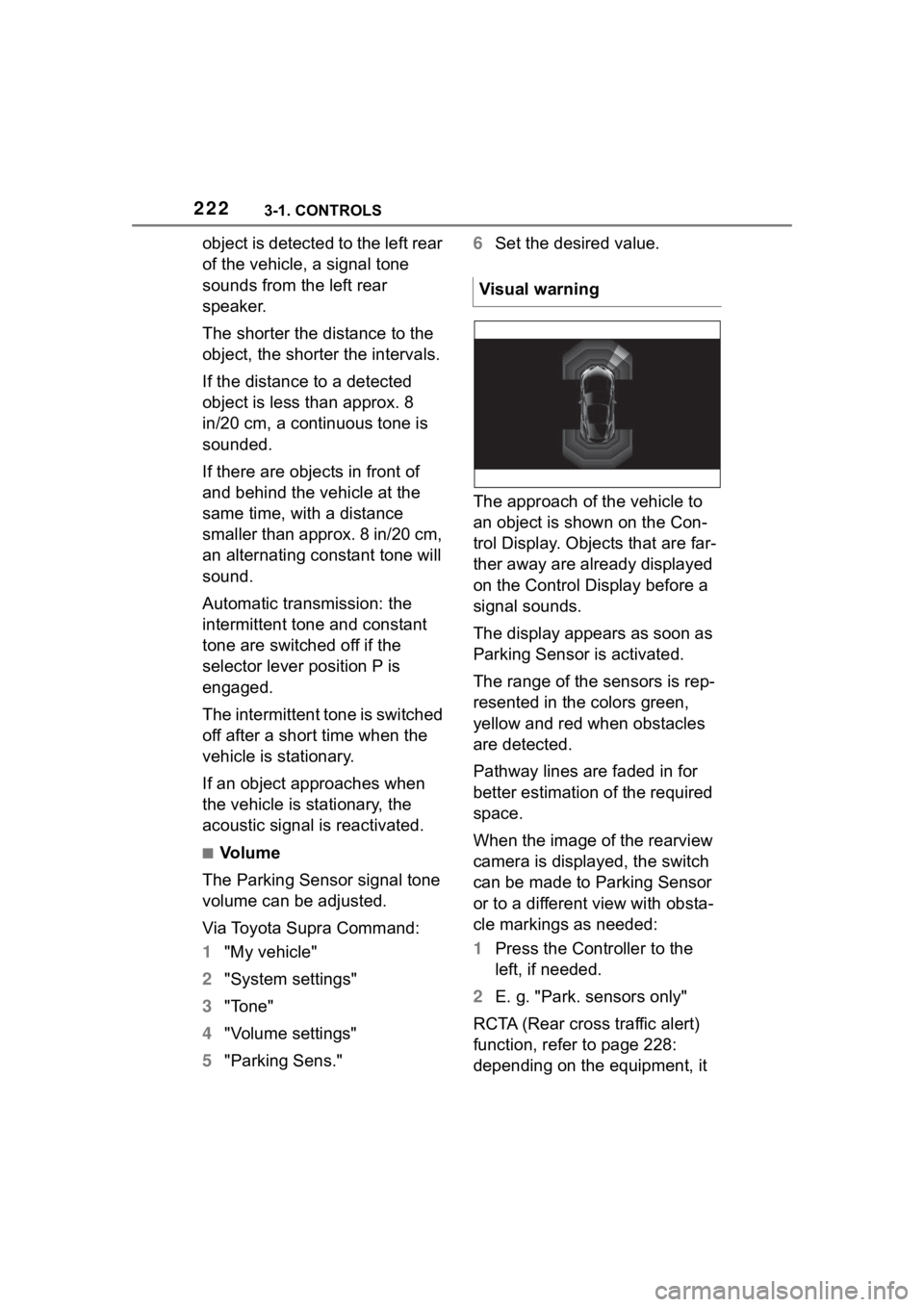
The approach of the vehicle to
an object is shown on the Con-
trol Display. Objects that are far-
ther away are already displayed
on the Control Display before a
signal sounds.
The display appears as soon as
Parking Sensor is activated.
The range of the sensors is rep-
resented in the colors green,
yellow and red when obstacles
are detected.
Pathway lines are faded in for
better estimation of the required
space.
When the image of the rearview
camera is displayed, the switch
can be made to Parking Sensor
or to a different view with obsta-
cle markings as needed:
1 Press the Controller to the
left, if needed.
2 E. g. "Park. sensors only"
RCTA (Rear cross traffic alert)
function, refer to page 228:
depending on the equipment, it Visual warning
Page 223 of 372
2233-1. CONTROLS
3
CONTROLS
is warned in the Parking Sensor
display against vehicles
approaching in the front or rear
from the side.
The emergency braking function
of Parking Sensor initiates an
emergency braking in case of
acute risk of collision.
Due to system limits, a collision
cannot be prevented under all
circumstances.
The function is available from
walking speed while backing up
or rolling backward.
A press of the accelerator pedal
interrupts the braking interven-
tion.
After emergency braking to a
stop, further creeping toward an
obstacle is possible. To creep
toward the obstacle, lightly
press the accelerator pedal and
release it again.
If the accelerator pedal is heav-
ily depressed, the vehicle drives
off as usual. Manual braking is
possible at any time.The system uses the ultrasound
sensors of Parking Sensor and
parking assistant.
Via Toyota Supra Command:
1
"My vehicle"
2 "Vehicle settings"
3 "Parking"
4 "Park. Sens. w. em. braking
funct."
5 "Park. Sens. w. em. braking
funct."
The system warns of obstacles
on the side of the vehicle.
Depending on the equip-
ment version: emergency
brake function, Parking
Sensors with emergency
braking function
Concept
General information
Safety information
WARNING
The system cannot serve as a
substitute for the driver’s personal
judgment in assessing the traffic
situation. Based on the limits of
the system, it cannot inde-
pendently react to all traffic situa-
tions. There is a risk of accident.
Adjust driving style to traffic condi-
tions. Check surrounding traffic
and vehicle's surroundings
closely and actively intervene
where appropriate.
Activating/deactivating the
system
Side parking aid
Concept
Page 224 of 372
2243-1. CONTROLS
The system uses the ultrasound
sensors of Parking Sensor and
parking assistant.
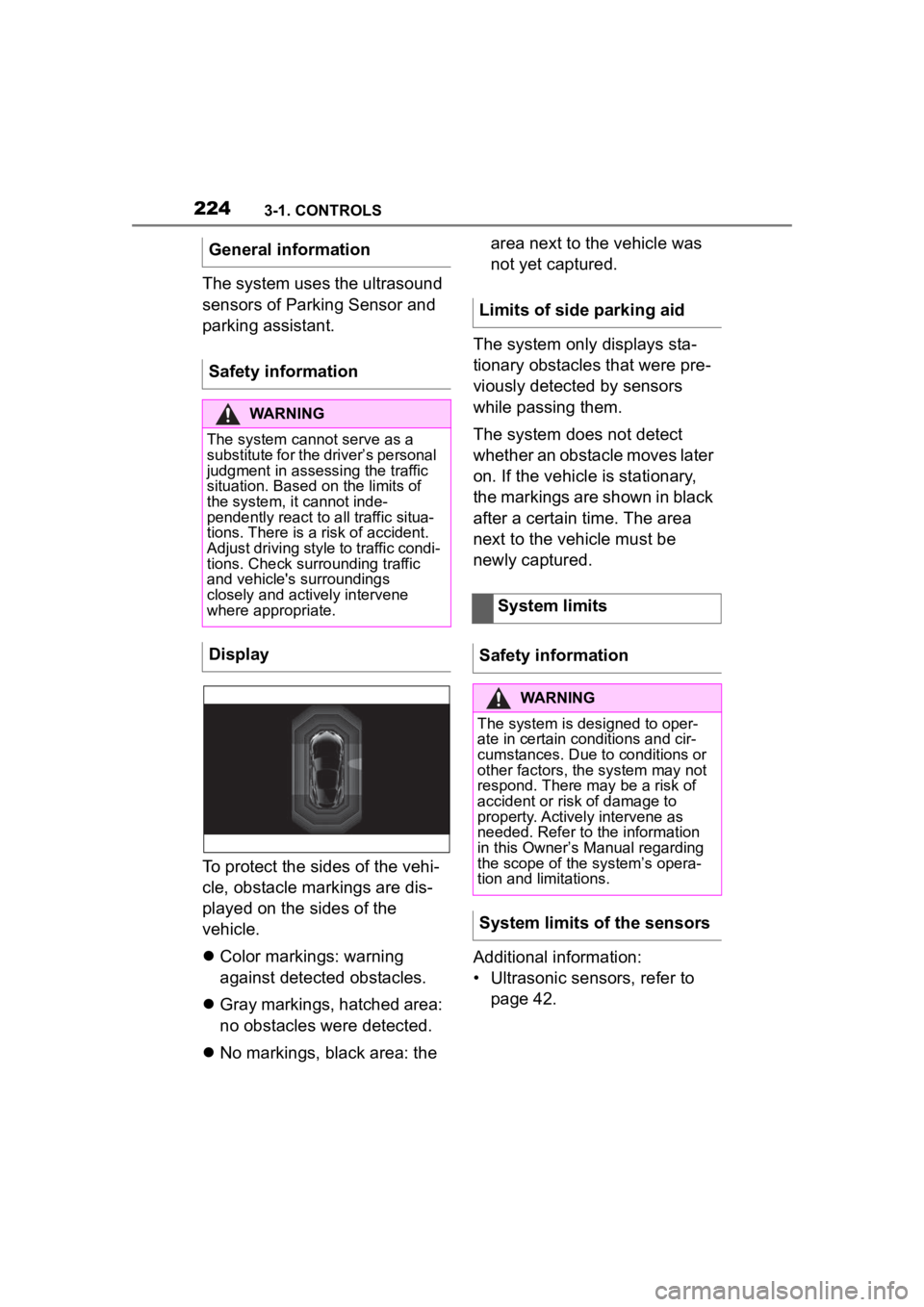
To protect the sides of the vehi-
cle, obstacle markings are dis-
played on the sides of the
vehicle.
Color markings: warning
against detected obstacles.
Gray markings, hatched area:
no obstacles were detected.
No markings, black area: the area next to the vehicle was
not yet captured.
The system only displays sta-
tionary obstacles that were pre-
viously detected by sensors
while passing them.
The system does not detect
whether an obstacle moves later
on. If the vehicle is stationary,
the markings are shown in black
after a certain time. The area
next to the vehicle must be
newly captured.
Additional information:
• Ultrasonic sensors, refer to page 42.
General information
Safety information
WARNING
The system cannot serve as a
substitute for the driver’s personal
judgment in assessing the traffic
situation. Based on the limits of
the system, it cannot inde-
pendently react to all traffic situa-
tions. There is a
risk of accident.
Adjust driving style to traffic condi-
tions. Check surrounding traffic
and vehicle's surroundings
closely and actively intervene
where appropriate.
Display
Limits of side parking aid
System limits
Safety information
WARNING
The system is designed to oper-
ate in certain conditions and cir-
cumstances. Due to conditions or
other factors, the system may not
respond. There may be a risk of
accident or risk of damage to
property. Actively intervene as
needed. Refer to the information
in this Owner’s Manual regarding
the scope of the system’s opera-
tion and limitations.
System limits of the sensors
Page 225 of 372
2253-1. CONTROLS
3
CONTROLS
The detection of objects with
ultrasonic measurements can
run into physical limits, e.g., in
the following situations:
With obstacles and persons at
the edge of the lane.
Low objects already dis-
played, for instance curbs,
can move into the blind area
of the sensors before or after
a continuous tone sounds.
Reaching the system limits can
cause false warnings.
To prevent false alarms, switch
off Automatic Park Sensors
activ. on obstacle detection,
refer to page 226, for instance in
automatic vehicle washes.
A vehicle message is displayed.
Parking Sensor has failed. Have
the system checked by your
Toyota dealer. The rearview camera provides
assistance in parking and
maneuvering backwards. The
area behind the vehicle is
shown on the Control Display.
Additionally, assistance func-
tions can be shown in the dis-
play, e.g., help lines.
Limits of ultrasonic measure-
ment
False warnings
Malfunction
White symbol is displayed,
and the range of the sen-
sors is dimmed on the
Control Display.
Rearview camera
Concept
Safety information
WARNING
The system cannot serve as a
substitute for the driver’s personal
judgment in assessing the traffic
situation. Based on the limits of
the system, it cannot inde-
pendently react to all traffic situa-
tions. There is a risk of accident.
Adjust driving style to traffic condi-
tions. Check surrounding traffic
and vehicle's surroundings
closely and actively intervene
where appropriate.
Page 229 of 372
2293-1. CONTROLS
3
CONTROLS
At blind driveways or when driv-
ing out of diagonal parking
spaces, approaching cross traf-
fic is detected sooner by the
system than is possible from the
driver's seat.
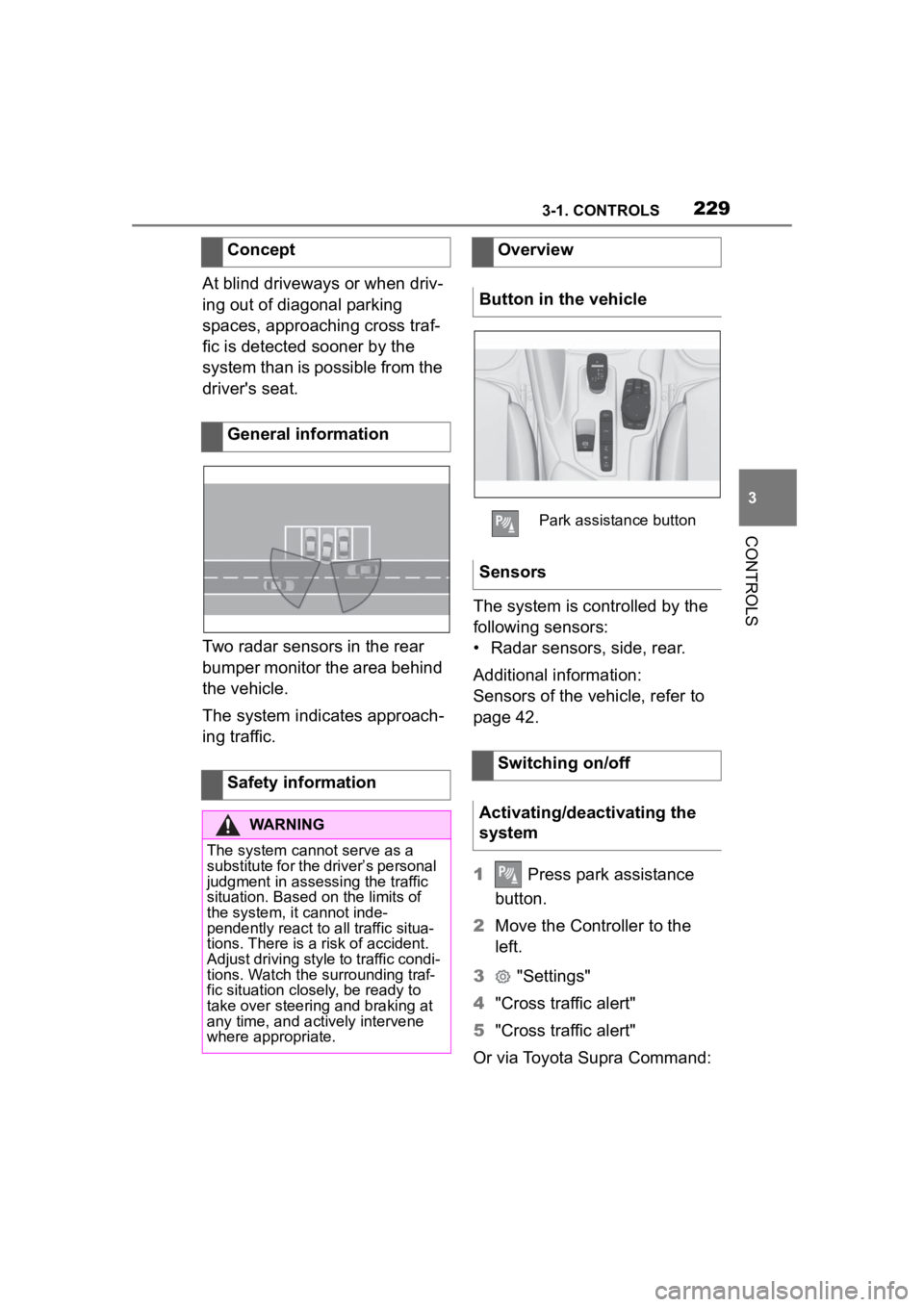
Two radar sensors in the rear
bumper monitor the area behind
the vehicle.
The system indicates approach-
ing traffic.The system is controlled by the
following sensors:
• Radar sensors, side, rear.
Additional information:
Sensors of the vehicle, refer to
page 42.
1
Press park assistance
button.
2 Move the Controller to the
left.
3 "Settings"
4 "Cross traffic alert"
5 "Cross traffic alert"
Or via Toyota Supra Command:
Concept
General information
Safety information
WARNING
The system cannot serve as a
substitute for the driver’s personal
judgment in assessing the traffic
situation. Based on the limits of
the system, it cannot inde-
pendently react to all traffic situa-
tions. There is a
risk of accident.
Adjust driving style to traffic condi-
tions. Watch the surrounding traf-
fic situation closely, be ready to
take over steering and braking at
any time, and actively intervene
where appropriate.
Overview
Button in the vehicle
Park assistance button
Sensors
Switching on/off
Activating/deactivating the
system
Page 230 of 372
2303-1. CONTROLS
1"My vehicle"
2 "Vehicle settings"
3 "Parking"
4 "Cross traffic alert"
5 "Cross traffic alert"
If the system was activated on
the Control Display, it is auto-
matically switched on as soon
as Parking Sensors or Pan-
orama View is active and a gear
is engaged.
If reverse gear is engaged, the
rear system is switched on.
The system is automatically
switched off in the following situ-
ations:
When the speed exceeds
walking speed.
When a certain driving dis-
tance is exceeded.
With an active parking opera-
tion of the parking assistant.
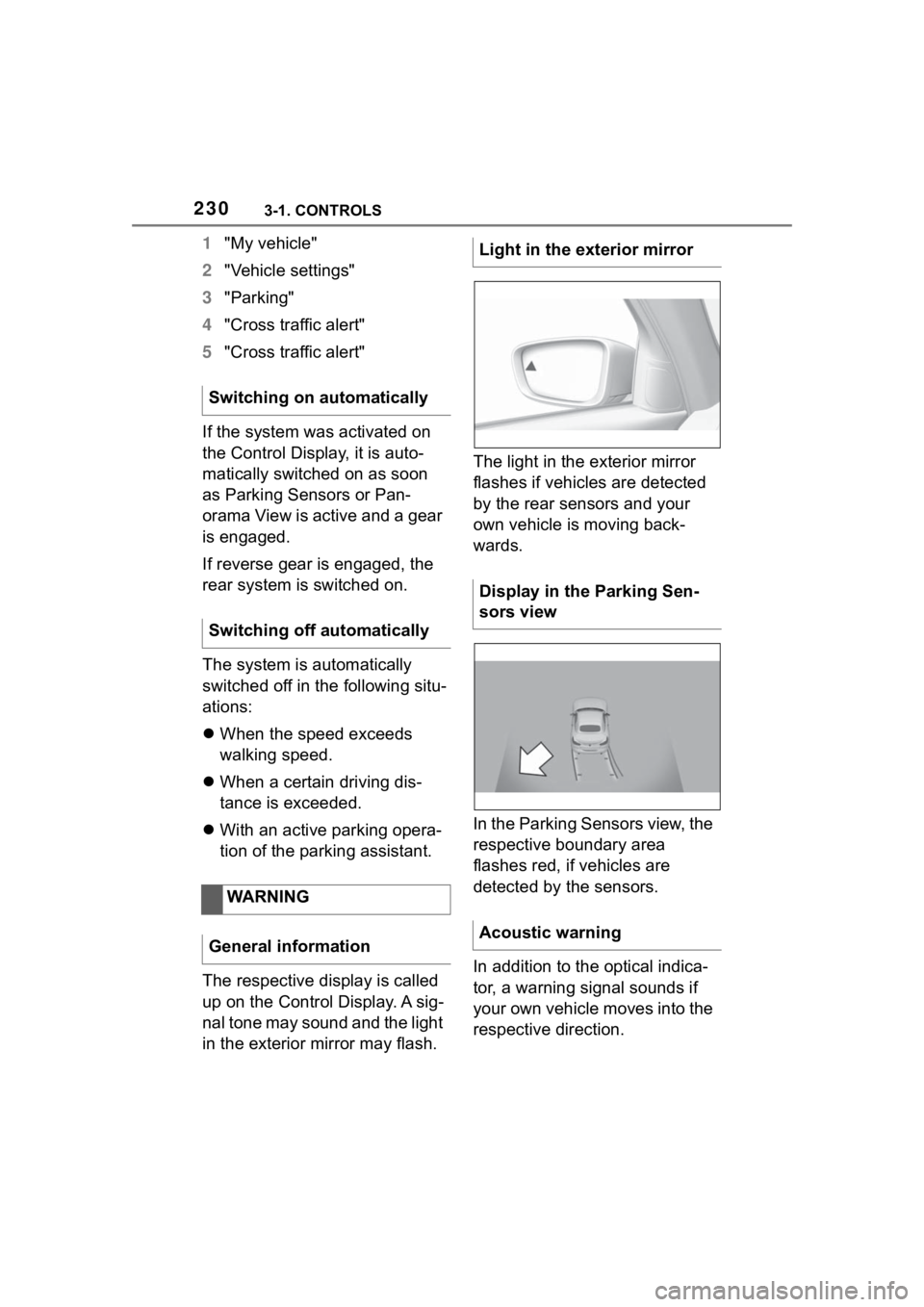
The respective display is called
up on the Control Display. A sig-
nal tone may sound and the light
in the exterior mirror may flash. The light in the exterior mirror
flashes if vehicles are detected
by the rear sensors and your
own vehicle is moving back-
wards.
In the Parking Sensors view, the
respective boundary area
flashes red, if vehicles are
detected by the sensors.
In addition to the optical indica-
tor, a warning signal sounds if
your own vehicle moves into the
respective direction.
Switching on automatically
Switching off automatically
WARNING
General informationLight in the exterior mirror
Display in the Parking Sen-
sors view
Acoustic warning
Page 233 of 372
2333-1. CONTROLS
3
CONTROLS
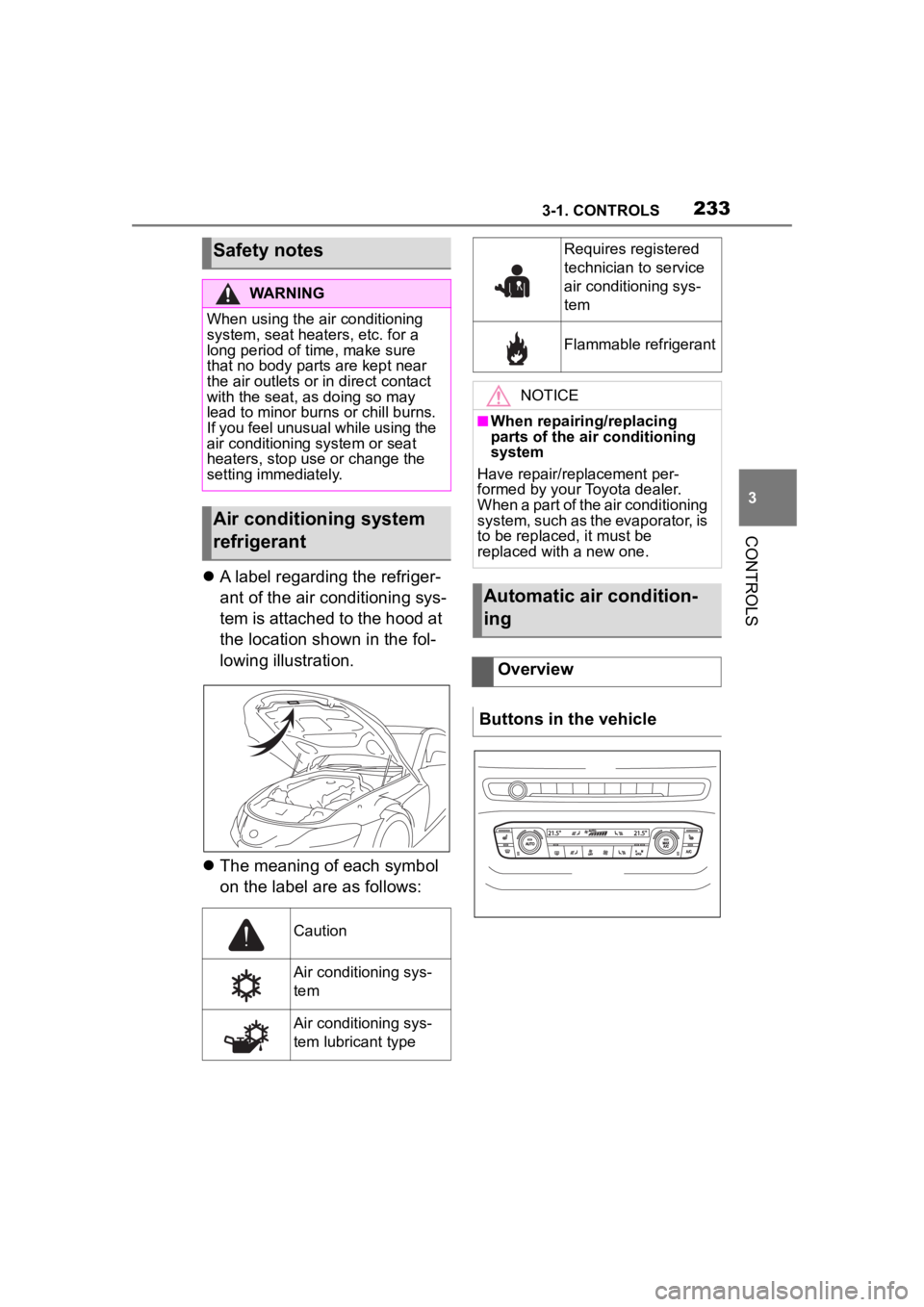
A label regarding the refriger-
ant of the air conditioning sys-
tem is attached to the hood at
the location shown in the fol-
lowing illustration.
The meaning of each symbol
on the label are as follows:
Safety notes
WARNING
When using the air conditioning
system, seat heaters, etc. for a
long period of time, make sure
that no body parts are kept near
the air outlets or i n direct contact
with the seat, as doing so may
lead to minor burns or chill burns.
If you feel unusual while using the
air conditioning system or seat
heaters, stop use or change the
setting immediately.
Air conditioning system
refrigerant
Caution
Air conditioning sys-
tem
Air conditioning sys-
tem lubricant type
Requires registered
technician to service
air conditioning sys-
tem
Flammable refrigerant
NOTICE
■When repairing/replacing
parts of the air conditioning
system
Have repair/replacement per-
formed by your Toyota dealer.
When a part of the air conditioning
system, such as the evaporator, is
to be replaced, it must be
replaced with a new one.
Automatic air condition-
ing
Overview
Buttons in the vehicle