gearbox VOLKSWAGEN TIGUAN 2017 Owner´s Manual
[x] Cancel search | Manufacturer: VOLKSWAGEN, Model Year: 2017, Model line: TIGUAN, Model: VOLKSWAGEN TIGUAN 2017Pages: 341, PDF Size: 9.14 MB
Page 184 of 341
If the driver does not respond, the system will give another warning by initiating a quick jolt of the
brake before switching to passive or activating Emergency Assist (depending on the equipment)
⇒ Emergency Assist.
Behaviour when changing lanes
There is no steering intervention when the turn signal is switched on in vehicles without lane
keeping system.
In vehicles with lane keeping system, a steering intervention takes place if the turn signal is
switched on in critical situations ⇒ Lane change system (Side Assist) incl. Rear Traffic Alert.
Steering wheel vibration
If the steering wheel vibrates, the driver must actively take over steering.
Troubleshooting
First read and observe the introductoryinformation and safety warnings⇒
Introduction
No camera visibility, error message, system switches itself off
•Clean the camera or remove stickers or accessories from the camera ⇒ Caring for and cleaning
the vehicle exterior.
•Check whether any damage is visible.
The system is not responding as expected
•The camera is dirty ⇒ Caring for and cleaning the vehicle exterior. The camera visibility may be
impaired by dirt and snow or also residue from cleaning agents or coatings.
•The camera is covered by water.
•The vehicle is damaged in the area of the camera.
•Changes have been made to the paintwork around the camera or the construction has been
modified, e.g. vehicle front end or the running gear.
Traffic Jam Assist
Traffic Jam Assist helps the driver to
keep in lane, and also provides
assistance when following other
vehicles in congestion or slow-moving
traffic.
Traffic Jam Assist is an extension of the lane keeping system (Lane Assist) ⇒ Lane keeping system
(Lane Assist) for vehicles with a DSG dual clutch gearbox and combines this function with the
Adaptive Cruise Control (ACC) ⇒ Adaptive Cruise Control (ACC). Please therefore read both these
chapters and observe the information about the system limits and warnings.
Traffic Jam Assist function
At speeds under 60 km/h (37 mph), Traffic Jam Assist can maintain a time interval set by the driver
to a vehicle in front and help the vehicle to stay in lane ⇒.
The system automatically controls acceleration, braking, steering and, if required, will decelerate to
a stop behind a vehicle that is stopping, and then drive away again automatically.
Use Traffic Jam Assist only on motorways and good main roads. Do not use Traffic Jam Assist in
urban traffic.
Switching Traffic Jam Assist on and off
Traffic Jam Assist is switched on and off together with adaptive lane guidance ⇒ Lane keeping
system (Lane Assist) in the Infotainment system ⇒ Operation and display in the Infotainment
system.
Traffic Jam Assist can also be switched off together with the lane keeping system by pressing the
button for driver assist systems ⇒ Button for driver assist systems.
Technical requirements for using Traffic Jam Assist
•The lane keeping system is switched on and active together with adaptive lane guidance
⇒ Lane keeping system (Lane Assist).
•Adaptive Cruise Control (ACC) is switched on and active ⇒ Adaptive Cruise Control (ACC).
•The selector lever is in position D/S or in the Tiptronic gate.
•The system has detected a lane marking on both the right and left sides of the vehicle
⇒ Fig. 147.
•The speed is under 60 km/h (37 mph).
®
Page 190 of 341
Parking and manoeuvring
Parking
Stopping the vehicle
Always park the vehicle in the specified order.
Always stop the vehicle on a suitable surface ⇒.
•Bring the vehicle to a stop. On vehicles with a manual gearbox, fully depress the clutch.
•Press and hold the brake pedal.
•With a DSG dual clutch gearbox, move the selector lever to position P.
•Switch on the electronic parking brake ⇒ Electronic parking brake.
•Stop the engine and switch off the ignition ⇒ Starting and stopping the engine. The indicator
lamp in the instrument cluster display must light up red.
•With a manual gearbox, select first gear for flat ground and uphill inclines, or reverse gear for
downhill inclines, and then release the clutch.
•Locking the steering column ⇒ Steering
•Take your left foot off the brake.
•Make sure that all vehicle occupants leave the vehicle.
•Get out of the vehicle. Take all vehicle keys with you.
•Lock the vehicle.
Parking on uphill and downhill gradients
Turn the steering wheel so that the front wheels will roll against the kerb if the parked vehicle starts
to move.
Please adhere to relevant legislation when stopping and parking your vehicle.
®
The components of the exhaust system become very hot. This can cause fires and serious
injuries.
•Never park the vehicle where parts of the exhaust system can come into contact with
inflammable material underneath the vehicle, e.g. undergrowth, leaves, dry grass, spilt
fuel, oil etc.
WARNING
The vehicle may roll away if you leave and park the vehicle incorrectly. This can cause
accidents and serious injuries.
•Before leaving the vehicle, make sure that the electronic parking brake is switched on
and that the indicator light lights up red on the instrument cluster display when
the ignition is switched off.
•Never remove the vehicle key from the ignition lock when the vehicle is in motion. The
steering lock may be activated and you will no longer be able to steer or control the
vehicle.
•Never leave children or people requiring assistance alone in the vehicle. They could
switch off the electronic parking brake, or move the selector lever or gearshift lever,
and thus set the vehicle in motion.
•Always take all vehicle keys with you every time you leave the vehicle. The engine can
be started and electrical equipment such as the window controls can be operated. This
can cause serious injury.
•Never leave children or people requiring assistance alone in the vehicle. They could
become trapped in the vehicle in an emergency and may not be able to get themselves
to safety. For example, locked vehicles may be subjected to very high or very low
temperatures depending on the season. This can cause serious injuries and illness or
fatalities, especially among small children.
WARNING
•Always take care when driving in car parks with protruding kerbstones or bollards.
Objects that protrude from the ground can damage the bumper and other components
when parking the vehicle or driving out of a parking space. Stop before the wheels
touch the fixed boundaries or kerbs.
•Drive carefully through dips in the road, over driveways, ramps, kerbstones and other
objects. Low-lying vehicle components such as the bumper, spoiler and parts of the
running gear, engine or exhaust system could be damaged.
NOTICE
Page 191 of 341
Electronic parking brake
Operating the electronic parking brake
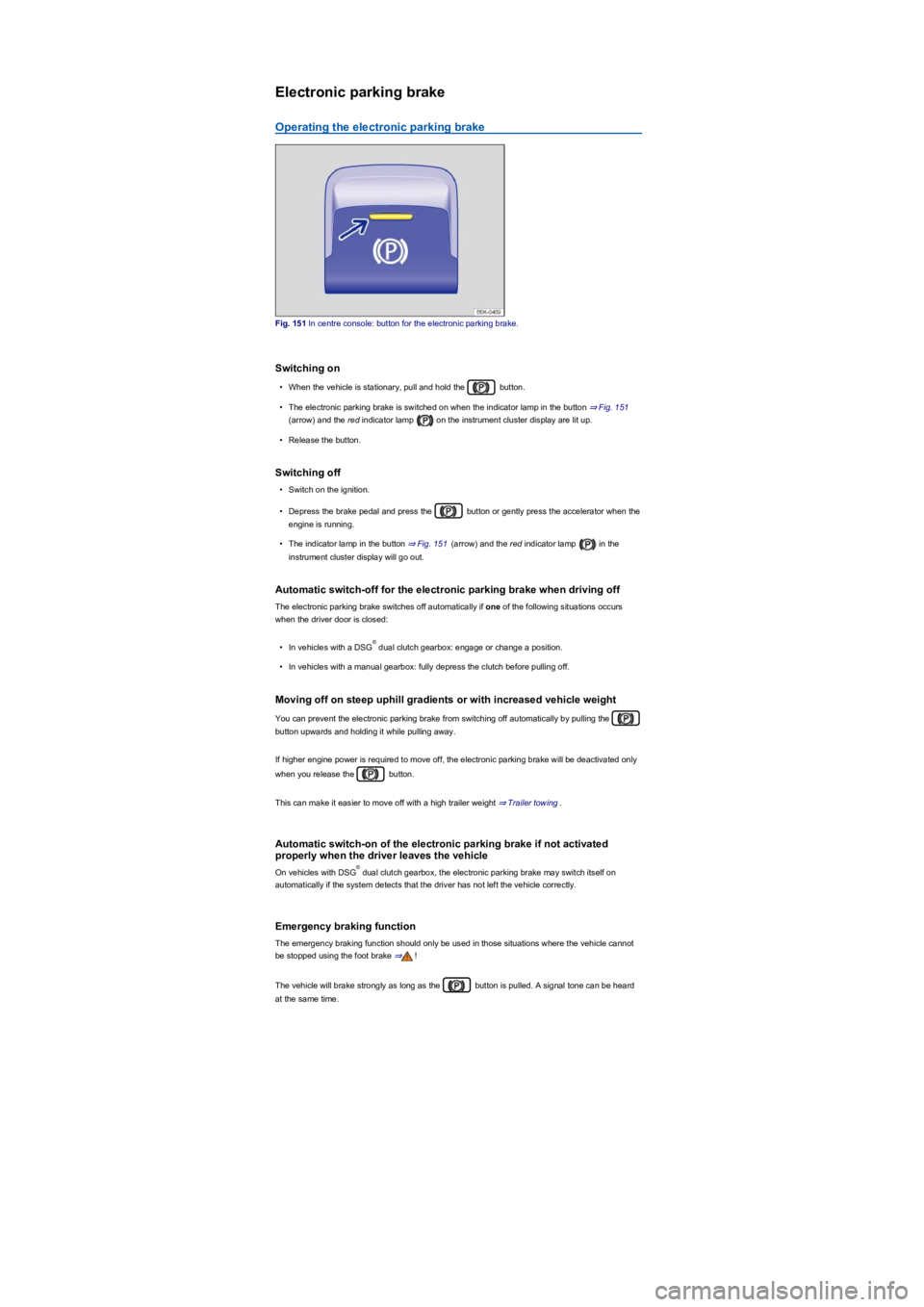
Fig. 151 In centre console: button for the electronic parking brake.
Switching on
•When the vehicle is stationary, pull and hold the button.
•The electronic parking brake is switched on when the indicator lamp in the button ⇒ Fig. 151
(arrow) and the red indicator lamp on the instrument cluster display are lit up.
•Release the button.
Switching off
•Switch on the ignition.
•Depress the brake pedal and press the button or gently press the accelerator when the
engine is running.
•The indicator lamp in the button ⇒ Fig. 151 (arrow) and the red indicator lamp in the
instrument cluster display will go out.
Automatic switch-off for the electronic parking brake when driving off
The electronic parking brake switches off automatically if one of the following situations occurs
when the driver door is closed:
•In vehicles with a DSG dual clutch gearbox: engage or change a position.
•In vehicles with a manual gearbox: fully depress the clutch before pulling off.
Moving off on steep uphill gradients or with increased vehicle weight
You can prevent the electronic parking brake from switching off automatically by pulling the
button upwards and holding it while pulling away.
If higher engine power is required to move off, the electronic parking brake will be deactivated only
when you release the button.
This can make it easier to move off with a high trailer weight ⇒ Trailer towing.
Automatic switch-on of the electronic parking brake if not activated
properly when the driver leaves the vehicle
On vehicles with DSG dual clutch gearbox, the electronic parking brake may switch itself on
automatically if the system detects that the driver has not left the vehicle correctly.
Emergency braking function
The emergency braking function should only be used in those situations where the vehicle cannot
be stopped using the foot brake ⇒!
The vehicle will brake strongly as long as the button is pulled. A signal tone can be heard
at the same time.
®
®
Page 193 of 341
DSG: if the gear selector lever is moved to position N, the Auto Hold function will not be switched
on or will be switched off. As a result, the vehicle will not be held securely in a stationary position ⇒
.
Holding the vehicle stationary with the Auto Hold function
•Make sure that the Auto Hold function is operational. The indicator lamp in the
button lights up yellow.
•Brake the vehicle to bring it to a standstill ⇒ Parking.
•Manual gearbox: disengage the clutch and either keep the clutch fully depressed or shift to
neutral.
•Release the brake. The indicator lamp will light up greenon the instrument cluster display.
The vehicle is being held stationary by the Auto Hold function ⇒.
Switching off the Auto Hold function
•Press the button ⇒. The indicator lamp in the button
⇒ Fig. 152 (arrow) switches off.
The electronic parking brake switches on automatically to hold the vehicle securely. However, the
electronic parking brake will not switch on if the brake pedal is depressed when the Auto Hold
function is switched off ⇒.
Switching off the Auto Hold function temporarily using the button
It can sometimes be necessary to turn the Auto Hold function off temporarily to enable the vehicle
to roll more easily, for example when manoeuvring.
•With the engine switched on, depress the brake pedal.
•Press the button. The Auto Hold function is deactivated.
The Auto Hold function will be reactivated as soon as the brake pedal is depressed again when the
vehicle has come to a standstill.
The system's limits
If the clutch grinds while the ignition is switched off or the driver door is open, the vehicle cannot be
secured against rolling away with the Auto Hold function or the electronic parking brake in certain
circumstances ⇒. After switching off the ignition or opening the driver door, make sure
that the indicator lampin the instrument cluster display lights up red. The electronic
parking brake is switched on.
Safety notes on the parking systems
The parking systems include the following:
•Park Distance Control ⇒ Park Distance Control.
•Rear view camera system (Rear View) ⇒ Rear view camera system (Rear View).
•Park Assist ⇒ Park Assist.
•Area View ⇒ Area View.
•Trailer manoeuvring system (Trailer Assist) ⇒ Trailer Assist
The systems available depend on the equipment in the vehicle.
Always observe and follow the general safety notes when using the parking systems.
®
The intelligent Auto Hold function cannot overcome the laws of physics, and operates
only within the limits of the system. Never let the extra convenience afforded by the Auto
Hold function tempt you into taking any risks when driving.
•Make sure that the indicator lamp in the instrument cluster display lights up green
or red if you want to hold the vehicle securely. The vehicle is being held by the
Auto Hold function if the green indicator lamp is lit and by the electronic parking brake
if the red warning lamp is lit.
•Never leave the vehicle if the engine is running and the Auto Hold function is switched
on.
•The Auto Hold function cannot hold the vehicle in all hill start situations or brake it
sufficiently on all slopes going downhill, e.g. if the ground is slippery or icy.
WARNING
Switch off the Auto Hold function before driving into a car wash. Damage may otherwise
be caused by automatic activation of the electronic parking brake.
NOTICE
Page 240 of 341
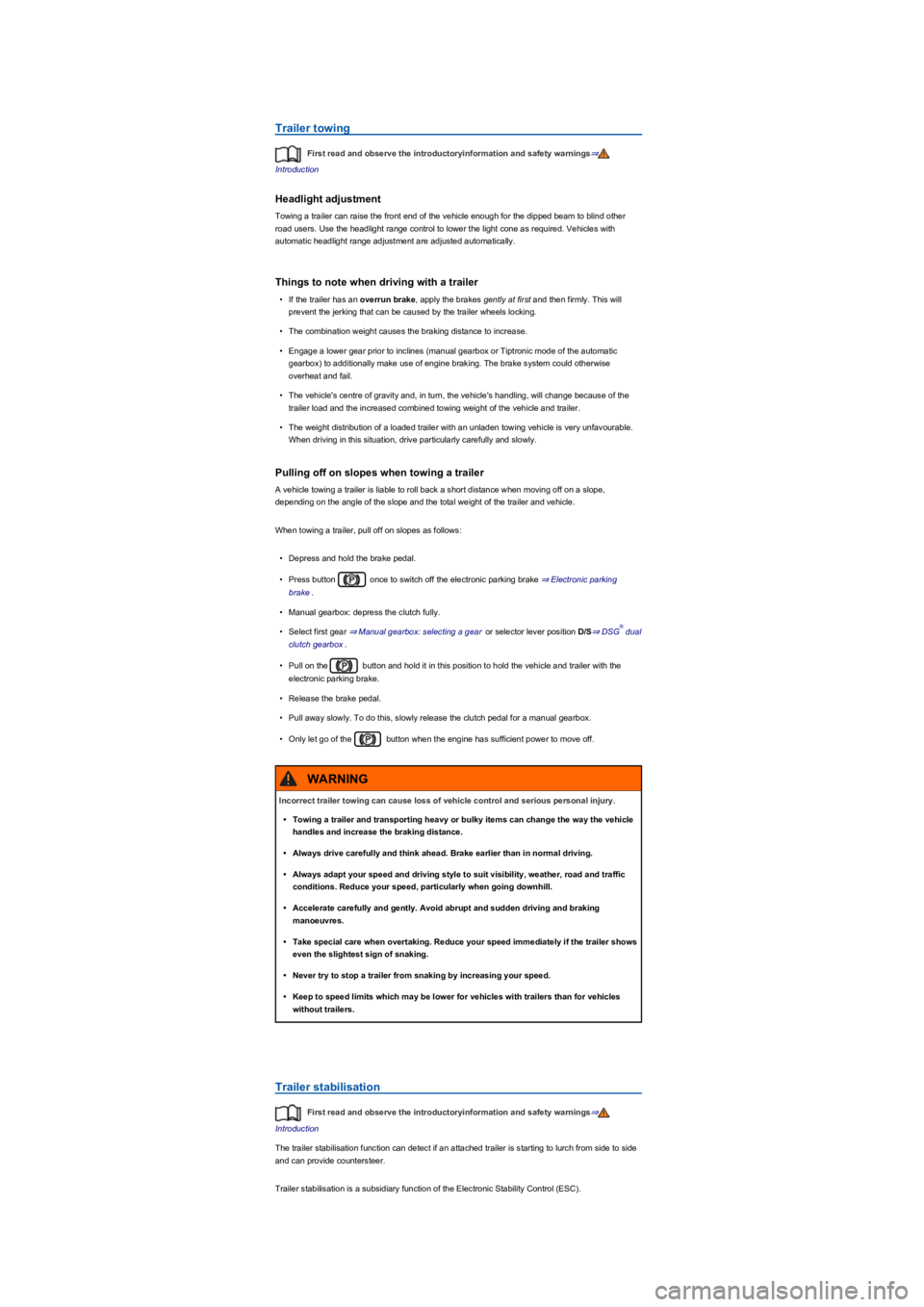
Trailer towing
First read and observe the introductoryinformation and safety warnings⇒
Introduction
Headlight adjustment
Towing a trailer can raise the front end of the vehicle enough for the dipped beam to blind other
road users. Use the headlight range control to lower the light cone as required. Vehicles with
automatic headlight range adjustment are adjusted automatically.
Things to note when driving with a trailer
•If the trailer has an overrun brake, apply the brakes gently at first and then firmly. This will
prevent the jerking that can be caused by the trailer wheels locking.
•The combination weight causes the braking distance to increase.
•Engage a lower gear prior to inclines (manual gearbox or Tiptronic mode of the automatic
gearbox) to additionally make use of engine braking. The brake system could otherwise
overheat and fail.
•The vehicle's centre of gravity and, in turn, the vehicle's handling, will change because of the
trailer load and the increased combined towing weight of the vehicle and trailer.
•The weight distribution of a loaded trailer with an unladen towing vehicle is very unfavourable.
When driving in this situation, drive particularly carefully and slowly.
Pulling off on slopes when towing a trailer
A vehicle towing a trailer is liable to roll back a short distance when moving off on a slope,
depending on the angle of the slope and the total weight of the trailer and vehicle.
When towing a trailer, pull off on slopes as follows:
•Depress and hold the brake pedal.
•Press button once to switch off the electronic parking brake ⇒ Electronic parking
brake.
•Manual gearbox: depress the clutch fully.
•Select first gear ⇒ Manual gearbox: selecting a gear or selector lever position D/S⇒ DSG dual
clutch gearbox.
•Pull on the button and hold it in this position to hold the vehicle and trailer with the
electronic parking brake.
•Release the brake pedal.
•Pull away slowly. To do this, slowly release the clutch pedal for a manual gearbox.
•Only let go of the button when the engine has sufficient power to move off.
Trailer stabilisation
First read and observe the introductoryinformation and safety warnings⇒
Introduction
The trailer stabilisation function can detect if an attached trailer is starting to lurch from side to side
and can provide countersteer.
Trailer stabilisation is a subsidiary function of the Electronic Stability Control (ESC).
®
Incorrect trailer towing can cause loss of vehicle control and serious personal injury.
•Towing a trailer and transporting heavy or bulky items can change the way the vehicle
handles and increase the braking distance.
•Always drive carefully and think ahead. Brake earlier than in normal driving.
•Always adapt your speed and driving style to suit visibility, weather, road and traffic
conditions. Reduce your speed, particularly when going downhill.
•Accelerate carefully and gently. Avoid abrupt and sudden driving and braking
manoeuvres.
•Take special care when overtaking. Reduce your speed immediately if the trailer shows
even the slightest sign of snaking.
•Never try to stop a trailer from snaking by increasing your speed.
•Keep to speed limits which may be lower for vehicles with trailers than for vehicles
without trailers.
WARNING
Page 254 of 341
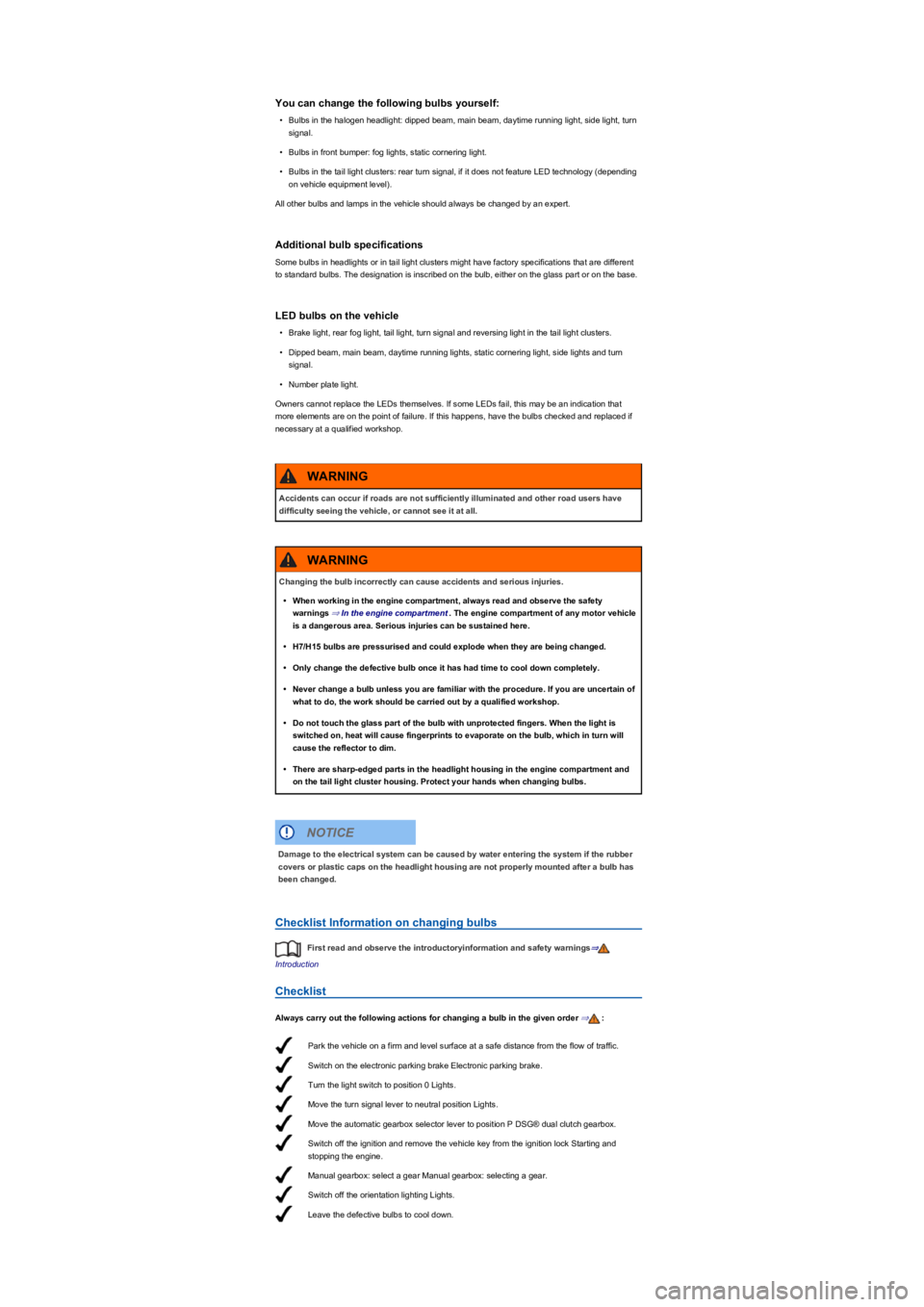
Park the vehicle on a firm and level surface at a safe distance from the flow of traffic.
Switch on the electronic parking brake Electronic parking brake.
Turn the light switch to position 0 Lights.
Move the turn signal lever to neutral position Lights.
Move the automatic gearbox selector lever to position P DSG® dual clutch gearbox.
Switch off the ignition and remove the vehicle key from the ignition lock Starting and
stopping the engine.
Manual gearbox: select a gear Manual gearbox: selecting a gear.
Switch off the orientation lighting Lights.
Leave the defective bulbs to cool down.
You can change the following bulbs yourself:
•Bulbs in the halogen headlight: dipped beam, main beam, daytime running light, side light, turn
signal.
•Bulbs in front bumper: fog lights, static cornering light.
•Bulbs in the tail light clusters: rear turn signal, if it does not feature LED technology (depending
on vehicle equipment level).
All other bulbs and lamps in the vehicle should always be changed by an expert.
Additional bulb specifications
Some bulbs in headlights or in tail light clusters might have factory specifications that are different
to standard bulbs. The designation is inscribed on the bulb, either on the glass part or on the base.
LED bulbs on the vehicle
•Brake light, rear fog light, tail light, turn signal and reversing light in the tail light clusters.
•Dipped beam, main beam, daytime running lights, static cornering light, side lights and turn
signal.
•Number plate light.
Owners cannot replace the LEDs themselves. If some LEDs fail, this may be an indication that
more elements are on the point of failure. If this happens, have the bulbs checked and replaced if
necessary at a qualified workshop.
Checklist Information on changing bulbs
First read and observe the introductoryinformation and safety warnings⇒
Introduction
Checklist
Always carry out the following actions for changing a bulb in the given order ⇒:
Accidents can occur if roads are not sufficiently illuminated and other road users have
difficulty seeing the vehicle, or cannot see it at all.
WARNING
Changing the bulb incorrectly can cause accidents and serious injuries.
•When working in the engine compartment, always read and observe the safety
warnings ⇒ In the engine compartment. The engine compartment of any motor vehicle
is a dangerous area. Serious injuries can be sustained here.
•H7/H15 bulbs are pressurised and could explode when they are being changed.
•Only change the defective bulb once it has had time to cool down completely.
•Never change a bulb unless you are familiar with the procedure. If you are uncertain of
what to do, the work should be carried out by a qualified workshop.
•Do not touch the glass part of the bulb with unprotected fingers. When the light is
switched on, heat will cause fingerprints to evaporate on the bulb, which in turn will
cause the reflector to dim.
•There are sharp-edged parts in the headlight housing in the engine compartment and
on the tail light cluster housing. Protect your hands when changing bulbs.
WARNING
Damage to the electrical system can be caused by water entering the system if the rubber
covers or plastic caps on the headlight housing are not properly mounted after a bulb has
been changed.
NOTICE
Page 261 of 341
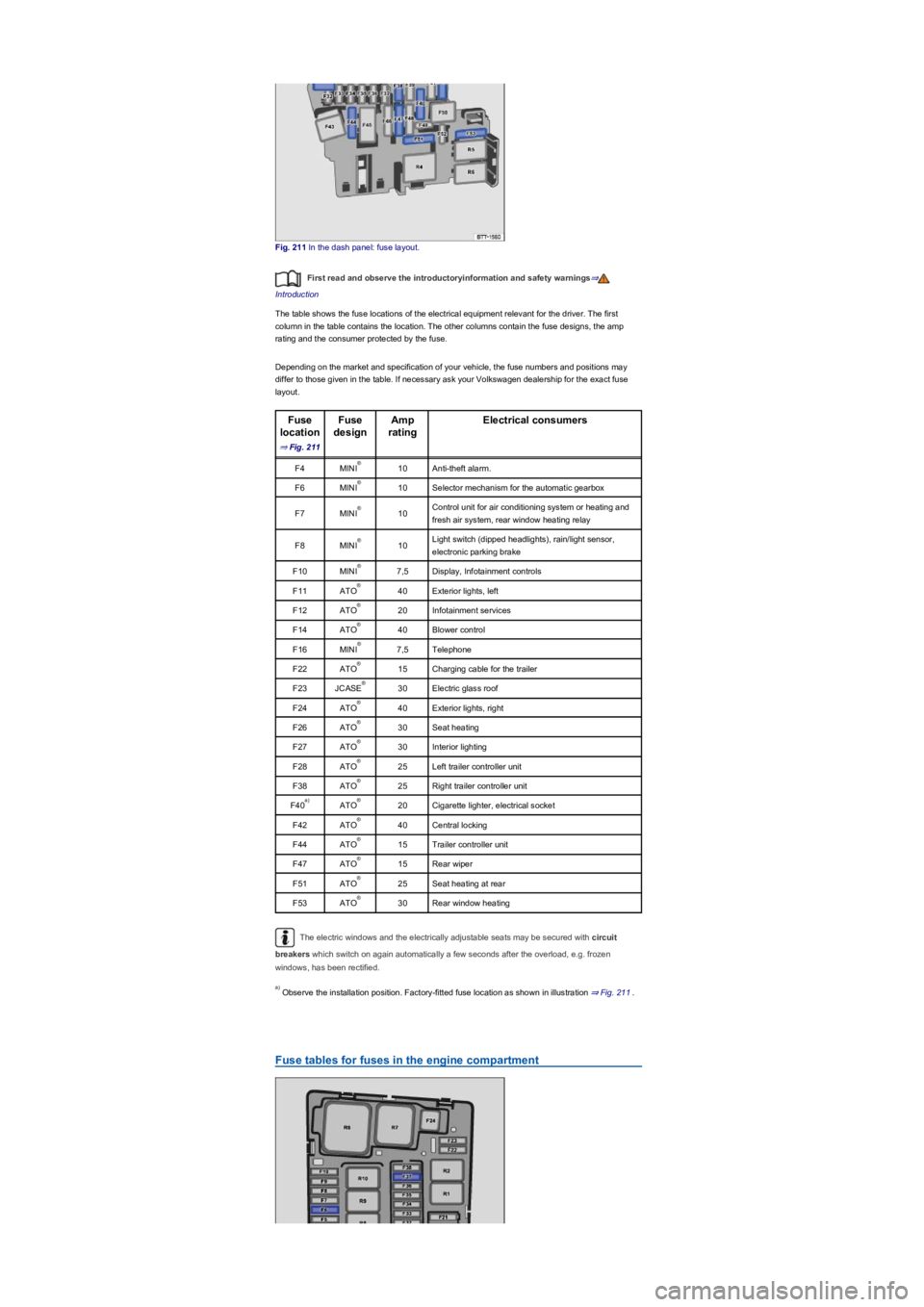
Fig. 211 In the dash panel: fuse layout.
First read and observe the introductoryinformation and safety warnings⇒
Introduction
The table shows the fuse locations of the electrical equipment relevant for the driver. The first
column in the table contains the location. The other columns contain the fuse designs, the amp
rating and the consumer protected by the fuse.
Depending on the market and specification of your vehicle, the fuse numbers and positions may
differ to those given in the table. If necessary ask your Volkswagen dealership for the exact fuse
layout.
Fuse
location
⇒ Fig. 211
Fuse
design
Amp
rating
Electrical consumers
F4MINI10Anti-theft alarm.
F6MINI10Selector mechanism for the automatic gearbox
F7MINI10Control unit for air conditioning system or heating and
fresh air system, rear window heating relay
F8MINI10Light switch (dipped headlights), rain/light sensor,
electronic parking brake
F10MINI7,5Display, Infotainment controls
F11ATO40Exterior lights, left
F12ATO20Infotainment services
F14ATO40Blower control
F16MINI7,5Telephone
F22ATO15Charging cable for the trailer
F23JCASE30Electric glass roof
F24ATO40Exterior lights, right
F26ATO30Seat heating
F27ATO30Interior lighting
F28ATO25Left trailer controller unit
F38ATO25Right trailer controller unit
F40ATO20Cigarette lighter, electrical socket
F42ATO40Central locking
F44ATO15Trailer controller unit
F47ATO15Rear wiper
F51ATO25Seat heating at rear
F53ATO30Rear window heating
The electric windows and the electrically adjustable seats may be secured with circuit
breakers which switch on again automatically a few seconds after the overload, e.g. frozen
windows, has been rectified.
Observe the installation position. Factory-fitted fuse location as shown in illustration ⇒ Fig. 211.
Fuse tables for fuses in the engine compartment
®
®
®
®
®
®
®
®
®
®
®
®
®
®
®
®
a)®
®
®
®
®
®
a)
Page 268 of 341
Notes on tow-starting and towing
First read and observe the introductoryinformation and safety warnings⇒
Introduction
Tow rope, tow bar
It is easier and safer to tow a vehicle with a tow bar. Only use a tow rope if you do not have a tow
bar.
The tow rope should be slightly elastic to reduce the strain on both vehicles. It is advisable to use a
tow rope made of synthetic fibre or similarly elastic material.
Only attach the tow rope or tow bar to the specially provided towing eyes or to the towing bracket.
Vehicles with a factory-fitted towing bracket must only use tow bars that are specially designed
to fit a ball head ⇒ Trailer towing.
Tow-starting
Vehicles should not be tow-started wherever possible. Instead have the vehicle jump-started
⇒ Jump starting or collected by a recovery vehicle.
However, if the vehicle still has to be tow-started:
•Engage second or third gear.
•Keep the clutch pressed down.
•Switch on the ignition and the hazard warning lights.
•Once both vehicles are in motion, release the clutch.
•As soon as the engine starts, press the clutch and put the gear into neutral. This helps to
prevent driving into the towing vehicle.
When should your vehicle not be towed?
•The vehicle gearbox is damaged or does not contain any lubricant.
•The 12-volt vehicle battery is discharged. The steering system is still locked and the electronic
parking brake and electronic steering column lock, if applied, cannot be released.
•The distance to be towed is further than 50 km.
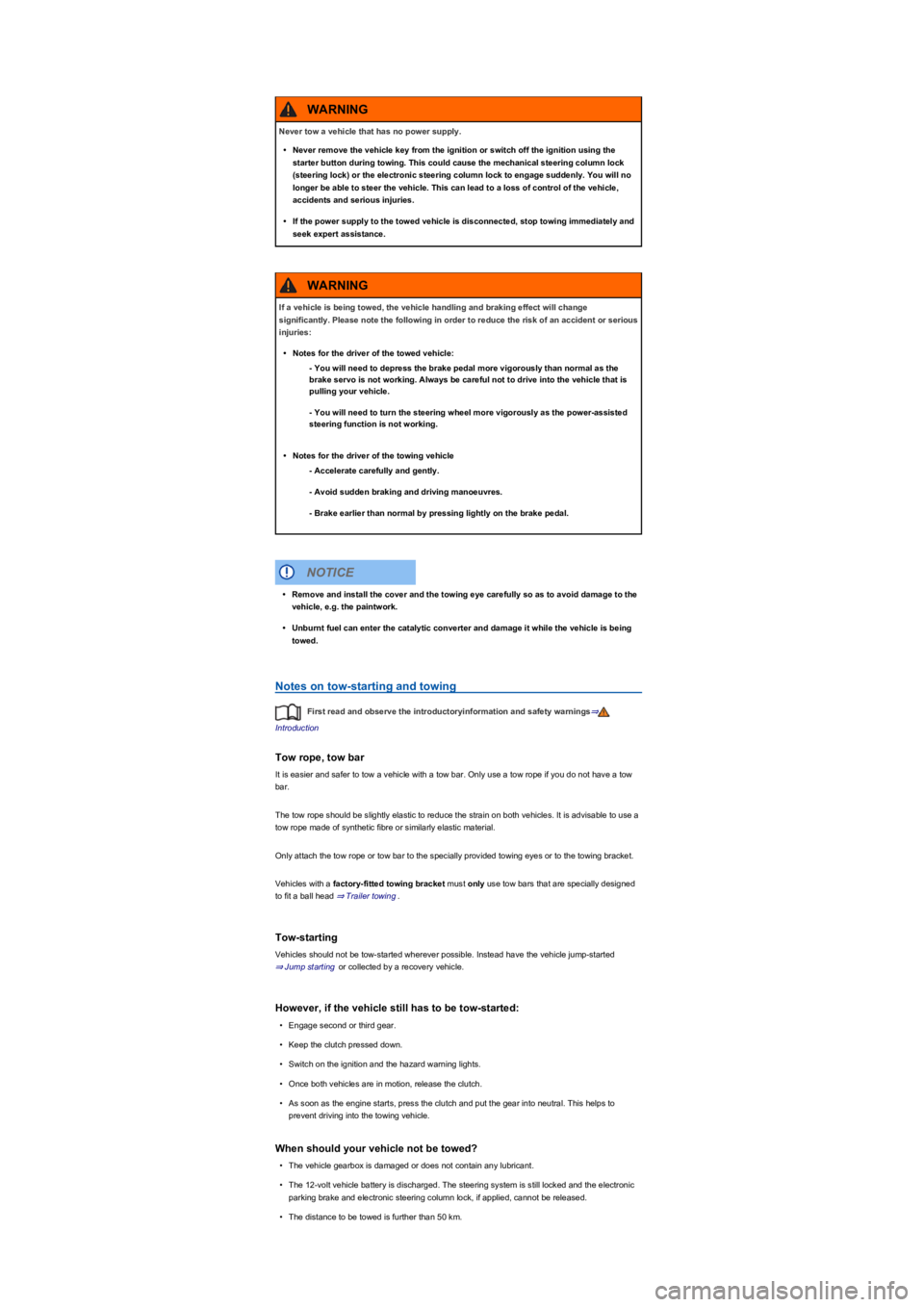
Never tow a vehicle that has no power supply.
•Never remove the vehicle key from the ignition or switch off the ignition using the
starter button during towing. This could cause the mechanical steering column lock
(steering lock) or the electronic steering column lock to engage suddenly. You will no
longer be able to steer the vehicle. This can lead to a loss of control of the vehicle,
accidents and serious injuries.
•If the power supply to the towed vehicle is disconnected, stop towing immediately and
seek expert assistance.
WARNING
If a vehicle is being towed, the vehicle handling and braking effect will change
significantly. Please note the following in order to reduce the risk of an accident or serious
injuries:
•Notes for the driver of the towed vehicle:
- You will need to depress the brake pedal more vigorously than normal as the
brake servo is not working. Always be careful not to drive into the vehicle that is
pulling your vehicle.
- You will need to turn the steering wheel more vigorously as the power-assisted
steering function is not working.
•Notes for the driver of the towing vehicle
- Accelerate carefully and gently.
- Avoid sudden braking and driving manoeuvres.
- Brake earlier than normal by pressing lightly on the brake pedal.
WARNING
•Remove and install the cover and the towing eye carefully so as to avoid damage to the
vehicle, e.g. the paintwork.
•Unburnt fuel can enter the catalytic converter and damage it while the vehicle is being
towed.
NOTICE
Page 269 of 341
•The steering function or the operating clearance of the wheels cannot be ensured after an
accident.
If your own vehicle has to be towed:
•Switch on the ignition.
•Select the neutral position or move the selector lever to N⇒ DSG dual clutch gearbox.
•Do not allow the vehicle to be towed at speeds faster than 50 km/h (30 mph).
•Do not allow the vehicle to be towed further than 50 km.
•Vehicles with a DSG dual clutch gearbox may only be towed by the breakdown truck with the
front wheels raised.
Towing vehicles with four-wheel drive (4MOTION)
Vehicles with four-wheel drive (4MOTION) may be towed with a tow bar or tow rope. If the vehicle
is towed with the rear or front axle raised, the engine must be switched off otherwise the drive train
could be damaged.
Please comply with the following when towing another vehicle:
•Comply with legal regulations.
•Comply with the information on towing contained in the owner's manual for the other vehicle.
The vehicle can only be towed when the electronic parking brake is switched off and, if
applicable, when the electronic steering column lock is released. If the power supply fails or if there
are faults in the electrical system, you may need to use jump leads to start the engine to release the
electronic parking brake and the electronic steering column lock.
Fitting the rear towing eye
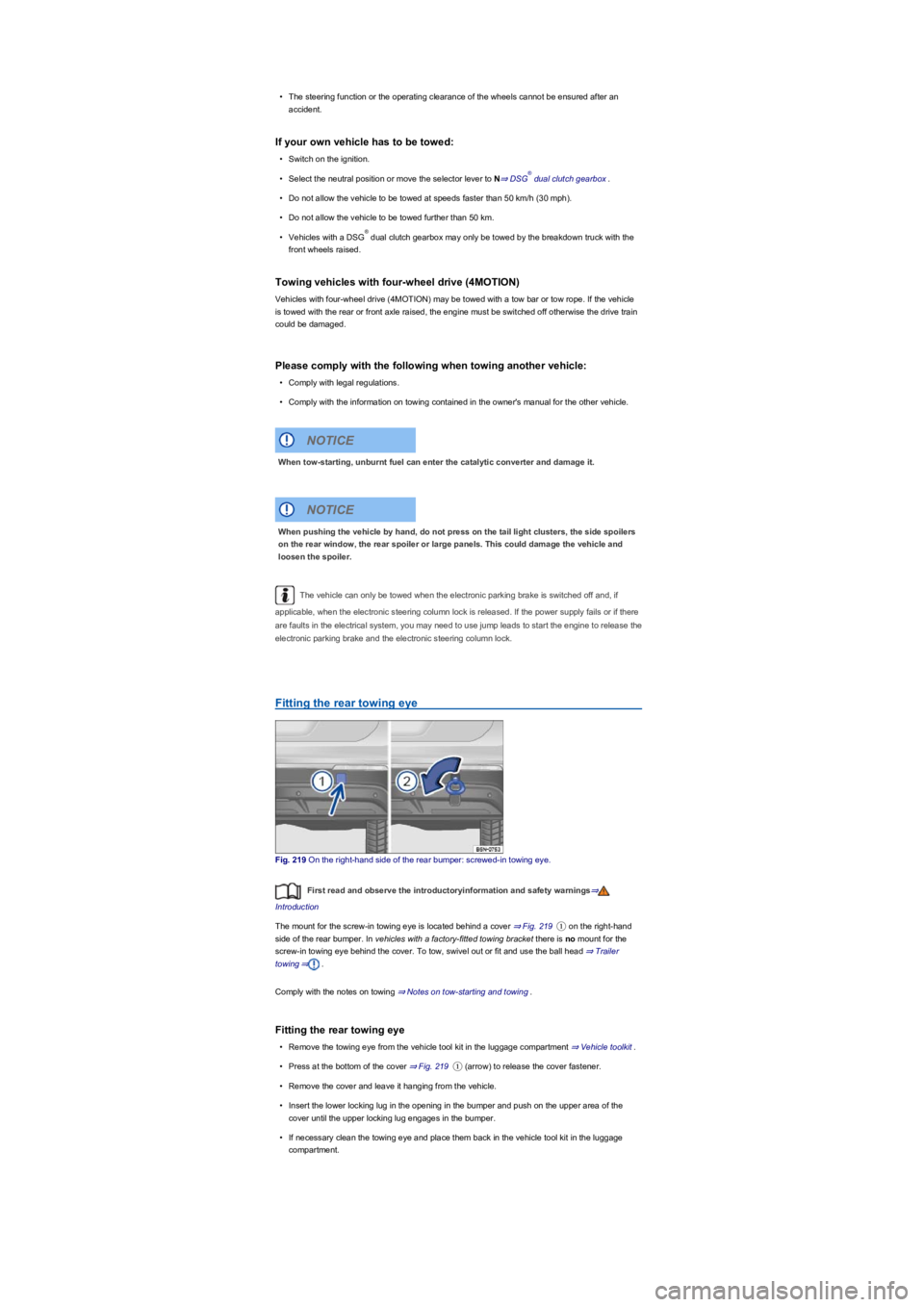
Fig. 219 On the right-hand side of the rear bumper: screwed-in towing eye.
First read and observe the introductoryinformation and safety warnings⇒
Introduction
The mount for the screw-in towing eye is located behind a cover ⇒ Fig. 219① on the right-hand
side of the rear bumper. In vehicles with a factory-fitted towing bracket there is no mount for the
screw-in towing eye behind the cover. To tow, swivel out or fit and use the ball head ⇒ Trailer
towing⇒.
Comply with the notes on towing ⇒ Notes on tow-starting and towing.
Fitting the rear towing eye
•Remove the towing eye from the vehicle tool kit in the luggage compartment ⇒ Vehicle toolkit.
•Press at the bottom of the cover ⇒ Fig. 219① (arrow) to release the cover fastener.
•Remove the cover and leave it hanging from the vehicle.
•Insert the lower locking lug in the opening in the bumper and push on the upper area of the
cover until the upper locking lug engages in the bumper.
•If necessary clean the towing eye and place them back in the vehicle tool kit in the luggage
compartment.
®
®
When tow-starting, unburnt fuel can enter the catalytic converter and damage it.
NOTICE
When pushing the vehicle by hand, do not press on the tail light clusters, the side spoilers
on the rear window, the rear spoiler or large panels. This could damage the vehicle and
loosen the spoiler.
NOTICE
Page 273 of 341
Park the vehicle on a level and stable surface.
Depress and hold the brake pedal until you have switched off the ignition.
Switch on the electronic parking brake Electronic parking brake.
Select the neutral position Manual gearbox: selecting a gear or move the selector lever to
position P DSG® dual clutch gearbox.
Switch off the ignition and remove the vehicle key from the ignition lock Starting and
stopping the engine.
Service fluids leaks are harmful to the environment. So you should regularly check the
ground underneath your vehicle. If there are spots of oil or other service fluids on the ground, the
vehicle should be inspected by a qualified workshop. Any spilt service fluids must be disposed of
properly.
Preparing the vehicle for working in the engine compartment
Checklist
The following steps should always be carried out in the specified order before working in
the engine compartment ⇒:
There are rotating components in the engine compartment that can cause serious injury.
•Never place your hand near these components or in the radiator fan. Touching the
rotary blades can result in serious injuries. The fan is temperature-controlled and can
start automatically, even if the ignition has been switched off and the vehicle key has
been removed from the ignition lock.
•If any work has to be performed when the engine is started or with the engine running,
there is an additional, potentially fatal, safety risk from the rotating parts, such as the
poly V-belts, alternator, radiator fan etc., and from the high-voltage ignition system.
Always be particularly careful.
- Always ensure that no body parts, jewellery, ties, loose items of clothing or long
hair can be caught up in rotating engine components. Before starting work,
remove any jewellery and ties, tie up long hair and pull clothes in tightly to avoid
them getting caught in the engine compartment.
- Always take due care and attention when depressing the accelerator. The vehicle
could move, even if the electronic parking brake is applied.
•Always ensure you have not left any objects, such as cleaning cloths and tools, in the
engine compartment. Any forgotten items can cause malfunctions, engine damage and
fires.
WARNING
Additional insulating materials such as covers in the engine compartment could disrupt
the operation of the engine, start fires and lead to severe injuries.
•Never cover the engine with any insulating materials.
WARNING
Service fluids and some materials in the engine compartment are highly flammable and
can cause fires and serious injuries!
•Never smoke in the vicinity of the engine compartment.
•Never work near naked flames or sparks.
•Never spill fluids onto the engine. They could ignite on hot engine components and
hence cause injuries.
•Please note the following when carrying out any work on the fuel system or the
electrical system:
- Always disconnect the 12-volt vehicle battery. Ensure that the vehicle is
unlocked when the 12-volt vehicle battery is disconnected as otherwise the anti-
theft alarm will be activated.
- Never work in the direct proximity of heating systems, water heaters or any other
open flames.
•Always have a fully functional and tested fire extinguisher to hand.
WARNING
When topping up or changing service fluids, ensure that you pour the correct service
fluids into the correct openings. The use of incorrect service fluids could result in serious
malfunctions and engine damage.
NOTICE