lock VOLVO XC60 2009 Owner´s Manual
[x] Cancel search | Manufacturer: VOLVO, Model Year: 2009, Model line: XC60, Model: VOLVO XC60 2009Pages: 297, PDF Size: 21.16 MB
Page 173 of 297
04 Comfort and driving pleasure
City Safety™ 04
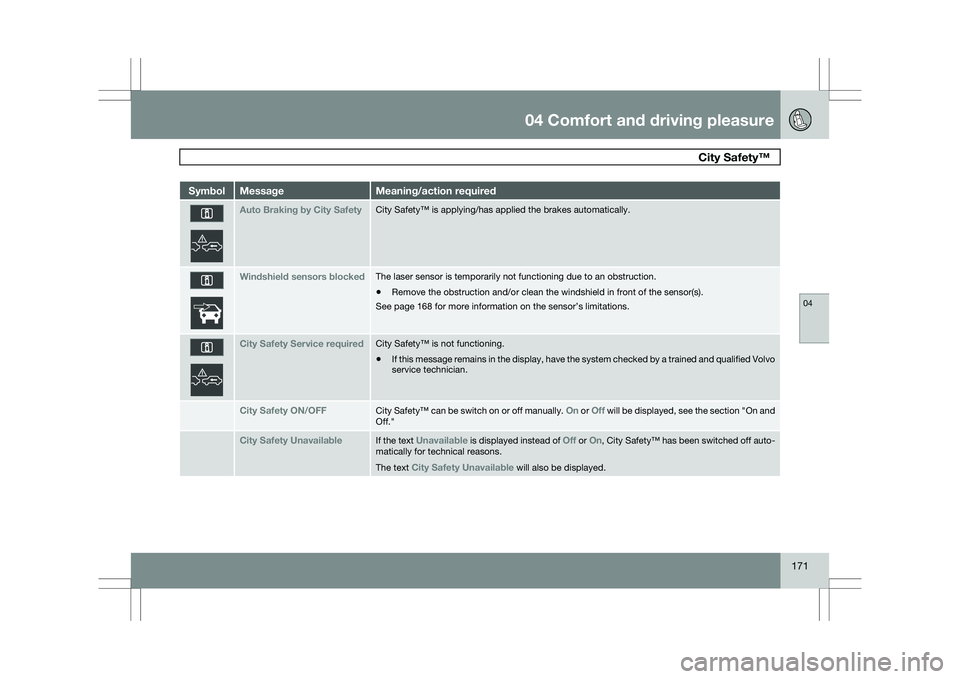
171Symbol Message Meaning/action required
Auto Braking by City Safety City Safety™ is applying/has applied the brakes automatically.
Windshield sensors blocked The laser sensor is temporarily not functioning due to an obstruction.
\b
Remove the obstruction and/or clean the windshield in front of the senso\
r(s).
See page 168 for more information on the sensor’s limitations. City Safety Service required City Safety™ is not functioning.
\b
If this message remains in the display, have the system checked by a tra\
ined and qualified Volvo
service technician. City Safety ON/OFF City Safety™ can be switch on or off manually.
On or Off will be displayed, see the section "On and
Off." City Safety Unavailable If the text
Unavailable is displayed instead of Off or On,
City Safety™ has been switched off auto-
matically for technical reasons.
The text City Safety Unavailable will also be displayed.
Page 177 of 297
04 Comfort and driving pleasure
Adaptive Cruise Control (ACC)*04
}}
* Option/accessory, for more information, see Introduction. 175
WARNING\b
Only use a time interval that is suitable
in current traffic conditions.
\b A short time interval gives the driver lim-
ited reaction time if an unexpected sit-
uation occurs in traffic. The number of bars indicating the selected
time interval are shown while the setting is
being made and for several seconds afterward.
A smaller version of the symbol is then shown
to the right in the display. The same symbol is
also displayed when Distance Alert is acti-
vated, see page 179 .
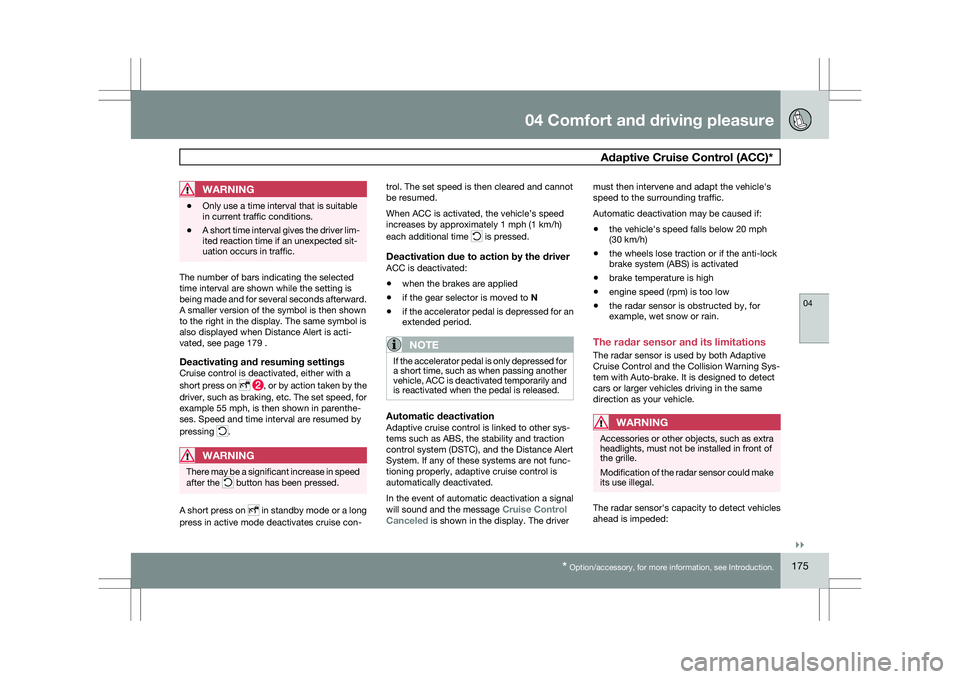
Deactivating and resuming settingsCruise control is deactivated, either with a
short press on
, or by action taken by the
driver, such as braking, etc. The set speed, for
example 55 mph, is then shown in parenthe-
ses. Speed and time interval are resumed by
pressing .
WARNING
There may be a significant increase in speed
after the
button has been pressed.
A short press on in standby mode or a long
press in active mode deactivates cruise con- trol. The set speed is then cleared and cannot
be resumed.
When ACC is activated, the vehicle’s speed
increases by approximately 1 mph (1 km/h)
each additional time is pressed.
Deactivation due to action by the driverACC is deactivated:
\b
when the brakes are applied
\b if the gear selector is moved to
N
\b if the accelerator pedal is depressed for an
extended period.
NOTE If the accelerator pedal is only depressed for
a short time, such as when passing another
vehicle, ACC is deactivated temporarily and
is reactivated when the pedal is released.
Automatic deactivationAdaptive cruise control is linked to other sys-
tems such as ABS, the stability and traction
control system (DSTC), and the Distance Alert
System. If any of these systems are not func-
tioning properly, adaptive cruise control is
automatically deactivated.
In the event of automatic deactivation a signal
will sound and the message
Cruise Control
Canceled is shown in the display. The driver must then intervene and adapt the vehicle\fs
speed to the surrounding traffic.
Automatic deactivation may be caused if:
\b
the vehicle\fs speed falls below 20 mph
(30 km/h)
\b the wheels lose traction or if the anti-lock
brake system (ABS) is activated
\b brake temperature is high
\b engine speed (rpm) is too low
\b the radar sensor is obstructed by, for
example, wet snow or rain.
The radar sensor and its limitations
The radar sensor is used by both Adaptive
Cruise Control and the Collision Warning Sys-
tem with Auto-brake. It is designed to detect
cars or larger vehicles driving in the same
direction as your vehicle.WARNING Accessories or other objects, such as extra
headlights, must not be installed in front of
the grille.
Modification of the radar sensor could make
its use illegal.
The radar sensor\fs capacity to detect vehicles
ahead is impeded:
Page 178 of 297
04 Comfort and driving pleasureAdaptive Cruise Control (ACC)* 04
176
* Option/accessory, for more information, see Introduction.
\b
if the radar sensor is obstructed and can-
not detect other vehicles, for example in
heavy rain, or if snow or other objects are
obscuring the radar sensor.
NOTE Keep the area in front of the radar sensor
clean.
\b
if the speed of vehicles ahead is signifi-
cantly different from your own speed.
WARNING The radar sensor has a limited field of vision.
In some situations it may detect a vehicle
later than expected or not detect vehicles at
all.
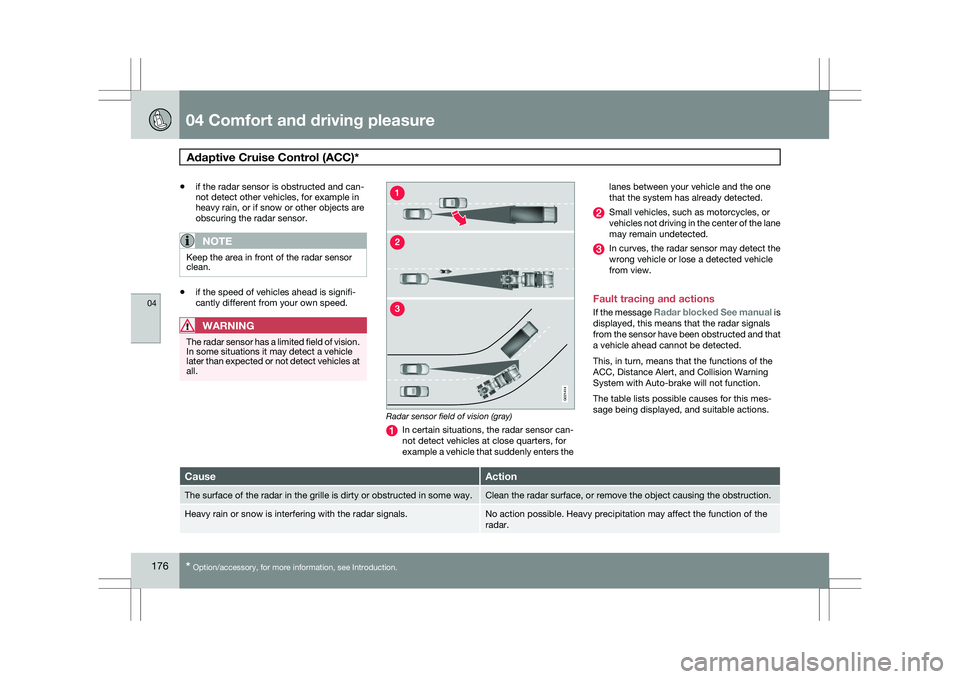
Radar sensor field of vision (gray)
In certain situations, the radar sensor can-
not detect vehicles at close quarters, for
example a vehicle that suddenly enters thelanes between your vehicle and the one
that the system has already detected. Small vehicles, such as motorcycles, or
vehicles not driving in the center of the lane
may remain undetected.
In curves, the radar sensor may detect the
wrong vehicle or lose a detected vehicle
from view.
Fault tracing and actions
If the message Radar blocked See manual is
displayed, this means that the radar signals
from the sensor have been obstructed and that
a vehicle ahead cannot be detected.
This, in turn, means that the functions of the
ACC, Distance Alert, and Collision Warning
System with Auto-brake will not function.
The table lists possible causes for this mes-
sage being displayed, and suitable actions. Cause Action
The surface of the radar in the grille is dirty or obstructed in some wa\
y. Clean the radar surface, or remove the object causing the obstruction.
Heavy rain or snow is interfering with the radar signals. No action possible. Heavy precipitation may affect the function of the
radar. G02141
4
Page 180 of 297
04 Comfort and driving pleasureAdaptive Cruise Control (ACC)* 04
178
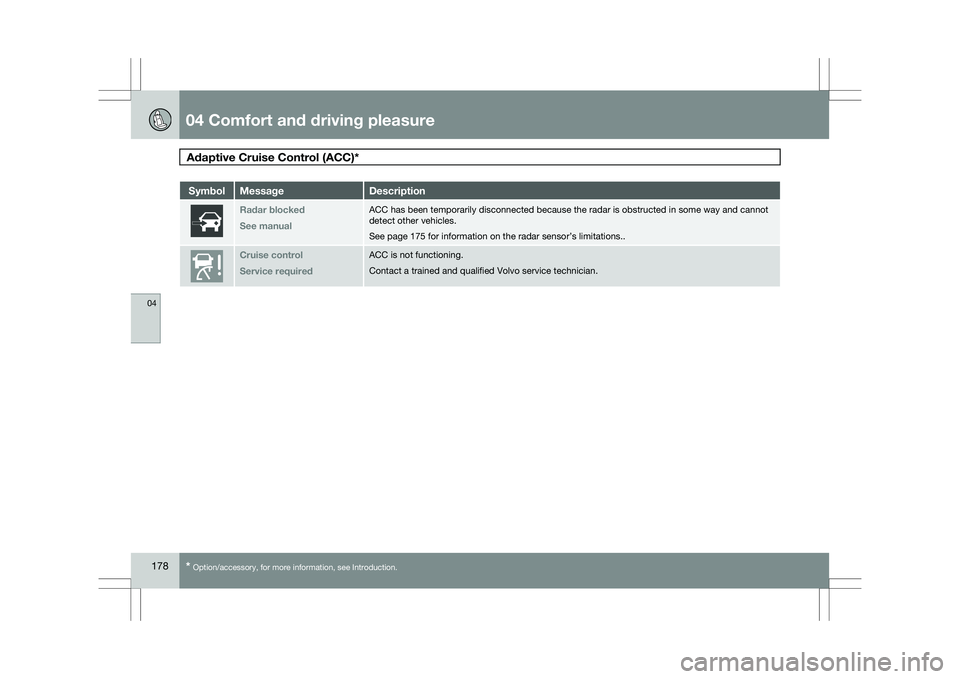
* Option/accessory, for more information, see Introduction. Symbol Message Description
Radar blocked
See manual ACC has been temporarily disconnected because the radar is obstructed in\
some way and cannot
detect other vehicles.
See page 175 for information on the radar sensor’s limitations..
Cruise control
Service required ACC is not functioning.
Contact a trained and qualified Volvo service technician.
Page 183 of 297

04 Comfort and driving pleasure
Distance alert04
181Symbol Message Description
Radar blockd
See manual Distance Alert has been temporarily disconnected because the radar is ob\
structed in some way and
cannot detect other vehicles.
See page 175 for information on the radar sensor’s limitations.Collision warn.
Service required Distance Alert or Collision Warning with Auto-brake is not functioning p\
roperly. Contact a trained and
qualified Volvo service technician.
Page 186 of 297
04 Comfort and driving pleasureDriver Alert System* 04
184
* Option/accessory, for more information, see Introduction.
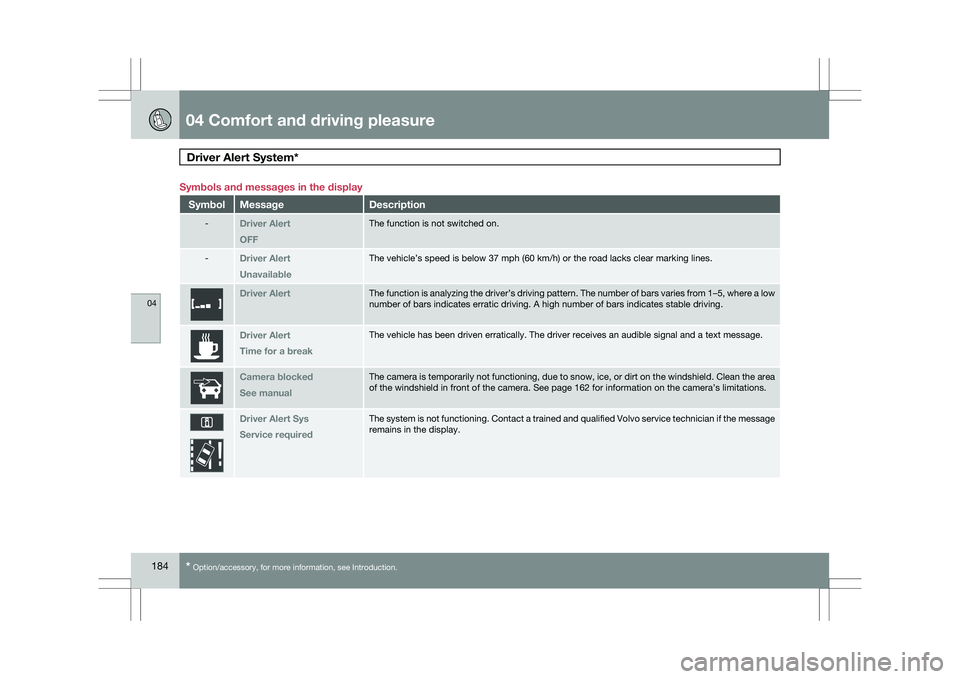
Symbols and messages in the display
Symbol Message Description
-
Driver Alert
OFF The function is not switched on.
-
Driver Alert
Unavailable The vehicle’s speed is below 37 mph (60 km/h) or the road lacks cle\
ar marking lines.
Driver Alert The function is analyzing the driver’s driving pattern. The number of\
bars varies from 1–5, where a low
number of bars indicates erratic driving. A high number of bars indicate\
s stable driving.
Driver Alert
Time for a break The vehicle has been driven erratically. The driver receives an audible \
signal and a text message.
Camera blocked
See manual The camera is temporarily not functioning, due to snow, ice, or dirt on \
the windshield. Clean the area
of the windshield in front of the camera. See page 162 for information o\
n the camera’s limitations.
Driver Alert Sys
Service required The system is not functioning. Contact a trained and qualified Volvo ser\
vice technician if the message
remains in the display.
Page 188 of 297
04 Comfort and driving pleasureDriver Alert System* 04
186
* Option/accessory, for more information, see Introduction.
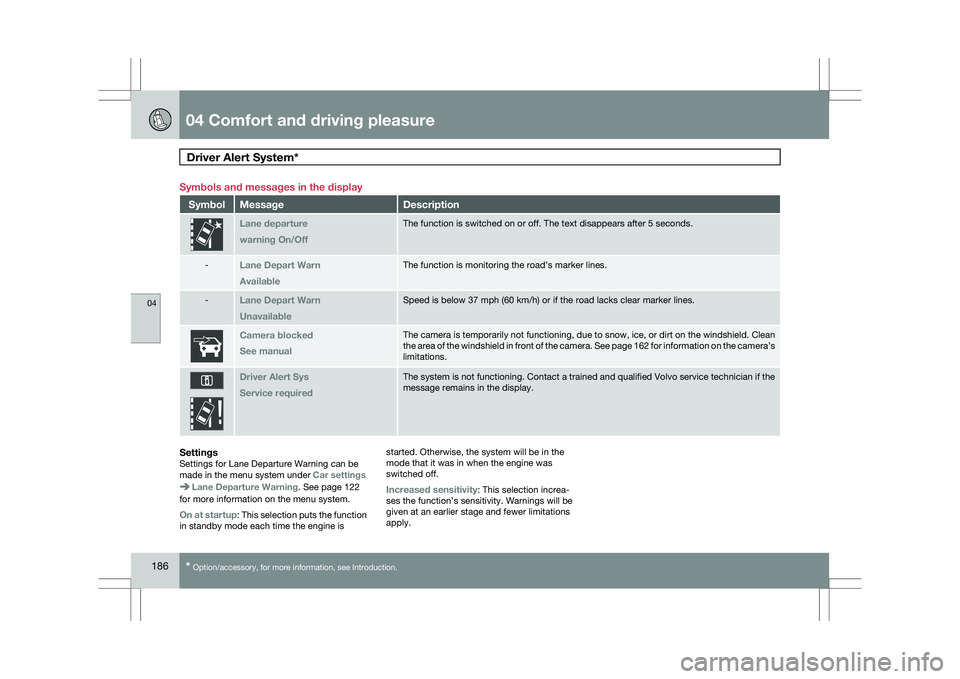
Symbols and messages in the display
Symbol Message Description
Lane departure
warning On/Off The function is switched on or off. The text disappears after 5 seconds.\
-
Lane Depart Warn
Available The function is monitoring the road’s marker lines.
-
Lane Depart Warn
Unavailable Speed is below 37 mph (60 km/h) or if the road lacks clear marker line\
s.
Camera blocked
See manual The camera is temporarily not functioning, due to snow, ice, or dirt on \
the windshield. Clean
the area of the windshield in front of the camera. See page
162 for information on the camera’s
limitations. Driver Alert Sys
Service required The system is not functioning. Contact a trained and qualified Volvo ser\
vice technician if the
message remains in the display.
SettingsSettings for Lane Departure Warning can be
made in the menu system under
Car settingsLane Departure Warning. See page 122
for more information on the menu system.
On at startup: This selection puts the function
in standby mode each time the engine is started. Otherwise, the system will be in the
mode that it was in when the engine was
switched off.
Increased sensitivity: This selection increa-
ses the function’s sensitivity. Warnings will be
given at an earlier stage and fewer limitations
apply.
Page 198 of 297
04 Comfort and driving pleasureBlind Spot Information System* 04
196
* Option/accessory, for more information, see Introduction.switched off, and a text message is dis-
played.
\b BLIS can be switched on again by pressing
the button. The indicator light in the button
will illuminate and a new text message will
be displayed. Press the READ button (
see
page 123) to erase the message.
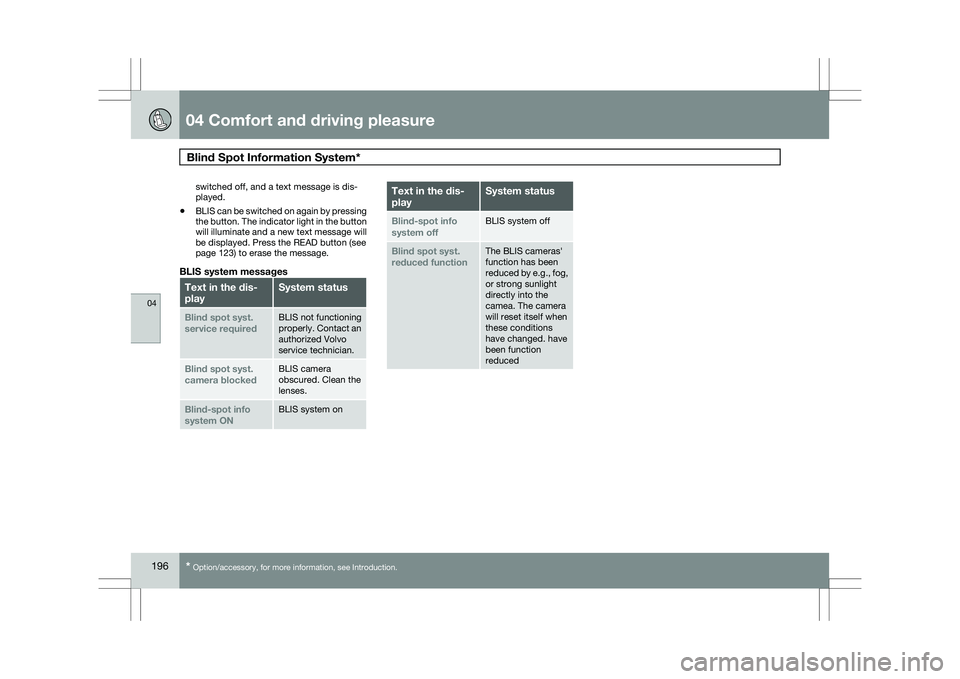
BLIS system messages Text in the dis-
play System status
Blind spot syst.
service required BLIS not functioning
properly. Contact an
authorized Volvo
service technician.
Blind spot syst.
camera blocked BLIS camera
obscured. Clean the
lenses.
Blind-spot info
system ON BLIS system on Text in the dis-
play System status
Blind-spot info
system off BLIS system off
Blind spot syst.
reduced function The BLIS cameras\f
function has been
reduced by e.g., fog,
or strong sunlight
directly into the
camea. The camera
will reset itself when
these conditions
have changed. have
been function
reduced
Page 200 of 297
04 Comfort and driving pleasurePassenger compartment convenience 04
198
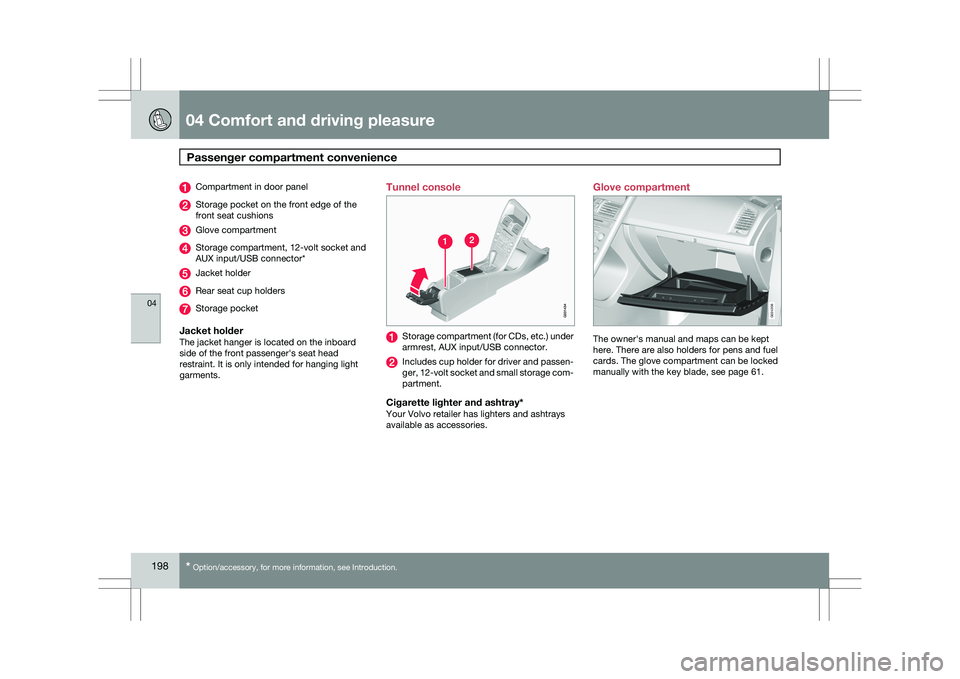
* Option/accessory, for more information, see Introduction. Compartment in door panel
Storage pocket on the front edge of the
front seat cushions
Glove compartment
Storage compartment, 12-volt socket and
AUX input/USB connector*
Jacket holder
Rear seat cup holders
Storage pocket
Jacket holderThe jacket hanger is located on the inboard
side of the front passenger\fs seat head
restraint. It is only intended for hanging light
garments.
Tunnel console Storage compartment (for CDs, etc.) under
armrest, AUX input/USB connector.
Includes cup holder for driver and passen-
ger, 12-volt socket and small storage com-
partment.
Cigarette lighter and ashtray*Your Volvo retailer has lighters and ashtrays
available as accessories.Glove compartment
The owner\fs manual and maps can be kept
here. There are also holders for pens and fuel
cards. The glove compartment can be locked
manually with the key blade, see page 61. G02420
6
Page 207 of 297
05 During your trip
Driving recommendations05
205
2 parts water Down to –18 °F (–28 °C):
1 part washer solvent and 1 part water.
\b Use Volvo Teflon Lock Spray in the locks.
\b Avoid using de-icing sprays as they can
cause damage to the locks.