battery YAMAHA TMAX 2021 User Guide
[x] Cancel search | Manufacturer: YAMAHA, Model Year: 2021, Model line: TMAX, Model: YAMAHA TMAX 2021Pages: 124, PDF Size: 7.93 MB
Page 102 of 124
Periodic maintenance an d a djustment
8-31
8 b
urns. Avoi d any contact with
skin, eyes or clothin g an d al-
ways shiel d your eyes when
workin g near b atteries. In case
of contact, ad minister the fol-
lowin g FIRST AID.
EXTERNAL: Flush with plenty of water.
INTERNAL: Drink lar ge quan-
tities of water or milk an d im-
me diately call a physician.
EYES: Flush with water for 15 minutes an d seek prompt
me dical attention.
Batteries pro duce explosive hy-
d ro gen gas. Therefore, keep
sparks, flames, ci garettes, etc.,
away from the battery an d pro-
vi de sufficient ventilation when
char gin g it in an enclosed
space.
KEEP THIS AND ALL BATTER-
IES OUT OF THE REACH OF
CHILDREN.
To char ge the battery
Have a Yamaha dealer charge the bat-
tery as soon as possible if it seems to
have discharged. Keep in mind that the battery tends to discharge more quick-
ly if the vehicle is equipped with op-
tional electrical accessories.
NOTICE
ECA16522
To char
ge a VRLA (Valve Re gulate d
Lea d Aci d) battery, a special (con-
stant-voltag e) battery char ger is re-
quired . Using a conventional b attery
char ger will damag e the b attery.To store the battery
1. If the vehicle will not be used for more than one month, remove the
battery, fully charge it, and then
place it in a cool, dry place.
NOTICE: When removin g the
b attery, be sure turn the vehicle
power off, then d isconnect the
ne gative lea d before discon-
nectin g the positive lea d.
[ECA21900]
2. If the battery will be stored for
more than two months, check it at
least once a month and fully
charge it if necessary. 3. Fully charge the battery before in-
stallation. NOTICE: When install-
in g the b attery, connect the
positive lea d b efore connectin g
the ne gative lea d.
[ECA21910]
4. After installation, make sure that
the battery leads are properly con-
nected to the battery terminals.NOTICE
ECA16531
Always keep the b attery charged .
Storin g a d ischar ged battery can
cause permanent b attery damag e.
UB3TE1E0.book Page 31 Friday, September 11, 2020 8:48 AM
Page 106 of 124

Periodic maintenance an d a djustment
8-35
8 3. Remove the burnt-out bulb by
pulling it out.
4. Insert a new bulb into the socket, and push the socket in place.
5. Install the license plate unit onto the rear fender.
6. Install the nuts and tighten to the specified torque.
EAU25865
Trou bleshootin gAlthough your Yamaha received a thor-
ough inspection before shipment from
the factory, trouble may occur during
operation. Any problem in the fuel,
compression, or ignition systems, for
example, can cause poor starting and
loss of power.
The following troubleshooting chart
represents a quick and easy procedure
for checking these vital systems your-
self. However, should your vehicle re-
quire any repair, take it to an
authorized Yamaha dealer whose
skilled technicians have the necessary
tools, experience, and know-how to
properly service your Yamaha vehicle.
Be sure to use only genuine Yamaha
replacement parts. Although imitation
parts may look similar to genuine parts,
they are often inferior in quality, have a
shorter service life, and can lead to an
expensive repair bill later on.
WARNING
EWA15142
When checkin g the fuel system, do
not smoke, an d make sure there are
no open flames or sparks in the ar- ea, inclu
din g pilot li ghts from water
heaters or furnaces. Gasoline or
g asoline vapors can i gnite or ex-
plod e, causin g severe injury or prop-
erty damag e.
EAU77992
Smart key system trou bleshootin g
Please check the following items when
the smart key system does not work. Is the smart key turned on? (See
page 3-5.)
Is the smart key battery dis-
charged? (See page 3-6.)
Is the smart key battery installed
correctly? (See page 3-6.)
Is the smart key being used in a lo-
cation with strong radio waves or
other electromagnetic noise? (See
page 3-1.)
Are you using the smart key that is
registered to the vehicle?
Is the vehicle battery discharged?
When the vehicle battery is dis-
charged, the smart key system will
not operate. Please have the vehi-
cle battery charged or replaced.
(See page 8-30.)
1. Collar
2. License plate light bulb
3. License plate light unitTightenin g torque:
License plate light unit nut:
3.8 N·m (0.38 kgf·m, 2.8 lb·ft)
3
2
1
UB3TE1E0.book Page 35 Friday, September 11, 2020 8:48 AM
Page 108 of 124

Periodic maintenance an d a djustment
8-37
8
EAU86350
Trou bleshootin g chart
Check the fuel level in
the fuel tank.1. Fuel
There is enough fuel.
There is no fuel.
Check the battery.
Supply fuel.
The engine does not start.
Check the battery.
Try starting the engine.4. Compression
There is compression.
There is no compression.
The engine does not start.
Have a Yamaha dealer check the vehicle.Have a Yamaha dealer check the vehicle.
Remove the spark plug
and check the electrodes.3. Ignition
Wipe off with a dry cloth and correct the
spark plug gap, or replace the spark plug(s). Have a Yamaha dealer check the vehicle.
The engine does not start.
Check the compression.
Operate the electric starter.2. Battery
The engine turns over
quickly.
The engine turns over
slowly.
The battery is good.
DryWet
Try starting the engine.
Check the battery lead connections,
and charge the battery if necessary.
The engine does not start.
Check the ignition.
UB3TE1E0.book Page 37 Friday, September 11, 2020 8:48 AM
Page 110 of 124

Periodic maintenance an d a djustment
8-39
8
EAU77373
Emer gency mo deWhen the smart key is lost, damaged,
or its battery has discharged, the vehi-
cle can still be turned on and the en-
gine started. You will need a
mechanical key and the smart key sys-
tem identification number. To operate
the vehicle in emergency mode, carry
out the following steps.TIPEmergency mode operation will be
cancelled if the respective steps are
not carried out within the time set for
switch is pushed.1. Stop the vehicle in a safe place.
2. Unlock the seat by inserting the
mechanical key into the lock lo-
cated right side of body and turn it
counter clockwise. 3. Open the seat and check that the
trunk light comes on.
4. Ž switch once.
5. Without completely shutting the seat, raise and lower it three times
within 10 seconds.
TIPUse the rear storage compartment
light as a guide when raising and low-
ering the seat.
The smart key system indicator
light on the speedometer will
come on for three seconds to indi-
cate the transition to emergency
mode. 6. After the smart key system indica-
tor light goes off, use the / Ž
switch to enter the identification
number.
1. Smart key system indicator light Ž
1. Identification number
1 1
123456
1
UB3TE1E0.book Page 39 Friday, September 11, 2020 8:48 AM
Page 115 of 124

Scooter care and storage
9-4
9
1. Make all necessary repairs and
perform any outstanding mainte-
nance.
2. Follow all instructions in the Care section of this chapter.
3. Fill up the fuel tank, adding fuel stabilizer according to product in-
structions. Run the engine for 5
minutes to distribute treated fuel
through the fuel system.
4. For vehicles equipped with a fuel cock: Turn the fuel cock lever to
the off position.
5. For vehicles with a carburetor: To prevent fuel deposits from build-
ing up, drain the fuel in the carbu-
retor float chamber into a clean
container. Retighten the drain bolt
and pour the fuel back into the fuel
tank.
6. Use a quality engine fogging oil according to product instructions
to protect internal engine compo-
nents from corrosion. If engine
fogging oil is not available, per-
form the following steps for each
cylinder:a. Remove the spark plug cap and spark plug. b. Pour a teaspoonful of engine
oil into the spark plug bore.
c. Install the spark plug cap onto the spark plug, and then place
the spark plug on the cylinder
head so that the electrodes are
grounded. (This will limit spark-
ing during the next step.)
d. Turn the engine over several times with the starter. (This will
coat the cylinder wall with oil.)
WARNING! To prevent dam-
a g e or injury from sparkin g,
make sure to groun d the
spark plu g electro des while
turnin g the en gine over.
[EWA10952]
e. Remove the spark plug cap
from the spark plug, and then
install the spark plug and the
spark plug cap.
7. Lubricate all control cables, piv- ots, levers and pedals, as well as
the sidestand and centerstand (if
equipped).
8. Check and correct the tire air pressure, and then lift the vehicle
so that all wheels are off the
ground. Otherwise, turn the wheels a little once a month in or-
der to prevent the tires from be-
coming degraded in one spot.
9. Cover the muffler outlet with a plastic bag to prevent moisture
from entering it.
10. Remove the battery and fully charge it, or attach a maintenance
charger to keep the battery opti-
mally charged. NOTICE: Confirm
that the battery an d its char ger
are compati ble. Do not char ge a
VRLA battery with a convention-
al char ger.
[ECA26330]
TIP If the battery will be removed,
charge it once a month and store
it in a temperate location between
0-30 °C (32-90 °F).
See page 8-30 for more informa-
tion on charging and storing the
battery.
UB3TE1E0.book Page 4 Friday, September 11, 2020 8:48 AM
Page 117 of 124
Specifications
10-2
10
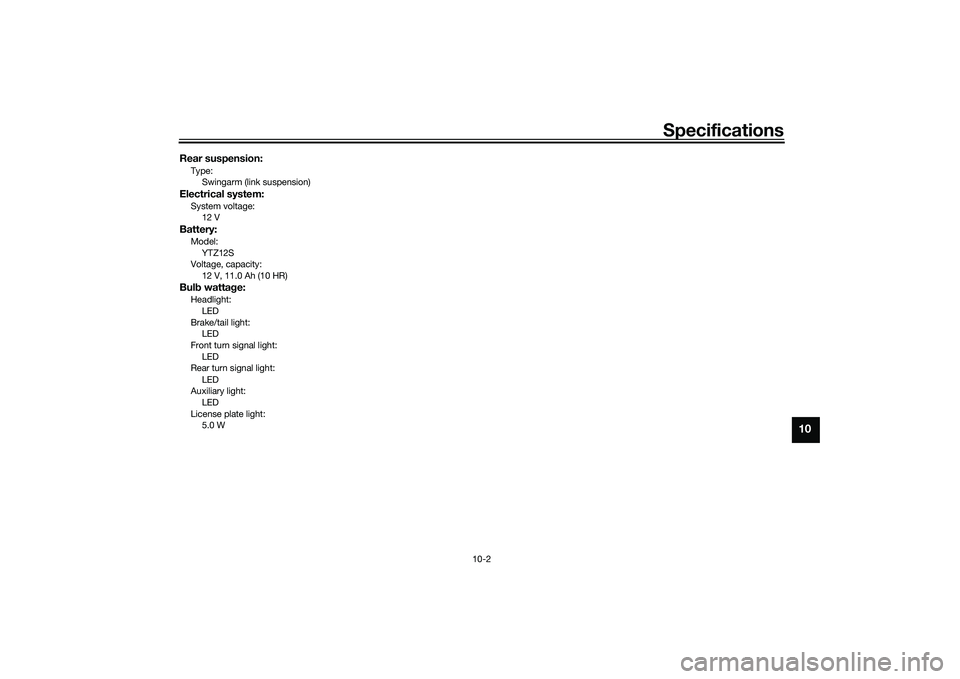
Rear suspension:Type:Swingarm (link suspension)Electrical system:System voltage:12 VBattery:Model:
YTZ12S
Voltage, capacity: 12 V, 11.0 Ah (10 HR)Bul b watta ge:Headlight:
LED
Brake/tail light: LED
Front turn signal light: LED
Rear turn signal light:
LED
Auxiliary light: LED
License plate light: 5.0 W
UB3TE1E0.book Page 2 Friday, September 11, 2020 8:48 AM
Page 121 of 124
12-1
12
Index
AABS warning light ................................... 5-3
Acceleration and deceleration ................ 7-3
Air filter element and check hose,
replacing and cleaning ....................... 8-17
Air filter element, V-belt ........................ 8-18
Anti-lock brake system (ABS)............... 5-19
Auxiliary DC jack .................................. 5-26BBattery .................................................. 8-30
Brake fluid, changing............................ 8-26
Brake fluid level, checking.................... 8-25
Brake lever, front .................................. 5-17
Brake lever, rear ................................... 5-18
Brake levers, lubricating ....................... 8-28
Braking ................................................... 7-3CCables, checking and lubricating ......... 8-27
Canister ................................................ 8-12
Care ........................................................ 9-1
Catalytic converter ............................... 5-22
Centerstand and sidestand, checking and lubricating ................................... 8-28
Coolant ................................................. 8-15
Cruise control indicator lights................. 5-3
Cruise control switches .......................... 5-2
Cruise control system............................. 4-1DData recording, vehicle......................... 11-2
Diagnostic connector ........................... 11-2
Dimmer/Pass switch............................... 5-1
D-mode (drive mode).............................. 4-3
Drive belt .............................................. 8-26
Drive mode switch .................................. 5-2
EEmergency mode ................................. 8-39
Engine break-in ...................................... 7-1
Engine idling speed, checking ............. 8-18
Engine oil and oil filter cartridge........... 8-12
Engine overheating .............................. 8-38
Engine serial number ........................... 11-1
Engine stop switch................................. 5-2FFront and rear brake lever free play, checking ............................................ 8-22
Front and rear brake pads, checking ... 8-24
Front fork, checking ............................. 8-29
Fuel ...................................................... 5-20
Fuel consumption, tips for reducing ...... 7-4
Fuel tank cap........................................ 5-20
Fuel tank overflow hose ....................... 5-22
Fuses, replacing ................................... 8-32HHandlebar switches ............................... 5-1
Hazard switch ........................................ 5-2
High beam indicator light ....................... 5-3
Horn switch ............................................ 5-1
How to lock the centerstand ................ 3-10
How to lock the steering ........................ 3-9IIdentification numbers ......................... 11-1
Ignition circuit cut-off system .............. 5-28
Indicator lights and warning lights ......... 5-2KKey, handling of smart and mechanical key ....................................................... 3-3LLicense plate light bulb, replacing ....... 8-34
MMaintenance and lubrication, periodic ... 8-5
Maintenance, emission control system .................................................. 8-3
Malfunction indicator light (MIL) ............. 5-3
Matte color, caution................................ 9-1
Menu switch ........................................... 5-2
Model label ........................................... 11-1
Multi-function display ............................. 5-5OOperating range of the smart key system .................................................. 3-2PPanels, removing and installing .............. 8-9
Parking.................................................... 7-4
Parking mode ....................................... 3-13
Part locations.......................................... 2-1
Powering off the vehicle ......................... 3-8
Powering on the vehicle ......................... 3-7
Power on/Starter switch ......................... 5-2RRear brake lock cable, adjusting .......... 8-23
Rear brake lock, checking .................... 8-23
Rear brake lock lever ............................ 5-18
Rear view mirrors .................................. 5-24SSafe-riding points ................................... 1-5
Safety information................................... 1-1
Select switch .......................................... 5-2
Shock absorber assembly .................... 5-25
Sidestand.............................................. 5-27
Smart key................................................ 3-5
Smart key battery, replacing................... 3-6
Smart key system ................................... 3-1
UB3TE1E0.book Page 1 Friday, September 11, 2020 8:48 AM