lock DODGE SPRINTER 2008 2.G Repair Manual
[x] Cancel search | Manufacturer: DODGE, Model Year: 2008, Model line: SPRINTER, Model: DODGE SPRINTER 2008 2.GPages: 666, PDF Size: 14.11 MB
Page 166 of 666
164 Controls in detailOperating system with steering wheel buttons*
3
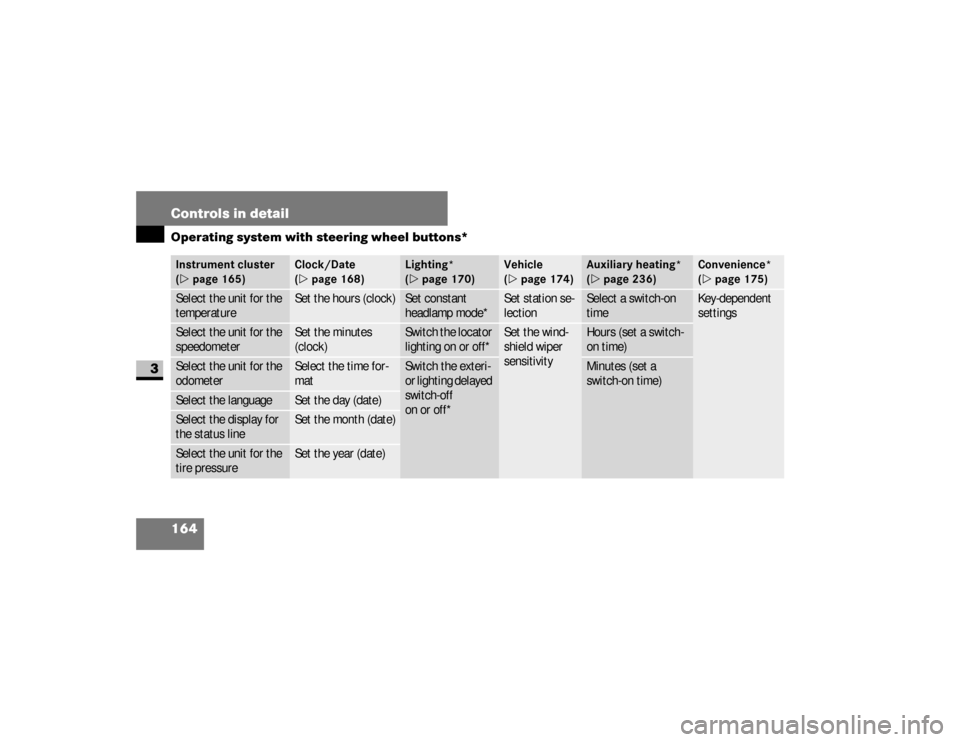
Instrument cluster
(\2page 165)
Clock/Date
(\2page 168)
Lighting*
(\2page 170)
Vehicle
(\2page 174)
Auxiliary heating*
(\2page 236)
Convenience*
(\2page 175)
Select the unit for the
temperature
Set the hours (clock)
Set constant
headlamp mode*
Set station se-
lection
Select a switch-on
time
Key-dependent
settings
Select the unit for the
speedometer
Set the minutes
(clock)
Switch the locator
lighting on or off*
Set the wind-
shield wiper
sensitivity
Hours (set a switch-
on time)
Select the unit for the
odometer
Select the time for-
mat
Switch the exteri-
or lighting delayed
switch-off
on or off*
Minutes (set a
switch-on time)
Select the language
Set the day (date)
Select the display for
the status line
Set the month (date)
Select the unit for the
tire pressure
Set the year (date)
nf_BA.book Page 164 Friday, January 25, 2008 3:53 PM
Page 170 of 666
168 Controls in detailOperating system with steering wheel buttons*
3
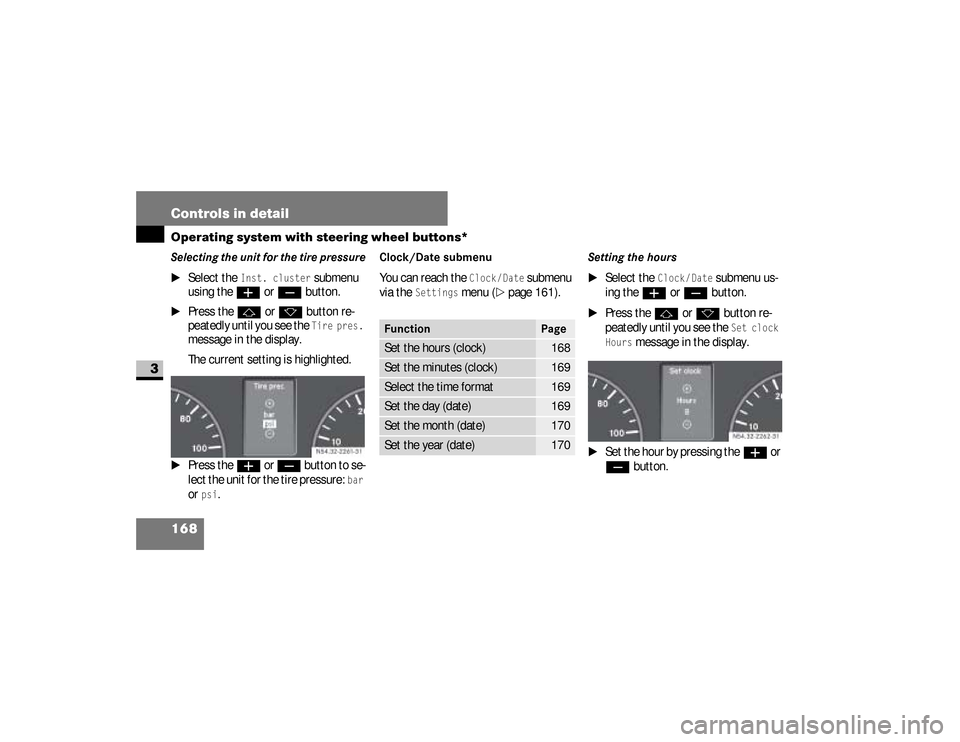
Selecting the unit for the tire pressure
\1
Select the
Inst. cluster
submenu
using the
æ
or
ç
button.
\1
Press the
j
or
k
button re-
peatedly until you see the Tire pres.
message in the display.
The current setting is highlighted.
\1
Press the
æ
or
ç
button to se-
lect the unit for the tire pressure:
bar
or
psi
.
Clock/Date submenu You can reach the
Clock/Date
submenu
via the
Settings
menu (
\2
page 161).
Setting the hours
\1
Select the
Clock/ Date
submenu us-
ing the
æ
or
ç
button.
\1
Press the
j
or
k
button re-
peatedly until you see the Set clock
Hours
message in the display.
\1
Set the hour by pressing the
æ
or
ç
button. N54.32-2261-31
Function
Page
Set the hours (clock)
168
Set the minutes (clock)
169
Select the time format
169
Set the day (date)
169
Set the month (date)
170
Set the year (date)
170
N54.32-2262-31
nf_BA.book Page 168 Friday, January 25, 2008 3:53 PM
Page 171 of 666
169 Controls in detail
Operating system with steering wheel buttons*
3
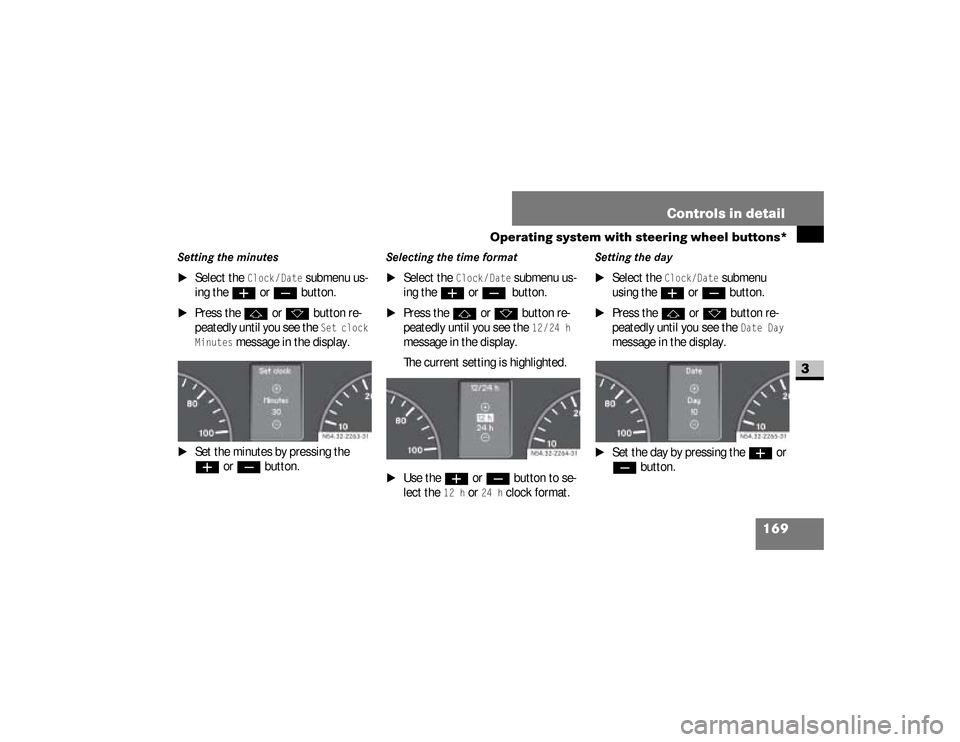
Setting the minutes
\1
Select the
Clock /Date
submenu us-
ing the
æ
or
ç
button.
\1
Press the
j
or
k
button re-
peatedly until you see the Set clock
Minutes
message in the display.
\1
Set the minutes by pressing the æ
or
ç
button.
Selecting the time format
\1
Select the
Clock /Date
submenu us-
ing the
æ
or
ç
button.
\1
Press the
j
or
k
button re-
peatedly until you see the
12/24 h
message in the display.
The current setting is highlighted.
\1
Use the
æ
or
ç
button to se-
lect the
12 h
or
24 h
clock format.
Setting the day
\1
Select the
Clock/Date
submenu
using the
æ
or
ç
button.
\1
Press the
j
or
k
button re-
peatedly until you see the
Date Day
message in the display.
\1
Set the day by pressing the
æ
or
ç
button. N54.32-2263-31
N54.32-2264-31
nf_BA.book Page 169 Friday, January 25, 2008 3:53 PM
Page 172 of 666
170 Controls in detailOperating system with steering wheel buttons*
3
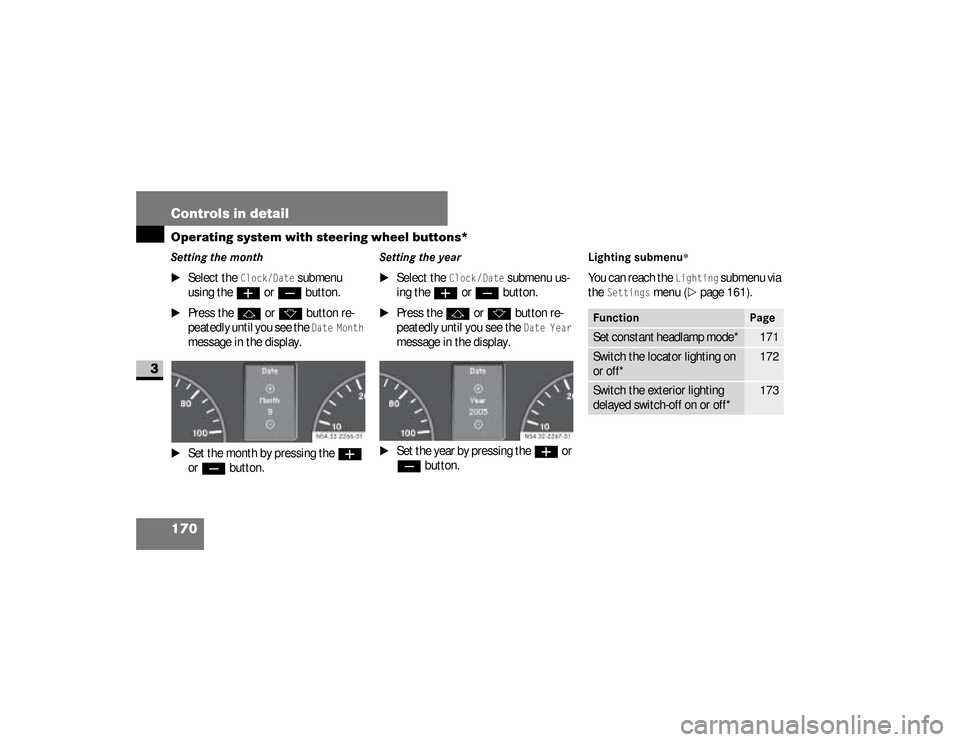
Setting the month
\1
Select the
Clock/Date
submenu
using the
æ
or
ç
button.
\1
Press the
j
or
k
button re-
peatedly until you see the Date Month
message in the display.
\1
Set the month by pressing the
æ
or
ç
button.
Setting the year
\1
Select the
Clock /Date
submenu us-
ing the
æ
or
ç
button.
\1
Press the
j
or
k
button re-
peatedly until you see the Date Year
message in the display.
\1
Set the year by pressing the
æ
or
ç
button.
Lighting submenu
*
You can reach the
Lighting
submenu via
the
Settings
menu (
\2
page 161).
N54.32-2267-31
Function
Page
Set constant headlamp mode*
171
Switch the locator lighting on
or off*
172
Switch the exterior lighting
delayed switch-off on or off*
173
nf_BA.book Page 170 Friday, January 25, 2008 3:53 PM
Page 174 of 666
172 Controls in detailOperating system with steering wheel buttons*
3
Switching the locator lighting on or
off*If you switch the locator lighting to
On,
the following lamps light up in the dark
after you have unlocked the vehicle us-
ing the key:
\4
The parking lamps
\4
The tail lamps
\4
The license plate lamp
\4
The front foglampsThe locator lighting automatically
switches off after 40 seconds or when
you:
\4
open the driver’s door
\4
insert the key into the ignition lock
\4
lock the vehicle with the key
\1
Press the
æ
or
ç
to select the
Lighting
submenu.
\1
Press the
j
or
k
button re-
peatedly until you see the
Loc.
lighting
message in the display.
The current setting is highlighted. USA only:
If you turn the light switch to
C
or
B
, the corresponding light
switches on. Constant headlamp
mode remains activated if the light
switch is turned to
U
.
Canada only:
If you turn the light switch to
B
,
the low-beam headlamps are
switched on. Constant headlamp
mode remains activated if the light
switch is turned to
C
or
U
.
nf_BA.book Page 172 Friday, January 25, 2008 3:53 PM
Page 179 of 666
177 Controls in detail
Operating system with steering wheel buttons*
3
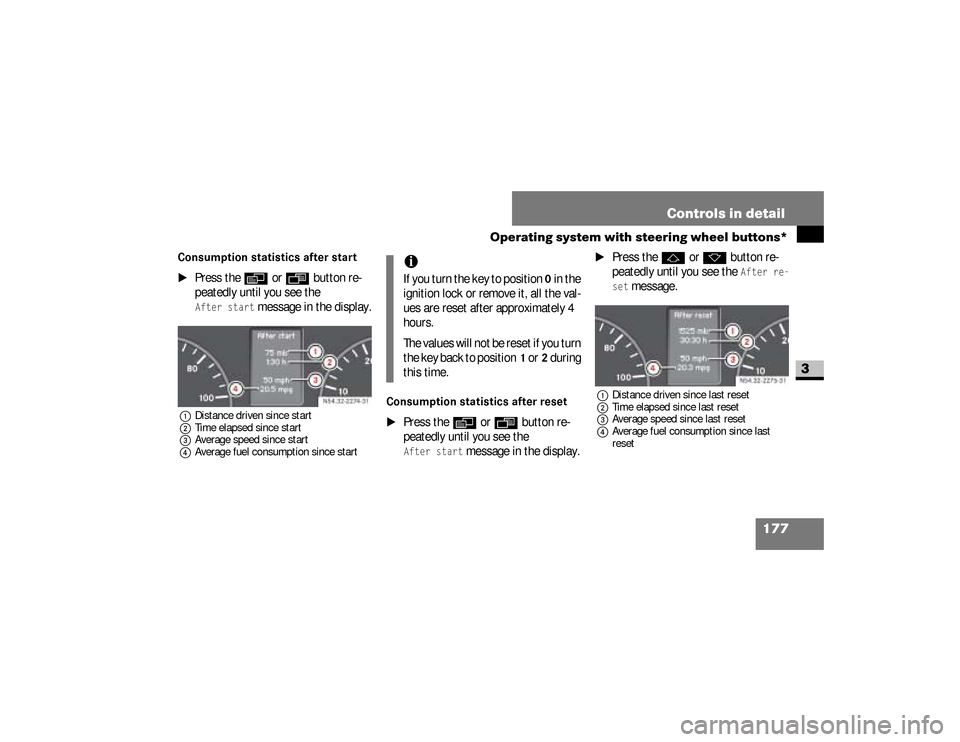
Consumption statistics after start
\1
Press the
è
or
ÿ
button re-
peatedly until you see the
After start
message in the display.
1Distance driven since start
2Time elapsed since start
3Average speed since start
4Average fuel consumption since start
Consumption statistics after reset
\1
Press the
è
or
ÿ
button re-
peatedly until you see the
After start
message in the display.
\1
Press the
j
or
k
button re-
peatedly until you see the
After re-
set
message.
1Distance driven since last reset
2Time elapsed since last reset
3Average speed since last reset
4Average fuel consumption since last
reset
N54.32-2274-31
iIf you turn the key to position
0 in the
ignition lock or remove it, all the val-
ues are reset after approximately 4
hours.
The values will not be reset if you turn
the key back to position
1 or
2 during
this time.
N54.32-2275-31
nf_BA.book Page 177 Friday, January 25, 2008 3:53 PM
Page 185 of 666
183 Controls in detail
Driving and parking
3
\3 Driving and parking
\1
Before each journey, check the vehi-
cle lighting and the general condition
of the vehicle.
\1
Observe the general driving tips at
the end of this section (
\2
page 194).
Warning
G
The movement of the pedals must not be
obstructed. The vehicle’s operating and
road safety are otherwise jeopardized.Objects could fall and get caught between
the pedals if you accelerate or brake sud-
denly. You will no longer be able to brake
or accelerate. You could cause an acci-
dent, which could result in injury to your-
self and others.
Continued
Warning (Continued)
G
If floor mats and carpets are used, make
sure that these are secured correctly and
cannot slip and that there is sufficient
pedal clearance.Do not place any objects in the driver’s
footwell.Store and secure all loose objects so they
cannot get into the driver’s footwell while
the vehicle is in motion.
Warning
G
The doors could open of their own accord
while the vehicle is in motion if they are
not fully closed. For this reason, please
make sure that all the doors are properly
closed and locked before driving off
(\2page 83).
nf_BA.book Page 183 Friday, January 25, 2008 3:53 PM
Page 187 of 666
185 Controls in detail
Driving and parking
3
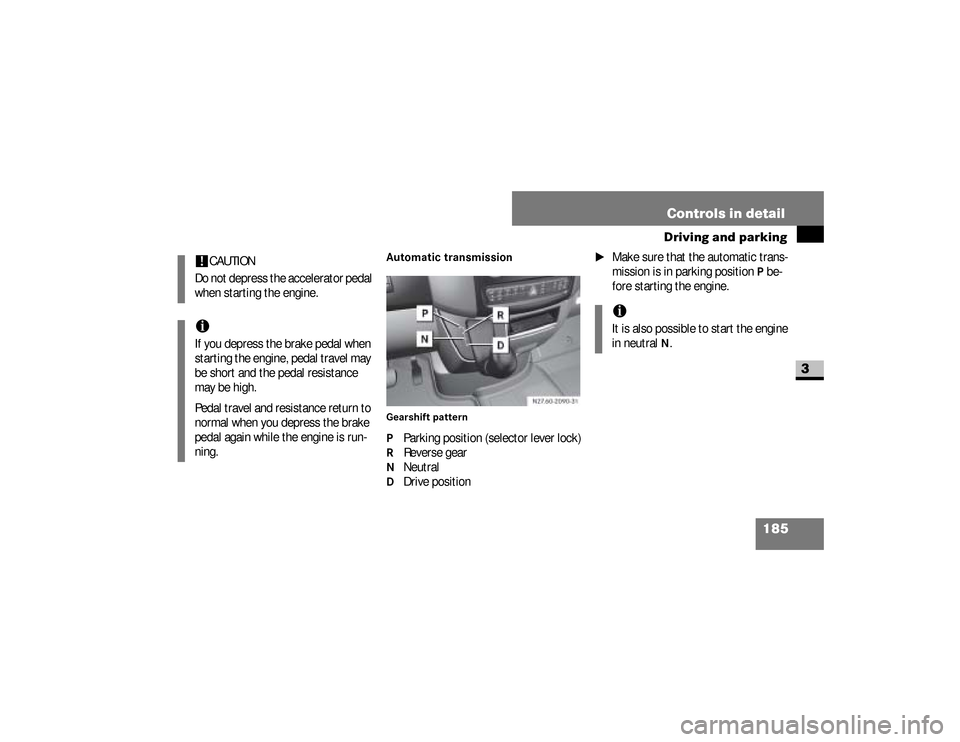
Automatic transmissionGearshift patternP Parking position (selector lever lock)R Reverse gearN NeutralD Drive position
\1
Make sure that the automatic trans-
mission is in parking position
P be-
fore starting the engine.
!
CAUTION
Do not depress the accelerator pedal
when starting the engine.
iIf you depress the brake pedal when
starting the engine, pedal travel may
be short and the pedal resistance
may be high.
Pedal travel and resistance return to
normal when you depress the brake
pedal again while the engine is run-
ning.
iIt is also possible to start the engine
in neutral
N.
nf_BA.book Page 185 Friday, January 25, 2008 3:53 PM
Page 188 of 666
186 Controls in detailDriving and parking
3
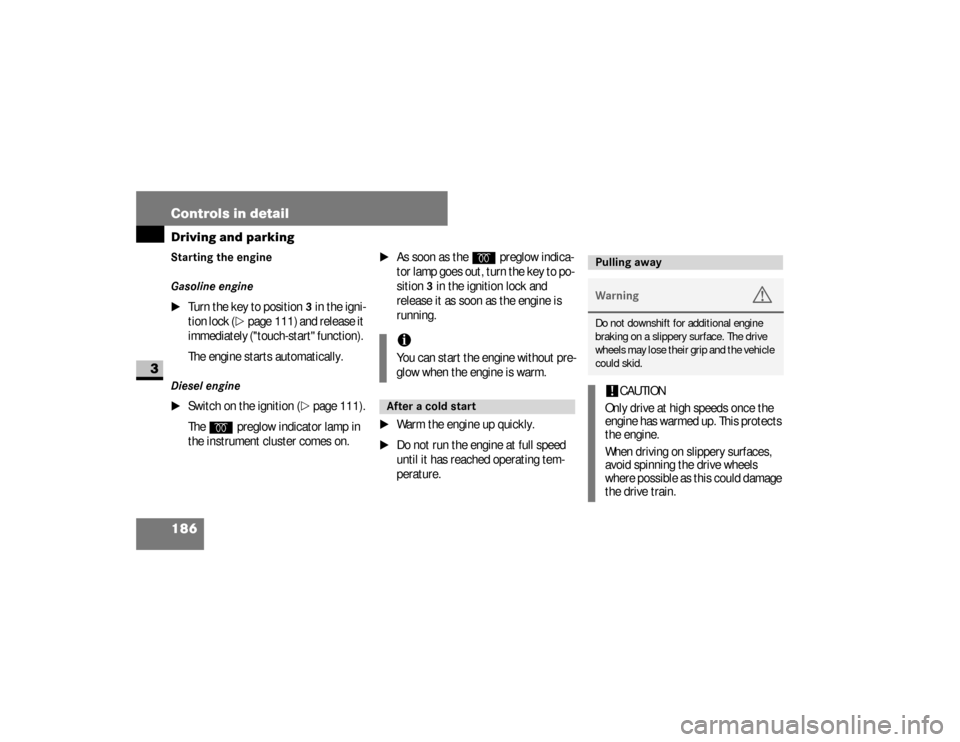
Starting the engine
Gasoline engine
\1
Turn the key to position
3 in the igni-
tion lock (
\2
page 111) and release it
immediately ("touch-start" function).
The engine starts automatically.
Diesel engine
\1
Switch on the ignition (
\2
page 111).
The
q
preglow indicator lamp in
the instrument cluster comes on.
\1
As soon as the
q
preglow indica-
tor lamp goes out, turn the key to po-
sition
3 in the ignition lock and
release it as soon as the engine is
running.
\1
Warm the engine up quickly.
\1
Do not run the engine at full speed
until it has reached operating tem-
perature.iYou can start the engine without pre-
glow when the engine is warm.After a cold start
Pulling awayWarning
G
Do not downshift for additional engine
braking on a slippery surface. The drive
wheels may lose their grip and the vehicle
could skid.!
CAUTION
Only drive at high speeds once the
engine has warmed up. This protects
the engine.
When driving on slippery surfaces,
avoid spinning the drive wheels
where possible as this could damage
the drive train.
nf_BA.book Page 186 Friday, January 25, 2008 3:53 PM
Page 189 of 666
187 Controls in detail
Driving and parking
3
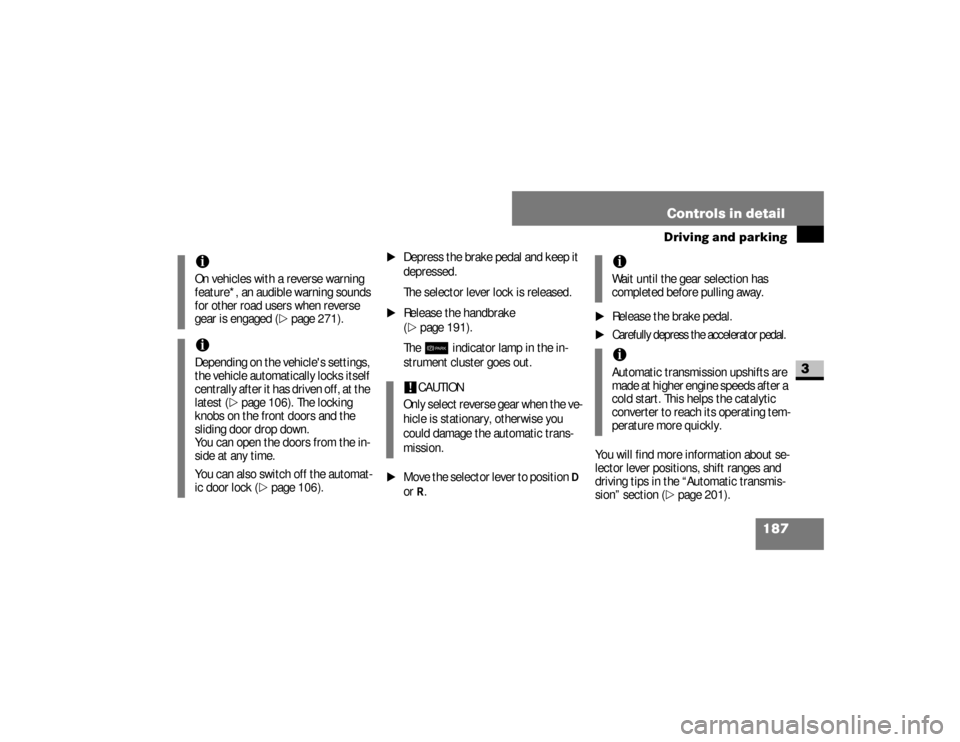
\1
Depress the brake pedal and keep it
depressed.
The selector lever lock is released.
\1
Release the handbrake
(\2
page 191).
The7
indicator lamp in the in-
strument cluster goes out.
\1
Move the selector lever to position
D
or
R.
\1
Release the brake pedal.
\1
Carefully depress the accelerator pedal.
You will find more information about se-
lector lever positions, shift ranges and
driving tips in the “Automatic transmis-
sion” section (
\2
page 201).
iOn vehicles with a reverse warning
feature*, an audible warning sounds
for other road users when reverse
gear is engaged (
\2
page 271).
iDepending on the vehicle's settings,
the vehicle automatically locks itself
centrally after it has driven off, at the
latest (
\2
page 106). The locking
knobs on the front doors and the
sliding door drop down.
You can open the doors from the in-
side at any time.
You can also switch off the automat-
ic door lock (
\2
page 106).
!
CAUTION
Only select reverse gear when the ve-
hicle is stationary, otherwise you
could damage the automatic trans-
mission.
iWait until the gear selection has
completed before pulling away.iAutomatic transmission upshifts are
made at higher engine speeds after a
cold start. This helps the catalytic
converter to reach its operating tem-
perature more quickly.
nf_BA.book Page 187 Friday, January 25, 2008 3:53 PM