steering HONDA FIT 2020 (in English) Repair Manual
[x] Cancel search | Manufacturer: HONDA, Model Year: 2020, Model line: FIT, Model: HONDA FIT 2020Pages: 599, PDF Size: 41.91 MB
Page 449 of 599
447
uuWhen Driving uRoad Departure Mitigation (RDM) System*
Continued
Driving
Road Departure Mitigation (RDM) System*
Alerts and helps to assist you when the system determines a possibility of your
vehicle unintentionally crossing over dete cted lane markings and/or leaving the
roadway altogether.
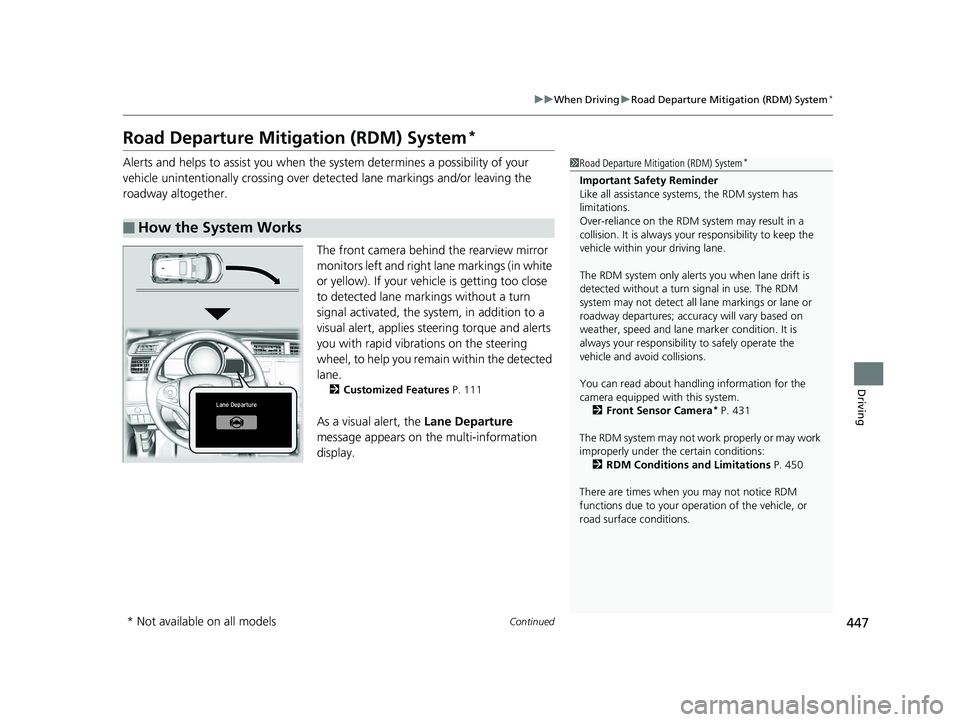
The front camera behind the rearview mirror
monitors left and right lane markings (in white
or yellow). If your vehicle is getting too close
to detected lane markings without a turn
signal activated, the system, in addition to a
visual alert, applies steering torque and alerts
you with rapid vibrations on the steering
wheel, to help you remain within the detected
lane.
2 Customized Features P. 111
As a visual alert, the Lane Departure
message appears on the multi-information
display.
■How the System Works
1 Road Departure Mitigation (RDM) System*
Important Safety Reminder
Like all assistance systems, the RDM system has
limitations.
Over-reliance on the RDM system may result in a
collision. It is always your responsibility to keep the
vehicle within your driving lane.
The RDM system only alerts you when lane drift is
detected without a turn signal in use. The RDM
system may not detect all la ne markings or lane or
roadway departures; accu racy will vary based on
weather, speed and lane marker condition. It is
always your responsibilit y to safely operate the
vehicle and avoid collisions.
You can read about handling information for the
camera equipped with this system.
2 Front Sensor Camera
* P. 431
The RDM system may not wo rk properly or may work
improperly under the certain conditions: 2 RDM Conditions and Limitations P. 450
There are times when you may not notice RDM
functions due to your opera tion of the vehicle, or
road surface conditions.
* Not available on all models
20 FIT-31T5A6500.book 447 ページ 2019年9月26日 木曜日 午後4時41分
Page 450 of 599
uuWhen Driving uRoad Departure Mitigation (RDM) System*
448
Driving
If the system determines that its steering i nput is insufficient to keep your vehicle on
the roadway, it may apply braking. u Braking is applied only when the lane markings are solid continuous lines.
The system cancels assisting operations wh en you turn the steering wheel to avoid
crossing over detected lane markings.
If the system operates several times without detecting driver response, the system
beeps to alert you.1 Road Departure Mitigation (RDM) System*
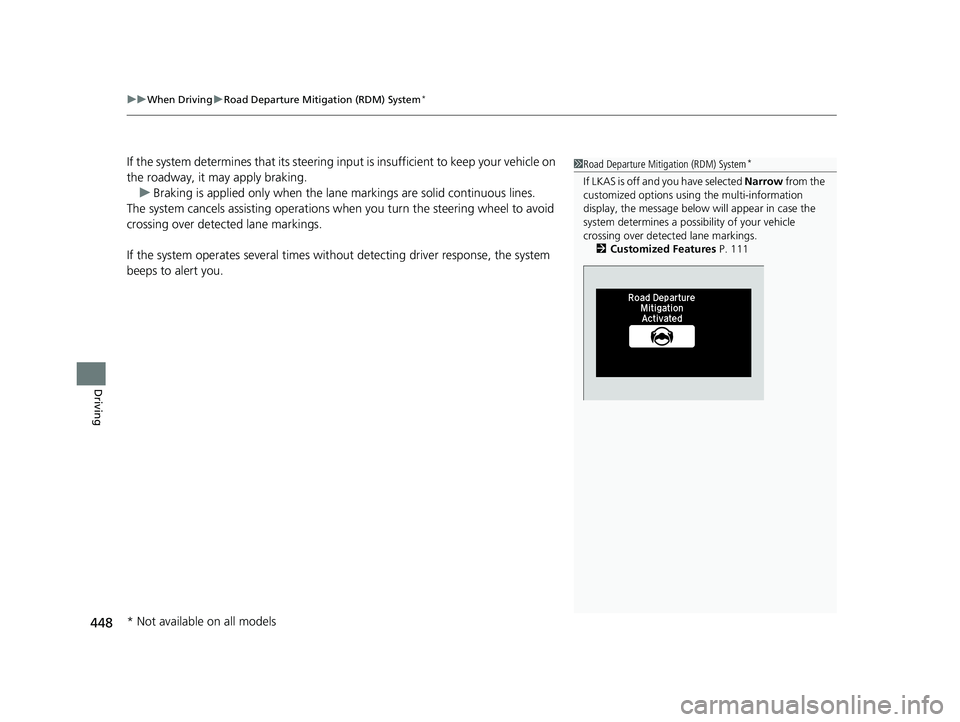
If LKAS is off and you have selected Narrow from the
customized options usi ng the multi-information
display, the message below will appear in case the
system determines a possibility of your vehicle
crossing over detect ed lane markings.
2 Customized Features P. 111
* Not available on all models
20 FIT-31T5A6500.book 448 ページ 2019年9月26日 木曜日 午後4時41分
Page 451 of 599
Continued449
uuWhen Driving uRoad Departure Mitigation (RDM) System*
Driving
The system becomes ready to start sear ching for lane markings when all the
following conditions are met:
• The vehicle is traveling between about 45 and 90 mph (72 and 145 km/h).
• The vehicle is on a straight or slightly curved road.
• The turn signals are off.
• The brake pedal is not depressed.
• The wipers are not in continuous operation.
• The vehicle is not accelera ting or braking, and the steering wheel is not being
turned.
• The system makes a determination that th e driver is not actively accelerating,
braking or steering.
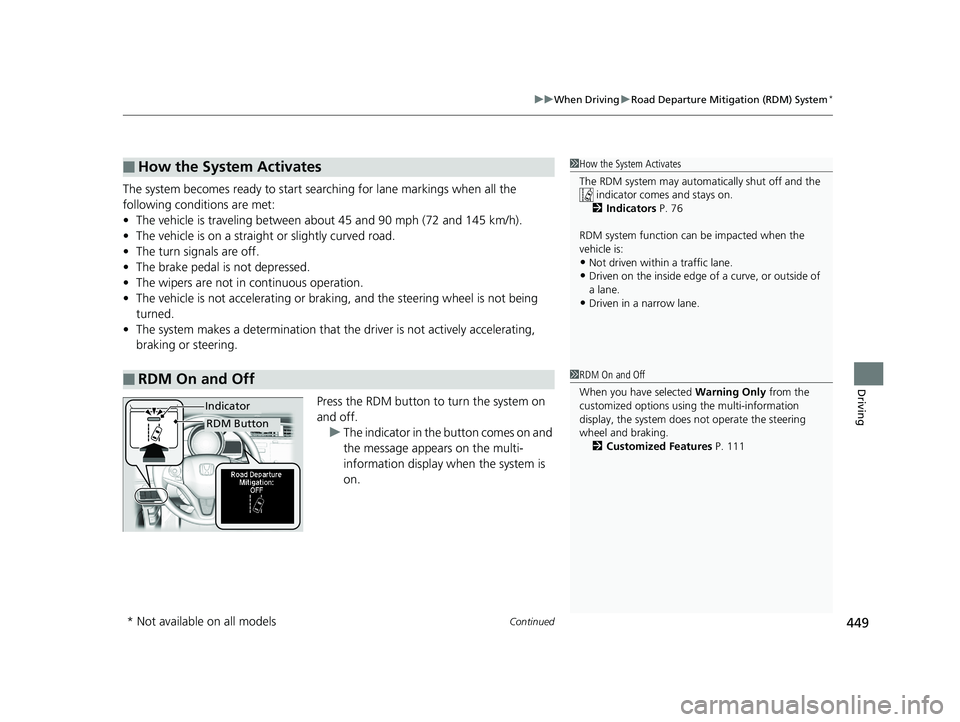
Press the RDM button to turn the system on
and off.u The indicator in the button comes on and
the message appears on the multi-
information display when the system is
on.
■How the System Activates
■RDM On and Off
1 How the System Activates
The RDM system may automa tically shut off and the
indicator comes and stays on.
2 Indicators P. 76
RDM system function can be impacted when the
vehicle is:
•Not driven within a traffic lane.
•Driven on the inside edge of a curve, or outside of
a lane.
•Driven in a narrow lane.
1 RDM On and Off
When you have selected Warning Only from the
customized options usi ng the multi-information
display, the system does not operate the steering
wheel and braking.
2 Customized Features P. 111
RDM Button
Indicator
* Not available on all models
20 FIT-31T5A6500.book 449 ページ 2019年9月26日 木曜日 午後4時41分
Page 454 of 599
452
uuWhen Driving uLane Keeping Assist System (LKAS)*
Driving
Lane Keeping Assist System (LKAS)*
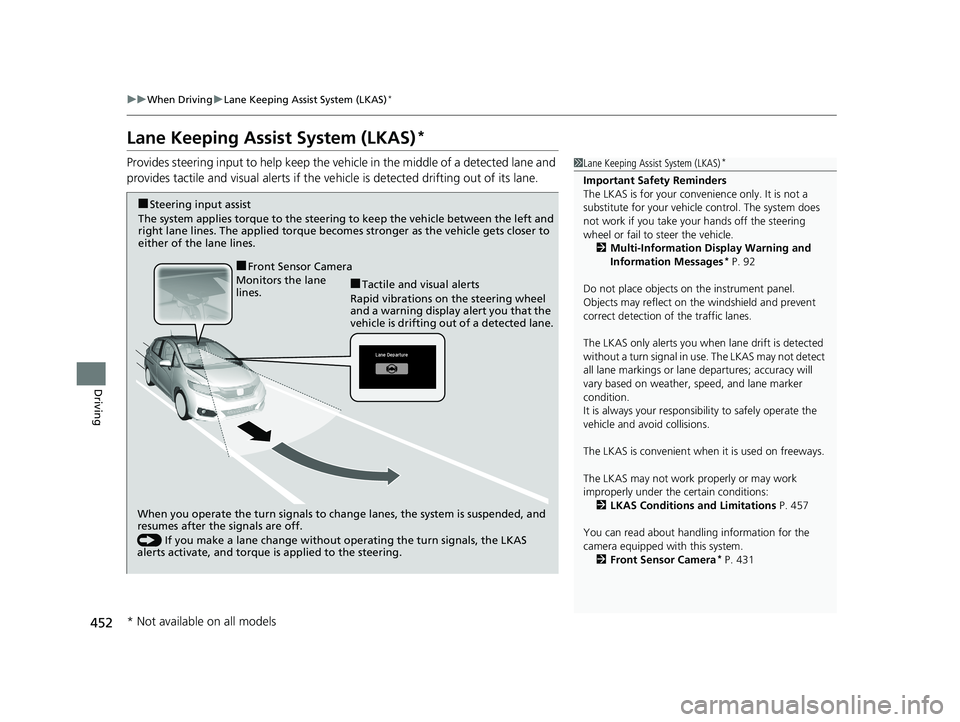
Provides steering input to help keep the vehicle in the middle of a detected lane and
provides tactile and visual alerts if the ve hicle is detected drifting out of its lane.1Lane Keeping Assist System (LKAS)*
Important Safety Reminders
The LKAS is for your convenience only. It is not a
substitute for your vehicle control. The system does
not work if you take y our hands off the steering
wheel or fail to steer the vehicle.
2 Multi-Information Display Warning and
Information Messages
* P. 92
Do not place objects on the instrument panel.
Objects may reflect on th e windshield and prevent
correct detection of the traffic lanes.
The LKAS only alerts you when lane drift is detected
without a turn signal in use. The LKAS may not detect
all lane markings or lane departures; accuracy will
vary based on weather, speed, and lane marker
condition.
It is always your responsibility to safely operate the
vehicle and avoid collisions.
The LKAS is convenient when it is used on freeways.
The LKAS may not work properly or may work
improperly under the certain conditions:
2 LKAS Conditions and Limitations P. 457
You can read about handling information for the
camera equipped with this system. 2 Front Sensor Camera
* P. 431
When you operate the turn signals to chan ge lanes, the system is suspended, and
resumes after the signals are off.
() If you make a lane change without operating the turn signals, the LKAS
alerts activate, and torque is applied to the steering.
Monitors the lane
lines.
■Tactile and visual alerts
Rapid vibrations on the steering wheel
and a warning display alert you that the
vehicle is drifting out of a detected lane.
■Steering input assist
The system applies torque to the steering to keep the vehicle between the left and
right lane lines. The applied torque become s stronger as the vehicle gets closer to
either of the lane lines.
■Front Sensor Camera
* Not available on all models
20 FIT-31T5A6500.book 452 ページ 2019年9月26日 木曜日 午後4時41分
Page 455 of 599
Continued453
uuWhen Driving uLane Keeping Assist System (LKAS)*
Driving
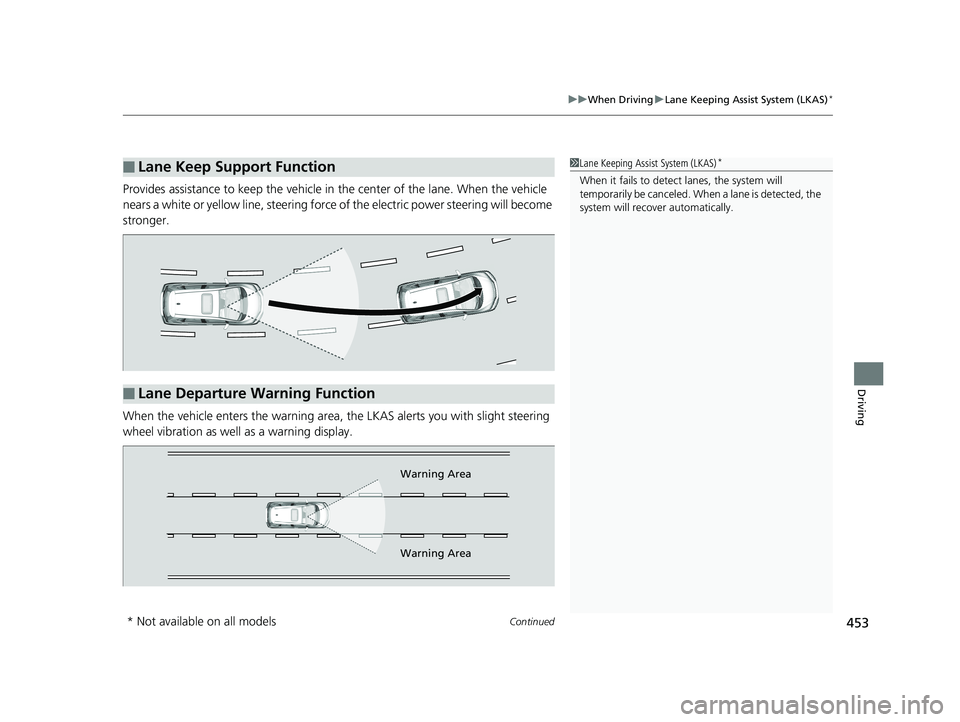
Provides assistance to keep the vehicle in the center of the lane. When the vehicle
nears a white or yellow line, steering force of the electric power steering will become
stronger.
When the vehicle enters the warning area, the LKAS alerts you with slight steering
wheel vibration as well as a warning display.
■Lane Keep Support Function1 Lane Keeping Assist System (LKAS)*
When it fails to detect lanes, the system will
temporarily be canceled. When a lane is detected, the
system will recover automatically.
■Lane Departure Warning Function
Warning Area
Warning Area
* Not available on all models
20 FIT-31T5A6500.book 453 ページ 2019年9月26日 木曜日 午後4時41分
Page 458 of 599
456
uuWhen Driving uLane Keeping Assist System (LKAS)*
Driving
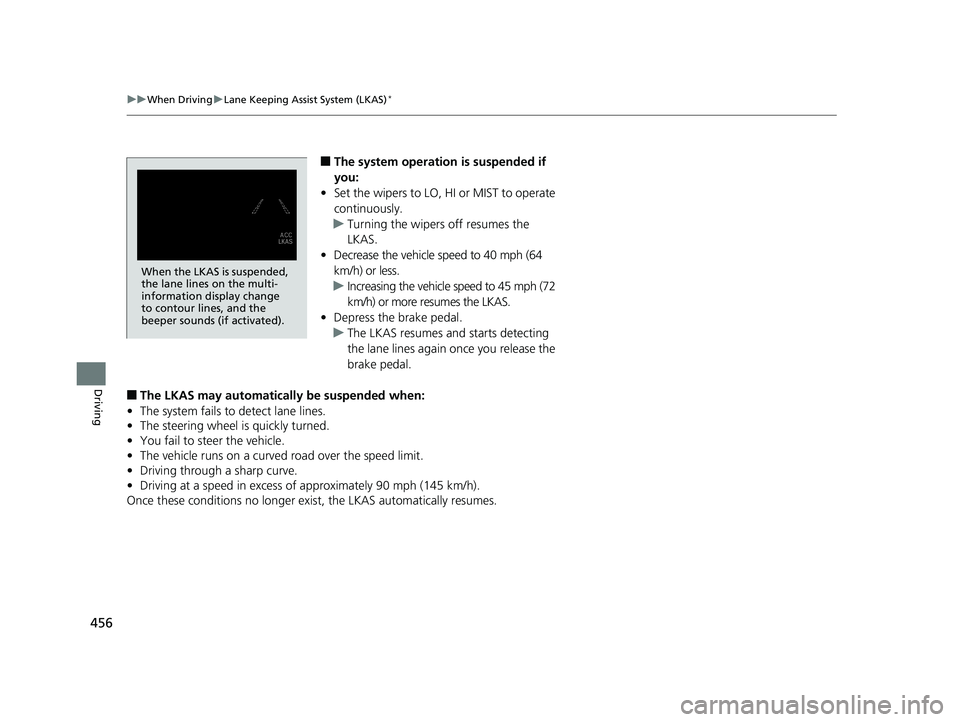
■The system operation is suspended if
you:
• Set the wipers to LO, HI or MIST to operate
continuously.
u Turning the wipers off resumes the
LKAS.
• Decrease the vehicle speed to 40 mph (64
km/h) or less.
u Increasing the vehicle speed to 45 mph (72
km/h) or more resumes the LKAS.
• Depress the brake pedal.
u The LKAS resumes and starts detecting
the lane lines again once you release the
brake pedal.
■The LKAS may automatically be suspended when:
• The system fails to detect lane lines.
• The steering wheel is quickly turned.
• You fail to steer the vehicle.
• The vehicle runs on a curved road over the speed limit.
• Driving through a sharp curve.
• Driving at a speed in excess of approximately 90 mph (145 km/h).
Once these conditions no longer exis t, the LKAS automatically resumes.
When the LKAS is suspended,
the lane lines on the multi-
information display change
to contour lines, and the
beeper sounds (if activated).
20 FIT-31T5A6500.book 456 ページ 2019年9月26日 木曜日 午後4時41分
Page 465 of 599
463
uuWhen Driving uTire Pressure Monitoring System (TPMS)
Continued
Driving
Tire Pressure Monitoring System (TPMS)
Instead of directly measuring the pressure in each tire, the TPMS on this vehicle
monitors and compares the rolling radius and rotational characteristics of each
wheel and tire while you are driving to determine if one or more tires are
significantly under-inflated.
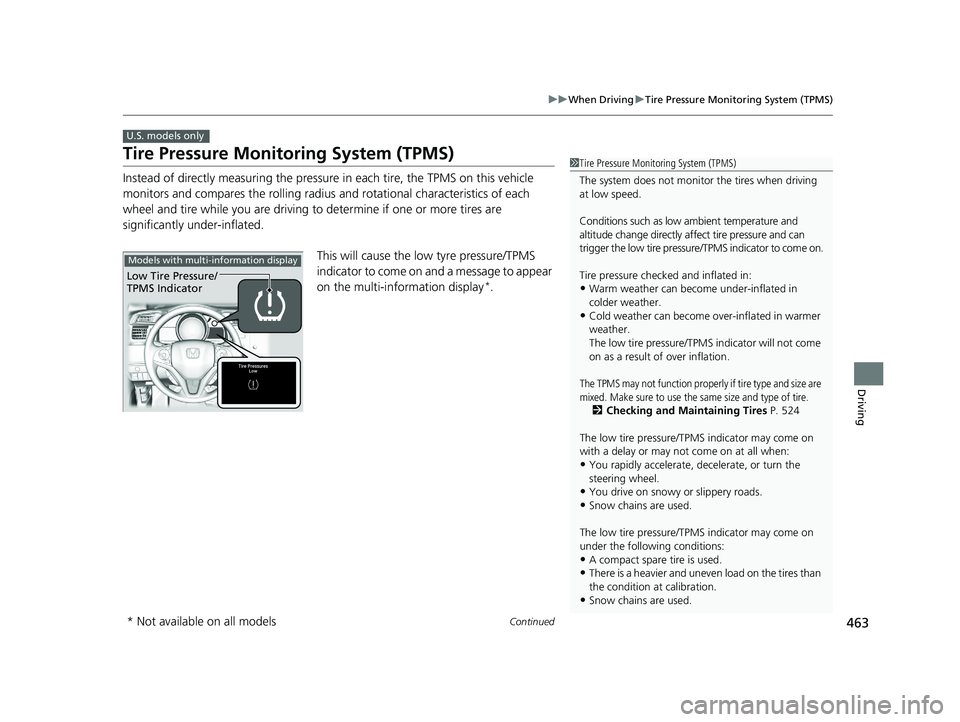
This will cause the low tyre pressure/TPMS
indicator to come on and a message to appear
on the multi-information display
*.
U.S. models only
1Tire Pressure Monitoring System (TPMS)
The system does not monitor the tires when driving
at low speed.
Conditions such as low ambient temperature and
altitude change directly a ffect tire pressure and can
trigger the low tire pressure/TPMS indicator to come on.
Tire pressure checked and inflated in:
•Warm weather can beco me under-inflated in
colder weather.
•Cold weather can become over-inflated in warmer
weather.
The low tire pressure/TPMS indicator will not come
on as a result of over inflation.
The TPMS may not function properly if tire type and size are
mixed. Make sure to use the same size and type of tire.
2 Checking and Maintaining Tires P. 524
The low tire pressure/TPMS indicator may come on
with a delay or may not come on at all when:
•You rapidly accelerate, decelerate, or turn the
steering wheel.
•You drive on snowy or slippery roads.
•Snow chains are used.
The low tire pressure/TPMS indicator may come on
under the following conditions:
•A compact spare tire is used.•There is a heavier and uneve n load on the tires than
the condition at calibration.
•Snow chains are used.
Models with multi-information display
Low Tire Pressure/
TPMS Indicator
* Not available on all models
20 FIT-31T5A6500.book 463 ページ 2019年9月26日 木曜日 午後4時41分
Page 472 of 599
uuBraking uBrake System
470
Driving
Your vehicle is equipped with disc brakes at the front, and drum brakes in the rear
wheels. A vacuum power assist helps reduc e the effort needed on the brake pedal.
The brake assist system increases the st opping force when you depress the brake
pedal hard in an emergenc y situation. The anti-lock brake system (ABS) helps you
retain steering control when braking very hard.
2 Brake Assist System P. 472
2 Anti-lock Brake System (ABS) P. 471
■Foot Brake1Foot Brake
Check the brakes after driving through deep water,
or if there is a buildup of road surface water. If
necessary, dry the brakes by lightly depressing the
pedal several times.
If you hear a continuous me tallic friction sound when
applying the brakes, this is caused by the brake wear
indicator rubbing on the brake rotor and indicates
that the brake pads need to be replaced. Have the
vehicle checked by a deal er. If you hear only an
occasional squeak or squeal when you initially apply
the brake pedal, this may be normal and caused by
high frequency vibr ation of the brake pads against
the rotating brake disc.
Constantly using the brak e pedal while going down a
long hill builds up heat, which reduces the brake
effectiveness. Apply engine braking by taking your
foot off the accelerator pe dal and downshifting to a
lower gear/speed position. With manual transmission
use a lower gear for gr eater engine braking.
Do not rest your foot on the brake pedal while
driving, as it will lightly apply the brakes and cause
them to lose effectiveness over time and reduce pad
life. It will also conf use drivers behind you.
20 FIT-31T5A6500.book 470 ページ 2019年9月26日 木曜日 午後4時41分
Page 473 of 599
471
uuBraking uAnti-lock Brake System (ABS)
Driving
Anti-lock Brake System (ABS)
Helps prevent the wheels from locking up, and helps you retain steering control by
pumping the brakes rapidly, much faster than you.
The electronic brake distribu tion (EBD) system, which is part of the ABS, also
balances the front-to-rear braking distribution according to vehicle loading.
You should never pump the brake pedal. Let the ABS work for you by always
keeping firm, steady pressure on the brake pe dal. This is sometimes referred to as
“stomp and steer.”
■ABS operation
The brake pedal may pulsate slightly when the ABS is working. Depress the brake
pedal and keep holding the pedal firmly down.
On dry pavement, you will need to press on the brake pedal very hard before the
ABS activates.
However, you may feel the ABS activate immediately if you are trying to stop on
snow or ice.
ABS may activate when you depres s the brake pedal when driving on:
• Wet or snow covered roads.
• Roads paved with stone.
• Roads with uneven surf aces, such as potholes, cracks, manholes, etc.
When the vehicle speed goes under 6 mph (10 km/h), the ABS stops.
■ABS1Anti-lock Brake System (ABS)
NOTICE
The ABS may not function correc tly if you use a tire of
the wrong size or type.
If the ABS indicator comes on while driving, there
may be a problem with the system.
While normal braking will not be affected, there is a
possibility that the ABS wi ll not be operating. Have
your vehicle checked by a dealer immediately.
The ABS is not designed for the purpose of reducing
the time or distance it takes for a vehicle to stop: It is
designed to limit brake lo ckup which can lead to
skidding and loss of steering control.
In the following cases, yo ur vehicle may need more
distance to stop than a vehicle without the ABS:
•You are driving on rough or uneven road surfaces,
such as gravel or snow.
•The tires are equipped with snow chains.
The following may be observed with the ABS system:
•Motor sounds coming from the engine
compartment when the brakes are applied, or
when system checks are being performed after the
engine has been started and while the vehicle
accelerates.
•Brake pedal and/or the ve hicle body vibration when
ABS activates.
These vibrations and sounds are normal to ABS
systems and are no cause for concern.
20 FIT-31T5A6500.book 471 ページ 2019年9月26日 木曜日 午後4時41分
Page 475 of 599
473
uuBraking uCollision Mitigation Braking SystemTM (CMBSTM)*
Continued
Driving
Collision Mitigation Braking SystemTM (CMBSTM)*
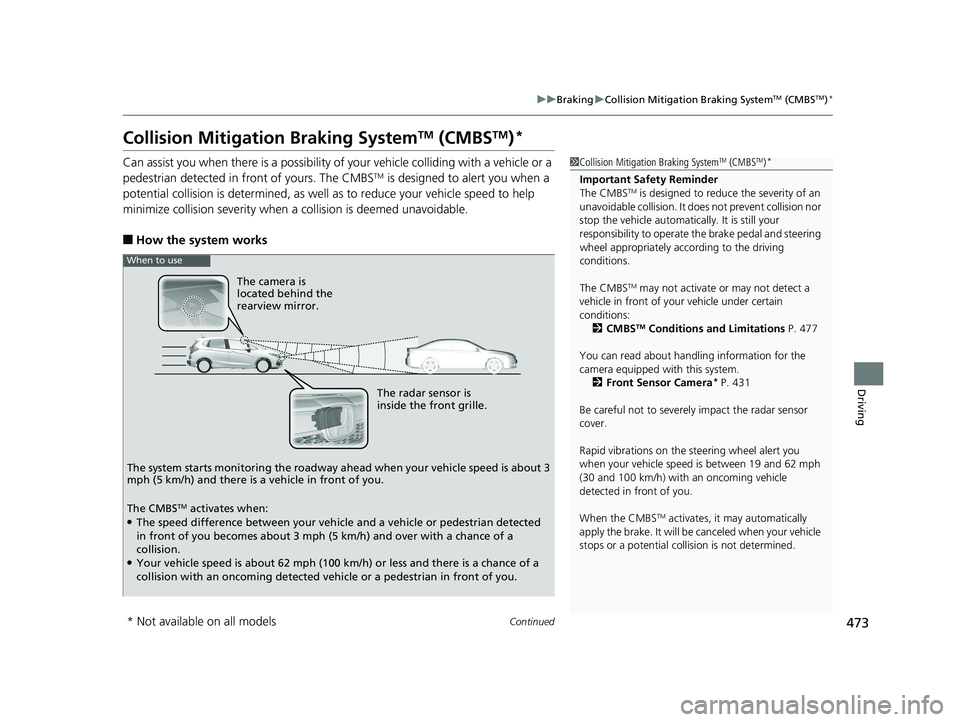
Can assist you when there is a possibility of your vehicle colliding with a vehicle or a
pedestrian detected in front of yours. The CMBSTM is designed to alert you when a
potential collision is determined, as well as to reduce your vehicle speed to help
minimize collision severity when a collision is deemed unavoidable.
■How the system works
1 Collision Mitigation Braking SystemTM (CMBSTM)*
Important Safety Reminder
The CMBSTM is designed to reduce the severity of an
unavoidable collision. It does not prevent collision nor
stop the vehicle automatically. It is still your
responsibility to operate the brake pedal and steering
wheel appropriately acco rding to the driving
conditions.
The CMBS
TM may not activate or may not detect a
vehicle in front of y our vehicle under certain
conditions: 2 CMBS
TM Conditions and Limitations P. 477
You can read about handling information for the
camera equipped with this system. 2 Front Sensor Camera
* P. 431
Be careful not to severely impact the radar sensor
cover.
Rapid vibrations on the steering wheel alert you
when your vehicle speed is between 19 and 62 mph
(30 and 100 km/h) with an oncoming vehicle
detected in front of you.
When the CMBS
TM activates, it may automatically
apply the brake. It will be canceled when your vehicle
stops or a potential coll ision is not determined.
The radar sensor is
inside the front grille.
The camera is
located behind the
rearview mirror.
The system starts monitoring the roadway ah ead when your vehicle speed is about 3
mph (5 km/h) and there is a vehicle in front of you.
When to use
The CMBSTM activates when:●The speed difference between your vehicle and a vehicle or pedestrian detected
in front of you becomes about 3 mph (5 km/h) and over with a chance of a
collision.
●Your vehicle speed is about 62 mph (100 km/h) or less and there is a chance of a
collision with an oncoming detected vehicle or a pedestrian in front of you.
* Not available on all models
20 FIT-31T5A6500.book 473 ページ 2019年9月26日 木曜日 午後4時41分