audio INFINITI M 2010 Manual Online
[x] Cancel search | Manufacturer: INFINITI, Model Year: 2010, Model line: M, Model: INFINITI M 2010Pages: 445, PDF Size: 6.15 MB
Page 224 of 445
cPushing DOWN (rear) ªº/UP (front)
ª
º longer
Next group/title or the beginning of the
current group/title
iPodT (if so equipped) :
c Pushing DOWN (rear) ª
º/UP (front)
ª
º shorter
Previous or next track (Start/Pause or Menu
can be selected when the ENTER button is
pushed.)
c Pushing DOWN (rear) ª
º/UP (front)
ª
º longer
Rewind or fast forward search
ªMusic Boxº hard-disk drive audio system (if so
equipped) :
c Pushing DOWN (rear) ª
º/UP (front)
ª
º shorter
Next track or the beginning of the current
track
c Pushing DOWN (rear) ª
º/UP (front)
ª
º longer
Playlist change (When the last playlist is
playing, the next playlist will be selected.)
ªON/OFFº switch
With the ignition switch pushed to the ACC or
ON position, push the ª ON/OFFº switch to turn
the audio system ON or OFF.
Source select switch
Push the ªSRC º select switch to change the
audio mode.
ANTENNA
Window antenna
The antenna pattern is printed inside the rear
window.
CAUTION
c Do not place metalized film near the rear
window glass or attach any metal parts to it.
This may cause poor reception or noise.
c When cleaning the inside of the rear window,
be careful not to scratch or damage the rear
window antenna. Lightly wipe along the an-
tenna with a dampened soft cloth.
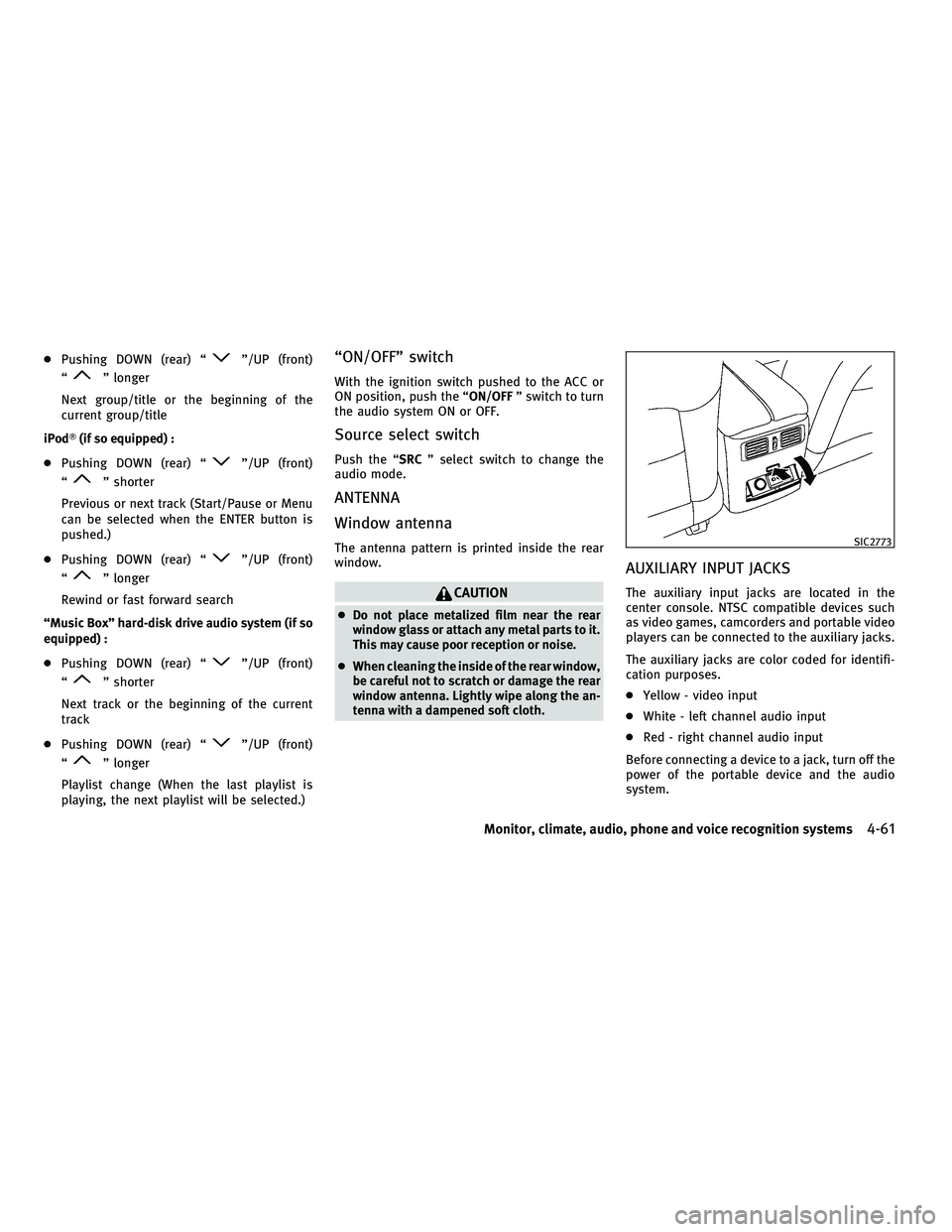
AUXILIARY INPUT JACKS
The auxiliary input jacks are located in the
center console. NTSC compatible devices such
as video games, camcorders and portable video
players can be connected to the auxiliary jacks.
The auxiliary jacks are color coded for identifi-
cation purposes.
c Yellow - video input
c White - left channel audio input
c Red - right channel audio input
Before connecting a device to a jack, turn off the
power of the portable device and the audio
system.
SIC2773
Monitor, climate, audio, phone and voice recognition systems4-61
wÐ
Ð
05/14/09Ðpattie
X
Page 225 of 445
This vehicle is equipped with the mobile enter-
tainment system, which enables you to play a
Digital Versatile Disc (DVD), providing the im-
ages and sounds both in the front and rear
display screens.
WARNING
cThe driver must not attempt to operate or
view the Mobile Entertainment System
(MES) while the vehicle is in motion so that
full attention may be given to vehicle
operation.
c Do not attempt to modify the system to dis-
play a movie on the front screen while the
vehicle is being driven. Doing so may dis-
tract the driver and may cause a collision and
serious personal injury or death.
CAUTION
cThe glass screen on the liquid crystal display
may break if hit with a hard or sharp object. If
the glass breaks, do not touch the liquid
crystalline material, which contains a small
amount of mercury. In case of contact with
skin, wash immediately with soap and
water. c
Use a damp, soft cloth when cleaning the
Mobile Entertainment System components.
Do not use solvents or cleaning solutions.
c Do not attempt to use the system in extreme
temperature conditions [below 24ÉF
(220ÉC) or above 158ÉF (70ÉC)].
c To avoid discharging the vehicle battery, do
not operate the system more than 15 min-
utes without starting the engine.
Movies will not be shown on the front display
while the vehicle is in any drive position to
reduce driver distraction. Audio is available
when a movie is played. To view movies in the
front display, stop the vehicle in a safe location,
move the selector lever to the P (Park) position
and apply the parking brake.
DIGITAL VERSATILE DISC (DVD)
SYSTEM COMPONENTS
DVD drive
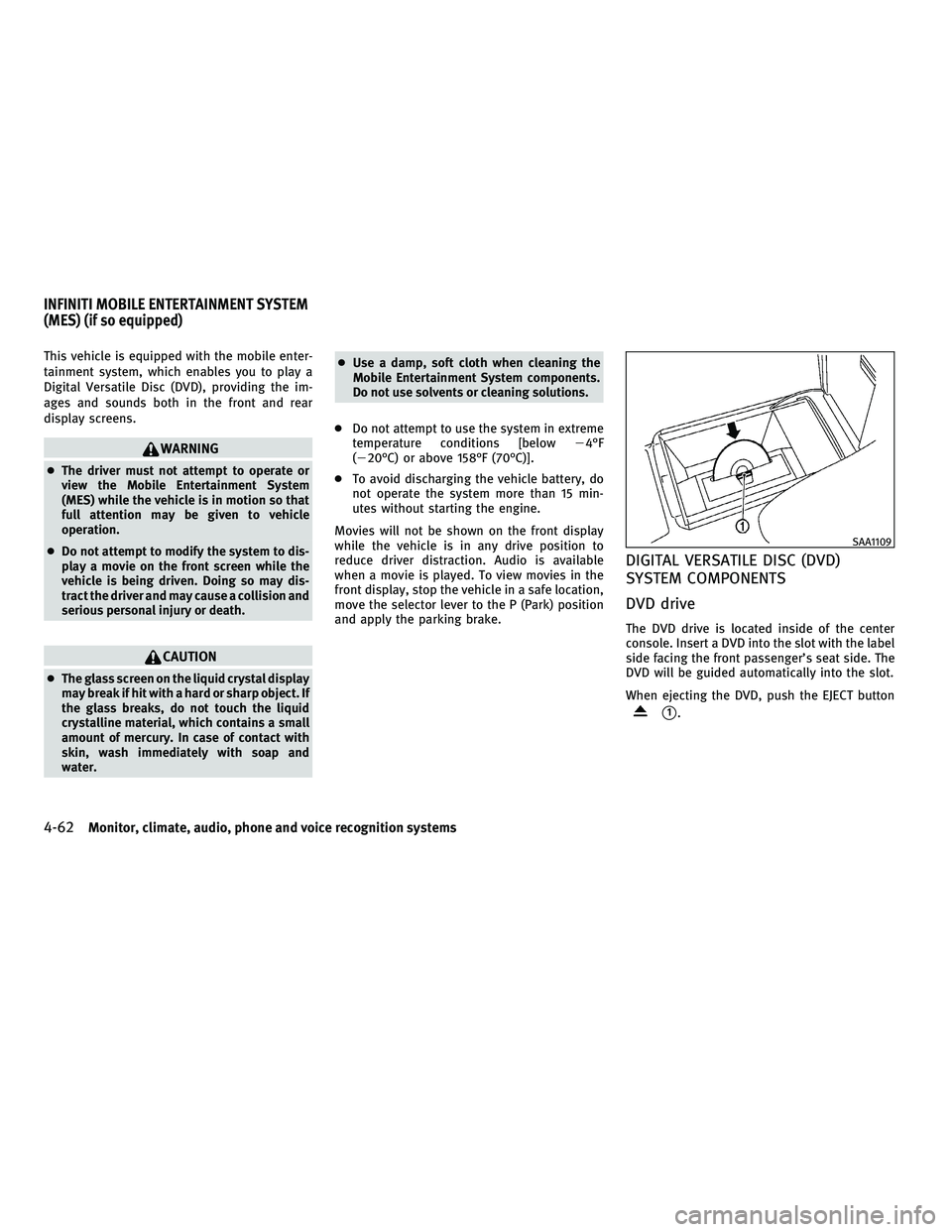
The DVD drive is located inside of the center
console. Insert a DVD into the slot with the label
side facing the front passenger's seat side. The
DVD will be guided automatically into the slot.
When ejecting the DVD, push the EJECT button
s1.
SAA1109
INFINITI MOBILE ENTERTAINMENT SYSTEM
(MES) (if so equipped)
4-62Monitor, climate, audio, phone and voice recognition systems
wÐ
Ð
05/14/09Ðpattie
X
Page 226 of 445
CAUTION
cDo not force a DVD into the slot. This could
cause damage the player.
c Do not use 8 cm (3.1 in) discs.
Displays
WARNING
Park the vehicle in a safe location and apply the
parking brake to view the images on the front
center display screen using the DVD drive or
other devices connected to the auxiliary input
jacks.
CAUTION
cThe glass screen on the liquid crystal display
may break if hit with a hard or sharp object. If
the glass breaks, do not touch the liquid
crystalline material, which contains a small
amount of mercury. In case of contact with
skin, wash immediately with soap and
water.
c Use soft, damp cloth when cleaning the Mo-
bile Entertainment System components. Do
not use solvents or cleaning solutions.
c Be sure to stow the rear display when it is not
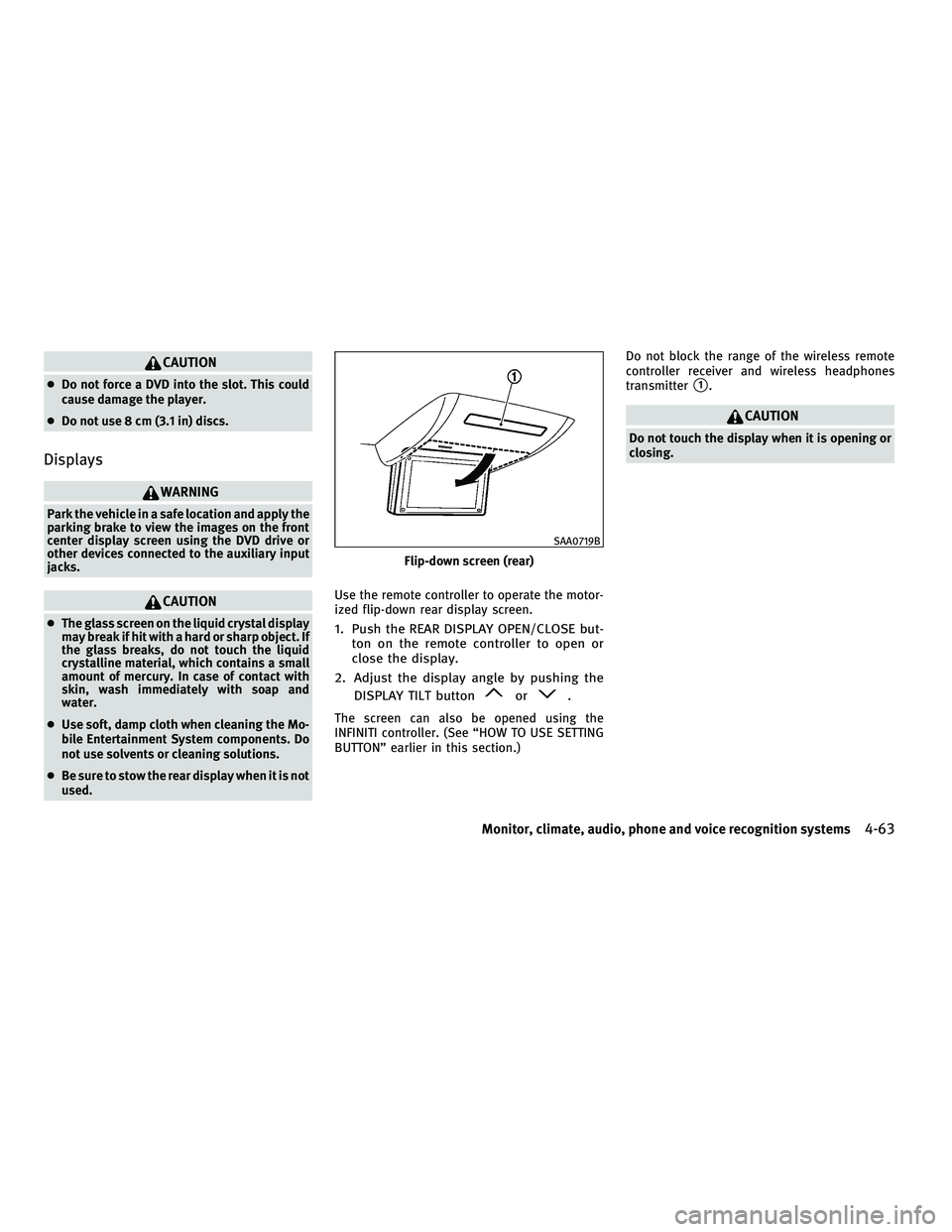
used. Use the remote controller to operate the motor-
ized flip-down rear display screen.1. Push the REAR DISPLAY OPEN/CLOSE but-
ton on the remote controller to open or
close the display.
2. Adjust the display angle by pushing the DISPLAY TILT button
or.
The screen can also be opened using the
INFINITI controller. (See ªHOW TO USE SETTING
BUTTONº earlier in this section.) Do not block the range of the wireless remote
controller receiver and wireless headphones
transmitter
s1.
CAUTION
Do not touch the display when it is opening or
closing.
Flip-down screen (rear)
SAA0719B
Monitor, climate, audio, phone and voice recognition systems4-63
wÐ
Ð
05/14/09Ðpattie
X
Page 227 of 445
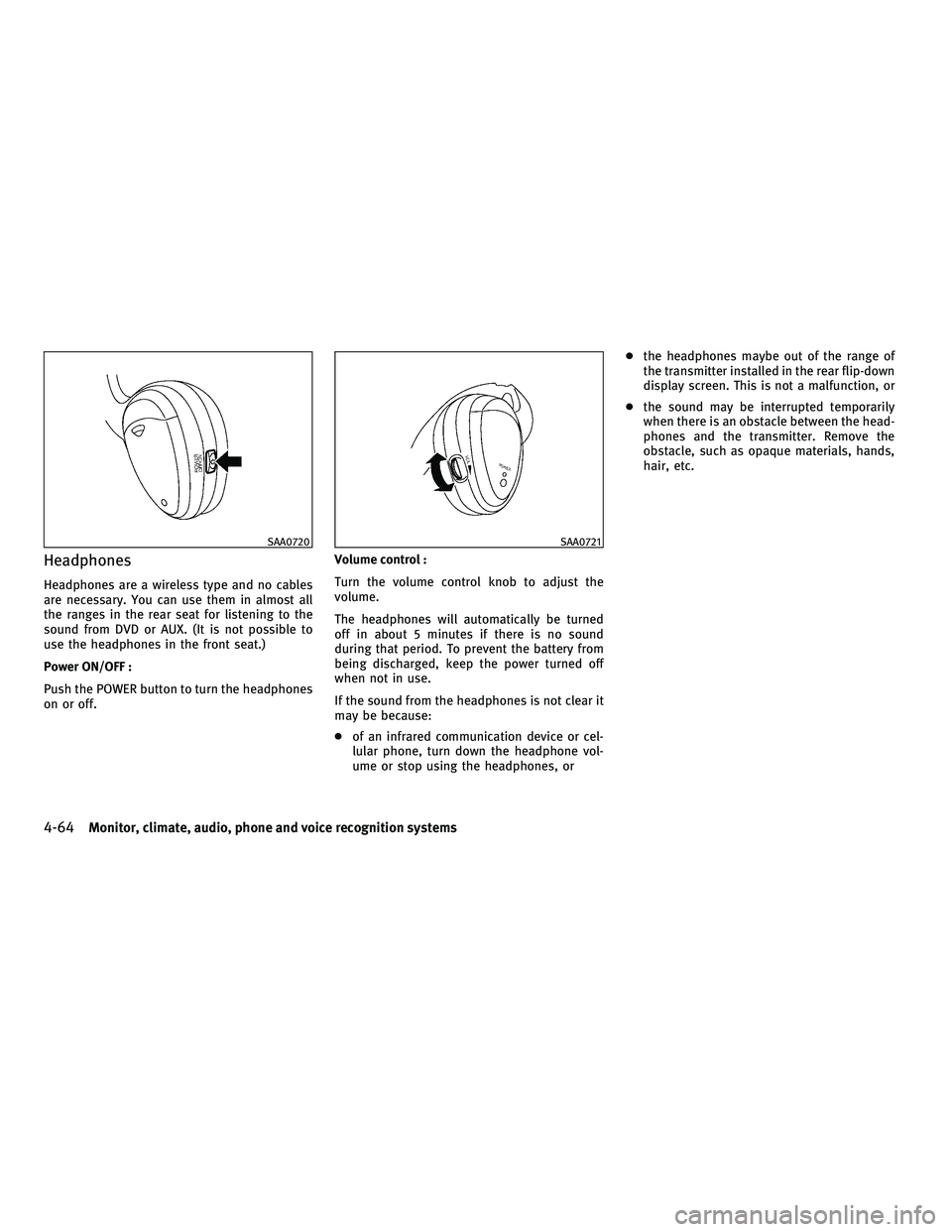
Headphones
Headphones are a wireless type and no cables
are necessary. You can use them in almost all
the ranges in the rear seat for listening to the
sound from DVD or AUX. (It is not possible to
use the headphones in the front seat.)
Power ON/OFF :
Push the POWER button to turn the headphones
on or off.Volume control :
Turn the volume control knob to adjust the
volume.
The headphones will automatically be turned
off in about 5 minutes if there is no sound
during that period. To prevent the battery from
being discharged, keep the power turned off
when not in use.
If the sound from the headphones is not clear it
may be because:
c
of an infrared communication device or cel-
lular phone, turn down the headphone vol-
ume or stop using the headphones, or c
the headphones maybe out of the range of
the transmitter installed in the rear flip-down
display screen. This is not a malfunction, or
c the sound may be interrupted temporarily
when there is an obstacle between the head-
phones and the transmitter. Remove the
obstacle, such as opaque materials, hands,
hair, etc.
SAA0720SAA0721
4-64Monitor, climate, audio, phone and voice recognition systems
wÐ
Ð
05/14/09Ðpattie
X
Page 228 of 445
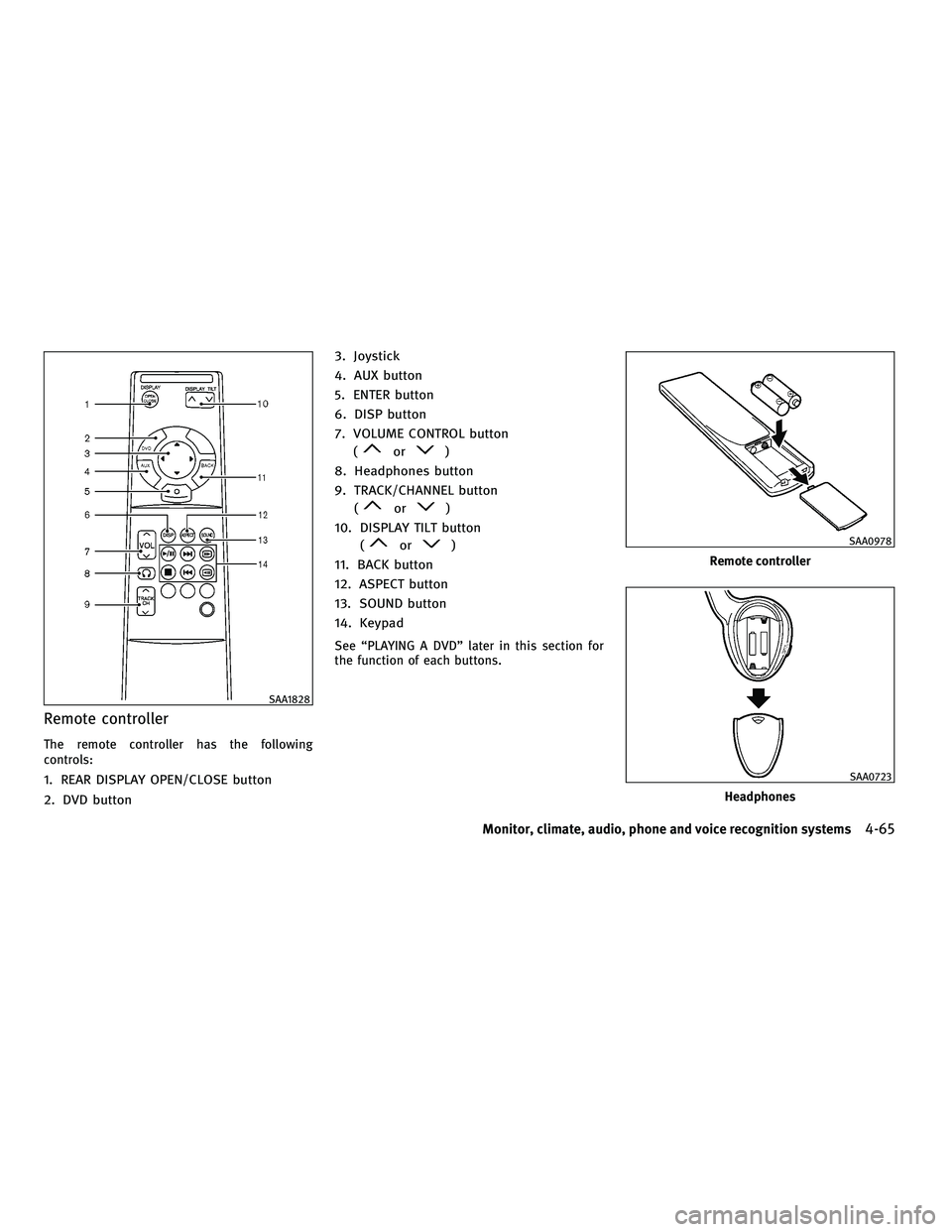
Remote controller
The remote controller has the following
controls:
1. REAR DISPLAY OPEN/CLOSE button
2. DVD button3. Joystick
4. AUX button
5. ENTER button
6. DISP button
7. VOLUME CONTROL button
(
or)
8. Headphones button
9. TRACK/CHANNEL button (
or)
10. DISPLAY TILT button (
or)
11. BACK button
12. ASPECT button
13. SOUND button
14. Keypad
See ªPLAYING A DVDº later in this section for
the function of each buttons.
SAA1828
Remote controller
SAA0978
Headphones
SAA0723
Monitor, climate, audio, phone and voice recognition systems4-65
wÐ
Ð
05/14/09Ðpattie
X
Page 229 of 445
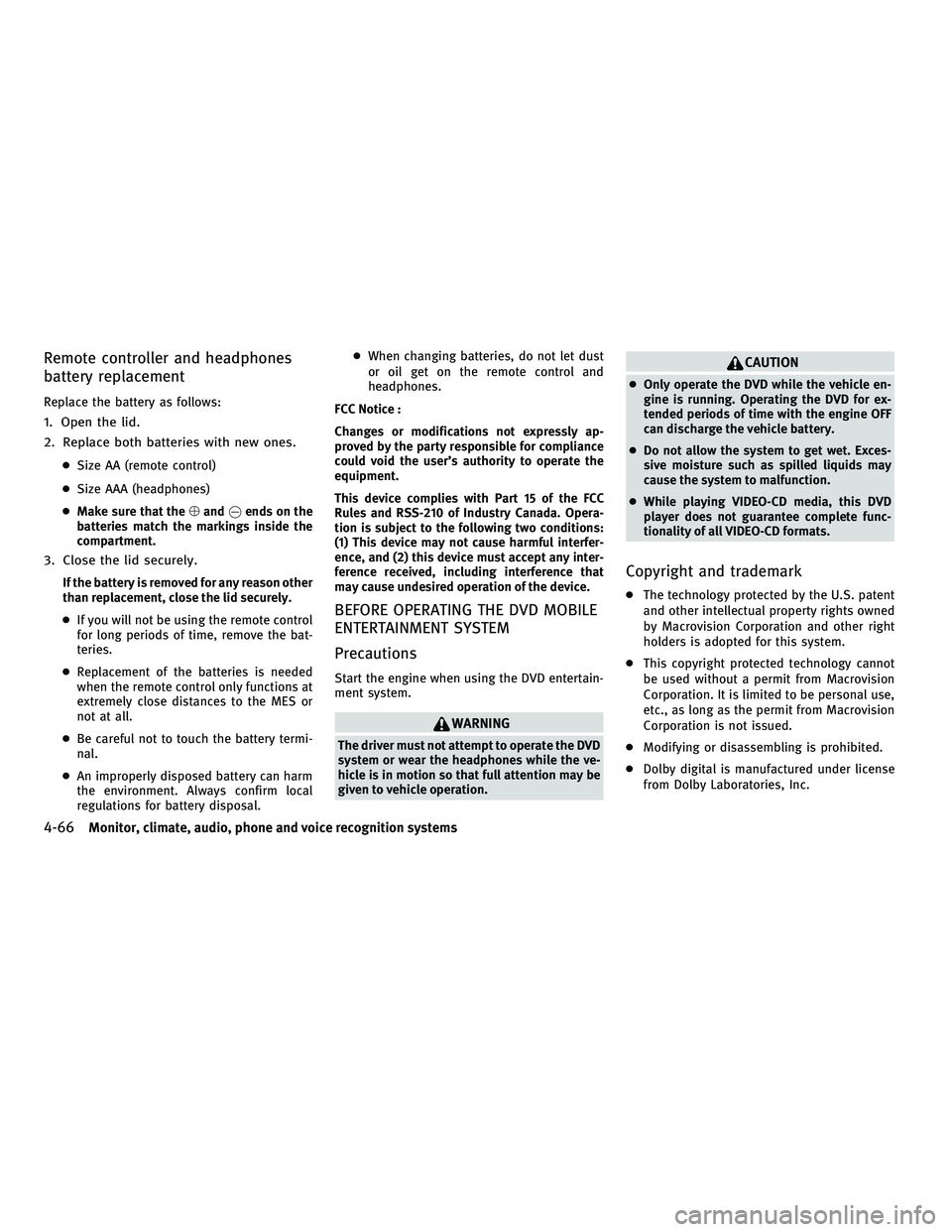
Remote controller and headphones
battery replacement
Replace the battery as follows:
1. Open the lid.
2. Replace both batteries with new ones.
cSize AA (remote control)
c Size AAA (headphones)
c Make sure that the %and @ends on the
batteries match the markings inside the
compartment.
3. Close the lid securely.
If the battery is removed for any reason other
than replacement, close the lid securely.
c If you will not be using the remote control
for long periods of time, remove the bat-
teries.
c Replacement of the batteries is needed
when the remote control only functions at
extremely close distances to the MES or
not at all.
c Be careful not to touch the battery termi-
nal.
c An improperly disposed battery can harm
the environment. Always confirm local
regulations for battery disposal. c
When changing batteries, do not let dust
or oil get on the remote control and
headphones.
FCC Notice :
Changes or modifications not expressly ap-
proved by the party responsible for compliance
could void the user's authority to operate the
equipment.
This device complies with Part 15 of the FCC
Rules and RSS-210 of Industry Canada. Opera-
tion is subject to the following two conditions:
(1) This device may not cause harmful interfer-
ence, and (2) this device must accept any inter-
ference received, including interference that
may cause undesired operation of the device.
BEFORE OPERATING THE DVD MOBILE
ENTERTAINMENT SYSTEM
Precautions
Start the engine when using the DVD entertain-
ment system.
WARNING
The driver must not attempt to operate the DVD
system or wear the headphones while the ve-
hicle is in motion so that full attention may be
given to vehicle operation.
CAUTION
c Only operate the DVD while the vehicle en-
gine is running. Operating the DVD for ex-
tended periods of time with the engine OFF
can discharge the vehicle battery.
c Do not allow the system to get wet. Exces-
sive moisture such as spilled liquids may
cause the system to malfunction.
c While playing VIDEO-CD media, this DVD
player does not guarantee complete func-
tionality of all VIDEO-CD formats.
Copyright and trademark
c The technology protected by the U.S. patent
and other intellectual property rights owned
by Macrovision Corporation and other right
holders is adopted for this system.
c This copyright protected technology cannot
be used without a permit from Macrovision
Corporation. It is limited to be personal use,
etc., as long as the permit from Macrovision
Corporation is not issued.
c Modifying or disassembling is prohibited.
c Dolby digital is manufactured under license
from Dolby Laboratories, Inc.
4-66Monitor, climate, audio, phone and voice recognition systems
wÐ
Ð
05/15/09Ðpattie
X
Page 230 of 445
cDolby and the double D mark ªº are
trademarks of Dolby Laboratories, Inc.
c DTS and DTS Digital Surround ª
º are
registered trademarks of Digital Theater Sys-
tems, Inc.
Parental level (parental control)
DVDs with the parental control setting can be
played with this system. Please use your own
judgement to set the parental control with the
system.
Disc selection
You can play the following disc formats with the
DVD drive:
c DVD-VIDEO
c DVD-AUDIO
c VIDEO-CD
c CD-DA (Conventional Compact Disc) (CD with
MP3/WMA cannot be played.)
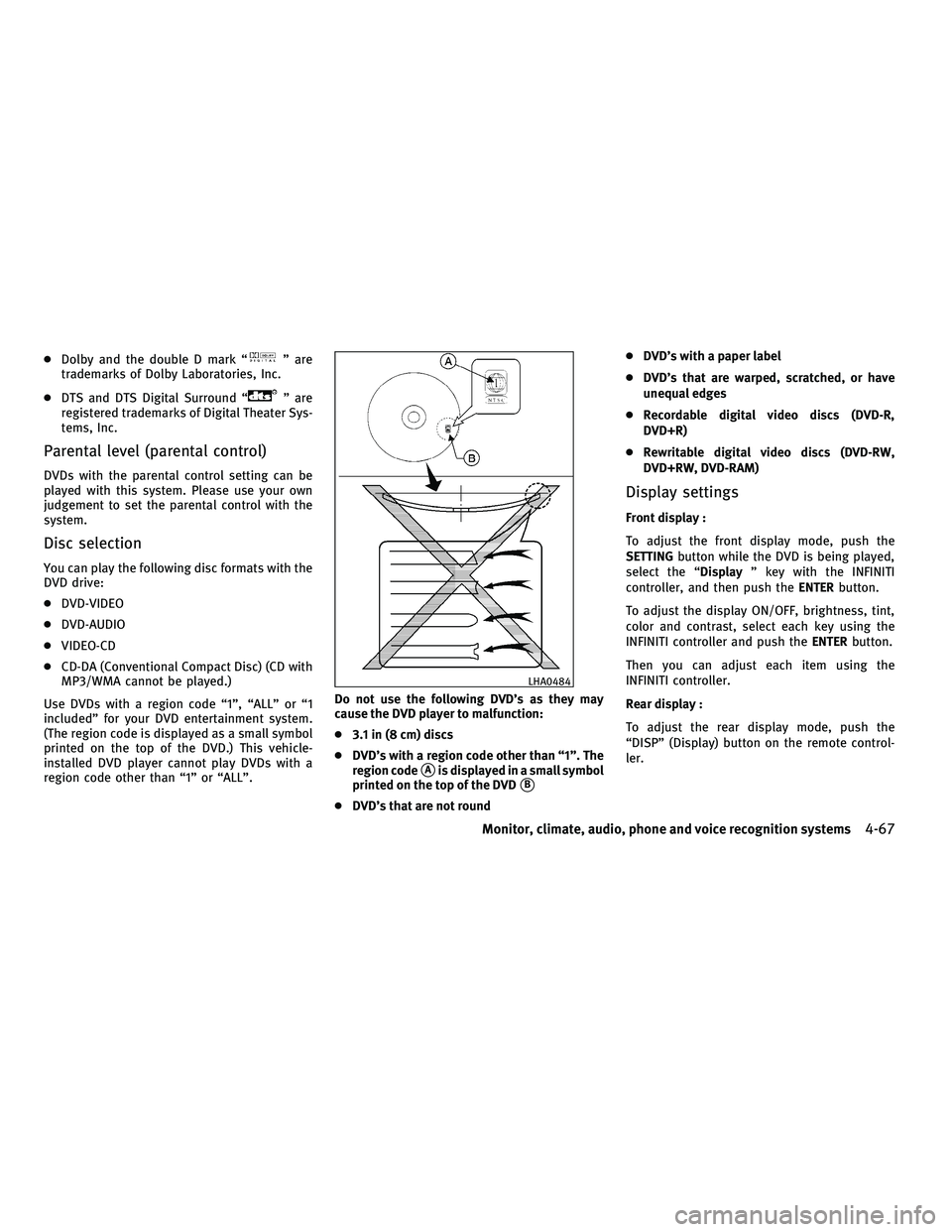
Use DVDs with a region code ª1º, ªALLº or ª1
includedº for your DVD entertainment system.
(The region code is displayed as a small symbol
printed on the top of the DVD.) This vehicle-
installed DVD player cannot play DVDs with a
region code other than ª1º or ªALLº. Do not use the following DVD's as they may
cause the DVD player to malfunction:
c
3.1 in (8 cm) discs
c DVD's with a region code other than ª1º. The
region code
sAis displayed in a small symbol
printed on the top of the DVD
sB
c DVD's that are not round c
DVD's with a paper label
c DVD's that are warped, scratched, or have
unequal edges
c Recordable digital video discs (DVD-R,
DVD+R)
c Rewritable digital video discs (DVD-RW,
DVD+RW, DVD-RAM)
Display settings
Front display :
To adjust the front display mode, push the
SETTING button while the DVD is being played,
select the ª Displayº key with the INFINITI
controller, and then push the ENTERbutton.
To adjust the display ON/OFF, brightness, tint,
color and contrast, select each key using the
INFINITI controller and push the ENTERbutton.
Then you can adjust each item using the
INFINITI controller.
Rear display :
To adjust the rear display mode, push the
ªDISPº (Display) button on the remote control-
ler.
LHA0484
Monitor, climate, audio, phone and voice recognition systems4-67
wÐ
Ð
05/14/09Ðpattie
X
Page 231 of 445
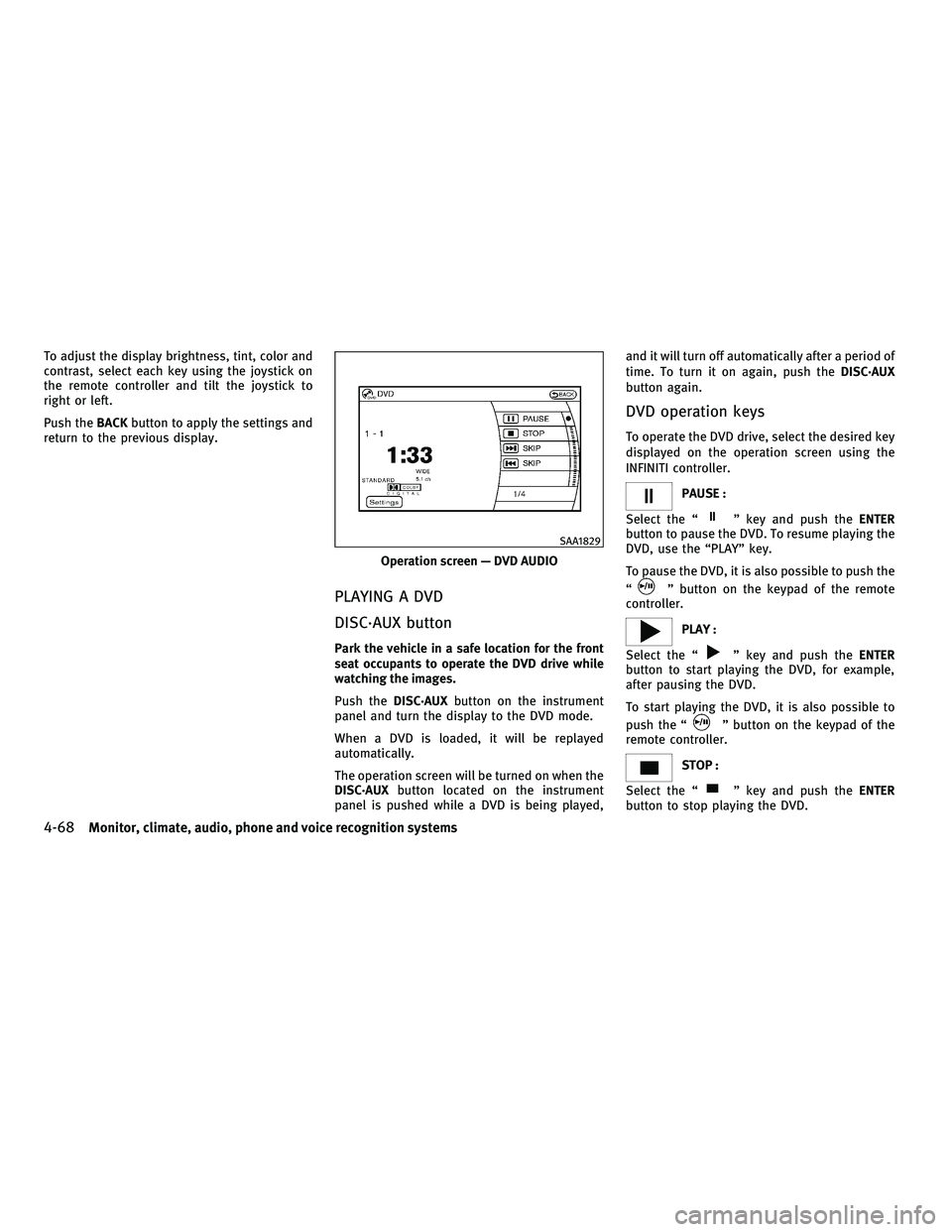
To adjust the display brightness, tint, color and
contrast, select each key using the joystick on
the remote controller and tilt the joystick to
right or left.
Push theBACKbutton to apply the settings and
return to the previous display.
PLAYING A DVD
DISC´AUX button
Park the vehicle in a safe location for the front
seat occupants to operate the DVD drive while
watching the images.
Push the DISC´AUX button on the instrument
panel and turn the display to the DVD mode.
When a DVD is loaded, it will be replayed
automatically.
The operation screen will be turned on when the
DISC´AUX button located on the instrument
panel is pushed while a DVD is being played, and it will turn off automatically after a period of
time. To turn it on again, push the
DISC´AUX
button again.
DVD operation keys
To operate the DVD drive, select the desired key
displayed on the operation screen using the
INFINITI controller.
PAUSE :
Select the ª
º key and push the ENTER
button to pause the DVD. To resume playing the
DVD, use the ªPLAYº key.
To pause the DVD, it is also possible to push the
ª
º button on the keypad of the remote
controller.
PLAY :
Select the ª
º key and push the ENTER
button to start playing the DVD, for example,
after pausing the DVD.
To start playing the DVD, it is also possible to
push the ª
º button on the keypad of the
remote controller.
STOP :
Select the ª
º key and push the ENTER
button to stop playing the DVD.
Operation screen Ð DVD AUDIO
SAA1829
4-68Monitor, climate, audio, phone and voice recognition systems
wÐ
Ð
05/14/09Ðpattie
X
Page 232 of 445
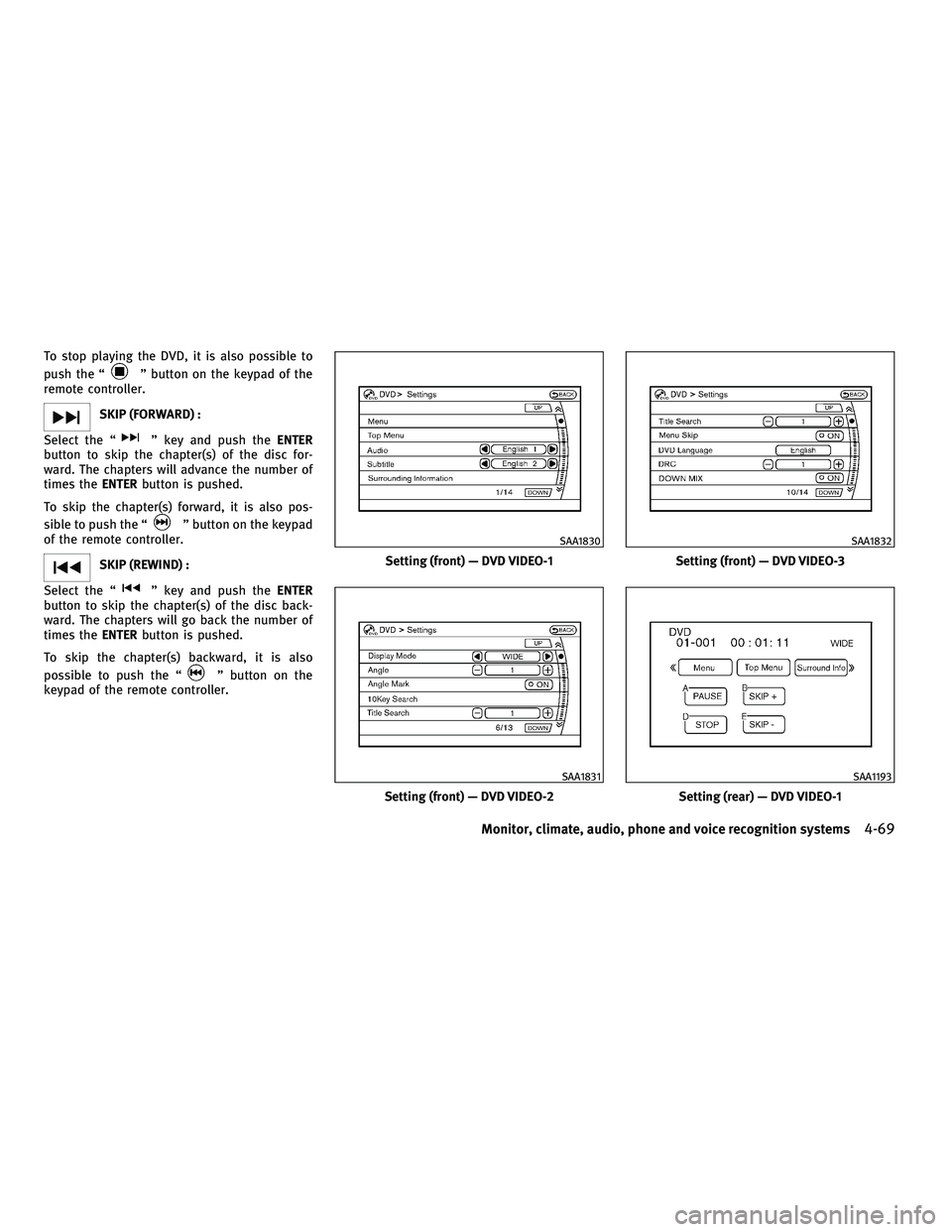
To stop playing the DVD, it is also possible to
push the ª
º button on the keypad of the
remote controller.
SKIP (FORWARD) :
Select the ª
º key and push the ENTER
button to skip the chapter(s) of the disc for-
ward. The chapters will advance the number of
times the ENTERbutton is pushed.
To skip the chapter(s) forward, it is also pos-
sible to push the ª
º button on the keypad
of the remote controller.
SKIP (REWIND) :
Select the ª
º key and push the ENTER
button to skip the chapter(s) of the disc back-
ward. The chapters will go back the number of
times the ENTERbutton is pushed.
To skip the chapter(s) backward, it is also
possible to push the ª
º button on the
keypad of the remote controller.
Setting (front) Ð DVD VIDEO-1
SAA1830
Setting (front) Ð DVD VIDEO-2
SAA1831
Setting (front) Ð DVD VIDEO-3
SAA1832
Setting (rear) Ð DVD VIDEO-1
SAA1193
Monitor, climate, audio, phone and voice recognition systems4-69
wÐ
Ð
05/14/09Ðpattie
X
Page 233 of 445
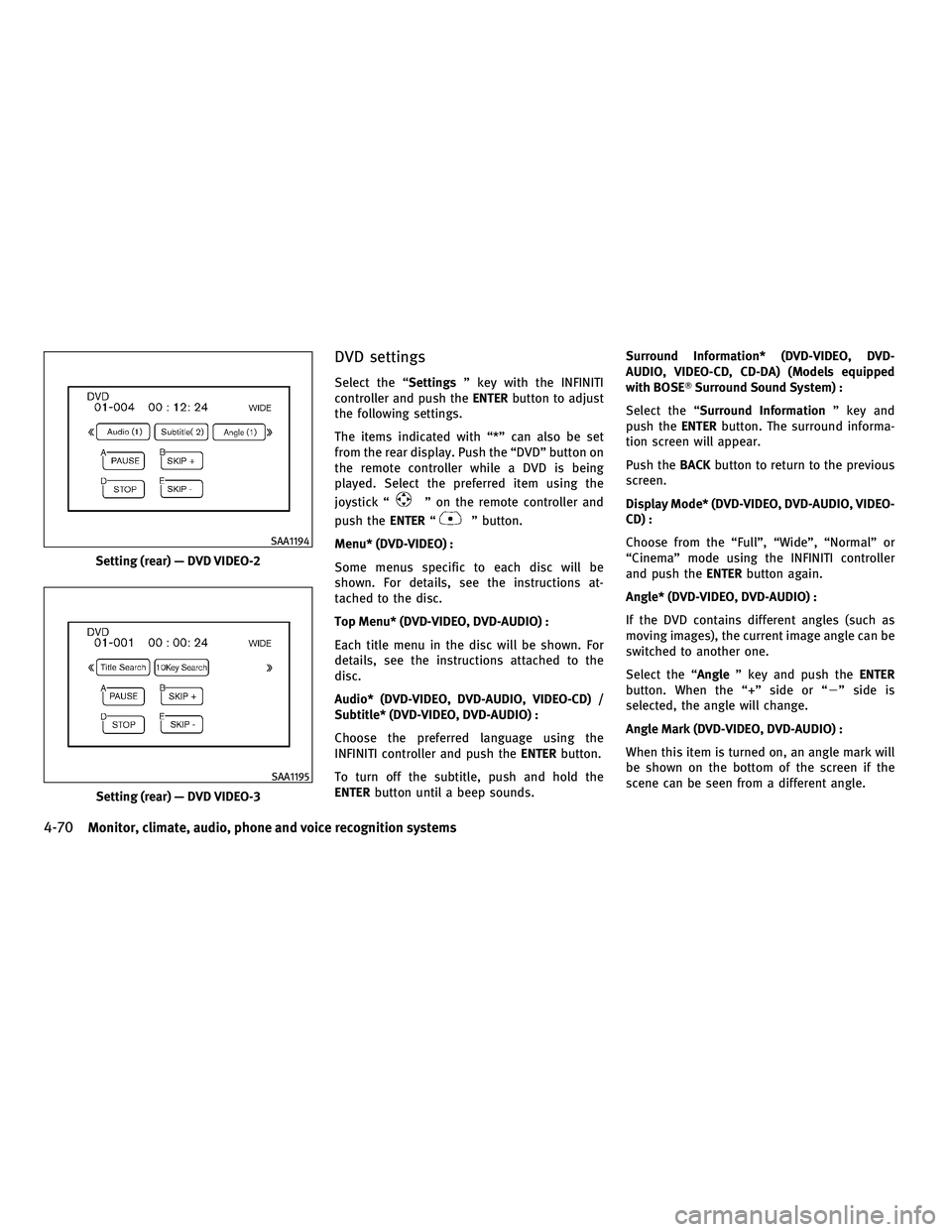
DVD settings
Select the ªSettingsº key with the INFINITI
controller and push the ENTERbutton to adjust
the following settings.
The items indicated with ª*º can also be set
from the rear display. Push the ªDVDº button on
the remote controller while a DVD is being
played. Select the preferred item using the
joystick ª
º on the remote controller and
push the ENTERª
º button.
Menu* (DVD-VIDEO) :
Some menus specific to each disc will be
shown. For details, see the instructions at-
tached to the disc.
Top Menu* (DVD-VIDEO, DVD-AUDIO) :
Each title menu in the disc will be shown. For
details, see the instructions attached to the
disc.
Audio* (DVD-VIDEO, DVD-AUDIO, VIDEO-CD) /
Subtitle* (DVD-VIDEO, DVD-AUDIO) :
Choose the preferred language using the
INFINITI controller and push the ENTERbutton.
To turn off the subtitle, push and hold the
ENTER button until a beep sounds. Surround Information* (DVD-VIDEO, DVD-
AUDIO, VIDEO-CD, CD-DA) (Models equipped
with BOSET
Surround Sound System) :
Select the ª Surround Information º key and
push the ENTERbutton. The surround informa-
tion screen will appear.
Push the BACKbutton to return to the previous
screen.
Display Mode* (DVD-VIDEO, DVD-AUDIO, VIDEO-
CD) :
Choose from the ªFullº, ªWideº, ªNormalº or
ªCinemaº mode using the INFINITI controller
and push the ENTERbutton again.
Angle* (DVD-VIDEO, DVD-AUDIO) :
If the DVD contains different angles (such as
moving images), the current image angle can be
switched to another one.
Select the ªAngle º key and push the ENTER
button. When the ª+º side or ª 2º side is
selected, the angle will change.
Angle Mark (DVD-VIDEO, DVD-AUDIO) :
When this item is turned on, an angle mark will
be shown on the bottom of the screen if the
scene can be seen from a different angle.
Setting (rear) Ð DVD VIDEO-2
SAA1194
Setting (rear) Ð DVD VIDEO-3
SAA1195
4-70Monitor, climate, audio, phone and voice recognition systems
wÐ
Ð
05/14/09Ðpattie
X