Rele JAGUAR XF 2009 1.G Service Manual
[x] Cancel search | Manufacturer: JAGUAR, Model Year: 2009, Model line: XF, Model: JAGUAR XF 2009 1.GPages: 391, PDF Size: 19.32 MB
Page 99 of 391
99
Instruments
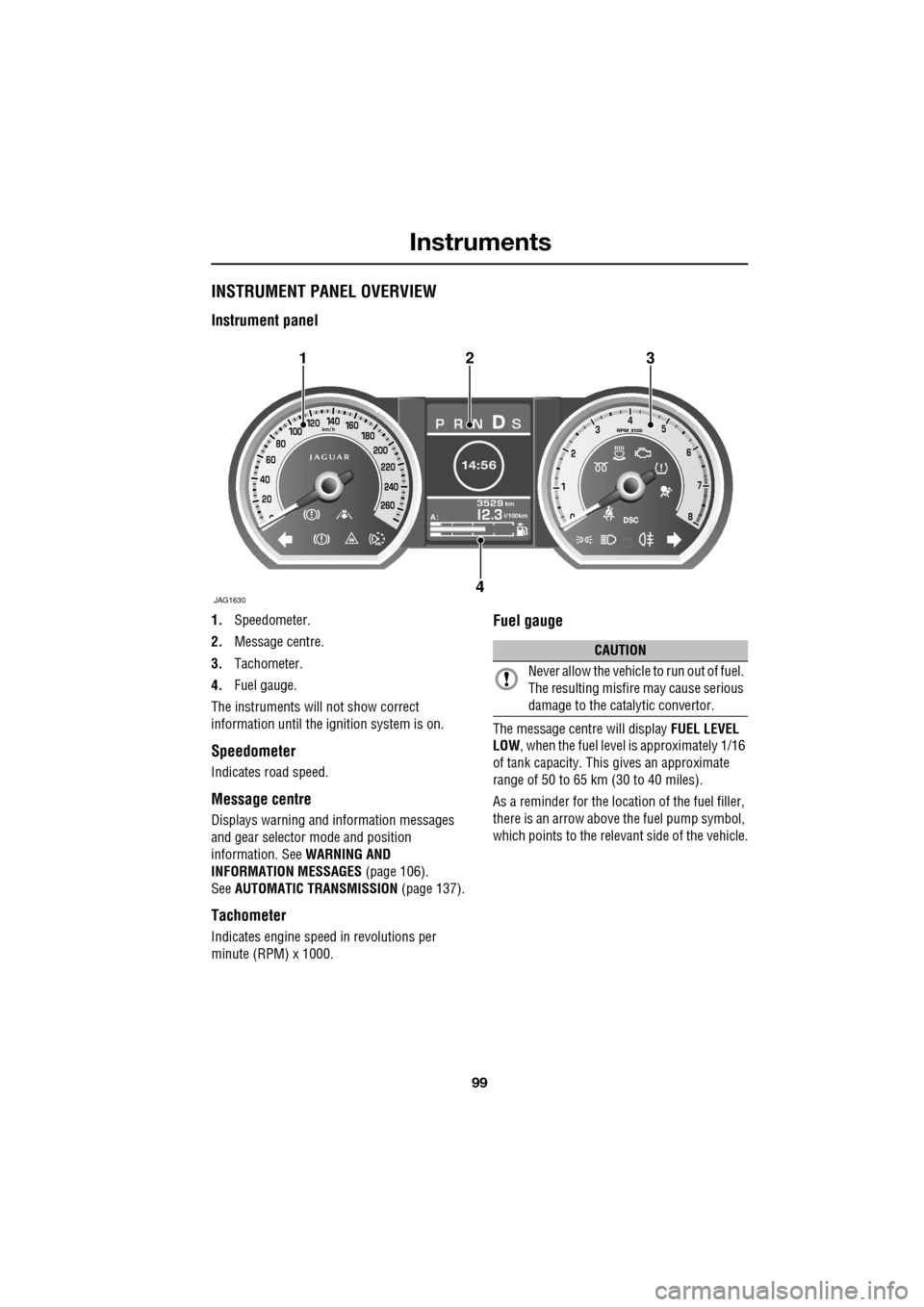
INSTRUMENT PANEL OVERVIEW
Instrument panel
1.Speedometer.
2. Message centre.
3. Tachometer.
4. Fuel gauge.
The instruments will not show correct
information until the i gnition system is on.
Speedometer
Indicates road speed.
Message centre
Displays warning and information messages
and gear selector mode and position
information. See WARNING AND
INFORMATION MESSAGES (page 106).
See AUTOMATIC TRANSMISSION (page 137).
Tachometer
Indicates engine speed in revolutions per
minute (RPM) x 1000.
Fuel gauge
The message centre will display FUEL LEVEL
LOW , when the fuel level is approximately 1/16
of tank capacity. This gives an approximate
range of 50 to 65 km (30 to 40 miles).
As a reminder for the location of the fuel filler,
there is an arrow above the fuel pump symbol,
which points to the releva nt side of the vehicle.
Akm
l/100km
JAG1630
123
4
CAUTION
Never allow the vehicle to run out of fuel.
The resulting misfire may cause serious
damage to the catalytic convertor.
Page 101 of 391
101
Instruments
Brake - Red
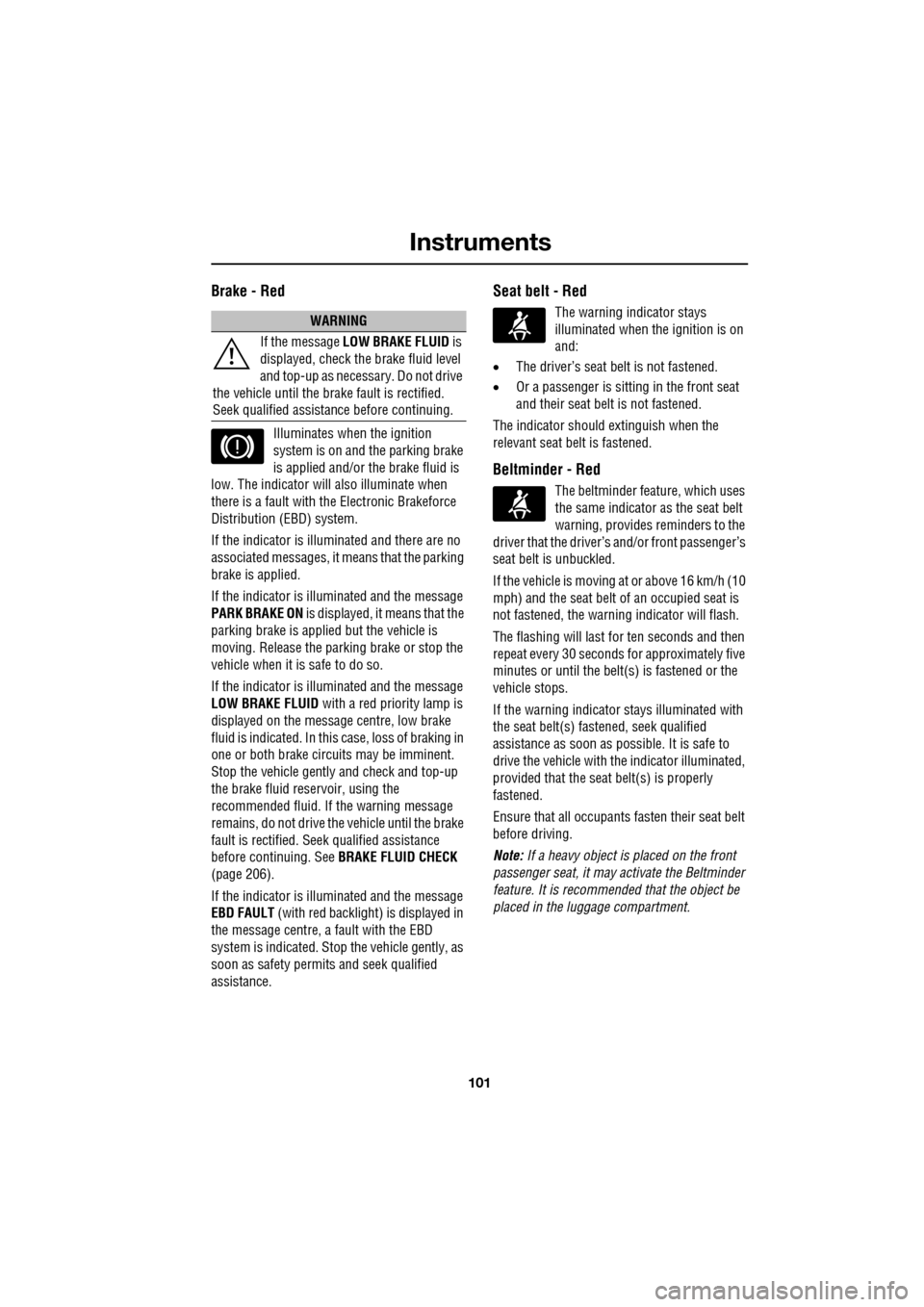
Illuminates when the ignition
system is on and the parking brake
is applied and/or the brake fluid is
low. The indicator will also illuminate when
there is a fault with the Electronic Brakeforce
Distribution (EBD) system.
If the indicator is illu minated and there are no
associated messages, it means that the parking
brake is applied.
If the indicator is illuminated and the message
PARK BRAKE ON is displayed, it means that the
parking brake is applied but the vehicle is
moving. Release the parking brake or stop the
vehicle when it is safe to do so.
If the indicator is illuminated and the message
LOW BRAKE FLUID with a red priority lamp is
displayed on the message centre, low brake
fluid is indicated. In this case, loss of braking in
one or both brake circ uits may be imminent.
Stop the vehicle gently and check and top-up
the brake fluid reservoir, using the
recommended fluid. If the warning message
remains, do not drive the vehicle until the brake
fault is rectified. Se ek qualified assistance
before continuing. See BRAKE FLUID CHECK
(page 206).
If the indicator is illuminated and the message
EBD FAULT (with red backlight) is displayed in
the message centre, a fault with the EBD
system is indicated. Stop the vehicle gently, as
soon as safety permit s and seek qualified
assistance.
Seat belt - Red
The warning indicator stays
illuminated when the ignition is on
and:
• The driver’s seat be lt is not fastened.
• Or a passenger is sitting in the front seat
and their seat belt is not fastened.
The indicator should extinguish when the
relevant seat belt is fastened.
Beltminder - Red
The beltminder feat ure, which uses
the same indicator as the seat belt
warning, provides reminders to the
driver that the driver’s and/or front passenger’s
seat belt is unbuckled.
If the vehicle is moving at or above 16 km/h (10
mph) and the seat belt of an occupied seat is
not fastened, the warning indicator will flash.
The flashing will last for ten seconds and then
repeat every 30 seconds for approximately five
minutes or until the belt(s ) is fastened or the
vehicle stops.
If the warning indicator stays illuminated with
the seat belt(s) fastened, seek qualified
assistance as s oon as possible. It is safe to
drive the vehicle with th e indicator illuminated,
provided that the seat belt(s) is properly
fastened.
Ensure that all occupants fasten their seat belt
before driving.
Note: If a heavy object is placed on the front
passenger seat, it may activate the Beltminder
feature. It is recommended that the object be
placed in the luggage compartment.
WARNING
If the message LOW BRAKE FLUID is
displayed, check the brake fluid level
and top-up as necessary. Do not drive
the vehicle until the brake fault is rectified.
Seek qualified assistan ce before continuing.
Page 104 of 391
Instruments
104
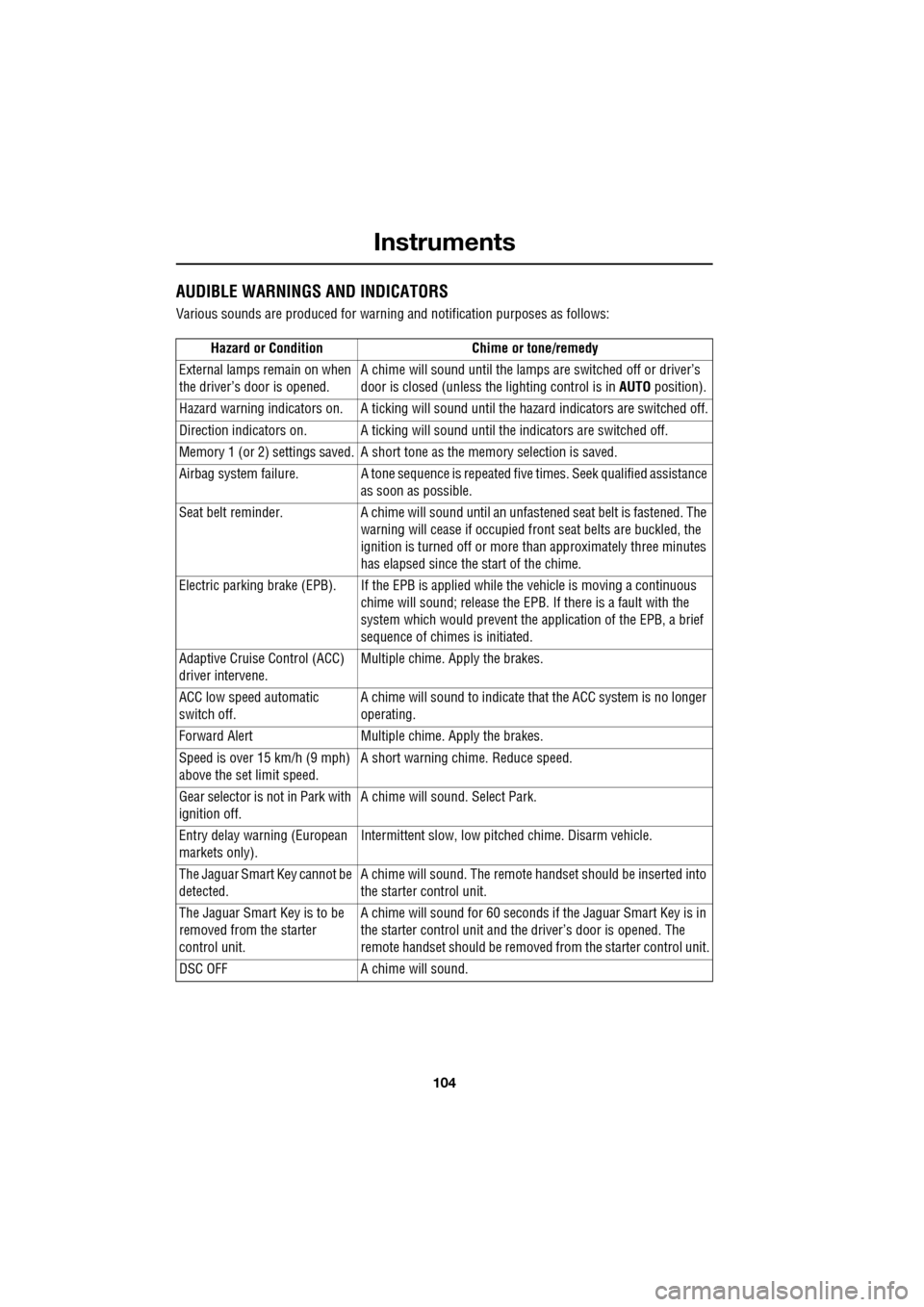
AUDIBLE WARNINGS AND INDICATORS
Various sounds are produced for warning and notification purposes as follows:Hazard or Condition Chime or tone/remedy
External lamps remain on when
the driver’s door is opened. A chime will sound until the lamps are switched off or driver’s
door is closed (unless the lighting control is in
AUTO position).
Hazard warning indicators on. A ti cking will sound until the hazard indicators are switched off.
Direction indicators on. A tick ing will sound until the indicators are switched off.
Memory 1 (or 2) settings saved. A short tone as the memory selection is saved.
Airbag system failure. A tone sequence is repeated five times. Seek qualified assistance as soon as possible.
Seat belt reminder. A chime will sound until an unfastened se at belt is fastened. The
warning will cease if occupied fr ont seat belts are buckled, the
ignition is turned off or more than approximately three minutes
has elapsed since the start of the chime.
Electric parking brake (EPB). If the EPB is a pplied while the vehicle is moving a continuous
chime will sound; release the EPB. If there is a fault with the
system which would prevent the a pplication of the EPB, a brief
sequence of chimes is initiated.
Adaptive Cruise Control (ACC)
driver intervene. Multiple chime. Apply the brakes.
ACC low speed automatic
switch off. A chime will sound to indicate that the ACC system is no longer
operating.
Forward Alert Multiple chime. Apply the brakes.
Speed is over 15 km/h (9 mph)
above the set limit speed. A short warning chime. Reduce speed.
Gear selector is not in Park with
ignition off. A chime will sound.
Select Park.
Entry delay warning (European
markets only). Intermittent slow, low pitc
hed chime. Disarm vehicle.
The Jaguar Smart Key cannot be
detected. A chime will sound. The remote ha
ndset should be inserted into
the starter control unit.
The Jaguar Smart Key is to be
removed from the starter
control unit. A chime will sound for 60 seconds if
the Jaguar Smart Key is in
the starter control unit and the driver’s door is opened. The
remote handset should be remove d from the starter control unit.
DSC OFF A chime will sound.
Page 109 of 391
109
Information displays
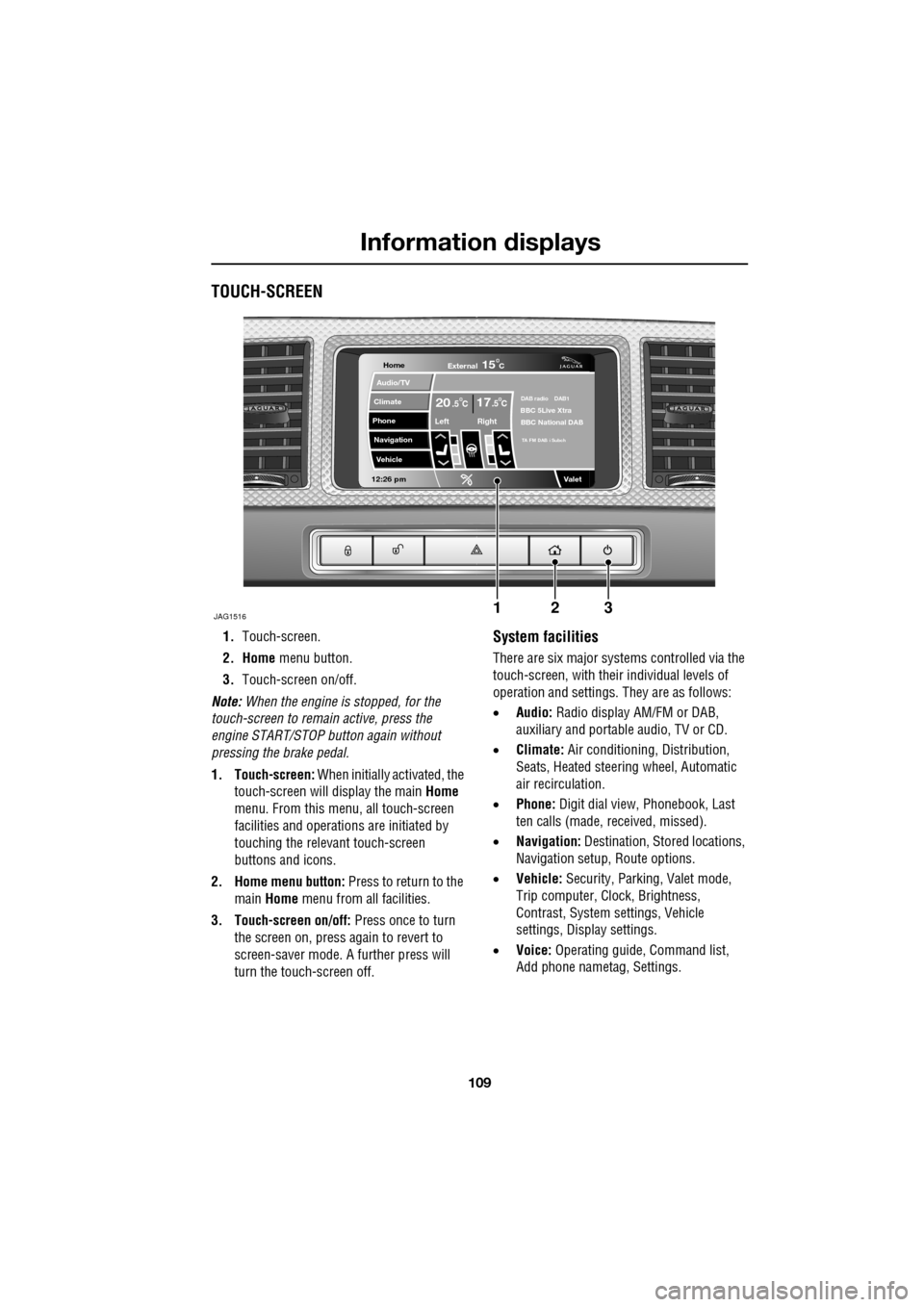
TOUCH-SCREEN
1.Touch-screen.
2. Home menu button.
3. Touch-screen on/off.
Note: When the engine is stopped, for the
touch-screen to remain active, press the
engine START/STOP button again without
pressing the brake pedal.
1. Touch-screen: When initially activated, the
touch-screen will display the main Home
menu. From this menu, all touch-screen
facilities and operati ons are initiated by
touching the relevant touch-screen
buttons and icons.
2. Home menu button: Press to return to the main Home menu from all facilities.
3. Touch-screen on/off: Press once to turn
the screen on, press again to revert to
screen-saver mode. A further press will
turn the touch-screen off.System facilities
There are six major systems controlled via the
touch-screen, with their individual levels of
operation and settings. They are as follows:
• Audio: Radio display AM/FM or DAB,
auxiliary and portable audio, TV or CD.
• Climate: Air conditioning, Distribution,
Seats, Heated steering wheel, Automatic
air recirculation.
• Phone: Digit dial view, Phonebook, Last
ten calls (made, received, missed).
• Navigation: Destination, St ored locations,
Navigation setup, Route options.
• Vehicle: Security, Parking, Valet mode,
Trip computer, Clock, Brightness,
Contrast, System settings, Vehicle
settings, Displa y settings.
• Voice: Operating guide, Command list,
Add phone nametag, Settings.
Home
Audio/TV
Climate
Phone
Navigation
Vehicle
Valet12:26 pm
JAG1516
External15C
Left Right
20 17CC.5 .5DAB radio DAB1BBC 5Live Xtra
BBC National DAB
TA FM DAB i Subch
123
Page 121 of 391
121
Climate control
ELECTRIC SUNROOF
Operation
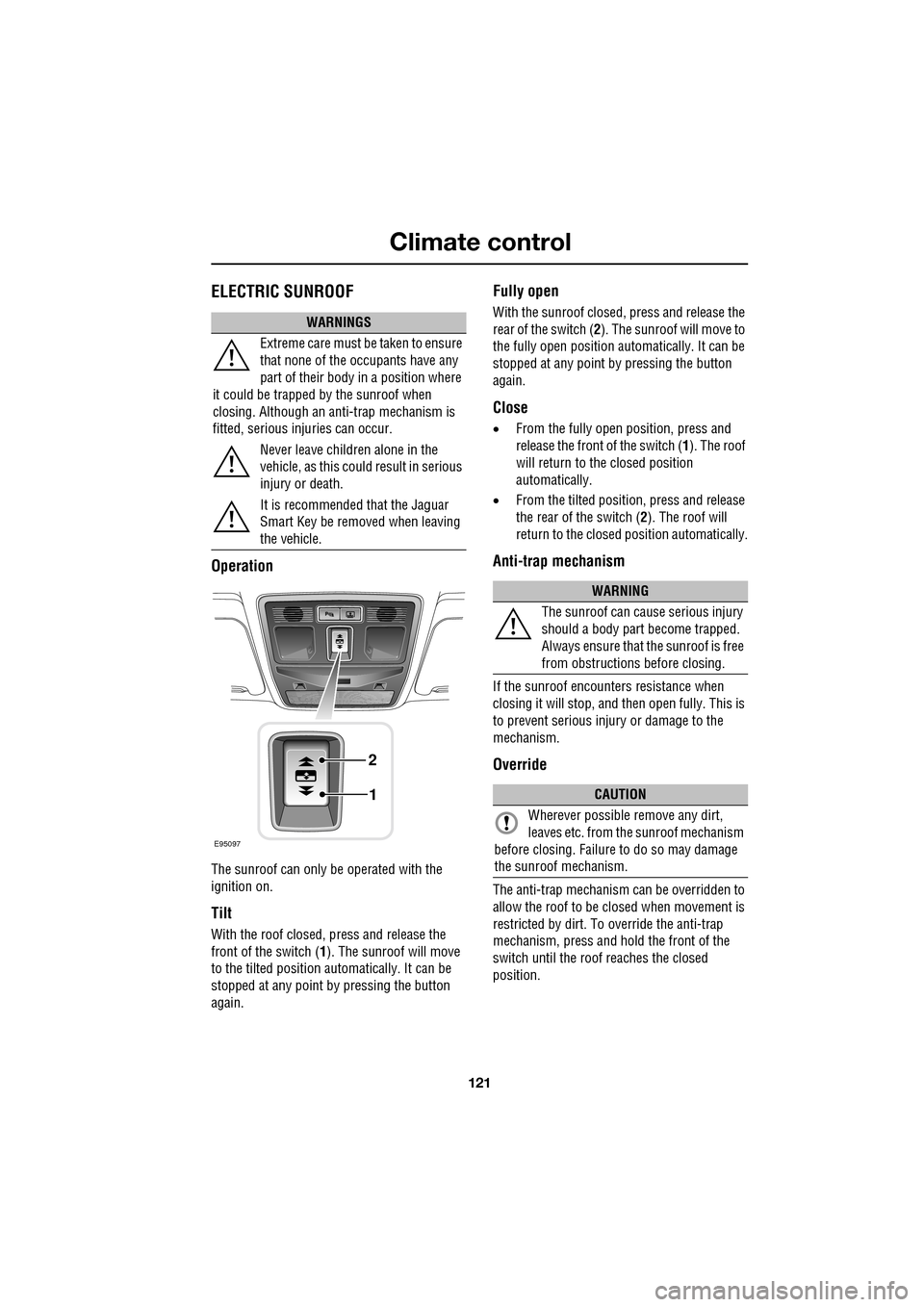
The sunroof can only be operated with the
ignition on.
Tilt
With the roof closed, press and release the
front of the switch (1). The sunroof will move
to the tilted position automatically. It can be
stopped at any point by pressing the button
again.
Fully open
With the sunroof closed, press and release the
rear of the switch ( 2). The sunroof will move to
the fully open position auto matically. It can be
stopped at any point by pressing the button
again.
Close
• From the fully open position, press and
release the front of the switch ( 1). The roof
will return to the closed position
automatically.
• From the tilted position, press and release
the rear of the switch ( 2). The roof will
return to the closed position automatically.
Anti-trap mechanism
If the sunroof encounters resistance when
closing it will stop, and then open fully. This is
to prevent serious injury or damage to the
mechanism.
Override
The anti-trap mechanism can be overridden to
allow the roof to be closed when movement is
restricted by dirt. To override the anti-trap
mechanism, press and hold the front of the
switch until the roof reaches the closed
position.
WARNINGS
Extreme care must be taken to ensure
that none of the oc cupants have any
part of their body in a position where
it could be trapped by the sunroof when
closing. Although an anti-trap mechanism is
fitted, serious injuries can occur.
Never leave children alone in the
vehicle, as this could result in serious
injury or death.
It is recommended that the Jaguar
Smart Key be removed when leaving
the vehicle.
E95097
1
2
WARNING
The sunroof can cause serious injury
should a body part become trapped.
Always ensure that the sunroof is free
from obstructions before closing.
CAUTION
Wherever possible remove any dirt,
leaves etc. from the sunroof mechanism
before closing. Failure to do so may damage
the sunroof mechanism.
Page 122 of 391
Climate control
122
Calibration
If the battery is disconnected, or the power
supply is interrupted, whilst the sunroof is
partially open it will need to be recalibrated.
Once the battery is reconnected, or the power
supply is restored, recalibrate the sunroof as
follows:
1. Switch the ignition on.
2. Press the front of the switch, so that the
sunroof is in the tilt position, then release
the switch.
3. Press the front of the sunroof switch, and
hold for thirty seconds.
4. After thirty seconds the sunroof will begin
to move. Keep the front of the switch
pressed until the sunroof has fully opened,
then closed.
5. Once the open/close cycle has completed
and the sunroof ha s stopped moving,
release the switch.
The sunroof can now be operated as normal.
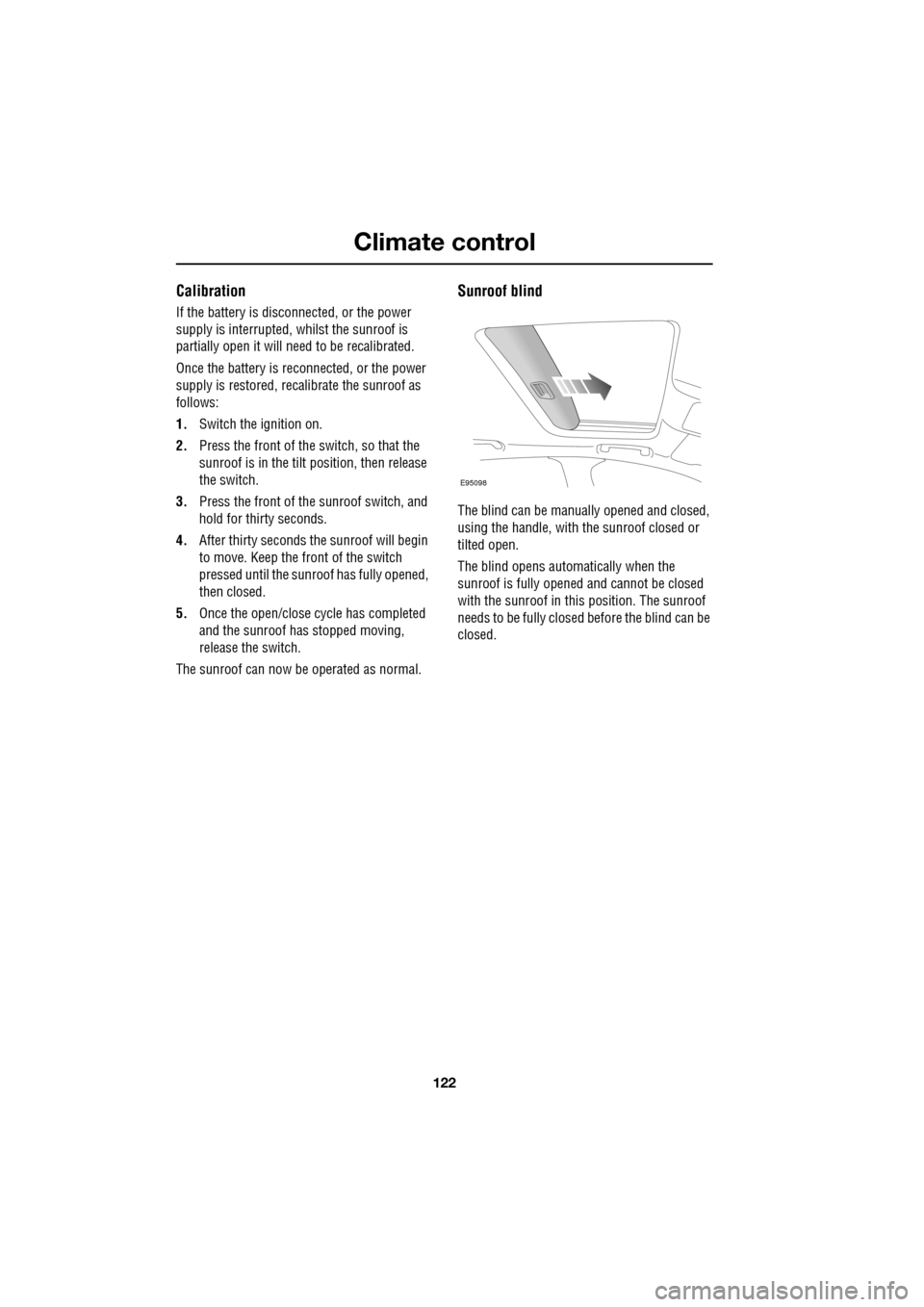
Sunroof blind
The blind can be manua lly opened and closed,
using the handle, with the sunroof closed or
tilted open.
The blind opens automatically when the
sunroof is fully opened and cannot be closed
with the sunroof in this position. The sunroof
needs to be fully closed before the blind can be
closed.
E95098
Page 126 of 391
Convenience features
126
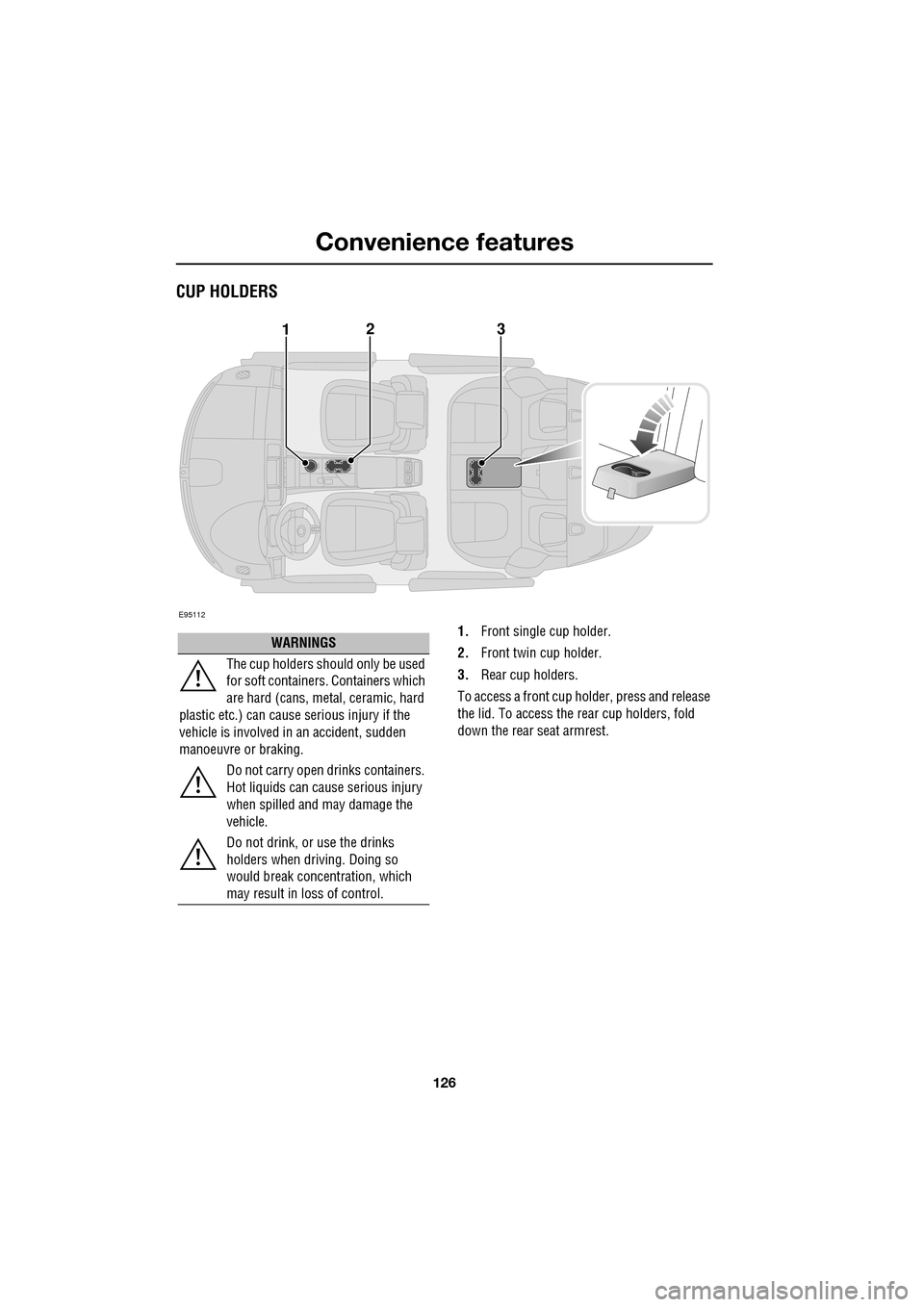
CUP HOLDERS
1.Front single cup holder.
2. Front twin cup holder.
3. Rear cup holders.
To access a front cup holder, press and release
the lid. To access the re ar cup holders, fold
down the rear seat armrest.
E95112
123
WARNINGS
The cup holders shoul d only be used
for soft containers . Containers which
are hard (cans, metal, ceramic, hard
plastic etc.) can cause serious injury if the
vehicle is involved in an accident, sudden
manoeuvre or braking.
Do not carry open drinks containers.
Hot liquids can cause serious injury
when spilled and may damage the
vehicle.
Do not drink, or use the drinks
holders when driving. Doing so
would break concentration, which
may result in loss of control.
Page 129 of 391
129
Convenience features
To erase all programming
For first time programming, ensure that the
engine is switched off:
1.Ensure that the ignition system is in
convenience mode.
2. Press and hold the two outer buttons on
the transceiver in th e rear-view mirror.
Keep the buttons pressed until the
indicator lamp begins to flash (this will
take approximately 20 seconds), then
release the buttons.
All memories in the gara ge door opener have
now been cleared.
Note: Do not perform this procedure when
programming the addi tional garage door
opener buttons.
Programming
Ensuring that the engine is switched off:
1. Ensure that the ignition system is on.
2. Hold the end of the original garage door
opener hand-held transmitter
approximately 50 to 150 mm (2 to 6
inches) away from the transceiver in the
rear-view mirror, keeping the indicator
lamp in view. 3.
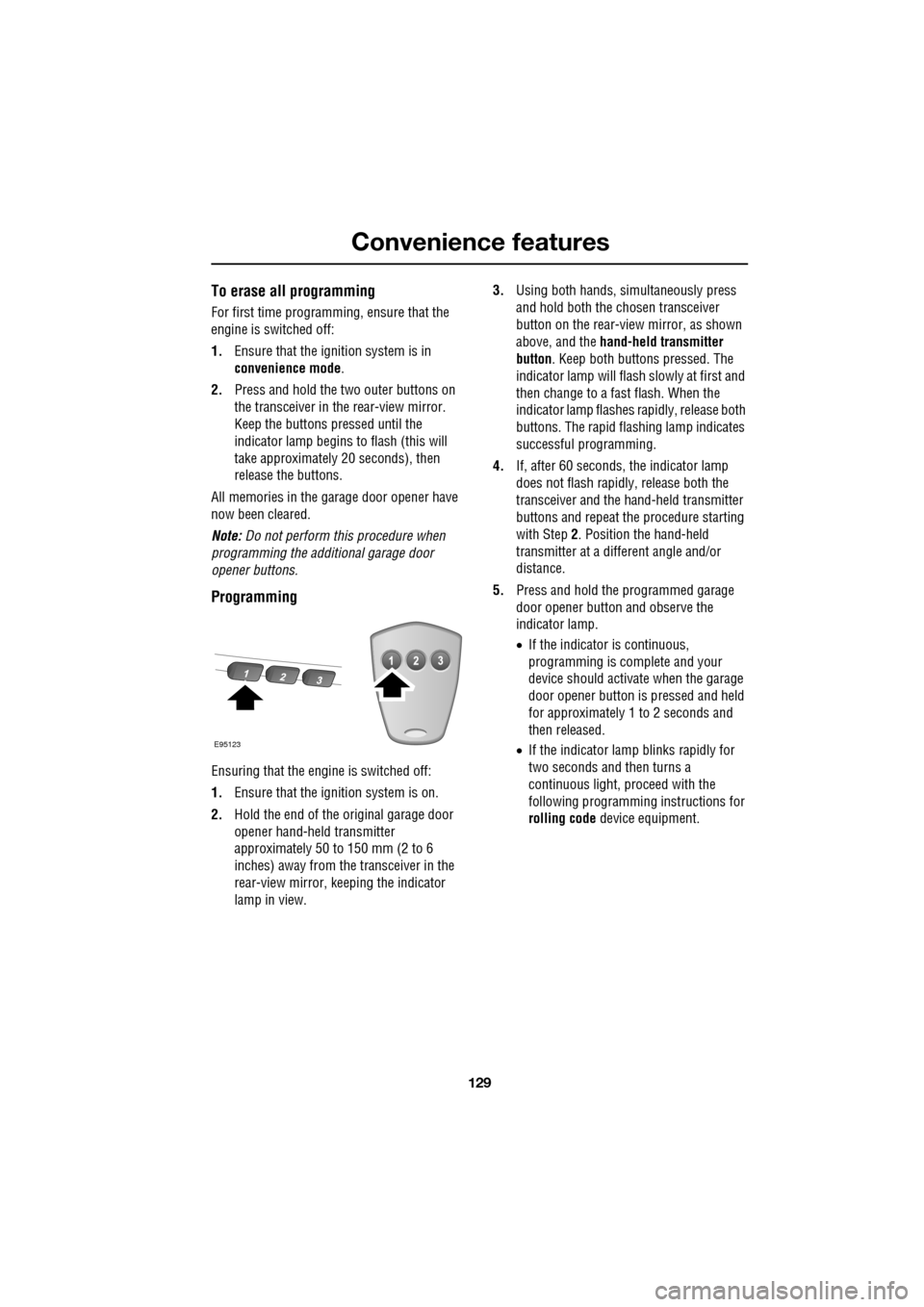
Using both hands , simultaneously press
and hold both the chosen transceiver
button on the rear-view mirror, as shown
above, and the hand-held transmitter
button. Keep both buttons pressed. The
indicator lamp will flash slowly at first and
then change to a fast flash. When the
indicator lamp flashes rapidly, release both
buttons. The rapid flas hing lamp indicates
successful programming.
4. If, after 60 seconds, the indicator lamp
does not flash rapidl y, release both the
transceiver and the hand-held transmitter
buttons and repeat the procedure starting
with Step 2. Position the hand-held
transmitter at a diffe rent angle and/or
distance.
5. Press and hold the programmed garage
door opener button and observe the
indicator lamp.
•If the indicator is continuous,
programming is complete and your
device should activate when the garage
door opener button is pressed and held
for approximately 1 to 2 seconds and
then released.
• If the indicator lamp blinks rapidly for
two seconds and then turns a
continuous light, pr oceed with the
following programming instructions for
rolling code device equipment.
E95123
Page 130 of 391
Convenience features
130
Rolling code device equipment
programming
Note: The assistance of a second person, may
make the following steps quicker and easier.
Once the button has been pressed there are
only 30 seconds in which to complete Step 3.
1. At the garage door opener receiver (motor
head unit) in the garage, locate the learn or
smart button/switch.
•The name of the button or switch may
vary between manufacturers.
2. Press and release the learn or smart
button.
3. Return to the vehicle and firmly press and
hold the programmed garage door opener
button for two seconds and release.
4. Repeat the press, hol d, release sequence
three times to complete the programming
process.
The garage door opener in the rear-view mirror
should now activate the rolling code device.
Reprogramming a single garage door
opener button
To programme a device to a previously trained
button:
1. Press and hold the desired
pre-programmed garage door opener
button for at least 20 seconds, but no
longer than 30 seconds, until the indicator
lamp begins to flash.
2. Without releasing th e rear-view mirror
button, position the hand-held transmitter
approximately 50 to 150 mm (2 to 6
inches) away from the transceiver in the
rear-view mirror, keeping the indicator
lamp in view.
3. Carry out Step 3 of Programming .
Entry gate programming
The technology of some entry gates requires
you to press and re-press (cycle) the hand-held
transmitter button ever y two seconds during
programming.
Continue to press and hold the desired
rear-view mirror button while you cycle your
hand-held transmitter unt il the indicator lamp
flashes rapidly.
Information and assistance
For information on the range of available
compatible products or accessories, or for
assistance, you should contact your Dealer/
Authorised Repairer.
You can also contact the supplier’s helpline on
0 0800 0466 354 65. This toll-free number can
be called from anywhere within Europe. No
separate country code is required (the first zero
is not required when calling from within
Germany).
Contact can also be made via the internet. The
website address is www.eurohomelink.com.
The e-mail address is:
[email protected] .
Note: Keep the original transmitter for future
use or programming procedures if, for
example, you purchase a new vehicle.
Note: The manufacturer is not responsible for
any radio or TV interference caused by
unauthorised modifications to this equipment.
Such modifications could void the user’s
authority to operate the equipment.
CAUTION
It is recommended that when you sell or
dispose of the vehicle, the programmed
transceiver buttons be erased for security
purposes.
Page 132 of 391
Starting the engine
132
GENERAL INFORMATION
START/STOP button
The START/STOP button is used to start or
stop the engine, or to turn on the ignition
without starting the engine.
Note: The START/STOP button will only be
operational if a valid Jaguar Smart key is
detected within the vehicle.
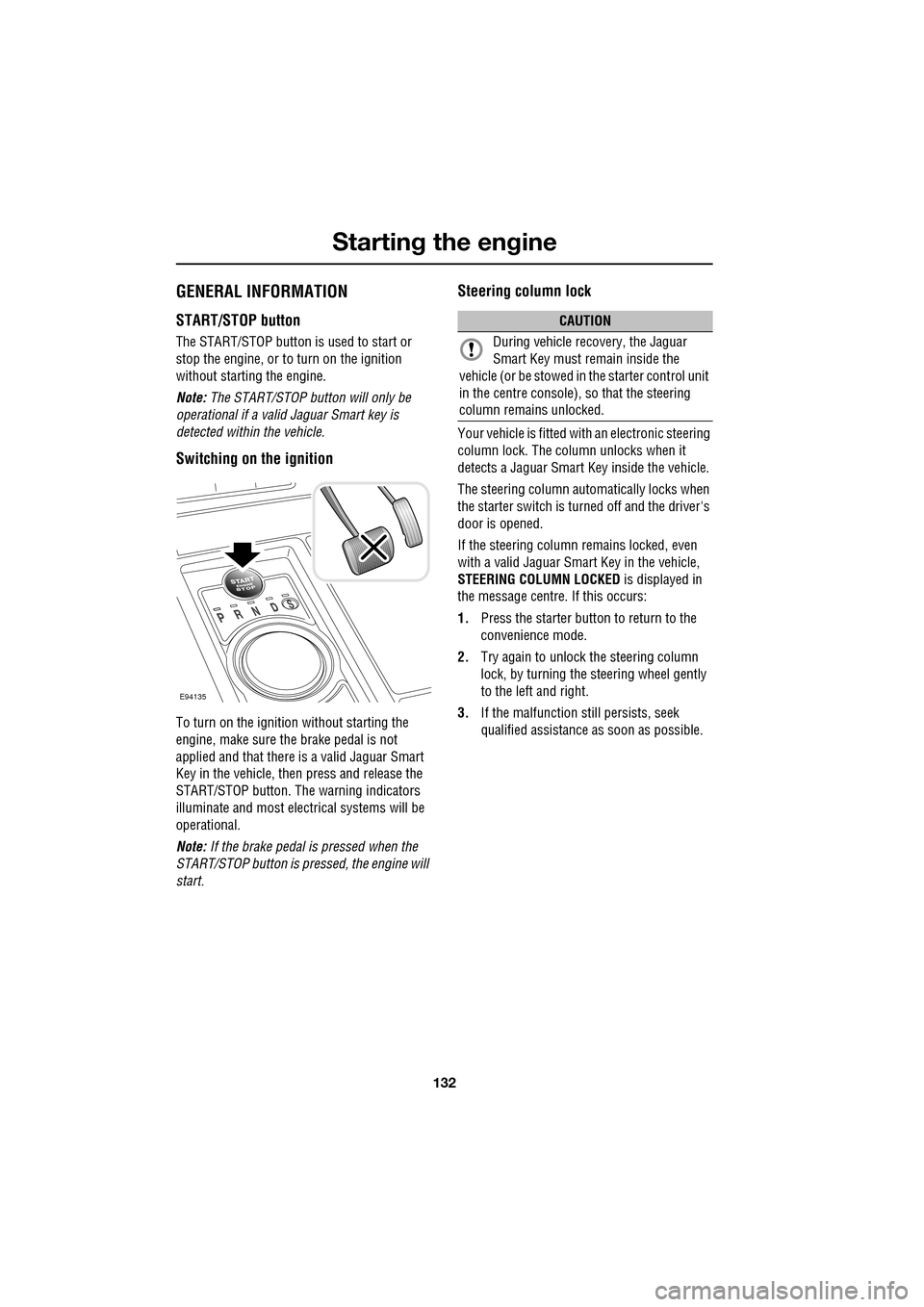
Switching on the ignition
To turn on the ignition without starting the
engine, make sure the brake pedal is not
applied and that there is a valid Jaguar Smart
Key in the vehicle, then press and release the
START/STOP button. The warning indicators
illuminate and most electr ical systems will be
operational.
Note: If the brake pedal is pressed when the
START/STOP button is pressed, the engine will
start.
Steering column lock
Your vehicle is fitted with an electronic steering
column lock. The column unlocks when it
detects a Jaguar Smart Key inside the vehicle.
The steering column automatically locks when
the starter switch is turned off and the driver's
door is opened.
If the steering column remains locked, even
with a valid Jaguar Smart Key in the vehicle,
STEERING COLUMN LOCKED is displayed in
the message centre. If this occurs:
1. Press the starter button to return to the
convenience mode.
2. Try again to unlock the steering column
lock, by turning the steering wheel gently
to the left and right.
3. If the malfunction still persists, seek
qualified assistance as soon as possible.
E94135
CAUTION
During vehicle recovery, the Jaguar
Smart Key must remain inside the
vehicle (or be stowed in the starter control unit
in the centre console), so that the steering
column remains unlocked.