steering LINCOLN CORSAIR 2023 Repair Manual
[x] Cancel search | Manufacturer: LINCOLN, Model Year: 2023, Model line: CORSAIR, Model: LINCOLN CORSAIR 2023Pages: 690, PDF Size: 15.04 MB
Page 342 of 690
WHAT IS DRIVE MODE CONTROL
The system delivers a driving experiencethrough a suite of sophisticated electronicvehicle systems. These systems optimizesteering, handling and powertrain response.This provides a single location to controlmultiple systems performance settings.
Changing the drive mode automaticallychanges the functionality of the followingsystems:
•Electronically power-assisted steeringsystem adjusts steering effort and feelbased on the mode you select. See HowDoes Electric Power Steering Work(page 291).
•Electronic stability control and tractioncontrol maintains your vehicle control inadverse conditions or high performancedriving. See Stability Control (page 288).
•Electronic throttle control enhances thepowertrain response to your drivinginputs.
•Transmission controls optimize with shiftschedules tuned to each mode.
•AWD settings become optimized andtuned to each mode.
The system automatically tailors your vehicleconfiguration for each mode you select.
Note:Not all settings, or modes, may beavailable.
Note:The system has diagnostic checks thatcontinuously monitor the system for properoperation. If a mode is unavailable due to asystem fault, the mode defaults to Normal.
SELECTING A DRIVE MODE
Note:Drive mode changes may not beavailable when the ignition is off.
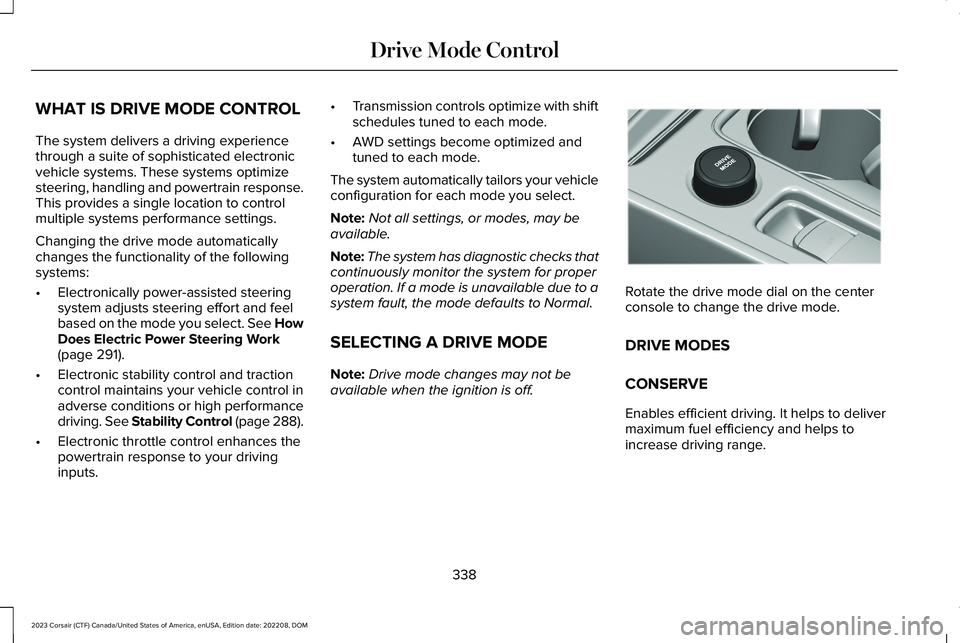
Rotate the drive mode dial on the centerconsole to change the drive mode.
DRIVE MODES
CONSERVE
Enables efficient driving. It helps to delivermaximum fuel efficiency and helps toincrease driving range.
338
2023 Corsair (CTF) Canada/United States of America, enUSA, Edition date: 202208, DOMDrive Mode ControlE307643
Page 343 of 690
EXCITE
For sporty on-road driving. This modeincreases throttle response, provides asportier exhaust sound and steering feel,along with quicker shifting. The suspensioncould stiffen, with an emphasis on handlingand control. The transmission also holdsgears longer, helping your vehicle acceleratefaster when shifting gears.
Note:Sportier exhaust sound may not beavailable depending on vehicleconfiguration.
NORMAL
For everyday driving. This mode is a perfectbalance of excitement, comfort andconvenience. This is the default mode aftereach ignition cycle.
PRESERVE EV - PLUG-IN HYBRIDELECTRIC VEHICLE (PHEV)
Your vehicle runs the engine as needed tosave electric driving range for later use inanother drive mode. For example, you firstdrive at high speeds on open roads whereengine operation is appropriate. Later, youdrive at low speeds in an urban area whereelectric only is most efficient.
If the battery charge is low when you selectthis mode, the engine begins to charge thehigh voltage battery to provide some electricrange for later.
PURE EV - PLUG-IN HYBRID ELECTRICVEHICLE (PHEV)
This mode can provide an electric onlydriving experience. Your vehicle couldaccelerate slower, and the top speed couldbe reduced. For more power, fully press theaccelerator pedal to temporarily engage theengine.
Your vehicle could enable the engine ifsystem conditions require it. An engineenabled message displays if this occurs.
The engine could enable if the climatecontrol is in a defrost mode and the outsidetemperature is cold. If the vehicle does notneed defrost, select a different climatecontrol mode to permit pure EV.
Your vehicle changes from pure EV mode tonormal mode when the vehicle electric rangeis zero.
Note:When in pure EV mode, your vehiclestays in this mode if there is all electricdriving range available and the system doesnot fault.
SLIPPERY
For less than ideal road conditions, such assnow or ice covered roads. Slippery modeinspires confidence without taking away fromdriving pleasure. Slippery mode lowersthrottle response and optimizes shifting forslippery surfaces.
Note:Using slippery mode on dry hardsurfaces could produce some vibration,driveline bind up, and potential excessivetire wear as the intent of this mode is forslippery and loose surfaces.
339
2023 Corsair (CTF) Canada/United States of America, enUSA, Edition date: 202208, DOMDrive Mode Control
Page 345 of 690
WHAT IS ECO COACH
Eco coach is designed to monitor certaindriving characteristics to help you drive moreefficiently.
HOW DOES ECO COACH WORK
Eco coach provides feedback through theinstrument cluster display about your drivingbehaviour.
Note:The efficiency levels do not result in adefined fuel consumption figure.
Note:The system only indicates theefficiency level for the current trip. Thesystem resets each time you switch theignition on.
HOW DOES INSTANTANEOUS
EFFICIENCY LEVEL WORK
The display ring increases as theinstantaneous efficiency level increases andilluminates when it reaches maximumefficiency. The level continuously updatesto indicate the efficiency level for the currenttrip.
VIEWING THE INSTANTANEOUS
EFFICIENCY LEVEL
1.Press the menu button on the steeringwheel to enter the instrument clusterdisplay main menu.
2.Select Display Setup.
3.Select Eco Coach.
4.Select a setting and press the OK button.
HOW DOES TRIP SUMMARY WORK
The calculated trip summary is shown as fourcolored bars. The bars travel from left to rightas the calculated efficiency levels increase.The bars indicate the average efficiency levelfor acceleration, deceleration, speed andgear shifting during the total distancetraveled by your vehicle for the current trip.
Note:Vehicles with an automatictransmission do not have a bar for gearshifting.
VIEWING THE TRIP SUMMARY
1.Press the menu button on the steeringwheel to enter the instrument clusterdisplay main menu.
2.Select Select Screens.
3.Select Eco Behavior.
4.Select the screen on your main screen.See Instrument Cluster Display MainMenu (page 153).
341
2023 Corsair (CTF) Canada/United States of America, enUSA, Edition date: 202208, DOMEco Coach
Page 346 of 690
WHAT IS THE LANE KEEPING
SYSTEM
The lane keeping system alerts you byproviding temporary steering assistance orsteering wheel vibration when it detects anunintended lane departure.
HOW DOES THE LANE KEEPING
SYSTEM WORK
The lane keeping system uses a forwardlooking camera mounted on the windshieldto monitor vehicle movement within thetravel lane.
When the camera detects a drift out of thetravel lane, the lane keeping system alertsthe driver by vibrating the steering wheel, oraids the driver by providing a small steeringinput to move the vehicle back into the travellane.
The driver can select one of three modes:
•Alert (If Equipped)
•Aid
•Alert + Aid
LANE KEEPING SYSTEM
PRECAUTIONS
WARNING: You are responsible forcontrolling your vehicle at all times. Thesystem is designed to be an aid and doesnot relieve you of your responsibility todrive with due care and attention. Failureto follow this instruction could result in theloss of control of your vehicle, personalinjury or death.
WARNING: The system will notoperate if the sensor cannot track the roadlane markings.
WARNING: The sensor mayincorrectly track lane markings as otherstructures or objects. This can result in afalse or missed warning.
WARNING: In cold and severeweather conditions the system may notfunction. Rain, snow and spray can all limitsensor performance.
WARNING: The system may notoperate properly if the sensor is blocked.Keep the windshield free from obstruction.
WARNING: If damage occurs in theimmediate area surrounding the sensor,have your vehicle checked as soon aspossible.
WARNING: The system may notcorrectly operate if your vehicle is fittedwith a suspension kit not approved by us.
WARNING: Large contrasts in outsidelighting can limit sensor performance.
342
2023 Corsair (CTF) Canada/United States of America, enUSA, Edition date: 202208, DOMLane Keeping System
Page 347 of 690
LANE KEEPING SYSTEM
LIMITATIONS
The lane keeping system only operates whenthe vehicle speed is greater than 40 mph(64 km/h).
The system works when the camera candetect at least one lane marking or the edgeof the road.
The lane keeping system may not correctlyoperate in any of the following conditions:
•The lane keeping system does not detectat least one lane marking.
•You switch the turn signal on.
•You apply direct steering, accelerate fastor brake hard.
•The vehicle speed is less than 40 mph(64 km/h).
•The anti-lock brake, stability control ortraction control system activates.
•The lane is too narrow.
•Something is obscuring the camera or itis unable to detect the lane markings dueto environment, traffic or vehicleconditions.
The lane keeping system may not correctlane positioning in any of the followingconditions:
•High winds.
•Uneven road surfaces.
•Heavy or uneven loads.
•Incorrect tire pressure.
SWITCHING THE LANE KEEPING
SYSTEM ON AND OFF
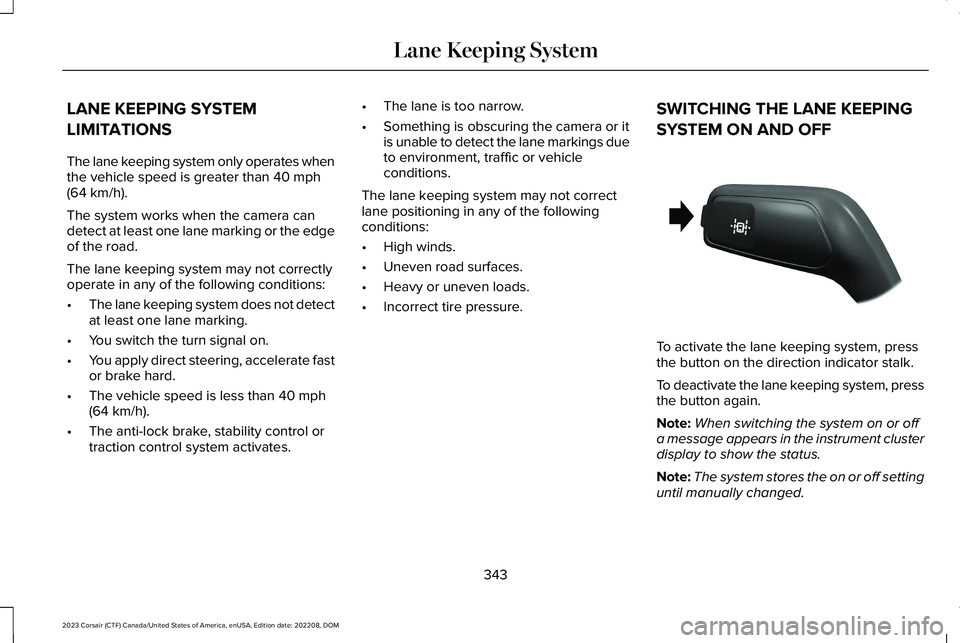
To activate the lane keeping system, pressthe button on the direction indicator stalk.
To deactivate the lane keeping system, pressthe button again.
Note:When switching the system on or offa message appears in the instrument clusterdisplay to show the status.
Note:The system stores the on or off settinguntil manually changed.
343
2023 Corsair (CTF) Canada/United States of America, enUSA, Edition date: 202208, DOMLane Keeping SystemE288067
Page 348 of 690
SWITCHING THE LANE KEEPING
SYSTEM MODE
The lane keeping system has differentsettings that you can view or adjust usingthe instrument cluster display.
The system stores the last known selectionfor each of these settings. You do not needto readjust your settings each time youswitch on the system.
To change the lane keeping system mode,use the touchscreen:
1.Press Settings on the touchscreen.
2.Press Driver Assistance.
3.Press Lane-Keeping System.
4.Press Lane-Keeping Mode.
5.Select a mode.
Note:The system remembers the last settingwhen you start your vehicle.
LANE KEEPING SYSTEM SETTINGS
Adjusting the Steering Wheel VibrationIntensity
1.Access the vehicle drawer on thetouchscreen.
2.Press SETTINGS.
3.Press Driver Assistance.
4.Press Lane-Keeping System.
5.Press Lane-Keeping Intensity.
6.Select a setting.
Note:This setting is not available in allmodes.
ALERT MODE
WHAT IS ALERT MODE
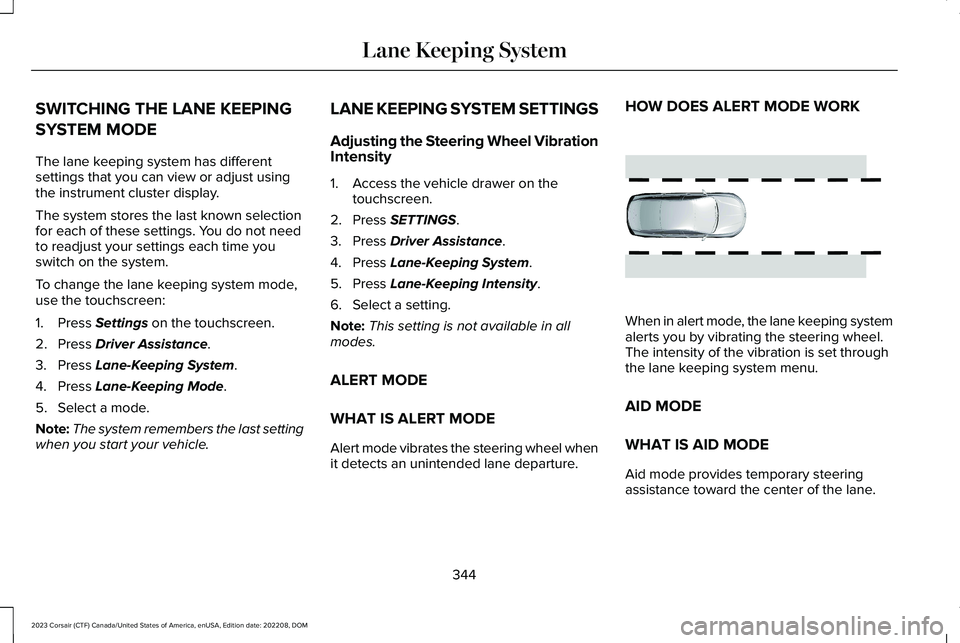
Alert mode vibrates the steering wheel whenit detects an unintended lane departure.
HOW DOES ALERT MODE WORK
When in alert mode, the lane keeping systemalerts you by vibrating the steering wheel.The intensity of the vibration is set throughthe lane keeping system menu.
AID MODE
WHAT IS AID MODE
Aid mode provides temporary steeringassistance toward the center of the lane.
344
2023 Corsair (CTF) Canada/United States of America, enUSA, Edition date: 202208, DOMLane Keeping SystemE165515
Page 349 of 690
HOW DOES AID MODE WORK
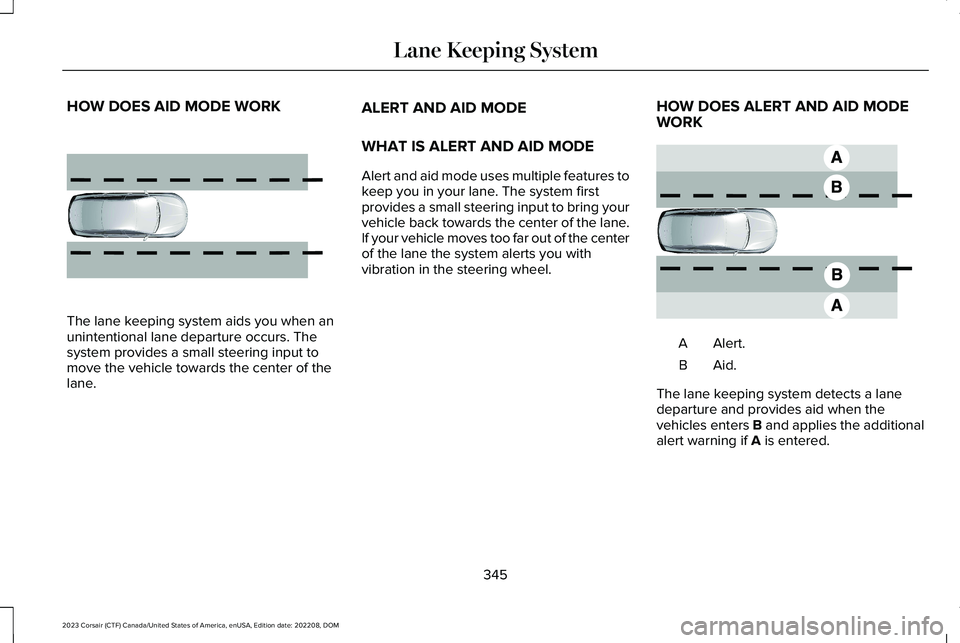
The lane keeping system aids you when anunintentional lane departure occurs. Thesystem provides a small steering input tomove the vehicle towards the center of thelane.
ALERT AND AID MODE
WHAT IS ALERT AND AID MODE
Alert and aid mode uses multiple features tokeep you in your lane. The system firstprovides a small steering input to bring yourvehicle back towards the center of the lane.If your vehicle moves too far out of the centerof the lane the system alerts you withvibration in the steering wheel.
HOW DOES ALERT AND AID MODEWORK
Alert.A
Aid.B
The lane keeping system detects a lanedeparture and provides aid when thevehicles enters B and applies the additionalalert warning if A is entered.
345
2023 Corsair (CTF) Canada/United States of America, enUSA, Edition date: 202208, DOMLane Keeping System E165516 E165517
Page 351 of 690
BLIND SPOT ASSIST
WHAT IS BLIND SPOT ASSIST
Blind spot assist is an extension of the lanekeeping system.
It may help you identify adjacent vehiclesduring a lane change.
Blind spot assist provides a blind spotwarning and steering assistance to helpduring lane changes.
HOW DOES BLIND SPOT ASSISTWORK
Activate and deactivate the systemusing the lane keeping systembutton on the steering wheel.
During lane changes, the design of the blindspot assist feature detects vehicles in, orapproaching, your blind spot and providesa warning, plus steering assistance to directyour vehicle back into your lane.
When active, this system functions with orwithout the use of direction indicators andhazard flashers.
You must keep your hands on the steeringwheel at all times.
BLIND SPOT ASSIST LIMITATIONS
All system limitations present in the basiclane keeping system also apply to blind spotassist.
Blind spot assist does not function under thefollowing conditions:
•The system does not detect lanemarkings.
•One or both rear radar sensors becomeblocked or faulty.
•You attach a trailer with a wiringconnection to your vehicle.
Note:Blind spot assist may have reducedperformance if you attach a trailer to yourvehicle without a wiring connection.
Blind spot assist may have difficulty detectinghazards under the following conditions:
•If a vehicle is approaching in an adjacentlane at a relative speed much higher thanyour vehicle.
•Bad weather conditions are present thatobstruct the sensors.
•You attach a bicycle rack to your vehicle.
347
2023 Corsair (CTF) Canada/United States of America, enUSA, Edition date: 202208, DOMLane Keeping SystemE334922
Page 354 of 690
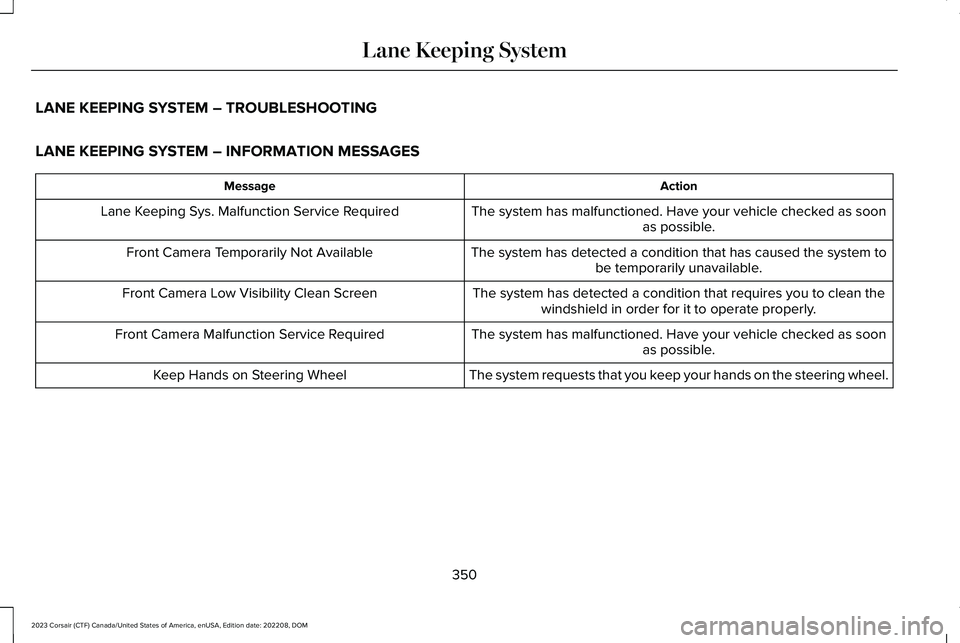
LANE KEEPING SYSTEM – TROUBLESHOOTING
LANE KEEPING SYSTEM – INFORMATION MESSAGES
ActionMessage
The system has malfunctioned. Have your vehicle checked as soonas possible.Lane Keeping Sys. Malfunction Service Required
The system has detected a condition that has caused the system tobe temporarily unavailable.Front Camera Temporarily Not Available
The system has detected a condition that requires you to clean thewindshield in order for it to operate properly.Front Camera Low Visibility Clean Screen
The system has malfunctioned. Have your vehicle checked as soonas possible.Front Camera Malfunction Service Required
The system requests that you keep your hands on the steering wheel.Keep Hands on Steering Wheel
350
2023 Corsair (CTF) Canada/United States of America, enUSA, Edition date: 202208, DOMLane Keeping System
Page 366 of 690
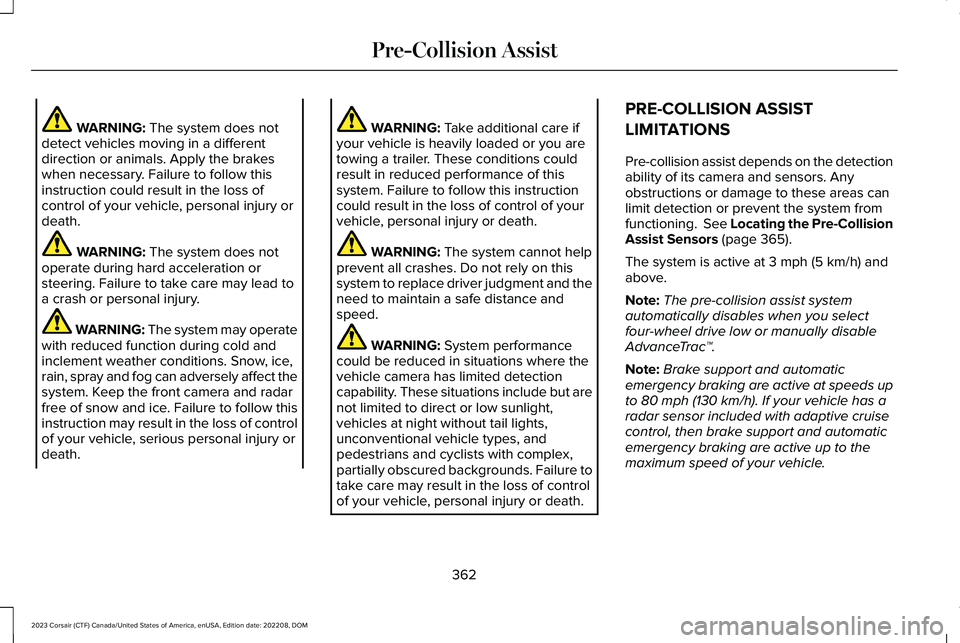
WARNING: The system does notdetect vehicles moving in a differentdirection or animals. Apply the brakeswhen necessary. Failure to follow thisinstruction could result in the loss ofcontrol of your vehicle, personal injury ordeath.
WARNING: The system does notoperate during hard acceleration orsteering. Failure to take care may lead toa crash or personal injury.
WARNING: The system may operatewith reduced function during cold andinclement weather conditions. Snow, ice,rain, spray and fog can adversely affect thesystem. Keep the front camera and radarfree of snow and ice. Failure to follow thisinstruction may result in the loss of controlof your vehicle, serious personal injury ordeath.
WARNING: Take additional care ifyour vehicle is heavily loaded or you aretowing a trailer. These conditions couldresult in reduced performance of thissystem. Failure to follow this instructioncould result in the loss of control of yourvehicle, personal injury or death.
WARNING: The system cannot helpprevent all crashes. Do not rely on thissystem to replace driver judgment and theneed to maintain a safe distance andspeed.
WARNING: System performancecould be reduced in situations where thevehicle camera has limited detectioncapability. These situations include but arenot limited to direct or low sunlight,vehicles at night without tail lights,unconventional vehicle types, andpedestrians and cyclists with complex,partially obscured backgrounds. Failure totake care may result in the loss of controlof your vehicle, personal injury or death.
PRE-COLLISION ASSIST
LIMITATIONS
Pre-collision assist depends on the detectionability of its camera and sensors. Anyobstructions or damage to these areas canlimit detection or prevent the system fromfunctioning. See Locating the Pre-CollisionAssist Sensors (page 365).
The system is active at 3 mph (5 km/h) andabove.
Note:The pre-collision assist systemautomatically disables when you selectfour-wheel drive low or manually disableAdvanceTrac™.
Note:Brake support and automaticemergency braking are active at speeds upto 80 mph (130 km/h). If your vehicle has aradar sensor included with adaptive cruisecontrol, then brake support and automaticemergency braking are active up to themaximum speed of your vehicle.
362
2023 Corsair (CTF) Canada/United States of America, enUSA, Edition date: 202208, DOMPre-Collision Assist