display NISSAN TEANA 2014 Service Manual
[x] Cancel search | Manufacturer: NISSAN, Model Year: 2014, Model line: TEANA, Model: NISSAN TEANA 2014Pages: 4801, PDF Size: 51.2 MB
Page 4010 of 4801
DIAGNOSIS SYSTEM (AIR BAG)SRC-17
< SYSTEM DESCRIPTION >
C
D E
F
G
I
J
K L
M A
B
SRC
N
O P
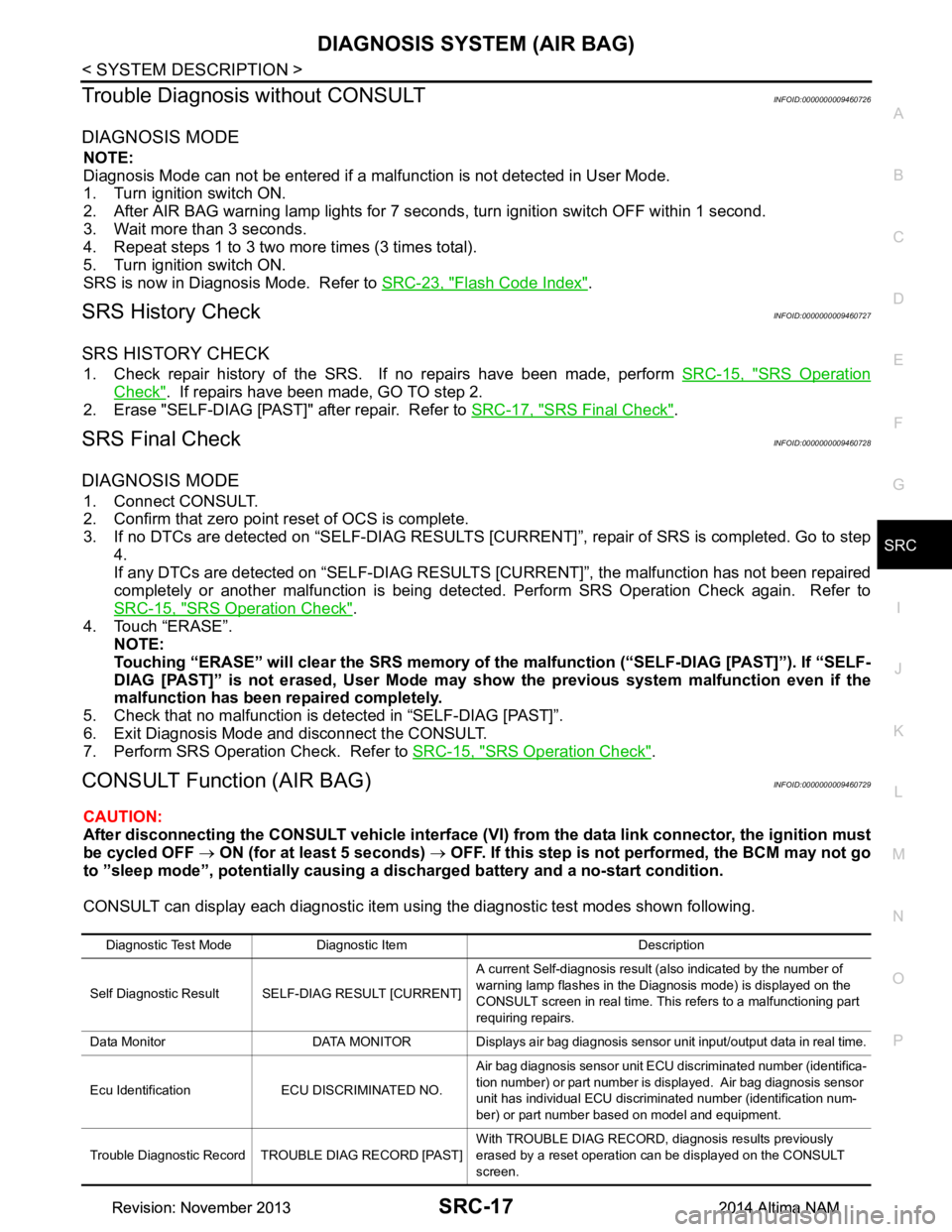
Trouble Diagnosis without CONSULTINFOID:0000000009460726
DIAGNOSIS MODE
NOTE:
Diagnosis Mode can not be entered if a malfunction is not detected in User Mode.
1. Turn ignition switch ON.
2. After AIR BAG warning lamp lights for 7 seconds, turn ignition switch OFF within 1 second.
3. Wait more than 3 seconds.
4. Repeat steps 1 to 3 two more times (3 times total).
5. Turn ignition switch ON.
SRS is now in Diagnosis Mode. Refer to SRC-23, "Flash Code Index"
.
SRS History CheckINFOID:0000000009460727
SRS HISTORY CHECK
1. Check repair history of the SRS. If no repairs have been made, perform SRC-15, "SRS Operation
Check". If repairs have been made, GO TO step 2.
2. Erase "SELF-DIAG [PAST]" after repair. Refer to SRC-17, "SRS Final Check"
.
SRS Final CheckINFOID:0000000009460728
DIAGNOSIS MODE
1. Connect CONSULT.
2. Confirm that zero point reset of OCS is complete.
3. If no DTCs are detected on “SELF- DIAG RESULTS [CURRENT]”, repair of SRS is completed. Go to step
4.
If any DTCs are detected on “SEL F-DIAG RESULTS [CURRENT]”, t he malfunction has not been repaired
completely or another malfunction is being detected. Perform SRS Operation Check again. Refer to
SRC-15, "SRS Operation Check"
.
4. Touch “ERASE”. NOTE:
Touching “ERASE” will clear the SRS memory of the malfunction (“SELF-DIAG [PAST]”). If “SELF-
DIAG [PAST]” is not erased, User Mode may s how the previous system malfunction even if the
malfunction has been repaired completely.
5. Check that no malfunction is detected in “SELF-DIAG [PAST]”.
6. Exit Diagnosis Mode and disconnect the CONSULT.
7. Perform SRS Operation Check. Refer to SRC-15, "SRS Operation Check"
.
CONSULT Function (AIR BAG)INFOID:0000000009460729
CAUTION:
After disconnecting the CONSULT vehicle interface (VI) from the data link connector, the ignition must
be cycled OFF → ON (for at least 5 seconds) → OFF. If this step is not performed, the BCM may not go
to ”sleep mode”, potentiall y causing a discharged battery and a no-start condition.
CONSULT can display each diagnostic item using the diagnostic test modes shown following.
Diagnostic Test Mode Diagnostic Item Description
Self Diagnostic Result SEL F-DIAG RESULT [CURRENT]A current Self-diagnosis result (also indicated by the number of
warning lamp flashes in the Diagnosis mode) is displayed on the
CONSULT screen in real time. This refers to a malfunctioning part
requiring repairs.
Data Monitor DATA MONITOR Displays air bag diagnosis sensor unit input/output data in real time.
Ecu Identification ECU DISCRIMINATED NO. Air bag diagnosis sensor unit ECU discriminated number (identifica-
tion number) or part number is displayed. Air bag diagnosis sensor
unit has individual ECU discriminated number (identification num-
ber) or part number based on model and equipment.
Trouble Diagnostic Record TROUBLE DIAG RECORD [PAST] With TROUBLE DIAG RECORD, diagnosis results previously
erased by a reset operation can be displayed on the CONSULT
screen.
Revision: November 20132014 Altima NAMRevision: November 20132014 Altima NAM
Page 4011 of 4801

SRC-18
< SYSTEM DESCRIPTION >
DIAGNOSIS SYSTEM (AIR BAG)
CONSULT Function (OCCUPANT DETECTION)
INFOID:0000000009460730
CAUTION:
After disconnecting the CONSULT vehicle interface (VI) from the data link connector, the ignition must
be cycled OFF → ON (for at least 5 seconds) → OFF. If this step is not performed, the BCM may not go
to ”sleep mode”, potentially causing a di scharged battery and a no-start condition.
CONSULT can display each diagnostic item usi ng the diagnostic test modes shown following.
Diagnostic Test Mode Diagnostic Item Description
Work Support ZERO POINT RESET FUNCTION Perform zero point reset. Refer to
SRC-42, "ZERO POINT RESET : Spe-
cial Repair Requirement".
Revision: November 20132014 Altima NAMRevision: November 20132014 Altima NAM
Page 4016 of 4801
DIAGNOSIS SENSOR UNITSRC-23
< ECU DIAGNOSIS INFORMATION >
C
D E
F
G
I
J
K L
M A
B
SRC
N
O P
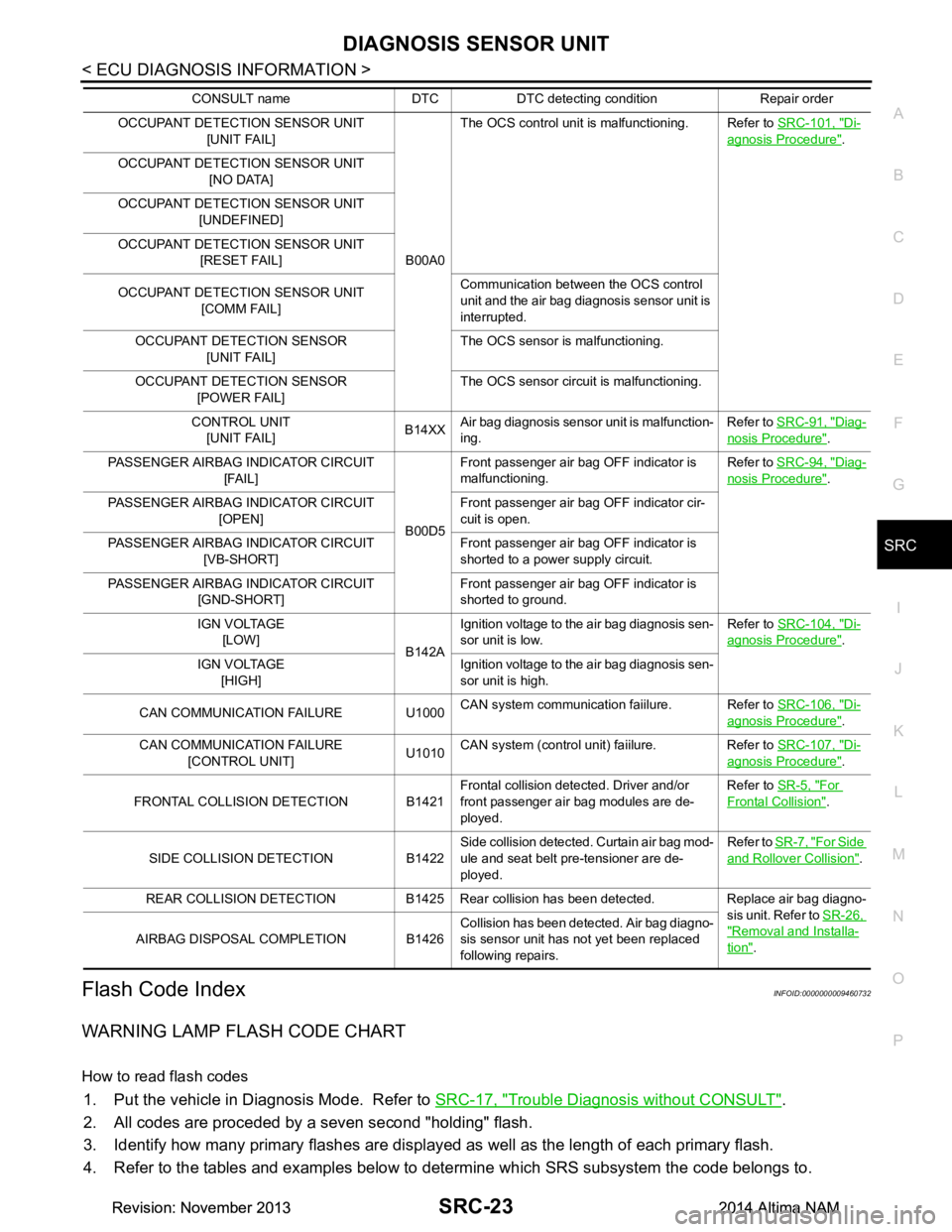
Flash Code IndexINFOID:0000000009460732
WARNING LAMP FLASH CODE CHART
How to read flash codes
1. Put the vehicle in Diagnosis Mode. Refer to SRC-17, "Trouble Diagnosis without CONSULT".
2. All codes are proceded by a seven second "holding" flash.
3. Identify how many primary flashes are display ed as well as the length of each primary flash.
4. Refer to the tables and examples below to determine which SRS subsystem the code belongs to.
OCCUPANT DETECTION SENSOR UNIT [UNIT FAIL]
B00A0The OCS control unit is malfunctioning. Refer to
SRC-101, "Di-
agnosis Procedure".
OCCUPANT DETECTION SENSOR UNIT [NO DATA]
OCCUPANT DETECTION SENSOR UNIT [UNDEFINED]
OCCUPANT DETECTION SENSOR UNIT [RESET FAIL]
OCCUPANT DETECTION SENSOR UNIT [COMM FAIL] Communication between the OCS control
unit and the air bag diagnosis sensor unit is
interrupted.
OCCUPANT DETECTION SENSOR [UNIT FAIL] The OCS sensor is malfunctioning.
OCCUPANT DETECTION SENSOR [POWER FAIL] The OCS sensor circuit is malfunctioning.
CONTROL UNIT [UNIT FAIL] B14XX
Air bag diagnosis sensor unit is malfunction-
ing. Refer to
SRC-91, "Diag-
nosis Procedure".
PASSENGER AIRBAG INDICATOR CIRCUIT [FAIL]
B00D5Front passenger air bag OFF indicator is
malfunctioning. Refer to
SRC-94, "Diag-
nosis Procedure".
PASSENGER AIRBAG INDICATOR CIRCUIT [OPEN] Front passenger air bag OFF indicator cir-
cuit is open.
PASSENGER AIRBAG INDICATOR CIRCUIT [VB-SHORT] Front passenger air bag OFF indicator is
shorted to a power supply circuit.
PASSENGER AIRBAG INDICATOR CIRCUIT [GND-SHORT] Front passenger air bag OFF indicator is
shorted to ground.
IGN VOLTAGE [LOW] B142AIgnition voltage to the air bag diagnosis sen-
sor unit is low. Refer to
SRC-104, "Di-
agnosis Procedure".
IGN VOLTAGE [HIGH] Ignition voltage to the air bag diagnosis sen-
sor unit is high.
CAN COMMUNICATION FAILURE U1000 CAN system communication faiilure. Refer to
SRC-106, "Di-
agnosis Procedure".
CAN COMMUNICATION FAILURE [CONTROL UNIT] U1010CAN system (control unit) faiilure. Refer to
SRC-107, "Di-
agnosis Procedure".
FRONTAL COLLISION DETECTION B1421 Frontal collision detected. Driver and/or
front passenger air bag modules are de-
ployed. Refer to
SR-5, "For
Frontal Collision".
SIDE COLLISION DETECTION B1422 Side collision detected. Curtain air bag mod-
ule and seat belt pre-tensioner are de-
ployed. Refer to
SR-7, "For Side
and Rollover Collision".
REAR COLLISION DETECTION B1425 Rear collision has been detected. Replace air bag diagno- sis unit. Refer to SR-26,
"Removal and Installa-
tion".
AIRBAG DISPOSAL COMPLETION B1426 Collision has been detected. Air bag diagno-
sis sensor unit has not yet been replaced
following repairs.
CONSULT name DTC DTC detecting condition Repair order
Revision: November 20132014 Altima NAMRevision: November 20132014 Altima NAM
Page 4035 of 4801
SRC-42
< BASIC INSPECTION >
INSPECTION AND ADJUSTMENT
INSPECTION AND ADJUSTMENT
ADDITIONAL SERVICE WHEN REPLACING CONTROL UNIT
ADDITIONAL SERVICE WHEN REPL ACING CONTROL UNIT : Description
INFOID:0000000009460735
WARNING:
Always perform zero point reset using CONSULT when removing an d installing the front passenger
seat or servicing the occupant classification system. If zero point reset is not performed, the OCS may
not operate normally, which may increase the risk of serious injury in a collision.
ADDITIONAL SERVICE WHEN REPLACING CONTROL UNIT : Special Repair Re-
quirement
INFOID:0000000009460736
WORK PROCEDURE WHEN REPLACING OCS CONTROL UNIT
1.PERFORM ZERO POINT RESET
Perform zero point reset. Refer to SRC-42, "ZERO POINT RESET : Special Repair Requirement"
.
>> Inspection End.
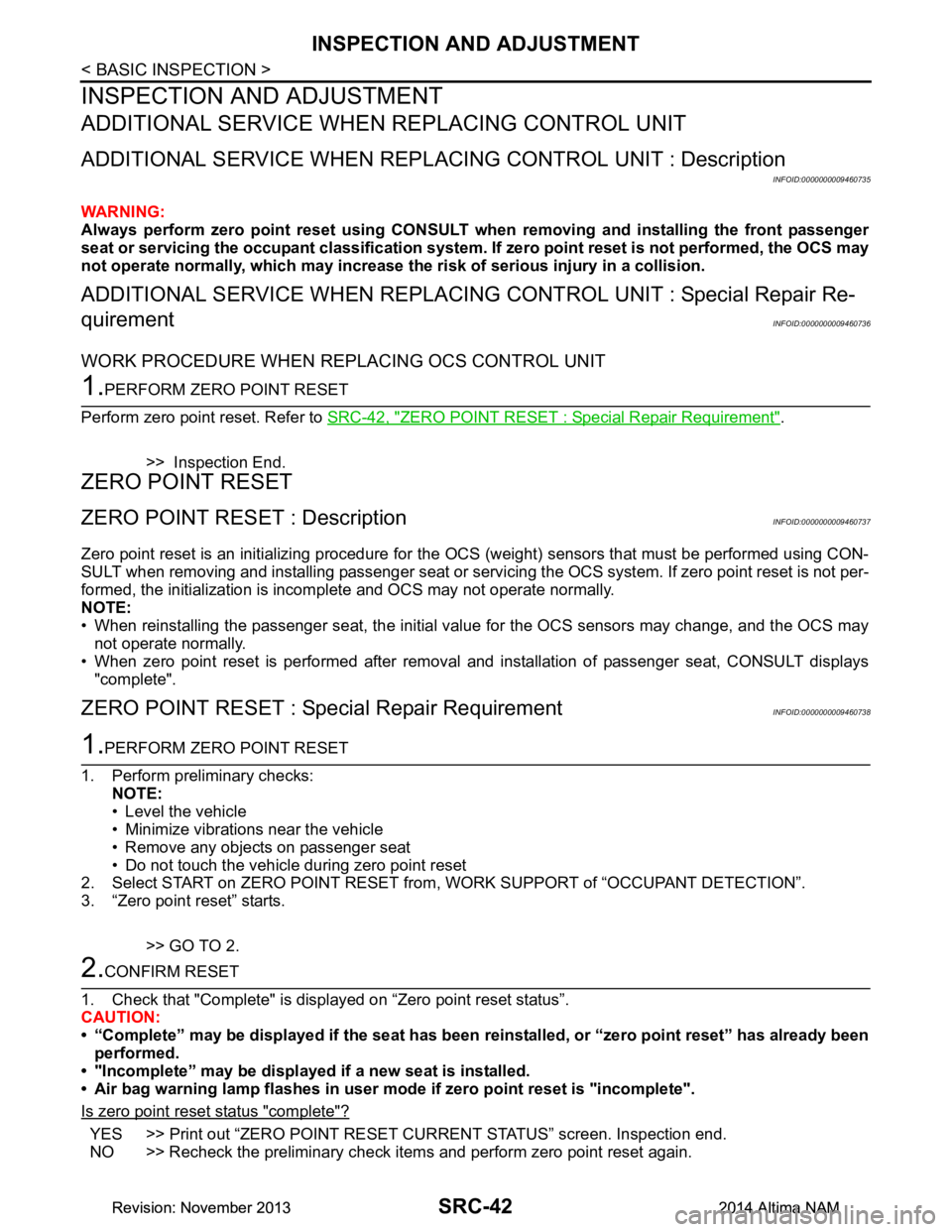
ZERO POINT RESET
ZERO POINT RESET : DescriptionINFOID:0000000009460737
Zero point reset is an initializing procedure for the OCS (weight) sensors that must be performed using CON-
SULT when removing and installing passenger seat or servic ing the OCS system. If zero point reset is not per-
formed, the initialization is incomplete and OCS may not operate normally.
NOTE:
• When reinstalling the passenger seat, the initial value for the OCS sensors may change, and the OCS may
not operate normally.
• When zero point reset is performed after removal and installation of passenger seat, CONSULT displays "complete".
ZERO POINT RESET : Spec ial Repair RequirementINFOID:0000000009460738
1.PERFORM ZERO POINT RESET
1. Perform preliminary checks: NOTE:
• Level the vehicle
• Minimize vibrations near the vehicle
• Remove any objects on passenger seat
• Do not touch the vehicle during zero point reset
2. Select START on ZERO POINT RESET from , WORK SUPPORT of “OCCUPANT DETECTION”.
3. “Zero point reset” starts.
>> GO TO 2.
2.CONFIRM RESET
1. Check that "Complete" is displayed on “Zero point reset status”.
CAUTION:
• “Complete” may be displayed if the seat has been reinstalled, or “zero point reset” has already been
performed.
• "Incomplete” may be displayed if a new seat is installed.
• Air bag warning lamp flashes in user mode if zero point reset is "incomplete".
Is zero point reset status "complete"?
YES >> Print out “ZERO POINT RESET CURRENT STATUS” screen. Inspection end.
NO >> Recheck the preliminary check items and perform zero point reset again.
Revision: November 20132014 Altima NAMRevision: November 20132014 Altima NAM
Page 4099 of 4801
SRC-106
< DTC/CIRCUIT DIAGNOSIS >
U1000 CAN COMM CIRCUIT
U1000 CAN COMM CIRCUIT
DescriptionINFOID:0000000009460807
CAN (Controller Area Network) is a serial communication system for real time application. It is an on-vehicle
multiplex communication system with high data comm unication speed and excellent error detection ability.
Many electronic control units are equipped into vehicl es, and each control unit shares information and links
with other control units during operation. With CAN co mmunication, control units are connected with two com-
munication lines (CAN-H line, CAN-L line) allowing a hi gh rate of information transmission with less wiring.
Each control unit transmits and receives data but selectively reads required data only. Refer to LAN-32, "CAN
COMMUNICATION SYSTEM : CAN Communication Signal Chart".
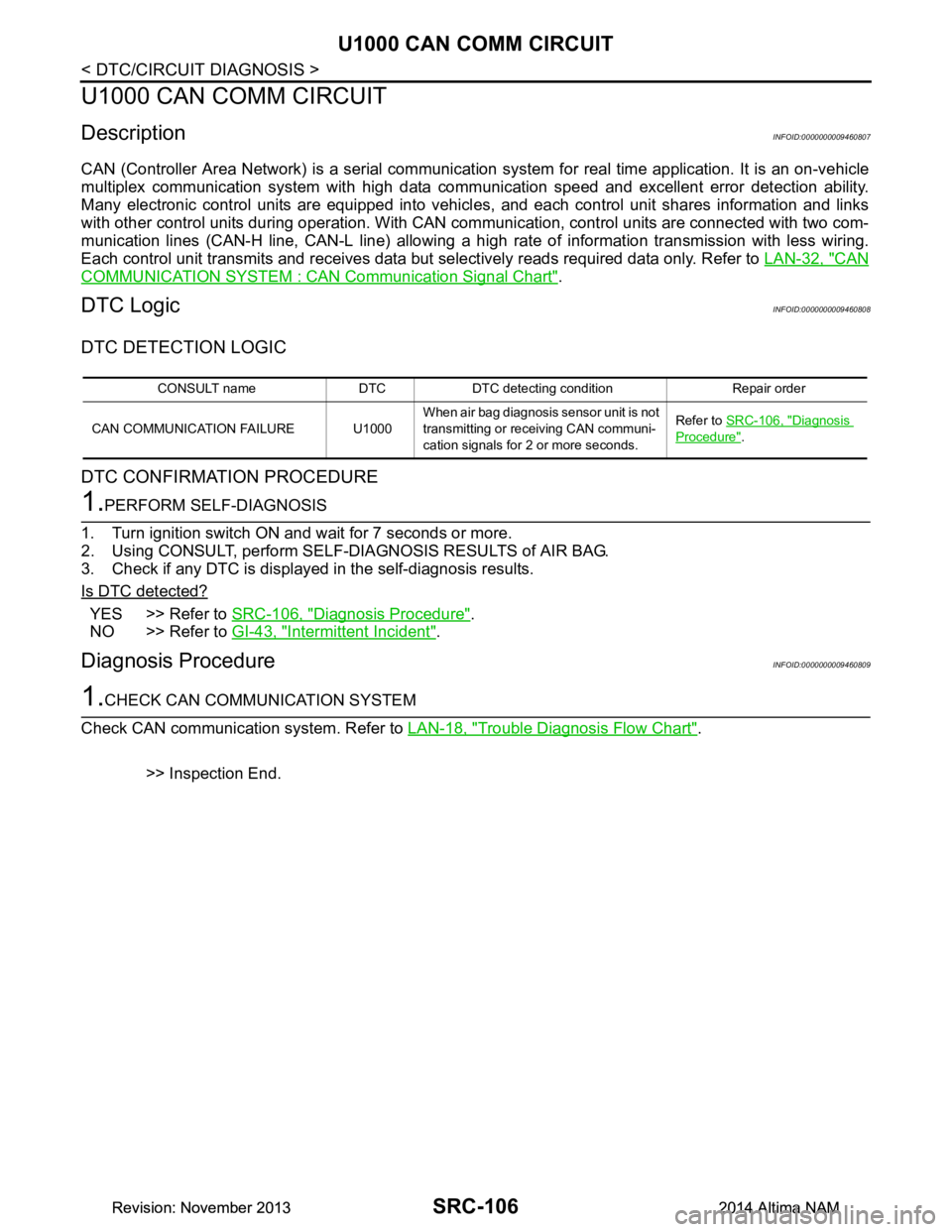
DTC LogicINFOID:0000000009460808
DTC DETECTION LOGIC
DTC CONFIRMATION PROCEDURE
1.PERFORM SELF-DIAGNOSIS
1. Turn ignition switch ON and wait for 7 seconds or more.
2. Using CONSULT, perform SELF-DIAGNOSIS RESULTS of AIR BAG.
3. Check if any DTC is displayed in the self-diagnosis results.
Is DTC detected?
YES >> Refer to SRC-106, "Diagnosis Procedure".
NO >> Refer to GI-43, "Intermittent Incident"
.
Diagnosis ProcedureINFOID:0000000009460809
1.CHECK CAN COMMUNICATION SYSTEM
Check CAN communication system. Refer to LAN-18, "Trouble Diagnosis Flow Chart"
.
>> Inspection End.
CONSULT name DTC DTC detecting condition Repair order
CAN COMMUNICATION FAILURE U1000 When air bag diagnosis sensor unit is not
transmitting or receiving CAN communi-
cation signals for 2 or more seconds. Refer to
SRC-106, "Diagnosis
Procedure".
Revision: November 20132014 Altima NAMRevision: November 20132014 Altima NAM
Page 4100 of 4801
U1010 CONTROL UNIT (CAN)SRC-107
< DTC/CIRCUIT DIAGNOSIS >
C
D E
F
G
I
J
K L
M A
B
SRC
N
O P
U1010 CONTROL UNIT (CAN)
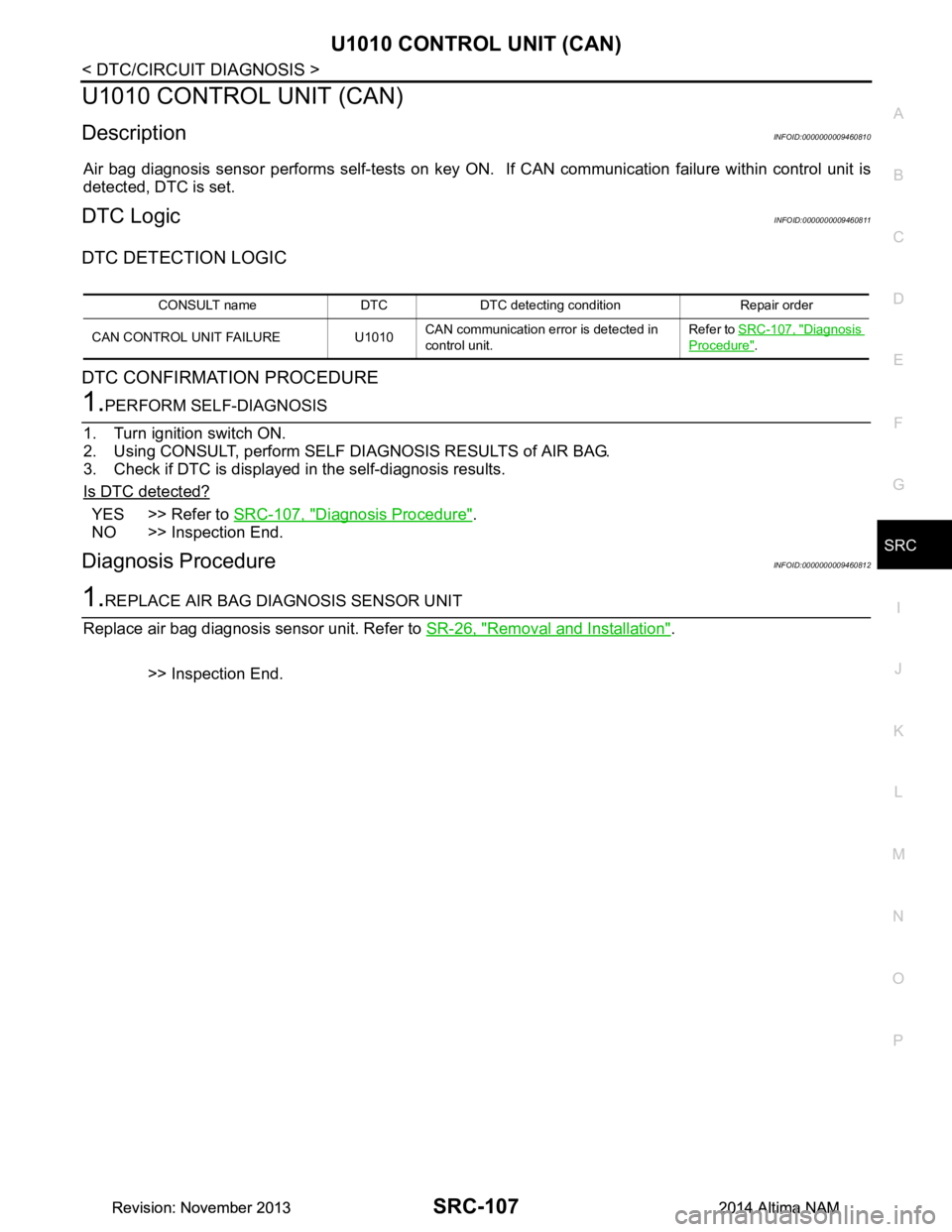
DescriptionINFOID:0000000009460810
Air bag diagnosis sensor performs self-tests on key ON. If CAN communication failure within control unit is
detected, DTC is set.
DTC LogicINFOID:0000000009460811
DTC DETECTION LOGIC
DTC CONFIRMATION PROCEDURE
1.PERFORM SELF-DIAGNOSIS
1. Turn ignition switch ON.
2. Using CONSULT, perform SELF DIAGNOSIS RESULTS of AIR BAG.
3. Check if DTC is displayed in the self-diagnosis results.
Is DTC detected?
YES >> Refer to SRC-107, "Diagnosis Procedure".
NO >> Inspection End.
Diagnosis ProcedureINFOID:0000000009460812
1.REPLACE AIR BAG DIAGNOSIS SENSOR UNIT
Replace air bag diagnosis sensor unit. Refer to SR-26, "Removal and Installation"
.
>> Inspection End.
CONSULT name DTC DTC detecting condition Repair order
CAN CONTROL UNIT FAILURE U1010 CAN communication error is detected in
control unit. Refer to
SRC-107, "Diagnosis
Procedure".
Revision: November 20132014 Altima NAMRevision: November 20132014 Altima NAM
Page 4102 of 4801
SRS AIR BAG WARNING LAMP DOES NOT TURN OFF
SRC-109
< SYMPTOM DIAGNOSIS >
C
D E
F
G
I
J
K L
M A
B
SRC
N
O P
SRS AIR BAG WARNING LAMP DOES NOT TURN OFF
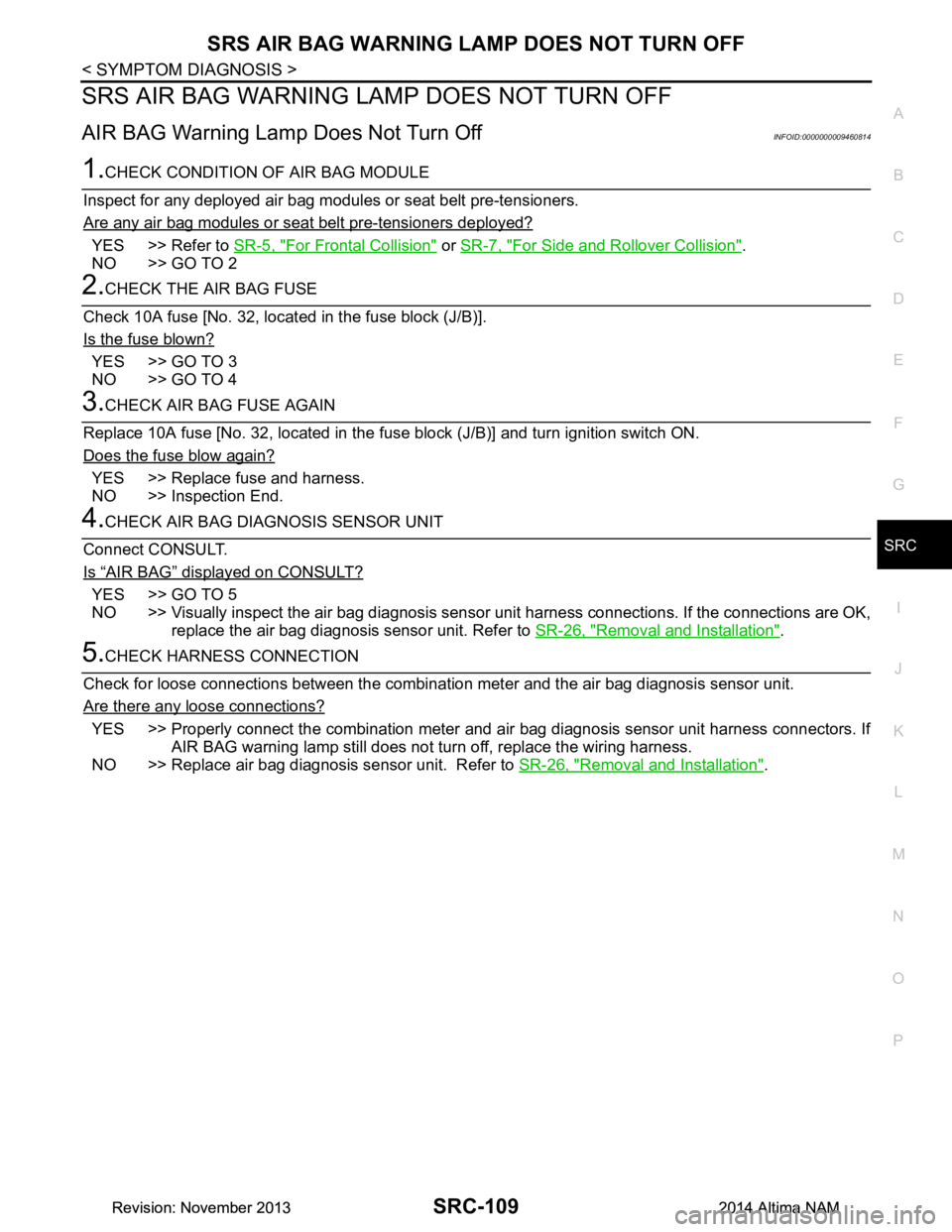
AIR BAG Warning Lamp Does Not Turn OffINFOID:0000000009460814
1.CHECK CONDITION OF AIR BAG MODULE
Inspect for any deployed air bag modules or seat belt pre-tensioners.
Are any air bag modules or seat belt pre-tensioners deployed?
YES >> Refer to SR-5, "For Frontal Collision" or SR-7, "For Side and Rollover Collision".
NO >> GO TO 2
2.CHECK THE AIR BAG FUSE
Check 10A fuse [No. 32, locat ed in the fuse block (J/B)].
Is the fuse blown?
YES >> GO TO 3
NO >> GO TO 4
3.CHECK AIR BAG FUSE AGAIN
Replace 10A fuse [No. 32, located in the fu se block (J/B)] and turn ignition switch ON.
Does the fuse blow again?
YES >> Replace fuse and harness.
NO >> Inspection End.
4.CHECK AIR BAG DIAGNOSIS SENSOR UNIT
Connect CONSULT.
Is
“AIR BAG” displayed on CONSULT?
YES >> GO TO 5
NO >> Visually inspect the air bag diagnosis sensor unit harness connections. If the connections are OK,
replace the air bag diagnosis sensor unit. Refer to SR-26, "Removal and Installation"
.
5.CHECK HARNESS CONNECTION
Check for loose connections between the combination meter and the air bag diagnosis sensor unit.
Are there any loose connections?
YES >> Properly connect the combination meter and air bag diagnosis sensor unit harness connectors. If AIR BAG warning lamp still does not tu rn off, replace the wiring harness.
NO >> Replace air bag diagnosis sensor unit. Refer to SR-26, "Removal and Installation"
.
Revision: November 20132014 Altima NAMRevision: November 20132014 Altima NAM
Page 4161 of 4801

STC-10
< SYSTEM DESCRIPTION >
DIAGNOSIS SYSTEM (POWER STEERING CONTROL MODULE)
DIAGNOSIS SYSTEM (POWER STEERING CONTROL MODULE)
CONSULT FunctionINFOID:0000000009460347
CAUTION:
After disconnecting the CONSULT vehicle interface (VI) from the data link connector, the ignition must
be cycled OFF → ON (for at least 5 seconds) → OFF. If this step is not performed, the BCM may not go
to ”sleep mode”, potentially causing a di scharged battery and a no-start condition.
FUNCTION
CONSULT can display each diagnostic item using the diagnostic test modes shown as per the following.
ECU IDENTIFICATION
Displays the part number stored in the control unit.
SELF-DIAG RESULTS MODE
Refer to STC-13, "DTC Index".
When “CRNT” is displayed on self-diagnosis result.
• The system is presently malfunctioning.
When “PAST” is displayed on self-diagnosis result.• System malfunction in the past is detect ed, but the system is presently normal.
DATA MONITOR MODE
Diagnostic test mode Function
ECU identification The part number stored in the control unit can be read.
Self Diagnostic Results Self-diagnostic results and freeze frame data can be read and erased quickly.
Data monitor Input/Output data in the power steering control module can be read.
Monitor item (Unit) Remarks
BATTERY VOLT (V) Displays the power supply voltage for power steering control module.
STEERING ANGLE (deg) Displays the steering angle based on the steering angle signal transmitted by CAN com-
munications.
STR ANG SPD (deg/s) Displays the steering angle speed based on the steering angle signal transmitted by
CAN communications.
MOTOR CURRENT (A) Displays the cu rrent value consumed by power steering control module.
MTR REV SPD COMM (rpm) Displa ys the power steering motor speed command value.
MTR REV SPD (rpm) Displays the power steering motor speed.
C/U TEMP ( °C or °F) Displays the temperature of the power steering control module.
C/U TEMP A ( °C or °F) Displays the temperature of the power steering control module.
MTR ASSIST (%) Displays the current percentage of the allowable assist ratio power steering motor.
ESTM VHCL SPD (km/h or mph) Displays the vehicle speed calculated by the power steering control module.
WARNING LAMP (On/Off) Hydraulic pump electric power steering system warning lamp control status is displayed.
ENGINE STATUS (STOP/RUN/CRANK) Engine speed is displayed from engine condition signal with CAN communication
VHCL SPD JUDGE (OK/NG) Displays the receiving status of the vehicle speed signal transmitted by CAN communi-
cations.
Revision: November 20132014 Altima NAMRevision: November 20132014 Altima NAM
Page 4162 of 4801

POWER STEERING CONTROL MODULESTC-11
< ECU DIAGNOSIS INFORMATION >
C
D E
F
H I
J
K L
M A
B
STC
N
O P
ECU DIAGNOSIS INFORMATION
POWER STEERING CONTROL MODULE
Reference ValueINFOID:0000000009460348
VALUES ON THE DIAGNOSIS TOOL
*1: The value changes according to load of power steering motor.
*2: This is in close agreement with a motor speed command value. Although a quick steering operation may
cause disagreement, this is not a malfunction.
*3: Usually, 100% is displayed. An excessive steer ing operation gradually lowers the percentage. When left
standing, the percentage returns to 100%.
Monitor item Data monitor
Condition Display value
BATTERY VOLT Engine running Battery voltage (V)
STEERING ANGLE The steering wheel is not steered. Approx. 0.0 deg
The steering wheel is steered. Displays steering angle (deg)
STR ANG SPD The steering wheel is not steered. Approx. 0.0 deg/s
The steering wheel is steered. Displays steering angle speed (deg/s)
MOTOR CURRENT Engine running Steering wheel: Not steering (There is
no steering force) MAX approx. 10 A
*1
Steering wheel: Right or left turnDisplays consumption current of pow-
er steering control module (A)
MTR REV SPD COMM Engine running Steering wheel: Not steering (There is
no steering force) Shows an almost constant value
(rpm)
Steering wheel: Right or left turn The value changes as a steering
speed (rpm)
MTR REV SPD Engine running Steering wheel: Not steering (There is
no steering force) Shows an almost constant value
(rpm)
*2
Steering wheel: Right or left turn The value changes as a steering
speed (rpm)*2
C/U TEMP Engine running Displays temperature of inside of
power steering control module ( °C or
° F)
C/U TEMP A Engine running Displays temperature of inside of
power steering control module ( °C or
° F)
MTR ASSIST Engine running 100%
*3
ESTM VHCL SPDVehicle stopped 0.00 km/h or mph
While driving Approximately equal to the indication
on speedometer*4
(inside of ±10%)
WARNING LAMP Hydraulic pump electric power steering warning lamp: ON On
Hydraulic pump electric power steering warning lamp: OFF Off
ENGINE STATUS Engine not running STOP
Engine running RUN
Engine cranking CRANK
VHCL SPD JUDGE Vehicle speed signal can be received via CAN communication OK
Vehicle speed signal cannot be received via CAN communica-
tion NG
Revision: November 20132014 Altima NAMRevision: November 20132014 Altima NAM
Page 4173 of 4801
STC-22
< DTC/CIRCUIT DIAGNOSIS >
C1143 STEERING ANGLE SENSOR
DTC/CIRCUIT DIAGNOSIS
C1143 STEERING ANGLE SENSOR
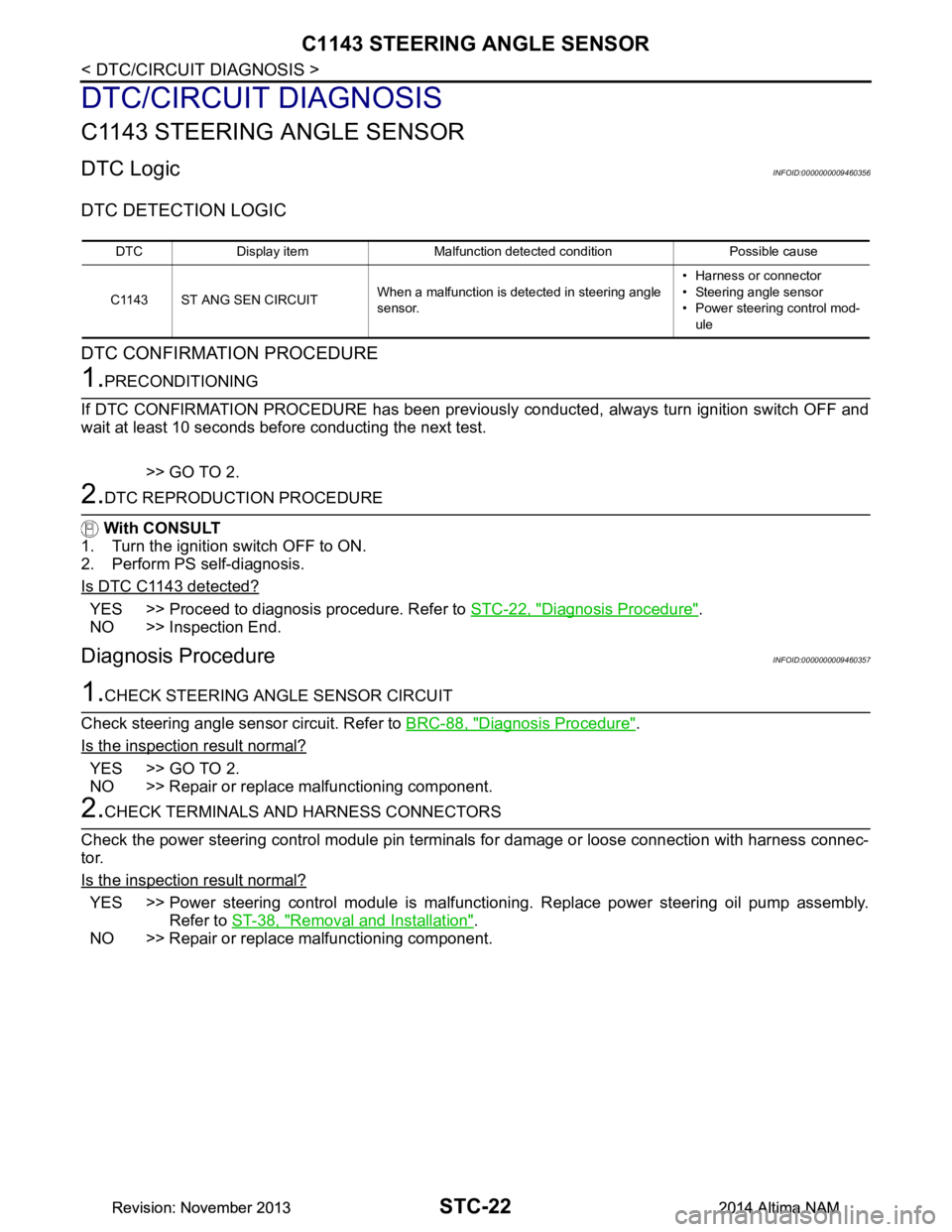
DTC LogicINFOID:0000000009460356
DTC DETECTION LOGIC
DTC CONFIRMATION PROCEDURE
1.PRECONDITIONING
If DTC CONFIRMATION PROCEDURE has been previously conducted, always turn ignition switch OFF and
wait at least 10 seconds before conducting the next test.
>> GO TO 2.
2.DTC REPRODUCTION PROCEDURE
With CONSULT
1. Turn the ignition switch OFF to ON.
2. Perform PS self-diagnosis.
Is DTC C1143 detected?
YES >> Proceed to diagnosis procedure. Refer to STC-22, "Diagnosis Procedure".
NO >> Inspection End.
Diagnosis ProcedureINFOID:0000000009460357
1.CHECK STEERING ANGLE SENSOR CIRCUIT
Check steering angle sensor circuit. Refer to BRC-88, "Diagnosis Procedure"
.
Is the inspection result normal?
YES >> GO TO 2.
NO >> Repair or replace malfunctioning component.
2.CHECK TERMINALS AND HARNESS CONNECTORS
Check the power steering control module pin termi nals for damage or loose connection with harness connec-
tor.
Is the inspection result normal?
YES >> Power steering control module is malfunctioni ng. Replace power steering oil pump assembly.
Refer to ST-38, "Removal and Installation"
.
NO >> Repair or replace malfunctioning component.
DTC Display item Malfunction detected condition Possible cause
C1143 ST ANG SEN CIRCUIT When a malfunction is detected in steering angle
sensor. • Harness or connector
• Steering angle sensor
• Power steering control mod-
ule
Revision: November 20132014 Altima NAMRevision: November 20132014 Altima NAM