engine NISSAN TIIDA 2007 Service Repair Manual
[x] Cancel search | Manufacturer: NISSAN, Model Year: 2007, Model line: TIIDA, Model: NISSAN TIIDA 2007Pages: 5883, PDF Size: 78.95 MB
Page 3718 of 5883
PREPARATION
IP-3
< SERVICE INFORMATION >
C
D
E
F
G
H
I
K
L
MA
B
IP
N
O
P
PREPARATION
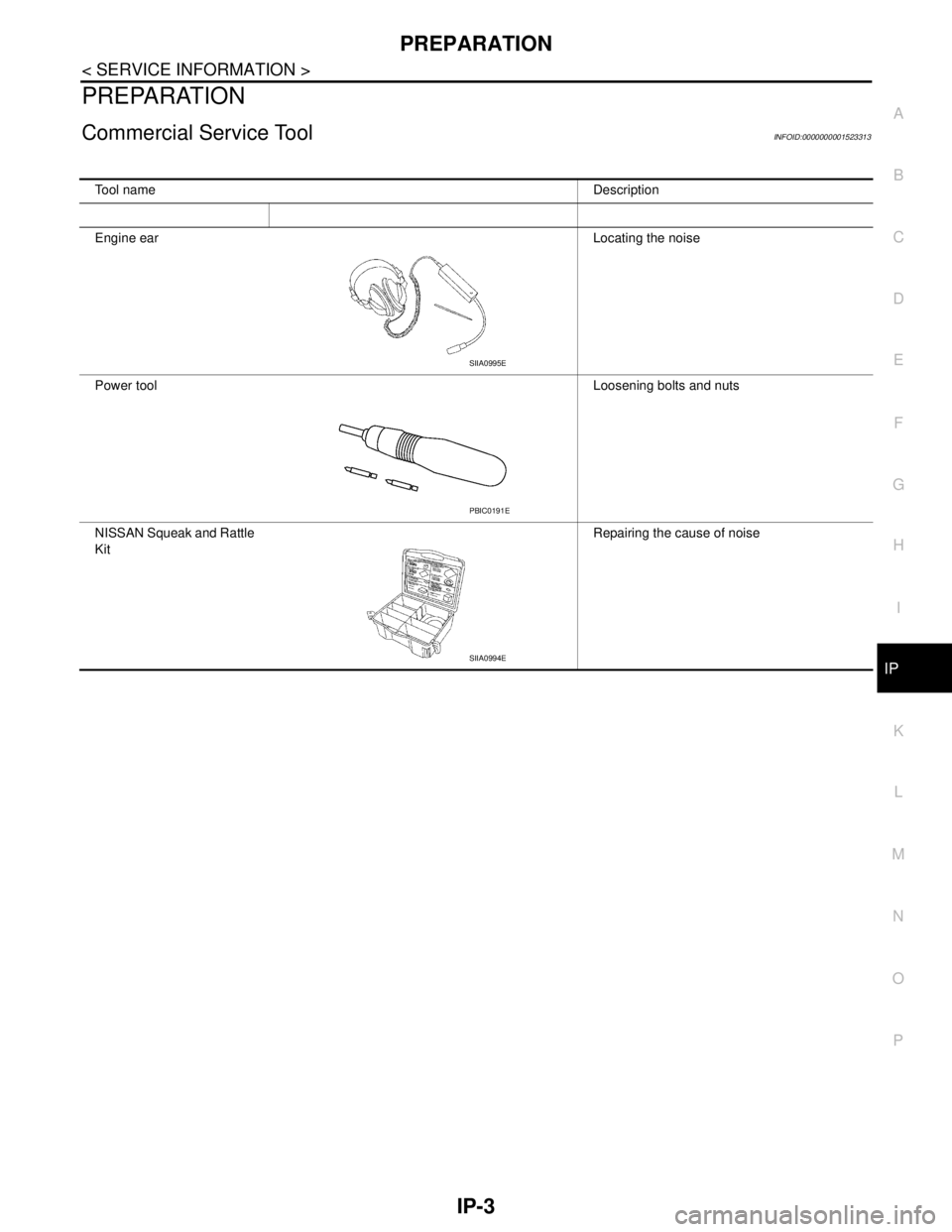
Commercial Service ToolINFOID:0000000001523313
Tool nameDescription
Engine earLocating the noise
Power toolLoosening bolts and nuts
NISSAN Squeak and Rattle
KitRepairing the cause of noise
SIIA0995E
PBIC0191E
SIIA0994E
Page 3720 of 5883
SQUEAK AND RATTLE TROUBLE DIAGNOSES
IP-5
< SERVICE INFORMATION >
C
D
E
F
G
H
I
K
L
MA
B
IP
N
O
P
If the noise can be duplicated easily during the test drive, to help identify the source of the noise, try to dupli-
cate the noise with the vehicle stopped by doing one or all of the following:
1. Close a door.
2. Tap or push/pull around the area where the noise appears to be coming from.
3. Rev the engine.
4. Use a floor jack to recreate vehicle “twist”.
5. At idle, apply engine load (electrical load, half-clutch on M/T model, drive position on A/T model).
6. Raise the vehicle on a hoist and hit a tire with a rubber hammer.
Drive the vehicle and attempt to duplicate the conditions the customer states exist when the noise occurs.
If it is difficult to duplicate the noise, drive the vehicle slowly on an undulating or rough road to stress the
vehicle body.
CHECK RELATED SERVICE BULLETINS
After verifying the customer concern or symptom, check ASIST for Technical Service Bulletins (Gasps) related
to that concern or symptom.
If a TSB relates to the symptom, follow the procedure to repair the noise.
LOCATE THE NOISE AND IDENTIFY THE ROOT CAUSE
1. Narrow down the noise to a general area. To help pinpoint the source of the noise, use a listening tool
(Chassis Ear: J-39570, Engine Ear: J-39565, and mechanics stethoscope).
2. Narrow down the noise to a more specific area and identify the cause of the noise by:
Removing the components in the area that you suspect the noise is coming from.
Do not use too much force when removing clips and fasteners, otherwise clips and fasteners
can be broken or lost during the repair, resulting in the creation of new noise.
Tapping or pushing/pulling the component that you suspect is causing the noise.
Do not tap or push/pull the component with excessive force, otherwise the noise will be elimi-
nated only temporarily.
Feeling for a vibration with your hand by touching the component(s) that you suspect is (are) causing
the noise.
Placing a piece of paper between components that you suspect are causing the noise.
Looking for loose components and contact marks.
Refer to IP-6, "
Generic Squeak and Rattle Troubleshooting".
REPAIR THE CAUSE
If the cause is a loose component, tighten the component securely.
If the cause is insufficient clearance between components:
- Separate components by repositioning or loosening and retightening the component, if possible.
- Insulate components with a suitable insulator such as urethane pads, foam blocks, felt cloth tape or ure-
thane tape. A Squeak and Rattle Kit is available through your authorized NISSAN Parts Department.
CAUTION:
Do not use excessive force as many components are constructed of plastic and may be damaged.
Always check with the Parts Department for the latest parts information.
The following materials are contained in the Squeak and Rattle Kit. Each item can be ordered separately as
needed.
URETHANE PADS [1.5 mm (0.059 in) thick]
Insulates connectors, harness, etc.
76268-9E005: 100 x 135 mm (3.94 x 5.31 in)/76884-71L01: 60 x 85 mm (2.36 x 3.35 in)/76884-71L02: 15 x 25
mm (0.59 x 0.98 in)
INSULATOR (Foam blocks)
Insulates components from contact. Can be used to fill space behind a panel.
73982-9E000: 45 mm (1.77 in) thick, 50 x 50 mm (1.97 x 1.97 in)/73982-50Y00: 10 mm (0.39 in) thick, 50 x 50
mm (1.97 x 1.97 in)
INSULATOR (Light foam block)
80845-71L00: 30 mm (1.18 in) thick, 30 x 50 mm (1.18 x 1.97 in)
FELT CLOTH TAPE
Used to insulate where movement does not occur. Ideal for instrument panel applications.
68370-4B000: 15 x 25 mm (0.59 x 0.98 in) pad/68239-13E00: 5 mm (0.20 in) wide tape roll
The following materials, not found in the kit, can also be used to repair squeaks and rattles.
UHMW (TEFLON) TAPE
Insulates where slight movement is present. Ideal for instrument panel applications.
SILICONE GREASE
Page 3722 of 5883

SQUEAK AND RATTLE TROUBLE DIAGNOSES
IP-7
< SERVICE INFORMATION >
C
D
E
F
G
H
I
K
L
MA
B
IP
N
O
P
Most of these incidents can be repaired by adjusting, securing or insulating the item(s) or component(s) caus-
ing the noise.
SUNROOF/HEADLINING
Noises in the sunroof/headlining area can often be traced to one of the following:
1. Sunroof lid, rail, linkage or seals making a rattle or light knocking noise
2. Sun visor shaft shaking in the holder
3. Front or rear windshield touching headliner and squeaking
Again, pressing on the components to stop the noise while duplicating the conditions can isolate most of these
incidents. Repairs usually consist of insulating with felt cloth tape.
OVERHEAD CONSOLE (FRONT AND REAR)
Overhead console noises are often caused by the console panel clips not being engaged correctly. Most of
these incidents are repaired by pushing up on the console at the clip locations until the clips engage.
In addition look for:
1. Loose harness or harness connectors.
2. Front console map/reading lamp lens loose.
3. Loose screws at console attachment points.
SEATS
When isolating seat noise it's important to note the position the seat is in and the load placed on the seat when
the noise is present. These conditions should be duplicated when verifying and isolating the cause of the
noise.
Cause of seat noise include:
1. Headrest rods and holder
2. A squeak between the seat pad cushion and frame
3. The rear seatback lock and bracket
These noises can be isolated by moving or pressing on the suspected components while duplicating the con-
ditions under which the noise occurs. Most of these incidents can be repaired by repositioning the component
or applying urethane tape to the contact area.
UNDERHOOD
Some interior noise may be caused by components under the hood or on the engine wall. The noise is then
transmitted into the passenger compartment.
Causes of transmitted underhood noise include:
1. Any component mounted to the engine wall
2. Components that pass through the engine wall
3. Engine wall mounts and connectors
4. Loose radiator mounting pins
5. Hood bumpers out of adjustment
6. Hood striker out of adjustment
These noises can be difficult to isolate since they cannot be reached from the interior of the vehicle. The best
method is to secure, move or insulate one component at a time and test drive the vehicle. Also, engine RPM
or load can be changed to isolate the noise. Repairs can usually be made by moving, adjusting, securing, or
insulating the component causing the noise.
Page 3756 of 5883
![NISSAN TIIDA 2007 Service Repair Manual LAN-16
< FUNCTION DIAGNOSIS >[CAN FUNDAMENTAL]
TROUBLE DIAGNOSIS
TROUBLE DIAGNOSIS
Condition of Error DetectionINFOID:0000000001162758
“U1000” or “U1001” is indicated on SELF-DIAG RESULTS on C](/img/5/57395/w960_57395-3755.png "NISSAN TIIDA 2007 Service Repair Manual LAN-16
< FUNCTION DIAGNOSIS >[CAN FUNDAMENTAL]
TROUBLE DIAGNOSIS
TROUBLE DIAGNOSIS
Condition of Error DetectionINFOID:0000000001162758
“U1000” or “U1001” is indicated on SELF-DIAG RESULTS on C")
LAN-16
< FUNCTION DIAGNOSIS >[CAN FUNDAMENTAL]
TROUBLE DIAGNOSIS
TROUBLE DIAGNOSIS
Condition of Error DetectionINFOID:0000000001162758
“U1000” or “U1001” is indicated on SELF-DIAG RESULTS on CONSULT-III if CAN communication signal is
not transmitted or received between units for 2 seconds or more.
CAN COMMUNICATION SYSTEM ERROR
CAN communication line open (CAN-H, CAN-L, or both)
CAN communication line short (ground, between CAN communication lines, other harnesses)
Error of CAN communication control circuit of the unit connected to CAN communication line
WHEN “U1000” OR “U1001” IS INDICATED EVEN THOUGH CAN COMMUNICATION SYSTEM IS
NORMAL
Removal/installation of parts: Error may be detected when removing and installing CAN communication unit
and related parts while turning the ignition switch ON. (A DTC except for CAN communication may be
detected.)
Fuse blown out (removed): CAN communication of the unit may cease.
Voltage drop: Error may be detected if voltage drops due to discharged battery when turning the ignition
switch ON (Depending on the control unit which carries out CAN communication).
Error may be detected if the power supply circuit of the control unit, which carries out CAN communication,
malfunctions (Depending on the control unit which carries out CAN communication).
Error may be detected if reprogramming is not completed normally.
NOTE:
CAN communication system is normal if “U1000” or “U1001” is indicated on SELF-DIAG RESULTS of CON-
SULT-III under the above conditions. Erase the memory of the self-diagnosis of each unit.
Symptom When Error Occurs in CAN Communication SystemINFOID:0000000001162759
In CAN communication system, multiple units mutually transmit and receive signals. Each unit cannot transmit
and receive signals if any error occurs on CAN communication line. Under this condition, multiple control units
related to the root cause malfunction or go into fail-safe mode.
ERROR EXAMPLE
NOTE:
Each vehicle differs in symptom of each unit under fail-safe mode and CAN communication line wiring.
Refer to LAN-27, "
Abbreviation List" for the unit abbreviation.
Example: TCM branch line open circuit
SKIB8738E
Unit name Symptom
ECM Engine torque limiting is affected, and shift harshness increases.
BCM Reverse warning chime does not sound.
Page 3758 of 5883
![NISSAN TIIDA 2007 Service Repair Manual LAN-18
< FUNCTION DIAGNOSIS >[CAN FUNDAMENTAL]
TROUBLE DIAGNOSIS
Example: Main Line Between Data Link Connector and ABS Actuator and Electric Unit (Control Unit) Open Circuit
Example: CAN-H, CAN-L Har](/img/5/57395/w960_57395-3757.png "NISSAN TIIDA 2007 Service Repair Manual LAN-18
< FUNCTION DIAGNOSIS >[CAN FUNDAMENTAL]
TROUBLE DIAGNOSIS
Example: Main Line Between Data Link Connector and ABS Actuator and Electric Unit (Control Unit) Open Circuit
Example: CAN-H, CAN-L Har")
LAN-18
< FUNCTION DIAGNOSIS >[CAN FUNDAMENTAL]
TROUBLE DIAGNOSIS
Example: Main Line Between Data Link Connector and ABS Actuator and Electric Unit (Control Unit) Open Circuit
Example: CAN-H, CAN-L Harness Short Circuit
SKIB8740E
Unit name Symptom
ECM Engine torque limiting is affected, and shift harshness increases.
BCM Reverse warning chime does not sound.
The front wiper moves under continuous operation mode even though the front wip-
er switch being in the intermittent position.
EPS control unit The steering effort increases.
Combination meter The shift position indicator and OD OFF indicator turn OFF.
The speedometer is inoperative.
The odo/trip meter stops.
ABS actuator and electric unit (control unit) Normal operation.
TCM No impact on operation.
IPDM E/RWhen the ignition switch is ON,
The headlamps (Lo) turn ON.
The cooling fan continues to rotate.
SKIB8741E
Page 3759 of 5883
![NISSAN TIIDA 2007 Service Repair Manual LAN
TROUBLE DIAGNOSIS
LAN-19
< FUNCTION DIAGNOSIS >[CAN FUNDAMENTAL]
C
D
E
F
G
H
I
J
K
L B A
O
P N
CAN Diagnosis with CONSULT-IIIINFOID:0000000001162760
CAN diagnosis on CONSULT-III extracts the root](/img/5/57395/w960_57395-3758.png "NISSAN TIIDA 2007 Service Repair Manual LAN
TROUBLE DIAGNOSIS
LAN-19
< FUNCTION DIAGNOSIS >[CAN FUNDAMENTAL]
C
D
E
F
G
H
I
J
K
L B A
O
P N
CAN Diagnosis with CONSULT-IIIINFOID:0000000001162760
CAN diagnosis on CONSULT-III extracts the root")
LAN
TROUBLE DIAGNOSIS
LAN-19
< FUNCTION DIAGNOSIS >[CAN FUNDAMENTAL]
C
D
E
F
G
H
I
J
K
L B A
O
P N
CAN Diagnosis with CONSULT-IIIINFOID:0000000001162760
CAN diagnosis on CONSULT-III extracts the root cause by receiving the following information.
Response to the system call
Control unit diagnosis information
Self-diagnosis
CAN diagnostic support monitor
Self-DiagnosisINFOID:0000000001162761
CAN Diagnostic Support MonitorINFOID:0000000001162762
MONITOR ITEM (CONSULT-III)
Unit name Symptom
ECM Engine torque limiting is affected, and shift harshness increases.
Engine speed drops.
BCM Reverse warning chime does not sound.
The front wiper moves under continuous operation mode even though the front
wiper switch being in the intermittent position.
The room lamp does not turn ON.
The engine does not start (if an error or malfunction occurs while turning the igni-
tion switch OFF.)
The steering lock does not release (if an error or malfunction occurs while turning
the ignition switch OFF.)
EPS control unit The steering effort increases.
Combination meter The tachometer and the speedometer do not move.
Warning lamps turn ON.
Indicator lamps do not turn ON.
ABS actuator and electric unit (control unit) Normal operation.
TCM No impact on operation.
IPDM E/RWhen the ignition switch is ON,
The headlamps (Lo) turn ON.
The cooling fan continues to rotate.
DTCSelf-diagnosis item
(CONSULT-III indication)DTC detection condition Inspection/Action
U1000 CAN COMM CIRCUITWhen ECM is not transmitting or receiving CAN
communication signal of OBD (emission-related
diagnosis) for 2 seconds or more.
Start the inspection. Re-
fer to the applicable sec-
tion of the indicated
control unit. When a control unit (except for ECM) is not
transmitting or receiving CAN communication
signal for 2 seconds or more.
U1001 CAN COMM CIRCUITWhen ECM is not transmitting or receiving CAN
communication signal other than OBD (emis-
sion-related diagnosis) for 2 seconds or more.
U1002 SYSTEM COMMWhen a control unit is not transmitting or receiv-
ing CAN communication signal for 2 seconds or
less.
U1010 CONTROL UNIT [CAN]When an error is detected during the initial diag-
nosis for CAN controller of each control unit.Replace the control unit
indicating “U1010”.
Page 3770 of 5883
![NISSAN TIIDA 2007 Service Repair Manual LAN-30
< FUNCTION DIAGNOSIS >[CAN]
CAN COMMUNICATION SYSTEM
FUNCTION DIAGNOSIS
CAN COMMUNICATION SYSTEM
CAN System Specification ChartINFOID:0000000001162800
NOTE:
Refer to LAN-22, "
Trouble Diagnosis](/img/5/57395/w960_57395-3769.png "NISSAN TIIDA 2007 Service Repair Manual LAN-30
< FUNCTION DIAGNOSIS >[CAN]
CAN COMMUNICATION SYSTEM
FUNCTION DIAGNOSIS
CAN COMMUNICATION SYSTEM
CAN System Specification ChartINFOID:0000000001162800
NOTE:
Refer to LAN-22, \"
Trouble Diagnosis")
LAN-30
< FUNCTION DIAGNOSIS >[CAN]
CAN COMMUNICATION SYSTEM
FUNCTION DIAGNOSIS
CAN COMMUNICATION SYSTEM
CAN System Specification ChartINFOID:0000000001162800
NOTE:
Refer to LAN-22, "
Trouble Diagnosis Procedure" for how to use CAN system specification chart.
Refer to the specification as shown in the chart.
SPECIFICATION CHART A
Determine CAN system type from the following specification chart.
×: Applicable
VEHICLE EQUIPMENT IDENTIFICATION INFORMATION
NOTE:
Body type Hatchback/Sedan
Axle 2WD
Engine K9K HR16DE MR18DE
Transmission M/T A/T M/T
Brake control ABS/ESP
Specification chart SPECIFICATION CHART
ASPECIFICATION CHART BSPECIFICATION CHART
C
Body type Hatchback/Sedan
Axle 2WD
Engine K9K
Transmission M/T
Brake control ABS ESP
Intelligent Key system×× ××
Navigation system××××
CAN system type 12345678
Start CAN Diagnosis
(CONSULT-III)12345678
Page 3771 of 5883
![NISSAN TIIDA 2007 Service Repair Manual LAN
CAN COMMUNICATION SYSTEM
LAN-31
< FUNCTION DIAGNOSIS >[CAN]
C
D
E
F
G
H
I
J
K
L B A
O
P N
Check CAN system type from the vehicle shape and equipment.
SPECIFICATION CHART B
Determine CAN system typ](/img/5/57395/w960_57395-3770.png "NISSAN TIIDA 2007 Service Repair Manual LAN
CAN COMMUNICATION SYSTEM
LAN-31
< FUNCTION DIAGNOSIS >[CAN]
C
D
E
F
G
H
I
J
K
L B A
O
P N
Check CAN system type from the vehicle shape and equipment.
SPECIFICATION CHART B
Determine CAN system typ")
LAN
CAN COMMUNICATION SYSTEM
LAN-31
< FUNCTION DIAGNOSIS >[CAN]
C
D
E
F
G
H
I
J
K
L B A
O
P N
Check CAN system type from the vehicle shape and equipment.
SPECIFICATION CHART B
Determine CAN system type from the following specification chart.
×: Applicable
VEHICLE EQUIPMENT IDENTIFICATION INFORMATION
NOTE:
ALMIA0068GB
Body type Hatchback/Sedan
Axle 2WD
Engine HR16DE
Transmission M/T A/T
Brake control ABS ESP ABS ESP
Intelligent Key system×× ×× ×× ××
Navigation system××××××××
CAN system type 9 101112131415161718192021222324
Start CAN Diagnosis
(CONSULT-III)9 101112131415161718192021222324
Page 3772 of 5883
![NISSAN TIIDA 2007 Service Repair Manual LAN-32
< FUNCTION DIAGNOSIS >[CAN]
CAN COMMUNICATION SYSTEM
Check CAN system type from the vehicle shape and equipment.
SPECIFICATION CHART C
Determine CAN system type from the following specification](/img/5/57395/w960_57395-3771.png "NISSAN TIIDA 2007 Service Repair Manual LAN-32
< FUNCTION DIAGNOSIS >[CAN]
CAN COMMUNICATION SYSTEM
Check CAN system type from the vehicle shape and equipment.
SPECIFICATION CHART C
Determine CAN system type from the following specification")
LAN-32
< FUNCTION DIAGNOSIS >[CAN]
CAN COMMUNICATION SYSTEM
Check CAN system type from the vehicle shape and equipment.
SPECIFICATION CHART C
Determine CAN system type from the following specification chart.
×: Applicable
VEHICLE EQUIPMENT IDENTIFICATION INFORMATION
NOTE:
ALMIA0068GB
Body type Hatchback/Sedan
Axle 2WD
Engine MR18DE
Transmission M/T
Brake control ABS ESP
Intelligent Key system×× ××
Navigation system××××
CAN system type 25 26 27 28 29 30 31 32
Start CAN Diagnosis
(CONSULT-III)25 26 27 28 29 30 31 32
Page 3773 of 5883
![NISSAN TIIDA 2007 Service Repair Manual LAN
CAN COMMUNICATION SYSTEM
LAN-33
< FUNCTION DIAGNOSIS >[CAN]
C
D
E
F
G
H
I
J
K
L B A
O
P N
Check CAN system type from the vehicle shape and equipment.
CAN Communication Signal ChartINFOID:000000000](/img/5/57395/w960_57395-3772.png "NISSAN TIIDA 2007 Service Repair Manual LAN
CAN COMMUNICATION SYSTEM
LAN-33
< FUNCTION DIAGNOSIS >[CAN]
C
D
E
F
G
H
I
J
K
L B A
O
P N
Check CAN system type from the vehicle shape and equipment.
CAN Communication Signal ChartINFOID:000000000")
LAN
CAN COMMUNICATION SYSTEM
LAN-33
< FUNCTION DIAGNOSIS >[CAN]
C
D
E
F
G
H
I
J
K
L B A
O
P N
Check CAN system type from the vehicle shape and equipment.
CAN Communication Signal ChartINFOID:0000000001162801
Refer to LAN-21, "How to Use CAN Communication Signal Chart" for how to use CAN communication signal
chart.
NOTE:
Refer to LAN-27, "
Abbreviation List" for the abbreviations of the connecting units.
T: Transmit R: Receive
ALMIA0068GB
Signal name/Connecting unitECM
BCM
EPS
I-KEY
M&A
STRG
AV
ABS
TCM
IPDM-E
A/C compressor request signal TR
Accelerator pedal position signal T
R
*1R
ASCD CRUISE lamp signal T R
ASCD status signal T R
Closed throttle position signal T R
Cooling fan speed request signal TR
Engine coolant temperature signal T R R
Engine speed signal T R R R
R
*1R
Engine status signal T R R R
Fuel consumption monitor signal T R R
Glow indicator signal
*2TR
Malfunctioning indicator lamp signal (×2
*2)TR
Wide open throttle signal T R
A/C switch signal R T
Blower fan motor switch signal
*3RT