warning light TOYOTA MIRAI 2022 Workshop Manual
[x] Cancel search | Manufacturer: TOYOTA, Model Year: 2022, Model line: MIRAI, Model: TOYOTA MIRAI 2022Pages: 556, PDF Size: 17.34 MB
Page 250 of 556
2505-5. Using the driving support systems
Owners Manual_USA_M62084_en
■When “Blind Spot Monitor Mal-
function Visit Your Dealer” is
shown on the multi-information
display
There may be a sensor malfunction
of misaligned. Have the vehicle
inspected by your Toyota dealer.
■Customization
Some functions can be customized.
( P.498)
■Certification
P. 5 4 8
WARNING
■To ensure the system can
operate properly
Blind Spot Monitor sensors are
installed behind the left and right
sides of the rear bumper respec-
tively. Observe the following to
ensure the Blind Spot Monitor can
operate correctly.
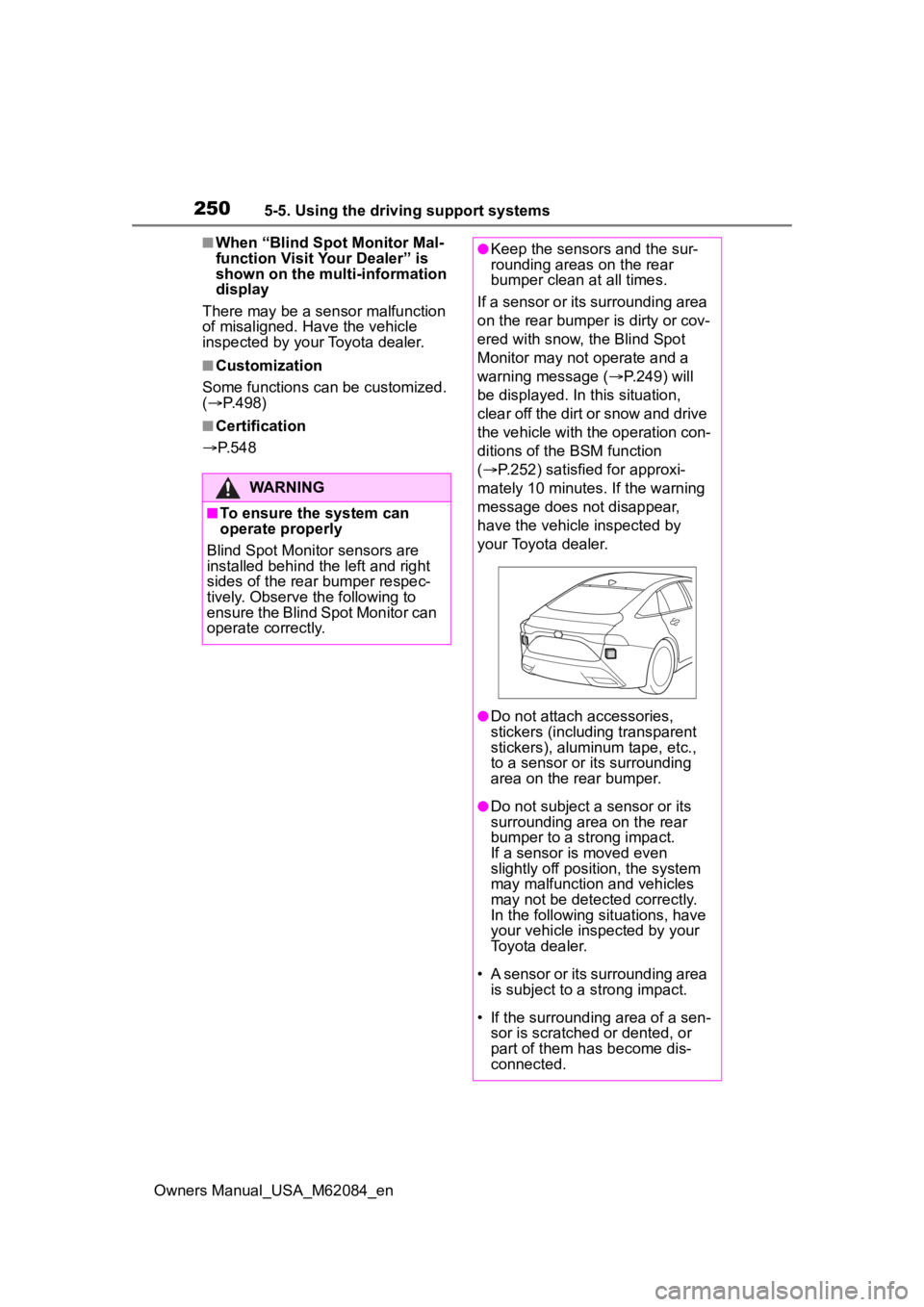
●Keep the sensors and the sur-
rounding areas on the rear
bumper clean at all times.
If a sensor or its surrounding area
on the rear bumper is dirty or cov-
ered with snow, the Blind Spot
Monitor may not operate and a
warning message ( P.249) will
be displayed. In this situation,
clear off the dirt or snow and drive
the vehicle with the operation con-
ditions of the BSM function
( P.252) satisfied for approxi-
mately 10 minutes. If the warning
message does not disappear,
have the vehicle inspected by
your Toyota dealer.
●Do not attach a ccessories,
stickers (including transparent
stickers), aluminum tape, etc.,
to a sensor or its surrounding
area on the rear bumper.
●Do not subject a sensor or its
surrounding area on the rear
bumper to a strong impact.
If a sensor is moved even
slightly off position, the system
may malfunction and vehicles
may not be detected correctly.
In the following si tuations, have
your vehicle inspected by your
Toyota dealer.
• A sensor or its surrounding area is subject to a strong impact.
• If the surrounding area of a sen- sor is scratched or dented, or
part of them h as become dis-
connected.
Page 255 of 556
2555-5. Using the driving support systems
Owners Manual_USA_M62084_en
5
Driving
Use the meter control switches
to enable/disable the intuitive
parking assist. ( P.100)
1 Press or to select .
2 Press or to select
and then press .
When the intuitive parking assist
function is disabled, the intuitive
parking assist OFF indicator
( P.94) illuminates.
To re-enable the system when it
was disabled, select on the
multi-information display, select and then On. If disabled using
this method, the system will not be
re-enabled by turning the power
switch off and then to ON.
Turning intuitive parking
assist on/off
WARNING
■Cautions regarding the use of
the system
There is a limit to the degree of
recognition accuracy and control
performance that this system can
provide, do not ov erly rely on this
system. The driver is always
responsible for paying attention to
the vehicle’ surroundings and
driving safely.
■To ensure the system can
operate properly
Observe the following precau-
tions.
Failing to do so may result in the
vehicle being unable to be driven
safely and possibly cause an acci-
dent.
●Do not damage the sensors,
and always keep them clean.
●Do not attach a sticker or install
an electronic component, such
as a backlit licen se plate (espe-
cially fluorescent type), fog
lights, fender po le or wireless
antenna near a radar sensor.
●Do not subject the surrounding
area of the sensor to a strong
impact. If subjected to an
impact, have the vehicle
inspected by your Toyota
dealer. If the front or rear
bumper needs to be
emoved/installed or replaced,
contact your Toyota dealer.
●Do not modify, disassemble or
paint the sensors.
●Do not attach a license plate
cover.
●Keep your tires properly
inflated.
■When to disable the function
In the following situations, disable
the function as it may operate
even though there is no possibility
of a collision.
●Failing to observe the warnings
above.
●A non-genuine Toyota suspen-
sion (lowered suspension, etc.)
is installed.
■Notes when washing the vehi-
cle
Do not apply intensive bursts of
water or steam to the sensor
area.
Doing so may result in the sensor
malfunctioning.
Page 286 of 556
2865-5. Using the driving support systems
Owners Manual_USA_M62084_en
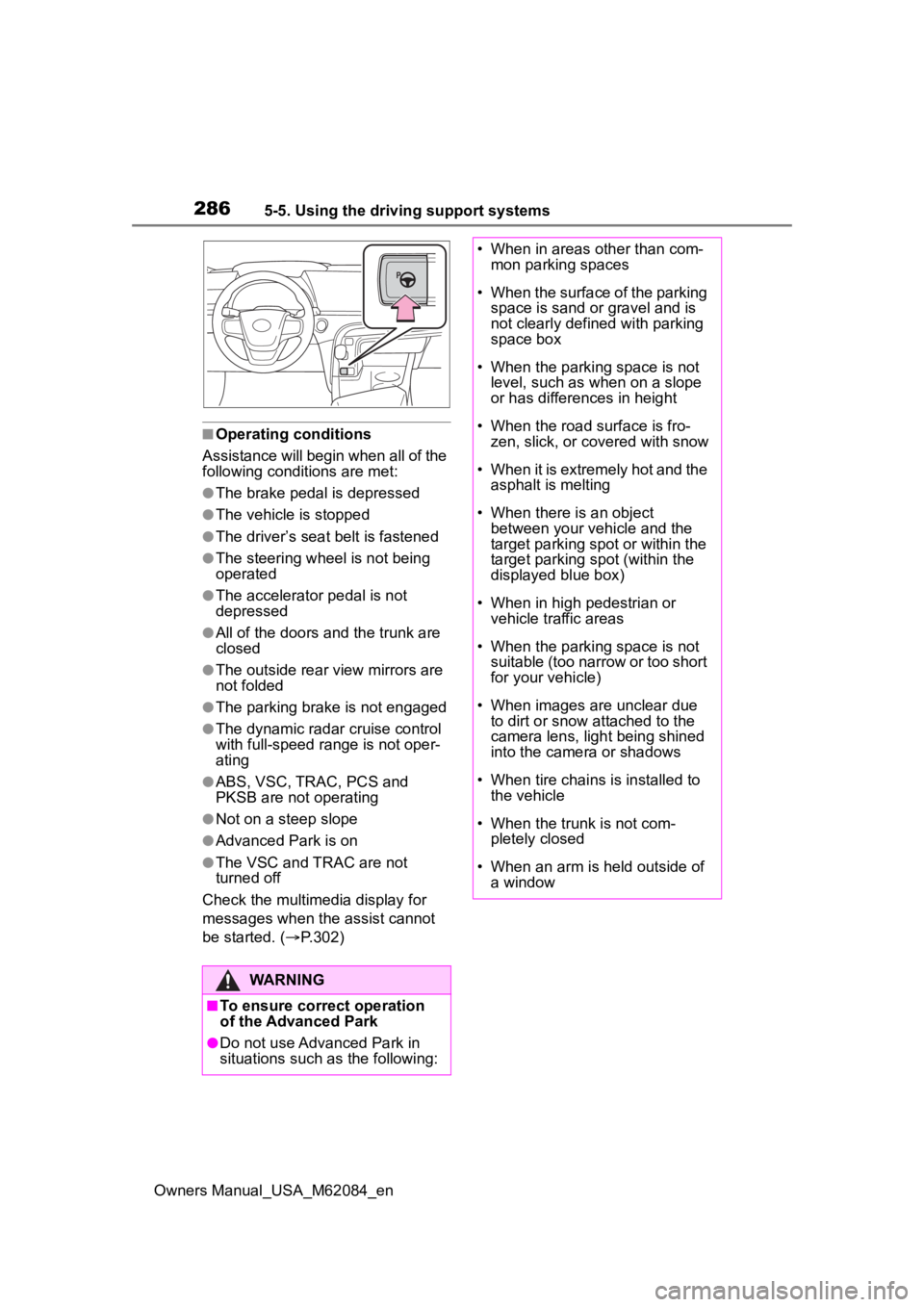
■Operating conditions
Assistance will begin when all of the
following condit ions are met:
●The brake pedal is depressed
●The vehicle is stopped
●The driver’s seat belt is fastened
●The steering wheel is not being
operated
●The accelerator pedal is not
depressed
●All of the doors and the trunk are
closed
●The outside rear view mirrors are
not folded
●The parking brake is not engaged
●The dynamic radar cruise control
with full-speed range is not oper-
ating
●ABS, VSC, TRAC, PCS and
PKSB are not operating
●Not on a steep slope
●Advanced Park is on
●The VSC and TRAC are not
turned off
Check the multimedia display for
messages when the assist cannot
be started. ( P.302)
WARNING
■To ensure correct operation
of the Advanced Park
●Do not use Advanced Park in
situations such as the following:
• When in areas other than com-
mon parking spaces
• When the surface of the parking space is sand or gravel and is
not clearly defined with parking
space box
• When the parking space is not level, such as when on a slope
or has differences in height
• When the road surface is fro- zen, slick, or covered with snow
• When it is extremely hot and the asphalt is melting
• When there is an object between your vehicle and the
target parking spot or within the
target parking spot (within the
displayed blue box)
• When in high pedestrian or vehicle traffic areas
• When the parking space is not suitable (too narrow or too short
for your vehicle)
• When images are unclear due to dirt or snow attached to the
camera lens, light being shined
into the camera or shadows
• When tire chains is installed to the vehicle
• When the trunk is not com- pletely closed
• When an arm is h eld outside of
a window
Page 316 of 556
3165-5. Using the driving support systems
Owners Manual_USA_M62084_en
road surfaces by controlling the
brakes, fuel cell system output,
steering assist.
■The Secondary Collision
Brake
When the SRS airbag sensor
detects a collision and the sys-
tem operates, the brakes and
brake lights are automatically
controlled to reduce the vehicle
speed and help reduce the pos-
sibility of further damage due to
a secondary collision.
■When the TRAC/VSC/ABS sys-
tems are operating
The slip indicator light will flash
while the TRAC/VSC/ABS systems
are operating.
■Disabling the TRAC system
If the vehicle gets stuck in mud, dirt
or snow, the TRAC system may
reduce power from the fuel cell sys-
tem to the wheels. Pressing to
turn the system off may make it eas-
ier for you to rock the vehicle in
order to free it.
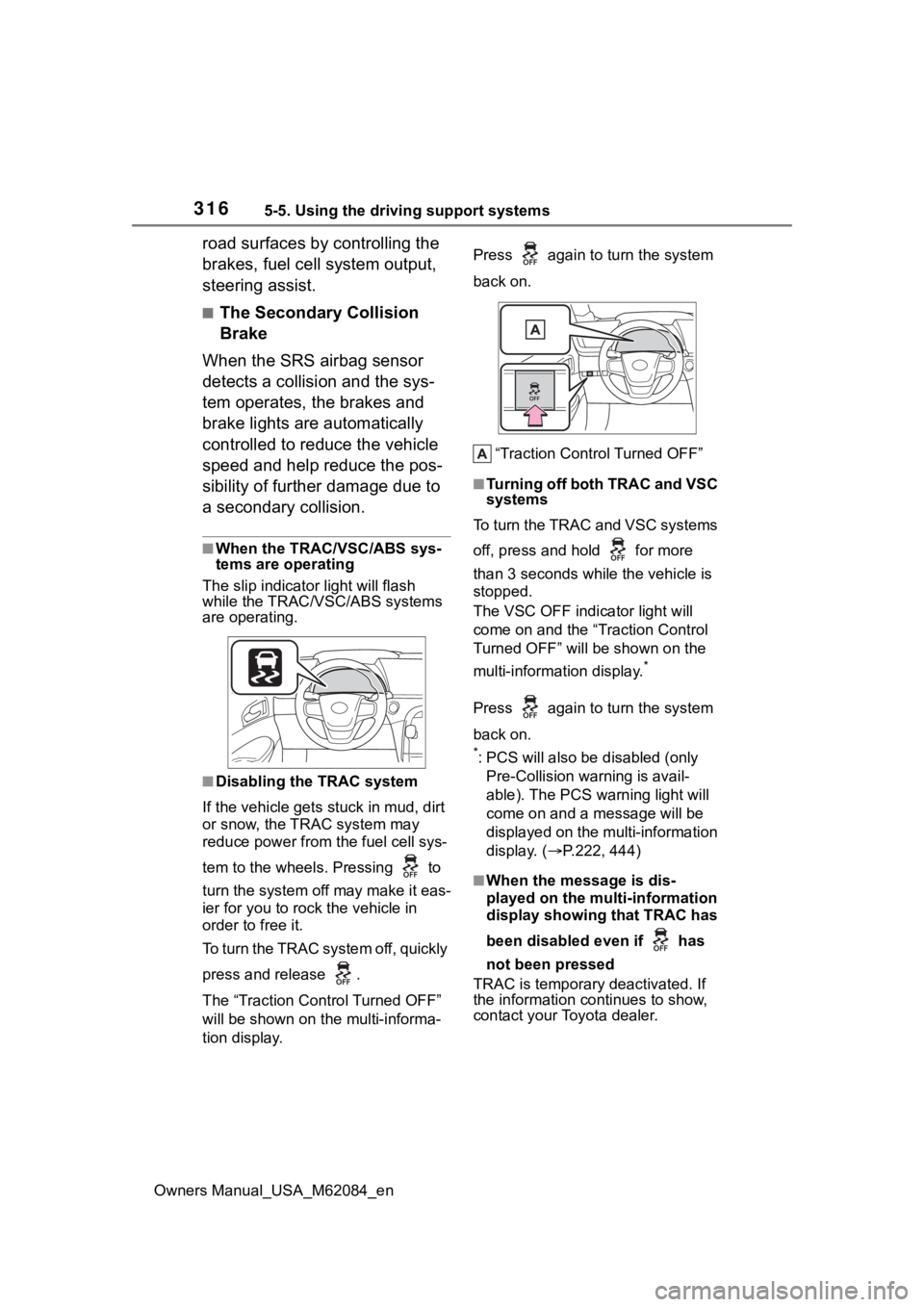
To turn the TRAC system off, quickly
press and release .
The “Traction Control Turned OFF”
will be shown on the multi-informa-
tion display. Press again to
turn the system
back on.
“Traction Control Turned OFF”
■Turning off both TRAC and VSC
systems
To turn the TRAC and VSC systems
off, press and hold for more
than 3 seconds while the vehicle is
stopped.
The VSC OFF indicator light will
come on and the “Traction Control
Turned OFF” will be shown on the
multi-information display.
*
Press again to turn the system
back on.
*: PCS will also be disabled (only
Pre-Collision warning is avail-
able). The PCS warning light will
come on and a message will be
displayed on the multi-information
display. ( P.222, 444)
■When the message is dis-
played on the multi-information
display showing that TRAC has
been disabled even if has
not been pressed
TRAC is temporary deactivated. If
the information continues to show,
contact your Toyota dealer.
Page 319 of 556
3195-5. Using the driving support systems
Owners Manual_USA_M62084_en
5
Driving
WARNING
●When Active Cornering Assist
frequently operates, Active Cor-
nering Assist may temporarily
stop operating to ensure proper
operation of the brakes, TRAC
and VSC.
■Hill-start assist control does
not operate effectively when
●Do not overly rely on hill-start
assist control. Hill-start assist
control may not operate effec-
tively on steep inclines and
roads covered with ice.
●Unlike the parking brake, hill-
start assist control is not
intended to hold the vehicle sta-
tionary for an extended period
of time. Do not attempt to use
hill-start assist control to hold
the vehicle on an incline, as
doing so may lead to an acci-
dent.
■When the TRAC/ABS/VSC is
activated
The slip indicator light flashes.
Always drive carefully. Reckless
driving may cause an accident.
Exercise particular care when the
indicator light flashes.
■When the TRAC/VSC systems
are turned off
Be especially careful and drive at
a speed appropriate to the road
conditions. As these are the sys-
tems to help ensure vehicle stabil-
ity and driving force, do not turn
the TRAC/VSC systems off
unless necessary.
■Secondary Collision Brake
Do not rely solely upon the Sec-
ondary Collision Brake. This sys-
tem is designed to help reduce
the possibility of further damage
due to a secondary collision, how-
ever, that effect changes accord-
ing to various conditions. Overly
relying on the system may result
in death or serious injury.
■Replacing tires
Make sure that all tires are of the
specified size, brand, tread pat-
tern and total load capacity. In
addition, make sure that the tires
are inflated to the recommended
tire inflation p ressure level.
The ABS, TRAC and VSC sys-
tems will not functi on correctly if
different tires are installed on the
vehicle.
Contact your Toyota dealer for fur-
ther information when replacing
tires or wheels.
■Handling of tires and the sus-
pension
Using tires with any kind of prob-
lem or modifying the suspension
will affect the driving assist sys-
tems, and may cause a system to
malfunction.
Page 349 of 556
3496-3. Using the storage features
Owners Manual_USA_M62084_en
6
Interior features
6-3.Using the storage features
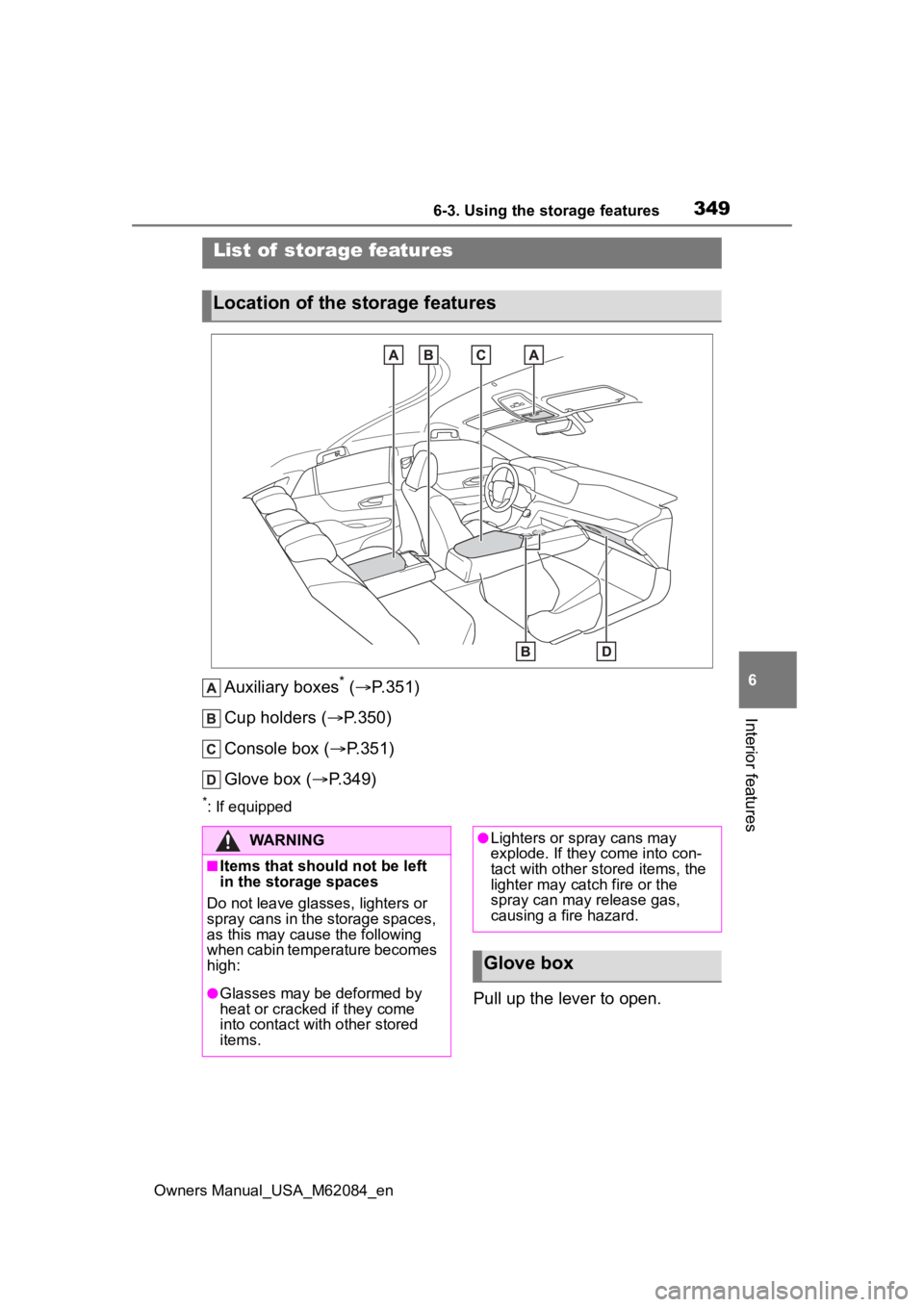
Auxiliary boxes* ( P.351)
Cup holders ( P.350)
Console box ( P.351)
Glove box ( P.349)
*: If equipped
Pull up the lever to open.
List of storage features
Location of the storage features
WARNING
■Items that should not be left
in the storage spaces
Do not leave glasses, lighters or
spray cans in the storage spaces,
as this may cau se the following
when cabin temperature becomes
high:
●Glasses may be deformed by
heat or cracked if they come
into contact with other stored
items.
●Lighters or spray cans may
explode. If they come into con-
tact with other stored items, the
lighter may catch fire or the
spray can may release gas,
causing a fire hazard.
Glove box
Page 350 of 556
3506-3. Using the storage features
Owners Manual_USA_M62084_en
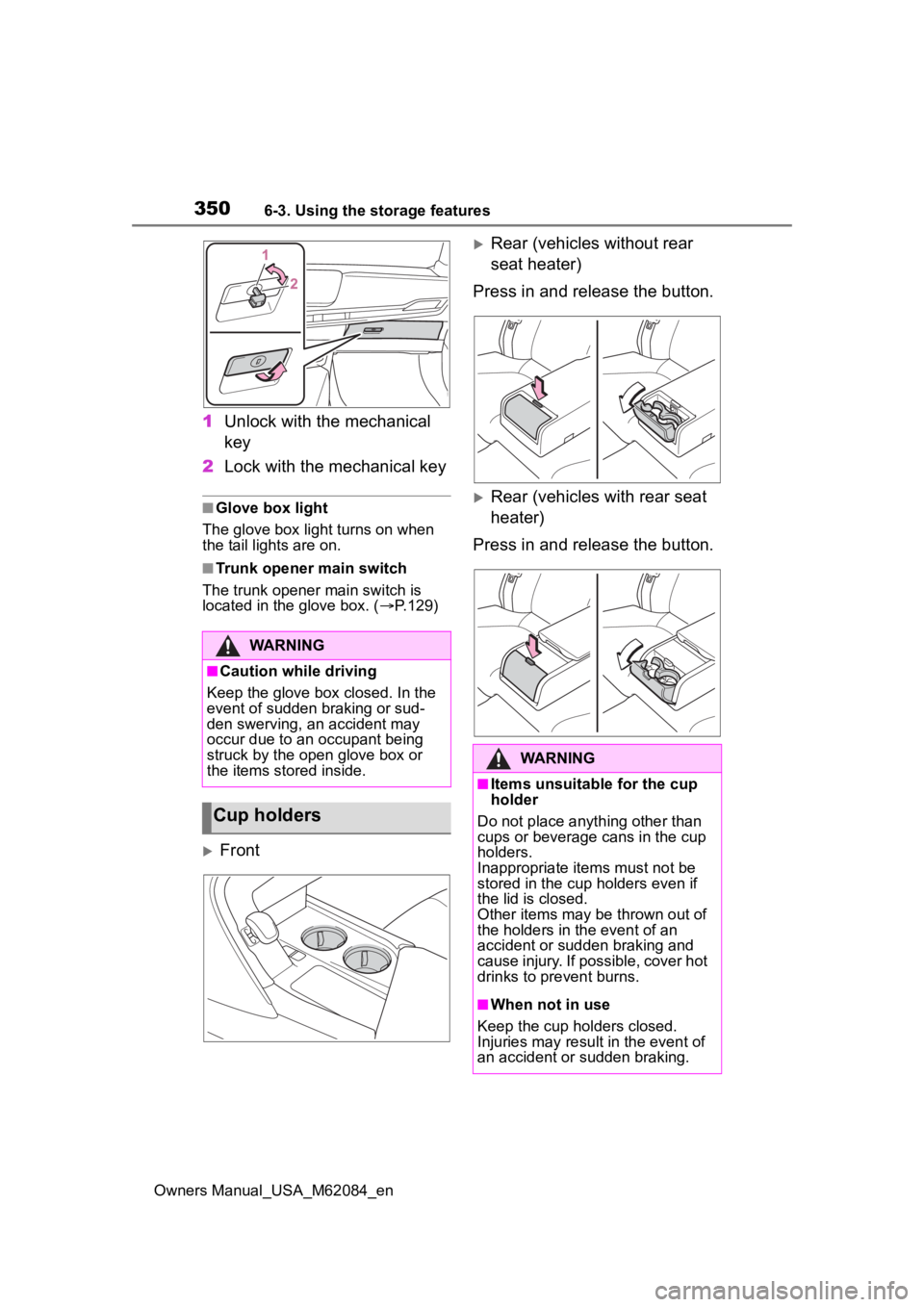
1Unlock with the mechanical
key
2 Lock with the mechanical key
■Glove box light
The glove box light turns on when
the tail lights are on.
■Trunk opener main switch
The trunk opener main switch is
located in the glove box. ( P.129)
Front
Rear (vehicles without rear
seat heater)
Press in and release the button.
Rear (vehicles with rear seat
heater)
Press in and release the button.
WARNING
■Caution while driving
Keep the glove box closed. In the
event of sudden braking or sud-
den swerving, an accident may
occur due to an occupant being
struck by the open glove box or
the items stored inside.
Cup holders
WARNING
■Items unsuitable for the cup
holder
Do not place anyth ing other than
cups or beverage cans in the cup
holders.
Inappropriate items must not be
stored in the cup holders even if
the lid is closed.
Other items may be thrown out of
the holders in the event of an
accident or sudden braking and
cause injury. If possible, cover hot
drinks to pre vent burns.
■When not in use
Keep the cup holders closed.
Injuries may resul t in the event of
an accident or sudden braking.
Page 355 of 556
3556-4. Using the other interior features
Owners Manual_USA_M62084_en
6
Interior features
*: If equipped
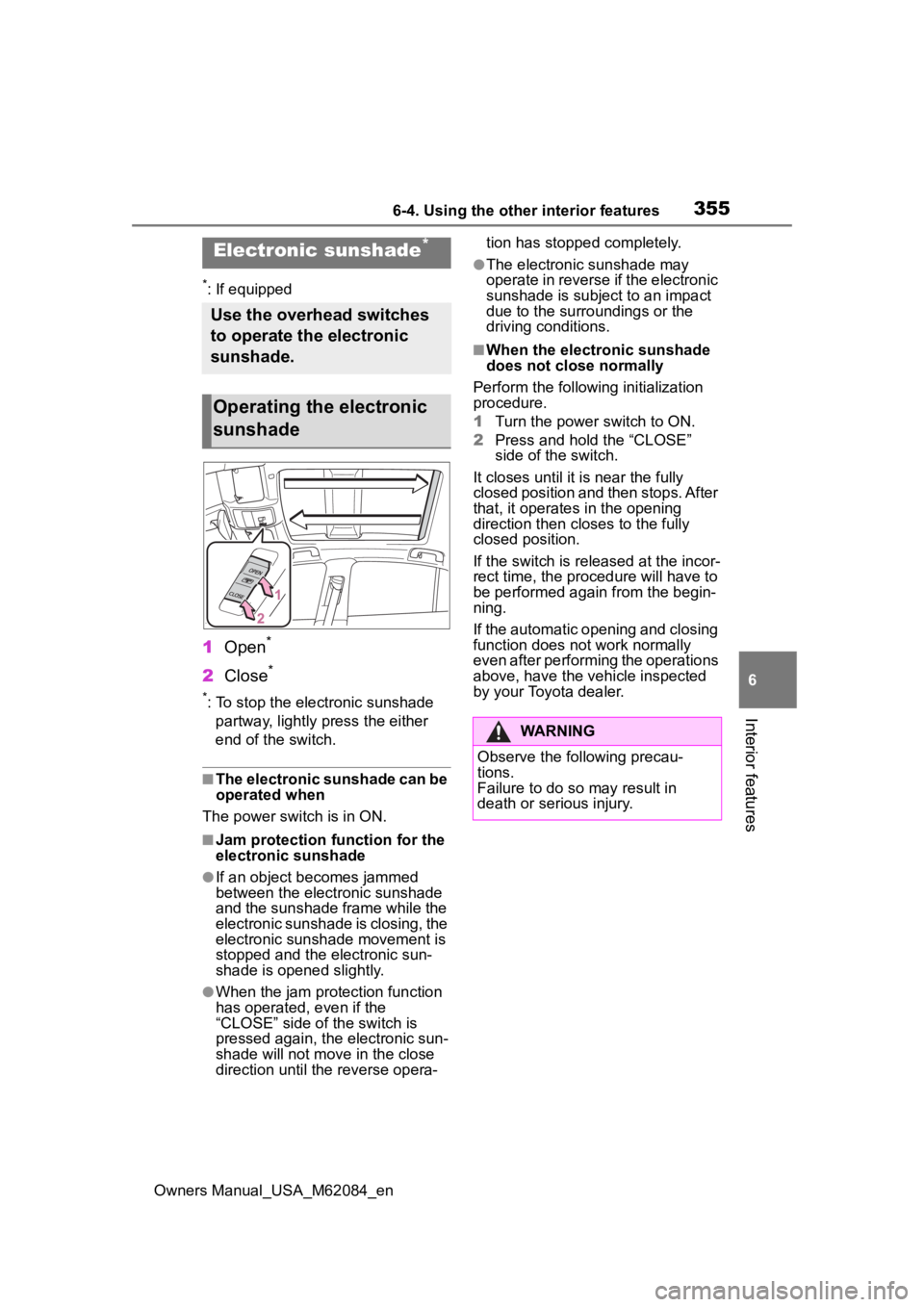
1 Open*
2Close*
*: To stop the electronic sunshade
partway, lightly p ress the either
end of the switch.
■The electronic sunshade can be
operated when
The power swit ch is in ON.
■Jam protection function for the
electronic sunshade
●If an object becomes jammed
between the electronic sunshade
and the sunshade frame while the
electronic sunshade is closing, the
electronic sunshade movement is
stopped and the electronic sun-
shade is opened slightly.
●When the jam protection function
has operated, even if the
“CLOSE” side of the switch is
pressed again, the electronic sun-
shade will not m ove in the close
direction until the reverse opera- tion has stopped completely.
●The electronic sunshade may
operate in reverse if the electronic
sunshade is subject to an impact
due to the surro
undings or the
driving conditions.
■When the electronic sunshade
does not close normally
Perform the following initialization
procedure.
1 Turn the power switch to ON.
2 Press and hold the “CLOSE”
side of the switch.
It closes until it is near the fully
closed position and then stops. After
that, it operates in the opening
direction then closes to the fully
closed position.
If the switch is released at the incor-
rect time, the proc edure will have to
be performed again from the begin-
ning.
If the automatic opening and closing
function does not work normally
even after performing the operations
above, have the vehicle inspected
by your Toyota dealer.
Electronic sunshade*
Use the overhead switches
to operate the electronic
sunshade.
Operating the electronic
sunshade
WARNING
Observe the following precau-
tions.
Failure to do so may result in
death or serious injury.
Page 356 of 556
3566-4. Using the other interior features
Owners Manual_USA_M62084_en
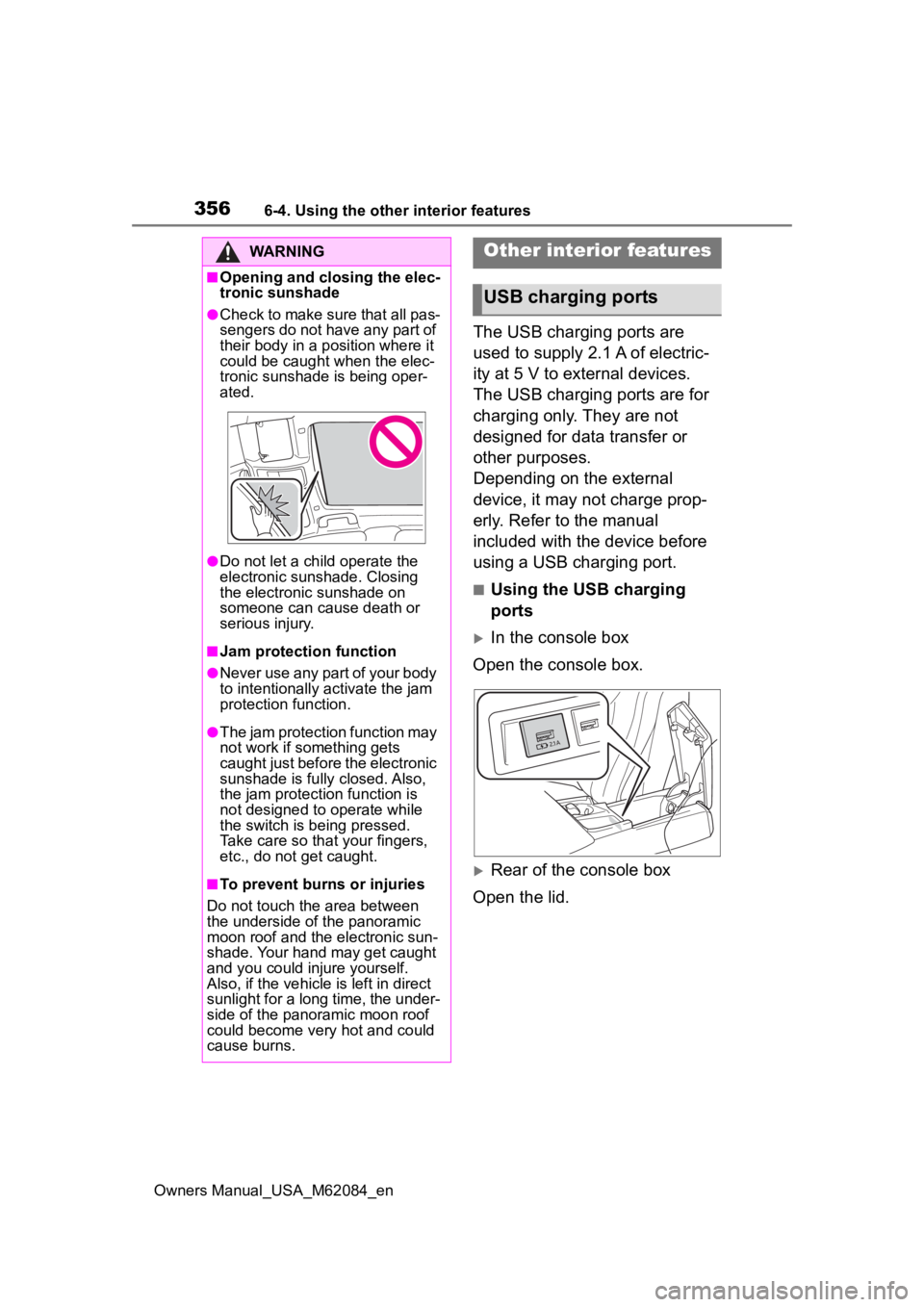
The USB charging ports are
used to supply 2.1 A of electric-
ity at 5 V to external devices.
The USB charging ports are for
charging only. They are not
designed for data transfer or
other purposes.
Depending on the external
device, it may not charge prop-
erly. Refer to the manual
included with the device before
using a USB charging port.
■Using the USB charging
ports
In the console box
Open the console box.
Rear of the console box
Open the lid.
WARNING
■Opening and closing the elec-
tronic sunshade
●Check to make sure that all pas-
sengers do not have any part of
their body in a position where it
could be caught when the elec-
tronic sunshade is being oper-
ated.
●Do not let a child operate the
electronic sunshade. Closing
the electronic sunshade on
someone can cause death or
serious injury.
■Jam protection function
●Never use any part of your body
to intentionally a ctivate the jam
protection function.
●The jam protection function may
not work if something gets
caught just before the electronic
sunshade is fully closed. Also,
the jam protecti on function is
not designed to operate while
the switch is being pressed.
Take care so that your fingers,
etc., do not get caught.
■To prevent burns or injuries
Do not touch the area between
the underside of the panoramic
moon roof and the electronic sun-
shade. Your hand may get caught
and you could injure yourself.
Also, if the vehicle is left in direct
sunlight for a long time, the under-
side of the panoramic moon roof
could become very hot and could
cause burns.
Other interior features
USB charging ports
Page 360 of 556
3606-4. Using the other interior features
Owners Manual_USA_M62084_encover and accessories not able to
handle Qi are attached to the porta-
ble device. Depending on the type
of cover and accessory, it may not
be possible to charge. When
charging is not performed even with
the portable devic
e placed on the
charge area, remove the cover and
accessories.
■While charging, noise enters
the AM radio
Turn off the wireless charger and
confirm that the noise has
decreased. If the noise decreases,
continuously pushing the power
supply switch of the wireless char-
ger for 2 seconds, the frequency of
the charger can be changed and the
noise can be reduced. Also, on that
occasion, the operation indicator
light will flash orange 2 times.
■Important points of the wire-
less charger
●If the electronic key cannot be
detected within the vehicle inte-
rior, charging cannot be done.
When the door is opened and
closed, charging may be tempo-
rarily suspended.
●When charging, the wireless
charging device and portable
device will get warmer, however
this is not a malfunction.
When a portable device gets
warm while charging, charging
may stop due to the protection
function on the portable device
side. In this case, when the tem-
perature of the portable device
drops significantly, charge again.
■Operation sounds
When the power su pply is turned
on, while searching for the portable
device a sound will be produced,
however this is not a malfunction.
■Certification
P. 5 5 0
WARNING
■Caution while driving
When charging a portable device,
for safety reasons, the driver
should not operate the main part
of the portable device while driv-
ing.
■Caution regarding interfer-
ence with electronic devices
People with implantable cardiac
pacemakers, cardiac resynchroni-
zation therapy-pacemakers or
implantable cardioverter def ibrilla-
tors, as well as any other electri-
cal medical device, should consult
their physician about the usage of
the wireless charger. The opera-
tions of the wireless charger may
have an affect on medical
devices.
■To prevent damage or burns
Observe the following precau-
tions.
Failure to do so may result in a
possibility of equipment failure
and damage, catch fire, burns due
to overheat.
●Do not insert any metallic
objects between the charging
area and the portable device
while charging
●Do not place containers with liq-
uid such as water on the wire-
less charger.
●Do not attach sti ckers, metallic
objects, etc., to the charger area
or portable device
●Do not cover wit h cloth, etc.,
and charge
●Do not charge portable devices
other than designated