change wheel TOYOTA RAV4 PLUG-IN HYBRID 2023 Owner's Manual
[x] Cancel search | Manufacturer: TOYOTA, Model Year: 2023, Model line: RAV4 PLUG-IN HYBRID, Model: TOYOTA RAV4 PLUG-IN HYBRID 2023Pages: 718, PDF Size: 167.55 MB
Page 315 of 718
313
5
5-2. Driving procedures
Driving
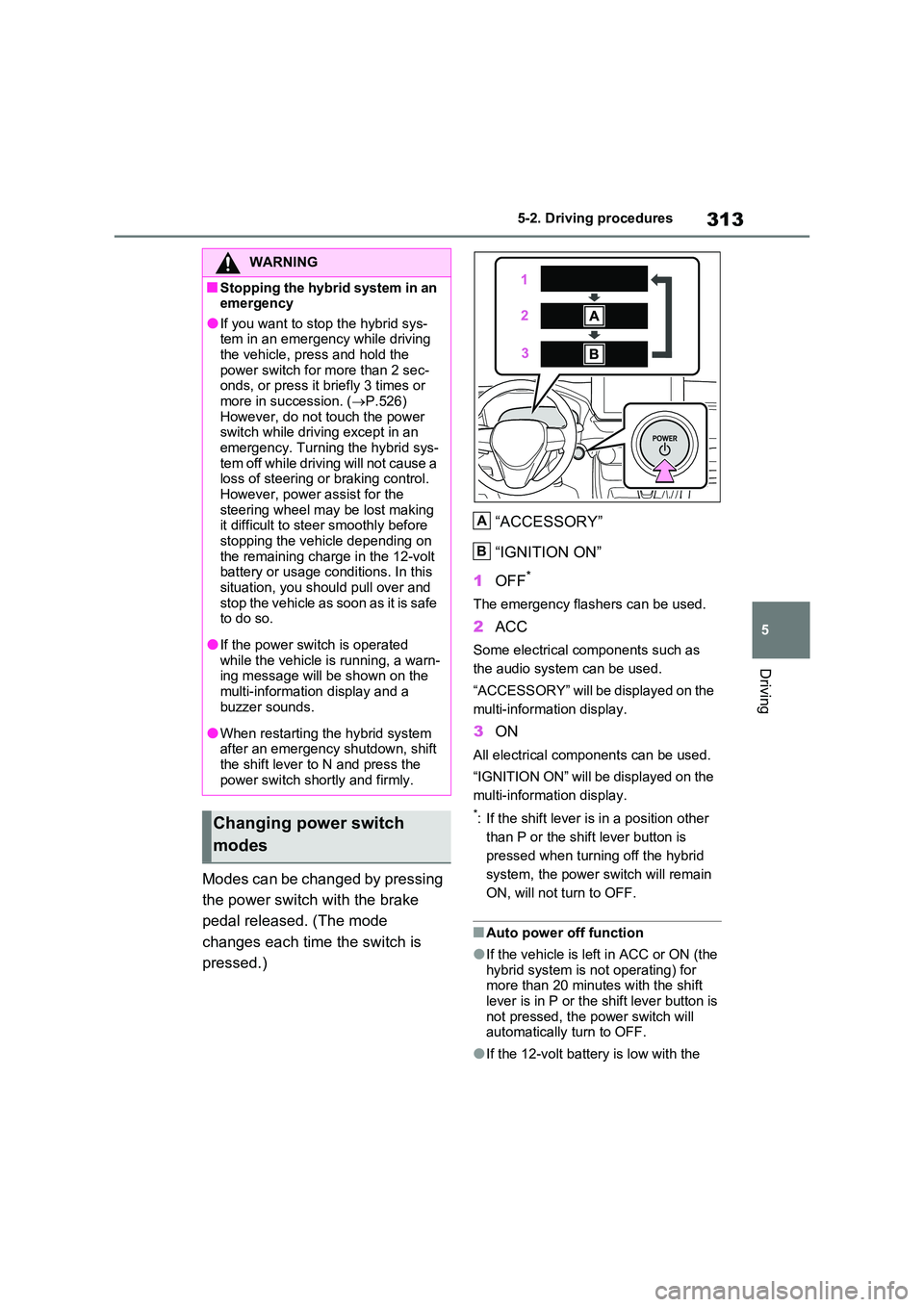
Modes can be changed by pressing
the power switch with the brake
pedal released. (The mode
changes each time the switch is
pressed.)
“ACCESSORY”
“IGNITION ON”
1 OFF*
The emergency flashers can be used.
2ACC
Some electrical components such as
the audio system can be used.
“ACCESSORY” will be displayed on the
multi-information display.
3 ON
All electrical components can be used.
“IGNITION ON” will be displayed on the
multi-information display.
*: If the shift lever is in a position other
than P or the shift lever button is
pressed when turning off the hybrid
system, the power switch will remain
ON, will not turn to OFF.
■Auto power off function
●If the vehicle is left in ACC or ON (the hybrid system is not operating) for more than 20 minutes with the shift
lever is in P or the shift lever button is not pressed, the power switch will automatically turn to OFF.
●If the 12-volt battery is low with the
WARNING
■Stopping the hybrid system in an emergency
●If you want to stop the hybrid sys-tem in an emergency while driving the vehicle, press and hold the
power switch for more than 2 sec- onds, or press it briefly 3 times or more in succession. ( P.526)
However, do not touch the power switch while driving except in an emergency. Turning the hybrid sys-
tem off while driving will not cause a loss of steering or braking control. However, power assist for the
steering wheel may be lost making it difficult to steer smoothly before stopping the vehicle depending on
the remaining charge in the 12-volt battery or usage conditions. In this situation, you should pull over and
stop the vehicle as soon as it is safe to do so.
●If the power switch is operated while the vehicle is running, a warn-ing message will be shown on the
multi-information display and a buzzer sounds.
●When restarting the hybrid system after an emergency shutdown, shift the shift lever to N and press the
power switch shortly and firmly.
Changing power switch
modes
A
B
Page 347 of 718
345
5
5-5. Using the driving support systems
Driving
WARNING
●Although this system is designed to help avoid a collision or help reduce
the impact of the collision, its effec- tiveness may change according to various conditions, therefore the
system may not always be able to achieve the same level of perfor-mance.
Read the following conditions care- fully. Do not overly rely on this sys-tem and always drive carefully.
• Conditions under which the system may operate even if there is no pos-sibility of a collision: P.349
• Conditions under which the system may not operate properly: P.351
●Do not attempt to test the operation of the pre-collision system yourself.Depending on the objects used for
testing (dummies, cardboard objects imitating detectable objects, etc.), the system may not operate
properly, possibly leading to an accident.
■Pre-collision braking
●When the pre-collision braking function is operating, a large
amount of braking force will be applied.
●If the vehicle is stopped by the operation of the pre-collision brak-ing function, the pre-collision brak-
ing function operation will be canceled after approximately 2 sec-onds. Depress the brake pedal as
necessary.
●The pre-collision braking function
may not operate if certain opera- tions are performed by the driver. If the accelerator pedal is being
depressed strongly or the steering wheel is being turned, the system may determine that the driver is tak-
ing evasive action and possibly pre- vent the pre-collision braking function from operating.
●In some situations, while the pre-collision braking function is operat-ing, operation of the function may
be canceled if the accelerator pedal is depressed strongly or the steer-ing wheel is turned and the system
determines that the driver is taking evasive action.
●If the brake pedal is being depressed, the system may deter-mine that the driver is taking eva-
sive action and possibly delay the operation timing of the pre-collision braking function.
■Emergency steering assist
●As emergency steering assist oper-
ation will be canceled when the sys- tem determines that lane departure prevention function has been com-
pleted.
●Emergency steering assist may not
operate or may be cancel in the fol- lowing cases as the system may determine the driver is taking
actions.
• If the accelerator pedal is being
depressed strongly, the steering wheel is being operated sharply, the brake pedal is being depressed
or the turn signal lever is being operated. In this case, the system may determine that the driver is tak-
ing evasive action and the emer- gency steering assist may not operate.
• In some situations, while the emer- gency steering assist is operating,
operation of the function may be canceled if the accelerator pedal is depressed strongly, the steering
wheel is operated sharply or the brake pedal is being depressed and the system determines that the
driver is taking evasive action.
Page 348 of 718
3465-5. Using the driving support systems
■Enabling/disabling the pre-col-
lision system
The pre-collision system can be
enabled/disabled on the screen
( P.206, 217) of the multi-informa-
tion display.
The system is automatically enabled
each time the power switch is turned to
ON.
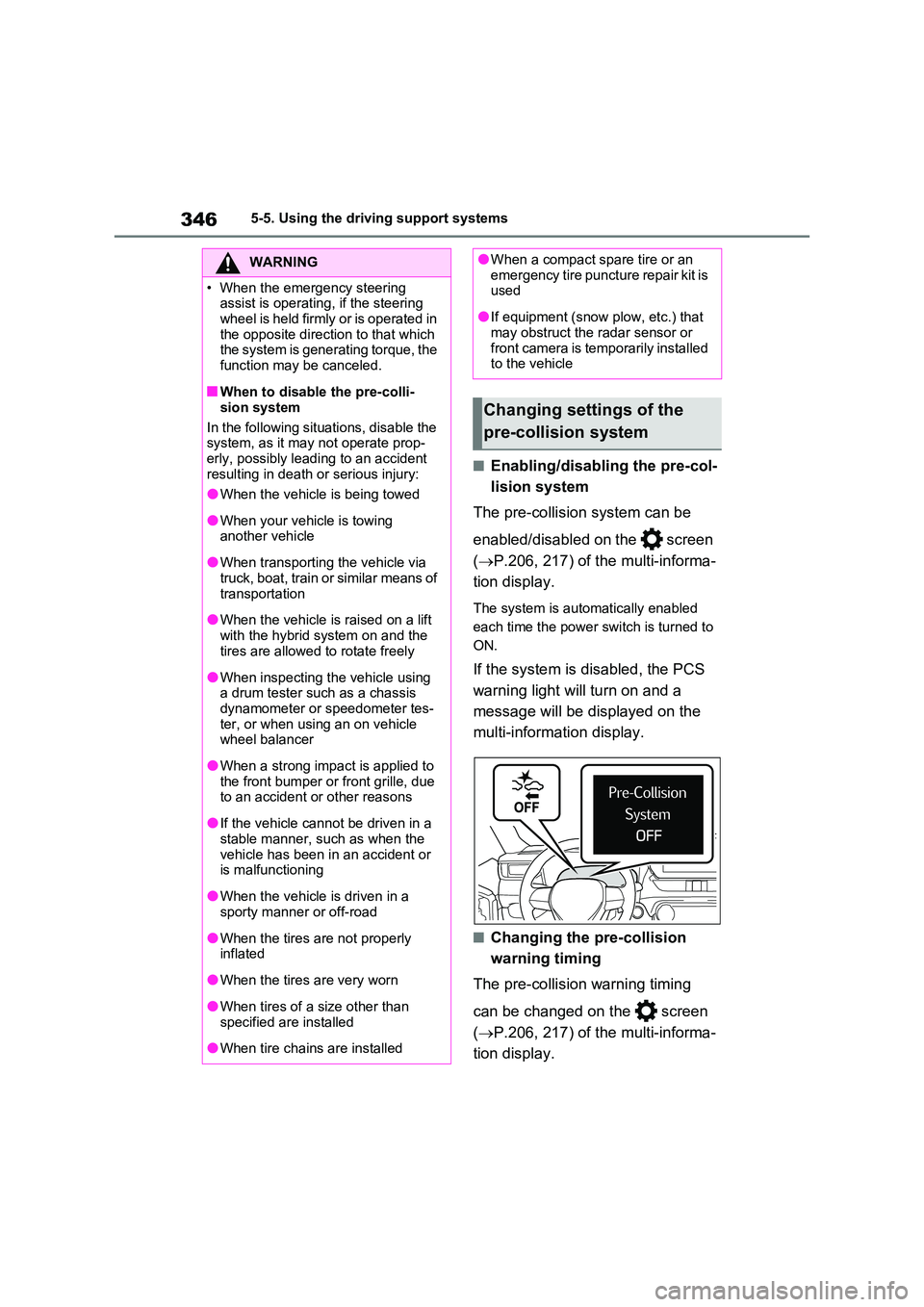
If the system is disabled, the PCS
warning light will turn on and a
message will be displayed on the
multi-information display.
■Changing the pre-collision
warning timing
The pre-collision warning timing
can be changed on the screen
( P.206, 217) of the multi-informa-
tion display.
WARNING
• When the emergency steering assist is operating, if the steering
wheel is held firmly or is operated in the opposite direction to that which the system is generating torque, the
function may be canceled.
■When to disable the pre-colli-
sion system
In the following situations, disable the system, as it may not operate prop-
erly, possibly leading to an accident resulting in death or serious injury:
●When the vehicle is being towed
●When your vehicle is towing another vehicle
●When transporting the vehicle via truck, boat, train or similar means of
transportation
●When the vehicle is raised on a lift
with the hybrid system on and the tires are allowed to rotate freely
●When inspecting the vehicle using a drum tester such as a chassis dynamometer or speedometer tes-
ter, or when using an on vehicle wheel balancer
●When a strong impact is applied to the front bumper or front grille, due to an accident or other reasons
●If the vehicle cannot be driven in a stable manner, such as when the
vehicle has been in an accident or is malfunctioning
●When the vehicle is driven in a sporty manner or off-road
●When the tires are not properly inflated
●When the tires are very worn
●When tires of a size other than
specified are installed
●When tire chains are installed
●When a compact spare tire or an emergency tire puncture repair kit is used
●If equipment (snow plow, etc.) that may obstruct the radar sensor or
front camera is temporarily installed to the vehicle
Changing settings of the
pre-collision system
Page 349 of 718
347
5
5-5. Using the driving support systems
Driving
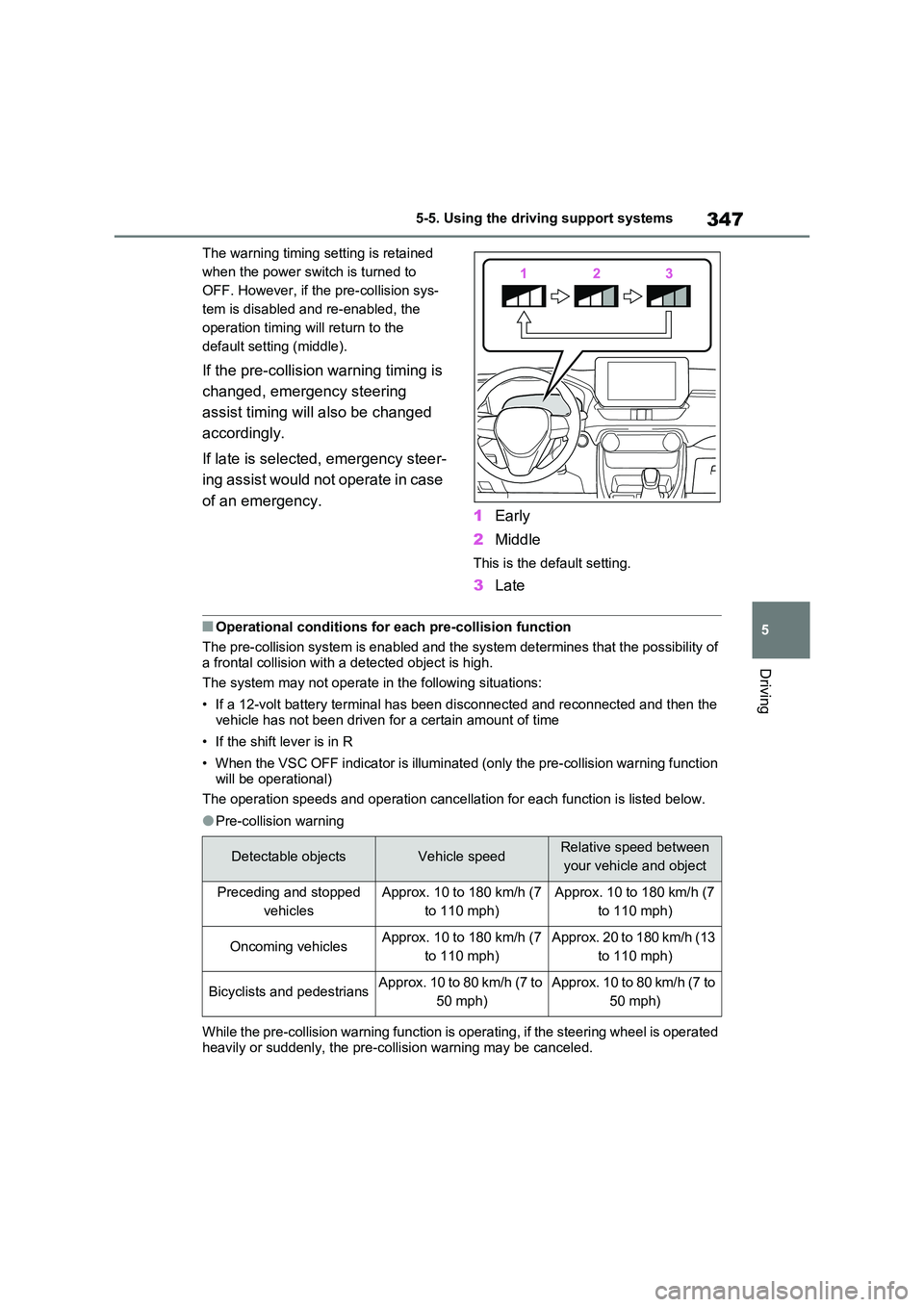
The warning timing setting is retained
when the power switch is turned to
OFF. However, if the pre-collision sys-
tem is disabled and re-enabled, the
operation timing will return to the
default setting (middle).
If the pre-collision warning timing is
changed, emergency steering
assist timing will also be changed
accordingly.
If late is selected, emergency steer-
ing assist would not operate in case
of an emergency. 1 Early
2 Middle
This is the default setting.
3Late
■Operational conditions for each pre-collision function
The pre-collision system is enabled and the system determines that the possibility of
a frontal collision with a detected object is high.
The system may not operate in the following situations:
• If a 12-volt battery terminal has been disconnected and reconnected and then the vehicle has not been driven for a certain amount of time
• If the shift lever is in R
• When the VSC OFF indicator is illuminated (only the pre-collision warning function
will be operational)
The operation speeds and operation cancellation for each function is listed below.
●Pre-collision warning
While the pre-collision warning function is operating, if the steering wheel is operated
heavily or suddenly, the pre-collision warning may be canceled.
Detectable objectsVehicle speedRelative speed between
your vehicle and object
Preceding and stopped
vehicles
Approx. 10 to 180 km/h (7
to 110 mph)
Approx. 10 to 180 km/h (7
to 110 mph)
Oncoming vehiclesApprox. 10 to 180 km/h (7
to 110 mph)
Approx. 20 to 180 km/h (13
to 110 mph)
Bicyclists and pedestriansApprox. 10 to 80 km/h (7 to
50 mph)
Approx. 10 to 80 km/h (7 to
50 mph)
Page 354 of 718
3525-5. Using the driving support systems
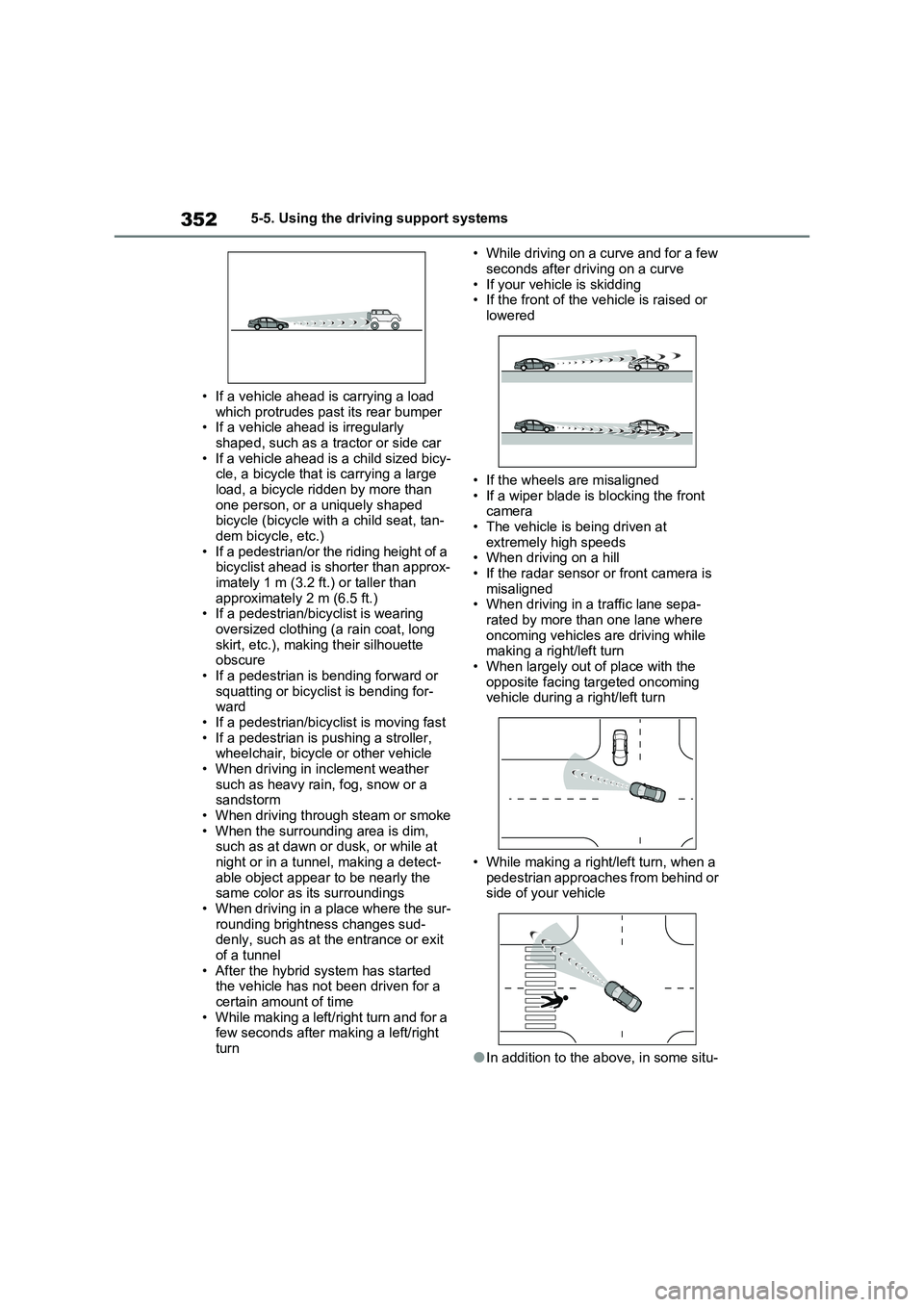
• If a vehicle ahead is carrying a load
which protrudes past its rear bumper
• If a vehicle ahead is irregularly
shaped, such as a tractor or side car
• If a vehicle ahead is a child sized bicy-
cle, a bicycle that is carrying a large
load, a bicycle ridden by more than
one person, or a uniquely shaped
bicycle (bicycle with a child seat, tan-
dem bicycle, etc.)
• If a pedestrian/or the riding height of a
bicyclist ahead is shorter than approx-
imately 1 m (3.2 ft.) or taller than
approximately 2 m (6.5 ft.)
• If a pedestrian/bicyclist is wearing
oversized clothing (a rain coat, long
skirt, etc.), making their silhouette
obscure
• If a pedestrian is bending forward or
squatting or bicyclist is bending for-
ward
• If a pedestrian/bicyclist is moving fast
• If a pedestrian is pushing a stroller,
wheelchair, bicycle or other vehicle
• When driving in inclement weather
such as heavy rain, fog, snow or a
sandstorm
• When driving through steam or smoke
• When the surrounding area is dim,
such as at dawn or dusk, or while at
night or in a tunnel, making a detect-
able object appear to be nearly the
same color as its surroundings
• When driving in a place where the sur-
rounding brightness changes sud-
denly, such as at the entrance or exit
of a tunnel
• After the hybrid system has started
the vehicle has not been driven for a
certain amount of time
• While making a left/right turn and for a
few seconds after making a left/right
turn• While driving on a curve and for a few
seconds after driving on a curve
• If your vehicle is skidding
• If the front of the vehicle is raised or
lowered
• If the wheels are misaligned
• If a wiper blade is blocking the front
camera
• The vehicle is being driven at
extremely high speeds
• When driving on a hill
• If the radar sensor or front camera is
misaligned
• When driving in a traffic lane sepa-
rated by more than one lane where
oncoming vehicles are driving while
making a right/left turn
• When largely out of place with the
opposite facing targeted oncoming
vehicle during a right/left turn
• While making a right/left turn, when a
pedestrian approaches from behind or
side of your vehicle
●In addition to the above, in some situ-
Page 358 of 718
3565-5. Using the driving support systems
■Lane departure alert function
When the system determines that
the vehicle might depart from its
lane or course*, a warning is dis-
played on the multi-information dis-
play, and either a warning buzzer
will sound or the steering wheel will
vibrate to alert the driver.
When the warning buzzer sounds or
WARNING
●The vehicle is driven in an area without white (yellow) lines, such as
in front of a tollgate or checkpoint, or at an intersection, etc.
●The white (yellow) lines are cracked, “Raised pavement marker” or stones are present.
●The white (yellow) lines cannot be seen or are difficult to see due to
sand, etc.
●The vehicle is driven on a road sur-
face that is wet due to rain, pud- dles, etc.
●The traffic lines are yellow (which may be more difficult to recognize than lines that are white).
●The white (yellow) lines cross over a curb, etc.
●The vehicle is driven on a bright surface, such as concrete.
●If the edge of the road is not clear or straight.
●The vehicle is driven on a surface that is bright due to reflected light,
etc.
●The vehicle is driven in an area
where the brightness changes sud- denly, such as at the entrances and exits of tunnels, etc.
●Light from the headlights of an oncoming vehicle, the sun, etc.
enters the camera.
●The vehicle is driven on a slope.
●The vehicle is driven on a road which tilts left or right, or a winding
road.
●The vehicle is driven on an
unpaved or rough road.
●The traffic lane is excessively nar-
row or wide.
●The vehicle is extremely tilted due to carrying heavy luggage or having improper tire pressure.
●The distance to the preceding vehi-cle is extremely short.
●The vehicle is moving up and down a large amount due to road condi-
tions during driving (poor roads or road seams).
●When driving in a tunnel or at night with the headlights off or when a headlight is dim due to its lens
being dirty or it being misaligned.
●The vehicle is struck by a cross-
wind.
●The vehicle is affected by wind from
a vehicle driven in a nearby lane.
●The vehicle has just changed lanes
or crossed an intersection.
●Tires which differ by structure, man-
ufacturer, brand or tread pattern are used.
●When tires of a size other than specified are installed.
●Snow tires, etc. are equipped.
●The vehicle is being driven at
extremely high speeds.
Functions included in LTA
system
Page 360 of 718
3585-5. Using the driving support systems
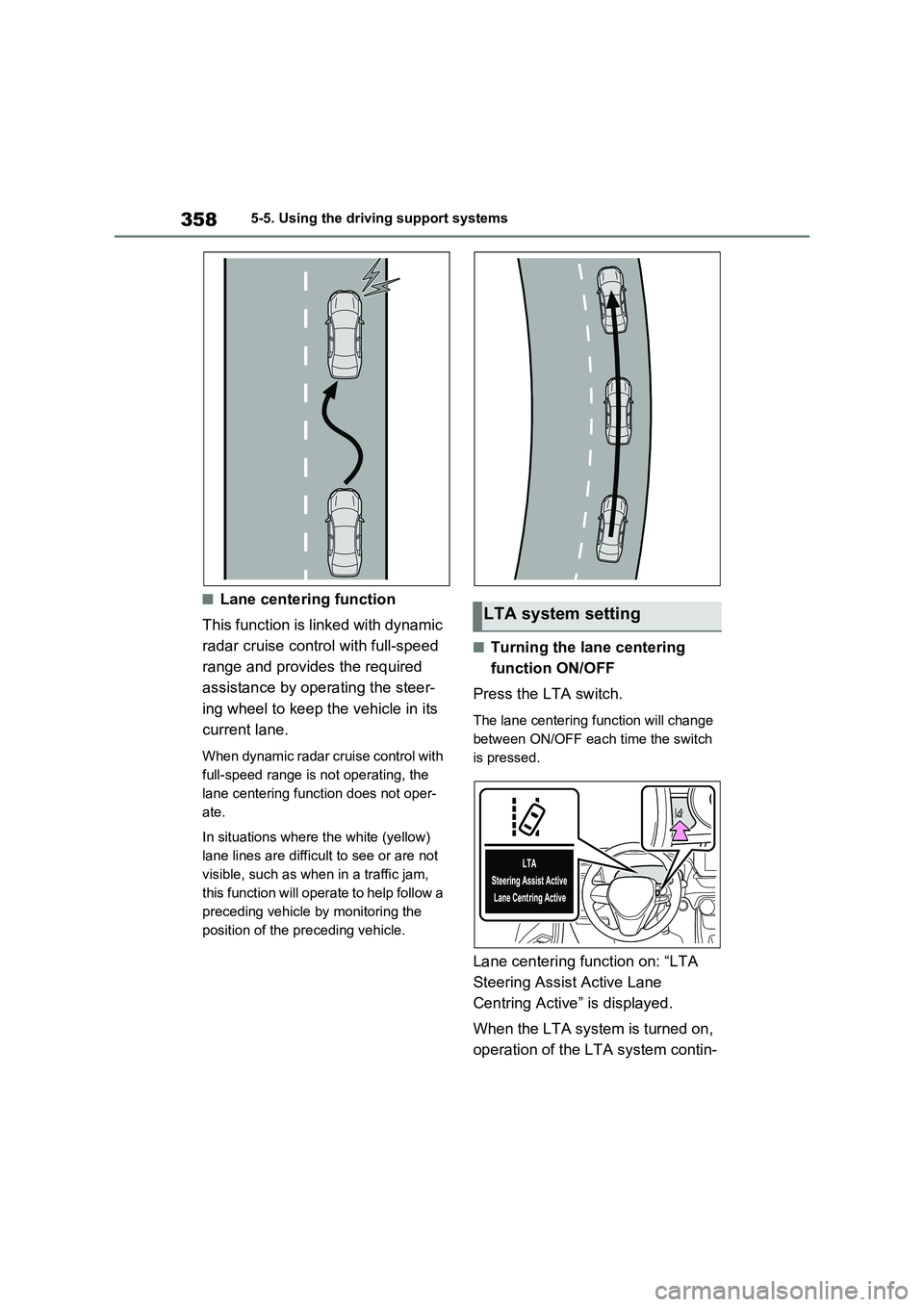
■Lane centering function
This function is linked with dynamic
radar cruise control with full-speed
range and provides the required
assistance by operating the steer-
ing wheel to keep the vehicle in its
current lane.
When dynamic radar cruise control with
full-speed range is not operating, the
lane centering function does not oper-
ate.
In situations where the white (yellow)
lane lines are difficult to see or are not
visible, such as when in a traffic jam,
this function will operate to help follow a
preceding vehicle by monitoring the
position of the preceding vehicle.
■Turning the lane centering
function ON/OFF
Press the LTA switch.
The lane centering function will change
between ON/OFF each time the switch
is pressed.
Lane centering function on: “LTA
Steering Assist Active Lane
Centring Active” is displayed.
When the LTA system is turned on,
operation of the LTA system contin-
LTA system setting
Page 366 of 718
3645-5. Using the driving support systems
erly. Have the vehicle inspected by any
authorized Toyota retailer or Toyota
authorized repairer, or any reliable
repairer.
●“LTA Unavailable”
The system is temporarily canceled due
to a malfunction in a sensor other than
the front camera. Turn the LTA system
off, wait for a little while, and then turn
the LTA system back on.
●“LTA Unavailable at Current Speed”
The function cannot be used as the
vehicle speed exceeds the LTA opera-
tion range. Drive slower.
■Customization
Function settings can be changed. ( P.206, 217)
*: If equipped
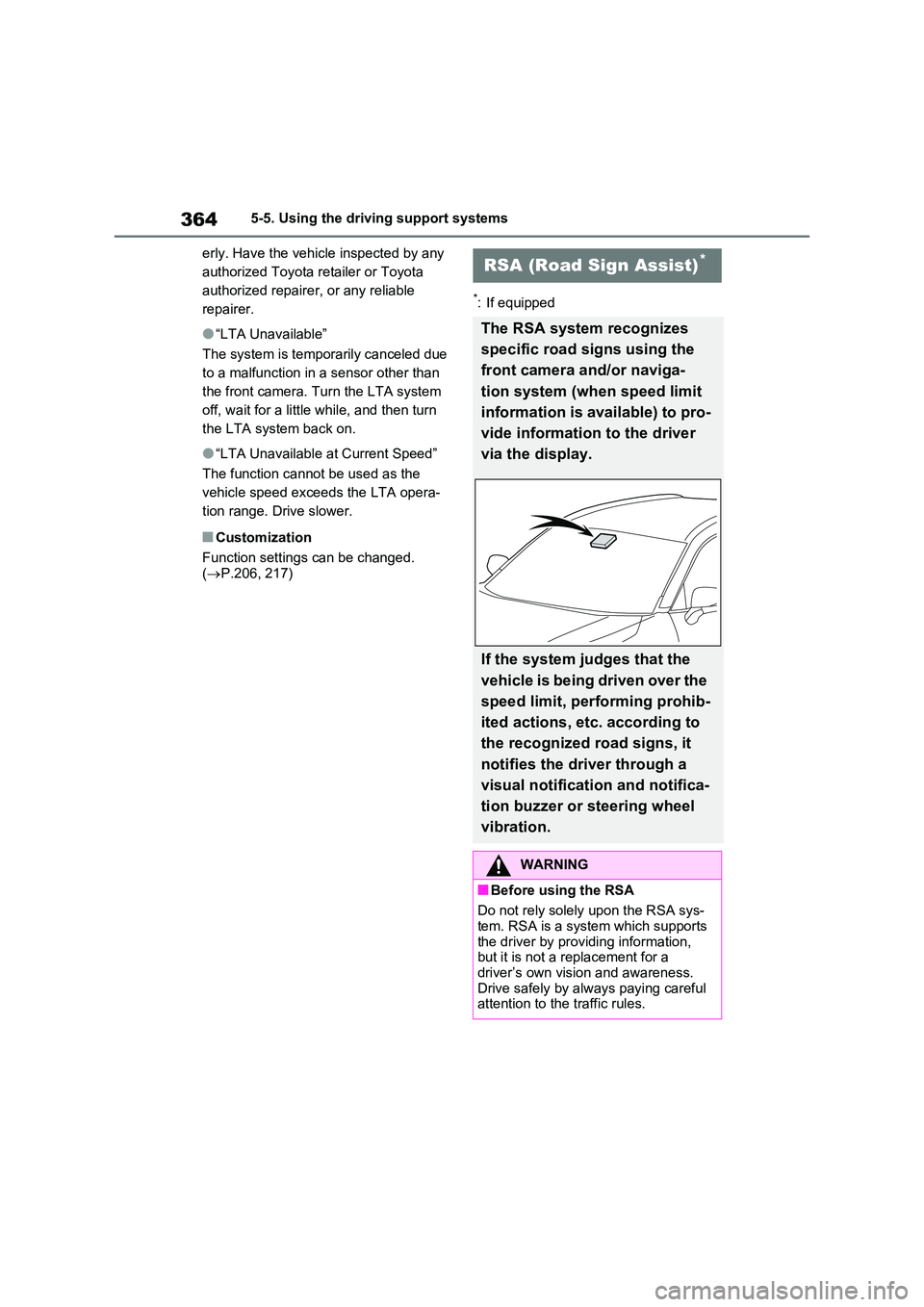
RSA (Road Sign Assist)*
The RSA system recognizes
specific road signs using the
front camera and/or naviga-
tion system (when speed limit
information is available) to pro-
vide information to the driver
via the display.
If the system judges that the
vehicle is being driven over the
speed limit, performing prohib-
ited actions, etc. according to
the recognized road signs, it
notifies the driver through a
visual notification and notifica-
tion buzzer or steering wheel
vibration.
WARNING
■Before using the RSA
Do not rely solely upon the RSA sys- tem. RSA is a system which supports
the driver by providing information, but it is not a replacement for a driver’s own vision and awareness.
Drive safely by always paying careful attention to the traffic rules.
Page 369 of 718
367
5 5-5. Using the driving support systems
Driving
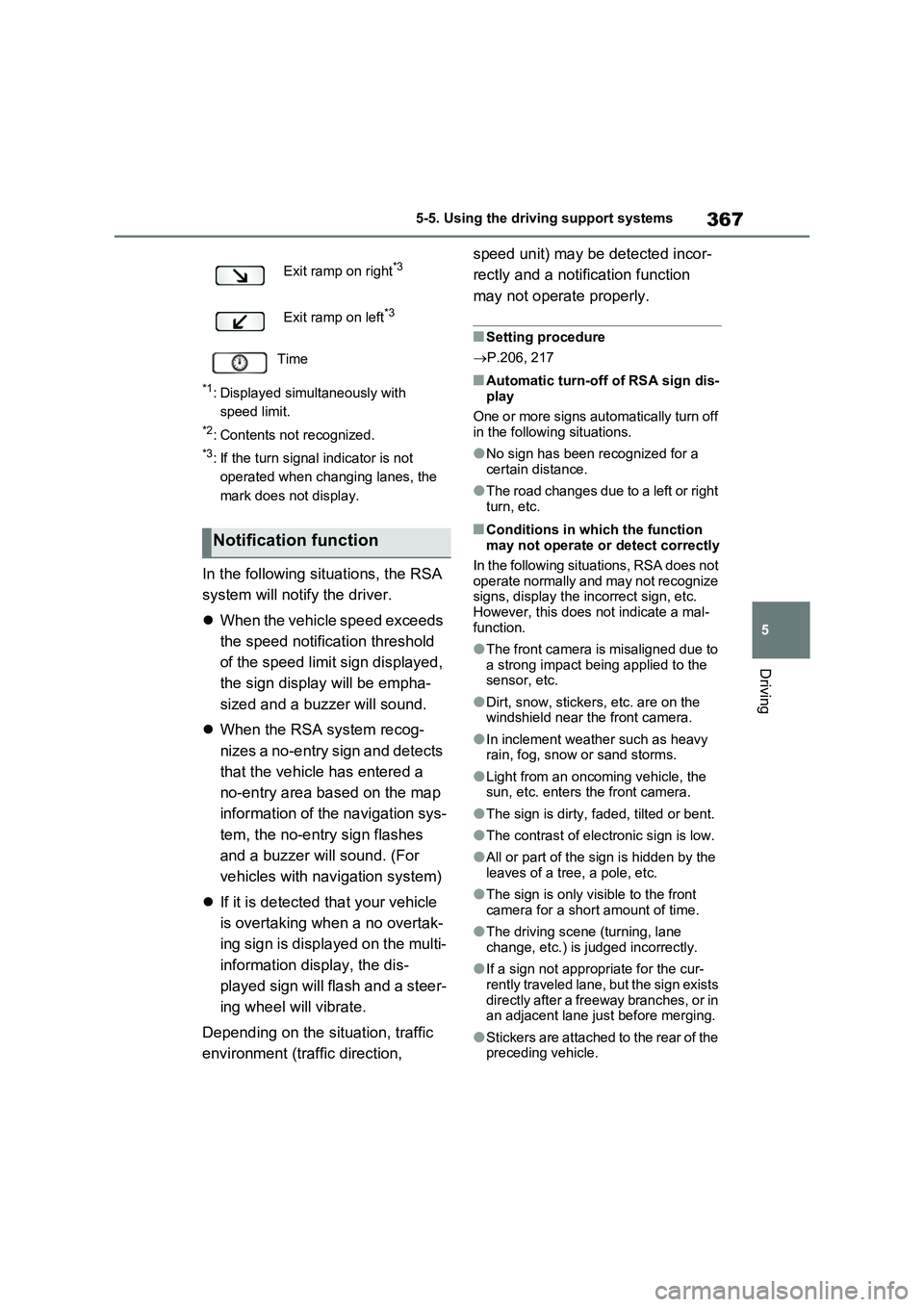
*1: Displayed simultaneously with
speed limit.
*2: Contents not recognized.
*3: If the turn signal indicator is not
operated when changing lanes, the
mark does not display.
In the following situations, the RSA
system will notify the driver.
When the vehicle speed exceeds
the speed notification threshold
of the speed limit sign displayed,
the sign display will be empha-
sized and a buzzer will sound.
When the RSA system recog-
nizes a no-entry sign and detects
that the vehicle has entered a
no-entry area based on the map
information of the navigation sys-
tem, the no-entry sign flashes
and a buzzer will sound. (For
vehicles with navigation system)
If it is detected that your vehicle
is overtaking when a no overtak-
ing sign is displayed on the multi-
information display, the dis-
played sign will flash and a steer-
ing wheel will vibrate.
Depending on the situation, traffic
environment (traffic direction, speed unit) may be detected incor-
rectly and a notification function
may not operate properly.
■Setting procedure
P.206, 217
■Automatic turn-off of RSA sign dis-
play
One or more signs automatically turn off
in the following situations.
●No sign has been recognized for a
certain distance.
●The road changes due to a left or right
turn, etc.
■Conditions in which the function
may not operate or detect correctly
In the following situations, RSA does not
operate normally and may not recognize
signs, display the incorrect sign, etc.
However, this does not indicate a mal-
function.
●The front camera is misaligned due to
a strong impact being applied to the
sensor, etc.
●Dirt, snow, stickers, etc. are on the
windshield near the front camera.
●In inclement weather such as heavy
rain, fog, snow or sand storms.
●Light from an oncoming vehicle, the
sun, etc. enters the front camera.
●The sign is dirty, faded, tilted or bent.
●The contrast of electronic sign is low.
●All or part of the sign is hidden by the
leaves of a tree, a pole, etc.
●The sign is only visible to the front
camera for a short amount of time.
●The driving scene (turning, lane
change, etc.) is judged incorrectly.
●If a sign not appropriate for the cur-
rently traveled lane, but the sign exists
directly after a freeway branches, or in
an adjacent lane just before merging.
●Stickers are attached to the rear of the
preceding vehicle. Exit ramp on right
*3
Exit ramp on left*3
Time
Notification function
Page 374 of 718
3725-5. Using the driving support systems
When a vehicle is detected running ahead of you, the system automatically deceler-
ates your vehicle. When a greater reduction in vehicle speed is necessary, the sys-
tem applies the brakes (the stop lights will come on at this time). The system will
respond to changes in the speed of the vehicle ahead in order to maintain the vehi-
cle-to-vehicle distance set by the driver. Approach warning warns you when the sys-
tem cannot decelerate sufficiently to prevent your vehicle from closing in on the
vehicle ahead.
When the vehicle ahead of you stops, your vehicle will also stop (vehicle is stopped
by system control). After the vehicle ahead starts off, pressing the “+RES” switch or
depressing the accelerator pedal (start-off operation) will resume follow-up cruising.
If the start-off operation is not performed, system control continues to keep your
vehicle stopped.
When the turn signal lever is operated and your vehicle moves to an overtaking lane
while driving at 80 km/h (50 mph) or more, the vehicle will accelerate to help to over-
take a passing vehicle.
The system’s identification of what is an overtaking lane may be determined solely
based on the location of the steering wheel in the vehicle (left side driver position
versus right side driver position.) If the vehicle is driven to a region where the over-
taking lane is on a different side from where the vehicle is normally driven, the vehi-
cle may accelerate when the turn signal lever is operated in the opposite direction to
the overtaking lane (e.g., if the driver normally operates the vehicle in a region
where the overtaking lane is to the right but then drives to a region where the over-
taking lane is to the left, the vehicle may accelerate when the right turn signal is acti-
vated).
Example of acceleration
When there are no longer any preceding vehicles driving slower than the
set speed
The system accelerates until the set speed is reached. The system then returns to
constant speed cruising.
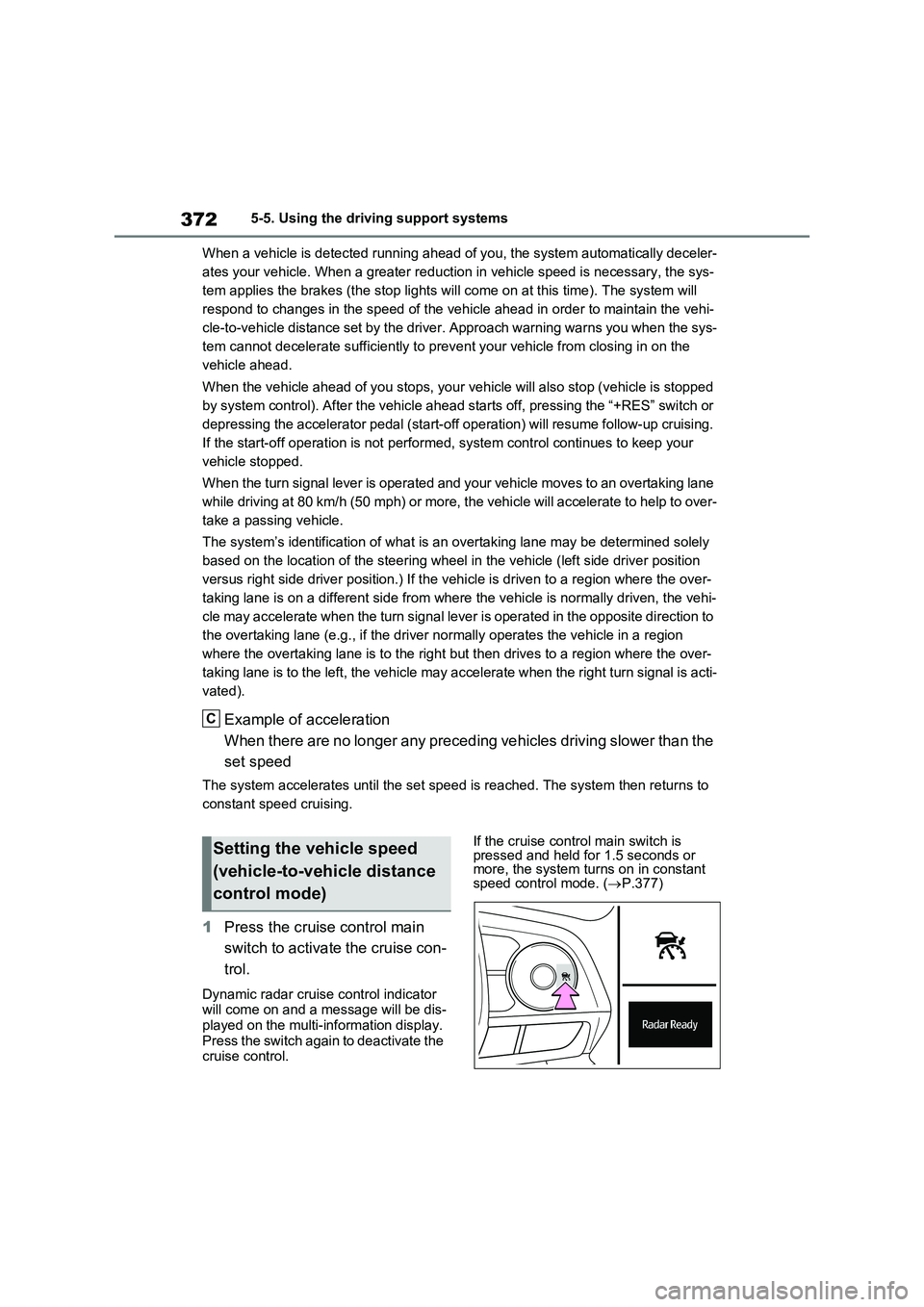
1Press the cruise control main
switch to activate the cruise con-
trol.
Dynamic radar cruise control indicator
will come on and a message will be dis-
played on the multi-information display.
Press the switch again to deactivate the
cruise control.If the cruise control main switch is
pressed and held for 1.5 seconds or
more, the system turns on in constant
speed control mode. (P.377)
C
Setting the vehicle speed
(vehicle-to-vehicle distance
control mode)