display TOYOTA RAV4 PRIME 2023 Owner's Manual
[x] Cancel search | Manufacturer: TOYOTA, Model Year: 2023, Model line: RAV4 PRIME, Model: TOYOTA RAV4 PRIME 2023Pages: 662, PDF Size: 25.4 MB
Page 113 of 662
1132-2. Charging
2
Plug-in hybrid system■Charging from an external
power source (P.121)
This is a charging method used
when charging from an AC out-
let (120 V) with the AC charging
cable equipped to the vehicle or
charging at a public charging
station.
The charging start time (or depar-
ture time) and day can be set to
carry out charging using the
charging schedule at the desired
date and time. ( P.128)
■Using the hybrid battery
(traction battery) charge
mode ( P.77)
The plug-in hybrid system can
be switched to hybrid battery
(traction battery) charge mode
to charge the hybrid battery
(traction battery) using electricity
generated by gasoline engine
operation.
The maximum charge amount in
the hybrid battery (traction battery)
charge mode is approximately 80%
of the fully charged capacity for the
charging from an external power
source.
This vehicle is equipped with
several functions that are linked
with charging.
■“My Room Mode” ( P.148)
When the AC charging cable is
connected to the vehicle, electri-
cal components such as the air
conditioning system or audio
system can be used using the
external power source
*.
*: The power of the hybrid battery
(traction battery) may be used
depending on the situation.
■“Battery Heater”
When the outside temperature
is low and the AC charging
cable is connected to the vehi-
cle, this function automatically
warms the hybrid battery (trac-
tion battery) until it reaches or
exceeds a certain temperature.
“Battery Heater” will operate
when the “Battery Heater” of the
“Charging Settings” on the multi-
information display is on.
( P.193)
■Hybrid battery (traction bat-
tery) warming control
(Alaska and Canada only)
This control operates after the
AC charging cable remains con-
nected to the vehicle for 3 days
and “Battery Heater” automati-
cally stops. It automatically insu-
lates the hybrid battery (traction
battery) in extremely low tem-
Charging methods
The following methods can
be used to charge the
hybrid battery (traction bat-
tery).
Types of charging meth-
ods
Charging-linked functions
Page 114 of 662
1142-2. Charging
peratures.
This control stops 31 days
after the AC charging cable is
connected, even if it is still
connected to the vehicle.
When this control operates,
charging schedule settings
are ignored and charging
starts.
■“Battery Cooler”
When the hybrid battery (trac-
tion battery) is hot and the AC
charging cable is connected to
the vehicle, this function cools
the hybrid battery (traction bat-
tery) before charging is carried
out.
“Battery Cooler” will operate
when the “Battery Cooler” of
the “Charging Settings” on the
multi-information display is
on. ( P.193)
When the charging voltage is
120 V, the function does not
operate.
■Traction battery heating and
cooling system (“Battery
Heater” and “Battery Cooler”)
●The system operates when the
hybrid battery (traction battery) is
below or above a c ertain tempera-
ture.
●The system may operate when
charging is not being performed.
●When the charging schedule is
used ( P.128), this function will
operate according to the charging
schedule.
■“Battery Heater”
●When “Battery Heater” is operat-
ing, the charging indicator illumi-
nates.
●When the AC charging cable is
removed from the vehicle or
remains connected to the vehicle
for approximately 3 days, the sys-
tem automatically stops.
●When “Battery Heater” is operat-
ing during charging, the charging
time may be longer than normal.
●If the outside temperature
becomes high w hile “Battery
Heater” is operating, charging
may complete ear lier than the
“Departure” or “ Departure time”
time set. ( P.128)
●When the following operations are
performed while “Battery Heater”
is operating, the hybrid battery
(traction battery) heating opera-
tion stops.
• The shift lever is changed to any position other than P
• The Remote Air Conditioning Sys- tem is operated ( P.431)
●“Battery Heater” may operate
even when the hybrid battery
(traction battery) is fully charged
depending on the temperature of
the hybrid battery (traction bat-
tery).
• The remaining charge of the hybrid battery (traction battery)
decreases when “Battery Heater”
operates. The charging operation
may start again to charge the
hybrid battery (traction battery).
• “Charging Stopped Due to Pulled Charging Connector” may be
shown when the charging connec-
tor is removed while recharging.
( P.158)
■“Battery Cooler”
●The charging indi cator is illumi-
nated while “Batter y Cooler” is on
standby or operating.
●“Battery Cooler” is implemented
for a maximum of approximately
Page 116 of 662
1162-2. Charging
charge the hybrid battery (trac-
tion battery).
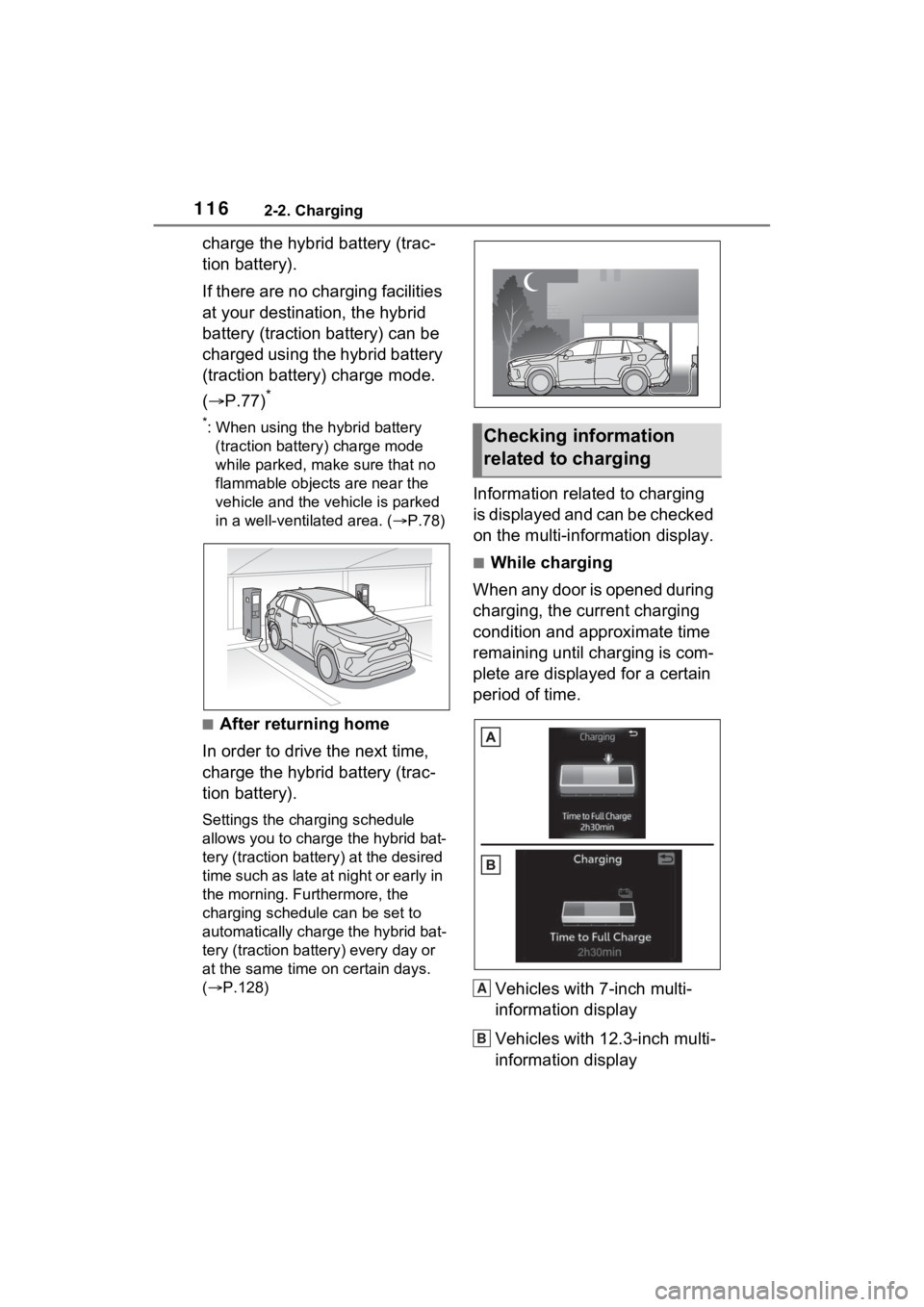
If there are no charging facilities
at your destination, the hybrid
battery (traction battery) can be
charged using the hybrid battery
(traction battery) charge mode.
(P.77)
*
*: When using the hybrid battery
(traction battery) charge mode
while parked, make sure that no
flammable objects are near the
vehicle and the vehicle is parked
in a well-vent ilated area. ( P.78)
■After returning home
In order to drive the next time,
charge the hybrid battery (trac-
tion battery).
Settings the charging schedule
allows you to charge the hybrid bat-
tery (traction battery) at the desired
time such as late at night or early in
the morning. Furthermore, the
charging schedule can be set to
automatically charge the hybrid bat-
tery (traction battery) every day or
at the same time on certain days.
( P.128)
Information related to charging
is displayed and can be checked
on the multi-information display.
■While charging
When any door is opened during
charging, the current charging
condition and approximate time
remaining until charging is com-
plete are displayed for a certain
period of time.
Vehicles with 7-inch multi-
information display
Vehicles with 12.3-inch multi-
information display
Checking information
related to charging
A
B
Page 117 of 662
1172-2. Charging
2
Plug-in hybrid system
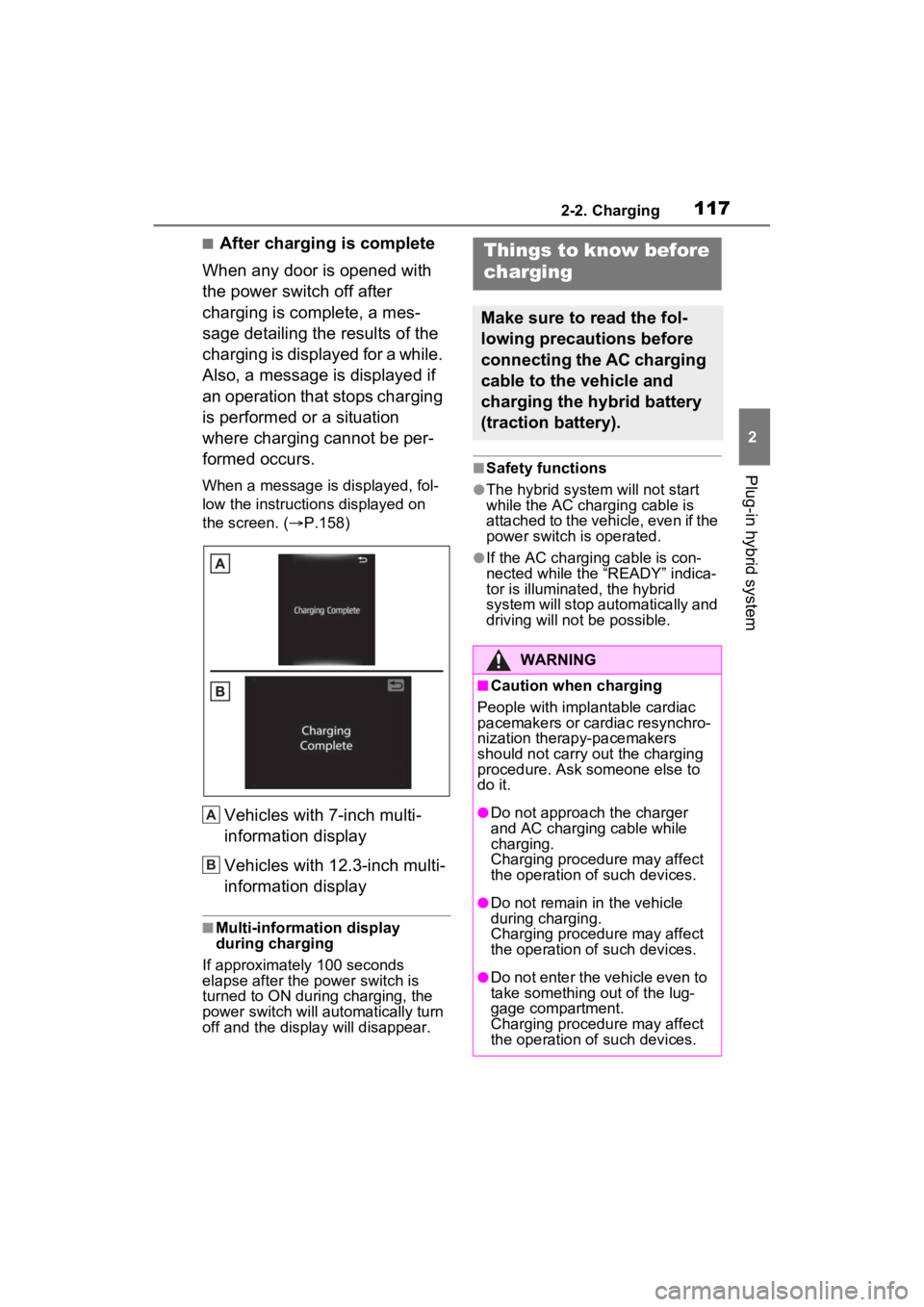
■After charging is complete
When any door is opened with
the power switch off after
charging is complete, a mes-
sage detailing the results of the
charging is displayed for a while.
Also, a message is displayed if
an operation that stops charging
is performed or a situation
where charging cannot be per-
formed occurs.
When a message is displayed, fol-
low the instructi ons displayed on
the screen. ( P.158)
Vehicles with 7-inch multi-
information display
Vehicles with 12.3-inch multi-
information display
■Multi-information display
during charging
If approximately 100 seconds
elapse after the power switch is
turned to ON during charging, the
power switch will automatically turn
off and the display will disappear.
■Safety functions
●The hybrid system will not start
while the AC charging cable is
attached to the vehicle, even if the
power switch is operated.
●If the AC charging cable is con-
nected while the “READY” indica-
tor is illuminated , the hybrid
system will stop automatically and
driving will not be possible.
A
B
Things to know before
charging
Make sure to read the fol-
lowing precautions before
connecting the AC charging
cable to the vehicle and
charging the hybrid battery
(traction battery).
WARNING
■Caution when charging
People with implantable cardiac
pacemakers or cardiac resynchro-
nization therapy-pacemakers
should not carry out the charging
procedure. Ask someone else to
do it.
●Do not approach the charger
and AC charging cable while
charging.
Charging procedu re may affect
the operation of such devices.
●Do not remain in the vehicle
during charging.
Charging procedu re may affect
the operation of such devices.
●Do not enter the vehicle even to
take something out of the lug-
gage compartment.
Charging procedu re may affect
the operation of such devices.
Page 119 of 662
1192-2. Charging
2
Plug-in hybrid system
Before charging, make sure that
each part of the AC charging
cable is in good condition.
(P.104)
■During charging
●The charging starting time may
differ depending on the state of
the vehicle, but this does not indi-
cate a malfunction.
●Cooling fan sounds may be heard
from near the rear seat. ( P.89)
●During charging, sounds may be
heard from near the hybrid battery
(traction battery) in accordance
with the operation of the air condi-
tioning system or “Battery Cooler”
( P.114).
●During and after charging, the rear
seat and its surrounding area in
which the onboard traction battery
charger is installed may get warm.
●The surface of the CCID
(Charging Circuit Interrupting
Device) may become hot, but this
does not indicate a malfunction.
●Depending on radio wave condi-
tions, interference may be heard
on the radio.
●The current charging condition
and the estimated time until
charging will complete can be
checked on the multi-information
display.
■Capacity reduction of the
hybrid battery (traction battery)
The capacity of the hybrid battery
(traction battery) will decline gradu-
ally when the hybrid battery (traction
battery) is in use. The rate at which
it declines will diffe r in accordance
with environmental conditions and
the way in which the vehicle is used.
Observing the following can help suppress battery capacity decline.
●Avoid parking the vehicle in areas
with a high temperature under
direct sunlight when the hybrid
battery (traction battery) is fully
charged.
●Avoid accelerating and decelerat-
ing frequently an
d suddenly when
EV driving.
●Avoid frequent driving near the top
speed for EV driving. ( P.80)
●Leave a low level of charge in the
hybrid battery (traction battery)
when leaving the vehicle undriven
for a long period of time.
After confirming that EV mode or
AUTO EV/HV mode has switched
t o H V m o d e , t u r n t h e p o w e r s w i t c h
off.
●Use the charging schedule func-
tion as much as possible in order
to fully charge the hybrid battery
(traction battery) immediately
before starting off. ( P.128)
Also, if the hybrid battery (traction
battery) capacity reduces, the dis-
tance that can be driven in EV mode
or AUTO EV/HV mode decreases.
However, vehicle performance does
not significantly become worse.
■When the remaining charge of
the hybrid battery (traction bat-
tery) is low a fter charging
In the following si tuations, the
remaining charge of the hybrid bat-
tery (traction batte ry) after charging
completes may be less than normal
in order to p rotect the system (the
EV driving range after the battery is
fully charged may be shorter).
*
●Charging is carried out when the
outside temperature is low or high.
●Charging is carried out immedi-
ately after high-load driving or in
extreme heat.
When none of the above situations
apply and there is a drastic drop in
the remaining char ge of the hybrid
battery (traction battery) after
Inspecting the AC
charging cable
Page 120 of 662

1202-2. Charging
charging completes, have the vehi-
cle inspected by your Toyota dealer.
*: When this occurs, even if the remaining charge display of the
hybrid battery (traction battery)
shows that it is fully charged, the
remaining charge rapidly
decreases faster than normal.
■When the charging amount sent
to the hybrid battery (traction
battery) decreases
When the amount of power supplied
by the charger is low or operation of
the “Battery Heater”, etc., reduces
the charging power sent to the
hybrid battery (traction battery), the
charging amount sen t to the hybrid
battery (traction battery) may
decrease.
■Certification
This device complies with Part 15 of
the FCC Rules. Operation is subject
to the following two conditions:
(1) this device may not cause harm-
ful interference, and
(2) this device must accept any
interference received, including
interference tha t may cause unde-
sired operation.
■Charging time may increase
In the following si tuations, charging
time may become longer than nor-
mal:
●In very hot or very cold tempera-
tures.
●When the hybrid battery (traction
battery) becomes hot, such as
immediately after high-load driv-
ing.
●The vehicle is consuming a lot of
electricity, for example, when the
headlights are on etc.
●When using “My Room Mode”.
( P.148)
●There is a power outage during
charging.
●There is an interruption in the
electrical supply.
●There is a drop in the voltage of
external power source.
●The charge in the 12-volt battery
is low, for example due to the
vehicle being left unused for a
long period of time.
●The maximum charging current is
set to 8A or 16A*. ( P.111)
●When the “Battery Heater” oper-
ates. ( P.113)
●When the “Battery Cooler” is oper-
ated before charging. ( P.114)
●When the plug generates heat
due to a loose outlet connection
etc.
*: Vehicles with 7 kW onboard trac-
tion battery charger only
■Using a DC Charger
DC Chargers cannot be used with
this vehicle.
■Charging electricity
This vehicle can be charged up to
approximately 3.5 kW or 7 kW
*.
However, depending on the used
charger or AC charging cable,
charging electrici ty may be limited.
*: Vehicles with 7 kW onboard trac-
tion battery charger only
Page 123 of 662
1232-2. Charging
2
Plug-in hybrid system
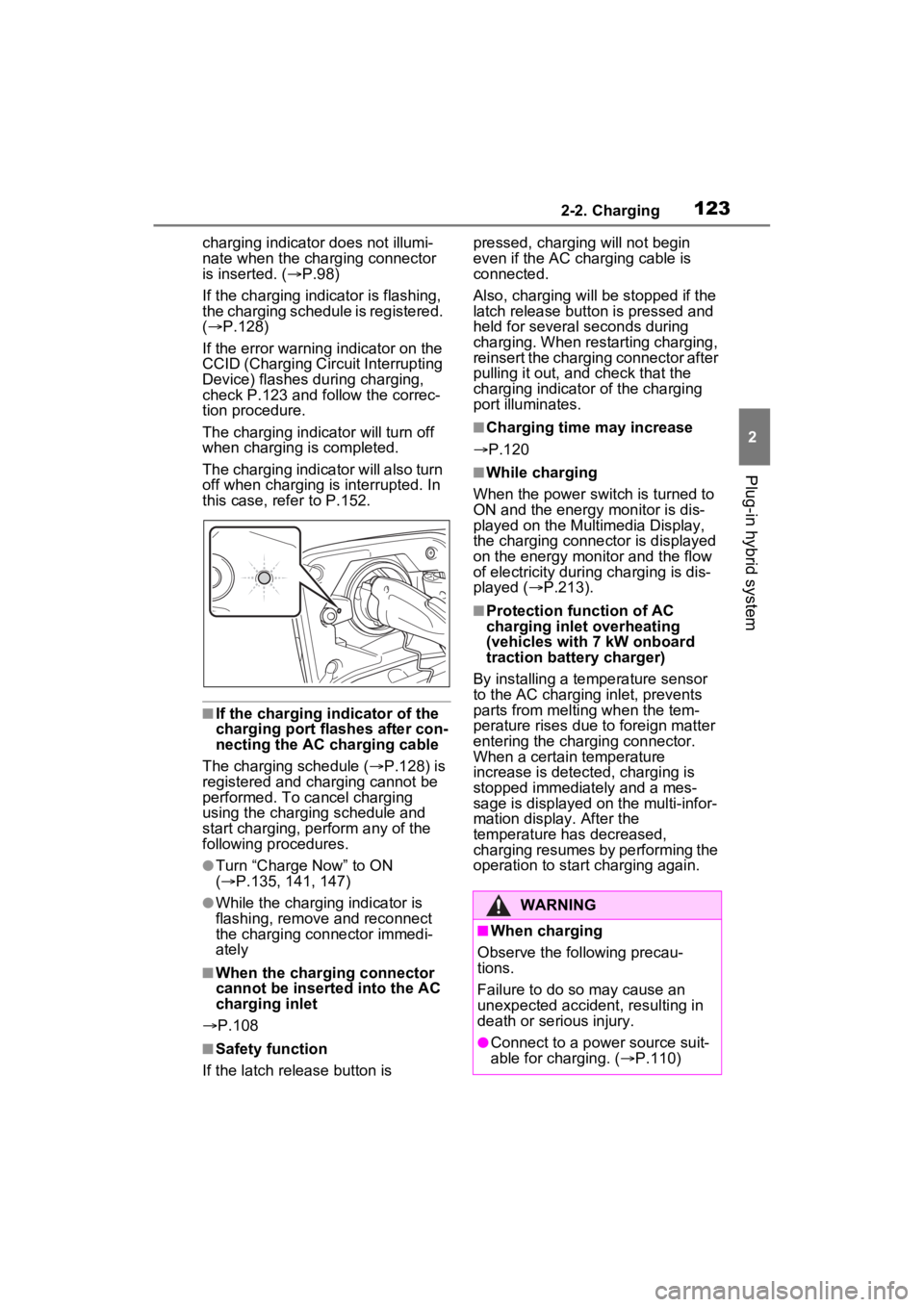
charging indicator does not illumi-
nate when the charging connector
is inserted. ( P.98)
If the charging indicator is flashing,
the charging schedule is registered.
( P.128)
If the error warning indicator on the
CCID (Charging Circuit Interrupting
Device) flashes during charging,
check P.123 and follow the correc-
tion procedure.
The charging indicator will turn off
when charging is completed.
The charging indicator will also turn
off when charging is interrupted. In
this case, refer to P.152.
■If the charging indicator of the
charging port flashes after con-
necting the AC charging cable
The charging schedule ( P.128) is
registered and charging cannot be
performed. To cancel charging
using the charging schedule and
start charging, per form any of the
following procedures.
●Turn “Charge Now” to ON
( P.135, 141, 147)
●While the charging indicator is
flashing, remove and reconnect
the charging connector immedi-
ately
■When the charging connector
cannot be inserted into the AC
charging inlet
P.108
■Safety function
If the latch release button is pressed, charging will not begin
even if the AC charging cable is
connected.
Also, charging will be
stopped if the
latch release button is pressed and
held for several seconds during
charging. When restarting charging,
reinsert the charging connector after
pulling it out, and check that the
charging indicator of the charging
port illuminates.
■Charging time may increase
P.120
■While charging
When the power switch is turned to
ON and the energy monitor is dis-
played on the Multimedia Display,
the charging connector is displayed
on the energy monitor and the flow
of electricity during charging is dis-
played ( P.213).
■Protection function of AC
charging inlet overheating
(vehicles with 7 kW onboard
traction battery charger)
By installing a temperature sensor
to the AC charging inlet, prevents
parts from melti ng when the tem-
perature rises due to foreign matter
entering the charging connector.
When a certain temperature
increase is detected, charging is
stopped immediately and a mes-
sage is displayed on the multi-infor-
mation display. After the
temperature has decreased,
charging resumes by performing the
operation to start charging again.
WARNING
■When charging
Observe the following precau-
tions.
Failure to do so may cause an
unexpected accident, resulting in
death or serious injury.
●Connect to a power source suit-
able for charging. ( P.110)
Page 128 of 662
1282-2. Charging
■Calendar settings
The current date an d time is auto-
matically set using GPS. However, if
the automatic setti ng of the clock is
turned off on the Multimedia Dis-
play, it is necessary to set the calen-
dar on the multi-information display
( P.191, 203). For details, refer to
the “MULTIMEDIA OWNER’S MAN-
UAL”.
If the calendar settings check
screen is displayed when an
attempt is made to register a
charging schedule, make sure that
the calendar settings are correctly. If
the calendar is not set correctly, the
charging schedule function will not
operate properly.
When registering the charging
schedule, the following settings
can be changed.
■Select the charging mode
One of the two following
charging modes can be
selected.
“Start” or “Start at set time”
Starts charging at the set time
*1,
2
and finishes charging when
fully charged.
“Departure” or “Departure
time”
Starts charging to finish at the
set time.
*3, 4
When this setting is selected,
the air conditioning-linked func-
tion can be used.
*1: There might be a slight error in the timing when charging starts
due to the state of the hybrid bat-
tery (traction battery).
*2: Charging schedule function is performed in accordance with
the clock. Before registering the
charging schedule, check and
set the clock to t he proper time.
*3: If the system de termines that
charging cannot be completed
by the set depart ure time, it will
start charging. Check the
charging schedule.
*4: If the outside temperature changes suddenly o r the state of
the power source being used is
changed during charging, the
system may not complete the
charging as estimated.
■Repeated setting
The periodic charging schedule
can be set by selecting your
desired day of the week. (If no
days are selected, charging is
only carried out once.)
Using the charging
schedule function
Charging can be carried out
at the desired time by regis-
tering the charging sched-
ule. Also, it is possible to
set the charging schedule to
one’s preferences, such as
having charging complete
by a certain departure time
or be carried out at the
same time on certain days.
Settings of the charging
schedule function
Page 129 of 662
1292-2. Charging
2
Plug-in hybrid system
■Air conditioning-linked set-
ting (“Climate Prep” or “Cli-
mate preparation”)
When the charging mode is set
to “Departure” or “Departure
time”, the vehicle air condition-
ing system ( P.422) can be set
to automatically operate
*
according to the set time.
By adjusting the cabin temperature
in advance, passengers can enjoy
a pleasant interior immediately after
entering the vehicle.
*: Operation starts approximately 20 minutes before the set depar-
ture time.
■Turning “Charge Now” on
and off
If even one charging schedule is
registered, charging does not
start until the set time, even if
the AC charging cable is con-
nected to the vehicle. To start
charging without changing the
charging schedule setting, turn
“Charge Now” on to temporarily
cancel the charging schedule
and enable charging after con-
necting the AC charging cable.
*
*: If the charging connector is removed during charging while
the charging schedule is regis-
tered and “Charge Now” is on,
“Charge Now” turns off.
■Changing “Next Event”*1, 2
It is possible to temporarily set
the time of the next charging
schedule without changing the registered repeated setting.
*3
*1: The “Next Event” refers to the
closest charging schedule from
the current time among the regis-
tered charging schedules.
Charging schedule is performed
based on the “Next Event”.
*2: “Next Event” can not be changed on the Multimedia Display.
*3: When “Next Event” is changed, the current charging schedule
will be temporarily ignored and
charging will not be carried out
until the time specified by “Next
Event”. (For example, when
“Next Event” is set for 2 days
later, even if items are registered
on the charging schedule,
charging will not be carried out
until the time specified by “Next
Event”.)
The charging schedule can be
registered on the multi-informa-
tion display or Multimedia Dis-
play
7-inch multi-information dis-
play operation (if equipped):
P.131
12.3-inch multi-information
display operation (if
equipped): P.137
Multimedia Display opera-
tion: P.143
Registering the charging
schedule
Page 131 of 662
1312-2. Charging
2
Plug-in hybrid system
schedule settings.
For details about Toyota Apps, refer
to http://www.toyota.com/
connectedservices in the United
States and
http://www.toyota.ca/connected
in
Canada.
■When charging schedules are
ignored
When the following operations are
performed while the charging
schedule is on standby, charging
schedule is temporarily canceled
and charging is started.
●When the Remote Air Condition-
ing System ( P.431) is operated
●When turning “My Room Mode”
on ( P.148)
●When turning “Charge Now” on
( P.135, 141, 147)
●When an operation that temporar-
ily cancels charg ing using the
charging schedule is performed
( P.123)
■Effects of outside temperature
When the charging mode is set to
“Departure” or “Departure time”,
charging schedule may be ignored
due to the outside temperature and
charging may start.
■“Battery Heater” ( P.113) /
“Battery Cooler” ( P.114)
When charging is c arried out using
the charging schedule, the hybrid
battery (traction battery) heating or
cooling function may operate
according to the te mperature of the
hybrid battery (traction battery).
●When the charging mode is set to
“Start” or “Start at set time”, the
function starts at the set charging
start time.
●“Battery Heater”: When the
charging mode is set to “Depar-
ture” or “Departure time”, the func-
tion starts automatically to
complete heating by the desired
departure time.
●“Battery Cooler”: When the
charging mode is set to “Depar-
ture” or “Departu re time”, cooling
starts approximately 30 minutes
before the charg ing start time.
However, if there i s no time to fin-
ish charging by the charging
schedule, the hybrid battery (trac-
tion battery) cooling time may be
shortened and “Battery Cooler”
may not operate.
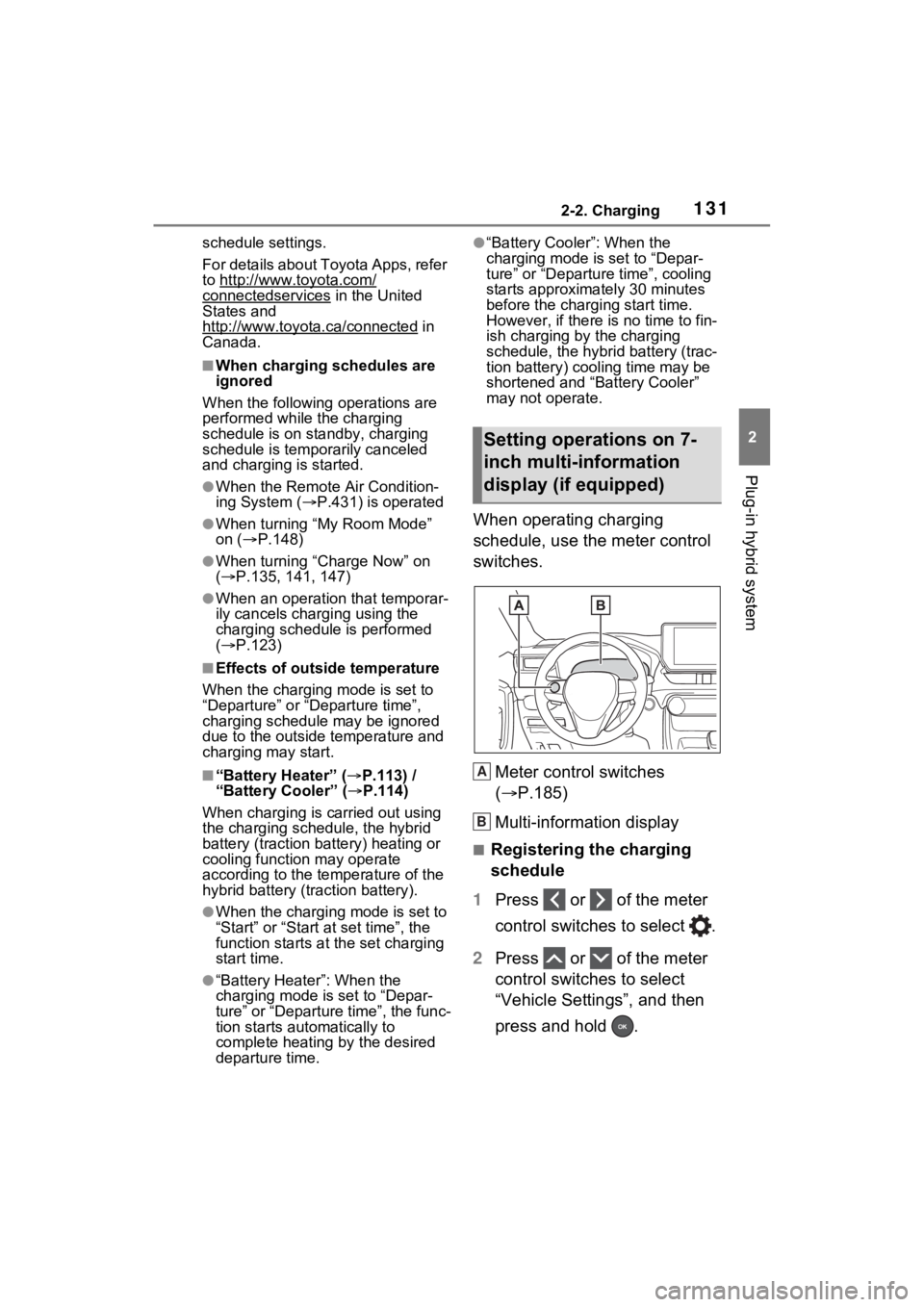
When operating charging
schedule, use the meter control
switches.
Meter control switches
( P.185)
Multi-information display
■Registering the charging
schedule
1 Press or of the meter
control switches to select .
2 Press or of the meter
control switches to select
“Vehicle Settings”, and then
press and hold .
Setting operations on 7-
inch multi-information
display (if equipped)
A
B