change time TOYOTA SUPRA 2022 User Guide
[x] Cancel search | Manufacturer: TOYOTA, Model Year: 2022, Model line: SUPRA, Model: TOYOTA SUPRA 2022Pages: 498, PDF Size: 104.06 MB
Page 175 of 498
173
3
3-1. CONTROLS
CONTROLS
Via Toyota Supra Command:
1 "My vehicle"
2 "System settings"
3 "Displays"
4 "Instrument cluster"
5 Select the desired setting:
"Warning when speeding": acti-
vate or deactivate the flashing of
the Speed Limit Info display in
the instrument cluster and the
Head-Up Display when the cur-
rently applicable speed limit is
exceeded.
"Show speeding": the speed limit
detected by the Speed Limit Info
is indicated by a mark in the
speedometer in the instrument
cluster.
For further information:
• Cameras, see page P.50.
Functionality may be limited or
incorrect information may be dis-
played in some situations such as:
If road signs are fully or partially
obscured by objects, stickers or
paint.
If the vehicle is too close to the
vehicle ahead.
If the speed limits stored in the
navigation system or road data
are incorrect.
In the case of speed limits that
depend or the time of day or day
of the week.
In areas not covered by the navi-
gation system.
If there are navigation discrepan-
cies, for example due to changes
in road layout.
In the case of electronic road
signs.
When overtaking buses or trucks
with roadsign stickers.
If traffic signs do not correspond
to the standard.
If signs are detected that apply to
a parallel road.
In the case of country-specific
signs or road layouts.
Speed Limit Info shows the cur-
rently applicable speed limit in the
instrument cluster and the Head-Up
Display, as well as additional signs
where applicable, for example in
wet conditions.
Settings
System limits
System limits of the sensors
Functional limitations
Speed Limit Info with over-
taking restriction display
Speed Limit Info
Principle
Page 177 of 498
175
3
3-1. CONTROLS
CONTROLS
following sensors:
• Cameras behind the windscreen.
For further information:
Sensors of the vehicle, see page
50.
Depending on the equipment,
Speed Limit Info is displayed per-
manently in the instrument cluster
or via Toyota Supra Command.
1 "My vehicle"
2 "System settings"
3 "Displays"
4 "Instrument cluster"
5 "Traffic signs"
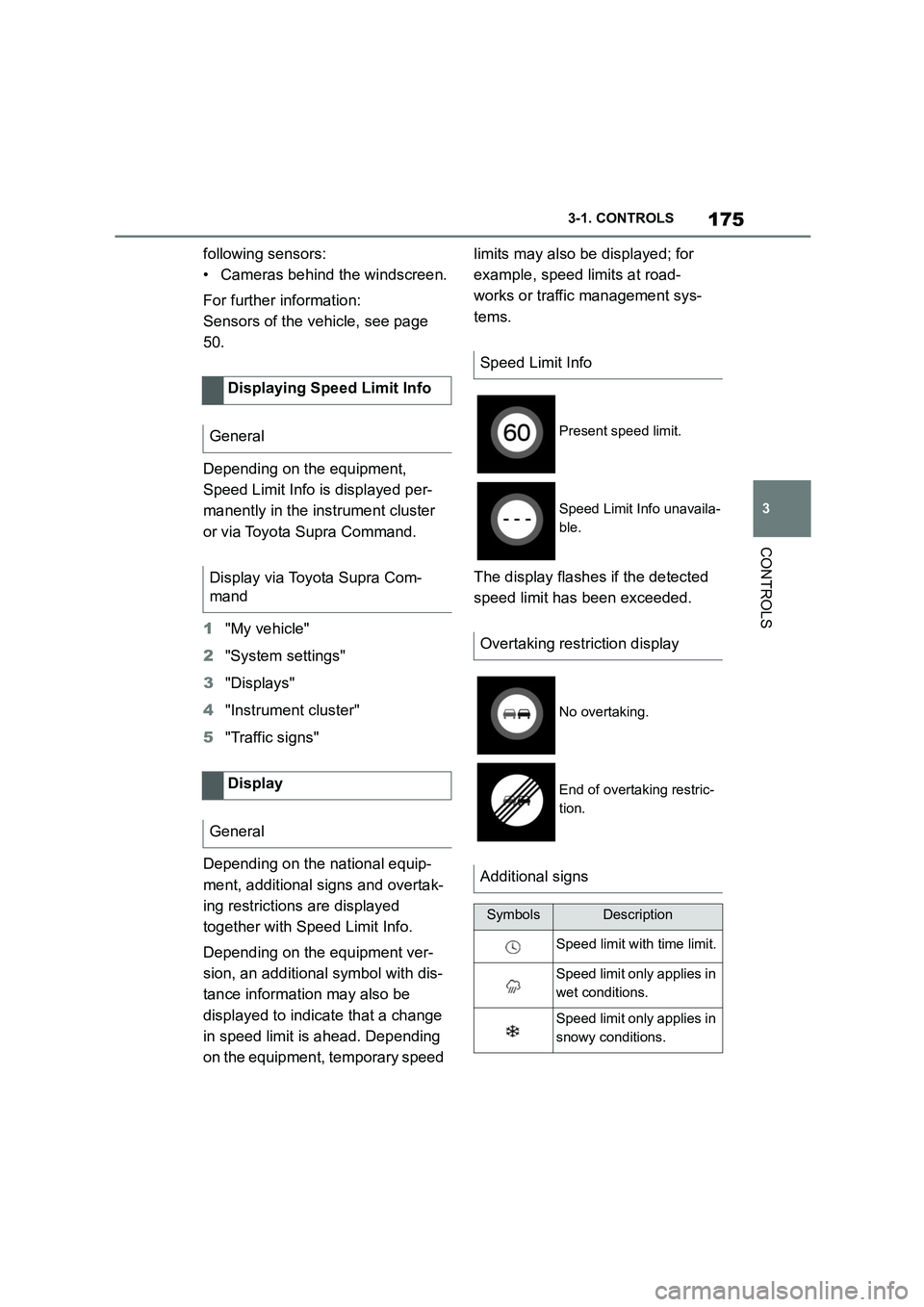
Depending on the national equip-
ment, additional signs and overtak-
ing restrictions are displayed
together with Speed Limit Info.
Depending on the equipment ver-
sion, an additional symbol with dis-
tance information may also be
displayed to indicate that a change
in speed limit is ahead. Depending
on the equipment, temporary speed
limits may also be displayed; for
example, speed limits at road-
works or traffic management sys-
tems.
The display flashes if the detected
speed limit has been exceeded.
Displaying Speed Limit Info
General
Display via Toyota Supra Com-
mand
Display
General
Speed Limit Info
Present speed limit.
Speed Limit Info unavaila-
ble.
Overtaking restriction display
No overtaking.
End of overtaking restric-
tion.
Additional signs
SymbolsDescription
Speed limit with time limit.
Speed limit only applies in
wet conditions.
Speed limit only applies in
snowy conditions.
Page 178 of 498
1763-1. CONTROLS
Via Toyota Supra Command:
1 "My vehicle"
2 "System settings"
3 "Displays"
4 "Instrument cluster"
5 Select the desired setting:
"Warning when speeding": acti-
vate or deactivate the flashing of
the Speed Limit Info display in
the instrument cluster and the
Head-Up Display when the cur-
rently applicable speed limit is
exceeded.
"Show speeding": the speed limit
detected by the Speed Limit Info
is indicated by a mark in the
speedometer in the instrument
cluster.
The function may be restricted and
may display incorrec t information in
the following situations, for exam-
ple:
In thick fog, wet conditions or
snow.
If signs are fully or partially
obscured by objects, stickers or
paint.
If the vehicle is too close to the
vehicle ahead.
In the case of bright oncoming
light or strong reflections.
When the windscreen in front of
the rear-view mirror is covered
with condensation, dirt, stickers,
etc.
If the camera has overheated
due to excessively high tempera-
tures and has been temporarily
deactivated.
As a result of incorrect detection
by the camera.
If the speed limits stored in the
navigation system or road data
are incorrect.
In the case of speed limits that
depend or the time of day or day
of the week.
In areas not covered by the navi-
gation system.
If there are deviations in relation
to navigation, for example due to
changes in road routing.
In the case of electronic road
signs.
When overtaking buses or trucks
with road sign stickers.
If traffic signs do not correspond
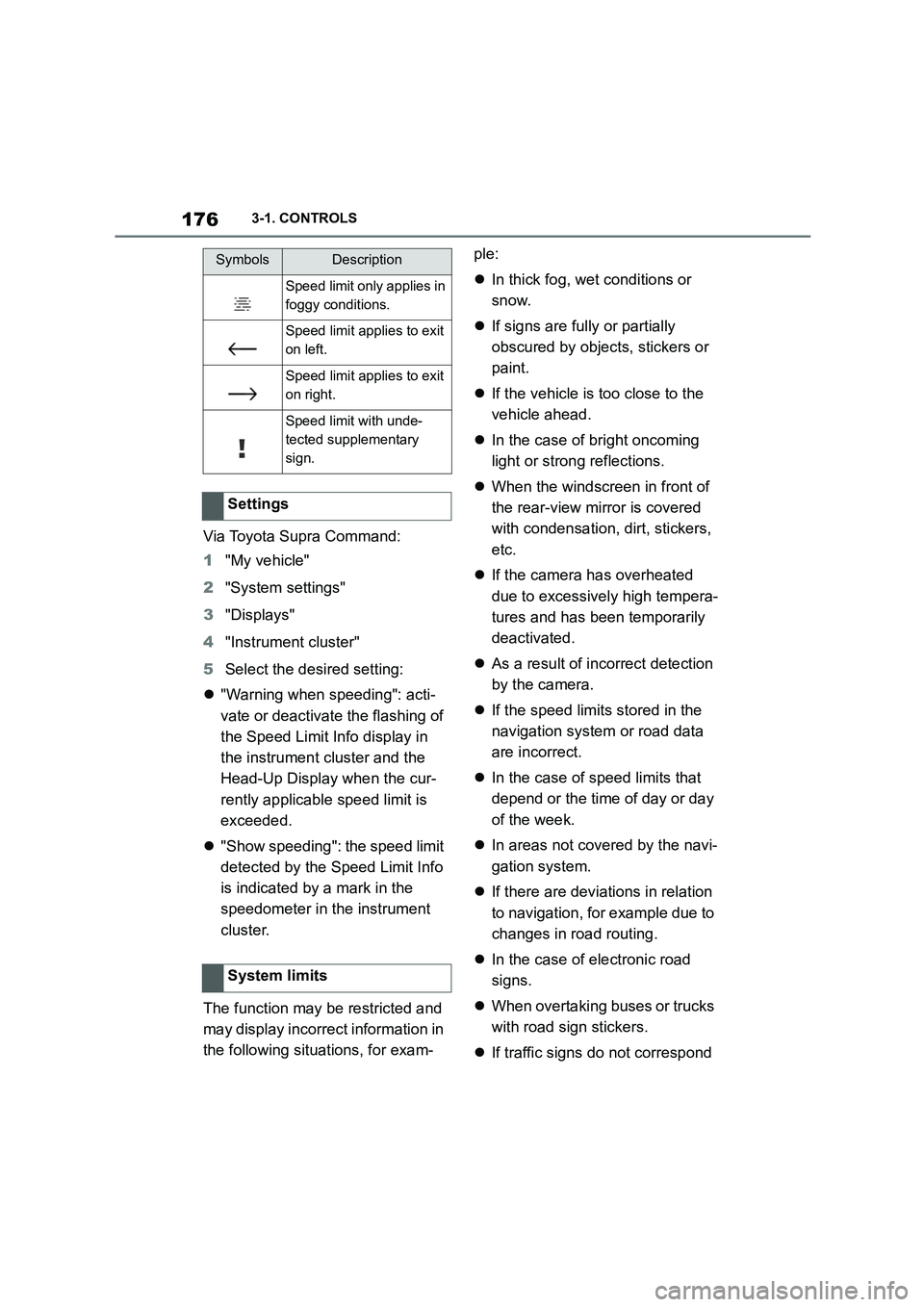
Speed limit only applies in
foggy conditions.
Speed limit applies to exit
on left.
Speed limit applies to exit
on right.
Speed limit with unde-
tected supplementary
sign.
Settings
System limits
SymbolsDescription
Page 209 of 498
207
3
3-1. CONTROLS
CONTROLS
The menu for the Toyota Supra
Safety Systems is shown.
If all Toyota Supra Safety Systems
were switched off, all systems are
now switched on.
"Customise Settings": depending
on the equipment, the Toyota Supra
Safety Systems can be configured
individually. The custom settings
are activated and saved. As soon
as a setting is changed in the
menu, all settings in the menu are
activated.
"ALL ON": all Toyota Supra Safety
Systems are switched on. Basic
settings are activated for the
sub-functions, for example the set-
ting for warning time.
"Customise": the Toyota Supra
Safety Systems are switched on
according to the individual settings.
Some Toyota Supra Safety Sys-
tems cannot be switched off individ-
ually.
All Toyota Supra Safety Systems
are switched off.
The system can help avoid acci-
dents. If an accident cannot be
avoided, the system helps to
reduce the co llision speed.
The system warns of the possible
risk of collision and brakes auto-
matically, as necessary.
The system is controlled using the
following sensors, depending on
the equipment:
Camera in the area of the
rear-view mirror.
Radar sensor in front bumper.
The Pre-Collision System is opera-
tional even if Cruise Control is disa-
bled.
When deliberately moving closer to
a vehicle, the front-end collision
warning and braking intervention
are activated later to avoid unjusti-
fied system responses.
From speeds of approximately 5
km/h, 3 mph, the system provides a
two-stage warning of any possible
risk of collision with vehicles. The
timing of these warnings may vary
depending on the current driving
situation.
Press the button:
Press the button repeatedly.
The setting switches between
the following:
Press and hold the button:
Pre-Collision System
Principle
General
Page 211 of 498
209
3
3-1. CONTROLS
CONTROLS
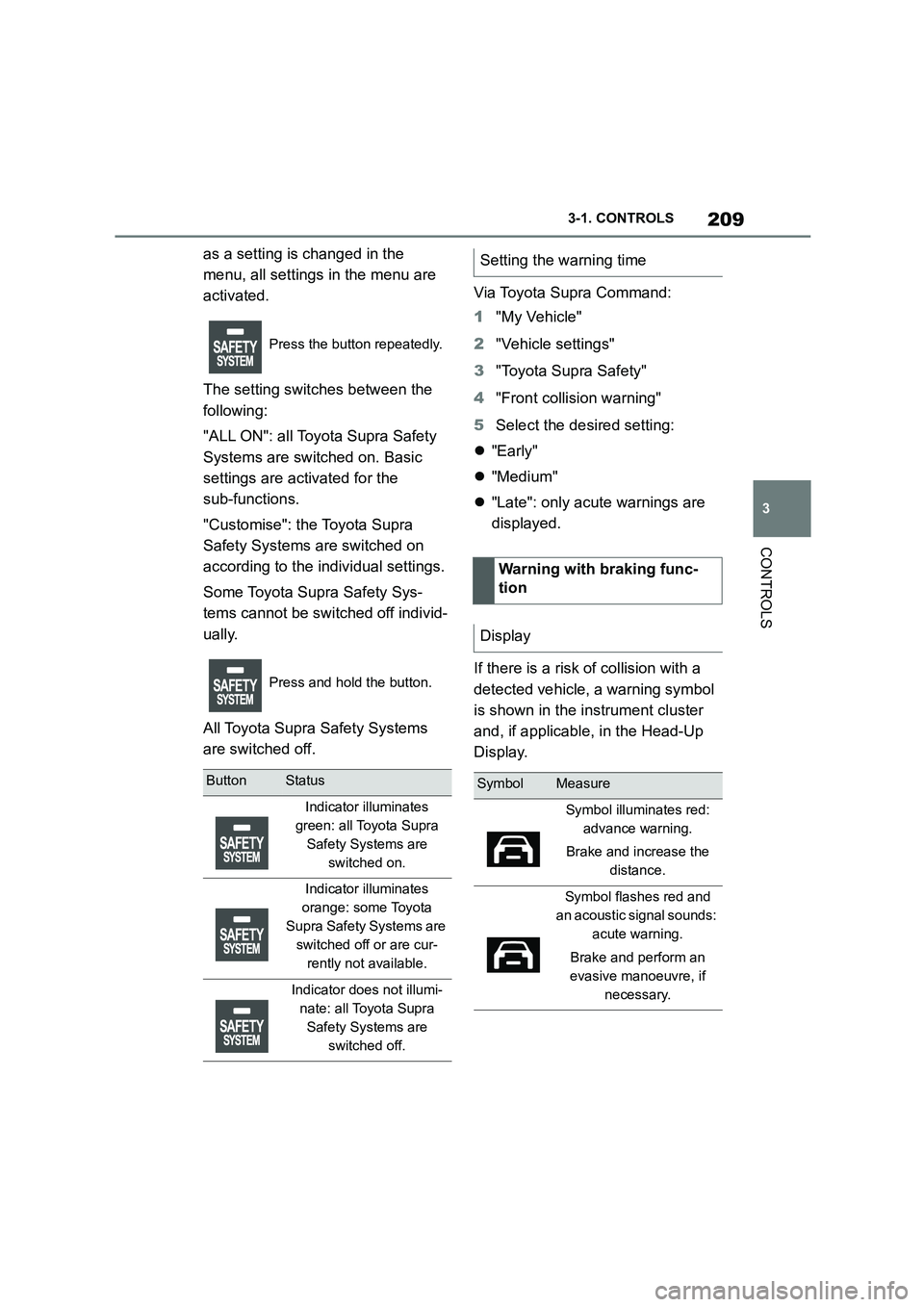
as a setting is changed in the
menu, all settings in the menu are
activated.
The setting switches between the
following:
"ALL ON": all Toyota Supra Safety
Systems are switched on. Basic
settings are activated for the
sub-functions.
"Customise": the Toyota Supra
Safety Systems are switched on
according to the individual settings.
Some Toyota Supra Safety Sys-
tems cannot be switched off individ-
ually.
All Toyota Supra Safety Systems
are switched off.
Via Toyota Supra Command:
1 "My Vehicle"
2 "Vehicle settings"
3 "Toyota Supra Safety"
4 "Front collision warning"
5 Select the desired setting:
"Early"
"Medium"
"Late": only acute warnings are
displayed.
If there is a risk of collision with a
detected vehicle, a warning symbol
is shown in the instrument cluster
and, if applicable, in the Head-Up
Display.
Press the button repeatedly.
Press and hold the button.
ButtonStatus
Indicator illuminates
green: all Toyota Supra
Safety Systems are
switched on.
Indicator illuminates
orange: some Toyota
Supra Safety Systems are
switched off or are cur-
rently not available.
Indicator does not illumi-
nate: all Toyota Supra
Safety Systems are
switched off.
Setting the warning time
Warning with braking func-
tion
Display
SymbolMeasure
Symbol illuminates red:
advance warning.
Brake and increase the
distance.
Symbol flashes red and
an acoustic signal sounds:
acute warning.
Brake and perform an
evasive manoeuvre, if
necessary.
Page 223 of 498
221
3
3-1. CONTROLS
CONTROLS
The system is controlled using the
following sensors:
• Side radar sensors, rear.
For further information:
Sensors of the vehicle, see page
50.
The Blind spot monitor is reacti-
vated automatically at the start of a
journey if the function was switched
on the last time the engine was
stopped.
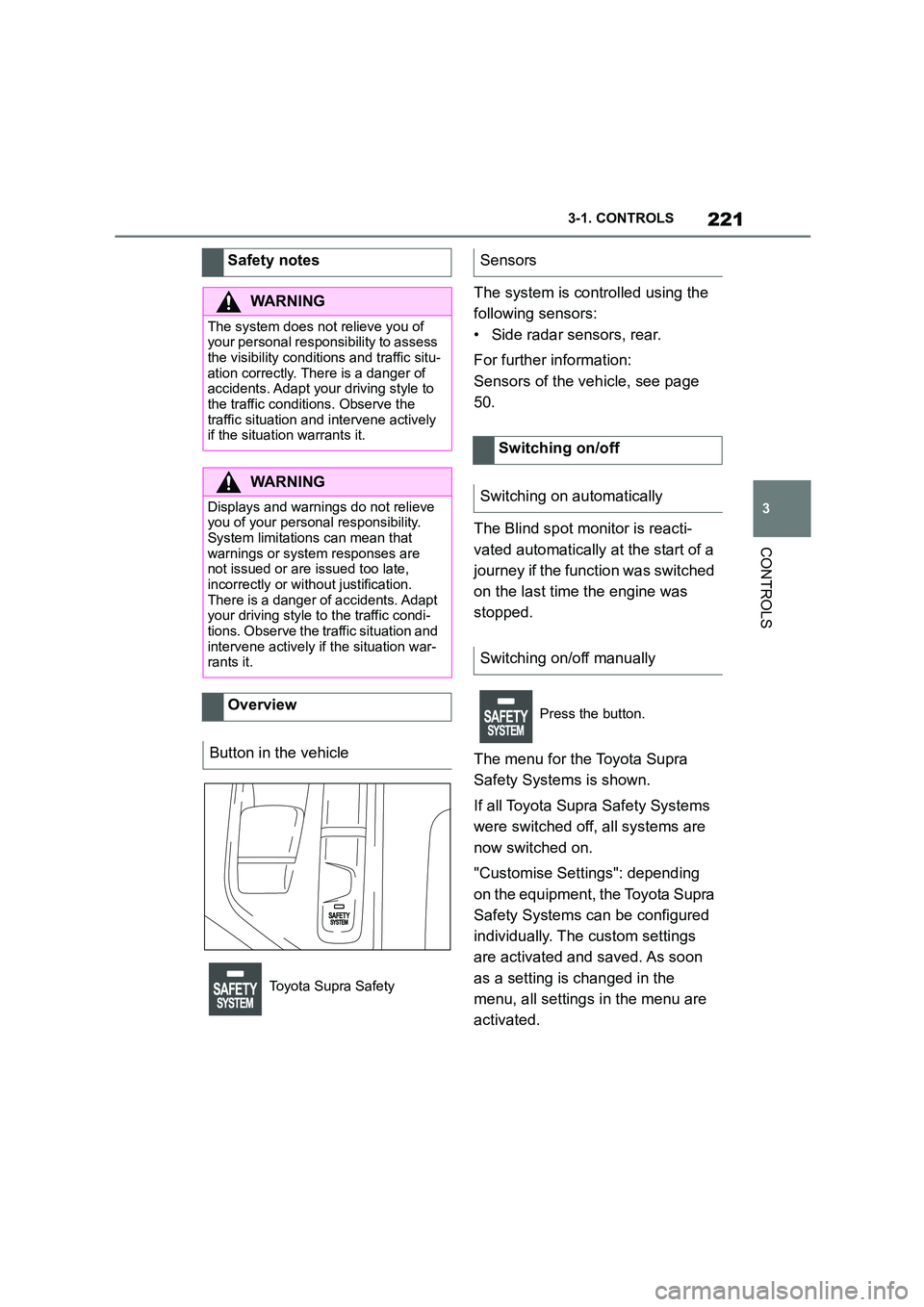
The menu for the Toyota Supra
Safety Systems is shown.
If all Toyota Supra Safety Systems
were switched off, all systems are
now switched on.
"Customise Settings": depending
on the equipment, the Toyota Supra
Safety Systems can be configured
individually. The custom settings
are activated and saved. As soon
as a setting is changed in the
menu, all settings in the menu are
activated.
Safety notes
WA R N I N G
The system does not relieve you of
your personal responsibility to assess the visibility conditions and traffic situ-
ation correctly. There is a danger of
accidents. Adapt your driving style to the traffic conditions. Observe the
traffic situation and intervene actively
if the situation warrants it.
WA R N I N G
Displays and warnings do not relieve
you of your personal responsibility.
System limitations can mean that warnings or system responses are
not issued or are issued too late,
incorrectly or wit hout justification. There is a danger of accidents. Adapt
your driving style to the traffic condi-
tions. Observe the traffic situation and intervene actively if the situation war-
rants it.
Overview
Button in the vehicle
Toyota Supra Safety
Sensors
Switching on/off
Switching on automatically
Switching on/off manually
Press the button.
Page 229 of 498
227
3
3-1. CONTROLS
CONTROLS
4 Select the desired setting:
“Off”: no break recommendation
is given.
“Standard”: the break recom-
mendation is given with a
defined value.
“Sensitive”: the break recom-
mendation is given earlier.
If the driver shows signs of
decreasing attention or of fatigue, a
message is shown on the Control
Display with the recommendation to
take a break.
The following settings can be
selected during the display:
"Do not ask again"
"Places to stop"
"Remind me later"
The break recommendation is repeated
after 20 minutes.
After a break, another break recom-
mendation cannot be displayed
until after approximately 45 minutes
at the earliest.
The system may have limited func-
tionality in situations such as the
following and an incorrect warning,
or no warning at all, may be output:
If the time is set incorrectly.
When the speed is predomi-
nantly below approx. 70 km/h, 43
mph.
If a sporty driving style is
adopted, for example sharp
acceleration or fast cornering.
In active driving situations, for
example frequent lane changes.
In poor road conditions.
In strong crosswinds.
The system is reset approximately
45 minutes after the vehicle is
stopped, for example when taking a
break during a long motorway jour-
ney.
Display
System limits
Page 235 of 498
233
3
3-1. CONTROLS
CONTROLS
The current speed is adopted as
the speed limit.
When switching on at a standstill or
driving at low speed, 30 km/h/20
mph is set as the speed limit.
When activating the speed limit it is
possible that Vehicle Stability Con-
trol VSC will be switched on and
the drive mode switched to NOR-
MAL.
The system switches off automati-
cally in the followi ng situations, for
example:
When switching the engine off.
When switching on Cruise Con-
trol.
When activating sport mode
using the sport mode switch.
The displays turn off.
The system is interrupted when
reverse gear is engaged or the
transmission is in neutral.
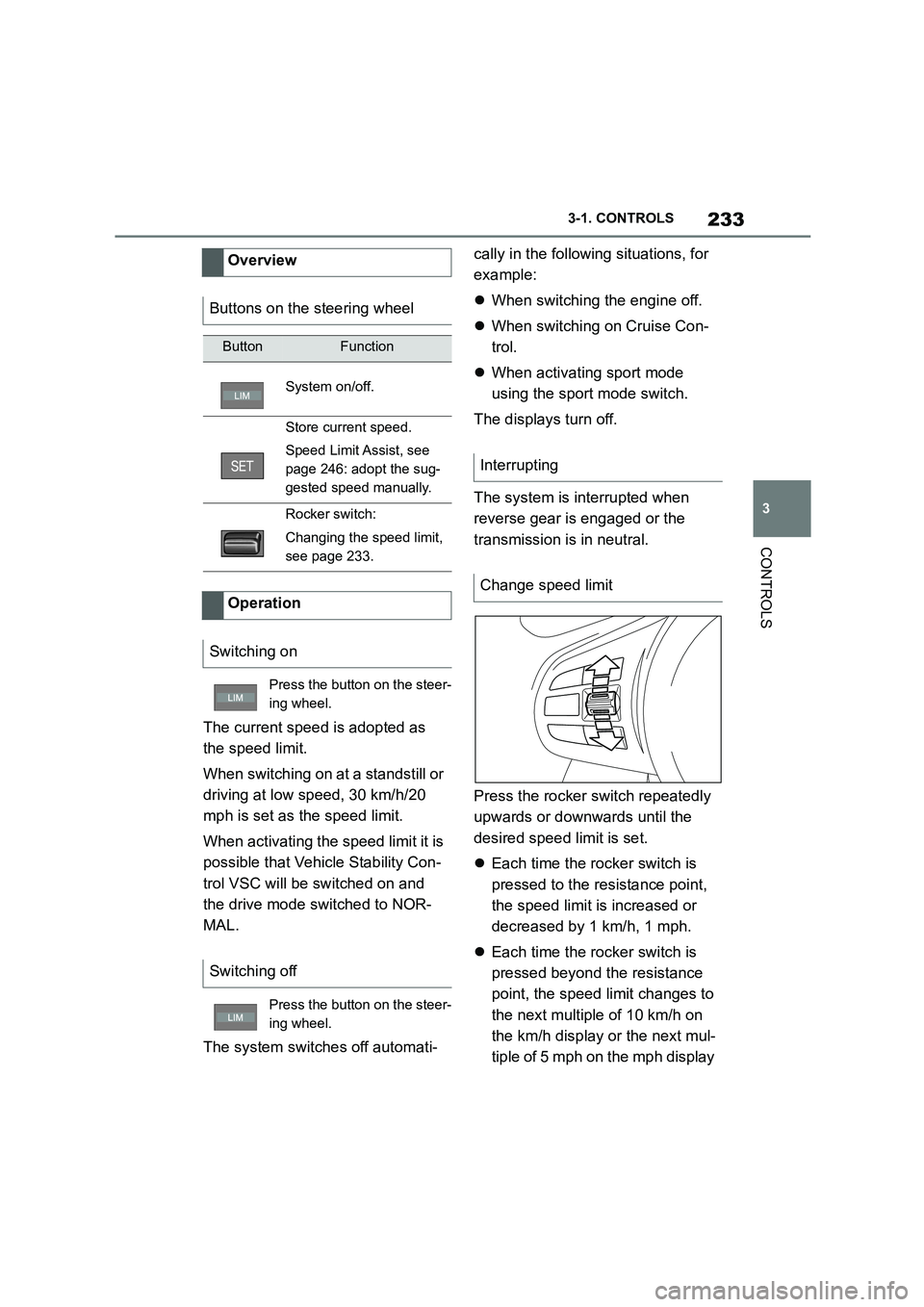
Press the rocker switch repeatedly
upwards or downwards until the
desired speed limit is set.
Each time the rocker switch is
pressed to the resistance point,
the speed limit is increased or
decreased by 1 km/h, 1 mph.
Each time the rocker switch is
pressed beyond the resistance
point, the speed limit changes to
the next multiple of 10 km/h on
the km/h display or the next mul-
tiple of 5 mph on the mph display
Overview
Buttons on the steering wheel
ButtonFunction
System on/off.
Store current speed.
Speed Limit Assist, see
page 246: adopt the sug-
gested speed manually.
Rocker switch:
Changing the speed limit,
see page 233.
Operation
Switching on
Press the button on the steer-
ing wheel.
Switching off
Press the button on the steer-
ing wheel.
Interrupting
Change speed limit
Page 239 of 498
237
3
3-1. CONTROLS
CONTROLS
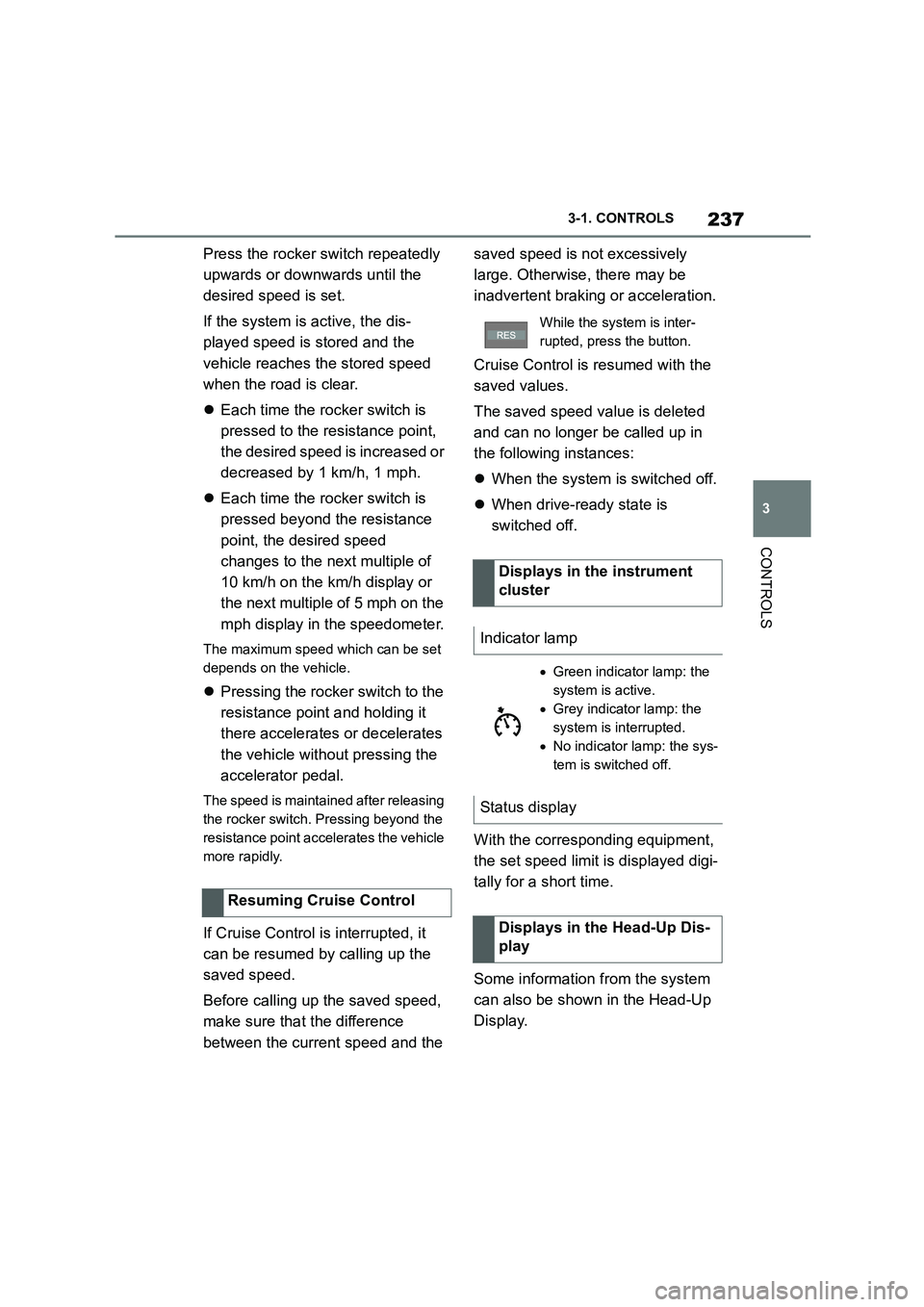
Press the rocker switch repeatedly
upwards or downwards until the
desired speed is set.
If the system is active, the dis-
played speed is stored and the
vehicle reaches the stored speed
when the road is clear.
Each time the rocker switch is
pressed to the resistance point,
the desired speed is increased or
decreased by 1 km/h, 1 mph.
Each time the rocker switch is
pressed beyond the resistance
point, the desired speed
changes to the next multiple of
10 km/h on the km/h display or
the next multiple of 5 mph on the
mph display in the speedometer.
The maximum speed which can be set
depends on the vehicle.
Pressing the rocker switch to the
resistance point and holding it
there accelerates or decelerates
the vehicle without pressing the
accelerator pedal.
The speed is maintained after releasing
the rocker switch. Pressing beyond the
resistance point acce lerates the vehicle
more rapidly.
If Cruise Control is interrupted, it
can be resumed by calling up the
saved speed.
Before calling up the saved speed,
make sure that the difference
between the current speed and the
saved speed is not excessively
large. Otherwise, there may be
inadvertent braking or acceleration.
Cruise Control is resumed with the
saved values.
The saved speed value is deleted
and can no longer be called up in
the following instances:
When the system is switched off.
When drive-ready state is
switched off.
With the corresponding equipment,
the set speed limit is displayed digi-
tally for a short time.
Some information from the system
can also be shown in the Head-Up
Display.
Resuming Cruise Control
While the system is inter-
rupted, press the button.
Displays in the instrument
cluster
Indicator lamp
Green indicator lamp: the
system is active.
Grey indicator lamp: the
system is interrupted.
No indicator lamp: the sys-
tem is switched off.
Status display
Displays in the Head-Up Dis-
play
Page 243 of 498
241
3
3-1. CONTROLS
CONTROLS
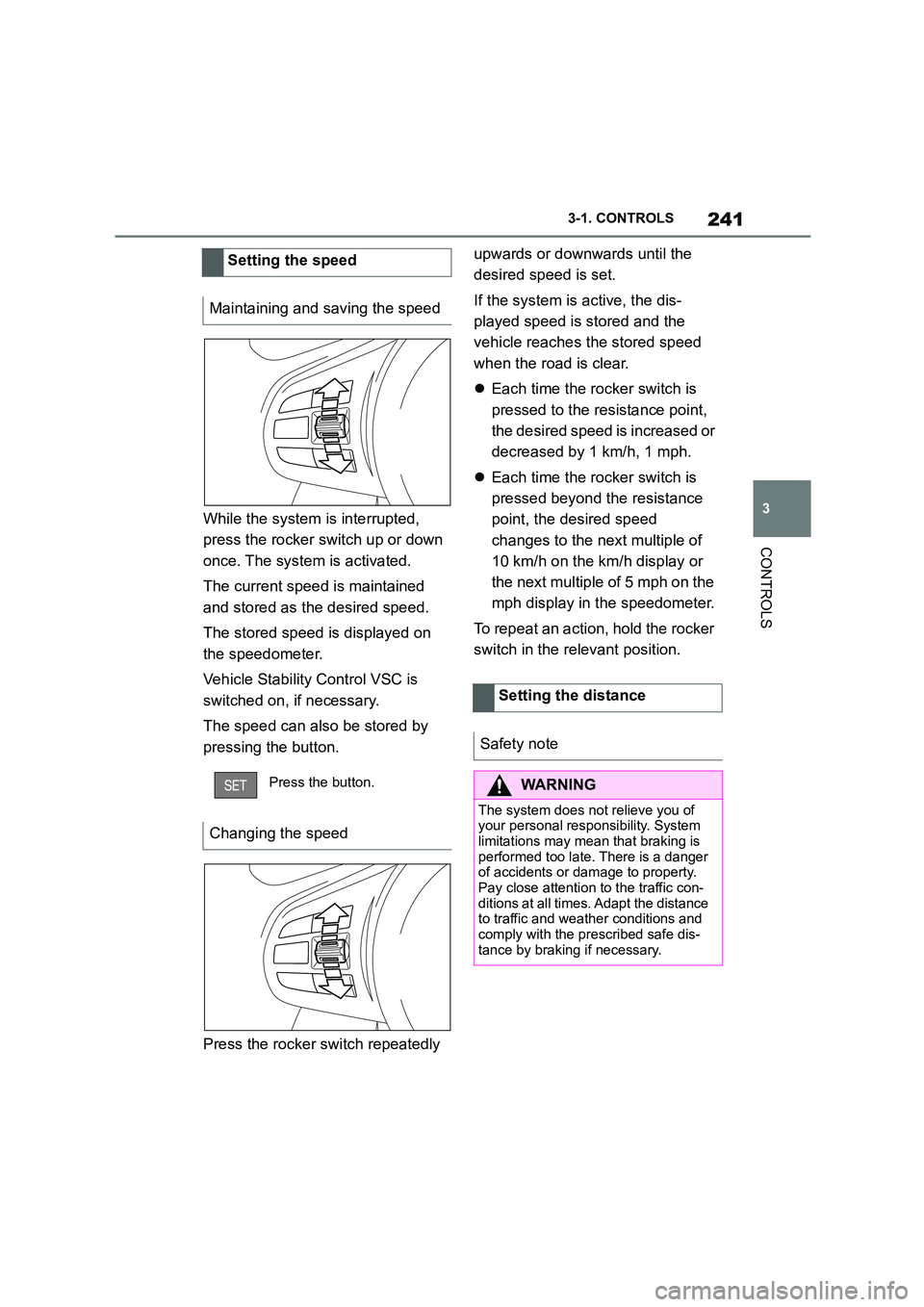
While the system is interrupted,
press the rocker switch up or down
once. The system is activated.
The current speed is maintained
and stored as the desired speed.
The stored speed is displayed on
the speedometer.
Vehicle Stability Control VSC is
switched on, if necessary.
The speed can also be stored by
pressing the button.
Press the rocker switch repeatedly
upwards or downwards until the
desired speed is set.
If the system is active, the dis-
played speed is stored and the
vehicle reaches the stored speed
when the road is clear.
Each time the rocker switch is
pressed to the resistance point,
the desired speed is increased or
decreased by 1 km/h, 1 mph.
Each time the rocker switch is
pressed beyond the resistance
point, the desired speed
changes to the next multiple of
10 km/h on the km/h display or
the next multiple of 5 mph on the
mph display in the speedometer.
To repeat an action, hold the rocker
switch in the relevant position.
Setting the speed
Maintaining and saving the speed
Press the button.
Changing the speed
Setting the distance
Safety note
WA R N I N G
The system does not relieve you of
your personal responsibility. System limitations may mean that braking is
performed too late. There is a danger
of accidents or damage to property. Pay close attention to the traffic con-
ditions at all times. Adapt the distance
to traffic and weather conditions and comply with the prescribed safe dis-
tance by braking if necessary.