warning TOYOTA SUPRA 2022 User Guide
[x] Cancel search | Manufacturer: TOYOTA, Model Year: 2022, Model line: SUPRA, Model: TOYOTA SUPRA 2022Pages: 498, PDF Size: 104.06 MB
Page 152 of 498
1503-1. CONTROLS
tor lever position P engaged and
then press it.
The procedure can take a few sec-
onds. Any sounds that occur are
normal.
Do not fold in the exterior mirrors
while driving or while operating the
turn indicators or hazard warning
lights to ensure that the turn indica-
tors in the exterior mirrors are well
recognisable.
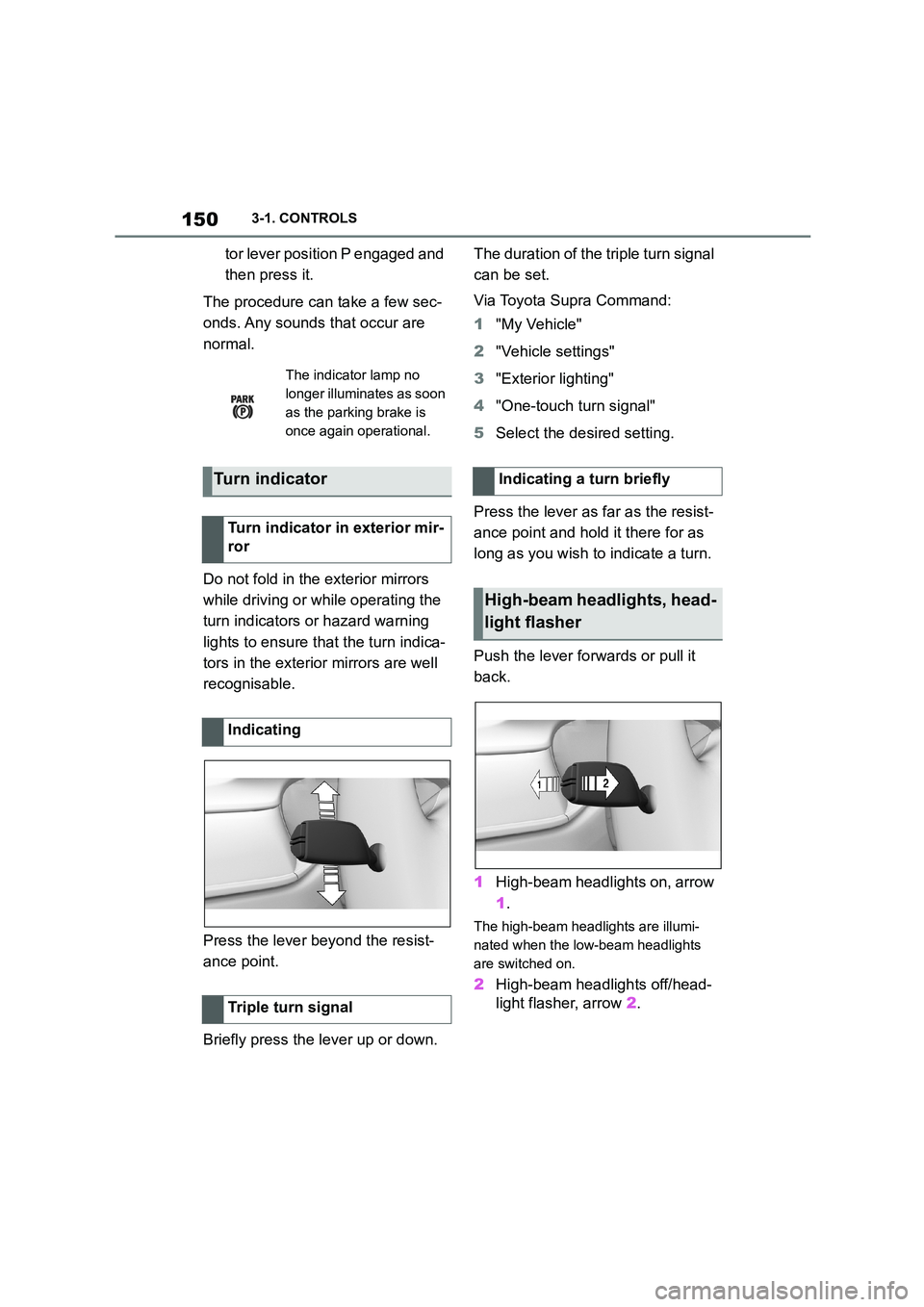
Press the lever beyond the resist-
ance point.
Briefly press the lever up or down.
The duration of the triple turn signal
can be set.
Via Toyota Supra Command:
1 "My Vehicle"
2 "Vehicle settings"
3 "Exterior lighting"
4 "One-touch turn signal"
5 Select the desired setting.
Press the lever as far as the resist-
ance point and hold it there for as
long as you wish to indicate a turn.
Push the lever forwards or pull it
back.
1 High-beam headlights on, arrow
1 .
The high-beam headlights are illumi-
nated when the low-beam headlights
are switched on.
2 High-beam headlights off/head-
light flasher, arrow 2.
The indicator lamp no
longer illuminates as soon
as the parking brake is
once again operational.
Turn indicator
Turn indicator in exterior mir-
ror
Indicating
Triple turn signal
Indicating a turn briefly
High-beam headlights, head-
light flasher
Page 166 of 498
1643-1. CONTROLS
3"Vehicle messages"
4 Select a text message.
Text messages and symbols in the
instrument cluster explain the
meaning of a vehicle message and
the indicator and warning lamps.
You can call up additional informa-
tion via vehicle messages, for
example the cause of the fault and
any action required.
If the message is urgent, the sup-
plementary text is shown in the
Control Display automatically.
It is possible to select additional
assistance depending on the vehi-
cle message.
Via Toyota Supra Command:
1 "My vehicle"
2 "Vehicle status"
3 "Vehicle messages"
4 Select the required text mes-
sage.
5 Select the desired setting
Certain messages displayed when
driving are displayed again when
drive-ready state is switched off.
Indicator and warning lamps in the
instrument cluster show the status
of some functions in the vehicle and
indicate any malfunctions in moni-
tored systems.
Indicator and warning lamps can
illuminate in a variety of combina-
tions and colours.
When drive-ready state is switched
on, the functionality of some lights
is checked and they illuminate
briefly.
Display
Vehicle messages
At least one vehicle mes-
sage is displayed or
saved.
Text messages
Supplementary text messages
Messages displayed at the end of
a journey
Indicator and warning lamps
Principle
General
Page 169 of 498
167
3
3-1. CONTROLS
CONTROLS
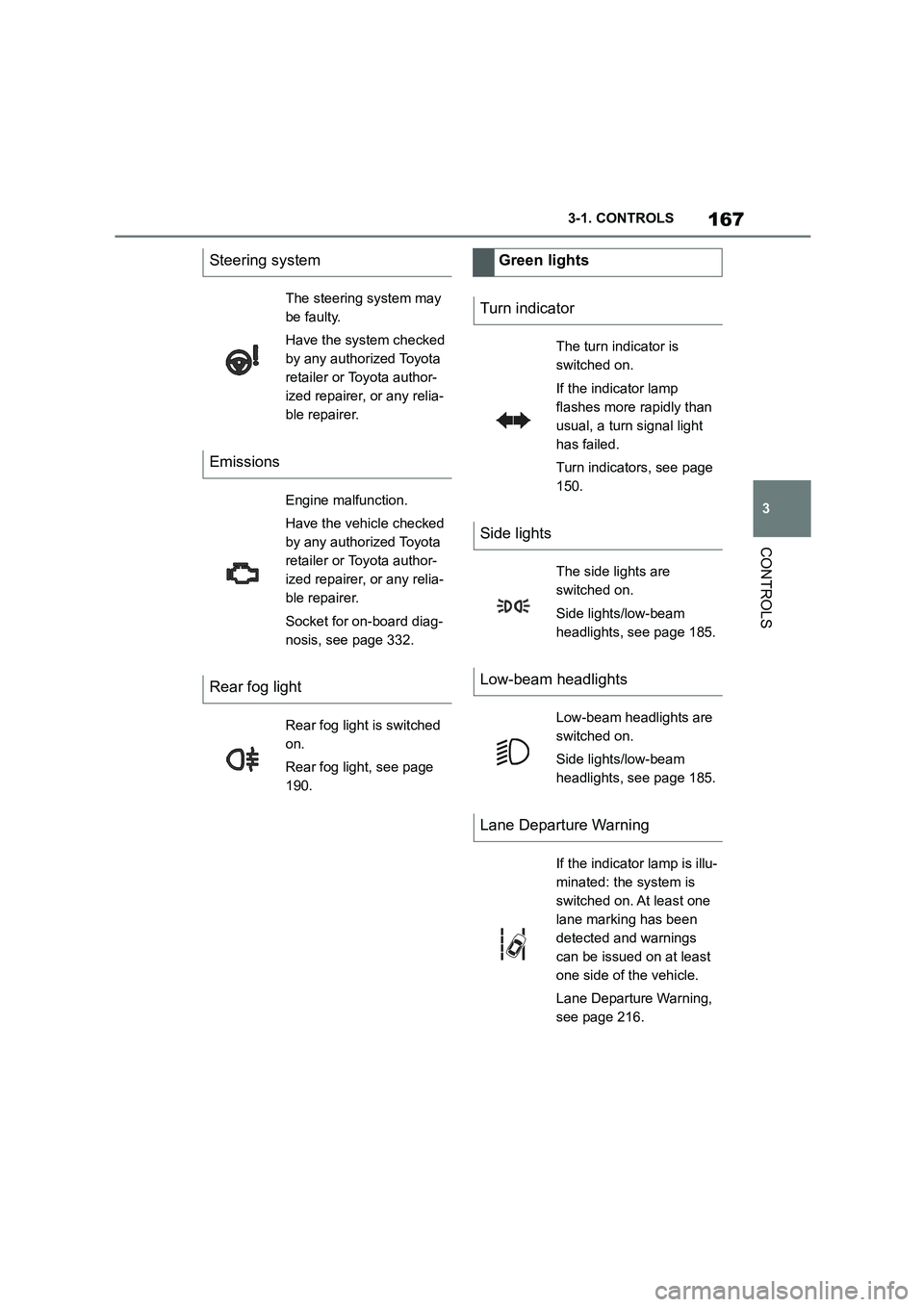
Steering system
The steering system may
be faulty.
Have the system checked
by any authorized Toyota
retailer or Toyota author-
ized repairer, or any relia-
ble repairer.
Emissions
Engine malfunction.
Have the vehicle checked
by any authorized Toyota
retailer or Toyota author-
ized repairer, or any relia-
ble repairer.
Socket for on-board diag-
nosis, see page 332.
Rear fog light
Rear fog light is switched
on.
Rear fog light, see page
190.
Green lights
Turn indicator
The turn indicator is
switched on.
If the indicator lamp
flashes more rapidly than
usual, a turn signal light
has failed.
Turn indicators, see page
150.
Side lights
The side lights are
switched on.
Side lights/low-beam
headlights, see page 185.
Low-beam headlights
Low-beam headlights are
switched on.
Side lights/low-beam
headlights, see page 185.
Lane Departure Warning
If the indicator lamp is illu-
minated: the system is
switched on. At least one
lane marking has been
detected and warnings
can be issued on at least
one side of the vehicle.
Lane Departure Warning,
see page 216.
Page 170 of 498
1683-1. CONTROLS
The current fill level of the fuel tank
is displayed.
The angle of the vehicle may cause
the display to fluctuate.
For notes on refuelling, see page
290.
It is vital to avoid engine speeds in
the red warning zone. In this zone,
the fuel supply is interrupted to pro-
tect the engine.
Depending on the equipment, the
shift lights on the revolution counter
indicate the maximum shift point at
which the best possible accelera-
tion can be achieved.
When the selected driving mode is
sport mode, a shift light will be dis-
played.
1 Select SPORT using the sport
mode switch.
2 Activate manual mode of the
transmission.
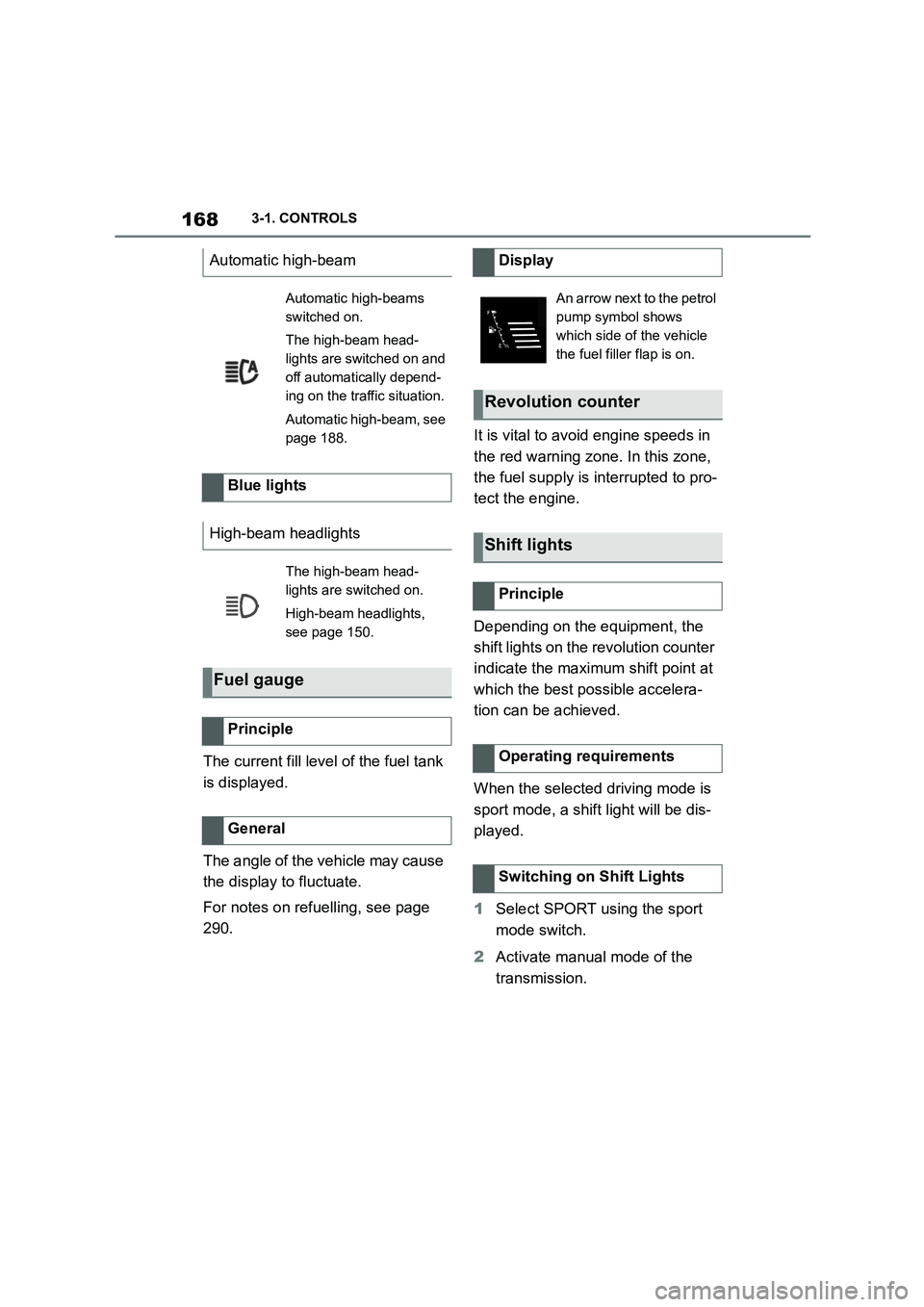
Automatic high-beam
Automatic high-beams
switched on.
The high-beam head-
lights are switched on and
off automatically depend-
ing on the traffic situation.
Automatic high-beam, see
page 188.
Blue lights
High-beam headlights
The high-beam head-
lights are switched on.
High-beam headlights,
see page 150.
Fuel gauge
Principle
General
Display
An arrow next to the petrol
pump symbol shows
which side of the vehicle
the fuel filler flap is on.
Revolution counter
Shift lights
Principle
Operating requirements
Switching on Shift Lights
Page 175 of 498
173
3
3-1. CONTROLS
CONTROLS
Via Toyota Supra Command:
1 "My vehicle"
2 "System settings"
3 "Displays"
4 "Instrument cluster"
5 Select the desired setting:
"Warning when speeding": acti-
vate or deactivate the flashing of
the Speed Limit Info display in
the instrument cluster and the
Head-Up Display when the cur-
rently applicable speed limit is
exceeded.
"Show speeding": the speed limit
detected by the Speed Limit Info
is indicated by a mark in the
speedometer in the instrument
cluster.
For further information:
• Cameras, see page P.50.
Functionality may be limited or
incorrect information may be dis-
played in some situations such as:
If road signs are fully or partially
obscured by objects, stickers or
paint.
If the vehicle is too close to the
vehicle ahead.
If the speed limits stored in the
navigation system or road data
are incorrect.
In the case of speed limits that
depend or the time of day or day
of the week.
In areas not covered by the navi-
gation system.
If there are navigation discrepan-
cies, for example due to changes
in road layout.
In the case of electronic road
signs.
When overtaking buses or trucks
with roadsign stickers.
If traffic signs do not correspond
to the standard.
If signs are detected that apply to
a parallel road.
In the case of country-specific
signs or road layouts.
Speed Limit Info shows the cur-
rently applicable speed limit in the
instrument cluster and the Head-Up
Display, as well as additional signs
where applicable, for example in
wet conditions.
Settings
System limits
System limits of the sensors
Functional limitations
Speed Limit Info with over-
taking restriction display
Speed Limit Info
Principle
Page 178 of 498
1763-1. CONTROLS
Via Toyota Supra Command:
1 "My vehicle"
2 "System settings"
3 "Displays"
4 "Instrument cluster"
5 Select the desired setting:
"Warning when speeding": acti-
vate or deactivate the flashing of
the Speed Limit Info display in
the instrument cluster and the
Head-Up Display when the cur-
rently applicable speed limit is
exceeded.
"Show speeding": the speed limit
detected by the Speed Limit Info
is indicated by a mark in the
speedometer in the instrument
cluster.
The function may be restricted and
may display incorrec t information in
the following situations, for exam-
ple:
In thick fog, wet conditions or
snow.
If signs are fully or partially
obscured by objects, stickers or
paint.
If the vehicle is too close to the
vehicle ahead.
In the case of bright oncoming
light or strong reflections.
When the windscreen in front of
the rear-view mirror is covered
with condensation, dirt, stickers,
etc.
If the camera has overheated
due to excessively high tempera-
tures and has been temporarily
deactivated.
As a result of incorrect detection
by the camera.
If the speed limits stored in the
navigation system or road data
are incorrect.
In the case of speed limits that
depend or the time of day or day
of the week.
In areas not covered by the navi-
gation system.
If there are deviations in relation
to navigation, for example due to
changes in road routing.
In the case of electronic road
signs.
When overtaking buses or trucks
with road sign stickers.
If traffic signs do not correspond
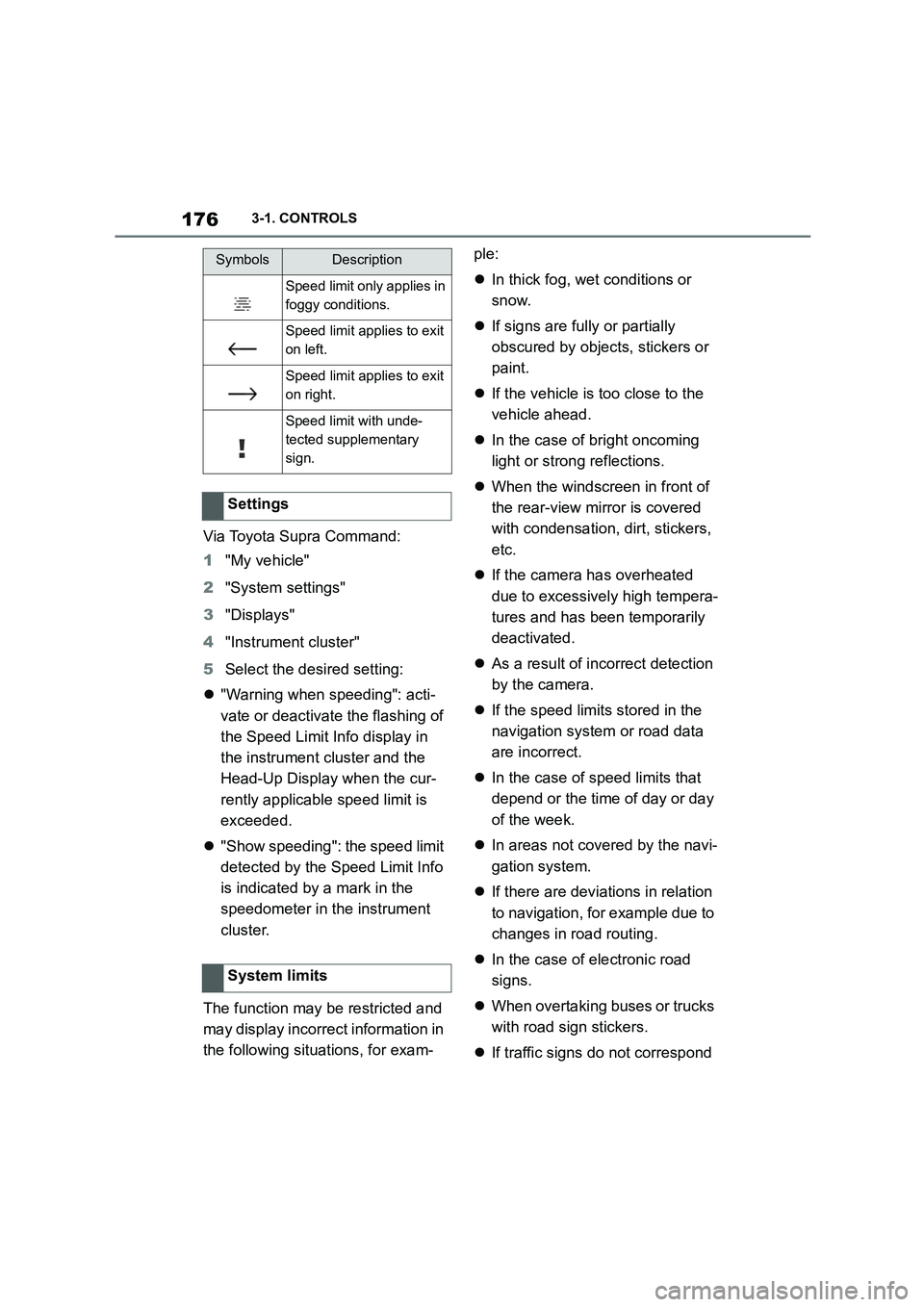
Speed limit only applies in
foggy conditions.
Speed limit applies to exit
on left.
Speed limit applies to exit
on right.
Speed limit with unde-
tected supplementary
sign.
Settings
System limits
SymbolsDescription
Page 183 of 498
181
3
3-1. CONTROLS
CONTROLS
trol display.
The following info rmation is dis-
played:
Torque.
Power.
Via Toyota Supra Command:
1 "My vehicle"
2 "Sport displays"
The system can be used to set a
speed limit which triggers a warning
when it is exceeded.
The warning is repeated if the vehi-
cle speed exceeds the set speed
limit again, after it has dropped
below 5 km/h/3 mph.
Via Toyota Supra Command:
1 "My Vehicle"
2 "Vehicle settings"
3 "Speed warning"
4 "Warning at:"
5 Turn the Controller until the
desired speed is displayed.
6 Press the Controller.
Via Toyota Supra Command:
1 "My Vehicle"
2 "Vehicle settings"
3 "Speed warning"
4 "Speed warning"
Via Toyota Supra Command:
1 "My Vehicle"
2 "Vehicle settings"
3 "Speed warning"
4 "Select current speed"
It is possible to show the status of
some systems and perform actions
on them.
Via Toyota Supra Command:
1 "My vehicle"
2 "Vehicle status"
Display on the Control Dis-
play
Overview
Displays
Speed warning
Principle
General
Adjusting the speed warning
Activating/deactivating the
speed warning
Setting the current speed as
the speed warning
Vehicle status
General
Calling up the vehicle status
Page 197 of 498
195
3
3-1. CONTROLS
CONTROLS
entirely ruled out.
The noise caused by the deploy-
ment of an airbag may lead to tem-
porary hearing loss in vehicle
occupants sensit ive to noise.
Have the system checked.
The force with which the driver and
front passenger airbag trigger
depends on the position of the
driver and front passenger seat.
In order to maintain the accuracy of
this function perm anently, calibrate
the front seats as soon as a corre-
sponding message is displayed on
the Control Display.
A corresponding message is dis-
played on the Control Display.
1 Press switch and move seat for-
wards until it stops.
2 Press switch forwards again.
Seat moves a bit further for-
wards.
Operational readiness of the
airbag system
Safety notes
WA R N I N G
Individual components of the airbag
system may be hot after airbag deployment. There is a danger of
injury. Do not touch individual compo-
nents.
WA R N I N G
Work carried out incorrectly can lead
to a failure, a malfunction or acciden-
tal deployment of t he airbag system. If there is a malfunction, the airbag sys-
tem might not deploy as intended in
an accident, in spite of the accident being of the appropriate severity.
There is a danger of injury or even
death. Have the airb ag system tested, repaired or removed and disposed of
by any authorized Toyota retailer or
Toyota authorized repairer, or any reli- able repairer.
Display in the instrument cluster
When drive-ready state is
switched on, the warning
lamp in the instrument cluster
briefly illuminates in order to
show the operational readi-
ness of the entire airbag sys-
tem and the belt tensioners.
Malfunction
The warning lamp does not
illuminate after drive-ready
state is switched on.
The warning lamp is per-
manently illuminated.
Force of driver and front pas-
senger airbag
Calibrating the front seats
WA R N I N G
There is a risk of entrapment when
the seats are moved. There is a dan-
ger of injury or damage to property. Before making any adjustment, make
sure that the area of movement of the
seat is clear.
Page 202 of 498
2003-1. CONTROLS
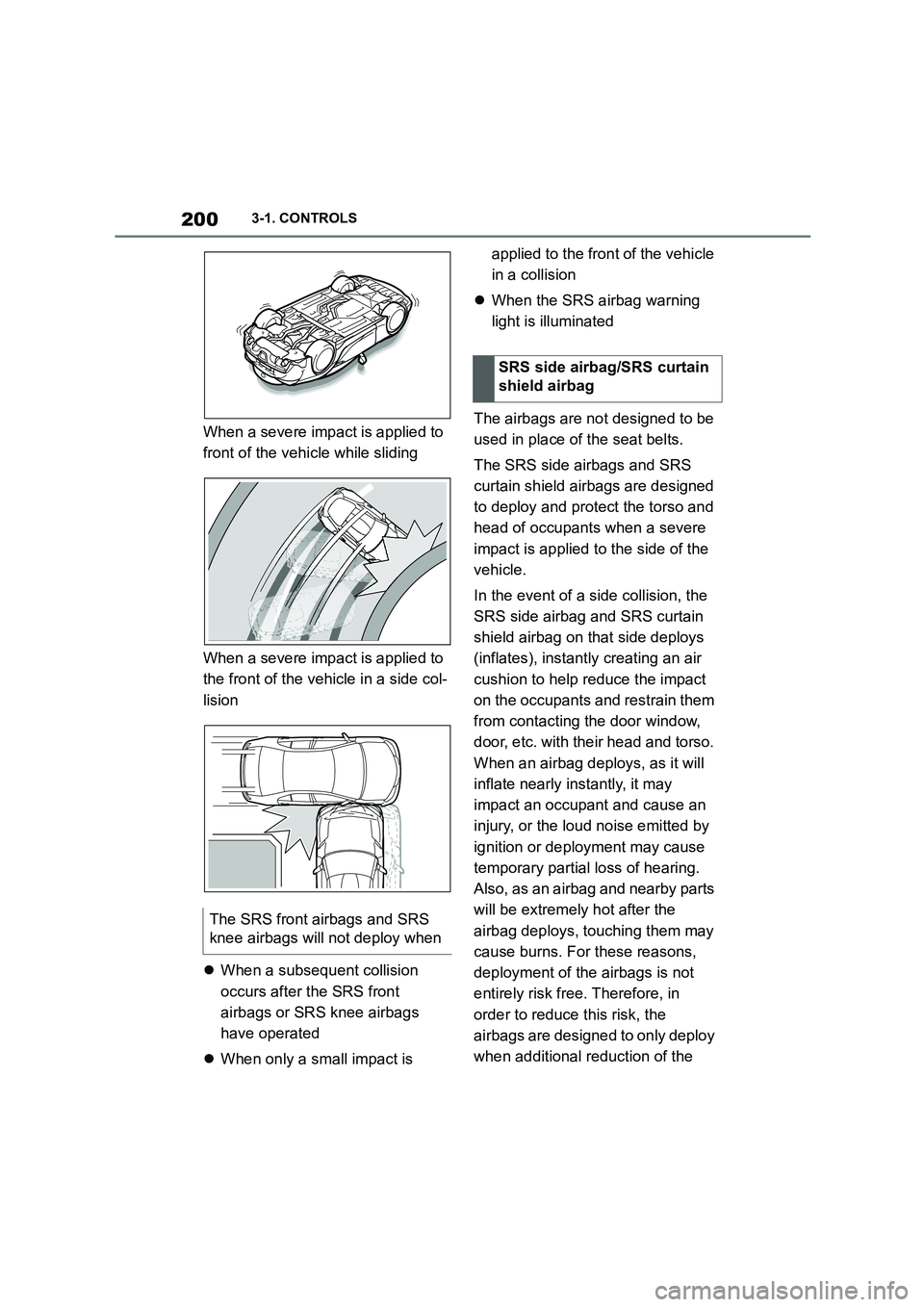
When a severe impact is applied to
front of the vehicle while sliding
When a severe impact is applied to
the front of the vehicle in a side col-
lision
When a subsequent collision
occurs after the SRS front
airbags or SRS knee airbags
have operated
When only a small impact is
applied to the front of the vehicle
in a collision
When the SRS airbag warning
light is illuminated
The airbags are not designed to be
used in place of the seat belts.
The SRS side airbags and SRS
curtain shield airbags are designed
to deploy and protect the torso and
head of occupants when a severe
impact is applied to the side of the
vehicle.
In the event of a side collision, the
SRS side airbag and SRS curtain
shield airbag on that side deploys
(inflates), instantl y creating an air
cushion to help reduce the impact
on the occupants and restrain them
from contacting the door window,
door, etc. with their head and torso.
When an airbag deploys, as it will
inflate nearly instantly, it may
impact an occupant and cause an
injury, or the loud noise emitted by
ignition or deployment may cause
temporary partial loss of hearing.
Also, as an airbag and nearby parts
will be extremely hot after the
airbag deploys, touching them may
cause burns. For these reasons,
deployment of the airbags is not
entirely risk free. Therefore, in
order to reduce this risk, the
airbags are designed to only deploy
when additional reduction of the
The SRS front airbags and SRS
knee airbags w ill not deploy when
SRS side airbag/SRS curtain
shield airbag
Page 204 of 498
2023-1. CONTROLS
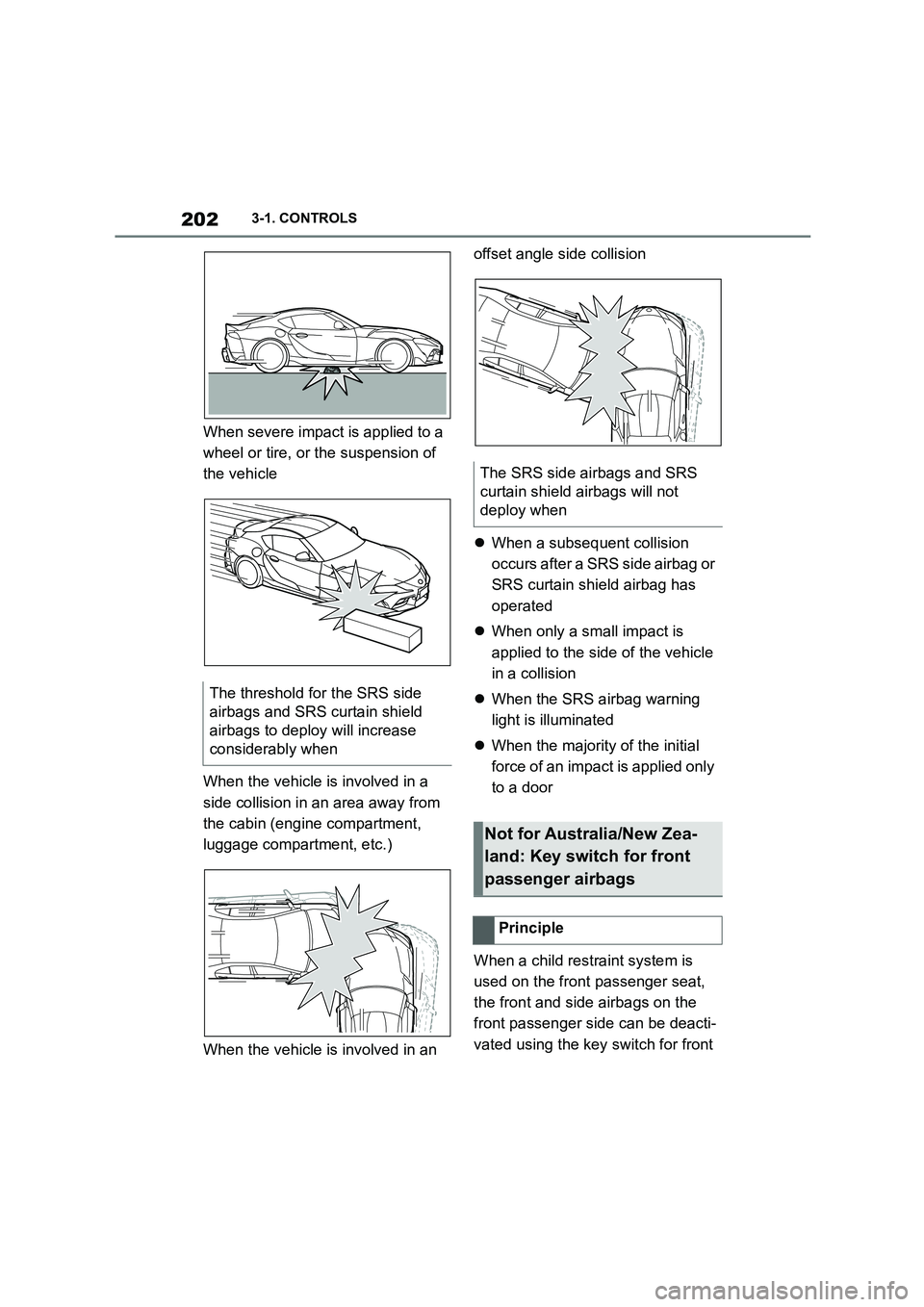
When severe impact is applied to a
wheel or tire, or the suspension of
the vehicle
When the vehicle is involved in a
side collision in an area away from
the cabin (engine compartment,
luggage compartment, etc.)
When the vehicle is involved in an
offset angle side collision
When a subsequent collision
occurs after a SRS side airbag or
SRS curtain shield airbag has
operated
When only a small impact is
applied to the side of the vehicle
in a collision
When the SRS airbag warning
light is illuminated
When the majority of the initial
force of an impact is applied only
to a door
When a child restraint system is
used on the front passenger seat,
the front and side airbags on the
front passenger side can be deacti-
vated using the key switch for front
The threshold for the SRS side
airbags and SRS curtain shield
airbags to deploy will increase
considerably when
The SRS side airbags and SRS
curtain shield airbags will not
deploy when
Not for Australia/New Zea-
land: Key switch for front
passenger airbags
Principle