warning TOYOTA SUPRA 2022 Service Manual
[x] Cancel search | Manufacturer: TOYOTA, Model Year: 2022, Model line: SUPRA, Model: TOYOTA SUPRA 2022Pages: 498, PDF Size: 104.06 MB
Page 232 of 498
2303-1. CONTROLS
Driving stability during acceleration
and cornering is rest ricted if VSC is
deactivated.
To assist driving stability, re-acti-
vate VSC as soon as possible.
VSC OFF is displayed in the instru-
ment cluster when VSC is deacti-
vated.
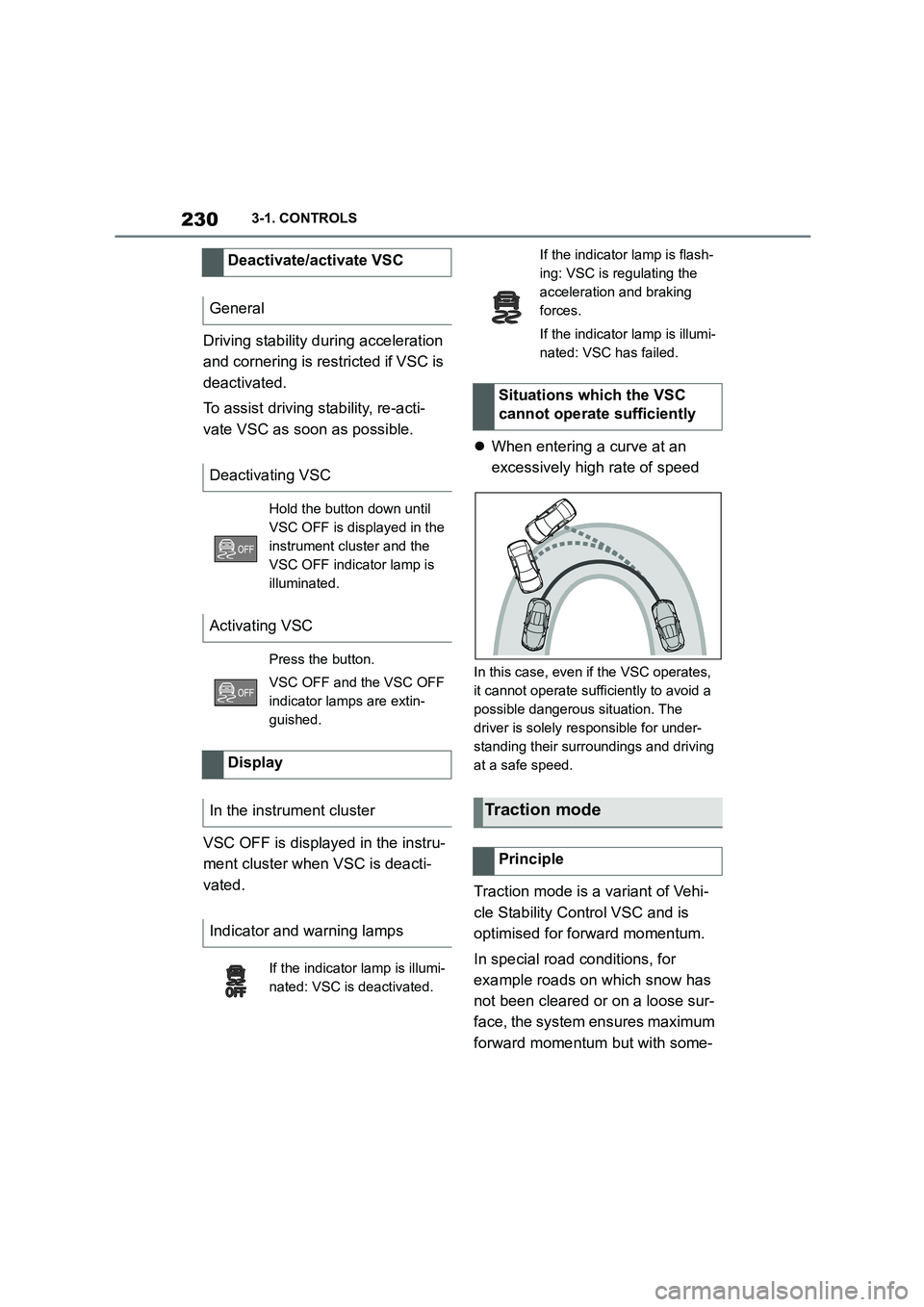
When entering a curve at an
excessively high rate of speed
In this case, even if the VSC operates,
it cannot operate sufficiently to avoid a
possible dangerous situation. The
driver is solely responsible for under-
standing their surroundings and driving
at a safe speed.
Traction mode is a variant of Vehi-
cle Stability Control VSC and is
optimised for forward momentum.
In special road conditions, for
example roads on which snow has
not been cleared or on a loose sur-
face, the system ensures maximum
forward momentum but with some-
Deactivate/activate VSC
General
Deactivating VSC
Hold the button down until
VSC OFF is displayed in the
instrument cluster and the
VSC OFF indicator lamp is
illuminated.
Activating VSC
Press the button.
VSC OFF and the VSC OFF
indicator lamps are extin-
guished.
Display
In the instrument cluster
Indicator and warning lamps
If the indicator lamp is illumi-
nated: VSC is deactivated.
If the indicator lamp is flash-
ing: VSC is regulating the
acceleration and braking
forces.
If the indicator lamp is illumi-
nated: VSC has failed.
Situations which the VSC
cannot operate sufficiently
Traction mode
Principle
Page 233 of 498
231
3
3-1. CONTROLS
CONTROLS
what limited driving stability.
Activating Traction mode provides
maximum traction. Driving stability
during acceleration and cornering is
limited.
Activating Traction mode briefly
may be useful in the following situa-
tions:
When driving in slush or on
uncleared, snow-covered roads.
When starting in deep snow or
on a loose surface.
When driving with snow chains.
When Traction mode is activated,
TRACTION is displayed in the
instrument cluster.
In certain situations, VSC is acti-
vated automatically:
If Dynamic radar cruise control
with full-speed range is acti-
vated.
General
Overview
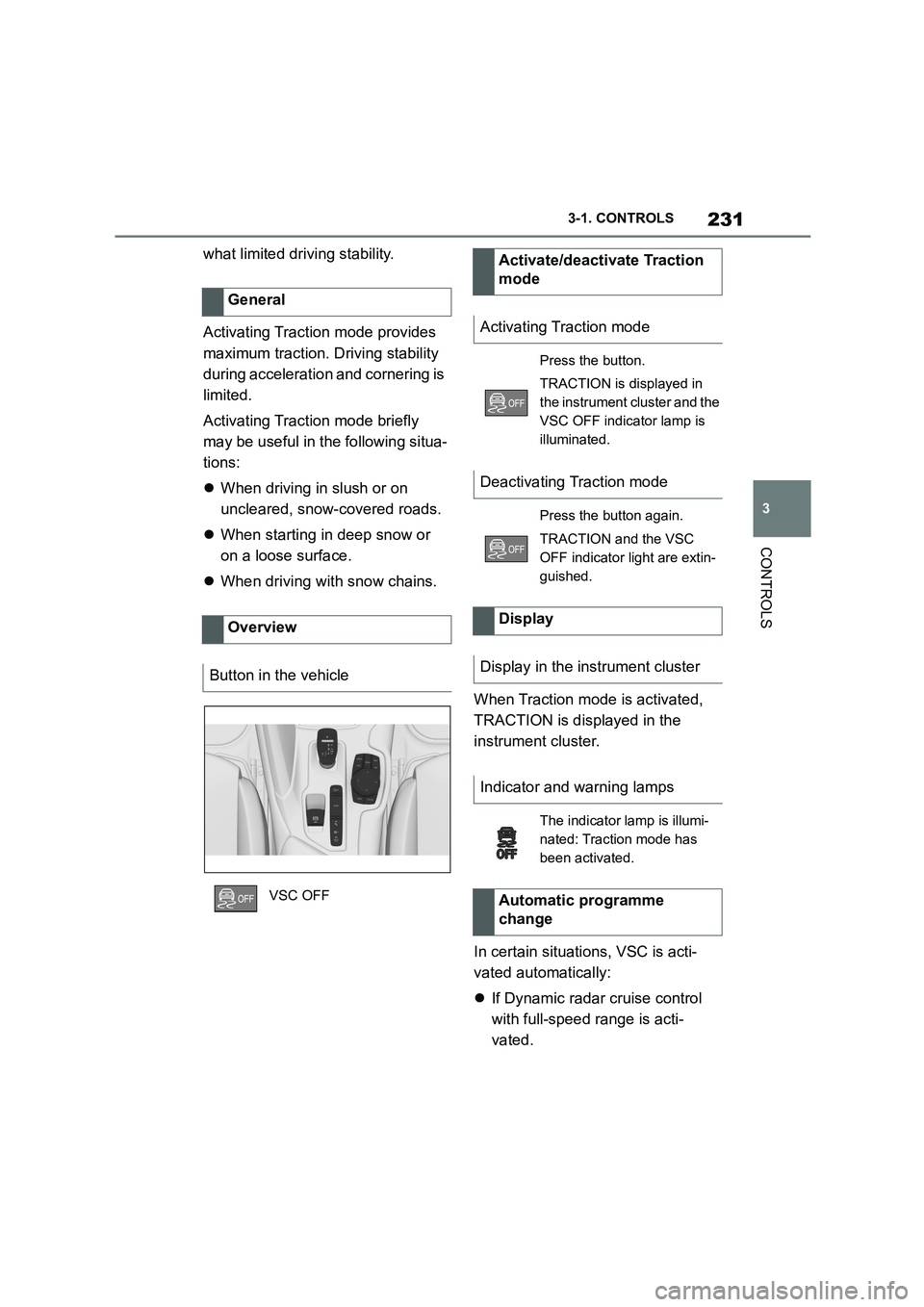
Button in the vehicle
VSC OFF
Activate/deactivate Traction
mode
Activating Traction mode
Press the button.
TRACTION is displayed in
the instrument cluster and the
VSC OFF indicator lamp is
illuminated.
Deactivating Traction mode
Press the button again.
TRACTION and the VSC
OFF indicator light are extin-
guished.
Display
Display in the instrument cluster
Indicator and warning lamps
The indicator lamp is illumi-
nated: Traction mode has
been activated.
Automatic programme
change
Page 236 of 498
2343-1. CONTROLS
in the speedometer.
If the set speed limit has been
reached or unintentionally
exceeded, for example when driv-
ing downhill, ther e is no active
brake intervention.
If you set a speed limit while driving
which is below the current speed,
the vehicle coasts down to the set
speed limit.
Vehicles with Speed Limit Assist,
see page 246: a change in the
speed limit detected by Speed Limit
Assist can be adopted for the
Speed Limiter as a new speed limit.
The current speed can also be
stored by pressing the button:
The system gives a warning if the
travelling speed exceeds the set
speed limit.
You can intentionally exceed the
speed limit.
To exceed the set speed limit inten-
tionally, fully depress the accelera-
tor pedal.
The limit automatically becomes
active again as soon as the current
speed falls below the set speed
limit.
Depending on the vehicle specifica-
tions, the set speed limit will be dis-
played.
*: if equipped
This system allows a desired speed
to be set using the buttons on the
steering wheel. The desired speed
is then maintained by the system.
Press the button on the steer-
ing wheel.
Exceeding the speed limit
Warning when the speed limit
is exceeded
Visual warning
If the speed limit is exceeded:
the indicator lamp in the
instrument cluster flashes for
as long as you exceed the set
speed limit.
Displays in the instrument
cluster
Indicator lamp
If the indicator lamp is illu-
minated: the system is
switched on.
If the indicator lamp is
flashing: set speed limit is
exceeded.
Grey indicator lamp: the
system is interrupted.
Status display
Cruise Control*
Principle
Page 245 of 498
243
3
3-1. CONTROLS
CONTROLS
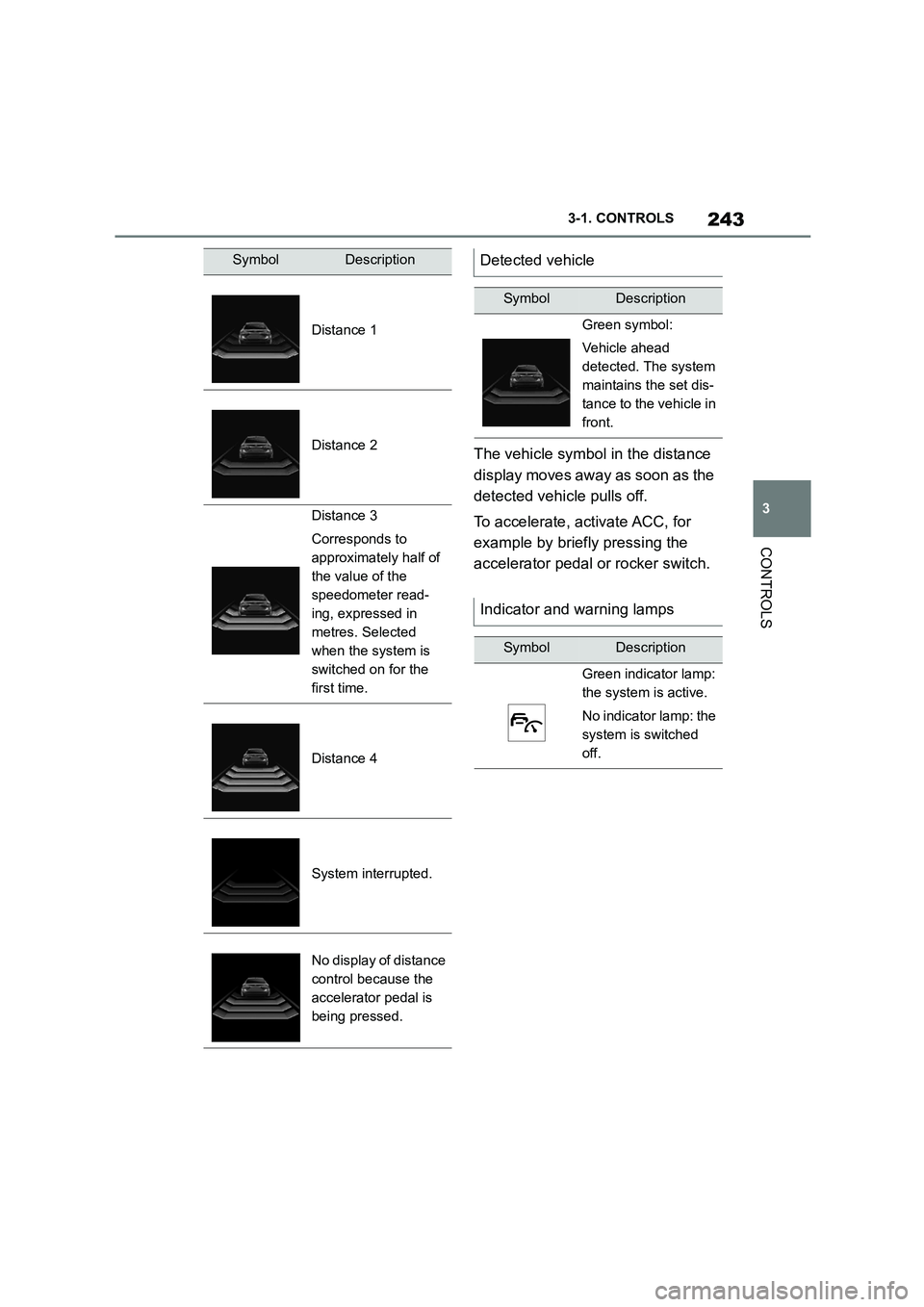
The vehicle symbol in the distance
display moves away as soon as the
detected vehicle pulls off.
To accelerate, activate ACC, for
example by briefly pressing the
accelerator pedal or rocker switch.
SymbolDescription
Distance 1
Distance 2
Distance 3
Corresponds to
approximately half of
the value of the
speedometer read-
ing, expressed in
metres. Selected
when the system is
switched on for the
first time.
Distance 4
System interrupted.
No display of distance
control because the
accelerator pedal is
being pressed.
Detected vehicle
SymbolDescription
Green symbol:
Vehicle ahead
detected. The system
maintains the set dis-
tance to the vehicle in
front.
Indicator and warning lamps
SymbolDescription
Green indicator lamp:
the system is active.
No indicator lamp: the
system is switched
off.
Page 250 of 498
2483-1. CONTROLS
It is possible to set whether the
speed limit should be accepted
exactly, or with a tolerance of –15
km/h, –10 mph to +15 km/h, +10
mph.
Via Toyota Supra Command:
1 "My vehicle"
2 "Vehicle settings"
3 "Speed Assistant"
4 "Adjust speed limits"
5 Confirm the desired setting.
Speed Limit Assist based on the
Speed Limit Info system.
Take into account the Speed Limit
Info system limits, see page 176.
Depending on the country, dis-
played speed limits may not be
available for acceptance, or only
available with restrictions, for
example with speed information
from the navigation system.
Cruise Control without distance
control: depending on the system, it
may not be possible to adopt speed
limits automatically.
Speed limits that are ahead may
only be adopted for Dynamic radar
cruise control.
The system may not respond to
speed limits if the navigation sys-
tem cannot determine the position
of the vehicle with certainty.
Parking Sensor provides assis-
tance when parking the vehicle.
Objects in front of or behind the
vehicle as it slowly approaches are
indicated by means of acoustic sig-
nals and a display on the Control
Display.
Depending on the equipment ver-
sion: obstacles at the side of the
vehicle that are detected by the
side ultrasonic sensors may also be
reported by the flank protection,
see page 252, function.
The ultrasonic sensors for measur-
ing distances are located in the
bumpers, and if applicable on the
side of the vehicle.
Their range is approximately 2 m, 6
ft, depending on the obstacle and
environment.
An acoustic warning is given when
the vehicle is approx. 70 cm, 27 in
away from an obje ct and a collision
is imminent.
For objects behind the vehicle, the
acoustic warning is given sooner, at
When the SET symbol illumi-
nates in white, press the but-
ton.
Setting the speed adjustment
System limits
Parking Sensors
Principle
General
Page 252 of 498
2503-1. CONTROLS
Depending on the equipment ver-
sion, a respective camera view is
switched on additionally.
The system switches off when a
certain distance or speed is
exceeded.
Switch the system back on if neces-
sary.
On: the LED is illuminated.
Off: the LED is extinguished.
The image from the rear-view cam-
era is shown when reverse gear is
engaged and the Park Assistant
button is pressed.
Depending on the equipment, the
system cannot be switched off
manually when reverse gear is
engaged.
■General
An intermittent so und indicates the
position of an object accordingly as
the vehicle approaches it. For
instance, if an object is identified to
the rear left of the vehicle, the
acoustic signal is emitted from the
rear left loudspeaker.
The shorter the distance to an
object, the shorter the intervals
become.
A continuous tone sounds if the dis-
tance to a detected object is less
than approximately 20 cm, 8 in.
If there are objects in front of and
behind the vehicle at the same
time, and they are at a distance of
less than approximately 20 cm, 8
in, an alternating continuous tone
sounds.
The intermittent tone and the con-
tinuous tone are switched off when
selector lever position P is
engaged.
With the vehicle at a standstill, the
intermittent sound is switched off
after a short period of time.
■Volume control
The Parking Sensor acoustic signal
volume can be adjusted.
Via Toyota Supra Command:
1 "My vehicle"
2 "System settings"
3 "Sounds"
4 "Volume settings"
5 "Parking Sensor"
6 Set the desired value.
Switching off automatically when
moving forwards
Switching on/off manually
Press the Park Assistant but-
ton.
Warning
Acoustic signals
Page 253 of 498
251
3
3-1. CONTROLS
CONTROLS
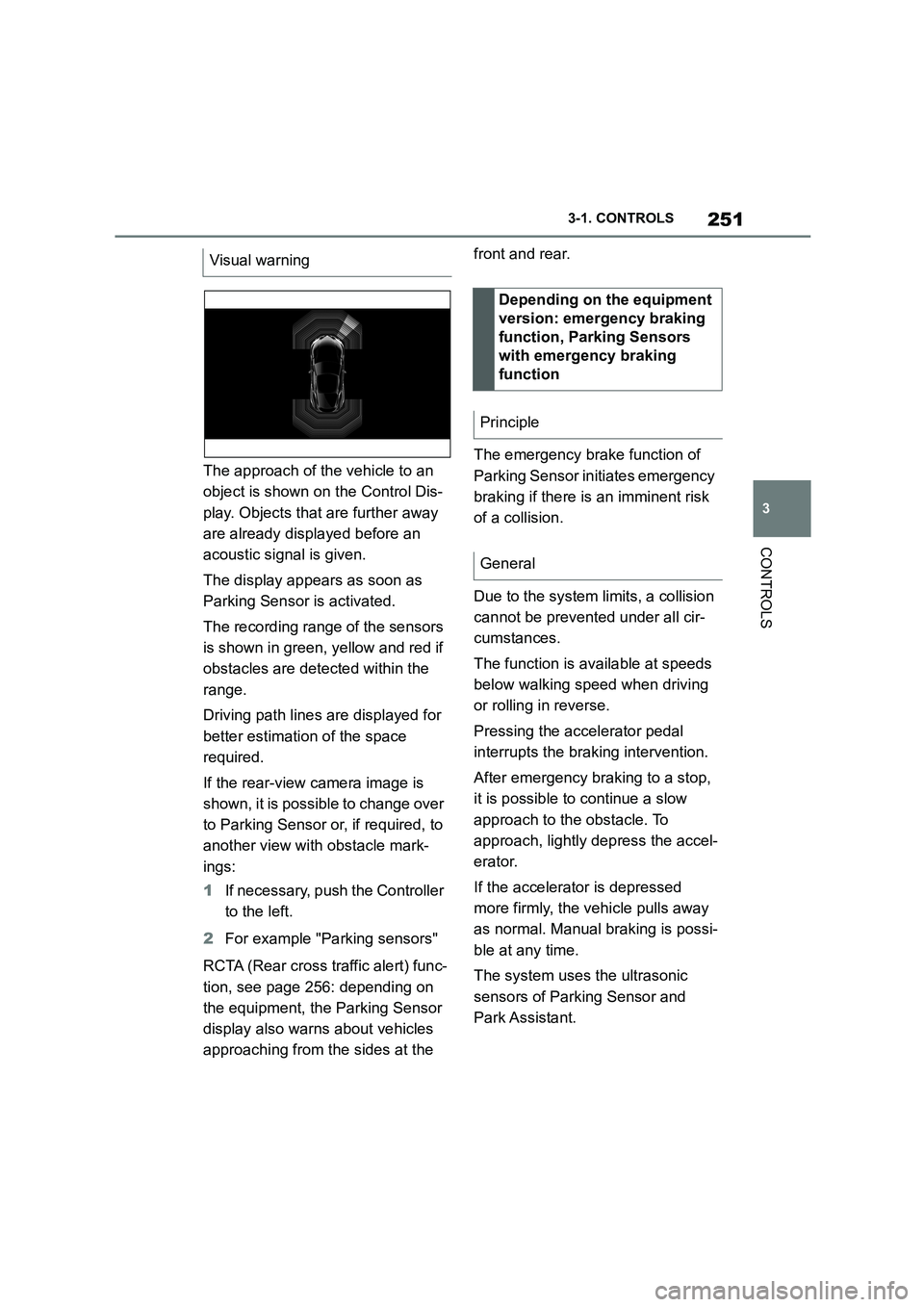
The approach of the vehicle to an
object is shown on the Control Dis-
play. Objects that are further away
are already displayed before an
acoustic signal is given.
The display appears as soon as
Parking Sensor is activated.
The recording range of the sensors
is shown in green, yellow and red if
obstacles are detected within the
range.
Driving path lines are displayed for
better estimation of the space
required.
If the rear-view camera image is
shown, it is possible to change over
to Parking Sensor or, if required, to
another view with obstacle mark-
ings:
1 If necessary, push the Controller
to the left.
2 For example "Parking sensors"
RCTA (Rear cross traffic alert) func-
tion, see page 256: depending on
the equipment, the Parking Sensor
display also warn s about vehicles
approaching from the sides at the
front and rear.
The emergency brake function of
Parking Sensor in itiates emergency
braking if there is an imminent risk
of a collision.
Due to the system limits, a collision
cannot be prevented under all cir-
cumstances.
The function is available at speeds
below walking speed when driving
or rolling in reverse.
Pressing the accelerator pedal
interrupts the braking intervention.
After emergency braking to a stop,
it is possible to continue a slow
approach to the obstacle. To
approach, lightly depress the accel-
erator.
If the accelerator is depressed
more firmly, the vehicle pulls away
as normal. Manual braking is possi-
ble at any time.
The system uses the ultrasonic
sensors of Parking Sensor and
Park Assistant.
Visual warning
Depending on the equipment
version: emergency braking
function, Parking Sensors
with emergency braking
function
Principle
General
Page 254 of 498
2523-1. CONTROLS
Via Toyota Supra Command:
1 "My vehicle"
2 "Vehicle settings"
3 "Parking"
4 "Active PDC emergency inter-
vention"
5 "Active PDC emergency interv."
The system warns about obstacles
at the side of the vehicle.
The system uses the ultrasonic
sensors of Parking Sensor and
Park Assistant.
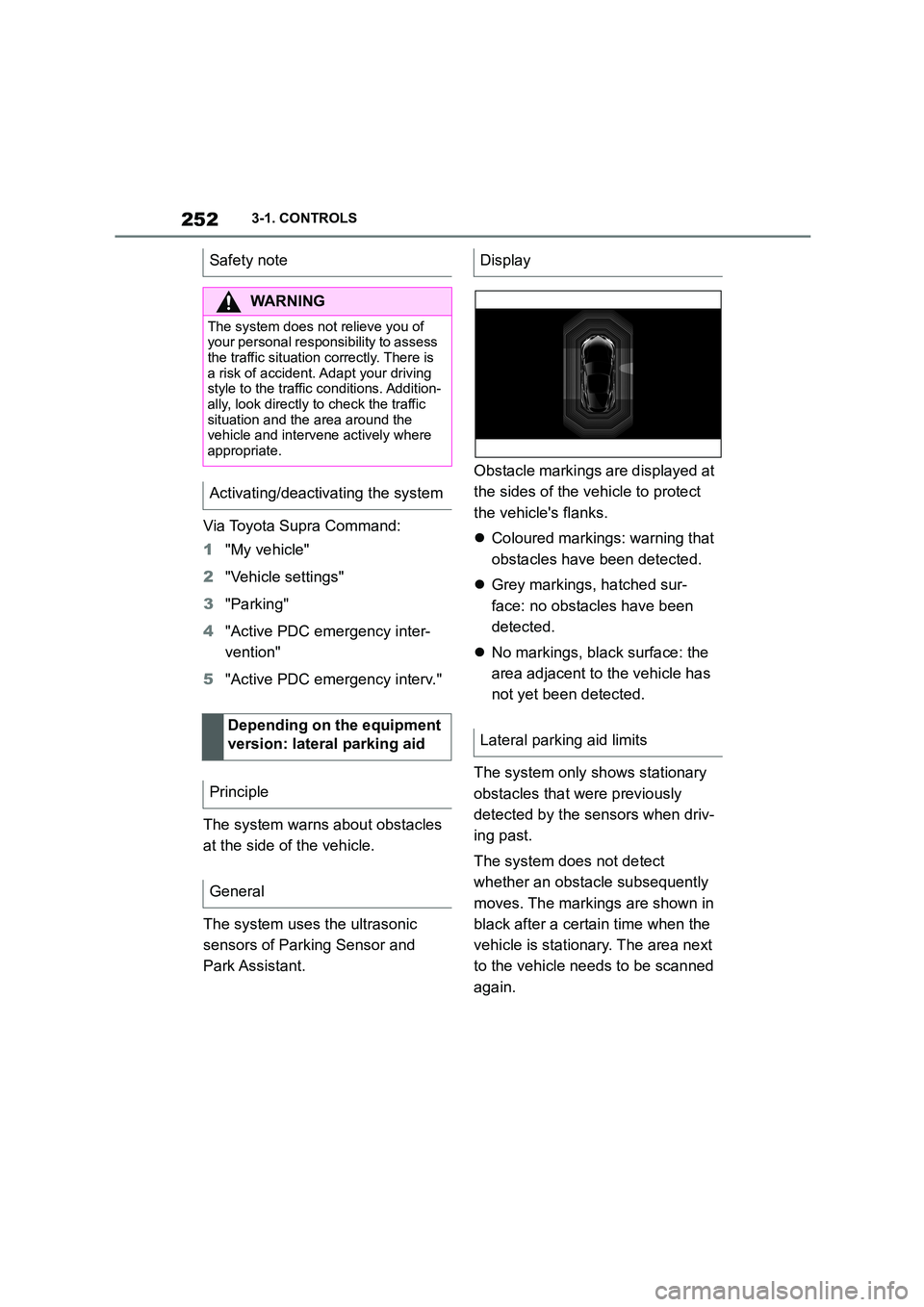
Obstacle markings are displayed at
the sides of the vehicle to protect
the vehicle's flanks.
Coloured markings: warning that
obstacles have been detected.
Grey markings, hatched sur-
face: no obstacles have been
detected.
No markings, black surface: the
area adjacent to the vehicle has
not yet been detected.
The system only shows stationary
obstacles that were previously
detected by the sensors when driv-
ing past.
The system does not detect
whether an obstacle subsequently
moves. The markings are shown in
black after a certain time when the
vehicle is stationary. The area next
to the vehicle needs to be scanned
again.
Safety note
WA R N I N G
The system does not relieve you of
your personal responsibility to assess the traffic situation correctly. There is
a risk of accident. Adapt your driving
style to the traffic conditions. Addition- ally, look directly to check the traffic
situation and the area around the
vehicle and intervene actively where
appropriate.
Activating/deactivating the system
Depending on the equipment
version: lateral parking aid
Principle
General
Display
Lateral parking aid limits
Page 260 of 498
2583-1. CONTROLS
2"Vehicle settings"
3 "Parking"
4 "Cross-traffic alert"
5 "Cross-traffic alert"
If the system was activated on the
Control Display, it is switched on
automatically as soon as Parking
Sensors or Panorama View is
active and a gear is engaged.
The system is switched on at the
rear when reverse gear is engaged.
The system switches off automati-
cally in the following situations:
If walking speed is exceeded.
When a certain distance is
exceeded.
During active parking with the
Park Assistant.
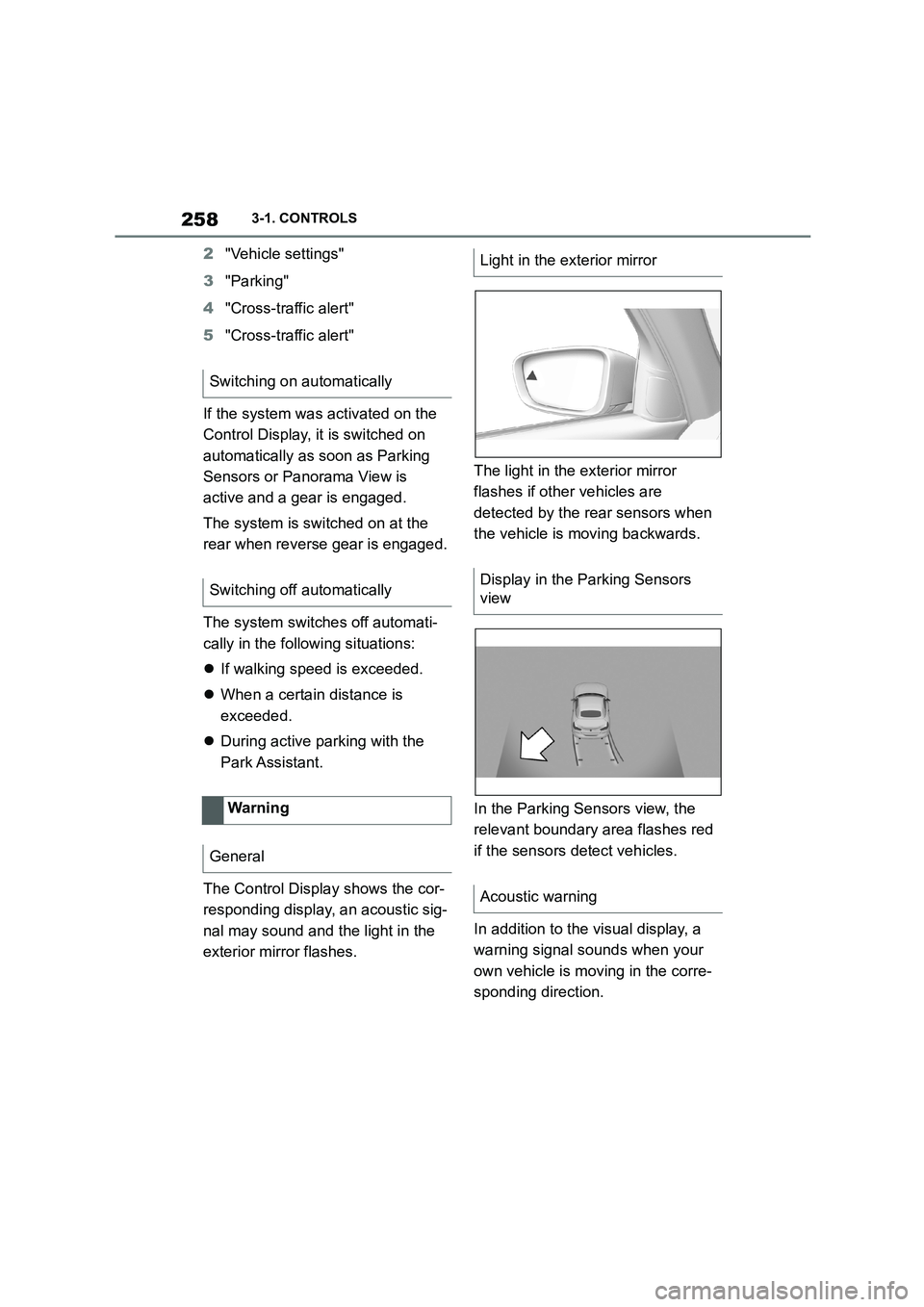
The Control Display shows the cor-
responding display, an acoustic sig-
nal may sound and the light in the
exterior mirror flashes.
The light in the exterior mirror
flashes if other vehicles are
detected by the rear sensors when
the vehicle is moving backwards.
In the Parking Sensors view, the
relevant boundary area flashes red
if the sensors detect vehicles.
In addition to the visual display, a
warning signal sounds when your
own vehicle is moving in the corre-
sponding direction.
Switching on automatically
Switching off automatically
Warning
General
Light in the exterior mirror
Display in the Parking Sensors
view
Acoustic warning
Page 275 of 498
273
3
3-1. CONTROLS
CONTROLS
If the vehicle is equipped with the
forgotten phone warning function, a
warning can be output if a mobile
telephone with Qi capability has
been left in the wireless charging
dock when exiting the vehicle.
The forgotten phone warning is
shown in the instrument cluster.
Via Toyota Supra Command:
1 “My Vehicle”
2 “System settings”
3 “Wireless charging tray”
4 “Forgotten mobile device alert”
If the mobile phone or the vehicle
interior is exposed to excessively
high temperatures, the charging
functions of the mobile telephone
might be restrict ed and functions
might no longer work.
This chapter describes all standard,
country-specific and special equip-
ment available for the model series.
It may therefore describe equip-
ment and functions which are not
installed in your vehicle, for exam-
ple on account of the special equip-
ment selected or the country
specification. This also applies to
safety-relevant functions and sys-
tems. Please comply with the rele-
vant laws and regulations when
using the corresponding functions
and systems.
Forgotten phone warning
General
Activating
System limits
Storage compartments
Vehicle equipment
Safety notes
WA R N I N G
Loose objects or devices connected by a cable to the vehicle, for example
mobile telephones, may be thrown
around the interior during the journey, for example in the event of an acci-
dent or when braking or carrying out
evasive manoeuvres. There is a dan- ger of injury. Ensure that loose
objects or devices connected by
cable to the vehicle are secured in place in the interior.
NOTICE
Anti-slip mats can damage the dash-
board. There is a danger of damage to property. Do not use anti-slip mats.