mirror TOYOTA SUPRA 2022 Owner's Guide
[x] Cancel search | Manufacturer: TOYOTA, Model Year: 2022, Model line: SUPRA, Model: TOYOTA SUPRA 2022Pages: 498, PDF Size: 104.06 MB
Page 176 of 498
1743-1. CONTROLS
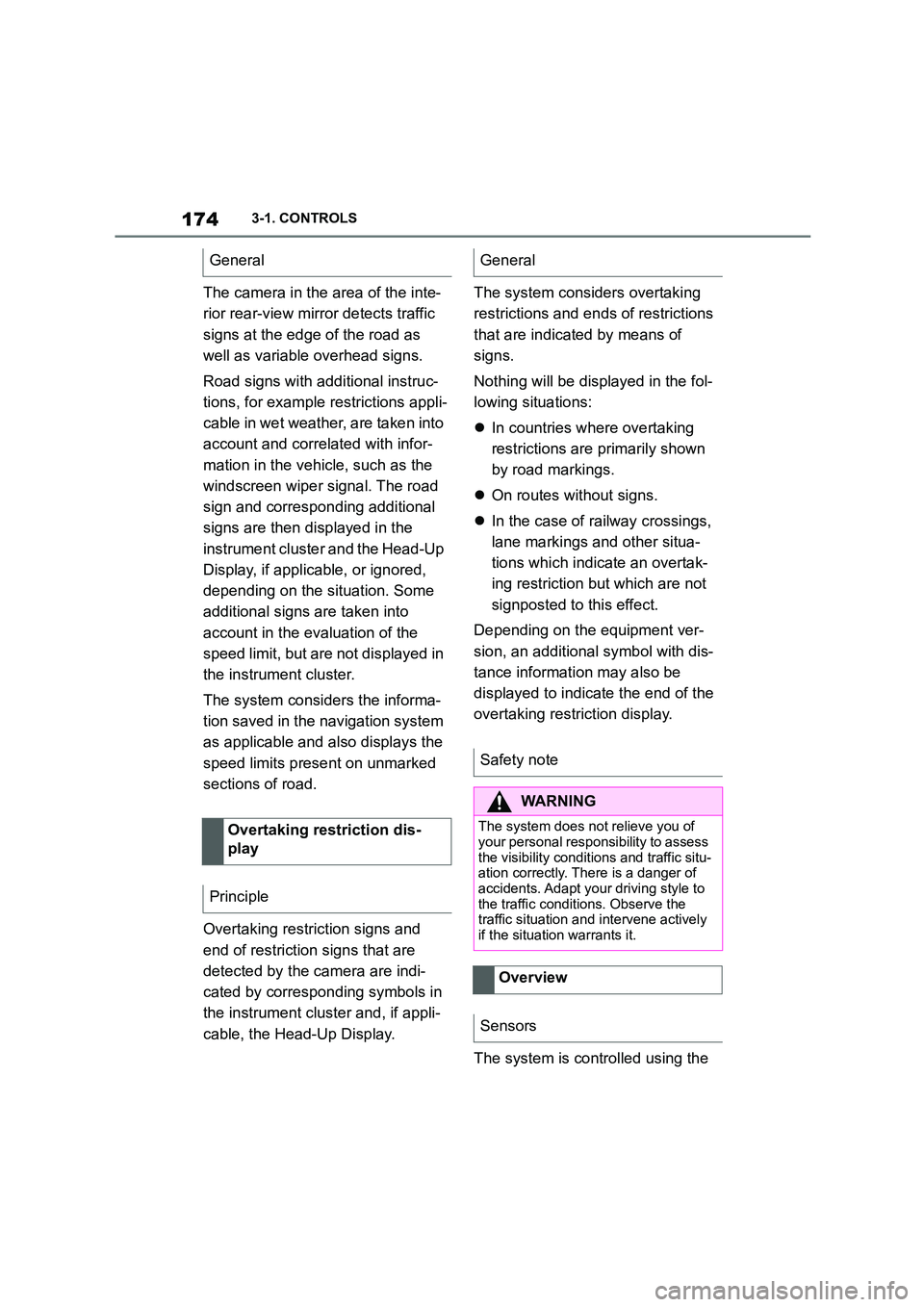
The camera in the area of the inte-
rior rear-view mirror detects traffic
signs at the edge of the road as
well as variable overhead signs.
Road signs with additional instruc-
tions, for example restrictions appli-
cable in wet weather, are taken into
account and correlated with infor-
mation in the vehicle, such as the
windscreen wiper signal. The road
sign and corresponding additional
signs are then displayed in the
instrument cluster and the Head-Up
Display, if applicable, or ignored,
depending on the situation. Some
additional signs are taken into
account in the evaluation of the
speed limit, but are not displayed in
the instrument cluster.
The system considers the informa-
tion saved in the navigation system
as applicable and also displays the
speed limits present on unmarked
sections of road.
Overtaking restriction signs and
end of restriction signs that are
detected by the camera are indi-
cated by corresponding symbols in
the instrument cluster and, if appli-
cable, the Head-Up Display.
The system considers overtaking
restrictions and ends of restrictions
that are indicated by means of
signs.
Nothing will be displayed in the fol-
lowing situations:
In countries where overtaking
restrictions are primarily shown
by road markings.
On routes without signs.
In the case of railway crossings,
lane markings and other situa-
tions which indicate an overtak-
ing restriction but which are not
signposted to this effect.
Depending on the equipment ver-
sion, an additional symbol with dis-
tance information may also be
displayed to indicate the end of the
overtaking restriction display.
The system is controlled using the
General
Overtaking restriction dis-
play
Principle
General
Safety note
WA R N I N G
The system does not relieve you of
your personal responsibility to assess the visibility conditions and traffic situ-
ation correctly. There is a danger of
accidents. Adapt your driving style to the traffic conditions. Observe the
traffic situation and intervene actively
if the situation warrants it.
Overview
Sensors
Page 178 of 498
1763-1. CONTROLS
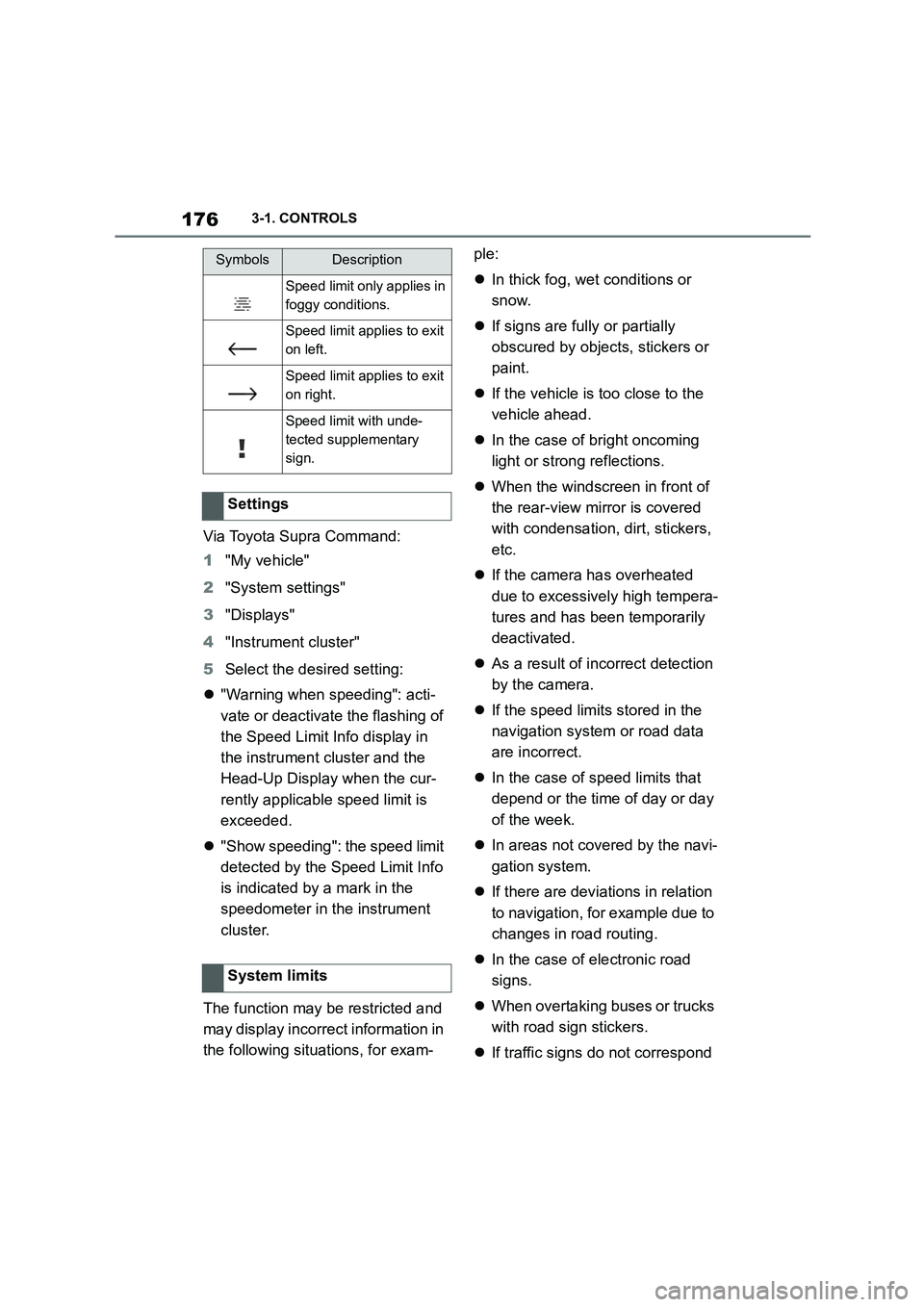
Via Toyota Supra Command:
1 "My vehicle"
2 "System settings"
3 "Displays"
4 "Instrument cluster"
5 Select the desired setting:
"Warning when speeding": acti-
vate or deactivate the flashing of
the Speed Limit Info display in
the instrument cluster and the
Head-Up Display when the cur-
rently applicable speed limit is
exceeded.
"Show speeding": the speed limit
detected by the Speed Limit Info
is indicated by a mark in the
speedometer in the instrument
cluster.
The function may be restricted and
may display incorrec t information in
the following situations, for exam-
ple:
In thick fog, wet conditions or
snow.
If signs are fully or partially
obscured by objects, stickers or
paint.
If the vehicle is too close to the
vehicle ahead.
In the case of bright oncoming
light or strong reflections.
When the windscreen in front of
the rear-view mirror is covered
with condensation, dirt, stickers,
etc.
If the camera has overheated
due to excessively high tempera-
tures and has been temporarily
deactivated.
As a result of incorrect detection
by the camera.
If the speed limits stored in the
navigation system or road data
are incorrect.
In the case of speed limits that
depend or the time of day or day
of the week.
In areas not covered by the navi-
gation system.
If there are deviations in relation
to navigation, for example due to
changes in road routing.
In the case of electronic road
signs.
When overtaking buses or trucks
with road sign stickers.
If traffic signs do not correspond
Speed limit only applies in
foggy conditions.
Speed limit applies to exit
on left.
Speed limit applies to exit
on right.
Speed limit with unde-
tected supplementary
sign.
Settings
System limits
SymbolsDescription
Page 192 of 498
1903-1. CONTROLS
tem will not operate or its operation
will be impaired and your interven-
tion may be required:
In extremely unfavourable
weather conditions such as fog
or heavy precipitation.
When detecting poorly lit road
users such as pedestrians,
cyclists or horse riders or car-
riages and when trains or ships
are close to the road, or when
animals are crossing the road.
On narrow bends, on steep hill-
tops or in depressions, when
there is crossing traffic or if the
view of oncoming vehicles on a
motorway is obstructed.
In poorly lit towns or where there
are highly reflective signs.
If the area of windscreen in front
of the rearview mirror is covered
with condensation, dirt, stickers,
labels, etc.
Before the rear fog light is switched
on, the low-beam headlights must
be switched on.
If automatic driving lights control,
see page 185, has been activated,
the low-beam headlights switch on
automatically when the rear fog
light is switched on.
When driving in countries where
vehicles drive on the opposite side
of the road to your vehicle's country
of registration, you will need to pre-
vent your headlights from dazzling
oncoming vehicles.
Via Toyota Supra Command:
1 "My Vehicle"
2 "Vehicle settings"
3 "Exterior lighting"
4 "Right-hand/left-hand traffic"
5 Select the desired setting.
Depending on the national-market ver- sion, the parking brake must be
applied.
Fog lights
Rear fog light
Operating requirements
Switching on/off
Press the button.
The yellow indicator lamp
in the instrument cluster is
illuminated when the rear
fog light is switched on.
Left-hand/right-hand traffic
General
Switching over the head-
lights
Page 209 of 498
207
3
3-1. CONTROLS
CONTROLS
The menu for the Toyota Supra
Safety Systems is shown.
If all Toyota Supra Safety Systems
were switched off, all systems are
now switched on.
"Customise Settings": depending
on the equipment, the Toyota Supra
Safety Systems can be configured
individually. The custom settings
are activated and saved. As soon
as a setting is changed in the
menu, all settings in the menu are
activated.
"ALL ON": all Toyota Supra Safety
Systems are switched on. Basic
settings are activated for the
sub-functions, for example the set-
ting for warning time.
"Customise": the Toyota Supra
Safety Systems are switched on
according to the individual settings.
Some Toyota Supra Safety Sys-
tems cannot be switched off individ-
ually.
All Toyota Supra Safety Systems
are switched off.
The system can help avoid acci-
dents. If an accident cannot be
avoided, the system helps to
reduce the co llision speed.
The system warns of the possible
risk of collision and brakes auto-
matically, as necessary.
The system is controlled using the
following sensors, depending on
the equipment:
Camera in the area of the
rear-view mirror.
Radar sensor in front bumper.
The Pre-Collision System is opera-
tional even if Cruise Control is disa-
bled.
When deliberately moving closer to
a vehicle, the front-end collision
warning and braking intervention
are activated later to avoid unjusti-
fied system responses.
From speeds of approximately 5
km/h, 3 mph, the system provides a
two-stage warning of any possible
risk of collision with vehicles. The
timing of these warnings may vary
depending on the current driving
situation.
Press the button:
Press the button repeatedly.
The setting switches between
the following:
Press and hold the button:
Pre-Collision System
Principle
General
Page 214 of 498
2123-1. CONTROLS
The system can help to avoid acci-
dents with pedestrians and cyclists.
If an accident cannot be avoided,
the system helps to reduce the col-
lision speed.
The system warns of the possible
risk of collision in the urban speed
range and brakes automatically, as
necessary.
At speeds above approx. 5 km/h, 3
mph, the system warns of the pos-
sible risk of collision with pedestri-
ans and cyclists.
Pedestrians and cyclists are taken
into account if they are located
within the detection range of the
system.
The system is controlled using the
following sensors, depending on
the equipment:
Camera in the area of the
rear-view mirror.
Radar sensor in front bumper.
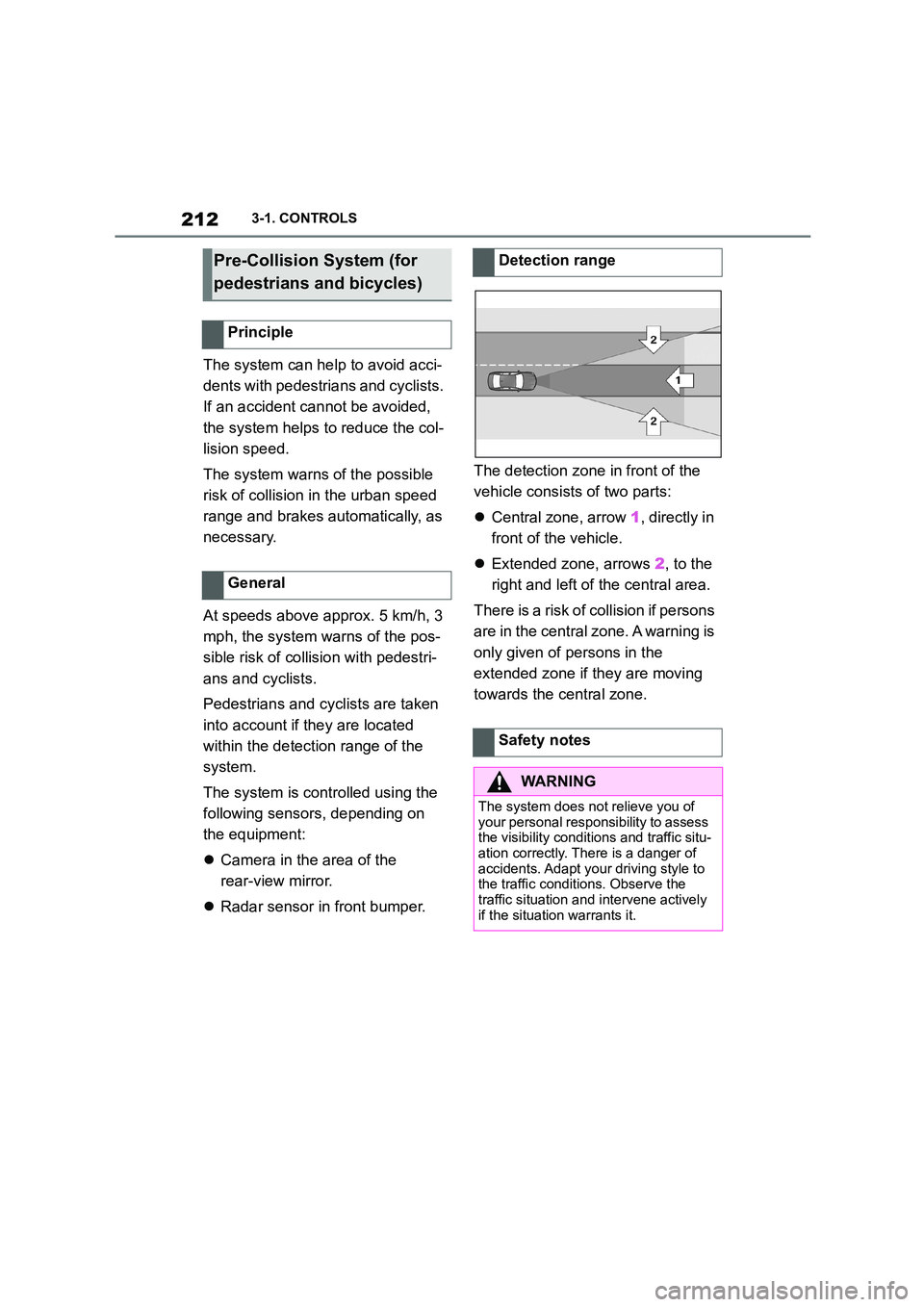
The detection zone in front of the
vehicle consists of two parts:
Central zone, arrow 1, directly in
front of the vehicle.
Extended zone, arrows 2, to the
right and left of the central area.
There is a risk of collision if persons
are in the central zone. A warning is
only given of persons in the
extended zone if they are moving
towards the central zone.
Pre-Collision System (for
pedestrians and bicycles)
Principle
General
Detection range
Safety notes
WA R N I N G
The system does not relieve you of
your personal responsibility to assess the visibility conditions and traffic situ-
ation correctly. There is a danger of
accidents. Adapt your driving style to the traffic conditions. Observe the
traffic situation and intervene actively
if the situation warrants it.
Page 217 of 498
215
3
3-1. CONTROLS
CONTROLS
The system reacts to pedestrians
and cyclists if your own speed is
below approx. 85 km/h, 53 mph.
The detection ability of the system
is limited.
As a result, the system may fail to
give warnings or may give warnings
late.
It is possible that the following are
not detected, for example:
Partially concealed pedestrians.
Pedestrians who are not
detected as such, because of the
viewing angle or outline.
Pedestrians outside the detec-
tion range.
Pedestrians less than approxi-
mately 80 cm, 32 in tall.
The system may have limited func-
tionality in some situations, for
example:
In thick fog, wet conditions or
snow.
On sharp bends.
If vehicle stability control sys-
tems are deactivated, for exam-
ple VSC OFF.
If the field of view of the camera
or the windscreen in front of the
rear-view mirror is soiled or cov-
ered.
If the camera has overheated
due to excessively high tempera-
tures and has been temporarily
deactivated.
Depending on the equipment
version: if the radar sensors are
soiled or covered.
Depending on the vehicle's
equipment: after work performed
incorrectly on the vehicle paint-
work.
Up to 10 seconds after starting
the engine using the start/stop
button.
During the camera calibration
process immediately after vehi-
cle delivery.
If there is sustained glare due to
oncoming light, for example if the
sun is low in the sky.
In the dark.
Attaching any objects – stickers or
System limits
Safety note
WA R N I N G
The system may not re spond at all, or may respond too late, incorrectly or
without justification due to limits of the
system. There is a danger of acci-
dents or damage to property.
Observe the information on the sys-
tem limits and intervene actively if
necessary.
Upper speed limit
Detection range
Functional limitations
Page 222 of 498
2203-1. CONTROLS
tionality in the following situations,
for example:
When there are missing, worn,
poorly visible, merging/separat-
ing or ambiguous lane markings;
for example, in areas where
there are roadworks.
If lane markings are covered by
snow, ice, dirt or water.
On sharp bends or narrow roads.
If lane markings are not white.
If lane markings are obscured by
objects.
If the vehicle is too close to the
vehicle ahead.
Up to 10 seconds after starting
the engine using the start/stop
button.
A vehicle message may be dis-
played in the event of limited func-
tionality.
*: if equipped
The Blind spot monitor detects
vehicles in the blind spot, or if vehi-
cles are approaching from behind
in the adjacent lane . Different levels
of warning are given in these situa-
tions.
From a minimum speed, two radar
sensors in the rear bumper monitor
the area behind and next to the
vehicle.
The minimum speed is coun-
try-specific and is displayed in the
menu for the Toyota Supra Safety
Systems.
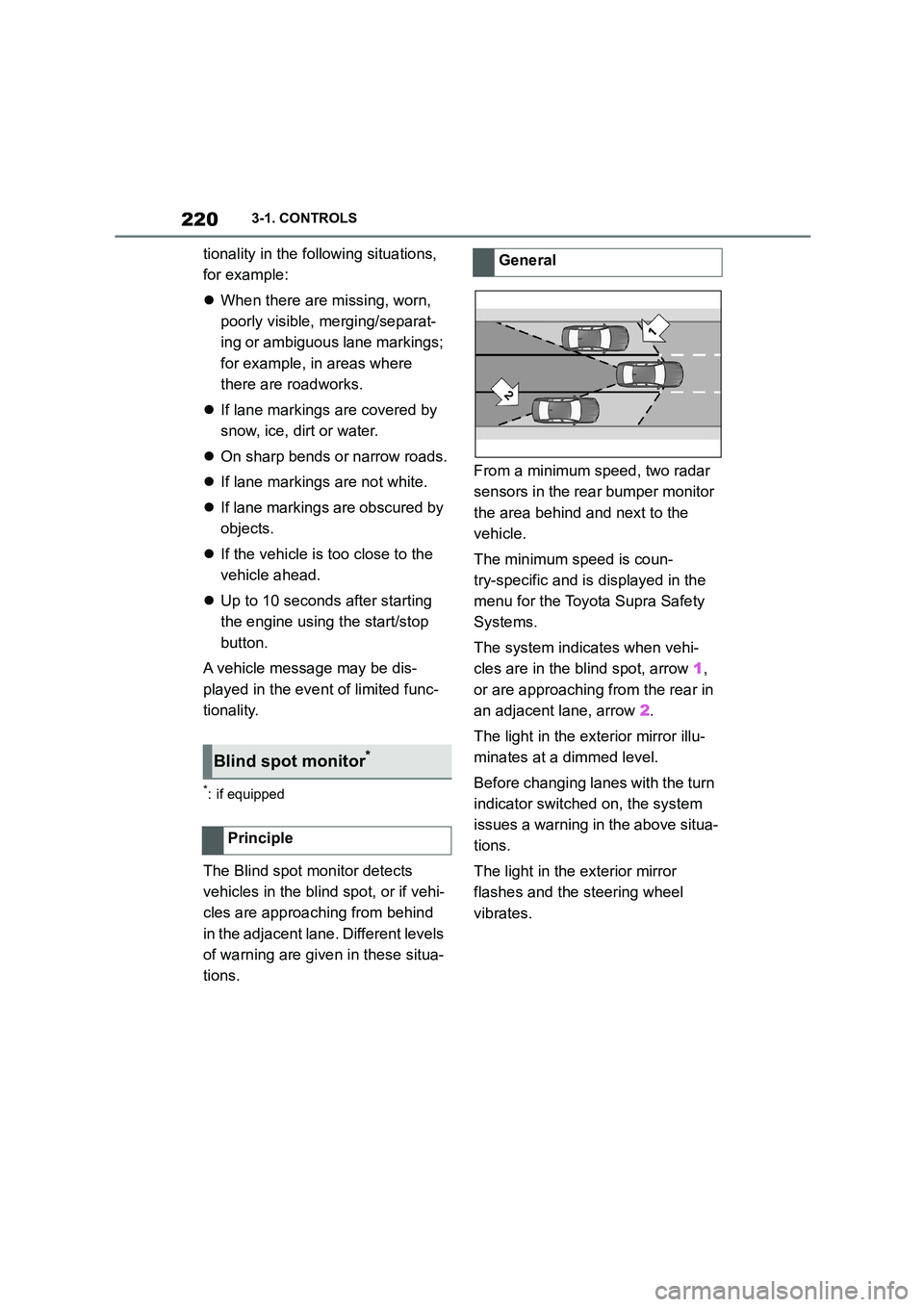
The system indicates when vehi-
cles are in the blind spot, arrow 1,
or are approaching from the rear in
an adjacent lane, arrow 2.
The light in the ex terior mirror illu-
minates at a dimmed level.
Before changing lanes with the turn
indicator switched on, the system
issues a warning in the above situa-
tions.
The light in the exterior mirror
flashes and the steering wheel
vibrates.
Blind spot monitor*
Principle
General
Page 224 of 498
2223-1. CONTROLS
The setting switches between the
following:
"ALL ON": all Toyota Supra Safety
Systems are switched on. Basic
settings are activated for the
sub-functions.
"Customise": the Toyota Supra
Safety Systems are switched on
according to the individual settings.
Some Toyota Supra Safety Sys-
tems cannot be switched off individ-
ually.
All Toyota Supra Safety Systems
are switched off.
Via Toyota Supra Command:
1 "My Vehicle"
2 "Vehicle settings"
3 "Toyota Supra Safety"
4 "Blind spot monitor"
5 Select the desired setting.
"Off": no warning is output for this set- ting.
Via Toyota Supra Command:
1 "My Vehicle"
2 "Vehicle settings"
3 "Steering wheel vibration"
4 Select the desired setting.
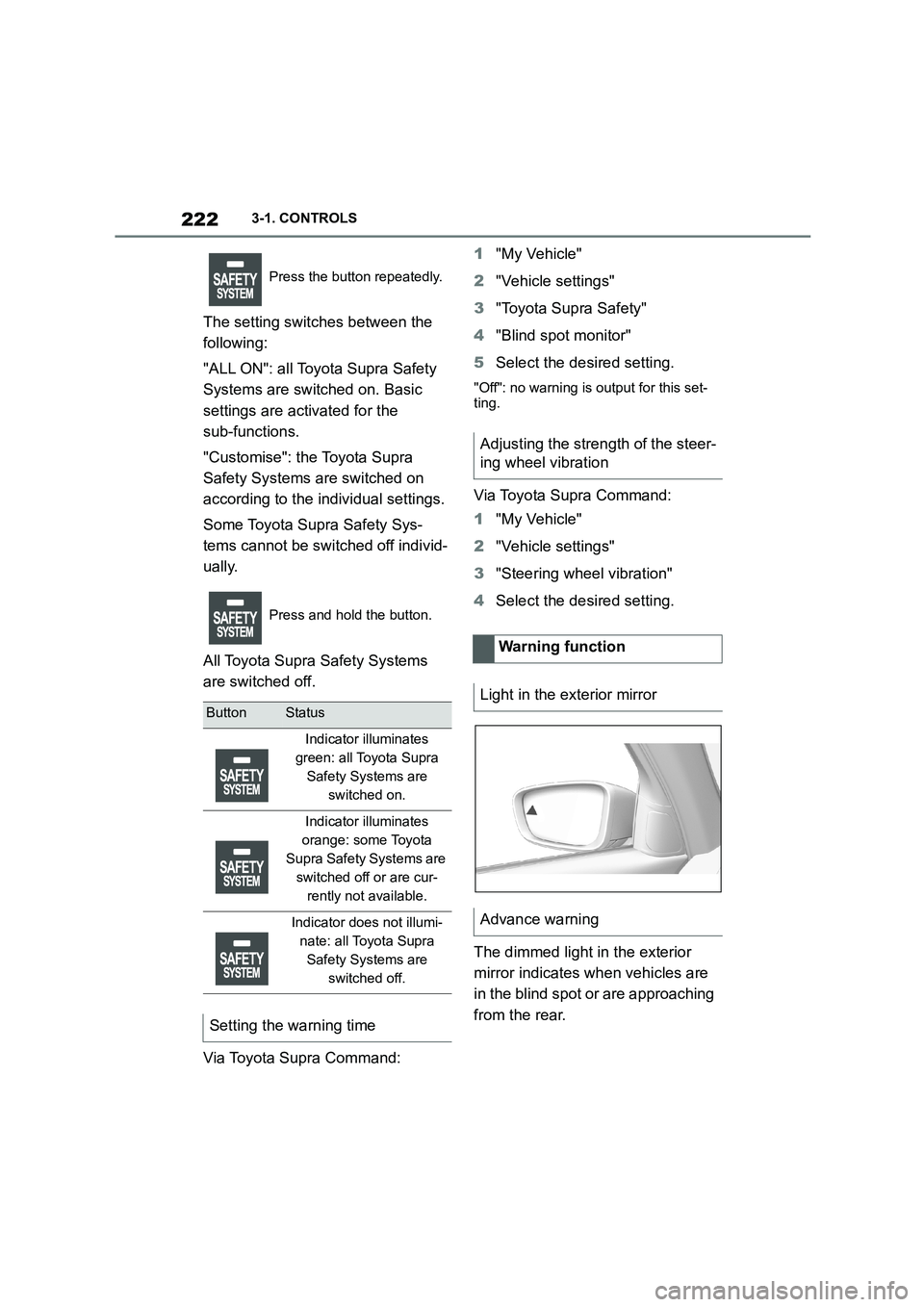
The dimmed light in the exterior
mirror indicates when vehicles are
in the blind spot or are approaching
from the rear.
Press the button repeatedly.
Press and hold the button.
ButtonStatus
Indicator illuminates
green: all Toyota Supra
Safety Systems are
switched on.
Indicator illuminates
orange: some Toyota
Supra Safety Systems are
switched off or are cur-
rently not available.
Indicator does not illumi-
nate: all Toyota Supra
Safety Systems are
switched off.
Setting the warning time
Adjusting the strength of the steer-
ing wheel vibration
Warning function
Light in the exterior mirror
Advance warning
Page 225 of 498
223
3
3-1. CONTROLS
CONTROLS
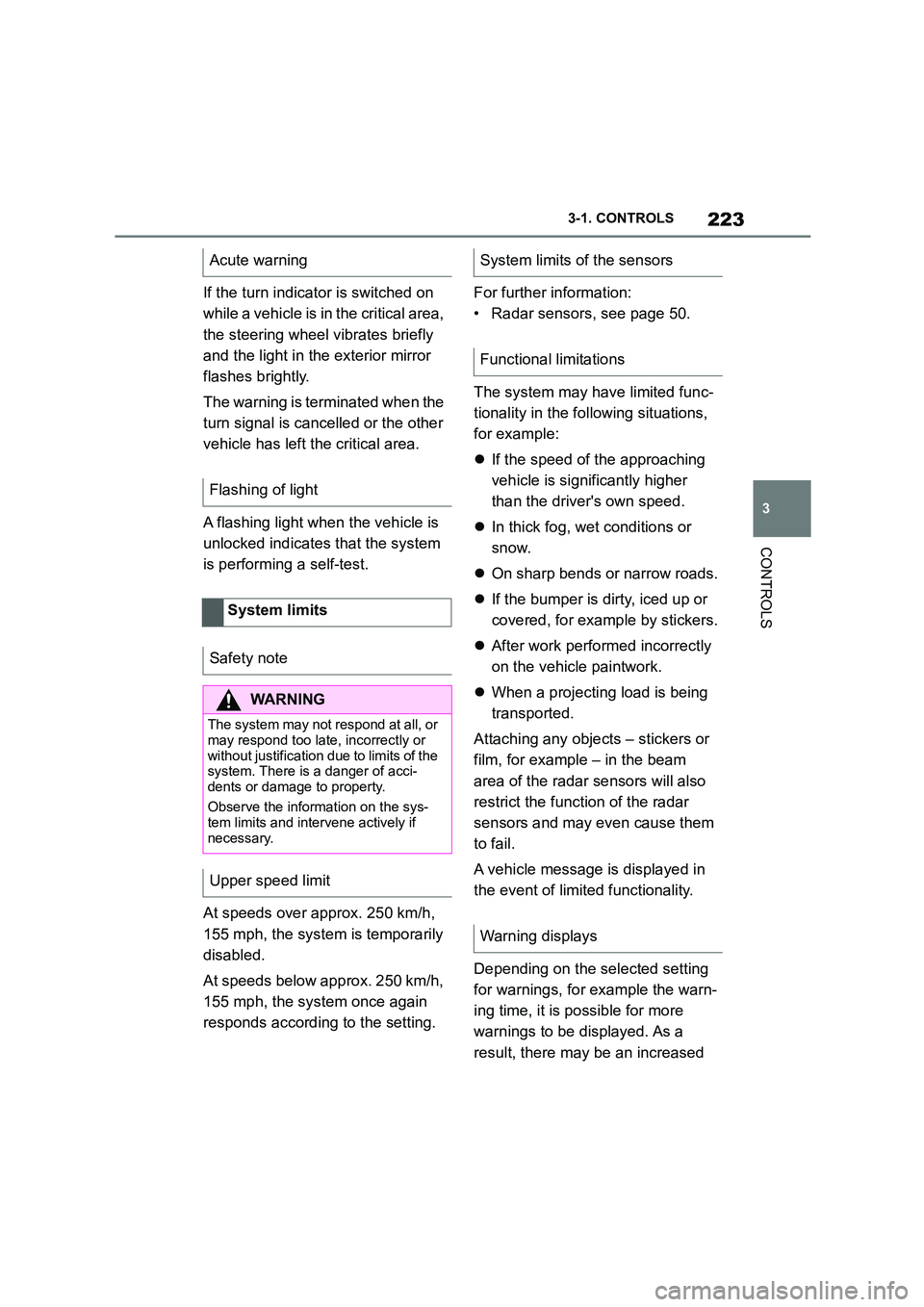
If the turn indicator is switched on
while a vehicle is in the critical area,
the steering wheel vibrates briefly
and the light in the exterior mirror
flashes brightly.
The warning is terminated when the
turn signal is cancelled or the other
vehicle has left the critical area.
A flashing light when the vehicle is
unlocked indicates that the system
is performing a self-test.
At speeds over approx. 250 km/h,
155 mph, the system is temporarily
disabled.
At speeds below approx. 250 km/h,
155 mph, the system once again
responds according to the setting.
For further information:
• Radar sensors, see page 50.
The system may have limited func-
tionality in the following situations,
for example:
If the speed of the approaching
vehicle is significantly higher
than the driver's own speed.
In thick fog, wet conditions or
snow.
On sharp bends or narrow roads.
If the bumper is dirty, iced up or
covered, for example by stickers.
After work performed incorrectly
on the vehicle paintwork.
When a projecting load is being
transported.
Attaching any objects – stickers or
film, for example – in the beam
area of the radar sensors will also
restrict the function of the radar
sensors and may even cause them
to fail.
A vehicle message is displayed in
the event of limited functionality.
Depending on the selected setting
for warnings, for example the warn-
ing time, it is po ssible for more
warnings to be displayed. As a
result, there may be an increased
Acute warning
Flashing of light
System limits
Safety note
WA R N I N G
The system may not re spond at all, or
may respond too late, incorrectly or
without justification due to limits of the system. There is a danger of acci-
dents or damage to property.
Observe the information on the sys- tem limits and intervene actively if
necessary.
Upper speed limit
System limits of the sensors
Functional limitations
Warning displays
Page 260 of 498
2583-1. CONTROLS
2"Vehicle settings"
3 "Parking"
4 "Cross-traffic alert"
5 "Cross-traffic alert"
If the system was activated on the
Control Display, it is switched on
automatically as soon as Parking
Sensors or Panorama View is
active and a gear is engaged.
The system is switched on at the
rear when reverse gear is engaged.
The system switches off automati-
cally in the following situations:
If walking speed is exceeded.
When a certain distance is
exceeded.
During active parking with the
Park Assistant.
The Control Display shows the cor-
responding display, an acoustic sig-
nal may sound and the light in the
exterior mirror flashes.
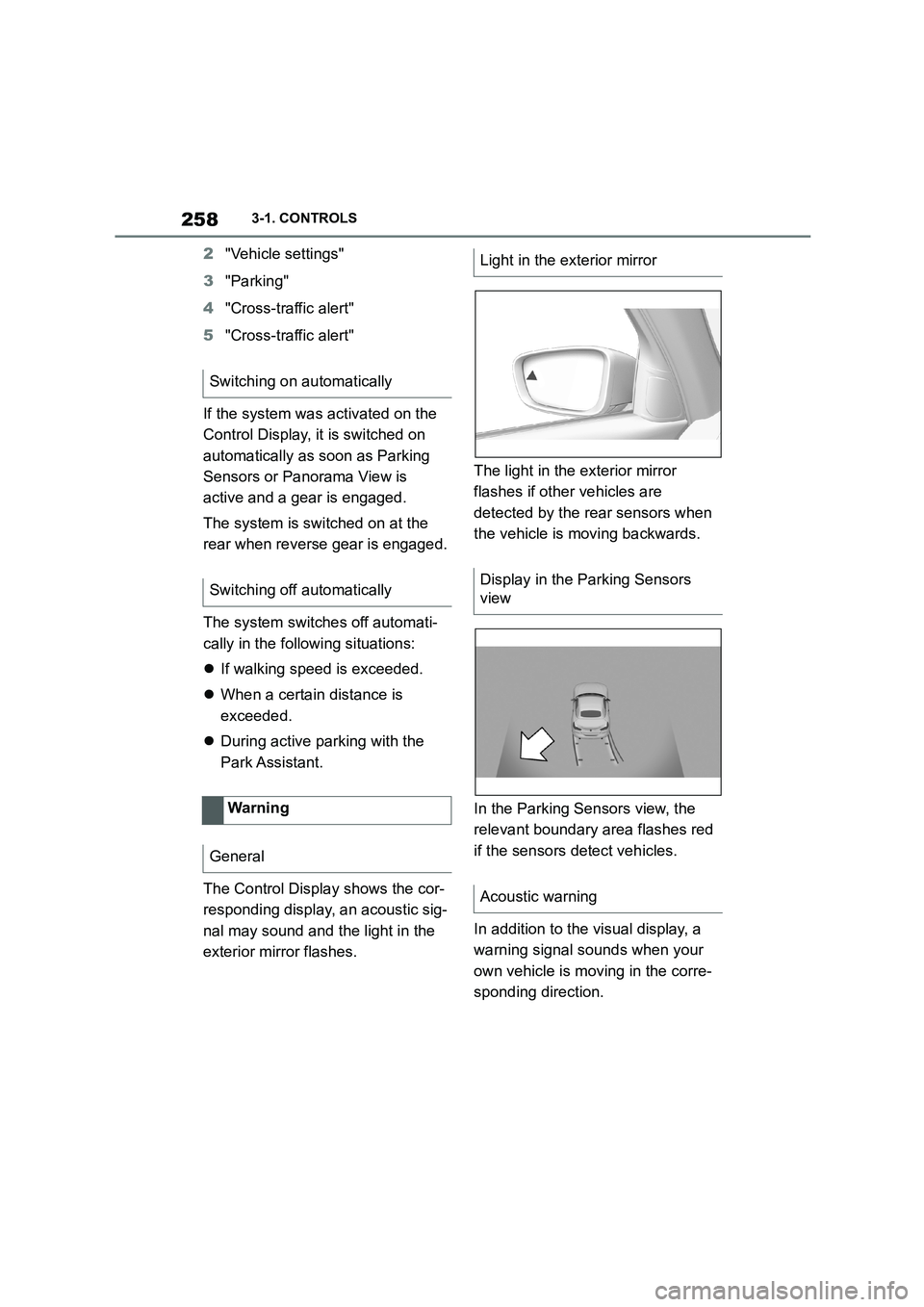
The light in the exterior mirror
flashes if other vehicles are
detected by the rear sensors when
the vehicle is moving backwards.
In the Parking Sensors view, the
relevant boundary area flashes red
if the sensors detect vehicles.
In addition to the visual display, a
warning signal sounds when your
own vehicle is moving in the corre-
sponding direction.
Switching on automatically
Switching off automatically
Warning
General
Light in the exterior mirror
Display in the Parking Sensors
view
Acoustic warning