height TOYOTA SUPRA 2022 Owners Manual
[x] Cancel search | Manufacturer: TOYOTA, Model Year: 2022, Model line: SUPRA, Model: TOYOTA SUPRA 2022Pages: 498, PDF Size: 104.06 MB
Page 34 of 498
322-1. QUICK REFERENCE
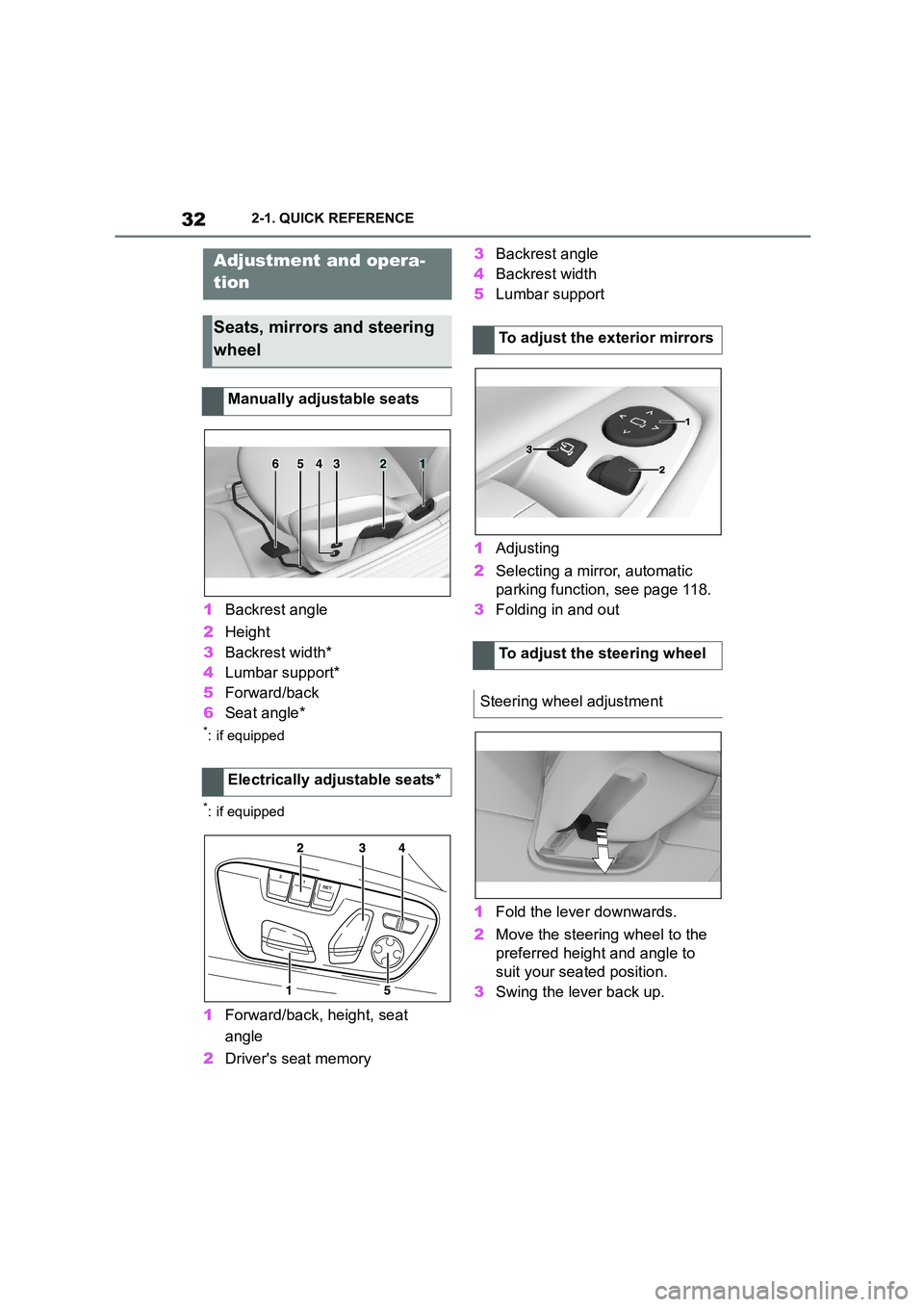
1Backrest angle
2 Height
3 Backrest width*
4 Lumbar support*
5 Forward/back
6 Seat angle*
*: if equipped
*: if equipped
1Forward/back, height, seat
angle
2 Driver's seat memory
3 Backrest angle
4 Backrest width
5 Lumbar support
1 Adjusting
2 Selecting a mirror, automatic
parking function, see page 118.
3 Folding in and out
1 Fold the lever downwards.
2 Move the steering wheel to the
preferred height and angle to
suit your seated position.
3 Swing the lever back up.
Adjustment and opera-
tion
Seats, mirrors and steering
wheel
Manually adjustable seats
Electrically adjustable seats*
654321
To adjust the exterior mirrors
To adjust the steering wheel
Steering wheel adjustment
Page 35 of 498
33
2
2-1. QUICK REFERENCE
QUICK REFERENCE
The memory function enables the
following settings to be stored and
retrieved when required:
• Seat position.
• Exterior mirror position.
• Height of the Head-Up Display.
1 Set the desired position.
2 Press the button on the
driver's seat. The lettering in the
button is illuminated.
3 Press the desired button 1 or 2
at the driver's seat while the let-
tering is illuminated. A signal
sounds.
Press the desired button 1 or 2.
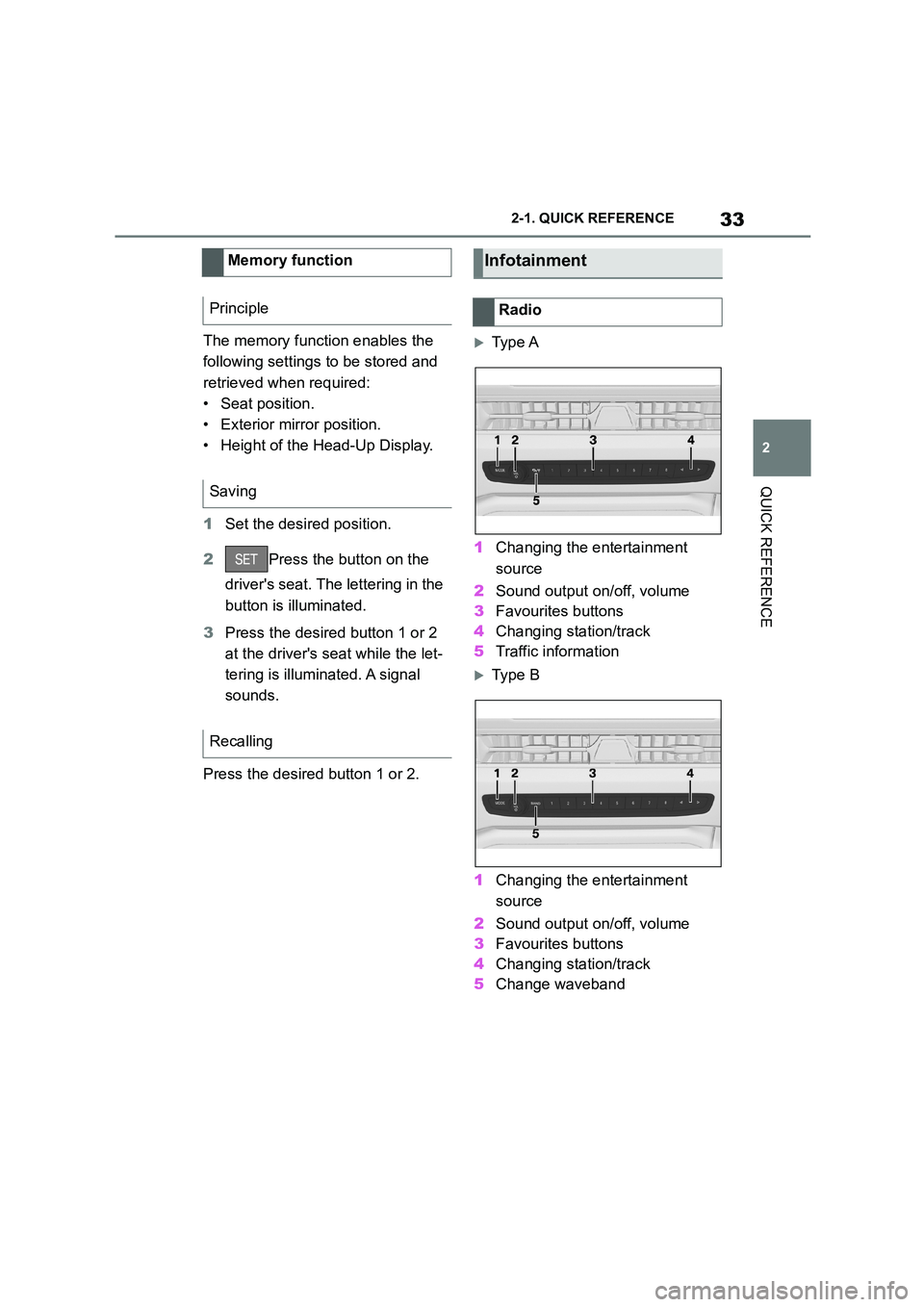
Ty p e A
1 Changing the entertainment
source
2 Sound output on/off, volume
3 Favourites buttons
4 Changing station/track
5 Traffic information
Ty p e B
1 Changing the entertainment
source
2 Sound output on/off, volume
3 Favourites buttons
4 Changing station/track
5 Change waveband
Memory function
Principle
Saving
Recalling
Infotainment
Radio
Page 106 of 498
1043-1. CONTROLS
net or boot lid are not closed cor-
rectly. Correctly closed access
points are secured.
If the open access points are then
closed, the interior protection and tilt
alarm sensor are switched on.
• The indicator lamp extinguishes
after the vehicle has been
unlocked: No attempt has been
made to tamper with the vehicle.
• The indicator lamp flashes after
unlocking until the drive-ready
state is switched on, but for no
longer than approximately 5 min-
utes: The alarm has been trig-
gered.
The incline of the vehicle is moni-
tored.
The alarm system responds, for
example, when there is an attempt
to steal a wheel or when towing
away.
The passenger compartment is
monitored to the height of the seat
cushions. Therefore the alarm sys-
tem, including the interior move-
ment detector, is switched on even
when the window is open. Falling
objects such as leaves can acci-
dentally trigger the alarm.
The tilt alarm sensor and the inte-
rior movement detector may trigger
an alarm without any unauthorised
activity taking place.
Possible situations for an unwanted
alarm:
• In washing bays or car washes.
• In two-level garages.
• During transport via motorail, car
ferry or trailer.
• When there are pets in the vehi-
cle.
• When the vehicle is locked after
starting to refuel.
The tilt alarm sensor and interior
protection can be switched off for
such situations.
The indicator lamp illuminates for
approximately 2 seconds and then
flashes again.
The tilt alarm sensor and the inte-
rior movement detector are
switched off until the next time the
vehicle is locked.
• Unlock the vehicle with the
Tilt alarm sensor
Interior move ment detector
Avoiding false alarms
General
Switching off the tilt alarm sensor
and interior movement detector
Within 10 seconds of locking
the vehicle, press the button
on the remote control.
Stopping the alarm
Page 110 of 498
1083-1. CONTROLS
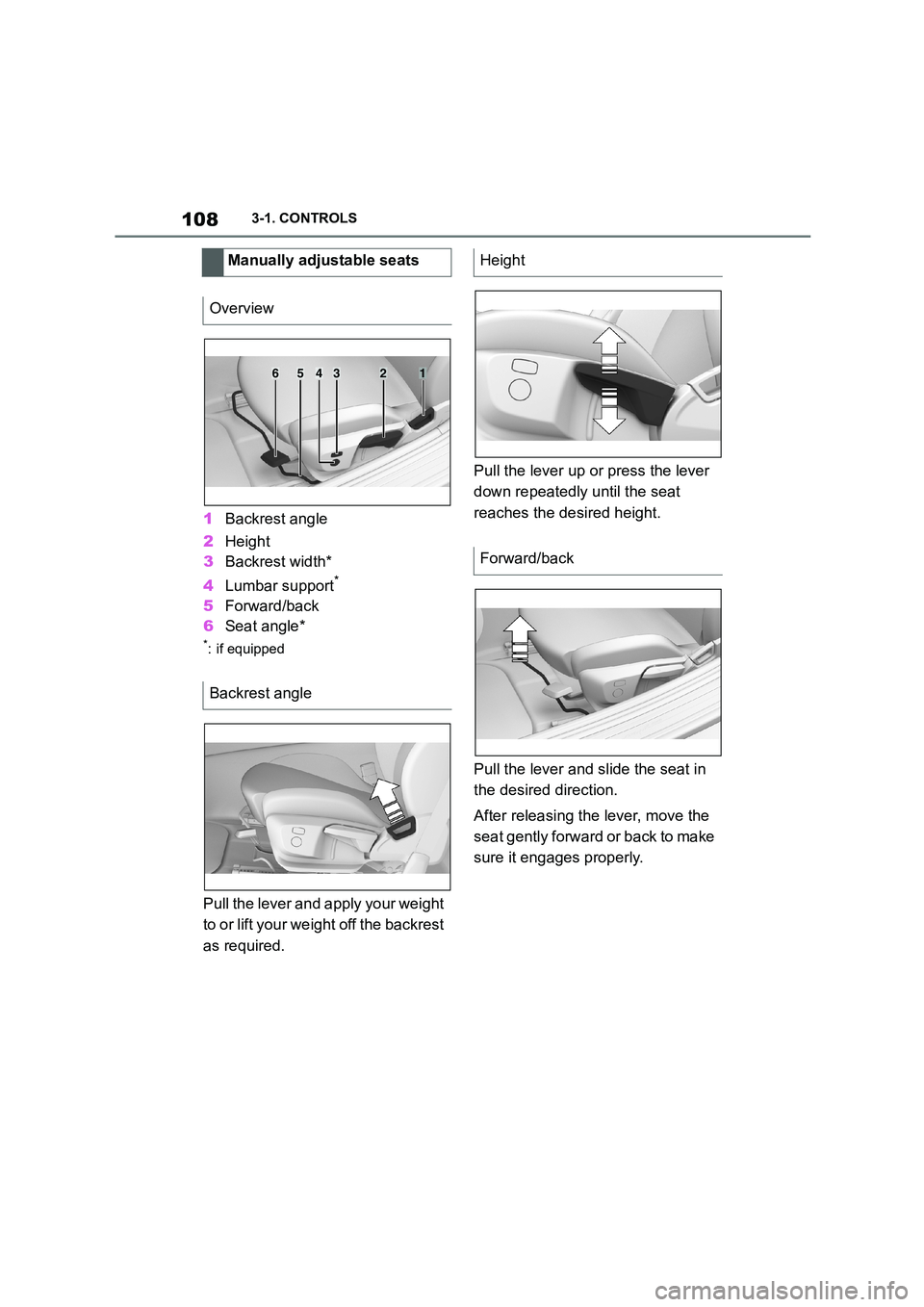
1Backrest angle
2 Height
3 Backrest width*
4 Lumbar support*
5Forward/back
6 Seat angle*
*: if equipped
Pull the lever and apply your weight
to or lift your weight off the backrest
as required.
Pull the lever up or press the lever
down repeatedly until the seat
reaches the desired height.
Pull the lever and slide the seat in
the desired direction.
After releasing the lever, move the
seat gently forward or back to make
sure it engages properly.
Manually adjustable seats
Overview
Backrest angle
654321
Height
Forward/back
Page 111 of 498
109
3
3-1. CONTROLS
CONTROLS
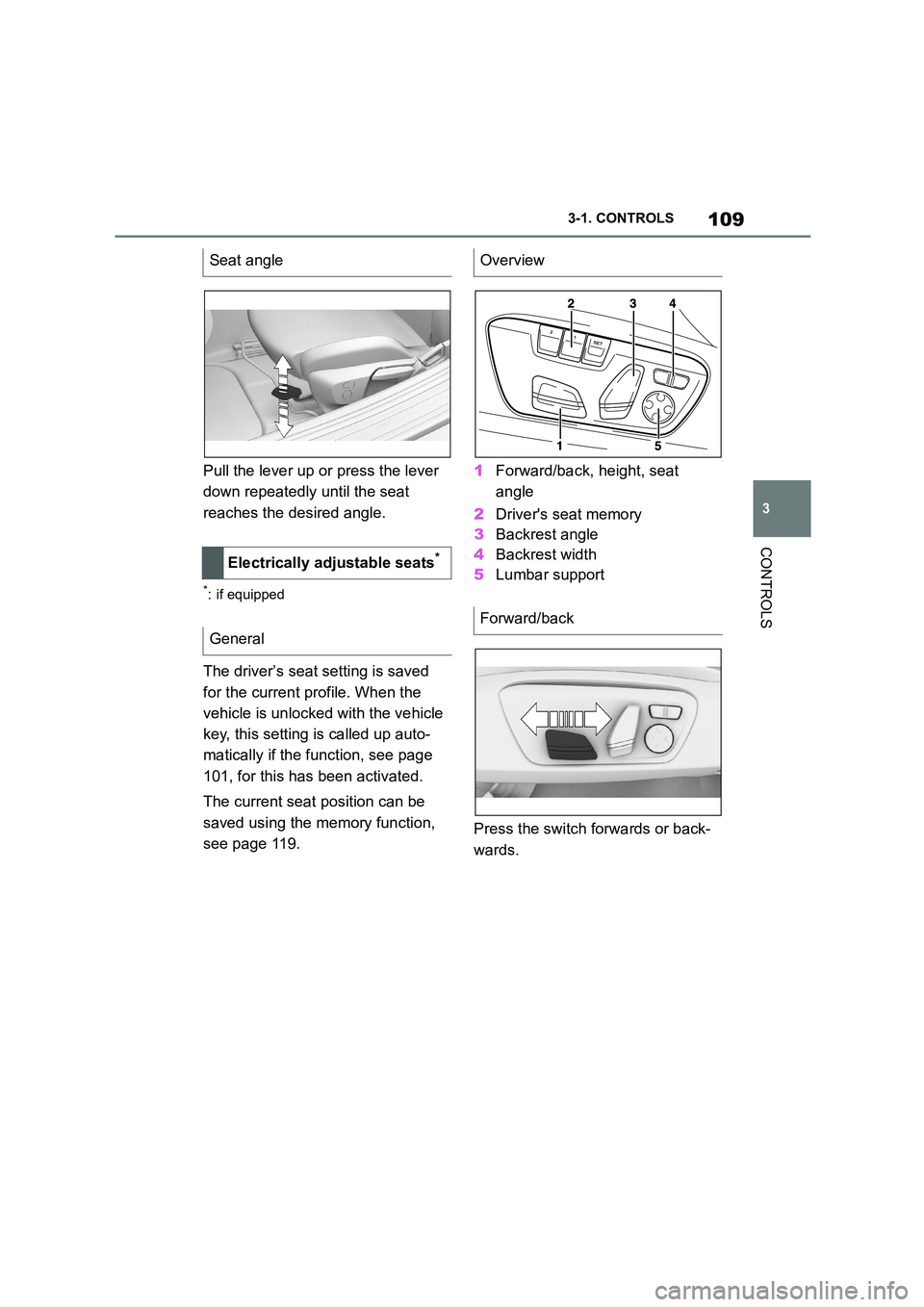
Pull the lever up or press the lever
down repeatedly until the seat
reaches the desired angle.
*: if equipped
The driver’s seat setting is saved
for the current profile. When the
vehicle is unlocked with the vehicle
key, this setting is called up auto-
matically if the f unction, see page
101, for this has been activated.
The current seat position can be
saved using the memory function,
see page 119.
1 Forward/back, height, seat
angle
2 Driver's seat memory
3 Backrest angle
4 Backrest width
5 Lumbar support
Press the switch forwards or back-
wards.
Seat angle
Electrically adjustable seats*
General
Overview
Forward/back
Page 112 of 498
1103-1. CONTROLS
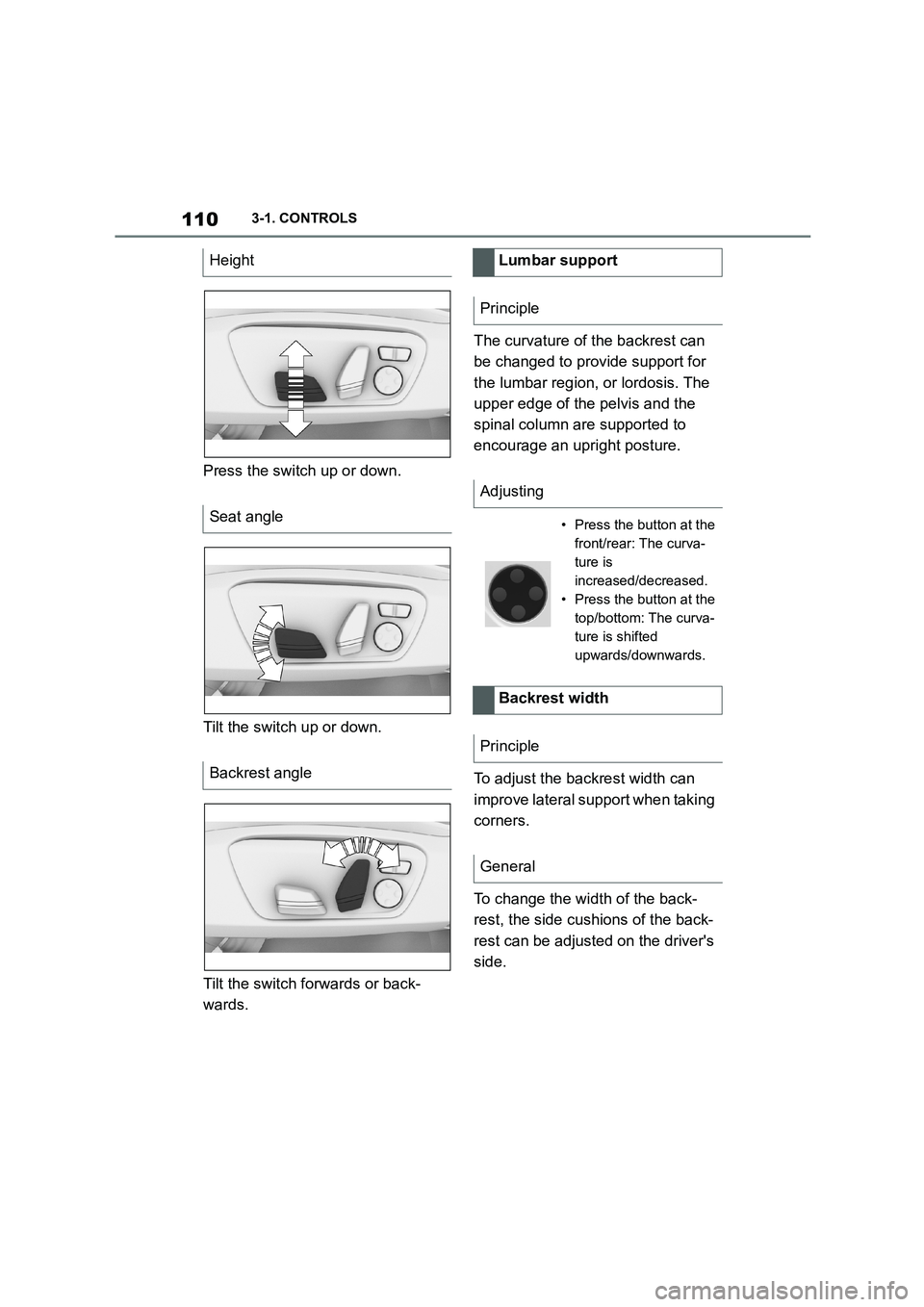
Press the switch up or down.
Tilt the switch up or down.
Tilt the switch forwards or back-
wards.
The curvature of the backrest can
be changed to provide support for
the lumbar region, or lordosis. The
upper edge of the pelvis and the
spinal column are supported to
encourage an upright posture.
To adjust the backrest width can
improve lateral support when taking
corners.
To change the width of the back-
rest, the side cushions of the back-
rest can be adjusted on the driver's
side.
Height
Seat angle
Backrest angle
Lumbar support
Principle
Adjusting
• Press the button at the
front/rear: The curva-
ture is
increased/decreased.
• Press the button at the
top/bottom: The curva-
ture is shifted
upwards/downwards.
Backrest width
Principle
General
Page 116 of 498
1143-1. CONTROLS
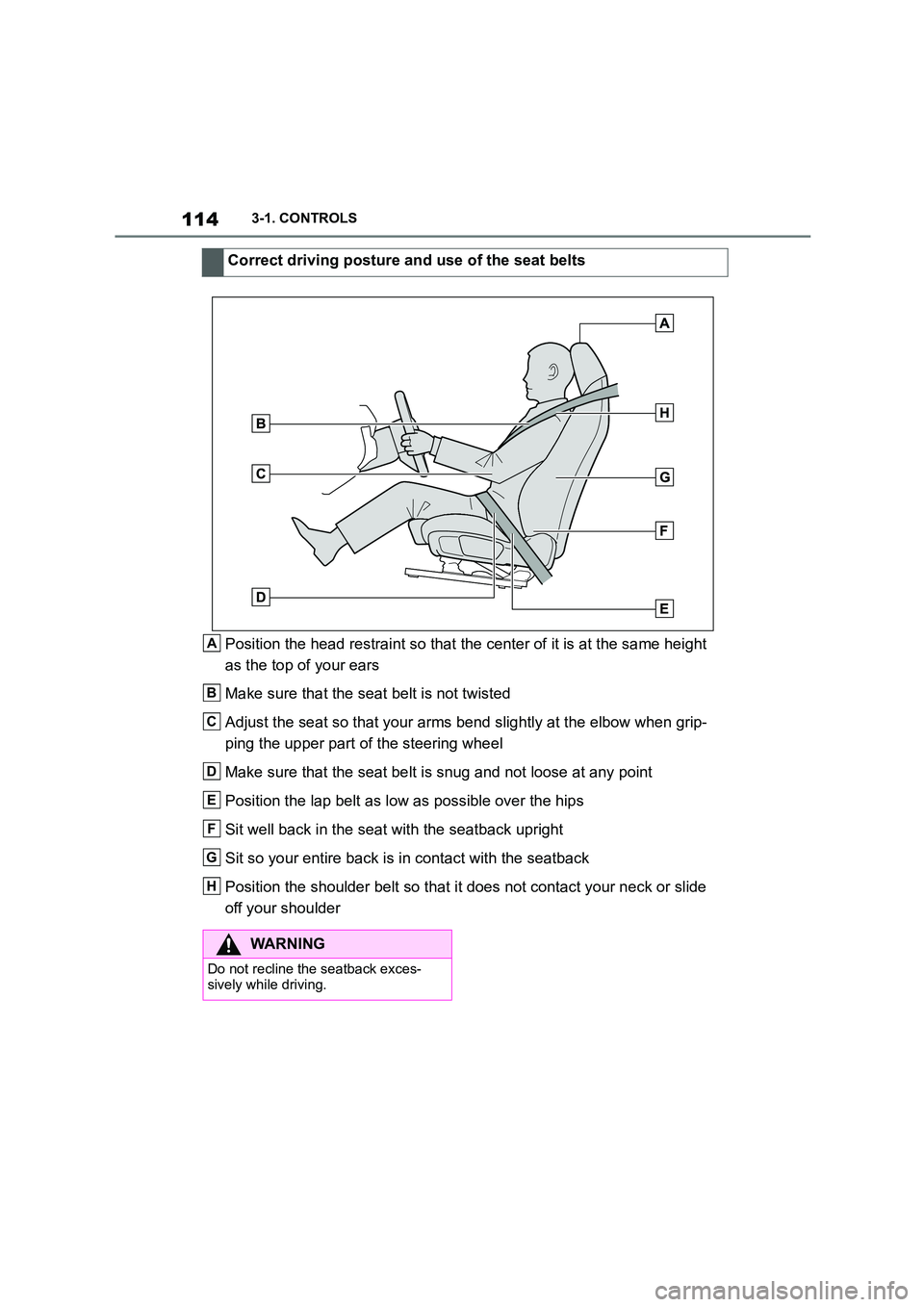
Position the head restraint so that the center of it is at the same height
as the top of your ears
Make sure that the seat belt is not twisted
Adjust the seat so that your arms bend slightly at the elbow when grip-
ping the upper part of the steering wheel
Make sure that the seat belt is snug and not loose at any point
Position the lap belt as low as possible over the hips
Sit well back in the seat with the seatback upright
Sit so your entire back is in contact with the seatback
Position the shoulder belt so that it does not contact your neck or slide
off your shoulder
Correct driving posture and use of the seat belts
A
B
C
D
E
F
G
H
WA R N I N G
Do not recline the seatback exces-
sively while driving.
Page 119 of 498
117
3
3-1. CONTROLS
CONTROLS
The head restraints are integrated
into the seatback and cannot be
adjusted.
The distance from the back of the
head is set via the backrest angle.
Adjust the distance so that the head
restraint is as close as possible to
the back of the head.
The head restraints cannot be
removed.
The mirror setting is saved for the
current driver profile. When the
vehicle is unlocked with the vehicle
key, this setting is called up auto-
matically if the f unction, see page
76, for this has been activated.
The current exterior mirror position
can be saved with the memory
function, see page 119.
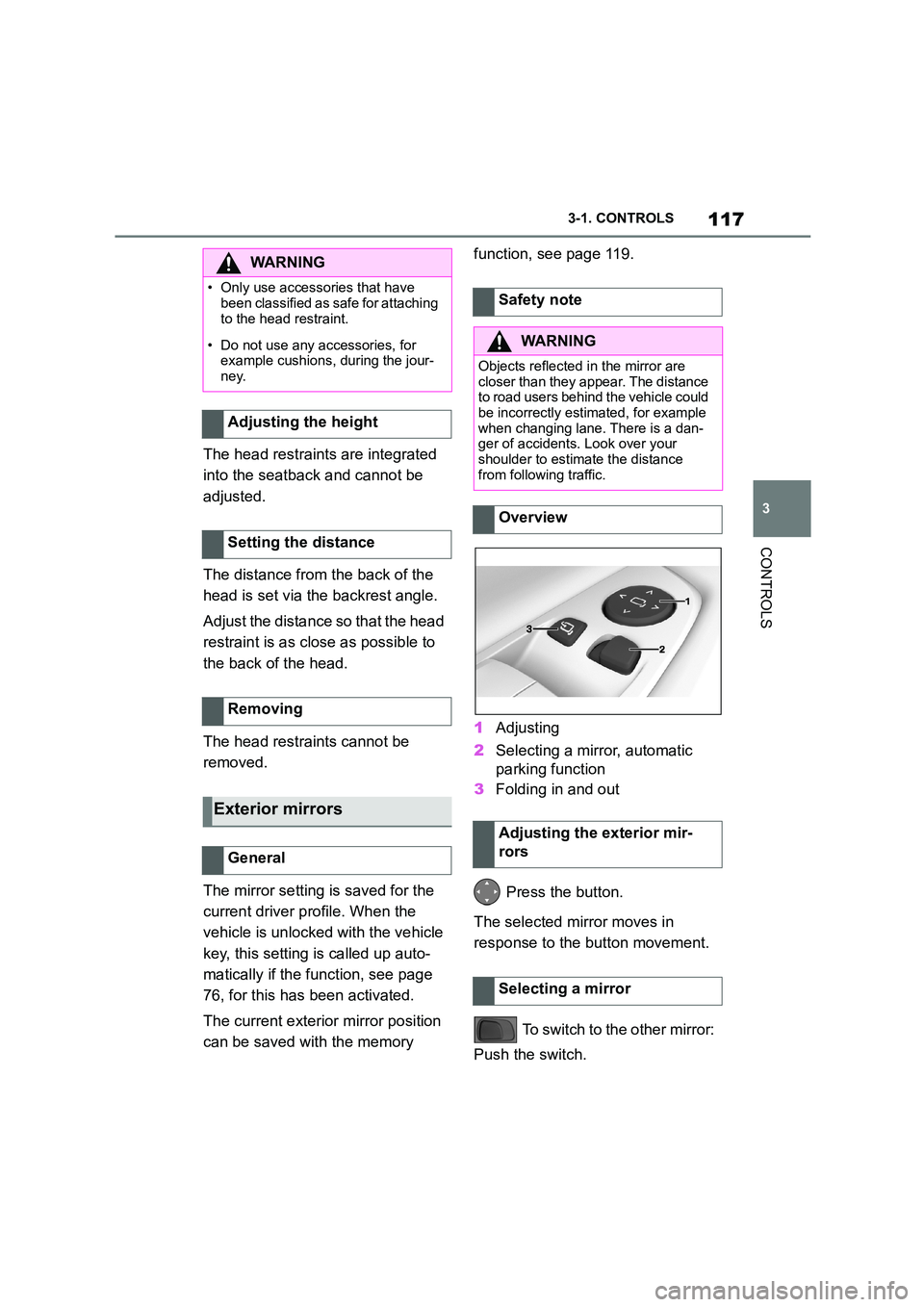
1 Adjusting
2 Selecting a mirror, automatic
parking function
3 Folding in and out
Press the button.
The selected mirror moves in
response to the button movement.
To switch to the other mirror:
Push the switch.
WA R N I N G
• Only use accessories that have
been classified as safe for attaching
to the head restraint.
• Do not use any accessories, for
example cushions, during the jour- ney.
Adjusting the height
Setting the distance
Removing
Exterior mirrors
General
Safety note
WA R N I N G
Objects reflected in the mirror are
closer than they appear. The distance to road users behind the vehicle could
be incorrectly estimated, for example
when changing lane. There is a dan-
ger of accidents. Look over your shoulder to estimate the distance
from following traffic.
Overview
Adjusting the exterior mir-
rors
Selecting a mirror
Page 121 of 498
119
3
3-1. CONTROLS
CONTROLS
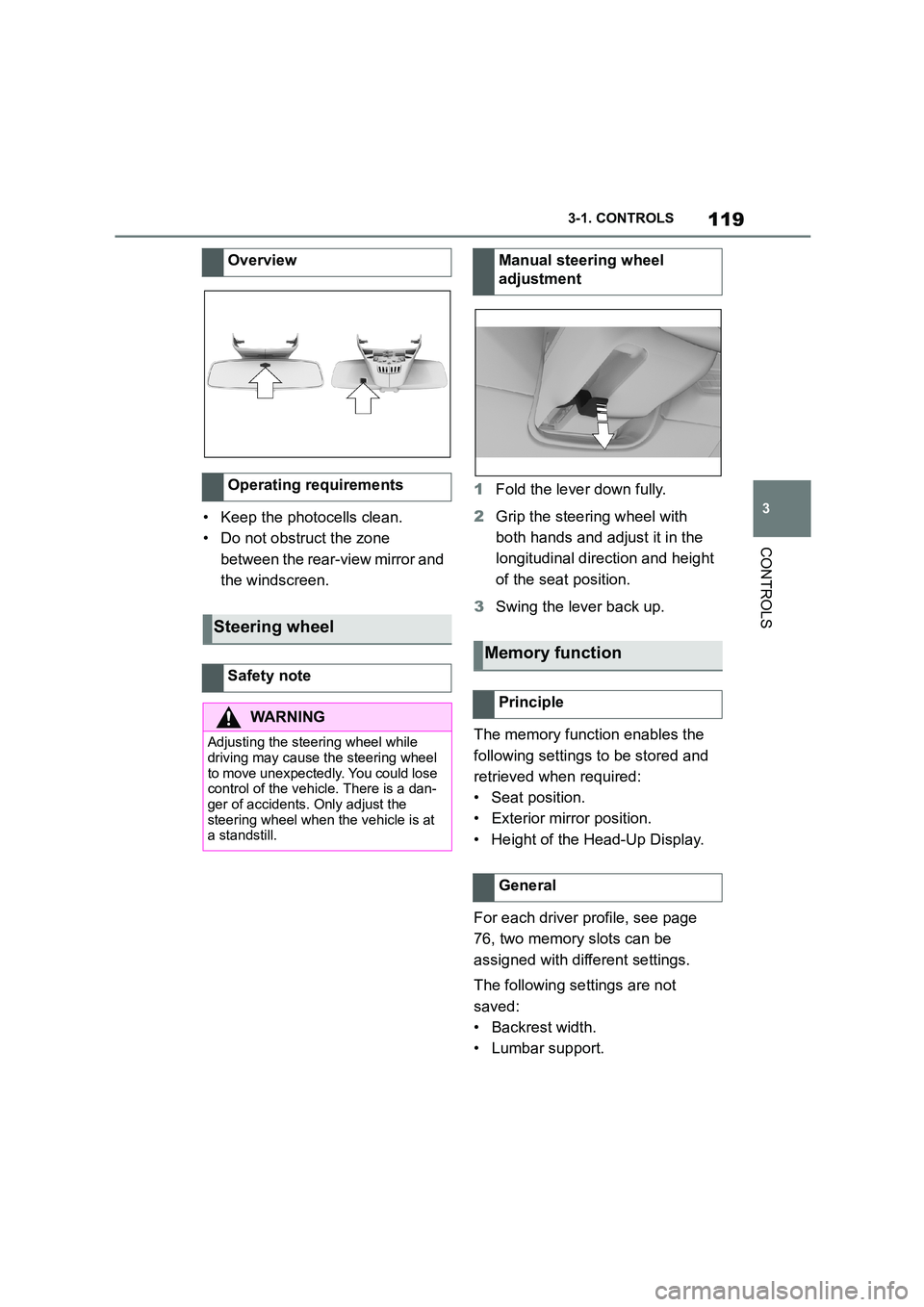
• Keep the photocells clean.
• Do not obstruct the zone
between the rear-view mirror and
the windscreen.
1 Fold the lever down fully.
2 Grip the steering wheel with
both hands and adjust it in the
longitudinal direction and height
of the seat position.
3 Swing the lever back up.
The memory function enables the
following settings to be stored and
retrieved when required:
• Seat position.
• Exterior mirror position.
• Height of the Head-Up Display.
For each driver profile, see page
76, two memory slots can be
assigned with different settings.
The following settings are not
saved:
• Backrest width.
• Lumbar support.
Overview
Operating requirements
Steering wheel
Safety note
WA R N I N G
Adjusting the steering wheel while
driving may cause the steering wheel
to move unexpectedly. You could lose control of the vehicle. There is a dan-
ger of accidents. Only adjust the
steering wheel when the vehicle is at a standstill.
Manual steering wheel
adjustment
Memory function
Principle
General
Page 124 of 498
1223-1. CONTROLS
WA R N I N G
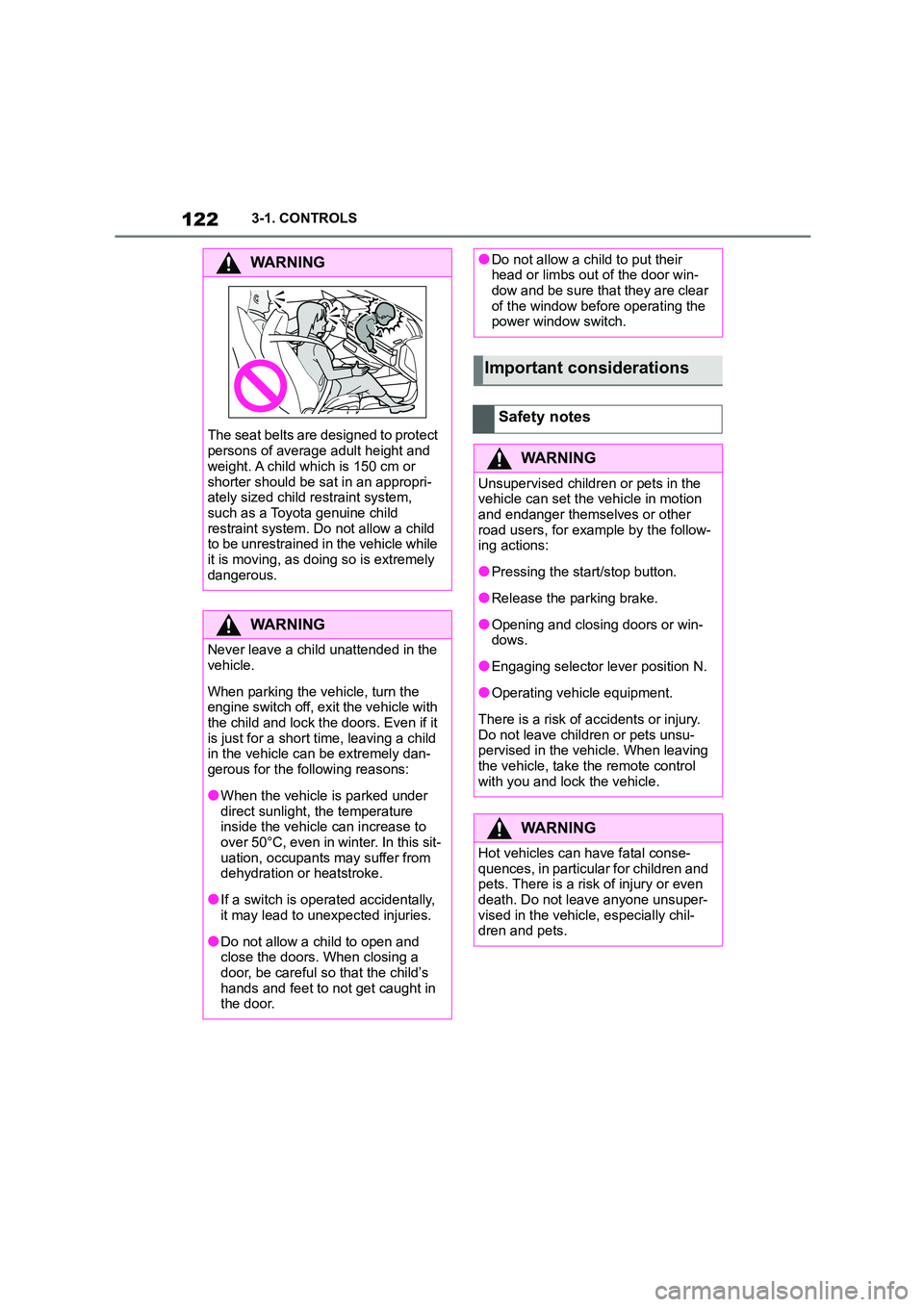
The seat belts are designed to protect
persons of average adult height and
weight. A child which is 150 cm or
shorter should be sat in an appropri- ately sized child restraint system,
such as a Toyota genuine child
restraint system. Do not allow a child to be unrestrained in the vehicle while
it is moving, as doing so is extremely
dangerous.
WA R N I N G
Never leave a child unattended in the
vehicle.
When parking the vehicle, turn the
engine switch off, exit the vehicle with
the child and lock the doors. Even if it
is just for a short time, leaving a child in the vehicle can be extremely dan-
gerous for the following reasons:
●When the vehicle is parked under
direct sunlight, the temperature
inside the vehicle can increase to over 50°C, even in winter. In this sit-
uation, occupants may suffer from
dehydration or heatstroke.
●If a switch is operated accidentally,
it may lead to unexpected injuries.
●Do not allow a child to open and
close the doors. When closing a door, be careful so that the child’s
hands and feet to not get caught in
the door.
●Do not allow a child to put their head or limbs out of the door win-
dow and be sure that they are clear
of the window before operating the power window switch.
Important considerations
Safety notes
WA R N I N G
Unsupervised children or pets in the vehicle can set the vehicle in motion
and endanger themselves or other
road users, for example by the follow- ing actions:
●Pressing the start/stop button.
●Release the parking brake.
●Opening and closing doors or win-
dows.
●Engaging selector lever position N.
●Operating vehicle equipment.
There is a risk of accidents or injury.
Do not leave children or pets unsu- pervised in the vehicle. When leaving
the vehicle, take the remote control
with you and lock the vehicle.
WA R N I N G
Hot vehicles can have fatal conse-
quences, in particular for children and
pets. There is a risk of injury or even death. Do not leave anyone unsuper-
vised in the vehicle, especially chil-
dren and pets.