display TOYOTA SUPRA 2023 Owners Manual
[x] Cancel search | Manufacturer: TOYOTA, Model Year: 2023, Model line: SUPRA, Model: TOYOTA SUPRA 2023Pages: 372, PDF Size: 6.32 MB
Page 205 of 372
2053-1. CONTROLS
3
CONTROLS
Via Toyota Supra Command:
1"My vehicle"
2 "System settings"
3 "Displays"
4 "Instrument panel"
5 Select desired setting:
"Warn when speeding": acti-
vating/deactivating the flash-
ing of the Speed Limit Info
display in the instrument clus-
ter and Head-up Display
when the currently valid
speed limit is exceeded.
"Excess speed display": the
speed limit that is detected by
the Speed Limit Info is dis-
played with a marking in the
speedometer in the instru-
ment cluster.
Additional information:
• Cameras, refer to page 42.
The system may not be fully
functional and may provide
incorrect information in the fol-
lowing situations:
When signs are fully or par-
tially concealed by objects,
stickers or paint.
When driving very close to the
vehicle in front of you.
If the speed limits or road data
stored in the navigation sys-
tem are incorrect.
If the speed limits vary with
the time of day and the day of
the week.
In areas not covered by the
navigation system.
When roads differ from the
navigation, such as due to
changes in road routing.
In case of electronic traffic
signs.
When passing buses or trucks
with traffic signs applied to
them.
If the traffic signs are
non-conforming.
When signs that are valid for
a parallel road are detected.
In the presence of coun-
try-specific signs and road
configurations.
*: if equipped
Using this system, a desired
speed can be adjusted using the
buttons on the steering wheel.
The system maintains the
desired speed. The system
accelerates and brakes auto-
Settings
System limits
System limits of the sensors
Functional limitations
Cruise control*
Concept
Page 207 of 372
2073-1. CONTROLS
3
CONTROLS
The indicator will come on.
Cruise control is active. The cur-
rent speed is maintained and
stored as desired speed.
VSC Vehicle Stability Control
System is switched on, if neces-
sary.
The displays go out. The stored
desired speed is deleted.
The system is automatically
interrupted in the following situa-
tions, for example:
When the driver applies the
brakes.
Manual transmission: the
clutch pedal is depressed for
a few seconds or released while a gear is not engaged.
Manual transmission: if the
gear engaged is too high for
the current speed.
Automatic transmission:
selector lever position D is
disengaged.
Traction mode is activated or
VSC Vehicle Stability Control
System is deactivated.
If VSC Vehicle Stability Con-
trol System intervenes.
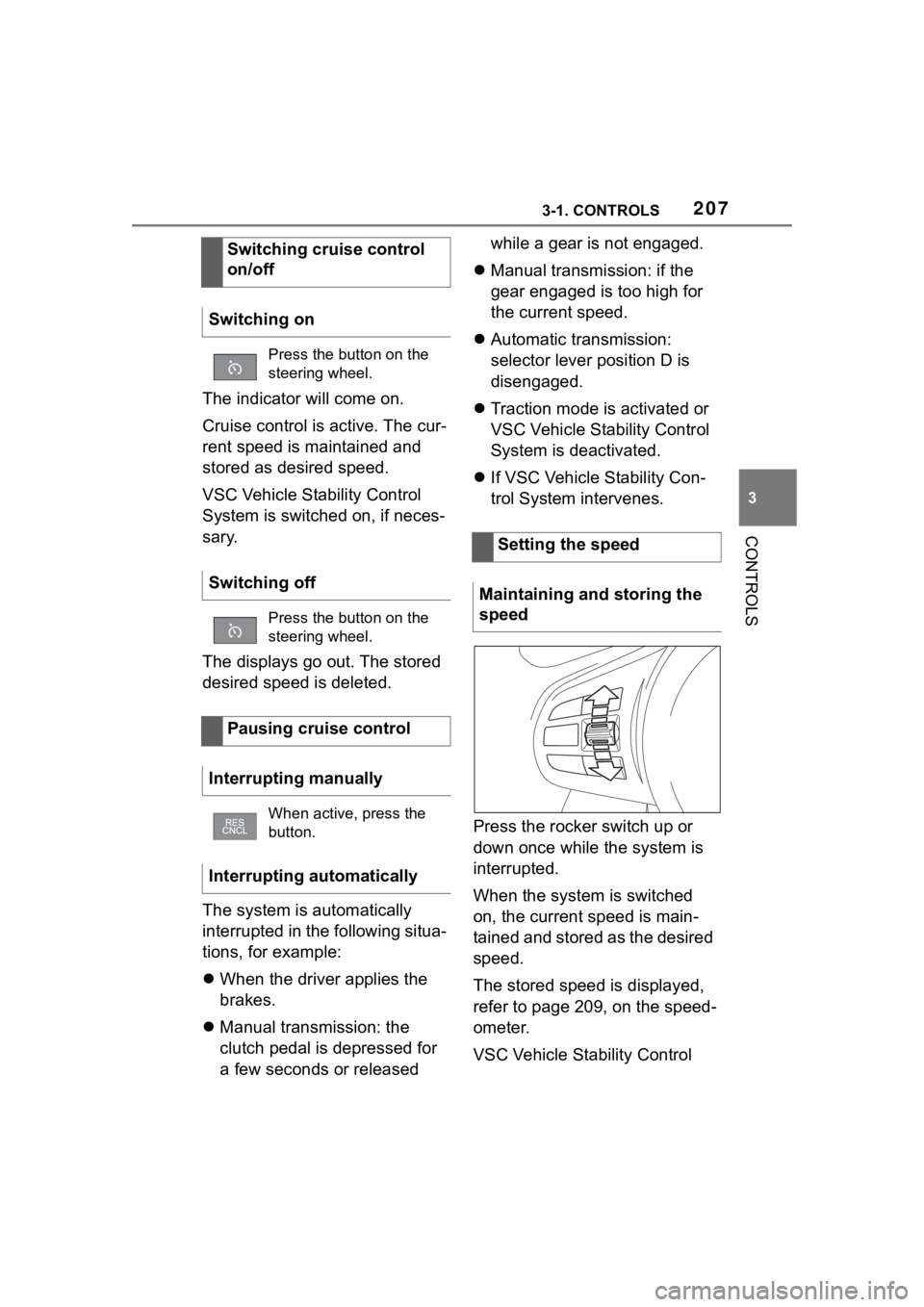
Press the rocker switch up or
down once while the system is
interrupted.
When the system is switched
on, the current speed is main-
tained and stored as the desired
speed.
The stored speed is displayed,
refer to page 209, on the speed-
ometer.
VSC Vehicle Stability Control
Switching cruise control
on/off
Switching on
Press the button on the
steering wheel.
Switching off
Press the button on the
steering wheel.
Pausing cruise control
Interrupting manually
When active, press the
button.
Interrupting automatically
Setting the speed
Maintaining and storing the
speed
Page 208 of 372
2083-1. CONTROLS
System is switched on, if neces-
sary.
The speed can also be stored
by pressing a button.
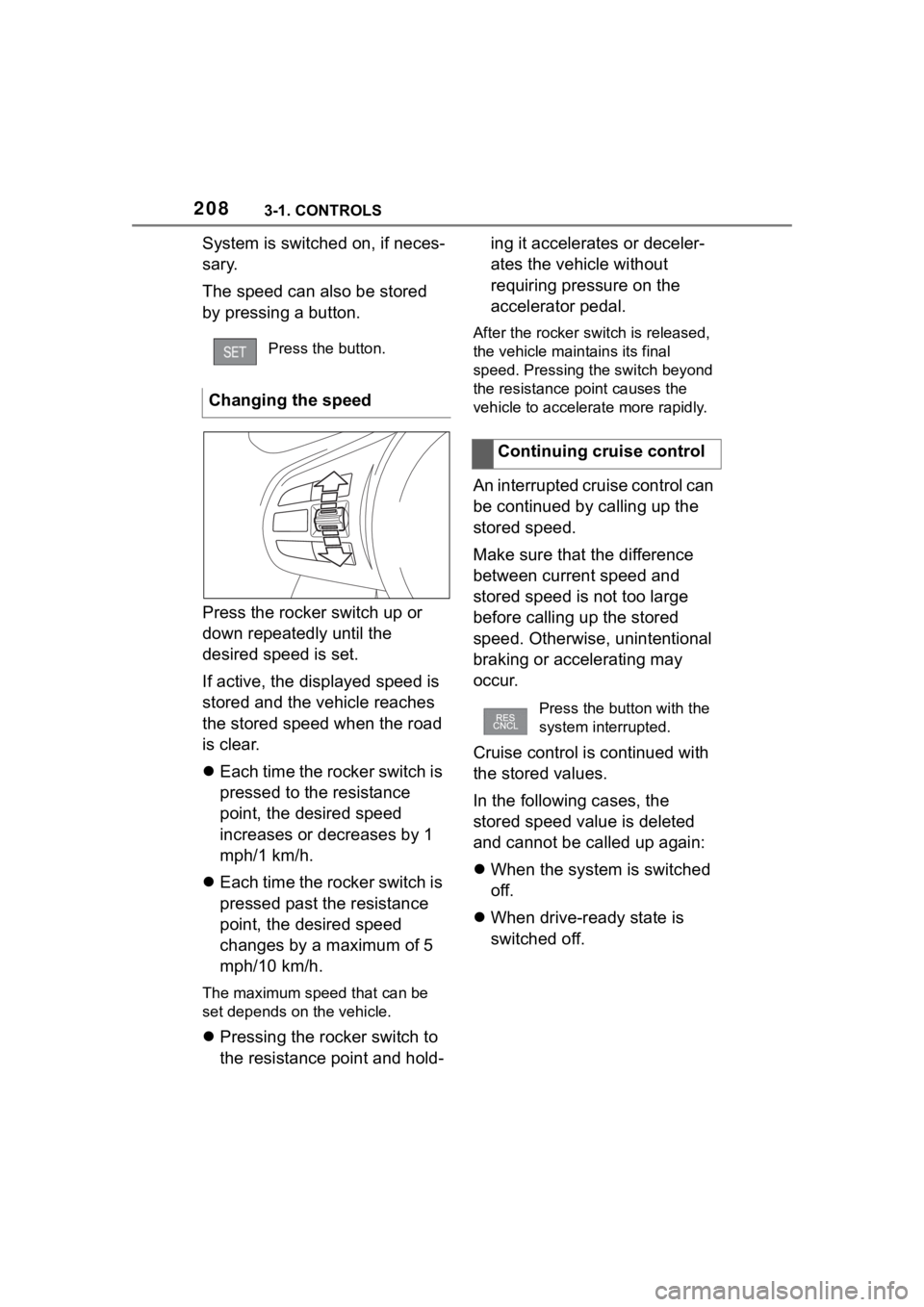
Press the rocker switch up or
down repeatedly until the
desired speed is set.
If active, the displayed speed is
stored and the vehicle reaches
the stored speed when the road
is clear.
Each time the rocker switch is
pressed to the resistance
point, the desired speed
increases or decreases by 1
mph/1 km/h.
Each time the rocker switch is
pressed past the resistance
point, the desired speed
changes by a maximum of 5
mph/10 km/h.
The maximum speed that can be
set depends on the vehicle.
Pressing the rocker switch to
the resistance point and hold- ing it accelerates or deceler-
ates the vehicle without
requiring pressure on the
accelerator pedal.
After the rocker swi
tch is released,
the vehicle main tains its final
speed. Pressing the switch beyond
the resistance point causes the
vehicle to accelerate more rapidly.
An interrupted cruise control can
be continued by calling up the
stored speed.
Make sure that the difference
between current speed and
stored speed is not too large
before calling up the stored
speed. Otherwise, unintentional
braking or accelerating may
occur.
Cruise control is continued with
the stored values.
In the following cases, the
stored speed value is deleted
and cannot be called up again:
When the system is switched
off.
When drive-ready state is
switched off.
Press the button.
Changing the speed
Continuing cruise control
Press the button with the
system interrupted.
Page 209 of 372
2093-1. CONTROLS
3
CONTROLSWith the proper equipment, the
value of the selected speed is
briefly displayed digitally.
Some system information can
also be displayed in the
Head-up Display.
The desired speed is also main-
tained downhill.
The speed may not be main-
tained on uphill grades if the
engine power is insufficient.
*: if equipped
Using this system, a desired
speed and a distance to a vehi-
cle ahead can be adjusted using
the buttons on the steering
wheel.
The system maintains the
desired speed on clear roads.
For this purpose, the vehicle
accelerates or brakes automati-
cally.
If a vehicle is driving ahead of
you, the system adjusts the
speed of your vehicle so that the
set distance to the vehicle
ahead is maintained. The speed
is adjusted as far as the given
situation allows.
Depending on the vehicle set-
tings, the characteristics of the
Cruise Control may change.
The distance can be adjusted in
several steps. For safety rea-
sons, it depends on the respec-
tive speed.
If the vehicle ahead of you
brakes to a halt, and then pro-
ceeds to drive again within a
brief period, the system is able
Displays in the instrument
cluster
Indicator light
Indicator light green:
system is active.
Gray indicator light: the
system has been inter-
rupted.
No indicator light: sys-
tem is switched off.
Status display
Displays in the Head-up
Display
The symbol is displayed
when the set desired
speed is reached.
System limits
Dynamic radar cruise
control with full-speed
range*
Concept
General information
Page 212 of 372
2123-1. CONTROLS
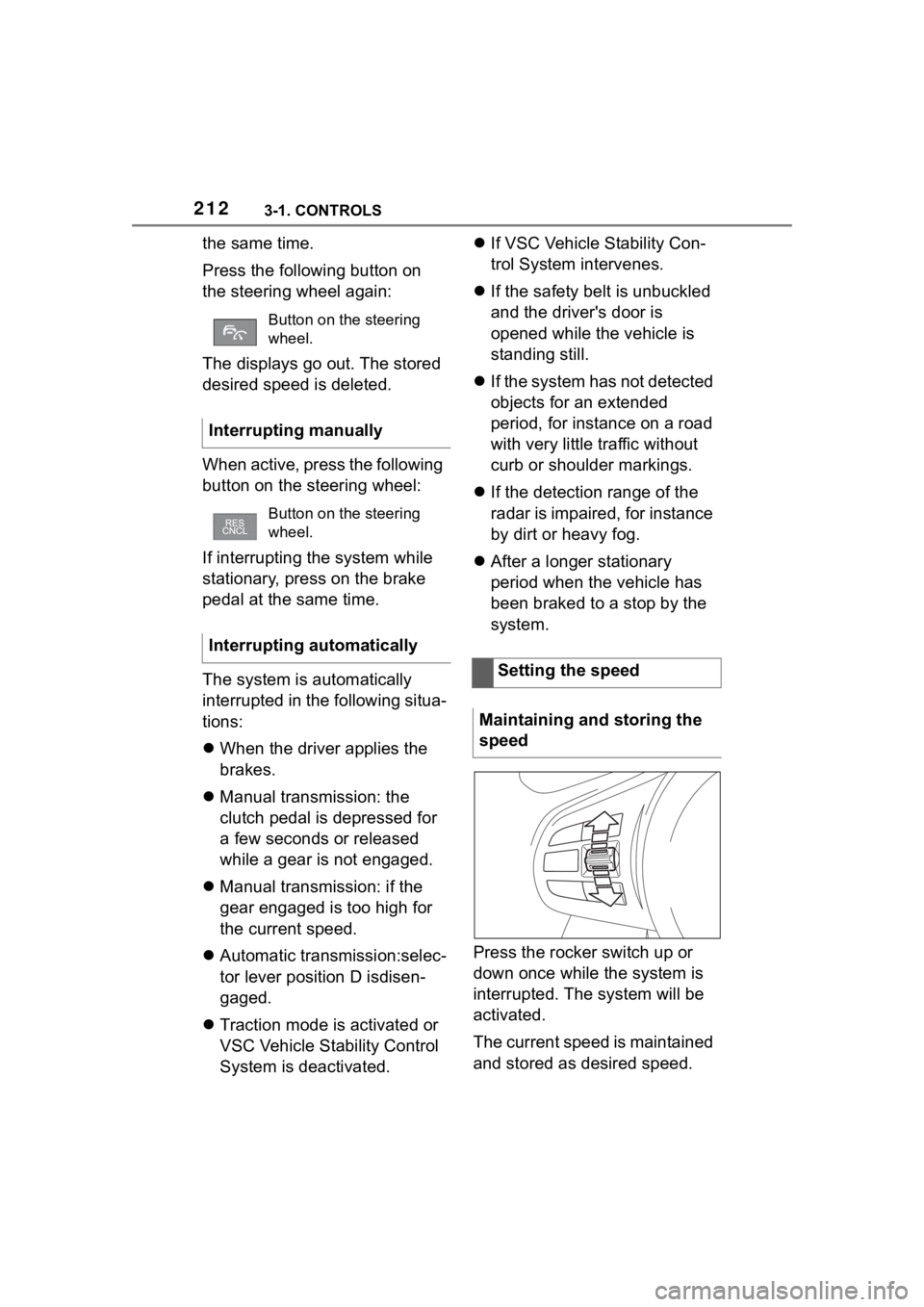
the same time.
Press the following button on
the steering wheel again:
The displays go out. The stored
desired speed is deleted.
When active, press the following
button on the steering wheel:
If interrupting the system while
stationary, press on the brake
pedal at the same time.
The system is automatically
interrupted in the following situa-
tions:
When the driver applies the
brakes.
Manual transmission: the
clutch pedal is depressed for
a few seconds or released
while a gear is not engaged.
Manual transmission: if the
gear engaged is too high for
the current speed.
Automatic transmission:selec-
tor lever position D isdisen-
gaged.
Traction mode is activated or
VSC Vehicle Stability Control
System is deactivated.
If VSC Vehicle Stability Con-
trol System intervenes.
If the safety belt is unbuckled
and the driver's door is
opened while the vehicle is
standing still.
If the system has not detected
objects for an extended
period, for instance on a road
with very little traffic without
curb or shoulder markings.
If the detection range of the
radar is impaired, for instance
by dirt or heavy fog.
After a longer stationary
period when the vehicle has
been braked to a stop by the
system.
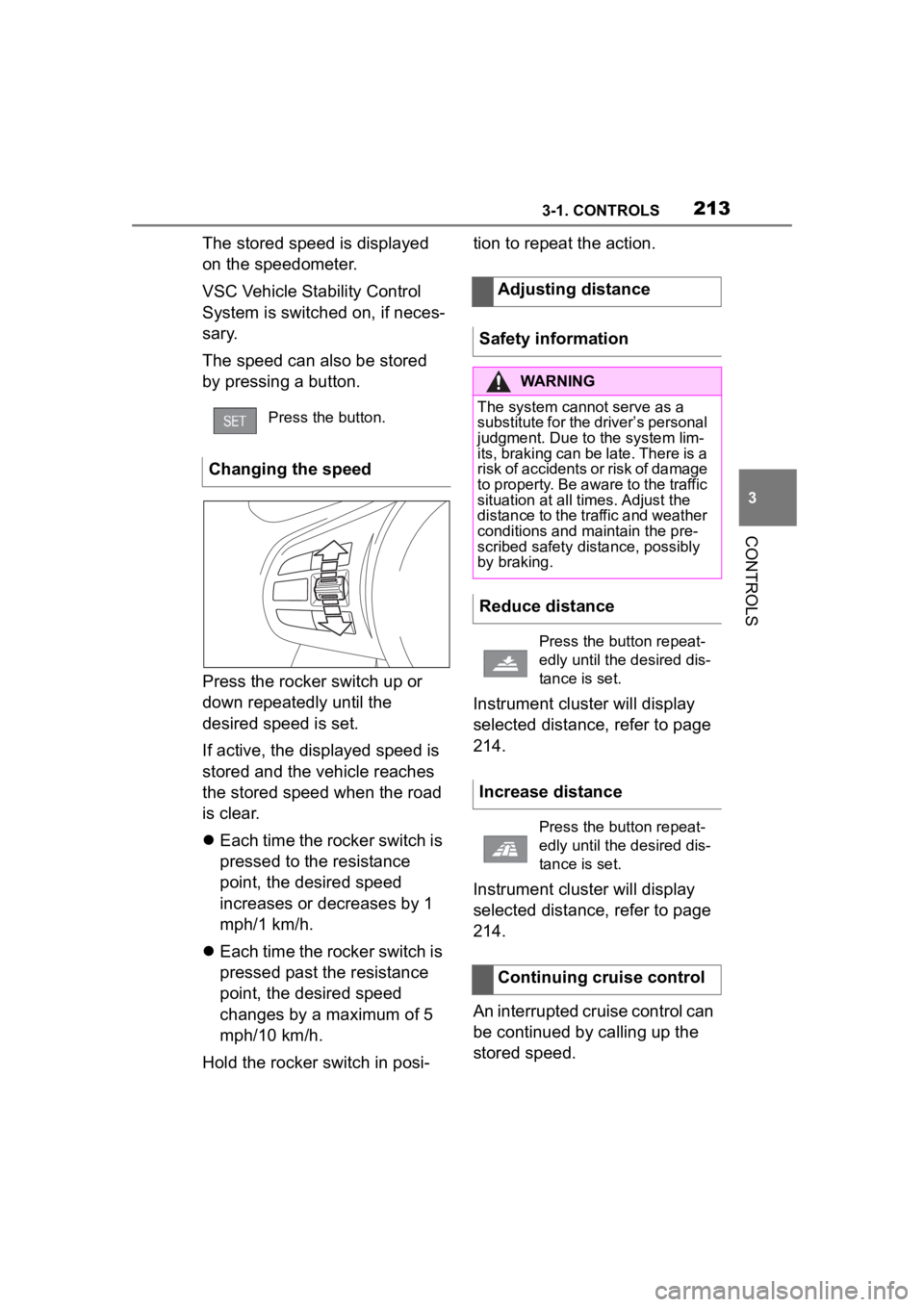
Press the rocker switch up or
down once while the system is
interrupted. The system will be
activated.
The current speed is maintained
and stored as desired speed.
Button on the steering
wheel.
Interrupting manually
Button on the steering
wheel.
Interrupting automatically
Setting the speed
Maintaining and storing the
speed
Page 213 of 372
2133-1. CONTROLS
3
CONTROLS
The stored speed is displayed
on the speedometer.
VSC Vehicle Stability Control
System is switched on, if neces-
sary.
The speed can also be stored
by pressing a button.
Press the rocker switch up or
down repeatedly until the
desired speed is set.
If active, the displayed speed is
stored and the vehicle reaches
the stored speed when the road
is clear.
Each time the rocker switch is
pressed to the resistance
point, the desired speed
increases or decreases by 1
mph/1 km/h.
Each time the rocker switch is
pressed past the resistance
point, the desired speed
changes by a maximum of 5
mph/10 km/h.
Hold the rocker switch in posi- tion to repeat the action.
Instrument cluster will display
selected distance, refer to page
214.
Instrument cluster will display
selected distance, refer to page
214.
An interrupted cruise control can
be continued by calling up the
stored speed.
Press the button.
Changing the speed
Adjusting distance
Safety information
WARNING
The system cannot serve as a
substitute for the driver’s personal
judgment. Due to the system lim-
its, braking can be late. There is a
risk of accidents or risk of damage
to property. Be aware to the traffic
situation at all times. Adjust the
distance to the traffic and weather
conditions and maintain the pre-
scribed safety distance, possibly
by braking.
Reduce distance
Press the button repeat-
edly until the desired dis-
tance is set.
Increase distance
Press the button repeat-
edly until the desired dis-
tance is set.
Continuing cruise control
Page 214 of 372
2143-1. CONTROLS
Make sure that the difference
between current speed and
stored speed is not too large
before calling up the stored
speed. Otherwise, unintentional
braking or accelerating may
occur.
Cruise control is continued with
the stored values.
In the following cases, the
stored speed value is deleted
and cannot be called up again:
When the system is switched
off.
When drive-ready state is
switched off.
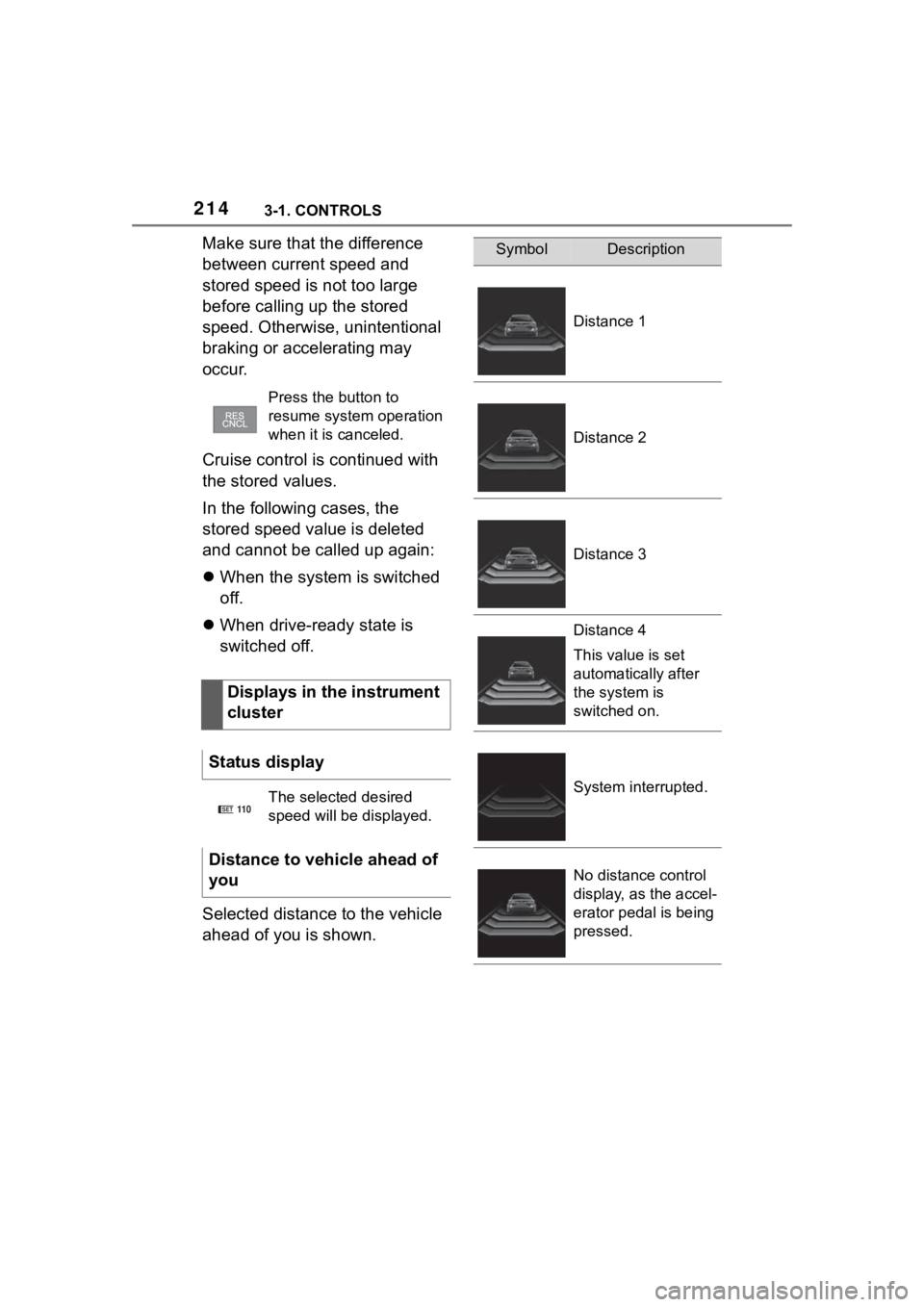
Selected distance to the vehicle
ahead of you is shown.
Press the button to
resume system operation
when it is canceled.
Displays in the instrument
cluster
Status display
The selected desired
speed will be displayed.
Distance to vehicle ahead of
you
SET11 0
SymbolDescription
Distance 1
Distance 2
Distance 3
Distance 4
This value is set
automatically after
the system is
switched on.
System interrupted.
No distance control
display, as the accel-
erator pedal is being
pressed.
Page 215 of 372
2153-1. CONTROLS
3
CONTROLS
As soon as the detected vehicle
drives off, the vehicle symbol in
the distance indicator will move
away.
To accelerate, activate ACC, for
instance by briefly stepping on
the accelerator pedal or press-
ing the rocker switch.Some system information can
also be displayed in the
Head-up Display.
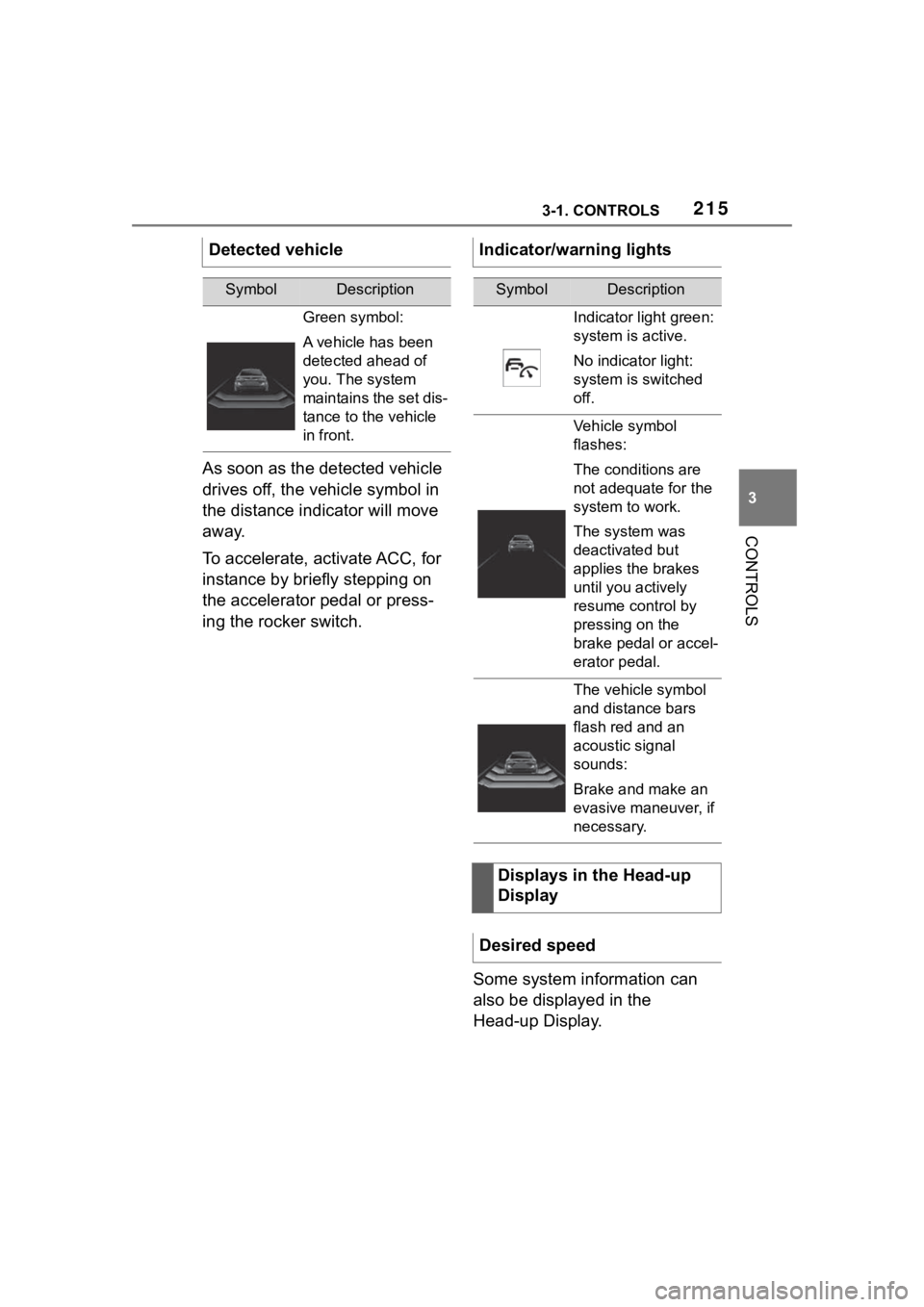
Detected vehicle
SymbolDescription
Green symbol:
A vehicle has been
detected ahead of
you. The system
maintains the set dis-
tance to the vehicle
in front.
Indicator/warning lights
SymbolDescription
Indicator light green:
system is active.
No indicator light:
system is switched
off.
Vehicle symbol
flashes:
The conditions are
not adequate for the
system to work.
The system was
deactivated but
applies the brakes
until you actively
resume control by
pressing on the
brake pedal or accel-
erator pedal.
The vehicle symbol
and distance bars
flash red and an
acoustic signal
sounds:
Brake and make an
evasive maneuver, if
necessary.
Displays in the Head-up
Display
Desired speed
Page 216 of 372
2163-1. CONTROLS
The distance information is
active in the following situations:
Dynamic radar cruise control
switched off.
Display in the Head-up Dis-
play selected, refer to page
154.
Distance too short.
Speed greater than approx.
40 mph/70 km/h.
Additional information:
• Cameras, refer to page 42.
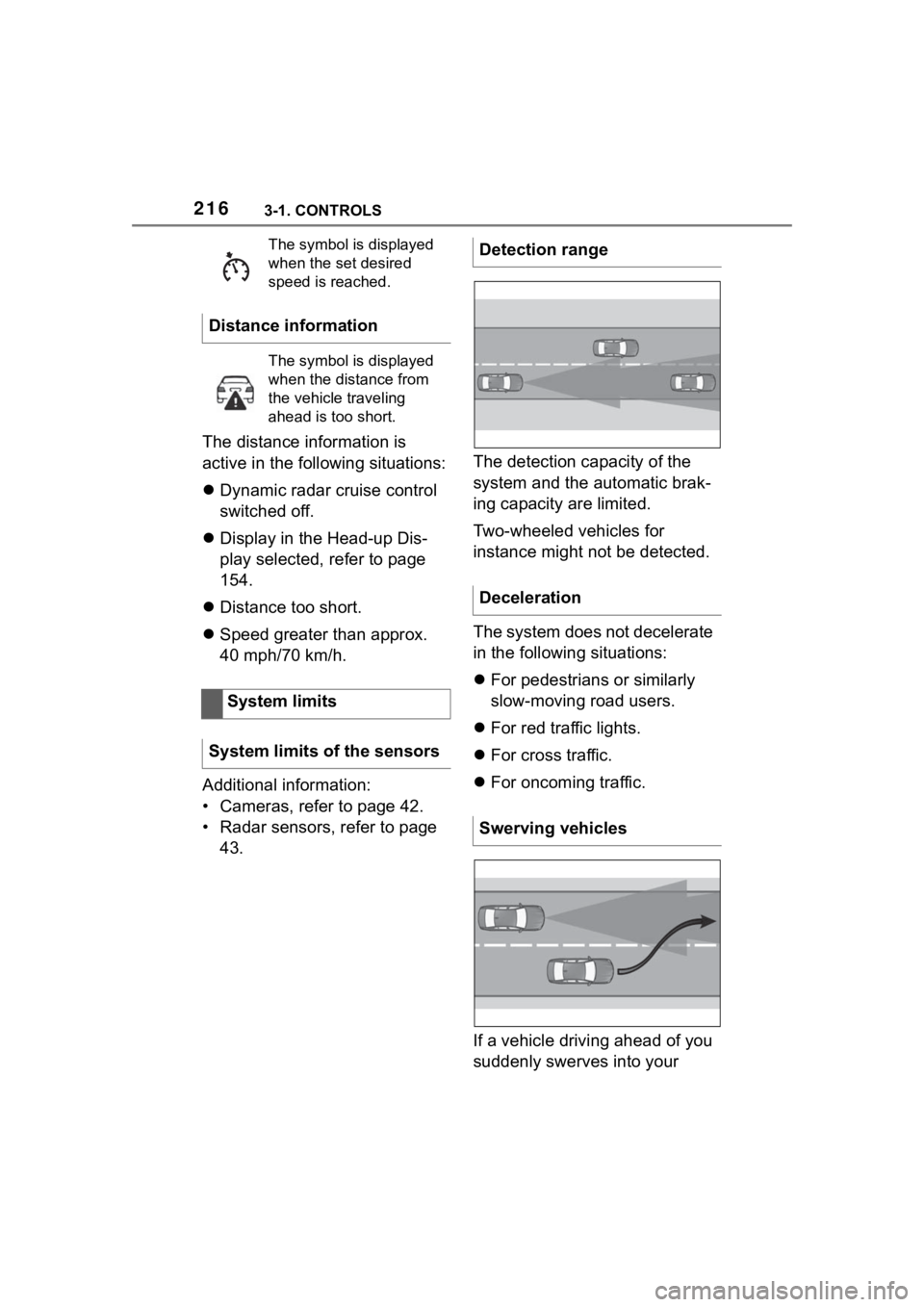
• Radar sensors, refer to page 43. The detection capacity of the
system and the automatic brak-
ing capacity are limited.
Two-wheeled vehicles for
instance might not be detected.
The system does not decelerate
in the following situations:
For pedestrians or similarly
slow-moving road users.
For red traffic lights.
For cross traffic.
For oncoming traffic.
If a vehicle driving ahead of you
suddenly swerves into your
The symbol is displayed
when the set desired
speed is reached.
Distance information
The symbol is displayed
when the distance from
the vehicle traveling
ahead is too short.
System limits
System limits of the sensors
Detection range
Deceleration
Swerving vehicles
Page 219 of 372
2193-1. CONTROLS
3
CONTROLS
4"Notes on speed limits"
Select the desired setting:
"adjust manually": detected
speed limit can be applied
manually.
"Show current limit": detected
speed limits are displayed in
the instrument cluster without
being applied.
"Off": Speed Limit Assist will
be switched off.
A message is indicated in the
instrument cluster when the sys-
tem and cruise control are acti-
vated. It is possible to set whether the
speed limit will be accepted
exactly, or with a tolerance.
Via Toyota Supra Command:
1"My vehicle"
2 "Vehicle settings"
3 "Speed Assistant"
4 "Adjust speed limits"
5 Confirm the desired setting.
Speed Limit Assist is based on
the Speed Limit Info system.
Thus, also observe the system
limits of the Speed Limit Info
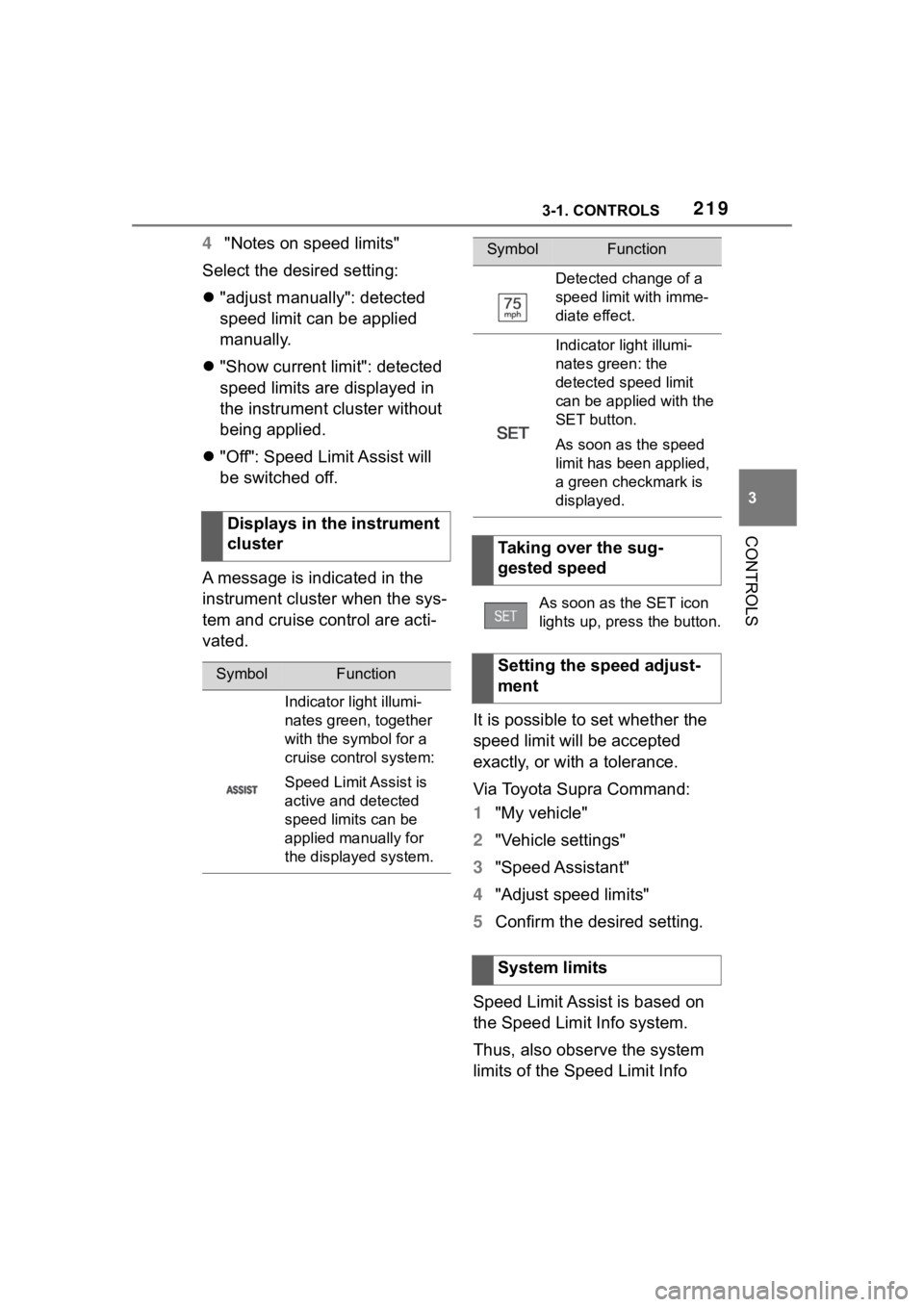
Displays in the instrument
cluster
SymbolFunction
Indicator light illumi-
nates green, together
with the symbol for a
cruise control system:
Speed Limit Assist is
active and detected
speed limits can be
applied manually for
the displayed system.
Detected change of a
speed limit with imme-
diate effect.
Indicator light illumi-
nates green: the
detected speed limit
can be applied with the
SET button.
As soon as the speed
limit has been applied,
a green checkmark is
displayed.
Taking over the sug-
gested speed
As soon as the SET icon
lights up, press the button.
Setting the speed adjust-
ment
System limits
SymbolFunction