display TOYOTA SUPRA 2023 Workshop Manual
[x] Cancel search | Manufacturer: TOYOTA, Model Year: 2023, Model line: SUPRA, Model: TOYOTA SUPRA 2023Pages: 372, PDF Size: 6.32 MB
Page 137 of 372
1373-1. CONTROLS
3
CONTROLS
Adaptive variable suspension.
Steering.
Display in the instrument clus-
ter.
Cruise control.
When drive-ready state is
switched on, the NORMAL driv-
ing mode is selected automati- cally.
■Concept
Balanced tuning between
dynamic and efficient driving.
■Concept
Dynamic tuning for higher agility
with an optimized chassis and
suspension.
■Switching on
■Concept
Customize settings can be
adjusted in the customize driv-
ing mode.
■Configuration
Via Toyota Supra Command:
1 "My Vehicle"
2 "Vehicle settings"
3 "Configure SPORT INDIVID-
UAL"
4 Select the desired setting.
Reset Customize to the stan-
dard settings:
"Reset to SPORT STANDARD".
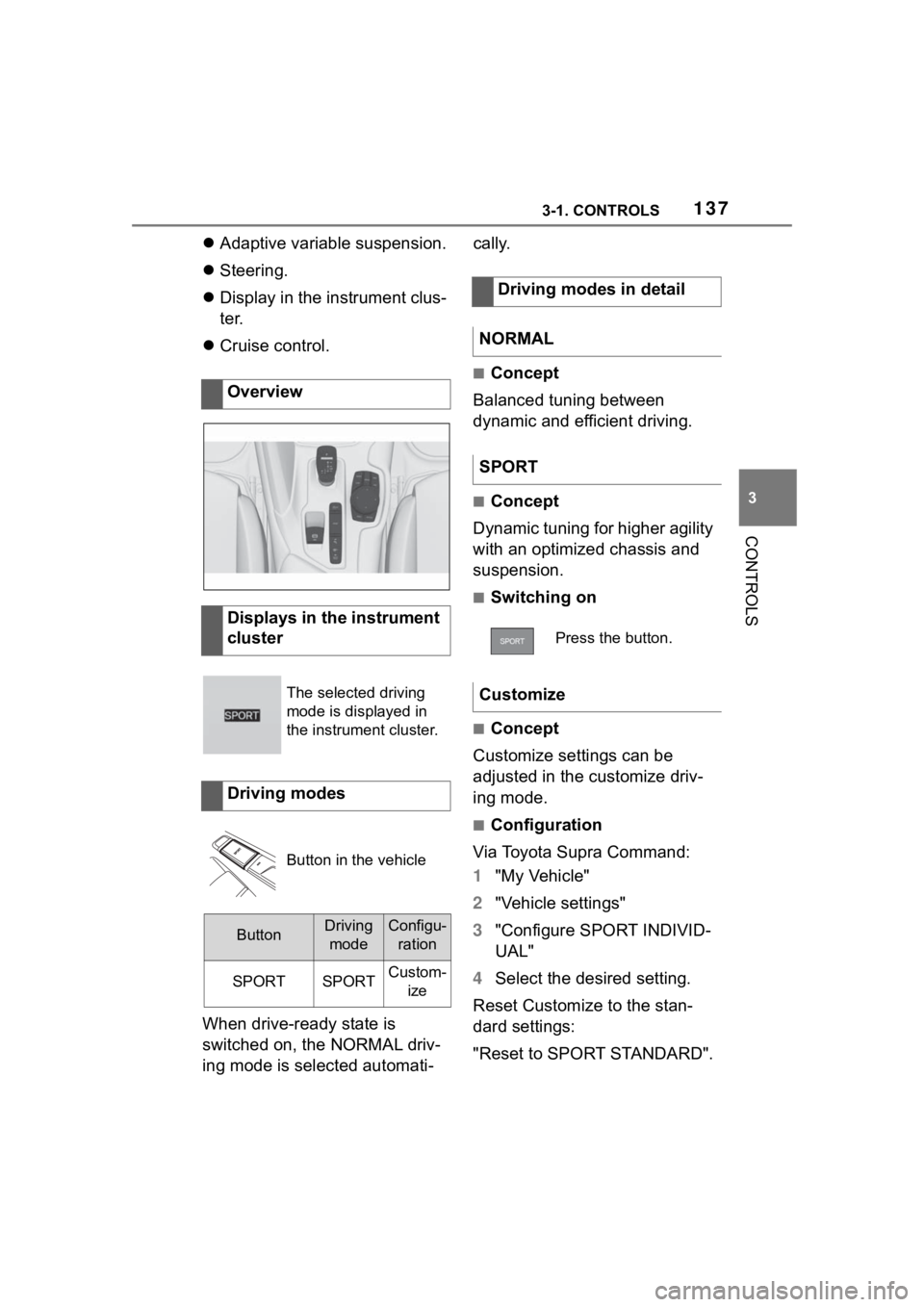
Overview
Displays in the instrument
cluster
The selected driving
mode is displayed in
the instrument cluster.
Driving modes
Button in the vehicle
ButtonDriving
modeConfigu- ration
SPORTSPORTCustom- ize
Driving modes in detail
NORMAL
SPORT
Press the button.
Customize
Page 138 of 372
1383-1. CONTROLS
This chapter describes all stan-
dard, country-specific and
optional features offered with
the series. It also describes fea-
tures and functions that are not
necessarily available in your
vehicle, e.g., due to the selected
options or country versions. This
also applies to safety-related
functions and systems. When
using these functions and sys-
tems, the applicable laws and
regulations must be observed.
The instrument cluster is a vari-
able display. When the sport
mode switch is used to change
the driving mode, the instrument
cluster displays change to
match the driving mode.
The display change in the instru-
ment cluster can be deactivated
via Toyota Supra Command.
Some of the displays in the
instrument cluster may differ
from the illustrations in this
Owner's Manual.
If the displays on the instrument
cluster fail, do not use the vehicle.
There may be a risk of accident or
risk of damage to property. Immedi-
ately park the vehicle in a safe man-
ner.If drive readiness is switched off
and on again, the malfunction may
be rectified and i t may be possible
to continue driving. If the malfunc-
tion cannot be remedied, have the
system checked by your Toyota
dealer.
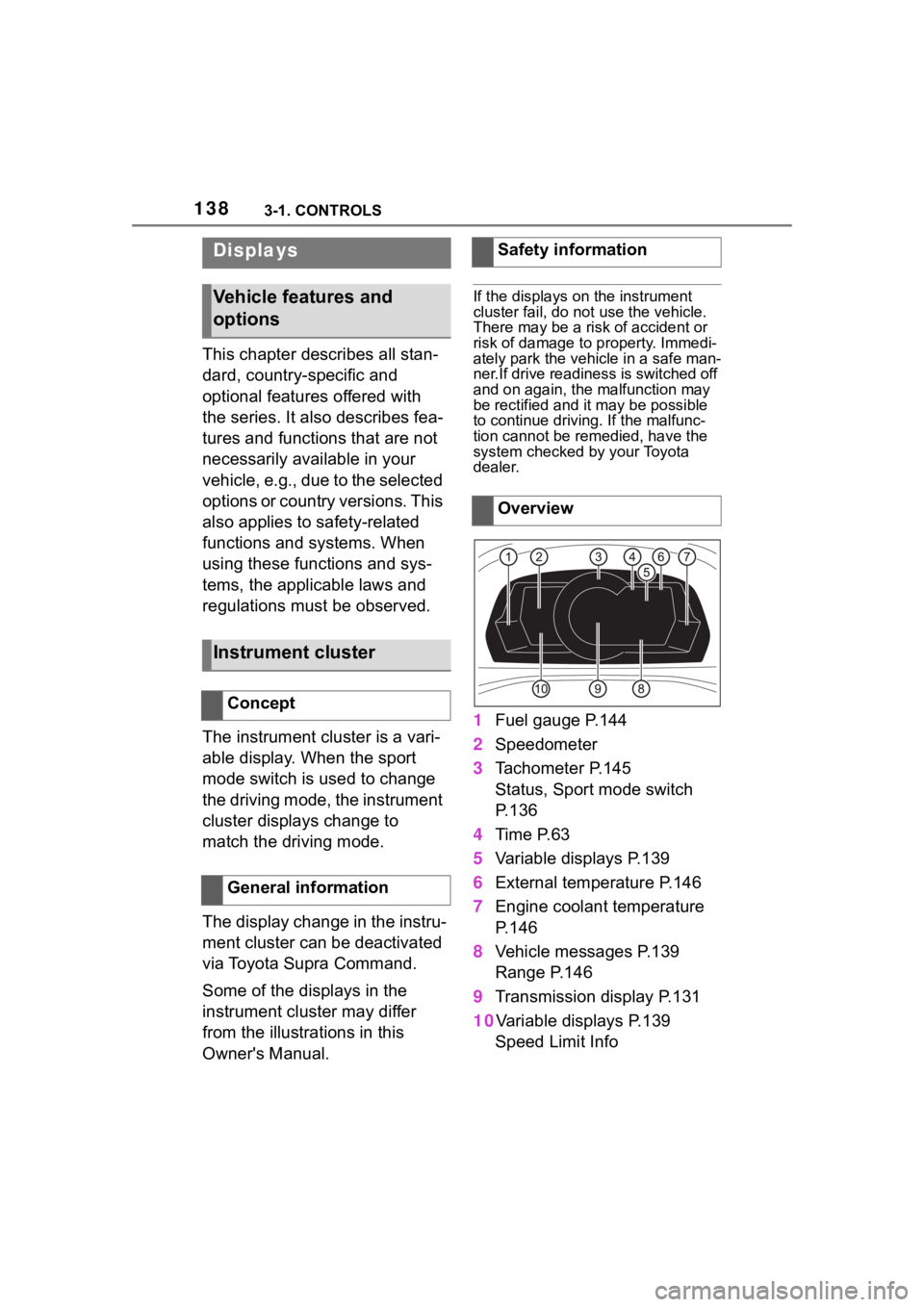
1 Fuel gauge P.144
2 Speedometer
3 Tachometer P.145
Status, Sport mode switch
P. 1 3 6
4 Time P.63
5 Variable displays P.139
6 External temperature P.146
7 Engine coolant temperature
P. 1 4 6
8 Vehicle messages P.139
Range P.146
9 Transmission display P.131
10Variable displays P.139 Speed Limit Info
Displays
Vehicle features and
options
Instrument cluster
Concept
General information
Safety information
Overview
Page 139 of 372
1393-1. CONTROLS
3
CONTROLS
In some areas of the instrument
cluster, various assistance sys-
tems, for example the cruise
control, can be displayed. The
displays may vary depending on
the equipment version and
country variant.
The display can be changed for
sport mode.
The driving mode will change to
sport mode.
The vehicle messages system
monitors functions in the vehicle
and notifies you of malfunctions
in the monitored systems.
A vehicle messages message is
displayed as a combination of
indicator or warning lights and SMS text messages in the
instrument cluster and, if appli-
cable, in the Head-up Display.
In addition, an acoustic signal
may sound and an SMS text
message may appear on the
Control Display.
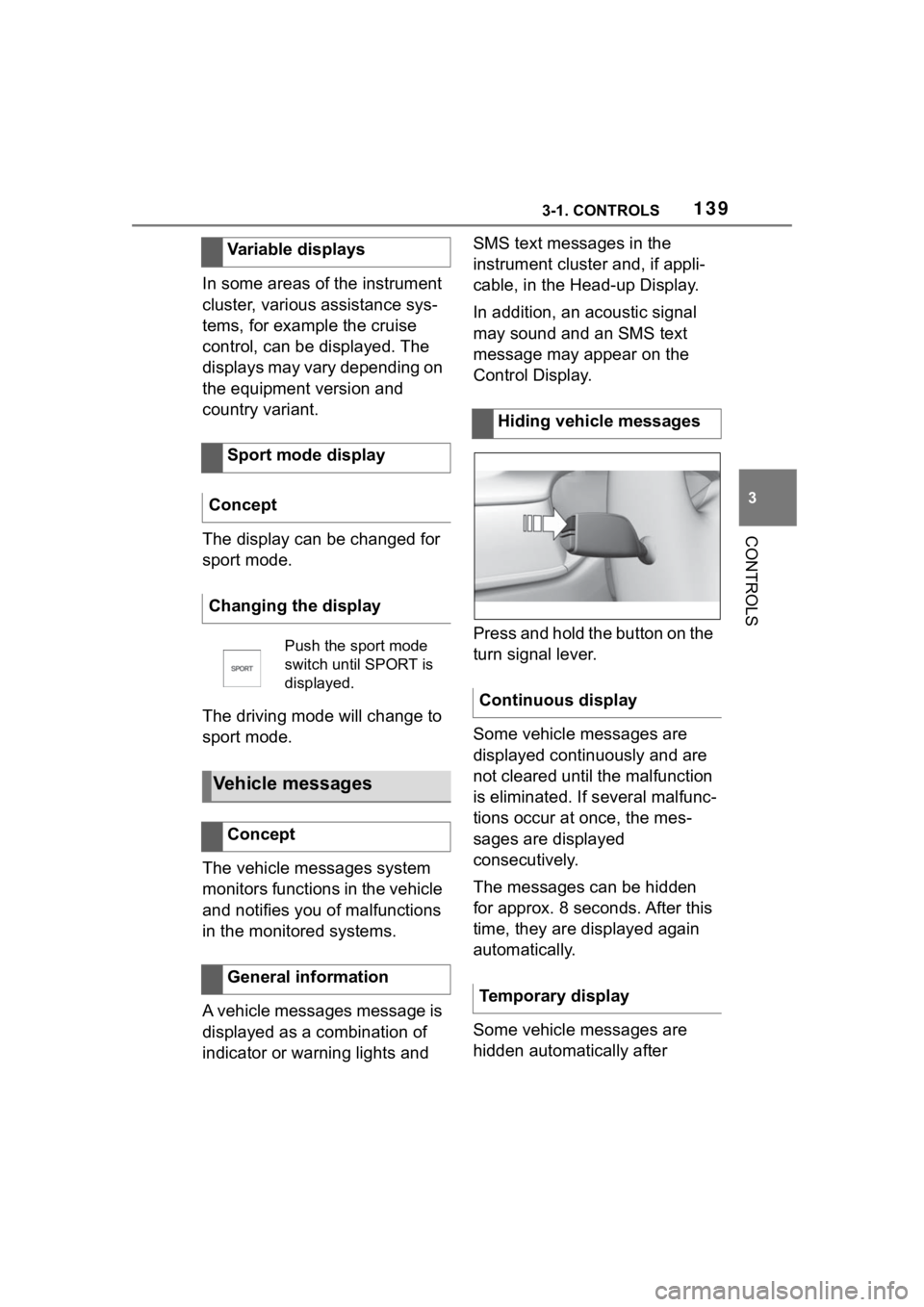
Press and hold the button on the
turn signal lever.
Some vehicle messages are
displayed continuously and are
not cleared until the malfunction
is eliminated. If s
everal malfunc-
tions occur at once, the mes-
sages are displayed
consecutively.
The messages can be hidden
for approx. 8 seconds. After this
time, they are displayed again
automatically.
Some vehicle messages are
hidden automatically after
Variable displays
Sport mode display
Concept
Changing the display
Push the sport mode
switch until SPORT is
displayed.
Vehicle messages
Concept
General information
Hiding vehicle messages
Continuous display
Temporary display
Page 140 of 372
1403-1. CONTROLS
approx. 20 seconds. The vehicle
messages are stored and can
be displayed again later.
Via Toyota Supra Command:
1"My vehicle"
2 "Vehicle status"
3 "Vehicle messages"
4 Select the SMS text mes-
sage.
SMS text messages in combina-
tion with a symbol in the instru-
ment cluster explain a vehicle
message and the meaning of
the indicator/warning lights.
Additional information, such as
the reason for an error or mal-
function or the required action,
can be called up via vehicle
messages.
With urgent messages the added text will be automatically
displayed on the Control Dis-
play.
Depending on the vehicle mes-
sage, further help can be
selected.
Via Toyota Supra Command:
1
"My vehicle"
2 "Vehicle status"
3 "Vehicle messages"
4 Select the desired text mes-
sage.
5 Select desired setting
Certain messages displayed
while driving are displayed
again after drive-ready state is
switched off.
Indicator/warning lights in the
instrument cluster display the
status of some functions in the
vehicle and indicate when a
malfunction is present in the
monitored systems.
The indicator/warning lights can
light up in a variety of combina-
tions and colors.
Displaying stored vehicle
messages
Display
Vehicle messages
At least one vehicle
messages message is
displayed or is stored.
SMS text messages
Supplementary SMS text
messages
Messages after trip comple-
tion
Indicator/warning lights
Concept
General information
Page 144 of 372
1443-1. CONTROLS
The current fill level of the fuel
tank is displayed.
Vehicle tilt position may cause
the display to vary.
Information on refueling, refer to
page 268.
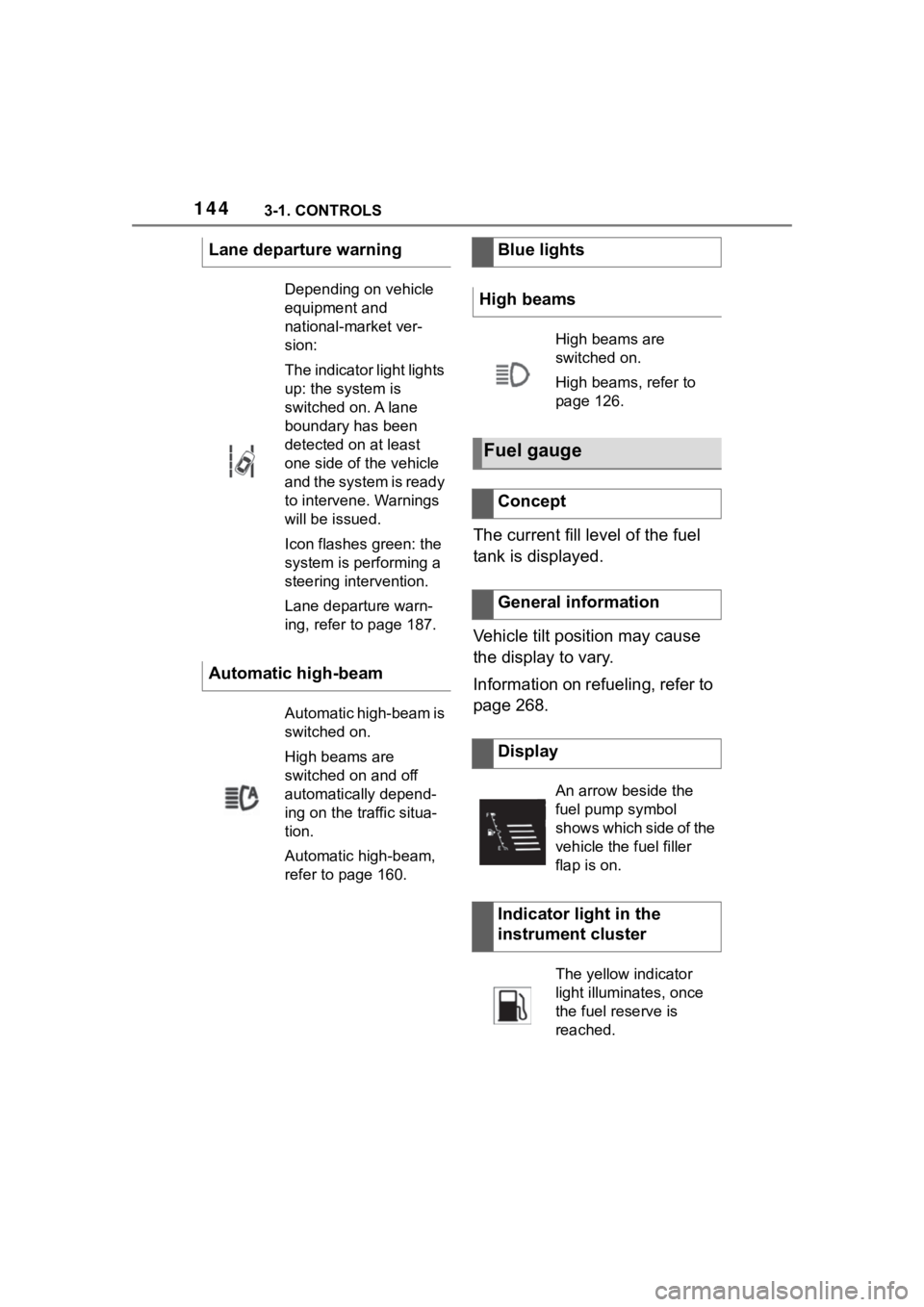
Lane departure warning
Depending on vehicle
equipment and
national-market ver-
sion:
The indicator light lights
up: the system is
switched on. A lane
boundary has been
detected on at least
one side of the vehicle
and the system is ready
to intervene. Warnings
will be issued.
Icon flashes green: the
system is performing a
steering intervention.
Lane departure warn-
ing, refer to page 187.
Automatic high-beam
Automatic high-beam is
switched on.
High beams are
switched on and off
automatically depend-
ing on the traffic situa-
tion.
Automatic high-beam,
refer to page 160.
Blue lights
High beams
High beams are
switched on.
High beams, refer to
page 126.
Fuel gauge
Concept
General information
Display
An arrow beside the
fuel pump symbol
shows which side of the
vehicle the fuel filler
flap is on.
Indicator light in the
instrument cluster
The yellow indicator
light illuminates, once
the fuel reserve is
reached.
Page 145 of 372
1453-1. CONTROLS
3
CONTROLS
Always avoid engine speeds in
the red warning field. In this
range, the fuel supply is reduced
to protect the engine.
Depending on the vehicle equip-
ment, the shift position indica-
tors on the instrument cluster
indicates the maximum shift
point at which the best possible
acceleration can be achieved.
Depending on the equipment
and nationalmarket version, the
Shift lights are active in the sport
mode of the Automatic transmis-
sion and with manual transmis-
sion.
When the selected driving mode
is sport mode, a shift light will be
displayed.
Automatic transmission:
1Select SPORT using the
sport mode switch.
2 Activate manual mode of the
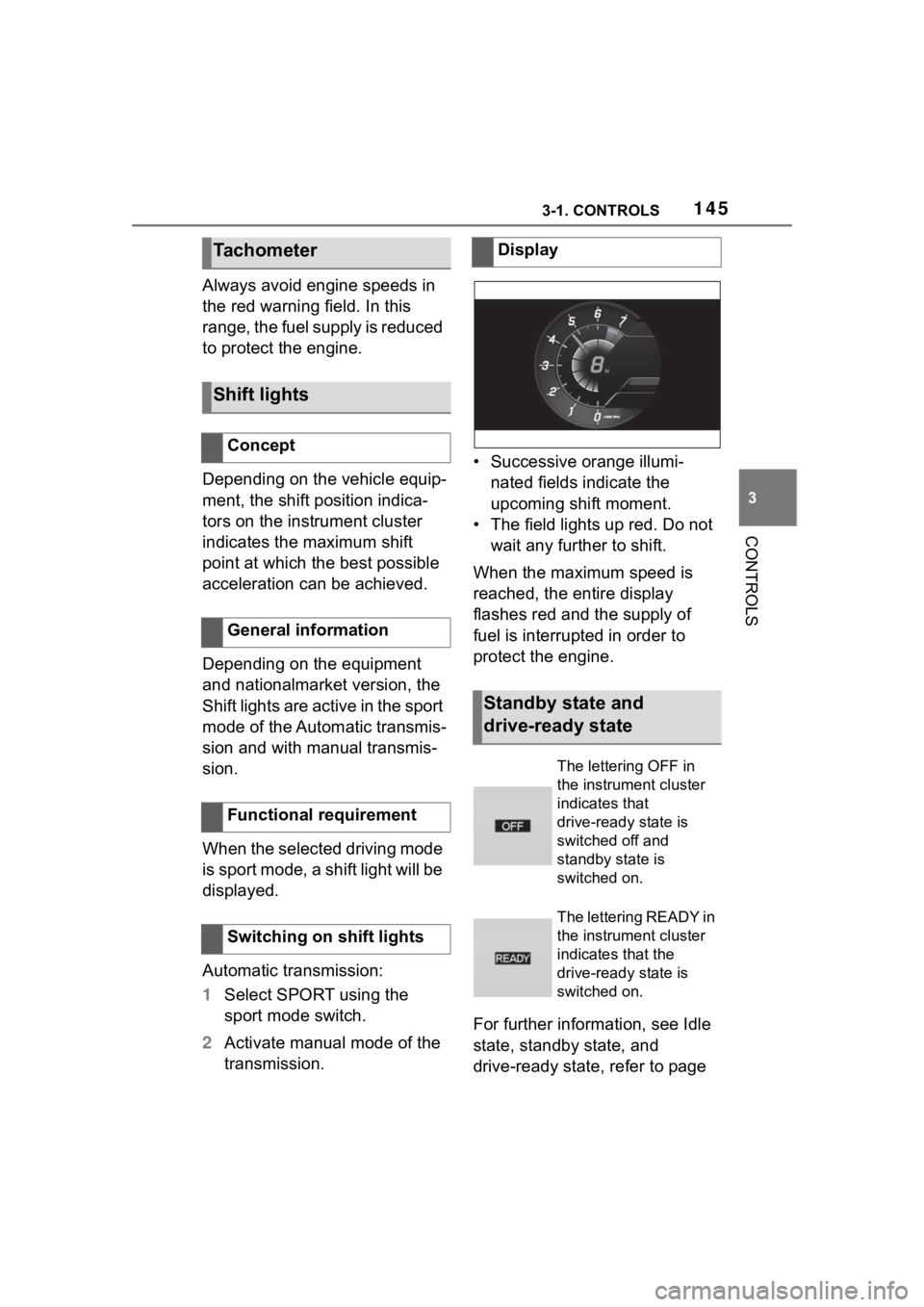
transmission. • Successive orange illumi-
nated fields indicate the
upcoming shift moment.
• The field lights up red. Do not wait any further to shift.
When the maximum speed is
reached, the entire display
flashes red and the supply of
fuel is interrupted in order to
protect the engine.
For further information, see Idle
state, standby state, and
drive-ready state, refer to page
Tachometer
Shift lights
Concept
General information
Functional requirement
Switching on shift lights
Display
Standby state and
drive-ready state
The lettering OFF in
the instrument cluster
indicates that
drive-ready state is
switched off and
standby state is
switched on.
The lettering READY in
the instrument cluster
indicates that the
drive-ready state is
switched on.
Page 146 of 372
1463-1. CONTROLS
45.If the indicator drops to
+37°F/+3°C or lower, a signal
sounds.
A vehicle message is displayed.
There is an increased risk of ice
on roads.
The time is displayed in the
instrument cluster. Setting the
time and time format, refer to
page 63.
The range indicates the dis-
tance that can still be covered
with the current fuel level.
The estimated range available
Engine coolant tempera-
ture
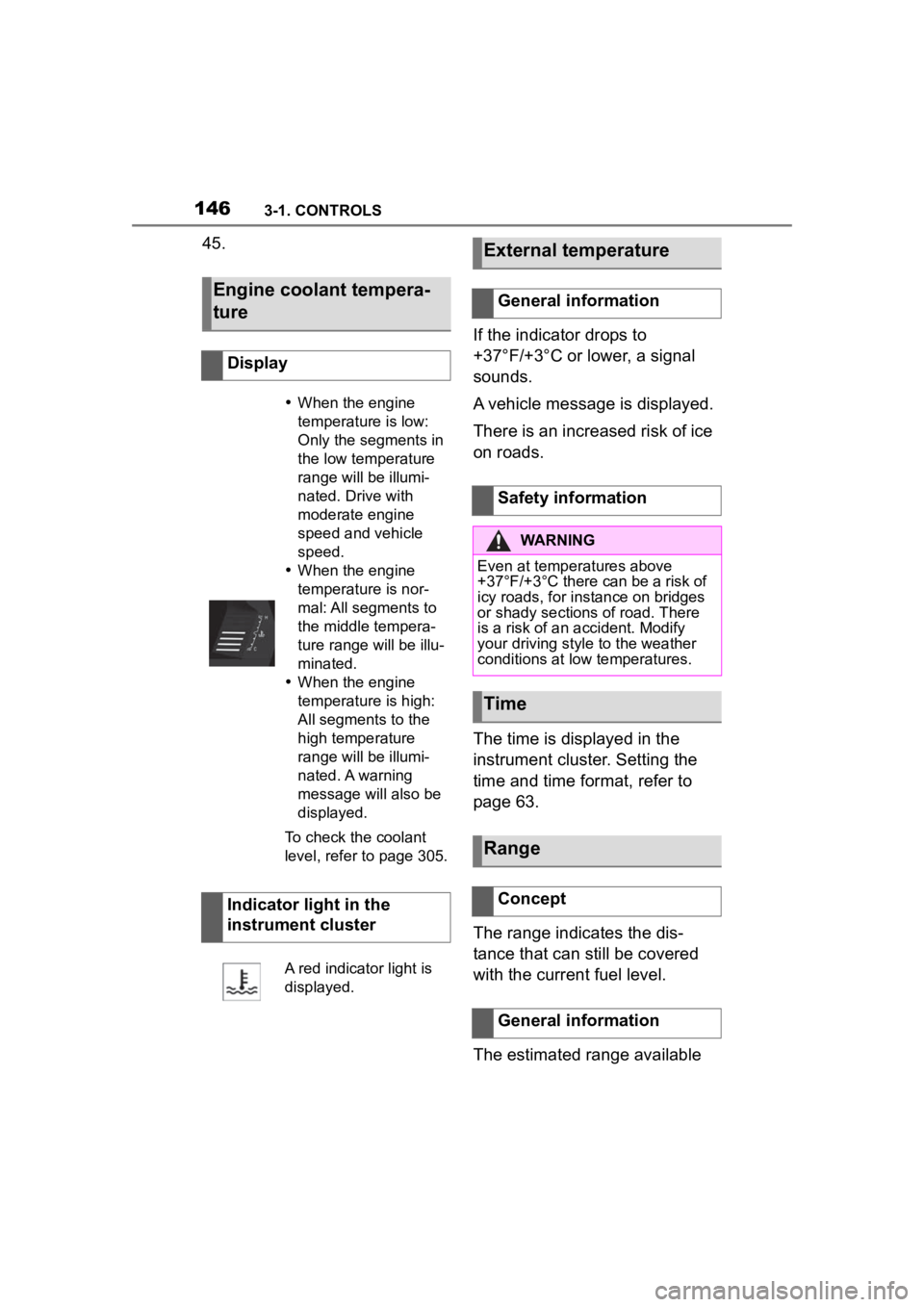
Display
When the engine
temperature is low:
Only the segments in
the low temperature
range will be illumi-
nated. Drive with
moderate engine
speed and vehicle
speed.
When the engine
temperature is nor-
mal: All segments to
the middle tempera-
ture range will be illu-
minated.
When the engine
temperature is high:
All segments to the
high temperature
range will be illumi-
nated. A warning
message will also be
displayed.
To check the coolant
level, refer to page 305.
Indicator light in the
instrument cluster
A red indicator light is
displayed.
External temperature
General information
Safety information
WARNING
Even at temper atures above
+37°F/+3°C there can be a risk of
icy roads, for instance on bridges
or shady sections of road. There
is a risk of an accident. Modify
your driving style to the weather
conditions at low temperatures.
Time
Range
Concept
General information
Page 147 of 372
1473-1. CONTROLS
3
CONTROLS
with the remaining fuel is perma-
nently displayed in the instru-
ment cluster.
With a low remaining range, a
vehicle message is briefly dis-
played. With a sporty driving
style, for instance fast cornering,
the engine function is not always
ensured.
The vehicle message appears
continuously below a range of
approx. 30 miles/50 km.
The function displays the ser-
vice notifications and the corre-
sponding maintenance scopes.
After switching on drive-ready
state, the instrument cluster
briefly displays available driving
distance or time to the next
scheduled maintenance.More information on the type of
service required may be dis-
played on the Control Display.
Via Toyota Supra Command:
1
"My vehicle"
2 "Vehicle status"
3 "Service required"
Maintenance and service measures
and legally mandated inspections
are displayed.
4Select an entry to call up
detailed information.
Enter the dates for the manda-
tory vehicle inspections.
Make sure that the vehicle's
date and time are set correctly.
Safety informationNOTICE
With a driving range of less than
30 miles/50 km the engine may
no longer have sufficient fuel.
Engine functions are not ensured
anymore. There is a risk of dam-
age to property. Refuel promptly.
Service notifications
Concept
General information
Display
Detailed information on ser-
vice notifications
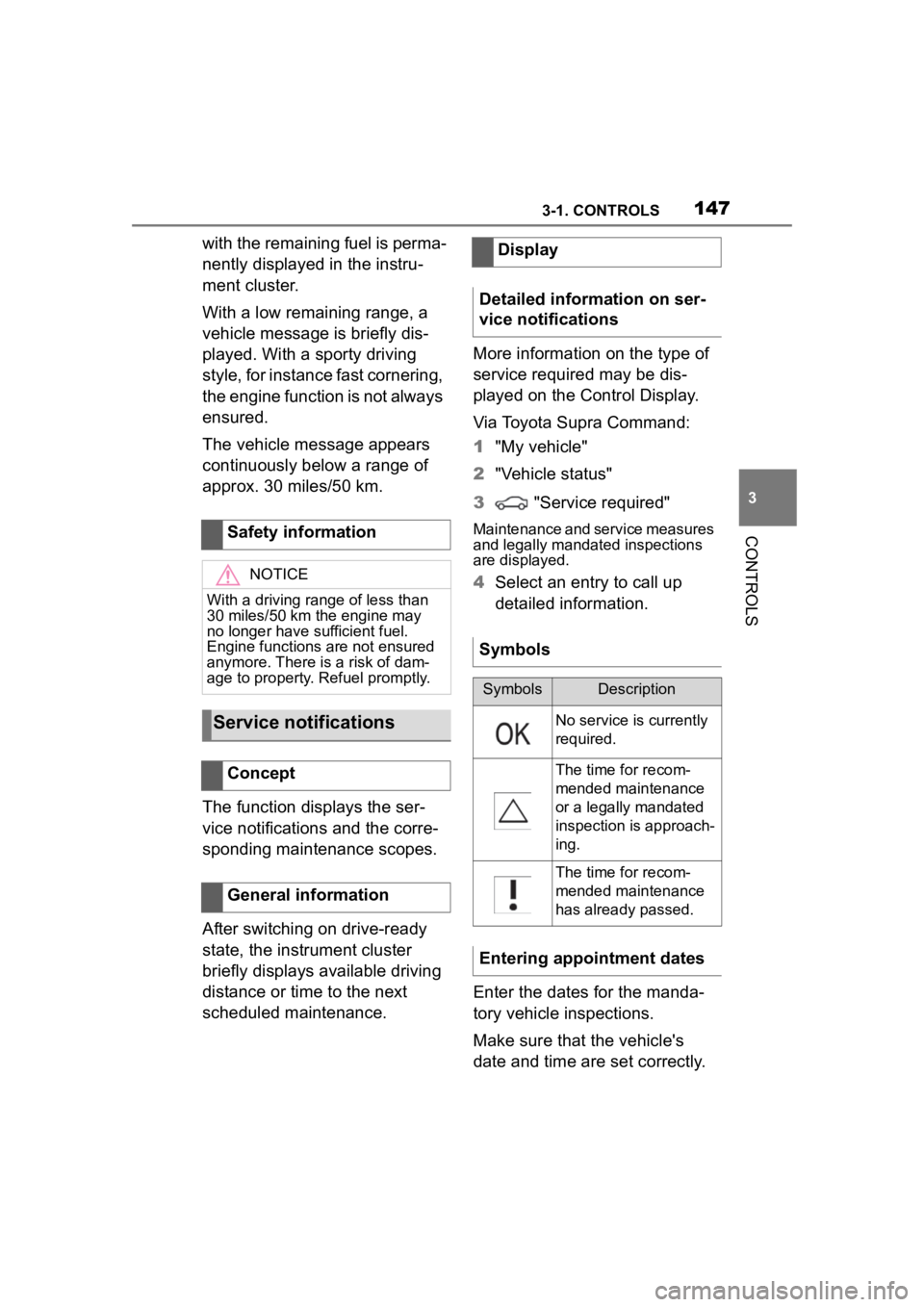
Symbols
SymbolsDescription
No service is currently
required.
The time for recom-
mended maintenance
or a legally mandated
inspection is approach-
ing.
The time for recom-
mended maintenance
has already passed.
Entering appointment dates
Page 148 of 372
1483-1. CONTROLS
Via Toyota Supra Command:
1"My vehicle"
2 "Vehicle status"
3 "Service required"
4 "Date:"
5 Select the desired setting.
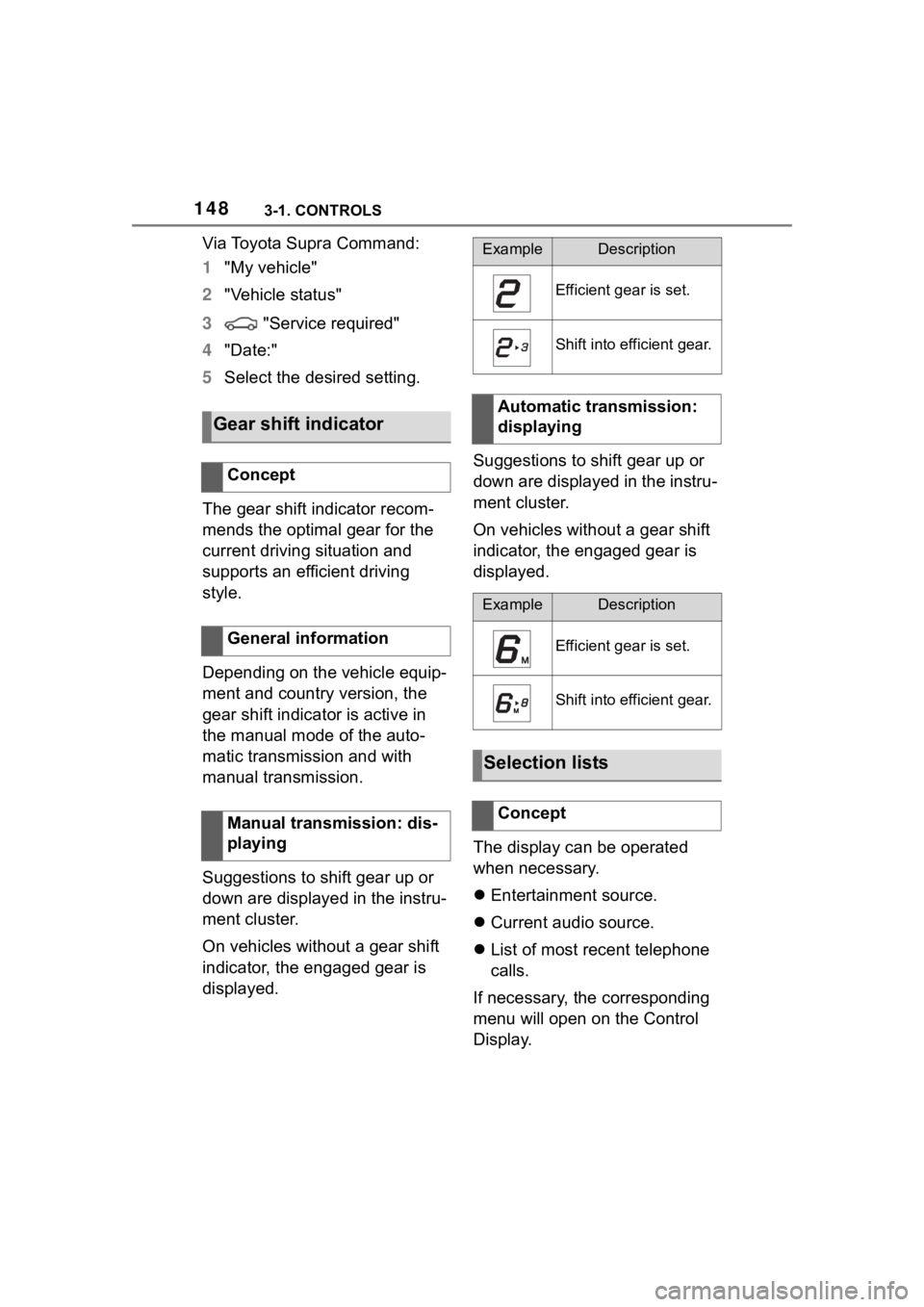
The gear shift indicator recom-
mends the optimal gear for the
current driving situation and
supports an efficient driving
style.
Depending on the vehicle equip-
ment and country version, the
gear shift indicator is active in
the manual mode of the auto-
matic transmission and with
manual transmission.
Suggestions to shift gear up or
down are displayed in the instru-
ment cluster.
On vehicles without a gear shift
indicator, the engaged gear is
displayed. Suggestions to shift gear up or
down are displayed in the instru-
ment cluster.
On vehicles without a gear shift
indicator, the engaged gear is
displayed.
The display can be operated
when necessary.
Entertainment source.
Current audio source.
List of most recent telephone
calls.
If necessary, the corresponding
menu will open on the Control
Display.
Gear shift indicator
Concept
General information
Manual transmission: dis-
playing
ExampleDescription
Efficient gear is set.
Shift into efficient gear.
Automatic transmission:
displaying
ExampleDescription
Efficient gear is set.
Shift into efficient gear.
Selection lists
Concept
Page 149 of 372
1493-1. CONTROLS
3
CONTROLS
Items displayed may differ
depending on the specifications
of the vehicle.
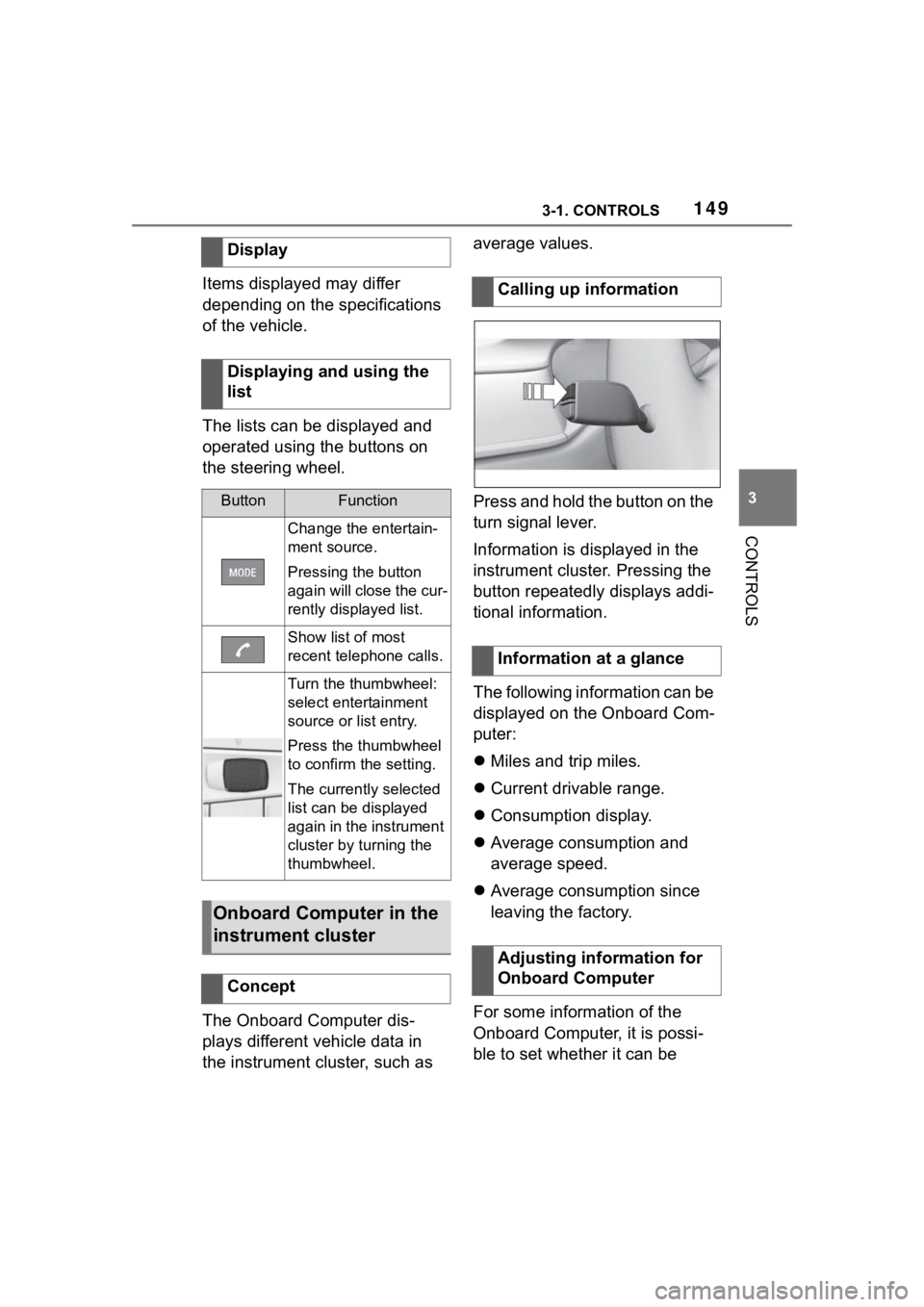
The lists can be displayed and
operated using the buttons on
the steering wheel.
The Onboard Computer dis-
plays different vehicle data in
the instrument cluster, such as average values.
Press and hold the button on the
turn signal lever.
Information is displayed in the
instrument cluster. Pressing the
button repeatedly displays addi-
tional information.
The following information can be
displayed on the Onboard Com-
puter:
Miles and trip miles.
Current drivable range.
Consumption display.
Average consumption and
average speed.
Average consumption since
leaving the factory.
For some information of the
Onboard Computer, it is possi-
ble to set whether it can be
Display
Displaying and using the
list
ButtonFunction
Change the entertain-
ment source.
Pressing the button
again will close the cur-
rently displayed list.
Show list of most
recent telephone calls.
Turn the thumbwheel:
select entertainment
source or list entry.
Press the thumbwheel
to confirm the setting.
The currently selected
list can be displayed
again in the instrument
cluster by turning the
thumbwheel.
Onboard Computer in the
instrument cluster
Concept
Calling up information
Information at a glance
Adjusting information for
Onboard Computer