warning TOYOTA SUPRA 2023 Owners Manual
[x] Cancel search | Manufacturer: TOYOTA, Model Year: 2023, Model line: SUPRA, Model: TOYOTA SUPRA 2023Pages: 372, PDF Size: 6.32 MB
Page 242 of 372
2423-1. CONTROLS
desired functions. The
hand-held transmitter for the
particular system is required in
order to program the remote
control.
Before selling the vehicle, delete
the stored functions for the sake
of security.
If possible, do not install the
antenna of the remote-con-
trolled system, e.g. the garage
door drive, near metal objects to
ensure the best possible opera-
tion.Additional questions are
answered by:
Your Toyota dealer.
www.homelink.com on the
Internet.
HomeLink is a registered trade-
mark of Gentex Corporation.
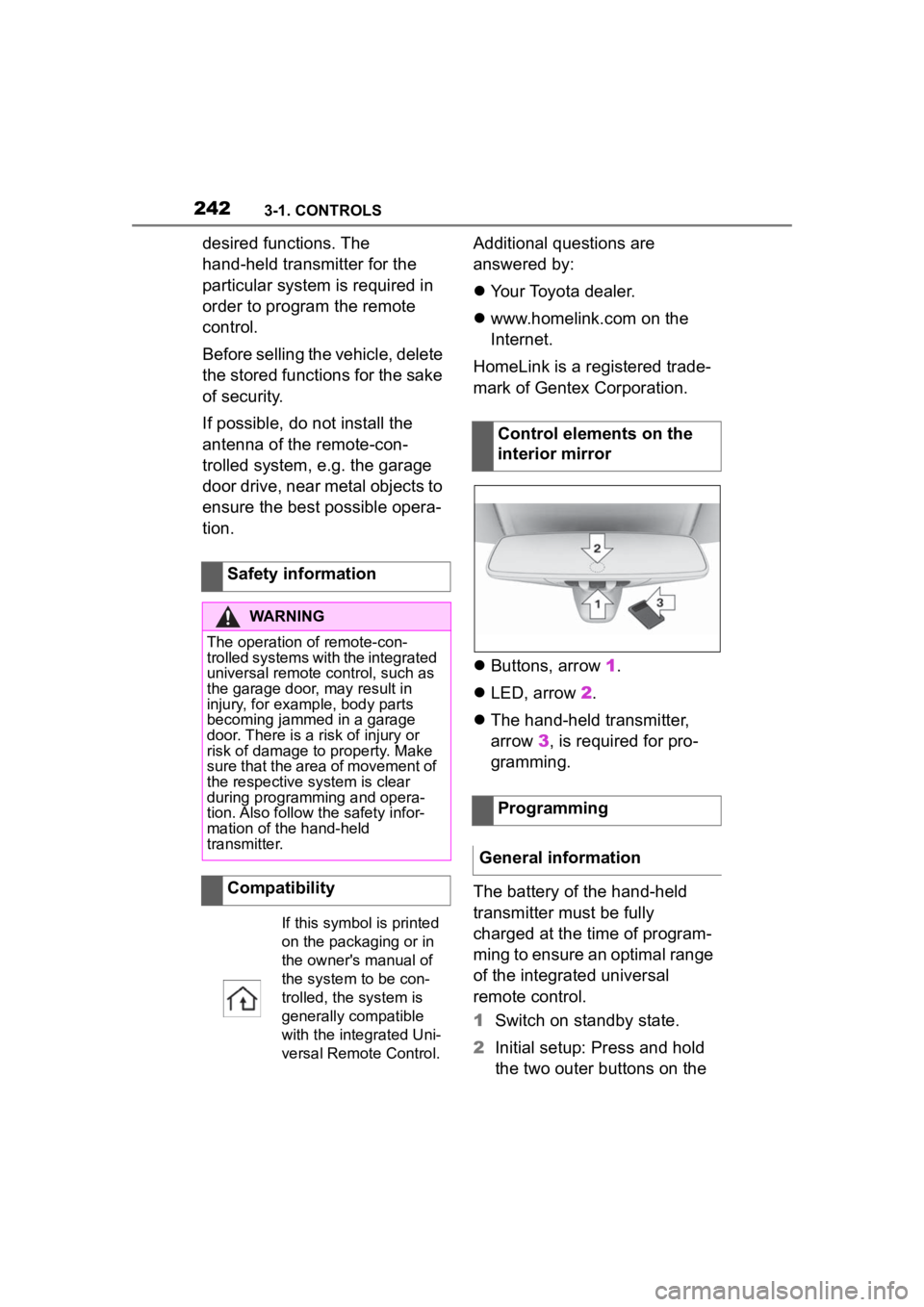
Buttons, arrow 1.
LED, arrow 2.
The hand-held transmitter,
arrow 3, is required for pro-
gramming.
The battery of the hand-held
transmitter must be fully
charged at the time of program-
ming to ensure an optimal range
of the integrated universal
remote control.
1 Switch on standby state.
2 Initial setup: Press and hold
the two outer buttons on the
Safety information
WARNING
The operation of remote-con-
trolled systems with the integrated
universal remote c
ontrol, such as
the garage door, may result in
injury, for example, body parts
becoming jammed in a garage
door. There is a risk of injury or
risk of damage to property. Make
sure that the area of movement of
the respective system is clear
during programming and opera-
tion. Also follow the safety infor-
mation of the hand-held
transmitter.
Compatibility
If this symbol is printed
on the packaging or in
the owner's manual of
the system to be con-
trolled, the system is
generally compatible
with the integrated Uni-
versal Remote Control.
Control elements on the
interior mirror
Programming
General information
Page 245 of 372
2453-1. CONTROLS
3
CONTROLS
The system, such as the garage
door, can be operated using the
button on the interior mirror
while the drive-ready or standby
state is switched on. To do this,
hold down the button within
receiving range of the system
until the function is activated.
The interior mirror LED stays lit
while the wireless signal is being
transmitted.
All stored functions will be
deleted. The functions cannot
be deleted individually.
Press and hold the two outer
buttons on the interior mirror
simultaneously for approxi-
mately 10 seconds until the LED
on the interior mirror flashes
green rapidly.Fold the sun visor down or up.
A vanity mirror is located in the
sun visor behind a cover. When
the cover is opened, the mirror
lighting switches on.
The lighter socket can be used
as a socket for electrical equip-
ment when standby and
drive-ready state are switched
on.
The total load of all sockets
must not exceed 140 watts at 12
volts.
Do not damage the socket by
using non-compatible connec-
tors.
Operation
WARNING
The operation of remote-con-
trolled systems with the integrated
universal remote c
ontrol, such as
the garage door, may result in
injury, for example, body parts
becoming jammed in a garage
door. There is a risk of injury or
risk of damage to property. Make
sure that the area of movement of
the respective system is clear
during programming and opera-
tion. Also follow the safety infor-
mation of the hand-held
transmitter.
Deleting stored functions
Sun visor
Glare shield
Vanity mirror
Sockets
Concept
General information
Page 246 of 372
2463-1. CONTROLS
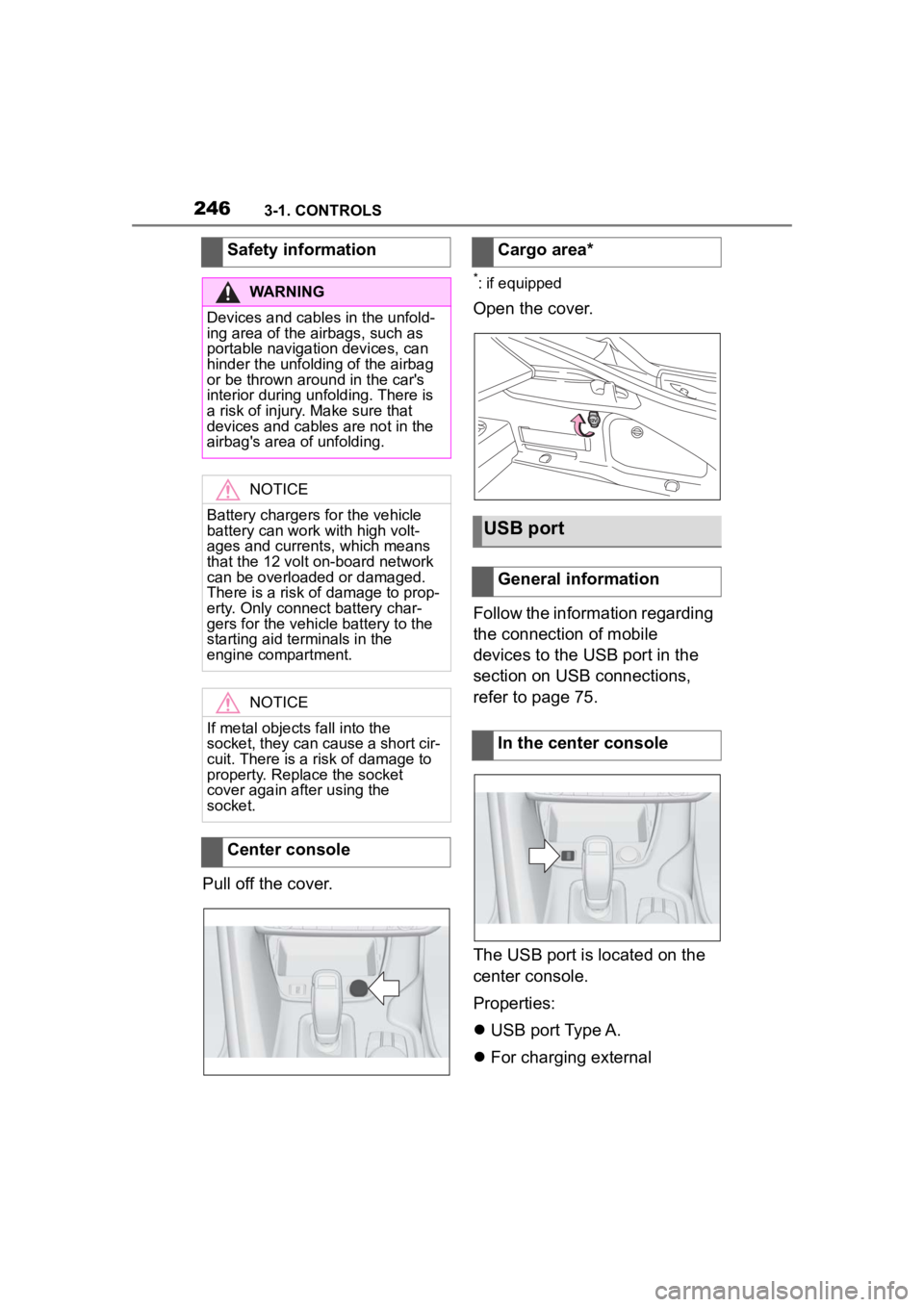
Pull off the cover.
*: if equipped
Open the cover.
Follow the information regarding
the connection of mobile
devices to the USB port in the
section on USB connections,
refer to page 75.
The USB port is located on the
center console.
Properties:
USB port Type A.
For charging external
Safety information
WARNING
Devices and cables in the unfold-
ing area of the airbags, such as
portable navigation devices, can
hinder the unfoldin
g of the airbag
or be thrown around in the car's
interior during unfolding. There is
a risk of injury . Make sure that
devices and cables are not in the
airbag's area of unfolding.
NOTICE
Battery chargers for the vehicle
battery can work with high volt-
ages and currents, which means
that the 12 volt on-board network
can be overloaded or damaged.
There is a risk of damage to prop-
erty. Only connect battery char-
gers for the vehi cle battery to the
starting aid terminals in the
engine compartment.
NOTICE
If metal objects fall into the
socket, they can cause a short cir-
cuit. There is a risk of damage to
property. Replace the socket
cover again after using the
socket.
Center console
Cargo area*
USB port
General information
In the center console
Page 247 of 372
2473-1. CONTROLS
3
CONTROLS
devices.
Charging current:
max. 1.5 A (vehicles without wire-
less charger)
max. 2.1 A (vehicles with wireless
charger)
For data transfer.
The wireless charging tray
allows wireless charging of
mobile phones and other mobile
devices certified according to
the Qi standard.
When inserting the device to be
charged, ensure that there are
no objects between the device
to be charged and the wireless
charging tray. The charging process is
shown by the charge indicator
on the control display.
This device has been tested for
human exposure limits and found
compliant at a minimum distance of
4 in/10 cm during operation.
Therefore, a dist ance of 4 in/10 cm
must be maintained in every direc-
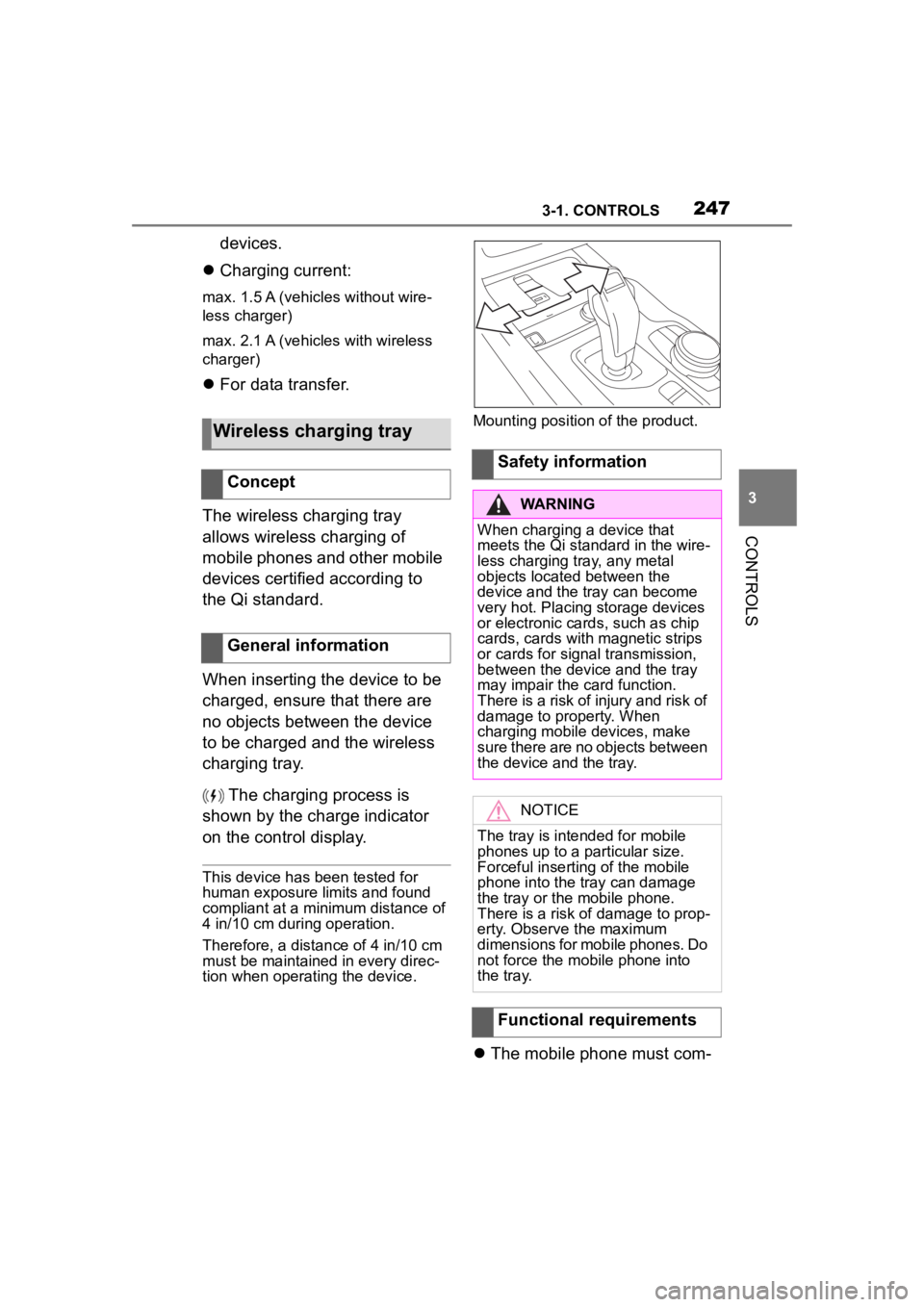
tion when operating the device. Mounting position of the product.
The mobile phone must com-
Wireless charging tray
Concept
General information
Safety information
WARNING
When charging a device that
meets the Qi standard in the wire-
less charging tray, any metal
objects located between the
device and the tray can become
very hot. Placing storage devices
or electronic card s, such as chip
cards, cards with magnetic strips
or cards for signal transmission,
between the device and the tray
may impair the card function.
There is a risk of injury and risk of
damage to property. When
charging mobile devices, make
sure there are no objects between
the device and the tray.
NOTICE
The tray is intended for mobile
phones up to a particular size.
Forceful inserting of the mobile
phone into the tray can damage
the tray or the mobile phone.
There is a risk of damage to prop-
erty. Observe the maximum
dimensions for mobile phones. Do
not force the mobile phone into
the tray.
Functional requirements
Page 248 of 372
2483-1. CONTROLS
patibly support the required Qi
standard.
Standby state is switched on.
Observe the maximum
dimensions of the mobile
phone.
Use only protective jackets
and covers up to a maximum
thickness of 0.07 in/2 mm.
Otherwise, the charging func-
tion may be impaired.
The mobile phone to be
charged is located in the cen-
ter of the tray.
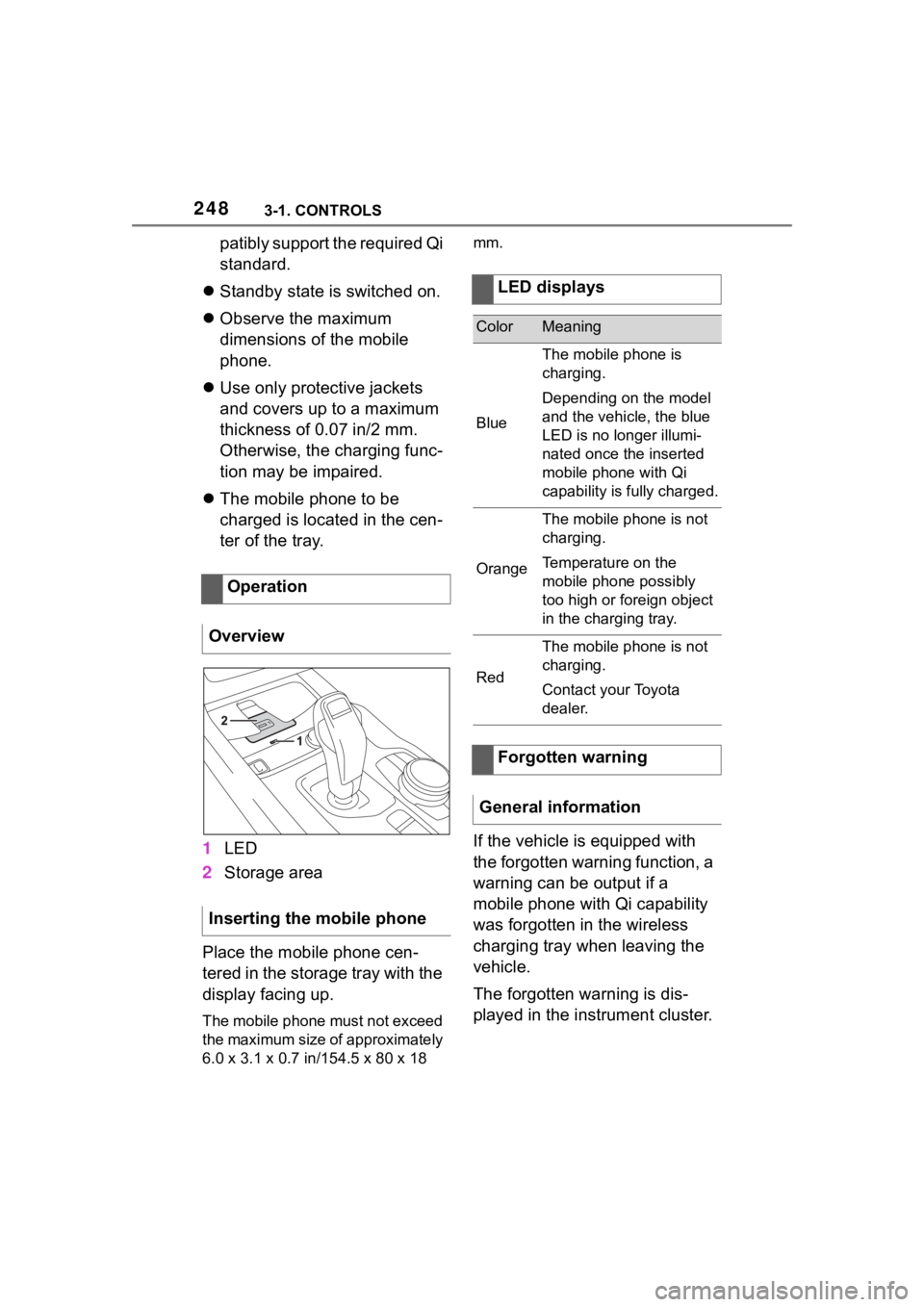
1 LED
2 Storage area
Place the mobile phone cen-
tered in the storage tray with the
display facing up.
The mobile phone must not exceed
the maximum size of approximately
6.0 x 3.1 x 0.7 in /154.5 x 80 x 18 mm.
If the vehicle is equipped with
the forgotten warning function, a
warning can be output if a
mobile phone with Qi capability
was forgotten in the wireless
charging tray when leaving the
vehicle.
The forgotten warning is dis-
played in the instrument cluster.
Operation
Overview
Inserting the mobile phone
LED displays
ColorMeaning
Blue
The mobile phone is
charging.
Depending on the model
and the vehicle, the blue
LED is no longer illumi-
nated once the inserted
mobile phone with Qi
capability is fully charged.
Orange
The mobile phone is not
charging.
Temperature on the
mobile phone possibly
too high or foreign object
in the charging tray.
Red
The mobile phone is not
charging.
Contact your Toyota
dealer.
Forgotten warning
General information
Page 249 of 372
2493-1. CONTROLS
3
CONTROLS
Via Toyota Supra Command:
1“My Vehicle”
2 “System settings”
3 “Wireless charging tray”
4 “Forgotten mobile device
alert”
The charge current may be
reduced or the charging process
may be temporarily interrupted
in the following situations:
Due to excessive tempera-
tures on the surface of the
tray and mobile phone.
If there are objects between
the mobile phone and the
wireless charging tray.
By settings on the mobile
phone, for instance for
charging. Follow the relevant
instructions control display
and in the instructions for the
mobile phone, if applicable.
Your car is equipped with a wire-
less charging tray (WCA) to
charge your mobile phone and
connect it to the mobile network.
To ensure the best possible con-
nection a signal booster
(LTE-Compensator) is used in
conjunction with the WCA. The following paragraphs refer to
this booster:
This is a CONSUMER device.
BEFORE USE, you MUST
REGISTER THIS DEVICE with
your wireless provider and have
your provider's consent. Most
wireless providers consent to
the use of Compensators. Some
providers may not consent to
the use of this device on their
network. If you are unsure, con-
tact your provider. You MUST
operate this device with
approved antennas and cables
as specified by the manufac-
turer. Antennas MUST be
installed at least 20 cm (8
inches) from any person. You
MUST cease operating this
device immediately if requested
by the FCC or a licensed wire-
less service provider. Warning
E911 location information may
not be provided or may be inac-
curate for calls served by using
this device.
Please observe additionally the
following information
Sprint Nextel will allow con-
sumers to register their signal
boosters by calling their
toll-free number.
T-Mobile online registration
link:
(www.T-Mobile.com/Booster-
Registration);
(https://saqat.t-mobile.com/sit
es/SignalBooster#).
Activating
System limits
LTE-Compensator - Infor-
mation and User Manual
Page 251 of 372
2513-1. CONTROLS
3
CONTROLS
This chapter describes all stan-
dard, country-specific and
optional features offered with
the series. It also describes fea-
tures and functions that are not
necessarily available in your
vehicle, e.g., due to the selected
options or country versions. This
also applies to safety-related
functions and systems. When
using these functions and sys-
tems, the applicable laws and
regulations must be observed.The vehicle interior contains
multiple storage compartments
for stowing objects.
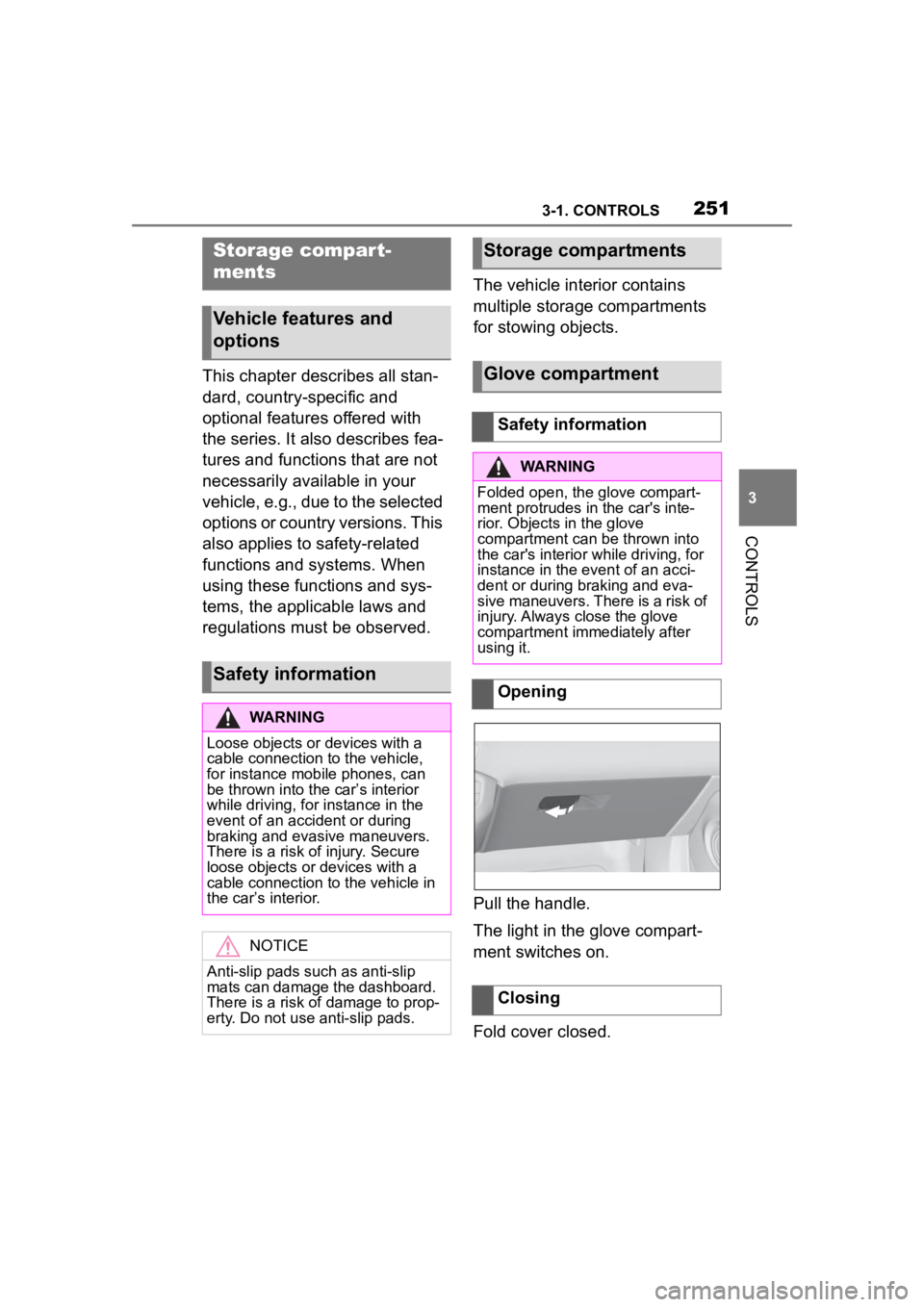
Pull the handle.
The light in the glove compart-
ment switches on.
Fold cover closed.
Storage compar t-
ments
Vehicle features and
options
Safety information
WARNING
Loose objects or devices with a
cable connection to the vehicle,
for instance mobile phones, can
be thrown into the car’s interior
while driving, for
instance in the
event of an accident or during
braking and evasive maneuvers.
There is a risk of injury. Secure
loose objects or devices with a
cable connection to the vehicle in
the car’s interior.
NOTICE
Anti-slip pads such as anti-slip
mats can damage the dashboard.
There is a risk of damage to prop-
erty. Do not use anti-slip pads.
Storage compartments
Glove compartment
Safety information
WARNING
Folded open, the glove compart-
ment protrudes in the car's inte-
rior. Objects in the glove
compartment can be thrown into
the car's interior w hile driving, for
instance in the event of an acci-
dent or during braking and eva-
sive maneuvers. There is a risk of
injury. Always close the glove
compartment immediately after
using it.
Opening
Closing
Page 252 of 372
2523-1. CONTROLS
The glove compartment can be
locked with an integrated key,
refer to page 86. This prevents
access to the glove compart-
ment.
After the glove compartment is
locked, the remote control can
be handed over without the inte-
grated key, for instance when
the vehicle is parked by valet
parking.
There are storage compart-
ments in the doors.Locking
Compartments in the
doors
General information
Safety information
WARNING
Breakable objects, such as glass
bottles or glasses, can break in
the event of an accident or a brak-
ing or evasive maneuver. Broken
glass can be scattered in the car's
interior. There is a risk of injury or
risk of damage to property. Do not
use any breakable objects while
driving. Only stow breakable
objects in closed storage com-
partments.
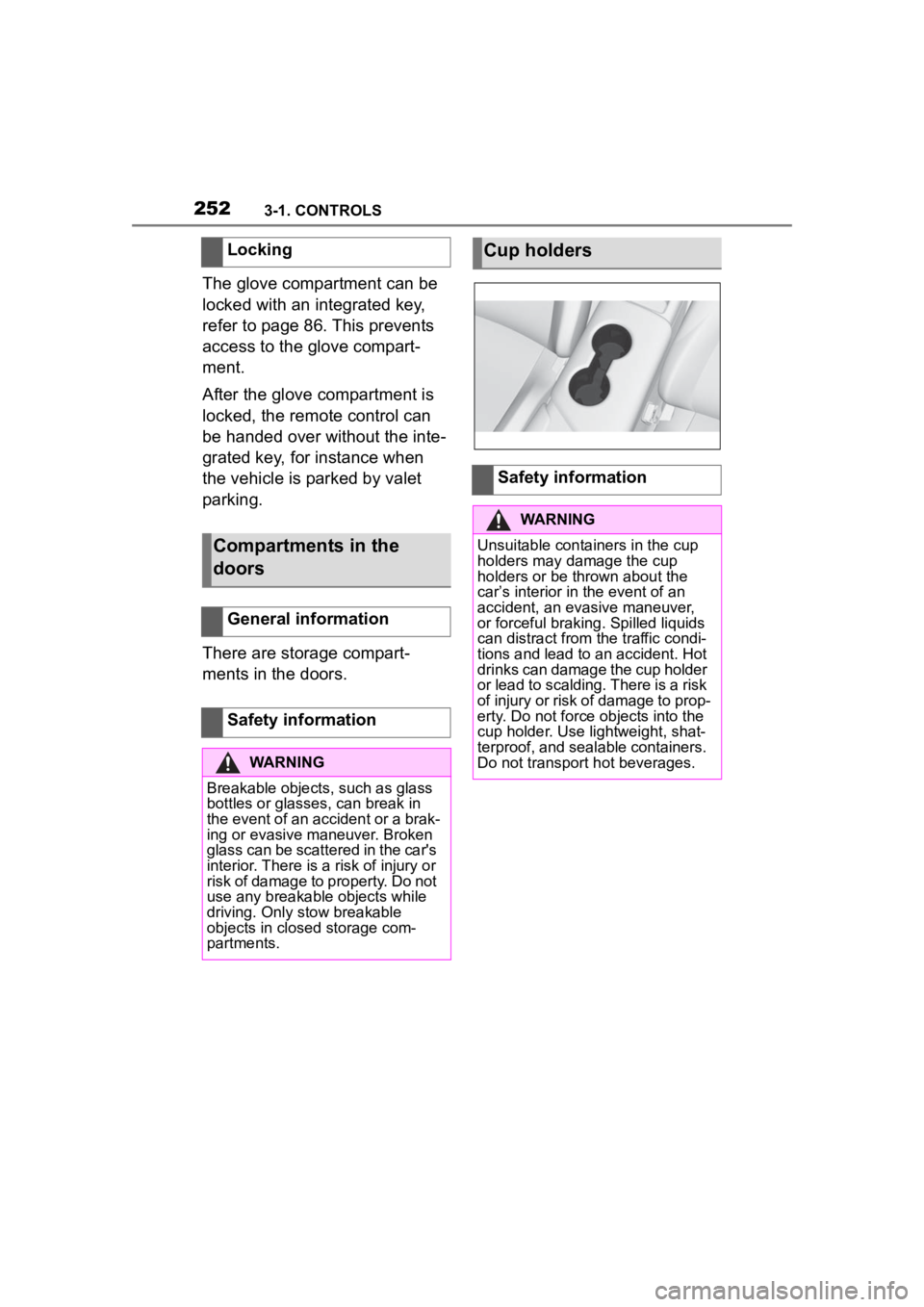
Cup holders
Safety information
WARNING
Unsuitable containers in the cup
holders may damage the cup
holders or be thrown about the
car’s interior in the event of an
accident, an evasive maneuver,
or forceful braking. Spilled liquids
can distract from the traffic condi-
tions and lead to an accident. Hot
drinks can damage the cup holder
or lead to scalding. There is a risk
of injury or risk of damage to prop-
erty. Do not force objects into the
cup holder. Use lightweight, shat-
terproof, and sealable containers.
Do not transport hot beverages.
Page 253 of 372
2533-1. CONTROLS
3
CONTROLS
This chapter describes all stan-
dard, country-specific and
optional features offered with
the series. It also describes fea-
tures and functions that are not
necessarily available in your
vehicle, e.g., due to the selected
options or country versions. This
also applies to safety-related
functions and systems. When
using these functions and sys-
tems, the applicable laws and
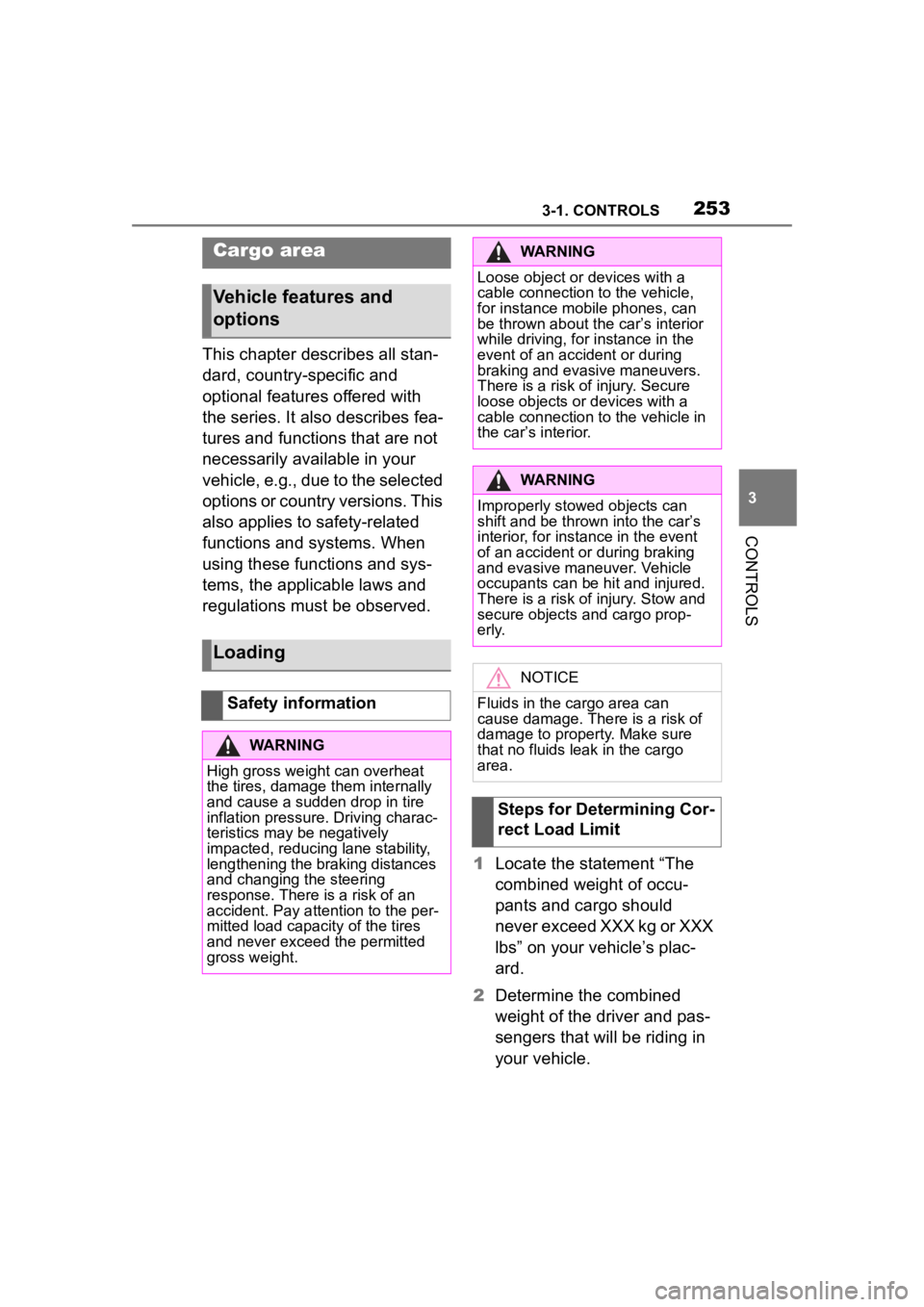
regulations must be observed.1Locate the statement “The
combined weight of occu-
pants and cargo should
never exceed XXX kg or XXX
lbs” on your vehicle’s plac-
ard.
2 Determine the combined
weight of the driver and pas-
sengers that will be riding in
your vehicle.
Cargo area
Vehicle features and
options
Loading
Safety information
WARNING
High gross weight can overheat
the tires, damage them internally
and cause a sudden drop in tire
inflation pressure. Driving charac-
teristics may be negatively
impacted, reducing lane stability,
lengthening the braking distances
and changing the steering
response. There is a risk of an
accident. Pay attention to the per-
mitted load capaci ty of the tires
and never exceed the permitted
gross weight.
WARNING
Loose object or devices with a
cable connection to the vehicle,
for instance mobile phones, can
be thrown about the car
Page 255 of 372
2553-1. CONTROLS
3
CONTROLS
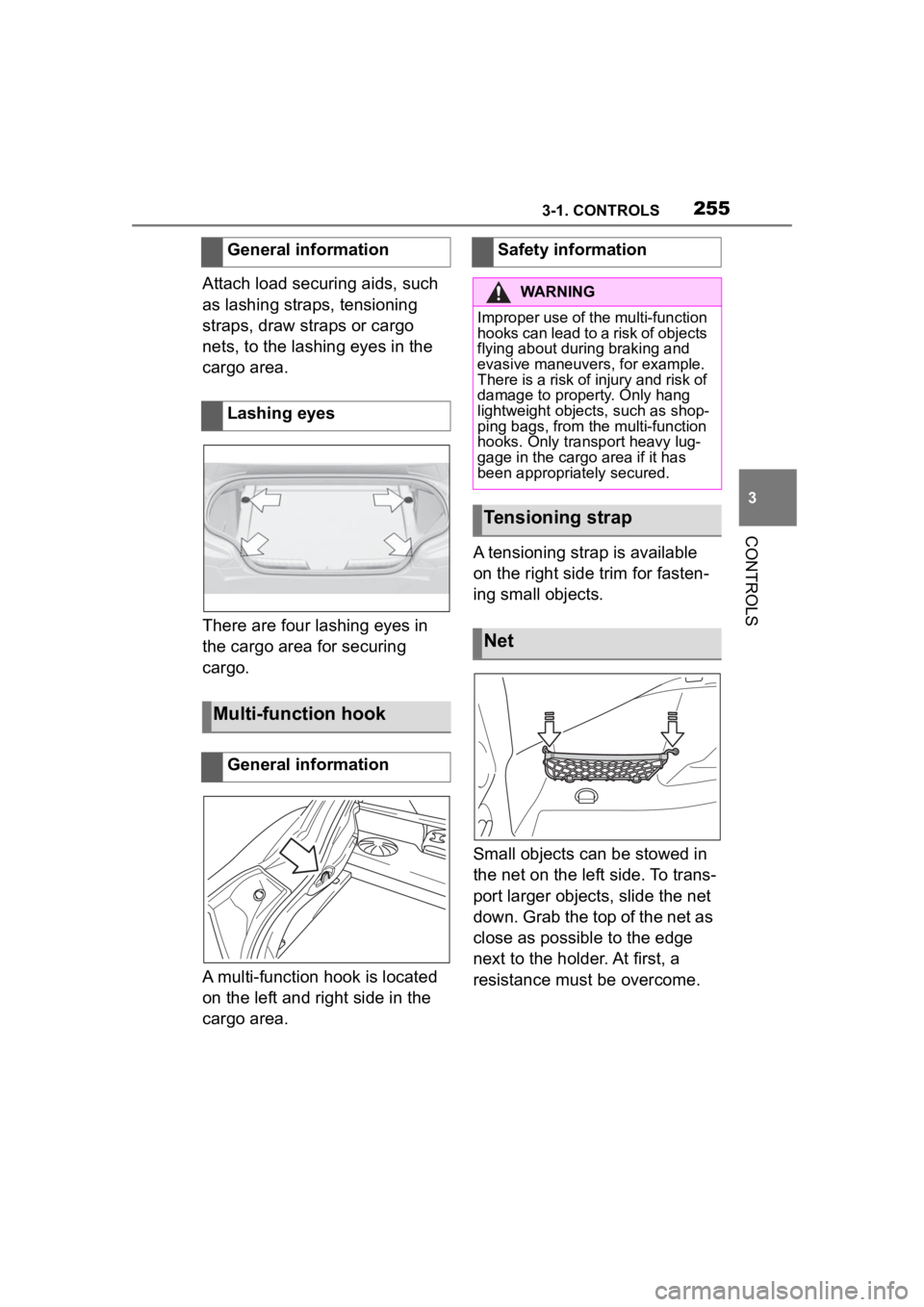
Attach load securing aids, such
as lashing straps, tensioning
straps, draw straps or cargo
nets, to the lashing eyes in the
cargo area.
There are four lashing eyes in
the cargo area for securing
cargo.
A multi-function hook is located
on the left and right side in the
cargo area.A tensioning strap is available
on the right side trim for fasten-
ing small objects.
Small objects can be stowed in
the net on the left side. To trans-
port larger objects, slide the net
down. Grab the top of the net as
close as possible to the edge
next to the holder. At first, a
resistance must be overcome.
General information
Lashing eyes
Multi-function hook
General information
Safety information
WARNING
Improper use of the multi-function
hooks can lead to a risk of objects
flying about during braking and
evasive maneuvers, for example.
There is a risk of injury and risk of
damage to property. Only hang
lightweight objects, such as shop-
ping bags, from the multi-function
hooks. Only transport heavy lug-
gage in the cargo
area if it has
been appropriately secured.
Tensioning strap
Net