My Car VOLVO S60 2018 Owner´s Manual
[x] Cancel search | Manufacturer: VOLVO, Model Year: 2018, Model line: S60, Model: VOLVO S60 2018Pages: 396, PDF Size: 9.4 MB
Page 198 of 396
DRIVER SUPPORT
196
City Safety – operation
Using City Safety™
NOTE
The City Safety™ function is activated auto-
matically each time the engine has been switched off and restarted.
On and OffIn certain situations, it may be desirable to switch City Safety ™ off, such as when driving in close
quarters where leaves, branches, etc. may obscure the hood and windshield. When the engine is running, City Safety ™ can be
switched off as follows: Press My Car in the center console control panel
and go to
SettingsCar settingsDriver
support systems
City Safety. Select Off.
If the engine is switched off, City Safety ™ will
reactivate when the engine is restarted.
WARNING
The laser sensor emits light when the ignition is in mode II or higher, even if City Safety ™
has been switched off.
To switch City Safety ™ on again: •
Follow the same procedure as for switching City Safety
™ off but select
On.
Related information
• City Safety – introduction (p. 194)
• City Safety – function (p. 195)
• City Safety – limitations (p. 196)
• City Safety – troubleshooting (p. 197)
• City Safety – symbols and messages (p. 199)
• City Safety – Laser sensor (p. 200)
• My Car – introduction (p. 71)
City Safety – limitations
Limitations
WARNING
The laser sensor has certain limitations and its function may be reduced (or it may notfunction at all) in conditions such as heavyrain or snowfall, or by dense fog or thick,blowing dust or snow. Condensation, dirt, iceor snow on the windshield may also interferewith the sensor
Page 206 of 396
DRIVER SUPPORT
* Option/accessory.
204
Collision warning * – operation
Settings are made by pressing MY CAR on the
center console control panel and using the menus displayed.
Activating/deactivating both warning
signals
To switch the system's audible and visual sig-
nals on or off at the same time, press MY CAR
on the center console control panel and go to
SettingsCar settingsDriver support
systems
Collision Warning. If Pedestrian
and Cyclist Detection with Full Auto Brake is on, the system will perform a self-test each time theengine is started by briefly illuminating the warn-ing light. See My Car – introduction (p. 71) for adescription of the menu system. When the engine is switched on, the system set- ting that was being used when it was switchedoff will be the default setting.
NOTE
The auto-brake and pedestrian/cyclist detec- tion features are always on, even if the audi-ble and visual warning signals have beendeactivated.
Activating/deactivating the audible warning signal only
The audible warning signal can be activated/ deactivated by pressing MY CAR on the center
console control panel and going to
Settings
Car settingsDriver support systemsWarning sound if risk of collision.
Setting a warning distanceThis setting determines the distance at which the visual and audible warnings are triggered. Select
Long, Normal or Short by pressing MY CAR on
the center console control panel and going to
SettingsCar settingsDriver support
systems
Collision WarningWarning
distance.
The warning distance determines the level of sensitivity used by the system. The warning dis- tance
Long provides an earlier warning. Begin by
using Long and if the system gives too many
warnings, try changing to Normal.
WARNING
• The setting Short should only be used in
situations where traffic is light and mov- ing at low speeds.
• Pedestrian and Cyclist Detection with FullAuto Brake alerts the driver to the risk ofa collision but this function cannot reducethe driver
Page 207 of 396
DRIVER SUPPORT
}}
* Option/accessory.205
panel and going to
SettingsCar settings
Driver support systemsCollision Warning.
Related information
•
Collision warning – introduction (p. 201)
• Collision warning
* – function (p. 203)
• Collision warning
* – Pedestrian detection
(p. 206)
• Collision warning
* – Cyclist detection
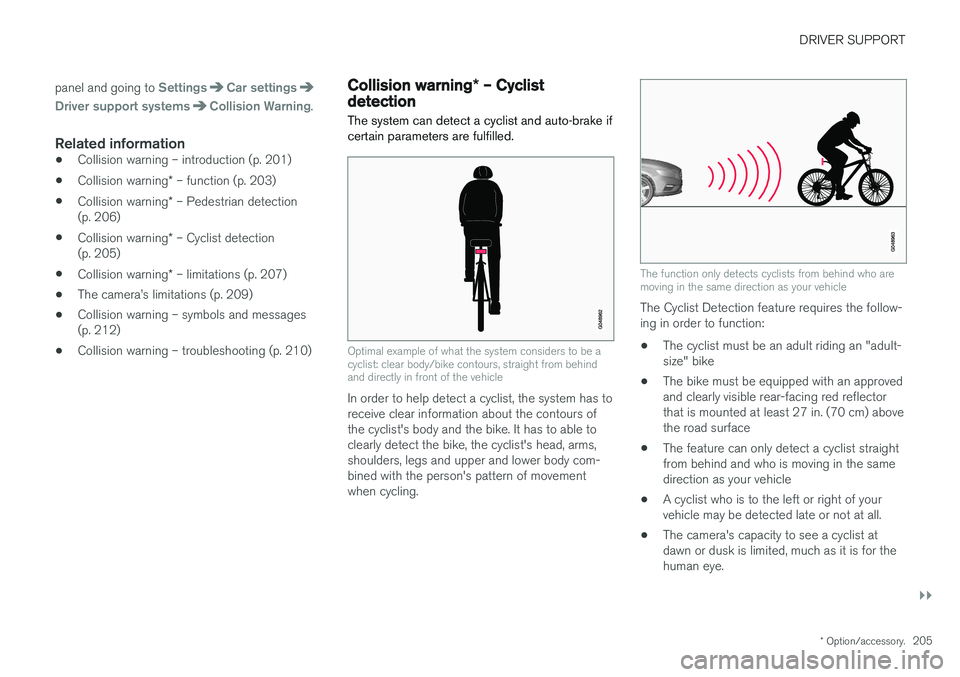
(p. 205)
• Collision warning
* – limitations (p. 207)
• The camera
Page 208 of 396
||
DRIVER SUPPORT
* Option/accessory.
206 •
The camera's function is deactivated and will not detect a cyclist in darkness or in tunnels,even if there is street lighting in the area.
• For optimal cyclist detection, City Safety
™
must be activated.
WARNING
Pedestrian and Cyclist Detection with Full Auto Brake is designed to be a supplemen-tary driving aid. It is not, however, intended toreplace the driver's attention and judgement.The driver is always responsible for operatingthe vehicle in a safe manner. The system cannot detect a bike/cyclist if:
• He/she is wearing loose-fitting clothing that may obscure body contours
• The bike is approaching your vehicle fromthe side
• The bike is not equipped with a rear-fac-ing red reflector
• The bike is carrying large objects
• Most of the cyclist's body or the bikeitself cannot be "seen" by the system'scamera
Related information
•Collision warning – introduction (p. 201)
• Collision warning
* – function (p. 203)
• Collision warning
* – operation (p. 204) •
Collision warning
* – Pedestrian detection
(p. 206)
• Collision warning
* – limitations (p. 207)
• Collision warning – troubleshooting (p. 210)
• Collision warning – symbols and messages(p. 212)
Collision warning
* – Pedestrian
detection
The system cannot identify all pedestrians
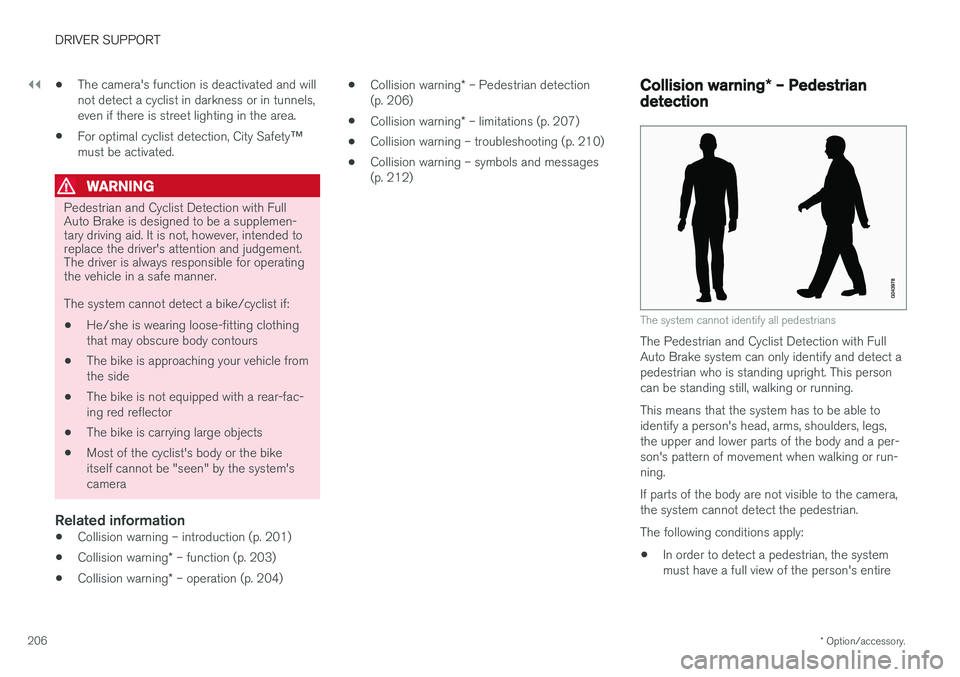
The Pedestrian and Cyclist Detection with Full Auto Brake system can only identify and detect apedestrian who is standing upright. This personcan be standing still, walking or running. This means that the system has to be able to identify a person's head, arms, shoulders, legs,the upper and lower parts of the body and a per-son's pattern of movement when walking or run-ning. If parts of the body are not visible to the camera, the system cannot detect the pedestrian. The following conditions apply:
• In order to detect a pedestrian, the system must have a full view of the person's entire
Page 209 of 396
DRIVER SUPPORT
}}
* Option/accessory.207
body and the person must be at least 32 in. (80 cm) tall.
• The system cannot detect a pedestrian carry-ing a large object.
• The camera's capacity to see a pedestrian atdawn or dusk is limited, much as it is for thehuman eye.
• The camera's function is deactivated and willnot detect a pedestrian in darkness or in tun-nels, even if there is street lighting in thearea.
WARNING
•Pedestrian and Cyclist Detection with Full Auto Brake is designed to be a supple-mentary driving aid. It is not, however,intended to replace the driver's attentionand judgement. The driver is alwaysresponsible for operating the vehicle in asafe manner.
• The system cannot detect all pedestriansin all situations, such as in darkness/atnight and cannot detect partially hiddenpedestrians, people who are less thanapprox. 32 in. (80 cm) tall, or peoplewearing clothing that obscures the con-tours of their bodies.
Related information
•Collision warning – introduction (p. 201)
• Collision warning
* – function (p. 203)
• Collision warning
* – operation (p. 204)
• Collision warning
* – Cyclist detection
(p. 205)
• Collision warning
* – limitations (p. 207)
• Collision warning – troubleshooting (p. 210)
• Collision warning – symbols and messages(p. 212)
Collision warning
* – limitations
Strong sunlight, reflections, extreme light con- trasts, the use of sunglasses, or if the driver is notlooking straight ahead may make the visual warn-ing signal in the windshield difficult to see. Forthis reason, always activate the audible warningsignal. Slippery driving conditions increase braking dis- tance, which can reduce the system's capacity toavoid a collision. In these conditions, the ABS andstability systems provide the best possible brak-ing effect while helping to maintain stability.
NOTE
The visual warning signal may be temporarily disengaged in the event of high passengercompartment temperature due to strong sun-light, etc. If this occurs, the audible warningsignal will be used, even if it has been deacti-vated in the menu system.
Page 213 of 396
DRIVER SUPPORT
* Option/accessory.211
Maintenance
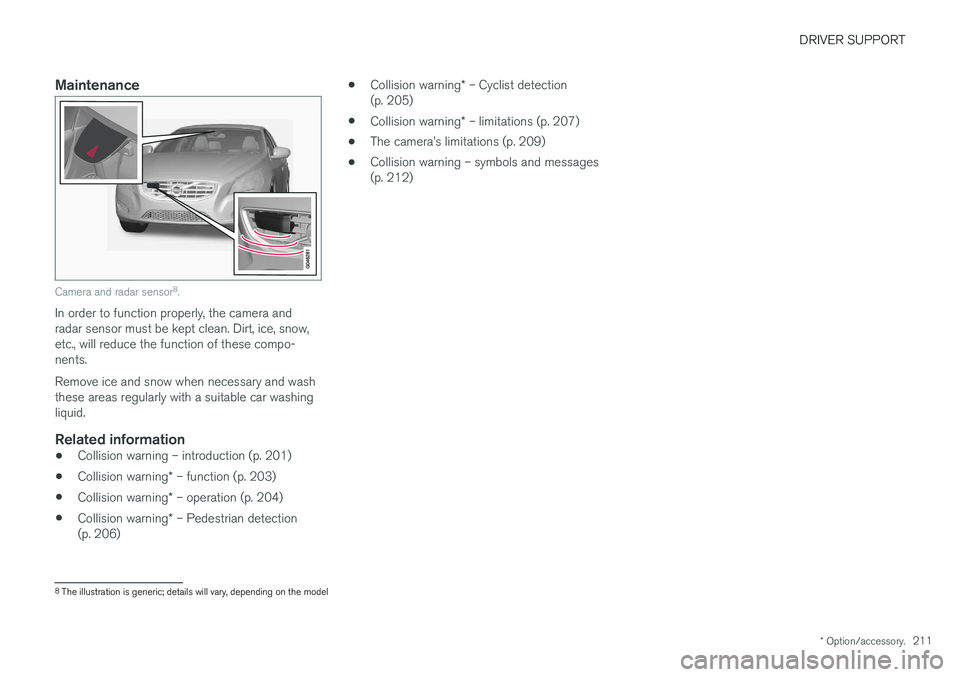
Camera and radar sensor 8
.
In order to function properly, the camera and radar sensor must be kept clean. Dirt, ice, snow,etc., will reduce the function of these compo-nents. Remove ice and snow when necessary and wash these areas regularly with a suitable car washingliquid.
Related information
• Collision warning – introduction (p. 201)
• Collision warning
* – function (p. 203)
• Collision warning
* – operation (p. 204)
• Collision warning
* – Pedestrian detection
(p. 206) •
Collision warning
* – Cyclist detection
(p. 205)
• Collision warning
* – limitations (p. 207)
• The camera
Page 222 of 396

DRIVER SUPPORT
220
Lane Departure Warning (LDW) – introductionThe LDW function is designed to help reduce the risk of accidents in situations where the vehi-cle unintentionally leaves its lane and there is arisk of driving off the road or into the oppositelane.
Lane Departure Warning (LDW) 11Your vehicle may be equipped with Lane Departure Warning (LDW) or Lane KeepingAid (LKA), depending on your choice ofengine.
If you are uncertain as to which of these
optional systems is in your vehicle:
• Press the
MY CAR button on the center
console to open the menu system. Scroll to
SettingsDriver support system. The
system in your vehicle (Lane Departure
Warning or Lane Keeping Aid) will be dis-
played there.
If your vehicle is equipped with Lane Keeping Aid (LKA), see Lane Keeping Aid (LKA) – introduc-tion (p. 225) for detailed information.
The illustration is generic
LDW uses the camera located at the center, upper edge of the windshield to monitor theroad's/lane
Page 223 of 396

DRIVER SUPPORT
}}
221
Lane Departure Warning (LDW) – operation
Operation and function
LDW can be switched on or off by pressing the button on the center console. A light in the but-ton illuminates when the function is on. This issupplemented by graphic displays in the instru-ment panel, for example:
LDW displayed in the instrument panel
•The LDW symbol has
white side marker
lines: – the function is active and "sees" one or both of the road's side marker lines.
• The LDW symbol has
gray side marker lines:
– the function is active but cannot "see" oneor both of the road's side marker lines.
or
• The LDW symbol has
gray side marker lines:
– the function is in standby mode becausethe vehicle's speed is below 40 mph(65 km/h).
• The LDW symbol has
no side marker lines: –
the function is deactivated.
WARNING
The driver will only be warned once for each time the wheels cross a marker line. No alarmwill be given if a marker line is between thewheels.
SettingsSettings for Lane Departure Warning can be made in the menu system by pressing My Car.
Go to
SettingsCar settingsDriver
support systems
Lane Departure Warning.
There are two alternatives:
•
On at start-up: This selection switches
LDW on each time the engine is started. Otherwise, the system will be in the modethat it was in when the engine was switchedoff.
•
Increased sensitivity: This selection increa-
ses the function
Page 227 of 396
DRIVER SUPPORT
225
Lane Keeping Aid (LKA) – introductionThe LKA function is designed to help reduce the risk of accidents in situations where the vehicleunintentionally leaves its lane and there is a riskof driving off the road or into the opposite lane.
LDW or LKAYour vehicle may be equipped with Lane Departure Warning (LDW) or Lane KeepingAid (LKA), depending on your choice ofengine. If you are uncertain as to which of these
optional systems is in your vehicle:
• Press the
MY CAR button on the center
console to open the menu system. Scroll to
SettingsDriver support system. The
system in your vehicle (Lane Departure
Warning or Lane Keeping Aid) will be dis-
played there.
If your vehicle is equipped with Lane Departure Warning (LDW), see Lane Departure Warning(LDW) – introduction (p. 220) for detailed infor-mation.
LKA functionThe LKA function is primarily intended for use onhighways or other major roads with clearlymarked side marker and center lines.
The illustration is generic
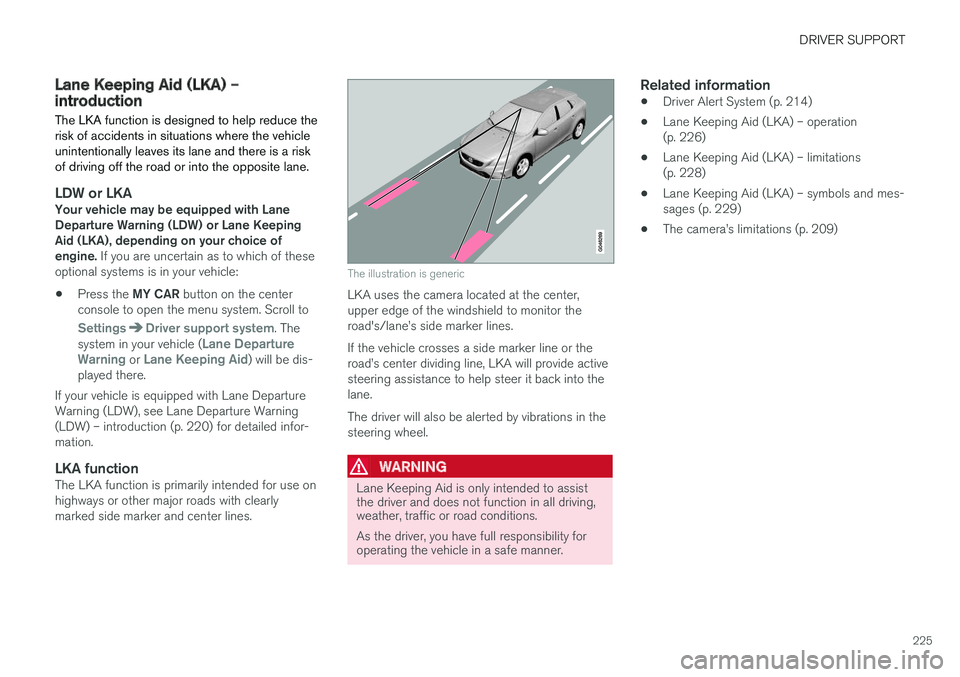
LKA uses the camera located at the center, upper edge of the windshield to monitor theroad's/lane
Page 228 of 396
DRIVER SUPPORT
226
Lane Keeping Aid (LKA) – operation
LKA is active at speeds above 40 mph (65 km/h) on highways or other major roads with clearlymarked side/lane marker and center lines. Onnarrow roads where the distance between side/lane marker lines is less than approximately8.5 feet ( 2.6 meters), LKA will be temporarilydeactivated.
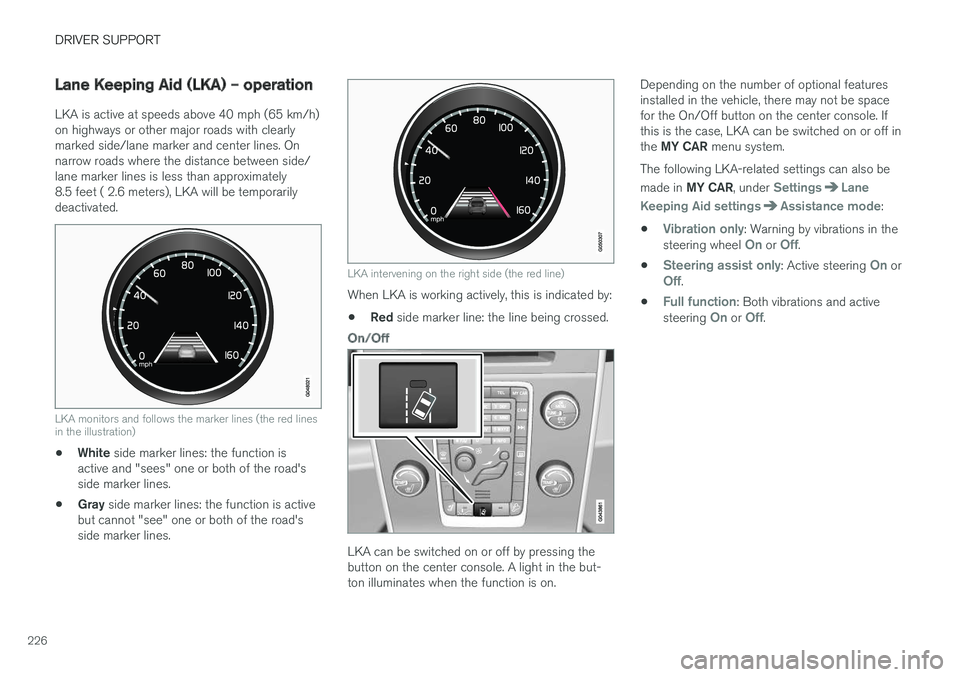
LKA monitors and follows the marker lines (the red lines in the illustration)
•White
side marker lines: the function is
active and "sees" one or both of the road's side marker lines.
• Gray
side marker lines: the function is active
but cannot "see" one or both of the road'sside marker lines.
LKA intervening on the right side (the red line)
When LKA is working actively, this is indicated by:
• Red
side marker line: the line being crossed.
On/Off
LKA can be switched on or off by pressing the button on the center console. A light in the but-ton illuminates when the function is on. Depending on the number of optional featuresinstalled in the vehicle, there may not be spacefor the On/Off button on the center console. Ifthis is the case, LKA can be switched on or off in the
MY CAR menu system.
The following LKA-related settings can also be made in MY CAR , under
SettingsLane
Keeping Aid settings
Assistance mode:
•
Vibration only: Warning by vibrations in the
steering wheel On or Off.
•
Steering assist only: Active steering On orOff.
•
Full function: Both vibrations and active
steering On or Off.