map Acura RDX 2016 Navigation Manual
[x] Cancel search | Manufacturer: ACURA, Model Year: 2016, Model line: RDX, Model: Acura RDX 2016Pages: 363, PDF Size: 17.77 MB
Page 142 of 363

141Continued
Navigation
Calculating the Route
This section describes how to calculate your route.1.Rotate to select Set as
Destination . Press .
u The system calculates and
displays the route line on the
map screen.
2 Route Line P. 146
uMove to scroll the map
around the destination.
The following options are available:
• View Routes : Displays three different routes.
2Viewing the Routes P. 143
•Route Preference : Move to select Route Preference to change the route
preferences (calculating method).
2 Route Preference P. 54
1Calculating the Route
The straight line distance (as the crow flies, not
driving distance) and direction to the destination are
shown.
You cannot use voice commands while the system is
calculating the route.
Search Nearby
You can find the nearest place/landmark (e.g.,
nearest gas station) by specifying a category.
2 Find Nearest Place P. 168
Call
You can place a telephone call to the destination
phone number. 2 Bluetooth® HandsFreeLink ® P. 252
Save to Address Book
You can add the destinati on address to the address
book. 2 Adding an Address Book Entry P. 40
Edit/Delete Entry
You can edit or delete the address book entry.
2 Editing an Address Book Entry P. 42
2 Deleting an Address Book Entry P. 43
16 ACURA RDX NAVI-31TX48300.book 141 ページ 2015年3月6日 金曜日 午後1時26分
Page 144 of 363

143
uuCalculating the Route uViewing the Routes
Navigation
Viewing the Routes
View three different routes to your destination.
Rotate to select a route. Press .
u The travel distance and estimated
travel time is displayed for each
route.
u The system calculates and displays
the route line on the map screen.
2 Route Line P. 146
■Using the server route
The following items are available:
• Quick : Displays the route with the shortest travel time.
• Direct : Displays the route with the shortest travel distance.
• Eco : Displays the route with the best fuel efficiency.
1Viewing the Routes
It is not unusual for some ca lculated route options to
be identical.
Server Routes is a subscription service. For more
information, contact an Acura dealer or visit
owners.acura.com (U.S.) or www.myacura.ca
(Canada).
16 ACURA RDX NAVI-31TX48300.book 143 ページ 2015年3月6日 金曜日 午後1時26分
Page 145 of 363

144
Navigation
Driving to Your Destination
This section describes how to follow the route guidance to your destination, receive
traffic information and choose the icons displayed on the map screen.
Viewing the Route
After calculating the route to your
destination, the route is displayed on
the map screen.
2Map Screen Legend P. 9
As you drive, the system tracks your
position on the map in real time and
provides guidance as you approach
each guidance point on the route.
2During Route Guidance P. 10
■Map Screen
1
Viewing the Route
“Display Map”
You can change the map scale using voice
commands (e.g., say “ Display 2 mile (3 km)
scale”).
2 Map Scale Commands P. 348
You can also change the map scale by rotating .
You can control the icons displayed on the map
screen using voice commands (e.g., say “ Display
post office ”).
2 Map Display Commands P. 348
You can obtain information about the route using
voice commands (e.g., say “ How long to the
destination? ”).
2 Route Commands P. 350
You can display the next guidance point on the map
screen by saying “ Display Map Guide” (when en
route).
If you scroll the map while en route, the time and
distance to destination indi cators are replaced with
an indicator showing di stance from the current
vehicle position.
You can display only the ma p screen or a split map-
guidance screen.
2 Guidance Mode P. 63
16 ACURA RDX NAVI-31TX48300.book 144 ページ 2015年3月6日 金曜日 午後1時26分
Page 149 of 363
uuDriving to Your Destination uViewing the Route
148
Navigation
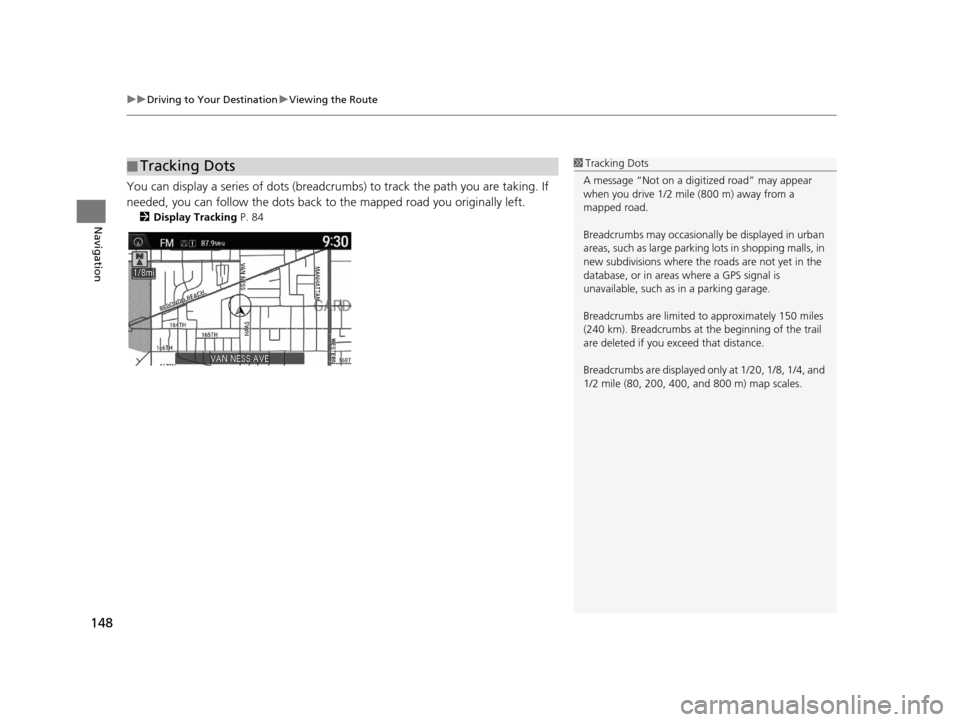
You can display a series of dots (breadcrum bs) to track the path you are taking. If
needed, you can follow the dots back to the mapped road you originally left.
2 Display Tracking P. 84
■Tracking Dots1
Tracking Dots
A message “Not on a digi tized road” may appear
when you drive 1/2 mile (800 m) away from a
mapped road.
Breadcrumbs may occasionall y be displayed in urban
areas, such as large parking lots in shopping malls, in
new subdivisions where the roads are not yet in the
database, or in areas where a GPS signal is
unavailable, such as in a parking garage.
Breadcrumbs are limited to approximately 150 miles
(240 km). Breadcrumbs at th e beginning of the trail
are deleted if you exceed that distance.
Breadcrumbs are displayed onl y at 1/20, 1/8, 1/4, and
1/2 mile (80, 200, 400, and 800 m) map scales.
16 ACURA RDX NAVI-31TX48300.book 148 ページ 2015年3月6日 金曜日 午後1時26分
Page 150 of 363
149
uuDriving to Your Destination uListening to Voice Guidance
Navigation
Listening to Voice Guidance
H ENTER button (on map) uVoice
As you approach each guidance point, a pop-up window is displayed on the map
screen with instructions for you to follow. Voice guidance for each guidance point is
also provided.
Typically, you hear three prompts:
• 1/2 mile (800 m) from the guidance point (2 miles (3 km) on freeway/highway)
• 1/4 mile (400 m) from the guidance point (1 mile (1.5 km) on freeway/highway)
• Just before the guidance point
To replay voice guidance, rotate to select Voice in the Map Menu.
If you select Voice between guidance points, voice gu idance for the next guidance
point is provided.1 Listening to Voice Guidance
“Voice ” (on the map screen)
You can turn voice guidance OFF if you prefer. On the
map screen, press to display the Map Menu.
Select Guidance Volume and adjust the volume
level to 0.
You can also adjust Guidance Volume by rotating
the volume knob or using the VOL buttons on the
steering wheel during r oute guidance or voice
command confirmations.
When driving in unverified areas, the phrase “if
possible” is inserted before each voice guidance
prompt.
Voice in the Map Menu may be grayed out if:
•The system is in proce ss of gathering the route
guidance information.
•The vehicle is out of the road (e.g., pulling in a
parking lot).
The timing of voice guidanc e varies depending on the
type of road you are on and the distance to the next
guidance point.
16 ACURA RDX NAVI-31TX48300.book 149 ページ 2015年3月6日 金曜日 午後1時26分
Page 151 of 363
150
uuDriving to Your Destination uReaching a Waypoint
Navigation
Reaching a Waypoint
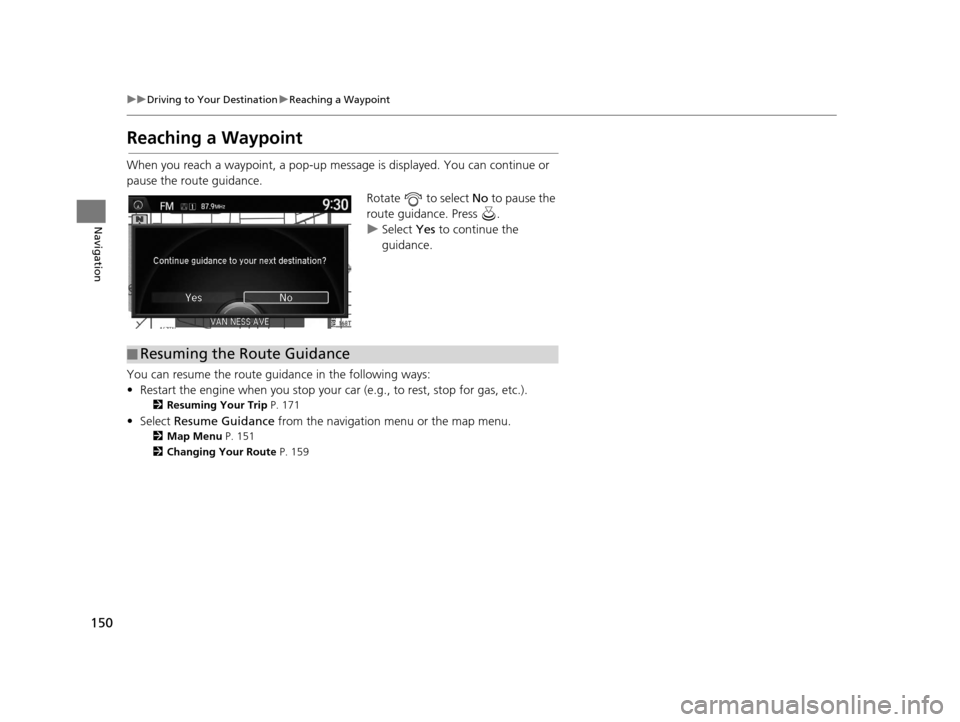
When you reach a waypoint, a pop-up message is displayed. You can continue or
pause the route guidance.
Rotate to select No to pause the
route guidance. Press .
u Select Yes to continue the
guidance.
You can resume the route guidance in the following ways:
• Restart the engine when you stop your ca r (e.g., to rest, stop for gas, etc.).
2Resuming Your Trip P. 171
• Select Resume Guidance from the navigation menu or the map menu.
2Map Menu P. 151
2 Changing Your Route P. 159
■Resuming the Route Guidance
16 ACURA RDX NAVI-31TX48300.book 150 ページ 2015年3月6日 金曜日 午後1時26分
Page 152 of 363
151Continued
Navigation
Map Menu
Displaying the Map Menu
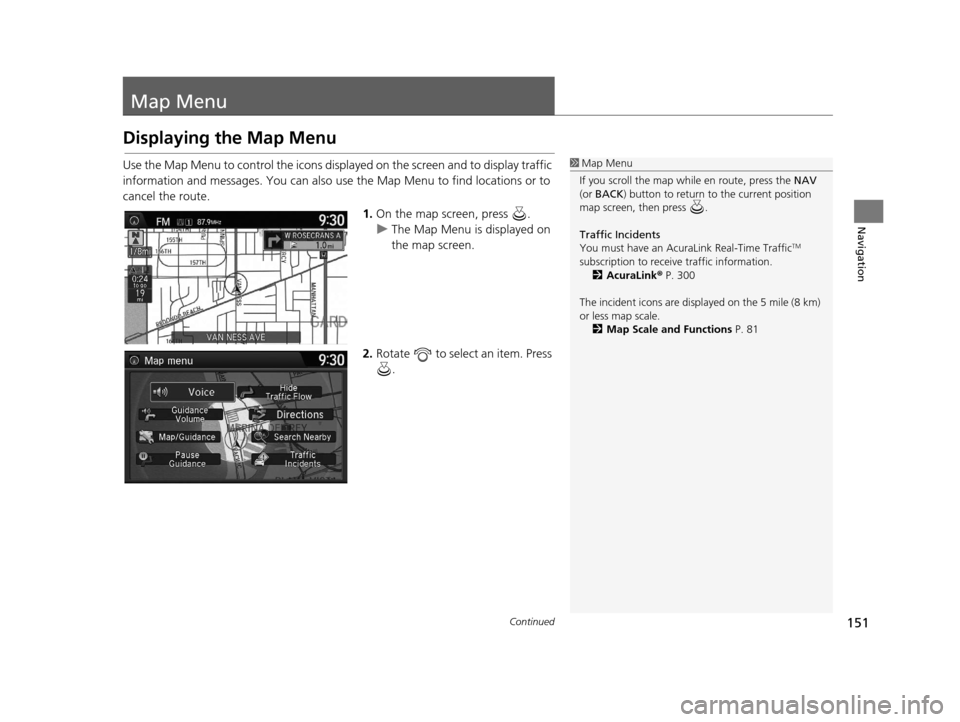
Use the Map Menu to control the icons displayed on the screen and to display traffic
information and messages. You can also use the Map Menu to find locations or to
cancel the route.1.On the map screen, press .
u The Map Menu is displayed on
the map screen.
2. Rotate to select an item. Press
.1Map Menu
If you scroll the map while en route, press the NAV
(or BACK ) button to return to the current position
map screen, then press .
Traffic Incidents
You must have an Acur aLink Real-Time Traffic
TM
subscription to receive traffic information. 2 AcuraLink ® P. 300
The incident icons are disp layed on the 5 mile (8 km)
or less map scale.
2 Map Scale and Functions P. 81
16 ACURA RDX NAVI-31TX48300.book 151 ページ 2015年3月6日 金曜日 午後1時26分
Page 153 of 363

uuMap Menu uDisplaying the Map Menu
152
Navigation
The following items are available:
• Voice : Select to hear the voice guidance when en route.
2Listening to Voice Guidance P. 149
•Guidance Volume : Adjusts the navigation system volume level.
2Sound and Beep Settings P. 27
•Map/Guidance : Allows you to select the map and guidance settings (display
mode, icons to display on the map, map orientation, map color, and 3D view
angle), display your current location and an overview of the map features.
2Guidance Mode P. 63
2 Showing Icons on Map P. 71
2 Color P. 73
2 View (Map Orientation) P. 76
2 3D Angle Adjustment P. 77
2 Current Location P. 79
2 Map Legend P. 80
•Pause Guidance : Pauses your current route.
2Pausing the Route P. 160
•Resume Guidance : Resumes your current route. Th is item is displayed while the
route guidance is paused.
• Hide Traffic Flow: Hides the current traffic flow indicator on the map screen.
2 Hide Traffic Flow P. 153
•Display Traffic Flow : Displays the current traffic flow indicator on the map
screen. This item is displayed while the current traffic flow indicator is hidden.
• Directions : Displays a list of the guidance points.
2Directions P. 154
•Search Nearby : Allows you to find the nearest place/landmark (e.g., nearest gas
station) by specifying a category. You can then add the location to the list of
destinations, set as a waypoint, or set as your destination.
2 Find Nearest Place P. 168
1Map Menu
Directions
The system provides freeway/highway exit
information only in the U.S.
16 ACURA RDX NAVI-31TX48300.book 152 ページ 2015年3月6日 金曜日 午後1時26分
Page 154 of 363
153
uuMap Menu uHide Traffic Flow
Navigation
• Traffic Incidents : Displays a list of the traffic incidents around your current
location or on your current route.
2 Traffic ReroutingTM P. 156
Hide Traffic Flow
HENTER button (on map) uHide Traffic Flow
Hide the traffic flow indicator on the map screen. Press the ENTER button and select
Display Traffic Flow to display the traffic flow indicator on the map screen.
16 ACURA RDX NAVI-31TX48300.book 153 ページ 2015年3月6日 金曜日 午後1時26分
Page 155 of 363

154
uuMap Menu uDirections
Navigation
Directions
H ENTER button (on map) uDirections
Display a list of the guidance points on your route for your confirmation. 1.Rotate to select a guidance
point from the list. Press .
u The system displays a map of
the guidance point.
2. Press to select Back to list or
press the BACK button to return
to the previous screen.1 Directions
Guidance points with exit information are indicated
by a (freeway/highway exit information) icon.
Move to select Exit Info to display the exit
information. 2 Freeway/highway Exit Information P. 155
The system provides freeway/highway exit
information only in the U.S.
The route guidance inform ation is automatically
deleted when you reac h your destination.
16 ACURA RDX NAVI-31TX48300.book 154 ページ 2015年3月6日 金曜日 午後1時26分