mmi AUDI Q7 2009 Owner´s Manual
[x] Cancel search | Manufacturer: AUDI, Model Year: 2009, Model line: Q7, Model: AUDI Q7 2009Pages: 426, PDF Size: 97.13 MB
Page 164 of 426
• ..__A_ d_a...: p:,..._ ti_v _ e_ C_ ru_ is_ e_ C_ o_n_ t_ r_ o _ l ___________________________________________ _
Applies to veh ic les: with Adapt ive Cruise Contro l
Display in the instrument cluster
Fig . 169 Displ ay in the
in strumen t cluster
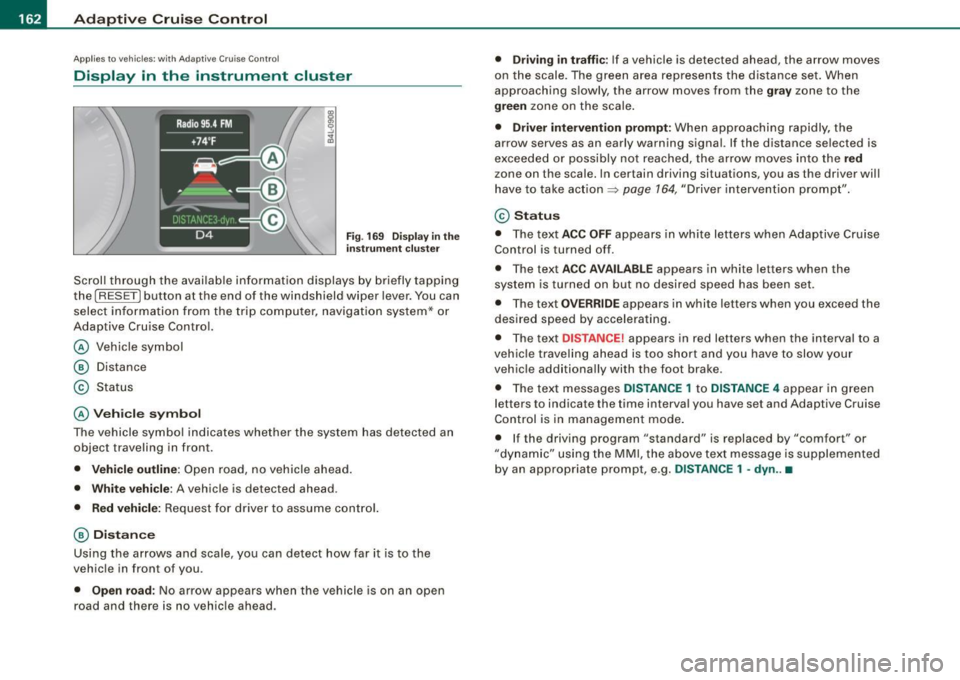
Scroll through the avai lab le information displays by briefly tapping
the
I RESET] button at the end of the windshield wiper lever. You can
select information from the trip compu ter, navigation system* or
Adaptive Cruise Contro l.
@ Vehicle symbol
@ Dis tance
© Status
@ Veh icle sy mbol
The vehicle symbol indicates whether the system has detected an
object traveling in front.
• Vehicle outl in e: Open road, no vehicle ahead .
• Whit e vehi cle : A vehicle is detec ted ahead .
• Red vehicle: Request for driver to assume contro l.
@ Distance
Using the arrows and scale, you can detect how far it is to the
vehic le in front of you .
• Open road: No arrow appears when the vehicle is on an open
road and there is no vehicle ahead .
• Driving in traff ic: If a vehicle is detected ahead, the arrow moves
on the scale . The green area represents the d istance set . When
approaching s lowly, the arrow moves from the
gray zone to the
green zone on the scale .
• Driver intervention prompt : When approaching rapidly, the
arrow serves as an early warning signal. If the distance selected is
exceeded or possibly no t reached, the arrow
moves into the red
z one on the scale. In certain driving situations, you as the driver will
have to take action ::::,
page 764, "Driver interventio n prompt" .
© Status
• The tex t ACC OFF appears in white letters when Adaptive Cruise
Control is turned off.
• The text
ACC AVAILABL E appears in white letters when the
system is turned on but no desired speed has been set .
• The text
OVE RRIDE appears in white letters when you exceed the
desired speed by accelerating .
• The text
DISTANCE! appears in red letters when the interval to a
vehic le trave ling ahead is too short and you have to slow y our
vehic le additionally with the foot brake .
• The text messages
DISTANCE 1 to DISTANCE 4 appear in green
letters to indicate the time interval you have set and Adaptive Cruise
Control is in management mode .
• I f the driving program "standard" is replaced by "comfor t" or
"dynamic" using the MMI, the
above text message is supplemented
by an appropriate prompt, e .g.
DISTANCE 1 -dyn .. •
Page 167 of 426
![AUDI Q7 2009 Owner´s Manual _____________________________________________ A_ d_a ...: pc.. t _i_ v _e_ C_ ru_ is_ e_ C_ o_n_ t_ r_ o _ l __ lllll
[ i ] Tip s
• Adaptive Cruise Contro l is switched off after pressing t](/img/6/40274/w960_40274-166.png "AUDI Q7 2009 Owner´s Manual _____________________________________________ A_ d_a ...: pc.. t _i_ v _e_ C_ ru_ is_ e_ C_ o_n_ t_ r_ o _ l __ lllll
[ i ] Tip s
• Adaptive Cruise Contro l is switched off after pressing t")
_____________________________________________ A_ d_a ...: pc.. t _i_ v _e_ C_ ru_ is_ e_ C_ o_n_ t_ r_ o _ l __ lllll
[ i ] Tip s
• Adaptive Cruise Contro l is switched off after pressing the foot
brake . The speed saved up this point can be resumed.
• To resume the saved speed, release the brake pedal and press
the control lever=>
page 157, "Turning Adaptive Cruise Control off
temporarily".
• If you use the accelerator to go faster than the speed of the
vehicle ahead of you , the
dr iver i nterve ntion pr ompt will not be
accompanied by a warning signal.
• If the speed you previously set is exceeded , the indica tor light in
the speedometer wi ll switch off. •
Applies to v ehi cles: with Ad aptive Crui se Co nt rol
MMI settings
Individual settings for Adaptive Cruise Control can be
selected in the MM/ .
Fig. 172 M MI Display:
A dapti ve C ruise
Co ntrol
Settings for the driving program can be adjusted indiv idu
ally to the particular user and saved in the MMI. This can
only be done with the eng ine running.
- Press the
I CAR] funct ion button.
Controls and equip
ment
Select Sy stem s* in the CAR menu.
- Select
Adaptive Crui se Control . The Adaptive C ruise
Control
menu appears.
Select
driving program .
Select the desired driv ing program .
Sett in g t he d riving p rogram
In the driving progr am menu you can adjust the characteristics of
Adaptive Cruise Contro l to your own preferences using
d yn ami c,
s ta nd ard
or comfort .
Sav ing sett ing s
Your individua l settings are automatical ly saved and assigned to the
remote control key being used (remote key storage). If the key is
given to another person, the saved settings remain as they are. •
System limitations
Applies to veh ic les : w ith Ada ptiv e Crui se Cont ro l
General information
The radar sensor has limits that the driver must know to
be able to use ACC properly.
The Adaptive Cruise Control works within limits that ar e also related
to radar sensor range and sight distance . In some situations ACC
may react unusually or late from the driver's point of view . There
fore, always be attentive to what is happening around you and always be ready to intervene, if necessary :
• when driving around curves=>
page 166
• when vehicles up front are not in line with your vehicle
=>
page 166
• when other vehic le s are changing lanes=> page 167
I • •
Page 171 of 426
_____________________________________________ A_ d_a ...: pc.. t _i_ v _e_ C_ ru_ is_ e_ C_ o_n_ t_ r_ o _ l __ lfflll
& WARNING
Inattention can cause collisions, other accidents and serious
personal injuries.
• Always pay close attention to the traffic , even when the Audi
braking guard is switched on. The Audi braking guard provides a
warning but does not brake the car for you. You must apply the
brakes yourself!
• Always keep the safe and legal distance between your vehicle
and vehicles up ahead.
• Audi braking guard works within limits and will not respond
outside the system limits, for example when approaching a
stopped vehicle or stationary obstacle (end of a traffic jam or
vehicle that has broken down in traffic ).
• Always remember that the radar sensor for the Audi brak ing
guard works within defined detection and range limits that may
prevent the proper detection of other vehicles .
• The radar sensor's function and range can be reduced by rain,
snow and heavy spray . Moving vehicles up ahead may not be
promptly detected or may not be detected at all.
• Always pay careful attention to the traffic situation and be
ready to intervene and be ready to take complete control when
ever necessary .
• Reflective surfaces including crash barriers or tunnel entrances
may impair the function of the radar sensor . •
Controls and equip
ment
App lies to veh ic les: with Adap tive Cru ise Contro l
Settings in the MMI
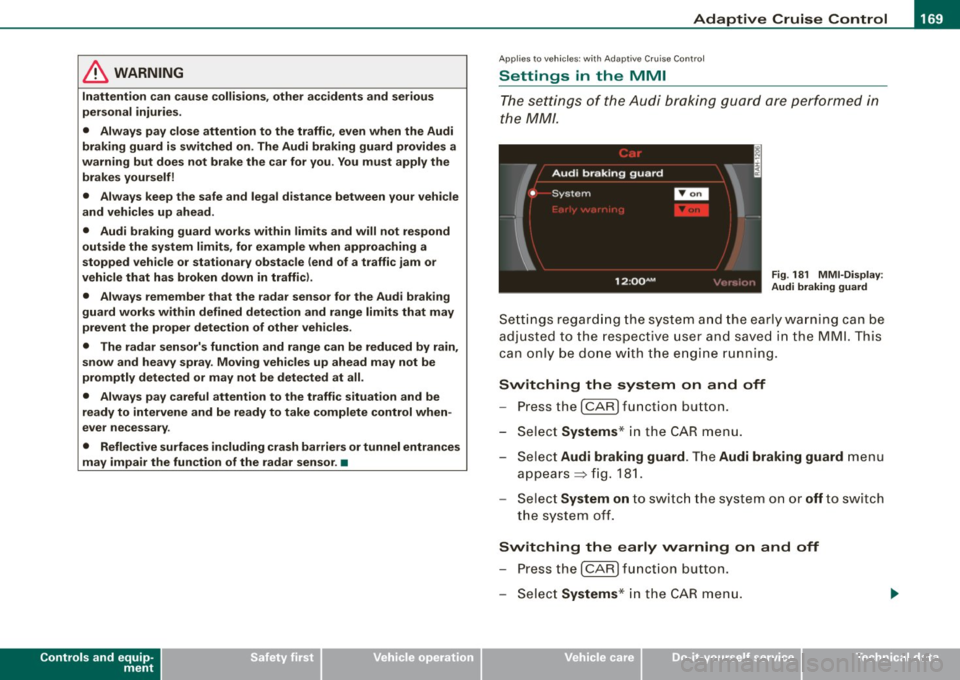
The sett ing s of the Aud i braking guard are performe d in
the MM/ .
Fig. 181 MMI -Display :
Audi braking guard
Settings regarding the system and the ear ly warn ing can be
adju sted to the respect ive u ser and saved in the MML This
can on ly be done with the engine run ning.
Switching the system on and off
- Press the I CAR ] func tion b utton .
- Se lect Systems * in the
CAR menu .
Se lect Audi braking guard . The Audi braking guard menu
appears => fig. 181.
Se lect System on to switch the system on or off t o swi tch
the system off.
Switching the early warning on and off
P res s the I CAR I functio n button .
Select Systems * in the
CAR menu .
I • •
Page 172 of 426
• .___A_ d_a_ p:- t_iv _ e_ C_ r_u _is _ e_C_ o_ n_ t_ r_ o_ l --------------------------------------------
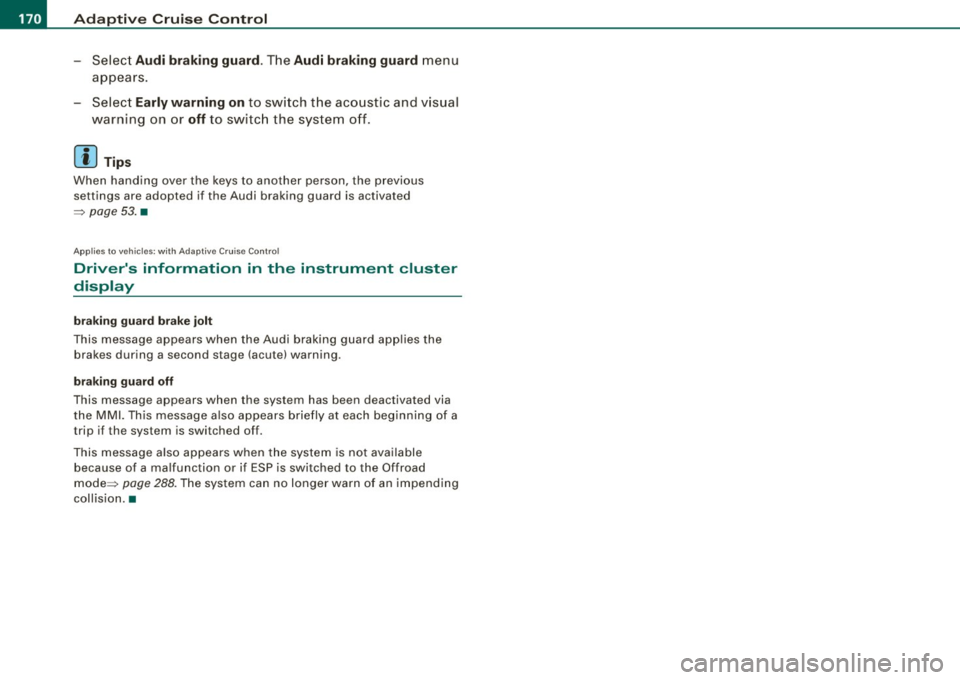
- Select Audi braking guard. The Audi braking guard menu
appears.
Select
Early warning on to switch the acoustic and visual
warning on or
off to switch the system off.
[ i] Tips
When handing over the keys to another person, the previous
settings are adopted if the Audi braking guard is activated
=> page 53. •
Applies to vehicles: with Adaptive Cruise Contro l
Driver's information in the instrument cluster
display
braking guard brake jolt
This message appears when the Audi braking guard applies the
brakes during a second stage (acute) warning.
braking guard off
This message appears when the system has been deactivated via
the MMI. This message also appears briefly at each beginning of a
trip if the system is switched off.
This message also appears when the system is not available
because of a malfunction or if ESP is switched to the Offroad
mode :::>
page 288. The system can no longer warn of an impending
collision. •
Page 174 of 426
-Audi lane
assist --------------------
I Not ready: The yellow indicator light shows that the system is
turned on but unable to send a warn ing. This can be due to the
following:
• There are no boundary lines, or there is on ly one boundary line
present .
• The boundary lines are not detected (e.g. due to snow, dirt, wet
conditions or light shining into the camera lens).
• More than two boundary lines (such as at construction sites) are
located in the vehicle's lane.
• The vehicle's speed is below the speed needed to activate it,
which is about 40 mph (65 km/h).
• The lane is narrower than about 8 ft . (2.5 ml, or wider than about
16 ft. (5 ml.
• The curve is too sharp.
Notes on the instrument cluster display
When the lane assist turns off automatically, the instrument cluster
indicator goes out and one of the following messages appears on
the display:
Audi lane assist not available: Currently no sensor vision
This message appears when the camera can no longer function
because it cannot detect the boundary lines. This may be due to the
following :
• The exterior s ide of the camera viewing window=>
page 171,
fig. 183 is covered with dirt or ice. Clean this part of the windshield.
• The camera v iewing window is fogged up on the inside. In this
case, wait until the fog disappears before turning lane assist on
again.
• The system was unable to detect boundary lines over an
extended period of time due to road conditions (such as snow
covered lanes). Do not turn lane assist on again until the lines can
be more easily detected.
Audi lane assist not available
A temporary malfunction is preventing lane assist from operating .
Try turning on lane assist again a t a later time.
Audi lane assist: system fault
The system should be checked by an authorized Audi dealer or other
qualified workshop .
[ i ] Tips
• Make sure that the camera viewing window:::> page 171, fig. 183
is not covered by stickers or similar objects .
• Always keep the camera viewing window clean. This can usually
be done by operating the windshield wipers. •
Applies to vehicles: with lane assist
MMI settings
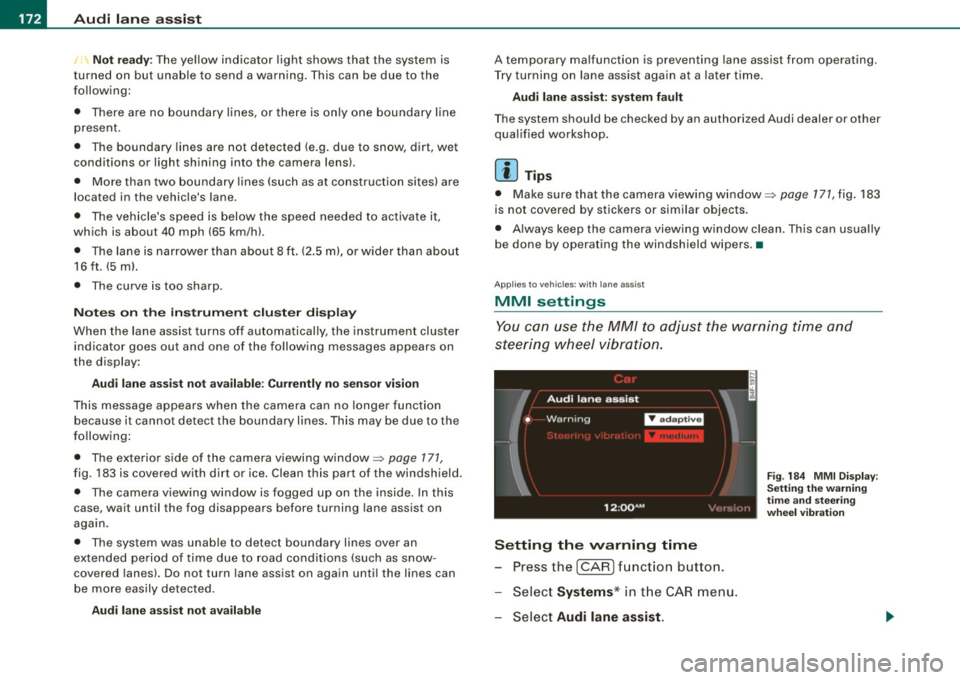
You can use the MM/ to adjust the warning time and
steering wheel vibration.
Setting the warning time
Press the I CAR] function button.
- Select
Systems * in the CAR menu .
- Select
Audi lane assist.
Fig. 184 MMI Display :
Setting the warning
time and stee ring
wheel vibration
Page 179 of 426
_________________________________________________ A_ u_ d_ i _s _i_ d _e _ a_s_ s_ i_ s _t _ __._
When you look in the outside mirror, you can clea rly see the infor
mational s tage signal.
Ale rt sta ge sign al
When you ac tivate the turn signal, and side assist has detected a
vehic le in a notab le location on that particu lar sid e, the signal light
on this side mirror flashes brightly. The repea ted brief and bright
flash ing of the aler t stage signa l reminds you to carefully check
t raffic to the rear in the outside mirror and over your shoulder, so
that you can safely complete the lane change=>
& in "Safety tips"
on
page 182.
[ i ] Tips
T he brightness of the signal light on the outside mirrors can be
adjusted with the
MMI => page 180 . •
Con tro ls and eq uip
ment
A pp lies to veh ic les: with s ide ass ist
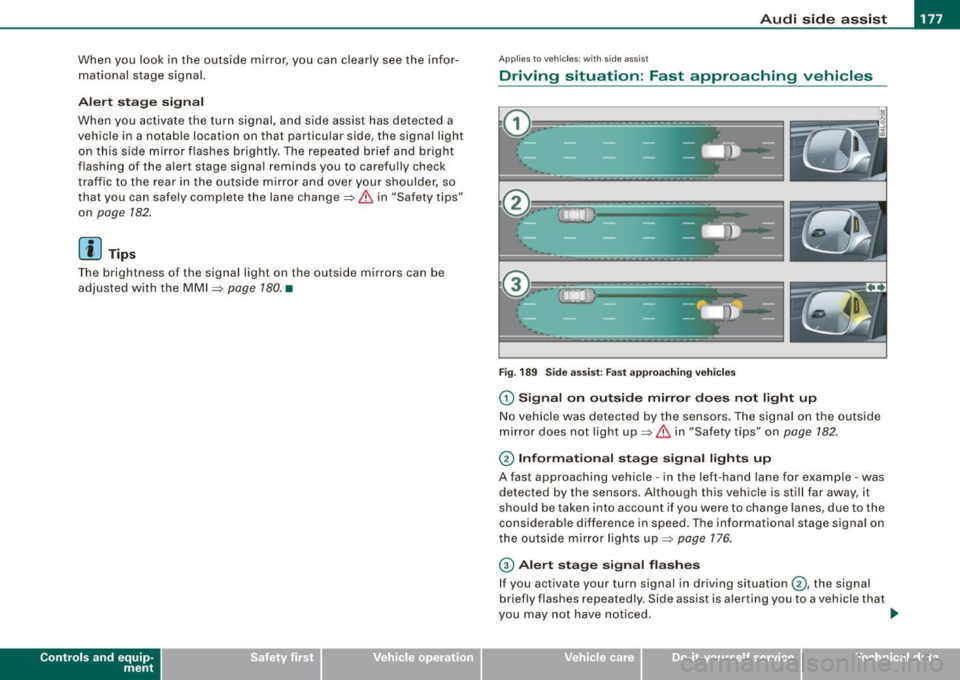
Driving situation : Fast approaching vehicles
Fig . 189 Side a ssist : Fas t ap pro achin g veh ic les
G) Sign al on outside mirror does not l ight up
No vehicle was detected by the sensors. The signa l on the outside
mirror does not light up=>
& in "Safety tips" on page 182.
0 Informa tio nal stage signal lights up
A fast approaching vehicle -in the left-hand lane for example -was
detected by the sensors. Although this vehicle is still far away, it
should be taken into account if you we re to change lanes , due to the
considerable difference in speed. The informational stage signal on
t he outside mirror lights up=>
page 176 .
© Alert stag e signal flashe s
If you activate your turn signal in driving situation @, the signal
briefly flashes repeated ly. Side assist is alerting you to a vehicle that
you may not have noticed .
~
Vehicle care I I irechnical data
Page 182 of 426
• ..__A_ u_ d_ i _s _i_d _e_ a_ s_ s _ is_ t __________________________________________________ _
G) Signal on outside mirror does not light up
If you activate your turn signal in driving situation@, the signal still
does not ligh t up on the outside mirror::::;,
& in "Safety tips" on
page 782 . •
A pplies t o vehi cles : w it h side assist
MMI settings
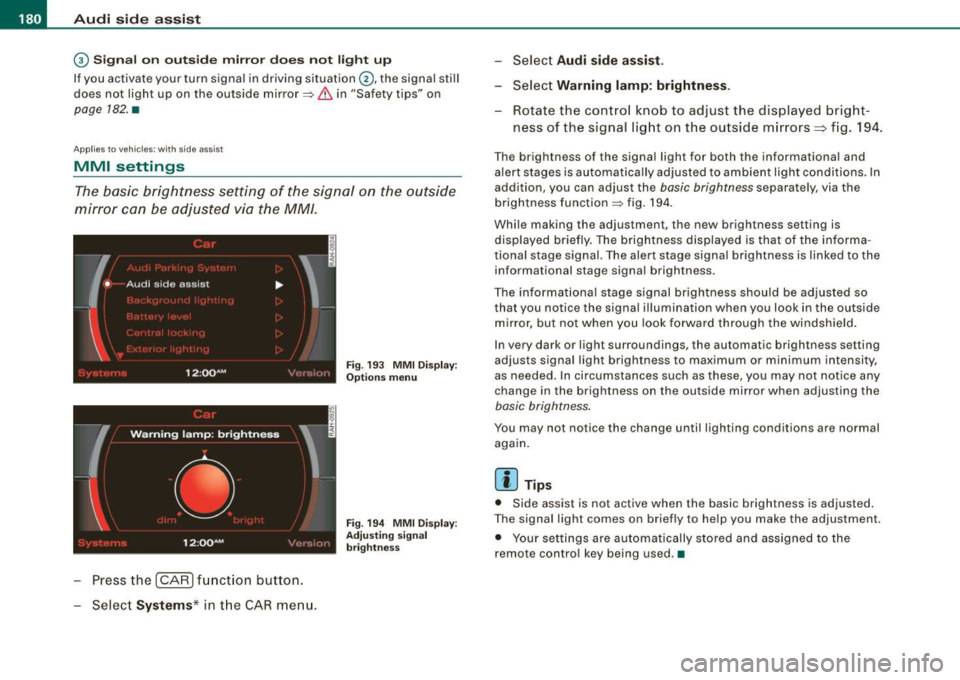
The basic brightness setting of the signal on the outside
mirror can be adjusted via the MM/.
- Pressthe!CAR)function button.
Select Systems* in the
CAR menu.
Fig. 193 MMI Display:
Options menu
Fig . 194 MMI Display :
Adjusting signal
brightness
Select Audi side assist.
- Select Warning lamp: brightness .
Rotate the control knob to adjust the displayed bright
ness of the signal light on the outside mirrors:::::, fig. 194 .
The brightness of the signal light for both the informational and
alert stages is automatically adjusted to ambient light conditions . In
addition, you can adjust the
basic brightness separat ely, via th e
brightness function::::;, fig. 194.
While making the adjustment, the new brightness setting is displayed briefly. The brightness displayed is that of the informa
tional stage signal. The alert stage signal brightness is linked to the
informational stage signal brightness.
The informational stage signal brightness should be adjusted so
that you notice the signal illumination wh en you look in the outside
mirror, but not when you look forward through the windshield.
In very dark or light surroundings, the automatic brightness setting
adjusts signal light brightness to maximum or minimum intensity,
as needed . In circumstances such as these, you may not notice any
change in the brightness on the outside mirror when adjusting the
basic brightness.
You may not notice the change until lighting conditions are normal
again.
[ i ] Tips
• Side assist is not active when the basic brightness is adjusted.
The signal light comes on briefly to help you make the adjustment .
• Your settings are automatically stored and assigned to the
remote con trol key being used .•
Page 193 of 426

___________________________________________ A_ d_ v_ a_n _ c_ e_ d_ P_a _ r_ k_ i_n -=g=-- S_ yc..,_ s_t _ e _m _ __._
Advanced Parking System
Advanced Parking System with rear
view camera
Applies to veh icles : with Advanced Pa rking System with rear view camera
General information
Fig. 205 Trunk lid:
Location of the rear
view camera
In the case of Advanced Parking System with rear view camera, the
visual display is installed in combination with the front and back acoustic parking assist and the rear-view camera.
The rear -view camera is located in the rear lid~ fig. 205 and assists
the driver when parking in reverse . The picture from the rear-view
camera on the MMI display shows a mirror view of a section of the
area behind the vehicle~
page 196, fig. 211.
[ i J Tips
The visual image or rear-view camera picture is available as soon as
the MMI display or the MMI is switched on or the start -up phase is
completed. •
Contro ls and eq uip
ment
App lies to vehicles: with Advanced Parking System w ith re ar view came ra
Front and rear acoustic parking assist with
visual display and rear-view camera
The acoustic parking assist gives an acoustic and visual
signal when obstacles are detected, and the rear-view
camera provides further aid when parking.
Activation
Fig. 206 Section from
center console: switch
for acoustic parking
assist
Fig . 207 MMI display :
visual display of
distance to a detected
obstacle
When you engage reverse gear, the Audi parking system
is activated automatically, or .,.
Vehicle care I I irechnical data
Page 194 of 426
• .___A_ d_v_ a_ n_c_ e_ d_ P _a_r_k _i_ n -=g,_ S-=y"- s_ t_ e_ m __________________________________________ _
-Press the sw itch PJJJ! in the cente r console ~ page 191,
fig. 206 t o activate the A udi pa rking system m anually .
Activation of the acoustic parking system is confirmed by
a brief acknowledgement sound . The indicator light in
the switch lights up.
D ea ctivation
If you drive forwards faster tha n approx. 6 mph (10 km/h),
or
- if you switch the ign ition off, the entire acoustic parking
assist is automatically deactivated, or
- you can press the sw itch
P111! i n the center console
=> page 191, fig. 206 to deact ivate the Audi parking
system. The indicator light in the switch goes out.
You have to turn on the acoustic parking assist m anuall y if you wish
to park the vehicle forwards or if you w ish to approach an obstacle
forwards and want a distance warning .
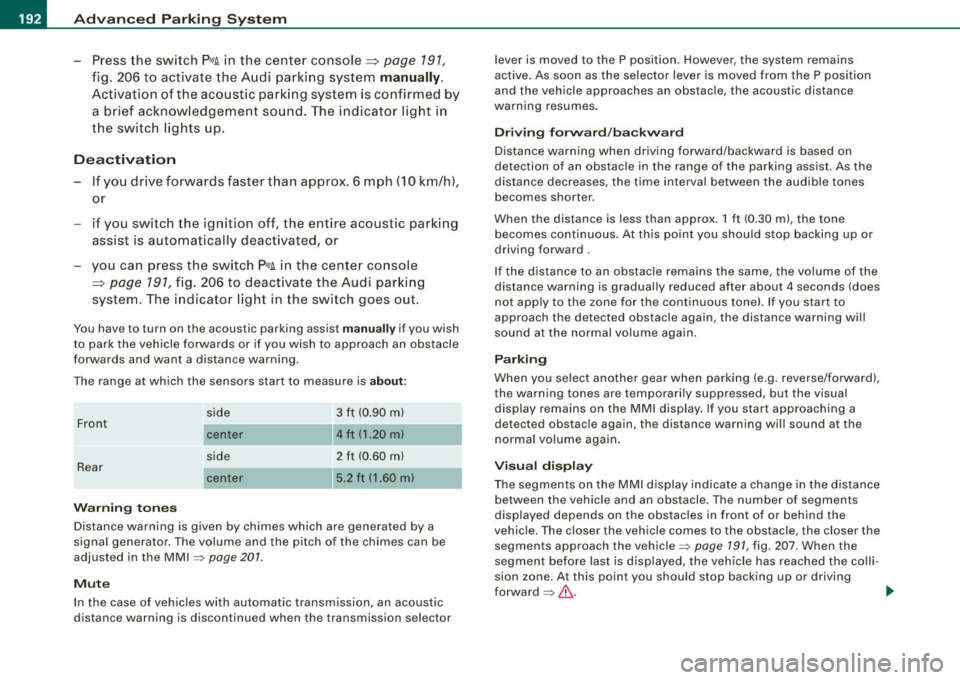
The range at which the sensors start to measu re is
about:
Front
Rear
W arning ton es side
cen
te r
side
cen ter 3 ft (0
.90 ml
4ft (1.20 ml
2 ft (0.60 ml
5 .2 ft (1.60 ml
Distance warning is given by chimes which are generated by a
signal generator . The volume and the pitch of the chimes can be
adjusted in the MMI => page 201.
Mute In the case of vehic les with automa tic transmission, an acoustic
distance warning is discontinued when the transmission selector lever is moved to the P position. However, the system remains
active
. As soon as the selector lever is moved from the
P posi tion
and the vehicle approaches an obstacle, the acoustic distance
warning resumes .
Dri ving fo rward/ba ckvv ard
Distance warning when driving forward/backward is based o n
detection of an obstacle in the range of the parking assist . As the
distance dec reases, the time interval between the audible tones
becomes shorter.
When the distance is less than approx . 1 ft (0.30 m), the tone
becomes continuous. At this point you shou ld s top backing up or
driving forward .
If the distance to an obstac le remains the same, the vo lume of the
distance warning is gradually reduced after about
4 seconds (does
not app ly to the zone for the cont inuous tone). If you sta rt to
approach the detected obstacle again, the distance warning will
sound at the normal volume again .
P a rk ing
When you selec t ano ther gear when parki ng (e .g . reverse/forward),
the warning tones are temporarily suppressed, but the visual display remains on the MMI display . If you start approaching a
detected obstacle again, the distance warning wi ll sound at the
normal vo lume again .
Vi sual disp lay
T he segments on the MMI display indicate a change in the distance
between the vehicle and an obstacle . The number of segments
displayed depends on the obstacles in front of or behind the
vehic le. The c loser the vehic le comes to the obstacle, the closer the
segments approach the vehic le => page 191, fig. 207. When the
segment before last is disp layed, the veh icle has reached the colli
sion zone. At this point you should stop backing up or driving
forward =>
&,. ..,.
Page 195 of 426

____________________________________________ A_d_ v_ a_n_ c_ e_d _ P_a_ r_ k_ i_ n ..::g==-- S_ y=- s_t _e _m __ lllll
T he image in the visua l display can be switched off on the MMI
display ::::> page
203. The acoustic distance warning remains active.
If you press a function button on the MMI termina l, the visual
display disappears . Manually switching the parking assist on again
via the
p ,y 1 switch shows the visual image on the MM I display aga in.
Further information regarding the MMI terminal is included in the
MMI user's manual.
R ear-view camera (rear view )
The rear-view camera picture::::> page 196, fig. 2 12 appears on the
MM I display as a mirror image. The rear -view camera picture has
orientation lines and marked s urfaces projected into it as an aid to
the parking process ::::> page
194. The red line in the picture
::::> pag e
194, fig. 208 or ::::, page 194, fig. 209 indicates th e collis ion
area . You shou ld stop backing up, preferably before you reach this
point ::::>
&.
If your vehicle is close to an obstacle, the visual distance display
a lso appears in the picture from the rear -view camera . This superim
posed display is intended to help d isplay the relevan t critica l vehicle
area.
I f the visual d isplay is shown on the MMI display and you press the
control button with the Rear view function::::> page
191, fig. 207, the
pictu re from the rear -v iew came ra is displayed.
If the picture from the rear -view camera is s hown a nd you press the
control button w ith the Graphic function ::::, page
196, fig. 212, the
visual display is shown.
T he picture from the rear -view camera can be switched off on the
M MI display ::::, page
203 . The acoustic distance warn ing re mains
active.
I f you press a function button on the MMI te rmina l, the rear-view
camera p icture disappears. The rear -v iew came ra picture reappears
the next time you park. But the picture from the rear -view camera
can also be shown aga in on the MM I display by manually switching
off and on with the
P •1A switch . Further information regarding the
MMI terminal is included in the MM I user's ma nual.
Controls and equip
ment
& WARNING
• Sensor s have dead space s in which obje cts cannot be
detected. Be e spe cially careful to check for small children and
an imals before ba cking up . Small children and animals will not
always be detected by the sensors.
• The Audi parking system is not a substitute for being careful
and alert when backing up. Be e spe cially careful during parking
and similar maneuver s. A lways watch where you are dri ving and
make sure that nothing is in the way.
• Remember that low ob sta cles which have already been
s ignaled may pass below the system' s sen sing zone when the
v ehi cle is ba cking up . The fa ct that the signal stop s doe s not mean
that you have cleared the obstacle . When the signal stops , impact
is imminent . Obje cts su ch as trailer hit che s, chain s, narrow posts
or fences covered by a thin l ayer of paint may not always be
detected by the sy stem. They can still damage your vehicle
without warning .
• Alway s make sure that the volume and frequency of the chime s
is adjusted so that you can eas ily hear the acoustic distance signal
even if the radio is playing , the air -conditioner blower is on High or
there is a high level of out side noise .
- Check the setting s whenever someone else has dri ven the
vehicle before you.
• Improper relian ce on the Aud i parking sy stem can cau se colli
sions and serious per sonal injury .
- Never rely only on parking assi st when ba cking up .
- Always check rear view mirrors to make sure it is safe to back
up .
[ i ] Tips
• The rear -view camera picture is available as soon as the MMI
Disp lay or the MMI is swi tch ed o n, or the start -up phase is
completed.
I • •